Danke euch fürs Testen und das Feedback!
@icebear @lyc: Avatar-Upload ("Bild konnte nicht gelesen werden") Den Fehler konnte ich reproduzieren: Die Content-Security-Policy der Oberfläche blockiert das lokale Einlesen des Bildes. Der Fix kommt im nächsten Update.
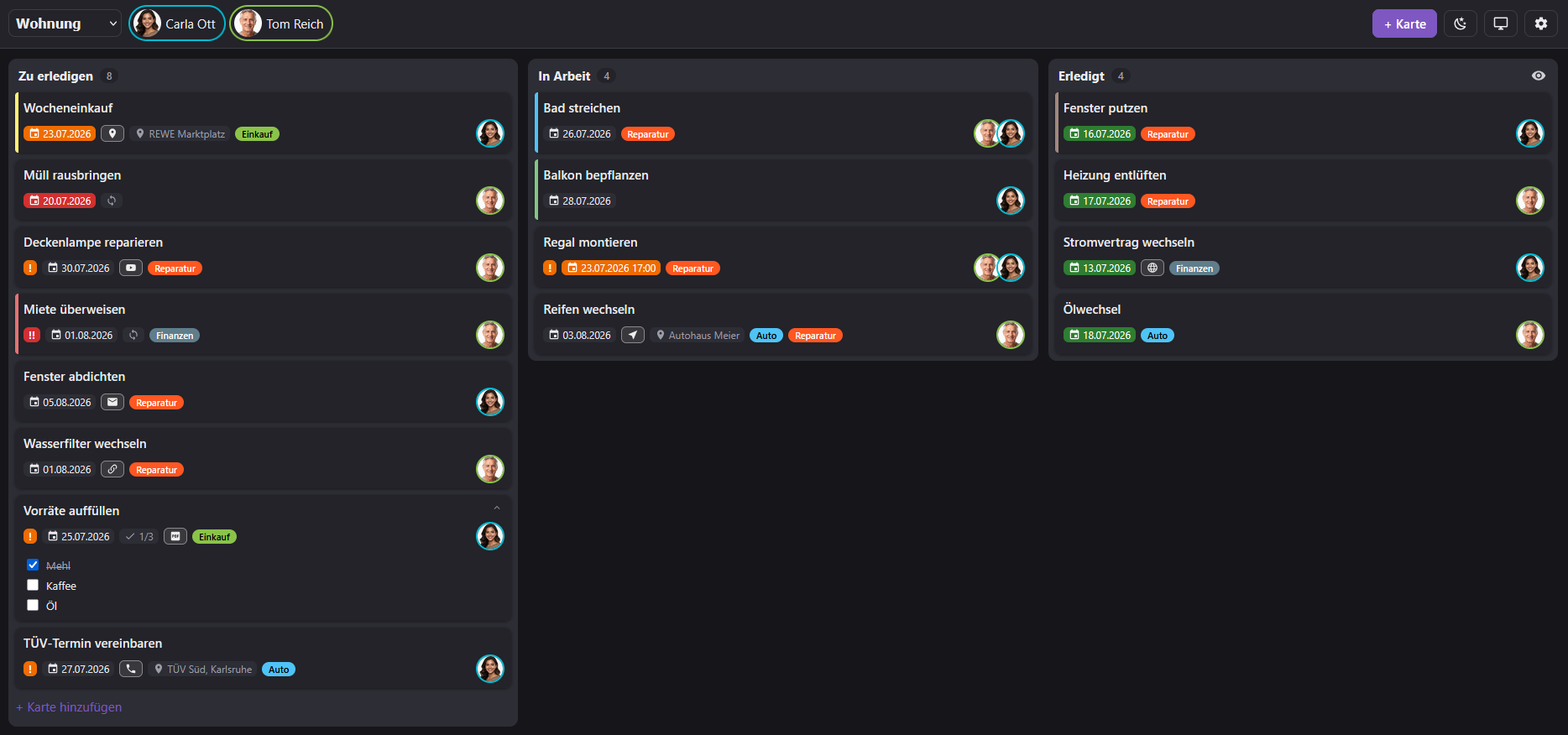
@lyc: Sortierung Per Default gibt es bei Kanban bewusst keine automatische Sortierung: du schiebst die Karten selbst in die gewünschte Reihenfolge (klicken, halten, hoch/runter; geht auch per Touch am Handy). Eine automatische Sortierung wirft immer Fragen auf: nach Priorität? Nach Datum? Einträge ohne Datum oben oder unten? Nach Person? etc. pp.
Was ich mir aber gut vorstellen kann: ein optionaler Schalter „nach Fälligkeit sortieren" pro Spalte. Dann bleibt „manuell" der Standard und wer will, schaltet die Sortierung dazu. Alternativ (oder zusätzlich) ein Anfasser zum leichteren Verschieben, wie bei den Spalten in den Board-Einstellungen. Wie sind hier die Meinungen der Community?
@lyc – Karten auf ein anderes Board verschieben Guter Punkt, das gibt es aktuell nicht (nur neu anlegen). Nehme ich als Feature-Wunsch auf.
Was die Integration von Messengern oder Pushdiensten angeht... da hat natürlich jeder seine persönlichen Vorlieben. Wenn ich heute Whatsapp und Pushover nativ integriere, möchte morgen jemand Matrix, übermorgen ein anderer PushBullet und Signal oder Telegram... usw.
Daher würde ich das gerne anders lösen und diese Möglichkeit habt ihr bereits mit der Version 0.2.0: Der Adapter feuert bei jedem Ereignis einen ausgehenden Webhook und schreibt zusätzlich den State kanban.0.lastEvent (inklusive Board, Karte, Zuständigen und Fälligkeit). Damit kann sich jeder die Benachrichtigung per Skript oder Node-RED an jeden beliebigen Dienst (Pushover, Signal, Telegram, Pushbullet …) schicken lassen.
Hier ein fertiges JavaScript-Beispiel (Telegram), das auch in der Doku landen wird.
// ============================================================
// Kanban -> messenger notifications (Telegram example)
// Runs in the ioBroker JavaScript adapter.
// Reacts to kanban.0.lastEvent and sends the assigned users a
// message. The same pattern works with Pushover, Signal,
// Pushbullet, WhatsApp ... - just swap the sendTo line.
// ============================================================
// ---- Configuration -----------------------------------------
const KANBAN = 'kanban.0'; // Kanban instance
const MESSENGER = 'telegram.0'; // messenger instance (Telegram here)
const BASE_URL = 'http://192.168.1.10:8095'; // board base URL (fallback if the event has no link)
// Mapping: Kanban user id -> messenger chat id
// Key = the Kanban user id (lowercase "name" as in card.assignees, e.g. "user1"), NOT the display name.
// Value = the recipient id (Telegram: the numeric "ID" column of telegram.0.communicate.users).
const USERS = {
user1: '123456789',
// user2: '234567890',
};
// Which events should trigger a message?
// Available: cardCreated, cardAssigned, cardUpdated, cardMoved, cardDone, cardDeleted, cardDue
// Tip: 'cardAssigned' + 'cardDue' is enough for most setups. Adding 'cardCreated'
// sends an extra message when a card is created.
const EVENTS = ['cardAssigned', 'cardDue'];
// Skip the person who triggered the change? Uses ev.detail.by (the actor).
// Note: the board has NO login, so the web UI does not identify the actor -
// "by" is only filled for changes made via API / webhooks / scripts that pass
// a "by" field (e.g. your own agents). For plain clicks in the board UI this
// option therefore has no effect.
const SKIP_SELF = true;
// If a person has no messenger mapping: send to everyone? (false = skip)
const BROADCAST_IF_UNMAPPED = false;
// ------------------------------------------------------------
const HEADER = {
cardAssigned: 'Assigned to you',
cardDue: 'Due',
cardCreated: 'New card',
cardMoved: 'Moved',
cardDone: 'Done',
cardUpdated: 'Updated',
};
const PRIO = ['', 'Priority: High', 'Priority: Urgent'];
function buildText(ev) {
const c = ev.card || {};
const b = ev.board || {};
const lines = ['[Kanban] ' + (HEADER[ev.event] || ev.event), ''];
lines.push(c.title || '(no title)');
lines.push('Board: ' + (b.title || b.id || '?'));
if (c.due) lines.push('Due: ' + c.due + (c.dueTime ? ' ' + c.dueTime : ''));
if (c.priority) lines.push(PRIO[c.priority]);
// The adapter adds a ready-to-use deep link as ev.link; fall back to building one
const link = ev.link || (c.id && b.id
? BASE_URL + '/?board=' + encodeURIComponent(b.id) + '&card=' + encodeURIComponent(c.id)
: '');
if (link) { lines.push(''); lines.push(link); }
return lines.join('\n');
}
on({ id: KANBAN + '.lastEvent', change: 'any' }, (obj) => {
let ev;
try { ev = JSON.parse(obj.state.val); } catch (e) { return; }
if (!ev || !EVENTS.includes(ev.event)) return;
// Determine recipients
let recipients;
if (ev.event === 'cardAssigned' && ev.detail && ev.detail.assignee) {
recipients = [ev.detail.assignee]; // only the newly assigned person
} else {
recipients = (ev.card && ev.card.assignees) || []; // all assignees
}
// Optionally drop the person who triggered the change (no self-notification)
const by = ev.detail && ev.detail.by;
if (SKIP_SELF && by) recipients = recipients.filter(u => u !== by);
if (!recipients.length) return;
const text = buildText(ev);
const already = new Set();
for (const uid of recipients) {
const chatId = USERS[uid];
if (chatId) {
if (already.has(chatId)) continue;
already.add(chatId);
sendTo(MESSENGER, { chatId: chatId, text: text }); // adjust to your messenger's sendTo parameters if needed
} else if (BROADCAST_IF_UNMAPPED) {
sendTo(MESSENGER, { text: text }); // adjust to your messenger's broadcast parameters if needed
}
// otherwise: no mapping -> skipped
}
});
WhatsApp direkt einzubauen ist übrigens unpraktisch, weil der kostenlose WhatsApp-Adapter den API-Key an eine feste Empfängernummer (CallMeBot) bindet. Heisst, je User bräuchte man eine eigene Instanz.