
NEWS




{ESP Home} Webinterface wird nicht geladen
-
nopysollte das Suchstichwort sein.@thomas-braun
Und was kann ich dagegen machen, und wo sollte ich des finden? -
iob del esphome

Delete adapter "esphome"
host.IoBrocker Counted 1 instances of esphome
host.IoBrocker Counted 1 meta of esphome
host.IoBrocker Counted 1 adapter for esphome
host.IoBrocker Counted 1 channels of esphome
host.IoBrocker Counted 2 states of esphome
host.IoBrocker Counted 15 states of system.adapter.esphome
host.IoBrocker Counted 3 states (io.esphome.*) from states
host.IoBrocker Counted 16 states (system.adapter.esphome.*) from states
host.IoBrocker Counted 1 objects of esphome
host.IoBrocker file esphome.admin deleted
host.IoBrocker object esphome deleted
host.IoBrocker object esphome.admin deleted
host.IoBrocker Deleting 22 object(s).
host.IoBrocker Deleting 19 state(s).

removed 105 packages in 7s

82 packages are looking for funding
  run `npm fund` for details
npm i iobroker.esphome@latest added 163 packages in 40s 13 packages are looking for funding run `npm fund` for details@rackermann sagte in {ESP Home} Webinterface wird nicht geladen:
iob del esphome

Delete adapter "esphome"
host.IoBrocker Counted 1 instances of esphome
host.IoBrocker Counted 1 meta of esphome
host.IoBrocker Counted 1 adapter for esphome
host.IoBrocker Counted 1 channels of esphome
host.IoBrocker Counted 2 states of esphome
host.IoBrocker Counted 15 states of system.adapter.esphome
host.IoBrocker Counted 3 states (io.esphome.*) from states
host.IoBrocker Counted 16 states (system.adapter.esphome.*) from states
host.IoBrocker Counted 1 objects of esphome
host.IoBrocker file esphome.admin deleted
host.IoBrocker object esphome deleted
host.IoBrocker object esphome.admin deleted
host.IoBrocker Deleting 22 object(s).
host.IoBrocker Deleting 19 state(s).

removed 105 packages in 7s

82 packages are looking for funding
  run `npm fund` for details
npm i iobroker.esphome@latest added 163 packages in 40s 13 packages are looking for funding run `npm fund` for detailsDie Installation sieht ok aus, auch keine Probleme mit Abhängigkeiten. Und was wen du jetzt eine Instanz erstellst?
iob add esphome
Startet der Adapter dan, was passiert wen du das esphome Dashboard aktivierst in den Einstellungen?
PS: die älteren Posts im Forum bezüglich Python und der Installation sollten mit der neuen Adapter Version irrelevant sein. Im Hintergrund hat sich die Art wie wir mit Python reden geändert und eine Installation auf dem System ist nicht mehr notwendig läuft alles im Node proces
https://forum.iobroker.net/topic/49696/test-adapter-knx-v2-x/394
-
@rackermann sagte in {ESP Home} Webinterface wird nicht geladen:
iob del esphome

Delete adapter "esphome"
host.IoBrocker Counted 1 instances of esphome
host.IoBrocker Counted 1 meta of esphome
host.IoBrocker Counted 1 adapter for esphome
host.IoBrocker Counted 1 channels of esphome
host.IoBrocker Counted 2 states of esphome
host.IoBrocker Counted 15 states of system.adapter.esphome
host.IoBrocker Counted 3 states (io.esphome.*) from states
host.IoBrocker Counted 16 states (system.adapter.esphome.*) from states
host.IoBrocker Counted 1 objects of esphome
host.IoBrocker file esphome.admin deleted
host.IoBrocker object esphome deleted
host.IoBrocker object esphome.admin deleted
host.IoBrocker Deleting 22 object(s).
host.IoBrocker Deleting 19 state(s).

removed 105 packages in 7s

82 packages are looking for funding
  run `npm fund` for details
npm i iobroker.esphome@latest added 163 packages in 40s 13 packages are looking for funding run `npm fund` for detailsDie Installation sieht ok aus, auch keine Probleme mit Abhängigkeiten. Und was wen du jetzt eine Instanz erstellst?
iob add esphome
Startet der Adapter dan, was passiert wen du das esphome Dashboard aktivierst in den Einstellungen?
PS: die älteren Posts im Forum bezüglich Python und der Installation sollten mit der neuen Adapter Version irrelevant sein. Im Hintergrund hat sich die Art wie wir mit Python reden geändert und eine Installation auf dem System ist nicht mehr notwendig läuft alles im Node proces
https://forum.iobroker.net/topic/49696/test-adapter-knx-v2-x/394
esphome.0
2023-11-18 22:57:50.458	info	[Error caught and send to Sentry, thank you collaborating!] error: Error: Command failed with exit code 1: /home/iobroker/.cache/autopy/venv/esphome/bin/python3 -m pip list --local --format json /home/iobroker/.cache/autopy/venv/esphome/bin/python3: No module named pip at makeError (file:///opt/iobroker/node_modules/autopy/node_modules/execa/lib/error.js:60:11) at handlePromise (file:///opt/iobroker/node_modules/autopy/node_modules/execa/index.js:124:26) at processTicksAndRejections (node:internal/process/task_queues:95:5) at $df9eabe9bda49ea8$export$e522f41234ab669a (file:///opt/iobroker/node_modules/autopy/src/index.ts:242:35) at Esphome.espHomeDashboard (/opt/iobroker/node_modules/iobroker.esphome/main.js:111:19) at Esphome.onReady (/Users/nl69zh/Developer/community/opensource/ioBroker.esphome/main.js:79:4)

esphome.0
2023-11-18 22:57:49.793	info	Native Integration of ESPHome Dashboard enabled

esphome.0
2023-11-18 22:57:49.708	info	starting. Version 0.5.0-beta.4 in /opt/iobroker/node_modules/iobroker.esphome, node: v18.18.2, js-controller: 5.0.16

esphome.0
2023-11-18 22:57:44.904	info	terminating
hat sich nix verändert, soll ich den installationslog auch senden
-
esphome.0
2023-11-18 22:57:50.458	info	[Error caught and send to Sentry, thank you collaborating!] error: Error: Command failed with exit code 1: /home/iobroker/.cache/autopy/venv/esphome/bin/python3 -m pip list --local --format json /home/iobroker/.cache/autopy/venv/esphome/bin/python3: No module named pip at makeError (file:///opt/iobroker/node_modules/autopy/node_modules/execa/lib/error.js:60:11) at handlePromise (file:///opt/iobroker/node_modules/autopy/node_modules/execa/index.js:124:26) at processTicksAndRejections (node:internal/process/task_queues:95:5) at $df9eabe9bda49ea8$export$e522f41234ab669a (file:///opt/iobroker/node_modules/autopy/src/index.ts:242:35) at Esphome.espHomeDashboard (/opt/iobroker/node_modules/iobroker.esphome/main.js:111:19) at Esphome.onReady (/Users/nl69zh/Developer/community/opensource/ioBroker.esphome/main.js:79:4)

esphome.0
2023-11-18 22:57:49.793	info	Native Integration of ESPHome Dashboard enabled

esphome.0
2023-11-18 22:57:49.708	info	starting. Version 0.5.0-beta.4 in /opt/iobroker/node_modules/iobroker.esphome, node: v18.18.2, js-controller: 5.0.16

esphome.0
2023-11-18 22:57:44.904	info	terminating
hat sich nix verändert, soll ich den installationslog auch senden
hat sich nix verändert, soll ich den installationslog auch senden
Sehr merkwürdig, mach mir mal bitte auch ein issue auf git mit den Informationen deines System
Simon unterstützt mich momentan sehr bei dem Adapter und auch der Python Integration und würde auch gern Rücksprache mit ihm über git halten zu diesem Thema
Da wir bereits einige Installationen haben ohne diese Problematik, und das System ja komplett frisch ist…. Muss es irgendwo einen Faktor geben den wir übersehen
-
hat sich nix verändert, soll ich den installationslog auch senden
Sehr merkwürdig, mach mir mal bitte auch ein issue auf git mit den Informationen deines System
Simon unterstützt mich momentan sehr bei dem Adapter und auch der Python Integration und würde auch gern Rücksprache mit ihm über git halten zu diesem Thema
Da wir bereits einige Installationen haben ohne diese Problematik, und das System ja komplett frisch ist…. Muss es irgendwo einen Faktor geben den wir übersehen
-
@Dutchman
esphome git oder wo?@rackermann sagte in {ESP Home} Webinterface wird nicht geladen:
@Dutchman
esphome git oder wo?https://github.com/DrozmotiX/ioBroker.esphome/issues
Danke 👍
-
@rackermann sagte in {ESP Home} Webinterface wird nicht geladen:
@Dutchman
esphome git oder wo?https://github.com/DrozmotiX/ioBroker.esphome/issues
Danke 👍
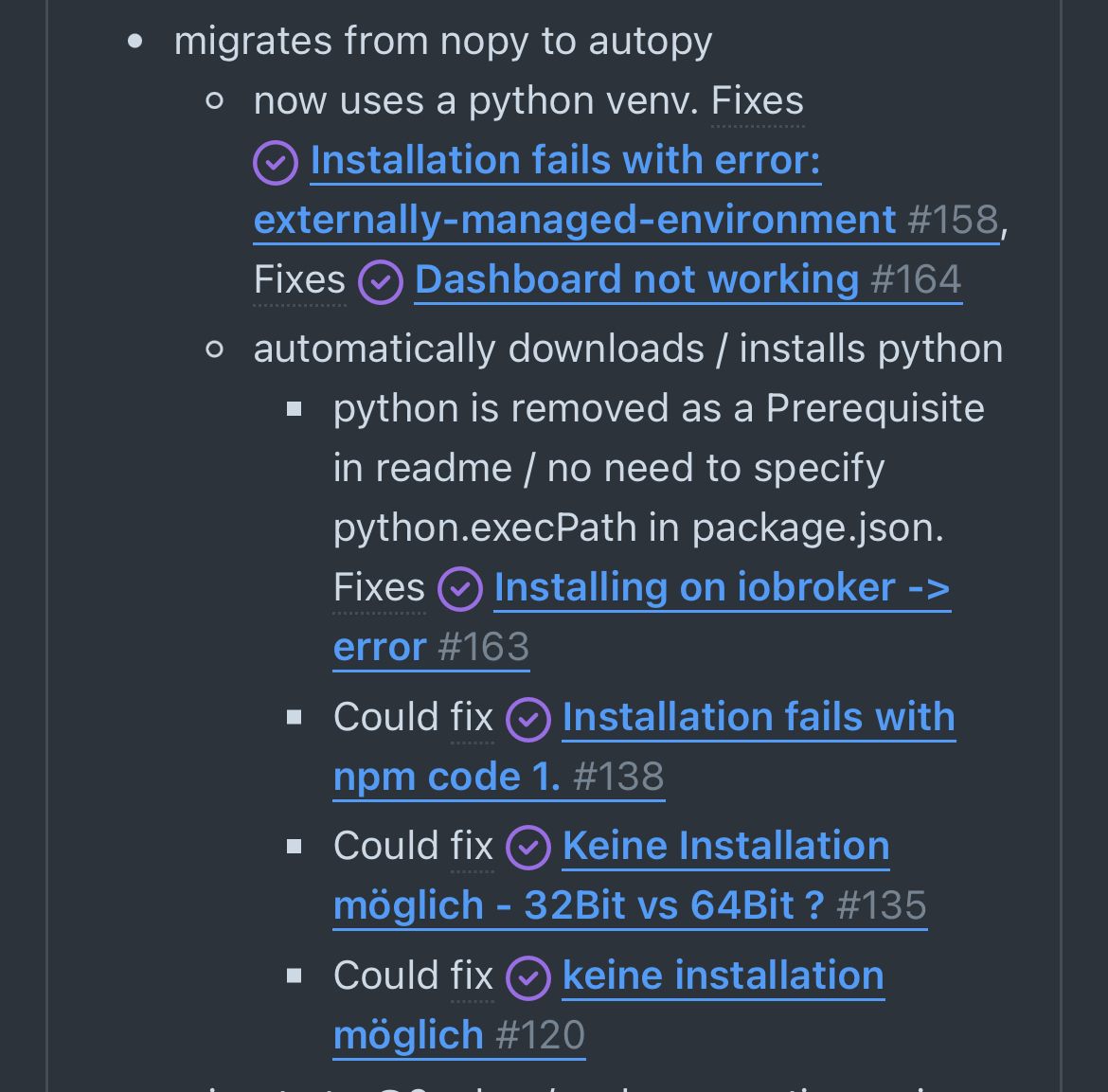
Ah, hatte ich noch gar nicht gesehen, dass man die ganzen Links (nopy) nicht nicht mehr von Hand setzen muss. Und venv wird auch richtig gesetzt.
Eine Installation von esphome.iobroker ist eben bei mir durchgelaufenLinux-Werkzeugkasten:
https://forum.iobroker.net/topic/42952/der-kleine-iobroker-linux-werkzeugkasten
NodeJS Fixer Skript:
https://forum.iobroker.net/topic/68035/iob-node-fix-skript
iob_diag: curl -sLf -o diag.sh https://iobroker.net/diag.sh && bash diag.sh -
Ah, hatte ich noch gar nicht gesehen, dass man die ganzen Links (nopy) nicht nicht mehr von Hand setzen muss. Und venv wird auch richtig gesetzt.
Eine Installation von esphome.iobroker ist eben bei mir durchgelaufen@thomas-braun sagte in {ESP Home} Webinterface wird nicht geladen:
Ah, hatte ich noch gar nicht gesehen, dass man die ganzen Links (nopy) nicht nicht mehr von Hand setzen muss. Und venv wird auch richtig gesetzt.
Eine Installation von esphome.iobroker ist eben bei mir durchgelaufenIch bin sehr froh über diese Änderung, verstehe nur nicht warum es in diesem Fall klemmt 🤔
-
@thomas-braun sagte in {ESP Home} Webinterface wird nicht geladen:
Ah, hatte ich noch gar nicht gesehen, dass man die ganzen Links (nopy) nicht nicht mehr von Hand setzen muss. Und venv wird auch richtig gesetzt.
Eine Installation von esphome.iobroker ist eben bei mir durchgelaufenIch bin sehr froh über diese Änderung, verstehe nur nicht warum es in diesem Fall klemmt 🤔
@dutchman
Das war meine schuld. hab des Falsche Betriebssystem installiert.
Aber jzt hab ich nen anderen Fehleresphome.0 2023-11-30 21:10:53.970 error Exception-Code: MODULE_NOT_FOUND: Cannot find module '@mongodb-js/zstd-linux-arm-gnueabihf'Require stack:- /opt/iobroker/node_modules/@mongodb-js/zstd/index.js esphome.0 2023-11-30 21:10:53.968 error Error: Cannot find module '@mongodb-js/zstd-linux-arm-gnueabihf'Require stack:- /opt/iobroker/node_modules/@mongodb-js/zstd/index.js at Function.Module._resolveFilename (node:internal/modules/cjs/loader:1134:15) at Function.Module._load (node:internal/modules/cjs/loader:975:27) at Module.require (node:internal/modules/cjs/loader:1225:19) at require (node:internal/modules/helpers:177:18) at Object.<anonymous> (/opt/iobroker/node_modules/@mongodb-js/zstd/index.js:131:29) at Module._compile (node:internal/modules/cjs/loader:1356:14) at Object.Module._extensions..js (node:internal/modules/cjs/loader:1414:10) at Module.load (node:internal/modules/cjs/loader:1197:32) at Function.Module._load (node:internal/modules/cjs/loader:1013:12) at ModuleWrap.<anonymous> (node:internal/modules/esm/translators:202:29) esphome.0 2023-11-30 21:10:53.967 error unhandled promise rejection: Cannot find module '@mongodb-js/zstd-linux-arm-gnueabihf'Require stack:- /opt/iobroker/node_modules/@mongodb-js/zstd/index.js esphome.0 2023-11-30 21:10:53.964 error Unhandled promise rejection. This error originated either by throwing inside of an async function without a catch block, or by rejecting a promise which was not handled with .catch(). esphome.0 2023-11-30 21:10:53.806 info [Error caught and send to Sentry, thank you collaborating!] error: Error: Cannot find module '@mongodb-js/zstd-linux-arm-gnueabihf'Require stack:- /opt/iobroker/node_modules/@mongodb-js/zstd/index.js at Function.Module._resolveFilename (node:internal/modules/cjs/loader:1134:15) at Function.Module._load (node:internal/modules/cjs/loader:975:27) at Module.require (node:internal/modules/cjs/loader:1225:19) at require (node:internal/modules/helpers:177:18) at Object.<anonymous> (/opt/iobroker/node_modules/@mongodb-js/zstd/index.js:131:29) at Module._compile (node:internal/modules/cjs/loader:1356:14) at Object.Module._extensions..js (node:internal/modules/cjs/loader:1414:10) at Module.load (node:internal/modules/cjs/loader:1197:32) at Function.Module._load (node:internal/modules/cjs/loader:1013:12) at ModuleWrap.<anonymous> (node:internal/modules/esm/translators:202:29) esphome.0 2023-11-30 21:10:53.682 info Native Integration of ESPHome Dashboard enabled esphome.0 2023-11-30 21:10:53.604 info starting. Version 0.5.0-beta.8 in /opt/iobroker/node_modules/iobroker.esphome, node: v18.19.0, js-controller: 5.0.17 esphome.0 2023-11-30 21:10:29.934 info terminating -
@dutchman
Das war meine schuld. hab des Falsche Betriebssystem installiert.
Aber jzt hab ich nen anderen Fehleresphome.0 2023-11-30 21:10:53.970 error Exception-Code: MODULE_NOT_FOUND: Cannot find module '@mongodb-js/zstd-linux-arm-gnueabihf'Require stack:- /opt/iobroker/node_modules/@mongodb-js/zstd/index.js esphome.0 2023-11-30 21:10:53.968 error Error: Cannot find module '@mongodb-js/zstd-linux-arm-gnueabihf'Require stack:- /opt/iobroker/node_modules/@mongodb-js/zstd/index.js at Function.Module._resolveFilename (node:internal/modules/cjs/loader:1134:15) at Function.Module._load (node:internal/modules/cjs/loader:975:27) at Module.require (node:internal/modules/cjs/loader:1225:19) at require (node:internal/modules/helpers:177:18) at Object.<anonymous> (/opt/iobroker/node_modules/@mongodb-js/zstd/index.js:131:29) at Module._compile (node:internal/modules/cjs/loader:1356:14) at Object.Module._extensions..js (node:internal/modules/cjs/loader:1414:10) at Module.load (node:internal/modules/cjs/loader:1197:32) at Function.Module._load (node:internal/modules/cjs/loader:1013:12) at ModuleWrap.<anonymous> (node:internal/modules/esm/translators:202:29) esphome.0 2023-11-30 21:10:53.967 error unhandled promise rejection: Cannot find module '@mongodb-js/zstd-linux-arm-gnueabihf'Require stack:- /opt/iobroker/node_modules/@mongodb-js/zstd/index.js esphome.0 2023-11-30 21:10:53.964 error Unhandled promise rejection. This error originated either by throwing inside of an async function without a catch block, or by rejecting a promise which was not handled with .catch(). esphome.0 2023-11-30 21:10:53.806 info [Error caught and send to Sentry, thank you collaborating!] error: Error: Cannot find module '@mongodb-js/zstd-linux-arm-gnueabihf'Require stack:- /opt/iobroker/node_modules/@mongodb-js/zstd/index.js at Function.Module._resolveFilename (node:internal/modules/cjs/loader:1134:15) at Function.Module._load (node:internal/modules/cjs/loader:975:27) at Module.require (node:internal/modules/cjs/loader:1225:19) at require (node:internal/modules/helpers:177:18) at Object.<anonymous> (/opt/iobroker/node_modules/@mongodb-js/zstd/index.js:131:29) at Module._compile (node:internal/modules/cjs/loader:1356:14) at Object.Module._extensions..js (node:internal/modules/cjs/loader:1414:10) at Module.load (node:internal/modules/cjs/loader:1197:32) at Function.Module._load (node:internal/modules/cjs/loader:1013:12) at ModuleWrap.<anonymous> (node:internal/modules/esm/translators:202:29) esphome.0 2023-11-30 21:10:53.682 info Native Integration of ESPHome Dashboard enabled esphome.0 2023-11-30 21:10:53.604 info starting. Version 0.5.0-beta.8 in /opt/iobroker/node_modules/iobroker.esphome, node: v18.19.0, js-controller: 5.0.17 esphome.0 2023-11-30 21:10:29.934 info terminating@rackermann sagte in {ESP Home} Webinterface wird nicht geladen:
hab des Falsche Betriebssystem installiert.
Welches hast du denn jetzt installiert?
Auf meinem reinen 64bit ARM läuft es nämlich ohne Zicken.
echad@chet:/opt/iobroker $ locate mongodb-js
/opt/iobroker/node_modules/@mongodb-js
/opt/iobroker/node_modules/@mongodb-js/zstd
/opt/iobroker/node_modules/@mongodb-js/zstd-linux-arm64-gnu
/opt/iobroker/node_modules/@mongodb-js/zstd-linux-arm64-gnu/README.md
/opt/iobroker/node_modules/@mongodb-js/zstd-linux-arm64-gnu/package.json
/opt/iobroker/node_modules/@mongodb-js/zstd-linux-arm64-gnu/zstd.linux-arm64-gnu.node
/opt/iobroker/node_modules/@mongodb-js/zstd-linux-arm64-musl
/opt/iobroker/node_modules/@mongodb-js/zstd-linux-arm64-musl/README.md
/opt/iobroker/node_modules/@mongodb-js/zstd-linux-arm64-musl/package.json
/opt/iobroker/node_modules/@mongodb-js/zstd-linux-arm64-musl/zstd.linux-arm64-musl.node
/opt/iobroker/node_modules/@mongodb-js/zstd/LICENSE.md
/opt/iobroker/node_modules/@mongodb-js/zstd/README.md
/opt/iobroker/node_modules/@mongodb-js/zstd/index.d.ts
/opt/iobroker/node_modules/@mongodb-js/zstd/index.js
/opt/iobroker/node_modules/@mongodb-js/zstd/package.json
echad@chet:/opt/iobroker $
Was sagt
iob diagda bei dir?
Linux-Werkzeugkasten:
https://forum.iobroker.net/topic/42952/der-kleine-iobroker-linux-werkzeugkasten
NodeJS Fixer Skript:
https://forum.iobroker.net/topic/68035/iob-node-fix-skript
iob_diag: curl -sLf -o diag.sh https://iobroker.net/diag.sh && bash diag.sh -
@rackermann sagte in {ESP Home} Webinterface wird nicht geladen:
hab des Falsche Betriebssystem installiert.
Welches hast du denn jetzt installiert?
Auf meinem reinen 64bit ARM läuft es nämlich ohne Zicken.
echad@chet:/opt/iobroker $ locate mongodb-js
/opt/iobroker/node_modules/@mongodb-js
/opt/iobroker/node_modules/@mongodb-js/zstd
/opt/iobroker/node_modules/@mongodb-js/zstd-linux-arm64-gnu
/opt/iobroker/node_modules/@mongodb-js/zstd-linux-arm64-gnu/README.md
/opt/iobroker/node_modules/@mongodb-js/zstd-linux-arm64-gnu/package.json
/opt/iobroker/node_modules/@mongodb-js/zstd-linux-arm64-gnu/zstd.linux-arm64-gnu.node
/opt/iobroker/node_modules/@mongodb-js/zstd-linux-arm64-musl
/opt/iobroker/node_modules/@mongodb-js/zstd-linux-arm64-musl/README.md
/opt/iobroker/node_modules/@mongodb-js/zstd-linux-arm64-musl/package.json
/opt/iobroker/node_modules/@mongodb-js/zstd-linux-arm64-musl/zstd.linux-arm64-musl.node
/opt/iobroker/node_modules/@mongodb-js/zstd/LICENSE.md
/opt/iobroker/node_modules/@mongodb-js/zstd/README.md
/opt/iobroker/node_modules/@mongodb-js/zstd/index.d.ts
/opt/iobroker/node_modules/@mongodb-js/zstd/index.js
/opt/iobroker/node_modules/@mongodb-js/zstd/package.json
echad@chet:/opt/iobroker $
Was sagt
iob diagda bei dir?
@thomas-braun
Zusammenfassung oder Komplett?Zusammenfassung
======================= SUMMARY ======================= v.2023-10-10 Static hostname: raspberrypi Icon name: computer Operating System: Raspbian GNU/Linux 12 (bookworm) Kernel: Linux 6.1.0-rpi6-rpi-v8 Architecture: arm64 Installation: native Kernel: aarch64 Userland: armhf Timezone: Europe/Berlin (CET, +0100) User-ID: 1000 X-Server: false Boot Target: multi-user.target Pending OS-Updates: 0 Pending iob updates: 2 Nodejs-Installation: /usr/bin/nodejs v18.19.0 /usr/bin/node v18.19.0 /usr/bin/npm 10.2.3 /usr/bin/npx 10.2.3 /usr/bin/corepack 0.22.0 Recommended versions are nodejs 18.19.0 and npm 10.2.3 Your nodejs installation is correct MEMORY: total used free shared buff/cache available Mem: 8.2G 603M 7.0G 1.3M 716M 7.6G Swap: 104M 0B 104M Total: 8.3G 603M 7.1G Active iob-Instances: 6 Active repo(s): beta ioBroker Core: js-controller 5.0.17 admin 6.10.1 ioBroker Status: iobroker is running on this host. Objects type: jsonl States type: jsonl Status admin and web instance: + system.adapter.admin.0 : admin : raspberrypi - enabled, port: 8081, bind: 0.0.0.0, run as: admin Objects: 1123 States: 967 Size of iob-Database: 30M /opt/iobroker/iobroker-data/objects.jsonl 1.6M /opt/iobroker/iobroker-data/states.jsonl =================== END OF SUMMARY ==================== -
@thomas-braun
Zusammenfassung oder Komplett?Zusammenfassung
======================= SUMMARY ======================= v.2023-10-10 Static hostname: raspberrypi Icon name: computer Operating System: Raspbian GNU/Linux 12 (bookworm) Kernel: Linux 6.1.0-rpi6-rpi-v8 Architecture: arm64 Installation: native Kernel: aarch64 Userland: armhf Timezone: Europe/Berlin (CET, +0100) User-ID: 1000 X-Server: false Boot Target: multi-user.target Pending OS-Updates: 0 Pending iob updates: 2 Nodejs-Installation: /usr/bin/nodejs v18.19.0 /usr/bin/node v18.19.0 /usr/bin/npm 10.2.3 /usr/bin/npx 10.2.3 /usr/bin/corepack 0.22.0 Recommended versions are nodejs 18.19.0 and npm 10.2.3 Your nodejs installation is correct MEMORY: total used free shared buff/cache available Mem: 8.2G 603M 7.0G 1.3M 716M 7.6G Swap: 104M 0B 104M Total: 8.3G 603M 7.1G Active iob-Instances: 6 Active repo(s): beta ioBroker Core: js-controller 5.0.17 admin 6.10.1 ioBroker Status: iobroker is running on this host. Objects type: jsonl States type: jsonl Status admin and web instance: + system.adapter.admin.0 : admin : raspberrypi - enabled, port: 8081, bind: 0.0.0.0, run as: admin Objects: 1123 States: 967 Size of iob-Database: 30M /opt/iobroker/iobroker-data/objects.jsonl 1.6M /opt/iobroker/iobroker-data/states.jsonl =================== END OF SUMMARY ====================@rackermann sagte in {ESP Home} Webinterface wird nicht geladen:
Vermutlich kommt das bei dir daher:
Kernel:                 aarch64
Userland:               armhf
Das ist ein Mix aus einem 64Bit-Kernel mit einem 32Bit 'Userland'. Das kann unter Umständen solch schrägen Abhänigigkeiten fabrizieren. Mein System sieht an der Stelle nämlich so aus:
Kernel:                 aarch64
Userland:               arm64
Linux-Werkzeugkasten:
https://forum.iobroker.net/topic/42952/der-kleine-iobroker-linux-werkzeugkasten
NodeJS Fixer Skript:
https://forum.iobroker.net/topic/68035/iob-node-fix-skript
iob_diag: curl -sLf -o diag.sh https://iobroker.net/diag.sh && bash diag.sh -
@rackermann sagte in {ESP Home} Webinterface wird nicht geladen:
Vermutlich kommt das bei dir daher:
Kernel:                 aarch64
Userland:               armhf
Das ist ein Mix aus einem 64Bit-Kernel mit einem 32Bit 'Userland'. Das kann unter Umständen solch schrägen Abhänigigkeiten fabrizieren. Mein System sieht an der Stelle nämlich so aus:
Kernel: aarch64 Userland: arm64@thomas-braun
Neu aufsetzen oder gibt es eine andere möglichkeit des zu testen? -
@thomas-braun
Neu aufsetzen oder gibt es eine andere möglichkeit des zu testen?Ich würde es so oder so neuaufsetzen. Dann hast du an der Stelle Ruhe.
-
@thomas-braun
Neu aufsetzen oder gibt es eine andere möglichkeit des zu testen?Wobei ich nicht verstehe, wie man auf einem Pi5 an solch eine Installation kommt? Das kann ja erst kürzlich installiert worden sein, warum nimmt man da nicht gleich das 64Bit Image?
-
@thomas-braun
Neu aufsetzen oder gibt es eine andere möglichkeit des zu testen?@rackermann
Ich habe ähnliche Probleme und ebenfallsKernel: aarch64 Userland: armhfHat das neu Aufsetzen bei dir Abhilfe geschaffen?
-
@rackermann
Ich habe ähnliche Probleme und ebenfallsKernel: aarch64 Userland: armhfHat das neu Aufsetzen bei dir Abhilfe geschaffen?
Bei mir war das Problem Node.js: v16.... als ich es auf Node.js: v18.19.0 geupdate hab, war die ESPHome oberfläche sichtbar.
-
Bei mir war das Problem Node.js: v16.... als ich es auf Node.js: v18.19.0 geupdate hab, war die ESPHome oberfläche sichtbar.
Bei nodejs fährt man selbstverständlich eh immer die vorgesehene und empfohlene Version.
-
Bei nodejs fährt man selbstverständlich eh immer die vorgesehene und empfohlene Version.
Ja jetzt wo ich das kapiert hab, ist es logisch
Hätte aber ruhig ein Hinweis kommen können, wieSie verwenden eine zu alte Verion von nodejsIch hab damals auf Github die Seite bestimmt 10x gelesen, aber das muss ich 10x ignoriert haben :)
-
@berndsolar13 nodejs ist aktuell
der Adapter ansich läuft auch solange das Dashboard deaktiviert ist
wenn es aktiviert wird stürzt der Adapter ab




Hey! Du scheinst an dieser Unterhaltung interessiert zu sein, hast aber noch kein Konto.
Hast du es satt, bei jedem Besuch durch die gleichen Beiträge zu scrollen? Wenn du dich für ein Konto anmeldest, kommst du immer genau dorthin zurück, wo du zuvor warst, und kannst dich über neue Antworten benachrichtigen lassen (entweder per E-Mail oder Push-Benachrichtigung). Du kannst auch Lesezeichen speichern und Beiträge positiv bewerten, um anderen Community-Mitgliedern deine Wertschätzung zu zeigen.
Mit deinem Input könnte dieser Beitrag noch besser werden 💗
Registrieren Anmelden369
Online33.1k
Benutzende83.7k
Themen1.3m
Beiträge