Skip to content

Blockly

Hilfe für Skripterstellung mit Blockly

6.6k Topics 79.6k Posts

NEWS

  • [gelöst] BWM Blockly

    blockly
    19
    1
    0 Votes
    19 Posts
    2k Views
    A
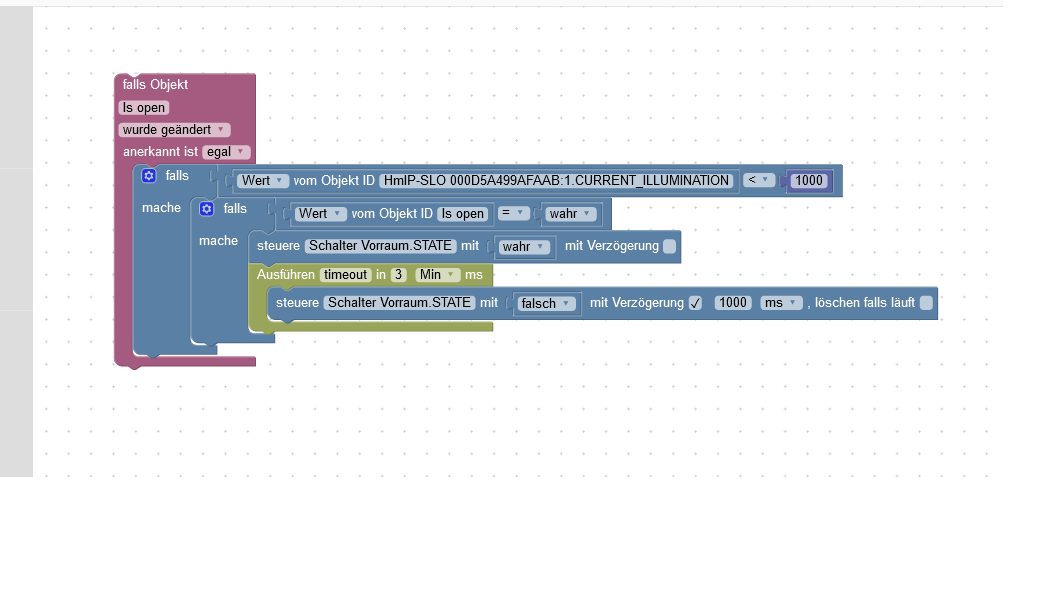
    Habs jetzt bei mir so gelöst [image: 1579816199312-licht-gang.png]
  • Aufbau eines Timers?

    3
    0 Votes
    3 Posts
    282 Views
    N
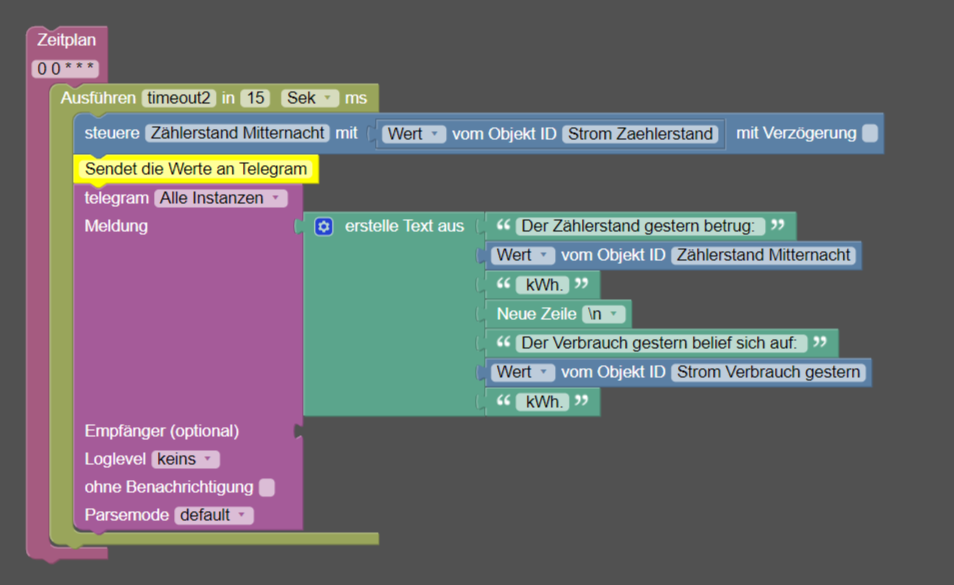
    @paul53 Vielen Dank für die schnelle Hilfe! Das hat auf anhieb funktioniert. Diese Timer haben mir das Leben echt schwer gemacht...^^
  • Feuerwehr Alarm

    blockly
    2
    1
    0 Votes
    2 Posts
    416 Views
    SBorgS
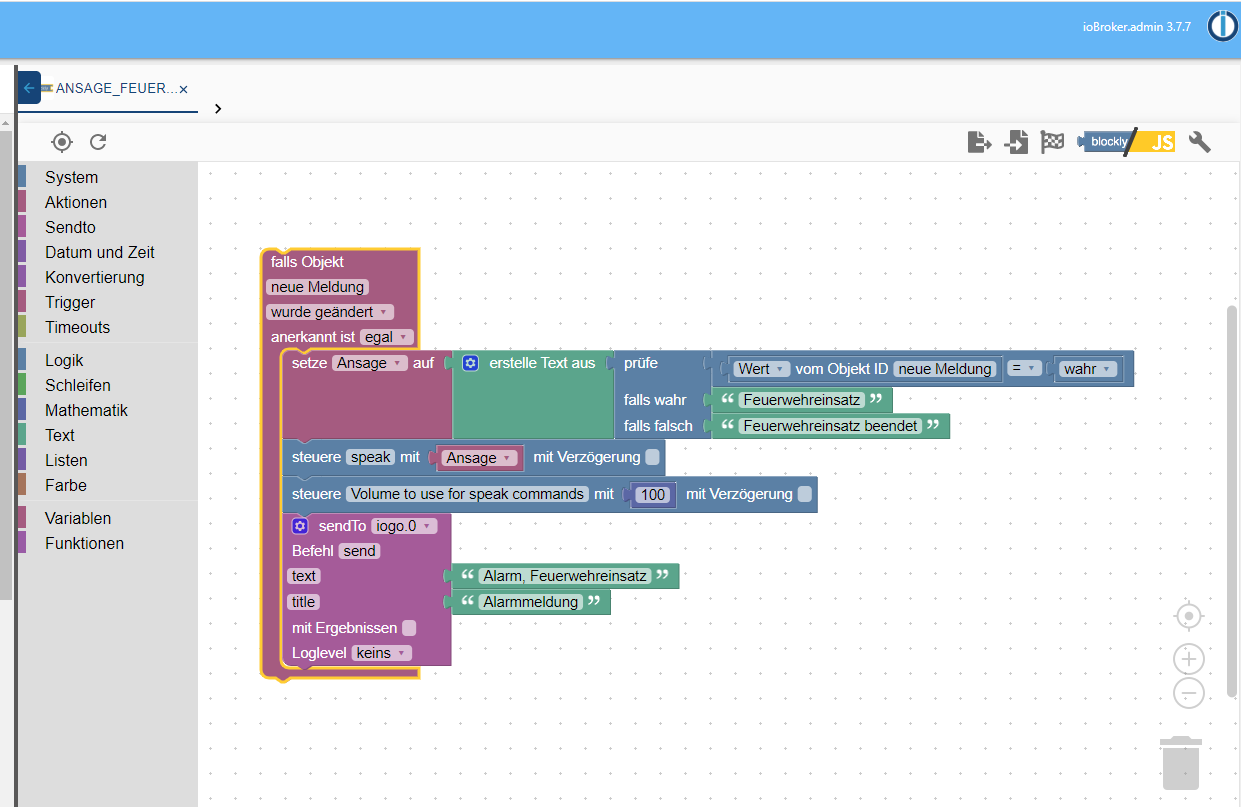
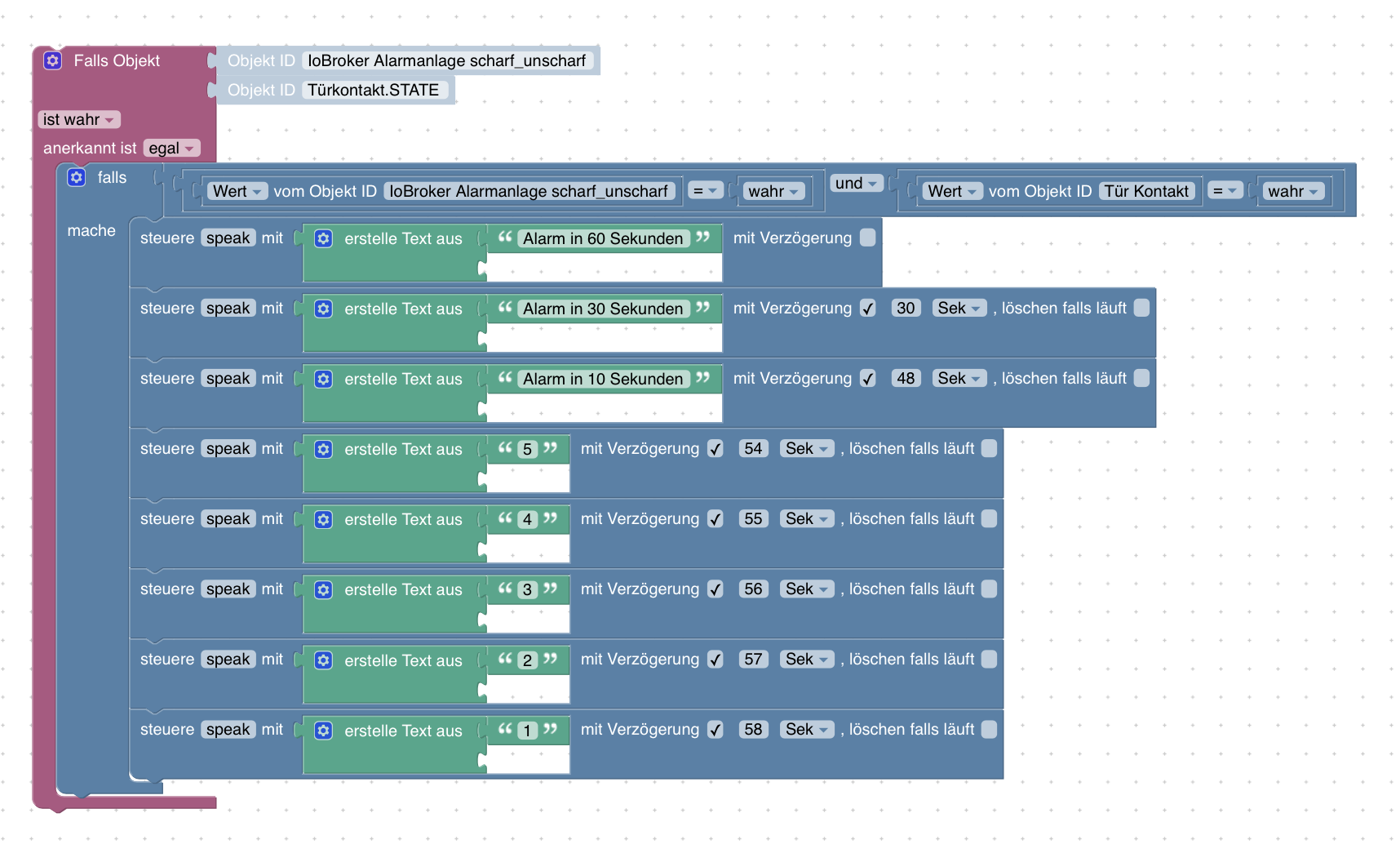
    @sigi234 Leider kein Fehler, sondern dem System (oder Skript) geschuldet :( Versuch mal beim Trigger "größer als letztes" (0 = false, 1 = true; damit wäre der Wechsel false > true "wahr" und würde den Trigger auslösen)
  • Heizkörpersteuerung bei Anwesenheit

    blockly heating javascript
    14
    1
    0 Votes
    14 Posts
    1k Views
    EuloE
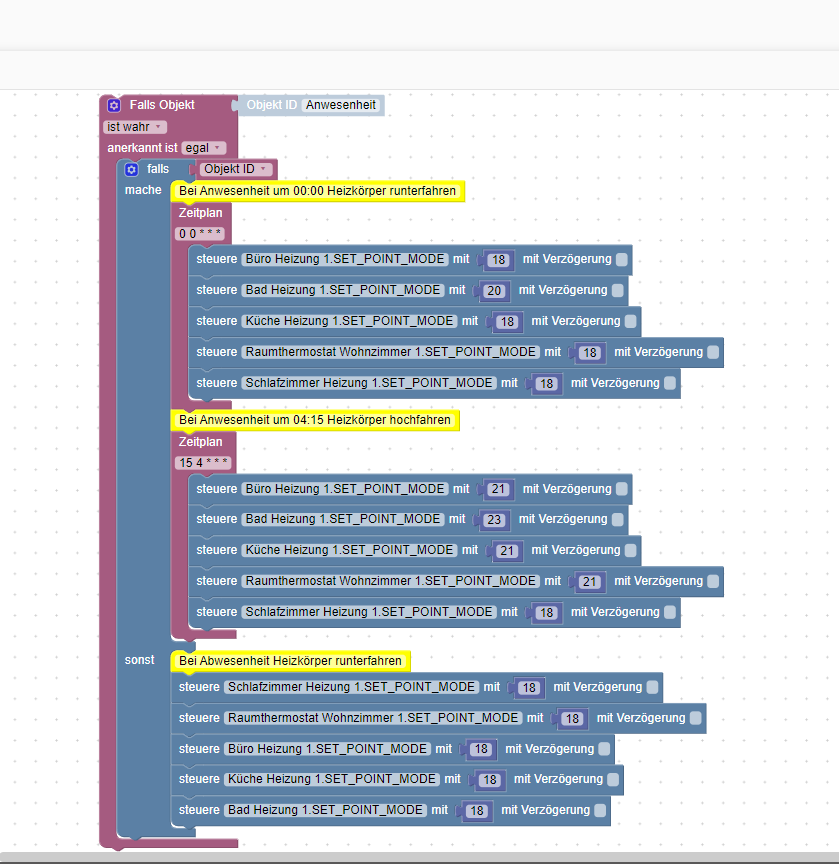
    @paul53 sagte in Heizkörpersteuerung bei Anwesenheit: @ginvibe [image: 1579713323116-blockly_temp.jpg] Blockly export <xml xmlns="http://www.w3.org/1999/xhtml"> <variables> <variable type="" id="63Kb6U~eav+^MJx+D+Z+">anwesend</variable> </variables> <block type="variables_set" id="4i(X:eo*MR6b_c[i*2L|" x="-163" y="-438"> <field name="VAR" id="63Kb6U~eav+^MJx+D+Z+" variabletype="">anwesend</field> <value name="VALUE"> <block type="get_value_var" id="cYeP-bc#{Q2/sQ*~:_qO"> <field name="ATTR">val</field> <value name="OID"> <shadow type="text" id=".!D[s~_tl,T_Go=U,W!u"> <field name="TEXT">hm-rega.0.11037</field> </shadow> </value> </block> </value> <next> <block type="on_ext" id="vamP3Dpnsxk_6t%D_N#T"> <mutation items="1"></mutation> <field name="CONDITION">ne</field> <field name="ACK_CONDITION"></field> <value name="OID0"> <shadow type="field_oid" id="=+._w6kvy)Yt/B}B[f)Y"> <field name="oid">hm-rega.0.11037</field> </shadow> </value> <statement name="STATEMENT"> <block type="variables_set" id="}|5P0oajinsvCU7(A87$"> <field name="VAR" id="63Kb6U~eav+^MJx+D+Z+" variabletype="">anwesend</field> <value name="VALUE"> <block type="on_source" id="=|U!~-3+MHdhu*M4B8|q"> <field name="ATTR">state.val</field> </block> </value> <next> <block type="controls_if" id="q:WT+hFLqvVhnPFE`8e8"> <value name="IF0"> <block type="logic_negate" id="@ufN1|vM1HdUGuW7dMDL"> <value name="BOOL"> <block type="variables_get" id="8?.j@vAWPmdHnee#7qF|"> <field name="VAR" id="63Kb6U~eav+^MJx+D+Z+" variabletype="">anwesend</field> </block> </value> </block> </value> <statement name="DO0"> <block type="comment" id="Am8p099}*g38NCwM~UY8"> <field name="COMMENT">Bei Abwesenheit Heizkörper runterfahren</field> <next> <block type="control" id="YP^ZmjdZifQLC8Uhr$X3"> <mutation delay_input="false"></mutation> <field name="OID">hm-rpc.0.000A1709B18232.1.SET_POINT_MODE</field> <field name="WITH_DELAY">FALSE</field> <value name="VALUE"> <block type="math_number" id="V8^LWmW;RYoX*G?@V_mb"> <field name="NUM">18</field> </block> </value> <next> <block type="control" id="std662FHVEG$61@hId68"> <mutation delay_input="false"></mutation> <field name="OID">hm-rpc.0.000A9A49993AFC.1.SET_POINT_MODE</field> <field name="WITH_DELAY">FALSE</field> <value name="VALUE"> <block type="math_number" id="N;~o4h$,HXzNcU0%JG6A"> <field name="NUM">18</field> </block> </value> <next> <block type="control" id="1qe|9f+Whi8/!vi60Nk1"> <mutation delay_input="false"></mutation> <field name="OID">hm-rpc.0.000A18A9AA4FFD.1.SET_POINT_MODE</field> <field name="WITH_DELAY">FALSE</field> <value name="VALUE"> <block type="math_number" id=",e{dzX:`=]Y-eDRi!I+B"> <field name="NUM">18</field> </block> </value> <next> <block type="control" id="mR5iHY~#5Gc!7?oorYPB"> <mutation delay_input="false"></mutation> <field name="OID">hm-rpc.0.000A18A9A674C8.1.SET_POINT_MODE</field> <field name="WITH_DELAY">FALSE</field> <value name="VALUE"> <block type="math_number" id="%d4[RNv`_U1pkwms8U?:"> <field name="NUM">18</field> </block> </value> <next> <block type="control" id="M5f45uS-*NfVUZ.vb5_R"> <mutation delay_input="false"></mutation> <field name="OID">hm-rpc.0.000A18A9A674CB.1.SET_POINT_MODE</field> <field name="WITH_DELAY">FALSE</field> <value name="VALUE"> <block type="math_number" id="$Pa}0mc75kDs*d8`{a_n"> <field name="NUM">18</field> </block> </value> </block> </next> </block> </next> </block> </next> </block> </next> </block> </next> </block> </statement> </block> </next> </block> </statement> <next> <block type="schedule" id="ZVwxc$If;z?TGT2ST{n!"> <field name="SCHEDULE">0 0 * * *</field> <statement name="STATEMENT"> <block type="controls_if" id="sah4UI@Aslhk?~2(S%!v"> <value name="IF0"> <block type="variables_get" id="D:^Xyg{y9f],U7o-.7o4"> <field name="VAR" id="63Kb6U~eav+^MJx+D+Z+" variabletype="">anwesend</field> </block> </value> <statement name="DO0"> <block type="comment" id="{*a!Vx#Ar@K*KpC.T|.1"> <field name="COMMENT">Bei Anwesenheit um 00:00 Heizkörper runterfahren</field> <next> <block type="control" id="p49?t?6CM,?9[-ADrDOZ"> <mutation delay_input="false"></mutation> <field name="OID">hm-rpc.0.000A18A9AA4FFD.1.SET_POINT_MODE</field> <field name="WITH_DELAY">FALSE</field> <value name="VALUE"> <block type="math_number" id="XS#NlG*vPU8pFXPMb|90"> <field name="NUM">18</field> </block> </value> <next> <block type="control" id="ucZv+9xu]G:*T|nNV?U4"> <mutation delay_input="false"></mutation> <field name="OID">hm-rpc.0.000A18A9A674CB.1.SET_POINT_MODE</field> <field name="WITH_DELAY">FALSE</field> <value name="VALUE"> <block type="math_number" id="T7$J5E9vCln4$-T47!-;"> <field name="NUM">20</field> </block> </value> <next> <block type="control" id="HHcI~P%Z1?6{:WyBt`#P"> <mutation delay_input="false"></mutation> <field name="OID">hm-rpc.0.000A18A9A674C8.1.SET_POINT_MODE</field> <field name="WITH_DELAY">FALSE</field> <value name="VALUE"> <block type="math_number" id="EEgKrzU~m-EoYj|U[lK-"> <field name="NUM">18</field> </block> </value> <next> <block type="control" id="#J$UsM@PSOw?9HW-~;(+"> <mutation delay_input="false"></mutation> <field name="OID">hm-rpc.0.000A9A49993AFC.1.SET_POINT_MODE</field> <field name="WITH_DELAY">FALSE</field> <value name="VALUE"> <block type="math_number" id=":E?~yyGO4-iTxKyRz^xo"> <field name="NUM">18</field> </block> </value> <next> <block type="control" id="^EClPf_FZwPLwTJ]2O92"> <mutation delay_input="false"></mutation> <field name="OID">hm-rpc.0.000A1709B18232.1.SET_POINT_MODE</field> <field name="WITH_DELAY">FALSE</field> <value name="VALUE"> <block type="math_number" id="#47f?D3b;b^5#.:vbK^2"> <field name="NUM">18</field> </block> </value> </block> </next> </block> </next> </block> </next> </block> </next> </block> </next> </block> </statement> </block> </statement> <next> <block type="schedule" id="vYq2S91+x2J=f/x018JY"> <field name="SCHEDULE">15 4 * * *</field> <statement name="STATEMENT"> <block type="controls_if" id="37NVwBqm~AAg!k46qu{N"> <value name="IF0"> <block type="variables_get" id="nld;uSKvV`[Ol([Worq:"> <field name="VAR" id="63Kb6U~eav+^MJx+D+Z+" variabletype="">anwesend</field> </block> </value> <statement name="DO0"> <block type="comment" id="I!%iIxw#N+uV$uxJ(+j/"> <field name="COMMENT">Bei Anwesenheit um 04:15 Heizkörper hochfahren</field> <next> <block type="control" id="swTk0{1Lw[xLw{Rsye|,"> <mutation delay_input="false"></mutation> <field name="OID">hm-rpc.0.000A18A9AA4FFD.1.SET_POINT_MODE</field> <field name="WITH_DELAY">FALSE</field> <value name="VALUE"> <block type="math_number" id="v/7sjtaih[kH#RZoEj@D"> <field name="NUM">21</field> </block> </value> <next> <block type="control" id="|pEQ@5~}i.r/Bg[!/!IZ"> <mutation delay_input="false"></mutation> <field name="OID">hm-rpc.0.000A18A9A674CB.1.SET_POINT_MODE</field> <field name="WITH_DELAY">FALSE</field> <value name="VALUE"> <block type="math_number" id="Ur$#z%R8I9iv1:bYI{f`"> <field name="NUM">23</field> </block> </value> <next> <block type="control" id="5.Pk`Pf{Pu0Y:@^^OE4z"> <mutation delay_input="false"></mutation> <field name="OID">hm-rpc.0.000A18A9A674C8.1.SET_POINT_MODE</field> <field name="WITH_DELAY">FALSE</field> <value name="VALUE"> <block type="math_number" id="r::t!f**Vv2/28YTxDZa"> <field name="NUM">21</field> </block> </value> <next> <block type="control" id="Il2-FAvJ1=?sr:E?Le#e"> <mutation delay_input="false"></mutation> <field name="OID">hm-rpc.0.000A9A49993AFC.1.SET_POINT_MODE</field> <field name="WITH_DELAY">FALSE</field> <value name="VALUE"> <block type="math_number" id="yYi$of68z;Jw6u^~IeAK"> <field name="NUM">21</field> </block> </value> <next> <block type="control" id="/,!-}nvI-0Kit/?*8^r4"> <mutation delay_input="false"></mutation> <field name="OID">hm-rpc.0.000A1709B18232.1.SET_POINT_MODE</field> <field name="WITH_DELAY">FALSE</field> <value name="VALUE"> <block type="math_number" id="PrIxv`xON)FJyj~RaUy3"> <field name="NUM">18</field> </block> </value> </block> </next> </block> </next> </block> </next> </block> </next> </block> </next> </block> </statement> </block> </statement> </block> </next> </block> </next> </block> </next> </block> </xml> heute nacht hat alles perfekt funktioniert. Leider hat nur das Raumthermostat im Wohnzimmer nicht die Temperatur gesenkt. Macht es sind das Skript direkt auf die Heizkörperthermostate steuern zu lassen, oder ist es über den Raumthermostat dann doch besser? Und wieso wurde es nicht angesteuert?
  • Trigger und mehrfaches starten [Erledigt]

    1
    0 Votes
    1 Posts
    155 Views
    No one has replied
  • Licht Steuerung ** Gelöst **

    29
    0 Votes
    29 Posts
    1k Views
    M
    @Horst-Böttcher Prima, dann kannst du die Frage ja als gelöst markieren :+1:
  • einfache Zeitschaltuhr mit Blockly

    Moved blockly
    8
    1
    0 Votes
    8 Posts
    1k Views
    X
    @paul53 :+1: da hast du recht, der Entfeuchter wird in kurzen Abständen anspingen wenn die Luftfeuchtigkleit z.B. bei undichten Kellerwänden schnell wieder steigt. dann besser 2 Werte die mehr auseinander liegen für die Schaltschwellen.
  • Etwas abhängig vom Datum schalten (nicht CRON)

    blockly
    3
    1
    0 Votes
    3 Posts
    297 Views
    docadamsD
    Und ich wollte es erst wieder kompliziert berechnen. Da es um einen Teil der Heizung geht, ist dies (glaube ich) die richtige Lösung: [image: 1579705584608-konvertierung.png] Danke für den Stups in die richtige Richtung.
  • [gelöst] Wert von VIS in State nicht möglich

    6
    1
    0 Votes
    6 Posts
    517 Views
    B
    Soooo jetzt läuft es. Habe es durch die Hilfe von einem User aus der Facebook Gruppe hinbekommen. Danke an alle beteiligten. [image: 1579702536593-22.01.jpg]
  • stehe auf dem Schlauch, wenn Bedingung von- bis

    blockly
    6
    1
    0 Votes
    6 Posts
    315 Views
    D
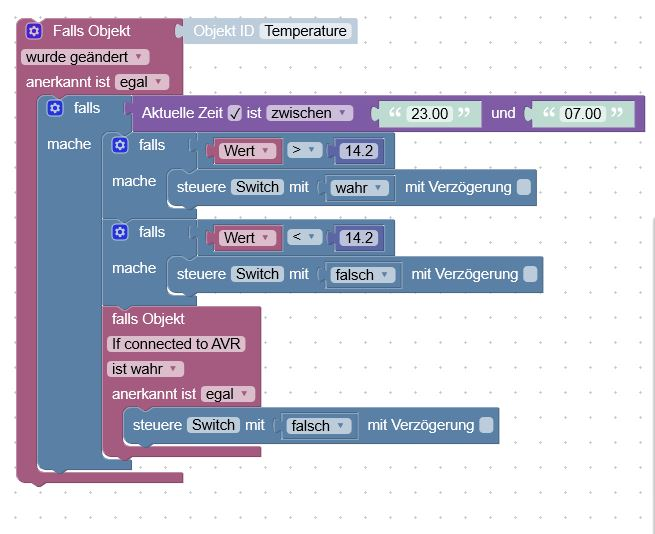
    Hab es jetzt Dank eurer Hinweise hinbekommen, ich prüfe das jetzt mal 1-2 Tage, dann mal sehen.
  • Skript zeitverzögert ausführen

    4
    2
    0 Votes
    4 Posts
    236 Views
    lemonbiterL
    @Homoran @Yetiberg Man man man... das kann ja so einfach sein wenn man weiß wie. Ich Danke Euch SEHR! So wäre also richtig dann? [image: 1579687733218-javascript-iobroker.png]
  • 1. Blocky Scipt, brauche Hilfe

    4
    3
    0 Votes
    4 Posts
    248 Views
    david83D
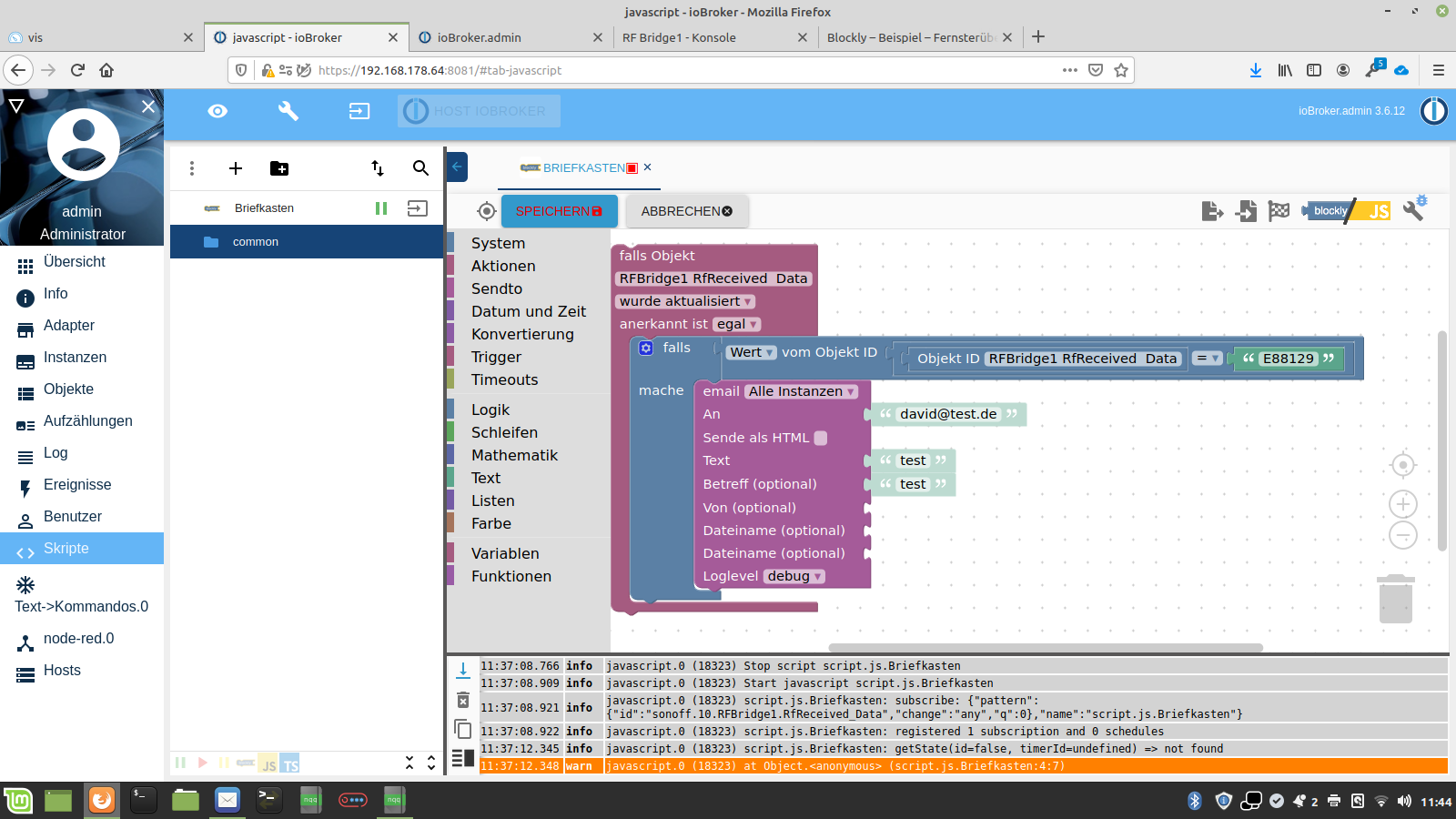
    Danke! Hat geklappt. [image: 1579677266971-bildschirmfoto-vom-2020-01-22-08-13-59.png]
  • Bleiben variabeln bei skriptende gesetzt

    8
    0 Votes
    8 Posts
    718 Views
    Dr. BakteriusD
    @zuldero Es ist nicht nur übersichtlicher, sondern spart auch Speicher und Prozessorleistung. Sieh dir nur den exportierten Code an - der hat nicht einmal halb so viele Zeilen. Und du solltest, wie in meinem Beispiel oben gezeigt, vor dem Start von 'timeouts' diese immer stoppen. Andernfalls können diese mehrfach gestartet werden und dann ergeben sich zeitversetzt die komischsten Ereignisse. Den 'on'-Befehl kannst du ruhigen Gewissens mehrfach senden. Wenn die Lampe schon an ist, wird der Befehl einfach ignoriert.
  • Licht einschalten per Blockly mit Sprachbefehl

    blockly
    16
    0 Votes
    16 Posts
    1k Views
    J
    @Flopsi Trigger und da die Fall mit sonst, falls schaltet ein und sonst aus.
  • Scripte stossen sich gegenseitig an (loop)

    blockly
    4
    0 Votes
    4 Posts
    327 Views
    AlCalzoneA
    @wizzardking Wo kommt die ursprüngliche Änderung her? Eigentlich gibt es für sowas das ACK (bestätigt) Flag. Bei Änderungen aus anderen Adaptern oder dem Admin ist dieses false, dann musst du drauf reagieren. Wenn du selbst die Datenpunkte setzt, ohne dass darauf reagiert werden soll (also eine Bestätigung), solltest du das Flag setzen. Das gleiche dürfte auch für Skripte gelten. Also nur auf ACK=false triggern, "fremde" Datenpunkte mit ACK=false setzen und "eigene" Datenpunkte mit ACK=true setzen.
  • Blockly Alexa Skriptproblem

    Moved blockly
    8
    1
    0 Votes
    8 Posts
    987 Views
    J
    danke Dir
  • Objekt ID merken und weiter verarbeiten

    2
    0 Votes
    2 Posts
    192 Views
    paul53P
    @Danny-0 sagte: Wie mache ich das ? Siehe Doku.
  • Stromkostenberechnung

    10
    2
    0 Votes
    10 Posts
    546 Views
    SMSS
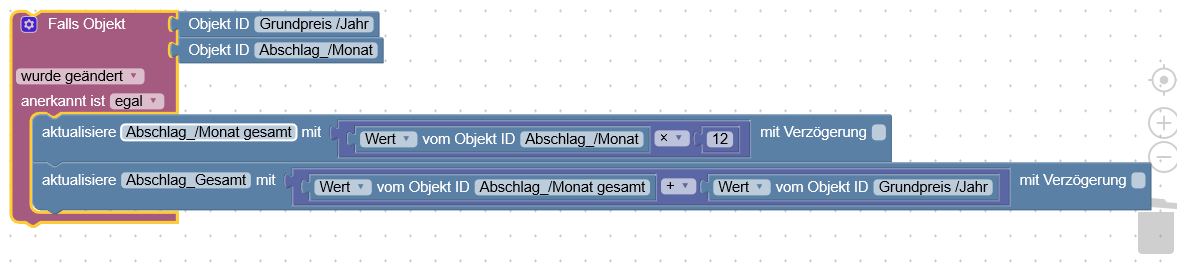
    da steht nirgends wo was von "string" { "_id": "javascript.0.Meine_Datenpunkte.Grundpreis_Jahr", "type": "state", "common": { "name": "Grundpreis_Jahr", "role": "value", "type": "number", "desc": "Manuell erzeugt", "unit": "€", "min": 0, "def": 0, "read": true, "write": true }, "native": {}, "from": "system.adapter.admin.0", "user": "system.user.admin", "ts": 1579338096667, "acl": { "object": 1636, "owner": "system.user.admin", "ownerGroup": "system.group.administrator", "state": 1636 } }
  • Blöcke mehrfach verwenden

    3
    0 Votes
    3 Posts
    265 Views
    Thomas WT
    cool, danke
  • Mit Blockly Text Datei erzeugen/lesen..?

    blockly
    1
    0 Votes
    1 Posts
    309 Views
    No one has replied

707

Online

32.7k

Users

82.5k

Topics

1.3m

Posts