




[Vorlage] Denon HEOS Script
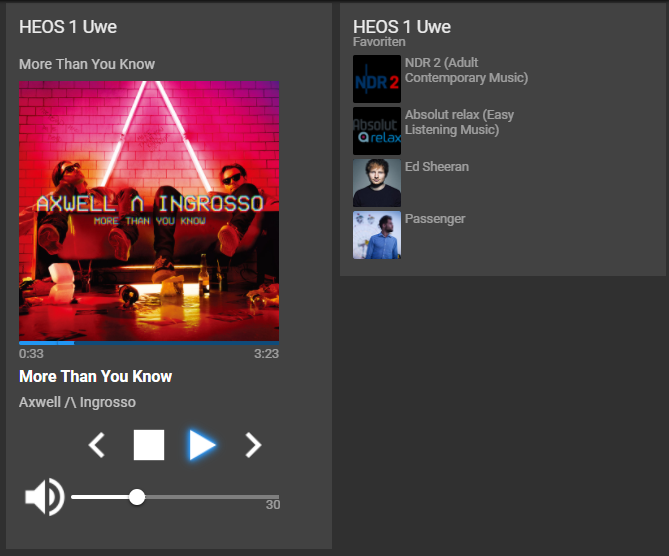
-
@ratze Für die Suche der Player wird das Protokoll SSDP verwendet (https://de.m.wikipedia.org/wiki/Simple_Service_Discovery_Protocol), welches die Multicast Pakete der Player über UDP findet. Ich schaue mal, ob ich als Fallback zur automatischen Suche auch einen manuelle IP Konfiguration ermögliche. Die IP sollte dann aber statisch sein.
Zum Testen der SSDP Suche hatte ich mal folgendes Script im Adapter hinzugefügt. Vielleicht hilft es ja beim Debuggen:
https://github.com/withstu/ioBroker.heos/blob/main/test/node-ssdp/index.js@withstu
Super für die schnelle Antwort... :)
Habe gestern Abend noch den Home350 ins IoBroker Netz (gleiche 192.xxx.xxx.xxx/24) gehangen.
Über den UPNP Adapter wird er erkannt.
Also SSDP sagt mir inziwschen etwas und ich kann auch sehen wo er aktiv ist.pi@Iobroker:~ $ npm list node-ssdp /home/pi `-- (empty) pi@Iobroker:~ $ cd /opt/iobroker pi@Iobroker:/opt/iobroker $ npm list node-ssdp iobroker.inst@3.0.0 /opt/iobroker +-- iobroker.discovery@3.1.0 | `-- node-ssdp@4.0.1 deduped +-- iobroker.heos@1.10.0 | `-- node-ssdp@4.0.1 deduped +-- iobroker.javascript@6.1.4 | `-- node-ssdp@4.0.1 +-- iobroker.upnp@1.0.21 | `-- node-ssdp@4.0.1 deduped `-- node-ssdp@4.0.1Über Telnet kann ich allerdings die Zustände / Statis des Home350 abfragen.
const searchTargetName = 'urn:schemas-denon-com:device:ACT-Denon:1'Ich gehe mal davon aus, dass
ACT-Denon:1nicht unbedingt über Telnet mit Port 1255
zurückgegeben wird.Der UPNP Adapter zeigt folgendes Ergebnis an

{
  "type": "device",
  "common": {
    "name": "350SLE",
    "extIcon": "http://192.xxx.xxx.xxx:60006"
  },
  "native": {
    "ip": "192.xxx.xxx.xxx",
    "port": 60006,
    "uuid": "b63f6000-af30-1683-0080-00a96f0fdfe4",
    "deviceType": "urn:schemas-denon-com:device:AiosDevice:1",
    "manufacturer": "Denon",
    "manufacturerURL": "http://www.denon.com",
    "modelNumber": "Aios 6.0S",
    "modelDescription": "",
    "modelName": "Denon Home 350",
    "modelURL": "",
    "name": "350SLE"
  },
  "from": "system.adapter.upnp.0",
  "user": "system.user.admin",
  "ts": 1676664594189,
  "_id": "upnp.0.350SLE.AiosDevice",
  "acl": {
    "object": 1636,
    "owner": "system.user.admin",
    "ownerGroup": "system.group.administrator"
  }
}
Der Überblick was Telnet über heos://player/get_player_info? zurückgibt
heos://player/get_player_info?pid=-1234567890
{"heos": {"command": "player/get_player_info",
"result": "success", "message": "                     pid=-1234567890"},
"payload": {"name": "350SLE", "pid": -1234567890, "model": "D                     enon Home 350",
"version": "2.71.510", "ip": "192.xxx.xxxx.xxx", "network": "wifi"                     ,
"lineout": 0,
"serial": "BME27234567899"}}
https://github.com/withstu/ioBroker.heos/blob/main/test/node-ssdp/index.js
Das Script ist im Einsatz, Debug gibt invalid Response State aus... macht aber eine Schleife
beide der Player Suche... Ich vermute das mein Home350 evtl. ein anderes Ergebnis alssearchTargetName = 'urn:schemas-denon-com:device:ACT-Denon:1'zurück gibt.
Was ich noch gefunden habe...
https://support-de.denon.com/app/answers/detail/a_id/4720/~/netzwerk-anforderungen-fÜr-heos
Laut Denon Support-Seite sind folgende Voraussetzungen zu erfüllen
Der Bereich zwischen 50000 und 64999 für MediaRenderer und 60006 für Media Server.Darüber hinaus ist für UPnP ein Multicast-Zugriff zu 239.255.255.250:1900 zusammen mit den entsprechenden "IGMP Control Messages" zu ermöglichen.
Wirklich vielen Dank... an alle die sich die Mühe machen Scripte und Adapter
für uns zu erstellen und dann die bereit sind Mensche wie mir zu helfen!!!
DankesehrZum UPNP-Adapter https://github.com/Jey-Cee/ioBroker.upnp/blob/master/main.js
Dieser hat tatsähclich im Skript den Aufruf bzgl. SSDP-IP zu 239.255.255.250let server = new Server({ssdpIp: '239.255.255.250'});Und den Parameter bei der Suche
client.search('ssdp:all');(Was mir bewusst ist, dass alle möglichen UPNP Geräte über die UPNP-Adapter Suche gefunden werden sollen)
-
Danke für die Hilfe, habe in der Zwischenzeit den Player Home 350 eingebunden.
Netzwerke nochmals kontrolliert Multicast auf dem Wifi-Netz freigegeben.
Änderung im Script
const searchTargetName = 'urn:schemas-denon-com:device:AiosDevice:1';Zappp... Ist der HEOS-Player aufgetaucht.
danke danke... Danke @Uhula für das Script... Super arbeit!
Ups mit ist da etwas entgangen!
Herr @withstu ... ich möchte mich für den HEOS-Adapter Bedanken (WOW)
und noch mal Danke für den Einsatz. -
Hallo,
ich hatte das Skript etwa 2 Jahr am laufen jetzt und es hat alles problemlos für meine Zwecke (Umschalten des Eingangs, Start, Stop, Pause, Weiter, Zurück, Lauter, Leiser) geklappt.
Seit Februar wird leider kein Player mehr erkannt.
Ich finde das alte skript aus 2019, das neue aus 2020 und auch im HEOS adapter keine Player mehr. Der Heos adapter startet jedoch den im Netzwerk befindlichen HEOS Amp etwa alle 5-10 min neu.Mit ist noch aufgefallen, dass das Skript keine meldung signed in gibt und auch der signed in status false zurück gibt, obwohl ich sowohl im HEOS adapter als auch im Skript die Logindaten angegeben habe und mehrfach auf richtigkeit geprüft (sie haben ja auch 2 Jahre lang funktioniert).
Da ich aber nichts an den Einstellungen noch am Skript verändert habe ist es mir ein Rätsel wo der Fehler liegen könnte der sich eingeschlichen hat.Leider sind meine Kenntnisse in diesem Bereich nicht so groß und ich habe das meiste mit Hilfe diverser Tutorials eingerichtet. Meine Fehlersuche beschränkt sich bis jetzt auf das verstehen der Log Meldungen. Wenn ich das Skript starte erhalte ich folgende Log Einträge:
javascript.1
	15550	2023-05-17 12:02:16.818	info	script.js.Heos.Heos_2020: [Heos] still searching for HEOS devices ...
javascript.1
	15550	2023-05-17 12:01:46.817	info	script.js.Heos.Heos_2020: [Heos] still searching for HEOS devices ...
javascript.1
	15550	2023-05-17 12:01:16.817	info	script.js.Heos.Heos_2020: [Heos] still searching for HEOS devices ...
javascript.1
	15550	2023-05-17 12:00:46.817	info	script.js.Heos.Heos_2020: [Heos] still searching for HEOS devices ...
javascript.1
	15550	2023-05-17 12:00:16.815	info	script.js.Heos.Heos_2020: [Heos] still searching for HEOS devices ...
javascript.1
	15550	2023-05-17 11:59:46.815	info	script.js.Heos.Heos_2020: [Heos] still searching for HEOS devices ...
javascript.1
	15550	2023-05-17 11:59:16.814	info	script.js.Heos.Heos_2020: [Heos] still searching for HEOS devices ...
javascript.1
	15550	2023-05-17 11:58:46.814	info	script.js.Heos.Heos_2020: [Heos] still searching for HEOS devices ...
admin.0
	4495	2023-05-17 11:58:19.744	info	<== Disconnect system.user.admin from ::ffff:192.xxx.xxx.xxx javascript
admin.0
	4495	2023-05-17 11:58:19.744	info	<== Disconnect system.user.admin from ::ffff:192.xxx.xxx.xxx javascript
javascript.1
	15550	2023-05-17 11:58:16.867	warn	Object of state "0_userdata.0.heos.connected" is missing the required property "common.type"
javascript.1
	15550	2023-05-17 11:58:16.814	info	script.js.Heos.Heos_2020: registered 1 subscription, 0 schedules, 0 messages, 0 logs and 0 file subscriptions
javascript.1
	15550	2023-05-17 11:58:16.806	info	script.js.Heos.Heos_2020: [Heos] searching for HEOS devices ...
javascript.1
	15550	2023-05-17 11:58:16.775	info	Start javascript script.js.Heos.Heos_2020
Für den Heos Adapter sieht es wie folgt aus:
heos.0
	19051	2023-05-17 12:03:06.253	info	searching for HEOS devices ...
heos.0
	19051	2023-05-17 12:03:06.025	info	starting. Version 1.10.0 in /opt/iobroker/node_modules/iobroker.heos, node: v14.21.3, js-controller: 4.0.23
host.raspberrypi
		2023-05-17 12:03:03.125	info	instance system.adapter.heos.0 started with pid 19051
host.raspberrypi
		2023-05-17 12:03:02.944	info	"system.adapter.heos.0" enabled
Kann mir jemand bei der Fehlersuche behilflich sein? Gibt es einen anderen Ansatzpunkt (HEOS Adapter Update, JS Adapter Update?), warum die Verbindung plötzlich nicht mehr funktioniert?
-
Hallo,
ich hatte das Skript etwa 2 Jahr am laufen jetzt und es hat alles problemlos für meine Zwecke (Umschalten des Eingangs, Start, Stop, Pause, Weiter, Zurück, Lauter, Leiser) geklappt.
Seit Februar wird leider kein Player mehr erkannt.
Ich finde das alte skript aus 2019, das neue aus 2020 und auch im HEOS adapter keine Player mehr. Der Heos adapter startet jedoch den im Netzwerk befindlichen HEOS Amp etwa alle 5-10 min neu.Mit ist noch aufgefallen, dass das Skript keine meldung signed in gibt und auch der signed in status false zurück gibt, obwohl ich sowohl im HEOS adapter als auch im Skript die Logindaten angegeben habe und mehrfach auf richtigkeit geprüft (sie haben ja auch 2 Jahre lang funktioniert).
Da ich aber nichts an den Einstellungen noch am Skript verändert habe ist es mir ein Rätsel wo der Fehler liegen könnte der sich eingeschlichen hat.Leider sind meine Kenntnisse in diesem Bereich nicht so groß und ich habe das meiste mit Hilfe diverser Tutorials eingerichtet. Meine Fehlersuche beschränkt sich bis jetzt auf das verstehen der Log Meldungen. Wenn ich das Skript starte erhalte ich folgende Log Einträge:
javascript.1
	15550	2023-05-17 12:02:16.818	info	script.js.Heos.Heos_2020: [Heos] still searching for HEOS devices ...
javascript.1
	15550	2023-05-17 12:01:46.817	info	script.js.Heos.Heos_2020: [Heos] still searching for HEOS devices ...
javascript.1
	15550	2023-05-17 12:01:16.817	info	script.js.Heos.Heos_2020: [Heos] still searching for HEOS devices ...
javascript.1
	15550	2023-05-17 12:00:46.817	info	script.js.Heos.Heos_2020: [Heos] still searching for HEOS devices ...
javascript.1
	15550	2023-05-17 12:00:16.815	info	script.js.Heos.Heos_2020: [Heos] still searching for HEOS devices ...
javascript.1
	15550	2023-05-17 11:59:46.815	info	script.js.Heos.Heos_2020: [Heos] still searching for HEOS devices ...
javascript.1
	15550	2023-05-17 11:59:16.814	info	script.js.Heos.Heos_2020: [Heos] still searching for HEOS devices ...
javascript.1
	15550	2023-05-17 11:58:46.814	info	script.js.Heos.Heos_2020: [Heos] still searching for HEOS devices ...
admin.0
	4495	2023-05-17 11:58:19.744	info	<== Disconnect system.user.admin from ::ffff:192.xxx.xxx.xxx javascript
admin.0
	4495	2023-05-17 11:58:19.744	info	<== Disconnect system.user.admin from ::ffff:192.xxx.xxx.xxx javascript
javascript.1
	15550	2023-05-17 11:58:16.867	warn	Object of state "0_userdata.0.heos.connected" is missing the required property "common.type"
javascript.1
	15550	2023-05-17 11:58:16.814	info	script.js.Heos.Heos_2020: registered 1 subscription, 0 schedules, 0 messages, 0 logs and 0 file subscriptions
javascript.1
	15550	2023-05-17 11:58:16.806	info	script.js.Heos.Heos_2020: [Heos] searching for HEOS devices ...
javascript.1
	15550	2023-05-17 11:58:16.775	info	Start javascript script.js.Heos.Heos_2020
Für den Heos Adapter sieht es wie folgt aus:
heos.0
	19051	2023-05-17 12:03:06.253	info	searching for HEOS devices ...
heos.0
	19051	2023-05-17 12:03:06.025	info	starting. Version 1.10.0 in /opt/iobroker/node_modules/iobroker.heos, node: v14.21.3, js-controller: 4.0.23
host.raspberrypi
		2023-05-17 12:03:03.125	info	instance system.adapter.heos.0 started with pid 19051
host.raspberrypi
		2023-05-17 12:03:02.944	info	"system.adapter.heos.0" enabled
Kann mir jemand bei der Fehlersuche behilflich sein? Gibt es einen anderen Ansatzpunkt (HEOS Adapter Update, JS Adapter Update?), warum die Verbindung plötzlich nicht mehr funktioniert?
-
@bouster sagte in [Vorlage] Denon HEOS Script:
node: v14.21.3, js-controller: 4.0.23
Vermutlich das System noch nie so richtig auf Stand gebracht.
Zeig mal bitte die Ausgabe von
iob diag@djmarc75
iob diag gibt folgendes aus:iobroker [command] Commands: iobroker setup Setup ioBroker iobroker start [all|<adapter>.<instance>] Starts the js-controller or a specified adapter instance iobroker stop [<adapter>.<instance>] stops the js-controller or a specified adapter instance iobroker restart [<adapter>.<instance>] Restarts js-controller or a specified adapter instance [aliases: r] iobroker debug <adapter>[.<instance>] Starts a Node.js debugging session for the adapter instance iobroker info Shows the host info iobroker logs [<adapter>] Monitor log iobroker add <adapter> [desiredNumber] Add instance of adapter [aliases: a] iobroker install <adapter> Installs a specified adapter [aliases: i] iobroker rebuild [<module>] Rebuild all native modules or path iobroker url <url> [<name>] Install adapter from specified url, e.g. GitHub iobroker del <adapter> Remove adapter and all instances from this host [aliases: delete] iobroker del <adapter>.<instance> Remove adapter instance [aliases: delete] iobroker update [<repositoryUrl>] Update repository and list adapters iobroker upgrade Upgrade management iobroker upload [all|<adapter>] Upload management [aliases: u] iobroker object Object management [aliases: o] iobroker state State management [aliases: s] iobroker message <adapter>[.instance] <command> [<message>] Send message to adapter instance/s iobroker list <type> [<filter>] List all entries, like objects iobroker chmod <mode> <file> Change file rights iobroker chown <user> <group> <file> Change file ownership iobroker touch <file> Touch file iobroker rm <file> Remove file iobroker file File management iobroker user User commands iobroker group group management iobroker host <hostname> Set host to given hostname iobroker set <adapter>.<instance> Change settings of adapter config iobroker license <license.file or license.text> Update license by given file iobroker cert Certificate management iobroker clean <yes> Clears all objects and states iobroker backup Create backup iobroker restore <backup name or path> Restore a specified backup iobroker validate <backup name or path> Validate a specified backup iobroker status [all|<adapter>.<instance>] Status of ioBroker or adapter instance [aliases: isrun] iobroker repo [<name>] Show repo information iobroker uuid Show uuid of the installation [aliases: id] iobroker unsetup Reset license, installation secret and language iobroker fix Execute the installation fixer script, this updates your ioBroker installation iobroker multihost Multihost management iobroker compact compact group management iobroker plugin Plugin management iobroker version [<adapter>] Show version of js-controller or specified adapter [aliases: v] Options: --help Show help [boolean] -
Über folgendes skirpt https://forum.iobroker.net/topic/59549/iob-diag-skript bekomme ich eine Menge sensible Informationen. Ich habe mal das was ich denke wichtig ist angehängt:
ioBroker Status iobroker is running on this host. Objects type: jsonl States type: jsonl No configuration change needed. Multihost discovery server: disabled Discovery authentication: enabled Persistent activation: disabled Objects: jsonl on 127.xxx.xxx.xxx States: jsonl on 127.xxx.xxx.xxx Core adapters versions js-controller: 4.0.23 admin: 6.3.5 javascript: 6.1.4 Adapters from github: 1 Adapter State + system.adapter.admin.0 : admin : raspberrypi - enabled, port: 8081, bind: 0.0.0.0 (SSL), run as: admin + system.adapter.backitup.0 : backitup : raspberrypi - enabled system.adapter.broadlink2.0 : broadlink2 : raspberrypi - disabled + system.adapter.discovery.0 : discovery : raspberrypi - enabled + system.adapter.heos.0 : heos : raspberrypi - enabled + system.adapter.influxdb.0 : influxdb : raspberrypi - enabled, port: xxxx + system.adapter.info.0 : info : raspberrypi - enabled + system.adapter.javascript.1 : javascript : raspberrypi - enabled + system.adapter.mqtt.0 : mqtt : raspberrypi - enabled, port: xxxx, bind: 192.xxx.xxx.xxx + system.adapter.rpi2.0 : rpi2 : raspberrypi - enabled + system.adapter.scenes.0 : scenes : raspberrypi - enabled + system.adapter.signal-cmb.0 : signal-cmb : raspberrypi - enabled + system.adapter.simple-api.0 : simple-api : raspberrypi - enabled, port: xxxx, bind: 192.xxx.xxx.xxx (SSL), run as: admin + system.adapter.sonoff.0 : sonoff : raspberrypi - enabled, port: xxxx, bind: 0.0.0.0 system.adapter.spotify-premium.0 : spotify-premium : raspberrypi - disabled + system.adapter.upnp.0 : upnp : raspberrypi - enabled + system.adapter.web.0 : web : raspberrypi - enabled, port: xxxx, bind: 0.0.0.0 (SSL), run as: admin + system.adapter.zigbee.0 : zigbee : raspberrypi - enabled, port: /dev/serial/by-id/usb-Silicon_Labs_CP2102N_USB_to_UART_Bridge_Contr + instance is alive Enabled adapters with bindings + system.adapter.admin.0 : admin : raspberrypi - enabled, port: xxxx, bind: 0.0.0.0 (SSL), run as: admin + system.adapter.influxdb.0 : influxdb : raspberrypi - enabled, port: xxxx + system.adapter.mqtt.0 : mqtt : raspberrypi - enabled, port: xxxx, bind: 192.xxx.xxx.xxx + system.adapter.simple-api.0 : simple-api : raspberrypi - enabled, port: xxxx, bind: 192.xxx.xxx.xxx(SSL), run as: admin + system.adapter.sonoff.0 : sonoff : raspberrypi - enabled, port: xxxx, bind: 0.0.0.0 + system.adapter.web.0 : web : raspberrypi - enabled, port: xxxx, bind: 0.0.0.0 (SSL), run as: admin + system.adapter.zigbee.0 : zigbee : raspberrypi - enabled, port: /dev/serial/by-id/usb-Silicon_Labs_CP2102N_USB_to_UART_Bridge_Contr ioBroker-Repositories stable : http://download.iobroker.net/sources-dist.json beta : http://download.iobroker.net/sources-dist-latest.json Active repo(s): stable Installed ioBroker-Instances Used repository: stable Adapter "admin" : 6.3.5 , installed 6.3.5 Adapter "backitup" : 2.6.19 , installed 2.6.19 Adapter "broadlink2" : 2.1.5 , installed 2.1.5 Adapter "discovery" : 3.1.0 , installed 3.1.0 Adapter "heos" : 1.10.0 , installed 1.10.0 Adapter "influxdb" : 3.2.0 , installed 3.2.0 Adapter "info" : 1.9.26 , installed 1.9.26 Adapter "javascript" : 6.1.4 , installed 6.1.4 Controller "js-controller": 4.0.24 , installed 4.0.23 [Updatable] Adapter "mqtt" : 4.0.7 , installed 2.7.4 [Updatable] Adapter "rpi2" : 1.3.2 , installed 1.3.2 Adapter "scenes" : 2.3.9 , installed 2.3.9 Adapter "signal-cmb" : 0.3.0 , installed 0.3.0 Adapter "simple-api" : 2.7.2 , installed 2.7.2 Adapter "socketio" : 4.2.0 , installed 4.2.0 Adapter "sonoff" : 2.5.1 , installed 2.5.1 Adapter "spotify-premium": 1.2.1 , installed 1.2.1 Adapter "upnp" : 1.0.21 , installed 1.0.21 Adapter "web" : 4.3.0 , installed 4.3.0 Adapter "ws" : 1.3.0 , installed 1.3.0 Adapter "zigbee" : 1.8.10 , installed 1.8.10 -
@djmarc75
iob diag gibt folgendes aus:iobroker [command] Commands: iobroker setup Setup ioBroker iobroker start [all|<adapter>.<instance>] Starts the js-controller or a specified adapter instance iobroker stop [<adapter>.<instance>] stops the js-controller or a specified adapter instance iobroker restart [<adapter>.<instance>] Restarts js-controller or a specified adapter instance [aliases: r] iobroker debug <adapter>[.<instance>] Starts a Node.js debugging session for the adapter instance iobroker info Shows the host info iobroker logs [<adapter>] Monitor log iobroker add <adapter> [desiredNumber] Add instance of adapter [aliases: a] iobroker install <adapter> Installs a specified adapter [aliases: i] iobroker rebuild [<module>] Rebuild all native modules or path iobroker url <url> [<name>] Install adapter from specified url, e.g. GitHub iobroker del <adapter> Remove adapter and all instances from this host [aliases: delete] iobroker del <adapter>.<instance> Remove adapter instance [aliases: delete] iobroker update [<repositoryUrl>] Update repository and list adapters iobroker upgrade Upgrade management iobroker upload [all|<adapter>] Upload management [aliases: u] iobroker object Object management [aliases: o] iobroker state State management [aliases: s] iobroker message <adapter>[.instance] <command> [<message>] Send message to adapter instance/s iobroker list <type> [<filter>] List all entries, like objects iobroker chmod <mode> <file> Change file rights iobroker chown <user> <group> <file> Change file ownership iobroker touch <file> Touch file iobroker rm <file> Remove file iobroker file File management iobroker user User commands iobroker group group management iobroker host <hostname> Set host to given hostname iobroker set <adapter>.<instance> Change settings of adapter config iobroker license <license.file or license.text> Update license by given file iobroker cert Certificate management iobroker clean <yes> Clears all objects and states iobroker backup Create backup iobroker restore <backup name or path> Restore a specified backup iobroker validate <backup name or path> Validate a specified backup iobroker status [all|<adapter>.<instance>] Status of ioBroker or adapter instance [aliases: isrun] iobroker repo [<name>] Show repo information iobroker uuid Show uuid of the installation [aliases: id] iobroker unsetup Reset license, installation secret and language iobroker fix Execute the installation fixer script, this updates your ioBroker installation iobroker multihost Multihost management iobroker compact compact group management iobroker plugin Plugin management iobroker version [<adapter>] Show version of js-controller or specified adapter [aliases: v] Options: --help Show help [boolean]@bouster sagte in [Vorlage] Denon HEOS Script:
iob diag gibt folgendes aus
ok, dann bitte folgende Befehle ausführen
iob stop iob fix iob start iob diag@bouster sagte in [Vorlage] Denon HEOS Script:
eine Menge sensible Informationen. Ich habe mal das was ich denke wichtig ist angehängt
Um Dir helfen zu können die Ausgabe von iob diag komplett inklusive Eingabe und Ausgabe posten - sonst wird das nix :)
-
@bouster sagte in [Vorlage] Denon HEOS Script:
iob diag gibt folgendes aus
ok, dann bitte folgende Befehle ausführen
iob stop iob fix iob start iob diag@bouster sagte in [Vorlage] Denon HEOS Script:
eine Menge sensible Informationen. Ich habe mal das was ich denke wichtig ist angehängt
Um Dir helfen zu können die Ausgabe von iob diag komplett inklusive Eingabe und Ausgabe posten - sonst wird das nix :)
@djmarc75
ok, also das hat schonmal funktioniert. Jetzt läuft es mit dem Befehl :)
Da ich etwas paranoid bin (evtl auch gerade weil ich mich nicht so gut auskenne) habe ich den Teil der IP adressen entfernt, wenn der auch nötig ist würde ich ihn lieber nicht ganz so öffentlich teilen.
Ich hoffe hiermit lässt sich arbeiten.Skript v.2023-04-16 *** BASE SYSTEM *** Model : Raspberry Pi 4 Model B Rev 1.5 Architecture : aarch64 Docker : false Virtualization : none Distributor ID: Raspbian Description: Raspbian GNU/Linux 11 (bullseye) Release: 11 Codename: bullseye PRETTY_NAME="Raspbian GNU/Linux 11 (bullseye)" NAME="Raspbian GNU/Linux" VERSION_ID="11" VERSION="11 (bullseye)" VERSION_CODENAME=bullseye ID=raspbian ID_LIKE=debian HOME_URL="http://www.raspbian.org/" SUPPORT_URL="http://www.raspbian.org/RaspbianForums" BUG_REPORT_URL="http://www.raspbian.org/RaspbianBugs" Systemuptime and Load: 15:26:29 up 20:50, 3 users, load average: 2.51, 1.95, 1.15 CPU threads: 4 Raspberry only: throttled=0x0 Other values than 0x0 hint to temperature/voltage problems temp=43.3'C volt=0.8900V *** Time and Time Zones *** Local time: Wed 2023-05-17 15:26:29 CEST Universal time: Wed 2023-05-17 13:26:29 UTC RTC time: n/a Time zone: Europe/Berlin (CEST, +0200) System clock synchronized: yes NTP service: active RTC in local TZ: no *** User and Groups *** xxxxx /home/xxxxx xxxxx adm dialout cdrom sudo audio video plugdev games users input netdev lpadmin docker gpio i2c spi iobroker *** X-Server-Setup *** X-Server: true Desktop: Terminal: tty Boot Target: graphical.target *** MEMORY *** total used free shared buff/cache available Mem: 3.8G 1.3G 246M 40M 2.2G 2.5G Swap: 99M 0B 99M Total: 3.9G 1.3G 346M 3794 M total memory 1349 M used memory 1887 M active memory 796 M inactive memory 246 M free memory 303 M buffer memory 1895 M swap cache 99 M total swap 0 M used swap 99 M free swap Raspberry only: oom events: 0 lifetime oom required: 0 Mbytes total time in oom handler: 0 ms max time spent in oom handler: 0 ms *** FILESYSTEM *** Filesystem Type Size Used Avail Use% Mounted on /dev/root ext4 29G 19G 9.3G 67% / devtmpfs devtmpfs 1.7G 0 1.7G 0% /dev tmpfs tmpfs 1.9G 0 1.9G 0% /dev/shm tmpfs tmpfs 759M 2.7M 757M 1% /run tmpfs tmpfs 5.0M 4.0K 5.0M 1% /run/lock /dev/loop0 squashfs 47M 47M 0 100% /snap/core18/2723 /dev/loop2 squashfs 225M 225M 0 100% /snap/nextcloud/21522 /dev/loop1 squashfs 47M 47M 0 100% /snap/core18/2748 /dev/loop3 squashfs 44M 44M 0 100% /snap/snapd/18936 /dev/loop4 squashfs 44M 44M 0 100% /snap/snapd/19124 /dev/mmcblk0p1 vfat 253M 51M 202M 20% /boot tmpfs tmpfs 380M 36K 380M 1% /run/user/1000 Messages concerning ext4 filesystem in dmesg: Show mounted filesystems (real ones only): TARGET SOURCE FSTYPE OPTIONS / /dev/mmcblk0p2 ext4 rw,noatime |-/snap/core18/2723 /dev/loop0 squashfs ro,nodev,relatime,errors=continue |-/snap/nextcloud/21522 /dev/loop2 squashfs ro,nodev,relatime,errors=continue |-/snap/core18/2748 /dev/loop1 squashfs ro,nodev,relatime,errors=continue |-/snap/snapd/18936 /dev/loop3 squashfs ro,nodev,relatime,errors=continue |-/snap/snapd/19124 /dev/loop4 squashfs ro,nodev,relatime,errors=continue `-/boot /dev/mmcblk0p1 vfat rw,relatime,fmask=0022,dmask=0022,codepage=437,iocharset=ascii,shortname=mixed,flush,errors=remount-ro Files in neuralgic directories: /var: 8.4G /var/ 6.9G /var/lib 4.7G /var/lib/docker/overlay2 4.7G /var/lib/docker 1.9G /var/lib/snapd Archived and active journals take up 136.0M in the file system. /opt/iobroker/backups: 710M /opt/iobroker/backups/ /opt/iobroker/iobroker-data: 273M /opt/iobroker/iobroker-data/ 128M /opt/iobroker/iobroker-data/files 118M /opt/iobroker/iobroker-data/backup-objects 51M /opt/iobroker/iobroker-data/files/javascript.admin 38M /opt/iobroker/iobroker-data/files/scenes.admin/static/js The five largest files in iobroker-data are: 8.9M /opt/iobroker/iobroker-data/files/scenes.admin/static/js/2.7de3299d.chunk.js.map 8.7M /opt/iobroker/iobroker-data/objects.jsonl 7.5M /opt/iobroker/iobroker-data/files/scenes.admin/static/js/2.2afdfa2c.chunk.js.map 7.1M /opt/iobroker/iobroker-data/files/scenes.admin/static/js/2.21829349.chunk.js.map 7.0M /opt/iobroker/iobroker-data/files/scenes.admin/static/js/2.5d4fbf6a.chunk.js.map *** NodeJS-Installation *** /usr/bin/nodejs v14.21.3 /usr/bin/node v14.21.3 /usr/bin/npm 6.14.18 /usr/bin/npx 6.14.18 nodejs: Installed: 14.21.3-deb-1nodesource1 Candidate: 14.21.3-deb-1nodesource1 Version table: *** 14.21.3-deb-1nodesource1 500 500 https://deb.nodesource.com/node_14.x buster/main armhf Packages 100 /var/lib/dpkg/status 12.22.12~dfsg-1~deb11u4 500 500 http://raspbian.raspberrypi.org/raspbian bullseye/main armhf Packages Temp directories causing npm8 problem: 0 No problems detected *** ioBroker-Installation *** ioBroker Status iobroker is running on this host. Objects type: jsonl States type: jsonl MULTIHOSTSERVICE/enabled: false Core adapters versions js-controller: 4.0.23 admin: 6.3.5 javascript: 6.1.4 Adapters from github: 1 Adapter State + system.adapter.admin.0 : admin : raspberrypi - enabled, port: xxxx, bind: 0.0.0.0 (SSL), run as: admin + system.adapter.backitup.0 : backitup : raspberrypi - enabled system.adapter.broadlink2.0 : broadlink2 : raspberrypi - disabled + system.adapter.discovery.0 : discovery : raspberrypi - enabled system.adapter.heos.0 : heos : raspberrypi - disabled + system.adapter.influxdb.0 : influxdb : raspberrypi - enabled, port: xxxx + system.adapter.info.0 : info : raspberrypi - enabled + system.adapter.javascript.1 : javascript : raspberrypi - enabled + system.adapter.mqtt.0 : mqtt : raspberrypi - enabled, port: xxxx, bind: 192.xxx.xxx.xxx + system.adapter.rpi2.0 : rpi2 : raspberrypi - enabled + system.adapter.scenes.0 : scenes : raspberrypi - enabled + system.adapter.signal-cmb.0 : signal-cmb : raspberrypi - enabled + system.adapter.simple-api.0 : simple-api : raspberrypi - enabled, port: xxxx, bind: 192.xxx.xxx.xxx(SSL), run as: admin + system.adapter.sonoff.0 : sonoff : raspberrypi - enabled, port: xxxx, bind: 0.0.0.0 system.adapter.spotify-premium.0 : spotify-premium : raspberrypi - disabled system.adapter.upnp.0 : upnp : raspberrypi - disabled + system.adapter.web.0 : web : raspberrypi - enabled, port: xxxx, bind: 0.0.0.0 (SSL), run as: admin + system.adapter.zigbee.0 : zigbee : raspberrypi - enabled, port: /dev/serial/by-id/usb-Silicon_Labs_CP2102N_USB_to_UART_Bridge_Controller_2ce58c1eff92eb11b66e214f3d98b6d1-if00-port0 + instance is alive Enabled adapters with bindings + system.adapter.admin.0 : admin : raspberrypi - enabled, port: xxxx, bind: 0.0.0.0 (SSL), run as: admin + system.adapter.influxdb.0 : influxdb : raspberrypi - enabled, port: xxxx + system.adapter.mqtt.0 : mqtt : raspberrypi - enabled, port: xxxx, bind: 192.xxx.xxx.xxx + system.adapter.simple-api.0 : simple-api : raspberrypi - enabled, port: xxxx, bind: 192.xxx.xxx.xxx(SSL), run as: admin + system.adapter.sonoff.0 : sonoff : raspberrypi - enabled, port: xxxx, bind: 0.0.0.0 + system.adapter.web.0 : web : raspberrypi - enabled, port: xxxx, bind: 0.0.0.0 (SSL), run as: admin + system.adapter.zigbee.0 : zigbee : raspberrypi - enabled, port: /dev/serial/by-id/usb-Silicon_Labs_CP2102N_USB_to_UART_Bridge_Controller_2ce58c1eff92eb11b66e214f3d98b6d1-if00-port0 ioBroker-Repositories stable : http://download.iobroker.net/sources-dist.json beta : http://download.iobroker.net/sources-dist-latest.json Active repo(s): stable Installed ioBroker-Instances Used repository: stable Adapter "admin" : 6.3.5 , installed 6.3.5 Adapter "backitup" : 2.6.19 , installed 2.6.19 Adapter "broadlink2" : 2.1.5 , installed 2.1.5 Adapter "discovery" : 3.1.0 , installed 3.1.0 Adapter "heos" : 1.10.0 , installed 1.10.0 Adapter "influxdb" : 3.2.0 , installed 3.2.0 Adapter "info" : 1.9.26 , installed 1.9.26 Adapter "javascript" : 6.1.4 , installed 6.1.4 Controller "js-controller": 4.0.24 , installed 4.0.23 [Updatable] Adapter "mqtt" : 4.0.7 , installed 2.7.4 [Updatable] Adapter "rpi2" : 1.3.2 , installed 1.3.2 Adapter "scenes" : 2.3.9 , installed 2.3.9 Adapter "signal-cmb" : 0.3.0 , installed 0.3.0 Adapter "simple-api" : 2.7.2 , installed 2.7.2 Adapter "socketio" : 4.2.0 , installed 4.2.0 Adapter "sonoff" : 2.5.1 , installed 2.5.1 Adapter "spotify-premium": 1.2.1 , installed 1.2.1 Adapter "upnp" : 1.0.21 , installed 1.0.21 Adapter "web" : 4.3.0 , installed 4.3.0 Adapter "ws" : 1.3.0 , installed 1.3.0 Adapter "zigbee" : 1.8.10 , installed 1.8.10 Objects and States Please stand by - This may take a while Objects: 5151 States: 3396 *** OS-Repositories and Updates *** Hit:1 http://raspbian.raspberrypi.org/raspbian bullseye InRelease Hit:2 https://deb.nodesource.com/node_14.x buster InRelease Hit:3 http://archive.raspberrypi.org/debian bullseye InRelease Hit:4 https://download.docker.com/linux/raspbian bullseye InRelease Reading package lists... Pending Updates: 3 *** Listening Ports *** Active Internet connections (only servers) xxx *** Log File - Last 25 Lines *** 2023-05-17 15:25:55.948 - info: info.0 (8811) Reading/updating systemdata. 2023-05-17 15:25:57.044 - info: info.0 (8811) State value to set for "info.0.sysinfo.cpu.info.speed" has to be type "string" but received type "number" 2023-05-17 15:25:57.201 - info: info.0 (8811) State value to set for "info.0.sysinfo.cpu.info.cache-l3" has to be type "number" but received type "string" 2023-05-17 15:25:57.421 - info: info.0 (8811) cpu Temp res = {"main":45.764,"cores":[],"max":45.764,"socket":[],"chipset":null} 2023-05-17 15:25:59.584 - info: host.raspberrypi instance system.adapter.simple-api.0 started with pid 9066 2023-05-17 15:25:59.658 - info: web.0 (8850) starting. Version 4.3.0 in /opt/iobroker/node_modules/iobroker.web, node: v14.21.3, js-controller: 4.0.23 2023-05-17 15:26:00.277 - info: web.0 (8850) Secure socket.io server listening on port 8082 2023-05-17 15:26:00.309 - info: web.0 (8850) https server listening on port 8082 2023-05-17 15:26:01.923 - warn: zigbee.0 (8546) DeviceAvailability:Failed to ping 0x0017880109409518 LWA009 2023-05-17 15:26:02.100 - warn: zigbee.0 (8546) DeviceAvailability:Failed to ping 0x001788010c3c16d7 929003046301_03 2023-05-17 15:26:02.700 - warn: zigbee.0 (8546) DeviceAvailability:Failed to ping 0x0017880108d9874f LWA009 2023-05-17 15:26:02.934 - warn: zigbee.0 (8546) DeviceAvailability:Failed to ping 0x001788010c429b4b 929003046301_02 2023-05-17 15:26:03.586 - info: host.raspberrypi instance system.adapter.backitup.0 started with pid 9141 2023-05-17 15:26:03.915 - info: simple-api.0 (9066) starting. Version 2.7.2 in /opt/iobroker/node_modules/iobroker.simple-api, node: v14.21.3, js-controller: 4.0.23 2023-05-17 15:26:04.063 - info: simple-api.0 (9066) Secure simpleAPI server listening on port 8087 2023-05-17 15:26:04.064 - info: simple-api.0 (9066) Allow states only when user is owner: false 2023-05-17 15:26:04.093 - info: simple-api.0 (9066) https server listening on port 8087 2023-05-17 15:26:06.590 - warn: zigbee.0 (8546) DeviceAvailability:Failed to ping 0x0017880109898696 440400982841 2023-05-17 15:26:06.912 - warn: zigbee.0 (8546) DeviceAvailability:Failed to ping 0x7cb03eaa0a0061c9 LIGHTIFY Indoor Flex RGBW 2023-05-17 15:26:07.009 - warn: zigbee.0 (8546) DeviceAvailability:Failed to ping 0x7cb03eaa0a0091da LIGHTIFY Indoor Flex RGBW 2023-05-17 15:26:07.373 - info: backitup.0 (9141) starting. Version 2.6.19 in /opt/iobroker/node_modules/iobroker.backitup, node: v14.21.3, js-controller: 4.0.23 2023-05-17 15:26:07.407 - warn: zigbee.0 (8546) DeviceAvailability:Failed to ping 0x00178801098986f7 440400982841 2023-05-17 15:26:07.539 - info: host.raspberrypi instance system.adapter.signal-cmb.0 started with pid 9461 2023-05-17 15:26:07.596 - info: backitup.0 (9141) [iobroker] backup will be activated at 02:40 every 1 day(s) 2023-05-17 15:26:10.877 - info: signal-cmb.0 (9461) starting. Version 0.3.0 in /opt/iobroker/node_modules/iobroker.signal-cmb, node: v14.21.3, js-controller: 4.0.23 -
@djmarc75
ok, also das hat schonmal funktioniert. Jetzt läuft es mit dem Befehl :)
Da ich etwas paranoid bin (evtl auch gerade weil ich mich nicht so gut auskenne) habe ich den Teil der IP adressen entfernt, wenn der auch nötig ist würde ich ihn lieber nicht ganz so öffentlich teilen.
Ich hoffe hiermit lässt sich arbeiten.Skript v.2023-04-16 *** BASE SYSTEM *** Model : Raspberry Pi 4 Model B Rev 1.5 Architecture : aarch64 Docker : false Virtualization : none Distributor ID: Raspbian Description: Raspbian GNU/Linux 11 (bullseye) Release: 11 Codename: bullseye PRETTY_NAME="Raspbian GNU/Linux 11 (bullseye)" NAME="Raspbian GNU/Linux" VERSION_ID="11" VERSION="11 (bullseye)" VERSION_CODENAME=bullseye ID=raspbian ID_LIKE=debian HOME_URL="http://www.raspbian.org/" SUPPORT_URL="http://www.raspbian.org/RaspbianForums" BUG_REPORT_URL="http://www.raspbian.org/RaspbianBugs" Systemuptime and Load: 15:26:29 up 20:50, 3 users, load average: 2.51, 1.95, 1.15 CPU threads: 4 Raspberry only: throttled=0x0 Other values than 0x0 hint to temperature/voltage problems temp=43.3'C volt=0.8900V *** Time and Time Zones *** Local time: Wed 2023-05-17 15:26:29 CEST Universal time: Wed 2023-05-17 13:26:29 UTC RTC time: n/a Time zone: Europe/Berlin (CEST, +0200) System clock synchronized: yes NTP service: active RTC in local TZ: no *** User and Groups *** xxxxx /home/xxxxx xxxxx adm dialout cdrom sudo audio video plugdev games users input netdev lpadmin docker gpio i2c spi iobroker *** X-Server-Setup *** X-Server: true Desktop: Terminal: tty Boot Target: graphical.target *** MEMORY *** total used free shared buff/cache available Mem: 3.8G 1.3G 246M 40M 2.2G 2.5G Swap: 99M 0B 99M Total: 3.9G 1.3G 346M 3794 M total memory 1349 M used memory 1887 M active memory 796 M inactive memory 246 M free memory 303 M buffer memory 1895 M swap cache 99 M total swap 0 M used swap 99 M free swap Raspberry only: oom events: 0 lifetime oom required: 0 Mbytes total time in oom handler: 0 ms max time spent in oom handler: 0 ms *** FILESYSTEM *** Filesystem Type Size Used Avail Use% Mounted on /dev/root ext4 29G 19G 9.3G 67% / devtmpfs devtmpfs 1.7G 0 1.7G 0% /dev tmpfs tmpfs 1.9G 0 1.9G 0% /dev/shm tmpfs tmpfs 759M 2.7M 757M 1% /run tmpfs tmpfs 5.0M 4.0K 5.0M 1% /run/lock /dev/loop0 squashfs 47M 47M 0 100% /snap/core18/2723 /dev/loop2 squashfs 225M 225M 0 100% /snap/nextcloud/21522 /dev/loop1 squashfs 47M 47M 0 100% /snap/core18/2748 /dev/loop3 squashfs 44M 44M 0 100% /snap/snapd/18936 /dev/loop4 squashfs 44M 44M 0 100% /snap/snapd/19124 /dev/mmcblk0p1 vfat 253M 51M 202M 20% /boot tmpfs tmpfs 380M 36K 380M 1% /run/user/1000 Messages concerning ext4 filesystem in dmesg: Show mounted filesystems (real ones only): TARGET SOURCE FSTYPE OPTIONS / /dev/mmcblk0p2 ext4 rw,noatime |-/snap/core18/2723 /dev/loop0 squashfs ro,nodev,relatime,errors=continue |-/snap/nextcloud/21522 /dev/loop2 squashfs ro,nodev,relatime,errors=continue |-/snap/core18/2748 /dev/loop1 squashfs ro,nodev,relatime,errors=continue |-/snap/snapd/18936 /dev/loop3 squashfs ro,nodev,relatime,errors=continue |-/snap/snapd/19124 /dev/loop4 squashfs ro,nodev,relatime,errors=continue `-/boot /dev/mmcblk0p1 vfat rw,relatime,fmask=0022,dmask=0022,codepage=437,iocharset=ascii,shortname=mixed,flush,errors=remount-ro Files in neuralgic directories: /var: 8.4G /var/ 6.9G /var/lib 4.7G /var/lib/docker/overlay2 4.7G /var/lib/docker 1.9G /var/lib/snapd Archived and active journals take up 136.0M in the file system. /opt/iobroker/backups: 710M /opt/iobroker/backups/ /opt/iobroker/iobroker-data: 273M /opt/iobroker/iobroker-data/ 128M /opt/iobroker/iobroker-data/files 118M /opt/iobroker/iobroker-data/backup-objects 51M /opt/iobroker/iobroker-data/files/javascript.admin 38M /opt/iobroker/iobroker-data/files/scenes.admin/static/js The five largest files in iobroker-data are: 8.9M /opt/iobroker/iobroker-data/files/scenes.admin/static/js/2.7de3299d.chunk.js.map 8.7M /opt/iobroker/iobroker-data/objects.jsonl 7.5M /opt/iobroker/iobroker-data/files/scenes.admin/static/js/2.2afdfa2c.chunk.js.map 7.1M /opt/iobroker/iobroker-data/files/scenes.admin/static/js/2.21829349.chunk.js.map 7.0M /opt/iobroker/iobroker-data/files/scenes.admin/static/js/2.5d4fbf6a.chunk.js.map *** NodeJS-Installation *** /usr/bin/nodejs v14.21.3 /usr/bin/node v14.21.3 /usr/bin/npm 6.14.18 /usr/bin/npx 6.14.18 nodejs: Installed: 14.21.3-deb-1nodesource1 Candidate: 14.21.3-deb-1nodesource1 Version table: *** 14.21.3-deb-1nodesource1 500 500 https://deb.nodesource.com/node_14.x buster/main armhf Packages 100 /var/lib/dpkg/status 12.22.12~dfsg-1~deb11u4 500 500 http://raspbian.raspberrypi.org/raspbian bullseye/main armhf Packages Temp directories causing npm8 problem: 0 No problems detected *** ioBroker-Installation *** ioBroker Status iobroker is running on this host. Objects type: jsonl States type: jsonl MULTIHOSTSERVICE/enabled: false Core adapters versions js-controller: 4.0.23 admin: 6.3.5 javascript: 6.1.4 Adapters from github: 1 Adapter State + system.adapter.admin.0 : admin : raspberrypi - enabled, port: xxxx, bind: 0.0.0.0 (SSL), run as: admin + system.adapter.backitup.0 : backitup : raspberrypi - enabled system.adapter.broadlink2.0 : broadlink2 : raspberrypi - disabled + system.adapter.discovery.0 : discovery : raspberrypi - enabled system.adapter.heos.0 : heos : raspberrypi - disabled + system.adapter.influxdb.0 : influxdb : raspberrypi - enabled, port: xxxx + system.adapter.info.0 : info : raspberrypi - enabled + system.adapter.javascript.1 : javascript : raspberrypi - enabled + system.adapter.mqtt.0 : mqtt : raspberrypi - enabled, port: xxxx, bind: 192.xxx.xxx.xxx + system.adapter.rpi2.0 : rpi2 : raspberrypi - enabled + system.adapter.scenes.0 : scenes : raspberrypi - enabled + system.adapter.signal-cmb.0 : signal-cmb : raspberrypi - enabled + system.adapter.simple-api.0 : simple-api : raspberrypi - enabled, port: xxxx, bind: 192.xxx.xxx.xxx(SSL), run as: admin + system.adapter.sonoff.0 : sonoff : raspberrypi - enabled, port: xxxx, bind: 0.0.0.0 system.adapter.spotify-premium.0 : spotify-premium : raspberrypi - disabled system.adapter.upnp.0 : upnp : raspberrypi - disabled + system.adapter.web.0 : web : raspberrypi - enabled, port: xxxx, bind: 0.0.0.0 (SSL), run as: admin + system.adapter.zigbee.0 : zigbee : raspberrypi - enabled, port: /dev/serial/by-id/usb-Silicon_Labs_CP2102N_USB_to_UART_Bridge_Controller_2ce58c1eff92eb11b66e214f3d98b6d1-if00-port0 + instance is alive Enabled adapters with bindings + system.adapter.admin.0 : admin : raspberrypi - enabled, port: xxxx, bind: 0.0.0.0 (SSL), run as: admin + system.adapter.influxdb.0 : influxdb : raspberrypi - enabled, port: xxxx + system.adapter.mqtt.0 : mqtt : raspberrypi - enabled, port: xxxx, bind: 192.xxx.xxx.xxx + system.adapter.simple-api.0 : simple-api : raspberrypi - enabled, port: xxxx, bind: 192.xxx.xxx.xxx(SSL), run as: admin + system.adapter.sonoff.0 : sonoff : raspberrypi - enabled, port: xxxx, bind: 0.0.0.0 + system.adapter.web.0 : web : raspberrypi - enabled, port: xxxx, bind: 0.0.0.0 (SSL), run as: admin + system.adapter.zigbee.0 : zigbee : raspberrypi - enabled, port: /dev/serial/by-id/usb-Silicon_Labs_CP2102N_USB_to_UART_Bridge_Controller_2ce58c1eff92eb11b66e214f3d98b6d1-if00-port0 ioBroker-Repositories stable : http://download.iobroker.net/sources-dist.json beta : http://download.iobroker.net/sources-dist-latest.json Active repo(s): stable Installed ioBroker-Instances Used repository: stable Adapter "admin" : 6.3.5 , installed 6.3.5 Adapter "backitup" : 2.6.19 , installed 2.6.19 Adapter "broadlink2" : 2.1.5 , installed 2.1.5 Adapter "discovery" : 3.1.0 , installed 3.1.0 Adapter "heos" : 1.10.0 , installed 1.10.0 Adapter "influxdb" : 3.2.0 , installed 3.2.0 Adapter "info" : 1.9.26 , installed 1.9.26 Adapter "javascript" : 6.1.4 , installed 6.1.4 Controller "js-controller": 4.0.24 , installed 4.0.23 [Updatable] Adapter "mqtt" : 4.0.7 , installed 2.7.4 [Updatable] Adapter "rpi2" : 1.3.2 , installed 1.3.2 Adapter "scenes" : 2.3.9 , installed 2.3.9 Adapter "signal-cmb" : 0.3.0 , installed 0.3.0 Adapter "simple-api" : 2.7.2 , installed 2.7.2 Adapter "socketio" : 4.2.0 , installed 4.2.0 Adapter "sonoff" : 2.5.1 , installed 2.5.1 Adapter "spotify-premium": 1.2.1 , installed 1.2.1 Adapter "upnp" : 1.0.21 , installed 1.0.21 Adapter "web" : 4.3.0 , installed 4.3.0 Adapter "ws" : 1.3.0 , installed 1.3.0 Adapter "zigbee" : 1.8.10 , installed 1.8.10 Objects and States Please stand by - This may take a while Objects: 5151 States: 3396 *** OS-Repositories and Updates *** Hit:1 http://raspbian.raspberrypi.org/raspbian bullseye InRelease Hit:2 https://deb.nodesource.com/node_14.x buster InRelease Hit:3 http://archive.raspberrypi.org/debian bullseye InRelease Hit:4 https://download.docker.com/linux/raspbian bullseye InRelease Reading package lists... Pending Updates: 3 *** Listening Ports *** Active Internet connections (only servers) xxx *** Log File - Last 25 Lines *** 2023-05-17 15:25:55.948 - info: info.0 (8811) Reading/updating systemdata. 2023-05-17 15:25:57.044 - info: info.0 (8811) State value to set for "info.0.sysinfo.cpu.info.speed" has to be type "string" but received type "number" 2023-05-17 15:25:57.201 - info: info.0 (8811) State value to set for "info.0.sysinfo.cpu.info.cache-l3" has to be type "number" but received type "string" 2023-05-17 15:25:57.421 - info: info.0 (8811) cpu Temp res = {"main":45.764,"cores":[],"max":45.764,"socket":[],"chipset":null} 2023-05-17 15:25:59.584 - info: host.raspberrypi instance system.adapter.simple-api.0 started with pid 9066 2023-05-17 15:25:59.658 - info: web.0 (8850) starting. Version 4.3.0 in /opt/iobroker/node_modules/iobroker.web, node: v14.21.3, js-controller: 4.0.23 2023-05-17 15:26:00.277 - info: web.0 (8850) Secure socket.io server listening on port 8082 2023-05-17 15:26:00.309 - info: web.0 (8850) https server listening on port 8082 2023-05-17 15:26:01.923 - warn: zigbee.0 (8546) DeviceAvailability:Failed to ping 0x0017880109409518 LWA009 2023-05-17 15:26:02.100 - warn: zigbee.0 (8546) DeviceAvailability:Failed to ping 0x001788010c3c16d7 929003046301_03 2023-05-17 15:26:02.700 - warn: zigbee.0 (8546) DeviceAvailability:Failed to ping 0x0017880108d9874f LWA009 2023-05-17 15:26:02.934 - warn: zigbee.0 (8546) DeviceAvailability:Failed to ping 0x001788010c429b4b 929003046301_02 2023-05-17 15:26:03.586 - info: host.raspberrypi instance system.adapter.backitup.0 started with pid 9141 2023-05-17 15:26:03.915 - info: simple-api.0 (9066) starting. Version 2.7.2 in /opt/iobroker/node_modules/iobroker.simple-api, node: v14.21.3, js-controller: 4.0.23 2023-05-17 15:26:04.063 - info: simple-api.0 (9066) Secure simpleAPI server listening on port 8087 2023-05-17 15:26:04.064 - info: simple-api.0 (9066) Allow states only when user is owner: false 2023-05-17 15:26:04.093 - info: simple-api.0 (9066) https server listening on port 8087 2023-05-17 15:26:06.590 - warn: zigbee.0 (8546) DeviceAvailability:Failed to ping 0x0017880109898696 440400982841 2023-05-17 15:26:06.912 - warn: zigbee.0 (8546) DeviceAvailability:Failed to ping 0x7cb03eaa0a0061c9 LIGHTIFY Indoor Flex RGBW 2023-05-17 15:26:07.009 - warn: zigbee.0 (8546) DeviceAvailability:Failed to ping 0x7cb03eaa0a0091da LIGHTIFY Indoor Flex RGBW 2023-05-17 15:26:07.373 - info: backitup.0 (9141) starting. Version 2.6.19 in /opt/iobroker/node_modules/iobroker.backitup, node: v14.21.3, js-controller: 4.0.23 2023-05-17 15:26:07.407 - warn: zigbee.0 (8546) DeviceAvailability:Failed to ping 0x00178801098986f7 440400982841 2023-05-17 15:26:07.539 - info: host.raspberrypi instance system.adapter.signal-cmb.0 started with pid 9461 2023-05-17 15:26:07.596 - info: backitup.0 (9141) [iobroker] backup will be activated at 02:40 every 1 day(s) 2023-05-17 15:26:10.877 - info: signal-cmb.0 (9461) starting. Version 0.3.0 in /opt/iobroker/node_modules/iobroker.signal-cmb, node: v14.21.3, js-controller: 4.0.23@bouster Du könntest das Logging Level der Heos Instanz mal von Info auf Debug oder Silly ändern und schauen, was der Adapter so ausgibt. Ich habe bei mir übrigens die empfohlene Node Version 18 und npm 9 laufen. Vielleicht hilft bei dir bereits ein Update.
-
@bouster Du könntest das Logging Level der Heos Instanz mal von Info auf Debug oder Silly ändern und schauen, was der Adapter so ausgibt. Ich habe bei mir übrigens die empfohlene Node Version 18 und npm 9 laufen. Vielleicht hilft bei dir bereits ein Update.
-
@withstu ich habe nun alle geupdated. Raspbian von Buster auf Bullseye. Node auf 18 und npm auf 9. Dann ging der Adapter für ca. 10 min. Dann habe ich das Skript gestartet und kurz darauf läuft es nicht mehr. Skript wieder aus HEOS adapter neu starten hilft nicht. Beides verbindet wieder nicht mehr...
-
@withstu ich habe nun alle geupdated. Raspbian von Buster auf Bullseye. Node auf 18 und npm auf 9. Dann ging der Adapter für ca. 10 min. Dann habe ich das Skript gestartet und kurz darauf läuft es nicht mehr. Skript wieder aus HEOS adapter neu starten hilft nicht. Beides verbindet wieder nicht mehr...
-
@djmarc75 said in [Vorlage] Denon HEOS Script:
iob diag
Skript v.2023-04-16 *** BASE SYSTEM *** Model : Raspberry Pi 4 Model B Rev 1.5 Architecture : aarch64 Docker : false Virtualization : none Distributor ID: Raspbian Description: Raspbian GNU/Linux 11 (bullseye) Release: 11 Codename: bullseye PRETTY_NAME="Raspbian GNU/Linux 11 (bullseye)" NAME="Raspbian GNU/Linux" VERSION_ID="11" VERSION="11 (bullseye)" VERSION_CODENAME=bullseye ID=raspbian ID_LIKE=debian HOME_URL="http://www.raspbian.org/" SUPPORT_URL="http://www.raspbian.org/RaspbianForums" BUG_REPORT_URL="http://www.raspbian.org/RaspbianBugs" Systemuptime and Load: 20:16:29 up 58 min, 3 users, load average: 6.77, 2.36, 1.62 CPU threads: 4 Raspberry only: throttled=0x0 Other values than 0x0 hint to temperature/voltage problems temp=40.4'C volt=0.8900V *** Time and Time Zones *** Local time: Sun 2023-05-21 20:16:29 CEST Universal time: Sun 2023-05-21 18:16:29 UTC RTC time: n/a Time zone: Europe/Berlin (CEST, +0200) System clock synchronized: yes NTP service: active RTC in local TZ: no *** User and Groups *** pi /home/pi pi adm dialout cdrom sudo audio video plugdev games users input netdev lpadmin docker gpio i2c spi iobroker *** X-Server-Setup *** X-Server: true Desktop: Terminal: tty Boot Target: graphical.target *** MEMORY *** total used free shared buff/cache available Mem: 3.8G 1.2G 707M 40M 1.9G 2.5G Swap: 99M 0B 99M Total: 3.9G 1.2G 807M 3794 M total memory 1200 M used memory 1853 M active memory 646 M inactive memory 707 M free memory 245 M buffer memory 1640 M swap cache 99 M total swap 0 M used swap 99 M free swap Raspberry only: oom events: 0 lifetime oom required: 0 Mbytes total time in oom handler: 0 ms max time spent in oom handler: 0 ms *** FILESYSTEM *** Filesystem Type Size Used Avail Use% Mounted on /dev/root ext4 29G 22G 6.7G 76% / devtmpfs devtmpfs 1.7G 0 1.7G 0% /dev tmpfs tmpfs 1.9G 0 1.9G 0% /dev/shm tmpfs tmpfs 759M 2.7M 757M 1% /run tmpfs tmpfs 5.0M 4.0K 5.0M 1% /run/lock /dev/loop0 squashfs 47M 47M 0 100% /snap/core18/2748 /dev/loop1 squashfs 47M 47M 0 100% /snap/core18/2723 /dev/loop2 squashfs 225M 225M 0 100% /snap/nextcloud/21522 /dev/loop3 squashfs 44M 44M 0 100% /snap/snapd/18936 /dev/loop4 squashfs 44M 44M 0 100% /snap/snapd/19124 /dev/mmcblk0p1 vfat 253M 51M 202M 20% /boot tmpfs tmpfs 380M 36K 380M 1% /run/user/1000 /dev/mmcblk0p3 ext4 88G 24K 84G 1% /media/pi/b6462cb4-edb3-a74c-b924-794fd764376a Messages concerning ext4 filesystem in dmesg: Show mounted filesystems (real ones only): TARGET SOURCE FSTYPE OPTIONS / /dev/mmcblk0p2 ext4 rw,noatime |-/snap/core18/2748 /dev/loop0 squashfs ro,nodev,relatime,errors=continue |-/snap/core18/2723 /dev/loop1 squashfs ro,nodev,relatime,errors=continue |-/snap/nextcloud/21522 /dev/loop2 squashfs ro,nodev,relatime,errors=continue |-/snap/snapd/18936 /dev/loop3 squashfs ro,nodev,relatime,errors=continue |-/snap/snapd/19124 /dev/loop4 squashfs ro,nodev,relatime,errors=continue |-/boot /dev/mmcblk0p1 vfat rw,relatime,fmask=0022,dmask=0022,codepage=437,iocharset=ascii,shortname=mixed,flush,errors=remount-ro `-/media/pi/b6462cb4-edb3-a74c-b924-794fd764376a /dev/mmcblk0p3 ext4 rw,nosuid,nodev,relatime,errors=remount-ro Files in neuralgic directories: /var: 11G /var/ 6.9G /var/lib 4.8G /var/lib/docker 4.7G /var/lib/docker/overlay2 3.8G /var/log Archived and active journals take up 1.7G in the file system. /opt/iobroker/backups: 737M /opt/iobroker/backups/ /opt/iobroker/iobroker-data: 275M /opt/iobroker/iobroker-data/ 128M /opt/iobroker/iobroker-data/files 119M /opt/iobroker/iobroker-data/backup-objects 51M /opt/iobroker/iobroker-data/files/javascript.admin 38M /opt/iobroker/iobroker-data/files/scenes.admin/static/js The five largest files in iobroker-data are: 9.1M /opt/iobroker/iobroker-data/objects.jsonl 8.9M /opt/iobroker/iobroker-data/files/scenes.admin/static/js/2.7de3299d.chunk.js.map 7.5M /opt/iobroker/iobroker-data/files/scenes.admin/static/js/2.2afdfa2c.chunk.js.map 7.1M /opt/iobroker/iobroker-data/files/scenes.admin/static/js/2.21829349.chunk.js.map 7.0M /opt/iobroker/iobroker-data/files/scenes.admin/static/js/2.5d4fbf6a.chunk.js.map *** NodeJS-Installation *** /usr/bin/nodejs v18.16.0 /usr/bin/node v18.16.0 /usr/bin/npm 9.5.1 /usr/bin/npx 9.5.1 nodejs: Installed: 18.16.0-deb-1nodesource1 Candidate: 18.16.0-deb-1nodesource1 Version table: *** 18.16.0-deb-1nodesource1 500 500 https://deb.nodesource.com/node_18.x bullseye/main armhf Packages 100 /var/lib/dpkg/status 12.22.12~dfsg-1~deb11u4 500 500 http://raspbian.raspberrypi.org/raspbian bullseye/main armhf Packages Temp directories causing npm8 problem: 0 No problems detected *** ioBroker-Installation *** ioBroker Status iobroker is running on this host. Objects type: jsonl States type: jsonl MULTIHOSTSERVICE/enabled: false Core adapters versions js-controller: 4.0.24 admin: 6.3.5 javascript: 6.1.4 Adapters from github: 0 Adapter State + system.adapter.admin.0 : admin : raspberrypi - enabled, port: 8081, bind: 0.0.0.0 (SSL), run as: admin + system.adapter.backitup.0 : backitup : raspberrypi - enabled system.adapter.broadlink2.0 : broadlink2 : raspberrypi - disabled + system.adapter.discovery.0 : discovery : raspberrypi - enabled system.adapter.heos.0 : heos : raspberrypi - disabled + system.adapter.influxdb.0 : influxdb : raspberrypi - enabled, port: 8086 + system.adapter.info.0 : info : raspberrypi - enabled + system.adapter.javascript.1 : javascript : raspberrypi - enabled + system.adapter.mqtt.0 : mqtt : raspberrypi - enabled, port: 1886, bind: 192.168.178.101 + system.adapter.rpi2.0 : rpi2 : raspberrypi - enabled + system.adapter.scenes.0 : scenes : raspberrypi - enabled + system.adapter.signal-cmb.0 : signal-cmb : raspberrypi - enabled + system.adapter.simple-api.0 : simple-api : raspberrypi - enabled, port: 8087, bind: 192.168.178.101 (SSL), run as: admin + system.adapter.sonoff.0 : sonoff : raspberrypi - enabled, port: 1885, bind: 0.0.0.0 system.adapter.spotify-premium.0 : spotify-premium : raspberrypi - disabled system.adapter.upnp.0 : upnp : raspberrypi - disabled + system.adapter.web.0 : web : raspberrypi - enabled, port: 8082, bind: 0.0.0.0 (SSL), run as: admin + system.adapter.zigbee.0 : zigbee : raspberrypi - enabled, port: /dev/ttyUSB0 + instance is alive Enabled adapters with bindings + system.adapter.admin.0 : admin : raspberrypi - enabled, port: 8081, bind: 0.0.0.0 (SSL), run as: admin + system.adapter.influxdb.0 : influxdb : raspberrypi - enabled, port: 8086 + system.adapter.mqtt.0 : mqtt : raspberrypi - enabled, port: 1886, bind: 192.168.178.101 + system.adapter.simple-api.0 : simple-api : raspberrypi - enabled, port: 8087, bind: 192.168.178.101 (SSL), run as: admin + system.adapter.sonoff.0 : sonoff : raspberrypi - enabled, port: 1885, bind: 0.0.0.0 + system.adapter.web.0 : web : raspberrypi - enabled, port: 8082, bind: 0.0.0.0 (SSL), run as: admin + system.adapter.zigbee.0 : zigbee : raspberrypi - enabled, port: /dev/ttyUSB0 ioBroker-Repositories stable : http://download.iobroker.net/sources-dist.json beta : http://download.iobroker.net/sources-dist-latest.json Active repo(s): stable Installed ioBroker-Instances Used repository: stable Adapter "admin" : 6.3.5 , installed 6.3.5 Adapter "backitup" : 2.6.19 , installed 2.6.19 Adapter "broadlink2" : 2.1.5 , installed 2.1.5 Adapter "discovery" : 3.1.0 , installed 3.1.0 Adapter "heos" : 1.10.0 , installed 1.10.0 Adapter "influxdb" : 3.2.0 , installed 3.2.0 Adapter "info" : 1.9.26 , installed 1.9.26 Adapter "javascript" : 6.1.4 , installed 6.1.4 Controller "js-controller": 4.0.24 , installed 4.0.24 Adapter "mqtt" : 4.0.7 , installed 4.0.7 Adapter "rpi2" : 1.3.2 , installed 1.3.2 Adapter "scenes" : 2.3.9 , installed 2.3.9 Adapter "signal-cmb" : 0.3.0 , installed 0.3.0 Adapter "simple-api" : 2.7.2 , installed 2.7.2 Adapter "socketio" : 4.2.0 , installed 4.2.0 Adapter "sonoff" : 2.5.1 , installed 2.5.1 Adapter "spotify-premium": 1.2.1 , installed 1.2.1 Adapter "upnp" : 1.0.21 , installed 1.0.21 Adapter "web" : 4.3.0 , installed 4.3.0 Adapter "ws" : 1.3.0 , installed 1.3.0 Adapter "zigbee" : 1.8.10 , installed 1.8.10 Objects and States Please stand by - This may take a while Objects: 5151 States: 3385 *** OS-Repositories and Updates *** Hit:1 http://raspbian.raspberrypi.org/raspbian bullseye InRelease Hit:2 http://archive.raspberrypi.org/debian bullseye InRelease Hit:3 https://deb.nodesource.com/node_18.x bullseye InRelease Hit:4 https://download.docker.com/linux/raspbian bullseye InRelease Reading package lists... Pending Updates: 0 *** Listening Ports *** Active Internet connections (only servers) xxx *** Log File - Last 25 Lines *** 2023-05-21 20:09:38.649 - info: host.raspberrypi object deleted system.adapter.heos.1 2023-05-21 20:09:38.653 - info: host.raspberrypi iobroker host.raspberrypi Deleting 22 state(s). 2023-05-21 20:09:39.753 - info: host.raspberrypi iobroker exit 0 2023-05-21 20:09:41.703 - info: admin.0 (22943) ==> Connected system.user.admin from ::ffff:192.168.178.84 2023-05-21 20:10:16.793 - info: admin.0 (22943) <== Disconnect system.user.admin from ::ffff:192.168.178.84 2023-05-21 20:10:33.806 - error: rpi2.0 (345) GPIO is not initialized! 2023-05-21 20:11:33.780 - error: rpi2.0 (345) GPIO is not initialized! 2023-05-21 20:12:33.774 - error: rpi2.0 (345) GPIO is not initialized! 2023-05-21 20:13:21.759 - info: admin.0 (22943) ==> Connected system.user.admin from ::ffff:192.168.178.84 2023-05-21 20:13:29.605 - info: admin.0 (22943) <== Disconnect system.user.admin from ::ffff:192.168.178.84 2023-05-21 20:13:33.772 - error: rpi2.0 (345) GPIO is not initialized! 2023-05-21 20:14:15.071 - info: heos.0 (3089) searching for HEOS devices ... 2023-05-21 20:14:23.164 - info: heos.0 (3089) searching for HEOS devices ... 2023-05-21 20:14:31.254 - info: heos.0 (3089) searching for HEOS devices ... 2023-05-21 20:14:31.272 - warn: heos.0 (3089) rebooting player 192.168.178.23 2023-05-21 20:14:37.186 - info: heos.0 (3089) searching for HEOS devices ... 2023-05-21 20:14:46.836 - info: host.raspberrypi "system.adapter.heos.0" disabled 2023-05-21 20:14:46.839 - info: host.raspberrypi stopInstance system.adapter.heos.0 (force=false, process=true) 2023-05-21 20:14:46.851 - info: heos.0 (3089) Got terminate signal TERMINATE_YOURSELF 2023-05-21 20:14:46.852 - info: heos.0 (3089) disconnecting from HEOS ... 2023-05-21 20:14:46.855 - info: heos.0 (3089) disconnected from HEOS 2023-05-21 20:14:46.857 - info: heos.0 (3089) terminating 2023-05-21 20:14:46.859 - info: heos.0 (3089) Terminated (ADAPTER_REQUESTED_TERMINATION): Without reason 2023-05-21 20:14:46.933 - info: host.raspberrypi stopInstance system.adapter.heos.0 send kill signal 2023-05-21 20:14:47.456 - info: host.raspberrypi instance system.adapter.heos.0 terminated with code 11 (ADAPTER_REQUESTED_TERMINATION) -
@withstu ich habe nun alle geupdated. Raspbian von Buster auf Bullseye. Node auf 18 und npm auf 9. Dann ging der Adapter für ca. 10 min. Dann habe ich das Skript gestartet und kurz darauf läuft es nicht mehr. Skript wieder aus HEOS adapter neu starten hilft nicht. Beides verbindet wieder nicht mehr...
@bouster welches Script startest du denn? Der Adapter ist aus dem Script aus diesem Forumseintrag entstanden. Wenn du dieses Script und den Adapter startest, hast du es doppelt laufen. Stelle das Logging Level des Adapters auf Debug und packe die Ausgabe mal hier rein.
-
@djmarc75
ok, also das hat schonmal funktioniert. Jetzt läuft es mit dem Befehl :)
Da ich etwas paranoid bin (evtl auch gerade weil ich mich nicht so gut auskenne) habe ich den Teil der IP adressen entfernt, wenn der auch nötig ist würde ich ihn lieber nicht ganz so öffentlich teilen.
Ich hoffe hiermit lässt sich arbeiten.Skript v.2023-04-16 *** BASE SYSTEM *** Model : Raspberry Pi 4 Model B Rev 1.5 Architecture : aarch64 Docker : false Virtualization : none Distributor ID: Raspbian Description: Raspbian GNU/Linux 11 (bullseye) Release: 11 Codename: bullseye PRETTY_NAME="Raspbian GNU/Linux 11 (bullseye)" NAME="Raspbian GNU/Linux" VERSION_ID="11" VERSION="11 (bullseye)" VERSION_CODENAME=bullseye ID=raspbian ID_LIKE=debian HOME_URL="http://www.raspbian.org/" SUPPORT_URL="http://www.raspbian.org/RaspbianForums" BUG_REPORT_URL="http://www.raspbian.org/RaspbianBugs" Systemuptime and Load: 15:26:29 up 20:50, 3 users, load average: 2.51, 1.95, 1.15 CPU threads: 4 Raspberry only: throttled=0x0 Other values than 0x0 hint to temperature/voltage problems temp=43.3'C volt=0.8900V *** Time and Time Zones *** Local time: Wed 2023-05-17 15:26:29 CEST Universal time: Wed 2023-05-17 13:26:29 UTC RTC time: n/a Time zone: Europe/Berlin (CEST, +0200) System clock synchronized: yes NTP service: active RTC in local TZ: no *** User and Groups *** xxxxx /home/xxxxx xxxxx adm dialout cdrom sudo audio video plugdev games users input netdev lpadmin docker gpio i2c spi iobroker *** X-Server-Setup *** X-Server: true Desktop: Terminal: tty Boot Target: graphical.target *** MEMORY *** total used free shared buff/cache available Mem: 3.8G 1.3G 246M 40M 2.2G 2.5G Swap: 99M 0B 99M Total: 3.9G 1.3G 346M 3794 M total memory 1349 M used memory 1887 M active memory 796 M inactive memory 246 M free memory 303 M buffer memory 1895 M swap cache 99 M total swap 0 M used swap 99 M free swap Raspberry only: oom events: 0 lifetime oom required: 0 Mbytes total time in oom handler: 0 ms max time spent in oom handler: 0 ms *** FILESYSTEM *** Filesystem Type Size Used Avail Use% Mounted on /dev/root ext4 29G 19G 9.3G 67% / devtmpfs devtmpfs 1.7G 0 1.7G 0% /dev tmpfs tmpfs 1.9G 0 1.9G 0% /dev/shm tmpfs tmpfs 759M 2.7M 757M 1% /run tmpfs tmpfs 5.0M 4.0K 5.0M 1% /run/lock /dev/loop0 squashfs 47M 47M 0 100% /snap/core18/2723 /dev/loop2 squashfs 225M 225M 0 100% /snap/nextcloud/21522 /dev/loop1 squashfs 47M 47M 0 100% /snap/core18/2748 /dev/loop3 squashfs 44M 44M 0 100% /snap/snapd/18936 /dev/loop4 squashfs 44M 44M 0 100% /snap/snapd/19124 /dev/mmcblk0p1 vfat 253M 51M 202M 20% /boot tmpfs tmpfs 380M 36K 380M 1% /run/user/1000 Messages concerning ext4 filesystem in dmesg: Show mounted filesystems (real ones only): TARGET SOURCE FSTYPE OPTIONS / /dev/mmcblk0p2 ext4 rw,noatime |-/snap/core18/2723 /dev/loop0 squashfs ro,nodev,relatime,errors=continue |-/snap/nextcloud/21522 /dev/loop2 squashfs ro,nodev,relatime,errors=continue |-/snap/core18/2748 /dev/loop1 squashfs ro,nodev,relatime,errors=continue |-/snap/snapd/18936 /dev/loop3 squashfs ro,nodev,relatime,errors=continue |-/snap/snapd/19124 /dev/loop4 squashfs ro,nodev,relatime,errors=continue `-/boot /dev/mmcblk0p1 vfat rw,relatime,fmask=0022,dmask=0022,codepage=437,iocharset=ascii,shortname=mixed,flush,errors=remount-ro Files in neuralgic directories: /var: 8.4G /var/ 6.9G /var/lib 4.7G /var/lib/docker/overlay2 4.7G /var/lib/docker 1.9G /var/lib/snapd Archived and active journals take up 136.0M in the file system. /opt/iobroker/backups: 710M /opt/iobroker/backups/ /opt/iobroker/iobroker-data: 273M /opt/iobroker/iobroker-data/ 128M /opt/iobroker/iobroker-data/files 118M /opt/iobroker/iobroker-data/backup-objects 51M /opt/iobroker/iobroker-data/files/javascript.admin 38M /opt/iobroker/iobroker-data/files/scenes.admin/static/js The five largest files in iobroker-data are: 8.9M /opt/iobroker/iobroker-data/files/scenes.admin/static/js/2.7de3299d.chunk.js.map 8.7M /opt/iobroker/iobroker-data/objects.jsonl 7.5M /opt/iobroker/iobroker-data/files/scenes.admin/static/js/2.2afdfa2c.chunk.js.map 7.1M /opt/iobroker/iobroker-data/files/scenes.admin/static/js/2.21829349.chunk.js.map 7.0M /opt/iobroker/iobroker-data/files/scenes.admin/static/js/2.5d4fbf6a.chunk.js.map *** NodeJS-Installation *** /usr/bin/nodejs v14.21.3 /usr/bin/node v14.21.3 /usr/bin/npm 6.14.18 /usr/bin/npx 6.14.18 nodejs: Installed: 14.21.3-deb-1nodesource1 Candidate: 14.21.3-deb-1nodesource1 Version table: *** 14.21.3-deb-1nodesource1 500 500 https://deb.nodesource.com/node_14.x buster/main armhf Packages 100 /var/lib/dpkg/status 12.22.12~dfsg-1~deb11u4 500 500 http://raspbian.raspberrypi.org/raspbian bullseye/main armhf Packages Temp directories causing npm8 problem: 0 No problems detected *** ioBroker-Installation *** ioBroker Status iobroker is running on this host. Objects type: jsonl States type: jsonl MULTIHOSTSERVICE/enabled: false Core adapters versions js-controller: 4.0.23 admin: 6.3.5 javascript: 6.1.4 Adapters from github: 1 Adapter State + system.adapter.admin.0 : admin : raspberrypi - enabled, port: xxxx, bind: 0.0.0.0 (SSL), run as: admin + system.adapter.backitup.0 : backitup : raspberrypi - enabled system.adapter.broadlink2.0 : broadlink2 : raspberrypi - disabled + system.adapter.discovery.0 : discovery : raspberrypi - enabled system.adapter.heos.0 : heos : raspberrypi - disabled + system.adapter.influxdb.0 : influxdb : raspberrypi - enabled, port: xxxx + system.adapter.info.0 : info : raspberrypi - enabled + system.adapter.javascript.1 : javascript : raspberrypi - enabled + system.adapter.mqtt.0 : mqtt : raspberrypi - enabled, port: xxxx, bind: 192.xxx.xxx.xxx + system.adapter.rpi2.0 : rpi2 : raspberrypi - enabled + system.adapter.scenes.0 : scenes : raspberrypi - enabled + system.adapter.signal-cmb.0 : signal-cmb : raspberrypi - enabled + system.adapter.simple-api.0 : simple-api : raspberrypi - enabled, port: xxxx, bind: 192.xxx.xxx.xxx(SSL), run as: admin + system.adapter.sonoff.0 : sonoff : raspberrypi - enabled, port: xxxx, bind: 0.0.0.0 system.adapter.spotify-premium.0 : spotify-premium : raspberrypi - disabled system.adapter.upnp.0 : upnp : raspberrypi - disabled + system.adapter.web.0 : web : raspberrypi - enabled, port: xxxx, bind: 0.0.0.0 (SSL), run as: admin + system.adapter.zigbee.0 : zigbee : raspberrypi - enabled, port: /dev/serial/by-id/usb-Silicon_Labs_CP2102N_USB_to_UART_Bridge_Controller_2ce58c1eff92eb11b66e214f3d98b6d1-if00-port0 + instance is alive Enabled adapters with bindings + system.adapter.admin.0 : admin : raspberrypi - enabled, port: xxxx, bind: 0.0.0.0 (SSL), run as: admin + system.adapter.influxdb.0 : influxdb : raspberrypi - enabled, port: xxxx + system.adapter.mqtt.0 : mqtt : raspberrypi - enabled, port: xxxx, bind: 192.xxx.xxx.xxx + system.adapter.simple-api.0 : simple-api : raspberrypi - enabled, port: xxxx, bind: 192.xxx.xxx.xxx(SSL), run as: admin + system.adapter.sonoff.0 : sonoff : raspberrypi - enabled, port: xxxx, bind: 0.0.0.0 + system.adapter.web.0 : web : raspberrypi - enabled, port: xxxx, bind: 0.0.0.0 (SSL), run as: admin + system.adapter.zigbee.0 : zigbee : raspberrypi - enabled, port: /dev/serial/by-id/usb-Silicon_Labs_CP2102N_USB_to_UART_Bridge_Controller_2ce58c1eff92eb11b66e214f3d98b6d1-if00-port0 ioBroker-Repositories stable : http://download.iobroker.net/sources-dist.json beta : http://download.iobroker.net/sources-dist-latest.json Active repo(s): stable Installed ioBroker-Instances Used repository: stable Adapter "admin" : 6.3.5 , installed 6.3.5 Adapter "backitup" : 2.6.19 , installed 2.6.19 Adapter "broadlink2" : 2.1.5 , installed 2.1.5 Adapter "discovery" : 3.1.0 , installed 3.1.0 Adapter "heos" : 1.10.0 , installed 1.10.0 Adapter "influxdb" : 3.2.0 , installed 3.2.0 Adapter "info" : 1.9.26 , installed 1.9.26 Adapter "javascript" : 6.1.4 , installed 6.1.4 Controller "js-controller": 4.0.24 , installed 4.0.23 [Updatable] Adapter "mqtt" : 4.0.7 , installed 2.7.4 [Updatable] Adapter "rpi2" : 1.3.2 , installed 1.3.2 Adapter "scenes" : 2.3.9 , installed 2.3.9 Adapter "signal-cmb" : 0.3.0 , installed 0.3.0 Adapter "simple-api" : 2.7.2 , installed 2.7.2 Adapter "socketio" : 4.2.0 , installed 4.2.0 Adapter "sonoff" : 2.5.1 , installed 2.5.1 Adapter "spotify-premium": 1.2.1 , installed 1.2.1 Adapter "upnp" : 1.0.21 , installed 1.0.21 Adapter "web" : 4.3.0 , installed 4.3.0 Adapter "ws" : 1.3.0 , installed 1.3.0 Adapter "zigbee" : 1.8.10 , installed 1.8.10 Objects and States Please stand by - This may take a while Objects: 5151 States: 3396 *** OS-Repositories and Updates *** Hit:1 http://raspbian.raspberrypi.org/raspbian bullseye InRelease Hit:2 https://deb.nodesource.com/node_14.x buster InRelease Hit:3 http://archive.raspberrypi.org/debian bullseye InRelease Hit:4 https://download.docker.com/linux/raspbian bullseye InRelease Reading package lists... Pending Updates: 3 *** Listening Ports *** Active Internet connections (only servers) xxx *** Log File - Last 25 Lines *** 2023-05-17 15:25:55.948 - info: info.0 (8811) Reading/updating systemdata. 2023-05-17 15:25:57.044 - info: info.0 (8811) State value to set for "info.0.sysinfo.cpu.info.speed" has to be type "string" but received type "number" 2023-05-17 15:25:57.201 - info: info.0 (8811) State value to set for "info.0.sysinfo.cpu.info.cache-l3" has to be type "number" but received type "string" 2023-05-17 15:25:57.421 - info: info.0 (8811) cpu Temp res = {"main":45.764,"cores":[],"max":45.764,"socket":[],"chipset":null} 2023-05-17 15:25:59.584 - info: host.raspberrypi instance system.adapter.simple-api.0 started with pid 9066 2023-05-17 15:25:59.658 - info: web.0 (8850) starting. Version 4.3.0 in /opt/iobroker/node_modules/iobroker.web, node: v14.21.3, js-controller: 4.0.23 2023-05-17 15:26:00.277 - info: web.0 (8850) Secure socket.io server listening on port 8082 2023-05-17 15:26:00.309 - info: web.0 (8850) https server listening on port 8082 2023-05-17 15:26:01.923 - warn: zigbee.0 (8546) DeviceAvailability:Failed to ping 0x0017880109409518 LWA009 2023-05-17 15:26:02.100 - warn: zigbee.0 (8546) DeviceAvailability:Failed to ping 0x001788010c3c16d7 929003046301_03 2023-05-17 15:26:02.700 - warn: zigbee.0 (8546) DeviceAvailability:Failed to ping 0x0017880108d9874f LWA009 2023-05-17 15:26:02.934 - warn: zigbee.0 (8546) DeviceAvailability:Failed to ping 0x001788010c429b4b 929003046301_02 2023-05-17 15:26:03.586 - info: host.raspberrypi instance system.adapter.backitup.0 started with pid 9141 2023-05-17 15:26:03.915 - info: simple-api.0 (9066) starting. Version 2.7.2 in /opt/iobroker/node_modules/iobroker.simple-api, node: v14.21.3, js-controller: 4.0.23 2023-05-17 15:26:04.063 - info: simple-api.0 (9066) Secure simpleAPI server listening on port 8087 2023-05-17 15:26:04.064 - info: simple-api.0 (9066) Allow states only when user is owner: false 2023-05-17 15:26:04.093 - info: simple-api.0 (9066) https server listening on port 8087 2023-05-17 15:26:06.590 - warn: zigbee.0 (8546) DeviceAvailability:Failed to ping 0x0017880109898696 440400982841 2023-05-17 15:26:06.912 - warn: zigbee.0 (8546) DeviceAvailability:Failed to ping 0x7cb03eaa0a0061c9 LIGHTIFY Indoor Flex RGBW 2023-05-17 15:26:07.009 - warn: zigbee.0 (8546) DeviceAvailability:Failed to ping 0x7cb03eaa0a0091da LIGHTIFY Indoor Flex RGBW 2023-05-17 15:26:07.373 - info: backitup.0 (9141) starting. Version 2.6.19 in /opt/iobroker/node_modules/iobroker.backitup, node: v14.21.3, js-controller: 4.0.23 2023-05-17 15:26:07.407 - warn: zigbee.0 (8546) DeviceAvailability:Failed to ping 0x00178801098986f7 440400982841 2023-05-17 15:26:07.539 - info: host.raspberrypi instance system.adapter.signal-cmb.0 started with pid 9461 2023-05-17 15:26:07.596 - info: backitup.0 (9141) [iobroker] backup will be activated at 02:40 every 1 day(s) 2023-05-17 15:26:10.877 - info: signal-cmb.0 (9461) starting. Version 0.3.0 in /opt/iobroker/node_modules/iobroker.signal-cmb, node: v14.21.3, js-controller: 4.0.23@bouster sagte in [Vorlage] Denon HEOS Script:
Da ich etwas paranoid bin (evtl auch gerade weil ich mich nicht so gut auskenne) habe ich den Teil der IP adressen entfernt, wenn der auch nötig ist würde ich ihn lieber nicht ganz so öffentlich teilen.
Das sind alles lokale IP-Adressen, damit kann niemand was von außen kommend anfangen.
Imiob diagsteht ggf. nur in den 25 Zeilen aus dem iobroker log was sensibles drin. Da sollte man nochmal drüber schauen. Aber IPs aus deinem lokalen Netzwerk sind vollkommen uninteressant für 'Hacker'. -
@bouster welches Script startest du denn? Der Adapter ist aus dem Script aus diesem Forumseintrag entstanden. Wenn du dieses Script und den Adapter startest, hast du es doppelt laufen. Stelle das Logging Level des Adapters auf Debug und packe die Ausgabe mal hier rein.
@withstu Da kommt leider nichts nützliches bei raus... Das folgende spukt er beim Log-Level "silly" aus: und danach geht es immer mit "searching ..." weiter. Kein anderer output.
heos.0 14832 2023-05-31 16:51:14.263 debug searching for HEOS devices ... heos.0 14832 2023-05-31 16:50:44.248 info searching for HEOS devices ... heos.0 14832 2023-05-31 16:50:44.044 info starting. Version 1.10.0 in /opt/iobroker/node_modules/iobroker.heos, node: v18.16.0, js-controller: 4.0.24 host.raspberrypi 2023-05-31 16:50:40.075 info instance system.adapter.heos.0 started with pid 14832 -
@withstu Da kommt leider nichts nützliches bei raus... Das folgende spukt er beim Log-Level "silly" aus: und danach geht es immer mit "searching ..." weiter. Kein anderer output.
heos.0 14832 2023-05-31 16:51:14.263 debug searching for HEOS devices ... heos.0 14832 2023-05-31 16:50:44.248 info searching for HEOS devices ... heos.0 14832 2023-05-31 16:50:44.044 info starting. Version 1.10.0 in /opt/iobroker/node_modules/iobroker.heos, node: v18.16.0, js-controller: 4.0.24 host.raspberrypi 2023-05-31 16:50:40.075 info instance system.adapter.heos.0 started with pid 14832@bouster Dann findet der Adapter die Player nicht mehr mit dem Protokoll SSDP. Prüfe mal, ob Netzwerkseitig alles passt: https://github.com/withstu/ioBroker.heos#network-requirements
Alternativ könntest du die statische IP eines Players in die Adapter Konfiguration als bevorzugten IP hinzufügen.
-
@bouster Dann findet der Adapter die Player nicht mehr mit dem Protokoll SSDP. Prüfe mal, ob Netzwerkseitig alles passt: https://github.com/withstu/ioBroker.heos#network-requirements
Alternativ könntest du die statische IP eines Players in die Adapter Konfiguration als bevorzugten IP hinzufügen.
@withstu Hallo nochmal. Ich habe den Adapter jetzt eine weitere Nacht laufen lassen und etwas mehr output bekommen:
heos.0 14832 2023-06-01 06:58:30.112 info searching for HEOS devices ... heos.0 14832 2023-06-01 06:58:25.111 debug disconnected from HEOS heos.0 14832 2023-06-01 06:58:25.109 debug data sent: heos://system/register_for_change_events?enable=off heos.0 14832 2023-06-01 06:58:25.109 debug [HEARTBEAT] reset retries heos.0 14832 2023-06-01 06:58:25.109 debug [HEARTBEAT] stop interval heos.0 14832 2023-06-01 06:58:25.109 debug disconnecting from HEOS ... heos.0 14832 2023-06-01 06:58:25.109 debug reconnecting to HEOS ... heos.0 14832 2023-06-01 06:58:25.108 debug leader failure statistics: {"192.168.178.28":94,"192.168.178.23":94} heos.0 14832 2023-06-01 06:58:25.108 debug [connect] Error: connect EHOSTUNREACH 192.168.178.28:1255 heos.0 14832 2023-06-01 06:58:22.050 info searching for HEOS devices ... heos.0 14832 2023-06-01 06:58:22.050 debug connecting to HEOS (192.168.178.28) ... heos.0 14832 2023-06-01 06:58:22.050 debug try to connect to 192.168.178.28 to reboot device heos.0 14832 2023-06-01 06:58:22.049 debug following ips need to be rebooted: 192.168.178.28 heos.0 14832 2023-06-01 06:58:17.048 debug disconnected from HEOS heos.0 14832 2023-06-01 06:58:17.046 debug data sent: heos://system/register_for_change_events?enable=off heos.0 14832 2023-06-01 06:58:17.045 debug [HEARTBEAT] reset retries heos.0 14832 2023-06-01 06:58:17.045 debug [HEARTBEAT] stop interval heos.0 14832 2023-06-01 06:58:17.045 debug disconnecting from HEOS ... heos.0 14832 2023-06-01 06:58:17.045 debug reconnecting to HEOS ... heos.0 14832 2023-06-01 06:58:17.045 debug leader failure statistics: {"192.168.178.28":93,"192.168.178.23":94} heos.0 14832 2023-06-01 06:58:17.044 debug [connect] Error: connect EHOSTUNREACH 192.168.178.23:1255 heos.0 14832 2023-06-01 06:58:13.971 info searching for HEOS devices ... heos.0 14832 2023-06-01 06:58:13.970 debug connecting to HEOS (192.168.178.23) ... heos.0 14832 2023-06-01 06:58:13.970 debug try to connect to 192.168.178.23 to reboot device heos.0 14832 2023-06-01 06:58:13.970 debug following ips need to be rebooted: 192.168.178.23,192.168.178.28 heos.0 14832 2023-06-01 06:58:08.968 debug disconnected from HEOS heos.0 14832 2023-06-01 06:58:08.966 debug [HEARTBEAT] reset retries heos.0 14832 2023-06-01 06:58:08.966 debug [HEARTBEAT] stop interval heos.0 14832 2023-06-01 06:58:08.966 debug disconnecting from HEOS ... heos.0 14832 2023-06-01 06:58:08.965 debug reconnecting to HEOS ... heos.0 14832 2023-06-01 06:58:07.964 debug add reboot ip 192.168.178.28 heos.0 14832 2023-06-01 06:58:07.964 debug add reboot ip 192.168.178.23 heos.0 14832 2023-06-01 06:58:07.964 debug rebooting all players heos.0 14832 2023-06-01 06:58:07.963 debug can't find any HEOS devices. Try to connect known device IPs and reboot them to exclude device failure... heos.0 14832 2023-06-01 06:57:37.961 debug searching for HEOS devices ... -
@withstu Hallo nochmal. Ich habe den Adapter jetzt eine weitere Nacht laufen lassen und etwas mehr output bekommen:
heos.0 14832 2023-06-01 06:58:30.112 info searching for HEOS devices ... heos.0 14832 2023-06-01 06:58:25.111 debug disconnected from HEOS heos.0 14832 2023-06-01 06:58:25.109 debug data sent: heos://system/register_for_change_events?enable=off heos.0 14832 2023-06-01 06:58:25.109 debug [HEARTBEAT] reset retries heos.0 14832 2023-06-01 06:58:25.109 debug [HEARTBEAT] stop interval heos.0 14832 2023-06-01 06:58:25.109 debug disconnecting from HEOS ... heos.0 14832 2023-06-01 06:58:25.109 debug reconnecting to HEOS ... heos.0 14832 2023-06-01 06:58:25.108 debug leader failure statistics: {"192.168.178.28":94,"192.168.178.23":94} heos.0 14832 2023-06-01 06:58:25.108 debug [connect] Error: connect EHOSTUNREACH 192.168.178.28:1255 heos.0 14832 2023-06-01 06:58:22.050 info searching for HEOS devices ... heos.0 14832 2023-06-01 06:58:22.050 debug connecting to HEOS (192.168.178.28) ... heos.0 14832 2023-06-01 06:58:22.050 debug try to connect to 192.168.178.28 to reboot device heos.0 14832 2023-06-01 06:58:22.049 debug following ips need to be rebooted: 192.168.178.28 heos.0 14832 2023-06-01 06:58:17.048 debug disconnected from HEOS heos.0 14832 2023-06-01 06:58:17.046 debug data sent: heos://system/register_for_change_events?enable=off heos.0 14832 2023-06-01 06:58:17.045 debug [HEARTBEAT] reset retries heos.0 14832 2023-06-01 06:58:17.045 debug [HEARTBEAT] stop interval heos.0 14832 2023-06-01 06:58:17.045 debug disconnecting from HEOS ... heos.0 14832 2023-06-01 06:58:17.045 debug reconnecting to HEOS ... heos.0 14832 2023-06-01 06:58:17.045 debug leader failure statistics: {"192.168.178.28":93,"192.168.178.23":94} heos.0 14832 2023-06-01 06:58:17.044 debug [connect] Error: connect EHOSTUNREACH 192.168.178.23:1255 heos.0 14832 2023-06-01 06:58:13.971 info searching for HEOS devices ... heos.0 14832 2023-06-01 06:58:13.970 debug connecting to HEOS (192.168.178.23) ... heos.0 14832 2023-06-01 06:58:13.970 debug try to connect to 192.168.178.23 to reboot device heos.0 14832 2023-06-01 06:58:13.970 debug following ips need to be rebooted: 192.168.178.23,192.168.178.28 heos.0 14832 2023-06-01 06:58:08.968 debug disconnected from HEOS heos.0 14832 2023-06-01 06:58:08.966 debug [HEARTBEAT] reset retries heos.0 14832 2023-06-01 06:58:08.966 debug [HEARTBEAT] stop interval heos.0 14832 2023-06-01 06:58:08.966 debug disconnecting from HEOS ... heos.0 14832 2023-06-01 06:58:08.965 debug reconnecting to HEOS ... heos.0 14832 2023-06-01 06:58:07.964 debug add reboot ip 192.168.178.28 heos.0 14832 2023-06-01 06:58:07.964 debug add reboot ip 192.168.178.23 heos.0 14832 2023-06-01 06:58:07.964 debug rebooting all players heos.0 14832 2023-06-01 06:58:07.963 debug can't find any HEOS devices. Try to connect known device IPs and reboot them to exclude device failure... heos.0 14832 2023-06-01 06:57:37.961 debug searching for HEOS devices ... -
@bouster Der Adapter kann keine Verbindung zu Port 1255 des Players aufbauen (EHOSTUNREACH 192.168.178.28:1255). Hast du mal versucht die Player kurz vom Strom zu nehmen?
@withstu Beide player 192.168.178.28:1255 und 192.168.178.23:1255 werden regelmäßig vom Netz genommen und nur bei bedarf gestartet.
Was (soweit mein Verständnis reicht) merkwürdig ist, ist dass er die Player neustarten kann. Dann muss er den Player doch auch finden.


Hey! Du scheinst an dieser Unterhaltung interessiert zu sein, hast aber noch kein Konto.
Hast du es satt, bei jedem Besuch durch die gleichen Beiträge zu scrollen? Wenn du dich für ein Konto anmeldest, kommst du immer genau dorthin zurück, wo du zuvor warst, und kannst dich über neue Antworten benachrichtigen lassen (entweder per E-Mail oder Push-Benachrichtigung). Du kannst auch Lesezeichen speichern und Beiträge positiv bewerten, um anderen Community-Mitgliedern deine Wertschätzung zu zeigen.
Mit deinem Input könnte dieser Beitrag noch besser werden 💗
Registrieren AnmeldenSupport us
442
Online33.0k
Benutzer83.6k
Themen1.3m
Beiträge