




Test Adapter smartfriends v2.1.x Latest
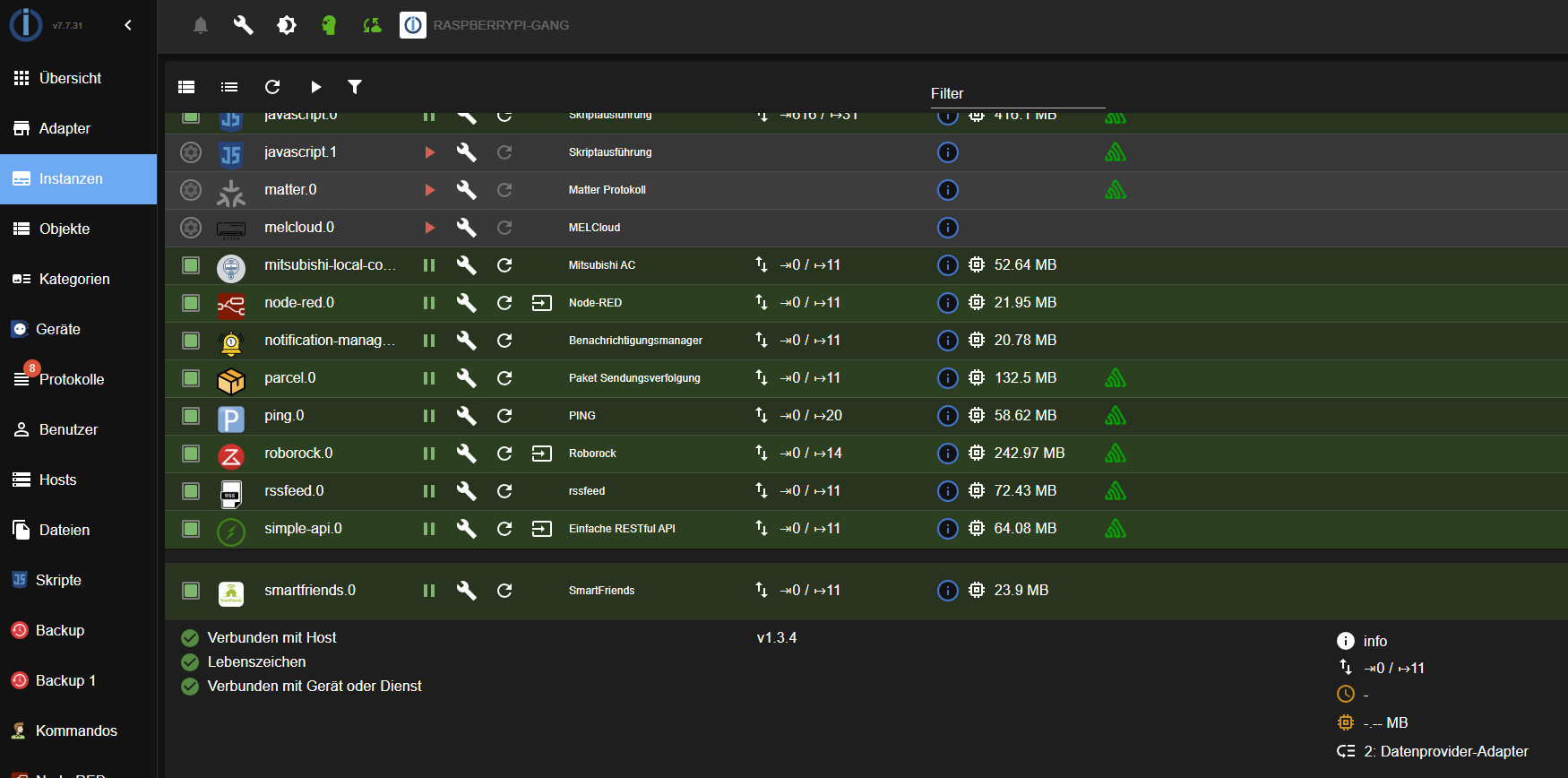
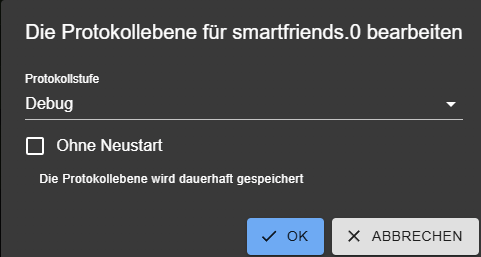
-
@wak
Bitte setze Protokolle und Logs zur besseren Lesbarkeit zukünftig in Code-Tags</>. Ich habe das in dem Fall für Dich gemacht.Ich erwarte auch auch noch eine Reaktion auf meine Anmerkung:
sagte in [Neuer Adapter] smartfriends:
Bitte entferne den Link (was immer Du darin zeigen willst) bzw. pack dessen Inhalt lesbar direkt in den Post.
Sonst lösche ich den stumpf den Link.
-
Hier nochmal das Log nachdem ich den Adapter nochmal komplett neu installiert (ich hoffe das psst so).
Hier taucht nun auch mal der Multisensor SHBW1000 auf, aber auch nur im Log, nicht unter Objekte. Also muß ja eine Verbindung zur Box bestehen ?!2026-01-08 12:48:28.322 - debug: smartfriends.0 (1687) Message received: success (code: 1) 2026-01-08 12:48:28.324 - debug: smartfriends.0 (1687) Updated timestamp to Sun Feb 08 2026 12:48:22 GMT+0100 (Mitteleuropäische Normalzeit) 2026-01-08 12:48:32.128 - debug: smartfriends.0 (1687) Sending command with method: keepalive 2026-01-08 12:48:32.129 - debug: smartfriends.0 (1687) Send JSON: {"command":"keepalive"} 2026-01-08 12:48:37.130 - debug: smartfriends.0 (1687) Sending command with method: keepalive 2026-01-08 12:48:37.131 - debug: smartfriends.0 (1687) Send JSON: {"command":"keepalive"} 2026-01-08 12:48:42.131 - debug: smartfriends.0 (1687) Sending command with method: keepalive 2026-01-08 12:48:42.131 - debug: smartfriends.0 (1687) Send JSON: {"command":"keepalive"} 2026-01-08 12:48:47.132 - debug: smartfriends.0 (1687) Sending command with method: keepalive 2026-01-08 12:48:47.133 - debug: smartfriends.0 (1687) Send JSON: {"command":"keepalive"} 2026-01-08 12:48:52.142 - debug: smartfriends.0 (1687) Sending command with method: keepalive 2026-01-08 12:48:52.143 - debug: smartfriends.0 (1687) Send JSON: {"command":"keepalive"} 2026-01-08 12:48:57.144 - debug: smartfriends.0 (1687) Sending command with method: keepalive 2026-01-08 12:48:57.145 - debug: smartfriends.0 (1687) Send JSON: {"command":"keepalive"} 2026-01-08 12:49:02.146 - debug: smartfriends.0 (1687) Sending command with method: keepalive 2026-01-08 12:49:02.147 - debug: smartfriends.0 (1687) Send JSON: {"command":"keepalive"} 2026-01-08 12:49:07.148 - debug: smartfriends.0 (1687) Sending command with method: keepalive 2026-01-08 12:49:07.148 - debug: smartfriends.0 (1687) Send JSON: {"command":"keepalive"} 2026-01-08 12:49:12.149 - debug: smartfriends.0 (1687) Sending command with method: keepalive 2026-01-08 12:49:12.151 - debug: smartfriends.0 (1687) Send JSON: {"command":"keepalive"} 2026-01-08 12:49:17.156 - debug: smartfriends.0 (1687) Sending command with method: keepalive 2026-01-08 12:49:17.157 - debug: smartfriends.0 (1687) Send JSON: {"command":"keepalive"} 2026-01-08 12:49:22.157 - debug: smartfriends.0 (1687) Sending command with method: keepalive 2026-01-08 12:49:22.157 - debug: smartfriends.0 (1687) Send JSON: {"command":"keepalive"} 2026-01-08 12:49:27.158 - debug: smartfriends.0 (1687) Sending command with method: keepalive 2026-01-08 12:49:27.159 - debug: smartfriends.0 (1687) Send JSON: {"command":"keepalive"} 2026-01-08 12:49:32.159 - debug: smartfriends.0 (1687) Sending command with method: keepalive 2026-01-08 12:49:32.160 - debug: smartfriends.0 (1687) Send JSON: {"command":"keepalive"} 2026-01-08 12:49:33.408 - debug: smartfriends.0 (1687) Received data: { "error" : { "message" : "Connection timed out", "responseCode" : 87 } } 2026-01-08 12:49:33.410 - debug: smartfriends.0 (1687) Message received: Connection timed out (code: 87) 2026-01-08 12:49:33.413 - debug: smartfriends.0 (1687) Received data: { "currentTimestamp" : 20260108124933, "response" : { "remoteHomeActivated" : true, "remoteHomeStatus" : "notConnected" }, "responseCode" : 1, "responseMessage" : "success" } 2026-01-08 12:49:33.415 - debug: smartfriends.0 (1687) Message received: success (code: 1) 2026-01-08 12:49:33.415 - debug: smartfriends.0 (1687) Updated timestamp to Sun Feb 08 2026 12:49:33 GMT+0100 (Mitteleuropäische Normalzeit) 2026-01-08 12:49:33.416 - debug: smartfriends.0 (1687) Received data: { "response" : { "type" : "error" }, "responseCode" : 15, "responseMessage" : "Die Smart Friends Box kann sich mit dem RemoteHome Server nicht verbinden.\n\n\u00dcberpr\u00fcfen Sie bitte, ob die Smart Friends Box mit dem Internet verbunden ist." } 2026-01-08 12:49:33.418 - debug: smartfriends.0 (1687) Message received: Die Smart Friends Box kann sich mit dem RemoteHome Server nicht verbinden. Überprüfen Sie bitte, ob die Smart Friends Box mit dem Internet verbunden ist. (code: 15) 2026-01-08 12:49:37.161 - debug: smartfriends.0 (1687) Sending command with method: keepalive 2026-01-08 12:49:37.162 - debug: smartfriends.0 (1687) Send JSON: {"command":"keepalive"} 2026-01-08 12:49:42.164 - debug: smartfriends.0 (1687) Sending command with method: keepalive 2026-01-08 12:49:42.165 - debug: smartfriends.0 (1687) Send JSON: {"command":"keepalive"} 2026-01-08 12:49:47.165 - debug: smartfriends.0 (1687) Sending command with method: keepalive 2026-01-08 12:49:47.166 - debug: smartfriends.0 (1687) Send JSON: {"command":"keepalive"} 2026-01-08 12:49:52.168 - debug: smartfriends.0 (1687) Sending command with method: keepalive 2026-01-08 12:49:52.173 - debug: smartfriends.0 (1687) Send JSON: {"command":"keepalive"} 2026-01-08 12:49:57.173 - debug: smartfriends.0 (1687) Sending command with method: keepalive 2026-01-08 12:49:57.174 - debug: smartfriends.0 (1687) Send JSON: {"command":"keepalive"} 2026-01-08 12:50:02.175 - debug: smartfriends.0 (1687) Sending command with method: keepalive 2026-01-08 12:50:02.175 - debug: smartfriends.0 (1687) Send JSON: {"command":"keepalive"} 2026-01-08 12:50:07.175 - debug: smartfriends.0 (1687) Sending command with method: keepalive 2026-01-08 12:50:07.176 - debug: smartfriends.0 (1687) Send JSON: {"command":"keepalive"} 2026-01-08 12:50:12.183 - debug: smartfriends.0 (1687) Sending command with method: keepalive 2026-01-08 12:50:12.186 - debug: smartfriends.0 (1687) Send JSON: {"command":"keepalive"} 2026-01-08 12:50:17.187 - debug: smartfriends.0 (1687) Sending command with method: keepalive 2026-01-08 12:50:17.188 - debug: smartfriends.0 (1687) Send JSON: {"command":"keepalive"} 2026-01-08 12:50:22.189 - debug: smartfriends.0 (1687) Sending command with method: keepalive 2026-01-08 12:50:22.191 - debug: smartfriends.0 (1687) Send JSON: {"command":"keepalive"} 2026-01-08 12:50:27.191 - debug: smartfriends.0 (1687) Sending command with method: keepalive 2026-01-08 12:50:27.192 - debug: smartfriends.0 (1687) Send JSON: {"command":"keepalive"} 2026-01-08 12:50:32.193 - debug: smartfriends.0 (1687) Sending command with method: keepalive 2026-01-08 12:50:32.194 - debug: smartfriends.0 (1687) Send JSON: {"command":"keepalive"} 2026-01-08 12:50:37.195 - debug: smartfriends.0 (1687) Sending command with method: keepalive 2026-01-08 12:50:37.195 - debug: smartfriends.0 (1687) Send JSON: {"command":"keepalive"} 2026-01-08 12:50:42.197 - debug: smartfriends.0 (1687) Sending command with method: keepalive 2026-01-08 12:50:42.197 - debug: smartfriends.0 (1687) Send JSON: {"command":"keepalive"} 2026-01-08 12:50:45.472 - debug: smartfriends.0 (1687) Received data: { "currentTimestamp" : 20260108125045, "response" : { "counter" : 263326, "debugName" : "Multisensor SHBW10000:${Temperature}", "deviceID" : 8082, "masterDeviceID" : 12827, "normValue" : 18.700, "value" : 18.700, "valueTimestamp" : 20260108125045 }, "responseCode" : 2, "responseMessage" : "newDeviceValue" } 2026-01-08 12:50:45.473 - debug: smartfriends.0 (1687) Message received: newDeviceValue (code: 2) 2026-01-08 12:50:45.473 - debug: smartfriends.0 (1687) Updated timestamp to Sun Feb 08 2026 12:50:45 GMT+0100 (Mitteleuropäische Normalzeit) 2026-01-08 12:50:45.474 - debug: smartfriends.0 (1687) Device value update: deviceID=8082, value=18.7 2026-01-08 12:50:45.474 - debug: smartfriends.0 (1687) Received value for unknown device 8082, ignoring. 2026-01-08 12:50:47.198 - debug: smartfriends.0 (1687) Sending command with method: keepalive 2026-01-08 12:50:47.200 - debug: smartfriends.0 (1687) Send JSON: {"command":"keepalive"} 2026-01-08 12:50:52.218 - debug: smartfriends.0 (1687) Sending command with method: keepalive 2026-01-08 12:50:52.219 - debug: smartfriends.0 (1687) Send JSON: {"command":"keepalive"} 2026-01-08 12:50:57.219 - debug: smartfriends.0 (1687) Sending command with method: keepalive 2026-01-08 12:50:57.220 - debug: smartfriends.0 (1687) Send JSON: {"command":"keepalive"} 2026-01-08 12:51:02.219 - debug: smartfriends.0 (1687) Sending command with method: keepalive 2026-01-08 12:51:02.220 - debug: smartfriends.0 (1687) Send JSON: {"command":"keepalive"} 2026-01-08 12:51:07.221 - debug: smartfriends.0 (1687) Sending command with method: keepalive 2026-01-08 12:51:07.222 - debug: smartfriends.0 (1687) Send JSON: {"command":"keepalive"} 2026-01-08 12:51:12.228 - debug: smartfriends.0 (1687) Sending command with method: keepalive 2026-01-08 12:51:12.228 - debug: smartfriends.0 (1687) Send JSON: {"command":"keepalive"} 2026-01-08 12:51:17.229 - debug: smartfriends.0 (1687) Sending command with method: keepalive 2026-01-08 12:51:17.230 - debug: smartfriends.0 (1687) Send JSON: {"command":"keepalive"} 2026-01-08 12:51:22.216 - debug: smartfriends.0 (1687) Sending command with method: keepalive 2026-01-08 12:51:22.217 - debug: smartfriends.0 (1687) Send JSON: {"command":"keepalive"} 2026-01-08 12:51:27.217 - debug: smartfriends.0 (1687) Sending command with method: keepalive 2026-01-08 12:51:27.218 - debug: smartfriends.0 (1687) Send JSON: {"command":"keepalive"} 2026-01-08 12:51:32.226 - debug: smartfriends.0 (1687) Sending command with method: keepalive 2026-01-08 12:51:32.227 - debug: smartfriends.0 (1687) Send JSON: {"command":"keepalive"} 2026-01-08 12:51:37.228 - debug: smartfriends.0 (1687) Sending command with method: keepalive 2026-01-08 12:51:37.229 - debug: smartfriends.0 (1687) Send JSON: {"command":"keepalive"} 2026-01-08 12:51:42.229 - debug: smartfriends.0 (1687) Sending command with method: keepalive 2026-01-08 12:51:42.229 - debug: smartfriends.0 (1687) Send JSON: {"command":"keepalive"} 2026-01-08 12:51:45.424 - debug: smartfriends.0 (1687) Received data: { "currentTimestamp" : 20260108125145, "response" : { "counter" : 263327, "debugName" : "Multisensor SHBW10000:${Temperature}", "deviceID" : 8082, "masterDeviceID" : 12827, "normValue" : 18.600, "value" : 18.600, "valueTimestamp" : 20260108125145 }, "responseCode" : 2, "responseMessage" : "newDeviceValue" } 2026-01-08 12:51:45.424 - debug: smartfriends.0 (1687) Message received: newDeviceValue (code: 2) 2026-01-08 12:51:45.425 - debug: smartfriends.0 (1687) Updated timestamp to Sun Feb 08 2026 12:51:45 GMT+0100 (Mitteleuropäische Normalzeit) 2026-01-08 12:51:45.426 - debug: smartfriends.0 (1687) Device value update: deviceID=8082, value=18.6 2026-01-08 12:51:45.426 - debug: smartfriends.0 (1687) Received value for unknown device 8082, ignoring. 2026-01-08 12:51:47.230 - debug: smartfriends.0 (1687) Sending command with method: keepalive 2026-01-08 12:51:47.230 - debug: smartfriends.0 (1687) Send JSON: {"command":"keepalive"} 2026-01-08 12:51:52.232 - debug: smartfriends.0 (1687) Sending command with method: keepalive 2026-01-08 12:51:52.233 - debug: smartfriends.0 (1687) Send JSON: {"command":"keepalive"} 2026-01-08 12:51:57.233 - debug: smartfriends.0 (1687) Sending command with method: keepalive 2026-01-08 12:51:57.233 - debug: smartfriends.0 (1687) Send JSON: {"command":"keepalive"} 2026-01-08 12:52:02.234 - debug: smartfriends.0 (1687) Sending command with method: keepalive 2026-01-08 12:52:02.235 - debug: smartfriends.0 (1687) Send JSON: {"command":"keepalive"} 2026-01-08 12:52:07.236 - debug: smartfriends.0 (1687) Sending command with method: keepalive 2026-01-08 12:52:07.236 - debug: smartfriends.0 (1687) Send JSON: {"command":"keepalive"} 2026-01-08 12:52:12.237 - debug: smartfriends.0 (1687) Sending command with method: keepalive 2026-01-08 12:52:12.237 - debug: smartfriends.0 (1687) Send JSON: {"command":"keepalive"} 2026-01-08 12:52:17.238 - debug: smartfriends.0 (1687) Sending command with method: keepalive 2026-01-08 12:52:17.239 - debug: smartfriends.0 (1687) Send JSON: {"command":"keepalive"} 2026-01-08 12:52:22.239 - debug: smartfriends.0 (1687) Sending command with method: keepalive 2026-01-08 12:52:22.240 - debug: smartfriends.0 (1687) Send JSON: {"command":"keepalive"} 2026-01-08 12:52:27.240 - debug: smartfriends.0 (1687) Sending command with method: keepalive 2026-01-08 12:52:27.240 - debug: smartfriends.0 (1687) Send JSON: {"command":"keepalive"} 2026-01-08 12:52:32.242 - debug: smartfriends.0 (1687) Sending command with method: keepalive 2026-01-08 12:52:32.243 - debug: smartfriends.0 (1687) Send JSON: {"command":"keepalive"} 2026-01-08 12:52:37.244 - debug: smartfriends.0 (1687) Sending command with method: keepalive 2026-01-08 12:52:37.245 - debug: smartfriends.0 (1687) Send JSON: {"command":"keepalive"} 2026-01-08 12:52:42.245 - debug: smartfriends.0 (1687) Sending command with method: keepalive 2026-01-08 12:52:42.245 - debug: smartfriends.0 (1687) Send JSON: {"command":"keepalive"} 2026-01-08 12:52:45.465 - debug: smartfriends.0 (1687) Received data: { "currentTimestamp" : 20260108125245, "response" : { "counter" : 263328, "debugName" : "Multisensor SHBW10000:${Temperature}", "deviceID" : 8082, "masterDeviceID" : 12827, "normValue" : 18.700, "value" : 18.700, "valueTimestamp" : 20260108125245 }, "responseCode" : 2, "responseMessage" : "newDeviceValue" } 2026-01-08 12:52:45.467 - debug: smartfriends.0 (1687) Message received: newDeviceValue (code: 2) 2026-01-08 12:52:45.467 - debug: smartfriends.0 (1687) Updated timestamp to Sun Feb 08 2026 12:52:45 GMT+0100 (Mitteleuropäische Normalzeit) 2026-01-08 12:52:45.468 - debug: smartfriends.0 (1687) Device value update: deviceID=8082, value=18.7 2026-01-08 12:52:45.468 - debug: smartfriends.0 (1687) Received value for unknown device 8082, ignoring. 2026-01-08 12:52:47.247 - debug: smartfriends.0 (1687) Sending command with method: keepalive 2026-01-08 12:52:47.248 - debug: smartfriends.0 (1687) Send JSON: {"command":"keepalive"} 2026-01-08 12:52:52.261 - debug: smartfriends.0 (1687) Sending command with method: keepalive 2026-01-08 12:52:52.261 - debug: smartfriends.0 (1687) Send JSON: {"command":"keepalive"} 2026-01-08 12:52:57.263 - debug: smartfriends.0 (1687) Sending command with method: keepalive 2026-01-08 12:52:57.264 - debug: smartfriends.0 (1687) Send JSON: {"command":"keepalive"} 2026-01-08 12:53:02.264 - debug: smartfriends.0 (1687) Sending command with method: keepalive 2026-01-08 12:53:02.265 - debug: smartfriends.0 (1687) Send JSON: {"command":"keepalive"} 2026-01-08 12:53:07.265 - debug: smartfriends.0 (1687) Sending command with method: keepalive 2026-01-08 12:53:07.266 - debug: smartfriends.0 (1687) Send JSON: {"command":"keepalive"} 2026-01-08 12:53:12.268 - debug: smartfriends.0 (1687) Sending command with method: keepalive 2026-01-08 12:53:12.268 - debug: smartfriends.0 (1687) Send JSON: {"command":"keepalive"} 2026-01-08 12:53:17.269 - debug: smartfriends.0 (1687) Sending command with method: keepalive 2026-01-08 12:53:17.269 - debug: smartfriends.0 (1687) Send JSON: {"command":"keepalive"} 2026-01-08 12:53:22.300 - debug: smartfriends.0 (1687) Sending command with method: keepalive 2026-01-08 12:53:22.301 - debug: smartfriends.0 (1687) Send JSON: {"command":"keepalive"} 2026-01-08 12:53:27.302 - debug: smartfriends.0 (1687) Sending command with method: keepalive 2026-01-08 12:53:27.302 - debug: smartfriends.0 (1687) Send JSON: {"command":"keepalive"} 2026-01-08 12:53:32.304 - debug: smartfriends.0 (1687) Sending command with method: keepalive 2026-01-08 12:53:32.306 - debug: smartfriends.0 (1687) Send JSON: {"command":"keepalive"} 2026-01-08 12:53:37.307 - debug: smartfriends.0 (1687) Sending command with method: keepalive 2026-01-08 12:53:37.308 - debug: smartfriends.0 (1687) Send JSON: {"command":"keepalive"} 2026-01-08 12:53:42.309 - debug: smartfriends.0 (1687) Sending command with method: keepalive 2026-01-08 12:53:42.310 - debug: smartfriends.0 (1687) Send JSON: {"command":"keepalive"} 2026-01-08 12:53:47.311 - debug: smartfriends.0 (1687) Sending command with method: keepalive 2026-01-08 12:53:47.312 - debug: smartfriends.0 (1687) Send JSON: {"command":"keepalive"} 2026-01-08 12:53:52.321 - debug: smartfriends.0 (1687) Sending command with method: keepalive 2026-01-08 12:53:52.322 - debug: smartfriends.0 (1687) Send JSON: {"command":"keepalive"} 2026-01-08 12:53:57.324 - debug: smartfriends.0 (1687) Sending command with method: keepalive 2026-01-08 12:53:57.325 - debug: smartfriends.0 (1687) Send JSON: {"command":"keepalive"} 2026-01-08 12:54:02.326 - debug: smartfriends.0 (1687) Sending command with method: keepalive 2026-01-08 12:54:02.328 - debug: smartfriends.0 (1687) Send JSON: {"command":"keepalive"} 2026-01-08 12:54:06.251 - debug: smartfriends.0 (1687) Received data: { "error" : { "message" : "Connection timed out", "responseCode" : 87 } } 2026-01-08 12:54:06.252 - debug: smartfriends.0 (1687) Message received: Connection timed out (code: 87) 2026-01-08 12:54:06.254 - debug: smartfriends.0 (1687) Received data: { "currentTimestamp" : 20260108125406, "response" : { "remoteHomeActivated" : true, "remoteHomeStatus" : "notConnected" }, "responseCode" : 1, "responseMessage" : "success" } 2026-01-08 12:54:06.255 - debug: smartfriends.0 (1687) Message received: success (code: 1) 2026-01-08 12:54:06.255 - debug: smartfriends.0 (1687) Updated timestamp to Sun Feb 08 2026 12:54:06 GMT+0100 (Mitteleuropäische Normalzeit) 2026-01-08 12:54:06.256 - debug: smartfriends.0 (1687) Received data: { "response" : { "type" : "error" }, "responseCode" : 15, "responseMessage" : "Die Smart Friends Box kann sich mit dem RemoteHome Server nicht verbinden.\n\n\u00dcberpr\u00fcfen Sie bitte, ob die Smart Friends Box mit dem Internet verbunden ist." } 2026-01-08 12:54:06.257 - debug: smartfriends.0 (1687) Message received: Die Smart Friends Box kann sich mit dem RemoteHome Server nicht verbinden. Überprüfen Sie bitte, ob die Smart Friends Box mit dem Internet verbunden ist. (code: 15) 2026-01-08 12:54:07.328 - debug: smartfriends.0 (1687) Sending command with method: keepalive 2026-01-08 12:54:07.329 - debug: smartfriends.0 (1687) Send JSON: {"command":"keepalive"} 2026-01-08 12:54:12.330 - debug: smartfriends.0 (1687) Sending command with method: keepalive 2026-01-08 12:54:12.331 - debug: smartfriends.0 (1687) Send JSON: {"command":"keepalive"} 2026-01-08 12:54:17.332 - debug: smartfriends.0 (1687) Sending command with method: keepalive 2026-01-08 12:54:17.333 - debug: smartfriends.0 (1687) Send JSON: {"command":"keepalive"} 2026-01-08 12:54:22.334 - debug: smartfriends.0 (1687) Sending command with method: keepalive 2026-01-08 12:54:22.335 - debug: smartfriends.0 (1687) Send JSON: {"command":"keepalive"} 2026-01-08 12:54:27.334 - debug: smartfriends.0 (1687) Sending command with method: keepalive 2026-01-08 12:54:27.335 - debug: smartfriends.0 (1687) Send JSON: {"command":"keepalive"} 2026-01-08 12:54:32.336 - debug: smartfriends.0 (1687) Sending command with method: keepalive 2026-01-08 12:54:32.337 - debug: smartfriends.0 (1687) Send JSON: {"command":"keepalive"} 2026-01-08 12:54:37.338 - debug: smartfriends.0 (1687) Sending command with method: keepalive 2026-01-08 12:54:37.339 - debug: smartfriends.0 (1687) Send JSON: {"command":"keepalive"} 2026-01-08 12:54:42.339 - debug: smartfriends.0 (1687) Sending command with method: keepalive 2026-01-08 12:54:42.340 - debug: smartfriends.0 (1687) Send JSON: {"command":"keepalive"} 2026-01-08 12:54:45.571 - debug: smartfriends.0 (1687) Received data: { "currentTimestamp" : 20260108125445, "response" : { "counter" : 263329, "debugName" : "Multisensor SHBW10000:${Temperature}", "deviceID" : 8082, "masterDeviceID" : 12827, "normValue" : 18.600, "value" : 18.600, "valueTimestamp" : 20260108125445 }, "responseCode" : 2, "responseMessage" : "newDeviceValue" } 2026-01-08 12:54:45.572 - debug: smartfriends.0 (1687) Message received: newDeviceValue (code: 2) 2026-01-08 12:54:45.572 - debug: smartfriends.0 (1687) Updated timestamp to Sun Feb 08 2026 12:54:45 GMT+0100 (Mitteleuropäische Normalzeit) 2026-01-08 12:54:45.573 - debug: smartfriends.0 (1687) Device value update: deviceID=8082, value=18.6 2026-01-08 12:54:45.573 - debug: smartfriends.0 (1687) Received value for unknown device 8082, ignoring. 2026-01-08 12:54:47.340 - debug: smartfriends.0 (1687) Sending command with method: keepalive 2026-01-08 12:54:47.341 - debug: smartfriends.0 (1687) Send JSON: {"command":"keepalive"} 2026-01-08 12:54:52.342 - debug: smartfriends.0 (1687) Sending command with method: keepalive 2026-01-08 12:54:52.343 - debug: smartfriends.0 (1687) Send JSON: {"command":"keepalive"} 2026-01-08 12:54:57.344 - debug: smartfriends.0 (1687) Sending command with method: keepalive 2026-01-08 12:54:57.345 - debug: smartfriends.0 (1687) Send JSON: {"command":"keepalive"} 2026-01-08 12:55:02.346 - debug: smartfriends.0 (1687) Sending command with method: keepalive 2026-01-08 12:55:02.347 - debug: smartfriends.0 (1687) Send JSON: {"command":"keepalive"} 2026-01-08 12:55:07.348 - debug: smartfriends.0 (1687) Sending command with method: keepalive 2026-01-08 12:55:07.349 - debug: smartfriends.0 (1687) Send JSON: {"command":"keepalive"}@wak sagte in [Neuer Adapter] smartfriends:
Hier nochmal das Log nachdem ich den Adapter nochmal komplett neu installiert (ich hoffe das psst so).
Leider immer noch nicht komplett. Ich brauche alle Einträge ab dem Start des Adapters. Also ab der Zeile "instance system.adapter.smartfriends.0 in version "1.2.0-alpha.0" started with pid XXX". Es kann auch sein, dass du in der Admin-Oberfläche gar nicht alles siehst, weil bei Debug sehr viel geloggt wird.
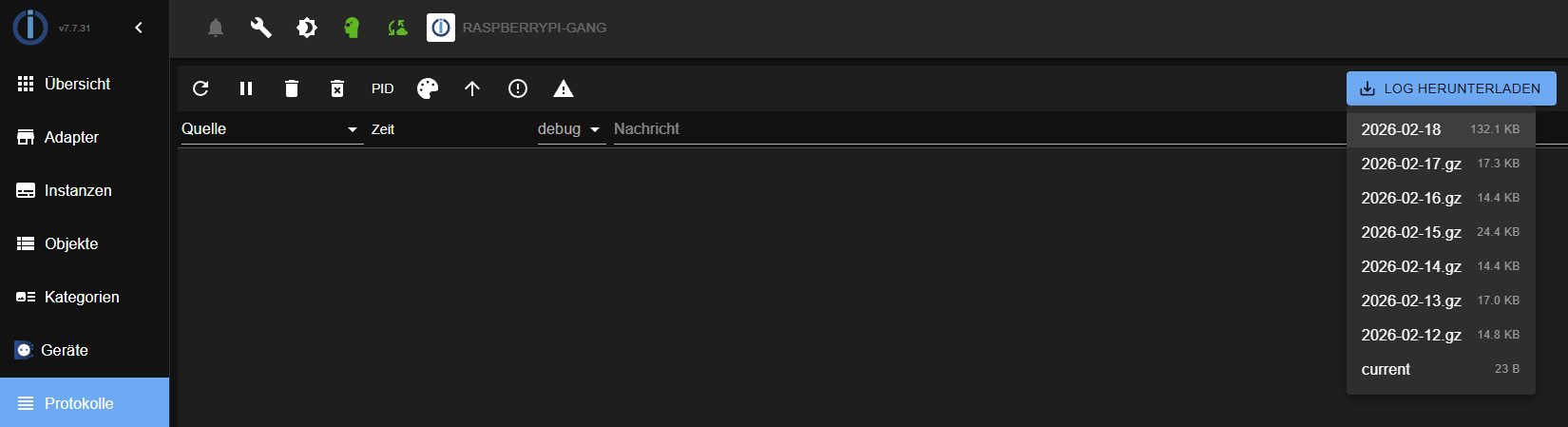
Starte also den Adapter neu, warte 30 Sekunden, gehe im Admin auf "Protokolle" -> "Log herunterladen" -> "current" und kopiere da alle Einträge ab der genannten Zeile raus.
Hier taucht nun auch mal der Multisensor SHBW1000 auf, aber auch nur im Log, nicht unter Objekte. Also muß ja eine Verbindung zur Box bestehen ?!
Sieht so aus, aber das Gerät wird bisher noch ignoriert. Dazu brauche ich aber das ganze Log.
-
@wak sagte in [Neuer Adapter] smartfriends:
Hier nochmal das Log nachdem ich den Adapter nochmal komplett neu installiert (ich hoffe das psst so).
Leider immer noch nicht komplett. Ich brauche alle Einträge ab dem Start des Adapters. Also ab der Zeile "instance system.adapter.smartfriends.0 in version "1.2.0-alpha.0" started with pid XXX". Es kann auch sein, dass du in der Admin-Oberfläche gar nicht alles siehst, weil bei Debug sehr viel geloggt wird.
Starte also den Adapter neu, warte 30 Sekunden, gehe im Admin auf "Protokolle" -> "Log herunterladen" -> "current" und kopiere da alle Einträge ab der genannten Zeile raus.
Hier taucht nun auch mal der Multisensor SHBW1000 auf, aber auch nur im Log, nicht unter Objekte. Also muß ja eine Verbindung zur Box bestehen ?!
Sieht so aus, aber das Gerät wird bisher noch ignoriert. Dazu brauche ich aber das ganze Log.
@Black-Thunder sagte in [Neuer Adapter] smartfriends:
Also ab der Zeile "instance system.adapter.smartfriends.0 in version "1.2.0-alpha.0" started with pid XXX"
2026-01-08 14:10:01.503 - info: host.iobroker instance system.adapter.smartfriends.0 in version "1.2.0-alpha.0" started with pid 1012
2026-01-08 14:10:04.173 - debug: smartfriends.0 (1012) Redis Objects: Use Redis connection: 127.0.0.1:9001
2026-01-08 14:10:04.212 - debug: smartfriends.0 (1012) Objects client ready ... initialize now
2026-01-08 14:10:04.214 - debug: smartfriends.0 (1012) Objects create System PubSub Client
2026-01-08 14:10:04.215 - debug: smartfriends.0 (1012) Objects create User PubSub Client
2026-01-08 14:10:04.228 - debug: smartfriends.0 (1012) Objects client initialize lua scripts
2026-01-08 14:10:04.238 - debug: smartfriends.0 (1012) Objects connected to redis: 127.0.0.1:9001
2026-01-08 14:10:04.247 - debug: smartfriends.0 (1012) Redis States: Use Redis connection: 127.0.0.1:9000
2026-01-08 14:10:04.254 - debug: smartfriends.0 (1012) States create System PubSub Client
2026-01-08 14:10:04.255 - debug: smartfriends.0 (1012) States create User PubSub Client
2026-01-08 14:10:04.262 - debug: smartfriends.0 (1012) States connected to redis: 127.0.0.1:9000
2026-01-08 14:10:04.365 - info: smartfriends.0 (1012) starting. Version 1.2.0-alpha.0 in /opt/iobroker/node_modules/iobroker.smartfriends, node: v22.21.0, js-controller: 7.0.7
2026-01-08 14:10:04.382 - debug: smartfriends.0 (1012) Initializing objects...
2026-01-08 14:10:04.408 - debug: smartfriends.0 (1012) Checking adapter settings...
2026-01-08 14:10:04.409 - info: smartfriends.0 (1012) Connecting to gateway and retrieving data...
2026-01-08 14:10:04.409 - debug: smartfriends.0 (1012) IP: 192.168.178.33 - Port: 4300 - CSymbol: D19033i - SHCVersion: 3.7.4 - SHAPIVersion: 3.4
2026-01-08 14:10:04.410 - debug: smartfriends.0 (1012) Setting up socket...
2026-01-08 14:10:04.603 - debug: smartfriends.0 (1012) Cert issuer organization: enexoma AG
2026-01-08 14:10:04.604 - debug: smartfriends.0 (1012) Setting up socket events...
2026-01-08 14:10:04.604 - debug: smartfriends.0 (1012) Setup socket successfully
2026-01-08 14:10:04.605 - debug: smartfriends.0 (1012) Send and receive JSON: {"command":"helo","username":"ioBroker"}
2026-01-08 14:10:04.616 - debug: smartfriends.0 (1012) Received data: { "response" : { "majorApiVersion" : "3", "salt" : "MYRTCDlGvl9mjrVHWZ3EVUHdudM=", "sessionSalt" : "QmMkABafQL/xaBXC9r6D4L9FYT4=" }, "responseCode" : 1, "responseMessage" : "success" }
2026-01-08 14:10:04.617 - debug: smartfriends.0 (1012) Message received: success (code: 1)
2026-01-08 14:10:04.618 - debug: smartfriends.0 (1012) Send and receive JSON: {"command":"login","username":"ioBroker","digest":"RsoP7JZftLJKEgb0G52CUwLDSNE=","cSymbol":"D19033i","shcVersion":"3.7.4","shApiVersion":"3.4"}
2026-01-08 14:10:04.645 - debug: smartfriends.0 (1012) Received data: { "response" : { "environment" : { }, "hardware" : "SmartFriendsBox", "localSHServerTime" : "20260108141004+0100", "macAddress" : "8c:19:2d:60:23:25", "ownerSetup" : true, "pushNotificationUrl" : "https://live.ergyserver.de/eif/pn/registry/D19033/154039763346213", "remoteHome" : { "activated" : true, "status" : "notConnected", "url" : "rhlive.ergyserver.de" }, "sessionID" : "9ENSBjRLRYRYYFRrhM9D", "shsVersion" : "4.4.1-release", "user" : { "administratorRights" : true, "email" : "", "emailValidated" : false, "firstName" : "M", "gender" : "none", "id" : 35196, "lastName" : "M", "loginAllowedUntil" : 0, "mobileNo" : "", "name" : "ioBroker", "passwordValidity" : 4294967295, "settings" : { "backgroundSettings" : { } }, "username" : "ioBroker", "usertype" : "person", "wrappers" : [ 36928, 36000, 36001, 36002 ] }, "webshopUrl" : "https://shpportal.com/webshop-smartfriends.aspx?MAC=154039763346213" }, "responseCode" : 1, "responseMessage" : "success" }
2026-01-08 14:10:04.646 - debug: smartfriends.0 (1012) Message received: success (code: 1)
2026-01-08 14:10:04.647 - debug: smartfriends.0 (1012) Connection and login to gateway SmartFriendsBox successful.
2026-01-08 14:10:04.648 - info: smartfriends.0 (1012) Querying all devices...
2026-01-08 14:10:04.649 - debug: smartfriends.0 (1012) Send and receive JSON: {"command":"getAllNewInfos","timestamp":"0","compatibilityConfigurationVersion":"0","languageTranslationVersion":"0","sessionID":"9ENSBjRLRYRYYFRrhM9D"}
2026-01-08 14:10:09.650 - debug: smartfriends.0 (1012) Sending command with method: keepalive
2026-01-08 14:10:09.651 - debug: smartfriends.0 (1012) Send JSON: {"command":"keepalive"}
2026-01-08 14:10:09.653 - error: smartfriends.0 (1012) Connection failed: "timeout"
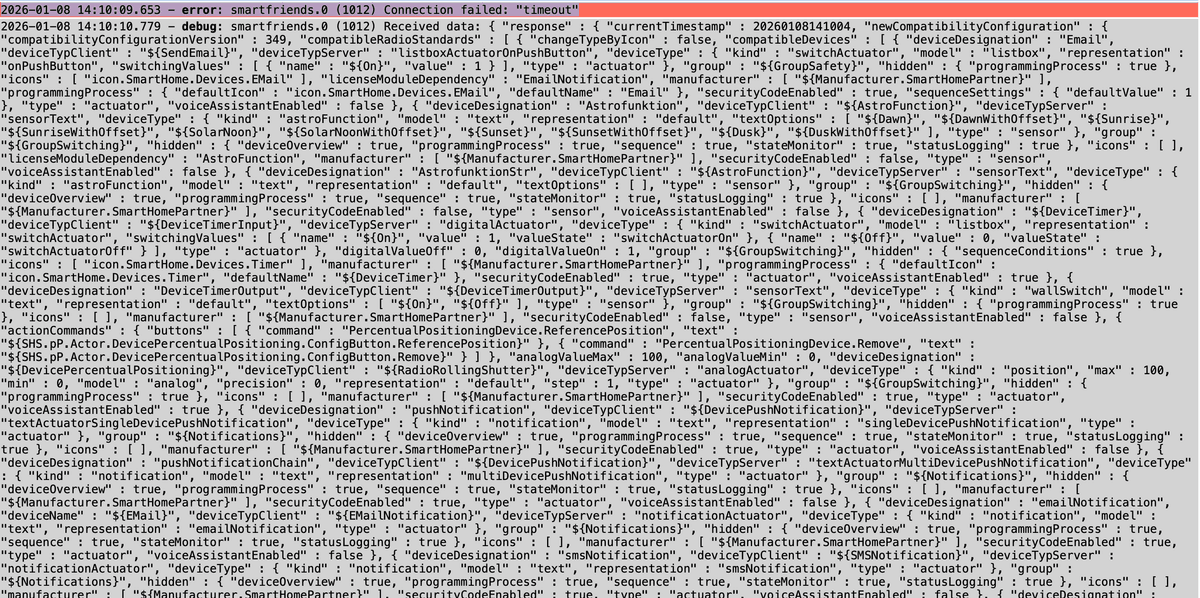
Die Einträge gehen dann zwar noch weiter, aber das sind mehr als die möglichen 1000 Zeichen...
-
@Black-Thunder sagte in [Neuer Adapter] smartfriends:
Also ab der Zeile "instance system.adapter.smartfriends.0 in version "1.2.0-alpha.0" started with pid XXX"
2026-01-08 14:10:01.503 - info: host.iobroker instance system.adapter.smartfriends.0 in version "1.2.0-alpha.0" started with pid 1012
2026-01-08 14:10:04.173 - debug: smartfriends.0 (1012) Redis Objects: Use Redis connection: 127.0.0.1:9001
2026-01-08 14:10:04.212 - debug: smartfriends.0 (1012) Objects client ready ... initialize now
2026-01-08 14:10:04.214 - debug: smartfriends.0 (1012) Objects create System PubSub Client
2026-01-08 14:10:04.215 - debug: smartfriends.0 (1012) Objects create User PubSub Client
2026-01-08 14:10:04.228 - debug: smartfriends.0 (1012) Objects client initialize lua scripts
2026-01-08 14:10:04.238 - debug: smartfriends.0 (1012) Objects connected to redis: 127.0.0.1:9001
2026-01-08 14:10:04.247 - debug: smartfriends.0 (1012) Redis States: Use Redis connection: 127.0.0.1:9000
2026-01-08 14:10:04.254 - debug: smartfriends.0 (1012) States create System PubSub Client
2026-01-08 14:10:04.255 - debug: smartfriends.0 (1012) States create User PubSub Client
2026-01-08 14:10:04.262 - debug: smartfriends.0 (1012) States connected to redis: 127.0.0.1:9000
2026-01-08 14:10:04.365 - info: smartfriends.0 (1012) starting. Version 1.2.0-alpha.0 in /opt/iobroker/node_modules/iobroker.smartfriends, node: v22.21.0, js-controller: 7.0.7
2026-01-08 14:10:04.382 - debug: smartfriends.0 (1012) Initializing objects...
2026-01-08 14:10:04.408 - debug: smartfriends.0 (1012) Checking adapter settings...
2026-01-08 14:10:04.409 - info: smartfriends.0 (1012) Connecting to gateway and retrieving data...
2026-01-08 14:10:04.409 - debug: smartfriends.0 (1012) IP: 192.168.178.33 - Port: 4300 - CSymbol: D19033i - SHCVersion: 3.7.4 - SHAPIVersion: 3.4
2026-01-08 14:10:04.410 - debug: smartfriends.0 (1012) Setting up socket...
2026-01-08 14:10:04.603 - debug: smartfriends.0 (1012) Cert issuer organization: enexoma AG
2026-01-08 14:10:04.604 - debug: smartfriends.0 (1012) Setting up socket events...
2026-01-08 14:10:04.604 - debug: smartfriends.0 (1012) Setup socket successfully
2026-01-08 14:10:04.605 - debug: smartfriends.0 (1012) Send and receive JSON: {"command":"helo","username":"ioBroker"}
2026-01-08 14:10:04.616 - debug: smartfriends.0 (1012) Received data: { "response" : { "majorApiVersion" : "3", "salt" : "MYRTCDlGvl9mjrVHWZ3EVUHdudM=", "sessionSalt" : "QmMkABafQL/xaBXC9r6D4L9FYT4=" }, "responseCode" : 1, "responseMessage" : "success" }
2026-01-08 14:10:04.617 - debug: smartfriends.0 (1012) Message received: success (code: 1)
2026-01-08 14:10:04.618 - debug: smartfriends.0 (1012) Send and receive JSON: {"command":"login","username":"ioBroker","digest":"RsoP7JZftLJKEgb0G52CUwLDSNE=","cSymbol":"D19033i","shcVersion":"3.7.4","shApiVersion":"3.4"}
2026-01-08 14:10:04.645 - debug: smartfriends.0 (1012) Received data: { "response" : { "environment" : { }, "hardware" : "SmartFriendsBox", "localSHServerTime" : "20260108141004+0100", "macAddress" : "8c:19:2d:60:23:25", "ownerSetup" : true, "pushNotificationUrl" : "https://live.ergyserver.de/eif/pn/registry/D19033/154039763346213", "remoteHome" : { "activated" : true, "status" : "notConnected", "url" : "rhlive.ergyserver.de" }, "sessionID" : "9ENSBjRLRYRYYFRrhM9D", "shsVersion" : "4.4.1-release", "user" : { "administratorRights" : true, "email" : "", "emailValidated" : false, "firstName" : "M", "gender" : "none", "id" : 35196, "lastName" : "M", "loginAllowedUntil" : 0, "mobileNo" : "", "name" : "ioBroker", "passwordValidity" : 4294967295, "settings" : { "backgroundSettings" : { } }, "username" : "ioBroker", "usertype" : "person", "wrappers" : [ 36928, 36000, 36001, 36002 ] }, "webshopUrl" : "https://shpportal.com/webshop-smartfriends.aspx?MAC=154039763346213" }, "responseCode" : 1, "responseMessage" : "success" }
2026-01-08 14:10:04.646 - debug: smartfriends.0 (1012) Message received: success (code: 1)
2026-01-08 14:10:04.647 - debug: smartfriends.0 (1012) Connection and login to gateway SmartFriendsBox successful.
2026-01-08 14:10:04.648 - info: smartfriends.0 (1012) Querying all devices...
2026-01-08 14:10:04.649 - debug: smartfriends.0 (1012) Send and receive JSON: {"command":"getAllNewInfos","timestamp":"0","compatibilityConfigurationVersion":"0","languageTranslationVersion":"0","sessionID":"9ENSBjRLRYRYYFRrhM9D"}
2026-01-08 14:10:09.650 - debug: smartfriends.0 (1012) Sending command with method: keepalive
2026-01-08 14:10:09.651 - debug: smartfriends.0 (1012) Send JSON: {"command":"keepalive"}
2026-01-08 14:10:09.653 - error: smartfriends.0 (1012) Connection failed: "timeout"
Die Einträge gehen dann zwar noch weiter, aber das sind mehr als die möglichen 1000 Zeichen...
-
@wak Ja, genau das brauche ich, nur nicht als Screenshot. Stelle bitte das gesamte Log vollständig hier als .txt Datei zur Verfügung.
Ich hoffe das paßt so...
iobroker.txt -
Ich hoffe das paßt so...
iobroker.txt@wak Ja, jetzt ist inhaltlich alles da. Auch wenn die Formatierung darin etwas wild ist 😉
Zu deinem Problem: Anscheinend war der Timeout beim initialen Abruf der Geräte etwas konservativ angesetzt. Ich habe das nun deutlich erhöht, so dass es bei dir ohne Fehler durchlaufen sollte und die Geräte als States auftauchen müssten. Probier es bitte mit v1.2.0-alpha.1.
-
@wak Ja, jetzt ist inhaltlich alles da. Auch wenn die Formatierung darin etwas wild ist 😉
Zu deinem Problem: Anscheinend war der Timeout beim initialen Abruf der Geräte etwas konservativ angesetzt. Ich habe das nun deutlich erhöht, so dass es bei dir ohne Fehler durchlaufen sollte und die Geräte als States auftauchen müssten. Probier es bitte mit v1.2.0-alpha.1.
@Black-Thunder
Wir sind einen Schritt weiter ... 👍
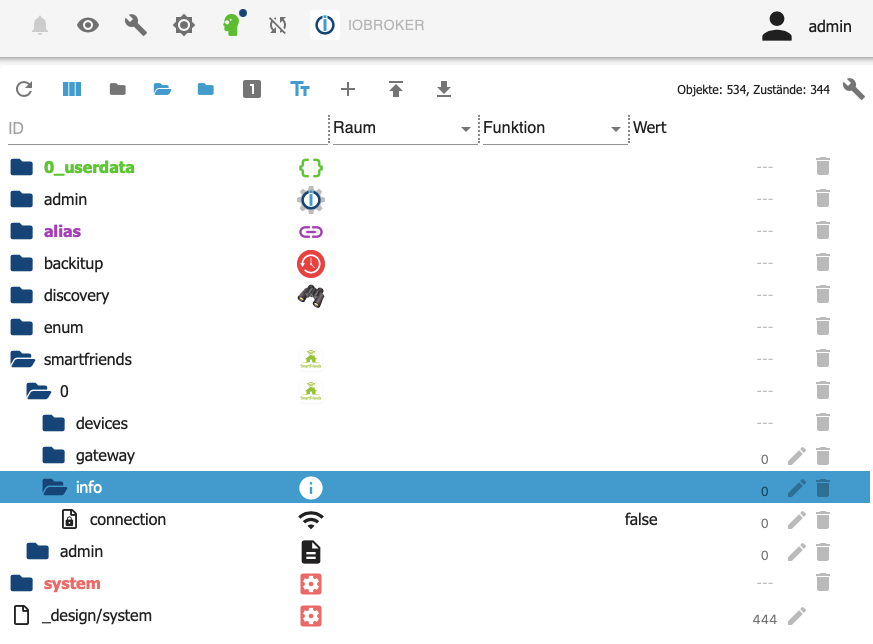
Im Log stehen jetzt die Rohrmotoren u.s.w., aber unter Objekte finde immer noch keine Einträge 🤔
2026-01-09 09:30:02.200 - info: host.iobroker instance system.adapter.smartfriends.0 in version "1.2.0-alpha.1" started with pid 56896 2026-01-09 09:30:03.523 - info: smartfriends.0 (56896) starting. Version 1.2.0-alpha.1 in /opt/iobroker/node_modules/iobroker.smartfriends, node: v22.21.0, js-controller: 7.0.7 2026-01-09 09:30:03.561 - info: smartfriends.0 (56896) Connecting to gateway and retrieving data... 2026-01-09 09:30:03.876 - info: smartfriends.0 (56896) Querying all devices... 2026-01-09 09:30:10.335 - info: smartfriends.0 (56896) Device created: Rohrmotor PREMIUM (Kanal 4 / Doppelfenster) (ID: 10170) 2026-01-09 09:30:10.357 - info: smartfriends.0 (56896) Device created: Rohrmotor PREMIUM (Kanal 5) (ID: 15210) 2026-01-09 09:30:10.376 - info: smartfriends.0 (56896) Device created: ${Input} (ID: 13012) 2026-01-09 09:30:10.395 - info: smartfriends.0 (56896) Device created: ${Switch} (ID: 15939) 2026-01-09 09:30:10.403 - info: smartfriends.0 (56896) Device created: ${State} (ID: 19358) 2026-01-09 09:30:10.427 - info: smartfriends.0 (56896) Device created: ${Switch} (ID: 3776) 2026-01-09 09:30:10.434 - info: smartfriends.0 (56896) Device created: ${State} (ID: 19603) 2026-01-09 09:30:10.456 - info: smartfriends.0 (56896) Device created: Rohrmotor PREMIUM (Kanal 2 / Terrassentür) (ID: 1535) 2026-01-09 09:30:10.475 - info: smartfriends.0 (56896) Device created: Rohrmotor PREMIUM (Kanal 1) (ID: 10637) 2026-01-09 09:30:10.490 - info: smartfriends.0 (56896) Device created: ${State} (ID: 6409) 2026-01-09 09:30:10.509 - info: smartfriends.0 (56896) Device created: Rohrmotor PREMIUM (Kanal 5.2) (ID: 4789) 2026-01-09 09:30:10.526 - info: smartfriends.0 (56896) Device created: ${Switch} (ID: 12198) 2026-01-09 09:30:10.533 - info: smartfriends.0 (56896) Device created: ${State} (ID: 6394) 2026-01-09 09:30:10.589 - info: smartfriends.0 (56896) Device created: ${Switch} (ID: 19264) 2026-01-09 09:30:10.600 - info: smartfriends.0 (56896) Device created: ${State} (ID: 4067) 2026-01-09 09:30:10.630 - info: smartfriends.0 (56896) Device created: ${Switch} (ID: 9205) 2026-01-09 09:30:10.660 - info: smartfriends.0 (56896) Device created: ${Switch} (ID: 6356) 2026-01-09 09:30:10.669 - info: smartfriends.0 (56896) Device created: ${State} (ID: 19125) 2026-01-09 09:30:10.724 - info: smartfriends.0 (56896) Device created: ${Switch} (ID: 977) 2026-01-09 09:30:10.741 - info: smartfriends.0 (56896) Device created: ${State} (ID: 4468) 2026-01-09 09:30:10.791 - info: smartfriends.0 (56896) Device created: Rohrmotor PREMIUM (Kanal 3 / Festverglasung) (ID: 452) 2026-01-09 09:30:10.817 - info: smartfriends.0 (56896) Device created: ${Input} (ID: 9863) 2026-01-09 09:30:10.840 - info: smartfriends.0 (56896) Device created: ${Switch} (ID: 2583) 2026-01-09 09:30:10.867 - info: smartfriends.0 (56896) Device created: ${State} (ID: 13391) 2026-01-09 09:30:10.909 - info: smartfriends.0 (56896) Device created: ${Temperature} (ID: 8082) 2026-01-09 09:30:11.052 - info: smartfriends.0 (56896) Device created: ${Switch} (ID: 16168) 2026-01-09 09:30:11.066 - info: smartfriends.0 (56896) Device created: ${State} (ID: 9663) 2026-01-09 09:30:11.114 - info: smartfriends.0 (56896) Device created: ${Switch} (ID: 639) 2026-01-09 09:30:11.128 - info: smartfriends.0 (56896) Device created: ${State} (ID: 2709) 2026-01-09 09:30:11.247 - info: smartfriends.0 (56896) Device created: ${Switch} (ID: 17470) 2026-01-09 09:30:11.286 - info: smartfriends.0 (56896) Device created: ${State} (ID: 575) 2026-01-09 09:30:11.332 - info: smartfriends.0 (56896) Device created: ${Switch} (ID: 4870) 2026-01-09 09:30:11.341 - info: smartfriends.0 (56896) Device created: ${State} (ID: 19223) 2026-01-09 09:30:11.371 - info: smartfriends.0 (56896) Device created: ${State} (ID: 15527) 2026-01-09 09:30:11.381 - info: smartfriends.0 (56896) Device created: ${State} (ID: 18111) 2026-01-09 09:30:11.422 - info: smartfriends.0 (56896) Device created: ${Switch} (ID: 8348) 2026-01-09 09:30:11.433 - info: smartfriends.0 (56896) Device created: ${State} (ID: 5526) 2026-01-09 09:30:11.475 - info: smartfriends.0 (56896) Device created: ${Input} (ID: 8527) 2026-01-09 09:30:11.507 - info: smartfriends.0 (56896) Device created: ${Switch} (ID: 298) 2026-01-09 09:30:11.518 - info: smartfriends.0 (56896) Device created: ${State} (ID: 9211) 2026-01-09 09:30:11.560 - info: smartfriends.0 (56896) Device created: ${Switch} (ID: 4170) 2026-01-09 09:30:11.574 - info: smartfriends.0 (56896) Device created: ${State} (ID: 6417) 2026-01-09 09:30:11.695 - info: smartfriends.0 (56896) Device created: ${Switch} (ID: 14625) 2026-01-09 09:30:11.710 - info: smartfriends.0 (56896) Device created: ${State} (ID: 12896) 2026-01-09 09:30:11.751 - info: smartfriends.0 (56896) Processed 158 device(s), created 28 master device(s). 2026-01-09 09:30:49.916 - info: admin.0 (165) <== Disconnect system.user.admin from ::ffff:192.168.65.1 admin 2026-01-09 09:30:52.208 - info: admin.0 (165) ==> Connected system.user.admin from ::ffff:192.168.65.1 -
@Black-Thunder
Wir sind einen Schritt weiter ... 👍
Im Log stehen jetzt die Rohrmotoren u.s.w., aber unter Objekte finde immer noch keine Einträge 🤔
2026-01-09 09:30:02.200 - info: host.iobroker instance system.adapter.smartfriends.0 in version "1.2.0-alpha.1" started with pid 56896 2026-01-09 09:30:03.523 - info: smartfriends.0 (56896) starting. Version 1.2.0-alpha.1 in /opt/iobroker/node_modules/iobroker.smartfriends, node: v22.21.0, js-controller: 7.0.7 2026-01-09 09:30:03.561 - info: smartfriends.0 (56896) Connecting to gateway and retrieving data... 2026-01-09 09:30:03.876 - info: smartfriends.0 (56896) Querying all devices... 2026-01-09 09:30:10.335 - info: smartfriends.0 (56896) Device created: Rohrmotor PREMIUM (Kanal 4 / Doppelfenster) (ID: 10170) 2026-01-09 09:30:10.357 - info: smartfriends.0 (56896) Device created: Rohrmotor PREMIUM (Kanal 5) (ID: 15210) 2026-01-09 09:30:10.376 - info: smartfriends.0 (56896) Device created: ${Input} (ID: 13012) 2026-01-09 09:30:10.395 - info: smartfriends.0 (56896) Device created: ${Switch} (ID: 15939) 2026-01-09 09:30:10.403 - info: smartfriends.0 (56896) Device created: ${State} (ID: 19358) 2026-01-09 09:30:10.427 - info: smartfriends.0 (56896) Device created: ${Switch} (ID: 3776) 2026-01-09 09:30:10.434 - info: smartfriends.0 (56896) Device created: ${State} (ID: 19603) 2026-01-09 09:30:10.456 - info: smartfriends.0 (56896) Device created: Rohrmotor PREMIUM (Kanal 2 / Terrassentür) (ID: 1535) 2026-01-09 09:30:10.475 - info: smartfriends.0 (56896) Device created: Rohrmotor PREMIUM (Kanal 1) (ID: 10637) 2026-01-09 09:30:10.490 - info: smartfriends.0 (56896) Device created: ${State} (ID: 6409) 2026-01-09 09:30:10.509 - info: smartfriends.0 (56896) Device created: Rohrmotor PREMIUM (Kanal 5.2) (ID: 4789) 2026-01-09 09:30:10.526 - info: smartfriends.0 (56896) Device created: ${Switch} (ID: 12198) 2026-01-09 09:30:10.533 - info: smartfriends.0 (56896) Device created: ${State} (ID: 6394) 2026-01-09 09:30:10.589 - info: smartfriends.0 (56896) Device created: ${Switch} (ID: 19264) 2026-01-09 09:30:10.600 - info: smartfriends.0 (56896) Device created: ${State} (ID: 4067) 2026-01-09 09:30:10.630 - info: smartfriends.0 (56896) Device created: ${Switch} (ID: 9205) 2026-01-09 09:30:10.660 - info: smartfriends.0 (56896) Device created: ${Switch} (ID: 6356) 2026-01-09 09:30:10.669 - info: smartfriends.0 (56896) Device created: ${State} (ID: 19125) 2026-01-09 09:30:10.724 - info: smartfriends.0 (56896) Device created: ${Switch} (ID: 977) 2026-01-09 09:30:10.741 - info: smartfriends.0 (56896) Device created: ${State} (ID: 4468) 2026-01-09 09:30:10.791 - info: smartfriends.0 (56896) Device created: Rohrmotor PREMIUM (Kanal 3 / Festverglasung) (ID: 452) 2026-01-09 09:30:10.817 - info: smartfriends.0 (56896) Device created: ${Input} (ID: 9863) 2026-01-09 09:30:10.840 - info: smartfriends.0 (56896) Device created: ${Switch} (ID: 2583) 2026-01-09 09:30:10.867 - info: smartfriends.0 (56896) Device created: ${State} (ID: 13391) 2026-01-09 09:30:10.909 - info: smartfriends.0 (56896) Device created: ${Temperature} (ID: 8082) 2026-01-09 09:30:11.052 - info: smartfriends.0 (56896) Device created: ${Switch} (ID: 16168) 2026-01-09 09:30:11.066 - info: smartfriends.0 (56896) Device created: ${State} (ID: 9663) 2026-01-09 09:30:11.114 - info: smartfriends.0 (56896) Device created: ${Switch} (ID: 639) 2026-01-09 09:30:11.128 - info: smartfriends.0 (56896) Device created: ${State} (ID: 2709) 2026-01-09 09:30:11.247 - info: smartfriends.0 (56896) Device created: ${Switch} (ID: 17470) 2026-01-09 09:30:11.286 - info: smartfriends.0 (56896) Device created: ${State} (ID: 575) 2026-01-09 09:30:11.332 - info: smartfriends.0 (56896) Device created: ${Switch} (ID: 4870) 2026-01-09 09:30:11.341 - info: smartfriends.0 (56896) Device created: ${State} (ID: 19223) 2026-01-09 09:30:11.371 - info: smartfriends.0 (56896) Device created: ${State} (ID: 15527) 2026-01-09 09:30:11.381 - info: smartfriends.0 (56896) Device created: ${State} (ID: 18111) 2026-01-09 09:30:11.422 - info: smartfriends.0 (56896) Device created: ${Switch} (ID: 8348) 2026-01-09 09:30:11.433 - info: smartfriends.0 (56896) Device created: ${State} (ID: 5526) 2026-01-09 09:30:11.475 - info: smartfriends.0 (56896) Device created: ${Input} (ID: 8527) 2026-01-09 09:30:11.507 - info: smartfriends.0 (56896) Device created: ${Switch} (ID: 298) 2026-01-09 09:30:11.518 - info: smartfriends.0 (56896) Device created: ${State} (ID: 9211) 2026-01-09 09:30:11.560 - info: smartfriends.0 (56896) Device created: ${Switch} (ID: 4170) 2026-01-09 09:30:11.574 - info: smartfriends.0 (56896) Device created: ${State} (ID: 6417) 2026-01-09 09:30:11.695 - info: smartfriends.0 (56896) Device created: ${Switch} (ID: 14625) 2026-01-09 09:30:11.710 - info: smartfriends.0 (56896) Device created: ${State} (ID: 12896) 2026-01-09 09:30:11.751 - info: smartfriends.0 (56896) Processed 158 device(s), created 28 master device(s). 2026-01-09 09:30:49.916 - info: admin.0 (165) <== Disconnect system.user.admin from ::ffff:192.168.65.1 admin 2026-01-09 09:30:52.208 - info: admin.0 (165) ==> Connected system.user.admin from ::ffff:192.168.65.1@wak Laut Log sieht das doch eigentlich gut aus. Hast du auch mal den "devices"-Ordner aufgeklappt? Im Screenshot ist er noch zu 😉
Ansonsten auch mal versuchen, den kompletten "devices"-Ordner zu löschen, und dann den Adapter neu starten. Dann müssen eigentlich alle Objekte da sein.
-
@wak Laut Log sieht das doch eigentlich gut aus. Hast du auch mal den "devices"-Ordner aufgeklappt? Im Screenshot ist er noch zu 😉
Ansonsten auch mal versuchen, den kompletten "devices"-Ordner zu löschen, und dann den Adapter neu starten. Dann müssen eigentlich alle Objekte da sein.
@Black-Thunder sagte in [Neuer Adapter] smartfriends:
Ansonsten auch mal versuchen, den kompletten "devices"-Ordner zu löschen, und dann den Adapter neu starten. Dann müssen eigentlich alle Objekte da sein.
Das hat's gebracht. Danke dafür !
-
@HeiLuRa Sind denn unter "smartfriends.0.devices.6597.13631.control" überhaupt States angelegt worden? Da müsste es sowas wie "on", "off" und "toggle" geben. "control" ist ja erstmal nur der übergeordnete Channel und ist selbst nicht schaltbar.
Welche Version verwendest du? Nach einem Upgrade auf die aktuelle 1.2.0-alpha.0 solltest du einmalig den Objektbaum löschen, damit er korrekt neu angelegt werden kann.Ansonsten bitte ein vollständiges Debug-Log nach Adapterstart hochladen.
@Black-Thunder Ich habe den Adapter neu installiert, also jetzt Version 1.2.0-alpha.0. Es lag nicht nur an der richtigen Version, sondern auch vor dem Rechner.
Vielen Dank nochmals für die Entwicklung des Adapters. Zur Info: ich habe die Premium Rollomotoren und Zigbee-Steckdosenschalter vom Lidl. -
@wak Laut Log sieht das doch eigentlich gut aus. Hast du auch mal den "devices"-Ordner aufgeklappt? Im Screenshot ist er noch zu 😉
Ansonsten auch mal versuchen, den kompletten "devices"-Ordner zu löschen, und dann den Adapter neu starten. Dann müssen eigentlich alle Objekte da sein.
@Black-Thunder
Nochmal eine Frage zu Devices, mir fehlen noch ein paar...
Schellenberg Funk-Thermostate (21001) 6x
Schellenberg Funk-Fenster/Türkontakt (21012) 1x
ABUS Z-Wave Rauchmelder (SHRM10000) 6x
ABUS Z-Wave Tür-/Fensterkontakte (SHMK10000) 6x
ABUS Z-Wave Wassermelder (SHWM10000) 1x
ABUS Z-Wave Taster (SHBE10000) 1x
und bei dem ABUS Multisensor Z-Wave (SHBW10000) wird nur die Temperatur übermittelt (Luftfeuchtigkeit, Helligkeit und Bewegungsmelder fehlen)
Siehst Du die im Log, oder werden die nicht unterstützt ? -
@Black-Thunder
Nochmal eine Frage zu Devices, mir fehlen noch ein paar...
Schellenberg Funk-Thermostate (21001) 6x
Schellenberg Funk-Fenster/Türkontakt (21012) 1x
ABUS Z-Wave Rauchmelder (SHRM10000) 6x
ABUS Z-Wave Tür-/Fensterkontakte (SHMK10000) 6x
ABUS Z-Wave Wassermelder (SHWM10000) 1x
ABUS Z-Wave Taster (SHBE10000) 1x
und bei dem ABUS Multisensor Z-Wave (SHBW10000) wird nur die Temperatur übermittelt (Luftfeuchtigkeit, Helligkeit und Bewegungsmelder fehlen)
Siehst Du die im Log, oder werden die nicht unterstützt ?@wak Da hast du Recht, diese Gerätetypen sind bisher noch nicht abgedeckt.
Bitte probiere es mit 1.3.0-alpha.0 und lösche auch hier wieder einmalig den kompletten "devices"-Ordner.
Jetzt sollten alle deine genannten Geräte (und auch potentiell noch viele weitere) angelegt werden. Außerdem werden nun Umlaute in den Gerätenamen korrekt behandelt und dargestellt. -
@wak Da hast du Recht, diese Gerätetypen sind bisher noch nicht abgedeckt.
Bitte probiere es mit 1.3.0-alpha.0 und lösche auch hier wieder einmalig den kompletten "devices"-Ordner.
Jetzt sollten alle deine genannten Geräte (und auch potentiell noch viele weitere) angelegt werden. Außerdem werden nun Umlaute in den Gerätenamen korrekt behandelt und dargestellt.@Black-Thunder
Vielen Dank !!! -
@wak Da hast du Recht, diese Gerätetypen sind bisher noch nicht abgedeckt.
Bitte probiere es mit 1.3.0-alpha.0 und lösche auch hier wieder einmalig den kompletten "devices"-Ordner.
Jetzt sollten alle deine genannten Geräte (und auch potentiell noch viele weitere) angelegt werden. Außerdem werden nun Umlaute in den Gerätenamen korrekt behandelt und dargestellt.@Black-Thunder
ich habe die aktuelle Version 1.3.3. installiert.
Sehe gerade, daß das Log alle paar Minuten einen Fehler meldet.smartfriends.0 2026-01-21 19:41:18.197 error Unknown message response code: 85 (message: 'Host not found') - Please report this to the developer!Kannst Du da bitte mal drüber schauen ?
2026-01-21 17:35:31.487 - info: admin.0 (183) <== Disconnect system.user.admin from ::ffff:192.168.65.1 admin 2026-01-21 17:38:13.652 - error: smartfriends.0 (89960) Unknown message response code: 85 (message: 'Host not found') - Please report this to the developer! 2026-01-21 17:39:08.984 - info: admin.0 (183) ==> Connected system.user.admin from ::ffff:192.168.65.1 2026-01-21 17:39:09.285 - info: admin.0 (183) <== Disconnect system.user.admin from ::ffff:192.168.65.1 admin 2026-01-21 17:39:10.394 - info: admin.0 (183) ==> Connected system.user.admin from ::ffff:192.168.65.1 2026-01-21 17:39:35.883 - info: admin.0 (183) <== Disconnect system.user.admin from ::ffff:192.168.65.1 admin 2026-01-21 17:39:39.582 - info: admin.0 (183) ==> Connected system.user.admin from ::ffff:192.168.65.1 2026-01-21 17:40:11.216 - info: admin.0 (183) <== Disconnect system.user.admin from ::ffff:192.168.65.1 admin 2026-01-21 17:40:18.076 - info: admin.0 (183) ==> Connected system.user.admin from ::ffff:192.168.65.1 2026-01-21 17:40:26.172 - info: admin.0 (183) <== Disconnect system.user.admin from ::ffff:192.168.65.1 admin 2026-01-21 17:40:27.280 - info: admin.0 (183) ==> Connected system.user.admin from ::ffff:192.168.65.1 2026-01-21 17:40:29.795 - info: admin.0 (183) ==> Connected system.user.admin from ::ffff:192.168.65.1 2026-01-21 17:40:41.929 - info: admin.0 (183) <== Disconnect system.user.admin from ::ffff:192.168.65.1 admin 2026-01-21 17:40:41.930 - info: admin.0 (183) <== Disconnect system.user.admin from ::ffff:192.168.65.1 javascript 2026-01-21 17:40:43.157 - info: admin.0 (183) ==> Connected system.user.admin from ::ffff:192.168.65.1 2026-01-21 17:40:46.807 - info: admin.0 (183) ==> Connected system.user.admin from ::ffff:192.168.65.1 2026-01-21 17:40:48.681 - info: admin.0 (183) <== Disconnect system.user.admin from ::ffff:192.168.65.1 admin 2026-01-21 17:40:48.683 - info: admin.0 (183) <== Disconnect system.user.admin from ::ffff:192.168.65.1 javascript 2026-01-21 17:40:49.760 - info: admin.0 (183) ==> Connected system.user.admin from ::ffff:192.168.65.1 2026-01-21 17:40:52.443 - info: admin.0 (183) ==> Connected system.user.admin from ::ffff:192.168.65.1 2026-01-21 17:40:59.076 - info: javascript.0 (190) script.js.Tür_Tor: start JavaScript (Blockly) 2026-01-21 17:40:59.094 - info: javascript.0 (190) script.js.Tür_Tor: registered 3 subscriptions, 0 schedules, 0 messages, 0 logs and 0 file subscriptions 2026-01-21 17:41:00.195 - info: javascript.0 (190) script.js.Rauchmelder_Alarm: start JavaScript (Blockly) 2026-01-21 17:41:00.202 - info: javascript.0 (190) script.js.Rauchmelder_Alarm: registered 12 subscriptions, 0 schedules, 0 messages, 0 logs and 0 file subscriptions 2026-01-21 17:41:03.700 - info: javascript.0 (190) script.js.Fenster: start JavaScript (Blockly) 2026-01-21 17:41:03.706 - info: javascript.0 (190) script.js.Fenster: registered 18 subscriptions, 0 schedules, 0 messages, 0 logs and 0 file subscriptions 2026-01-21 17:41:15.316 - info: admin.0 (183) <== Disconnect system.user.admin from ::ffff:192.168.65.1 admin 2026-01-21 17:41:15.322 - info: admin.0 (183) <== Disconnect system.user.admin from ::ffff:192.168.65.1 javascript 2026-01-21 17:41:16.294 - info: admin.0 (183) ==> Connected system.user.admin from ::ffff:192.168.65.1 2026-01-21 17:41:17.582 - info: admin.0 (183) <== Disconnect system.user.admin from ::ffff:192.168.65.1 admin 2026-01-21 17:42:05.688 - error: smartfriends.0 (89960) Unknown message response code: 85 (message: 'Host not found') - Please report this to the developer! 2026-01-21 17:49:15.109 - info: admin.0 (183) ==> Connected system.user.admin from ::ffff:192.168.65.1 2026-01-21 17:49:16.431 - error: smartfriends.0 (89960) Unknown message response code: 85 (message: 'Host not found') - Please report this to the developer! 2026-01-21 17:49:35.250 - info: admin.0 (183) <== Disconnect system.user.admin from ::ffff:192.168.65.1 admin 2026-01-21 17:49:36.073 - info: admin.0 (183) ==> Connected system.user.admin from ::ffff:192.168.65.1 2026-01-21 17:49:38.944 - info: admin.0 (183) <== Disconnect system.user.admin from ::ffff:192.168.65.1 admin 2026-01-21 17:55:41.911 - error: smartfriends.0 (89960) Unknown message response code: 85 (message: 'Host not found') - Please report this to the developer! 2026-01-21 18:01:34.419 - error: smartfriends.0 (89960) Unknown message response code: 85 (message: 'Host not found') - Please report this to the developer! 2026-01-21 18:05:18.265 - error: smartfriends.0 (89960) Unknown message response code: 85 (message: 'Host not found') - Please report this to the developer! 2026-01-21 18:07:04.724 - warn: admin.0 (183) REAUTHENTICATE! 2026-01-21 18:07:04.774 - info: admin.0 (183) <== Disconnect system.user.admin from ::ffff:192.168.65.1 admin 2026-01-21 18:11:53.653 - error: smartfriends.0 (89960) Unknown message response code: 85 (message: 'Host not found') - Please report this to the developer! 2026-01-21 18:15:31.972 - error: smartfriends.0 (89960) Unknown message response code: 85 (message: 'Host not found') - Please report this to the developer! 2026-01-21 18:17:26.831 - info: admin.0 (183) ==> Connected system.user.admin from ::ffff:192.168.65.1 2026-01-21 18:23:21.574 - error: smartfriends.0 (89960) Unknown message response code: 85 (message: 'Host not found') - Please report this to the developer! 2026-01-21 18:28:12.390 - error: smartfriends.0 (89960) Unknown message response code: 85 (message: 'Host not found') - Please report this to the developer! 2026-01-21 18:35:08.542 - error: smartfriends.0 (89960) Unknown message response code: 85 (message: 'Host not found') - Please report this to the developer! 2026-01-21 18:41:18.411 - error: smartfriends.0 (89960) Unknown message response code: 85 (message: 'Host not found') - Please report this to the developer! 2026-01-21 18:47:03.703 - error: smartfriends.0 (89960) Unknown message response code: 85 (message: 'Host not found') - Please report this to the developer! 2026-01-21 18:54:05.954 - error: smartfriends.0 (89960) Unknown message response code: 85 (message: 'Host not found') - Please report this to the developer! 2026-01-21 18:58:08.012 - error: smartfriends.0 (89960) Unknown message response code: 85 (message: 'Host not found') - Please report this to the developer! 2026-01-21 19:00:40.529 - info: web.0 (290) ==> Connected system.user.admin from ::ffff:192.168.65.1 2026-01-21 19:01:10.998 - error: smartfriends.0 (89960) Unknown message response code: 85 (message: 'Host not found') - Please report this to the developer! 2026-01-21 19:01:14.591 - info: web.0 (290) <== Disconnect system.user.admin from ::ffff:192.168.65.1 iqontrol.0 2026-01-21 19:04:57.610 - error: smartfriends.0 (89960) Unknown message response code: 85 (message: 'Host not found') - Please report this to the developer! 2026-01-21 19:10:49.237 - error: smartfriends.0 (89960) Unknown message response code: 85 (message: 'Host not found') - Please report this to the developer! 2026-01-21 19:17:08.720 - error: smartfriends.0 (89960) Unknown message response code: 85 (message: 'Host not found') - Please report this to the developer! 2026-01-21 19:25:08.570 - error: smartfriends.0 (89960) Unknown message response code: 85 (message: 'Host not found') - Please report this to the developer! 2026-01-21 19:29:10.591 - warn: admin.0 (183) REAUTHENTICATE! 2026-01-21 19:29:10.727 - info: admin.0 (183) <== Disconnect system.user.admin from ::ffff:192.168.65.1 admin 2026-01-21 19:29:12.257 - info: admin.0 (183) ==> Connected system.user.admin from ::ffff:192.168.65.1 2026-01-21 19:31:50.791 - error: smartfriends.0 (89960) Unknown message response code: 85 (message: 'Host not found') - Please report this to the developer! 2026-01-21 19:36:58.191 - error: smartfriends.0 (89960) Unknown message response code: 85 (message: 'Host not found') - Please report this to the developer! 2026-01-21 19:41:18.197 - error: smartfriends.0 (89960) Unknown message response code: 85 (message: 'Host not found') - Please report this to the developer! -
@Black-Thunder
ich habe die aktuelle Version 1.3.3. installiert.
Sehe gerade, daß das Log alle paar Minuten einen Fehler meldet.smartfriends.0 2026-01-21 19:41:18.197 error Unknown message response code: 85 (message: 'Host not found') - Please report this to the developer!Kannst Du da bitte mal drüber schauen ?
2026-01-21 17:35:31.487 - info: admin.0 (183) <== Disconnect system.user.admin from ::ffff:192.168.65.1 admin 2026-01-21 17:38:13.652 - error: smartfriends.0 (89960) Unknown message response code: 85 (message: 'Host not found') - Please report this to the developer! 2026-01-21 17:39:08.984 - info: admin.0 (183) ==> Connected system.user.admin from ::ffff:192.168.65.1 2026-01-21 17:39:09.285 - info: admin.0 (183) <== Disconnect system.user.admin from ::ffff:192.168.65.1 admin 2026-01-21 17:39:10.394 - info: admin.0 (183) ==> Connected system.user.admin from ::ffff:192.168.65.1 2026-01-21 17:39:35.883 - info: admin.0 (183) <== Disconnect system.user.admin from ::ffff:192.168.65.1 admin 2026-01-21 17:39:39.582 - info: admin.0 (183) ==> Connected system.user.admin from ::ffff:192.168.65.1 2026-01-21 17:40:11.216 - info: admin.0 (183) <== Disconnect system.user.admin from ::ffff:192.168.65.1 admin 2026-01-21 17:40:18.076 - info: admin.0 (183) ==> Connected system.user.admin from ::ffff:192.168.65.1 2026-01-21 17:40:26.172 - info: admin.0 (183) <== Disconnect system.user.admin from ::ffff:192.168.65.1 admin 2026-01-21 17:40:27.280 - info: admin.0 (183) ==> Connected system.user.admin from ::ffff:192.168.65.1 2026-01-21 17:40:29.795 - info: admin.0 (183) ==> Connected system.user.admin from ::ffff:192.168.65.1 2026-01-21 17:40:41.929 - info: admin.0 (183) <== Disconnect system.user.admin from ::ffff:192.168.65.1 admin 2026-01-21 17:40:41.930 - info: admin.0 (183) <== Disconnect system.user.admin from ::ffff:192.168.65.1 javascript 2026-01-21 17:40:43.157 - info: admin.0 (183) ==> Connected system.user.admin from ::ffff:192.168.65.1 2026-01-21 17:40:46.807 - info: admin.0 (183) ==> Connected system.user.admin from ::ffff:192.168.65.1 2026-01-21 17:40:48.681 - info: admin.0 (183) <== Disconnect system.user.admin from ::ffff:192.168.65.1 admin 2026-01-21 17:40:48.683 - info: admin.0 (183) <== Disconnect system.user.admin from ::ffff:192.168.65.1 javascript 2026-01-21 17:40:49.760 - info: admin.0 (183) ==> Connected system.user.admin from ::ffff:192.168.65.1 2026-01-21 17:40:52.443 - info: admin.0 (183) ==> Connected system.user.admin from ::ffff:192.168.65.1 2026-01-21 17:40:59.076 - info: javascript.0 (190) script.js.Tür_Tor: start JavaScript (Blockly) 2026-01-21 17:40:59.094 - info: javascript.0 (190) script.js.Tür_Tor: registered 3 subscriptions, 0 schedules, 0 messages, 0 logs and 0 file subscriptions 2026-01-21 17:41:00.195 - info: javascript.0 (190) script.js.Rauchmelder_Alarm: start JavaScript (Blockly) 2026-01-21 17:41:00.202 - info: javascript.0 (190) script.js.Rauchmelder_Alarm: registered 12 subscriptions, 0 schedules, 0 messages, 0 logs and 0 file subscriptions 2026-01-21 17:41:03.700 - info: javascript.0 (190) script.js.Fenster: start JavaScript (Blockly) 2026-01-21 17:41:03.706 - info: javascript.0 (190) script.js.Fenster: registered 18 subscriptions, 0 schedules, 0 messages, 0 logs and 0 file subscriptions 2026-01-21 17:41:15.316 - info: admin.0 (183) <== Disconnect system.user.admin from ::ffff:192.168.65.1 admin 2026-01-21 17:41:15.322 - info: admin.0 (183) <== Disconnect system.user.admin from ::ffff:192.168.65.1 javascript 2026-01-21 17:41:16.294 - info: admin.0 (183) ==> Connected system.user.admin from ::ffff:192.168.65.1 2026-01-21 17:41:17.582 - info: admin.0 (183) <== Disconnect system.user.admin from ::ffff:192.168.65.1 admin 2026-01-21 17:42:05.688 - error: smartfriends.0 (89960) Unknown message response code: 85 (message: 'Host not found') - Please report this to the developer! 2026-01-21 17:49:15.109 - info: admin.0 (183) ==> Connected system.user.admin from ::ffff:192.168.65.1 2026-01-21 17:49:16.431 - error: smartfriends.0 (89960) Unknown message response code: 85 (message: 'Host not found') - Please report this to the developer! 2026-01-21 17:49:35.250 - info: admin.0 (183) <== Disconnect system.user.admin from ::ffff:192.168.65.1 admin 2026-01-21 17:49:36.073 - info: admin.0 (183) ==> Connected system.user.admin from ::ffff:192.168.65.1 2026-01-21 17:49:38.944 - info: admin.0 (183) <== Disconnect system.user.admin from ::ffff:192.168.65.1 admin 2026-01-21 17:55:41.911 - error: smartfriends.0 (89960) Unknown message response code: 85 (message: 'Host not found') - Please report this to the developer! 2026-01-21 18:01:34.419 - error: smartfriends.0 (89960) Unknown message response code: 85 (message: 'Host not found') - Please report this to the developer! 2026-01-21 18:05:18.265 - error: smartfriends.0 (89960) Unknown message response code: 85 (message: 'Host not found') - Please report this to the developer! 2026-01-21 18:07:04.724 - warn: admin.0 (183) REAUTHENTICATE! 2026-01-21 18:07:04.774 - info: admin.0 (183) <== Disconnect system.user.admin from ::ffff:192.168.65.1 admin 2026-01-21 18:11:53.653 - error: smartfriends.0 (89960) Unknown message response code: 85 (message: 'Host not found') - Please report this to the developer! 2026-01-21 18:15:31.972 - error: smartfriends.0 (89960) Unknown message response code: 85 (message: 'Host not found') - Please report this to the developer! 2026-01-21 18:17:26.831 - info: admin.0 (183) ==> Connected system.user.admin from ::ffff:192.168.65.1 2026-01-21 18:23:21.574 - error: smartfriends.0 (89960) Unknown message response code: 85 (message: 'Host not found') - Please report this to the developer! 2026-01-21 18:28:12.390 - error: smartfriends.0 (89960) Unknown message response code: 85 (message: 'Host not found') - Please report this to the developer! 2026-01-21 18:35:08.542 - error: smartfriends.0 (89960) Unknown message response code: 85 (message: 'Host not found') - Please report this to the developer! 2026-01-21 18:41:18.411 - error: smartfriends.0 (89960) Unknown message response code: 85 (message: 'Host not found') - Please report this to the developer! 2026-01-21 18:47:03.703 - error: smartfriends.0 (89960) Unknown message response code: 85 (message: 'Host not found') - Please report this to the developer! 2026-01-21 18:54:05.954 - error: smartfriends.0 (89960) Unknown message response code: 85 (message: 'Host not found') - Please report this to the developer! 2026-01-21 18:58:08.012 - error: smartfriends.0 (89960) Unknown message response code: 85 (message: 'Host not found') - Please report this to the developer! 2026-01-21 19:00:40.529 - info: web.0 (290) ==> Connected system.user.admin from ::ffff:192.168.65.1 2026-01-21 19:01:10.998 - error: smartfriends.0 (89960) Unknown message response code: 85 (message: 'Host not found') - Please report this to the developer! 2026-01-21 19:01:14.591 - info: web.0 (290) <== Disconnect system.user.admin from ::ffff:192.168.65.1 iqontrol.0 2026-01-21 19:04:57.610 - error: smartfriends.0 (89960) Unknown message response code: 85 (message: 'Host not found') - Please report this to the developer! 2026-01-21 19:10:49.237 - error: smartfriends.0 (89960) Unknown message response code: 85 (message: 'Host not found') - Please report this to the developer! 2026-01-21 19:17:08.720 - error: smartfriends.0 (89960) Unknown message response code: 85 (message: 'Host not found') - Please report this to the developer! 2026-01-21 19:25:08.570 - error: smartfriends.0 (89960) Unknown message response code: 85 (message: 'Host not found') - Please report this to the developer! 2026-01-21 19:29:10.591 - warn: admin.0 (183) REAUTHENTICATE! 2026-01-21 19:29:10.727 - info: admin.0 (183) <== Disconnect system.user.admin from ::ffff:192.168.65.1 admin 2026-01-21 19:29:12.257 - info: admin.0 (183) ==> Connected system.user.admin from ::ffff:192.168.65.1 2026-01-21 19:31:50.791 - error: smartfriends.0 (89960) Unknown message response code: 85 (message: 'Host not found') - Please report this to the developer! 2026-01-21 19:36:58.191 - error: smartfriends.0 (89960) Unknown message response code: 85 (message: 'Host not found') - Please report this to the developer! 2026-01-21 19:41:18.197 - error: smartfriends.0 (89960) Unknown message response code: 85 (message: 'Host not found') - Please report this to the developer!@wak Funktioniert die Steuerung der Geräte trotzdem? In dem Fall würde ich die Meldung einfach künftig unterdrücken.
Wenn du magst, kannst du mir gerne auch ein Debug-Log zur Verfügung stellen, dann sehe ich genau, woher diese Meldung stammt.
-
@wak Funktioniert die Steuerung der Geräte trotzdem? In dem Fall würde ich die Meldung einfach künftig unterdrücken.
Wenn du magst, kannst du mir gerne auch ein Debug-Log zur Verfügung stellen, dann sehe ich genau, woher diese Meldung stammt.
@Black-Thunder viel mehr steht im Log aktuell nicht drin, weil ich es vorhin schon einmal gelöscht hatte, um dann nacheinander die Skripte wieder zuzuschalten, lag aber nicht daran.
Ansonsten scheint alles zu funktionieren. 🤷♂️2026-01-21 17:35:31.487 - info: admin.0 (183) <== Disconnect system.user.admin from ::ffff:192.168.65.1 admin 2026-01-21 17:38:13.652 - error: smartfriends.0 (89960) Unknown message response code: 85 (message: 'Host not found') - Please report this to the developer! 2026-01-21 17:39:08.984 - info: admin.0 (183) ==> Connected system.user.admin from ::ffff:192.168.65.1 2026-01-21 17:39:09.285 - info: admin.0 (183) <== Disconnect system.user.admin from ::ffff:192.168.65.1 admin 2026-01-21 17:39:10.394 - info: admin.0 (183) ==> Connected system.user.admin from ::ffff:192.168.65.1 2026-01-21 17:39:35.883 - info: admin.0 (183) <== Disconnect system.user.admin from ::ffff:192.168.65.1 admin 2026-01-21 17:39:39.582 - info: admin.0 (183) ==> Connected system.user.admin from ::ffff:192.168.65.1 2026-01-21 17:40:11.216 - info: admin.0 (183) <== Disconnect system.user.admin from ::ffff:192.168.65.1 admin 2026-01-21 17:40:18.076 - info: admin.0 (183) ==> Connected system.user.admin from ::ffff:192.168.65.1 2026-01-21 17:40:26.172 - info: admin.0 (183) <== Disconnect system.user.admin from ::ffff:192.168.65.1 admin 2026-01-21 17:40:27.280 - info: admin.0 (183) ==> Connected system.user.admin from ::ffff:192.168.65.1 2026-01-21 17:40:29.795 - info: admin.0 (183) ==> Connected system.user.admin from ::ffff:192.168.65.1 2026-01-21 17:40:41.929 - info: admin.0 (183) <== Disconnect system.user.admin from ::ffff:192.168.65.1 admin 2026-01-21 17:40:41.930 - info: admin.0 (183) <== Disconnect system.user.admin from ::ffff:192.168.65.1 javascript 2026-01-21 17:40:43.157 - info: admin.0 (183) ==> Connected system.user.admin from ::ffff:192.168.65.1 2026-01-21 17:40:46.807 - info: admin.0 (183) ==> Connected system.user.admin from ::ffff:192.168.65.1 2026-01-21 17:40:48.681 - info: admin.0 (183) <== Disconnect system.user.admin from ::ffff:192.168.65.1 admin 2026-01-21 17:40:48.683 - info: admin.0 (183) <== Disconnect system.user.admin from ::ffff:192.168.65.1 javascript 2026-01-21 17:40:49.760 - info: admin.0 (183) ==> Connected system.user.admin from ::ffff:192.168.65.1 2026-01-21 17:40:52.443 - info: admin.0 (183) ==> Connected system.user.admin from ::ffff:192.168.65.1 2026-01-21 17:40:59.076 - info: javascript.0 (190) script.js.Tür_Tor: start JavaScript (Blockly) 2026-01-21 17:40:59.094 - info: javascript.0 (190) script.js.Tür_Tor: registered 3 subscriptions, 0 schedules, 0 messages, 0 logs and 0 file subscriptions 2026-01-21 17:41:00.195 - info: javascript.0 (190) script.js.Rauchmelder_Alarm: start JavaScript (Blockly) 2026-01-21 17:41:00.202 - info: javascript.0 (190) script.js.Rauchmelder_Alarm: registered 12 subscriptions, 0 schedules, 0 messages, 0 logs and 0 file subscriptions 2026-01-21 17:41:03.700 - info: javascript.0 (190) script.js.Fenster: start JavaScript (Blockly) 2026-01-21 17:41:03.706 - info: javascript.0 (190) script.js.Fenster: registered 18 subscriptions, 0 schedules, 0 messages, 0 logs and 0 file subscriptions 2026-01-21 17:41:15.316 - info: admin.0 (183) <== Disconnect system.user.admin from ::ffff:192.168.65.1 admin 2026-01-21 17:41:15.322 - info: admin.0 (183) <== Disconnect system.user.admin from ::ffff:192.168.65.1 javascript 2026-01-21 17:41:16.294 - info: admin.0 (183) ==> Connected system.user.admin from ::ffff:192.168.65.1 2026-01-21 17:41:17.582 - info: admin.0 (183) <== Disconnect system.user.admin from ::ffff:192.168.65.1 admin 2026-01-21 17:42:05.688 - error: smartfriends.0 (89960) Unknown message response code: 85 (message: 'Host not found') - Please report this to the developer! 2026-01-21 17:49:15.109 - info: admin.0 (183) ==> Connected system.user.admin from ::ffff:192.168.65.1 2026-01-21 17:49:16.431 - error: smartfriends.0 (89960) Unknown message response code: 85 (message: 'Host not found') - Please report this to the developer! 2026-01-21 17:49:35.250 - info: admin.0 (183) <== Disconnect system.user.admin from ::ffff:192.168.65.1 admin 2026-01-21 17:49:36.073 - info: admin.0 (183) ==> Connected system.user.admin from ::ffff:192.168.65.1 2026-01-21 17:49:38.944 - info: admin.0 (183) <== Disconnect system.user.admin from ::ffff:192.168.65.1 admin 2026-01-21 17:55:41.911 - error: smartfriends.0 (89960) Unknown message response code: 85 (message: 'Host not found') - Please report this to the developer! 2026-01-21 18:01:34.419 - error: smartfriends.0 (89960) Unknown message response code: 85 (message: 'Host not found') - Please report this to the developer! 2026-01-21 18:05:18.265 - error: smartfriends.0 (89960) Unknown message response code: 85 (message: 'Host not found') - Please report this to the developer! 2026-01-21 18:07:04.724 - warn: admin.0 (183) REAUTHENTICATE! 2026-01-21 18:07:04.774 - info: admin.0 (183) <== Disconnect system.user.admin from ::ffff:192.168.65.1 admin 2026-01-21 18:11:53.653 - error: smartfriends.0 (89960) Unknown message response code: 85 (message: 'Host not found') - Please report this to the developer! 2026-01-21 18:15:31.972 - error: smartfriends.0 (89960) Unknown message response code: 85 (message: 'Host not found') - Please report this to the developer! 2026-01-21 18:17:26.831 - info: admin.0 (183) ==> Connected system.user.admin from ::ffff:192.168.65.1 2026-01-21 18:23:21.574 - error: smartfriends.0 (89960) Unknown message response code: 85 (message: 'Host not found') - Please report this to the developer! 2026-01-21 18:28:12.390 - error: smartfriends.0 (89960) Unknown message response code: 85 (message: 'Host not found') - Please report this to the developer! 2026-01-21 18:35:08.542 - error: smartfriends.0 (89960) Unknown message response code: 85 (message: 'Host not found') - Please report this to the developer! 2026-01-21 18:41:18.411 - error: smartfriends.0 (89960) Unknown message response code: 85 (message: 'Host not found') - Please report this to the developer! 2026-01-21 18:47:03.703 - error: smartfriends.0 (89960) Unknown message response code: 85 (message: 'Host not found') - Please report this to the developer! 2026-01-21 18:54:05.954 - error: smartfriends.0 (89960) Unknown message response code: 85 (message: 'Host not found') - Please report this to the developer! 2026-01-21 18:58:08.012 - error: smartfriends.0 (89960) Unknown message response code: 85 (message: 'Host not found') - Please report this to the developer! 2026-01-21 19:00:40.529 - info: web.0 (290) ==> Connected system.user.admin from ::ffff:192.168.65.1 2026-01-21 19:01:10.998 - error: smartfriends.0 (89960) Unknown message response code: 85 (message: 'Host not found') - Please report this to the developer! 2026-01-21 19:01:14.591 - info: web.0 (290) <== Disconnect system.user.admin from ::ffff:192.168.65.1 iqontrol.0 2026-01-21 19:04:57.610 - error: smartfriends.0 (89960) Unknown message response code: 85 (message: 'Host not found') - Please report this to the developer! 2026-01-21 19:10:49.237 - error: smartfriends.0 (89960) Unknown message response code: 85 (message: 'Host not found') - Please report this to the developer! 2026-01-21 19:17:08.720 - error: smartfriends.0 (89960) Unknown message response code: 85 (message: 'Host not found') - Please report this to the developer! 2026-01-21 19:25:08.570 - error: smartfriends.0 (89960) Unknown message response code: 85 (message: 'Host not found') - Please report this to the developer! 2026-01-21 19:29:10.591 - warn: admin.0 (183) REAUTHENTICATE! 2026-01-21 19:29:10.727 - info: admin.0 (183) <== Disconnect system.user.admin from ::ffff:192.168.65.1 admin 2026-01-21 19:29:12.257 - info: admin.0 (183) ==> Connected system.user.admin from ::ffff:192.168.65.1 2026-01-21 19:31:50.791 - error: smartfriends.0 (89960) Unknown message response code: 85 (message: 'Host not found') - Please report this to the developer! 2026-01-21 19:36:58.191 - error: smartfriends.0 (89960) Unknown message response code: 85 (message: 'Host not found') - Please report this to the developer! 2026-01-21 19:41:18.197 - error: smartfriends.0 (89960) Unknown message response code: 85 (message: 'Host not found') - Please report this to the developer! 2026-01-21 19:47:34.760 - error: smartfriends.0 (89960) Unknown message response code: 85 (message: 'Host not found') - Please report this to the developer! 2026-01-21 19:53:04.539 - error: smartfriends.0 (89960) Unknown message response code: 85 (message: 'Host not found') - Please report this to the developer! 2026-01-21 20:00:28.413 - error: smartfriends.0 (89960) Unknown message response code: 85 (message: 'Host not found') - Please report this to the developer! 2026-01-21 20:04:10.193 - info: admin.0 (183) ==> Connected system.user.admin from ::ffff:192.168.65.1 2026-01-21 20:04:45.398 - info: admin.0 (183) <== Disconnect system.user.admin from ::ffff:192.168.65.1 javascript 2026-01-21 20:04:46.356 - info: admin.0 (183) ==> Connected system.user.admin from ::ffff:192.168.65.1 2026-01-21 20:04:53.108 - error: smartfriends.0 (89960) Unknown message response code: 85 (message: 'Host not found') - Please report this to the developer! 2026-01-21 20:04:55.742 - info: admin.0 (183) <== Disconnect system.user.admin from ::ffff:192.168.65.1 devices 2026-01-21 20:05:07.077 - info: admin.0 (183) ==> Connected system.user.admin from ::ffff:192.168.65.1 2026-01-21 20:06:12.084 - warn: javascript.0 (190) Alias alias.0.Rollladen_Terrassentür.SET has no target 5 2026-01-21 20:06:12.125 - warn: javascript.0 (190) Could not add alias subscription: Alias alias.0.Rollladen_Terrassentür.SET has no target 2026-01-21 20:06:40.242 - warn: admin.0 (183) REAUTHENTICATE! 2026-01-21 20:06:40.409 - warn: admin.0 (183) REAUTHENTICATE! 2026-01-21 20:06:40.588 - warn: javascript.0 (190) Alias alias.0.Rollladen_Terrassentür.SET has no target 5 2026-01-21 20:06:40.590 - warn: javascript.0 (190) Could not add alias subscription: Alias alias.0.Rollladen_Terrassentür.SET has no target 2026-01-21 20:06:40.592 - warn: admin.0 (183) REAUTHENTICATE! 2026-01-21 20:06:40.606 - info: admin.0 (183) <== Disconnect system.user.admin from ::ffff:192.168.65.1 admin 2026-01-21 20:06:40.864 - warn: javascript.0 (190) Alias alias.0.Terrassentür.SET has no target 5 2026-01-21 20:06:40.865 - warn: javascript.0 (190) Could not add alias subscription: Alias alias.0.Terrassentür.SET has no target 2026-01-21 20:07:47.648 - warn: javascript.0 (190) Alias alias.0.Terrassentür.SET has no target 5 2026-01-21 20:07:47.649 - warn: javascript.0 (190) Could not add alias subscription: Alias alias.0.Terrassentür.SET has no target 2026-01-21 20:07:47.979 - warn: javascript.0 (190) Alias alias.0.Terrassentür.SET has no target 5 2026-01-21 20:07:47.981 - warn: javascript.0 (190) Could not add alias subscription: Alias alias.0.Terrassentür.SET has no target 2026-01-21 20:07:56.980 - error: smartfriends.0 (89960) Unknown message response code: 85 (message: 'Host not found') - Please report this to the developer! 2026-01-21 20:08:18.164 - warn: javascript.0 (190) Alias alias.0.Rollladen_Terrassentür.SET has no target 5 2026-01-21 20:08:18.165 - warn: javascript.0 (190) Could not add alias subscription: Alias alias.0.Rollladen_Terrassentür.SET has no target 2026-01-21 20:09:07.469 - info: admin.0 (183) <== Disconnect system.user.admin from ::ffff:192.168.65.1 devices 2026-01-21 20:09:27.239 - info: admin.0 (183) ==> Connected system.user.admin from ::ffff:192.168.65.1 2026-01-21 20:12:42.869 - warn: javascript.0 (190) Alias alias.0.Rollladen_Terrassentür.SET has no target 5 2026-01-21 20:12:42.870 - warn: javascript.0 (190) Could not add alias subscription: Alias alias.0.Rollladen_Terrassentür.SET has no target 2026-01-21 20:12:51.212 - info: admin.0 (183) <== Disconnect system.user.admin from ::ffff:192.168.65.1 devices 2026-01-21 20:12:59.378 - warn: admin.0 (183) Alias alias.0.Rollladen_Terrassentür.SET has no target 5 2026-01-21 20:12:59.381 - warn: admin.0 (183) cannot subscribe on alias "alias.0.Rollladen_Terrassentür.SET": Alias alias.0.Rollladen_Terrassentür.SET has no target 2026-01-21 20:14:21.784 - error: smartfriends.0 (89960) Unknown message response code: 85 (message: 'Host not found') - Please report this to the developer! 2026-01-21 20:18:26.055 - error: smartfriends.0 (89960) Unknown message response code: 85 (message: 'Host not found') - Please report this to the developer! 2026-01-21 20:25:04.331 - info: admin.0 (183) Request actual repository... 2026-01-21 20:25:05.204 - info: host.1ef5be6e5c14 Updating repository "stable" under "http://download.iobroker.net/sources-dist.json" 2026-01-21 20:25:10.232 - error: smartfriends.0 (89960) Unknown message response code: 85 (message: 'Host not found') - Please report this to the developer! 2026-01-21 20:25:36.088 - info: admin.0 (183) Repository received successfully. -
@Black-Thunder viel mehr steht im Log aktuell nicht drin, weil ich es vorhin schon einmal gelöscht hatte, um dann nacheinander die Skripte wieder zuzuschalten, lag aber nicht daran.
Ansonsten scheint alles zu funktionieren. 🤷♂️2026-01-21 17:35:31.487 - info: admin.0 (183) <== Disconnect system.user.admin from ::ffff:192.168.65.1 admin 2026-01-21 17:38:13.652 - error: smartfriends.0 (89960) Unknown message response code: 85 (message: 'Host not found') - Please report this to the developer! 2026-01-21 17:39:08.984 - info: admin.0 (183) ==> Connected system.user.admin from ::ffff:192.168.65.1 2026-01-21 17:39:09.285 - info: admin.0 (183) <== Disconnect system.user.admin from ::ffff:192.168.65.1 admin 2026-01-21 17:39:10.394 - info: admin.0 (183) ==> Connected system.user.admin from ::ffff:192.168.65.1 2026-01-21 17:39:35.883 - info: admin.0 (183) <== Disconnect system.user.admin from ::ffff:192.168.65.1 admin 2026-01-21 17:39:39.582 - info: admin.0 (183) ==> Connected system.user.admin from ::ffff:192.168.65.1 2026-01-21 17:40:11.216 - info: admin.0 (183) <== Disconnect system.user.admin from ::ffff:192.168.65.1 admin 2026-01-21 17:40:18.076 - info: admin.0 (183) ==> Connected system.user.admin from ::ffff:192.168.65.1 2026-01-21 17:40:26.172 - info: admin.0 (183) <== Disconnect system.user.admin from ::ffff:192.168.65.1 admin 2026-01-21 17:40:27.280 - info: admin.0 (183) ==> Connected system.user.admin from ::ffff:192.168.65.1 2026-01-21 17:40:29.795 - info: admin.0 (183) ==> Connected system.user.admin from ::ffff:192.168.65.1 2026-01-21 17:40:41.929 - info: admin.0 (183) <== Disconnect system.user.admin from ::ffff:192.168.65.1 admin 2026-01-21 17:40:41.930 - info: admin.0 (183) <== Disconnect system.user.admin from ::ffff:192.168.65.1 javascript 2026-01-21 17:40:43.157 - info: admin.0 (183) ==> Connected system.user.admin from ::ffff:192.168.65.1 2026-01-21 17:40:46.807 - info: admin.0 (183) ==> Connected system.user.admin from ::ffff:192.168.65.1 2026-01-21 17:40:48.681 - info: admin.0 (183) <== Disconnect system.user.admin from ::ffff:192.168.65.1 admin 2026-01-21 17:40:48.683 - info: admin.0 (183) <== Disconnect system.user.admin from ::ffff:192.168.65.1 javascript 2026-01-21 17:40:49.760 - info: admin.0 (183) ==> Connected system.user.admin from ::ffff:192.168.65.1 2026-01-21 17:40:52.443 - info: admin.0 (183) ==> Connected system.user.admin from ::ffff:192.168.65.1 2026-01-21 17:40:59.076 - info: javascript.0 (190) script.js.Tür_Tor: start JavaScript (Blockly) 2026-01-21 17:40:59.094 - info: javascript.0 (190) script.js.Tür_Tor: registered 3 subscriptions, 0 schedules, 0 messages, 0 logs and 0 file subscriptions 2026-01-21 17:41:00.195 - info: javascript.0 (190) script.js.Rauchmelder_Alarm: start JavaScript (Blockly) 2026-01-21 17:41:00.202 - info: javascript.0 (190) script.js.Rauchmelder_Alarm: registered 12 subscriptions, 0 schedules, 0 messages, 0 logs and 0 file subscriptions 2026-01-21 17:41:03.700 - info: javascript.0 (190) script.js.Fenster: start JavaScript (Blockly) 2026-01-21 17:41:03.706 - info: javascript.0 (190) script.js.Fenster: registered 18 subscriptions, 0 schedules, 0 messages, 0 logs and 0 file subscriptions 2026-01-21 17:41:15.316 - info: admin.0 (183) <== Disconnect system.user.admin from ::ffff:192.168.65.1 admin 2026-01-21 17:41:15.322 - info: admin.0 (183) <== Disconnect system.user.admin from ::ffff:192.168.65.1 javascript 2026-01-21 17:41:16.294 - info: admin.0 (183) ==> Connected system.user.admin from ::ffff:192.168.65.1 2026-01-21 17:41:17.582 - info: admin.0 (183) <== Disconnect system.user.admin from ::ffff:192.168.65.1 admin 2026-01-21 17:42:05.688 - error: smartfriends.0 (89960) Unknown message response code: 85 (message: 'Host not found') - Please report this to the developer! 2026-01-21 17:49:15.109 - info: admin.0 (183) ==> Connected system.user.admin from ::ffff:192.168.65.1 2026-01-21 17:49:16.431 - error: smartfriends.0 (89960) Unknown message response code: 85 (message: 'Host not found') - Please report this to the developer! 2026-01-21 17:49:35.250 - info: admin.0 (183) <== Disconnect system.user.admin from ::ffff:192.168.65.1 admin 2026-01-21 17:49:36.073 - info: admin.0 (183) ==> Connected system.user.admin from ::ffff:192.168.65.1 2026-01-21 17:49:38.944 - info: admin.0 (183) <== Disconnect system.user.admin from ::ffff:192.168.65.1 admin 2026-01-21 17:55:41.911 - error: smartfriends.0 (89960) Unknown message response code: 85 (message: 'Host not found') - Please report this to the developer! 2026-01-21 18:01:34.419 - error: smartfriends.0 (89960) Unknown message response code: 85 (message: 'Host not found') - Please report this to the developer! 2026-01-21 18:05:18.265 - error: smartfriends.0 (89960) Unknown message response code: 85 (message: 'Host not found') - Please report this to the developer! 2026-01-21 18:07:04.724 - warn: admin.0 (183) REAUTHENTICATE! 2026-01-21 18:07:04.774 - info: admin.0 (183) <== Disconnect system.user.admin from ::ffff:192.168.65.1 admin 2026-01-21 18:11:53.653 - error: smartfriends.0 (89960) Unknown message response code: 85 (message: 'Host not found') - Please report this to the developer! 2026-01-21 18:15:31.972 - error: smartfriends.0 (89960) Unknown message response code: 85 (message: 'Host not found') - Please report this to the developer! 2026-01-21 18:17:26.831 - info: admin.0 (183) ==> Connected system.user.admin from ::ffff:192.168.65.1 2026-01-21 18:23:21.574 - error: smartfriends.0 (89960) Unknown message response code: 85 (message: 'Host not found') - Please report this to the developer! 2026-01-21 18:28:12.390 - error: smartfriends.0 (89960) Unknown message response code: 85 (message: 'Host not found') - Please report this to the developer! 2026-01-21 18:35:08.542 - error: smartfriends.0 (89960) Unknown message response code: 85 (message: 'Host not found') - Please report this to the developer! 2026-01-21 18:41:18.411 - error: smartfriends.0 (89960) Unknown message response code: 85 (message: 'Host not found') - Please report this to the developer! 2026-01-21 18:47:03.703 - error: smartfriends.0 (89960) Unknown message response code: 85 (message: 'Host not found') - Please report this to the developer! 2026-01-21 18:54:05.954 - error: smartfriends.0 (89960) Unknown message response code: 85 (message: 'Host not found') - Please report this to the developer! 2026-01-21 18:58:08.012 - error: smartfriends.0 (89960) Unknown message response code: 85 (message: 'Host not found') - Please report this to the developer! 2026-01-21 19:00:40.529 - info: web.0 (290) ==> Connected system.user.admin from ::ffff:192.168.65.1 2026-01-21 19:01:10.998 - error: smartfriends.0 (89960) Unknown message response code: 85 (message: 'Host not found') - Please report this to the developer! 2026-01-21 19:01:14.591 - info: web.0 (290) <== Disconnect system.user.admin from ::ffff:192.168.65.1 iqontrol.0 2026-01-21 19:04:57.610 - error: smartfriends.0 (89960) Unknown message response code: 85 (message: 'Host not found') - Please report this to the developer! 2026-01-21 19:10:49.237 - error: smartfriends.0 (89960) Unknown message response code: 85 (message: 'Host not found') - Please report this to the developer! 2026-01-21 19:17:08.720 - error: smartfriends.0 (89960) Unknown message response code: 85 (message: 'Host not found') - Please report this to the developer! 2026-01-21 19:25:08.570 - error: smartfriends.0 (89960) Unknown message response code: 85 (message: 'Host not found') - Please report this to the developer! 2026-01-21 19:29:10.591 - warn: admin.0 (183) REAUTHENTICATE! 2026-01-21 19:29:10.727 - info: admin.0 (183) <== Disconnect system.user.admin from ::ffff:192.168.65.1 admin 2026-01-21 19:29:12.257 - info: admin.0 (183) ==> Connected system.user.admin from ::ffff:192.168.65.1 2026-01-21 19:31:50.791 - error: smartfriends.0 (89960) Unknown message response code: 85 (message: 'Host not found') - Please report this to the developer! 2026-01-21 19:36:58.191 - error: smartfriends.0 (89960) Unknown message response code: 85 (message: 'Host not found') - Please report this to the developer! 2026-01-21 19:41:18.197 - error: smartfriends.0 (89960) Unknown message response code: 85 (message: 'Host not found') - Please report this to the developer! 2026-01-21 19:47:34.760 - error: smartfriends.0 (89960) Unknown message response code: 85 (message: 'Host not found') - Please report this to the developer! 2026-01-21 19:53:04.539 - error: smartfriends.0 (89960) Unknown message response code: 85 (message: 'Host not found') - Please report this to the developer! 2026-01-21 20:00:28.413 - error: smartfriends.0 (89960) Unknown message response code: 85 (message: 'Host not found') - Please report this to the developer! 2026-01-21 20:04:10.193 - info: admin.0 (183) ==> Connected system.user.admin from ::ffff:192.168.65.1 2026-01-21 20:04:45.398 - info: admin.0 (183) <== Disconnect system.user.admin from ::ffff:192.168.65.1 javascript 2026-01-21 20:04:46.356 - info: admin.0 (183) ==> Connected system.user.admin from ::ffff:192.168.65.1 2026-01-21 20:04:53.108 - error: smartfriends.0 (89960) Unknown message response code: 85 (message: 'Host not found') - Please report this to the developer! 2026-01-21 20:04:55.742 - info: admin.0 (183) <== Disconnect system.user.admin from ::ffff:192.168.65.1 devices 2026-01-21 20:05:07.077 - info: admin.0 (183) ==> Connected system.user.admin from ::ffff:192.168.65.1 2026-01-21 20:06:12.084 - warn: javascript.0 (190) Alias alias.0.Rollladen_Terrassentür.SET has no target 5 2026-01-21 20:06:12.125 - warn: javascript.0 (190) Could not add alias subscription: Alias alias.0.Rollladen_Terrassentür.SET has no target 2026-01-21 20:06:40.242 - warn: admin.0 (183) REAUTHENTICATE! 2026-01-21 20:06:40.409 - warn: admin.0 (183) REAUTHENTICATE! 2026-01-21 20:06:40.588 - warn: javascript.0 (190) Alias alias.0.Rollladen_Terrassentür.SET has no target 5 2026-01-21 20:06:40.590 - warn: javascript.0 (190) Could not add alias subscription: Alias alias.0.Rollladen_Terrassentür.SET has no target 2026-01-21 20:06:40.592 - warn: admin.0 (183) REAUTHENTICATE! 2026-01-21 20:06:40.606 - info: admin.0 (183) <== Disconnect system.user.admin from ::ffff:192.168.65.1 admin 2026-01-21 20:06:40.864 - warn: javascript.0 (190) Alias alias.0.Terrassentür.SET has no target 5 2026-01-21 20:06:40.865 - warn: javascript.0 (190) Could not add alias subscription: Alias alias.0.Terrassentür.SET has no target 2026-01-21 20:07:47.648 - warn: javascript.0 (190) Alias alias.0.Terrassentür.SET has no target 5 2026-01-21 20:07:47.649 - warn: javascript.0 (190) Could not add alias subscription: Alias alias.0.Terrassentür.SET has no target 2026-01-21 20:07:47.979 - warn: javascript.0 (190) Alias alias.0.Terrassentür.SET has no target 5 2026-01-21 20:07:47.981 - warn: javascript.0 (190) Could not add alias subscription: Alias alias.0.Terrassentür.SET has no target 2026-01-21 20:07:56.980 - error: smartfriends.0 (89960) Unknown message response code: 85 (message: 'Host not found') - Please report this to the developer! 2026-01-21 20:08:18.164 - warn: javascript.0 (190) Alias alias.0.Rollladen_Terrassentür.SET has no target 5 2026-01-21 20:08:18.165 - warn: javascript.0 (190) Could not add alias subscription: Alias alias.0.Rollladen_Terrassentür.SET has no target 2026-01-21 20:09:07.469 - info: admin.0 (183) <== Disconnect system.user.admin from ::ffff:192.168.65.1 devices 2026-01-21 20:09:27.239 - info: admin.0 (183) ==> Connected system.user.admin from ::ffff:192.168.65.1 2026-01-21 20:12:42.869 - warn: javascript.0 (190) Alias alias.0.Rollladen_Terrassentür.SET has no target 5 2026-01-21 20:12:42.870 - warn: javascript.0 (190) Could not add alias subscription: Alias alias.0.Rollladen_Terrassentür.SET has no target 2026-01-21 20:12:51.212 - info: admin.0 (183) <== Disconnect system.user.admin from ::ffff:192.168.65.1 devices 2026-01-21 20:12:59.378 - warn: admin.0 (183) Alias alias.0.Rollladen_Terrassentür.SET has no target 5 2026-01-21 20:12:59.381 - warn: admin.0 (183) cannot subscribe on alias "alias.0.Rollladen_Terrassentür.SET": Alias alias.0.Rollladen_Terrassentür.SET has no target 2026-01-21 20:14:21.784 - error: smartfriends.0 (89960) Unknown message response code: 85 (message: 'Host not found') - Please report this to the developer! 2026-01-21 20:18:26.055 - error: smartfriends.0 (89960) Unknown message response code: 85 (message: 'Host not found') - Please report this to the developer! 2026-01-21 20:25:04.331 - info: admin.0 (183) Request actual repository... 2026-01-21 20:25:05.204 - info: host.1ef5be6e5c14 Updating repository "stable" under "http://download.iobroker.net/sources-dist.json" 2026-01-21 20:25:10.232 - error: smartfriends.0 (89960) Unknown message response code: 85 (message: 'Host not found') - Please report this to the developer! 2026-01-21 20:25:36.088 - info: admin.0 (183) Repository received successfully.@wak Alles klar, in der kommenden v1.3.4 wird diese Meldung ignoriert und nicht mehr protokolliert. Alle weiteren potenziellen unbekannten Meldungen werden nur noch als Warnung und nicht mehr als Fehler protokolliert.
Die Ursache dieser Meldung liegt vermutlich darin, dass durch die Insolvenz des Betreibers nach und nach Infrastrukturbestandteile in der Cloud abgeschaltet werden und diese daher nicht mehr erreichbar sind. Das stört uns aber zum Glück nicht weiter. 😉
-
@wak Alles klar, in der kommenden v1.3.4 wird diese Meldung ignoriert und nicht mehr protokolliert. Alle weiteren potenziellen unbekannten Meldungen werden nur noch als Warnung und nicht mehr als Fehler protokolliert.
Die Ursache dieser Meldung liegt vermutlich darin, dass durch die Insolvenz des Betreibers nach und nach Infrastrukturbestandteile in der Cloud abgeschaltet werden und diese daher nicht mehr erreichbar sind. Das stört uns aber zum Glück nicht weiter. 😉
@Black-Thunder Vielen Dank !
-
@wak Alles klar, in der kommenden v1.3.4 wird diese Meldung ignoriert und nicht mehr protokolliert. Alle weiteren potenziellen unbekannten Meldungen werden nur noch als Warnung und nicht mehr als Fehler protokolliert.
Die Ursache dieser Meldung liegt vermutlich darin, dass durch die Insolvenz des Betreibers nach und nach Infrastrukturbestandteile in der Cloud abgeschaltet werden und diese daher nicht mehr erreichbar sind. Das stört uns aber zum Glück nicht weiter. 😉
@Black-Thunder
Hallo,
kannst Du mir vllt. bei der Steuerung der Schellenberg Funk-Thermostate helfen ?
Wenn ich das richtig sehe, sendet die Smart Friends Box ja nur 1x einen Temperaturwert, der allerdings zur Steuerung augenscheinlich nicht ausreicht.
Man kann den Wert zwar ändern, das Heizkörperthermostat reagiert auch, aber nach ein paar Sekunden setzt die Box den "alten" Temperaturwert wieder ein und das Thermostat regelt zurück.
Die Steuerung/Regelung erfolgt ja im Realbetrieb über die App und da nicht über das jeweilige Funk-Thermostat, sondern über den Raum, in dem das Thermostat eingerichtet wird, so wie man ja auch mehrere Thermostate in einem Raum nur zusammen steuern kann. Kann man ggf. auf der Ebene der Räume also noch irgendwelche Werte aus der Box rauskitzeln ?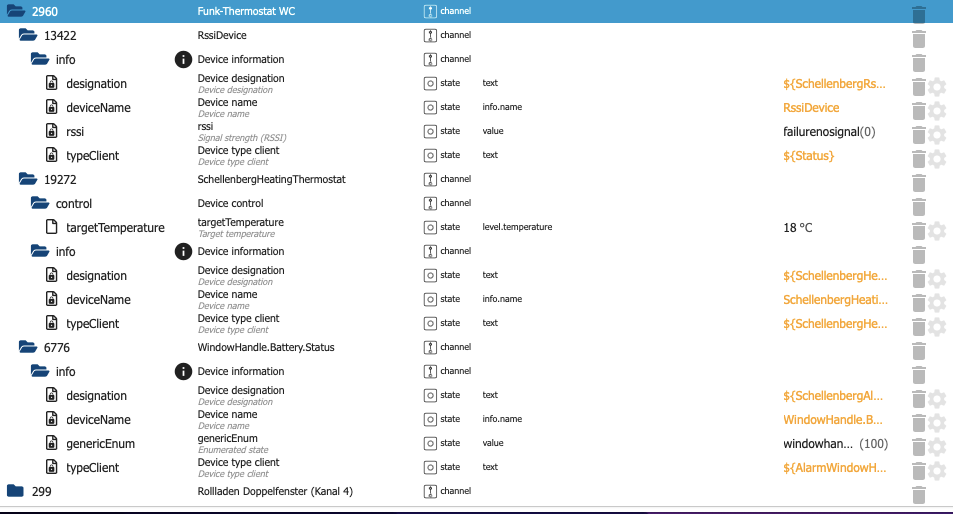
+++++
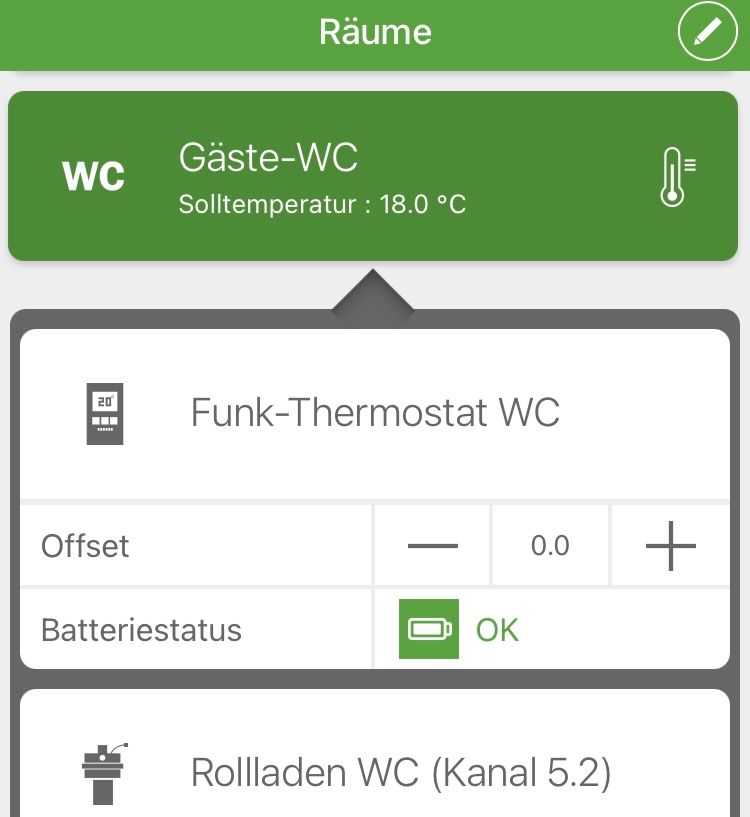
+++++
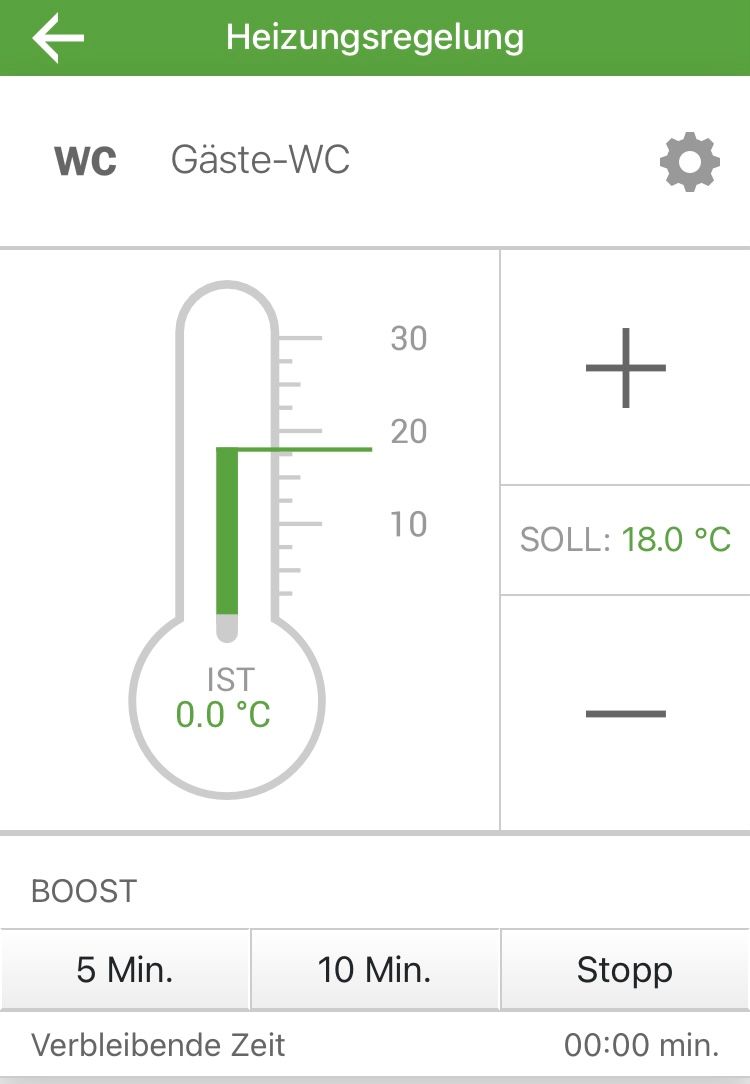
+++++
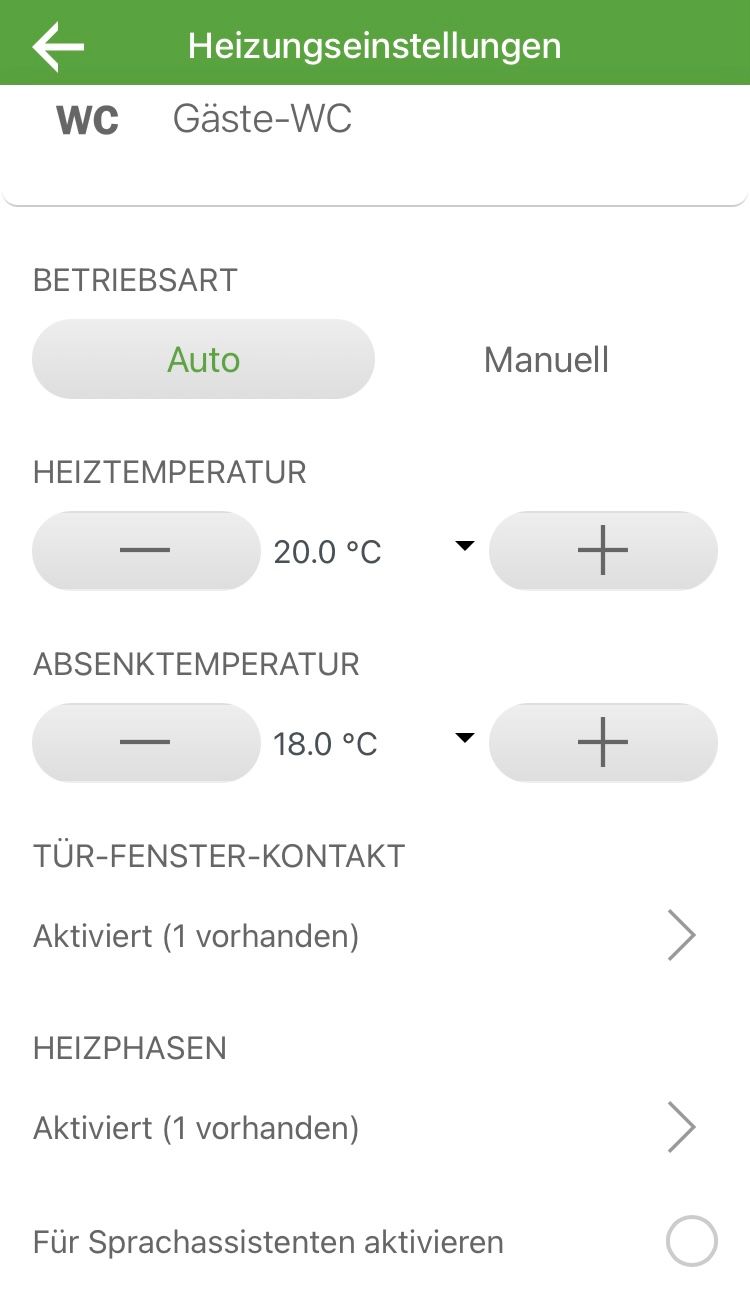
-
@Black-Thunder
Hallo,
kannst Du mir vllt. bei der Steuerung der Schellenberg Funk-Thermostate helfen ?
Wenn ich das richtig sehe, sendet die Smart Friends Box ja nur 1x einen Temperaturwert, der allerdings zur Steuerung augenscheinlich nicht ausreicht.
Man kann den Wert zwar ändern, das Heizkörperthermostat reagiert auch, aber nach ein paar Sekunden setzt die Box den "alten" Temperaturwert wieder ein und das Thermostat regelt zurück.
Die Steuerung/Regelung erfolgt ja im Realbetrieb über die App und da nicht über das jeweilige Funk-Thermostat, sondern über den Raum, in dem das Thermostat eingerichtet wird, so wie man ja auch mehrere Thermostate in einem Raum nur zusammen steuern kann. Kann man ggf. auf der Ebene der Räume also noch irgendwelche Werte aus der Box rauskitzeln ?+++++
+++++
+++++
@wak
Hm… so wie du es beschreibst, scheint eine direkte Steuerung der einzelnen Thermostate leider wirklich nicht möglich zu sein.
Da ich selbst keine Schellenberg-Thermostate im Zugriff habe, tue ich mich etwas schwer damit, das Verhalten konkret nachzustellen.Wir könnten aber Folgendes versuchen:
Bitte den Adapter zunächst auf Loglevel = Debug setzen.
- Die Solltemperatur eines Thermostats – wie bereits versucht – direkt über ioBroker setzen und warten, bis sie wieder auf den vorherigen Wert zurückspringt → Log posten
- Die Solltemperatur für den entsprechenden Raum über die Smart-Friends-App ändern (Thermostat aus Schritt 1) und warten, bis die Änderung im ioBroker ankommt → Log posten
Eventuell lassen sich daraus Rückschlüsse ziehen, ob die Box auf Raum-Ebene noch zusätzliche Informationen oder Mechanismen nutzt.


Hey! Du scheinst an dieser Unterhaltung interessiert zu sein, hast aber noch kein Konto.
Hast du es satt, bei jedem Besuch durch die gleichen Beiträge zu scrollen? Wenn du dich für ein Konto anmeldest, kommst du immer genau dorthin zurück, wo du zuvor warst, und kannst dich über neue Antworten benachrichtigen lassen (entweder per E-Mail oder Push-Benachrichtigung). Du kannst auch Lesezeichen speichern und Beiträge positiv bewerten, um anderen Community-Mitgliedern deine Wertschätzung zu zeigen.
Mit deinem Input könnte dieser Beitrag noch besser werden 💗
Registrieren AnmeldenSupport us
283
Online33.1k
Benutzende84.0k
Themen1.4m
Beiträge