




iobroker geht nicht nach stromausfall
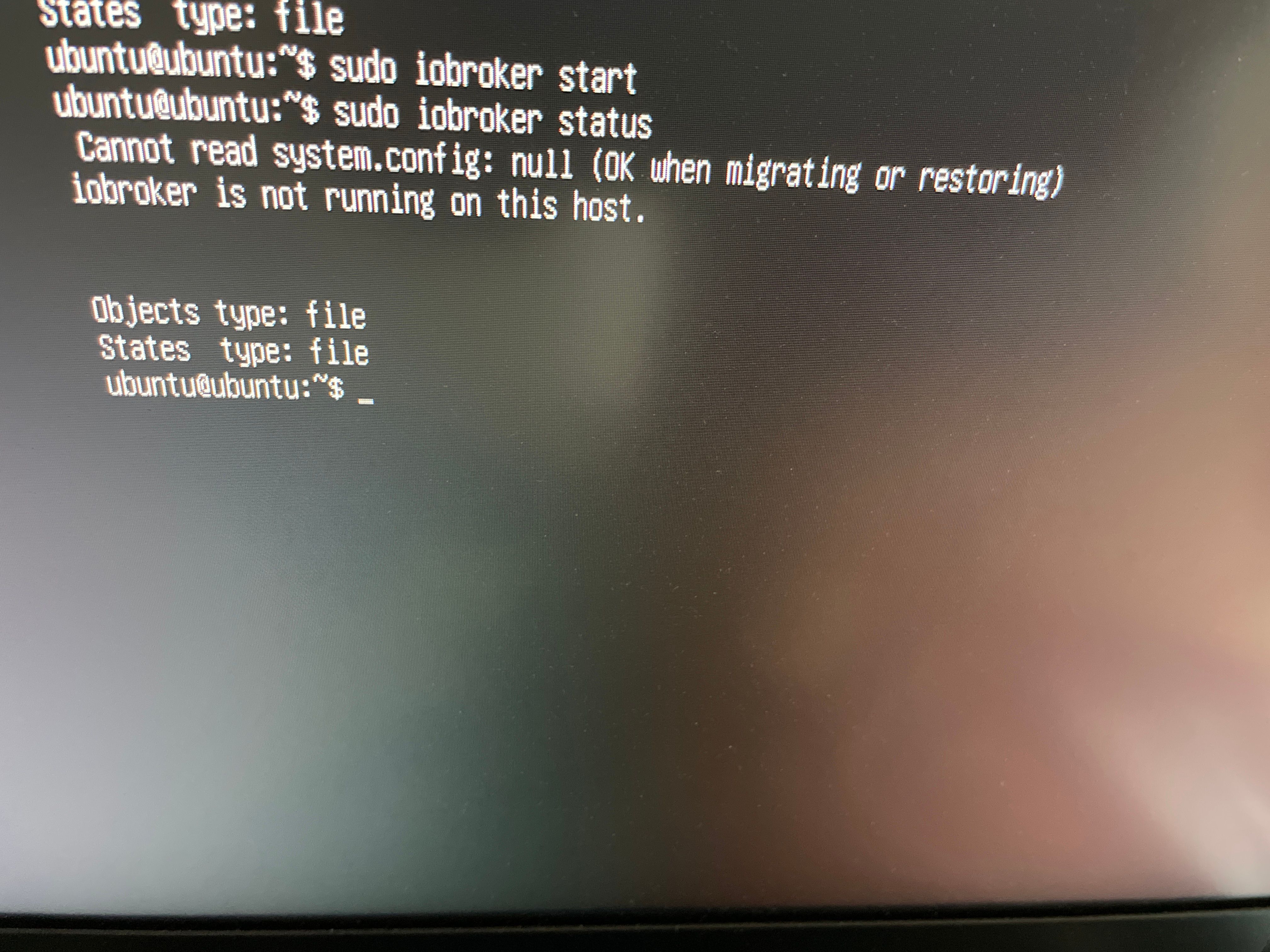
-
@oliverio sagte in iobroker geht nicht nach stromausfall:
Und noch lieber eine SSD
und die an USB2 und einen aktiven Hub
-
@oliverio said in iobroker geht nicht nach stromausfall:
Ich würde lieber eine SD Card nehmen
Ich habe gesehen, dass die Hardware eine Garantie von 10 Jahren oder sogar 30 Jahren hat, ist das wirklich realistisch?also hier für microSD 30 jahre
https://geizhals.de/?cat=sm_sdhc&sort=p&hloc=at&hloc=de&v=e&xf=2455_200~5531_30~8281_64 -
@oliverio said in iobroker geht nicht nach stromausfall:
Ich würde lieber eine SD Card nehmen
Ich habe gesehen, dass die Hardware eine Garantie von 10 Jahren oder sogar 30 Jahren hat, ist das wirklich realistisch?also hier für microSD 30 jahre
https://geizhals.de/?cat=sm_sdhc&sort=p&hloc=at&hloc=de&v=e&xf=2455_200~5531_30~8281_64@esmax666
Naja, bist Du Dir sicher, dass in 30 Jahren noch SD-Karten genutzt werden, dass es Raspis gibt, Du ioBroker benutzt, oder, oder, oder? :-)
In dem Kontext ist die Lebensdauer dieses Mediums doch recht irrelevant, oder?Ich überlegen die ganze Zeit, worum es im Moment in der Disksussion geht.
Wenn ich es richtig verstehe, geht es Dir um ein Speichermedium, welches ein Linux-OS aufnimmt und darauf ioBroker läuft.
Das funktioniert zunächst einmal wohl mit allen am Markt erhältlichen SD Cards.Und ja, es gibt sicher Qualitätsunterschiede was die Lebensdauer (Schreib-/Lesezyklen) angeht, was aber wenig mit der Lebensdauer in Jahren zu tun hat.
Ich nutze "stinknormale" 32-GB SD-Cards von scandisk. Für den Fall aller Fälle liegen zwei Ersatzkarten mit einem Image der letzten aktuellen Version bereit und gut ist. Kostet doch alles nicht die Welt.
Und bislang war nie eine Karte defekt, meist war es die darauf laufende Software durch eigene Dumnmheit.Fun Fact am Rande - und OT:
Auf einem alten Handy wird seit ca. 4 Jahren von einer SD Karte meine Playlist (365/7/24) abgespielt. Und ja, jetzt (!) kommt es zu Aussetzern bei der Wiedergabe, was ich der Karte anlaste... -
@oliverio said in iobroker geht nicht nach stromausfall:
Ich würde lieber eine SD Card nehmen
Ich habe gesehen, dass die Hardware eine Garantie von 10 Jahren oder sogar 30 Jahren hat, ist das wirklich realistisch?also hier für microSD 30 jahre
https://geizhals.de/?cat=sm_sdhc&sort=p&hloc=at&hloc=de&v=e&xf=2455_200~5531_30~8281_64@esmax666
Keine Ahnung ob das realistisch ist.
Meiner Ansicht nach hat der Hersteller einfach genug Reserve Bereiche hinzugefügt, so das da in absehbarer Zeit nix passiert.
Dennoch würde ich noch Max 5 Jahren das Medium austauschen.
Aber wie oben schon geschrieben. Kann sein das da dein raspi auch schon nicht mehr lebt.Der usb Stick wurde ca 2005/2006 erfunden.
In etwa der gleichen Zeit in die Zukunft kannst dir denken, das es da sticks oder sd Karten nicht mehr gibt.Mach einfach regelmäßig ein Backup und gut ist.
Die sd Karten mit 5 Jahren haben eine ausreichende Sicherheit, das nicht in einem Jahr gleich was passiert. -
Ja, aber im richtigen Verzeichnis.
iob stop
cd /opt/iobroker
npm install iobroker.js-controller@3.3.22
Und dann das vorliegende Backup versuchen einzuspielen.
Da hab ich den Befehl nicht parat.@thomas-braun said in iobroker geht nicht nach stromausfall:
npm install iobroker.js-controller@3.3.22
Also alles ist jetzt neue installiert:
ich wollte jetzt ein "Downgrade" noch machen und leider habe ich das bekommen, habe ich etwas vergessen ?
esmax@ubuntu:/opt/iobroker$ npm install iobroker.js-controller@3.3.22
npm ERR! code EACCES
npm ERR! syscall rename
npm ERR! path /opt/iobroker/node_modules/alcalzone-shared
npm ERR! dest /opt/iobroker/node_modules/.alcalzone-shared-FgX40TmF
npm ERR! errno -13
npm ERR! Error: EACCES: permission denied, rename '/opt/iobroker/node_modules/al                                                    calzone-shared' -> '/opt/iobroker/node_modules/.alcalzone-shared-FgX40TmF'
npm ERR!  [Error: EACCES: permission denied, rename '/opt/iobroker/node_modules/                                                    alcalzone-shared' -> '/opt/iobroker/node_modules/.alcalzone-shared-FgX40TmF'] {
npm ERR!   errno: -13,
npm ERR!   code: 'EACCES',
npm ERR!   syscall: 'rename',
npm ERR!   path: '/opt/iobroker/node_modules/alcalzone-shared',
npm ERR!   dest: '/opt/iobroker/node_modules/.alcalzone-shared-FgX40TmF'
npm ERR! }
npm ERR!
npm ERR! The operation was rejected by your operating system.
npm ERR! It is likely you do not have the permissions to access this file as the                                                     current user
npm ERR!
npm ERR! If you believe this might be a permissions issue, please double-check t                                                    he
npm ERR! permissions of the file and its containing directories, or try running
npm ERR! the command again as root/Administrator.

npm ERR! A complete log of this run can be found in: /home/esmax/.npm/_logs/2023                                                    -09-26T18_26_30_653Z-debug-0.log
esmax@ubuntu:/opt/iobroker$
esmax@ubuntu:/opt/iobroker$ iob status iobroker is not running on this host. Objects type: jsonl States type: jsonl esmax@ubuntu:/opt/iobroker$ iob start esmax@ubuntu:/opt/iobroker$ iob status iobroker is running on this host. Objects type: jsonl States type: jsonl esmax@ubuntu:/opt/iobroker$ iob list instances + system.adapter.admin.0 : admin : ubuntu - enabled, port: 8081, bind: 0.0.0.0, run as: admin + system.adapter.backitup.0 : backitup : ubuntu - enabled + system.adapter.discovery.0 : discovery : ubuntu - enabled + instance is alive esmax@ubuntu:/opt/iobroker$ -
@esmax666
Keine Ahnung ob das realistisch ist.
Meiner Ansicht nach hat der Hersteller einfach genug Reserve Bereiche hinzugefügt, so das da in absehbarer Zeit nix passiert.
Dennoch würde ich noch Max 5 Jahren das Medium austauschen.
Aber wie oben schon geschrieben. Kann sein das da dein raspi auch schon nicht mehr lebt.Der usb Stick wurde ca 2005/2006 erfunden.
In etwa der gleichen Zeit in die Zukunft kannst dir denken, das es da sticks oder sd Karten nicht mehr gibt.Mach einfach regelmäßig ein Backup und gut ist.
Die sd Karten mit 5 Jahren haben eine ausreichende Sicherheit, das nicht in einem Jahr gleich was passiert. -
vielleicht fehlt mir noch paar rechte ? sudo ??

esmax@ubuntu:/opt/iobroker$ iob diag bash: /home/iobroker/.diag.sh: Permission denied@esmax666 sagte in iobroker geht nicht nach stromausfall:
vielleicht fehlt mir noch paar rechte ?
Würde ich auch sagen. Welche hast du denn?
Auf einem ubuntu erhält der erste angelegte User aber eigentlich direkt die passenden Rechte.groups idanschauen.
-
Am besten kopierst du die Datei erstmal nach /opt/iobroker/backup und dann in dem Verzeichnis ausführen.
@thomas-braun said in iobroker geht nicht nach stromausfall:
Am besten kopierst du die Datei erstmal nach /opt/iobroker/backup und dann in dem Verzeichnis ausführen.
wie kann man ein Files über SSH kopieren ?
Also file ist jetzt auf mein windows Rechner : iobroker restore "C:\Users\xx\Downloads\iobroker_2022_09_21-02_40_10_backupiobroker.tar.gz" ??
-
@esmax666 sagte in iobroker geht nicht nach stromausfall:
vielleicht fehlt mir noch paar rechte ?
Würde ich auch sagen. Welche hast du denn?
Auf einem ubuntu erhält der erste angelegte User aber eigentlich direkt die passenden Rechte.groups idanschauen.
esmax@ubuntu:/opt/iobroker$ id uid=1000(esmax) gid=1003(esmax) groups=1003(esmax),4(adm),20(dialout),24(cdrom),27(sudo),29(audio),44(video),46(plugdev),60(games),100(users),102(input),105(render),113(netdev),1000(gpio),1001(spi),1002(i2c) esmax@ubuntu:/opt/iobroker$ -
esmax@ubuntu:/opt/iobroker$ id uid=1000(esmax) gid=1003(esmax) groups=1003(esmax),4(adm),20(dialout),24(cdrom),27(sudo),29(audio),44(video),46(plugdev),60(games),100(users),102(input),105(render),113(netdev),1000(gpio),1001(spi),1002(i2c) esmax@ubuntu:/opt/iobroker$Der user ist nicht in der Gruppe 'iobroker' drin.
sudo usermod -a -G iobroker esmaxDann den esmax aus- und wieder einloggen.
-
@thomas-braun said in iobroker geht nicht nach stromausfall:
Am besten kopierst du die Datei erstmal nach /opt/iobroker/backup und dann in dem Verzeichnis ausführen.
wie kann man ein Files über SSH kopieren ?
Also file ist jetzt auf mein windows Rechner : iobroker restore "C:\Users\xx\Downloads\iobroker_2022_09_21-02_40_10_backupiobroker.tar.gz" ??
@esmax666 sagte in iobroker geht nicht nach stromausfall:
wie kann man ein Files über SSH kopieren ?
Mit
scp /quelldatei //ZIEL -
Der user ist nicht in der Gruppe 'iobroker' drin.
sudo usermod -a -G iobroker esmaxDann den esmax aus- und wieder einloggen.
@thomas-braun
ok jetzt passt:nur seltsam er hat kein downgrade gemacht
esmax@ubuntu:~$ iob stop
esmax@ubuntu:~$ npm install iobroker.js-controller@3.3.22

up to date, audited 282 packages in 3s

9 packages are looking for funding
  run `npm fund` for details

7 vulnerabilities (1 low, 5 moderate, 1 high)

To address issues that do not require attention, run:
  npm audit fix

To address all issues (including breaking changes), run:
  npm audit fix --force

Run `npm audit` for details.
esmax@ubuntu:~$ iob start
esmax@ubuntu:~$ iob status
iobroker is running on this host.


Objects type: jsonl
States  type: jsonl
esmax@ubuntu:~$ iob list instances
+ system.adapter.admin.0                  : admin                 : ubuntu                                   -  enabled, port: 8081, bind: 0.0.0.0, run as: admin
  system.adapter.backitup.0               : backitup              : ubuntu                                   -  enabled
+ system.adapter.discovery.0              : discovery             : ubuntu                                   -  enabled

+ instance is alive
esmax@ubuntu:~$
======== Start marking the full check here =========
Skript v.2023-06-20

*** BASE SYSTEM ***
 Static hostname: ubuntu
       Icon name: computer
      Machine ID: 7be3a0aee2194ee18739a3f0fb03a71f
         Boot ID: c9f47a2216fa43918fa2392ef232ef9a
Operating System: Ubuntu 23.04
          Kernel: Linux 6.2.0-1013-raspi
    Architecture: arm64

Model           : Raspberry Pi 4 Model B Rev 1.4
Docker          : false
Virtualization  : none
Kernel          : aarch64
Userland        : arm64

Systemuptime and Load:
 20:58:29 up 54 min,  2 users,  load average: 0.17, 0.24, 0.22
CPU threads: 4

Raspberry only:
throttled=0x0
Other values than 0x0 hint to temperature/voltage problems
temp=58.9'C
volt=0.8600V

*** Time and Time Zones ***
               Local time: Tue 2023-09-26 20:58:30 CEST
           Universal time: Tue 2023-09-26 18:58:30 UTC
                 RTC time: n/a
                Time zone: Europe/Paris (CEST, +0200)
System clock synchronized: yes
              NTP service: active
          RTC in local TZ: no

*** User and Groups ***
esmax
/home/esmax
esmax adm dialout cdrom sudo audio video plugdev games users input render netdev gpio spi i2c iobroker

*** X-Server-Setup ***
X-Server:       false
Desktop:
Terminal:       tty
Boot Target:    graphical.target

*** MEMORY ***
               total        used        free      shared  buff/cache   available
Mem:            8.2G        739M        5.8G        3.2M        2.0G        7.4G
Swap:             0B          0B          0B
Total:          8.2G        739M        5.8G

         7809 M total memory
          704 M used memory
          616 M active memory
         1350 M inactive memory
         5531 M free memory
           99 M buffer memory
         1785 M swap cache
            0 M total swap
            0 M used swap
            0 M free swap

Raspberry only:
oom events: 0
lifetime oom required: 0 Mbytes
total time in oom handler: 0 ms
max time spent in oom handler: 0 ms

*** FILESYSTEM ***
Filesystem     Type   Size  Used Avail Use% Mounted on
tmpfs          tmpfs  781M  3.1M  778M   1% /run
/dev/mmcblk0p2 ext4    59G  4.8G   52G   9% /
tmpfs          tmpfs  3.9G     0  3.9G   0% /dev/shm
tmpfs          tmpfs  5.0M     0  5.0M   0% /run/lock
/dev/mmcblk0p1 vfat   253M  151M  102M  60% /boot/firmware
tmpfs          tmpfs  781M  4.0K  781M   1% /run/user/1000

Messages concerning ext4 filesystem in dmesg:
[Tue Sep 26 20:04:09 2023] Kernel command line: coherent_pool=1M 8250.nr_uarts=1 snd_bcm2835.enable_headphones=0 snd_bcm2835.enable_headphones=1 snd_bcm2835.enable_hdmi=1 bcm2708_fb.fbwidth=0 bcm2708_fb.fbheight=0 bcm2708_fb.fbswap=1 smsc95xx.macaddr=E4:5F:01:1B:22:9D vc_mem.mem_base=0x3ec00000 vc_mem.mem_size=0x40000000  console=ttyS0,115200 dwc_otg.lpm_enable=0 console=tty1 root=LABEL=writable rootfstype=ext4 rootwait fixrtc quiet splash
[Tue Sep 26 20:04:19 2023] EXT4-fs (mmcblk0p2): orphan cleanup on readonly fs
[Tue Sep 26 20:04:19 2023] EXT4-fs (mmcblk0p2): mounted filesystem 25a83575-fd50-4dcc-85e0-e3a81c621aa2 with ordered data mode. Quota mode: none.
[Tue Sep 26 20:04:22 2023] EXT4-fs (mmcblk0p2): re-mounted 25a83575-fd50-4dcc-85e0-e3a81c621aa2. Quota mode: none.

Show mounted filesystems (real ones only):
TARGET              SOURCE         FSTYPE   OPTIONS
/                   /dev/mmcblk0p2 ext4     rw,relatime,discard,errors=remount-ro,commit=30
|-/snap/core22/611  /dev/loop0     squashfs ro,nodev,relatime,errors=continue,threads=single
|-/snap/core22/867  /dev/loop1     squashfs ro,nodev,relatime,errors=continue,threads=single
|-/snap/lxd/25755   /dev/loop2     squashfs ro,nodev,relatime,errors=continue,threads=single
|-/snap/snapd/18600 /dev/loop3     squashfs ro,nodev,relatime,errors=continue,threads=single
|-/snap/lxd/24646   /dev/loop4     squashfs ro,nodev,relatime,errors=continue,threads=single
`-/boot/firmware    /dev/mmcblk0p1 vfat     rw,relatime,fmask=0022,dmask=0022,codepage=437,iocharset=ascii,shortname=mixed,errors=remount-ro

Files in neuralgic directories:

/var:
1.4G    /var/
677M    /var/lib
626M    /var/cache
614M    /var/cache/apt
528M    /var/cache/apt/archives

Archived and active journals take up 39.0M in the file system.

/opt/iobroker/backups:
4.0K    /opt/iobroker/backups/

/opt/iobroker/iobroker-data:
19M     /opt/iobroker/iobroker-data/
15M     /opt/iobroker/iobroker-data/files
13M     /opt/iobroker/iobroker-data/files/admin.admin/custom/static/js
13M     /opt/iobroker/iobroker-data/files/admin.admin/custom/static
13M     /opt/iobroker/iobroker-data/files/admin.admin/custom

The five largest files in iobroker-data are:
6.3M    /opt/iobroker/iobroker-data/files/admin.admin/custom/static/js/vendors-node_modules_iobroker_adapter-react-v5_assets_devices_parseNames_js-node_modules_iobr-99c23e.847b8ad9.chunk.js.map
3.8M    /opt/iobroker/iobroker-data/objects.jsonl
2.8M    /opt/iobroker/iobroker-data/files/admin.admin/custom/static/js/vendors-node_modules_iobroker_adapter-react-v5_assets_devices_parseNames_js-node_modules_iobr-99c23e.847b8ad9.chunk.js
1.6M    /opt/iobroker/iobroker-data/files/admin.admin/custom/static/js/vendors-node_modules_mui_material_Accordion_index_js-node_modules_mui_material_AccordionDetai-57e02d.0886b730.chunk.js.map
652K    /opt/iobroker/iobroker-data/files/admin.admin/custom/static/js/vendors-node_modules_mui_material_index_js.40e01f69.chunk.js.map

*** NodeJS-Installation ***

/usr/bin/nodejs         v18.17.1
/usr/bin/node           v18.17.1
/usr/bin/npm            9.6.7
/usr/bin/npx            9.6.7


nodejs:
  Installed: 18.17.1-deb-1nodesource1
  Candidate: 18.17.1-deb-1nodesource1
  Version table:
 *** 18.17.1-deb-1nodesource1 500
        500 https://deb.nodesource.com/node_18.x lunar/main arm64 Packages
        100 /var/lib/dpkg/status
     18.13.0+dfsg1-1ubuntu2 500
        500 http://ports.ubuntu.com/ubuntu-ports lunar/universe arm64 Packages

Temp directories causing npm8 problem: 0
No problems detected

Errors in npm tree: 0

*** ioBroker-Installation ***

ioBroker Status
iobroker is running on this host.


Objects type: jsonl
States  type: jsonl

No configuration change needed.


Multihost discovery server: disabled
Discovery authentication:   enabled
Persistent activation:      disabled
Objects:                    jsonl on 127.0.0.1
States:                     jsonl on 127.0.0.1

Core adapters versions
js-controller:  4.0.24
admin:          6.3.5
javascript:     "javascript" not found

Adapters from github:   0

Adapter State
+ system.adapter.admin.0                  : admin                 : ubuntu                                   -  enabled, port: 8081, bind: 0.0.0.0, run as: admin
+ system.adapter.backitup.0               : backitup              : ubuntu                                   -  enabled
+ system.adapter.discovery.0              : discovery             : ubuntu                                   -  enabled

+ instance is alive

Enabled adapters with bindings
+ system.adapter.admin.0                  : admin                 : ubuntu                                   -  enabled, port: 8081, bind: 0.0.0.0, run as: admin

ioBroker-Repositories
stable        : http://download.iobroker.net/sources-dist.json
beta          : http://download.iobroker.net/sources-dist-latest.json

Active repo(s): stable

Installed ioBroker-Instances
Used repository: stable
Adapter    "admin"        : 6.10.1   , installed 6.3.5  [Updatable]
Adapter    "backitup"     : 2.8.1    , installed 2.8.1
Adapter    "discovery"    : 3.1.0    , installed 3.1.0
Controller "js-controller": 5.0.12   , installed 4.0.24 [Updatable]

Objects and States
Please stand by - This may take a while
Objects:        142
States:         105

*** OS-Repositories and Updates ***
Hit:1 http://ports.ubuntu.com/ubuntu-ports lunar InRelease
Hit:2 http://ports.ubuntu.com/ubuntu-ports lunar-updates InRelease
Hit:3 http://ports.ubuntu.com/ubuntu-ports lunar-backports InRelease
Hit:4 https://deb.nodesource.com/node_18.x lunar InRelease
Hit:5 http://ports.ubuntu.com/ubuntu-ports lunar-security InRelease
Reading package lists...
Pending Updates: 0

*** Listening Ports ***
Active Internet connections (only servers)
Proto Recv-Q Send-Q Local Address           Foreign Address         State       User       Inode      PID/Program name
tcp        0      0 127.0.0.1:9001          0.0.0.0:*               LISTEN      1001       51024      8657/iobroker.js-co
tcp        0      0 127.0.0.1:9000          0.0.0.0:*               LISTEN      1001       52828      8657/iobroker.js-co
tcp        0      0 0.0.0.0:111             0.0.0.0:*               LISTEN      0          45437      1/init
tcp        0      0 127.0.0.53:53           0.0.0.0:*               LISTEN      996        19378      539/systemd-resolve
tcp        0      0 127.0.0.54:53           0.0.0.0:*               LISTEN      996        19380      539/systemd-resolve
tcp6       0      0 :::22                   :::*                    LISTEN      0          21209      1/init
tcp6       0      0 :::111                  :::*                    LISTEN      0          45439      1/init
tcp6       0      0 :::8081                 :::*                    LISTEN      1001       52867      8686/io.admin.0
udp        0      0 127.0.0.54:53           0.0.0.0:*                           996        19379      539/systemd-resolve
udp        0      0 127.0.0.53:53           0.0.0.0:*                           996        19377      539/systemd-resolve
udp        0      0 192.168.178.51:68       0.0.0.0:*                           998        19983      793/systemd-network
udp        0      0 0.0.0.0:111             0.0.0.0:*                           0          47435      1/init
udp6       0      0 fe80::e65f:1ff:fe1b:546 :::*                                998        19990      793/systemd-network
udp6       0      0 :::111                  :::*                                0          47437      1/init

*** Log File - Last 25 Lines ***

2023-09-26 20:57:19.162  - info: host.ubuntu added notifications configuration of host
2023-09-26 20:57:19.717  - info: host.ubuntu Delete state "system.host.ubuntu.versions.nodeCurrent"
2023-09-26 20:57:19.726  - info: host.ubuntu 3 instances found
2023-09-26 20:57:19.737  - info: host.ubuntu starting 3 instances
2023-09-26 20:57:19.811  - info: host.ubuntu instance system.adapter.admin.0 started with pid 8686
2023-09-26 20:57:19.841  - info: host.ubuntu Delete state "system.host.ubuntu.versions.nodeNewest"
2023-09-26 20:57:19.909  - info: host.ubuntu Delete state "system.host.ubuntu.versions.nodeNewestNext"
2023-09-26 20:57:19.927  - info: host.ubuntu Delete state "system.host.ubuntu.versions.npmCurrent"
2023-09-26 20:57:19.946  - info: host.ubuntu Delete state "system.host.ubuntu.versions.npmNewest"
2023-09-26 20:57:19.965  - info: host.ubuntu Delete state "system.host.ubuntu.versions.npmNewestNext"
2023-09-26 20:57:19.984  - info: host.ubuntu Some obsolete host states deleted.
2023-09-26 20:57:22.810  - info: admin.0 (8686) starting. Version 6.3.5 in /opt/iobroker/node_modules/iobroker.admin, node: v18.17.1, js-controller: 4.0.24
2023-09-26 20:57:22.899  - info: admin.0 (8686) requesting all states
2023-09-26 20:57:22.900  - info: admin.0 (8686) requesting all objects
2023-09-26 20:57:23.469  - info: admin.0 (8686) received all objects
2023-09-26 20:57:23.778  - info: admin.0 (8686) http server listening on port 8081
2023-09-26 20:57:23.780  - info: admin.0 (8686) Use link "http://localhost:8081" to configure.
2023-09-26 20:57:23.796  - info: admin.0 (8686) socket.io server listening on port 8081
2023-09-26 20:57:23.842  - info: host.ubuntu instance system.adapter.discovery.0 started with pid 8710
2023-09-26 20:57:23.965  - info: admin.0 (8686) ==> Connected system.user.admin from ::ffff:192.168.178.39
2023-09-26 20:57:24.230  - info: admin.0 (8686) ==> Connected system.user.admin from ::ffff:192.168.178.39
2023-09-26 20:57:26.295  - info: discovery.0 (8710) starting. Version 3.1.0 in /opt/iobroker/node_modules/iobroker.discovery, node: v18.17.1, js-controller: 4.0.24
2023-09-26 20:57:27.790  - info: host.ubuntu instance system.adapter.backitup.0 started with pid 8733
2023-09-26 20:57:30.561  - info: backitup.0 (8733) starting. Version 2.8.1 in /opt/iobroker/node_modules/iobroker.backitup, node: v18.17.1, js-controller: 4.0.24
2023-09-26 20:57:30.720  - info: backitup.0 (8733) [iobroker] backup will be activated at 02:40 every 1 day(s)
============ Mark until here for C&P =============
iob diag has finished.
Press any key for a summary
-
@esmax666 sagte in iobroker geht nicht nach stromausfall:
wie kann man ein Files über SSH kopieren ?
Mit
scp /quelldatei //ZIEL@thomas-braun so ?
scp /C:\Users\esmax\Downloads\iobroker_2022_09_21-02_40_10_backupiobroker.tar.gz //opt/iobroker/backups -
@thomas-braun
ok jetzt passt:nur seltsam er hat kein downgrade gemacht
esmax@ubuntu:~$ iob stop
esmax@ubuntu:~$ npm install iobroker.js-controller@3.3.22

up to date, audited 282 packages in 3s

9 packages are looking for funding
  run `npm fund` for details

7 vulnerabilities (1 low, 5 moderate, 1 high)

To address issues that do not require attention, run:
  npm audit fix

To address all issues (including breaking changes), run:
  npm audit fix --force

Run `npm audit` for details.
esmax@ubuntu:~$ iob start
esmax@ubuntu:~$ iob status
iobroker is running on this host.


Objects type: jsonl
States  type: jsonl
esmax@ubuntu:~$ iob list instances
+ system.adapter.admin.0                  : admin                 : ubuntu                                   -  enabled, port: 8081, bind: 0.0.0.0, run as: admin
  system.adapter.backitup.0               : backitup              : ubuntu                                   -  enabled
+ system.adapter.discovery.0              : discovery             : ubuntu                                   -  enabled

+ instance is alive
esmax@ubuntu:~$
======== Start marking the full check here =========
Skript v.2023-06-20

*** BASE SYSTEM ***
 Static hostname: ubuntu
       Icon name: computer
      Machine ID: 7be3a0aee2194ee18739a3f0fb03a71f
         Boot ID: c9f47a2216fa43918fa2392ef232ef9a
Operating System: Ubuntu 23.04
          Kernel: Linux 6.2.0-1013-raspi
    Architecture: arm64

Model           : Raspberry Pi 4 Model B Rev 1.4
Docker          : false
Virtualization  : none
Kernel          : aarch64
Userland        : arm64

Systemuptime and Load:
 20:58:29 up 54 min,  2 users,  load average: 0.17, 0.24, 0.22
CPU threads: 4

Raspberry only:
throttled=0x0
Other values than 0x0 hint to temperature/voltage problems
temp=58.9'C
volt=0.8600V

*** Time and Time Zones ***
               Local time: Tue 2023-09-26 20:58:30 CEST
           Universal time: Tue 2023-09-26 18:58:30 UTC
                 RTC time: n/a
                Time zone: Europe/Paris (CEST, +0200)
System clock synchronized: yes
              NTP service: active
          RTC in local TZ: no

*** User and Groups ***
esmax
/home/esmax
esmax adm dialout cdrom sudo audio video plugdev games users input render netdev gpio spi i2c iobroker

*** X-Server-Setup ***
X-Server:       false
Desktop:
Terminal:       tty
Boot Target:    graphical.target

*** MEMORY ***
               total        used        free      shared  buff/cache   available
Mem:            8.2G        739M        5.8G        3.2M        2.0G        7.4G
Swap:             0B          0B          0B
Total:          8.2G        739M        5.8G

         7809 M total memory
          704 M used memory
          616 M active memory
         1350 M inactive memory
         5531 M free memory
           99 M buffer memory
         1785 M swap cache
            0 M total swap
            0 M used swap
            0 M free swap

Raspberry only:
oom events: 0
lifetime oom required: 0 Mbytes
total time in oom handler: 0 ms
max time spent in oom handler: 0 ms

*** FILESYSTEM ***
Filesystem     Type   Size  Used Avail Use% Mounted on
tmpfs          tmpfs  781M  3.1M  778M   1% /run
/dev/mmcblk0p2 ext4    59G  4.8G   52G   9% /
tmpfs          tmpfs  3.9G     0  3.9G   0% /dev/shm
tmpfs          tmpfs  5.0M     0  5.0M   0% /run/lock
/dev/mmcblk0p1 vfat   253M  151M  102M  60% /boot/firmware
tmpfs          tmpfs  781M  4.0K  781M   1% /run/user/1000

Messages concerning ext4 filesystem in dmesg:
[Tue Sep 26 20:04:09 2023] Kernel command line: coherent_pool=1M 8250.nr_uarts=1 snd_bcm2835.enable_headphones=0 snd_bcm2835.enable_headphones=1 snd_bcm2835.enable_hdmi=1 bcm2708_fb.fbwidth=0 bcm2708_fb.fbheight=0 bcm2708_fb.fbswap=1 smsc95xx.macaddr=E4:5F:01:1B:22:9D vc_mem.mem_base=0x3ec00000 vc_mem.mem_size=0x40000000  console=ttyS0,115200 dwc_otg.lpm_enable=0 console=tty1 root=LABEL=writable rootfstype=ext4 rootwait fixrtc quiet splash
[Tue Sep 26 20:04:19 2023] EXT4-fs (mmcblk0p2): orphan cleanup on readonly fs
[Tue Sep 26 20:04:19 2023] EXT4-fs (mmcblk0p2): mounted filesystem 25a83575-fd50-4dcc-85e0-e3a81c621aa2 with ordered data mode. Quota mode: none.
[Tue Sep 26 20:04:22 2023] EXT4-fs (mmcblk0p2): re-mounted 25a83575-fd50-4dcc-85e0-e3a81c621aa2. Quota mode: none.

Show mounted filesystems (real ones only):
TARGET              SOURCE         FSTYPE   OPTIONS
/                   /dev/mmcblk0p2 ext4     rw,relatime,discard,errors=remount-ro,commit=30
|-/snap/core22/611  /dev/loop0     squashfs ro,nodev,relatime,errors=continue,threads=single
|-/snap/core22/867  /dev/loop1     squashfs ro,nodev,relatime,errors=continue,threads=single
|-/snap/lxd/25755   /dev/loop2     squashfs ro,nodev,relatime,errors=continue,threads=single
|-/snap/snapd/18600 /dev/loop3     squashfs ro,nodev,relatime,errors=continue,threads=single
|-/snap/lxd/24646   /dev/loop4     squashfs ro,nodev,relatime,errors=continue,threads=single
`-/boot/firmware    /dev/mmcblk0p1 vfat     rw,relatime,fmask=0022,dmask=0022,codepage=437,iocharset=ascii,shortname=mixed,errors=remount-ro

Files in neuralgic directories:

/var:
1.4G    /var/
677M    /var/lib
626M    /var/cache
614M    /var/cache/apt
528M    /var/cache/apt/archives

Archived and active journals take up 39.0M in the file system.

/opt/iobroker/backups:
4.0K    /opt/iobroker/backups/

/opt/iobroker/iobroker-data:
19M     /opt/iobroker/iobroker-data/
15M     /opt/iobroker/iobroker-data/files
13M     /opt/iobroker/iobroker-data/files/admin.admin/custom/static/js
13M     /opt/iobroker/iobroker-data/files/admin.admin/custom/static
13M     /opt/iobroker/iobroker-data/files/admin.admin/custom

The five largest files in iobroker-data are:
6.3M    /opt/iobroker/iobroker-data/files/admin.admin/custom/static/js/vendors-node_modules_iobroker_adapter-react-v5_assets_devices_parseNames_js-node_modules_iobr-99c23e.847b8ad9.chunk.js.map
3.8M    /opt/iobroker/iobroker-data/objects.jsonl
2.8M    /opt/iobroker/iobroker-data/files/admin.admin/custom/static/js/vendors-node_modules_iobroker_adapter-react-v5_assets_devices_parseNames_js-node_modules_iobr-99c23e.847b8ad9.chunk.js
1.6M    /opt/iobroker/iobroker-data/files/admin.admin/custom/static/js/vendors-node_modules_mui_material_Accordion_index_js-node_modules_mui_material_AccordionDetai-57e02d.0886b730.chunk.js.map
652K    /opt/iobroker/iobroker-data/files/admin.admin/custom/static/js/vendors-node_modules_mui_material_index_js.40e01f69.chunk.js.map

*** NodeJS-Installation ***

/usr/bin/nodejs         v18.17.1
/usr/bin/node           v18.17.1
/usr/bin/npm            9.6.7
/usr/bin/npx            9.6.7


nodejs:
  Installed: 18.17.1-deb-1nodesource1
  Candidate: 18.17.1-deb-1nodesource1
  Version table:
 *** 18.17.1-deb-1nodesource1 500
        500 https://deb.nodesource.com/node_18.x lunar/main arm64 Packages
        100 /var/lib/dpkg/status
     18.13.0+dfsg1-1ubuntu2 500
        500 http://ports.ubuntu.com/ubuntu-ports lunar/universe arm64 Packages

Temp directories causing npm8 problem: 0
No problems detected

Errors in npm tree: 0

*** ioBroker-Installation ***

ioBroker Status
iobroker is running on this host.


Objects type: jsonl
States  type: jsonl

No configuration change needed.


Multihost discovery server: disabled
Discovery authentication:   enabled
Persistent activation:      disabled
Objects:                    jsonl on 127.0.0.1
States:                     jsonl on 127.0.0.1

Core adapters versions
js-controller:  4.0.24
admin:          6.3.5
javascript:     "javascript" not found

Adapters from github:   0

Adapter State
+ system.adapter.admin.0                  : admin                 : ubuntu                                   -  enabled, port: 8081, bind: 0.0.0.0, run as: admin
+ system.adapter.backitup.0               : backitup              : ubuntu                                   -  enabled
+ system.adapter.discovery.0              : discovery             : ubuntu                                   -  enabled

+ instance is alive

Enabled adapters with bindings
+ system.adapter.admin.0                  : admin                 : ubuntu                                   -  enabled, port: 8081, bind: 0.0.0.0, run as: admin

ioBroker-Repositories
stable        : http://download.iobroker.net/sources-dist.json
beta          : http://download.iobroker.net/sources-dist-latest.json

Active repo(s): stable

Installed ioBroker-Instances
Used repository: stable
Adapter    "admin"        : 6.10.1   , installed 6.3.5  [Updatable]
Adapter    "backitup"     : 2.8.1    , installed 2.8.1
Adapter    "discovery"    : 3.1.0    , installed 3.1.0
Controller "js-controller": 5.0.12   , installed 4.0.24 [Updatable]

Objects and States
Please stand by - This may take a while
Objects:        142
States:         105

*** OS-Repositories and Updates ***
Hit:1 http://ports.ubuntu.com/ubuntu-ports lunar InRelease
Hit:2 http://ports.ubuntu.com/ubuntu-ports lunar-updates InRelease
Hit:3 http://ports.ubuntu.com/ubuntu-ports lunar-backports InRelease
Hit:4 https://deb.nodesource.com/node_18.x lunar InRelease
Hit:5 http://ports.ubuntu.com/ubuntu-ports lunar-security InRelease
Reading package lists...
Pending Updates: 0

*** Listening Ports ***
Active Internet connections (only servers)
Proto Recv-Q Send-Q Local Address           Foreign Address         State       User       Inode      PID/Program name
tcp        0      0 127.0.0.1:9001          0.0.0.0:*               LISTEN      1001       51024      8657/iobroker.js-co
tcp        0      0 127.0.0.1:9000          0.0.0.0:*               LISTEN      1001       52828      8657/iobroker.js-co
tcp        0      0 0.0.0.0:111             0.0.0.0:*               LISTEN      0          45437      1/init
tcp        0      0 127.0.0.53:53           0.0.0.0:*               LISTEN      996        19378      539/systemd-resolve
tcp        0      0 127.0.0.54:53           0.0.0.0:*               LISTEN      996        19380      539/systemd-resolve
tcp6       0      0 :::22                   :::*                    LISTEN      0          21209      1/init
tcp6       0      0 :::111                  :::*                    LISTEN      0          45439      1/init
tcp6       0      0 :::8081                 :::*                    LISTEN      1001       52867      8686/io.admin.0
udp        0      0 127.0.0.54:53           0.0.0.0:*                           996        19379      539/systemd-resolve
udp        0      0 127.0.0.53:53           0.0.0.0:*                           996        19377      539/systemd-resolve
udp        0      0 192.168.178.51:68       0.0.0.0:*                           998        19983      793/systemd-network
udp        0      0 0.0.0.0:111             0.0.0.0:*                           0          47435      1/init
udp6       0      0 fe80::e65f:1ff:fe1b:546 :::*                                998        19990      793/systemd-network
udp6       0      0 :::111                  :::*                                0          47437      1/init

*** Log File - Last 25 Lines ***

2023-09-26 20:57:19.162  - info: host.ubuntu added notifications configuration of host
2023-09-26 20:57:19.717  - info: host.ubuntu Delete state "system.host.ubuntu.versions.nodeCurrent"
2023-09-26 20:57:19.726  - info: host.ubuntu 3 instances found
2023-09-26 20:57:19.737  - info: host.ubuntu starting 3 instances
2023-09-26 20:57:19.811  - info: host.ubuntu instance system.adapter.admin.0 started with pid 8686
2023-09-26 20:57:19.841  - info: host.ubuntu Delete state "system.host.ubuntu.versions.nodeNewest"
2023-09-26 20:57:19.909  - info: host.ubuntu Delete state "system.host.ubuntu.versions.nodeNewestNext"
2023-09-26 20:57:19.927  - info: host.ubuntu Delete state "system.host.ubuntu.versions.npmCurrent"
2023-09-26 20:57:19.946  - info: host.ubuntu Delete state "system.host.ubuntu.versions.npmNewest"
2023-09-26 20:57:19.965  - info: host.ubuntu Delete state "system.host.ubuntu.versions.npmNewestNext"
2023-09-26 20:57:19.984  - info: host.ubuntu Some obsolete host states deleted.
2023-09-26 20:57:22.810  - info: admin.0 (8686) starting. Version 6.3.5 in /opt/iobroker/node_modules/iobroker.admin, node: v18.17.1, js-controller: 4.0.24
2023-09-26 20:57:22.899  - info: admin.0 (8686) requesting all states
2023-09-26 20:57:22.900  - info: admin.0 (8686) requesting all objects
2023-09-26 20:57:23.469  - info: admin.0 (8686) received all objects
2023-09-26 20:57:23.778  - info: admin.0 (8686) http server listening on port 8081
2023-09-26 20:57:23.780  - info: admin.0 (8686) Use link "http://localhost:8081" to configure.
2023-09-26 20:57:23.796  - info: admin.0 (8686) socket.io server listening on port 8081
2023-09-26 20:57:23.842  - info: host.ubuntu instance system.adapter.discovery.0 started with pid 8710
2023-09-26 20:57:23.965  - info: admin.0 (8686) ==> Connected system.user.admin from ::ffff:192.168.178.39
2023-09-26 20:57:24.230  - info: admin.0 (8686) ==> Connected system.user.admin from ::ffff:192.168.178.39
2023-09-26 20:57:26.295  - info: discovery.0 (8710) starting. Version 3.1.0 in /opt/iobroker/node_modules/iobroker.discovery, node: v18.17.1, js-controller: 4.0.24
2023-09-26 20:57:27.790  - info: host.ubuntu instance system.adapter.backitup.0 started with pid 8733
2023-09-26 20:57:30.561  - info: backitup.0 (8733) starting. Version 2.8.1 in /opt/iobroker/node_modules/iobroker.backitup, node: v18.17.1, js-controller: 4.0.24
2023-09-26 20:57:30.720  - info: backitup.0 (8733) [iobroker] backup will be activated at 02:40 every 1 day(s)
============ Mark until here for C&P =============
iob diag has finished.
Press any key for a summary
@esmax666 sagte in iobroker geht nicht nach stromausfall:
nur seltsam er hat kein downgrade gemacht
Nee, 'er' hat den js-controller jetzt nochmal dort installiert, wo der admin 'ihm' gesagt hat, das er hin soll. Kurz: Du stehst im falschen Verzeichnis.
cd /opt/iobroker
sudo -H -u iobroker npm install iobroker.js-controller@3.3.22
muss das lauten.
-
@thomas-braun so ?
scp /C:\Users\esmax\Downloads\iobroker_2022_09_21-02_40_10_backupiobroker.tar.gz //opt/iobroker/backups -
@esmax666 sagte in iobroker geht nicht nach stromausfall:
nur seltsam er hat kein downgrade gemacht
Nee, 'er' hat den js-controller jetzt nochmal dort installiert, wo der admin 'ihm' gesagt hat, das er hin soll. Kurz: Du stehst im falschen Verzeichnis.
cd /opt/iobroker
sudo -H -u iobroker npm install iobroker.js-controller@3.3.22
muss das lauten.
@thomas-braun said in iobroker geht nicht nach stromausfall:
sudo -H -u iobroker npm install iobroker.js-controller@3.3.22
omg danke :)
-
Für so etwas verwende ich WinSCP
https://winscp.net/eng/download.phpDa hast du die typische Commander ansicht mit 2 Seiten. Eine Lokal und eine eine oder mehrere SSH-Sessions.
Da kann man auch mal schnell was nachschauen.@oliverio
wow war wirklich einfachproblem ist genau wie letzte Woche:
Nach mein backup startet iobroker einfach nicht mehr
smax@ubuntu:/opt/iobroker/backups$ iobroker stop esmax@ubuntu:/opt/iobroker/backups$ iobroker restore iobroker_2022_09_21-02_40_10_backupiobroker.tar.gz iobroker controller daemon is not running host.ubuntu OK. host.ubuntu Clear all objects and states... clean 142 objects... Server Objects 127.0.0.1:36324 Error from InMemDB: Error: Object is marked as non deletable [Not critical] Cannot delete object 0_userdata.0: {"command":{"name":"del","args":["cfg.o.0_userdata.0"]}} Server Objects 127.0.0.1:36324 Error from InMemDB: Error: Object is marked as non deletable [Not critical] Cannot delete object alias.0: {"command":{"name":"del","args":["cfg.o.alias.0"]}} Server Objects 127.0.0.1:36324 Error from InMemDB: Error: Object is marked as non deletable [Not critical] Cannot delete object enum.functions: {"command":{"name":"del","args":["cfg.o.enum.functions"]}} Server Objects 127.0.0.1:36324 Error from InMemDB: Error: Object is marked as non deletable [Not critical] Cannot delete object enum.rooms: {"command":{"name":"del","args":["cfg.o.enum.rooms"]}} Server Objects 127.0.0.1:36324 Error from InMemDB: Error: Object is marked as non deletable [Not critical] Cannot delete object system.config: {"command":{"name":"del","args":["cfg.o.system.config"]}} Server Objects 127.0.0.1:36324 Error from InMemDB: Error: Object is marked as non deletable Server Objects 127.0.0.1:36324 Error from InMemDB: Error: Object is marked as non deletable Server Objects 127.0.0.1:36324 Error from InMemDB: Error: Object is marked as non deletable [Not critical] Cannot delete object system.repositories: {"command":{"name":"del","args":["cfg.o.system.repositories"]}} Server Objects 127.0.0.1:36324 Error from InMemDB: Error: Object is marked as non deletable clean 105 states... host.ubuntu done. host.ubuntu Processed 0/3050 states host.ubuntu Processed 200/3050 states host.ubuntu Processed 400/3050 states host.ubuntu Processed 600/3050 states host.ubuntu Processed 800/3050 states host.ubuntu Processed 1000/3050 states host.ubuntu Processed 1200/3050 states host.ubuntu Processed 1400/3050 states host.ubuntu Processed 1600/3050 states host.ubuntu Processed 1800/3050 states host.ubuntu Processed 2000/3050 states host.ubuntu Processed 2200/3050 states host.ubuntu Processed 2400/3050 states host.ubuntu Processed 2600/3050 states host.ubuntu Processed 2800/3050 states host.ubuntu Processed 3000/3050 states 3050 states restored. host.ubuntu Processed 0/4382 objects host.ubuntu Processed 200/4382 objects host.ubuntu Processed 400/4382 objects host.ubuntu Processed 600/4382 objects host.ubuntu Processed 800/4382 objects host.ubuntu Processed 1000/4382 objects host.ubuntu Processed 1200/4382 objects host.ubuntu Processed 1400/4382 objects host.ubuntu Processed 1600/4382 objects host.ubuntu Processed 1800/4382 objects host.ubuntu Processed 2000/4382 objects host.ubuntu Processed 2200/4382 objects host.ubuntu Processed 2400/4382 objects host.ubuntu Processed 2600/4382 objects host.ubuntu Processed 2800/4382 objects host.ubuntu Processed 3000/4382 objects host.ubuntu Processed 3200/4382 objects host.ubuntu Processed 3400/4382 objects host.ubuntu Processed 3600/4382 objects host.ubuntu Processed 3800/4382 objects host.ubuntu Processed 4000/4382 objects host.ubuntu Processed 4200/4382 objects 4382 objects restored. host.ubuntu Upload user file "vis.0/HeatingControl/images/MaterialIcons-Regular (1).woff host.ubuntu Upload user file "vis.0/HeatingControl/images/MaterialIcons-Regular.eot host.ubuntu Upload user file "vis.0/HeatingControl/images/MaterialIcons-Regular.ttf host.ubuntu Upload user file "vis.0/HeatingControl/images/MaterialIcons-Regular.woff host.ubuntu Upload user file "vis.0/HeatingControl/images/MaterialIcons-Regular.woff2 host.ubuntu Upload user file "vis.0/HeatingControl/images/edit_copy.svg host.ubuntu Upload user file "vis.0/HeatingControl/images/fts_window_1w.svg host.ubuntu Upload user file "vis.0/HeatingControl/images/fts_window_1w_open.svg host.ubuntu Upload user file "vis.0/HeatingControl/images/heatingcontrol.png host.ubuntu Upload user file "vis.0/HeatingControl/images/ioBrokerLogo-blau-128x128.png host.ubuntu Upload user file "vis.0/HeatingControl/images/ioBrokerLogo-blau-512x512.png host.ubuntu Upload user file "vis.0/HeatingControl/images/ioBrokerLogo-gelb-128x128.png host.ubuntu Upload user file "vis.0/HeatingControl/images/ioBrokerLogo-gelb-512x512.png host.ubuntu Upload user file "vis.0/HeatingControl/images/ioBrokerLogo-grau-128x128.png host.ubuntu Upload user file "vis.0/HeatingControl/images/ioBrokerLogo-grau-512x512.png host.ubuntu Upload user file "vis.0/HeatingControl/images/ioBrokerLogo-gruen-128x128.png host.ubuntu Upload user file "vis.0/HeatingControl/images/ioBrokerLogo-gruen-512x512.png host.ubuntu Upload user file "vis.0/HeatingControl/images/ioBrokerLogo-rot-128x128.png host.ubuntu Upload user file "vis.0/HeatingControl/images/ioBrokerLogo-rot-512x512.png host.ubuntu Upload user file "vis.0/HeatingControl/images/ioBrokerLogo-weiss-128x128.png host.ubuntu Upload user file "vis.0/HeatingControl/images/ioBrokerLogo-weiss-512x512.png host.ubuntu Upload user file "vis.0/HeatingControl/images/it_wifi.svg host.ubuntu Upload user file "vis.0/HeatingControl/vis-user.css host.ubuntu Upload user file "vis.0/HeatingControl/vis-views.json host.ubuntu Upload user file "vis.0/main/vis-views.json upload [50] admin.admin /opt/iobroker/node_modules/iobroker.admin/admin/i18n/uk/translations.json i18n/uk/translations.json application/json upload [40] admin.admin /opt/iobroker/node_modules/iobroker.admin/admin/custom/static/js/vendors-node_modules_react-dom_index_js.51544235.chunk.js.map custom/static/js/vendors-node_modules_react-dom_index_js.51544235.chunk.js.map application/json upload [30] admin.admin /opt/iobroker/node_modules/iobroker.admin/admin/custom/static/js/vendors-node_modules_iobroker_adapter-react-v5_assets_devices_parseNames_js-node_modules_iobr-99c23e.847b8ad9.chunk.js.map custom/static/js/vendors-node_modules_iobroker_adapter-react-v5_assets_devices_parseNames_js-node_modules_iobr-99c23e.847b8ad9.chunk.js.map application/json upload [20] admin.admin /opt/iobroker/node_modules/iobroker.admin/admin/custom/static/js/node_modules_iobroker_adapter-react-v5_node_modules_react_index_js.d44f3890.chunk.js.map custom/static/js/node_modules_iobroker_adapter-react-v5_node_modules_react_index_js.d44f3890.chunk.js.map application/json upload [19] admin.admin /opt/iobroker/node_modules/iobroker.admin/admin/custom/static/js/node_modules_iobroker_adapter-react-v5_node_modules_react_index_js.d44f3890.chunk.js custom/static/js/node_modules_iobroker_adapter-react-v5_node_modules_react_index_js.d44f3890.chunk.js application/javascript upload [18] admin.admin /opt/iobroker/node_modules/iobroker.admin/admin/custom/static/js/node_modules_iobroker_adapter-react-v5_assets_devices_sync_recursive_-node_modules_iobroker_a-de23731.74a7cfbb.chunk.js.map custom/static/js/node_modules_iobroker_adapter-react-v5_assets_devices_sync_recursive_-node_modules_iobroker_a-de23731.74a7cfbb.chunk.js.map application/json upload [17] admin.admin /opt/iobroker/node_modules/iobroker.admin/admin/custom/static/js/node_modules_iobroker_adapter-react-v5_assets_devices_sync_recursive_-node_modules_iobroker_a-de23731.74a7cfbb.chunk.js custom/static/js/node_modules_iobroker_adapter-react-v5_assets_devices_sync_recursive_-node_modules_iobroker_a-de23731.74a7cfbb.chunk.js application/javascript upload [16] admin.admin /opt/iobroker/node_modules/iobroker.admin/admin/custom/static/js/node_modules_iobroker_adapter-react-v5_assets_devices_sync_recursive_-node_modules_iobroker_a-de23730.df74e930.chunk.js.map custom/static/js/node_modules_iobroker_adapter-react-v5_assets_devices_sync_recursive_-node_modules_iobroker_a-de23730.df74e930.chunk.js.map application/json upload [15] admin.admin /opt/iobroker/node_modules/iobroker.admin/admin/custom/static/js/node_modules_iobroker_adapter-react-v5_assets_devices_sync_recursive_-node_modules_iobroker_a-de23730.df74e930.chunk.js custom/static/js/node_modules_iobroker_adapter-react-v5_assets_devices_sync_recursive_-node_modules_iobroker_a-de23730.df74e930.chunk.js application/javascript upload [14] admin.admin /opt/iobroker/node_modules/iobroker.admin/admin/custom/static/js/main.681927cc.js.map custom/static/js/main.681927cc.js.map application/json upload [13] admin.admin /opt/iobroker/node_modules/iobroker.admin/admin/custom/static/js/main.681927cc.js custom/static/js/main.681927cc.js application/javascript upload [12] admin.admin /opt/iobroker/node_modules/iobroker.admin/admin/custom/i18n/zh-cn.json custom/i18n/zh-cn.json application/json upload [11] admin.admin /opt/iobroker/node_modules/iobroker.admin/admin/custom/i18n/ru.json custom/i18n/ru.json application/json upload [10] admin.admin /opt/iobroker/node_modules/iobroker.admin/admin/custom/i18n/pt.json custom/i18n/pt.json application/json upload [9] admin.admin /opt/iobroker/node_modules/iobroker.admin/admin/custom/i18n/pl.json custom/i18n/pl.json application/json upload [8] admin.admin /opt/iobroker/node_modules/iobroker.admin/admin/custom/i18n/nl.json custom/i18n/nl.json application/json upload [7] admin.admin /opt/iobroker/node_modules/iobroker.admin/admin/custom/i18n/it.json custom/i18n/it.json application/json upload [6] admin.admin /opt/iobroker/node_modules/iobroker.admin/admin/custom/i18n/fr.json custom/i18n/fr.json application/json upload [5] admin.admin /opt/iobroker/node_modules/iobroker.admin/admin/custom/i18n/es.json custom/i18n/es.json application/json upload [4] admin.admin /opt/iobroker/node_modules/iobroker.admin/admin/custom/i18n/en.json custom/i18n/en.json application/json upload [3] admin.admin /opt/iobroker/node_modules/iobroker.admin/admin/custom/i18n/de.json custom/i18n/de.json application/json upload [2] admin.admin /opt/iobroker/node_modules/iobroker.admin/admin/custom/customComponents.js.map custom/customComponents.js.map application/json upload [1] admin.admin /opt/iobroker/node_modules/iobroker.admin/admin/custom/customComponents.js custom/customComponents.js application/javascript upload [0] admin.admin /opt/iobroker/node_modules/iobroker.admin/admin/admin.png admin.png image/png upload [20] backitup.admin /opt/iobroker/node_modules/iobroker.backitup/admin/tab_m.js tab_m.js application/javascript upload [19] backitup.admin /opt/iobroker/node_modules/iobroker.backitup/admin/tab_m.html tab_m.html text/html upload [18] backitup.admin /opt/iobroker/node_modules/iobroker.backitup/admin/tab_m.css tab_m.css text/css upload [17] backitup.admin /opt/iobroker/node_modules/iobroker.backitup/admin/style.css style.css text/css upload [16] backitup.admin /opt/iobroker/node_modules/iobroker.backitup/admin/index_m.js index_m.js application/javascript upload [15] backitup.admin /opt/iobroker/node_modules/iobroker.backitup/admin/index_m.html index_m.html text/html upload [14] backitup.admin /opt/iobroker/node_modules/iobroker.backitup/admin/index.html index.html text/html upload [13] backitup.admin /opt/iobroker/node_modules/iobroker.backitup/admin/i18n/zh-cn/translations.json i18n/zh-cn/translations.json application/json upload [12] backitup.admin /opt/iobroker/node_modules/iobroker.backitup/admin/i18n/uk/translations.json i18n/uk/translations.json application/json upload [11] backitup.admin /opt/iobroker/node_modules/iobroker.backitup/admin/i18n/ru/translations.json i18n/ru/translations.json application/json upload [10] backitup.admin /opt/iobroker/node_modules/iobroker.backitup/admin/i18n/pt/translations.json i18n/pt/translations.json application/json upload [9] backitup.admin /opt/iobroker/node_modules/iobroker.backitup/admin/i18n/pl/translations.json i18n/pl/translations.json application/json upload [8] backitup.admin /opt/iobroker/node_modules/iobroker.backitup/admin/i18n/nl/translations.json i18n/nl/translations.json application/json upload [7] backitup.admin /opt/iobroker/node_modules/iobroker.backitup/admin/i18n/it/translations.json i18n/it/translations.json application/json upload [6] backitup.admin /opt/iobroker/node_modules/iobroker.backitup/admin/i18n/fr/translations.json i18n/fr/translations.json application/json upload [5] backitup.admin /opt/iobroker/node_modules/iobroker.backitup/admin/i18n/es/translations.json i18n/es/translations.json application/json upload [4] backitup.admin /opt/iobroker/node_modules/iobroker.backitup/admin/i18n/en/translations.json i18n/en/translations.json application/json upload [3] backitup.admin /opt/iobroker/node_modules/iobroker.backitup/admin/i18n/de/translations.json i18n/de/translations.json application/json upload [2] backitup.admin /opt/iobroker/node_modules/iobroker.backitup/admin/backitup.svg backitup.svg image/svg+xml upload [1] backitup.admin /opt/iobroker/node_modules/iobroker.backitup/admin/backitup.png backitup.png image/png upload [0] backitup.admin /opt/iobroker/node_modules/iobroker.backitup/admin/adapter-settings.js adapter-settings.js application/javascript upload [6] discovery.admin /opt/iobroker/node_modules/iobroker.discovery/admin/words.js words.js application/javascript upload [5] discovery.admin /opt/iobroker/node_modules/iobroker.discovery/admin/translateTools.js translateTools.js application/javascript upload [4] discovery.admin /opt/iobroker/node_modules/iobroker.discovery/admin/settings_m.html settings_m.html text/html upload [3] discovery.admin /opt/iobroker/node_modules/iobroker.discovery/admin/settings.html settings.html text/html upload [2] discovery.admin /opt/iobroker/node_modules/iobroker.discovery/admin/index_m.html index_m.html text/html upload [1] discovery.admin /opt/iobroker/node_modules/iobroker.discovery/admin/index.html index.html text/html upload [0] discovery.admin /opt/iobroker/node_modules/iobroker.discovery/admin/discovery.png discovery.png image/png System successfully restored! esmax@ubuntu:/opt/iobroker/backups$ iobroker start esmax@ubuntu:/opt/iobroker/backups$ -
@oliverio
wow war wirklich einfachproblem ist genau wie letzte Woche:
Nach mein backup startet iobroker einfach nicht mehr
smax@ubuntu:/opt/iobroker/backups$ iobroker stop esmax@ubuntu:/opt/iobroker/backups$ iobroker restore iobroker_2022_09_21-02_40_10_backupiobroker.tar.gz iobroker controller daemon is not running host.ubuntu OK. host.ubuntu Clear all objects and states... clean 142 objects... Server Objects 127.0.0.1:36324 Error from InMemDB: Error: Object is marked as non deletable [Not critical] Cannot delete object 0_userdata.0: {"command":{"name":"del","args":["cfg.o.0_userdata.0"]}} Server Objects 127.0.0.1:36324 Error from InMemDB: Error: Object is marked as non deletable [Not critical] Cannot delete object alias.0: {"command":{"name":"del","args":["cfg.o.alias.0"]}} Server Objects 127.0.0.1:36324 Error from InMemDB: Error: Object is marked as non deletable [Not critical] Cannot delete object enum.functions: {"command":{"name":"del","args":["cfg.o.enum.functions"]}} Server Objects 127.0.0.1:36324 Error from InMemDB: Error: Object is marked as non deletable [Not critical] Cannot delete object enum.rooms: {"command":{"name":"del","args":["cfg.o.enum.rooms"]}} Server Objects 127.0.0.1:36324 Error from InMemDB: Error: Object is marked as non deletable [Not critical] Cannot delete object system.config: {"command":{"name":"del","args":["cfg.o.system.config"]}} Server Objects 127.0.0.1:36324 Error from InMemDB: Error: Object is marked as non deletable Server Objects 127.0.0.1:36324 Error from InMemDB: Error: Object is marked as non deletable Server Objects 127.0.0.1:36324 Error from InMemDB: Error: Object is marked as non deletable [Not critical] Cannot delete object system.repositories: {"command":{"name":"del","args":["cfg.o.system.repositories"]}} Server Objects 127.0.0.1:36324 Error from InMemDB: Error: Object is marked as non deletable clean 105 states... host.ubuntu done. host.ubuntu Processed 0/3050 states host.ubuntu Processed 200/3050 states host.ubuntu Processed 400/3050 states host.ubuntu Processed 600/3050 states host.ubuntu Processed 800/3050 states host.ubuntu Processed 1000/3050 states host.ubuntu Processed 1200/3050 states host.ubuntu Processed 1400/3050 states host.ubuntu Processed 1600/3050 states host.ubuntu Processed 1800/3050 states host.ubuntu Processed 2000/3050 states host.ubuntu Processed 2200/3050 states host.ubuntu Processed 2400/3050 states host.ubuntu Processed 2600/3050 states host.ubuntu Processed 2800/3050 states host.ubuntu Processed 3000/3050 states 3050 states restored. host.ubuntu Processed 0/4382 objects host.ubuntu Processed 200/4382 objects host.ubuntu Processed 400/4382 objects host.ubuntu Processed 600/4382 objects host.ubuntu Processed 800/4382 objects host.ubuntu Processed 1000/4382 objects host.ubuntu Processed 1200/4382 objects host.ubuntu Processed 1400/4382 objects host.ubuntu Processed 1600/4382 objects host.ubuntu Processed 1800/4382 objects host.ubuntu Processed 2000/4382 objects host.ubuntu Processed 2200/4382 objects host.ubuntu Processed 2400/4382 objects host.ubuntu Processed 2600/4382 objects host.ubuntu Processed 2800/4382 objects host.ubuntu Processed 3000/4382 objects host.ubuntu Processed 3200/4382 objects host.ubuntu Processed 3400/4382 objects host.ubuntu Processed 3600/4382 objects host.ubuntu Processed 3800/4382 objects host.ubuntu Processed 4000/4382 objects host.ubuntu Processed 4200/4382 objects 4382 objects restored. host.ubuntu Upload user file "vis.0/HeatingControl/images/MaterialIcons-Regular (1).woff host.ubuntu Upload user file "vis.0/HeatingControl/images/MaterialIcons-Regular.eot host.ubuntu Upload user file "vis.0/HeatingControl/images/MaterialIcons-Regular.ttf host.ubuntu Upload user file "vis.0/HeatingControl/images/MaterialIcons-Regular.woff host.ubuntu Upload user file "vis.0/HeatingControl/images/MaterialIcons-Regular.woff2 host.ubuntu Upload user file "vis.0/HeatingControl/images/edit_copy.svg host.ubuntu Upload user file "vis.0/HeatingControl/images/fts_window_1w.svg host.ubuntu Upload user file "vis.0/HeatingControl/images/fts_window_1w_open.svg host.ubuntu Upload user file "vis.0/HeatingControl/images/heatingcontrol.png host.ubuntu Upload user file "vis.0/HeatingControl/images/ioBrokerLogo-blau-128x128.png host.ubuntu Upload user file "vis.0/HeatingControl/images/ioBrokerLogo-blau-512x512.png host.ubuntu Upload user file "vis.0/HeatingControl/images/ioBrokerLogo-gelb-128x128.png host.ubuntu Upload user file "vis.0/HeatingControl/images/ioBrokerLogo-gelb-512x512.png host.ubuntu Upload user file "vis.0/HeatingControl/images/ioBrokerLogo-grau-128x128.png host.ubuntu Upload user file "vis.0/HeatingControl/images/ioBrokerLogo-grau-512x512.png host.ubuntu Upload user file "vis.0/HeatingControl/images/ioBrokerLogo-gruen-128x128.png host.ubuntu Upload user file "vis.0/HeatingControl/images/ioBrokerLogo-gruen-512x512.png host.ubuntu Upload user file "vis.0/HeatingControl/images/ioBrokerLogo-rot-128x128.png host.ubuntu Upload user file "vis.0/HeatingControl/images/ioBrokerLogo-rot-512x512.png host.ubuntu Upload user file "vis.0/HeatingControl/images/ioBrokerLogo-weiss-128x128.png host.ubuntu Upload user file "vis.0/HeatingControl/images/ioBrokerLogo-weiss-512x512.png host.ubuntu Upload user file "vis.0/HeatingControl/images/it_wifi.svg host.ubuntu Upload user file "vis.0/HeatingControl/vis-user.css host.ubuntu Upload user file "vis.0/HeatingControl/vis-views.json host.ubuntu Upload user file "vis.0/main/vis-views.json upload [50] admin.admin /opt/iobroker/node_modules/iobroker.admin/admin/i18n/uk/translations.json i18n/uk/translations.json application/json upload [40] admin.admin /opt/iobroker/node_modules/iobroker.admin/admin/custom/static/js/vendors-node_modules_react-dom_index_js.51544235.chunk.js.map custom/static/js/vendors-node_modules_react-dom_index_js.51544235.chunk.js.map application/json upload [30] admin.admin /opt/iobroker/node_modules/iobroker.admin/admin/custom/static/js/vendors-node_modules_iobroker_adapter-react-v5_assets_devices_parseNames_js-node_modules_iobr-99c23e.847b8ad9.chunk.js.map custom/static/js/vendors-node_modules_iobroker_adapter-react-v5_assets_devices_parseNames_js-node_modules_iobr-99c23e.847b8ad9.chunk.js.map application/json upload [20] admin.admin /opt/iobroker/node_modules/iobroker.admin/admin/custom/static/js/node_modules_iobroker_adapter-react-v5_node_modules_react_index_js.d44f3890.chunk.js.map custom/static/js/node_modules_iobroker_adapter-react-v5_node_modules_react_index_js.d44f3890.chunk.js.map application/json upload [19] admin.admin /opt/iobroker/node_modules/iobroker.admin/admin/custom/static/js/node_modules_iobroker_adapter-react-v5_node_modules_react_index_js.d44f3890.chunk.js custom/static/js/node_modules_iobroker_adapter-react-v5_node_modules_react_index_js.d44f3890.chunk.js application/javascript upload [18] admin.admin /opt/iobroker/node_modules/iobroker.admin/admin/custom/static/js/node_modules_iobroker_adapter-react-v5_assets_devices_sync_recursive_-node_modules_iobroker_a-de23731.74a7cfbb.chunk.js.map custom/static/js/node_modules_iobroker_adapter-react-v5_assets_devices_sync_recursive_-node_modules_iobroker_a-de23731.74a7cfbb.chunk.js.map application/json upload [17] admin.admin /opt/iobroker/node_modules/iobroker.admin/admin/custom/static/js/node_modules_iobroker_adapter-react-v5_assets_devices_sync_recursive_-node_modules_iobroker_a-de23731.74a7cfbb.chunk.js custom/static/js/node_modules_iobroker_adapter-react-v5_assets_devices_sync_recursive_-node_modules_iobroker_a-de23731.74a7cfbb.chunk.js application/javascript upload [16] admin.admin /opt/iobroker/node_modules/iobroker.admin/admin/custom/static/js/node_modules_iobroker_adapter-react-v5_assets_devices_sync_recursive_-node_modules_iobroker_a-de23730.df74e930.chunk.js.map custom/static/js/node_modules_iobroker_adapter-react-v5_assets_devices_sync_recursive_-node_modules_iobroker_a-de23730.df74e930.chunk.js.map application/json upload [15] admin.admin /opt/iobroker/node_modules/iobroker.admin/admin/custom/static/js/node_modules_iobroker_adapter-react-v5_assets_devices_sync_recursive_-node_modules_iobroker_a-de23730.df74e930.chunk.js custom/static/js/node_modules_iobroker_adapter-react-v5_assets_devices_sync_recursive_-node_modules_iobroker_a-de23730.df74e930.chunk.js application/javascript upload [14] admin.admin /opt/iobroker/node_modules/iobroker.admin/admin/custom/static/js/main.681927cc.js.map custom/static/js/main.681927cc.js.map application/json upload [13] admin.admin /opt/iobroker/node_modules/iobroker.admin/admin/custom/static/js/main.681927cc.js custom/static/js/main.681927cc.js application/javascript upload [12] admin.admin /opt/iobroker/node_modules/iobroker.admin/admin/custom/i18n/zh-cn.json custom/i18n/zh-cn.json application/json upload [11] admin.admin /opt/iobroker/node_modules/iobroker.admin/admin/custom/i18n/ru.json custom/i18n/ru.json application/json upload [10] admin.admin /opt/iobroker/node_modules/iobroker.admin/admin/custom/i18n/pt.json custom/i18n/pt.json application/json upload [9] admin.admin /opt/iobroker/node_modules/iobroker.admin/admin/custom/i18n/pl.json custom/i18n/pl.json application/json upload [8] admin.admin /opt/iobroker/node_modules/iobroker.admin/admin/custom/i18n/nl.json custom/i18n/nl.json application/json upload [7] admin.admin /opt/iobroker/node_modules/iobroker.admin/admin/custom/i18n/it.json custom/i18n/it.json application/json upload [6] admin.admin /opt/iobroker/node_modules/iobroker.admin/admin/custom/i18n/fr.json custom/i18n/fr.json application/json upload [5] admin.admin /opt/iobroker/node_modules/iobroker.admin/admin/custom/i18n/es.json custom/i18n/es.json application/json upload [4] admin.admin /opt/iobroker/node_modules/iobroker.admin/admin/custom/i18n/en.json custom/i18n/en.json application/json upload [3] admin.admin /opt/iobroker/node_modules/iobroker.admin/admin/custom/i18n/de.json custom/i18n/de.json application/json upload [2] admin.admin /opt/iobroker/node_modules/iobroker.admin/admin/custom/customComponents.js.map custom/customComponents.js.map application/json upload [1] admin.admin /opt/iobroker/node_modules/iobroker.admin/admin/custom/customComponents.js custom/customComponents.js application/javascript upload [0] admin.admin /opt/iobroker/node_modules/iobroker.admin/admin/admin.png admin.png image/png upload [20] backitup.admin /opt/iobroker/node_modules/iobroker.backitup/admin/tab_m.js tab_m.js application/javascript upload [19] backitup.admin /opt/iobroker/node_modules/iobroker.backitup/admin/tab_m.html tab_m.html text/html upload [18] backitup.admin /opt/iobroker/node_modules/iobroker.backitup/admin/tab_m.css tab_m.css text/css upload [17] backitup.admin /opt/iobroker/node_modules/iobroker.backitup/admin/style.css style.css text/css upload [16] backitup.admin /opt/iobroker/node_modules/iobroker.backitup/admin/index_m.js index_m.js application/javascript upload [15] backitup.admin /opt/iobroker/node_modules/iobroker.backitup/admin/index_m.html index_m.html text/html upload [14] backitup.admin /opt/iobroker/node_modules/iobroker.backitup/admin/index.html index.html text/html upload [13] backitup.admin /opt/iobroker/node_modules/iobroker.backitup/admin/i18n/zh-cn/translations.json i18n/zh-cn/translations.json application/json upload [12] backitup.admin /opt/iobroker/node_modules/iobroker.backitup/admin/i18n/uk/translations.json i18n/uk/translations.json application/json upload [11] backitup.admin /opt/iobroker/node_modules/iobroker.backitup/admin/i18n/ru/translations.json i18n/ru/translations.json application/json upload [10] backitup.admin /opt/iobroker/node_modules/iobroker.backitup/admin/i18n/pt/translations.json i18n/pt/translations.json application/json upload [9] backitup.admin /opt/iobroker/node_modules/iobroker.backitup/admin/i18n/pl/translations.json i18n/pl/translations.json application/json upload [8] backitup.admin /opt/iobroker/node_modules/iobroker.backitup/admin/i18n/nl/translations.json i18n/nl/translations.json application/json upload [7] backitup.admin /opt/iobroker/node_modules/iobroker.backitup/admin/i18n/it/translations.json i18n/it/translations.json application/json upload [6] backitup.admin /opt/iobroker/node_modules/iobroker.backitup/admin/i18n/fr/translations.json i18n/fr/translations.json application/json upload [5] backitup.admin /opt/iobroker/node_modules/iobroker.backitup/admin/i18n/es/translations.json i18n/es/translations.json application/json upload [4] backitup.admin /opt/iobroker/node_modules/iobroker.backitup/admin/i18n/en/translations.json i18n/en/translations.json application/json upload [3] backitup.admin /opt/iobroker/node_modules/iobroker.backitup/admin/i18n/de/translations.json i18n/de/translations.json application/json upload [2] backitup.admin /opt/iobroker/node_modules/iobroker.backitup/admin/backitup.svg backitup.svg image/svg+xml upload [1] backitup.admin /opt/iobroker/node_modules/iobroker.backitup/admin/backitup.png backitup.png image/png upload [0] backitup.admin /opt/iobroker/node_modules/iobroker.backitup/admin/adapter-settings.js adapter-settings.js application/javascript upload [6] discovery.admin /opt/iobroker/node_modules/iobroker.discovery/admin/words.js words.js application/javascript upload [5] discovery.admin /opt/iobroker/node_modules/iobroker.discovery/admin/translateTools.js translateTools.js application/javascript upload [4] discovery.admin /opt/iobroker/node_modules/iobroker.discovery/admin/settings_m.html settings_m.html text/html upload [3] discovery.admin /opt/iobroker/node_modules/iobroker.discovery/admin/settings.html settings.html text/html upload [2] discovery.admin /opt/iobroker/node_modules/iobroker.discovery/admin/index_m.html index_m.html text/html upload [1] discovery.admin /opt/iobroker/node_modules/iobroker.discovery/admin/index.html index.html text/html upload [0] discovery.admin /opt/iobroker/node_modules/iobroker.discovery/admin/discovery.png discovery.png image/png System successfully restored! esmax@ubuntu:/opt/iobroker/backups$ iobroker start esmax@ubuntu:/opt/iobroker/backups$@esmax666 sagte in iobroker geht nicht nach stromausfall:
System successfully restored!
Danach geht es erst richtig los.
Schau in dasiob logs --watchrein.
-
@esmax666 sagte in iobroker geht nicht nach stromausfall:
System successfully restored!
Danach geht es erst richtig los.
Schau in dasiob logs --watchrein.


Hey! Du scheinst an dieser Unterhaltung interessiert zu sein, hast aber noch kein Konto.
Hast du es satt, bei jedem Besuch durch die gleichen Beiträge zu scrollen? Wenn du dich für ein Konto anmeldest, kommst du immer genau dorthin zurück, wo du zuvor warst, und kannst dich über neue Antworten benachrichtigen lassen (entweder per E-Mail oder Push-Benachrichtigung). Du kannst auch Lesezeichen speichern und Beiträge positiv bewerten, um anderen Community-Mitgliedern deine Wertschätzung zu zeigen.
Mit deinem Input könnte dieser Beitrag noch besser werden 💗
Registrieren Anmelden475
Online33.0k
Benutzer83.4k
Themen1.3m
Beiträge