Skip to content

Node-Red

Hilfe für Skripterstellung mit Node-RED

953 Topics 13.1k Posts

NEWS

  • Array mit Objekten in iOBroker anlegen

    node-red
    46
    0 Votes
    46 Posts
    4k Views
    mickymM
    @hackypaddy Ok dann kannst Du Dir ja meinen Flow im Genauen anschauen. Kurzfristig kannst Du die Nodes ja hintereinanderschalten und ggf. einfach noch eine delay Node dazwischen machen - wenn Dir meine Lösung zu kompliziert ist.
  • SQL Werte separat über Switch Node ausgeben

    8
    4
    0 Votes
    8 Posts
    412 Views
    _
    @mickym Das wünsche ich auch ;) . Ja wenn du nicht bei Node-Red wer dann :)
  • GoSund Steckdosen und Steckerleiste mit Node Red verbinden

    node-red
    2
    0 Votes
    2 Posts
    251 Views
    B
    @p-n Du könntest sie über den Tuya Adaper in den Iobroker einbinden. Von Node Red hab ich aber kein Plan ;)
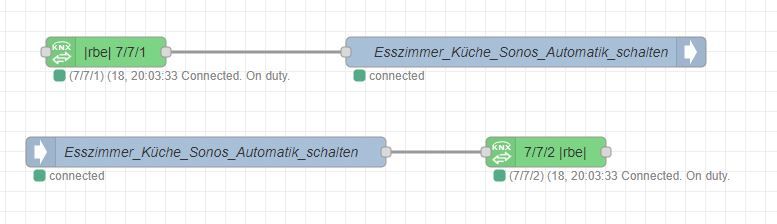
  • Automatikbetrieb Sonos

    Moved
    11
    2
    0 Votes
    11 Posts
    587 Views
    D
    @lessthanmore Über den Blog Beitrag bin ich nach deiner Antwort auch gestolpert. Vielen Dank nochmal! :-)
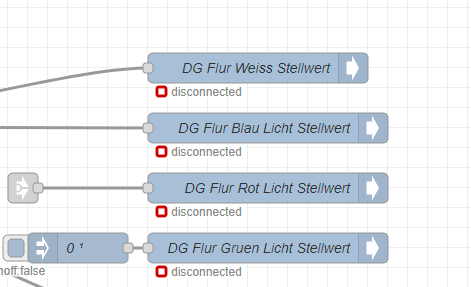
  • NodeRed IOB nodes disconnected nach Startup

    1
    1
    0 Votes
    1 Posts
    189 Views
    No one has replied
  • Shelly Plus 1PM über MQTTund Node Red schalten

    13
    0 Votes
    13 Posts
    3k Views
    P
    @mickym Hi, hab es eben nochmal versucht und einfach mal einen Factory-Reset durchgeführt. Jetzt gehen die ".../command/swich:0" Befehle auf wundersame weise. Es gibt gerade eine optionale Beta-Firmware. Vielleicht hängt es damit zusammen. Danke dir trotzdem für die Hilfe!
  • Node Red DP erstellen

    42
    2
    0 Votes
    42 Posts
    4k Views
    mickymM
    @dos1973 Ja und entschuldige meine Schlampigkeit. Und wie gesagt, wenn Du so was selbst machen willst, dann frag einfach, warum was und wie.
  • Node red: Number in array wandel

    7
    0 Votes
    7 Posts
    657 Views
    sprobstS
    @eckhard-meier Da bin ich raus, modbus hab ich nicht, aber nach der Doku brauchst Du das array nur wenn Du mehrere Register gleichzeitig schreiben willst. Klingt für mich so, als ob Du nur eins schreibst, das müsste dann nach meinem Doku-Verständnis mit FunctionCode 6 und dem Single-Wert gehen.
  • Object in Datenpunkt

    2
    1
    0 Votes
    2 Posts
    237 Views
    mickymM
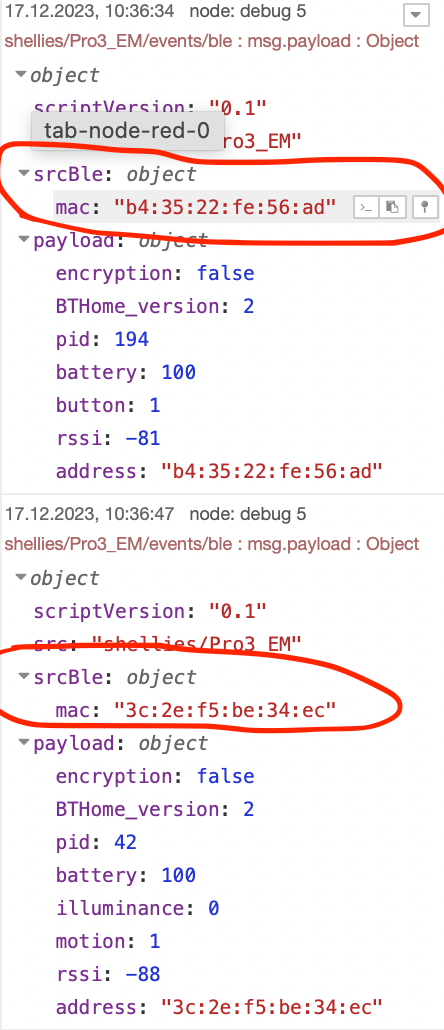
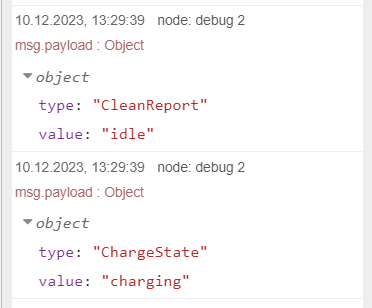
    @Manemm Einfach mittels einer Change Node die payload auf den Pfad der Eigenschaft setzen, die Du als Einzelwert haben willst, also value. Im Debug Fenster kannst Du den Pfad direkt rauskopieren: [image: 1702507137561-copy-path.gif] In dem Fall setzt Du in einer Change Node - die msg.payload auf msg.payload.value. Wenn Du viele Eigenschaften in einzelne Datenpunkte schreiben willst, dann kannst Dir auch mal meinen Subflow anschauen - würde ich aber nur im von vorneherein machen: https://forum.iobroker.net/topic/43856/json-oder-javascript-objekt-in-iobroker-datenpunkte-zerlegen
  • Siemens SPS Datenbaustein komplett auslesen

    2
    3
    0 Votes
    2 Posts
    274 Views
    mickymM
    @hurdy Schau Dir meinen Flow an, wenn die Datenpunkte alle in Objekten sind: https://forum.iobroker.net/topic/43856/json-oder-javascript-objekt-in-iobroker-datenpunkte-zerlegen
  • JSON oder JavaScript Objekt in iobroker Datenpunkte zerlegen

    node-red
    114
    21
    4 Votes
    114 Posts
    28k Views
    mickymM
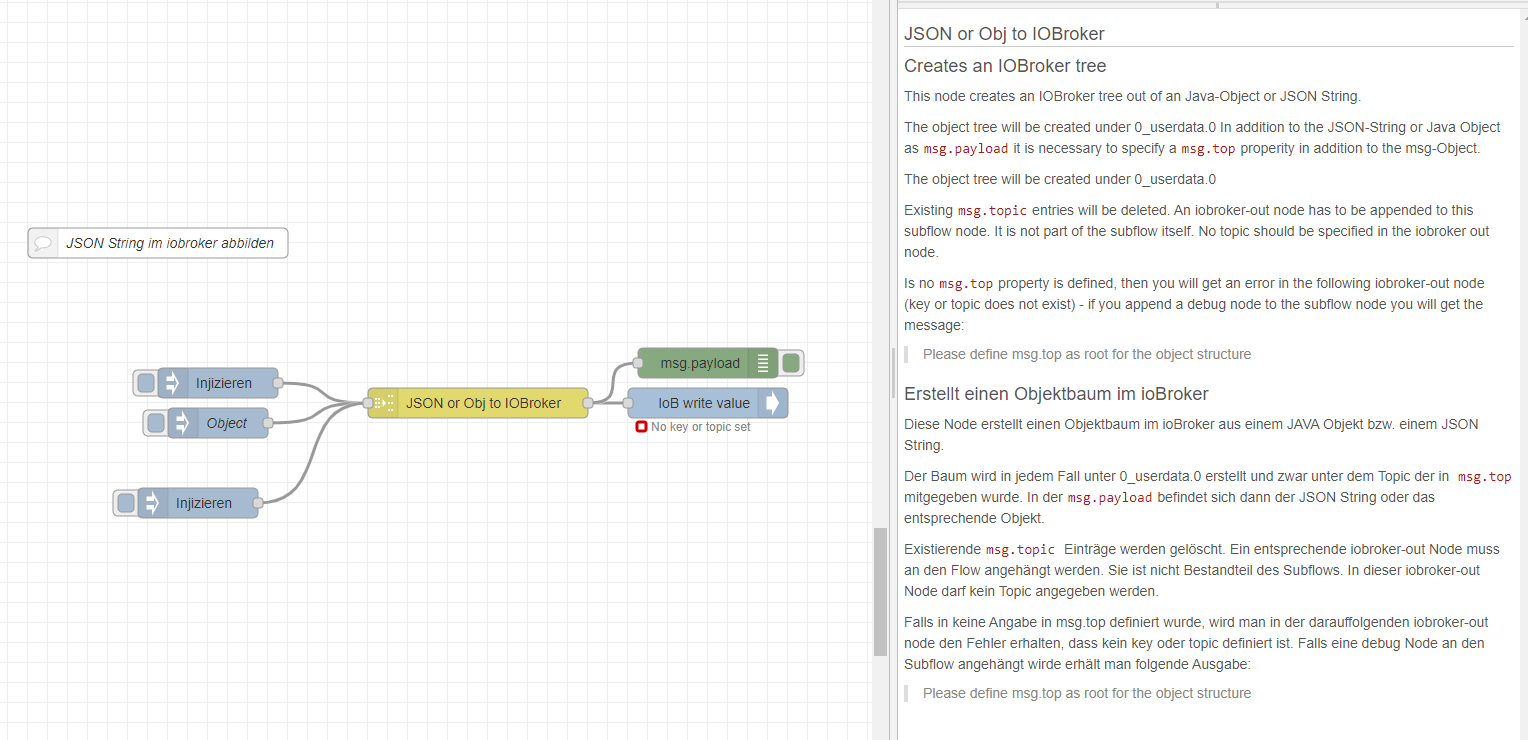
    DIESER Flow mit dem neuen NodeRed Adapter 5.0 funktioniert WEITER - allerdings ist in NodeRed 3.1.1 ein Bug bei der Überprüfung der Nodes. https://github.com/node-red/node-red/issues/4464 Für weitere Details - siehe Diskussion im NodeRed Forum: https://discourse.nodered.org/t/bug-with-version-3-1-1-in-nodered-i-have-an-error-using-the-switch-node/83346 Das Ganze zeigt also einen Fehler bei der Übernahme an, wenn man diesen Flow nutzt - obwohl es funktioniert: [image: 1701437479282-ccb37541-00ab-49cf-ad1f-f1a37f714a4a-image-resized.png]
  • node-red-contrib-alexa-home Alexa Erk. HUE Gerätefarbe nicht

    2
    1
    0 Votes
    2 Posts
    258 Views
    K
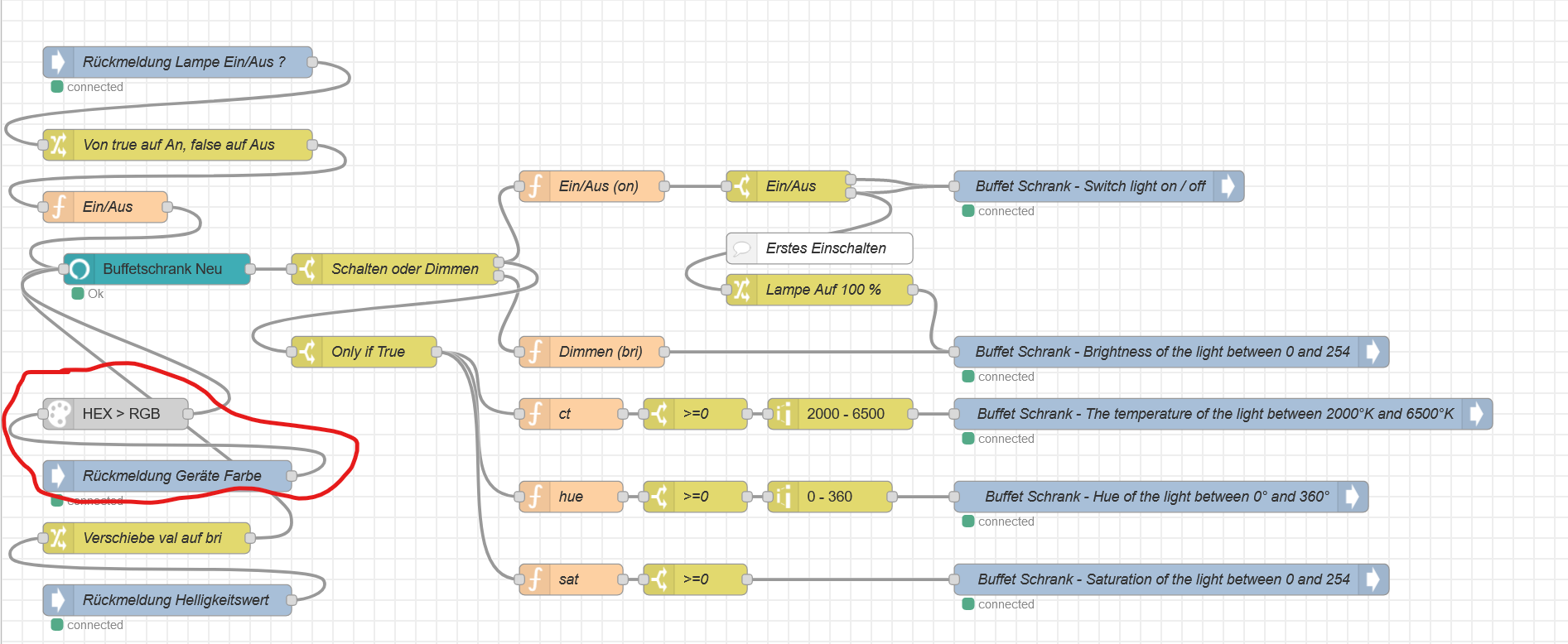
    @benjamincz Guten Abend, ich versuche schon seit Tagen die Alexa home Node zum Laufen zu bringen. Muss ich die Node Alexa home controller irgend wie anmelden? Alexa kann kein neues Gerät finden. Habe Iobroker im Docker auf einem Synology NAS laufen. gibt es irgenwo eine Anleitung? Grüße Heiko
  • Einspeisung / Bezug über Zählerstand Differenz erfassen?

    node-red
    18
    0 Votes
    18 Posts
    1k Views
    S
    @mickym Habe den ersten Schuss so gelöst: [image: 1701295828798-a15dc5a7-f04d-4ce9-9b19-c1da9c1639c5-image.png] Spoiler [ { "id": "00519bd9e9975550", "type": "inject", "z": "79c2861ec6e321b9", "name": "alle 5min", "props": [ { "p": "payload" } ], "repeat": "300", "crontab": "", "once": true, "onceDelay": 0.1, "topic": "", "payload": "true", "payloadType": "bool", "x": 150, "y": 820, "wires": [ [ "5bd17fe8b83ef863", "dea708d0212a15d6" ] ] }, { "id": "5bd17fe8b83ef863", "type": "ioBroker get", "z": "79c2861ec6e321b9", "name": "1-0:1_8_0__255.value", "topic": "smartmeter.0.1-0:1_8_0__255.value", "attrname": "payload", "payloadType": "value", "x": 380, "y": 820, "wires": [ [ "613ebe1d09cf6cbd", "8a05b813586187ab" ] ] }, { "id": "613ebe1d09cf6cbd", "type": "ioBroker out", "z": "79c2861ec6e321b9", "name": "aktVerbrauch", "topic": "0_userdata.0.Energiemanagement.aktVerbrauch", "ack": "true", "autoCreate": "false", "stateName": "", "role": "", "payloadType": "", "readonly": "", "stateUnit": "", "stateMin": "", "stateMax": "", "x": 590, "y": 880, "wires": [] }, { "id": "8a05b813586187ab", "type": "delay", "z": "79c2861ec6e321b9", "name": "", "pauseType": "delay", "timeout": "10", "timeoutUnits": "seconds", "rate": "1", "nbRateUnits": "1", "rateUnits": "second", "randomFirst": "1", "randomLast": "5", "randomUnits": "seconds", "drop": false, "allowrate": false, "outputs": 1, "x": 650, "y": 820, "wires": [ [ "c690c5bcb4bb6f3e" ] ] }, { "id": "c690c5bcb4bb6f3e", "type": "ioBroker out", "z": "79c2861ec6e321b9", "name": "gespVerbrauch", "topic": "0_userdata.0.Energiemanagement.gespVerbrauch", "ack": "true", "autoCreate": "false", "stateName": "", "role": "", "payloadType": "", "readonly": "", "stateUnit": "", "stateMin": "", "stateMax": "", "x": 860, "y": 820, "wires": [] }, { "id": "d52ee9ff24d86ea7", "type": "ioBroker get", "z": "79c2861ec6e321b9", "name": "gespVerbrauch", "topic": "0_userdata.0.Energiemanagement.gespVerbrauch", "attrname": "payload", "payloadType": "value", "errOnInvalidState": "nothing", "x": 360, "y": 940, "wires": [ [ "d61a122c6bb43c72" ] ] }, { "id": "d61a122c6bb43c72", "type": "change", "z": "79c2861ec6e321b9", "name": "", "rules": [ { "t": "move", "p": "payload", "pt": "msg", "to": "gespeichert", "tot": "msg" } ], "action": "", "property": "", "from": "", "to": "", "reg": false, "x": 560, "y": 940, "wires": [ [ "28596c3ca84ac5d2" ] ] }, { "id": "28596c3ca84ac5d2", "type": "ioBroker get", "z": "79c2861ec6e321b9", "name": "aktVerbrauch", "topic": "0_userdata.0.Energiemanagement.aktVerbrauch", "attrname": "aktuell", "payloadType": "value", "errOnInvalidState": "nothing", "x": 770, "y": 940, "wires": [ [ "997e11b298c357b9" ] ] }, { "id": "997e11b298c357b9", "type": "change", "z": "79c2861ec6e321b9", "name": "berechne", "rules": [ { "t": "set", "p": "payload", "pt": "msg", "to": "(aktuell - gespeichert) * 12000", "tot": "jsonata" } ], "action": "", "property": "", "from": "", "to": "", "reg": false, "x": 960, "y": 940, "wires": [ [ "c9e89e065e8115de" ] ] }, { "id": "c9e89e065e8115de", "type": "ioBroker out", "z": "79c2861ec6e321b9", "name": "errechnBezug", "topic": "0_userdata.0.Energiemanagement.errechnVerbrauch", "ack": "true", "autoCreate": "false", "stateName": "", "role": "", "payloadType": "", "readonly": "", "stateUnit": "", "stateMin": "", "stateMax": "", "x": 1120, "y": 940, "wires": [] }, { "id": "dea708d0212a15d6", "type": "delay", "z": "79c2861ec6e321b9", "name": "", "pauseType": "delay", "timeout": "5", "timeoutUnits": "seconds", "rate": "1", "nbRateUnits": "1", "rateUnits": "second", "randomFirst": "1", "randomLast": "5", "randomUnits": "seconds", "drop": false, "allowrate": false, "outputs": 1, "x": 180, "y": 940, "wires": [ [ "d52ee9ff24d86ea7" ] ] } ] es sieht erstmal ganz gut aus
  • Update-Flows gestoppt Credentials werden nicht entschlüsselt

    2
    1
    0 Votes
    2 Posts
    301 Views
    Marc BergM
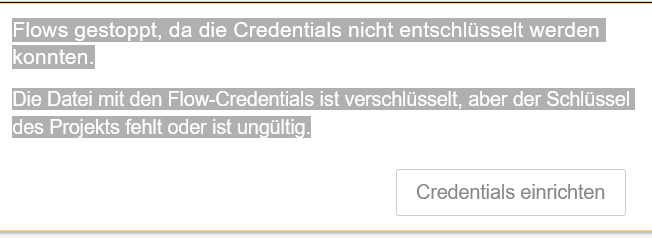
    @blrd sagte in Update-Flows gestoppt Credentials werden nicht entschlüsselt: über eine schnelle Hilfe freuen. Wenn du so dringend auf Node Red angewiesen bist, warum bist du dann im Beta Zweig unterwegs und liest keine Release Notes? [image: 1701259076665-f73d238a-d7c1-4689-9190-b9dc48a73752-grafik.png] Mach' ein Downgrade auf 4.0.3, dann sollte es wieder laufen, wenn du sonst keine Änderungen vorgenommen hast.
  • Node Red Modbus

    26
    2
    0 Votes
    26 Posts
    4k Views
    mickymM
    @garf Nein - bei Floats musst Du zur mathematisch korrekten Rundung die Werte im Nachgang bearbeiten. Also kenn auch keine andere Möglichkeit.
  • Datenstrom aus Nodered filtern und in Datenpunkt ausgeben.

    23
    5
    0 Votes
    23 Posts
    2k Views
    mickymM
    @fimoknete sagte in Datenstrom aus Nodered filtern und in Datenpunkt ausgeben.: Ich werde jetzt noch versuchen, die Ladeleistung und Entladeleistung raus zu frickeln. Kannst Du dann wenn es in dem data Objekt vorhanden ist, parallel einfach extrahieren.
  • Tibber Status abfrage von node ps-strategy-lowest-price

    6
    1
    0 Votes
    6 Posts
    518 Views
    I
    @mickym SUPER DANKE es klappt!
  • Datum und Zeitverarbeitung mit NodeRed

    node-red
    33
    5 Votes
    33 Posts
    33k Views
    B
    @mickym Perfekt... Ich habe das erste gerade mit einer zusätzlichen Funktion probiert... funktioniert einwandfrei... Wieder einmal ein groooooßes DANKESCHÖN... Ich muss mich wohl doch mal intensiver damit beschäftigen...
  • JSON String in Template Node richtig darstellen

    7
    0 Votes
    7 Posts
    619 Views
    _
    @mickym Stimmt, bei Steve steht im Grunde genau so die Lösung: [image: 1699729078429-5b70db34-57a4-4004-8f1a-1ac02edfa21d-image.png] Werde ich berücksichtigen beim nächsten mal. Vielen Dank
  • Vergleich 2 Werte wenn ungleich 1 Wert ausgeben

    2
    0 Votes
    2 Posts
    222 Views
    mickymM
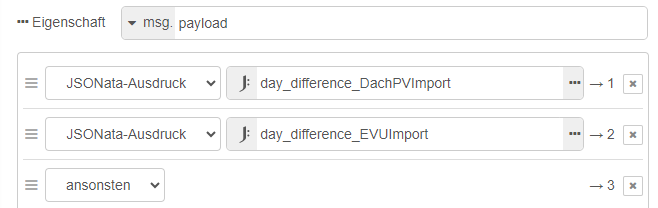
    @geforce28 du hast 3 Möglichkeiten: 1- du holst dir beide Werte in ein Nachrichtenobjekt: 1.a. Via iobroker get nodes 1.b via join node 2. du speicherst mind. 1 Wert in einem Kontext Vergleiche führst du mit einer Switch Node durch. Spoiler [ { "id": "bf18acfbac86d91c", "type": "tab", "label": "Werte vergleichen", "disabled": false, "info": "", "env": [] }, { "id": "84f4c2bcc8f52c2b", "type": "comment", "z": "bf18acfbac86d91c", "name": "Du speicherst einen oder ggf. beide Werte in einer oder mehreren Flowvariablen.", "info": "", "x": 380, "y": 140, "wires": [] }, { "id": "cdb69797b74f2807", "type": "ioBroker in", "z": "bf18acfbac86d91c", "name": "PV Tag Prognose", "topic": "0_userdata.0.Test.prognose", "payloadType": "value", "onlyack": "", "func": "all", "gap": "", "fireOnStart": "false", "outFormat": "MQTT", "x": 140, "y": 240, "wires": [ [ "b50f80bf8bcbc213" ] ] }, { "id": "b88f4dd26163692b", "type": "ioBroker in", "z": "bf18acfbac86d91c", "name": "PV Today bis jetzt", "topic": "0_userdata.0.Test.aktuell", "payloadType": "value", "onlyack": "", "func": "all", "gap": "", "fireOnStart": "false", "outFormat": "MQTT", "x": 150, "y": 300, "wires": [ [ "ae13ce4883489a74" ] ] }, { "id": "b50f80bf8bcbc213", "type": "change", "z": "bf18acfbac86d91c", "name": "", "rules": [ { "t": "set", "p": "PV_Tag_Prognose", "pt": "flow", "to": "payload", "tot": "msg" } ], "action": "", "property": "", "from": "", "to": "", "reg": false, "x": 400, "y": 240, "wires": [ [] ] }, { "id": "ae13ce4883489a74", "type": "change", "z": "bf18acfbac86d91c", "name": "", "rules": [ { "t": "set", "p": "prognose", "pt": "msg", "to": "PV_Tag_Prognose", "tot": "flow" } ], "action": "", "property": "", "from": "", "to": "", "reg": false, "x": 380, "y": 300, "wires": [ [ "88273195c80c84f2" ] ] }, { "id": "88273195c80c84f2", "type": "switch", "z": "bf18acfbac86d91c", "name": "payload > prognose", "property": "payload > prognose", "propertyType": "jsonata", "rules": [ { "t": "true" } ], "checkall": "true", "repair": false, "outputs": 1, "x": 610, "y": 300, "wires": [ [ "70bd4a0a0a2d4787" ] ] }, { "id": "2c68eba46d5dbeef", "type": "debug", "z": "bf18acfbac86d91c", "name": "sende Nachricht (Beispiel Flowvariable)", "active": true, "tosidebar": true, "console": false, "tostatus": false, "complete": "payload", "targetType": "msg", "statusVal": "", "statusType": "auto", "x": 1060, "y": 300, "wires": [] }, { "id": "70bd4a0a0a2d4787", "type": "change", "z": "bf18acfbac86d91c", "name": "Nachricht", "rules": [ { "t": "set", "p": "payload", "pt": "msg", "to": "Prognose wurde überschritten", "tot": "str" } ], "action": "", "property": "", "from": "", "to": "", "reg": false, "x": 800, "y": 300, "wires": [ [ "2c68eba46d5dbeef" ] ] }, { "id": "85702a2c7a400d9c", "type": "comment", "z": "bf18acfbac86d91c", "name": "Du sammelst die beiden Werte in einem Nachrichtenobjekt mit einer JOIN Node.", "info": "", "x": 380, "y": 440, "wires": [] }, { "id": "da0c33ab90da3dad", "type": "ioBroker in", "z": "bf18acfbac86d91c", "name": "PV Tag Prognose", "topic": "0_userdata.0.Test.prognose", "payloadType": "value", "onlyack": "", "func": "all", "gap": "", "fireOnStart": "false", "outFormat": "MQTT", "x": 140, "y": 520, "wires": [ [ "0fa1b7591f0b4d26" ] ] }, { "id": "89ef3782b3d5fbd7", "type": "ioBroker in", "z": "bf18acfbac86d91c", "name": "PV Today bis jetzt", "topic": "0_userdata.0.Test.aktuell", "payloadType": "value", "onlyack": "", "func": "all", "gap": "", "fireOnStart": "false", "outFormat": "MQTT", "x": 150, "y": 600, "wires": [ [ "b2b601430ac7e80d" ] ] }, { "id": "0fa1b7591f0b4d26", "type": "change", "z": "bf18acfbac86d91c", "name": "topic = prognose", "rules": [ { "t": "set", "p": "topic", "pt": "msg", "to": "prognose", "tot": "str" } ], "action": "", "property": "", "from": "", "to": "", "reg": false, "x": 390, "y": 520, "wires": [ [ "1c38bf5becbffb8a" ] ] }, { "id": "b2b601430ac7e80d", "type": "change", "z": "bf18acfbac86d91c", "name": "topic = aktuell", "rules": [ { "t": "set", "p": "topic", "pt": "msg", "to": "aktuell", "tot": "str" } ], "action": "", "property": "", "from": "", "to": "", "reg": false, "x": 400, "y": 600, "wires": [ [ "1c38bf5becbffb8a" ] ] }, { "id": "1c38bf5becbffb8a", "type": "join", "z": "bf18acfbac86d91c", "name": "", "mode": "custom", "build": "object", "property": "payload", "propertyType": "msg", "key": "topic", "joiner": "\\n", "joinerType": "str", "accumulate": true, "timeout": "", "count": "2", "reduceRight": false, "reduceExp": "", "reduceInit": "", "reduceInitType": "", "reduceFixup": "", "x": 590, "y": 560, "wires": [ [ "50445639c6bb29cc" ] ] }, { "id": "50445639c6bb29cc", "type": "switch", "z": "bf18acfbac86d91c", "name": "payload > prognose", "property": "payload.aktuell > payload.prognose", "propertyType": "jsonata", "rules": [ { "t": "true" } ], "checkall": "true", "repair": false, "outputs": 1, "x": 770, "y": 560, "wires": [ [ "8d562efab2cfff9a" ] ] }, { "id": "42643fa00df8601f", "type": "debug", "z": "bf18acfbac86d91c", "name": "sende Nachricht (Beispiel JOIN)", "active": true, "tosidebar": true, "console": false, "tostatus": false, "complete": "payload", "targetType": "msg", "statusVal": "", "statusType": "auto", "x": 1190, "y": 560, "wires": [] }, { "id": "8d562efab2cfff9a", "type": "change", "z": "bf18acfbac86d91c", "name": "Nachricht", "rules": [ { "t": "set", "p": "payload", "pt": "msg", "to": "Prognose wurde überschritten", "tot": "str" } ], "action": "", "property": "", "from": "", "to": "", "reg": false, "x": 960, "y": 560, "wires": [ [ "42643fa00df8601f" ] ] }, { "id": "179914fd1a8968f2", "type": "comment", "z": "bf18acfbac86d91c", "name": "Wenn ein Wert getriggert ist und zum Beispiel im iobroker ein anderer ausgelesen werden soll, dann kann man das quasi Huckepack auslesen.", "info": "", "x": 570, "y": 700, "wires": [] }, { "id": "b94fd1601ba3f40c", "type": "ioBroker in", "z": "bf18acfbac86d91c", "name": "PV Today bis jetzt", "topic": "0_userdata.0.Test.aktuell", "payloadType": "value", "onlyack": "", "func": "all", "gap": "", "fireOnStart": "false", "outFormat": "MQTT", "x": 170, "y": 800, "wires": [ [ "cc98ccdd4d05a363" ] ] }, { "id": "cc98ccdd4d05a363", "type": "ioBroker get", "z": "bf18acfbac86d91c", "name": "PV Tag Prognose", "topic": "0_userdata.0.Test.prognose", "attrname": "prognose", "payloadType": "value", "errOnInvalidState": "nothing", "x": 390, "y": 800, "wires": [ [ "242ef6373f0959c3" ] ] }, { "id": "242ef6373f0959c3", "type": "switch", "z": "bf18acfbac86d91c", "name": "payload > prognose", "property": "payload > prognose", "propertyType": "jsonata", "rules": [ { "t": "true" } ], "checkall": "true", "repair": false, "outputs": 1, "x": 610, "y": 800, "wires": [ [ "7124503b946b2a85" ] ] }, { "id": "78445ce181de5648", "type": "debug", "z": "bf18acfbac86d91c", "name": "sende Nachricht (Huckepack)", "active": true, "tosidebar": true, "console": false, "tostatus": false, "complete": "payload", "targetType": "msg", "statusVal": "", "statusType": "auto", "x": 1030, "y": 800, "wires": [] }, { "id": "7124503b946b2a85", "type": "change", "z": "bf18acfbac86d91c", "name": "Nachricht", "rules": [ { "t": "set", "p": "payload", "pt": "msg", "to": "Prognose wurde überschritten", "tot": "str" } ], "action": "", "property": "", "from": "", "to": "", "reg": false, "x": 800, "y": 800, "wires": [ [ "78445ce181de5648" ] ] } ] [image: 1699616319624-4d2e533f-08ef-464e-86dd-4128081b8fb6-image-resized.png]

744

Online

32.6k

Users

82.2k

Topics

1.3m

Posts