Skip to content
  • Home
  • Aktuell
  • Tags
  • 0 Ungelesen 0
  • Kategorien
  • Unreplied
  • Beliebt
  • GitHub
  • Docu
  • Hilfe
Skins
  • Light
  • Brite
  • Cerulean
  • Cosmo
  • Flatly
  • Journal
  • Litera
  • Lumen
  • Lux
  • Materia
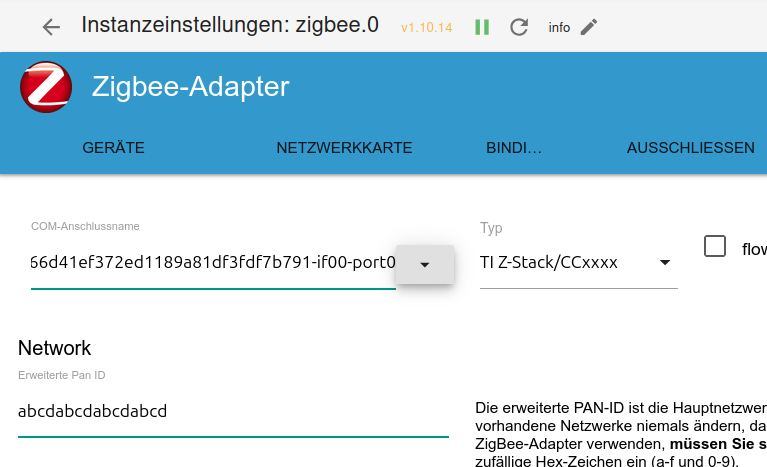
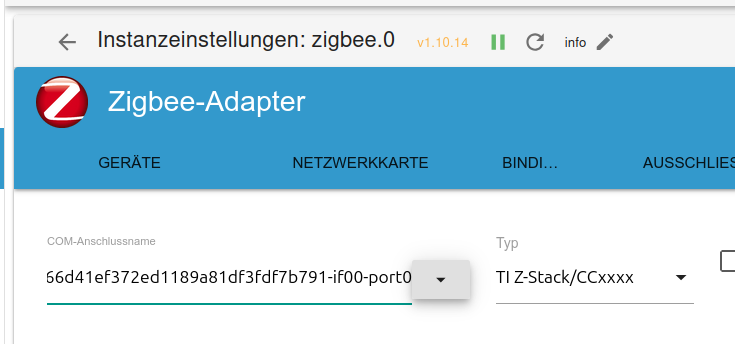
  • Minty
  • Morph
  • Pulse
  • Sandstone
  • Simplex
  • Sketchy
  • Spacelab
  • United
  • Yeti
  • Zephyr
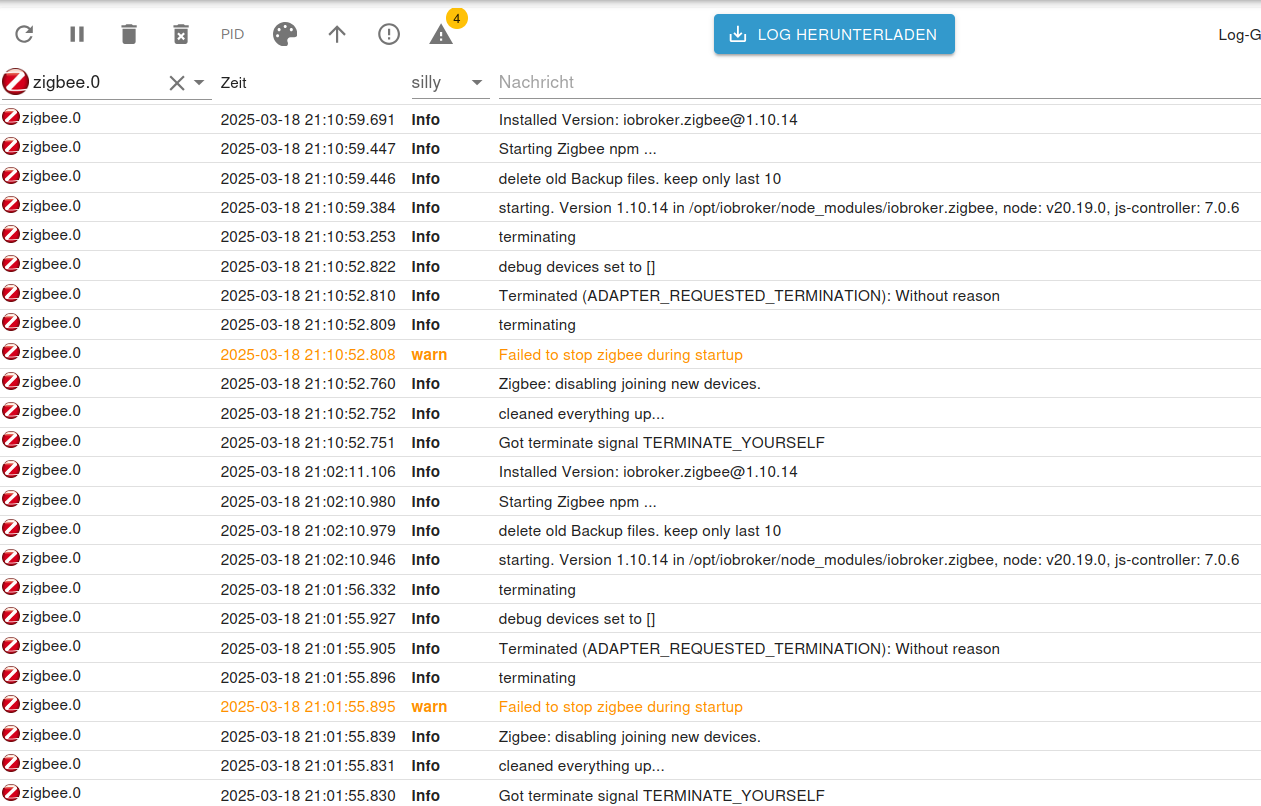
  • Dark
  • Cyborg
  • Darkly
  • Quartz
  • Slate
  • Solar
  • Superhero
  • Vapor

  • Standard: (Kein Skin)
  • Kein Skin
Einklappen
ioBroker Logo

Community Forum

donate donate
  1. ioBroker Community Home
  2. Deutsch
  3. Einsteigerfragen
  4. Installation
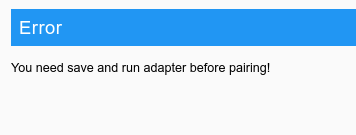
  5. Zigbee.0: You need save and run adapter before pairing!
NEWS

  • Weihnachtsangebot 2025! 🎄
    BluefoxB
    Bluefox
    21
    1
    886

  • UPDATE 31.10.: Amazon Alexa - ioBroker Skill läuft aus ?
    apollon77A
    apollon77
    48
    3
    9.0k

  • Monatsrückblick – September 2025
    BluefoxB
    Bluefox
    13
    1
    2.4k

Zigbee.0: You need save and run adapter before pairing!
Geplant Angeheftet Gesperrt Verschoben Installation
51 Beiträge 8 Kommentatoren 5.2k Aufrufe 7 Watching
  • Älteste zuerst
  • Neuste zuerst
  • Meiste Stimmen
Antworten
  • In einem neuen Thema antworten
Anmelden zum Antworten
Dieses Thema wurde gelöscht. Nur Nutzer mit entsprechenden Rechten können es sehen.
  • HomoranH Homoran

    @nilli sagte in Zigbee.0: You need save and run adapter before pairing!:

    Irgendwie habe ich das Gefühl das der Anschluss nicht richtig für den Adapter konfiguriert ist.

    wenn du damit Converter meinst, bin ich schon länger dieser Meinung

    N Offline
    N Offline
    nilli
    schrieb am zuletzt editiert von
    #19

    @homoran : Ja. Converter ist wohl richtig. Sorry !

    HomoranH 1 Antwort Letzte Antwort
    0
    • N nilli

      @homoran : Ja. Converter ist wohl richtig. Sorry !

      HomoranH Nicht stören
      HomoranH Nicht stören
      Homoran
      Global Moderator Administrators
      schrieb am zuletzt editiert von
      #20

      @nilli was sagt denn lsusb und ls /dev/serial/by-id?

      kein Support per PN! - Fragen im Forum stellen - es gibt fast nichts, was nicht auch für andere interessant ist.

      Benutzt das Voting rechts unten im Beitrag wenn er euch geholfen hat.

      der Installationsfixer: curl -fsL https://iobroker.net/fix.sh | bash -

      N 1 Antwort Letzte Antwort
      0
      • HomoranH Homoran

        @nilli was sagt denn lsusb und ls /dev/serial/by-id?

        N Offline
        N Offline
        nilli
        schrieb am zuletzt editiert von nilli
        #21

        @homoran

        leider genau was es sollte , oder ?

        nils@raspi5:/ $ lsusb
        Bus 004 Device 001: ID 1d6b:0003 Linux Foundation 3.0 root hub
        Bus 003 Device 009: ID 10c4:ea60 Silicon Labs CP210x UART Bridge
        Bus 003 Device 001: ID 1d6b:0002 Linux Foundation 2.0 root hub
        Bus 002 Device 001: ID 1d6b:0003 Linux Foundation 3.0 root hub
        Bus 001 Device 001: ID 1d6b:0002 Linux Foundation 2.0 root hub
        nils@raspi5:/ $ ls -l /dev/serial/by-id
        total 0
        lrwxrwxrwx 1 root root 13 Mar 19 10:00 usb-SMLIGHT_SMLIGHT_SLZB-07p7_9c66d41ef372ed1189a81df3fdf7b791-if00-port0 -> ../../ttyUSB0
        
        
        HomoranH 1 Antwort Letzte Antwort
        0
        • N nilli

          @homoran

          leider genau was es sollte , oder ?

          nils@raspi5:/ $ lsusb
          Bus 004 Device 001: ID 1d6b:0003 Linux Foundation 3.0 root hub
          Bus 003 Device 009: ID 10c4:ea60 Silicon Labs CP210x UART Bridge
          Bus 003 Device 001: ID 1d6b:0002 Linux Foundation 2.0 root hub
          Bus 002 Device 001: ID 1d6b:0003 Linux Foundation 3.0 root hub
          Bus 001 Device 001: ID 1d6b:0002 Linux Foundation 2.0 root hub
          nils@raspi5:/ $ ls -l /dev/serial/by-id
          total 0
          lrwxrwxrwx 1 root root 13 Mar 19 10:00 usb-SMLIGHT_SMLIGHT_SLZB-07p7_9c66d41ef372ed1189a81df3fdf7b791-if00-port0 -> ../../ttyUSB0
          
          
          HomoranH Nicht stören
          HomoranH Nicht stören
          Homoran
          Global Moderator Administrators
          schrieb am zuletzt editiert von
          #22

          @nilli sagte in Zigbee.0: You need save and run adapter before pairing!:

          oder

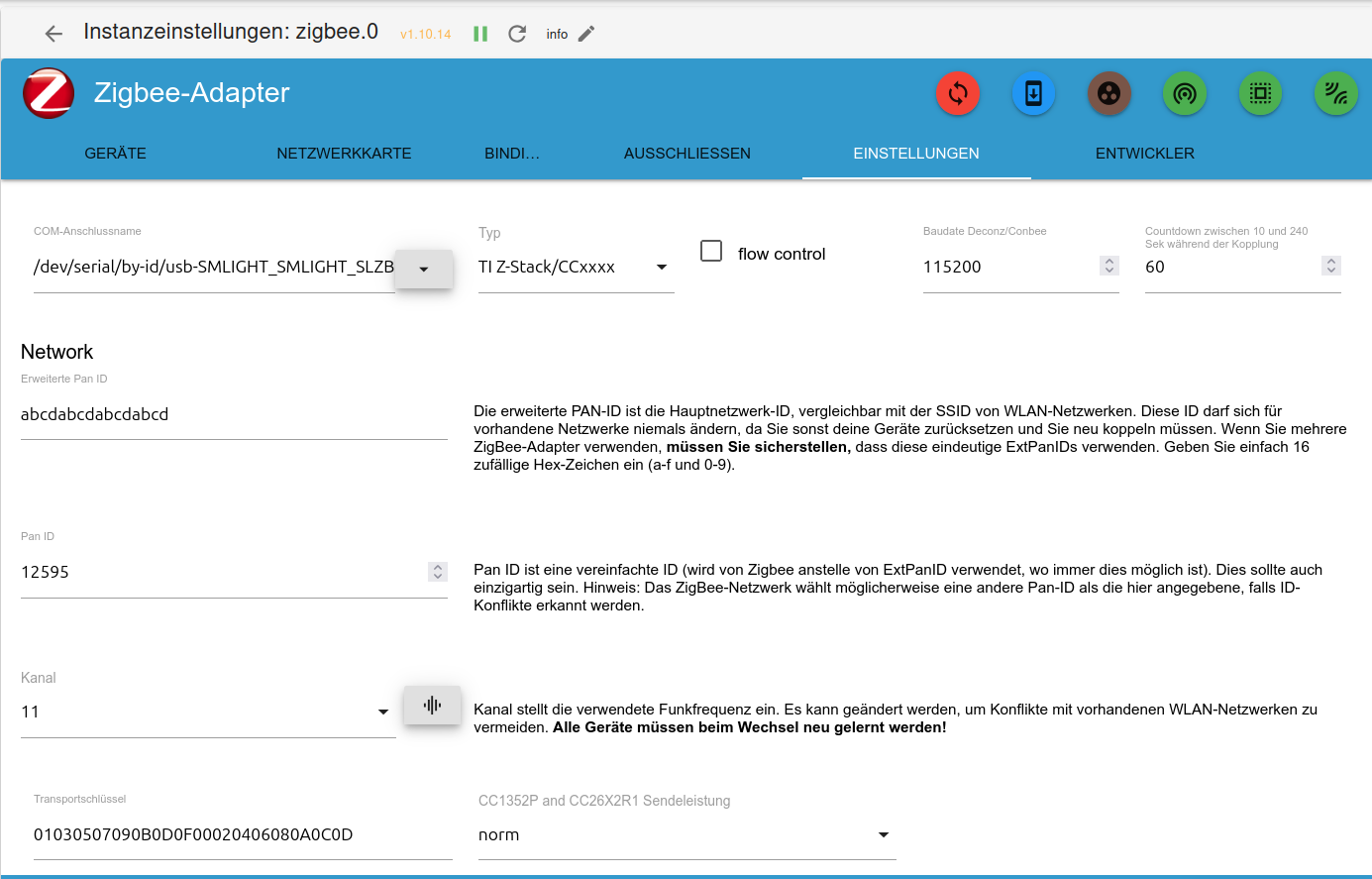
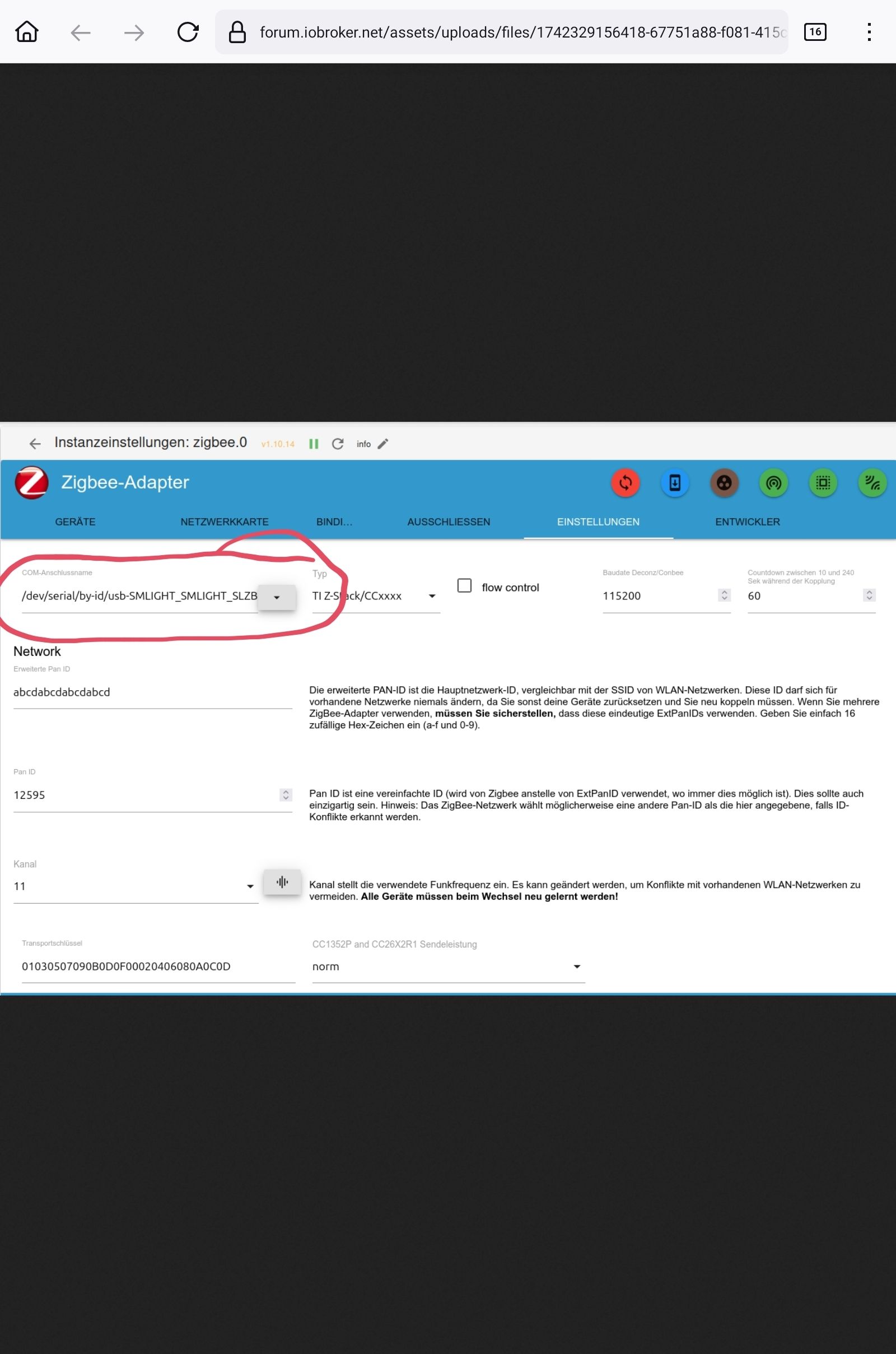
          was steht denn hier
          Screenshot_20250319-151122_Firefox.jpg

          ist leider abgeschnitten

          kein Support per PN! - Fragen im Forum stellen - es gibt fast nichts, was nicht auch für andere interessant ist.

          Benutzt das Voting rechts unten im Beitrag wenn er euch geholfen hat.

          der Installationsfixer: curl -fsL https://iobroker.net/fix.sh | bash -

          N 1 Antwort Letzte Antwort
          0
          • HomoranH Homoran

            @nilli sagte in Zigbee.0: You need save and run adapter before pairing!:

            oder

            was steht denn hier
            Screenshot_20250319-151122_Firefox.jpg

            ist leider abgeschnitten

            N Offline
            N Offline
            nilli
            schrieb am zuletzt editiert von
            #23

            @homoran
            ae0a1c6c-67d7-4012-bdff-1c0bc03da1a0-image.png

            /dev/serial/by-id/usb-SMLIGHT_SMLIGHT_SLZB-07p7_9c66d41ef372ed1189a81df3fdf7b791-if00-port0

            1 Antwort Letzte Antwort
            0
            • N Offline
              N Offline
              nilli
              schrieb am zuletzt editiert von
              #24

              @homoran

              597a0b84-4ed7-4acf-8186-12f5da78bb6a-image.png

              /dev/serial/by-id/usb-SMLIGHT_SMLIGHT_SLZB-07p7_9c66d41ef372ed1189a81df3fdf7b791-if00-port0

              /dev/ttyUSB0 müsste doch eigentlich auch möglich sein, oder ?

              HomoranH Thomas BraunT 2 Antworten Letzte Antwort
              0
              • N nilli

                @homoran

                597a0b84-4ed7-4acf-8186-12f5da78bb6a-image.png

                /dev/serial/by-id/usb-SMLIGHT_SMLIGHT_SLZB-07p7_9c66d41ef372ed1189a81df3fdf7b791-if00-port0

                /dev/ttyUSB0 müsste doch eigentlich auch möglich sein, oder ?

                HomoranH Nicht stören
                HomoranH Nicht stören
                Homoran
                Global Moderator Administrators
                schrieb am zuletzt editiert von
                #25

                @nilli sagte in Zigbee.0: You need save and run adapter before pairing!:

                /dev/ttyUSB0 müsste doch eigentlich auch möglich sein, oder ?

                kannst du mal versuchen, nur diese Angabe kann sich nach einem Neustart ändern.

                kein Support per PN! - Fragen im Forum stellen - es gibt fast nichts, was nicht auch für andere interessant ist.

                Benutzt das Voting rechts unten im Beitrag wenn er euch geholfen hat.

                der Installationsfixer: curl -fsL https://iobroker.net/fix.sh | bash -

                1 Antwort Letzte Antwort
                1
                • N nilli

                  @homoran said in Zigbee.0: You need save and run adapter before pairing!:

                  was für ein chip ist im Koordinator verbaut?

                  SLZB-07p7 basierend auf CC2652P7 und CP2102N.

                  HomoranH Nicht stören
                  HomoranH Nicht stören
                  Homoran
                  Global Moderator Administrators
                  schrieb am zuletzt editiert von Homoran
                  #26

                  @nilli sagte in Zigbee.0: You need save and run adapter before pairing!:

                  @homoran said in Zigbee.0: You need save and run adapter before pairing!:

                  was für ein chip ist im Koordinator verbaut?

                  SLZB-07p7 basierend auf CC2652P7 und CP2102N.

                  @Asgothian
                  wird der Chip unterstützt?

                  Hintergrund:
                  @pmayer sagte in IEEE bei cod.m Zigbee Koordinator ändern:

                  unser Entwickler hat sich mal durch die Sourcen der Z-Stack Firmware und cc2538-bsl gegraben.
                  Wie es aussieht wird beim Update die IEEE im CC2652P7 an die falsche stelle geschrieben, weil das Speicherlayout anders ist als beim CC1352P7.

                  kein Support per PN! - Fragen im Forum stellen - es gibt fast nichts, was nicht auch für andere interessant ist.

                  Benutzt das Voting rechts unten im Beitrag wenn er euch geholfen hat.

                  der Installationsfixer: curl -fsL https://iobroker.net/fix.sh | bash -

                  N pmayerP 2 Antworten Letzte Antwort
                  0
                  • HomoranH Homoran

                    @nilli sagte in Zigbee.0: You need save and run adapter before pairing!:

                    @homoran said in Zigbee.0: You need save and run adapter before pairing!:

                    was für ein chip ist im Koordinator verbaut?

                    SLZB-07p7 basierend auf CC2652P7 und CP2102N.

                    @Asgothian
                    wird der Chip unterstützt?

                    Hintergrund:
                    @pmayer sagte in IEEE bei cod.m Zigbee Koordinator ändern:

                    unser Entwickler hat sich mal durch die Sourcen der Z-Stack Firmware und cc2538-bsl gegraben.
                    Wie es aussieht wird beim Update die IEEE im CC2652P7 an die falsche stelle geschrieben, weil das Speicherlayout anders ist als beim CC1352P7.

                    N Offline
                    N Offline
                    nilli
                    schrieb am zuletzt editiert von
                    #27

                    @homoran

                    /dev/ttyUSB0 -> gleiches Verhalten :confounded:

                    wird der Chip unterstützt? -> Ja, letzte Woche funktionierte er.

                    HomoranH 1 Antwort Letzte Antwort
                    1
                    • N nilli

                      @homoran

                      /dev/ttyUSB0 -> gleiches Verhalten :confounded:

                      wird der Chip unterstützt? -> Ja, letzte Woche funktionierte er.

                      HomoranH Nicht stören
                      HomoranH Nicht stören
                      Homoran
                      Global Moderator Administrators
                      schrieb am zuletzt editiert von
                      #28

                      @nilli sagte in Zigbee.0: You need save and run adapter before pairing!:

                      letzte Woche funktionierte er.

                      Aah!
                      mit welchen Einstellungen?

                      Was hast du dann geändert?

                      kein Support per PN! - Fragen im Forum stellen - es gibt fast nichts, was nicht auch für andere interessant ist.

                      Benutzt das Voting rechts unten im Beitrag wenn er euch geholfen hat.

                      der Installationsfixer: curl -fsL https://iobroker.net/fix.sh | bash -

                      N 1 Antwort Letzte Antwort
                      0
                      • HomoranH Homoran

                        @nilli sagte in Zigbee.0: You need save and run adapter before pairing!:

                        letzte Woche funktionierte er.

                        Aah!
                        mit welchen Einstellungen?

                        Was hast du dann geändert?

                        N Offline
                        N Offline
                        nilli
                        schrieb am zuletzt editiert von
                        #29

                        @homoran

                        Keine Änderung. Ein Neustart war der Auslöser ...

                        HomoranH 1 Antwort Letzte Antwort
                        0
                        • N nilli

                          @homoran

                          Keine Änderung. Ein Neustart war der Auslöser ...

                          HomoranH Nicht stören
                          HomoranH Nicht stören
                          Homoran
                          Global Moderator Administrators
                          schrieb am zuletzt editiert von
                          #30

                          @nilli sagte in Zigbee.0: You need save and run adapter before pairing!:

                          Ein Neustart war der Auslöser ...

                          @homoran sagte in Zigbee.0: You need save and run adapter before pairing!:

                          nur diese Angabe kann sich nach einem Neustart ändern.

                          Neustart wovon?
                          Nur Instanz oder ganzer Raspi?
                          hast du mal den Stick stromlos gemacht?

                          kein Support per PN! - Fragen im Forum stellen - es gibt fast nichts, was nicht auch für andere interessant ist.

                          Benutzt das Voting rechts unten im Beitrag wenn er euch geholfen hat.

                          der Installationsfixer: curl -fsL https://iobroker.net/fix.sh | bash -

                          N 1 Antwort Letzte Antwort
                          0
                          • HomoranH Homoran

                            @nilli sagte in Zigbee.0: You need save and run adapter before pairing!:

                            Ein Neustart war der Auslöser ...

                            @homoran sagte in Zigbee.0: You need save and run adapter before pairing!:

                            nur diese Angabe kann sich nach einem Neustart ändern.

                            Neustart wovon?
                            Nur Instanz oder ganzer Raspi?
                            hast du mal den Stick stromlos gemacht?

                            N Offline
                            N Offline
                            nilli
                            schrieb am zuletzt editiert von
                            #31

                            @homoran
                            Neustart des ganzen Raspberry.
                            Stick habe ich heute schon mehrfach ein und ausgesteckt.
                            Habe heute auch erfolgreich ein Update des Sticks gemacht über
                            https://smlight.tech/flasher/#SLZB-07p7

                            AsgothianA 1 Antwort Letzte Antwort
                            0
                            • N nilli

                              @homoran
                              Neustart des ganzen Raspberry.
                              Stick habe ich heute schon mehrfach ein und ausgesteckt.
                              Habe heute auch erfolgreich ein Update des Sticks gemacht über
                              https://smlight.tech/flasher/#SLZB-07p7

                              AsgothianA Offline
                              AsgothianA Offline
                              Asgothian
                              Developer
                              schrieb am zuletzt editiert von
                              #32

                              @nilli das letzte was mir einfällt hatte ich weiter oben schon geschrieben.

                              Auffällig ist das Fehlen jeglicher Fehlermeldungen seitens des Adapters - das ist unüblich.

                              Deswegen ist ein Update auf eine 2.0.x version zu empfehlen - da habe ich den exakten Quelltext hier.

                              A.

                              ioBroker auf RPi4 - Hardware soweit wie möglich via Zigbee.
                              "Shit don't work" ist keine Fehlermeldung, sondern ein Fluch.

                              N 2 Antworten Letzte Antwort
                              0
                              • HomoranH Homoran

                                @nilli sagte in Zigbee.0: You need save and run adapter before pairing!:

                                @homoran said in Zigbee.0: You need save and run adapter before pairing!:

                                was für ein chip ist im Koordinator verbaut?

                                SLZB-07p7 basierend auf CC2652P7 und CP2102N.

                                @Asgothian
                                wird der Chip unterstützt?

                                Hintergrund:
                                @pmayer sagte in IEEE bei cod.m Zigbee Koordinator ändern:

                                unser Entwickler hat sich mal durch die Sourcen der Z-Stack Firmware und cc2538-bsl gegraben.
                                Wie es aussieht wird beim Update die IEEE im CC2652P7 an die falsche stelle geschrieben, weil das Speicherlayout anders ist als beim CC1352P7.

                                pmayerP Online
                                pmayerP Online
                                pmayer
                                schrieb am zuletzt editiert von
                                #33

                                @homoran sagte in Zigbee.0: You need save and run adapter before pairing!:

                                @Asgothian
                                wird der Chip unterstützt?

                                Der CC2652P7 funktioniert ohne Problem mit dem zigbee-herdsman. Oder hab ich dich falsch verstanden wo die Frage hinzielte?

                                HomoranH 1 Antwort Letzte Antwort
                                0
                                • N nilli

                                  @homoran

                                  597a0b84-4ed7-4acf-8186-12f5da78bb6a-image.png

                                  /dev/serial/by-id/usb-SMLIGHT_SMLIGHT_SLZB-07p7_9c66d41ef372ed1189a81df3fdf7b791-if00-port0

                                  /dev/ttyUSB0 müsste doch eigentlich auch möglich sein, oder ?

                                  Thomas BraunT Online
                                  Thomas BraunT Online
                                  Thomas Braun
                                  Most Active
                                  schrieb am zuletzt editiert von
                                  #34

                                  @nilli

                                  Der Link 'by-id' ist immer zu bevorzugen, der ändert sich nämlich nicht.

                                  Du kannst auch mal in der zigbee-Sektion von

                                  iob diag --unmask
                                  

                                  schauen, was da eingestellt ist.

                                  Linux-Werkzeugkasten:
                                  https://forum.iobroker.net/topic/42952/der-kleine-iobroker-linux-werkzeugkasten
                                  NodeJS Fixer Skript:
                                  https://forum.iobroker.net/topic/68035/iob-node-fix-skript
                                  iob_diag: curl -sLf -o diag.sh https://iobroker.net/diag.sh && bash diag.sh

                                  N 1 Antwort Letzte Antwort
                                  0
                                  • pmayerP pmayer

                                    @homoran sagte in Zigbee.0: You need save and run adapter before pairing!:

                                    @Asgothian
                                    wird der Chip unterstützt?

                                    Der CC2652P7 funktioniert ohne Problem mit dem zigbee-herdsman. Oder hab ich dich falsch verstanden wo die Frage hinzielte?

                                    HomoranH Nicht stören
                                    HomoranH Nicht stören
                                    Homoran
                                    Global Moderator Administrators
                                    schrieb am zuletzt editiert von
                                    #35

                                    @pmayer sagte in Zigbee.0: You need save and run adapter before pairing!:

                                    Oder hab ich dich falsch verstanden

                                    leider ja :cry:

                                    es ging um den

                                    @nilli sagte in Zigbee.0: You need save and run adapter before pairing!:

                                    SLZB-07p7

                                    kein Support per PN! - Fragen im Forum stellen - es gibt fast nichts, was nicht auch für andere interessant ist.

                                    Benutzt das Voting rechts unten im Beitrag wenn er euch geholfen hat.

                                    der Installationsfixer: curl -fsL https://iobroker.net/fix.sh | bash -

                                    1 Antwort Letzte Antwort
                                    0
                                    • Thomas BraunT Thomas Braun

                                      @nilli

                                      Der Link 'by-id' ist immer zu bevorzugen, der ändert sich nämlich nicht.

                                      Du kannst auch mal in der zigbee-Sektion von

                                      iob diag --unmask
                                      

                                      schauen, was da eingestellt ist.

                                      N Offline
                                      N Offline
                                      nilli
                                      schrieb am zuletzt editiert von nilli
                                      #36

                                      @thomas-braun

                                      leider nichts auffälliges ...

                                      USB-Devices by-id:
                                      USB-Sticks -  Avoid direct links to /dev/tty* in your adapter setups, please always prefer the links 'by-id':
                                      
                                      /dev/serial/by-id/usb-SMLIGHT_SMLIGHT_SLZB-07p7_9c66d41ef372ed1189a81df3fdf7b791-if00-port0
                                      
                                      *** ZigBee Settings ***
                                      
                                      Your zigbee.0 COM-Port is matching 'by-id'. Very good!
                                      Zigbee Network Settings on your coordinator/in nvbackup are:
                                      
                                      zigbee.0
                                      Extended Pan ID:
                                      grep: /opt/iobroker/iobroker-data/zigbee_0/nvbackup.json: No such file or directory
                                      Pan ID:
                                      grep: /opt/iobroker/iobroker-data/zigbee_0/nvbackup.json: No such file or directory
                                      /home/iobroker/.diag.sh: line 699: printf: 0x: invalid hex number
                                      0
                                      Channel:
                                      grep: /opt/iobroker/iobroker-data/zigbee_0/nvbackup.json: No such file or directory
                                      Network Key:
                                      grep: /opt/iobroker/iobroker-data/zigbee_0/nvbackup.json: No such file or directory
                                      
                                      Adapter State
                                      + system.adapter.zigbee.0                 : zigbee                : raspi5                                   -  enabled, port: /dev/serial/by-id/usb-SMLIGHT_SMLIGHT_SLZB-07p7_9c66d41ef372ed1189a81df3fdf7b791-if00-port0
                                      
                                      Enabled adapters with bindings
                                      + system.adapter.zigbee.0                 : zigbee                : raspi5                                   -  enabled, port: /dev/serial/by-id/usb-SMLIGHT_SMLIGHT_SLZB-07p7_9c66d41ef372ed1189a81df3fdf7b791-if00-port0
                                      
                                      
                                      ```bash
                                      Script v.2025-02-23
                                      
                                      *** BASE SYSTEM ***
                                       Static hostname: raspi5
                                             Icon name: computer
                                      Operating System: Debian GNU/Linux 12 (bookworm)
                                                Kernel: Linux 6.6.74+rpt-rpi-2712
                                          Architecture: arm64
                                      OS is similar to: 
                                      
                                      Model		: Raspberry Pi 5 Model B Rev 1.0
                                      Docker          : false
                                      Virtualization  : none
                                      Kernel          : aarch64
                                      Userland        : 64 bit
                                      
                                      Systemuptime and Load:
                                       19:16:26 up 1 day, 11:01,  2 users,  load average: 113.00, 112.51, 111.72
                                      CPU threads: 4
                                      
                                      
                                      *** LIFE CYCLE STATUS ***
                                      Operating System is the current Debian stable version codenamed 'bookworm'!
                                      
                                      *** RASPBERRY THROTTLING ***
                                      Current issues:
                                      No throttling issues detected.
                                      
                                      Previously detected issues:
                                      No throttling issues detected.
                                      
                                      *** TIME AND TIMEZONES ***
                                                     Local time: Wed 2025-03-19 19:16:27 CET
                                                 Universal time: Wed 2025-03-19 18:16:27 UTC
                                                       RTC time: Wed 2025-03-19 18:16:27
                                                      Time zone: Europe/Berlin (CET, +0100)
                                      System clock synchronized: yes
                                                    NTP service: active
                                                RTC in local TZ: no
                                      
                                      *** Users and Groups ***
                                      User that called 'iob diag':
                                      nils
                                      HOME=/home/nils
                                      GROUPS=nils adm dialout cdrom sudo audio video plugdev games users input render netdev gpio i2c spi iobroker
                                      
                                      User that is running 'js-controller':
                                      iobroker
                                      HOME=/home/iobroker
                                      GROUPS=iobroker tty dialout audio video plugdev bluetooth gpio i2c
                                      
                                      *** DISPLAY-SERVER SETUP ***
                                      Display-Server: false
                                      Desktop: 	
                                      Terminal: 	tty
                                      
                                      *** MEMORY ***
                                                     total        used        free      shared  buff/cache   available
                                      Mem:            2.1G        1.5G        163M        425K        557M        651M
                                      Swap:           536M        536M        573K
                                      Total:          2.6G        2.0G        163M
                                      
                                      Active iob-Instances: 	22
                                      
                                               2009 M total memory
                                               1387 M used memory
                                                754 M active memory
                                                838 M inactive memory
                                                155 M free memory
                                                 87 M buffer memory
                                                443 M swap cache
                                                511 M total swap
                                                511 M used swap
                                                  0 M free swap
                                      
                                      *** top - Table Of Processes  ***
                                      top - 19:16:27 up 1 day, 11:01,  2 users,  load average: 113.00, 112.51, 111.72
                                      Tasks: 293 total,   1 running, 292 sleeping,   0 stopped,   0 zombie
                                      %Cpu(s):  0.0 us,  0.0 sy,  0.0 ni, 66.7 id, 33.3 wa,  0.0 hi,  0.0 si,  0.0 st 
                                      MiB Mem :   2009.0 total,    155.0 free,   1387.7 used,    531.4 buff/cache     
                                      MiB Swap:    512.0 total,      0.5 free,    511.4 used.    621.3 avail Mem 
                                      
                                      *** FAILED SERVICES ***
                                      
                                        UNIT LOAD ACTIVE SUB DESCRIPTION
                                      0 loaded units listed.
                                      
                                      
                                      *** DMESG CRITICAL ERRORS ***
                                      15 CRITICAL ERRORS DETECTED! 
                                      Check 'sudo dmesg --level=emerg,alert,crit -T' for details
                                      
                                      *** FILESYSTEM ***
                                      Filesystem     Type      Size  Used Avail Use% Mounted on
                                      udev           devtmpfs  967M     0  967M   0% /dev
                                      tmpfs          tmpfs     201M  5.2M  196M   3% /run
                                      /dev/mmcblk0p2 ext4       59G  9.7G   46G  18% /
                                      tmpfs          tmpfs    1005M     0 1005M   0% /dev/shm
                                      tmpfs          tmpfs     5.0M   48K  5.0M   1% /run/lock
                                      /dev/mmcblk0p1 vfat      510M   55M  456M  11% /boot/firmware
                                      tmpfs          tmpfs     201M     0  201M   0% /run/user/1000
                                      
                                      Messages concerning ext4 filesystem in dmesg:
                                      [Tue Mar 18 08:14:35 2025] Kernel command line: reboot=w coherent_pool=1M 8250.nr_uarts=1 pci=pcie_bus_safe cgroup_disable=memory numa_policy=interleave  smsc95xx.macaddr=2C:CF:67:7A:6F:0D vc_mem.mem_base=0x3fc00000 vc_mem.mem_size=0x40000000  console=ttyAMA10,115200 console=tty1 root=PARTUUID=a7b4f037-02 rootfstype=ext4 fsck.repair=yes rootwait cfg80211.ieee80211_regdom=DE
                                      [Tue Mar 18 08:14:38 2025] EXT4-fs (mmcblk0p2): mounted filesystem ce208fd3-38a8-424a-87a2-cd44114eb820 ro with ordered data mode. Quota mode: none.
                                      [Tue Mar 18 08:14:39 2025] EXT4-fs (mmcblk0p2): re-mounted ce208fd3-38a8-424a-87a2-cd44114eb820 r/w. Quota mode: none.
                                      
                                      Show mounted filesystems:
                                      TARGET           SOURCE         FSTYPE OPTIONS
                                      /                /dev/mmcblk0p2 ext4   rw,noatime,commit=600
                                      `-/boot/firmware /dev/mmcblk0p1 vfat   rw,relatime,fmask=0022,dmask=0022,codepage=437,iocharset=ascii,shortname=mixed,errors=remount-ro
                                      
                                      Files in neuralgic directories:
                                      
                                      /var:
                                      1.1G	/var/
                                      206M	/var/cache
                                      200M	/var/cache/apt
                                      174M	/var/lib
                                      135M	/var/lib/apt/lists
                                      
                                      Archived and active journals take up 133.0M in the file system.
                                      
                                      /opt/iobroker/backups:
                                      19M	/opt/iobroker/backups/
                                      
                                      /opt/iobroker/iobroker-data:
                                      1.4G	/opt/iobroker/iobroker-data/
                                      1.3G	/opt/iobroker/iobroker-data/files
                                      617M	/opt/iobroker/iobroker-data/files/javascript.admin
                                      560M	/opt/iobroker/iobroker-data/files/javascript.admin/static
                                      558M	/opt/iobroker/iobroker-data/files/javascript.admin/static/js
                                      
                                      The five largest files in iobroker-data are:
                                      38M	/opt/iobroker/iobroker-data/files/iot.admin/static/js/main.d3d286bd.js.map
                                      26M	/opt/iobroker/iobroker-data/files/echarts/static/js/main.41cee985.js.map
                                      26M	/opt/iobroker/iobroker-data/files/echarts.admin/chart/static/js/main.41cee985.js.map
                                      24M	/opt/iobroker/iobroker-data/files/web.admin/static/js/main.135279a0.js.map
                                      24M	/opt/iobroker/iobroker-data/files/vis-2/static/js/main.f305bc29.js.map
                                      
                                      USB-Devices by-id:
                                      USB-Sticks -  Avoid direct links to /dev/tty* in your adapter setups, please always prefer the links 'by-id':
                                      
                                      /dev/serial/by-id/usb-SMLIGHT_SMLIGHT_SLZB-07p7_9c66d41ef372ed1189a81df3fdf7b791-if00-port0
                                      
                                      *** ZigBee Settings ***
                                      
                                      Your zigbee.0 COM-Port is matching 'by-id'. Very good!
                                      Zigbee Network Settings on your coordinator/in nvbackup are:
                                      
                                      zigbee.0
                                      Extended Pan ID:
                                      grep: /opt/iobroker/iobroker-data/zigbee_0/nvbackup.json: No such file or directory
                                      Pan ID:
                                      grep: /opt/iobroker/iobroker-data/zigbee_0/nvbackup.json: No such file or directory
                                      /home/iobroker/.diag.sh: line 699: printf: 0x: invalid hex number
                                      0
                                      Channel:
                                      grep: /opt/iobroker/iobroker-data/zigbee_0/nvbackup.json: No such file or directory
                                      Network Key:
                                      grep: /opt/iobroker/iobroker-data/zigbee_0/nvbackup.json: No such file or directory
                                      
                                      *** NodeJS-Installation ***
                                      
                                      /usr/bin/nodejs 	v20.19.0
                                      /usr/bin/node 		v20.19.0
                                      /usr/bin/npm 		10.8.2
                                      /usr/bin/npx 		10.8.2
                                      /usr/bin/corepack 	0.31.0
                                      
                                      nodejs:
                                        Installed: 20.19.0-1nodesource1
                                        Candidate: 20.19.0-1nodesource1
                                        Version table:
                                       *** 20.19.0-1nodesource1 1001
                                              500 https://deb.nodesource.com/node_20.x nodistro/main arm64 Packages
                                              100 /var/lib/dpkg/status
                                           20.18.3-1nodesource1 1001
                                              500 https://deb.nodesource.com/node_20.x nodistro/main arm64 Packages
                                           20.18.2-1nodesource1 1001
                                              500 https://deb.nodesource.com/node_20.x nodistro/main arm64 Packages
                                           20.18.1-1nodesource1 1001
                                              500 https://deb.nodesource.com/node_20.x nodistro/main arm64 Packages
                                           20.18.0-1nodesource1 1001
                                              500 https://deb.nodesource.com/node_20.x nodistro/main arm64 Packages
                                           20.17.0-1nodesource1 1001
                                              500 https://deb.nodesource.com/node_20.x nodistro/main arm64 Packages
                                           20.16.0-1nodesource1 1001
                                              500 https://deb.nodesource.com/node_20.x nodistro/main arm64 Packages
                                           20.15.1-1nodesource1 1001
                                              500 https://deb.nodesource.com/node_20.x nodistro/main arm64 Packages
                                           20.15.0-1nodesource1 1001
                                              500 https://deb.nodesource.com/node_20.x nodistro/main arm64 Packages
                                           20.14.0-1nodesource1 1001
                                              500 https://deb.nodesource.com/node_20.x nodistro/main arm64 Packages
                                           20.13.1-1nodesource1 1001
                                              500 https://deb.nodesource.com/node_20.x nodistro/main arm64 Packages
                                           20.13.0-1nodesource1 1001
                                              500 https://deb.nodesource.com/node_20.x nodistro/main arm64 Packages
                                           20.12.2-1nodesource1 1001
                                              500 https://deb.nodesource.com/node_20.x nodistro/main arm64 Packages
                                           20.12.1-1nodesource1 1001
                                              500 https://deb.nodesource.com/node_20.x nodistro/main arm64 Packages
                                           20.12.0-1nodesource1 1001
                                              500 https://deb.nodesource.com/node_20.x nodistro/main arm64 Packages
                                           20.11.1-1nodesource1 1001
                                              500 https://deb.nodesource.com/node_20.x nodistro/main arm64 Packages
                                           20.11.0-1nodesource1 1001
                                              500 https://deb.nodesource.com/node_20.x nodistro/main arm64 Packages
                                           20.10.0-1nodesource1 1001
                                              500 https://deb.nodesource.com/node_20.x nodistro/main arm64 Packages
                                           20.9.0-1nodesource1 1001
                                              500 https://deb.nodesource.com/node_20.x nodistro/main arm64 Packages
                                           20.8.1-1nodesource1 1001
                                              500 https://deb.nodesource.com/node_20.x nodistro/main arm64 Packages
                                           20.8.0-1nodesource1 1001
                                              500 https://deb.nodesource.com/node_20.x nodistro/main arm64 Packages
                                           20.7.0-1nodesource1 1001
                                              500 https://deb.nodesource.com/node_20.x nodistro/main arm64 Packages
                                           20.6.1-1nodesource1 1001
                                              500 https://deb.nodesource.com/node_20.x nodistro/main arm64 Packages
                                           20.6.0-1nodesource1 1001
                                              500 https://deb.nodesource.com/node_20.x nodistro/main arm64 Packages
                                           20.5.1-1nodesource1 1001
                                              500 https://deb.nodesource.com/node_20.x nodistro/main arm64 Packages
                                           20.5.0-1nodesource1 1001
                                              500 https://deb.nodesource.com/node_20.x nodistro/main arm64 Packages
                                           20.4.0-1nodesource1 1001
                                              500 https://deb.nodesource.com/node_20.x nodistro/main arm64 Packages
                                           20.3.1-1nodesource1 1001
                                              500 https://deb.nodesource.com/node_20.x nodistro/main arm64 Packages
                                           20.3.0-1nodesource1 1001
                                              500 https://deb.nodesource.com/node_20.x nodistro/main arm64 Packages
                                           20.2.0-1nodesource1 1001
                                              500 https://deb.nodesource.com/node_20.x nodistro/main arm64 Packages
                                           20.1.0-1nodesource1 1001
                                              500 https://deb.nodesource.com/node_20.x nodistro/main arm64 Packages
                                           20.0.0-1nodesource1 1001
                                              500 https://deb.nodesource.com/node_20.x nodistro/main arm64 Packages
                                           18.19.0+dfsg-6~deb12u2 500
                                              500 http://deb.debian.org/debian bookworm/main arm64 Packages
                                           18.19.0+dfsg-6~deb12u1 500
                                              500 http://deb.debian.org/debian-security bookworm-security/main arm64 Packages
                                      
                                      Temp directories causing deletion problem: 0
                                      No problems detected
                                      
                                      Errors in npm tree: 0
                                      No problems detected
                                      
                                      *** ioBroker-Installation ***
                                      
                                      ioBroker Status
                                      iobroker is running on this host.
                                      
                                      
                                      Objects type: jsonl
                                      States  type: jsonl
                                      
                                      Hosts:
                                      raspi5              raspi5 (version: 7.0.6, hostname: raspi5        , alive, uptime: 114649)
                                      
                                      Core adapters versions
                                      js-controller: 	7.0.6
                                      admin: 		7.4.10
                                      javascript: 	8.8.3
                                      
                                      nodejs modules from github: 	0
                                      
                                      Adapter State
                                      + system.adapter.admin.0                  : admin                 : raspi5                                   -  enabled, port: 8081, bind: 0.0.0.0, run as: admin
                                      + system.adapter.backitup.0               : backitup              : raspi5                                   -  enabled
                                        system.adapter.cloud.0                  : cloud                 : raspi5                                   - disabled
                                      + system.adapter.discovery.0              : discovery             : raspi5                                   -  enabled
                                      + system.adapter.echarts.0                : echarts               : raspi5                                   -  enabled
                                      + system.adapter.email.0                  : email                 : raspi5                                   -  enabled
                                      + system.adapter.fritzdect.0              : fritzdect             : raspi5                                   -  enabled
                                      + system.adapter.history.0                : history               : raspi5                                   -  enabled
                                        system.adapter.iot.0                    : iot                   : raspi5                                   - disabled
                                      + system.adapter.iqontrol.0               : iqontrol              : raspi5                                   -  enabled
                                      + system.adapter.jarvis.0                 : jarvis                : raspi5                                   -  enabled, port: 8082, bind: 0.0.0.0, run as: admin
                                      + system.adapter.javascript.0             : javascript            : raspi5                                   -  enabled
                                      + system.adapter.maxcube.0                : maxcube               : raspi5                                   -  enabled, port: 62910, bind: 0.0.0.0
                                      + system.adapter.node-red.0               : node-red              : raspi5                                   -  enabled, port: 1880, bind: 0.0.0.0
                                      + system.adapter.notification-manager.0   : notification-manager  : raspi5                                   -  enabled
                                        system.adapter.ping.0                   : ping                  : raspi5                                   - disabled
                                      + system.adapter.rpi2.0                   : rpi2                  : raspi5                                   -  enabled
                                      + system.adapter.scenes.0                 : scenes                : raspi5                                   -  enabled
                                      + system.adapter.signal-cmb.0             : signal-cmb            : raspi5                                   -  enabled
                                      + system.adapter.sql.0                    : sql                   : raspi5                                   -  enabled
                                      + system.adapter.tr-064.0                 : tr-064                : raspi5                                   -  enabled
                                      + system.adapter.vis-2.0                  : vis-2                 : raspi5                                   -  enabled
                                        system.adapter.weatherunderground.0     : weatherunderground    : raspi5                                   - disabled
                                      + system.adapter.web.0                    : web                   : raspi5                                   -  enabled, port: 8082, bind: 0.0.0.0, run as: admin
                                      + system.adapter.zigbee.0                 : zigbee                : raspi5                                   -  enabled, port: /dev/serial/by-id/usb-SMLIGHT_SMLIGHT_SLZB-07p7_9c66d41ef372ed1189a81df3fdf7b791-if00-port0
                                      
                                      + instance is alive
                                      
                                      Enabled adapters with bindings
                                      + system.adapter.admin.0                  : admin                 : raspi5                                   -  enabled, port: 8081, bind: 0.0.0.0, run as: admin
                                      + system.adapter.jarvis.0                 : jarvis                : raspi5                                   -  enabled, port: 8082, bind: 0.0.0.0, run as: admin
                                      + system.adapter.maxcube.0                : maxcube               : raspi5                                   -  enabled, port: 62910, bind: 0.0.0.0
                                      + system.adapter.node-red.0               : node-red              : raspi5                                   -  enabled, port: 1880, bind: 0.0.0.0
                                      + system.adapter.web.0                    : web                   : raspi5                                   -  enabled, port: 8082, bind: 0.0.0.0, run as: admin
                                      + system.adapter.zigbee.0                 : zigbee                : raspi5                                   -  enabled, port: /dev/serial/by-id/usb-SMLIGHT_SMLIGHT_SLZB-07p7_9c66d41ef372ed1189a81df3fdf7b791-if00-port0
                                      
                                      ioBroker-Repositories
                                      ┌─────────┬──────────┬─────────────────────────────────────────────────────────┬──────────────┐
                                      │ (index) │ name     │ url                                                     │ auto upgrade │
                                      ├─────────┼──────────┼─────────────────────────────────────────────────────────┼──────────────┤
                                      │ 0       │ 'stable' │ 'http://download.iobroker.net/sources-dist.json'        │ true         │
                                      │ 1       │ 'beta'   │ 'http://download.iobroker.net/sources-dist-latest.json' │ false        │
                                      └─────────┴──────────┴─────────────────────────────────────────────────────────┴──────────────┘
                                      
                                      Active repo(s): stable
                                      Upgrade policy: none
                                      
                                      Installed ioBroker-Adapters
                                      Used repository: stable
                                      Adapter    "admin"        : 7.4.10   , installed 7.4.10
                                      Adapter    "backitup"     : 3.0.31   , installed 3.0.31
                                      Adapter    "cloud"        : 5.0.1    , installed 5.0.1
                                      Adapter    "discovery"    : 5.0.0    , installed 5.0.0
                                      Adapter    "echarts"      : 1.9.2    , installed 1.9.2
                                      Adapter    "email"        : 1.3.1    , installed 1.3.1
                                      Adapter    "fritzdect"    : 2.5.11   , installed 2.5.11
                                      Adapter    "history"      : 3.0.1    , installed 3.0.1
                                      Adapter    "iot"          : 3.3.0    , installed 3.3.0
                                      Adapter    "iqontrol"     : 3.0.0    , installed 3.0.0
                                      Adapter    "jarvis"       : 3.1.8    , installed 3.1.8
                                      Adapter    "javascript"   : 8.8.3    , installed 8.8.3
                                      Controller "js-controller": 7.0.6    , installed 7.0.6
                                      Adapter    "maxcube"      : 1.0.4    , installed 1.0.4
                                      Adapter    "node-red"     : 5.2.1    , installed 5.2.1
                                      Adapter    "notification-manager": 1.2.1, installed 1.2.1
                                      Adapter    "ping"         : 1.6.2    , installed 1.6.2
                                      Adapter    "rpi2"         : 2.3.1    , installed 2.3.1
                                      Adapter    "scenes"       : 3.2.3    , installed 3.2.3
                                      Adapter    "signal-cmb"   : 0.3.0    , installed 0.3.0
                                      Adapter    "simple-api"   : 2.8.0    , installed 2.8.0
                                      Adapter    "socketio"     : 6.7.1    , installed 6.7.1
                                      Adapter    "sql"          : 3.0.1    , installed 3.0.1
                                      Adapter    "tr-064"       : 4.3.0    , installed 4.3.0
                                      Adapter    "vis-2"        : 2.9.64   , installed 2.9.64
                                      Adapter    "weatherunderground": 3.7.0, installed 3.7.0
                                      Adapter    "web"          : 6.2.5    , installed 6.2.5
                                      Adapter    "ws"           : 2.6.2    , installed 2.6.2
                                      Adapter    "zigbee"       : 1.10.14  , installed 1.10.14
                                      
                                      Objects and States
                                      Please stand by - This may take a while
                                      Objects: 	1841
                                      States: 	937
                                      
                                      *** OS-Repositories and Updates ***
                                      Hit:1 http://deb.debian.org/debian bookworm InRelease
                                      Hit:2 http://archive.raspberrypi.com/debian bookworm InRelease
                                      Hit:3 http://deb.debian.org/debian-security bookworm-security InRelease
                                      Hit:4 http://deb.debian.org/debian bookworm-updates InRelease
                                      Hit:5 https://deb.nodesource.com/node_20.x nodistro InRelease
                                      Hit:6 https://packages.adoptium.net/artifactory/deb bookworm InRelease
                                      Reading package lists...
                                      Pending Updates: 12
                                      
                                      *** Listening Ports ***
                                      Active Internet connections (only servers)
                                      Proto Recv-Q Send-Q Local Address           Foreign Address         State       User       Inode      PID/Program name    
                                      tcp        0      0 0.0.0.0:22              0.0.0.0:*               LISTEN      0          4944       675/sshd: /usr/sbin 
                                      tcp        0      0 127.0.0.1:9000          0.0.0.0:*               LISTEN      1001       88612      21571/iobroker.js-c 
                                      tcp        0      0 127.0.0.1:9001          0.0.0.0:*               LISTEN      1001       88607      21571/iobroker.js-c 
                                      tcp        0      0 0.0.0.0:8400            0.0.0.0:*               LISTEN      1001       90865      22057/io.jarvis.0   
                                      tcp        0      0 0.0.0.0:1880            0.0.0.0:*               LISTEN      1001       90518      21746/node-red      
                                      tcp6       0      0 :::22                   :::*                    LISTEN      0          4946       675/sshd: /usr/sbin 
                                      tcp6       0      0 :::8081                 :::*                    LISTEN      1001       87450      21591/io.admin.0    
                                      tcp6       0      0 :::8082                 :::*                    LISTEN      1001       89048      21978/io.web.0      
                                      udp        0      0 192.168.2.87:5353       0.0.0.0:*                           1001       87961      22014/io.tr-064.0   
                                      udp        0      0 0.0.0.0:5353            0.0.0.0:*                           104        4799       541/avahi-daemon: r 
                                      udp        0      0 0.0.0.0:39307           0.0.0.0:*                           104        4801       541/avahi-daemon: r 
                                      udp6       0      0 :::5353                 :::*                                104        4800       541/avahi-daemon: r 
                                      udp6       0      0 fe80::cfaa:2ac1:4ed:546 :::*                                0          372348     618/NetworkManager  
                                      udp6       0      0 :::41901                :::*                                104        4802       541/avahi-daemon: r 
                                      
                                      *** Log File - Last 25 Lines ***
                                      
                                      2025-03-19 19:15:51.328  - debug: fritzdect.0 (22085) polling! fritzdect is alive with 300 s
                                      2025-03-19 19:15:51.329  - debug: fritzdect.0 (22085) __________________________
                                      2025-03-19 19:15:51.329  - debug: fritzdect.0 (22085) updating Devices / Groups 
                                      2025-03-19 19:15:53.097  - debug: fritzdect.0 (22085) devices
                                      
                                      2025-03-19 19:15:53.097  - debug: fritzdect.0 (22085) [{"identifier":"08761 0147624","id":"16","functionbitmask":"35456","fwversion":"04.27","manufacturer":"AVM","productname":"FRITZ!Smart Energy 200","present":"0","txbusy":"0","name":"FRITZ!DECT 200 #1","switch":{"state":"","mode":"","lock":"","devicelock":""},"simpleonoff":{"state":""},"powermeter":{"voltage":"","power":"","energy":""}}]
                                      2025-03-19 19:15:53.097  - debug: fritzdect.0 (22085) update Devices 1
                                      2025-03-19 19:15:53.097  - debug: fritzdect.0 (22085) _____________________________________________
                                      2025-03-19 19:15:53.097  - debug: fritzdect.0 (22085) updating Device FRITZ!DECT 200 #1
                                      2025-03-19 19:15:53.101  - silly: fritzdect.0 (22085) States user redis pmessage fritzdect.0.*/fritzdect.0.DECT_087610147624.present:{"val":false,"ack":true,"ts":1742408153100,"q":0,"from":"system.adapter.fritzdect.0","user":"system.user.admin","lc":1739294859072}
                                      2025-03-19 19:15:53.101  - debug: fritzdect.0 (22085) onStateChange => state fritzdect.0.DECT_087610147624.present changed: false (ack = true)
                                      2025-03-19 19:15:53.101  - debug: fritzdect.0 (22085) DECT_087610147624 is not present, check the device connection, no values are written
                                      2025-03-19 19:15:53.102  - debug: fritzdect.0 (22085) groups
                                      
                                      2025-03-19 19:15:53.102  - debug: fritzdect.0 (22085) []
                                      2025-03-19 19:15:53.102  - debug: fritzdect.0 (22085) __________________________
                                      2025-03-19 19:15:53.102  - debug: fritzdect.0 (22085) updating Routines 
                                      2025-03-19 19:15:55.346  - debug: fritzdect.0 (22085) __________________________
                                      2025-03-19 19:15:55.346  - debug: fritzdect.0 (22085) routines
                                      
                                      2025-03-19 19:15:55.346  - debug: fritzdect.0 (22085) []
                                      2025-03-19 19:15:55.348  - debug: fritzdect.0 (22085) glob state ["087610147624"]
                                      2025-03-19 19:15:55.348  - debug: fritzdect.0 (22085) updating Stats of device 087610147624
                                      2025-03-19 19:15:55.348  - debug: fritzdect.0 (22085) update Stats objects 087610147624
                                      2025-03-19 19:15:56.368  - debug: fritzdect.0 (22085) With 087610147624got the following to parse{"devicestats":{"voltage":"","power":"","energy":""}}
                                      
                                      
                                      Thomas BraunT 1 Antwort Letzte Antwort
                                      0
                                      • AsgothianA Asgothian

                                        @nilli das letzte was mir einfällt hatte ich weiter oben schon geschrieben.

                                        Auffällig ist das Fehlen jeglicher Fehlermeldungen seitens des Adapters - das ist unüblich.

                                        Deswegen ist ein Update auf eine 2.0.x version zu empfehlen - da habe ich den exakten Quelltext hier.

                                        A.

                                        N Offline
                                        N Offline
                                        nilli
                                        schrieb am zuletzt editiert von
                                        #37

                                        @asgothian said in Zigbee.0: You need save and run adapter before pairing!:

                                        Deswegen ist ein Update auf eine 2.0.x version zu empfehlen - da habe ich den exakten Quelltext hier.

                                        Würde ich gerne versuchen, leider bin ich noch etwas unerfahren.
                                        Wie gehe ich zur Installation vor ? Gibt es irgendwo eine Anleitung ?

                                        Danke !!

                                        1 Antwort Letzte Antwort
                                        0
                                        • N nilli

                                          @thomas-braun

                                          leider nichts auffälliges ...

                                          USB-Devices by-id:
                                          USB-Sticks -  Avoid direct links to /dev/tty* in your adapter setups, please always prefer the links 'by-id':
                                          
                                          /dev/serial/by-id/usb-SMLIGHT_SMLIGHT_SLZB-07p7_9c66d41ef372ed1189a81df3fdf7b791-if00-port0
                                          
                                          *** ZigBee Settings ***
                                          
                                          Your zigbee.0 COM-Port is matching 'by-id'. Very good!
                                          Zigbee Network Settings on your coordinator/in nvbackup are:
                                          
                                          zigbee.0
                                          Extended Pan ID:
                                          grep: /opt/iobroker/iobroker-data/zigbee_0/nvbackup.json: No such file or directory
                                          Pan ID:
                                          grep: /opt/iobroker/iobroker-data/zigbee_0/nvbackup.json: No such file or directory
                                          /home/iobroker/.diag.sh: line 699: printf: 0x: invalid hex number
                                          0
                                          Channel:
                                          grep: /opt/iobroker/iobroker-data/zigbee_0/nvbackup.json: No such file or directory
                                          Network Key:
                                          grep: /opt/iobroker/iobroker-data/zigbee_0/nvbackup.json: No such file or directory
                                          
                                          Adapter State
                                          + system.adapter.zigbee.0                 : zigbee                : raspi5                                   -  enabled, port: /dev/serial/by-id/usb-SMLIGHT_SMLIGHT_SLZB-07p7_9c66d41ef372ed1189a81df3fdf7b791-if00-port0
                                          
                                          Enabled adapters with bindings
                                          + system.adapter.zigbee.0                 : zigbee                : raspi5                                   -  enabled, port: /dev/serial/by-id/usb-SMLIGHT_SMLIGHT_SLZB-07p7_9c66d41ef372ed1189a81df3fdf7b791-if00-port0
                                          
                                          
                                          ```bash
                                          Script v.2025-02-23
                                          
                                          *** BASE SYSTEM ***
                                           Static hostname: raspi5
                                                 Icon name: computer
                                          Operating System: Debian GNU/Linux 12 (bookworm)
                                                    Kernel: Linux 6.6.74+rpt-rpi-2712
                                              Architecture: arm64
                                          OS is similar to: 
                                          
                                          Model		: Raspberry Pi 5 Model B Rev 1.0
                                          Docker          : false
                                          Virtualization  : none
                                          Kernel          : aarch64
                                          Userland        : 64 bit
                                          
                                          Systemuptime and Load:
                                           19:16:26 up 1 day, 11:01,  2 users,  load average: 113.00, 112.51, 111.72
                                          CPU threads: 4
                                          
                                          
                                          *** LIFE CYCLE STATUS ***
                                          Operating System is the current Debian stable version codenamed 'bookworm'!
                                          
                                          *** RASPBERRY THROTTLING ***
                                          Current issues:
                                          No throttling issues detected.
                                          
                                          Previously detected issues:
                                          No throttling issues detected.
                                          
                                          *** TIME AND TIMEZONES ***
                                                         Local time: Wed 2025-03-19 19:16:27 CET
                                                     Universal time: Wed 2025-03-19 18:16:27 UTC
                                                           RTC time: Wed 2025-03-19 18:16:27
                                                          Time zone: Europe/Berlin (CET, +0100)
                                          System clock synchronized: yes
                                                        NTP service: active
                                                    RTC in local TZ: no
                                          
                                          *** Users and Groups ***
                                          User that called 'iob diag':
                                          nils
                                          HOME=/home/nils
                                          GROUPS=nils adm dialout cdrom sudo audio video plugdev games users input render netdev gpio i2c spi iobroker
                                          
                                          User that is running 'js-controller':
                                          iobroker
                                          HOME=/home/iobroker
                                          GROUPS=iobroker tty dialout audio video plugdev bluetooth gpio i2c
                                          
                                          *** DISPLAY-SERVER SETUP ***
                                          Display-Server: false
                                          Desktop: 	
                                          Terminal: 	tty
                                          
                                          *** MEMORY ***
                                                         total        used        free      shared  buff/cache   available
                                          Mem:            2.1G        1.5G        163M        425K        557M        651M
                                          Swap:           536M        536M        573K
                                          Total:          2.6G        2.0G        163M
                                          
                                          Active iob-Instances: 	22
                                          
                                                   2009 M total memory
                                                   1387 M used memory
                                                    754 M active memory
                                                    838 M inactive memory
                                                    155 M free memory
                                                     87 M buffer memory
                                                    443 M swap cache
                                                    511 M total swap
                                                    511 M used swap
                                                      0 M free swap
                                          
                                          *** top - Table Of Processes  ***
                                          top - 19:16:27 up 1 day, 11:01,  2 users,  load average: 113.00, 112.51, 111.72
                                          Tasks: 293 total,   1 running, 292 sleeping,   0 stopped,   0 zombie
                                          %Cpu(s):  0.0 us,  0.0 sy,  0.0 ni, 66.7 id, 33.3 wa,  0.0 hi,  0.0 si,  0.0 st 
                                          MiB Mem :   2009.0 total,    155.0 free,   1387.7 used,    531.4 buff/cache     
                                          MiB Swap:    512.0 total,      0.5 free,    511.4 used.    621.3 avail Mem 
                                          
                                          *** FAILED SERVICES ***
                                          
                                            UNIT LOAD ACTIVE SUB DESCRIPTION
                                          0 loaded units listed.
                                          
                                          
                                          *** DMESG CRITICAL ERRORS ***
                                          15 CRITICAL ERRORS DETECTED! 
                                          Check 'sudo dmesg --level=emerg,alert,crit -T' for details
                                          
                                          *** FILESYSTEM ***
                                          Filesystem     Type      Size  Used Avail Use% Mounted on
                                          udev           devtmpfs  967M     0  967M   0% /dev
                                          tmpfs          tmpfs     201M  5.2M  196M   3% /run
                                          /dev/mmcblk0p2 ext4       59G  9.7G   46G  18% /
                                          tmpfs          tmpfs    1005M     0 1005M   0% /dev/shm
                                          tmpfs          tmpfs     5.0M   48K  5.0M   1% /run/lock
                                          /dev/mmcblk0p1 vfat      510M   55M  456M  11% /boot/firmware
                                          tmpfs          tmpfs     201M     0  201M   0% /run/user/1000
                                          
                                          Messages concerning ext4 filesystem in dmesg:
                                          [Tue Mar 18 08:14:35 2025] Kernel command line: reboot=w coherent_pool=1M 8250.nr_uarts=1 pci=pcie_bus_safe cgroup_disable=memory numa_policy=interleave  smsc95xx.macaddr=2C:CF:67:7A:6F:0D vc_mem.mem_base=0x3fc00000 vc_mem.mem_size=0x40000000  console=ttyAMA10,115200 console=tty1 root=PARTUUID=a7b4f037-02 rootfstype=ext4 fsck.repair=yes rootwait cfg80211.ieee80211_regdom=DE
                                          [Tue Mar 18 08:14:38 2025] EXT4-fs (mmcblk0p2): mounted filesystem ce208fd3-38a8-424a-87a2-cd44114eb820 ro with ordered data mode. Quota mode: none.
                                          [Tue Mar 18 08:14:39 2025] EXT4-fs (mmcblk0p2): re-mounted ce208fd3-38a8-424a-87a2-cd44114eb820 r/w. Quota mode: none.
                                          
                                          Show mounted filesystems:
                                          TARGET           SOURCE         FSTYPE OPTIONS
                                          /                /dev/mmcblk0p2 ext4   rw,noatime,commit=600
                                          `-/boot/firmware /dev/mmcblk0p1 vfat   rw,relatime,fmask=0022,dmask=0022,codepage=437,iocharset=ascii,shortname=mixed,errors=remount-ro
                                          
                                          Files in neuralgic directories:
                                          
                                          /var:
                                          1.1G	/var/
                                          206M	/var/cache
                                          200M	/var/cache/apt
                                          174M	/var/lib
                                          135M	/var/lib/apt/lists
                                          
                                          Archived and active journals take up 133.0M in the file system.
                                          
                                          /opt/iobroker/backups:
                                          19M	/opt/iobroker/backups/
                                          
                                          /opt/iobroker/iobroker-data:
                                          1.4G	/opt/iobroker/iobroker-data/
                                          1.3G	/opt/iobroker/iobroker-data/files
                                          617M	/opt/iobroker/iobroker-data/files/javascript.admin
                                          560M	/opt/iobroker/iobroker-data/files/javascript.admin/static
                                          558M	/opt/iobroker/iobroker-data/files/javascript.admin/static/js
                                          
                                          The five largest files in iobroker-data are:
                                          38M	/opt/iobroker/iobroker-data/files/iot.admin/static/js/main.d3d286bd.js.map
                                          26M	/opt/iobroker/iobroker-data/files/echarts/static/js/main.41cee985.js.map
                                          26M	/opt/iobroker/iobroker-data/files/echarts.admin/chart/static/js/main.41cee985.js.map
                                          24M	/opt/iobroker/iobroker-data/files/web.admin/static/js/main.135279a0.js.map
                                          24M	/opt/iobroker/iobroker-data/files/vis-2/static/js/main.f305bc29.js.map
                                          
                                          USB-Devices by-id:
                                          USB-Sticks -  Avoid direct links to /dev/tty* in your adapter setups, please always prefer the links 'by-id':
                                          
                                          /dev/serial/by-id/usb-SMLIGHT_SMLIGHT_SLZB-07p7_9c66d41ef372ed1189a81df3fdf7b791-if00-port0
                                          
                                          *** ZigBee Settings ***
                                          
                                          Your zigbee.0 COM-Port is matching 'by-id'. Very good!
                                          Zigbee Network Settings on your coordinator/in nvbackup are:
                                          
                                          zigbee.0
                                          Extended Pan ID:
                                          grep: /opt/iobroker/iobroker-data/zigbee_0/nvbackup.json: No such file or directory
                                          Pan ID:
                                          grep: /opt/iobroker/iobroker-data/zigbee_0/nvbackup.json: No such file or directory
                                          /home/iobroker/.diag.sh: line 699: printf: 0x: invalid hex number
                                          0
                                          Channel:
                                          grep: /opt/iobroker/iobroker-data/zigbee_0/nvbackup.json: No such file or directory
                                          Network Key:
                                          grep: /opt/iobroker/iobroker-data/zigbee_0/nvbackup.json: No such file or directory
                                          
                                          *** NodeJS-Installation ***
                                          
                                          /usr/bin/nodejs 	v20.19.0
                                          /usr/bin/node 		v20.19.0
                                          /usr/bin/npm 		10.8.2
                                          /usr/bin/npx 		10.8.2
                                          /usr/bin/corepack 	0.31.0
                                          
                                          nodejs:
                                            Installed: 20.19.0-1nodesource1
                                            Candidate: 20.19.0-1nodesource1
                                            Version table:
                                           *** 20.19.0-1nodesource1 1001
                                                  500 https://deb.nodesource.com/node_20.x nodistro/main arm64 Packages
                                                  100 /var/lib/dpkg/status
                                               20.18.3-1nodesource1 1001
                                                  500 https://deb.nodesource.com/node_20.x nodistro/main arm64 Packages
                                               20.18.2-1nodesource1 1001
                                                  500 https://deb.nodesource.com/node_20.x nodistro/main arm64 Packages
                                               20.18.1-1nodesource1 1001
                                                  500 https://deb.nodesource.com/node_20.x nodistro/main arm64 Packages
                                               20.18.0-1nodesource1 1001
                                                  500 https://deb.nodesource.com/node_20.x nodistro/main arm64 Packages
                                               20.17.0-1nodesource1 1001
                                                  500 https://deb.nodesource.com/node_20.x nodistro/main arm64 Packages
                                               20.16.0-1nodesource1 1001
                                                  500 https://deb.nodesource.com/node_20.x nodistro/main arm64 Packages
                                               20.15.1-1nodesource1 1001
                                                  500 https://deb.nodesource.com/node_20.x nodistro/main arm64 Packages
                                               20.15.0-1nodesource1 1001
                                                  500 https://deb.nodesource.com/node_20.x nodistro/main arm64 Packages
                                               20.14.0-1nodesource1 1001
                                                  500 https://deb.nodesource.com/node_20.x nodistro/main arm64 Packages
                                               20.13.1-1nodesource1 1001
                                                  500 https://deb.nodesource.com/node_20.x nodistro/main arm64 Packages
                                               20.13.0-1nodesource1 1001
                                                  500 https://deb.nodesource.com/node_20.x nodistro/main arm64 Packages
                                               20.12.2-1nodesource1 1001
                                                  500 https://deb.nodesource.com/node_20.x nodistro/main arm64 Packages
                                               20.12.1-1nodesource1 1001
                                                  500 https://deb.nodesource.com/node_20.x nodistro/main arm64 Packages
                                               20.12.0-1nodesource1 1001
                                                  500 https://deb.nodesource.com/node_20.x nodistro/main arm64 Packages
                                               20.11.1-1nodesource1 1001
                                                  500 https://deb.nodesource.com/node_20.x nodistro/main arm64 Packages
                                               20.11.0-1nodesource1 1001
                                                  500 https://deb.nodesource.com/node_20.x nodistro/main arm64 Packages
                                               20.10.0-1nodesource1 1001
                                                  500 https://deb.nodesource.com/node_20.x nodistro/main arm64 Packages
                                               20.9.0-1nodesource1 1001
                                                  500 https://deb.nodesource.com/node_20.x nodistro/main arm64 Packages
                                               20.8.1-1nodesource1 1001
                                                  500 https://deb.nodesource.com/node_20.x nodistro/main arm64 Packages
                                               20.8.0-1nodesource1 1001
                                                  500 https://deb.nodesource.com/node_20.x nodistro/main arm64 Packages
                                               20.7.0-1nodesource1 1001
                                                  500 https://deb.nodesource.com/node_20.x nodistro/main arm64 Packages
                                               20.6.1-1nodesource1 1001
                                                  500 https://deb.nodesource.com/node_20.x nodistro/main arm64 Packages
                                               20.6.0-1nodesource1 1001
                                                  500 https://deb.nodesource.com/node_20.x nodistro/main arm64 Packages
                                               20.5.1-1nodesource1 1001
                                                  500 https://deb.nodesource.com/node_20.x nodistro/main arm64 Packages
                                               20.5.0-1nodesource1 1001
                                                  500 https://deb.nodesource.com/node_20.x nodistro/main arm64 Packages
                                               20.4.0-1nodesource1 1001
                                                  500 https://deb.nodesource.com/node_20.x nodistro/main arm64 Packages
                                               20.3.1-1nodesource1 1001
                                                  500 https://deb.nodesource.com/node_20.x nodistro/main arm64 Packages
                                               20.3.0-1nodesource1 1001
                                                  500 https://deb.nodesource.com/node_20.x nodistro/main arm64 Packages
                                               20.2.0-1nodesource1 1001
                                                  500 https://deb.nodesource.com/node_20.x nodistro/main arm64 Packages
                                               20.1.0-1nodesource1 1001
                                                  500 https://deb.nodesource.com/node_20.x nodistro/main arm64 Packages
                                               20.0.0-1nodesource1 1001
                                                  500 https://deb.nodesource.com/node_20.x nodistro/main arm64 Packages
                                               18.19.0+dfsg-6~deb12u2 500
                                                  500 http://deb.debian.org/debian bookworm/main arm64 Packages
                                               18.19.0+dfsg-6~deb12u1 500
                                                  500 http://deb.debian.org/debian-security bookworm-security/main arm64 Packages
                                          
                                          Temp directories causing deletion problem: 0
                                          No problems detected
                                          
                                          Errors in npm tree: 0
                                          No problems detected
                                          
                                          *** ioBroker-Installation ***
                                          
                                          ioBroker Status
                                          iobroker is running on this host.
                                          
                                          
                                          Objects type: jsonl
                                          States  type: jsonl
                                          
                                          Hosts:
                                          raspi5              raspi5 (version: 7.0.6, hostname: raspi5        , alive, uptime: 114649)
                                          
                                          Core adapters versions
                                          js-controller: 	7.0.6
                                          admin: 		7.4.10
                                          javascript: 	8.8.3
                                          
                                          nodejs modules from github: 	0
                                          
                                          Adapter State
                                          + system.adapter.admin.0                  : admin                 : raspi5                                   -  enabled, port: 8081, bind: 0.0.0.0, run as: admin
                                          + system.adapter.backitup.0               : backitup              : raspi5                                   -  enabled
                                            system.adapter.cloud.0                  : cloud                 : raspi5                                   - disabled
                                          + system.adapter.discovery.0              : discovery             : raspi5                                   -  enabled
                                          + system.adapter.echarts.0                : echarts               : raspi5                                   -  enabled
                                          + system.adapter.email.0                  : email                 : raspi5                                   -  enabled
                                          + system.adapter.fritzdect.0              : fritzdect             : raspi5                                   -  enabled
                                          + system.adapter.history.0                : history               : raspi5                                   -  enabled
                                            system.adapter.iot.0                    : iot                   : raspi5                                   - disabled
                                          + system.adapter.iqontrol.0               : iqontrol              : raspi5                                   -  enabled
                                          + system.adapter.jarvis.0                 : jarvis                : raspi5                                   -  enabled, port: 8082, bind: 0.0.0.0, run as: admin
                                          + system.adapter.javascript.0             : javascript            : raspi5                                   -  enabled
                                          + system.adapter.maxcube.0                : maxcube               : raspi5                                   -  enabled, port: 62910, bind: 0.0.0.0
                                          + system.adapter.node-red.0               : node-red              : raspi5                                   -  enabled, port: 1880, bind: 0.0.0.0
                                          + system.adapter.notification-manager.0   : notification-manager  : raspi5                                   -  enabled
                                            system.adapter.ping.0                   : ping                  : raspi5                                   - disabled
                                          + system.adapter.rpi2.0                   : rpi2                  : raspi5                                   -  enabled
                                          + system.adapter.scenes.0                 : scenes                : raspi5                                   -  enabled
                                          + system.adapter.signal-cmb.0             : signal-cmb            : raspi5                                   -  enabled
                                          + system.adapter.sql.0                    : sql                   : raspi5                                   -  enabled
                                          + system.adapter.tr-064.0                 : tr-064                : raspi5                                   -  enabled
                                          + system.adapter.vis-2.0                  : vis-2                 : raspi5                                   -  enabled
                                            system.adapter.weatherunderground.0     : weatherunderground    : raspi5                                   - disabled
                                          + system.adapter.web.0                    : web                   : raspi5                                   -  enabled, port: 8082, bind: 0.0.0.0, run as: admin
                                          + system.adapter.zigbee.0                 : zigbee                : raspi5                                   -  enabled, port: /dev/serial/by-id/usb-SMLIGHT_SMLIGHT_SLZB-07p7_9c66d41ef372ed1189a81df3fdf7b791-if00-port0
                                          
                                          + instance is alive
                                          
                                          Enabled adapters with bindings
                                          + system.adapter.admin.0                  : admin                 : raspi5                                   -  enabled, port: 8081, bind: 0.0.0.0, run as: admin
                                          + system.adapter.jarvis.0                 : jarvis                : raspi5                                   -  enabled, port: 8082, bind: 0.0.0.0, run as: admin
                                          + system.adapter.maxcube.0                : maxcube               : raspi5                                   -  enabled, port: 62910, bind: 0.0.0.0
                                          + system.adapter.node-red.0               : node-red              : raspi5                                   -  enabled, port: 1880, bind: 0.0.0.0
                                          + system.adapter.web.0                    : web                   : raspi5                                   -  enabled, port: 8082, bind: 0.0.0.0, run as: admin
                                          + system.adapter.zigbee.0                 : zigbee                : raspi5                                   -  enabled, port: /dev/serial/by-id/usb-SMLIGHT_SMLIGHT_SLZB-07p7_9c66d41ef372ed1189a81df3fdf7b791-if00-port0
                                          
                                          ioBroker-Repositories
                                          ┌─────────┬──────────┬─────────────────────────────────────────────────────────┬──────────────┐
                                          │ (index) │ name     │ url                                                     │ auto upgrade │
                                          ├─────────┼──────────┼─────────────────────────────────────────────────────────┼──────────────┤
                                          │ 0       │ 'stable' │ 'http://download.iobroker.net/sources-dist.json'        │ true         │
                                          │ 1       │ 'beta'   │ 'http://download.iobroker.net/sources-dist-latest.json' │ false        │
                                          └─────────┴──────────┴─────────────────────────────────────────────────────────┴──────────────┘
                                          
                                          Active repo(s): stable
                                          Upgrade policy: none
                                          
                                          Installed ioBroker-Adapters
                                          Used repository: stable
                                          Adapter    "admin"        : 7.4.10   , installed 7.4.10
                                          Adapter    "backitup"     : 3.0.31   , installed 3.0.31
                                          Adapter    "cloud"        : 5.0.1    , installed 5.0.1
                                          Adapter    "discovery"    : 5.0.0    , installed 5.0.0
                                          Adapter    "echarts"      : 1.9.2    , installed 1.9.2
                                          Adapter    "email"        : 1.3.1    , installed 1.3.1
                                          Adapter    "fritzdect"    : 2.5.11   , installed 2.5.11
                                          Adapter    "history"      : 3.0.1    , installed 3.0.1
                                          Adapter    "iot"          : 3.3.0    , installed 3.3.0
                                          Adapter    "iqontrol"     : 3.0.0    , installed 3.0.0
                                          Adapter    "jarvis"       : 3.1.8    , installed 3.1.8
                                          Adapter    "javascript"   : 8.8.3    , installed 8.8.3
                                          Controller "js-controller": 7.0.6    , installed 7.0.6
                                          Adapter    "maxcube"      : 1.0.4    , installed 1.0.4
                                          Adapter    "node-red"     : 5.2.1    , installed 5.2.1
                                          Adapter    "notification-manager": 1.2.1, installed 1.2.1
                                          Adapter    "ping"         : 1.6.2    , installed 1.6.2
                                          Adapter    "rpi2"         : 2.3.1    , installed 2.3.1
                                          Adapter    "scenes"       : 3.2.3    , installed 3.2.3
                                          Adapter    "signal-cmb"   : 0.3.0    , installed 0.3.0
                                          Adapter    "simple-api"   : 2.8.0    , installed 2.8.0
                                          Adapter    "socketio"     : 6.7.1    , installed 6.7.1
                                          Adapter    "sql"          : 3.0.1    , installed 3.0.1
                                          Adapter    "tr-064"       : 4.3.0    , installed 4.3.0
                                          Adapter    "vis-2"        : 2.9.64   , installed 2.9.64
                                          Adapter    "weatherunderground": 3.7.0, installed 3.7.0
                                          Adapter    "web"          : 6.2.5    , installed 6.2.5
                                          Adapter    "ws"           : 2.6.2    , installed 2.6.2
                                          Adapter    "zigbee"       : 1.10.14  , installed 1.10.14
                                          
                                          Objects and States
                                          Please stand by - This may take a while
                                          Objects: 	1841
                                          States: 	937
                                          
                                          *** OS-Repositories and Updates ***
                                          Hit:1 http://deb.debian.org/debian bookworm InRelease
                                          Hit:2 http://archive.raspberrypi.com/debian bookworm InRelease
                                          Hit:3 http://deb.debian.org/debian-security bookworm-security InRelease
                                          Hit:4 http://deb.debian.org/debian bookworm-updates InRelease
                                          Hit:5 https://deb.nodesource.com/node_20.x nodistro InRelease
                                          Hit:6 https://packages.adoptium.net/artifactory/deb bookworm InRelease
                                          Reading package lists...
                                          Pending Updates: 12
                                          
                                          *** Listening Ports ***
                                          Active Internet connections (only servers)
                                          Proto Recv-Q Send-Q Local Address           Foreign Address         State       User       Inode      PID/Program name    
                                          tcp        0      0 0.0.0.0:22              0.0.0.0:*               LISTEN      0          4944       675/sshd: /usr/sbin 
                                          tcp        0      0 127.0.0.1:9000          0.0.0.0:*               LISTEN      1001       88612      21571/iobroker.js-c 
                                          tcp        0      0 127.0.0.1:9001          0.0.0.0:*               LISTEN      1001       88607      21571/iobroker.js-c 
                                          tcp        0      0 0.0.0.0:8400            0.0.0.0:*               LISTEN      1001       90865      22057/io.jarvis.0   
                                          tcp        0      0 0.0.0.0:1880            0.0.0.0:*               LISTEN      1001       90518      21746/node-red      
                                          tcp6       0      0 :::22                   :::*                    LISTEN      0          4946       675/sshd: /usr/sbin 
                                          tcp6       0      0 :::8081                 :::*                    LISTEN      1001       87450      21591/io.admin.0    
                                          tcp6       0      0 :::8082                 :::*                    LISTEN      1001       89048      21978/io.web.0      
                                          udp        0      0 192.168.2.87:5353       0.0.0.0:*                           1001       87961      22014/io.tr-064.0   
                                          udp        0      0 0.0.0.0:5353            0.0.0.0:*                           104        4799       541/avahi-daemon: r 
                                          udp        0      0 0.0.0.0:39307           0.0.0.0:*                           104        4801       541/avahi-daemon: r 
                                          udp6       0      0 :::5353                 :::*                                104        4800       541/avahi-daemon: r 
                                          udp6       0      0 fe80::cfaa:2ac1:4ed:546 :::*                                0          372348     618/NetworkManager  
                                          udp6       0      0 :::41901                :::*                                104        4802       541/avahi-daemon: r 
                                          
                                          *** Log File - Last 25 Lines ***
                                          
                                          2025-03-19 19:15:51.328  - debug: fritzdect.0 (22085) polling! fritzdect is alive with 300 s
                                          2025-03-19 19:15:51.329  - debug: fritzdect.0 (22085) __________________________
                                          2025-03-19 19:15:51.329  - debug: fritzdect.0 (22085) updating Devices / Groups 
                                          2025-03-19 19:15:53.097  - debug: fritzdect.0 (22085) devices
                                          
                                          2025-03-19 19:15:53.097  - debug: fritzdect.0 (22085) [{"identifier":"08761 0147624","id":"16","functionbitmask":"35456","fwversion":"04.27","manufacturer":"AVM","productname":"FRITZ!Smart Energy 200","present":"0","txbusy":"0","name":"FRITZ!DECT 200 #1","switch":{"state":"","mode":"","lock":"","devicelock":""},"simpleonoff":{"state":""},"powermeter":{"voltage":"","power":"","energy":""}}]
                                          2025-03-19 19:15:53.097  - debug: fritzdect.0 (22085) update Devices 1
                                          2025-03-19 19:15:53.097  - debug: fritzdect.0 (22085) _____________________________________________
                                          2025-03-19 19:15:53.097  - debug: fritzdect.0 (22085) updating Device FRITZ!DECT 200 #1
                                          2025-03-19 19:15:53.101  - silly: fritzdect.0 (22085) States user redis pmessage fritzdect.0.*/fritzdect.0.DECT_087610147624.present:{"val":false,"ack":true,"ts":1742408153100,"q":0,"from":"system.adapter.fritzdect.0","user":"system.user.admin","lc":1739294859072}
                                          2025-03-19 19:15:53.101  - debug: fritzdect.0 (22085) onStateChange => state fritzdect.0.DECT_087610147624.present changed: false (ack = true)
                                          2025-03-19 19:15:53.101  - debug: fritzdect.0 (22085) DECT_087610147624 is not present, check the device connection, no values are written
                                          2025-03-19 19:15:53.102  - debug: fritzdect.0 (22085) groups
                                          
                                          2025-03-19 19:15:53.102  - debug: fritzdect.0 (22085) []
                                          2025-03-19 19:15:53.102  - debug: fritzdect.0 (22085) __________________________
                                          2025-03-19 19:15:53.102  - debug: fritzdect.0 (22085) updating Routines 
                                          2025-03-19 19:15:55.346  - debug: fritzdect.0 (22085) __________________________
                                          2025-03-19 19:15:55.346  - debug: fritzdect.0 (22085) routines
                                          
                                          2025-03-19 19:15:55.346  - debug: fritzdect.0 (22085) []
                                          2025-03-19 19:15:55.348  - debug: fritzdect.0 (22085) glob state ["087610147624"]
                                          2025-03-19 19:15:55.348  - debug: fritzdect.0 (22085) updating Stats of device 087610147624
                                          2025-03-19 19:15:55.348  - debug: fritzdect.0 (22085) update Stats objects 087610147624
                                          2025-03-19 19:15:56.368  - debug: fritzdect.0 (22085) With 087610147624got the following to parse{"devicestats":{"voltage":"","power":"","energy":""}}
                                          
                                          
                                          Thomas BraunT Online
                                          Thomas BraunT Online
                                          Thomas Braun
                                          Most Active
                                          schrieb am zuletzt editiert von
                                          #38

                                          @nilli sagte in Zigbee.0: You need save and run adapter before pairing!:

                                          *** DMESG CRITICAL ERRORS ***
                                          15 CRITICAL ERRORS DETECTED!

                                          Was sind denn das für Errors?

                                          Linux-Werkzeugkasten:
                                          https://forum.iobroker.net/topic/42952/der-kleine-iobroker-linux-werkzeugkasten
                                          NodeJS Fixer Skript:
                                          https://forum.iobroker.net/topic/68035/iob-node-fix-skript
                                          iob_diag: curl -sLf -o diag.sh https://iobroker.net/diag.sh && bash diag.sh

                                          N 1 Antwort Letzte Antwort
                                          0
                                          Antworten
                                          • In einem neuen Thema antworten
                                          Anmelden zum Antworten
                                          • Älteste zuerst
                                          • Neuste zuerst
                                          • Meiste Stimmen


                                          Support us

                                          ioBroker
                                          Community Adapters
                                          Donate

                                          782

                                          Online

                                          32.5k

                                          Benutzer

                                          81.6k

                                          Themen

                                          1.3m

                                          Beiträge
                                          Community
                                          Impressum | Datenschutz-Bestimmungen | Nutzungsbedingungen | Einwilligungseinstellungen
                                          ioBroker Community 2014-2025
                                          logo
                                          • Anmelden

                                          • Du hast noch kein Konto? Registrieren

                                          • Anmelden oder registrieren, um zu suchen
                                          • Erster Beitrag
                                            Letzter Beitrag
                                          0
                                          • Home
                                          • Aktuell
                                          • Tags
                                          • Ungelesen 0
                                          • Kategorien
                                          • Unreplied
                                          • Beliebt
                                          • GitHub
                                          • Docu
                                          • Hilfe