Skip to content
  • Home
  • Aktuell
  • Tags
  • 0 Ungelesen 0
  • Kategorien
  • Unreplied
  • Beliebt
  • GitHub
  • Docu
  • Hilfe
Skins
  • Light
  • Brite
  • Cerulean
  • Cosmo
  • Flatly
  • Journal
  • Litera
  • Lumen
  • Lux
  • Materia
  • Minty
  • Morph
  • Pulse
  • Sandstone
  • Simplex
  • Sketchy
  • Spacelab
  • United
  • Yeti
  • Zephyr
  • Dark
  • Cyborg
  • Darkly
  • Quartz
  • Slate
  • Solar
  • Superhero
  • Vapor

  • Standard: (Kein Skin)
  • Kein Skin
Einklappen
ioBroker Logo

Community Forum

donate donate
  1. ioBroker Community Home
  2. Deutsch
  3. ioBroker Allgemein
  4. js-controller Lucy (Version 7.0) jetzt im Stable Repository

NEWS

  • Weihnachtsangebot 2025! 🎄
    BluefoxB
    Bluefox
    22
    1
    1.1k

  • UPDATE 31.10.: Amazon Alexa - ioBroker Skill läuft aus ?
    apollon77A
    apollon77
    48
    3
    9.1k

  • Monatsrückblick – September 2025
    BluefoxB
    Bluefox
    14
    1
    2.4k

js-controller Lucy (Version 7.0) jetzt im Stable Repository

Geplant Angeheftet Gesperrt Verschoben ioBroker Allgemein
backupdynamic notificationsjs-controllerlucystabletest
116 Beiträge 35 Kommentatoren 25.2k Aufrufe 29 Watching
  • Älteste zuerst
  • Neuste zuerst
  • Meiste Stimmen
Antworten
  • In einem neuen Thema antworten
Anmelden zum Antworten
Dieses Thema wurde gelöscht. Nur Nutzer mit entsprechenden Rechten können es sehen.
  • T ticaki

    Hallo,

    bei mir schlägt das GUI gesteuerte Upgrade des JS-Controllers immer fehl. Die Logausgabe sieht so aus:

    2024-12-08 10:30:15.728  - info: host.iobroker-lxc [CONTROLLER_AUTO_UPGRADE] Successfully stopped js-controller
    2024-12-08 10:30:15.776  - error: host.iobroker-lxc [CONTROLLER_AUTO_UPGRADE] Uncaught Exception: Error: listen EACCES: permission denied 0.0.0.0:443
        at Server.setupListenHandle [as _listen2] (node:net:1886:21)
        at listenInCluster (node:net:1965:12)
        at Server.listen (node:net:2067:7)
        at UpgradeManager.startSecureWebServer (file:///opt/iobroker/node_modules/iobroker.js-controller/src/lib/upgradeManager.ts:331:21)
        at UpgradeManager.startWebServer (file:///opt/iobroker/node_modules/iobroker.js-controller/src/lib/upgradeManager.ts:242:18)
        at main (file:///opt/iobroker/node_modules/iobroker.js-controller/src/lib/upgradeManager.ts:446:20)
    

    Der Fehler sieht für mich aus als wenn ich was falsch eingestellt hätte:
    Error: listen EACCES: permission denied 0.0.0.0:443

    Weiß nur nicht was. :) Hm vielleicht im Admin die IP fest vorgeben auf der er erreichbar ist?

    foxriver76F Nicht stören
    foxriver76F Nicht stören
    foxriver76
    Developer
    schrieb am zuletzt editiert von
    #53

    @ticaki auf welchem Port läuft dein Admin denn?

    Videotutorials & mehr

    Hier könnt ihr mich unterstützen.

    T 1 Antwort Letzte Antwort
    0
    • foxriver76F foxriver76

      @ticaki auf welchem Port läuft dein Admin denn?

      T Nicht stören
      T Nicht stören
      ticaki
      schrieb am zuletzt editiert von
      #54

      @foxriver76

      443 / https

      Weather-Warnings Espresense NSPanel-Lovelace-ui Tagesschau

      Spenden

      foxriver76F 1 Antwort Letzte Antwort
      0
      • T ticaki

        @foxriver76

        443 / https

        foxriver76F Nicht stören
        foxriver76F Nicht stören
        foxriver76
        Developer
        schrieb am zuletzt editiert von
        #55

        @ticaki ok ja da gibt’s ein Problem aktuell für die Ports kleiner 1024, ist mit nächster Version gefixt. Aber Upgrade auf die nächste geht natürlich noch nicht dann.

        Videotutorials & mehr

        Hier könnt ihr mich unterstützen.

        1 Antwort Letzte Antwort
        1
        • JackDanielJ Online
          JackDanielJ Online
          JackDaniel
          schrieb am zuletzt editiert von
          #56
          npm warn deprecated npmlog@4.1.2: This package is no longer supported.
          npm warn deprecated are-we-there-yet@1.1.7: This package is no longer supported.
          npm warn deprecated gauge@2.7.4: This package is no longer supported.
          gyp info it worked if it ends with ok
          gyp info using node-gyp@7.1.2
          gyp info using node@20.18.1 | linux | x64
          gyp info find Python using Python version 3.11.2 found at "/usr/bin/python3"
          gyp ERR! UNCAUGHT EXCEPTION 
          gyp ERR! stack TypeError: Cannot assign to read only property 'cflags' of object '#<Object>'
          gyp ERR! stack     at createConfigFile (/opt/iobroker/node_modules/usocket/node_modules/node-gyp/lib/configure.js:117:21)
          gyp ERR! stack     at /opt/iobroker/node_modules/usocket/node_modules/node-gyp/lib/configure.js:84:9
          gyp ERR! stack     at FSReqCallback.oncomplete (node:fs:187:23)
          gyp ERR! System Linux 6.1.0-28-amd64
          gyp ERR! command "/usr/bin/node" "/opt/iobroker/node_modules/usocket/node_modules/.bin/node-gyp" "rebuild"
          gyp ERR! cwd /opt/iobroker/node_modules/usocket
          gyp ERR! node -v v20.18.1
          gyp ERR! node-gyp -v v7.1.2
          gyp ERR! Node-gyp failed to build your package.
          gyp ERR! Try to update npm and/or node-gyp and if it does not help file an issue with the package author.
          

          ich bekomme das hier unter debain 12, aber aktualisierung von 7.0.4 auf 7.0.5 lief soweit durch und er iobroker funktioniert

          Carpe diem

          Thomas BraunT 1 Antwort Letzte Antwort
          0
          • JackDanielJ JackDaniel
            npm warn deprecated npmlog@4.1.2: This package is no longer supported.
            npm warn deprecated are-we-there-yet@1.1.7: This package is no longer supported.
            npm warn deprecated gauge@2.7.4: This package is no longer supported.
            gyp info it worked if it ends with ok
            gyp info using node-gyp@7.1.2
            gyp info using node@20.18.1 | linux | x64
            gyp info find Python using Python version 3.11.2 found at "/usr/bin/python3"
            gyp ERR! UNCAUGHT EXCEPTION 
            gyp ERR! stack TypeError: Cannot assign to read only property 'cflags' of object '#<Object>'
            gyp ERR! stack     at createConfigFile (/opt/iobroker/node_modules/usocket/node_modules/node-gyp/lib/configure.js:117:21)
            gyp ERR! stack     at /opt/iobroker/node_modules/usocket/node_modules/node-gyp/lib/configure.js:84:9
            gyp ERR! stack     at FSReqCallback.oncomplete (node:fs:187:23)
            gyp ERR! System Linux 6.1.0-28-amd64
            gyp ERR! command "/usr/bin/node" "/opt/iobroker/node_modules/usocket/node_modules/.bin/node-gyp" "rebuild"
            gyp ERR! cwd /opt/iobroker/node_modules/usocket
            gyp ERR! node -v v20.18.1
            gyp ERR! node-gyp -v v7.1.2
            gyp ERR! Node-gyp failed to build your package.
            gyp ERR! Try to update npm and/or node-gyp and if it does not help file an issue with the package author.
            

            ich bekomme das hier unter debain 12, aber aktualisierung von 7.0.4 auf 7.0.5 lief soweit durch und er iobroker funktioniert

            Thomas BraunT Online
            Thomas BraunT Online
            Thomas Braun
            Most Active
            schrieb am zuletzt editiert von
            #57

            @jackdaniel sagte in js-controller Lucy (Version 7.0) jetzt im Stable Repository:

            node-gyp -v v7.1.2

            Sollte nach meinem dafürhalten ab deutlich höhere Version zeigen.

            echad@chet:/opt/iobroker/node_modules/.bin $ ./node-gyp -v
            v10.3.1
            

            Sicher das da alles auf Stand und ordentlich installiert ist? Schau per

            iob diag
            

            nach dem Gesamtkonstrukt.

            Linux-Werkzeugkasten:
            https://forum.iobroker.net/topic/42952/der-kleine-iobroker-linux-werkzeugkasten
            NodeJS Fixer Skript:
            https://forum.iobroker.net/topic/68035/iob-node-fix-skript
            iob_diag: curl -sLf -o diag.sh https://iobroker.net/diag.sh && bash diag.sh

            JackDanielJ 1 Antwort Letzte Antwort
            0
            • Thomas BraunT Thomas Braun

              @jackdaniel sagte in js-controller Lucy (Version 7.0) jetzt im Stable Repository:

              node-gyp -v v7.1.2

              Sollte nach meinem dafürhalten ab deutlich höhere Version zeigen.

              echad@chet:/opt/iobroker/node_modules/.bin $ ./node-gyp -v
              v10.3.1
              

              Sicher das da alles auf Stand und ordentlich installiert ist? Schau per

              iob diag
              

              nach dem Gesamtkonstrukt.

              JackDanielJ Online
              JackDanielJ Online
              JackDaniel
              schrieb am zuletzt editiert von
              #58

              @thomas-braun sehe da soweit kein problem

              Script v.2024-10-19
              
              *** BASE SYSTEM ***
               Static hostname: NUC
                     Icon name: computer-desktop
                       Chassis: desktop 🖥️
              Operating System: Debian GNU/Linux 12 (bookworm)
                        Kernel: Linux 6.1.0-28-amd64
                  Architecture: x86-64
               Hardware Vendor: Intel Corporation
                Hardware Model: NUC7i3DNB
              Firmware Version: DNKBLi30.86A.0066.2019.0710.1146
              OS is similar to:
              
              model name      : Intel(R) Core(TM) i3-7100U CPU @ 2.40GHz
              Docker          : false
              Virtualization  : none
              Kernel          : x86_64
              Userland        : 64 bit
              
              Systemuptime and Load:
               18:33:07 up 24 min,  2 users,  load average: 1.23, 1.06, 0.85
              CPU threads: 4
              
              
              *** LIFE CYCLE STATUS ***
              Operating System is the current Debian stable version codenamed 'bookworm'!
              
              *** TIME AND TIMEZONES ***
                             Local time: Sun 2024-12-08 18:33:07 CET
                         Universal time: Sun 2024-12-08 17:33:07 UTC
                               RTC time: Sun 2024-12-08 17:33:07
                              Time zone: Europe/Vienna (CET, +0100)
              System clock synchronized: yes
                            NTP service: active
                        RTC in local TZ: no
              
              *** Users and Groups ***
              User that called 'iob diag':
              jackdaniel
              HOME=/home/jackdaniel
              GROUPS=jackdaniel root adm cdrom floppy sudo audio dip video plugdev netdev iobroker
              
              User that is running 'js-controller':
              iobroker
              HOME=/home/iobroker
              GROUPS=iobroker tty dialout audio video plugdev bluetooth redis
              
              *** DISPLAY-SERVER SETUP ***
              Display-Server: false
              Desktop:
              Terminal:       tty
              
              *** MEMORY ***
                             total        used        free      shared  buff/cache   available
              Mem:             33G        6.4G         25G        1.2M        2.5G         27G
              Swap:           1.0G          0B        1.0G
              Total:           34G        6.4G         26G
              
              Active iob-Instances:   55
              
                      31985 M total memory
                       6097 M used memory
                        604 M active memory
                       6969 M inactive memory
                      23972 M free memory
                        155 M buffer memory
                       2191 M swap cache
                        975 M total swap
                          0 M used swap
                        975 M free swap
              
              *** top - Table Of Processes  ***
              top - 18:33:08 up 24 min,  2 users,  load average: 1.23, 1.06, 0.85
              Tasks: 198 total,   2 running, 196 sleeping,   0 stopped,   0 zombie
              %Cpu(s):  0.0 us,  0.0 sy,  0.0 ni,100.0 id,  0.0 wa,  0.0 hi,  0.0 si,  0.0 st
              MiB Mem :  31985.7 total,  23971.0 free,   6098.9 used,   2347.2 buff/cache
              MiB Swap:    976.0 total,    976.0 free,      0.0 used.  25886.8 avail Mem
              
              *** FAILED SERVICES ***
              
                UNIT            LOAD   ACTIVE SUB    DESCRIPTION
              * nfs-DM900.mount loaded failed failed /nfs/DM900
              
              LOAD   = Reflects whether the unit definition was properly loaded.
              ACTIVE = The high-level unit activation state, i.e. generalization of SUB.
              SUB    = The low-level unit activation state, values depend on unit type.
              1 loaded units listed.
              
              
              *** DMESG CRITICAL ERRORS ***
              No critical errors detected
              
              *** FILESYSTEM ***
              Filesystem     Type      Size  Used Avail Use% Mounted on
              udev           devtmpfs   16G     0   16G   0% /dev
              tmpfs          tmpfs     3.2G  952K  3.2G   1% /run
              /dev/sda2      ext4      456G   90G  343G  21% /
              tmpfs          tmpfs      16G  4.0K   16G   1% /dev/shm
              tmpfs          tmpfs     5.0M     0  5.0M   0% /run/lock
              /dev/sda1      vfat      511M  5.9M  506M   2% /boot/efi
              tmpfs          tmpfs     3.2G     0  3.2G   0% /run/user/1000
              
              Messages concerning ext4 filesystem in dmesg:
              [Sun Dec  8 18:08:18 2024] EXT4-fs (sda2): mounted filesystem with ordered data mode. Quota mode: none.
              [Sun Dec  8 18:08:19 2024] EXT4-fs (sda2): re-mounted. Quota mode: none.
              
              Show mounted filesystems:
              TARGET      SOURCE    FSTYPE OPTIONS
              /           /dev/sda2 ext4   rw,relatime,errors=remount-ro
              `-/boot/efi /dev/sda1 vfat   rw,relatime,fmask=0077,dmask=0077,codepage=437,iocharset=ascii,shortname=mixed,utf8,errors=remount-ro
              
              Files in neuralgic directories:
              
              /var:
              64G     /var/
              62G     /var/lib
              60G     /var/lib/influxdb/engine/data/517ed77552af6c06/autogen
              60G     /var/lib/influxdb/engine/data/517ed77552af6c06
              60G     /var/lib/influxdb/engine/data
              
              Archived and active journals take up 1.6G in the file system.
              
              /opt/iobroker/backups:
              2.8G    /opt/iobroker/backups/
              
              /opt/iobroker/iobroker-data:
              1.1G    /opt/iobroker/iobroker-data/
              738M    /opt/iobroker/iobroker-data/files
              246M    /opt/iobroker/iobroker-data/backup-objects
              165M    /opt/iobroker/iobroker-data/files/vis-2
              89M     /opt/iobroker/iobroker-data/files/echarts.admin
              
              The five largest files in iobroker-data are:
              89M     /opt/iobroker/iobroker-data/states.jsonl
              45M     /opt/iobroker/iobroker-data/objects.jsonl
              35M     /opt/iobroker/iobroker-data/files/devices.admin/static/js/main.24f2bb56.js.map
              33M     /opt/iobroker/iobroker-data/files/iot.admin/static/js/main.1797d034.js.map
              24M     /opt/iobroker/iobroker-data/files/echarts/static/js/main.2b7495c2.js.map
              
              USB-Devices by-id:
              USB-Sticks -  Avoid direct links to /dev/tty* in your adapter setups, please always prefer the links 'by-id':
              
              /dev/serial/by-id/usb-1a86_USB2.0-Serial-if00-port0
              /dev/serial/by-id/usb-0658_0200-if00
              /dev/serial/by-id/usb-FTDI_FT232R_USB_UART_A908OSEN-if00-port0
              
              Your zigbee.0 COM-Port is matching 'by-id'. Very good!
              
              *** NodeJS-Installation ***
              
              /usr/bin/nodejs         v20.18.1
              /usr/bin/node           v20.18.1
              /usr/bin/npm            10.8.2
              /usr/bin/npx            10.8.2
              /usr/bin/corepack       0.29.4
              
              nodejs:
                Installed: 20.18.1-1nodesource1
                Candidate: 20.18.1-1nodesource1
                Version table:
               *** 20.18.1-1nodesource1 1001
                      500 https://deb.nodesource.com/node_20.x nodistro/main amd64 Packages
                      100 /var/lib/dpkg/status
                   20.18.0-1nodesource1 1001
                      500 https://deb.nodesource.com/node_20.x nodistro/main amd64 Packages
                   20.17.0-1nodesource1 1001
                      500 https://deb.nodesource.com/node_20.x nodistro/main amd64 Packages
                   20.16.0-1nodesource1 1001
                      500 https://deb.nodesource.com/node_20.x nodistro/main amd64 Packages
                   20.15.1-1nodesource1 1001
                      500 https://deb.nodesource.com/node_20.x nodistro/main amd64 Packages
                   20.15.0-1nodesource1 1001
                      500 https://deb.nodesource.com/node_20.x nodistro/main amd64 Packages
                   20.14.0-1nodesource1 1001
                      500 https://deb.nodesource.com/node_20.x nodistro/main amd64 Packages
                   20.13.1-1nodesource1 1001
                      500 https://deb.nodesource.com/node_20.x nodistro/main amd64 Packages
                   20.13.0-1nodesource1 1001
                      500 https://deb.nodesource.com/node_20.x nodistro/main amd64 Packages
                   20.12.2-1nodesource1 1001
                      500 https://deb.nodesource.com/node_20.x nodistro/main amd64 Packages
                   20.12.1-1nodesource1 1001
                      500 https://deb.nodesource.com/node_20.x nodistro/main amd64 Packages
                   20.12.0-1nodesource1 1001
                      500 https://deb.nodesource.com/node_20.x nodistro/main amd64 Packages
                   20.11.1-1nodesource1 1001
                      500 https://deb.nodesource.com/node_20.x nodistro/main amd64 Packages
                   20.11.0-1nodesource1 1001
                      500 https://deb.nodesource.com/node_20.x nodistro/main amd64 Packages
                   20.10.0-1nodesource1 1001
                      500 https://deb.nodesource.com/node_20.x nodistro/main amd64 Packages
                   20.9.0-1nodesource1 1001
                      500 https://deb.nodesource.com/node_20.x nodistro/main amd64 Packages
                   20.8.1-1nodesource1 1001
                      500 https://deb.nodesource.com/node_20.x nodistro/main amd64 Packages
                   20.8.0-1nodesource1 1001
                      500 https://deb.nodesource.com/node_20.x nodistro/main amd64 Packages
                   20.7.0-1nodesource1 1001
                      500 https://deb.nodesource.com/node_20.x nodistro/main amd64 Packages
                   20.6.1-1nodesource1 1001
                      500 https://deb.nodesource.com/node_20.x nodistro/main amd64 Packages
                   20.6.0-1nodesource1 1001
                      500 https://deb.nodesource.com/node_20.x nodistro/main amd64 Packages
                   20.5.1-1nodesource1 1001
                      500 https://deb.nodesource.com/node_20.x nodistro/main amd64 Packages
                   20.5.0-1nodesource1 1001
                      500 https://deb.nodesource.com/node_20.x nodistro/main amd64 Packages
                   20.4.0-1nodesource1 1001
                      500 https://deb.nodesource.com/node_20.x nodistro/main amd64 Packages
                   20.3.1-1nodesource1 1001
                      500 https://deb.nodesource.com/node_20.x nodistro/main amd64 Packages
                   20.3.0-1nodesource1 1001
                      500 https://deb.nodesource.com/node_20.x nodistro/main amd64 Packages
                   20.2.0-1nodesource1 1001
                      500 https://deb.nodesource.com/node_20.x nodistro/main amd64 Packages
                   20.1.0-1nodesource1 1001
                      500 https://deb.nodesource.com/node_20.x nodistro/main amd64 Packages
                   20.0.0-1nodesource1 1001
                      500 https://deb.nodesource.com/node_20.x nodistro/main amd64 Packages
                   18.19.0+dfsg-6~deb12u2 500
                      500 http://deb.debian.org/debian bookworm/main amd64 Packages
                   18.19.0+dfsg-6~deb12u1 500
                      500 http://security.debian.org/debian-security bookworm-security/main amd64 Packages
              
              Temp directories causing deletion problem: 0
              No problems detected
              
              Errors in npm tree: 0
              No problems detected
              
              *** ioBroker-Installation ***
              
              ioBroker Status
              iobroker is running on this host.
              
              At least one iobroker host is running.
              
              Objects type: redis
              States  type: redis
              
              Hosts:
              NUC                 NUC (version: 7.0.5, hostname: NUC           , alive, uptime: 1471)
              
              Core adapters versions
              js-controller:  7.0.5
              admin:          7.4.3
              javascript:     8.8.3
              
              nodejs modules from github:     4
              +-- iobroker.mystrom@0.1.0 (git+ssh://git@github.com/TA2k/ioBroker.mystrom.git#5c82d5d501ae7f423ca7332e3ac42c6b194e9a58)
              +-- iobroker.roborock@0.6.17 (git+ssh://git@github.com/copystring/ioBroker.roborock.git#7b75cd86f365853945f275ef76f313a7ec43be7b)
              +-- iobroker.unifi@0.7.0 (git+ssh://git@github.com/iobroker-community-adapters/ioBroker.unifi.git#da2846e82409f74edb5eb28c891dd68a719ff994)
              `-- stream-rtsp@0.1.1 (git+ssh://git@github.com/vladmandic/stream-rtsp.git#f7d6e15bc3b4cd43b11f06b02bd4a9a0014c27c7)
              
              Adapter State
              + system.adapter.admin.0                  : admin                 : NUC                                      -  enabled, port: 8089, bind: 0.0.0.0, run as: jackdaniel
                system.adapter.alarm.0                  : alarm                 : NUC                                      - disabled
                system.adapter.alias-manager.0          : alias-manager         : NUC                                      - disabled
              + system.adapter.backitup.0               : backitup              : NUC                                      -  enabled
              + system.adapter.ble.0                    : ble                   : NUC                                      -  enabled
                system.adapter.bosch-ebike.0            : bosch-ebike           : NUC                                      - disabled
              + system.adapter.bring.0                  : bring                 : NUC                                      -  enabled
              + system.adapter.chromecast.0             : chromecast            : NUC                                      -  enabled
              + system.adapter.cloud.0                  : cloud                 : NUC                                      -  enabled
                system.adapter.device-watcher.0         : device-watcher        : NUC                                      - disabled
                system.adapter.devices.0                : devices               : NUC                                      - disabled
              + system.adapter.discovery.0              : discovery             : NUC                                      -  enabled
              + system.adapter.echarts.0                : echarts               : NUC                                      -  enabled
              + system.adapter.enocean.0                : enocean               : NUC                                      -  enabled
              + system.adapter.envertech-pv.0           : envertech-pv          : NUC                                      -  enabled
              + system.adapter.eventlist.0              : eventlist             : NUC                                      -  enabled
              + system.adapter.fullybrowser.0           : fullybrowser          : NUC                                      -  enabled
                system.adapter.ham.0                    : ham                   : NUC                                      - disabled
              + system.adapter.harmony.0                : harmony               : NUC                                      -  enabled
              + system.adapter.hm-rega.0                : hm-rega               : NUC                                      -  enabled
              + system.adapter.hm-rpc.0                 : hm-rpc                : NUC                                      -  enabled, port: 0
                system.adapter.hm-rpc.1                 : hm-rpc                : NUC                                      - disabled, port: 0
                system.adapter.hmip.0                   : hmip                  : NUC                                      - disabled
              + system.adapter.homekit-controller.0     : homekit-controller    : NUC                                      -  enabled
              + system.adapter.hue-extended.0           : hue-extended          : NUC                                      -  enabled
              + system.adapter.hue.0                    : hue                   : NUC                                      -  enabled, port: 443
                system.adapter.icons-icons8.0           : icons-icons8          : NUC                                      - disabled
                system.adapter.icons-mfd-png.0          : icons-mfd-png         : NUC                                      - disabled
                system.adapter.icons-mfd-svg.0          : icons-mfd-svg         : NUC                                      - disabled
              + system.adapter.influxdb.0               : influxdb              : NUC                                      -  enabled, port: 8086
              + system.adapter.iot.0                    : iot                   : NUC                                      -  enabled
              + system.adapter.javascript.0             : javascript            : NUC                                      -  enabled
              + system.adapter.lg-thinq.0               : lg-thinq              : NUC                                      -  enabled
                system.adapter.meteoalarm.0             : meteoalarm            : NUC                                      -  enabled
              + system.adapter.mihome-cloud.0           : mihome-cloud          : NUC                                      -  enabled
              + system.adapter.mqtt.0                   : mqtt                  : NUC                                      -  enabled, port: 1883, bind: 192.168.1.72
              + system.adapter.mystrom.0                : mystrom               : NUC                                      -  enabled
              + system.adapter.mytime.0                 : mytime                : NUC                                      -  enabled
              + system.adapter.nanoleaf-lightpanels.0   : nanoleaf-lightpanels  : NUC                                      -  enabled, port: 16021
              + system.adapter.netatmo.0                : netatmo               : NUC                                      -  enabled
              + system.adapter.notification-manager.0   : notification-manager  : NUC                                      -  enabled
              + system.adapter.notificationforandroidtv.0: notificationforandroidtv: NUC                                      -  enabled
              + system.adapter.nuki.0                   : nuki                  : NUC                                      -  enabled
              + system.adapter.nuki.1                   : nuki                  : NUC                                      -  enabled
                system.adapter.openweathermap.0         : openweathermap        : NUC                                      -  enabled
                system.adapter.pushover.0               : pushover              : NUC                                      - disabled
                system.adapter.radar2.0                 : radar2                : NUC                                      - disabled
                system.adapter.roborock.0               : roborock              : NUC                                      - disabled
              + system.adapter.sayit.0                  : sayit                 : NUC                                      -  enabled
              + system.adapter.sayit.1                  : sayit                 : NUC                                      -  enabled
              + system.adapter.sayit.2                  : sayit                 : NUC                                      -  enabled
                system.adapter.sayit.3                  : sayit                 : NUC                                      - disabled
              + system.adapter.sayit.4                  : sayit                 : NUC                                      -  enabled
              + system.adapter.shelly.0                 : shelly                : NUC                                      -  enabled, port: 1882, bind: 192.168.1.72
              + system.adapter.shelly.1                 : shelly                : NUC                                      -  enabled, port: 1882, bind: 192.168.1.72
              + system.adapter.simple-api.0             : simple-api            : NUC                                      -  enabled, port: 8087, bind: 0.0.0.0, run as: jackdaniel
              + system.adapter.socketio.0               : socketio              : NUC                                      -  enabled, port: 8480, bind: 0.0.0.0, run as: admin
              + system.adapter.sony-bravia.0            : sony-bravia           : NUC                                      -  enabled
              + system.adapter.sony-bravia.1            : sony-bravia           : NUC                                      -  enabled
                system.adapter.sourceanalytix.0         : sourceanalytix        : NUC                                      - disabled
              + system.adapter.telegram.0               : telegram              : NUC                                      -  enabled, port: 8443, bind: 0.0.0.0
              + system.adapter.tuya.0                   : tuya                  : NUC                                      -  enabled
              + system.adapter.unifi-protect.0          : unifi-protect         : NUC                                      -  enabled
              + system.adapter.unifi.0                  : unifi                 : NUC                                      -  enabled
                system.adapter.vis-2-widgets-energy.0   : vis-2-widgets-energy  : NUC                                      -  enabled
                system.adapter.vis-2-widgets-gauges.0   : vis-2-widgets-gauges  : NUC                                      -  enabled
                system.adapter.vis-2-widgets-inventwo.0 : vis-2-widgets-inventwo: NUC                                      -  enabled
                system.adapter.vis-2-widgets-jaeger-design.0: vis-2-widgets-jaeger-design: NUC                                      -  enabled
                system.adapter.vis-2-widgets-material.0 : vis-2-widgets-material: NUC                                      -  enabled
                system.adapter.vis-2-widgets-weather-and-heating.0: vis-2-widgets-weather-and-heating: NUC
                        -  enabled
              + system.adapter.vis-2.0                  : vis-2                 : NUC                                      -  enabled
                system.adapter.vis-bars.0               : vis-bars              : NUC                                      - disabled
                system.adapter.vis-colorpicker.0        : vis-colorpicker       : NUC                                      - disabled
                system.adapter.vis-history.0            : vis-history           : NUC                                      - disabled
                system.adapter.vis-hqwidgets.0          : vis-hqwidgets         : NUC                                      - disabled
                system.adapter.vis-icontwo.0            : vis-icontwo           : NUC                                      - disabled
              + system.adapter.vis-inventwo.0           : vis-inventwo          : NUC                                      -  enabled
                system.adapter.vis-jqui-mfd.0           : vis-jqui-mfd          : NUC                                      - disabled
                system.adapter.vis-justgage.0           : vis-justgage          : NUC                                      - disabled
                system.adapter.vis-keyboard.0           : vis-keyboard          : NUC                                      - disabled
                system.adapter.vis-map.0                : vis-map               : NUC                                      - disabled
                system.adapter.vis-material-webfont.0   : vis-material-webfont  : NUC                                      - disabled
                system.adapter.vis-materialdesign.0     : vis-materialdesign    : NUC                                      - disabled
                system.adapter.vis-metro.0              : vis-metro             : NUC                                      - disabled
                system.adapter.vis-players.0            : vis-players           : NUC                                      - disabled
                system.adapter.vis-rgraph.0             : vis-rgraph            : NUC                                      - disabled
                system.adapter.vis-timeandweather.0     : vis-timeandweather    : NUC                                      - disabled
                system.adapter.vis.0                    : vis                   : NUC                                      -  enabled
              + system.adapter.vw-connect.0             : vw-connect            : NUC                                      -  enabled
              + system.adapter.web.0                    : web                   : NUC                                      -  enabled, port: 8082, bind: 192.168.1.72, run as: admin
              + system.adapter.windows-control.0        : windows-control       : NUC                                      -  enabled
                system.adapter.withings.0               : withings              : NUC                                      - disabled
              + system.adapter.ws.0                     : ws                    : NUC                                      -  enabled, port: 8084, bind: 0.0.0.0, run as: admin
              + system.adapter.zigbee.0                 : zigbee                : NUC                                      -  enabled, port: /dev/serial/by-id/usb-1a86_USB2.0-Serial-if00-port0
              + system.adapter.zwave2.0                 : zwave2                : NUC                                      -  enabled
              
              + instance is alive
              
              Enabled adapters with bindings
              + system.adapter.admin.0                  : admin                 : NUC                                      -  enabled, port: 8089, bind: 0.0.0.0, run as: jackdaniel
              + system.adapter.hm-rpc.0                 : hm-rpc                : NUC                                      -  enabled, port: 0
              + system.adapter.hue.0                    : hue                   : NUC                                      -  enabled, port: 443
              + system.adapter.influxdb.0               : influxdb              : NUC                                      -  enabled, port: 8086
              + system.adapter.mqtt.0                   : mqtt                  : NUC                                      -  enabled, port: 1883, bind: 192.168.1.72
              + system.adapter.nanoleaf-lightpanels.0   : nanoleaf-lightpanels  : NUC                                      -  enabled, port: 16021
              + system.adapter.shelly.0                 : shelly                : NUC                                      -  enabled, port: 1882, bind: 192.168.1.72
              + system.adapter.shelly.1                 : shelly                : NUC                                      -  enabled, port: 1882, bind: 192.168.1.72
              + system.adapter.simple-api.0             : simple-api            : NUC                                      -  enabled, port: 8087, bind: 0.0.0.0, run as: jackdaniel
              + system.adapter.socketio.0               : socketio              : NUC                                      -  enabled, port: 8480, bind: 0.0.0.0, run as: admin
              + system.adapter.telegram.0               : telegram              : NUC                                      -  enabled, port: 8443, bind: 0.0.0.0
              + system.adapter.web.0                    : web                   : NUC                                      -  enabled, port: 8082, bind: 192.168.1.72, run as: admin
              + system.adapter.ws.0                     : ws                    : NUC                                      -  enabled, port: 8084, bind: 0.0.0.0, run as: admin
              + system.adapter.zigbee.0                 : zigbee                : NUC                                      -  enabled, port: /dev/serial/by-id/usb-1a86_USB2.0-Serial-if00-port0
              
              ioBroker-Repositories
              ┌─────────┬────────────────────┬─────────────────────────────────────────────────────────┬──────────────┐
              │ (index) │ name               │ url                                                     │ auto upgrade │
              ├─────────┼────────────────────┼─────────────────────────────────────────────────────────┼──────────────┤
              │ 0       │ 'Stable (default)' │ 'http://download.iobroker.net/sources-dist.json'        │ false        │
              │ 1       │ 'Beta (latest)'    │ 'http://download.iobroker.net/sources-dist-latest.json' │ false        │
              └─────────┴────────────────────┴─────────────────────────────────────────────────────────┴──────────────┘
              
              Active repo(s): Beta (latest)
              Upgrade policy: none
              
              Installed ioBroker-Instances
              Used repository: Beta (latest)
              Adapter    "admin"        : 7.4.4    , installed 7.4.3  [Updatable]
              Adapter    "alarm"        : 3.6.4    , installed 3.6.4
              Adapter    "alias-manager": 2.0.0    , installed 2.0.0
              Adapter    "backitup"     : 3.0.31   , installed 3.0.31
              Adapter    "ble"          : 0.14.0   , installed 0.14.0
              Adapter    "bosch-ebike"  : 0.1.9    , installed 0.1.9
              Adapter    "bring"        : 1.9.0    , installed 1.9.0
              Adapter    "chromecast"   : 4.0.0    , installed 4.0.0
              Adapter    "cloud"        : 5.0.1    , installed 5.0.1
              Adapter    "device-watcher": 2.12.1  , installed 2.12.1
              Adapter    "devices"      : 1.1.5    , installed 1.1.5
              Adapter    "discovery"    : 5.0.0    , installed 5.0.0
              Adapter    "echarts"      : 1.9.2    , installed 1.9.2
              Adapter    "enocean"      : 0.9.3    , installed 0.9.3
              Adapter    "envertech-pv" : 1.4.0    , installed 1.4.0
              Adapter    "eventlist"    : 2.0.1    , installed 2.0.1
              Adapter    "fullybrowser" : 3.0.12   , installed 3.0.12
              Adapter    "ham"          : 5.3.1    , installed 5.3.1
              Adapter    "harmony"      : 1.5.0    , installed 1.5.0
              Adapter    "hm-rega"      : 5.1.0    , installed 5.1.0
              Adapter    "hm-rpc"       : 2.0.2    , installed 2.0.2
              Adapter    "hmip"         : 1.25.0   , installed 1.25.0
              Adapter    "homekit-controller": 0.5.11, installed 0.5.11
              Adapter    "hue"          : 3.13.1   , installed 3.13.1
              Adapter    "icons-icons8" : 0.0.1    , installed 0.0.1
              Adapter    "icons-mfd-png": 1.2.1    , installed 1.2.1
              Adapter    "icons-mfd-svg": 1.2.0    , installed 1.2.0
              Adapter    "influxdb"     : 4.0.2    , installed 4.0.2
              Adapter    "iot"          : 3.4.4    , installed 3.4.3  [Updatable]
              Adapter    "javascript"   : 8.8.3    , installed 8.8.3
              Controller "js-controller": 7.0.5    , installed 7.0.5
              Adapter    "lg-thinq"     : 1.0.6    , installed 1.0.6
              Adapter    "meteoalarm"   : 3.0.3    , installed 3.0.3
              Adapter    "mihome-cloud" : 0.1.1    , installed 0.1.1
              Adapter    "mqtt"         : 6.1.2    , installed 6.1.2
              Adapter    "mystrom"      : 0.1.0    , installed 0.1.0
              Adapter    "mytime"       : 1.2.2    , installed 1.2.2
              Adapter    "nanoleaf-lightpanels": 1.5.0, installed 1.5.0
              Adapter    "netatmo"      : 3.1.0    , installed 3.1.0
              Adapter    "notification-manager": 1.3.0, installed 1.3.0
              Adapter    "notificationforandroidtv": 3.0.4, installed 3.0.4
              Adapter    "nuki"         : 2.0.0    , installed 2.0.0
              Adapter    "openweathermap": 1.1.2   , installed 1.1.2
              Adapter    "pushover"     : 4.1.0    , installed 4.1.0
              Adapter    "radar2"       : 2.2.0    , installed 2.2.0
              Adapter    "roborock"     : 0.6.17   , installed 0.6.17
              Adapter    "sayit"        : 5.0.0    , installed 5.0.0
              Adapter    "shelly"       : 8.5.1    , installed 8.5.1
              Adapter    "simple-api"   : 2.8.0    , installed 2.8.0
              Adapter    "socketio"     : 6.7.1    , installed 6.7.1
              Adapter    "sony-bravia"  : 1.1.0    , installed 1.1.0
              Adapter    "sourceanalytix": 0.4.14  , installed 0.4.14
              Adapter    "telegram"     : 3.9.0    , installed 3.9.0
              Adapter    "tuya"         : 3.16.0   , installed 3.16.0
              Adapter    "unifi"        : 0.7.0    , installed 0.7.0
              Adapter    "unifi-protect": 1.0.1    , installed 1.0.1
              Adapter    "vis"          : 1.5.6    , installed 1.5.6
              Adapter    "vis-2"        : 2.11.1   , installed 2.11.1
              Adapter    "vis-2-widgets-energy": 1.0.2, installed 1.0.2
              Adapter    "vis-2-widgets-gauges": 1.1.1, installed 1.1.1
              Adapter    "vis-2-widgets-inventwo": 0.1.11, installed 0.1.11
              Adapter    "vis-2-widgets-jaeger-design": 1.3.9, installed 1.3.9
              Adapter    "vis-2-widgets-material": 1.4.10, installed 1.4.10
              Adapter    "vis-2-widgets-weather-and-heating": 0.8.0, installed 0.8.0
              Adapter    "vis-bars"     : 0.1.4    , installed 0.1.4
              Adapter    "vis-colorpicker": 2.0.3  , installed 2.0.3
              Adapter    "vis-history"  : 1.0.0    , installed 1.0.0
              Adapter    "vis-hqwidgets": 1.5.1    , installed 1.5.1
              Adapter    "vis-icontwo"  : 1.10.1   , installed 1.10.1
              Adapter    "vis-inventwo" : 3.3.4    , installed 3.3.4
              Adapter    "vis-jqui-mfd" : 1.1.1    , installed 1.1.1
              Adapter    "vis-justgage" : 2.1.7    , installed 2.1.7
              Adapter    "vis-keyboard" : 0.0.2    , installed 0.0.2
              Adapter    "vis-map"      : 1.1.2    , installed 1.1.2
              Adapter    "vis-material-webfont": 0.0.3, installed 0.0.3
              Adapter    "vis-materialdesign": 0.5.9, installed 0.5.9
              Adapter    "vis-metro"    : 1.2.0    , installed 1.2.0
              Adapter    "vis-players"  : 0.1.6    , installed 0.1.6
              Adapter    "vis-rgraph"   : 0.0.2    , installed 0.0.2
              Adapter    "vis-timeandweather": 1.2.2, installed 1.2.2
              Adapter    "vw-connect"   : 0.6.1    , installed 0.6.1
              Adapter    "web"          : 6.3.1    , installed 6.3.1
              Adapter    "windows-control": 0.1.5  , installed 0.1.5
              Adapter    "withings"     : 0.0.15   , installed 0.0.15
              Adapter    "ws"           : 2.6.2    , installed 2.6.2
              Adapter    "zigbee"       : 1.10.13  , installed 1.10.13
              Adapter    "zwave2"       : 3.1.0    , installed 3.1.0
              
              Objects and States
              Please stand by - This may take a while
              Objects:        29407
              States:         39647
              
              *** OS-Repositories and Updates ***
              Hit:1 http://deb.debian.org/debian bookworm InRelease
              Hit:2 http://security.debian.org/debian-security bookworm-security InRelease
              Hit:3 https://repos.influxdata.com/debian stable InRelease
              Hit:4 http://deb.debian.org/debian bookworm-updates InRelease
              Hit:5 https://downloads.plex.tv/repo/deb public InRelease
              Hit:6 https://deb.nodesource.com/node_20.x nodistro InRelease
              Hit:7 https://repo.homebridge.io stable InRelease
              Reading package lists...
              Pending Updates: 0
              
              *** Listening Ports ***
              Active Internet connections (only servers)
              Proto Recv-Q Send-Q Local Address           Foreign Address         State       User       Inode      PID/Program name
              
              tcp        0      0 127.0.0.1:36397         0.0.0.0:*               LISTEN      997        25850      937/Plex Plug-in [c
              tcp        0      0 192.168.1.72:9093       0.0.0.0:*               LISTEN      1001       23533      1334/io.nuki.1
              
              tcp        0      0 192.168.1.72:9092       0.0.0.0:*               LISTEN      1001       28954      1664/io.nuki.0
              
              tcp        0      0 0.0.0.0:47619           0.0.0.0:*               LISTEN      0          22035      579/rpc.mountd
              
              tcp        0      0 127.0.0.1:6379          0.0.0.0:*               LISTEN      110        22881      575/redis-server 12
              tcp        0      0 127.0.0.1:6380          0.0.0.0:*               LISTEN      110        24122      576/redis-server 12
              tcp        0      0 0.0.0.0:2049            0.0.0.0:*               LISTEN      0          22206      -
              
              tcp        0      0 0.0.0.0:3306            0.0.0.0:*               LISTEN      111        24182      707/mariadbd
              
              tcp        0      0 0.0.0.0:22              0.0.0.0:*               LISTEN      0          22249      615/sshd: /usr/sbin
              tcp        0      0 0.0.0.0:111             0.0.0.0:*               LISTEN      0          14992      1/init
              
              tcp        0      0 0.0.0.0:33231           0.0.0.0:*               LISTEN      0          22047      579/rpc.mountd
              
              tcp        0      0 127.0.0.1:41831         0.0.0.0:*               LISTEN      997        24304      784/Plex Plug-in [c
              tcp        0      0 192.168.1.72:8082       0.0.0.0:*               LISTEN      1001       30797      1915/io.web.0
              
              tcp        0      0 127.0.0.1:32401         0.0.0.0:*               LISTEN      997        24188      588/Plex Media Serv
              tcp        0      0 127.0.0.1:32600         0.0.0.0:*               LISTEN      997        24322      900/Plex Tuner Serv
              tcp        0      0 0.0.0.0:39683           0.0.0.0:*               LISTEN      0          22059      579/rpc.mountd
              
              tcp        0      0 0.0.0.0:40335           0.0.0.0:*               LISTEN      0          22224      -
              
              tcp        0      0 192.168.1.72:2010       0.0.0.0:*               LISTEN      1001       27222      1630/io.hm-rpc.0
              
              tcp        0      0 192.168.1.72:1883       0.0.0.0:*               LISTEN      1001       28800      1559/io.mqtt.0
              
              tcp        0      0 192.168.1.72:1882       0.0.0.0:*               LISTEN      1001       28673      1437/io.shelly.1
              
              tcp        0      0 0.0.0.0:37581           0.0.0.0:*               LISTEN      107        19675      580/rpc.statd
              
              tcp6       0      0 :::44743                :::*                    LISTEN      107        19681      580/rpc.statd
              
              tcp6       0      0 :::8581                 :::*                    LISTEN      112        24339      844/hb-service
              
              tcp6       0      0 :::8480                 :::*                    LISTEN      1001       28545      2016/io.socketio.0
              
              tcp6       0      0 :::32400                :::*                    LISTEN      997        24186      588/Plex Media Serv
              tcp6       0      0 :::61991                :::*                    LISTEN      1001       23400      1247/io.harmony.0
              
              tcp6       0      0 :::2049                 :::*                    LISTEN      0          22218      -
              
              tcp6       0      0 :::3000                 :::*                    LISTEN      1001       30009      1896/io.fullybrowse
              tcp6       0      0 :::51998                :::*                    LISTEN      112        24373      953/homebridge
              
              tcp6       0      0 :::3306                 :::*                    LISTEN      111        24183      707/mariadbd
              
              tcp6       0      0 :::36035                :::*                    LISTEN      0          22671      579/rpc.mountd
              
              tcp6       0      0 ::1:6380                :::*                    LISTEN      110        24123      576/redis-server 12
              tcp6       0      0 ::1:6379                :::*                    LISTEN      110        22882      575/redis-server 12
              tcp6       0      0 :::53                   :::*                    LISTEN      0          22986      582/AdGuardHome
              
              tcp6       0      0 :::22                   :::*                    LISTEN      0          22260      615/sshd: /usr/sbin
              tcp6       0      0 :::111                  :::*                    LISTEN      0          14994      1/init
              
              tcp6       0      0 :::80                   :::*                    LISTEN      0          22332      582/AdGuardHome
              
              tcp6       0      0 :::56467                :::*                    LISTEN      0          22041      579/rpc.mountd
              
              tcp6       0      0 :::40239                :::*                    LISTEN      0          22227      -
              
              tcp6       0      0 :::8089                 :::*                    LISTEN      1001       25332      1034/io.admin.0
              
              tcp6       0      0 :::8084                 :::*                    LISTEN      1001       31821      2145/io.ws.0
              
              tcp6       0      0 :::8086                 :::*                    LISTEN      998        25736      596/influxd
              
              tcp6       0      0 :::8087                 :::*                    LISTEN      1001       28645      2071/io.simple-api.
              tcp6       0      0 :::37237                :::*                    LISTEN      0          22053      579/rpc.mountd
              
              udp        0      0 0.0.0.0:32410           0.0.0.0:*                           997        25195      588/Plex Media Serv
              udp        0      0 0.0.0.0:32412           0.0.0.0:*                           997        25196      588/Plex Media Serv
              udp        0      0 0.0.0.0:32413           0.0.0.0:*                           997        25269      588/Plex Media Serv
              udp        0      0 0.0.0.0:32414           0.0.0.0:*                           997        25194      588/Plex Media Serv
              udp        0      0 0.0.0.0:68              0.0.0.0:*                           0          22235      534/dhclient
              
              udp        0      0 0.0.0.0:111             0.0.0.0:*                           0          14993      1/init
              
              udp        0      0 127.0.0.1:756           0.0.0.0:*                           0          19667      580/rpc.statd
              
              udp        0      0 127.0.0.1:50950         0.0.0.0:*                           997        25270      588/Plex Media Serv
              udp        0      0 0.0.0.0:1900            0.0.0.0:*                           1001       31927      2195/io.nanoleaf-li
              udp        0      0 0.0.0.0:1901            0.0.0.0:*                           997        25274      588/Plex Media Serv
              udp        0      0 0.0.0.0:51324           0.0.0.0:*                           107        19672      580/rpc.statd
              
              udp        0      0 0.0.0.0:5353            0.0.0.0:*                           1001       28532      2000/io.homekit-con
              udp        0      0 0.0.0.0:5353            0.0.0.0:*                           1001       27721      1392/io.chromecast.
              udp        0      0 0.0.0.0:5353            0.0.0.0:*                           112        24374      953/homebridge
              
              udp        0      0 0.0.0.0:5353            0.0.0.0:*                           112        24336      844/hb-service
              
              udp        0      0 0.0.0.0:5683            0.0.0.0:*                           1001       26152      1363/io.shelly.0
              
              udp        0      0 0.0.0.0:6666            0.0.0.0:*                           1001       27255      1649/io.tuya.0
              
              udp        0      0 0.0.0.0:6667            0.0.0.0:*                           1001       27256      1649/io.tuya.0
              
              udp        0      0 0.0.0.0:40226           0.0.0.0:*                           0          22032      579/rpc.mountd
              
              udp        0      0 127.0.0.1:40549         0.0.0.0:*                           997        25272      588/Plex Media Serv
              udp        0      0 192.168.1.72:57542      0.0.0.0:*                           997        25273      588/Plex Media Serv
              udp        0      0 0.0.0.0:57650           0.0.0.0:*                           0          22223      -
              
              udp        0      0 0.0.0.0:58477           0.0.0.0:*                           0          22044      579/rpc.mountd
              
              udp        0      0 192.168.1.72:42660      0.0.0.0:*                           997        25271      588/Plex Media Serv
              udp        0      0 0.0.0.0:42878           0.0.0.0:*                           0          22056      579/rpc.mountd
              
              udp        0      0 192.168.1.72:43811      0.0.0.0:*                           997        25275      588/Plex Media Serv
              udp        0      0 0.0.0.0:61991           0.0.0.0:*                           1001       26075      1247/io.harmony.0
              
              udp6       0      0 :::53                   :::*                                0          22985      582/AdGuardHome
              
              udp6       0      0 :::111                  :::*                                0          14995      1/init
              
              udp6       0      0 :::38160                :::*                                0          22050      579/rpc.mountd
              
              udp6       0      0 :::56090                :::*                                107        19678      580/rpc.statd
              
              udp6       0      0 :::42571                :::*                                0          22062      579/rpc.mountd
              
              udp6       0      0 :::59844                :::*                                0          22038      579/rpc.mountd
              
              udp6       0      0 :::44507                :::*                                0          22225      -
              
              
              *** Log File - Last 25 Lines ***
              
              2024-12-08 18:32:56.397  - debug: envertech-pv.0 (1137) initStateobject (ST-BD69538AB5FC4A86B419C0C7162F571E.GW-94000936.CVT-20139780.SNID)
              2024-12-08 18:32:56.397  - debug: envertech-pv.0 (1137) initobject [ST-BD69538AB5FC4A86B419C0C7162F571E.GW-94000936.CVT-20139780.SNID]
              2024-12-08 18:32:56.402  - debug: envertech-pv.0 (1137) updateInfoConnected triggered
              2024-12-08 18:32:56.402  - debug: envertech-pv.0 (1137) info.connection set to true
              2024-12-08 18:33:05.585  - debug: nanoleaf-lightpanels.0 (2195) Polling timer started with 10000 ms
              2024-12-08 18:33:05.586  - debug: nanoleaf-lightpanels.0 (2195) Updating changed states...
              2024-12-08 18:33:15.597  - debug: nanoleaf-lightpanels.0 (2195) Polling timer started with 10000 ms
              2024-12-08 18:33:15.598  - debug: nanoleaf-lightpanels.0 (2195) Updating changed states...
              2024-12-08 18:33:25.605  - debug: nanoleaf-lightpanels.0 (2195) Polling timer started with 10000 ms
              2024-12-08 18:33:25.605  - debug: nanoleaf-lightpanels.0 (2195) Updating changed states...
              2024-12-08 18:33:32.150  - info: notification-manager.0 (1154) Send notification "admin.adapterUpdates" to "telegram.0"
              2024-12-08 18:33:32.154  - info: telegram.0 (1112) New notification received from system.adapter.notification-manager.0
              2024-12-08 18:33:32.436  - info: notification-manager.0 (1154) Instance telegram.0 successfully handled the notification for "admin.adapterUpdates"
              2024-12-08 18:33:33.035  - info: chromecast.0 (1392) Wohnzimmer - not enabled
              2024-12-08 18:33:33.049  - info: chromecast.0 (1392) Soundbar_Wohnzimmer - not enabled
              2024-12-08 18:33:33.049  - info: chromecast.0 (1392) Soundbar_Wohnzimmer - not enabled
              2024-12-08 18:33:33.204  - info: chromecast.0 (1392) Wohnzimmer - not enabled
              2024-12-08 18:33:33.204  - info: chromecast.0 (1392) Wohnzimmer - not enabled
              2024-12-08 18:33:33.232  - info: chromecast.0 (1392) Wohnzimmer - not enabled
              2024-12-08 18:33:33.367  - info: chromecast.0 (1392) Soundbar_Wohnzimmer - not enabled
              2024-12-08 18:33:33.367  - info: chromecast.0 (1392) Soundbar_Wohnzimmer - not enabled
              2024-12-08 18:33:33.376  - info: chromecast.0 (1392) Soundbar_Wohnzimmer - not enabled
              2024-12-08 18:33:33.376  - info: chromecast.0 (1392) Soundbar_Wohnzimmer - not enabled
              2024-12-08 18:33:35.611  - debug: nanoleaf-lightpanels.0 (2195) Polling timer started with 10000 ms
              2024-12-08 18:33:35.611  - debug: nanoleaf-lightpanels.0 (2195) Updating changed states...


              Carpe diem

              1 Antwort Letzte Antwort
              0
              • BananaJoeB Online
                BananaJoeB Online
                BananaJoe
                Most Active
                schrieb am zuletzt editiert von
                #59

                Ich habe heute auch 7.0.5 installiert ... das hatte auch geklappt ... aber es wird mir jetzt wieder angeboten, Installation klappt aber nicht:

                2024-12-08 19:59:59.166  - info: host.iobroker [CONTROLLER_AUTO_UPGRADE] Successfully stopped js-controller
                2024-12-08 19:59:59.169  - info: host.iobroker [CONTROLLER_AUTO_UPGRADE] Server is running on http://localhost:60082
                2024-12-08 20:00:01.224  - error: host.iobroker [CONTROLLER_AUTO_UPGRADE] Could not install js-controller@7.0.5
                2024-12-08 20:00:01.775  - info: host.iobroker [CONTROLLER_AUTO_UPGRADE] Final information delivered
                2024-12-08 20:00:01.790  - info: host.iobroker [CONTROLLER_AUTO_UPGRADE] Successfully started js-controller
                

                Auf gefallen war mir das war andere Adapter sich auch nicht Upgraden lassen. Das geht zwar, danach ist es aber wieder die alte Version (z.B. Admin auf 7.4.4, nach Upgrade ist es immer noch 7.4.3)

                ioBroker@Ubuntu 24.04 LTS (VMware) für: >260 Geräte, 5 Switche, 7 AP, 9 IP-Cam, 1 NAS 42TB, 1 ESXi 15TB, 4 Proxmox 1TB, 1 Hyper-V 48TB, 14 x Echo, 5x FireTV, 5 x Tablett/Handy VIS || >=160 Tasmota/Shelly || >=95 ZigBee || PV 8.1kW / Akku 14kWh || 2x USV 750W kaskadiert || Creality CR-10 SE 3D-Drucker

                FeuersturmF 1 Antwort Letzte Antwort
                1
                • BananaJoeB BananaJoe

                  Ich habe heute auch 7.0.5 installiert ... das hatte auch geklappt ... aber es wird mir jetzt wieder angeboten, Installation klappt aber nicht:

                  2024-12-08 19:59:59.166  - info: host.iobroker [CONTROLLER_AUTO_UPGRADE] Successfully stopped js-controller
                  2024-12-08 19:59:59.169  - info: host.iobroker [CONTROLLER_AUTO_UPGRADE] Server is running on http://localhost:60082
                  2024-12-08 20:00:01.224  - error: host.iobroker [CONTROLLER_AUTO_UPGRADE] Could not install js-controller@7.0.5
                  2024-12-08 20:00:01.775  - info: host.iobroker [CONTROLLER_AUTO_UPGRADE] Final information delivered
                  2024-12-08 20:00:01.790  - info: host.iobroker [CONTROLLER_AUTO_UPGRADE] Successfully started js-controller
                  

                  Auf gefallen war mir das war andere Adapter sich auch nicht Upgraden lassen. Das geht zwar, danach ist es aber wieder die alte Version (z.B. Admin auf 7.4.4, nach Upgrade ist es immer noch 7.4.3)

                  FeuersturmF Online
                  FeuersturmF Online
                  Feuersturm
                  schrieb am zuletzt editiert von
                  #60

                  @bananajoe Ich hab gerade das gleiche Problem, siehe https://forum.iobroker.net/topic/77294/js-controller-lucy-version-7-0-jetzt-im-beta-repository/115
                  Hab es im Beta Thread vom js-controller gepostet, da dies hier der stable Thread ist.

                  BananaJoeB 1 Antwort Letzte Antwort
                  0
                  • FeuersturmF Feuersturm

                    @bananajoe Ich hab gerade das gleiche Problem, siehe https://forum.iobroker.net/topic/77294/js-controller-lucy-version-7-0-jetzt-im-beta-repository/115
                    Hab es im Beta Thread vom js-controller gepostet, da dies hier der stable Thread ist.

                    BananaJoeB Online
                    BananaJoeB Online
                    BananaJoe
                    Most Active
                    schrieb am zuletzt editiert von
                    #61

                    @feuersturm ah, verdammt, danke, ich wechsle rüber

                    ioBroker@Ubuntu 24.04 LTS (VMware) für: >260 Geräte, 5 Switche, 7 AP, 9 IP-Cam, 1 NAS 42TB, 1 ESXi 15TB, 4 Proxmox 1TB, 1 Hyper-V 48TB, 14 x Echo, 5x FireTV, 5 x Tablett/Handy VIS || >=160 Tasmota/Shelly || >=95 ZigBee || PV 8.1kW / Akku 14kWh || 2x USV 750W kaskadiert || Creality CR-10 SE 3D-Drucker

                    1 Antwort Letzte Antwort
                    0
                    • Dr. BakteriusD Online
                      Dr. BakteriusD Online
                      Dr. Bakterius
                      Most Active
                      schrieb am zuletzt editiert von Dr. Bakterius
                      #62

                      Ich stehe auf dem Schlauch. Was will mir die '1' hier sagen?
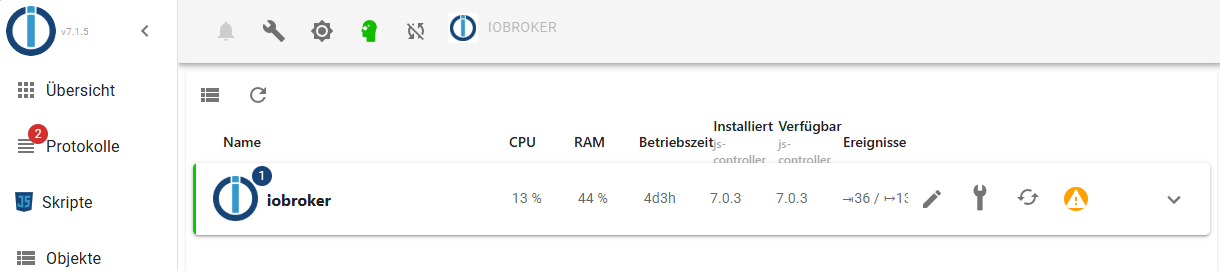
                      Screenshot 2024-12-10 120819.png

                      Edit: hat sich erledigt. Ich hätte nur früher drauf klicken müssen. :face_with_rolling_eyes:

                      Thomas BraunT 1 Antwort Letzte Antwort
                      0
                      • Dr. BakteriusD Dr. Bakterius

                        Ich stehe auf dem Schlauch. Was will mir die '1' hier sagen?
                        Screenshot 2024-12-10 120819.png

                        Edit: hat sich erledigt. Ich hätte nur früher drauf klicken müssen. :face_with_rolling_eyes:

                        Thomas BraunT Online
                        Thomas BraunT Online
                        Thomas Braun
                        Most Active
                        schrieb am zuletzt editiert von
                        #63

                        @dr-bakterius sagte in js-controller Lucy (Version 7.0) jetzt im Stable Repository:

                        Was will mir die '1' hier sagen?

                        Klick mich!

                        Linux-Werkzeugkasten:
                        https://forum.iobroker.net/topic/42952/der-kleine-iobroker-linux-werkzeugkasten
                        NodeJS Fixer Skript:
                        https://forum.iobroker.net/topic/68035/iob-node-fix-skript
                        iob_diag: curl -sLf -o diag.sh https://iobroker.net/diag.sh && bash diag.sh

                        1 Antwort Letzte Antwort
                        1
                        • D Offline
                          D Offline
                          drapo
                          schrieb am zuletzt editiert von
                          #64

                          Habe gerade gesehen, dass ich den js-controller updaten kann. Ich wollte diesen von 7.0.3 auf die 7.0.6 updaten. Wenn ich das im Admin unter dem Reiter Hosts machen möchte kommt dann gleich diese Meldung

                          a9dd4cc1-2917-46e9-8c59-e3ddee8e584d-grafik.png

                          Was kann ich dagegen tun?

                          Siggi0904S Meister MopperM 2 Antworten Letzte Antwort
                          0
                          • D drapo

                            Habe gerade gesehen, dass ich den js-controller updaten kann. Ich wollte diesen von 7.0.3 auf die 7.0.6 updaten. Wenn ich das im Admin unter dem Reiter Hosts machen möchte kommt dann gleich diese Meldung

                            a9dd4cc1-2917-46e9-8c59-e3ddee8e584d-grafik.png

                            Was kann ich dagegen tun?

                            Siggi0904S Offline
                            Siggi0904S Offline
                            Siggi0904
                            schrieb am zuletzt editiert von
                            #65

                            @drapo machs mal über die Console. Das ist besser.

                            https://forum.iobroker.net/topic/78324/js-controller-lucy-version-7-0-jetzt-im-stable-repository

                            1 Antwort Letzte Antwort
                            0
                            • D drapo

                              Habe gerade gesehen, dass ich den js-controller updaten kann. Ich wollte diesen von 7.0.3 auf die 7.0.6 updaten. Wenn ich das im Admin unter dem Reiter Hosts machen möchte kommt dann gleich diese Meldung

                              a9dd4cc1-2917-46e9-8c59-e3ddee8e584d-grafik.png

                              Was kann ich dagegen tun?

                              Meister MopperM Online
                              Meister MopperM Online
                              Meister Mopper
                              schrieb am zuletzt editiert von
                              #66

                              @drapo

                              Diese Meldung erhalte ich auch. Einfach abwarten, das Update läuft trotzdem durch.
                              Später einen Browserrefresh und alles ist gut.

                              Proxmox und HA

                              D 1 Antwort Letzte Antwort
                              0
                              • Meister MopperM Meister Mopper

                                @drapo

                                Diese Meldung erhalte ich auch. Einfach abwarten, das Update läuft trotzdem durch.
                                Später einen Browserrefresh und alles ist gut.

                                D Offline
                                D Offline
                                drapo
                                schrieb am zuletzt editiert von
                                #67

                                @meister-mopper war leider bei mir nicht so. Ich hab das ganze auch im Docker Container am Laufen vielleicht liegt es daran. Ich habs nun über die Console installiert und funktioniert nun. Danke für Eure Antworten...

                                mcm1957M 1 Antwort Letzte Antwort
                                0
                                • D drapo

                                  @meister-mopper war leider bei mir nicht so. Ich hab das ganze auch im Docker Container am Laufen vielleicht liegt es daran. Ich habs nun über die Console installiert und funktioniert nun. Danke für Eure Antworten...

                                  mcm1957M Online
                                  mcm1957M Online
                                  mcm1957
                                  schrieb am zuletzt editiert von mcm1957
                                  #68

                                  @drapo
                                  ev https://github.com/ioBroker/ioBroker.js-controller/issues/2988

                                  Weiters:
                                  https://github.com/ioBroker/ioBroker.js-controller/issues/2964 (gefixed)

                                  Zitat:

                                  Ja das ist klar du kannst erst ab 7.0.5 wieder mit Docker ein UI Upgrade machen

                                  Entwicklung u Betreuung: envertech-pv, hoymiles-ms, ns-client, pid, snmp Adapter;
                                  Support Repositoryverwaltung.

                                  Wer Danke sagen will, kann nen Kaffee spendieren: https://paypal.me/mcm1957atiobroker

                                  LESEN - gute Forenbeitrage

                                  1 Antwort Letzte Antwort
                                  0
                                  • P Offline
                                    P Offline
                                    pingo
                                    schrieb am zuletzt editiert von pingo
                                    #69

                                    Normalerweise klappt es super, wenn ich den Update Kreiselpfeil anklicke. Diesmal leider nicht. Leider bin ich in der Materie nicht so tief drin, dass ich die Fehlermeldung verstehe bzw. weiß, was ich nun tun sollte.
                                    Der Container läuft einem Synology Server. Dort habe ich vorher das fällige Update erfolgreich gemacht.
                                    Danke


                                    Bildschirmfoto 2024-12-28 um 18.21.24.jpg

                                    Bildschirmfoto 2024-12-28 um 18.20.39.jpg

                                    Thomas BraunT HomoranH 2 Antworten Letzte Antwort
                                    0
                                    • P pingo

                                      Normalerweise klappt es super, wenn ich den Update Kreiselpfeil anklicke. Diesmal leider nicht. Leider bin ich in der Materie nicht so tief drin, dass ich die Fehlermeldung verstehe bzw. weiß, was ich nun tun sollte.
                                      Der Container läuft einem Synology Server. Dort habe ich vorher das fällige Update erfolgreich gemacht.
                                      Danke

                                      Bildschirmfoto 2024-12-28 um 18.21.24.jpg

                                      Bildschirmfoto 2024-12-28 um 18.20.39.jpg

                                      Thomas BraunT Online
                                      Thomas BraunT Online
                                      Thomas Braun
                                      Most Active
                                      schrieb am zuletzt editiert von
                                      #70

                                      @pingo

                                      Mach es 'zu Fuß'.
                                      Zum einen kommen da andere/bessere Meldungen und zum anderen bekommst du etwas Handwerkszeug an die Hand.

                                      Linux-Werkzeugkasten:
                                      https://forum.iobroker.net/topic/42952/der-kleine-iobroker-linux-werkzeugkasten
                                      NodeJS Fixer Skript:
                                      https://forum.iobroker.net/topic/68035/iob-node-fix-skript
                                      iob_diag: curl -sLf -o diag.sh https://iobroker.net/diag.sh && bash diag.sh

                                      Ro75R P 2 Antworten Letzte Antwort
                                      1
                                      • P pingo

                                        Normalerweise klappt es super, wenn ich den Update Kreiselpfeil anklicke. Diesmal leider nicht. Leider bin ich in der Materie nicht so tief drin, dass ich die Fehlermeldung verstehe bzw. weiß, was ich nun tun sollte.
                                        Der Container läuft einem Synology Server. Dort habe ich vorher das fällige Update erfolgreich gemacht.
                                        Danke

                                        Bildschirmfoto 2024-12-28 um 18.21.24.jpg

                                        Bildschirmfoto 2024-12-28 um 18.20.39.jpg

                                        HomoranH Nicht stören
                                        HomoranH Nicht stören
                                        Homoran
                                        Global Moderator Administrators
                                        schrieb am zuletzt editiert von
                                        #71

                                        @pingo passt das?
                                        https://forum.iobroker.net/post/1232189

                                        kein Support per PN! - Fragen im Forum stellen - es gibt fast nichts, was nicht auch für andere interessant ist.

                                        Benutzt das Voting rechts unten im Beitrag wenn er euch geholfen hat.

                                        der Installationsfixer: curl -fsL https://iobroker.net/fix.sh | bash -

                                        1 Antwort Letzte Antwort
                                        2
                                        • Thomas BraunT Thomas Braun

                                          @pingo

                                          Mach es 'zu Fuß'.
                                          Zum einen kommen da andere/bessere Meldungen und zum anderen bekommst du etwas Handwerkszeug an die Hand.

                                          Ro75R Online
                                          Ro75R Online
                                          Ro75
                                          schrieb am zuletzt editiert von
                                          #72

                                          @thomas-braun also die Meldung bekomme ich bei jedem Update. Allerdings ist am Ende immer alles OK und das Update vollzogen.

                                          Ro75.

                                          SERVER = Beelink U59 16GB DDR4 RAM 512GB SSD, FB 7490, FritzDect 200+301+440, ConBee II, Zigbee Aqara Sensoren + NOUS A1Z, NOUS A1T, Philips Hue ** ioBroker, REDIS, influxdb2, Grafana, PiHole, Plex-Mediaserver, paperless-ngx (Docker), MariaDB + phpmyadmin *** VIS-Runtime = Intel NUC 8GB RAM 128GB SSD + 24" Touchscreen

                                          Thomas BraunT 1 Antwort Letzte Antwort
                                          0
                                          Antworten
                                          • In einem neuen Thema antworten
                                          Anmelden zum Antworten
                                          • Älteste zuerst
                                          • Neuste zuerst
                                          • Meiste Stimmen


                                          Support us

                                          ioBroker
                                          Community Adapters
                                          Donate
                                          FAQ Cloud / IOT
                                          HowTo: Node.js-Update
                                          HowTo: Backup/Restore
                                          Downloads
                                          BLOG

                                          853

                                          Online

                                          32.5k

                                          Benutzer

                                          81.6k

                                          Themen

                                          1.3m

                                          Beiträge
                                          Community
                                          Impressum | Datenschutz-Bestimmungen | Nutzungsbedingungen | Einwilligungseinstellungen
                                          ioBroker Community 2014-2025
                                          logo
                                          • Anmelden

                                          • Du hast noch kein Konto? Registrieren

                                          • Anmelden oder registrieren, um zu suchen
                                          • Erster Beitrag
                                            Letzter Beitrag
                                          0
                                          • Home
                                          • Aktuell
                                          • Tags
                                          • Ungelesen 0
                                          • Kategorien
                                          • Unreplied
                                          • Beliebt
                                          • GitHub
                                          • Docu
                                          • Hilfe