Skip to content
  • Home
  • Recent
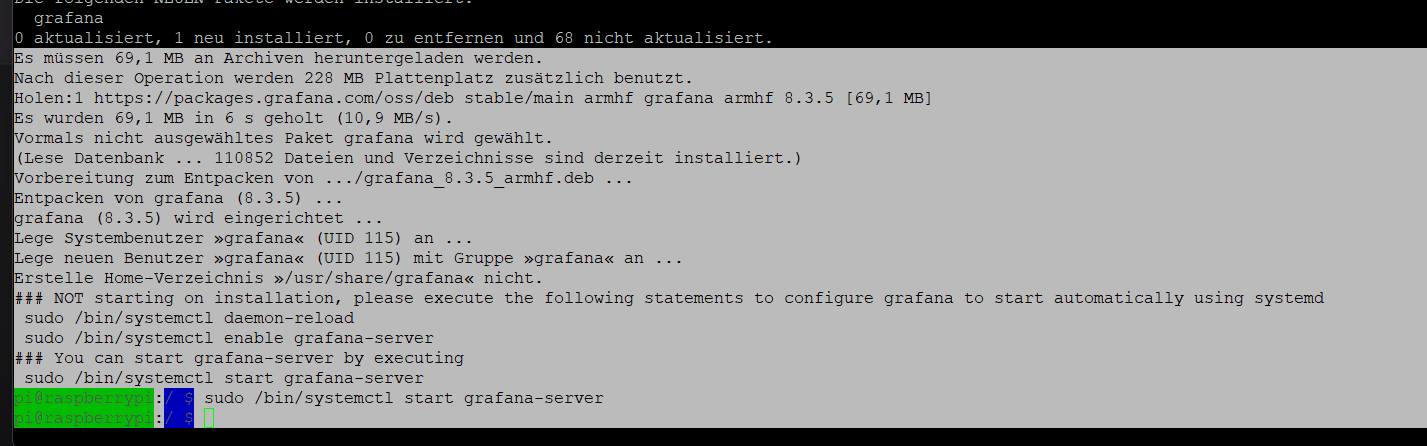
  • Tags
  • 0 Unread 0
  • Categories
  • Unreplied
  • Popular
  • GitHub
  • Docu
  • Hilfe
Skins
  • Light
  • Brite
  • Cerulean
  • Cosmo
  • Flatly
  • Journal
  • Litera
  • Lumen
  • Lux
  • Materia
  • Minty
  • Morph
  • Pulse
  • Sandstone
  • Simplex
  • Sketchy
  • Spacelab
  • United
  • Yeti
  • Zephyr
  • Dark
  • Cyborg
  • Darkly
  • Quartz
  • Slate
  • Solar
  • Superhero
  • Vapor

  • Default (No Skin)
  • No Skin
Collapse
ioBroker Logo

Community Forum

donate donate
  1. ioBroker Community Home
  2. Deutsch
  3. Off Topic
  4. Grafana
  5. Installation Grafana

NEWS

  • Neuer Blogbeitrag: Monatsrückblick - Dezember 2025 🎄
    BluefoxB
    Bluefox
    10
    1
    125

  • Weihnachtsangebot 2025! 🎄
    BluefoxB
    Bluefox
    24
    1
    1.4k

  • UPDATE 31.10.: Amazon Alexa - ioBroker Skill läuft aus ?
    apollon77A
    apollon77
    48
    3
    9.3k

Installation Grafana

Scheduled Pinned Locked Moved Grafana
27 Posts 5 Posters 4.1k Views 7 Watching
  • Oldest to Newest
  • Newest to Oldest
  • Most Votes
Reply
  • Reply as topic
Log in to reply
This topic has been deleted. Only users with topic management privileges can see it.
  • S Offline
    S Offline
    Smartuser_1
    wrote on last edited by
    #1

    ich möchte auf den Raspberry Pi 4 Grafana installieren und habe nach Vorgabe Ubuntu and Debian(ARMv7) die nachfolgenden Befehle ausgeführt:

    sudo apt-get install -y adduser libfontconfig1
    wget https://dl.grafana.com/enterprise/release/grafana-enterprise_8.3.5_armhf.deb

    -> hier komme ich allerdings nicht weiter, in der Konsole erscheint:

    grafana-enterprise_8.3.5_armhf.deb: Keine Berechtigung
    Schreiben nach »grafana-enterprise_8.3.5_armhf.deb« nicht möglich (Keine Berechtigung).

    Habt Ihr eine Idee, woran es liegen könnte? Vielen Dank für Eure Hilfe!

    Thomas BraunT Thomas JansenT 2 Replies Last reply
    0
    • S Smartuser_1

      ich möchte auf den Raspberry Pi 4 Grafana installieren und habe nach Vorgabe Ubuntu and Debian(ARMv7) die nachfolgenden Befehle ausgeführt:

      sudo apt-get install -y adduser libfontconfig1
      wget https://dl.grafana.com/enterprise/release/grafana-enterprise_8.3.5_armhf.deb

      -> hier komme ich allerdings nicht weiter, in der Konsole erscheint:

      grafana-enterprise_8.3.5_armhf.deb: Keine Berechtigung
      Schreiben nach »grafana-enterprise_8.3.5_armhf.deb« nicht möglich (Keine Berechtigung).

      Habt Ihr eine Idee, woran es liegen könnte? Vielen Dank für Eure Hilfe!

      Thomas BraunT Online
      Thomas BraunT Online
      Thomas Braun
      Most Active
      wrote on last edited by Thomas Braun
      #2

      @smartuser_1

      Man nutzt seinen Paketmanager.

      sudo apt-get install -y apt-transport-https
      sudo apt-get install -y software-properties-common wget
      wget -q -O - https://packages.grafana.com/gpg.key | sudo apt-key add -
      echo "deb https://packages.grafana.com/oss/deb stable main" | sudo tee -a /etc/apt/sources.list.d/grafana.list
      

      Danach sollte ein

      sudo apt update
      sudo apt install grafana
      

      die aktuelle Version auf das System bringen.

      Die Auswahl schaut bei mir zur Zeit so aus:

      pi@chet:~ $ apt policy grafana
      grafana:
        Installed: (none)
        Candidate: 8.3.5
        Version table:
           8.3.5 500
              500 https://packages.grafana.com/oss/deb stable/main arm64 Packages
           8.3.4 500
              500 https://packages.grafana.com/oss/deb stable/main arm64 Packages
           8.3.3 500
              500 https://packages.grafana.com/oss/deb stable/main arm64 Packages
           8.3.2 500
              500 https://packages.grafana.com/oss/deb stable/main arm64 Packages
           8.3.1 500
              500 https://packages.grafana.com/oss/deb stable/main arm64 Packages
           8.3.0 500
      

      Es würde also 8.3.5 installiert werden.

      Linux-Werkzeugkasten:
      https://forum.iobroker.net/topic/42952/der-kleine-iobroker-linux-werkzeugkasten
      NodeJS Fixer Skript:
      https://forum.iobroker.net/topic/68035/iob-node-fix-skript
      iob_diag: curl -sLf -o diag.sh https://iobroker.net/diag.sh && bash diag.sh

      S 2 Replies Last reply
      1
      • Thomas BraunT Thomas Braun

        @smartuser_1

        Man nutzt seinen Paketmanager.

        sudo apt-get install -y apt-transport-https
        sudo apt-get install -y software-properties-common wget
        wget -q -O - https://packages.grafana.com/gpg.key | sudo apt-key add -
        echo "deb https://packages.grafana.com/oss/deb stable main" | sudo tee -a /etc/apt/sources.list.d/grafana.list
        

        Danach sollte ein

        sudo apt update
        sudo apt install grafana
        

        die aktuelle Version auf das System bringen.

        Die Auswahl schaut bei mir zur Zeit so aus:

        pi@chet:~ $ apt policy grafana
        grafana:
          Installed: (none)
          Candidate: 8.3.5
          Version table:
             8.3.5 500
                500 https://packages.grafana.com/oss/deb stable/main arm64 Packages
             8.3.4 500
                500 https://packages.grafana.com/oss/deb stable/main arm64 Packages
             8.3.3 500
                500 https://packages.grafana.com/oss/deb stable/main arm64 Packages
             8.3.2 500
                500 https://packages.grafana.com/oss/deb stable/main arm64 Packages
             8.3.1 500
                500 https://packages.grafana.com/oss/deb stable/main arm64 Packages
             8.3.0 500
        

        Es würde also 8.3.5 installiert werden.

        S Offline
        S Offline
        Smartuser_1
        wrote on last edited by
        #3

        @thomas-braun

        das scheint alles geklappt zu haben, prima

        d2bc368d-6a38-4389-8bc3-17a3ac5b0986-image.png

        Thomas BraunT 1 Reply Last reply
        0
        • S Smartuser_1

          @thomas-braun

          das scheint alles geklappt zu haben, prima

          d2bc368d-6a38-4389-8bc3-17a3ac5b0986-image.png

          Thomas BraunT Online
          Thomas BraunT Online
          Thomas Braun
          Most Active
          wrote on last edited by
          #4

          @smartuser_1 Bitte keine bunten Bilder aus der schwarzen Konsole.
          Text auch als Text in CodeTags hier reinkopieren.

          Linux-Werkzeugkasten:
          https://forum.iobroker.net/topic/42952/der-kleine-iobroker-linux-werkzeugkasten
          NodeJS Fixer Skript:
          https://forum.iobroker.net/topic/68035/iob-node-fix-skript
          iob_diag: curl -sLf -o diag.sh https://iobroker.net/diag.sh && bash diag.sh

          S 1 Reply Last reply
          0
          • Thomas BraunT Thomas Braun

            @smartuser_1 Bitte keine bunten Bilder aus der schwarzen Konsole.
            Text auch als Text in CodeTags hier reinkopieren.

            S Offline
            S Offline
            Smartuser_1
            wrote on last edited by
            #5

            @thomas-braun

            das ist wohl war ..., beim nächsten Mal achte ich drauf. Danke

            1 Reply Last reply
            0
            • Thomas BraunT Thomas Braun

              @smartuser_1

              Man nutzt seinen Paketmanager.

              sudo apt-get install -y apt-transport-https
              sudo apt-get install -y software-properties-common wget
              wget -q -O - https://packages.grafana.com/gpg.key | sudo apt-key add -
              echo "deb https://packages.grafana.com/oss/deb stable main" | sudo tee -a /etc/apt/sources.list.d/grafana.list
              

              Danach sollte ein

              sudo apt update
              sudo apt install grafana
              

              die aktuelle Version auf das System bringen.

              Die Auswahl schaut bei mir zur Zeit so aus:

              pi@chet:~ $ apt policy grafana
              grafana:
                Installed: (none)
                Candidate: 8.3.5
                Version table:
                   8.3.5 500
                      500 https://packages.grafana.com/oss/deb stable/main arm64 Packages
                   8.3.4 500
                      500 https://packages.grafana.com/oss/deb stable/main arm64 Packages
                   8.3.3 500
                      500 https://packages.grafana.com/oss/deb stable/main arm64 Packages
                   8.3.2 500
                      500 https://packages.grafana.com/oss/deb stable/main arm64 Packages
                   8.3.1 500
                      500 https://packages.grafana.com/oss/deb stable/main arm64 Packages
                   8.3.0 500
              

              Es würde also 8.3.5 installiert werden.

              S Offline
              S Offline
              Smartuser_1
              wrote on last edited by
              #6

              @thomas-braun

              Ist die Installation von Influx db auch so einfach möglich, kann man das auch irgendwo nachlesen ?
              Danke & Viele Grüße

              Thomas BraunT 1 Reply Last reply
              0
              • Thomas BraunT Online
                Thomas BraunT Online
                Thomas Braun
                Most Active
                wrote on last edited by
                #7

                @smartuser_1

                Geht ähnlich. Ich hab aber gerade keinen Link parat, wie man das sauber als Repository in seinen Paketmanager bringt.

                Linux-Werkzeugkasten:
                https://forum.iobroker.net/topic/42952/der-kleine-iobroker-linux-werkzeugkasten
                NodeJS Fixer Skript:
                https://forum.iobroker.net/topic/68035/iob-node-fix-skript
                iob_diag: curl -sLf -o diag.sh https://iobroker.net/diag.sh && bash diag.sh

                1 Reply Last reply
                0
                • S Smartuser_1

                  @thomas-braun

                  Ist die Installation von Influx db auch so einfach möglich, kann man das auch irgendwo nachlesen ?
                  Danke & Viele Grüße

                  Thomas BraunT Online
                  Thomas BraunT Online
                  Thomas Braun
                  Most Active
                  wrote on last edited by
                  #8

                  @smartuser_1

                  sudo apt update
                  sudo apt install -y gnupg2 curl wget
                  wget -qO- https://repos.influxdata.com/influxdb.key | sudo apt-key add -
                  echo "deb https://repos.influxdata.com/debian $(lsb_release -cs) stable" | sudo tee /etc/apt/sources.list.d/influxdb.list
                  
                  sudo apt update
                  sudo apt install influxdb
                  

                  Linux-Werkzeugkasten:
                  https://forum.iobroker.net/topic/42952/der-kleine-iobroker-linux-werkzeugkasten
                  NodeJS Fixer Skript:
                  https://forum.iobroker.net/topic/68035/iob-node-fix-skript
                  iob_diag: curl -sLf -o diag.sh https://iobroker.net/diag.sh && bash diag.sh

                  S 2 Replies Last reply
                  1
                  • Thomas BraunT Thomas Braun

                    @smartuser_1

                    sudo apt update
                    sudo apt install -y gnupg2 curl wget
                    wget -qO- https://repos.influxdata.com/influxdb.key | sudo apt-key add -
                    echo "deb https://repos.influxdata.com/debian $(lsb_release -cs) stable" | sudo tee /etc/apt/sources.list.d/influxdb.list
                    
                    sudo apt update
                    sudo apt install influxdb
                    
                    S Offline
                    S Offline
                    Smartuser_1
                    wrote on last edited by
                    #9

                    @thomas-braun

                    das ging ja doch sehr schnell ;-)
                    Probiere ich gleich morgen, besten Dank!

                    1 Reply Last reply
                    0
                    • Thomas BraunT Thomas Braun

                      @smartuser_1

                      sudo apt update
                      sudo apt install -y gnupg2 curl wget
                      wget -qO- https://repos.influxdata.com/influxdb.key | sudo apt-key add -
                      echo "deb https://repos.influxdata.com/debian $(lsb_release -cs) stable" | sudo tee /etc/apt/sources.list.d/influxdb.list
                      
                      sudo apt update
                      sudo apt install influxdb
                      
                      S Offline
                      S Offline
                      Smartuser_1
                      wrote on last edited by
                      #10

                      @thomas-braun

                      Besten Dank, hat alles perfekt funktioniert. Vg

                      Thomas BraunT 1 Reply Last reply
                      0
                      • S Smartuser_1

                        @thomas-braun

                        Besten Dank, hat alles perfekt funktioniert. Vg

                        Thomas BraunT Online
                        Thomas BraunT Online
                        Thomas Braun
                        Most Active
                        wrote on last edited by
                        #11

                        @smartuser_1

                        Die offenen 68 Updates hast du hoffentlich auch eingespielt?
                        Wenn nicht:

                        sudo apt update
                        sudo apt full-upgrade
                        sudo reboot
                        

                        Linux-Werkzeugkasten:
                        https://forum.iobroker.net/topic/42952/der-kleine-iobroker-linux-werkzeugkasten
                        NodeJS Fixer Skript:
                        https://forum.iobroker.net/topic/68035/iob-node-fix-skript
                        iob_diag: curl -sLf -o diag.sh https://iobroker.net/diag.sh && bash diag.sh

                        S 1 Reply Last reply
                        0
                        • S Smartuser_1

                          ich möchte auf den Raspberry Pi 4 Grafana installieren und habe nach Vorgabe Ubuntu and Debian(ARMv7) die nachfolgenden Befehle ausgeführt:

                          sudo apt-get install -y adduser libfontconfig1
                          wget https://dl.grafana.com/enterprise/release/grafana-enterprise_8.3.5_armhf.deb

                          -> hier komme ich allerdings nicht weiter, in der Konsole erscheint:

                          grafana-enterprise_8.3.5_armhf.deb: Keine Berechtigung
                          Schreiben nach »grafana-enterprise_8.3.5_armhf.deb« nicht möglich (Keine Berechtigung).

                          Habt Ihr eine Idee, woran es liegen könnte? Vielen Dank für Eure Hilfe!

                          Thomas JansenT Offline
                          Thomas JansenT Offline
                          Thomas Jansen
                          wrote on last edited by
                          #12

                          @smartuser_1 Hey, guck mal, mir hat das Video von @Dutchman super geholfen... https://www.youtube.com/watch?v=VXfpds4Rtqc&t=5515s LG

                          1 Reply Last reply
                          0
                          • Thomas BraunT Thomas Braun

                            @smartuser_1

                            Die offenen 68 Updates hast du hoffentlich auch eingespielt?
                            Wenn nicht:

                            sudo apt update
                            sudo apt full-upgrade
                            sudo reboot
                            
                            S Offline
                            S Offline
                            Smartuser_1
                            wrote on last edited by
                            #13

                            @thomas-braun

                            das war noch ein sehr guter Hinweis. Habe ich gemacht und die Updates wurden eingespielt. Allerdings läuft jetzt Grafana nicht mehr.
                            Hast Du dazu noch einen Tipp.
                            Iobroker hatte ich gestoppt und nach dem Update wieder neu gestartet. Iobroker läuft soweit normal, die Influxdb funktioniert und hat auch eine Verbindung.

                            Danke & Vg

                            crunchipC 1 Reply Last reply
                            0
                            • S Smartuser_1

                              @thomas-braun

                              das war noch ein sehr guter Hinweis. Habe ich gemacht und die Updates wurden eingespielt. Allerdings läuft jetzt Grafana nicht mehr.
                              Hast Du dazu noch einen Tipp.
                              Iobroker hatte ich gestoppt und nach dem Update wieder neu gestartet. Iobroker läuft soweit normal, die Influxdb funktioniert und hat auch eine Verbindung.

                              Danke & Vg

                              crunchipC Offline
                              crunchipC Offline
                              crunchip
                              Forum Testing Most Active
                              wrote on last edited by
                              #14

                              @smartuser_1 ausgabe von

                              systemctl status grafana-server
                              

                              umgestiegen von Proxmox auf Unraid

                              S 1 Reply Last reply
                              0
                              • crunchipC crunchip

                                @smartuser_1 ausgabe von

                                systemctl status grafana-server
                                
                                S Offline
                                S Offline
                                Smartuser_1
                                wrote on last edited by
                                #15

                                @crunchip

                                ● grafana-server.service - Grafana instance
                                Loaded: loaded (/lib/systemd/system/grafana-server.service; disabled; vend>
                                Active: inactive (dead)
                                Docs: http://docs.grafana.org
                                lines 1-4/4 (END)
                                ● grafana-server.service - Grafana instance
                                Loaded: loaded (/lib/systemd/system/grafana-server.service; disabled; vendor preset: enabled)
                                Active: inactive (dead)
                                Docs: http://docs.grafana.org

                                Thomas BraunT crunchipC 2 Replies Last reply
                                0
                                • S Smartuser_1

                                  @crunchip

                                  ● grafana-server.service - Grafana instance
                                  Loaded: loaded (/lib/systemd/system/grafana-server.service; disabled; vend>
                                  Active: inactive (dead)
                                  Docs: http://docs.grafana.org
                                  lines 1-4/4 (END)
                                  ● grafana-server.service - Grafana instance
                                  Loaded: loaded (/lib/systemd/system/grafana-server.service; disabled; vendor preset: enabled)
                                  Active: inactive (dead)
                                  Docs: http://docs.grafana.org

                                  Thomas BraunT Online
                                  Thomas BraunT Online
                                  Thomas Braun
                                  Most Active
                                  wrote on last edited by Thomas Braun
                                  #16

                                  @smartuser_1

                                  sudo systemctl enable grafana-server
                                  sudo systemctl start grafana-server
                                  

                                  Linux-Werkzeugkasten:
                                  https://forum.iobroker.net/topic/42952/der-kleine-iobroker-linux-werkzeugkasten
                                  NodeJS Fixer Skript:
                                  https://forum.iobroker.net/topic/68035/iob-node-fix-skript
                                  iob_diag: curl -sLf -o diag.sh https://iobroker.net/diag.sh && bash diag.sh

                                  1 Reply Last reply
                                  0
                                  • S Smartuser_1

                                    @crunchip

                                    ● grafana-server.service - Grafana instance
                                    Loaded: loaded (/lib/systemd/system/grafana-server.service; disabled; vend>
                                    Active: inactive (dead)
                                    Docs: http://docs.grafana.org
                                    lines 1-4/4 (END)
                                    ● grafana-server.service - Grafana instance
                                    Loaded: loaded (/lib/systemd/system/grafana-server.service; disabled; vendor preset: enabled)
                                    Active: inactive (dead)
                                    Docs: http://docs.grafana.org

                                    crunchipC Offline
                                    crunchipC Offline
                                    crunchip
                                    Forum Testing Most Active
                                    wrote on last edited by crunchip
                                    #17

                                    @smartuser_1

                                    systemctl start grafana-server
                                    systemctl enable grafana-server.service


                                    und danach nochmal status prüfen

                                    umgestiegen von Proxmox auf Unraid

                                    S 1 Reply Last reply
                                    0
                                    • crunchipC crunchip

                                      @smartuser_1

                                      systemctl start grafana-server
                                      systemctl enable grafana-server.service


                                      und danach nochmal status prüfen

                                      S Offline
                                      S Offline
                                      Smartuser_1
                                      wrote on last edited by
                                      #18

                                      @crunchip & @Thomas-Braun

                                      vielen Dank Euch beiden, es läuft alles wieder ;-)

                                      crunchipC 1 Reply Last reply
                                      0
                                      • S Smartuser_1

                                        @crunchip & @Thomas-Braun

                                        vielen Dank Euch beiden, es läuft alles wieder ;-)

                                        crunchipC Offline
                                        crunchipC Offline
                                        crunchip
                                        Forum Testing Most Active
                                        wrote on last edited by
                                        #19

                                        @smartuser_1 das es läuft macht die Zeile start...,
                                        reboot fest die Zeile enable....

                                        @thomas-braun sagte in Installation Grafana:

                                        enable grafana-server

                                        sicher?

                                        @smartuser_1 sagte in Installation Grafana:

                                        loaded (/lib/systemd/system/grafana-server.service

                                        umgestiegen von Proxmox auf Unraid

                                        Thomas BraunT 1 Reply Last reply
                                        0
                                        • crunchipC crunchip

                                          @smartuser_1 das es läuft macht die Zeile start...,
                                          reboot fest die Zeile enable....

                                          @thomas-braun sagte in Installation Grafana:

                                          enable grafana-server

                                          sicher?

                                          @smartuser_1 sagte in Installation Grafana:

                                          loaded (/lib/systemd/system/grafana-server.service

                                          Thomas BraunT Online
                                          Thomas BraunT Online
                                          Thomas Braun
                                          Most Active
                                          wrote on last edited by Thomas Braun
                                          #20

                                          @crunchip sagte in Installation Grafana:

                                          sicher?

                                          Ja. Die .service-Endung kann entfallen.
                                          Bei dir fehlt die ja auch einmal. 🤓

                                          Linux-Werkzeugkasten:
                                          https://forum.iobroker.net/topic/42952/der-kleine-iobroker-linux-werkzeugkasten
                                          NodeJS Fixer Skript:
                                          https://forum.iobroker.net/topic/68035/iob-node-fix-skript
                                          iob_diag: curl -sLf -o diag.sh https://iobroker.net/diag.sh && bash diag.sh

                                          crunchipC 1 Reply Last reply
                                          0
                                          Reply
                                          • Reply as topic
                                          Log in to reply
                                          • Oldest to Newest
                                          • Newest to Oldest
                                          • Most Votes


                                          Support us

                                          ioBroker
                                          Community Adapters
                                          Donate

                                          368

                                          Online

                                          32.5k

                                          Users

                                          81.7k

                                          Topics

                                          1.3m

                                          Posts
                                          Community
                                          Impressum | Datenschutz-Bestimmungen | Nutzungsbedingungen | Einwilligungseinstellungen
                                          ioBroker Community 2014-2025
                                          logo
                                          • Login

                                          • Don't have an account? Register

                                          • Login or register to search.
                                          • First post
                                            Last post
                                          0
                                          • Home
                                          • Recent
                                          • Tags
                                          • Unread 0
                                          • Categories
                                          • Unreplied
                                          • Popular
                                          • GitHub
                                          • Docu
                                          • Hilfe