
NEWS





-
Danke - soweit war ich aber schon ;)
Klar kann ich da ne URL eintragen und dann bekomme ich beim Popup ein Standbild angezeigt.
ABER: Ich habe die URL als Wert eines Adapters in den Objekten unter Javascript im IOBRoker.
Die URL ist nicht fix, sondern ändert sich. Der richtige Wert (die korrekte URL) steht aber immer in den entsprechenden Objekt.
Wähle ich im Popup das Objekt aus, dann zieht er sich nicht den Link zum jpg, sondern nur den Namen des Objekts.Beispiel:
Im IOBroker unter Objekte/Javascript hab ich "Kamera Garage" . Im Wert steht die URL.
Wähle ich im Popup von IQontrol das Objekt aus, dann bekomme ich javascript.0.Anzeigen.Kamera.Kamera Garten
Also nicht den Wert.
Ich hoffe, ich konnte es einigermaßen gut beschreiben.@deifel sagte in [Neuer Adapter] Visualisierung iQontrol:
Wähle ich im Popup von IQontrol das Objekt aus, dann bekomme ich javascript.0.Anzeigen.Kamera.Kamera Garten
Also nicht den Wert.Aha, du meinst so eine Art iFrame..........
-
@s-bormann
Ich habe eben mal am Handy etwas ausprobiert...
Ich habe mich über iobroker.pro angemeldet und den admin geöffnet.
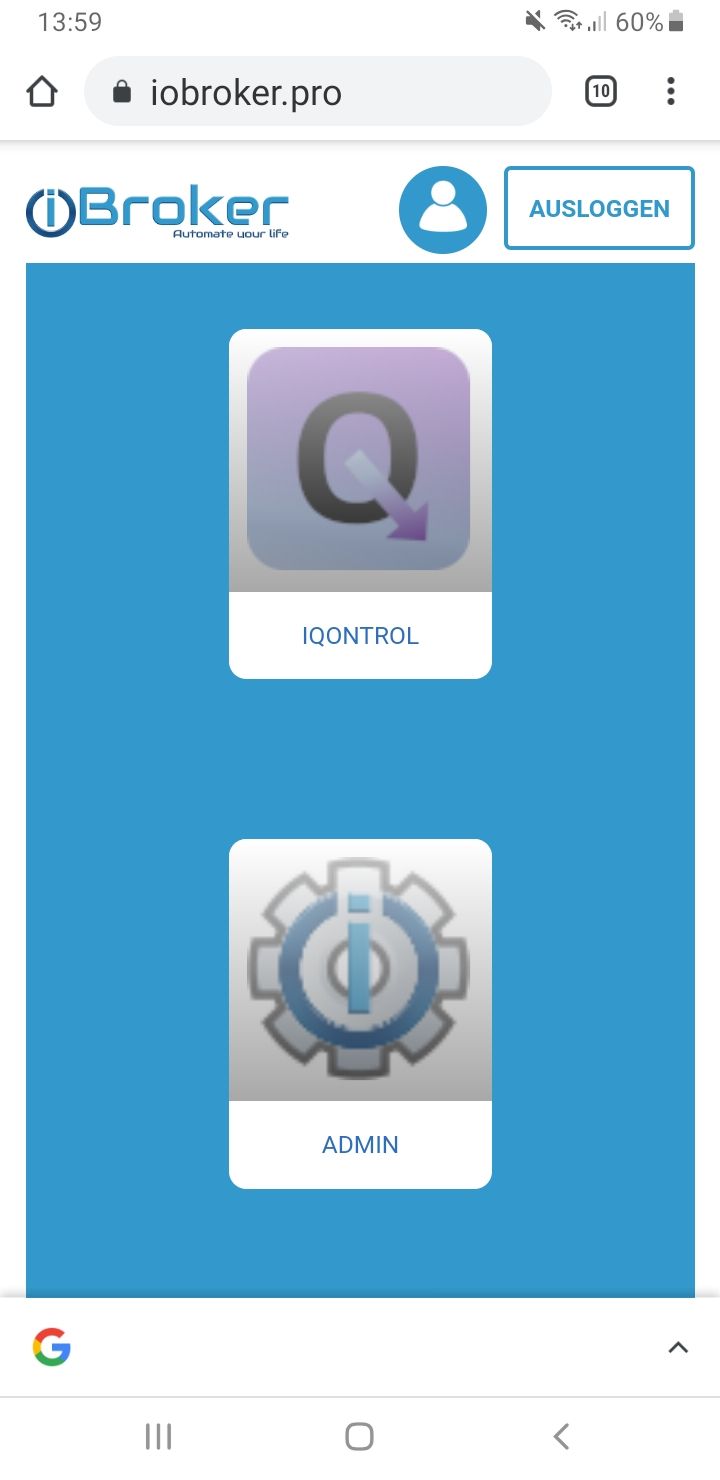
Und jetzt das Interessante... Ich habe die admin.0 Instanz auf http laufen und habe die web.0 mal auf https eingestellt, was soll ich sagen, dann funktioniert die Bearbeitung im Backend von iQontrol.
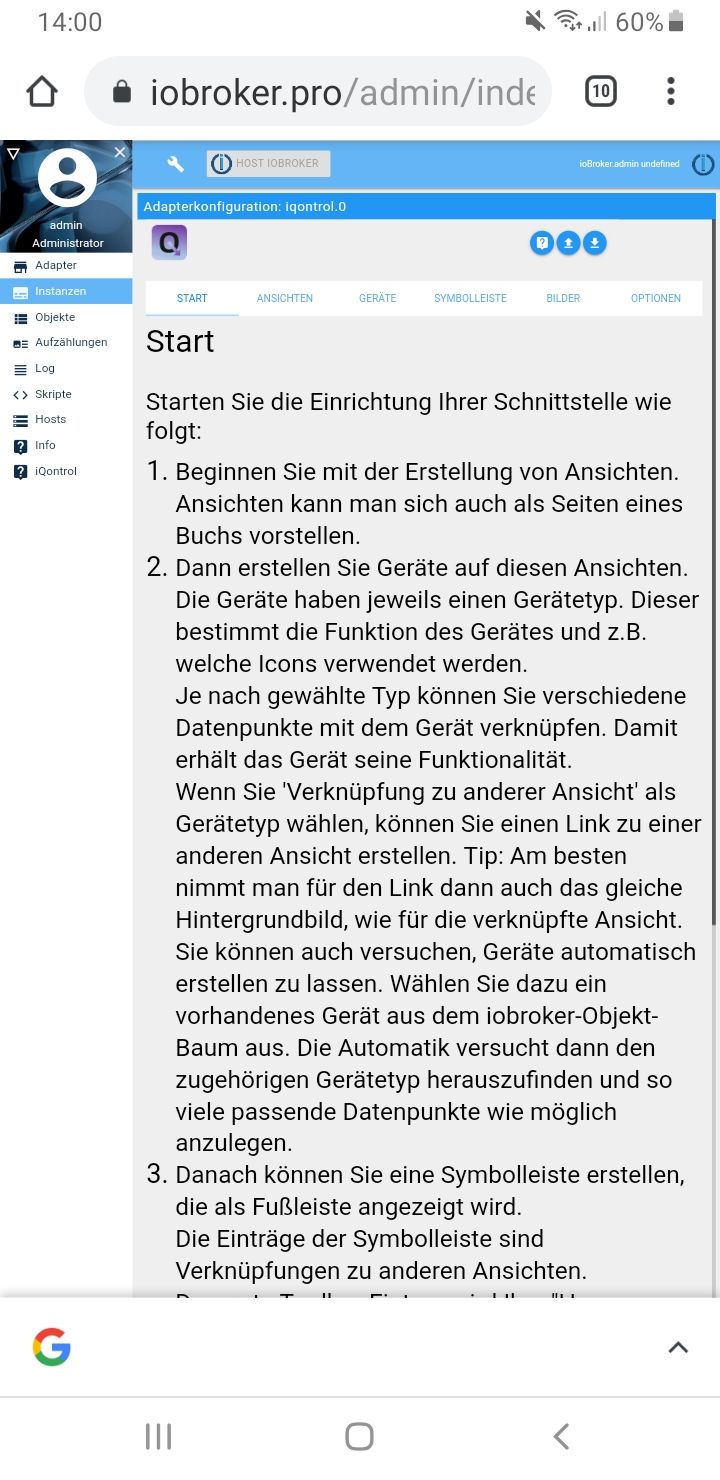
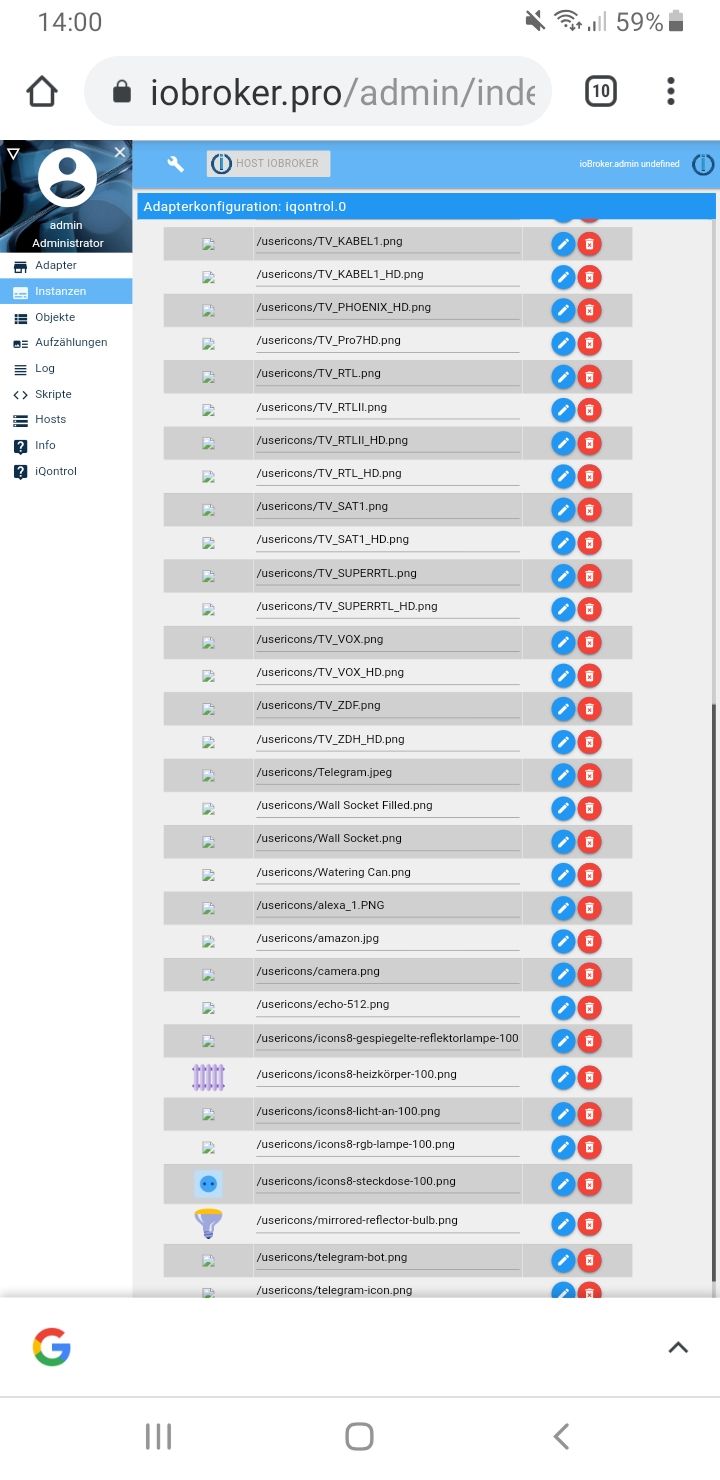
Komischerweise werden nicht alle icon oder Bilder geladen, aber einige schon.
Diese Konstellation funktioniert dann natürlich im Heimnetz nicht, (über die normale Anmeldung über die http admin ip)
da kommen dann wieder Fehler bzw. popups von Deinem Adapter, das beider Instanzen gleich sein müssen.Vielleicht hilft Dir das zur Analyse.
(ich bin unterwegs, deshalb alles nur am Handy probiert)@dslraser said in [Neuer Adapter] Visualisierung iQontrol:
Und jetzt das Interessante... Ich habe die admin.0 Instanz auf http laufen und habe die web.0 mal auf https eingestellt, was soll ich sagen, dann funktioniert die Bearbeitung im Backend von iQontrol.
Hast du ein eigenes SSL Zertifikat ?
Kannst du mal deine Konfig des web.0 Adapters mit https posten? -
@dslraser said in [Neuer Adapter] Visualisierung iQontrol:
Und jetzt das Interessante... Ich habe die admin.0 Instanz auf http laufen und habe die web.0 mal auf https eingestellt, was soll ich sagen, dann funktioniert die Bearbeitung im Backend von iQontrol.
Hast du ein eigenes SSL Zertifikat ?
Kannst du mal deine Konfig des web.0 Adapters mit https posten? -
@dslraser said in [Neuer Adapter] Visualisierung iQontrol:
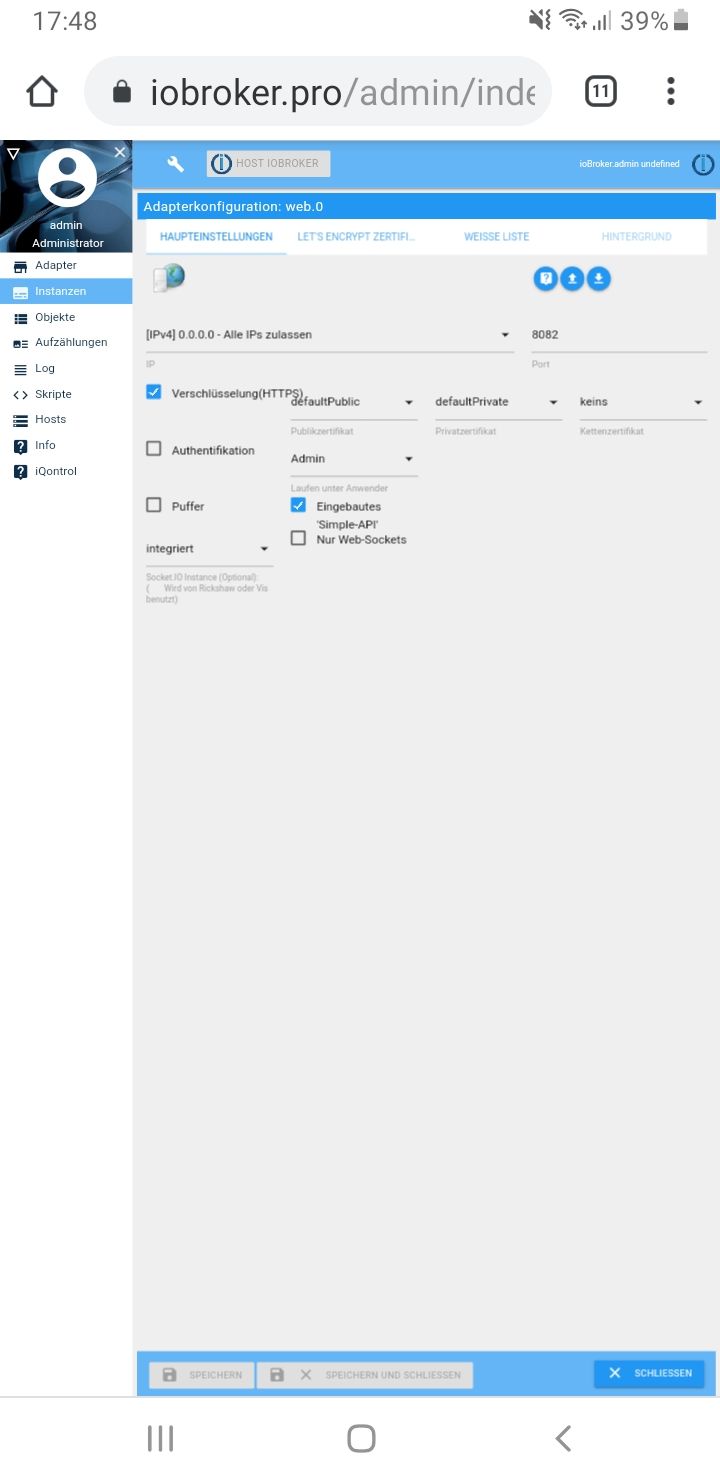
Hmm. Habs bei mir auch mal so eingestellt bekomme aber nur Fehlermeldungen wie oben schon gepostet. Hab iQontrol 0.1.5, socket.io 2.1.1 und web 2.4.1 und admin 3.6.2
-
@dslraser said in [Neuer Adapter] Visualisierung iQontrol:
Hmm. Habs bei mir auch mal so eingestellt bekomme aber nur Fehlermeldungen wie oben schon gepostet. Hab iQontrol 0.1.5, socket.io 2.1.1 und web 2.4.1 und admin 3.6.2
@martinschm
hm...
ich habe jetzt mal wieder zurück gestellt, beides auf http und iobroker.pro.
Das Frontend geht ja dann.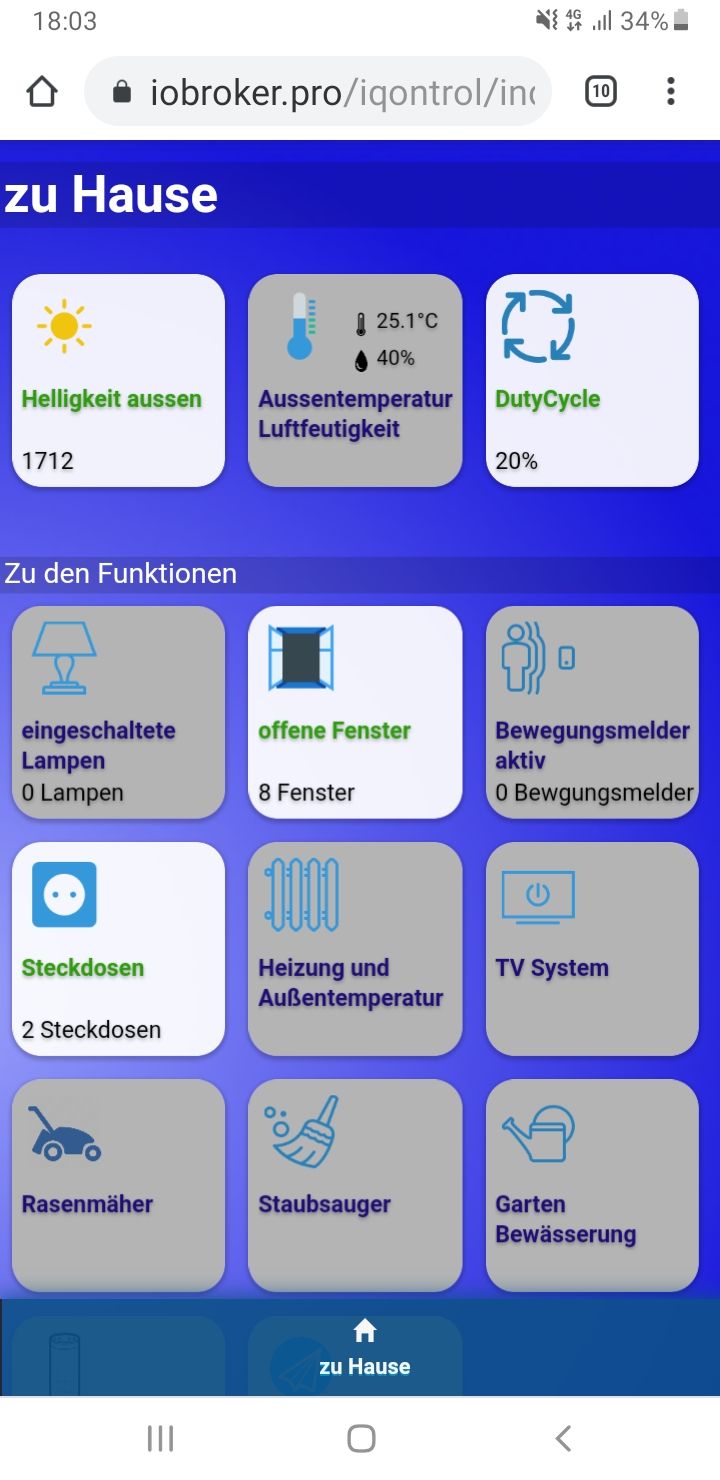
-
@martinschm
hm...
ich habe jetzt mal wieder zurück gestellt, beides auf http und iobroker.pro.
Das Frontend geht ja dann.@dslraser sagte in [Neuer Adapter] Visualisierung iQontrol:
@martinschm
hm...
ich habe jetzt mal wieder zurück gestellt, beides auf http und iobroker.pro.
Das Frontend geht ja dann.Habe noch mal ein bisschen was geändert. Versucht es bitte noch mal mit der 0.1.6 über iobroker.pro.
Bei Fehlern bitte genau, wie es @martinschm gemacht hat, ein Log aus der Entwicklerkonsole des Browsers schicken (F12 im Browser).By the way @martinschm : Kann es sein, dass bei Dir das Update nicht geklappt hat? Die Zeilennummern entsprechen eigentlich nicht der aktuellen Version. Ich würde empfehlen: Einstellungen sichern, Adapter komplett löschen (nicht nur die Instanzen!) und neu zu installieren. Es scheint manchmal beim Update Probleme zu geben, so dass - auch wenn es ioBroker anders anzeigt - noch die alte Version aktiv ist...
VG!!
-
Danke - soweit war ich aber schon ;)
Klar kann ich da ne URL eintragen und dann bekomme ich beim Popup ein Standbild angezeigt.
ABER: Ich habe die URL als Wert eines Adapters in den Objekten unter Javascript im IOBRoker.
Die URL ist nicht fix, sondern ändert sich. Der richtige Wert (die korrekte URL) steht aber immer in den entsprechenden Objekt.
Wähle ich im Popup das Objekt aus, dann zieht er sich nicht den Link zum jpg, sondern nur den Namen des Objekts.Beispiel:
Im IOBroker unter Objekte/Javascript hab ich "Kamera Garage" . Im Wert steht die URL.
Wähle ich im Popup von IQontrol das Objekt aus, dann bekomme ich javascript.0.Anzeigen.Kamera.Kamera Garten
Also nicht den Wert.
Ich hoffe, ich konnte es einigermaßen gut beschreiben.@deifel sagte in [Neuer Adapter] Visualisierung iQontrol:
Danke - soweit war ich aber schon ;)
Klar kann ich da ne URL eintragen und dann bekomme ich beim Popup ein Standbild angezeigt.
ABER: Ich habe die URL als Wert eines Adapters in den Objekten unter Javascript im IOBRoker.
Die URL ist nicht fix, sondern ändert sich. Der richtige Wert (die korrekte URL) steht aber immer in den entsprechenden Objekt.
Wähle ich im Popup das Objekt aus, dann zieht er sich nicht den Link zum jpg, sondern nur den Namen des Objekts.Beispiel:
Im IOBroker unter Objekte/Javascript hab ich "Kamera Garage" . Im Wert steht die URL.
Wähle ich im Popup von IQontrol das Objekt aus, dann bekomme ich javascript.0.Anzeigen.Kamera.Kamera Garten
Also nicht den Wert.
Ich hoffe, ich konnte es einigermaßen gut beschreiben.Hallo, nein, das geht (aktuell noch) nicht. Die URL des Popups ist zur Zeit eine Konstante und kein LinkedState. Ggf. kann man das in einer späteren Version mal selbst auswählen, aber zur Zeit ist das fest zugeordnet.
Einziger Umweg wäre, eine kleine Webseite oder eine VIS-Seite mit der entsprechenden Funktion als URL einzubinden.
VG -
@dslraser sagte in [Neuer Adapter] Visualisierung iQontrol:
@martinschm
hm...
ich habe jetzt mal wieder zurück gestellt, beides auf http und iobroker.pro.
Das Frontend geht ja dann.Habe noch mal ein bisschen was geändert. Versucht es bitte noch mal mit der 0.1.6 über iobroker.pro.
Bei Fehlern bitte genau, wie es @martinschm gemacht hat, ein Log aus der Entwicklerkonsole des Browsers schicken (F12 im Browser).By the way @martinschm : Kann es sein, dass bei Dir das Update nicht geklappt hat? Die Zeilennummern entsprechen eigentlich nicht der aktuellen Version. Ich würde empfehlen: Einstellungen sichern, Adapter komplett löschen (nicht nur die Instanzen!) und neu zu installieren. Es scheint manchmal beim Update Probleme zu geben, so dass - auch wenn es ioBroker anders anzeigt - noch die alte Version aktiv ist...
VG!!
@s-bormann said in [Neuer Adapter] Visualisierung iQontrol:
@dslraser sagte in [Neuer Adapter] Visualisierung iQontrol:
@martinschm
hm...
ich habe jetzt mal wieder zurück gestellt, beides auf http und iobroker.pro.
Das Frontend geht ja dann.Habe noch mal ein bisschen was geändert. Versucht es bitte noch mal mit der 0.1.6 über iobroker.pro.
Bei Fehlern bitte genau, wie es @martinschm gemacht hat, ein Log aus der Entwicklerkonsole des Browsers schicken (F12 im Browser).By the way @martinschm : Kann es sein, dass bei Dir das Update nicht geklappt hat? Die Zeilennummern entsprechen eigentlich nicht der aktuellen Version. Ich würde empfehlen: Einstellungen sichern, Adapter komplett löschen (nicht nur die Instanzen!) und neu zu installieren. Es scheint manchmal beim Update Probleme zu geben, so dass - auch wenn es ioBroker anders anzeigt - noch die alte Version aktiv ist...
VG!!
Hi,
hab den Adapter gelöscht und neu über GitHub installiert. Die Adapter Sicht zeigt 0.1.6 ans Version an, im Log steht auch 0.1.6.Wenn ich in die Konfig des Adapters gehe bekomme ich in der Entwicklerkonsole die folgenden Fehler
:8082/socket.io/?key=nokey&EIO=3&transport=polling&t=MnrRE_r:1 Failed to load resource: net::ERR_CONNECTION_REFUSED switch_on.png:1 Failed to load resource: net::ERR_CONNECTION_REFUSED light_on.png:1 Failed to load resource: net::ERR_CONNECTION_REFUSED fan_on.png:1 Failed to load resource: net::ERR_CONNECTION_REFUSED radiator.png:1 Failed to load resource: net::ERR_CONNECTION_REFUSED temperature.png:1 Failed to load resource: net::ERR_CONNECTION_REFUSED humidity.png:1 Failed to load resource: net::ERR_CONNECTION_REFUSED brightness_light.png:1 Failed to load resource: net::ERR_CONNECTION_REFUSED motion_on.png:1 Failed to load resource: net::ERR_CONNECTION_REFUSED door_closed.png:1 Failed to load resource: net::ERR_CONNECTION_REFUSED garagedoor_closed.png:1 Failed to load resource: net::ERR_CONNECTION_REFUSED door_locked.png:1 Failed to load resource: net::ERR_CONNECTION_REFUSED window_closed.png:1 Failed to load resource: net::ERR_CONNECTION_REFUSED blind_middle.png:1 Failed to load resource: net::ERR_CONNECTION_REFUSED fire_on.png:1 Failed to load resource: net::ERR_CONNECTION_REFUSED alarm_on.png:1 Failed to load resource: net::ERR_CONNECTION_REFUSED battery_full.png:1 Failed to load resource: net::ERR_CONNECTION_REFUSED value_on.png:1 Failed to load resource: net::ERR_CONNECTION_REFUSED :8082/socket.io/?key=nokey&EIO=3&transport=polling&t=MnrRGvE:1 Failed to load resource: net::ERR_CONNECTION_REFUSED play_on.png:1 Failed to load resource: net::ERR_CONNECTION_REFUSED play.png:1 Failed to load resource: net::ERR_CONNECTION_REFUSED button.png:1 Failed to load resource: net::ERR_CONNECTION_REFUSED popup.png:1 Failed to load resource: net::ERR_CONNECTION_REFUSED link.png:1 Failed to load resource: net::ERR_CONNECTION_REFUSED :8082/socket.io/?key=nokey&EIO=3&transport=polling&t=MnrRI7L:1 Failed to load resource: net::ERR_CONNECTION_REFUSED :8082/socket.io/?key=nokey&EIO=3&transport=polling&t=MnrRJLU:1 Failed to load resource: net::ERR_CONNECTION_REFUSED :8082/socket.io/?key=nokey&EIO=3&transport=polling&t=MnrRKZd:1 Failed to load resource: net::ERR_CONNECTION_REFUSED :8082/socket.io/?key=nokey&EIO=3&transport=polling&t=MnrRLnj:1 Failed to load resource: net::ERR_CONNECTION_REFUSED :8082/socket.io/?key=nokey&EIO=3&transport=polling&t=MnrRM_t:1 Failed to load resource: net::ERR_CONNECTION_REFUSED :8082/socket.io/?key=nokey&EIO=3&transport=polling&t=MnrROD-:1 Failed to load resource: net::ERR_CONNECTION_REFUSED :8082/socket.io/?key=nokey&EIO=3&transport=polling&t=MnrRPS6:1 Failed to load resource: net::ERR_CONNECTION_REFUSED :8082/socket.io/?key=nokey&EIO=3&transport=polling&t=MnrRQgE:1 Failed to load resource: net::ERR_CONNECTION_REFUSED :8082/socket.io/?key=nokey&EIO=3&transport=polling&t=MnrRRuM:1 Failed to load resource: net::ERR_CONNECTION_REFUSED :8082/socket.io/?key=nokey&EIO=3&transport=polling&t=MnrRT6U:1 Failed to load resource: net::ERR_CONNECTION_REFUSED :8082/socket.io/?key=nokey&EIO=3&transport=polling&t=MnrRUKd:1 Failed to load resource: net::ERR_CONNECTION_REFUSED :8082/socket.io/?key=nokey&EIO=3&transport=polling&t=MnrRVYj:1 Failed to load resource: net::ERR_CONNECTION_REFUSED :8082/socket.io/?key=nokey&EIO=3&transport=polling&t=MnrRWms:1 Failed to load resource: net::ERR_CONNECTION_REFUSED socket.io.js:2 GET https://iobroker.pro:8082/socket.io/?key=nokey&EIO=3&transport=polling&t=MnrRX-- net::ERR_CONNECTION_REFUSED i.create @ socket.io.js:2 i @ socket.io.js:2 o.request @ socket.io.js:2 o.doPoll @ socket.io.js:2 n.poll @ socket.io.js:2 n.doOpen @ socket.io.js:2 n.open @ socket.io.js:2 n.open @ socket.io.js:2 n @ socket.io.js:2 n @ socket.io.js:1 n.open.n.connect @ socket.io.js:1 n.open.n.connect @ socket.io.js:3 (anonymous) @ conn.js:141 socket.io.js:2 GET https://iobroker.pro:8082/socket.io/?key=nokey&EIO=3&transport=polling&t=MnrRZD6 net::ERR_CONNECTION_REFUSED i.create @ socket.io.js:2 i @ socket.io.js:2 o.request @ socket.io.js:2 o.doPoll @ socket.io.js:2 n.poll @ socket.io.js:2 n.doOpen @ socket.io.js:2 n.open @ socket.io.js:2 n.open @ socket.io.js:2 n @ socket.io.js:2 n @ socket.io.js:1 n.open.n.connect @ socket.io.js:1 n.open.n.connect @ socket.io.js:3 (anonymous) @ conn.js:141 socket.io.js:2 GET https://iobroker.pro:8082/socket.io/?key=nokey&EIO=3&transport=polling&t=MnrRaRF net::ERR_CONNECTION_REFUSED i.create @ socket.io.js:2 i @ socket.io.js:2 o.request @ socket.io.js:2 o.doPoll @ socket.io.js:2 n.poll @ socket.io.js:2 n.doOpen @ socket.io.js:2 n.open @ socket.io.js:2 n.open @ socket.io.js:2 n @ socket.io.js:2 n @ socket.io.js:1 n.open.n.connect @ socket.io.js:1 n.open.n.connect @ socket.io.js:3 (anonymous) @ conn.js:141 socket.io.js:2 GET https://iobroker.pro:8082/socket.io/?key=nokey&EIO=3&transport=polling&t=MnrRbfN net::ERR_CONNECTION_REFUSED i.create @ socket.io.js:2 i @ socket.io.js:2 o.request @ socket.io.js:2 o.doPoll @ socket.io.js:2 n.poll @ socket.io.js:2 n.doOpen @ socket.io.js:2 n.open @ socket.io.js:2 n.open @ socket.io.js:2 n @ socket.io.js:2 n @ socket.io.js:1 n.open.n.connect @ socket.io.js:1 n.open.n.connect @ socket.io.js:3 (anonymous) @ conn.js:141 socket.io.js:2 GET https://iobroker.pro:8082/socket.io/?key=nokey&EIO=3&transport=polling&t=MnrRctU net::ERR_CONNECTION_REFUSED i.create @ socket.io.js:2 i @ socket.io.js:2 o.request @ socket.io.js:2 o.doPoll @ socket.io.js:2 n.poll @ socket.io.js:2 n.doOpen @ socket.io.js:2 n.open @ socket.io.js:2 n.open @ socket.io.js:2 n @ socket.io.js:2 n @ socket.io.js:1 n.open.n.connect @ socket.io.js:1 n.open.n.connect @ socket.io.js:3 (anonymous) @ conn.js:141 socket.io.js:2 GET https://iobroker.pro:8082/socket.io/?key=nokey&EIO=3&transport=polling&t=MnrRe5f net::ERR_CONNECTION_REFUSED i.create @ socket.io.js:2 i @ socket.io.js:2 o.request @ socket.io.js:2 o.doPoll @ socket.io.js:2 n.poll @ socket.io.js:2 n.doOpen @ socket.io.js:2 n.open @ socket.io.js:2 n.open @ socket.io.js:2 n @ socket.io.js:2 n @ socket.io.js:1 n.open.n.connect @ socket.io.js:1 n.open.n.connect @ socket.io.js:3 (anonymous) @ conn.js:141 -
Kann mir jemand sagen, ob bzw. wie es möglich ist, in einem Objekt "Wert" 2 Variablen hintereinander zu nutzen / darzustellen?
Beispiel:Habe in IObroker 2 Objekte mit "State".
Windrichtung: 250 Grad
Windstärke: 8 km/hDafür will ich eigentlich ungern 2 "Buttons" generieren.
Kann man hier mit & o.ä. arbeiten und die 2 Zustände hintereinander schreiben in einen "Button"?Danke und Grüße
-
Kann mir jemand sagen, ob bzw. wie es möglich ist, in einem Objekt "Wert" 2 Variablen hintereinander zu nutzen / darzustellen?
Beispiel:Habe in IObroker 2 Objekte mit "State".
Windrichtung: 250 Grad
Windstärke: 8 km/hDafür will ich eigentlich ungern 2 "Buttons" generieren.
Kann man hier mit & o.ä. arbeiten und die 2 Zustände hintereinander schreiben in einen "Button"?Danke und Grüße
@deifel
nur eine Idee...
versuche es doch mit so einem und konfiguriere das mit dem Schraubenschlüssel um und nehme ein eigenes icon.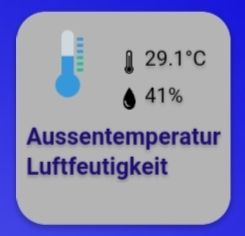
-
Danke, die Idee ist gut. Etwas umständlich zwar, aber es geht.
Was mir noch aufgefallen ist bzw. was ich schmerzlich vermisse:- Uhrzeit und Datum
- Wettervorhersageicon (könnte man zwar auch über die Lösung oben machen - aber nur bedingt, da man nicht die notwendigen Daten unterbekommt z.B. Tem min, Temp max)
Aber das nur so am Rande. Ich weiß wohl, dass dieses ganze Projekt hier in der alpha-Phase ist und da sicher noch einiges kommt :)
Hat es jemand schon geschafft, einen Kalender (z.B. ical als html-Table) in IQontrol vernünftig darzustellen?
-
Danke, die Idee ist gut. Etwas umständlich zwar, aber es geht.
Was mir noch aufgefallen ist bzw. was ich schmerzlich vermisse:- Uhrzeit und Datum
- Wettervorhersageicon (könnte man zwar auch über die Lösung oben machen - aber nur bedingt, da man nicht die notwendigen Daten unterbekommt z.B. Tem min, Temp max)
Aber das nur so am Rande. Ich weiß wohl, dass dieses ganze Projekt hier in der alpha-Phase ist und da sicher noch einiges kommt :)
Hat es jemand schon geschafft, einen Kalender (z.B. ical als html-Table) in IQontrol vernünftig darzustellen?
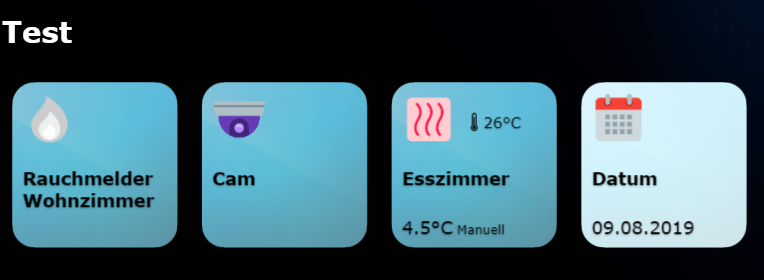
@deifel sagte in [Neuer Adapter] Visualisierung iQontrol:
Datum
Geht mit einen DP aus einen Skript.....
-
Kann man auch einfach eine Hintergrundfarbe für die Ansicht wählen anstelle eines Bildes?
Ich habe bei mir Icon8 Icons über ioBroker installiert. Kann man die auch in iQontrol nutzen, oder muss ich die rüberkopieren? -
@AlCalzone sagte in [Neuer Adapter] Visualisierung iQontrol:
@s-bormann sagte in [Neuer Adapter] Visualisierung iQontrol:
Gibt es vielleicht ein Rechte-Problem? Sind die Datenpunkte nur für bestimmte Nutzer oder mit Anmeldung lesbar?
Ich habe eigentlich (fast) alles auf Standardeinstellung. Die Datenpunkt sind auf für jeden lesbar.
Einzig musste ich für die Konfiguration von iQcontrol eine zusätzliche Admin-Instanz ohne HTTPS installieren weil es sonst wegen dem unterschiedlichen Port CORS-Probleme gibt.Die Browser-Konsole sieht für mich auch unverdächtig aus:
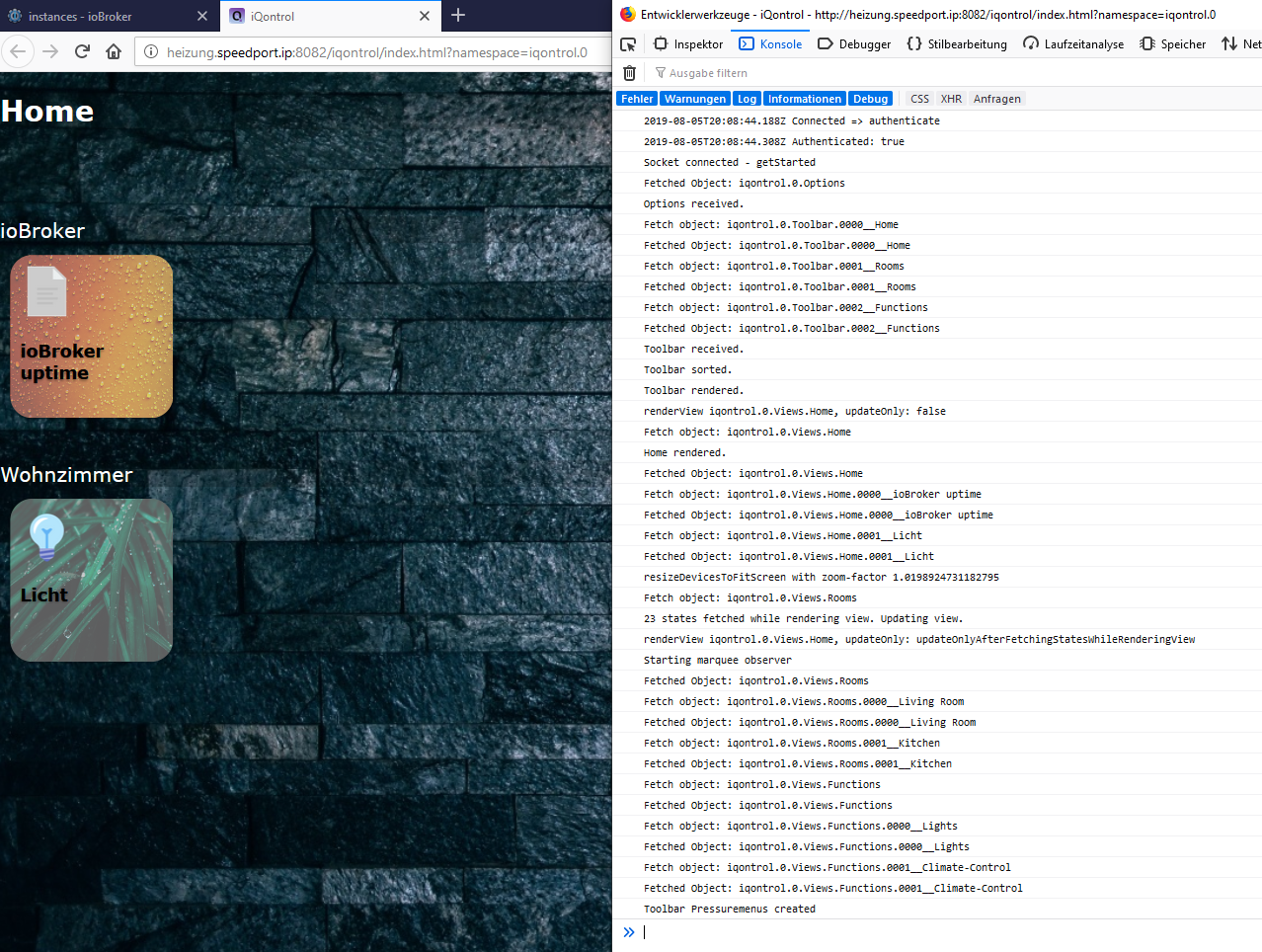
Was könnte das sonst noch sein?
gib mal bitte in der Konsole "states" ein und lass Dir das Objekt anzeigen. Da sind alle empfangenen States drin (die, die sich iQontrol aktiv geholt hat und alle, die sich seit Start von iQontrol geändert haben). Sind die States in dem Objekt drin? Oder ist es leer?
@s-bormann sagte in [Neuer Adapter] Visualisierung iQontrol:
gib mal bitte in der Konsole "states" ein und lass Dir das Objekt anzeigen.
Es sind einige States dort drin (z.B. ein paar aus javascript.0), aber nicht die, die angezeigt werden sollen.
"system.host.Heizung.uptime": Object { val: 645297, ack: true, ts: 1565371529083, … }ist drin, aber wird nicht angezeigt -
@s-bormann said in [Neuer Adapter] Visualisierung iQontrol:
@dslraser sagte in [Neuer Adapter] Visualisierung iQontrol:
@martinschm
hm...
ich habe jetzt mal wieder zurück gestellt, beides auf http und iobroker.pro.
Das Frontend geht ja dann.Habe noch mal ein bisschen was geändert. Versucht es bitte noch mal mit der 0.1.6 über iobroker.pro.
Bei Fehlern bitte genau, wie es @martinschm gemacht hat, ein Log aus der Entwicklerkonsole des Browsers schicken (F12 im Browser).By the way @martinschm : Kann es sein, dass bei Dir das Update nicht geklappt hat? Die Zeilennummern entsprechen eigentlich nicht der aktuellen Version. Ich würde empfehlen: Einstellungen sichern, Adapter komplett löschen (nicht nur die Instanzen!) und neu zu installieren. Es scheint manchmal beim Update Probleme zu geben, so dass - auch wenn es ioBroker anders anzeigt - noch die alte Version aktiv ist...
VG!!
Hi,
hab den Adapter gelöscht und neu über GitHub installiert. Die Adapter Sicht zeigt 0.1.6 ans Version an, im Log steht auch 0.1.6.Wenn ich in die Konfig des Adapters gehe bekomme ich in der Entwicklerkonsole die folgenden Fehler
:8082/socket.io/?key=nokey&EIO=3&transport=polling&t=MnrRE_r:1 Failed to load resource: net::ERR_CONNECTION_REFUSED switch_on.png:1 Failed to load resource: net::ERR_CONNECTION_REFUSED light_on.png:1 Failed to load resource: net::ERR_CONNECTION_REFUSED fan_on.png:1 Failed to load resource: net::ERR_CONNECTION_REFUSED radiator.png:1 Failed to load resource: net::ERR_CONNECTION_REFUSED temperature.png:1 Failed to load resource: net::ERR_CONNECTION_REFUSED humidity.png:1 Failed to load resource: net::ERR_CONNECTION_REFUSED brightness_light.png:1 Failed to load resource: net::ERR_CONNECTION_REFUSED motion_on.png:1 Failed to load resource: net::ERR_CONNECTION_REFUSED door_closed.png:1 Failed to load resource: net::ERR_CONNECTION_REFUSED garagedoor_closed.png:1 Failed to load resource: net::ERR_CONNECTION_REFUSED door_locked.png:1 Failed to load resource: net::ERR_CONNECTION_REFUSED window_closed.png:1 Failed to load resource: net::ERR_CONNECTION_REFUSED blind_middle.png:1 Failed to load resource: net::ERR_CONNECTION_REFUSED fire_on.png:1 Failed to load resource: net::ERR_CONNECTION_REFUSED alarm_on.png:1 Failed to load resource: net::ERR_CONNECTION_REFUSED battery_full.png:1 Failed to load resource: net::ERR_CONNECTION_REFUSED value_on.png:1 Failed to load resource: net::ERR_CONNECTION_REFUSED :8082/socket.io/?key=nokey&EIO=3&transport=polling&t=MnrRGvE:1 Failed to load resource: net::ERR_CONNECTION_REFUSED play_on.png:1 Failed to load resource: net::ERR_CONNECTION_REFUSED play.png:1 Failed to load resource: net::ERR_CONNECTION_REFUSED button.png:1 Failed to load resource: net::ERR_CONNECTION_REFUSED popup.png:1 Failed to load resource: net::ERR_CONNECTION_REFUSED link.png:1 Failed to load resource: net::ERR_CONNECTION_REFUSED :8082/socket.io/?key=nokey&EIO=3&transport=polling&t=MnrRI7L:1 Failed to load resource: net::ERR_CONNECTION_REFUSED :8082/socket.io/?key=nokey&EIO=3&transport=polling&t=MnrRJLU:1 Failed to load resource: net::ERR_CONNECTION_REFUSED :8082/socket.io/?key=nokey&EIO=3&transport=polling&t=MnrRKZd:1 Failed to load resource: net::ERR_CONNECTION_REFUSED :8082/socket.io/?key=nokey&EIO=3&transport=polling&t=MnrRLnj:1 Failed to load resource: net::ERR_CONNECTION_REFUSED :8082/socket.io/?key=nokey&EIO=3&transport=polling&t=MnrRM_t:1 Failed to load resource: net::ERR_CONNECTION_REFUSED :8082/socket.io/?key=nokey&EIO=3&transport=polling&t=MnrROD-:1 Failed to load resource: net::ERR_CONNECTION_REFUSED :8082/socket.io/?key=nokey&EIO=3&transport=polling&t=MnrRPS6:1 Failed to load resource: net::ERR_CONNECTION_REFUSED :8082/socket.io/?key=nokey&EIO=3&transport=polling&t=MnrRQgE:1 Failed to load resource: net::ERR_CONNECTION_REFUSED :8082/socket.io/?key=nokey&EIO=3&transport=polling&t=MnrRRuM:1 Failed to load resource: net::ERR_CONNECTION_REFUSED :8082/socket.io/?key=nokey&EIO=3&transport=polling&t=MnrRT6U:1 Failed to load resource: net::ERR_CONNECTION_REFUSED :8082/socket.io/?key=nokey&EIO=3&transport=polling&t=MnrRUKd:1 Failed to load resource: net::ERR_CONNECTION_REFUSED :8082/socket.io/?key=nokey&EIO=3&transport=polling&t=MnrRVYj:1 Failed to load resource: net::ERR_CONNECTION_REFUSED :8082/socket.io/?key=nokey&EIO=3&transport=polling&t=MnrRWms:1 Failed to load resource: net::ERR_CONNECTION_REFUSED socket.io.js:2 GET https://iobroker.pro:8082/socket.io/?key=nokey&EIO=3&transport=polling&t=MnrRX-- net::ERR_CONNECTION_REFUSED i.create @ socket.io.js:2 i @ socket.io.js:2 o.request @ socket.io.js:2 o.doPoll @ socket.io.js:2 n.poll @ socket.io.js:2 n.doOpen @ socket.io.js:2 n.open @ socket.io.js:2 n.open @ socket.io.js:2 n @ socket.io.js:2 n @ socket.io.js:1 n.open.n.connect @ socket.io.js:1 n.open.n.connect @ socket.io.js:3 (anonymous) @ conn.js:141 socket.io.js:2 GET https://iobroker.pro:8082/socket.io/?key=nokey&EIO=3&transport=polling&t=MnrRZD6 net::ERR_CONNECTION_REFUSED i.create @ socket.io.js:2 i @ socket.io.js:2 o.request @ socket.io.js:2 o.doPoll @ socket.io.js:2 n.poll @ socket.io.js:2 n.doOpen @ socket.io.js:2 n.open @ socket.io.js:2 n.open @ socket.io.js:2 n @ socket.io.js:2 n @ socket.io.js:1 n.open.n.connect @ socket.io.js:1 n.open.n.connect @ socket.io.js:3 (anonymous) @ conn.js:141 socket.io.js:2 GET https://iobroker.pro:8082/socket.io/?key=nokey&EIO=3&transport=polling&t=MnrRaRF net::ERR_CONNECTION_REFUSED i.create @ socket.io.js:2 i @ socket.io.js:2 o.request @ socket.io.js:2 o.doPoll @ socket.io.js:2 n.poll @ socket.io.js:2 n.doOpen @ socket.io.js:2 n.open @ socket.io.js:2 n.open @ socket.io.js:2 n @ socket.io.js:2 n @ socket.io.js:1 n.open.n.connect @ socket.io.js:1 n.open.n.connect @ socket.io.js:3 (anonymous) @ conn.js:141 socket.io.js:2 GET https://iobroker.pro:8082/socket.io/?key=nokey&EIO=3&transport=polling&t=MnrRbfN net::ERR_CONNECTION_REFUSED i.create @ socket.io.js:2 i @ socket.io.js:2 o.request @ socket.io.js:2 o.doPoll @ socket.io.js:2 n.poll @ socket.io.js:2 n.doOpen @ socket.io.js:2 n.open @ socket.io.js:2 n.open @ socket.io.js:2 n @ socket.io.js:2 n @ socket.io.js:1 n.open.n.connect @ socket.io.js:1 n.open.n.connect @ socket.io.js:3 (anonymous) @ conn.js:141 socket.io.js:2 GET https://iobroker.pro:8082/socket.io/?key=nokey&EIO=3&transport=polling&t=MnrRctU net::ERR_CONNECTION_REFUSED i.create @ socket.io.js:2 i @ socket.io.js:2 o.request @ socket.io.js:2 o.doPoll @ socket.io.js:2 n.poll @ socket.io.js:2 n.doOpen @ socket.io.js:2 n.open @ socket.io.js:2 n.open @ socket.io.js:2 n @ socket.io.js:2 n @ socket.io.js:1 n.open.n.connect @ socket.io.js:1 n.open.n.connect @ socket.io.js:3 (anonymous) @ conn.js:141 socket.io.js:2 GET https://iobroker.pro:8082/socket.io/?key=nokey&EIO=3&transport=polling&t=MnrRe5f net::ERR_CONNECTION_REFUSED i.create @ socket.io.js:2 i @ socket.io.js:2 o.request @ socket.io.js:2 o.doPoll @ socket.io.js:2 n.poll @ socket.io.js:2 n.doOpen @ socket.io.js:2 n.open @ socket.io.js:2 n.open @ socket.io.js:2 n @ socket.io.js:2 n @ socket.io.js:1 n.open.n.connect @ socket.io.js:1 n.open.n.connect @ socket.io.js:3 (anonymous) @ conn.js:141@martinschm Hi, kannst Du bitte das Log noch mal vollständig schicken? Interessant sind nämlich vor allem die Meldungen, die vor dem Teil kommen, den Du geschickt hast, da hier die Meldungen über den Verbindungsaufbau enthalten sind (also bevor überhaupt ein Fehler aufgetreten ist). Kannst es mir auch per PN schicken, wenn Dir das lieber ist.
-
@LJSven sagte in [Neuer Adapter] Visualisierung iQontrol:
Ich habe das Problem, daß meine States nicht mehr angezeigt werden. Woran kann das liegen?
Hi, ohne weitere Infos wird hier keiner helfen können. Bitte weitere Infos, Log-Einträge, Fehlermeldungen in der Entwicklerkonsole (Im Browser F12 drücken VOR öffnen von iQontrol) u.s.w. posten.
VG -
Hat da nicht jemand nach Wetter Icons gefragt, hier habe ich ein paar...
macht was draus!!





Support us
886
Online32.4k
Users81.5k
Topics1.3m
Posts