
NEWS




Probleme mit admin nach restore
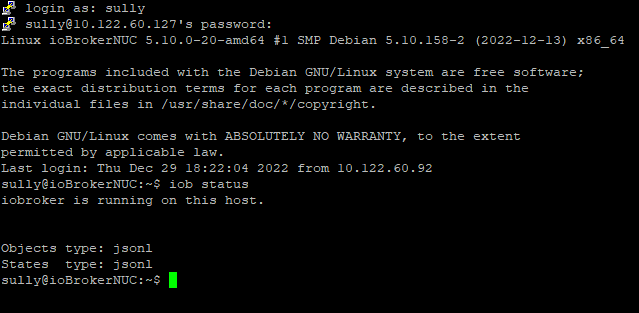
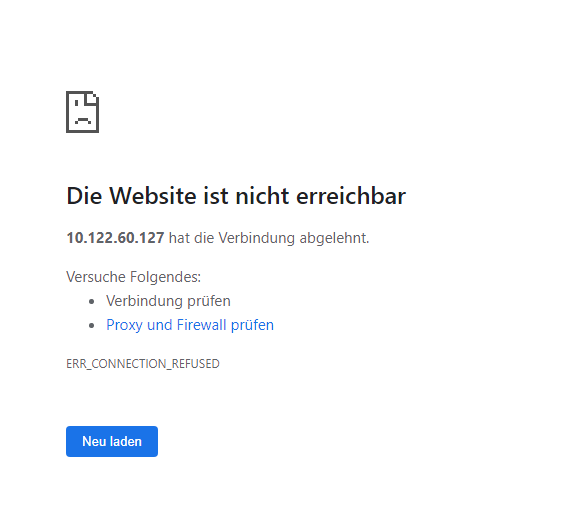
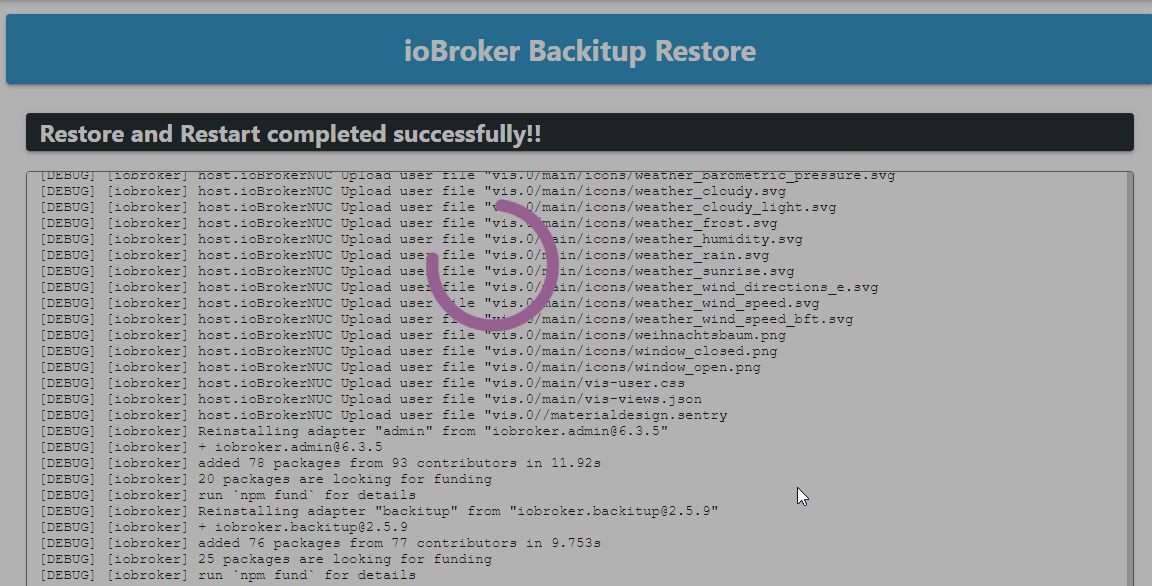
-
@thomas-braun sagte in Probleme mit admin nach restore:
Wobei der Bug mit dem vis unabhängig vom Betriebssystem ist.
Habe ich unter Windows aber nie mitbekommen (oder vielleicht schon wieder vergessen - man ist ja nicht mehr der jüngste)
@jb_sullivan sagte in Probleme mit admin nach restore:
Habe ich unter Windows aber nie mitbekommen
Windows ist ja auch ein Exoten-System für den ioBroker. Und der Bug taucht auch nur beim Restore auf. Normale Updates laufen so durch.
-
iobroker add iobroker.vis@1.4.10 --debugsully@ioBrokerNUC:~$ iobroker add iobroker.vis@1.4.10 --debug NPM version: 6.14.17 Installing iobroker.vis@1.4.10... (System call) > iobroker.vis@1.4.10 install /opt/iobroker/node_modules/iobroker.vis > node main.js --install npm WARN crc@4.1.1 requires a peer of buffer@>=6.0.3 but none is installed. You must install peer dependencies yourself. npm WARN jscs-loader@0.3.0 requires a peer of jscs@^3.0.3 but none is installed. You must install peer dependencies yourself. npm WARN optional SKIPPING OPTIONAL DEPENDENCY: fsevents@2.3.2 (node_modules/fsevents): npm WARN notsup SKIPPING OPTIONAL DEPENDENCY: Unsupported platform for fsevents@2.3.2: wanted {"os":"darwin","arch":"any"} (current: {"os":"linux","arch":"x64"}) npm WARN optional SKIPPING OPTIONAL DEPENDENCY: osx-temperature-sensor@1.0.8 (node_modules/osx-temperature-sensor): npm WARN notsup SKIPPING OPTIONAL DEPENDENCY: Unsupported platform for osx-temperature-sensor@1.0.8: wanted {"os":"darwin","arch":"any"} (current: {"os":"linux","arch":"x64"}) npm ERR! code ELIFECYCLE npm ERR! errno 6 npm ERR! iobroker.vis@1.4.10 install: `node main.js --install` npm ERR! Exit status 6 npm ERR! npm ERR! Failed at the iobroker.vis@1.4.10 install script. npm ERR! This is probably not a problem with npm. There is likely additional logging output above. npm ERR! A complete log of this run can be found in: npm ERR! /home/iobroker/.npm/_logs/2022-12-29T21_33_42_271Z-debug.log host.ioBrokerNUC Cannot install iobroker.vis@1.4.10: 6 sully@ioBrokerNUC:~$ioBroker (since 2018) auf Intel Core i3-5005U NUC und Windwos10 Pro
-
sully@ioBrokerNUC:~$ iobroker add iobroker.vis@1.4.10 --debug NPM version: 6.14.17 Installing iobroker.vis@1.4.10... (System call) > iobroker.vis@1.4.10 install /opt/iobroker/node_modules/iobroker.vis > node main.js --install npm WARN crc@4.1.1 requires a peer of buffer@>=6.0.3 but none is installed. You must install peer dependencies yourself. npm WARN jscs-loader@0.3.0 requires a peer of jscs@^3.0.3 but none is installed. You must install peer dependencies yourself. npm WARN optional SKIPPING OPTIONAL DEPENDENCY: fsevents@2.3.2 (node_modules/fsevents): npm WARN notsup SKIPPING OPTIONAL DEPENDENCY: Unsupported platform for fsevents@2.3.2: wanted {"os":"darwin","arch":"any"} (current: {"os":"linux","arch":"x64"}) npm WARN optional SKIPPING OPTIONAL DEPENDENCY: osx-temperature-sensor@1.0.8 (node_modules/osx-temperature-sensor): npm WARN notsup SKIPPING OPTIONAL DEPENDENCY: Unsupported platform for osx-temperature-sensor@1.0.8: wanted {"os":"darwin","arch":"any"} (current: {"os":"linux","arch":"x64"}) npm ERR! code ELIFECYCLE npm ERR! errno 6 npm ERR! iobroker.vis@1.4.10 install: `node main.js --install` npm ERR! Exit status 6 npm ERR! npm ERR! Failed at the iobroker.vis@1.4.10 install script. npm ERR! This is probably not a problem with npm. There is likely additional logging output above. npm ERR! A complete log of this run can be found in: npm ERR! /home/iobroker/.npm/_logs/2022-12-29T21_33_42_271Z-debug.log host.ioBrokerNUC Cannot install iobroker.vis@1.4.10: 6 sully@ioBrokerNUC:~$@jb_sullivan sagte in Probleme mit admin nach restore:
npm ERR! code ELIFECYCLE
Das dürften Überreste vom ersten Adapter sein.
sudo -u iobroker -H npm cache clean --forceLinux-Werkzeugkasten:
https://forum.iobroker.net/topic/42952/der-kleine-iobroker-linux-werkzeugkasten
NodeJS Fixer Skript:
https://forum.iobroker.net/topic/68035/iob-node-fix-skript
iob_diag: curl -sLf -o diag.sh https://iobroker.net/diag.sh && bash diag.sh -
@jb_sullivan sagte in Probleme mit admin nach restore:
npm ERR! code ELIFECYCLE
Das dürften Überreste vom ersten Adapter sein.
sudo -u iobroker -H npm cache clean --forceDas wars noch nicht
host.ioBrokerNUC Cannot install iobroker.vis@1.4.10: 6
sully@ioBrokerNUC:~$ sully@ioBrokerNUC:~$ sudo -u iobroker -H npm cache clean --force
[sudo] Passwort für sully:
npm WARN using --force I sure hope you know what you are doing.
sully@ioBrokerNUC:~$ y
-bash: y: Kommando nicht gefunden.
sully@ioBrokerNUC:~$ iobroker install vis@1.4.10
NPM version: 6.14.17
Installing iobroker.vis@1.4.10... (System call)

> iobroker.vis@1.4.10 install /opt/iobroker/node_modules/iobroker.vis
> node main.js --install

host.ioBrokerNUC Cannot install iobroker.vis@1.4.10: 6
ioBroker (since 2018) auf Intel Core i3-5005U NUC und Windwos10 Pro
-
Das wars noch nicht
host.ioBrokerNUC Cannot install iobroker.vis@1.4.10: 6 sully@ioBrokerNUC:~$ sully@ioBrokerNUC:~$ sudo -u iobroker -H npm cache clean --force [sudo] Passwort für sully: npm WARN using --force I sure hope you know what you are doing. sully@ioBrokerNUC:~$ y -bash: y: Kommando nicht gefunden. sully@ioBrokerNUC:~$ iobroker install vis@1.4.10 NPM version: 6.14.17 Installing iobroker.vis@1.4.10... (System call) > iobroker.vis@1.4.10 install /opt/iobroker/node_modules/iobroker.vis > node main.js --install host.ioBrokerNUC Cannot install iobroker.vis@1.4.10: 6Lösch das Verzeichnis mal.
sudo -u iobroker rm -rf /opt/iobroker/node_modules/iobroker.visLinux-Werkzeugkasten:
https://forum.iobroker.net/topic/42952/der-kleine-iobroker-linux-werkzeugkasten
NodeJS Fixer Skript:
https://forum.iobroker.net/topic/68035/iob-node-fix-skript
iob_diag: curl -sLf -o diag.sh https://iobroker.net/diag.sh && bash diag.sh -
Lösch das Verzeichnis mal.
sudo -u iobroker rm -rf /opt/iobroker/node_modules/iobroker.vis@thomas-braun sagte in Probleme mit admin nach restore:
sudo -u iobroker rm -rf /opt/iobroker/node_modules/iobroker.vis
Leider auch nicht
sully@ioBrokerNUC:~$ sudo -u iobroker rm -rf /opt/iobroker/node_modules/iobroker.vis
[sudo] Passwort für sully:
sully@ioBrokerNUC:~$ ^C
sully@ioBrokerNUC:~$ iobroker install vis@1.4.10
NPM version: 6.14.17
Installing iobroker.vis@1.4.10... (System call)

> iobroker.vis@1.4.10 install /opt/iobroker/node_modules/iobroker.vis
> node main.js --install

host.ioBrokerNUC Cannot install iobroker.vis@1.4.10: 6
sully@ioBrokerNUC:~$
ioBroker (since 2018) auf Intel Core i3-5005U NUC und Windwos10 Pro
-
@thomas-braun sagte in Probleme mit admin nach restore:
sudo -u iobroker rm -rf /opt/iobroker/node_modules/iobroker.vis
Leider auch nicht
sully@ioBrokerNUC:~$ sudo -u iobroker rm -rf /opt/iobroker/node_modules/iobroker.vis [sudo] Passwort für sully: sully@ioBrokerNUC:~$ ^C sully@ioBrokerNUC:~$ iobroker install vis@1.4.10 NPM version: 6.14.17 Installing iobroker.vis@1.4.10... (System call) > iobroker.vis@1.4.10 install /opt/iobroker/node_modules/iobroker.vis > node main.js --install host.ioBrokerNUC Cannot install iobroker.vis@1.4.10: 6 sully@ioBrokerNUC:~$Dann weiß ich es auch nicht.
-
Lösch das Verzeichnis mal.
sudo -u iobroker rm -rf /opt/iobroker/node_modules/iobroker.vis@thomas-braun
hat er den clean abgeschossen durch dasy?sully@ioBrokerNUC:~$ sully@ioBrokerNUC:~$ sudo -u iobroker -H npm cache clean --force [sudo] Passwort für sully: npm WARN using --force I sure hope you know what you are doing. sully@ioBrokerNUC:~$ y -bash: y: Kommando nicht gefunden.kein Support per PN! - Fragen im Forum stellen - Benutzt das Voting rechts unten im Beitrag wenn er euch geholfen hat.
Das Forum freut sich über eine Spende. Benutzt dazu den Spendenbutton oben rechts. Danke!
der Installationsfixer: curl -fsL https://iobroker.net/fix.sh | bash - -
@thomas-braun
hat er den clean abgeschossen durch dasy?sully@ioBrokerNUC:~$ sully@ioBrokerNUC:~$ sudo -u iobroker -H npm cache clean --force [sudo] Passwort für sully: npm WARN using --force I sure hope you know what you are doing. sully@ioBrokerNUC:~$ y -bash: y: Kommando nicht gefunden. -
@thomas-braun
hat er den clean abgeschossen durch dasy?sully@ioBrokerNUC:~$ sully@ioBrokerNUC:~$ sudo -u iobroker -H npm cache clean --force [sudo] Passwort für sully: npm WARN using --force I sure hope you know what you are doing. sully@ioBrokerNUC:~$ y -bash: y: Kommando nicht gefunden.@homoran sagte in Probleme mit admin nach restore:
npm WARN using --force I sure hope you know what you are doing. sully@ioBrokerNUC:~$ y
...... bedeutet jetzt was genau?
-
Kurze Anmerkung zu dem VIS Adapter:
Dieser läßt sich erst löschen, bzw. in der Version 1.4.0 neu installieren, wenn alle anderen VIS-Widget Adapter aus den INSTANZEN gelöscht wurden. In der Adapterliste können die VIS Widgets jedoch drin bleiben.
Danach kann man dann auch wieder eine ältere VIS Version installieren, welche sich dann im Nachgang auch auf 1.4.15 updaten läßt.


Hey! Du scheinst an dieser Unterhaltung interessiert zu sein, hast aber noch kein Konto.
Hast du es satt, bei jedem Besuch durch die gleichen Beiträge zu scrollen? Wenn du dich für ein Konto anmeldest, kommst du immer genau dorthin zurück, wo du zuvor warst, und kannst dich über neue Antworten benachrichtigen lassen (entweder per E-Mail oder Push-Benachrichtigung). Du kannst auch Lesezeichen speichern und Beiträge positiv bewerten, um anderen Community-Mitgliedern deine Wertschätzung zu zeigen.
Mit deinem Input könnte dieser Beitrag noch besser werden 💗
Registrieren Anmelden286
Online33.1k
Benutzende83.7k
Themen1.3m
Beiträge