Skip to content
  • Home
  • Aktuell
  • Tags
  • 0 Ungelesen 0
  • Kategorien
  • Unreplied
  • Beliebt
  • GitHub
  • Docu
  • Hilfe
Skins
  • Light
  • Brite
  • Cerulean
  • Cosmo
  • Flatly
  • Journal
  • Litera
  • Lumen
  • Lux
  • Materia
  • Minty
  • Morph
  • Pulse
  • Sandstone
  • Simplex
  • Sketchy
  • Spacelab
  • United
  • Yeti
  • Zephyr
  • Dark
  • Cyborg
  • Darkly
  • Quartz
  • Slate
  • Solar
  • Superhero
  • Vapor

  • Standard: (Kein Skin)
  • Kein Skin
Einklappen
ioBroker Logo

Community Forum

donate donate
  1. ioBroker Community Home
  2. Deutsch
  3. Visualisierung
  4. Zeigt her eure Lovelace-Visualisierung

NEWS

  • Neuer Blogbeitrag: Monatsrückblick - Dezember 2025 🎄
    BluefoxB
    Bluefox
    11
    1
    343

  • Weihnachtsangebot 2025! 🎄
    BluefoxB
    Bluefox
    24
    1
    1.6k

  • UPDATE 31.10.: Amazon Alexa - ioBroker Skill läuft aus ?
    apollon77A
    apollon77
    48
    3
    9.5k

Zeigt her eure Lovelace-Visualisierung

Geplant Angeheftet Gesperrt Verschoben Visualisierung
templatevis
109 Beiträge 32 Kommentatoren 40.9k Aufrufe 47 Watching
  • Älteste zuerst
  • Neuste zuerst
  • Meiste Stimmen
Antworten
  • In einem neuen Thema antworten
Anmelden zum Antworten
Dieses Thema wurde gelöscht. Nur Nutzer mit entsprechenden Rechten können es sehen.
  • David G.D Online
    David G.D Online
    David G.
    schrieb am zuletzt editiert von David G.
    #20

    Hallo an alle,

    mittlerweile hat sich einiges an meiner oben geposteten Visu geändert.
    Einiges ist geblieben, einiges ist neu. Da habe ich gedacht, dass ich es nochmal poste.
    Nach wie vor ist die Darstellung fürs Smartphone optimiert.

    Garagenöffner
    Eigentlich wie gehabt, je nachdem ob das Tor offen ist oder nicht ändert sich das Bild.
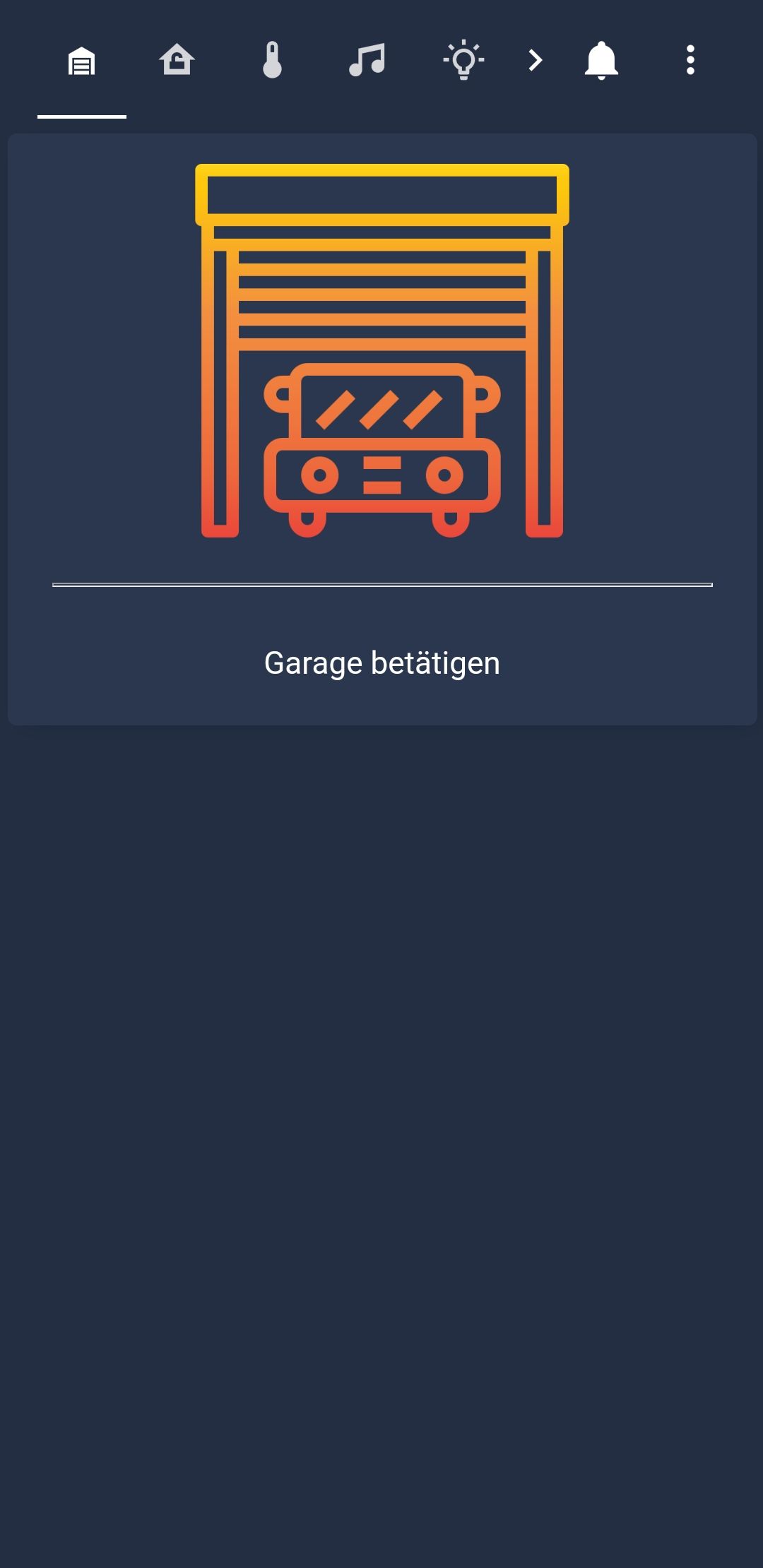
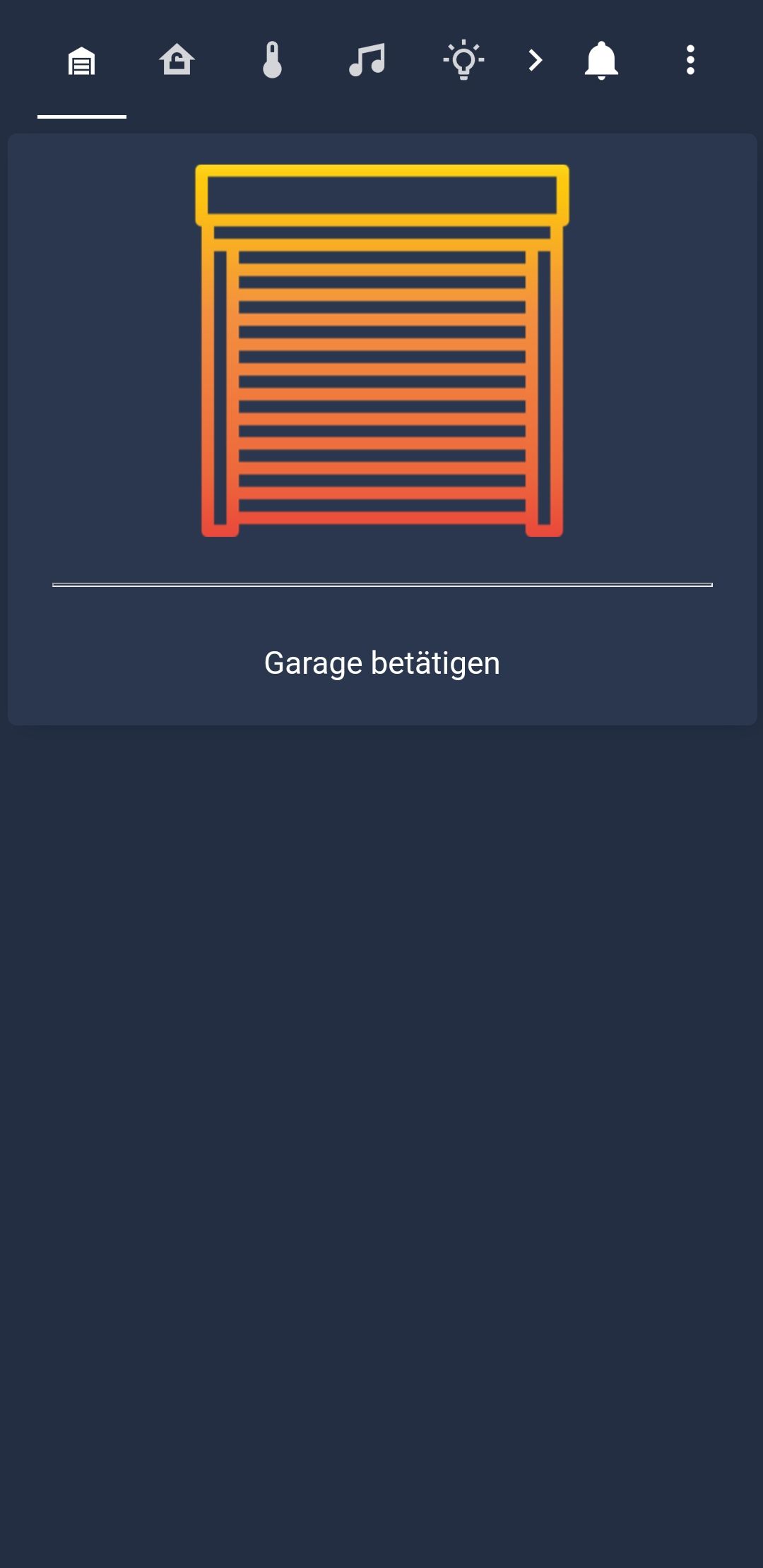
    Screenshot_20210206-135135_Fully Kiosk Browser.jpg

    Screenshot_20210206-135122_Fully Kiosk Browser.jpg

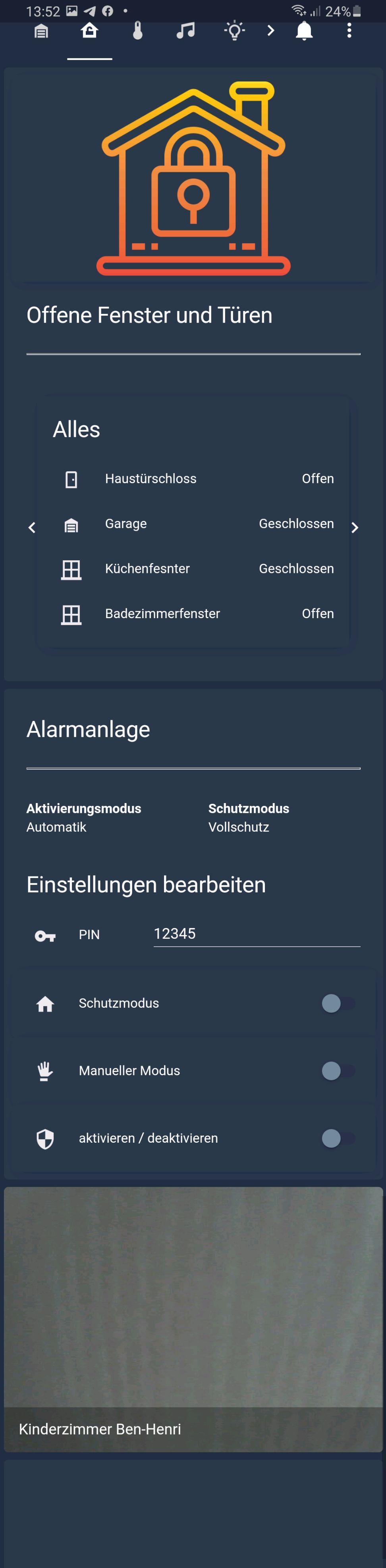
    Sicherheit

    Hier sieht man im oberen Bereich, welche Fenster alle offen sind, man kann aber auch weiter klicken und sieht eine Übersicht aller Sensoren.

    Im mittleren Bereich schalte ich die Alarmanlage.
    Man sieht, welcher Aktivierungsmodus und welcher Schutzmodus aktiv ist.
    Wenn man die PIN eingibt, erscheinen alle nötigen Einstellungen. Nach 5sek schließen sich die Einstellungen automatisch (Da werkelt Blockly im Hintergrund).

    Ganz unten noch ein paar Kamerabilder (schaut grad gegen die Decke ^^.)
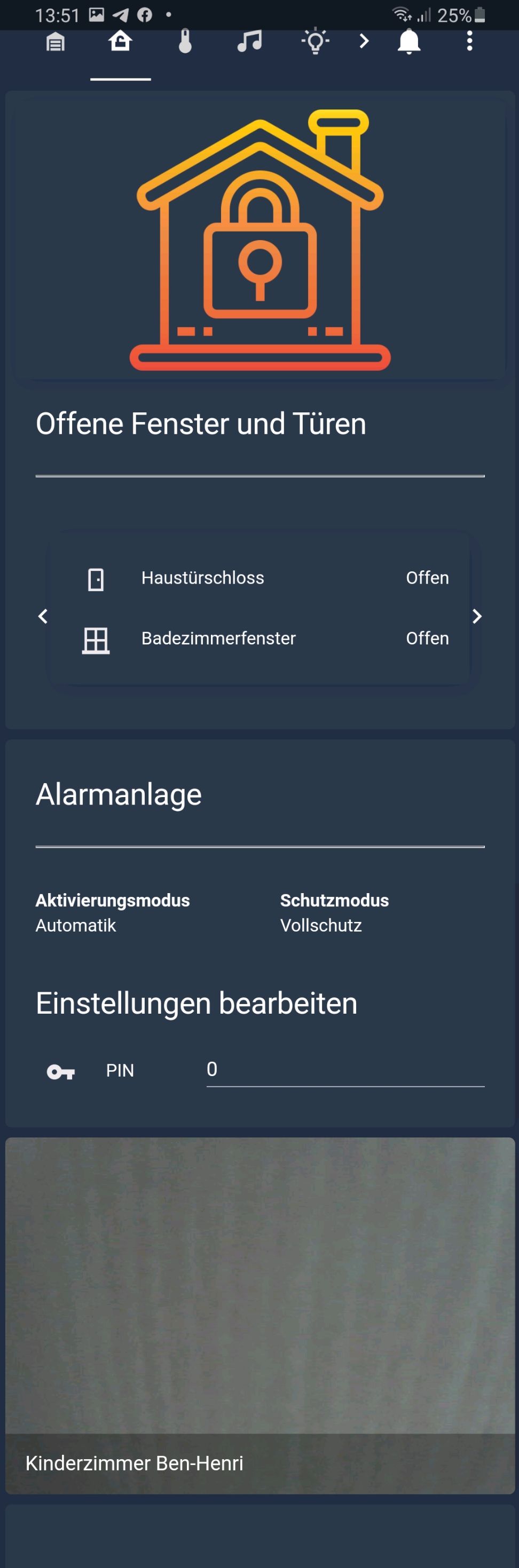
    Screenshot_20210206-135156_Fully Kiosk Browser.jpg

    Screenshot_20210206-135215_Fully Kiosk Browser.jpg

    Temperatur

    Hier sollte sich alles selber erklären.
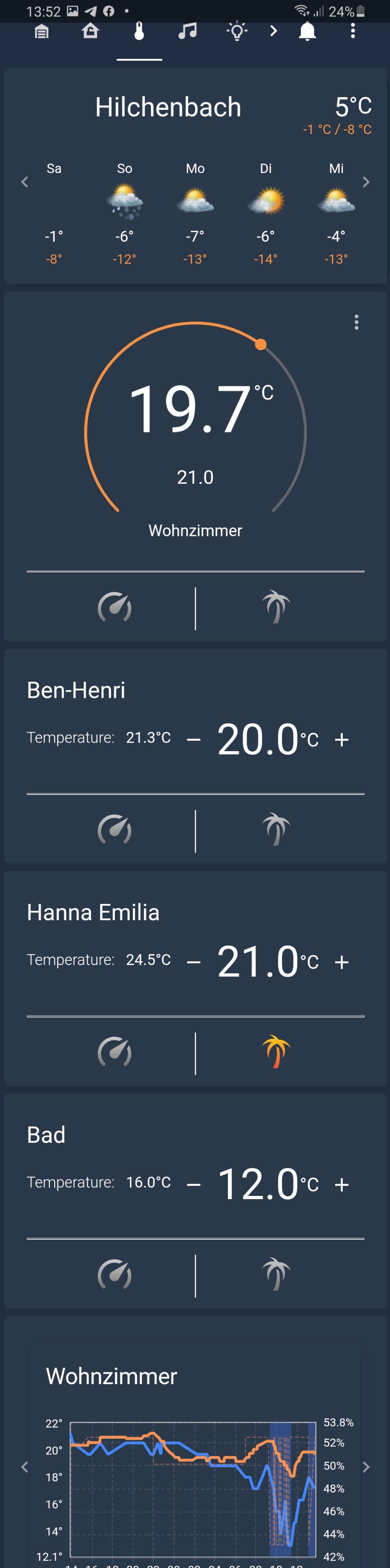
    Screenshot_20210206-135228_Fully Kiosk Browser.jpg

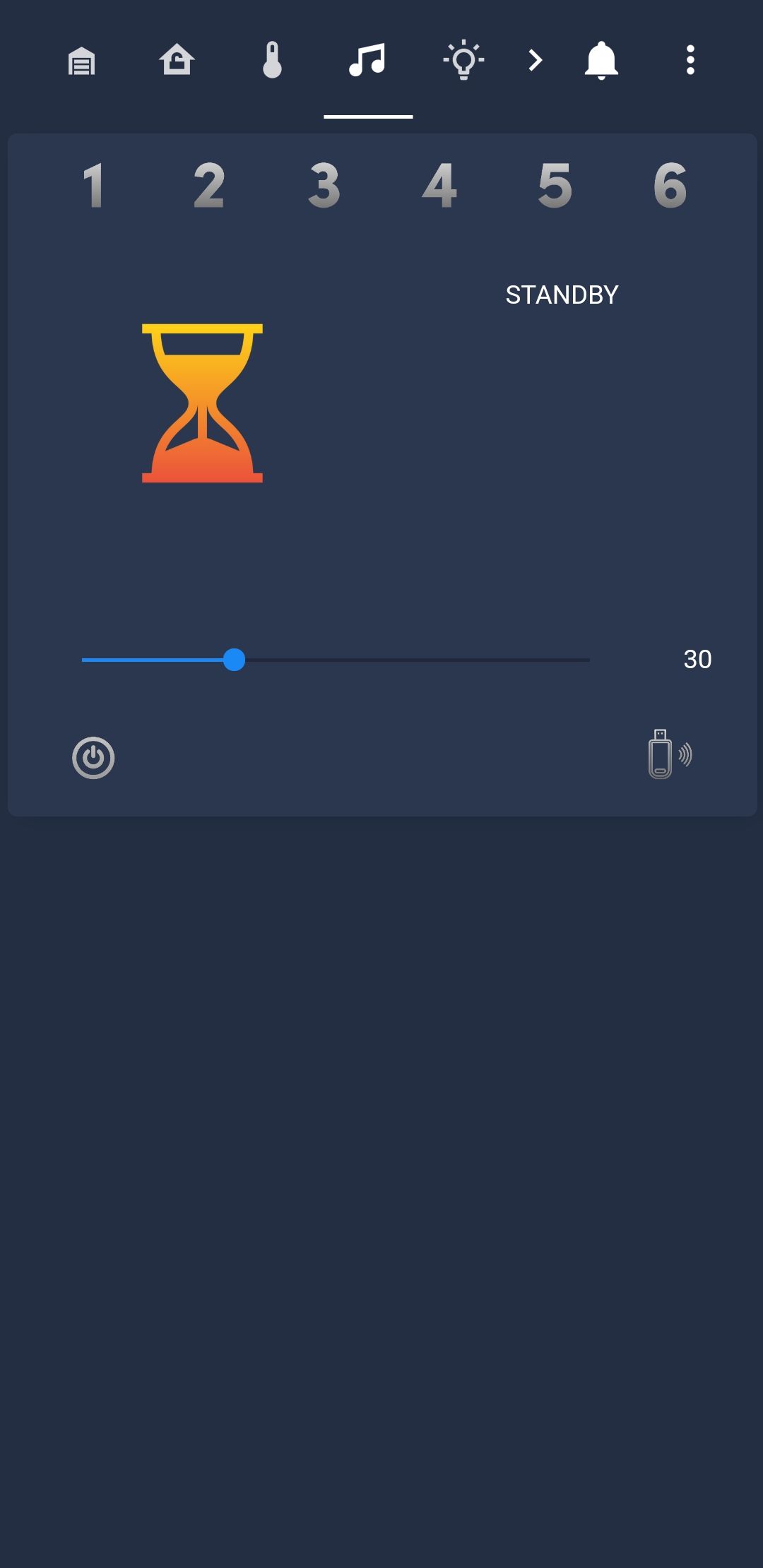
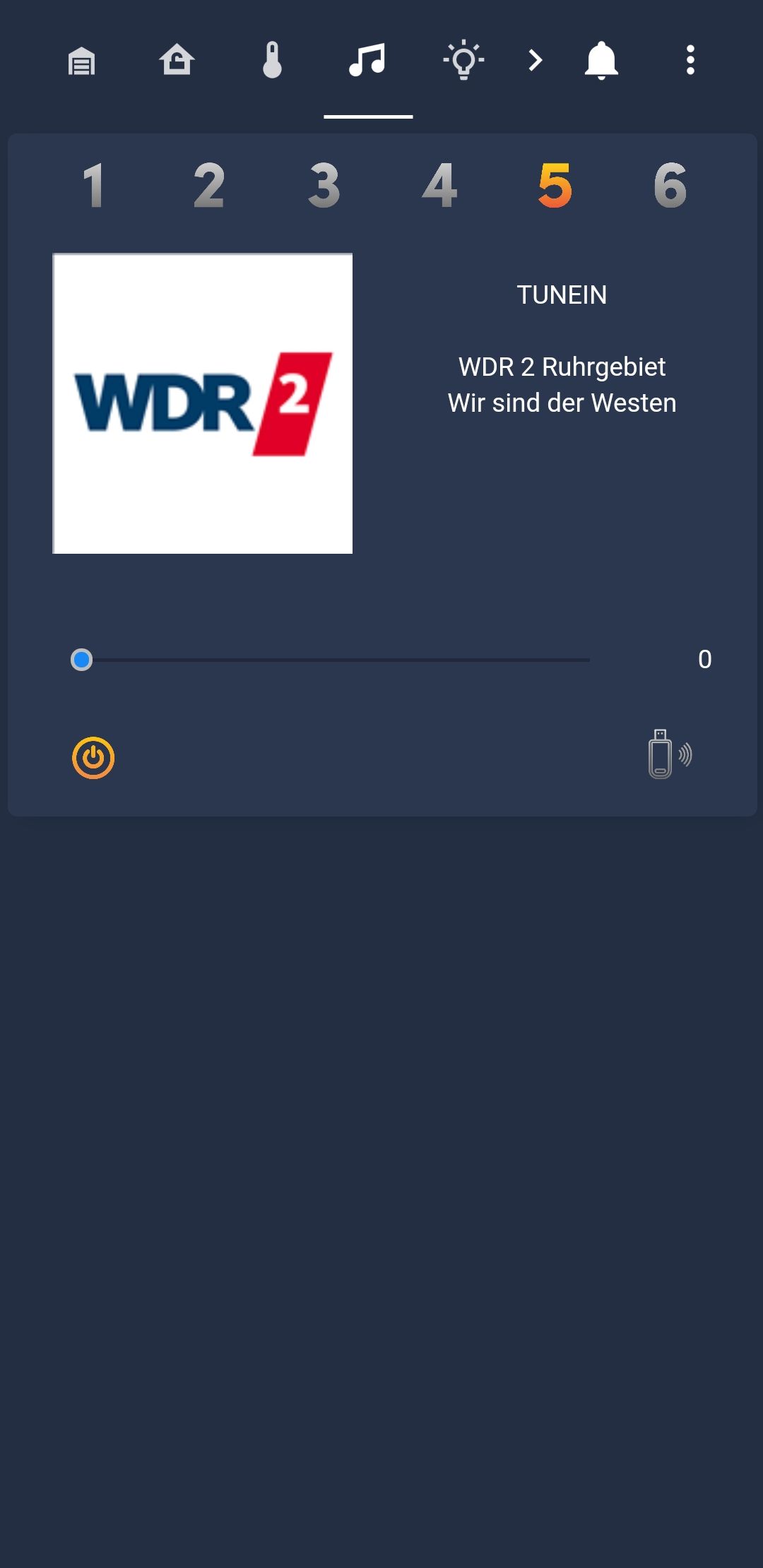
    Multimedia

    Hier steuere ich meine Bose-Box. Im Hintergrund werkelt einiges mit Blockly.
    Screenshot_20210206-135322_Fully Kiosk Browser.jpg

    Screenshot_20210206-135241_Fully Kiosk Browser.jpg

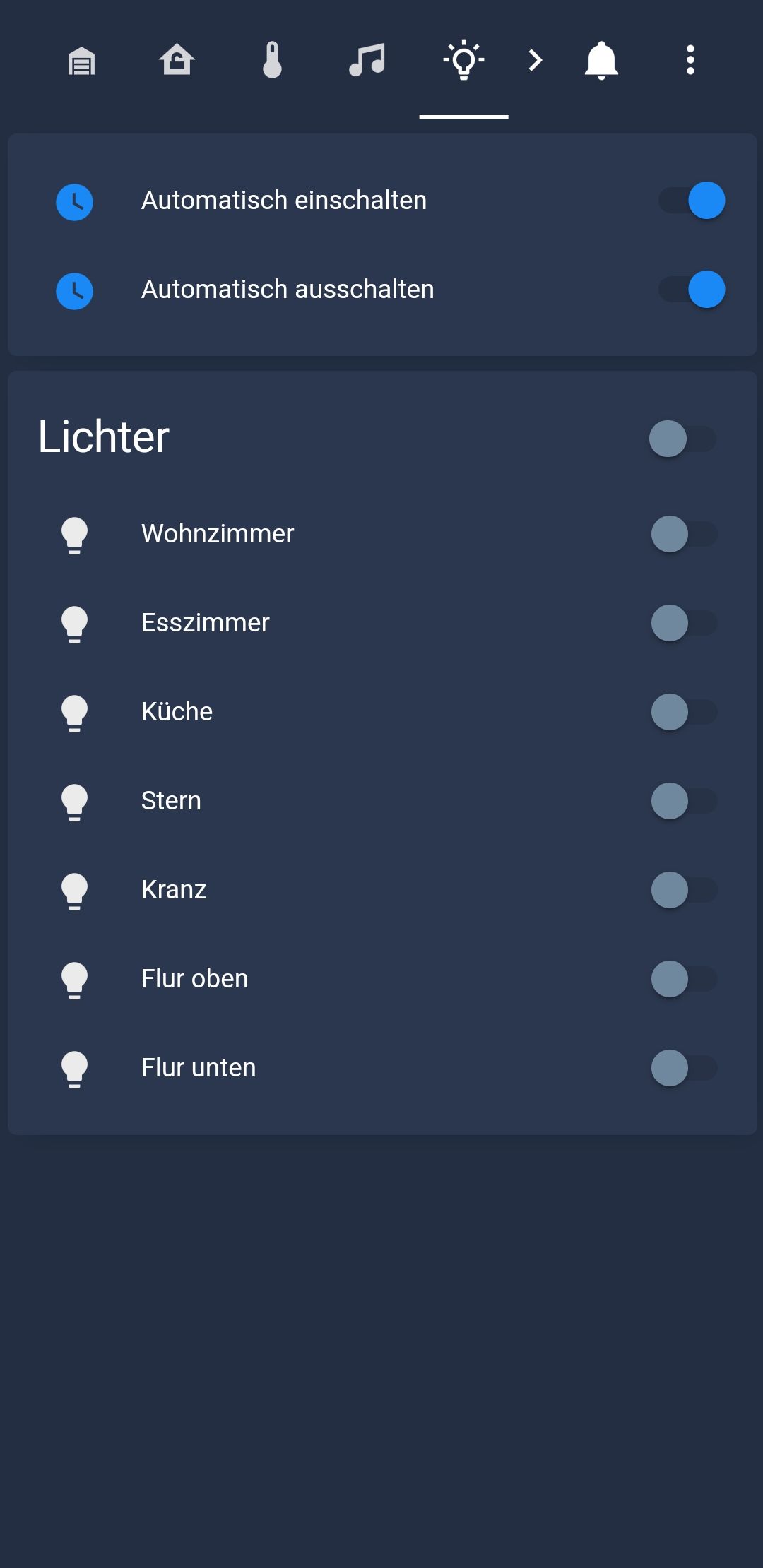
    Lichtsteuerung

    Denke so weit selbsterklärend. Oben kann ich meine Einstellungen zur Anwesenheitssimulation steuern.
    Screenshot_20210206-135329_Fully Kiosk Browser.jpg

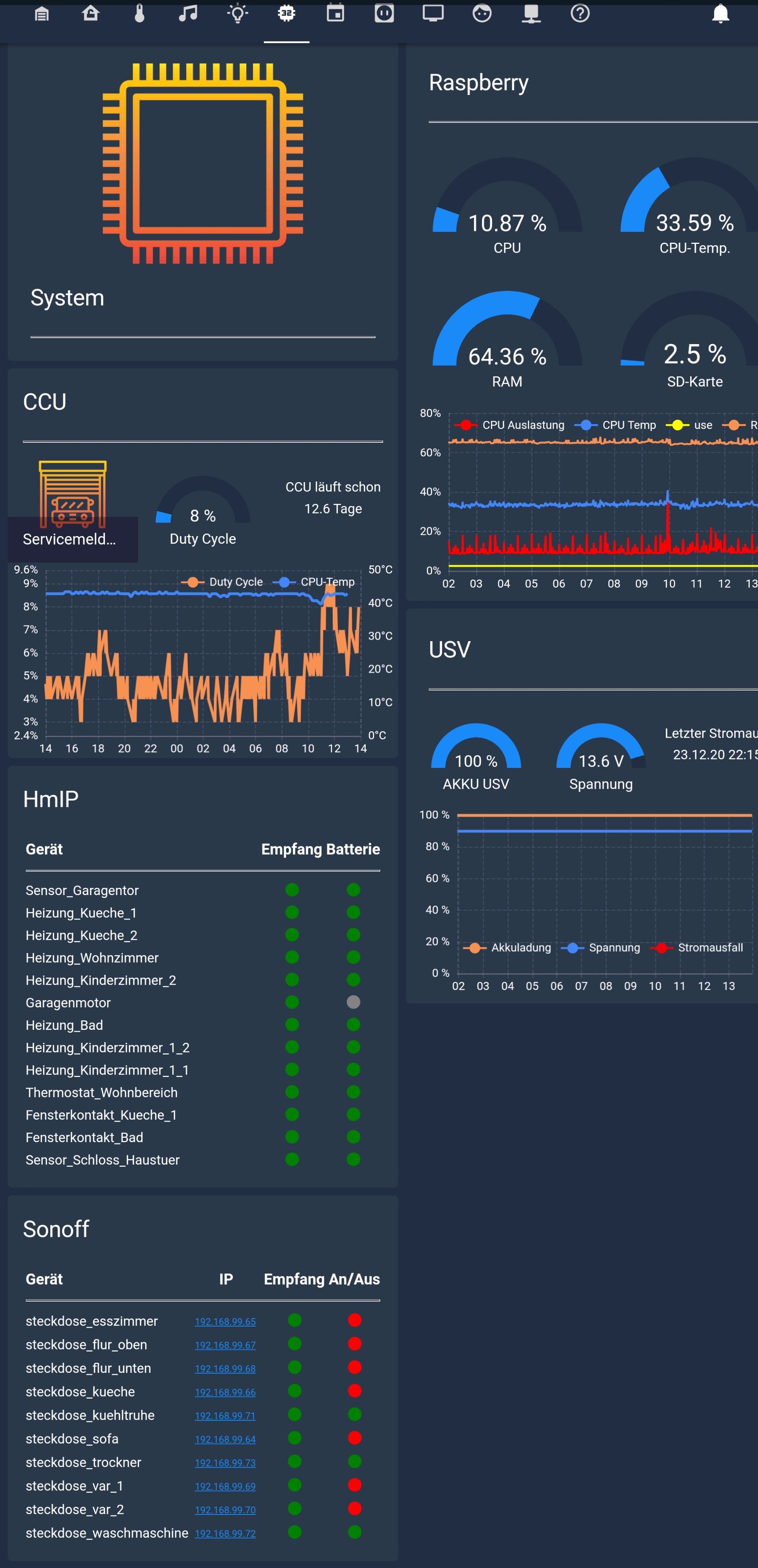
    System (Musste die Screenshots im Querformat machen, hab anders nicht alles in ein Bild bekommen.)

    Hier sieht man so ziemlich alles zu meiner Hardware.
    Die Charts habe ich mit eCharts erstellt.

    Die HmIP und Sonoff Tabellen generiere ich komplett in Blockly.
    Screenshot_20210206-135647_Fully Kiosk Browser.jpg

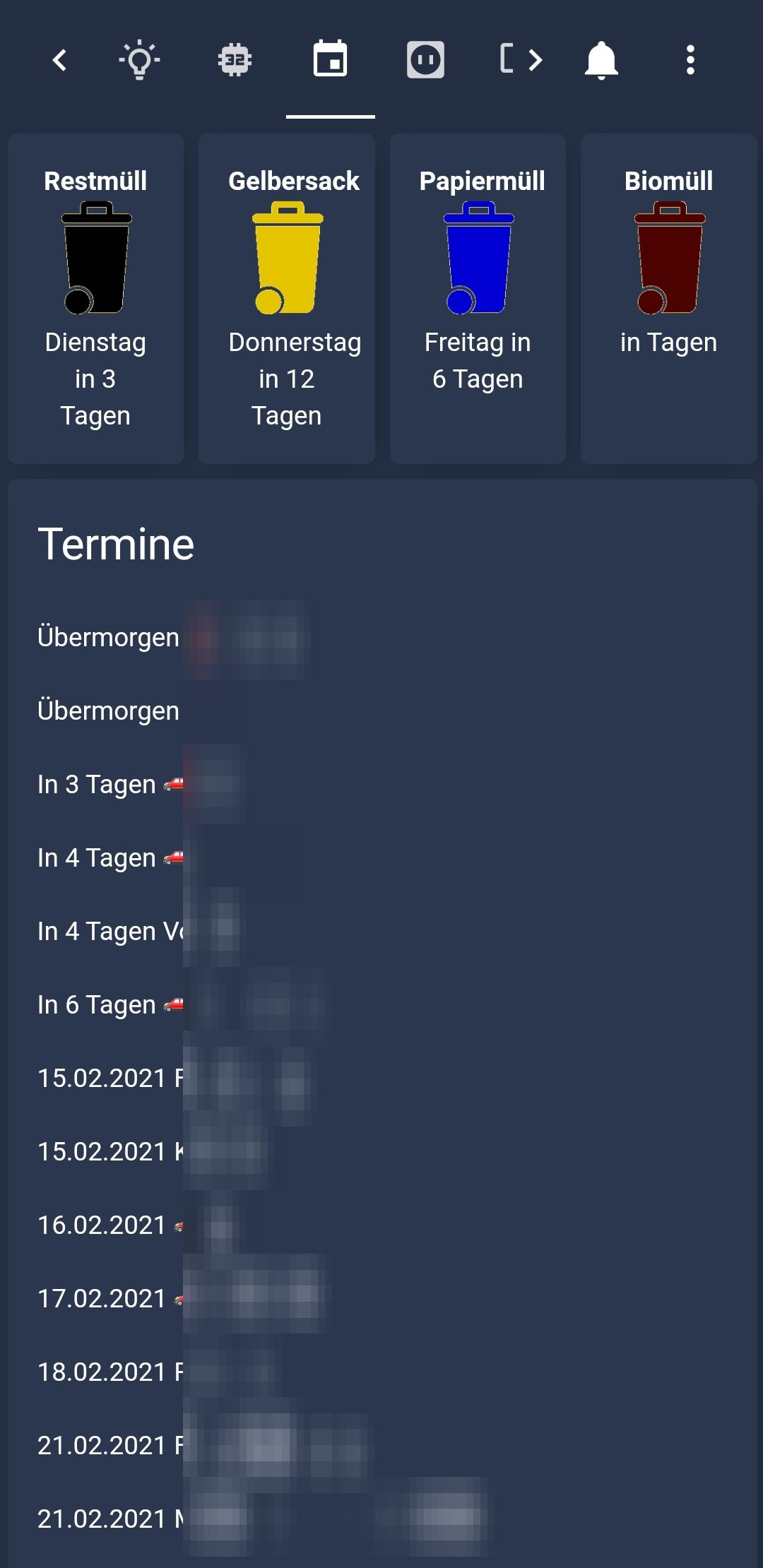
    Kalender

    Oben den Bereich habe ich zusammengebastelt. Als Grundlage dient der TrashSchedule Adapter. Bereite den Text aber noch mit Blockly auf.

    Den Kalender habe ich so aus dem iCal-Adapter eingebunden.
    JPEG_20210206_133938_4528894568156670496.jpg

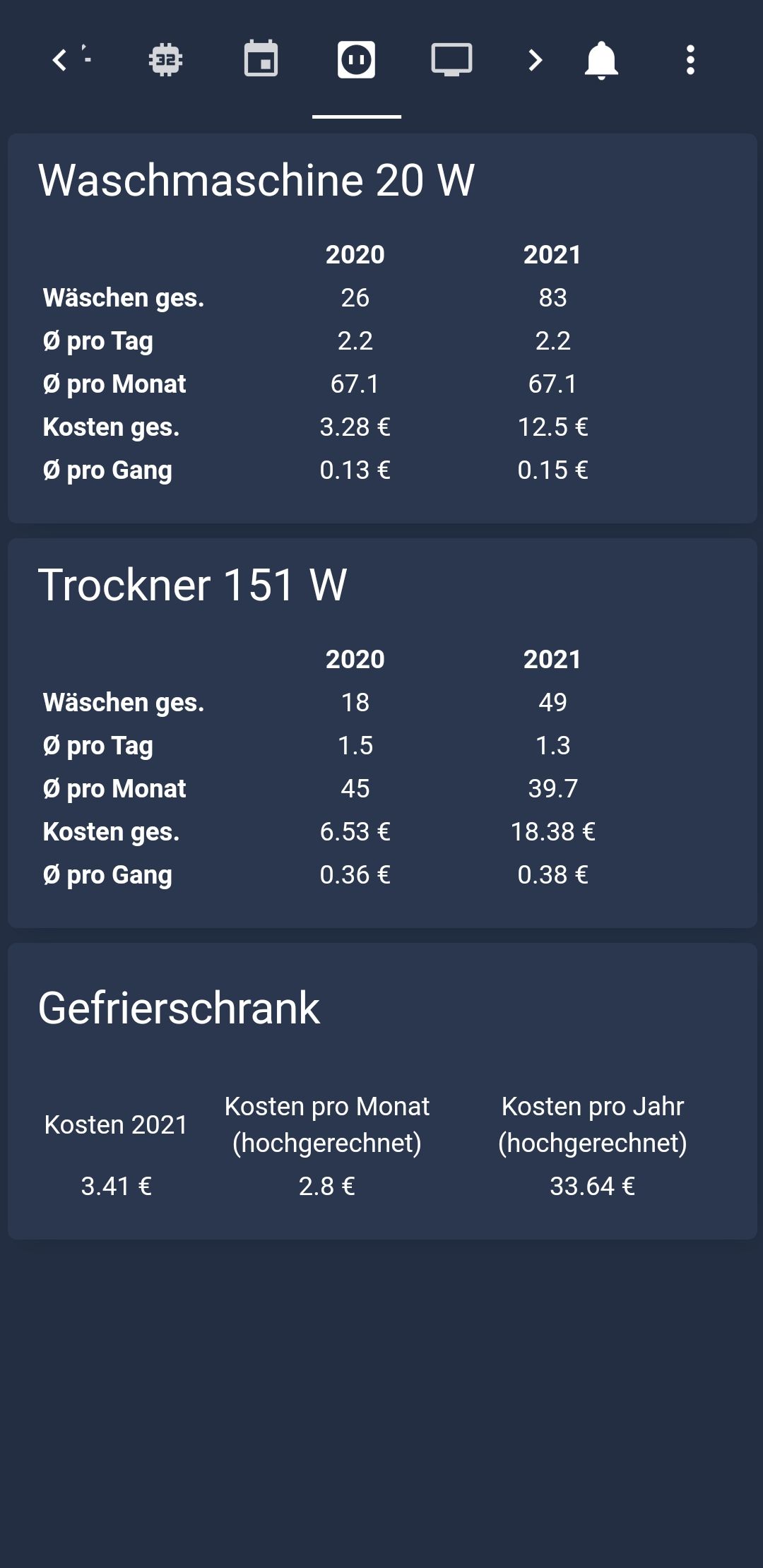
    Verbraucherübersicht

    Screenshot_20210206-135339_Fully Kiosk Browser.jpg

    Fernsehprogramm

    Die Daten ziehe ich aus dem Tvspielfilm-Adapter. Lasse aber mit Blockly die Tabellen erzeugen.
    Im oberen Bereich kann ich die Lautstärke vom TV steuern und mir die gewünschten Uhrzeiten fürs TV-Programm auswählen.
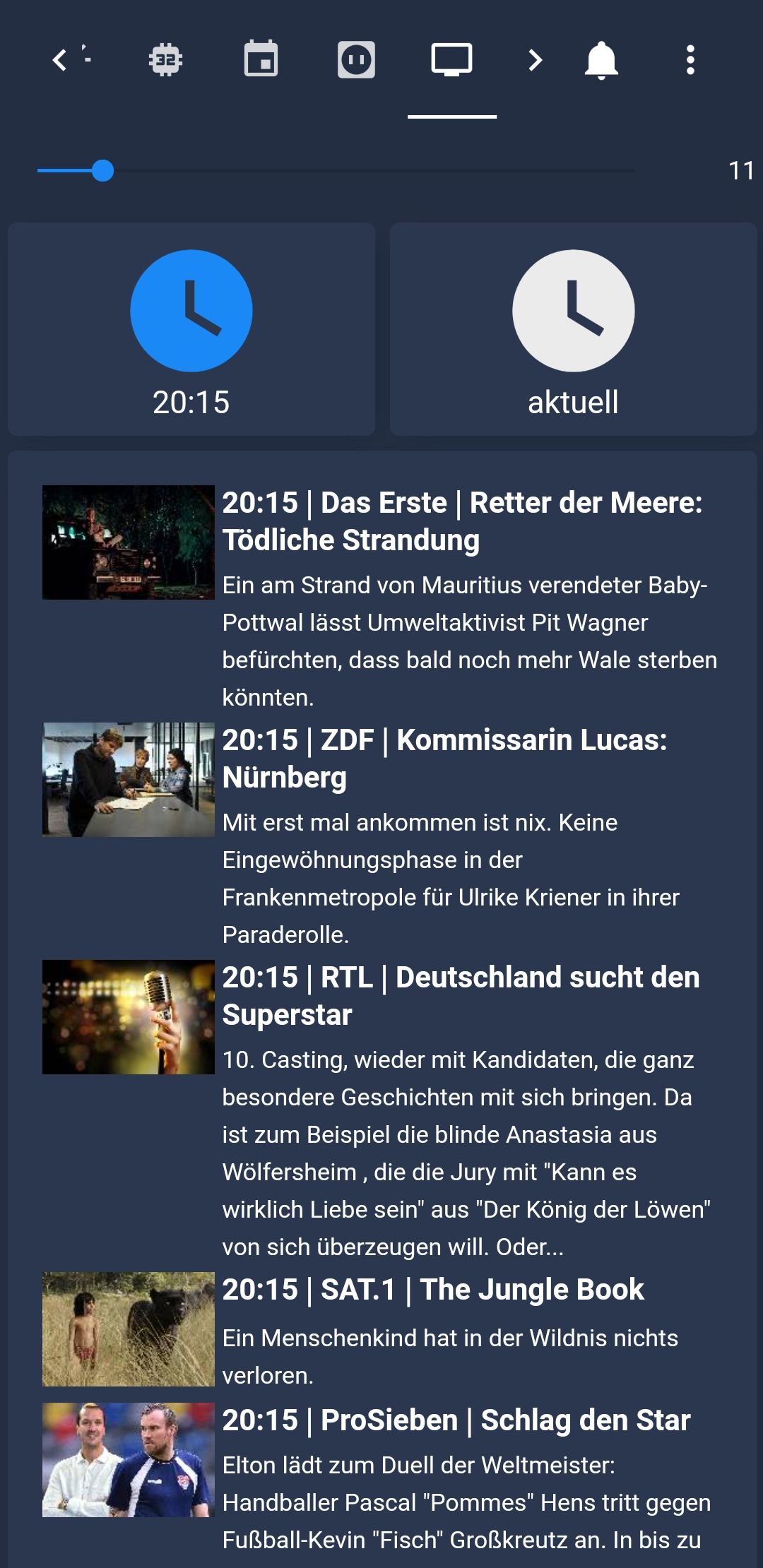
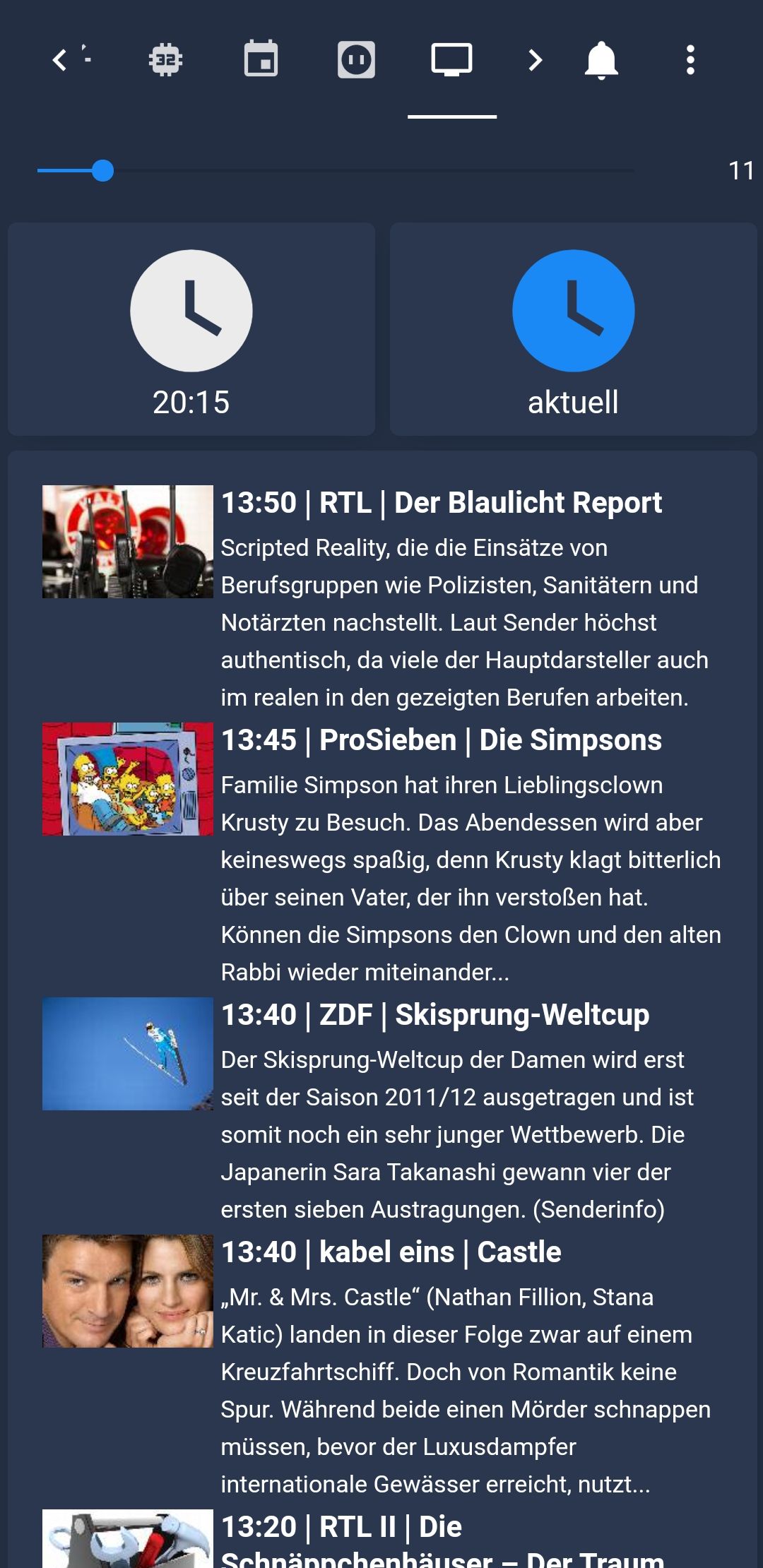
    Screenshot_20210206-135349_Fully Kiosk Browser.jpg

    Screenshot_20210206-135344_Fully Kiosk Browser.jpg

    Anwesenheit

    Hier gibts eine Karte aller georteten Handys mit Verlauf und Adresse.
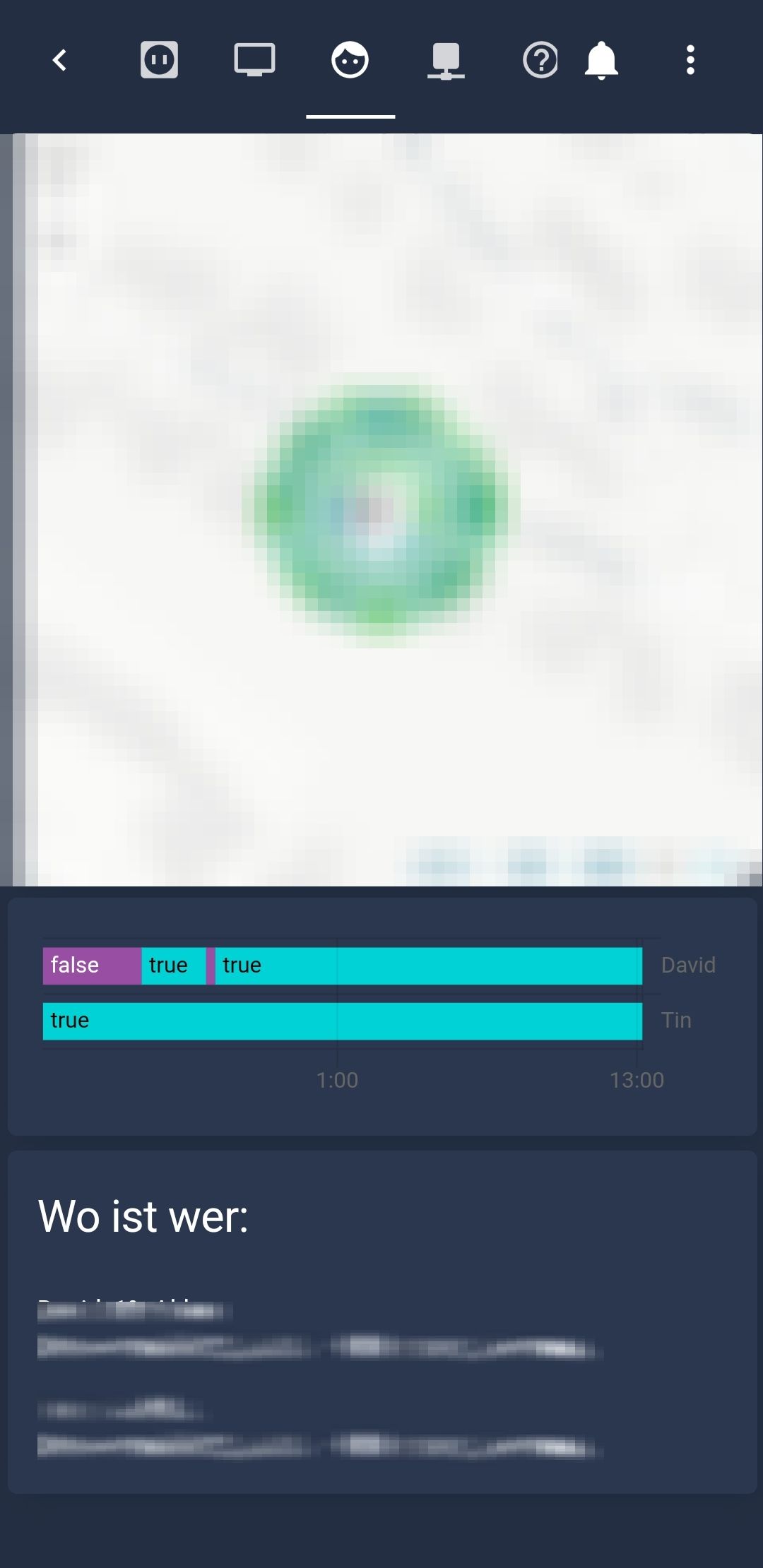
    JPEG_20210206_133815_7437582055055507556.jpg

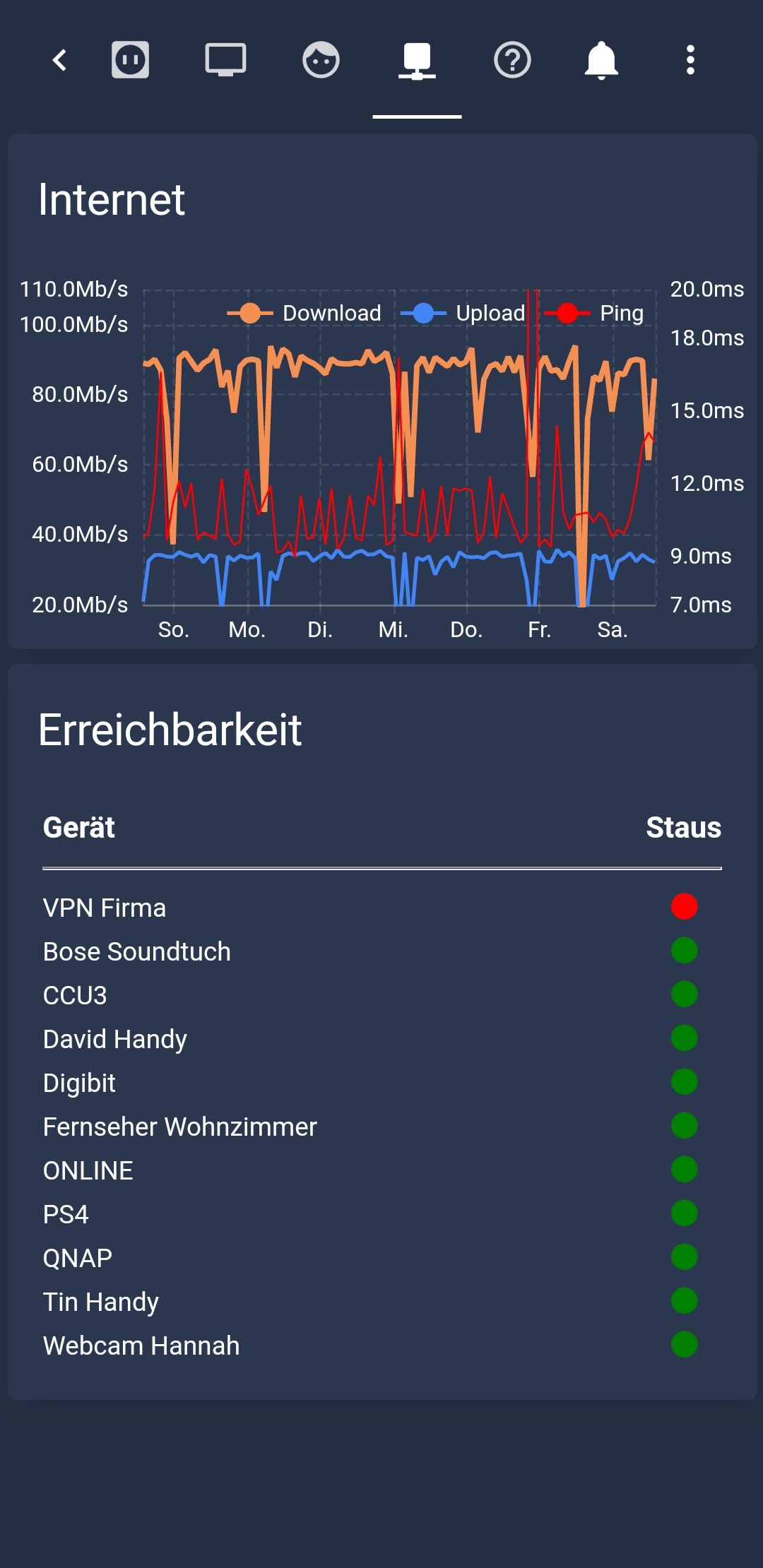
    Netzwerk

    Alles rund ums Netzwerk.

    Screenshot_20210206-135359_Fully Kiosk Browser.jpg

    Mein YAML-Code

    title: Home
    views:
     - title: Garage
       path: garage
       icon: 'mdi:garage'
       panel: false
       badges: []
       cards:
         - type: 'custom:stack-in-card'
           mode: vertical
           keep:
             box_shadow: false
             margin: false
             border_radius: true
             outer_padding: true
           cards:
             - type: horizontal-stack
               cards:
                 - type: picture-entity
                   entity: binary_sensor.Sensor_Garage
                   show_name: false
                   show_state: false
                   state_image:
                     'on': /cards/garage_auf.png
                     'off': /cards/garage_zu.png
             - type: vertical-stack
               cards:
                 - type: markdown
                   content: '---'
             - type: vertical-stack
               cards:
                 - type: entity-button
                   entity: switch.Antrieb_Garage
                   tap_action:
                     action: toggle
                   hold_action:
                     action: more-info
                   show_icon: false
                   show_name: true
                   name: Garage betätigen
     - title: Sicherheit
       path: sicherheit
       icon: 'mdi:home-lock-open'
       panel: false
       badges: []
       cards:
         - type: 'custom:stack-in-card'
           mode: vertical
           keep:
             box_shadow: false
             margin: false
             border_radius: true
             outer_padding: true
           cards:
             - type: horizontal-stack
               cards:
                 - type: picture
                   image: /cards/security.png
             - type: vertical-stack
               cards:
                 - type: markdown
                   content: '---'
                   title: Offene Fenster und Türen
             - type: vertical-stack
               cards:
                 - type: 'custom:slideshow-card'
                   fill: false
                   arrow_color: White
                   arrow_opacity: 1
                   auto_play: false
                   auto_delay: 4
                   style:
                     border-radius: 25px
                   cards:
                     - type: entity-filter
                       entities:
                         - entity: binary_sensor.Sensor_Garage
                           name: Garagentor
                           icon: 'mdi:garage'
                         - entity: binary_sensor.Schloss_Haustuere
                           name: Haustürschloss
                           icon: 'mdi:door'
                         - entity: binary_sensor.Fensterkontakt_Kueche_1
                           name: Küchenfenster
                           icon: 'mdi:window-closed-variant'
                         - entity: binary_sensor.Fensterkontakt_Bad
                           name: Badezimmerfenster
                           icon: 'mdi:window-closed-variant'
                       state_filter:
                         - 'on'
                     - type: entities
                       title: Alles
                       entities:
                         - entity: binary_sensor.Schloss_Haustuere
                           name: Haustürschloss
                           icon: 'mdi:door'
                         - entity: binary_sensor.Sensor_Garage
                           name: Garage
                           icon: 'mdi:garage'
                         - entity: binary_sensor.Fensterkontakt_Kueche_1
                           name: Küchenfesnter
                           icon: 'mdi:window-closed-variant'
                         - entity: binary_sensor.Fensterkontakt_Bad
                           name: Badezimmerfenster
                           icon: 'mdi:window-closed-variant'
         - type: 'custom:stack-in-card'
           mode: vertical
           keep:
             box_shadow: false
             margin: false
             border_radius: true
             outer_padding: true
           cards:
             - type: markdown
               content: '---'
               title: Alarmanlage
             - type: horizontal-stack
               cards:
                 - type: markdown
                   content: |-
                     **Aktivierungsmodus**
                     {0_userdata.0.Alarmanlage.Aktivierter_Modus} 
                 - type: markdown
                   content: |-
                     **Schutzmodus**
                     {0_userdata.0.Alarmanlage.Aktivierter_Alarmmodus} 
             - type: entities
               entities:
                 - entity: input_text.pin_vis
                   name: PIN
                   icon: 'mdi:key'
               title: 'Einstellungen bearbeiten '
             - type: conditional
               conditions:
                 - entity: input_text.pin_vis
                   state: '12345'
               card:
                 type: entities
                 entities:
                   - entity: switch.immer_alarmieren
                     name: Schutzmodus
                     icon: 'mdi:home'
             - type: conditional
               conditions:
                 - entity: input_text.pin_vis
                   state: '12345'
               card:
                 type: entities
                 entities:
                   - entity: switch.manueller_modus
                     name: Manueller Modus
                     icon: 'mdi:hand'
             - type: conditional
               conditions:
                 - entity: input_text.pin_vis
                   state: '12345'
               card:
                 type: entities
                 entities:
                   - entity: switch.anlage_scharf
                     name: aktivieren / deaktivieren
                     icon: 'mdi:security'
         - type: picture-entity
           entity: camera.Test
           aspect_ratio: 70%
           show_name: true
           show_state: false
           name: Kinderzimmer Ben-Henri
         - type: picture-entity
           entity: camera.Kamera_Wilke_Eingang
           aspect_ratio: 70%
           show_name: true
           show_state: false
           name: Wilke Eingang
     - title: Heizung
       path: heizung
       icon: 'mdi:thermometer'
       badges: []
       cards:
         - type: 'custom:slideshow-card'
           fill: true
           arrow_color: White
           arrow_opacity: 0.5
           auto_play: false
           auto_delay: 4
           border-radius: 25px
           style: |
             ha-card {
                --secondary-text-color: #f59042 !important;
             }
           cards:
             - type: weather-forecast
               entity: weather.Hilchenbach__Hilchenbach_Deutschland_
               name: Hilchenbach
               show_forecast: true
             - type: weather-forecast
               entity: weather.Haiger__Haiger_Deutschland_
               name: Haiger
               show_forecast: true
         - type: 'custom:stack-in-card'
           mode: vertical
           keep:
             box_shadow: false
             margin: false
             border_radius: true
             outer_padding: true
           cards:
             - type: horizontal-stack
               cards:
                 - type: thermostat
                   entity: climate.Thermostat_Wohnbereich
                   name: 'Wohnzimmer '
                   style: |
                     ha-card {
                        --heat-color: #f59042 !important;
                     }
                     round-slider {
                       --round-slider-bar-color: #f59042 !important;
                     }
             - type: vertical-stack
               cards:
                 - type: markdown
                   content: '---'
             - type: horizontal-stack
               cards:
                 - type: picture-elements
                   image: /cards/bg_thermo_settings.png
                   elements:
                     - type: image
                       image: /cards/boost_active.png
                       entity: switch.Heizung_Wohnbereich_boost
                       state_filter:
                         'true': brightness(100%) saturate(0.0)
                         'false': brightness(100%) saturate
                       tap_action:
                         action: toggle
                       hold_action:
                         action: none
                       style:
                         top: 20px
                         left: 28%
                         width: 10%
                     - type: image
                       image: /cards/urlaub_active.png
                       entity: switch.Heizung_Wohnbereich_party
                       state_filter:
                         'true': brightness(100%) saturate(0.0)
                         'false': brightness(100%) saturate
                       tap_action:
                         action: toggle
                       hold_action:
                         action: none
                       style:
                         top: 20px
                         left: 72%
                         width: 10%
                     - type: image
                       image: /cards/linie_senkrecht.png
                       entity: binary_sensor.Schloss_Haustuere
                       state_filter:
                         'true': brightness(100%) saturate(0.0)
                         'false': brightness(100%) saturate
                       tap_action:
                         action: toggle
                       hold_action:
                         action: none
                       style:
                         top: 20px
                         left: 50%
         - type: 'custom:stack-in-card'
           mode: vertical
           keep:
             box_shadow: false
             margin: false
             border_radius: true
             outer_padding: true
           cards:
             - type: horizontal-stack
               cards:
                 - type: 'custom:simple-thermostat'
                   entity: climate.Heizung_KZ_2
                   step_layout: row
                   name: Ben-Henri
             - type: vertical-stack
               cards:
                 - type: markdown
                   content: '---'
             - type: horizontal-stack
               cards:
                 - type: picture-elements
                   image: /cards/bg_thermo_settings.png
                   elements:
                     - type: image
                       image: /cards/boost_active.png
                       entity: switch.Heizung_KZ_2_BOOST
                       state_filter:
                         'true': brightness(100%) saturate(0.0)
                         'false': brightness(100%) saturate
                       tap_action:
                         action: toggle
                       hold_action:
                         action: none
                       style:
                         top: 20px
                         left: 28%
                         width: 10%
                     - type: image
                       image: /cards/urlaub_active.png
                       entity: switch.Heizung_KZ_2_party
                       state_filter:
                         'true': brightness(100%) saturate(0.0)
                         'false': brightness(100%) saturate
                       tap_action:
                         action: toggle
                       hold_action:
                         action: none
                       style:
                         top: 20px
                         left: 72%
                         width: 10%
                     - type: image
                       image: /cards/linie_senkrecht.png
                       entity: binary_sensor.Schloss_Haustuere
                       state_filter:
                         'true': brightness(100%) saturate(0.0)
                         'false': brightness(100%) saturate
                       tap_action:
                         action: toggle
                       hold_action:
                         action: none
                       style:
                         top: 20px
                         left: 50%
         - type: 'custom:stack-in-card'
           mode: vertical
           keep:
             box_shadow: false
             margin: false
             border_radius: true
             outer_padding: true
           cards:
             - type: horizontal-stack
               cards:
                 - type: 'custom:simple-thermostat'
                   entity: climate.Heizung_Kinderzimmer_1_1
                   step_layout: row
                   name: Hanna Emilia
             - type: vertical-stack
               cards:
                 - type: markdown
                   content: '---'
             - type: horizontal-stack
               cards:
                 - type: picture-elements
                   image: /cards/bg_thermo_settings.png
                   elements:
                     - type: image
                       image: /cards/boost_active.png
                       entity: switch.Heizung_KZ_1_boost
                       state_filter:
                         'true': brightness(100%) saturate(0.0)
                         'false': brightness(100%) saturate
                       tap_action:
                         action: toggle
                       hold_action:
                         action: none
                       style:
                         top: 20px
                         left: 28%
                         width: 10%
                     - type: image
                       image: /cards/urlaub_active.png
                       entity: switch.Heizung_KZ_1_party
                       state_filter:
                         'true': brightness(100%) saturate(0.0)
                         'false': brightness(100%) saturate
                       tap_action:
                         action: toggle
                       hold_action:
                         action: none
                       style:
                         top: 20px
                         left: 72%
                         width: 10%
                     - type: image
                       image: /cards/linie_senkrecht.png
                       entity: binary_sensor.Schloss_Haustuere
                       state_filter:
                         'true': brightness(100%) saturate(0.0)
                         'false': brightness(100%) saturate
                       tap_action:
                         action: toggle
                       hold_action:
                         action: none
                       style:
                         top: 20px
                         left: 50%
         - type: 'custom:stack-in-card'
           mode: vertical
           keep:
             box_shadow: false
             margin: false
             border_radius: true
             outer_padding: true
           cards:
             - type: horizontal-stack
               cards:
                 - type: 'custom:simple-thermostat'
                   entity: climate.Heizung_Bad
                   step_layout: row
                   name: Bad
             - type: vertical-stack
               cards:
                 - type: markdown
                   content: '---'
             - type: horizontal-stack
               cards:
                 - type: picture-elements
                   image: /cards/bg_thermo_settings.png
                   elements:
                     - type: image
                       image: /cards/boost_active.png
                       entity: switch.Heizung_Bad_BOOST
                       state_filter:
                         'true': brightness(100%) saturate(0.0)
                         'false': brightness(100%) saturate
                       tap_action:
                         action: toggle
                       hold_action:
                         action: none
                       style:
                         top: 20px
                         left: 28%
                         width: 10%
                     - type: image
                       image: /cards/urlaub_active.png
                       entity: switch.Heizung_Bad_party
                       state_filter:
                         'true': brightness(100%) saturate(0.0)
                         'false': brightness(100%) saturate
                       tap_action:
                         action: toggle
                       hold_action:
                         action: none
                       style:
                         top: 20px
                         left: 72%
                         width: 10%
                     - type: image
                       image: /cards/linie_senkrecht.png
                       entity: binary_sensor.Schloss_Haustuere
                       state_filter:
                         'true': brightness(100%) saturate(0.0)
                         'false': brightness(100%) saturate
                       tap_action:
                         action: toggle
                       hold_action:
                         action: none
                       style:
                         top: 20px
                         left: 50%
         - type: 'custom:slideshow-card'
           fill: false
           arrow_color: White
           arrow_opacity: 0.5
           auto_play: false
           auto_delay: 4
           style: null
           border-radius: 25px
           cards:
             - type: iframe
               url: >-
                 https://192.168.99.33:8082/adapter/echarts/chart/index.html?preset=echarts.0.Heizung.Wohnzimmer
               title: Wohnzimmer
             - type: iframe
               title: Ben-Henri
               url: >-
                 https://192.168.99.33:8082/adapter/echarts/chart/index.html?preset=echarts.0.Heizung.Ben-Henri
             - type: iframe
               url: >-
                 https://192.168.99.33:8082/adapter/echarts/chart/index.html?preset=echarts.0.Heizung.Hannah%20Emilia
               title: Hannah Emilia
             - type: iframe
               url: >-
                 https://192.168.99.33:8082/adapter/echarts/chart/index.html?preset=echarts.0.Heizung.Bad
               title: Bad
     - title: Multimedia
       path: multimedia
       icon: 'mdi:music'
       badges: []
       cards:
         - type: 'custom:stack-in-card'
           mode: vertical
           keep:
             box_shadow: false
             margin: false
             border_radius: true
             outer_padding: true
           cards:
             - type: vertical-stack
               cards:
                 - type: picture-elements
                   image: /cards/bg_tr_bose_klein.png
                   elements:
                     - type: image
                       image: /cards/1.png
                       entity: switch.BOSE_PRESET_1
                       state_filter:
                         'true': brightness(100%) saturate
                         'false': brightness(100%) saturate(0.0)
                       tap_action:
                         action: toggle
                       hold_action:
                         action: none
                       style:
                         top: 50%
                         left: 10%
                         width: 8%
                     - type: image
                       image: /cards/2.png
                       state_filter:
                         'true': brightness(100%) saturate
                         'false': brightness(100%) saturate(0.0)
                       entity: switch.BOSE_PRESET_2
                       tap_action:
                         action: toggle
                       hold_action:
                         action: none
                       style:
                         top: 50%
                         left: 26%
                         width: 8%
                     - type: image
                       image: /cards/3.png
                       entity: switch.BOSE_PRESET_3
                       state_filter:
                         'true': brightness(100%) saturate
                         'false': brightness(100%) saturate(0.0)
                       tap_action:
                         action: toggle
                       hold_action:
                         action: none
                       style:
                         top: 50%
                         left: 42%
                         width: 8%
                     - type: image
                       image: /cards/4.png
                       entity: switch.BOSE_PRESET_4
                       state_filter:
                         'true': brightness(100%) saturate
                         'false': brightness(100%) saturate(0.0)
                       tap_action:
                         action: toggle
                       hold_action:
                         action: none
                       style:
                         top: 50%
                         left: 58%
                         width: 8%
                     - type: image
                       image: /cards/5.png
                       entity: switch.BOSE_PRESET_5
                       state_filter:
                         'true': brightness(100%) saturate
                         'false': brightness(100%) saturate(0.0)
                       tap_action:
                         action: toggle
                       hold_action:
                         action: none
                       style:
                         top: 50%
                         left: 74%
                         width: 8%
                     - type: image
                       image: /cards/6.png
                       entity: switch.BOSE_PRESET_6
                       state_filter:
                         'true': brightness(100%) saturate
                         'false': brightness(100%) saturate(0.0)
                       tap_action:
                         action: toggle
                       hold_action:
                         action: none
                       style:
                         top: 50%
                         left: 90%
                         width: 8%
             - type: horizontal-stack
               cards:
                 - type: markdown
                   content: >-
                     <img src="{0_userdata.0.Multimedia.Bose_1.Cover}" 
                     width="100%">
                 - type: picture-elements
                   image: /cards/bg_1px_tr.png
                   elements:
                     - style:
                         top: 40%
                         left: 50%
                       type: state-label
                       entity: input_text.Bose_1_Sender
                     - style:
                         top: 50%
                         left: 50%
                       type: state-label
                       entity: input_text.Bose_1_Titel
                     - style:
                         top: 20%
                         left: 50%
                       type: state-label
                       entity: input_text.Bose_1_Source
             - type: vertical-stack
               cards:
                 - type: entities
                   entities:
                     - type: 'custom:slider-entity-row'
                       entity: input_number.Bose_1_Volume
                       full_row: true
                   show_header_toggle: null
             - type: vertical-stack
               cards:
                 - type: picture-elements
                   image: /cards/bg_tr_bose_klein.png
                   elements:
                     - type: image
                       image: /cards/power.png
                       entity: switch.bose_1_an_aus
                       state_filter:
                         'true': brightness(100%) saturate
                         'false': brightness(100%) saturate(0.0)
                       tap_action:
                         action: toggle
                       hold_action:
                         action: none
                       style:
                         top: 17px
                         left: 10%
                         width: 7%
                     - type: image
                       image: /cards/usb.png
                       entity: switch.Bose_1_Source
                       state_filter:
                         'true': brightness(100%) saturate(0.0)
                         'false': brightness(100%) saturate
                       tap_action:
                         action: toggle
                       hold_action:
                         action: none
                       style:
                         top: 15px
                         left: 90%
                         width: 7%
     - title: Licht
       path: ''
       icon: 'mdi:lightbulb-on-outline'
       badges: []
       cards:
         - type: entities
           entities:
             - entity: light.auto_an
               name: Automatisch einschalten
               icon: 'mdi:clock'
             - entity: light.auto_aus
               name: Automatisch ausschalten
               icon: 'mdi:clock'
           show_header_toggle: false
         - type: entities
           entities:
             - entity: light.steckdose_sofa
               name: Wohnzimmer
             - entity: light.steckdose_esszimmer
               name: Esszimmer
             - entity: light.steckdose_kueche
               name: Küche
             - entity: light.steckdose_var_1
               name: Stern
             - entity: light.steckdose_var_2
               name: Kranz
             - entity: light.steckdose_flur_oben
               name: Flur oben
             - entity: light.steckdose_flur_unten
               name: Flur unten
           title: Lichter
           state_color: false
     - title: System
       path: system
       icon: 'mdi:cpu-32-bit'
       badges: []
       cards:
         - type: 'custom:stack-in-card'
           mode: vertical
           keep:
             box_shadow: false
             margin: false
             border_radius: true
             outer_padding: true
           cards:
             - type: picture
               image: /cards/cpu.png
               tap_action:
                 action: none
               hold_action:
                 action: ''
             - type: markdown
               content: '---'
               title: System
         - type: 'custom:stack-in-card'
           mode: vertical
           keep:
             box_shadow: false
             margin: false
             border_radius: true
             outer_padding: true
           cards:
             - type: markdown
               content: '---'
               title: Raspberry
             - type: horizontal-stack
               cards:
                 - type: gauge
                   entity: sensor.CPU_Auslastung
                   min: 0
                   max: 100
                   name: CPU
                 - type: gauge
                   entity: sensor.CPU_Temp
                   min: 0
                   max: 100
                   name: CPU-Temp.
             - type: horizontal-stack
               cards:
                 - type: gauge
                   entity: sensor.RAM
                   min: 0
                   max: 100
                 - type: gauge
                   entity: sensor.sd_karte_prozent
                   min: 0
                   max: 100
                   name: SD-Karte
                   unit: '%'
             - type: iframe
               url: >-
                 https://192.168.99.33:8082/adapter/echarts/chart/index.html?preset=echarts.0.System.Pi4
               aspect_ratio: 50%
         - type: 'custom:stack-in-card'
           cards:
             - type: markdown
               content: '---'
               title: CCU
             - type: horizontal-stack
               cards:
                 - type: picture-entity
                   entity: input_number.Servicemeldungen_CCU
                   show_name: true
                   show_state: false
                   state_image:
                     '0': /cards/garage_auf.png
                     '1': /cards/1.png
                     '2': /cards/1.png
                     '3': /cards/1.png
                     '4': /cards/1.png
                     '5': /cards/1.png
                     '6': /cards/1.png
                 - type: gauge
                   entity: sensor.Duty_Cycle
                   min: 0
                   max: 100
                   name: Duty Cycle
                 - type: picture-elements
                   elements:
                     - type: state-label
                       entity: input_text.ccu_an_seit_text
                       style:
                         top: 40%
                         left: 50%
                     - type: state-label
                       entity: input_text.ccu_uptime
                       style:
                         top: 70%
                         left: 50%
                   image: /cards/bg_tr.png
             - type: iframe
               url: >-
                 https://192.168.99.33:8082/adapter/echarts/chart/index.html?preset=echarts.0.System.CCU
         - type: 'custom:stack-in-card'
           mode: vertical
           keep:
             box_shadow: false
             margin: false
             border_radius: true
             outer_padding: true
           cards:
             - type: markdown
               content: '---'
               title: USV
             - type: horizontal-stack
               cards:
                 - type: gauge
                   entity: sensor.akku_usv
                   min: 0
                   max: 100
                   name: AKKU USV
                   unit: '%'
                 - type: gauge
                   entity: sensor.spannung_usv
                   min: 0
                   name: Spannung
                   max: 15
                   unit: V
                 - type: picture-elements
                   elements:
                     - type: state-label
                       entity: input_text.letzter_stromausfall_text
                       style:
                         top: 40%
                         left: 50%
                     - type: state-label
                       entity: input_text.letzter_stromausfall_zeit
                       style:
                         top: 70%
                         left: 50%
                   image: /cards/bg_tr.png
             - type: iframe
               url: >-
                 https://192.168.99.33:8082/adapter/echarts/chart/index.html?preset=echarts.0.USV
         - type: markdown
           content: '{0_userdata.0.VIS.Akkumeldungen.hmip_akku_tabelle}'
           title: HmIP
         - type: markdown
           content: '{0_userdata.0.VIS.Tabellen.Erreichbarkeit_Sonoff}'
           title: Sonoff
     - title: Termine
       path: termine
       icon: 'mdi:calendar'
       badges: []
       cards:
         - type: horizontal-stack
           cards:
             - type: markdown
               content: >-
                 <center><b>Restmüll</b><br><img
                 src="/cards/muell_schwarz.png"><br>
    
                 {0_userdata.0.Muell.Texte_fuer_vis.Restmuell}
             - type: markdown
               content: |-
                 <center><b>Gelbersack</b><br><img src="/cards/muell_gelb.png"><br>
                 {0_userdata.0.Muell.Texte_fuer_vis.Gelber_Sack}
             - type: markdown
               content: |-
                 <center><b>Papiermüll</b><br><img src="/cards/muell_blau.png"><br>
                 {0_userdata.0.Muell.Texte_fuer_vis.Papiermuell}
             - type: markdown
               content: |-
                 <center><b>Biomüll</b><br><img src="/cards/muell_braun.png"><br>
                 {0_userdata.0.Muell.Texte_fuer_vis.Biomuell}
         - type: markdown
           content: '{ical.1.data.html}'
           title: Termine
     - title: Energie
       path: energie
       icon: 'mdi:power-socket-jp'
       badges: []
       cards:
         - type: markdown
           content: >-
             <font size="5">Waschmaschine
             {sonoff.0.steckdose_waschmaschine.ENERGY_Power} W </font>
    
             <table>
              <tr>
               <td></td>
               <td ALIGN="CENTER"><b>2020</b></td>
               <td ALIGN="CENTER"><b>2021</b></td>
              </tr>
              <tr>
               <td><b>Wäschen ges. </b></td>
               <td ALIGN="CENTER">{0_userdata.0.Zaehlen.Waschmaschine.gaenge_vorjahr}</td>
               <td ALIGN="CENTER">{0_userdata.0.Zaehlen.Waschmaschine.gaenge}</td>
              </tr>
              <tr>
               <td><b>Ø pro Tag</b></td>
               <td ALIGN="CENTER">{0_userdata.0.Zaehlen.Waschmaschine.garnge_pro_tag_vorjahr}</td>
               <td ALIGN="CENTER">{0_userdata.0.Zaehlen.Waschmaschine.garnge_pro_tag}</td>
              </tr>
             <tr>
    
             <td><b>Ø pro Monat</b></td>
    
             <td ALIGN="CENTER">
    
             {0_userdata.0.Zaehlen.Waschmaschine.garnge_pro_monat_vorjahr}
    
             </td>
    
             <td align="Center">
    
             {0_userdata.0.Zaehlen.Waschmaschine.garnge_pro_monat}
    
             </td>
              <tr>
               <td width=30%><b>Kosten ges.</b></td>
               <td  ALIGN="CENTER" width=52%>{0_userdata.0.Zaehlen.Waschmaschine.Kosten_ges_Vorjahr} €</td>
               <td  ALIGN="CENTER" width=52%>{sourceanalytix.0.sonoff__0__steckdose_waschmaschine__ENERGY_Total.currentYear.costs.05_currentYear} €</td>
              </tr>
              <tr>
               <td><b>Ø pro Gang</b></td>
               <td ALIGN="CENTER">{0_userdata.0.Zaehlen.Waschmaschine.kosten_pro_gang_vorjahr} €</td>
               <td ALIGN="CENTER">{0_userdata.0.Zaehlen.Waschmaschine.kosten_pro_gang} €</td>
              </tr>
             </table>
         - type: markdown
           content: >-
             <font size="5">Trockner {sonoff.0.steckdose_trockner.ENERGY_Power} W
             </font>
    
             <table>
              <tr>
               <td></td>
               <td ALIGN="CENTER"><b>2020</b></td>
               <td ALIGN="CENTER"><b>2021</b></td>
              </tr>
              <tr>
               <td><b>Wäschen ges. </b></td>
               <td ALIGN="CENTER">{0_userdata.0.Zaehlen.Trockner.gaenge_vorjahr}</td>
               <td ALIGN="CENTER">{0_userdata.0.Zaehlen.Trockner.gaenge}</td>
              </tr>
              <tr>
               <td><b>Ø pro Tag</b></td>
               <td ALIGN="CENTER">{0_userdata.0.Zaehlen.Trockner.garnge_pro_tag_vorjahr}</td>
               <td ALIGN="CENTER">{0_userdata.0.Zaehlen.Trockner.garnge_pro_tag}</td>
              </tr>
             <tr>
    
             <td><b>Ø pro Monat</b></td>
    
             <td ALIGN="CENTER">
    
             {0_userdata.0.Zaehlen.Trockner.garnge_pro_monat_vorjahr}
    
             </td>
    
             <td align="Center">
    
             {0_userdata.0.Zaehlen.Trockner.garnge_pro_monat}
    
             </td>
              <tr>
               <td width=30%><b>Kosten ges.</b></td>
               <td  ALIGN="CENTER" width=52%>{0_userdata.0.Zaehlen.Trockner.Kosten_ges_Vorjahr} €</td>
               <td  ALIGN="CENTER" width=52%>{sourceanalytix.0.sonoff__0__steckdose_trockner__ENERGY_Total.currentYear.costs.05_currentYear} €</td>
              </tr>
              <tr>
               <td><b>Ø pro Gang</b></td>
               <td ALIGN="CENTER">{0_userdata.0.Zaehlen.Trockner.kosten_pro_gang_vorjahr} €</td>
               <td ALIGN="CENTER">{0_userdata.0.Zaehlen.Trockner.kosten_pro_gang} €</td>
              </tr>
             </table>
         - type: markdown
           content: |-
             <table>
              <tr>
               <td width=10% align=center>Kosten 2021</td>
               <TD width=10% align=center>Kosten pro Monat (hochgerechnet)</td>
              <td width=10% align=center>Kosten pro Jahr (hochgerechnet)</td>
              </tr>
              <tr>
               <td align=center>{sourceanalytix.0.sonoff__0__steckdose_kuehltruhe__ENERGY_Total.currentYear.costs.05_currentYear} €</td>
               <td align=center>{0_userdata.0.Zaehlen.Gefrierschrank.ca_verbrauch_monat} €</td>
               <td align=center>{0_userdata.0.Zaehlen.Gefrierschrank.ca_verbrauch_jahr} €</td>
              </tr>
    
    
             </table>
           title: Gefrierschrank
     - title: TV
       path: tv
       icon: 'hass:television'
       badges: []
       cards:
         - type: 'custom:slider-entity-row'
           entity: input_number.lautstaerke_frrnseher
           full_row: true
         - type: vertical-stack
           cards:
             - type: horizontal-stack
               cards:
                 - type: button
                   tap_action:
                     action: toggle
                   entity: light.schalter_2015
                   show_name: true
                   show_icon: true
                   show_state: false
                   name: '20:15'
                   icon: 'hass:clock'
                 - type: button
                   tap_action:
                     action: toggle
                   entity: light.schalter_aktuell
                   show_name: true
                   show_icon: true
                   name: aktuell
                   icon: 'hass:clock'
             - type: conditional
               conditions:
                 - entity: light.schalter_2015
                   state: 'on'
               card:
                 type: markdown
                 content: '{0_userdata.0.VIS.tvprogramm.2015}'
             - type: conditional
               conditions:
                 - entity: light.schalter_aktuell
                   state: 'on'
               card:
                 type: markdown
                 content: '{0_userdata.0.VIS.tvprogramm.aktuell}'
     - title: Wir
       path: wir
       icon: 'mdi:face'
       badges: []
       cards:
         - type: map
           entities:
             - entity: geo_location.David_G_
             - entity: geo_location.Ann_Christin_Graef
           hours_to_show: 5
         - type: history-graph
           entities:
             - entity: sensor.David_Home
               name: David
             - entity: sensor.Tin_Home
               name: Tin
           refresh_interval: 0
           hours_to_show: 24
         - type: markdown
           content: >-
             David, {google-sharedlocations.0.user.102784136203768362088.battery}%
             Akku
    
             {google-sharedlocations.0.user.102784136203768362088.address}
    
    
             Tin, {google-sharedlocations.0.user.110377221062377408374.battery}%
             Akku
    
             {google-sharedlocations.0.user.110377221062377408374.address} 
           title: 'Wo ist wer:'
     - title: Netzwerk
       path: netzwerk
       icon: 'mdi:network'
       badges: []
       cards:
         - type: iframe
           title: Internet
           url: >-
             https://192.168.99.33:8082/adapter/echarts/chart/index.html?preset=echarts.0.System.Internet
         - type: markdown
           content: '{0_userdata.0.VIS.ping.ping_tabelle}'
           title: Erreichbarkeit
     - path: default_view
       title: Tests
       icon: 'mdi:help-circle-outline'
       badges: []
       cards:
         - type: 'custom:theme-maker'
         - type: entities
           style: |
             ha-card {
               background: none;
               box-shadow: none;
               --secondary-text-color: var(--primary-text-color);
             } 
           title: My Title
           entities:
             - entity: binary_sensor.Schloss_Haustuere
         - type: entities
           style: |
             ha-card {
               color: red;
             }
           entities:
             - binary_sensor.Schloss_Haustuere
         - type: entities
           style: |
             ha-card {
               font-variant: small-caps;
             }
             .card-header {
               font-size: 16px;
             }
           entities:
             - binary_sensor.Schloss_Haustuere
         - type: button
           tap_action:
             action: toggle
           hold_action:
             action: more-info
           show_icon: true
           show_name: true
           entity: switch.batterietest
           name: Batterietestbenachrichtigung
         - type: media-control
           entity: media_player.Wohnzimmer
         - type: picture-entity
           entity: switch.anlage_scharf
           image: 'https://demo.home-assistant.io/stub_config/bedroom.png'
           tap_action:
             action: none
           hold_action:
             action: none
           name: .
           show_state: false
           show_name: false
           aspect_ratio: 50%
         - type: entities
           entities:
             - entity: switch.alarm_manueller_modus
           show_header_toggle: false
         - type: conditional
           conditions:
             - entity: switch.alarm_manueller_modus
               state: 'on'
           card:
             type: entities
             entities:
               - entity: input_text.pin_vis
                 name: PIN
                 icon: 'mdi:key'
         - type: conditional
           conditions:
             - entity: input_text.pin_vis
               state: '12345'
           card:
             type: entities
             entities:
               - entity: switch.anlage_scharf
                 name: aktivieren/deaktivieren
         - type: vertical-stack
           cards:
             - type: horizontal-stack
               cards:
                 - type: button
                   tap_action:
                     action: toggle
                   hold_action:
                     action: more-info
                   show_icon: true
                   show_name: false
                   entity: switch.Bose_1
                 - type: button
                   tap_action:
                     action: toggle
                   hold_action:
                     action: more-info
                   show_icon: true
                   show_name: false
                   entity: switch.Bose_1
                 - type: button
                   tap_action:
                     action: toggle
                   hold_action:
                     action: more-info
                   show_icon: true
                   show_name: false
                   entity: switch.Bose_1
                 - type: button
                   tap_action:
                     action: toggle
                   hold_action:
                     action: more-info
                   show_icon: true
                   show_name: false
                   entity: switch.Bose_1
                 - type: button
                   tap_action:
                     action: toggle
                   hold_action:
                     action: more-info
                   show_icon: true
                   show_name: false
                   entity: switch.Bose_1
                 - type: button
                   tap_action:
                     action: toggle
                   hold_action:
                     action: more-info
                   show_icon: true
                   show_name: false
                   entity: switch.Bose_1
                 - type: button
                   tap_action:
                     action: toggle
                   hold_action:
                     action: more-info
                   show_icon: true
                   show_name: false
                   entity: switch.Bose_1
                 - type: button
                   tap_action:
                     action: toggle
                   hold_action:
                     action: more-info
                   show_icon: true
                   show_name: false
                   entity: switch.Bose_1
                 - type: button
                   tap_action:
                     action: toggle
                   hold_action:
                     action: more-info
                   show_icon: true
                   show_name: false
                   entity: switch.Bose_1
                 - type: button
                   tap_action:
                     action: toggle
                   hold_action:
                     action: more-info
                   show_icon: true
                   show_name: false
                   entity: switch.Bose_1
             - type: entity
               entity: sensor.Duty_Cycle
         - type: entities
           entities:
             - entity: input_select.test_input_select
             - entity: sensor.HUMIDITY
             - entity: sensor.SD_Karte
         - type: 'custom:stack-in-card'
           mode: vertical
           keep:
             box_shadow: false
             margin: true
             border_radius: true
             outer_padding: true
           cards:
             - type: horizontal-stack
               cards:
                 - type: picture-entity
                   image: /cards/davidd.jpg
                   entity: switch.David
                   show_name: false
                   show_state: false
                 - type: picture-entity
                   image: /cards/tinn.jpg
                   entity: switch.Tin
                   show_name: false
                   show_state: false
             - type: vertical-stack
               cards:
                 - type: markdown
                   content: '---'
                   title: Anwesend
             - type: vertical-stack
               cards:
                 - type: history-graph
                   entities:
                     - entity: switch.Tin
                     - entity: switch.David
                   refresh_interval: 0
                   hours_to_show: 24
         - type: entities
           entities:
             - entity: sensor.LOWBAT
             - entity: switch.alarm_ausgeloest
             - entity: switch.Antrieb_Garage
             - entity: input_text.Bose_1_Sender
             - entity: switch.BOSE_PRESET_2
         - type: shopping-list
           title: Infos
         - type: markdown
           content: >-
             <b>Waschmaschine</b>
    
    
             Steckdose
    
             {sonoff.0.steckdose_waschmaschine.ENERGY_Total}
    
             SA
    
             {sourceanalytix.0.sonoff__0__steckdose_waschmaschine__ENERGY_Total.Current_Reading}
    
    
             <b>Trockner</b>
    
    
             Steckdose
    
             {sonoff.0.steckdose_trockner.ENERGY_Total}
    
             SA
    
             {sourceanalytix.0.sonoff__0__steckdose_trockner__ENERGY_Total.Current_Reading}
    
    
             <b>Kühltruhe</b>
    
    
             Steckdose
    
             {sonoff.0.steckdose_kuehltruhe.ENERGY_Total}
    
             SA
    
             {sourceanalytix.0.sonoff__0__steckdose_kuehltruhe__ENERGY_Total.Current_Reading}
           title: Gesamtverbrauch
         - type: markdown
           content: >-
             <table style="width: 100%;">
    
             <tbody>
    
             <tr>
    
             <td width=100%><b><font size="3">Gerät</b></td></font>
    
             <td ALIGN="CENTER"><b><font size="3">Status</b></td></font>
    
             </tr>
    
             <tr>
    
             <td colspan="2">
    
             <hr>
    
             </dt>
    
             </tr>
    
             <tr>
    
             <td>ONLINE</td>
    
             <td ALIGN="CENTER">{a:ping.0.iobroker.Google_.alive;a === true || a
             === 'true' ? '<font size="3"><b><font color=green>● ' : '<font
             color=red><font size="3">●</font> '}</td>
    
             </tr>
    
             <tr>
    
             <td>VPN Druckerei</td>
    
             <td ALIGN="CENTER">{a:ping.0.iobroker.sophosfirma;a === true || a ===
             'true' ? '<font size="3"><b><font color=green>● ' : '<font
             color=red><font size="3">●</font> '}</td>
    
             </tr>
    
             <tr>
    
             <td colspan="2">
    
             <hr>
    
             </dt>
    
             </tr>
    
             <tr>
    
             <td>David Handy</td>
    
             <td ALIGN="CENTER">{a:ping.0.iobroker.Davidhandy;a === true || a ===
             'true' ? '<font size="3"><b><font color=green>● ' : '<font
             color=red><font size="3">●</font> '}</td>
    
             </tr>
    
             <tr>
    
             <td>Tin Handy</td>
    
             <td ALIGN="CENTER">{a:ping.0.iobroker.Tinhandy;a === true || a ===
             'true' ? '<font size="3"><b><font color=green>● ' : '<font
             color=red><font size="3">●</font> '}</td>
    
             </tr>
    
             <tr>
    
             <td>NAS</td>
    
             <td ALIGN="CENTER">{a:ping.0.iobroker.192_168_99_22;a === true || a
             === 'true' ? '<font size="3"><b><font color=green>● ' : '<font
             color=red><font size="3">●</font> '}</td>
    
             </tr>
    
             <tr>
    
             <td>Bose Soundtouch</td>
    
             <td ALIGN="CENTER">{a:ping.0.iobroker.Bose_Soundtuch;a === true || a
             === 'true' ? '<font size="3"><b><font color=green>● ' : '<font
             color=red><font size="3">●</font> '}</td>
    
             </tr>
    
             <tr>
    
             <td>CCU3</td>
    
             <td ALIGN="CENTER">{a:ping.0.iobroker.Ccu3;a === true || a === 'true'
             ? '<font size="3"><b><font color=green>● ' : '<font color=red><font
             size="3">●</font> '}</td>
    
             </tr>
    
             <tr>
    
             <td>Digibit R1</td>
    
             <td ALIGN="CENTER">{a:ping.0.iobroker.Digibit_;a === true || a ===
             'true' ? '<font size="3"><b><font color=green>● ' : '<font
             color=red><font size="3">●</font> '}</td>
    
             </tr>
    
             <tr>
    
             <td>Fire TV</td>
    
             <td ALIGN="CENTER">{a:ping.0.iobroker.FireTV_TV;a === true || a ===
             'true' ? '<font size="3"><b><font color=green>● ' : '<font
             color=red><font size="3">●</font> '}</td>
    
             </tr>
    
             <tr>
    
             <td>PS4</td>
    
             <td ALIGN="CENTER">{a:ping.0.iobroker.PS4;a === true || a === 'true' ?
             '<font size="3"><b><font color=green>● ' : '<font color=red><font
             size="3">●</font> '}</td>
    
             </tr>
    
             <tr>
    
             <td>Webcam Kinderzimmer 2</td>
    
             <td ALIGN="CENTER">{a:ping.0.iobroker.Webcam_bh;a === true || a ===
             'true' ? '<font size="3"><b><font color=green>● ' : '<font
             color=red><font size="3">●</font> '}</td>
    
             </tr>
    
             </tbody>
    
             </table>
         - type: 'custom:clockwork-card'
           locale: de-De
           other_time:
             - America/New_York
             - Australia/Sydney
             - America/Los_Angeles
    hideToolbar: false
    resources:
     - type: module
       url: /cards/accuweather-card.js
     - type: module
       url: /cards/button-card.js
     - type: module
       url: /cards/card-mod.js
     - type: jpg
       url: /cards/david.jpg
     - type: jpg
       url: /cards/diebstahl.jpg
     - type: png
       url: /cards/door-closed-lock.png
     - type: svg
       url: /cards/door-closed-lock.svg
     - type: png
       url: /cards/door-open.png
     - type: svg
       url: /cards/door-open.svg
     - type: jpg
       url: /cards/garage_auf.jpg
     - type: png
       url: /cards/garage_auf.png
     - type: jpg
       url: /cards/garage_zu.jpg
     - type: png
       url: /cards/garage_zu.png
     - type: jpg
       url: /cards/pi.jpg
     - type: module
       url: /cards/stack-in-card.js
     - type: svg
       url: /cards/test.svg
     - type: module
       url: /cards/theme-maker.js
     - type: jpg
       url: /cards/tin.jpg
     - type: module
       url: /cards/vertical-stack-in-card.js


    Und mein Theme

    noctis:  
    
     # Fonts
     primary-font-family: 'Raleway,sans-serif'
     paper-font-common-base_-_font-family: "var(--primary-font-family)"
     paper-font-common-code_-_font-family: "var(--primary-font-family)"
     paper-font-body1_-_font-family: "var(--primary-font-family)"
     paper-font-subhead_-_font-family: "var(--primary-font-family)"
     paper-font-headline_-_font-family: "var(--primary-font-family)"
     paper-font-caption_-_font-family: "var(--primary-font-family)"
     paper-font-title_-_font-family: "var(--primary-font-family)"
     ha-card-header-font-family: "var(--primary-font-family)"
    
     # Text
     text-color: '#ffffff' 
     primary-text-color: 'var(--text-color)'
     text-primary-color: 'var(--text-color)'
     secondary-text-color: "#BAC0C6"
     text-medium-light-color: '#A0A2A8'
     text-medium-color: '#80828A'
     disabled-text-color: '#626569'
     primary-color: 'var(--accent-color)'
     
     # Main Colors
     app-header-background-color: '#242e42'
     accent-color: '#1A89F5'
     accent-medium-color: 'var(--accent-color)'
    
     # Background
     background-color: '#242e42'
     primary-background-color: 'var(--background-color)'
     background-color-2: '#20293c' 
     secondary-background-color: 'none'
     markdown-code-background-color: 'var(--background-color)'
     
     # Card
     card-background-color: 'var(--ha-card-background)'
     ha-card-background: 'rgba(43,55,78,1)' #'linear-gradient(145deg, #273246, #2e3b53)'
     ha-card-box-shadow: "3px 3px 13px -6px rgba(17,35,52,1)"
     ha-card-border-radius: "5px"
     border-color: 'none'
    
     # Icons
     paper-item-icon-color: '#EBEBEB'
     paper-item-icon-active-color: 'var(--accent-color)'
     
     # Sidebar
     sidebar-background-color: 'var(--background-color)'
     sidebar-icon-color: '#98a7b9'
     sidebar-selected-icon-color: 'var(--accent-color)'
     sidebar-selected-text-color: 'var(--text-color)'
     paper-listbox-background-color: 'var(--sidebar-background-color)'
     divider-color: 'var(--background-color)'
     light-primary-color: 'var(--ha-card-background)'
    
     # Sliders
     paper-slider-knob-color: 'var(--accent-color)'
     paper-slider-pin-color: 'var(--background-color-2)'
     paper-slider-active-color: 'var(--accent-color)'
     paper-slider-container-color: 'var(--background-color-2)'
    
     # Toggle:
     paper-toggle-button-checked-bar-color: 'var(--accent-color)'
     mdc-theme-primary: 'var(--accent-color)'
    
     # Switch
     switch-unchecked-color: '#70889e'
     switch-checked-button-color: 'var(--accent-color)'
     switch-unchecked-track-color: 'var(--background-color-2)'
     switch-checked-track-color: 'var(--background-color-2)'
    
     # Radio Button
     paper-radio-button-checked-color: 'var(--accent-color)'
    
     # Popups
     more-info-header-background: 'var(--secondary-background-color)'
     paper-dialog-background-color: 'var(--background-color)' #'rgba(47,59,82,0.4)'
    
     # Tables
     table-row-background-color: 'var(--background-color)'
     table-row-alternative-background-color: 'var(--ha-card-background)'
    
     # Badges
     label-badge-background-color: 'var(--background-color)'
     label-badge-text-color: 'var(--text-primary-color)'
     label-badge-red: 'rgba(73,85,108,1)'
     label-badge-blue: 'rgba(26,137,245,1)'
     label-badge-green: 'rgba(0,202,139,1)'
     label-badge-yellow: 'rgba(222,176,107,1)'
    
     paper-input-container-focus-color: 'var(--accent-color)'
     
     # Custom Header
     ch-background: 'var(--background-color)'
     ch-active-tab-color: 'var(--accent-color)'
     ch-notification-dot-color: 'var(--accent-color)'
     ch-all-tabs-color: 'var(--sidebar-icon-color)'
     ch-tab-indicator-color: 'var(--accent-color)'
    
     # Mini Mediaplayer
     mini-media-player-base-color: 'var(--text-color)'
     mini-media-player-accent-color: 'var(--accent-color)'
    

    Meine Custom-Cards

     - type: module
       url: /cards/accuweather-card.js
     - type: module
       url: /cards/button-card.js
     - type: module
       url: /cards/card-mod.js
     - type: module
       url: /cards/stack-in-card.js
     - type: module
       url: /cards/theme-maker.js
     - type: module
       url: /cards/vertical-stack-in-card.js


    Die Blocklys kann ich leider nicht Posten. Dann bekomme ich die Meldung, dass die maximale länge des Posts überschritten wird....

    Zeigt eure Lovelace-Visualisierung klick
    (Auch ideal um sich Anregungen zu holen)

    Meine Tabellen für eure Visualisierung klick

    1 Antwort Letzte Antwort
    1
    • ? Ein ehemaliger Benutzer

      Hallo Leute,

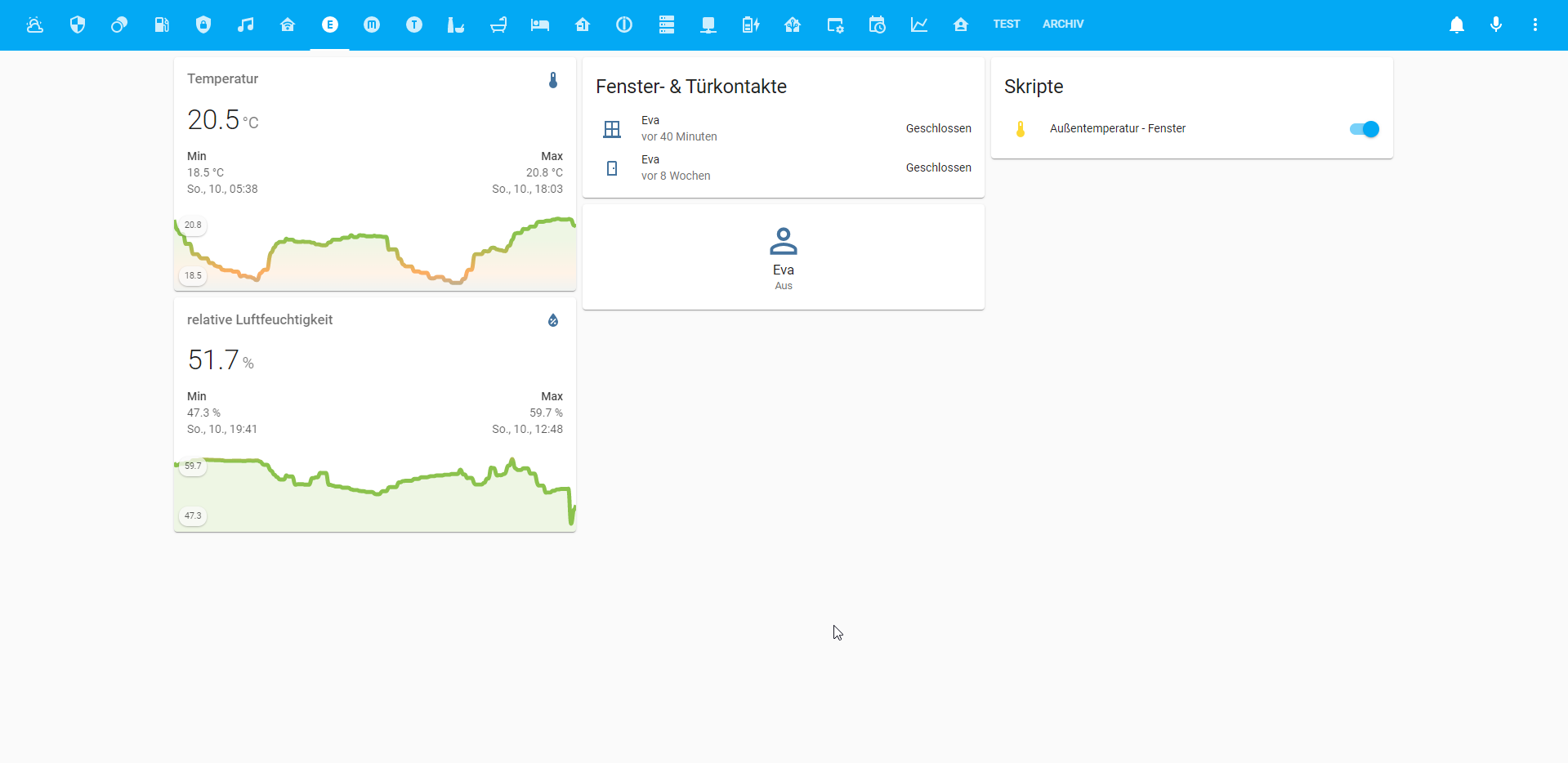
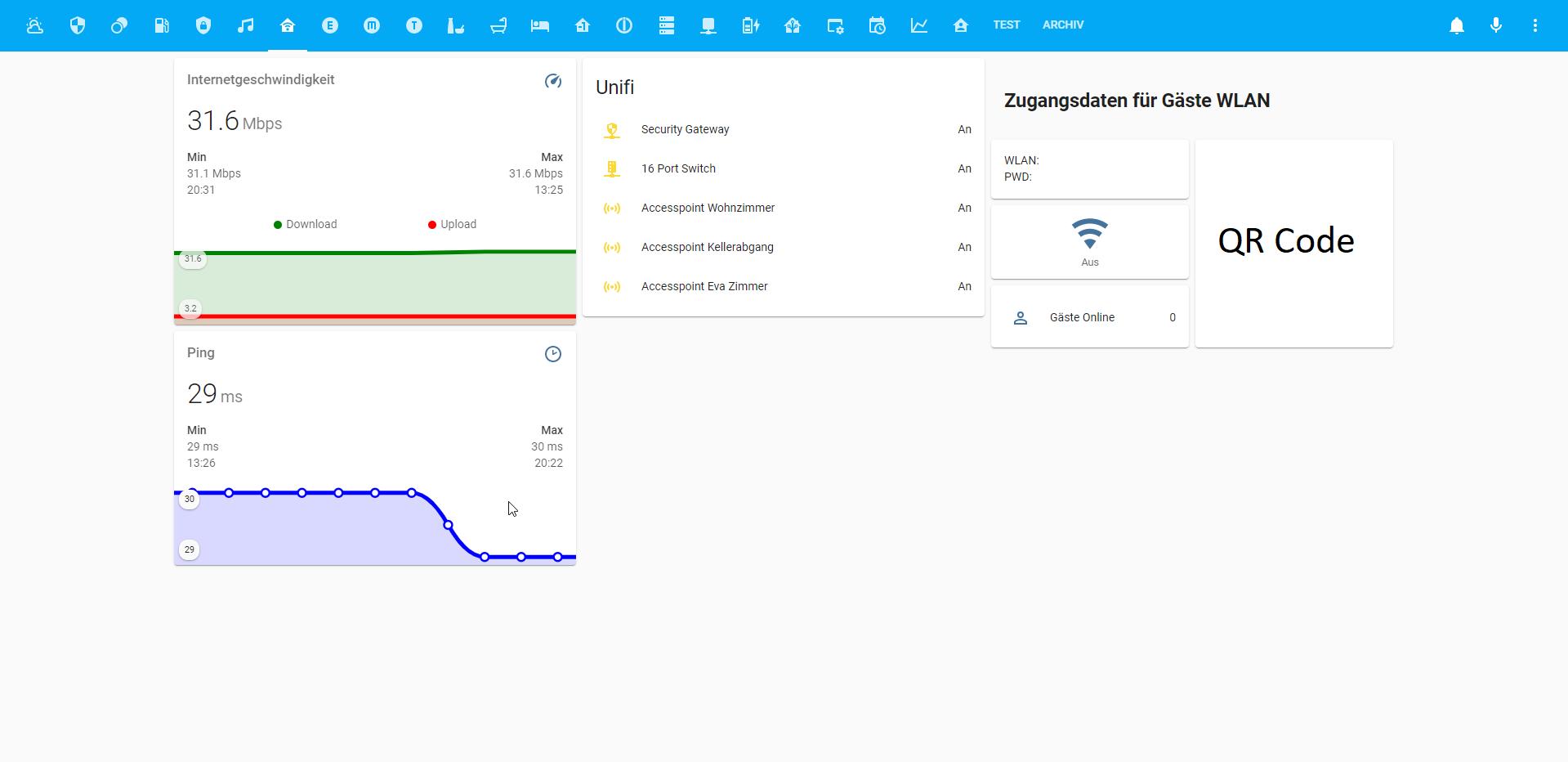
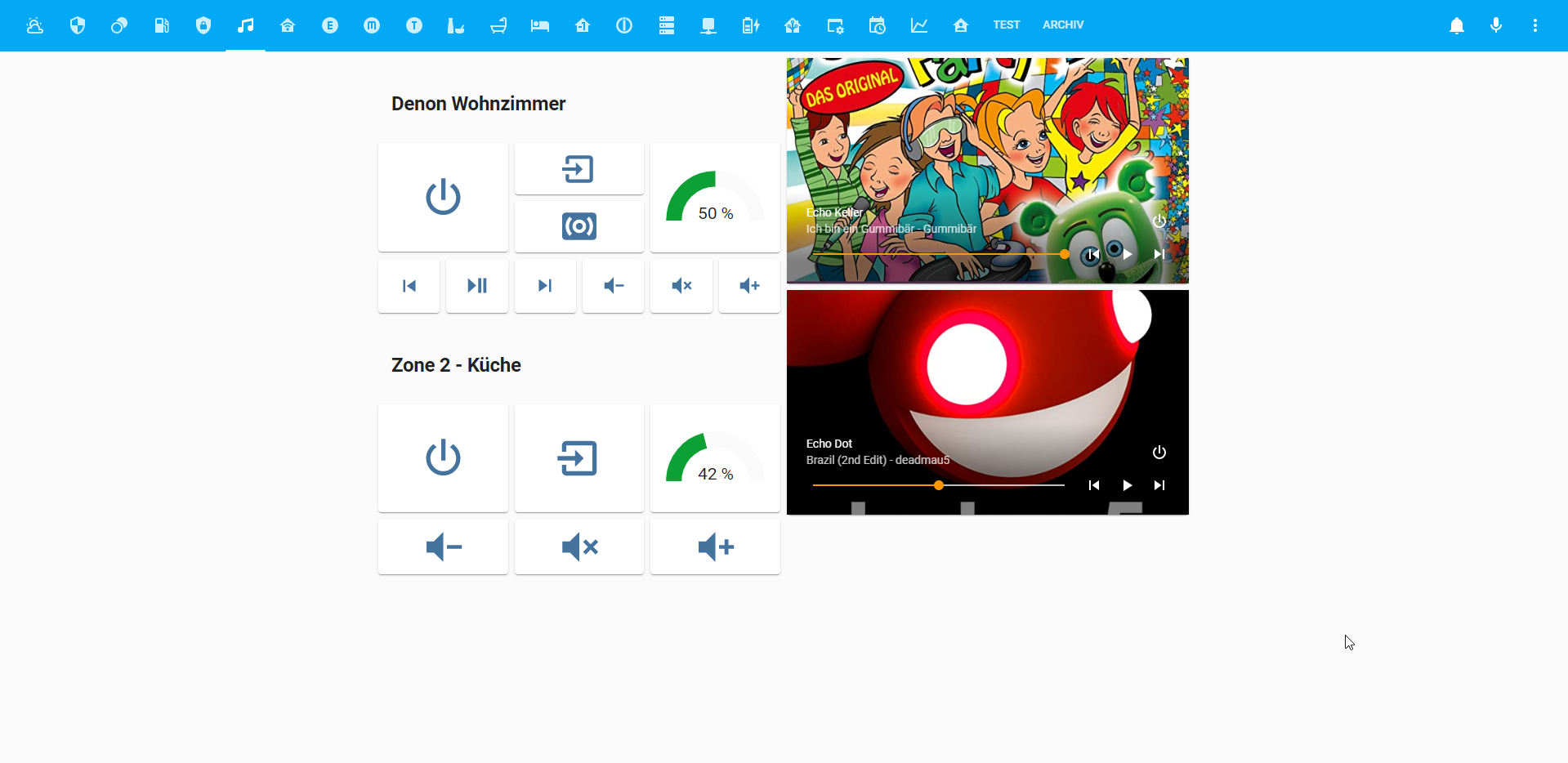
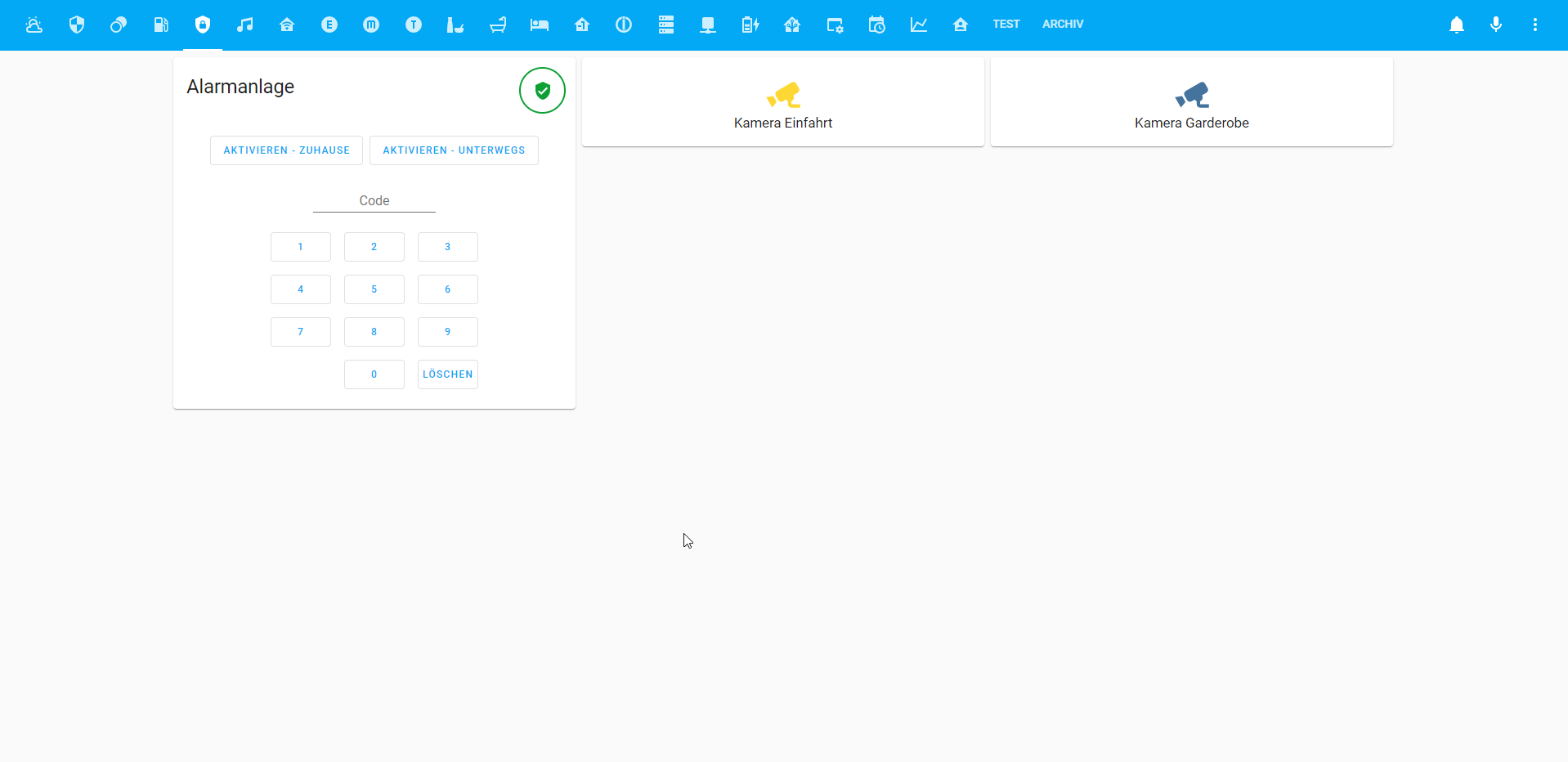
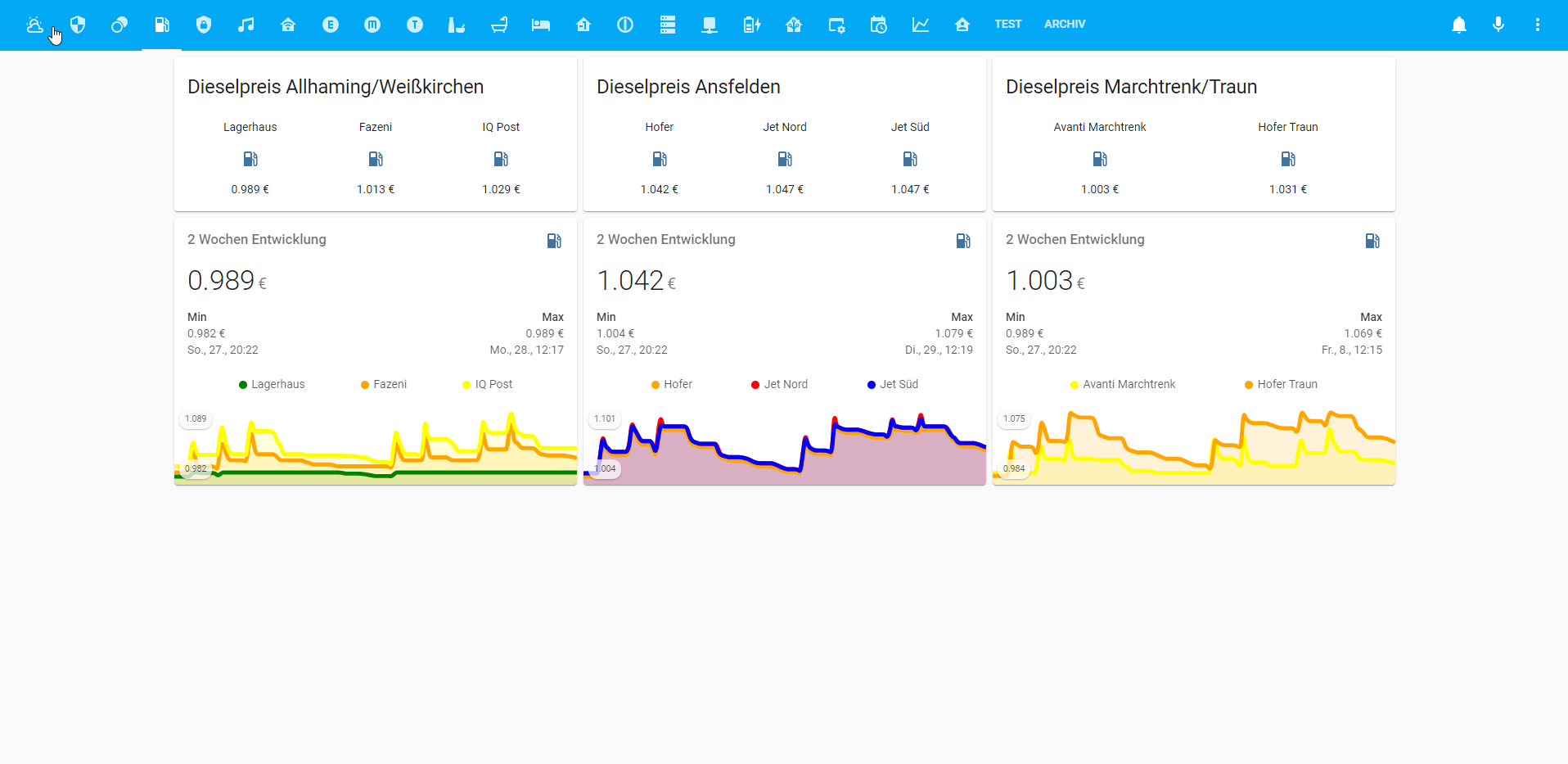
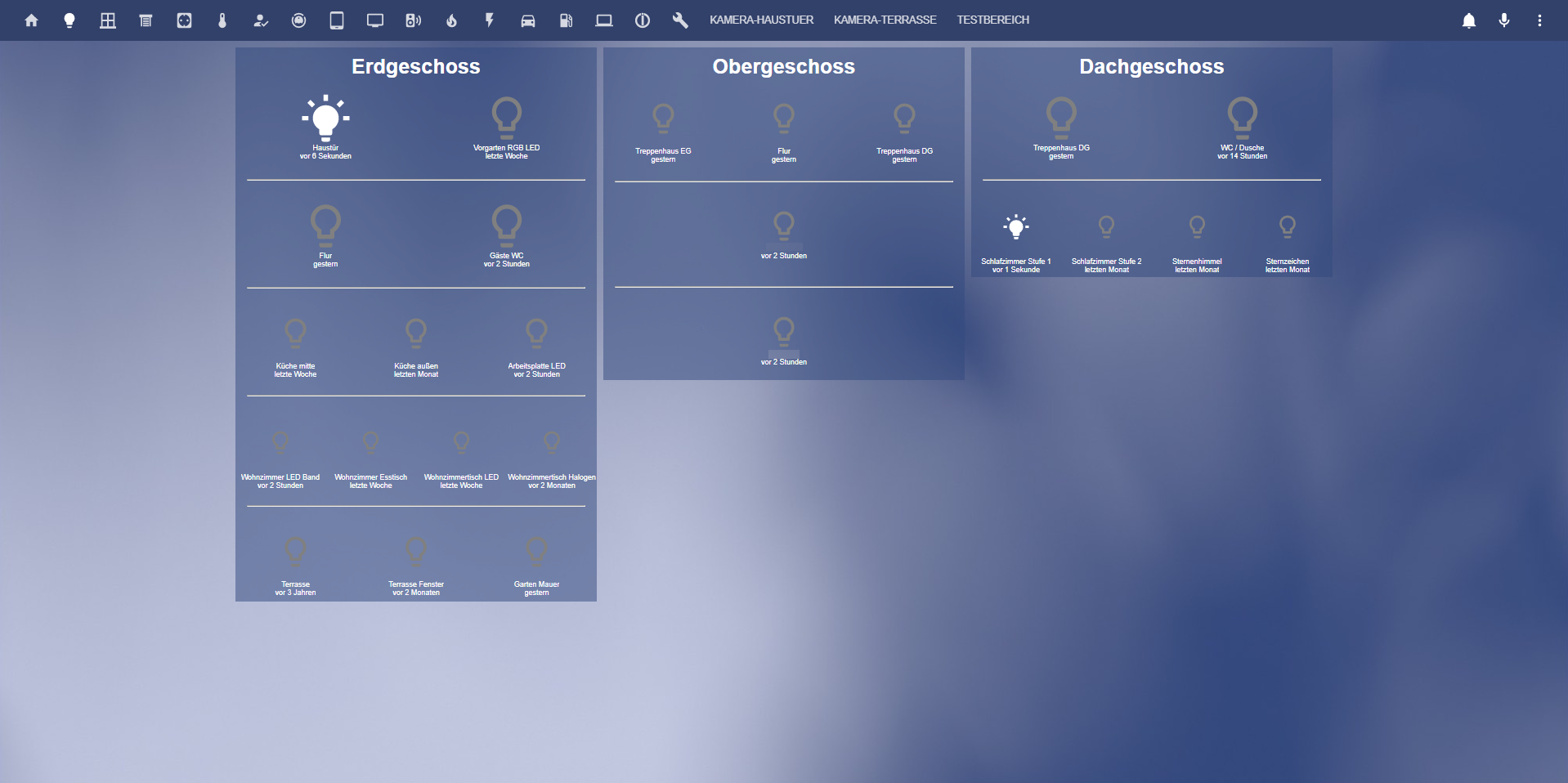
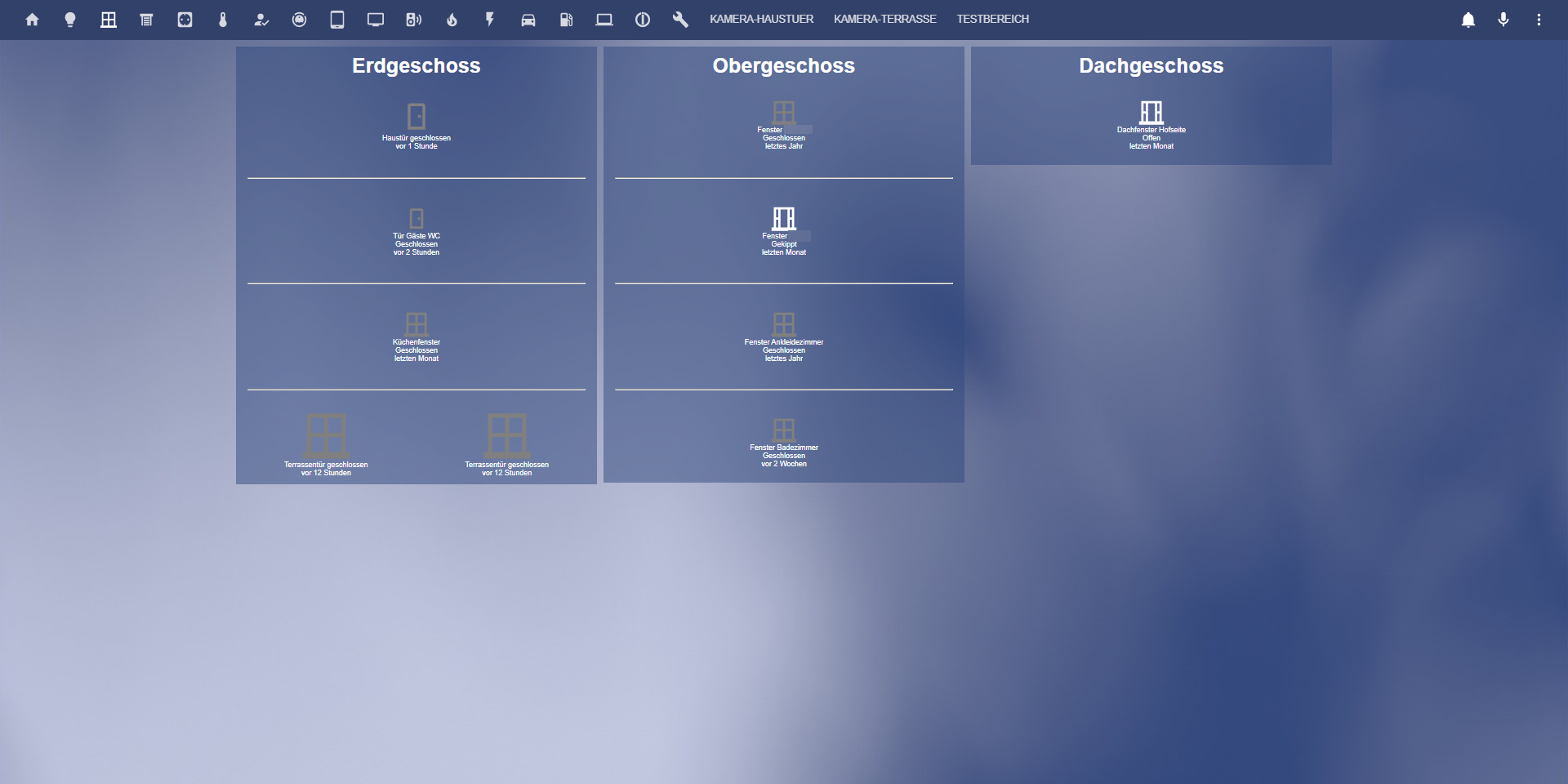
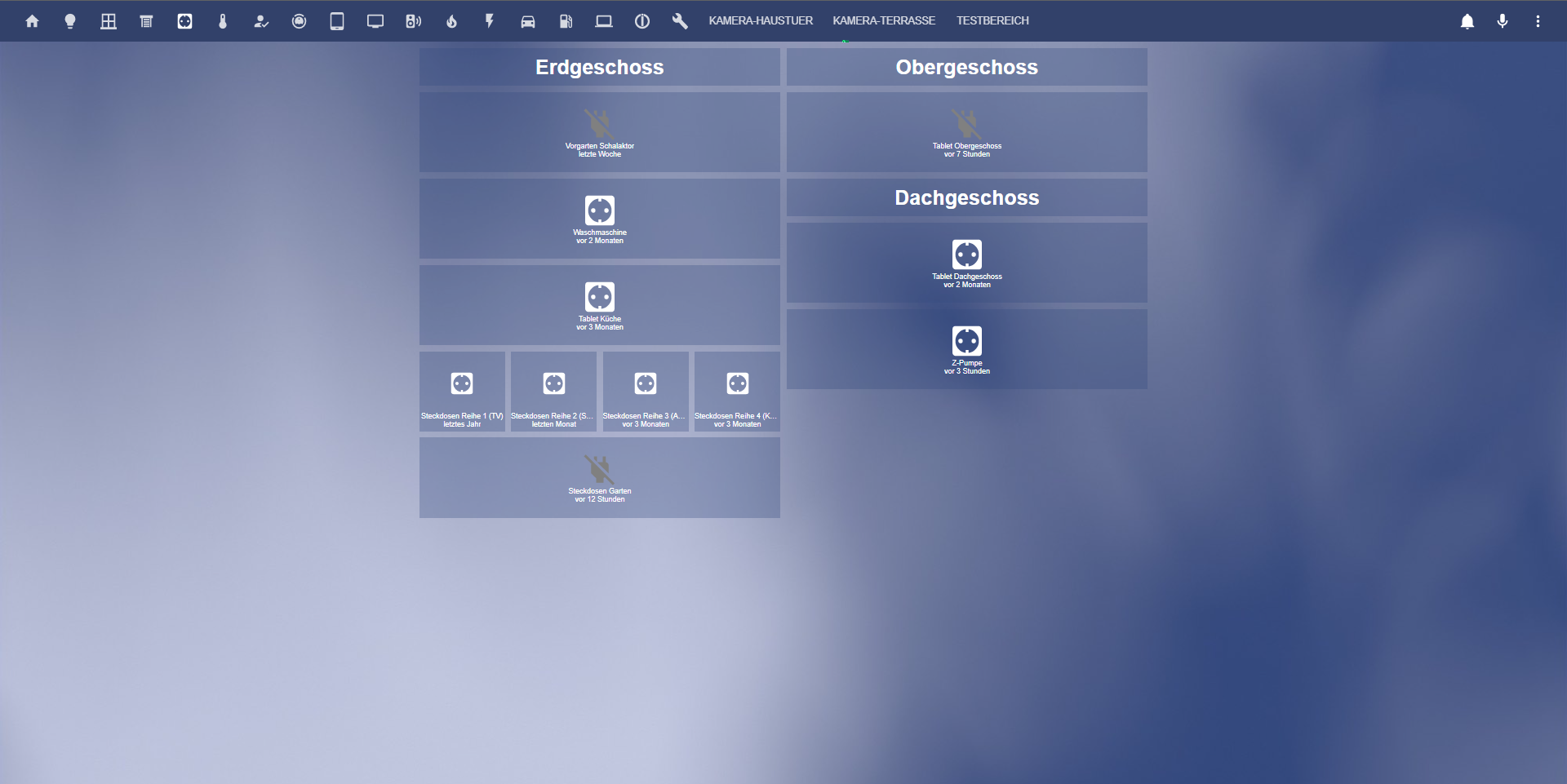
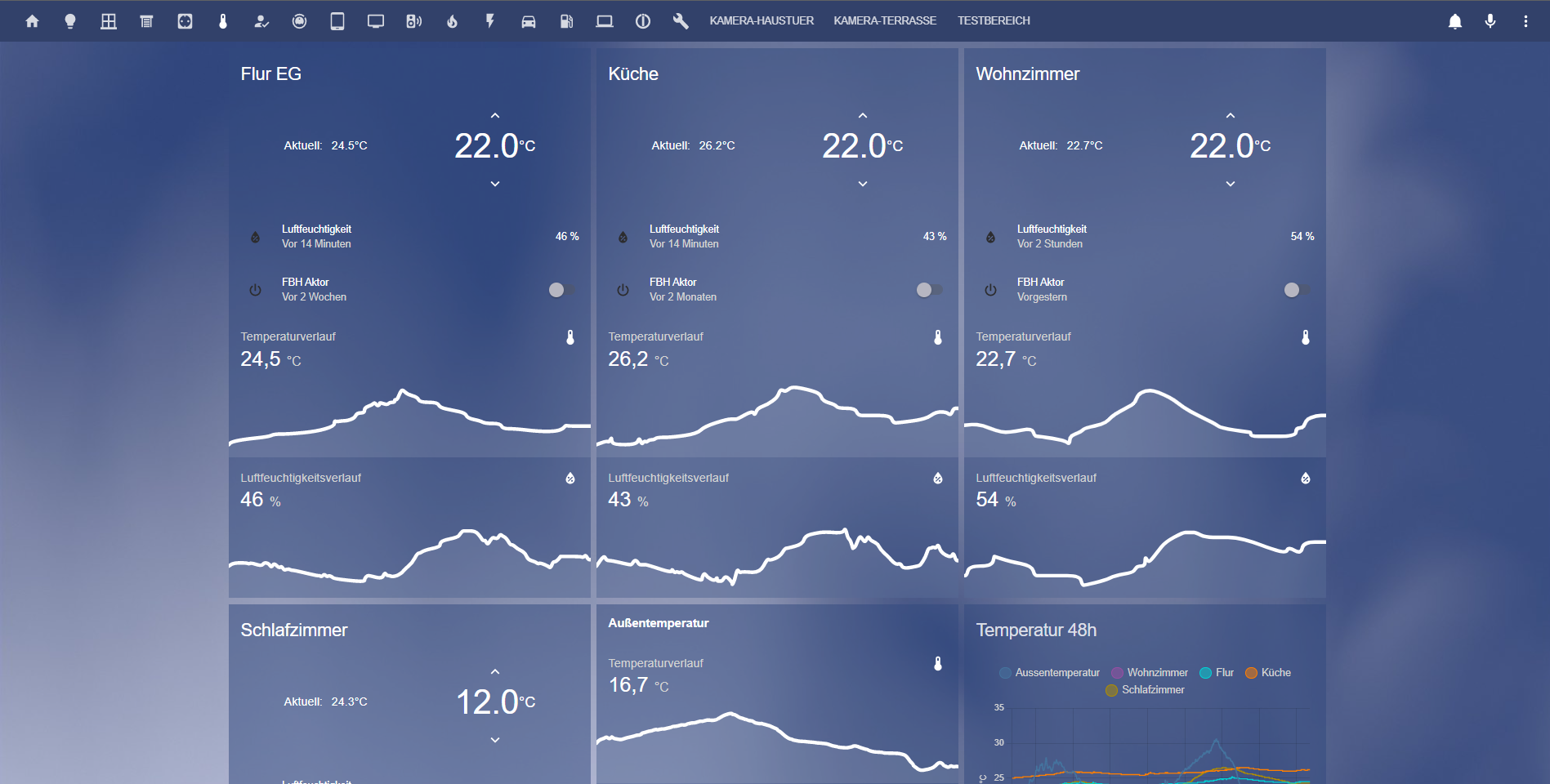
      Auch wenn meine Visu längst noch nicht fertig ist, möchte ich euch einen Einblick geben was ich bis dato gebastelt habe. D.h. einiges ist noch nicht fertig und in "Testphase" bzw. fehlt der Feinschliff.
      Ggf. ist aber ja für den einen etwas dabei was er noch nicht kennt. Ich habe mich zahlreichen Forum Posts bedient & Zeilen kopiert, somit ist es sehr wahrscheinlich, dass das eine oder andere jemandem bekannt vor kommt ;).
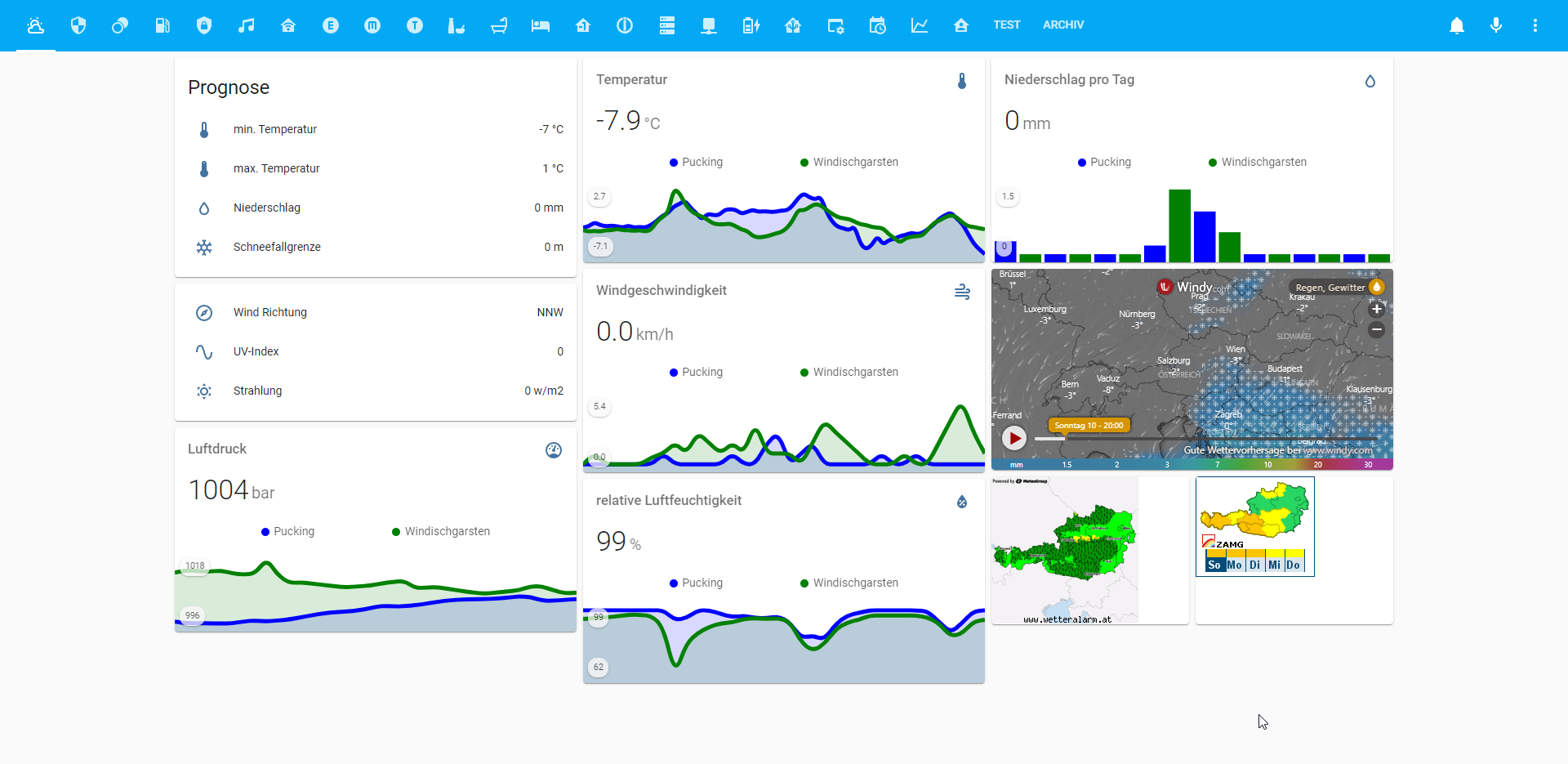
      Ein Ziel von mir ist es mich auf 3 Spalten zu beschränken, da ich seit kurzem einen Echo Show 8 zur Visualisierung nutze. Habe die Wetterseite am Echo dzt. als Startseite im Firefox gespeichert. Wenn ich sage "Echo, öffne Firefox" hab ich dann die Visu vor mir und kann mich durchklicken.

      Abgesehen von den Standard cards nutze ich:

      • battery-entity-card
      • mini-media-player-card
      • mini-graph-card
      • button-card

      Folgend ein paar Screenshots:
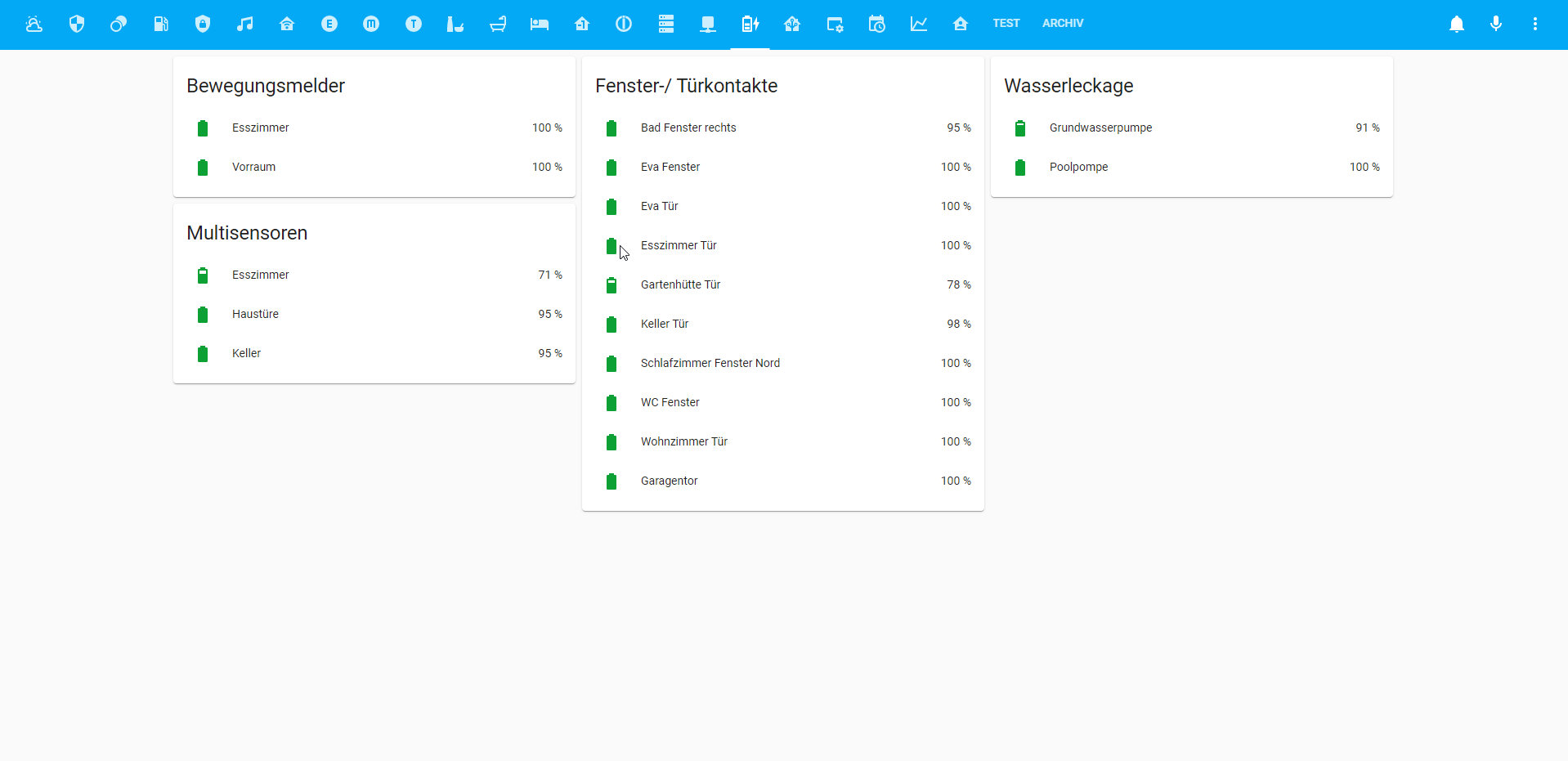
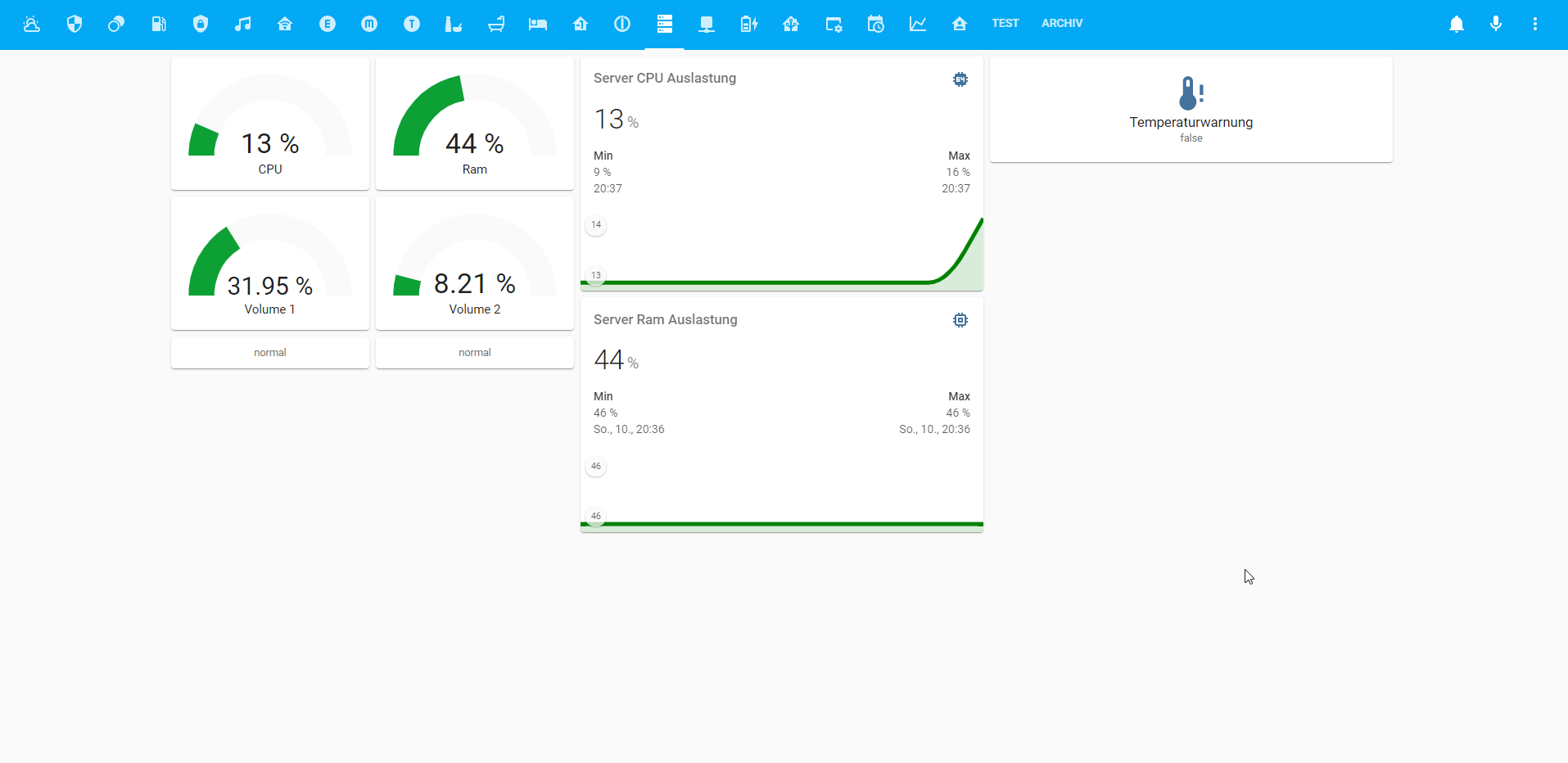
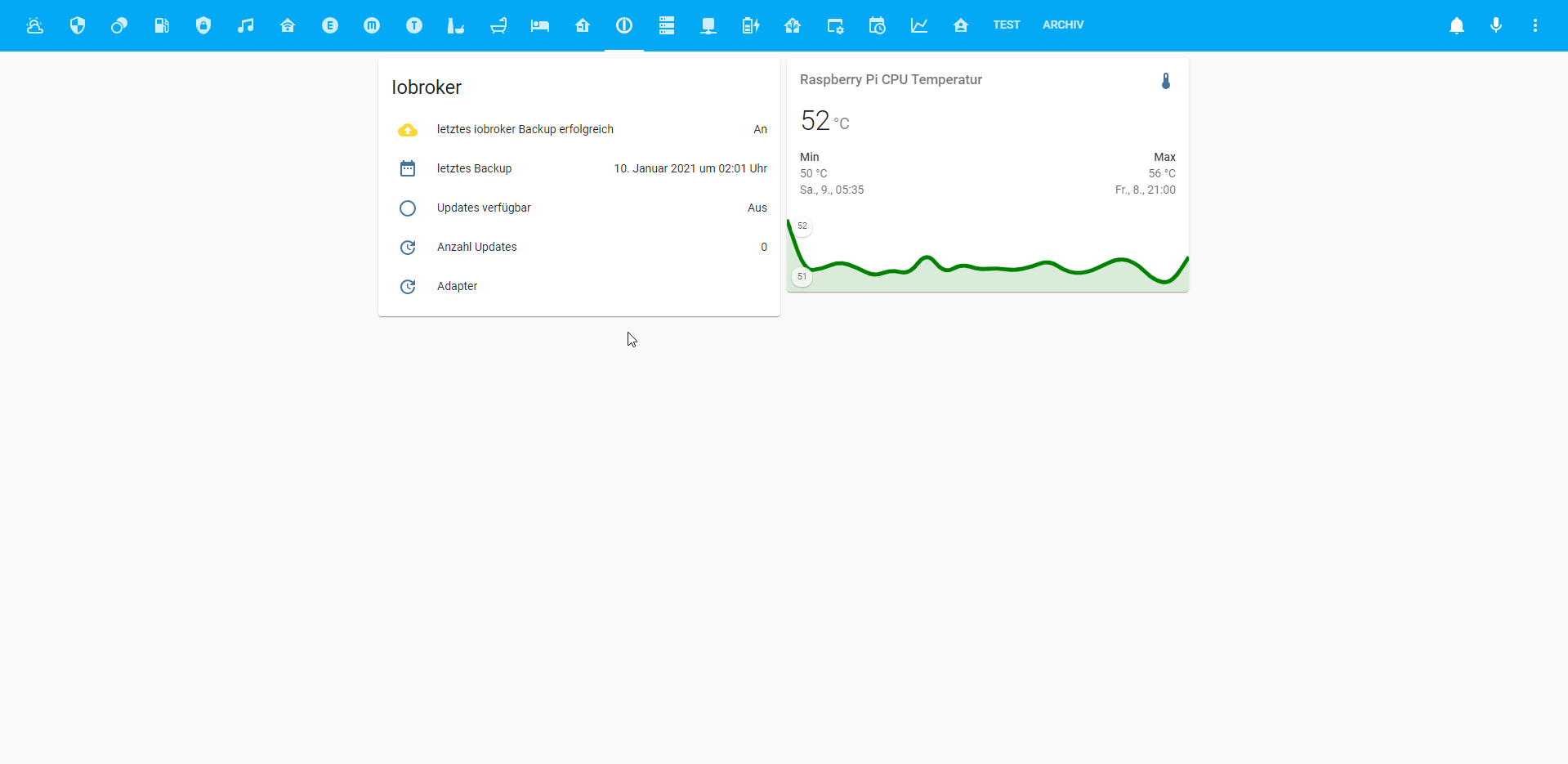
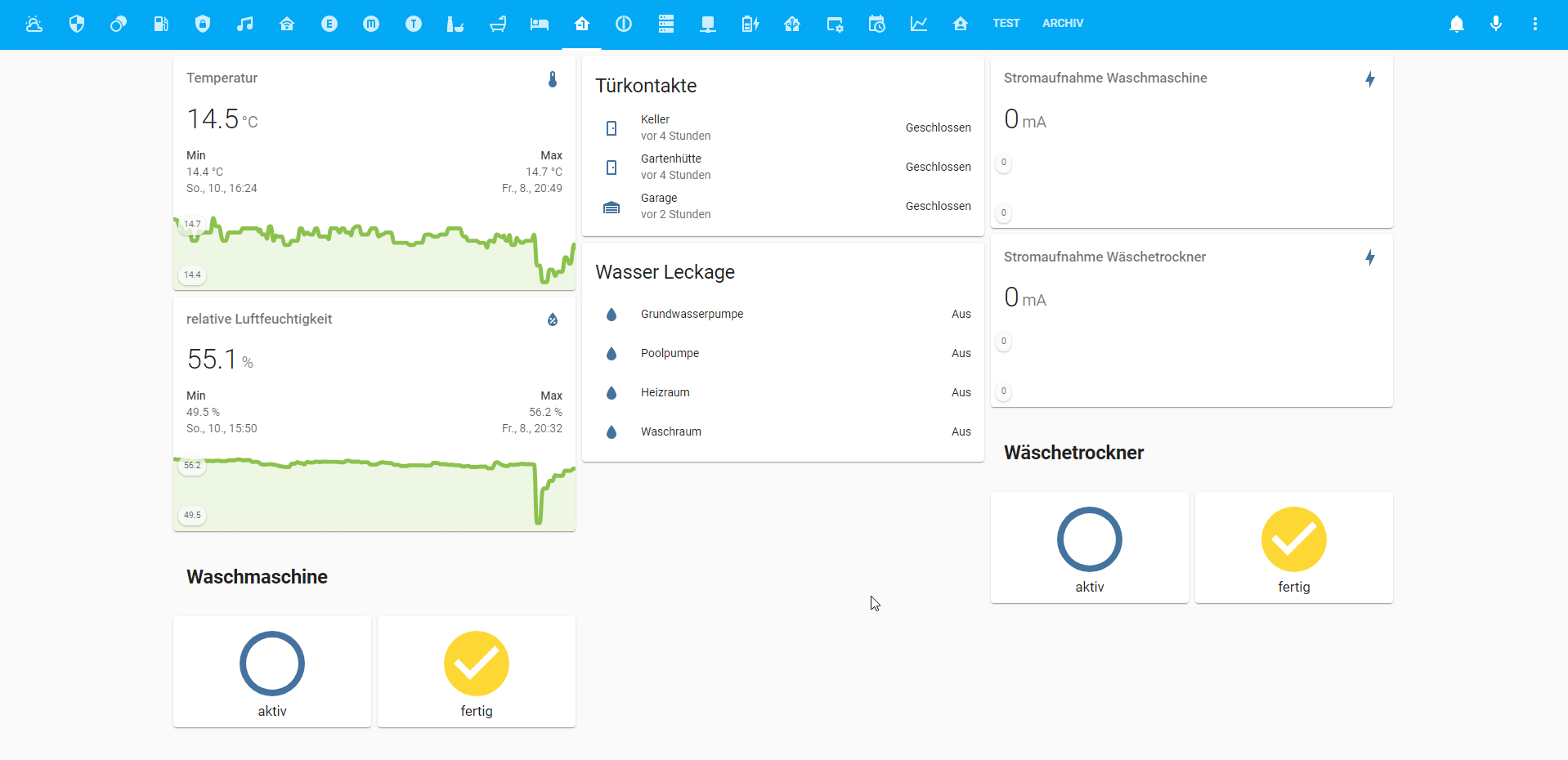
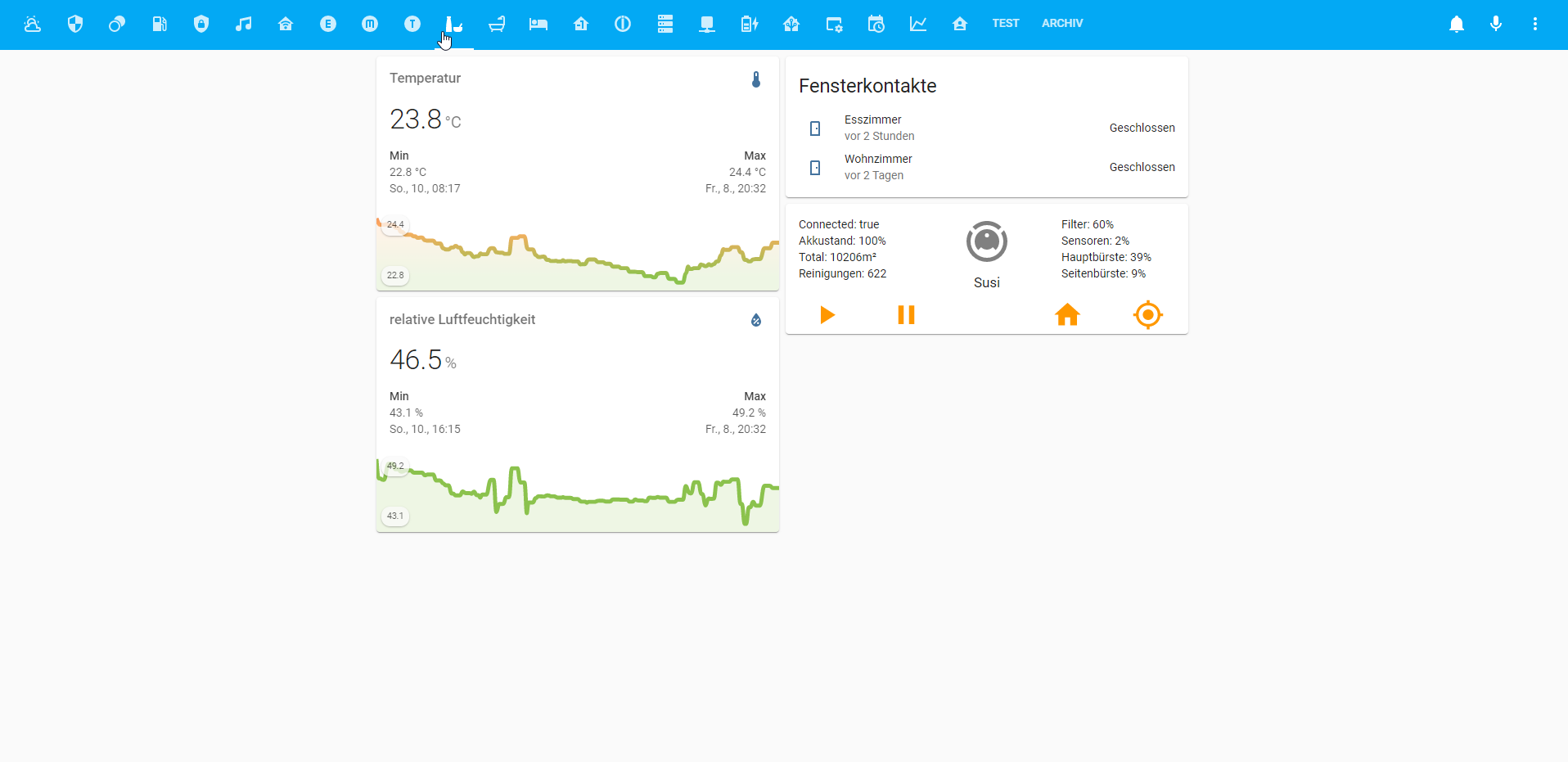
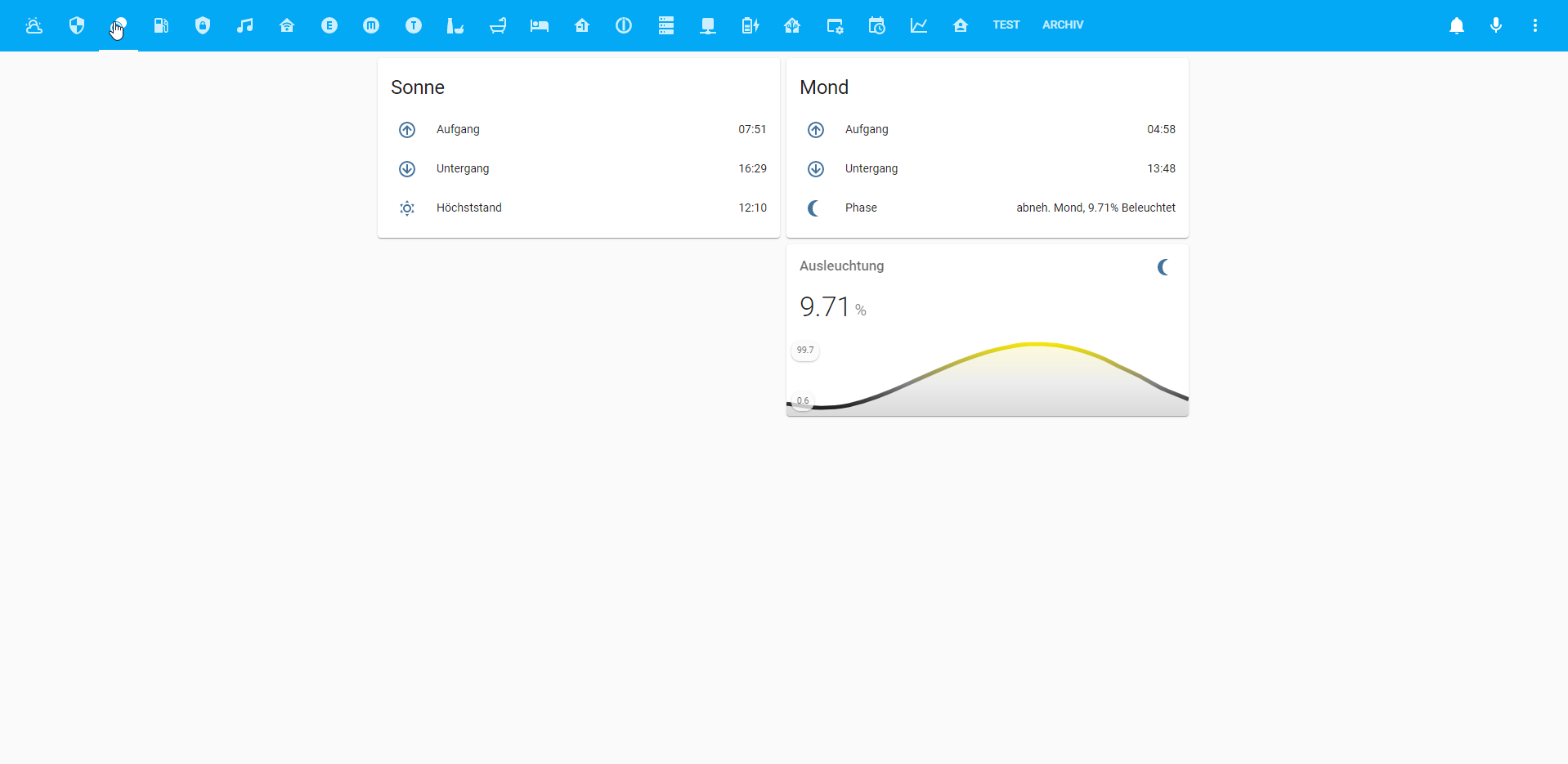
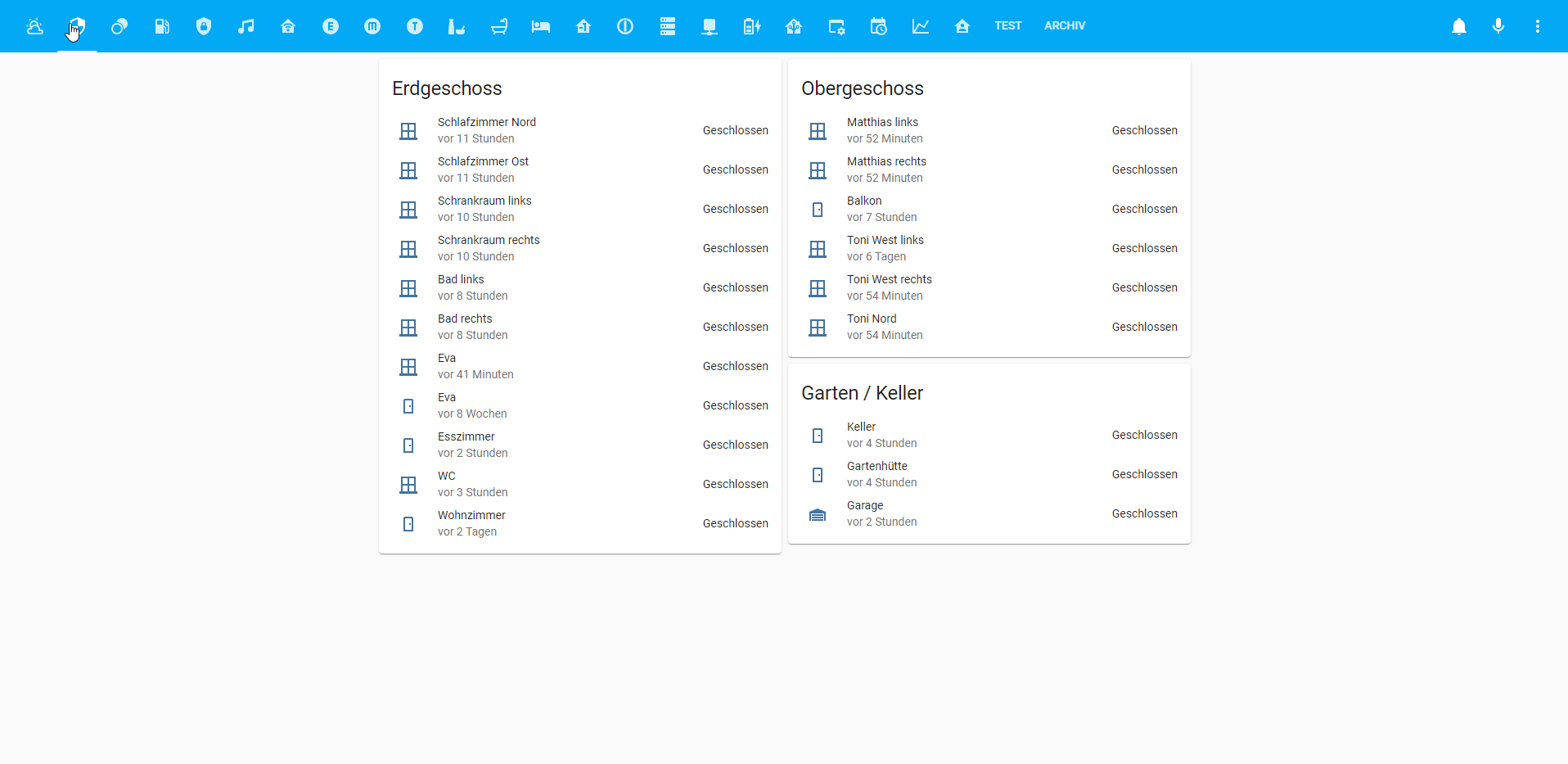
      2021-01-10 20_39_13-Window.png 2021-01-10 20_38_59-Window.png 2021-01-10 20_32_48-Window.png 2021-01-10 20_32_37-Window.png 2021-01-10 20_32_12-Window.png 2021-01-10 20_31_41-Window.png 2021-01-10 20_31_29-Window.png 2021-01-10 20_31_16-Window.png 2021-01-10 20_31_00-Window.png 2021-01-10 20_30_49-Window.png 2021-01-10 20_30_41-Window.png 2021-01-10 20_30_29-Window.png 2021-01-10 20_29_50-Window.png

      folgend mein yaml code:

      title: Smarthome Control
      views:
        - title: Wetter
          path: wetter
          icon: 'hass:weather-partly-cloudy'
          badges: []
          cards:
            - type: horizontal-stack
              cards:
                - type: vertical-stack
                  cards:
                    - type: entities
                      entities:
                        - entity: sensor.Minimal_day_temperature
                          name: min. Temperatur
                          icon: 'hass:thermometer-low'
                        - entity: sensor.Maximal_day_temperature
                          name: max. Temperatur
                          icon: 'hass:thermometer-high'
                        - entity: sensor.rain
                          name: Niederschlag
                          icon: 'hass:water-outline'
                        - entity: sensor.snowline
                          icon: 'hass:snowflake'
                          name: Schneefallgrenze
                      show_header_toggle: false
                      title: Prognose
                    - type: entities
                      entities:
                        - entity: sensor.Wind_direction
                          name: Wind Richtung
                          icon: 'hass:compass-outline'
                        - entity: sensor.UV_Index
                          icon: 'hass:sine-wave'
                        - entity: sensor.Solar_radiation
                          icon: 'hass:weather-sunny'
                          name: Strahlung
                      state_color: false
                      show_header_toggle: false
                    - type: 'custom:mini-graph-card'
                      name: Luftdruck
                      entities:
                        - entity: sensor.Air_pressure__mbar__PKG
                          name: Pucking
                          color: blue
                        - entity: sensor.Air_pressure__mbar__wdg
                          name: Windischgarsten
                          color: green
                      hours_to_show: 72
                      hour24: true
                      decimals: 0
                      icon: 'hass:gauge'
                      unit: bar
                      show:
                        labels: true
            - type: 'custom:mini-graph-card'
              name: Temperatur
              entities:
                - entity: sensor.Temperature_PKG
                  name: Pucking
                  color: blue
                - entity: sensor.Temperature_wdg
                  name: Windischgarsten
                  color: green
              hours_to_show: 72
              points_per_hour: 1
              hour24: true
              decimals: 1
              icon: 'hass:thermometer'
              unit: °C
              show:
                labels: true
            - type: 'custom:mini-graph-card'
              name: Windgeschwindigkeit
              entities:
                - entity: sensor.Wind_gust_PKG
                  name: Pucking
                  color: blue
                - entity: sensor.Wind_gust_wdg
                  name: Windischgarsten
                  color: green
              hours_to_show: 72
              hour24: true
              decimals: 1
              icon: 'hass:weather-windy'
              unit: km/h
              show:
                labels: true
            - type: 'custom:mini-graph-card'
              entities:
                - entity: sensor.Precipitation__today_
                  name: Pucking
                  color: blue
                - entity: sensor.Precipitation__today__wdg
                  name: Windischgarsten
                  color: green
              name: Niederschlag pro Tag
              unit: mm
              icon: 'hass:water-outline'
              hours_to_show: 192
              group_by: date
              hour24: true
              labels: true
              update_interval: 60
              smoothing: true
              aggregate_func: max
              show_line: true
              show_points: true
              show_legend: true
              show:
                graph: bar
                labels: true
            - type: iframe
              url: >-
                https://embed.windy.com/embed2.html?lat=47.5&lon=14&zoom=5&level=surface&overlay=rain&menu=&message=&marker=&calendar=&pressure=&type=map&location=coordinates&detail=&detailLat=32.487&detailLon=--84.023&metricWind=default&metricTemp=default&radarRange=-1
              aspect_ratio: 50%
            - type: 'custom:mini-graph-card'
              name: relative Luftfeuchtigkeit
              entities:
                - entity: sensor.Relative_humidity_PKG
                  name: Pucking
                  color: blue
                - entity: sensor.Relative_humidity_wdg
                  name: Windischgarsten
                  color: green
              hours_to_show: 72
              hour24: true
              decimals: 0
              icon: 'hass:water-percent'
              unit: null
              show:
                labels: true
            - type: horizontal-stack
              cards:
                - type: iframe
                  url: 'http://unwetter.wetteralarm.at/images/map/oesterreich_preview.png'
                  aspect_ratio: 75%
                - type: iframe
                  aspect_ratio: 75%
                  url: 'http://warnungen.zamg.at/warnwidget/de/heute/alle/at/'
        - title: Sicherheit
          path: sicherheit
          icon: 'hass:security'
          badges: []
          cards:
            - type: entities
              entities:
                - entity: binary_sensor.SZ_FK_N_Open
                  icon: 'hass:window-closed-variant'
                  secondary_info: last-changed
                  name: Schlafzimmer Nord
                - entity: binary_sensor.SZ_FK_O_Open
                  icon: 'hass:window-closed-variant'
                  secondary_info: last-changed
                  name: Schlafzimmer Ost
                - entity: binary_sensor.SR_L_Open
                  icon: 'hass:window-closed-variant'
                  secondary_info: last-changed
                  name: Schrankraum links
                - entity: binary_sensor.SR_MR_Open
                  icon: 'hass:window-closed-variant'
                  secondary_info: last-changed
                  name: Schrankraum rechts
                - entity: binary_sensor.B_FK_L_Open
                  icon: 'hass:window-closed-variant'
                  secondary_info: last-changed
                  name: Bad links
                - entity: binary_sensor.B_FK_R_Open
                  icon: 'hass:window-closed-variant'
                  secondary_info: last-changed
                  name: Bad rechts
                - entity: binary_sensor.EVA_FK_Open
                  icon: 'hass:window-closed-variant'
                  secondary_info: last-changed
                  name: Eva
                - entity: binary_sensor.EVA_TK_Open
                  icon: 'hass:door'
                  secondary_info: last-changed
                  name: Eva
                - entity: binary_sensor.EZ_TK_Open
                  icon: 'hass:door'
                  secondary_info: last-changed
                  name: Esszimmer
                - entity: binary_sensor.WC_Open
                  icon: 'hass:window-closed-variant'
                  secondary_info: last-changed
                  name: WC
                - entity: binary_sensor.WZ_TK_Open
                  icon: 'hass:door'
                  secondary_info: last-changed
                  name: Wohnzimmer
              title: Erdgeschoss
              state_color: true
              show_header_toggle: false
            - type: horizontal-stack
              cards:
                - type: vertical-stack
                  cards:
                    - type: entities
                      entities:
                        - entity: binary_sensor.M_FK_L_Open
                          icon: 'hass:window-closed-variant'
                          secondary_info: last-changed
                          name: Matthias links
                        - entity: binary_sensor.M_FK_R_Open
                          icon: 'hass:window-closed-variant'
                          secondary_info: last-changed
                          name: Matthias rechts
                        - entity: binary_sensor.Balkon_Open
                          icon: 'hass:door'
                          secondary_info: last-changed
                          name: Balkon
                        - entity: binary_sensor.T_FK_W_L_Open
                          icon: 'hass:window-closed-variant'
                          secondary_info: last-changed
                          name: Toni West links
                        - entity: binary_sensor.T_FK_W_R_Open
                          icon: 'hass:window-closed-variant'
                          secondary_info: last-changed
                          name: Toni West rechts
                        - entity: binary_sensor.T_FK_N_Open
                          icon: 'hass:window-closed-variant'
                          secondary_info: last-changed
                          name: Toni Nord
                      title: Obergeschoss
                      state_color: true
                      show_header_toggle: false
                    - type: entities
                      entities:
                        - entity: binary_sensor.Keller_TKS_Open
                          icon: 'hass:door'
                          secondary_info: last-changed
                          name: Keller
                        - entity: binary_sensor.GH_TK_Open
                          icon: 'hass:door'
                          secondary_info: last-changed
                          name: Gartenhütte
                        - entity: binary_sensor.G_TK_Open
                          name: Garage
                          icon: 'hass:garage-variant'
                          secondary_info: last-changed
                      title: Garten / Keller
                      state_color: true
                      show_header_toggle: false
        - icon: 'mdi:transition-masked'
          title: Astro
          path: astro
          badges: []
          cards:
            - type: horizontal-stack
              cards:
                - type: vertical-stack
                  cards:
                    - type: entities
                      entities:
                        - entity: sensor.sun_raise
                          name: Aufgang
                          icon: 'hass:arrow-up-circle-outline'
                        - entity: sensor.sun_set
                          icon: 'hass:arrow-down-circle-outline'
                          name: Untergang
                        - entity: sensor.sun_mid
                          icon: 'hass:weather-sunny'
                          name: Höchststand
                      state_color: false
                      show_header_toggle: false
                      title: Sonne
            - type: horizontal-stack
              cards:
                - type: vertical-stack
                  cards:
                    - type: entities
                      entities:
                        - entity: sensor.moon_raise
                          icon: 'hass:arrow-up-circle-outline'
                          name: Aufgang
                        - entity: sensor.moon_set
                          icon: 'hass:arrow-down-circle-outline'
                          name: Untergang
                        - entity: sensor.moon_description
                          icon: 'hass:moon-waning-crescent'
                          name: Phase
                      show_header_toggle: false
                      title: Mond
                    - type: 'custom:mini-graph-card'
                      name: Ausleuchtung
                      entities:
                        - entity: sensor.moon_lumi
                          decimals: 0
                      hours_to_show: 720
                      color_thresholds:
                        - value: 40
                          color: grey
                        - value: 0
                          color: black
                        - value: 95
                          color: '#ffee00'
                      smoothing: true
                      group_by: date
                      icon: 'hass:moon-waning-crescent'
                      unit: '%'
                      show:
                        labels: true
                      hour24: true
        - title: Tankstellen
          path: tankstelle
          icon: 'hass:gas-station'
          badges: []
          cards:
            - type: vertical-stack
              cards:
                - type: glance
                  entities:
                    - entity: sensor.genol_wk_station_price
                      name: Lagerhaus
                      icon: 'hass:gas-station'
                    - entity: sensor.turm_all_station_price
                      name: Fazeni
                      icon: 'hass:gas-station'
                    - entity: sensor.iq_all_station_price
                      name: IQ Post
                      icon: 'hass:gas-station'
                  title: Dieselpreis Allhaming/Weißkirchen
                - type: 'custom:mini-graph-card'
                  name: 2 Wochen Entwicklung
                  entities:
                    - entity: sensor.genol_wk_station_price
                      name: Lagerhaus
                      color: green
                    - entity: sensor.turm_all_station_price
                      name: Fazeni
                      color: orange
                    - entity: sensor.iq_all_station_price
                      name: IQ Post
                      color: yellow
                  hours_to_show: 336
                  hour24: true
                  decimals: 3
                  icon: 'hass:gas-station'
                  unit: €
                  show:
                    labels: true
                    extrema: true
            - type: vertical-stack
              cards:
                - type: glance
                  entities:
                    - entity: sensor.hofer_ansfelden_station_price
                      name: Hofer
                      icon: 'hass:gas-station'
                    - entity: sensor.jet_ansfelden_nord_station_price
                      name: Jet Nord
                      icon: 'hass:gas-station'
                    - entity: sensor.jet_ansfelden_sued_station_price
                      name: Jet Süd
                      icon: 'hass:gas-station'
                  title: Dieselpreis Ansfelden
                - type: 'custom:mini-graph-card'
                  name: 2 Wochen Entwicklung
                  entities:
                    - entity: sensor.hofer_ansfelden_station_price
                      name: Hofer
                      color: orange
                    - entity: sensor.jet_ansfelden_nord_station_price
                      name: Jet Nord
                      color: red
                    - entity: sensor.jet_ansfelden_sued_station_price
                      name: Jet Süd
                      color: blue
                  hours_to_show: 336
                  hour24: true
                  decimals: 3
                  icon: 'hass:gas-station'
                  unit: €
                  show:
                    labels: true
                    extrema: true
            - type: vertical-stack
              cards:
                - type: glance
                  entities:
                    - entity: sensor.avanti_mt_station_price
                      name: Avanti Marchtrenk
                      icon: 'hass:gas-station'
                    - entity: sensor.hofer_traun_station_price
                      name: Hofer Traun
                      icon: 'hass:gas-station'
                  title: Dieselpreis Marchtrenk/Traun
                - type: 'custom:mini-graph-card'
                  name: 2 Wochen Entwicklung
                  entities:
                    - entity: sensor.avanti_mt_station_price
                      name: Avanti Marchtrenk
                      color: yellow
                    - entity: sensor.hofer_traun_station_price
                      name: Hofer Traun
                      color: orange
                  hours_to_show: 336
                  hour24: true
                  decimals: 3
                  icon: 'hass:gas-station'
                  unit: €
                  show:
                    labels: true
                    extrema: true
        - icon: 'hass:shield-lock'
          title: Alarmanlage
          path: alarmanlage
          badges: []
          cards:
            - type: alarm-panel
              states:
                - arm_home
                - arm_away
              entity: alarm_control_panel.defaultAlarm
              name: Alarmanlage
            - type: button
              tap_action:
                action: none
              entity: binary_sensor.Alive_Kamera_Einfahrt
              icon_height: 50px
              show_state: false
              icon: 'hass:cctv'
              name: Kamera Einfahrt
              hold_action:
                action: none
            - type: button
              tap_action:
                action: toggle
              entity: light.On_garderobe
              icon_height: 50px
              show_state: false
              icon: 'hass:cctv'
              name: Kamera Garderobe
              hold_action:
                action: none
        - title: Musik
          path: musik
          icon: 'hass:music'
          badges: []
          cards:
            - type: vertical-stack
              cards:
                - type: vertical-stack
                  title: Denon Wohnzimmer
                  cards:
                    - type: horizontal-stack
                      cards:
                        - type: vertical-stack
                          cards:
                            - type: button
                              tap_action:
                                action: toggle
                              entity: switch.Main_Zone_Power_State
                              icon: 'hass:power'
                              show_name: false
                              icon_height: 120px
                        - type: vertical-stack
                          cards:
                            - type: button
                              entity: input_select.Select_input
                              show_state: false
                              icon_height: 50px
                              tap_action:
                                action: more-info
                              hold_action:
                                action: none
                              name: Eingang
                              icon: 'hass:import'
                              show_name: false
                            - type: button
                              entity: input_select.Surround_mode
                              show_state: false
                              icon_height: 50px
                              tap_action:
                                action: more-info
                              hold_action:
                                action: none
                              show_icon: true
                              name: Surround Modus
                              show_name: false
                              icon: 'hass:surround-sound'
                        - type: gauge
                          entity: sensor.Main_Volume
                          min: 0
                          max: 100
                          severity:
                            green: 0
                            yellow: 65
                            red: 70
                          unit: '%'
                          name: ' '
                    - type: horizontal-stack
                      cards:
                        - type: button
                          tap_action:
                            action: toggle
                          entity: switch.Previous
                          icon: 'hass:skip-previous'
                          show_name: false
                          state_color: false
                          icon_height: 60px
                        - type: button
                          tap_action:
                            action: toggle
                          entity: switch.Play_Pause
                          icon: 'hass:play-pause'
                          show_name: false
                          state_color: false
                        - type: button
                          tap_action:
                            action: toggle
                          entity: switch.Next
                          icon: 'hass:skip-next'
                          show_name: false
                          state_color: false
                        - type: button
                          tap_action:
                            action: toggle
                          entity: switch.Volume_Down
                          icon: 'hass:volume-minus'
                          show_name: false
                          state_color: false
                        - type: button
                          tap_action:
                            action: toggle
                          entity: switch.Muted
                          icon: 'hass:volume-mute'
                          show_name: false
                          state_color: false
                        - type: button
                          tap_action:
                            action: toggle
                          entity: switch.Volume_Up
                          icon: 'hass:volume-plus'
                          show_name: false
                          state_color: false
                - type: vertical-stack
                  title: Zone 2 - Küche
                  cards:
                    - type: horizontal-stack
                      cards:
                        - type: vertical-stack
                          cards:
                            - type: button
                              tap_action:
                                action: toggle
                              entity: switch.Zone_2_Power_State
                              icon: 'hass:power'
                              show_name: false
                              icon_height: 120px
                              name: Küche
                        - type: vertical-stack
                          cards:
                            - type: button
                              entity: input_select.Zone_2_Select_input
                              show_state: false
                              icon_height: 120px
                              tap_action:
                                action: more-info
                              hold_action:
                                action: none
                              name: Eingang
                              icon: 'hass:import'
                              show_name: false
                        - type: gauge
                          entity: sensor.Zone_2_Volume
                          min: 0
                          max: 100
                          severity:
                            green: 0
                            yellow: 65
                            red: 70
                          unit: '%'
                          name: ' '
                    - type: horizontal-stack
                      cards:
                        - type: button
                          tap_action:
                            action: toggle
                          entity: switch.Zone_2_Volume_Down
                          icon: 'hass:volume-minus'
                          show_name: false
                          state_color: false
                          icon_height: 55px
                        - type: button
                          tap_action:
                            action: toggle
                          entity: switch.Zone_2_Muted
                          icon: 'hass:volume-mute'
                          show_name: false
                          state_color: false
                          icon_height: 55px
                        - type: button
                          tap_action:
                            action: toggle
                          entity: switch.Zone_2_Volume_Up
                          icon: 'hass:volume-plus'
                          show_name: false
                          state_color: false
                          icon_height: 55px
            - type: 'custom:mini-media-player'
              entity: media_player.Echo_Keller
              artwork: full-cover
              hide:
                icon: true
                power_state: true
            - type: 'custom:mini-media-player'
              entity: media_player.Echo_Dot
              artwork: full-cover
              info: scroll
              hide:
                icon: true
        - icon: 'hass:home-automation'
          title: Unifi
          path: unifi
          badges: []
          cards:
            - type: 'custom:mini-graph-card'
              name: Internetgeschwindigkeit
              entities:
                - entity: sensor.Download
                  name: Download
                  color: green
                - entity: sensor.Upload
                  name: Upload
                  color: red
              hours_to_show: 24
              hour24: true
              decimals: 1
              icon: 'hass:speedometer'
              unit: null
              show:
                labels: true
                extrema: true
            - type: 'custom:mini-graph-card'
              entities:
                - entity: sensor.Speedtest_ping
                  name: Ping
                  color: blue
              hour24: true
              hours_to_show: 24
              labels: true
              update_interval: 60
              smoothing: true
              aggregate_func: max
              show_line: true
              show_points: true
              show_legend: true
              decimals: 0
              icon: 'hass:clock-time-two-outline'
              show:
                labels: true
                extrema: true
                graph: line
            - type: entities
              entities:
                - entity: binary_sensor.Alive_Unifi_Security_Gateway
                  name: Security Gateway
                  icon: 'hass:security-network'
                - entity: binary_sensor.Alive_Unifi_16Port_Switch
                  name: 16 Port Switch
                  icon: 'hass:switch'
                - entity: binary_sensor.Alive_Unifi_AP_Wohnzimmer
                  name: Accesspoint Wohnzimmer
                  icon: 'hass:access-point'
                - entity: binary_sensor.Alive_Unifi_AP_Keller
                  name: Accesspoint Kellerabgang
                  icon: 'hass:access-point'
                - entity: binary_sensor.Alive_Unifi_AP_Eva
                  name: Accesspoint Eva Zimmer
                  icon: 'hass:access-point'
              state_color: true
              show_header_toggle: false
              title: Unifi
            - type: horizontal-stack
              title: Zugangsdaten für Gäste WLAN
              cards:
                - type: vertical-stack
                  cards:
                    - type: markdown
                      content: |
                        WLAN: **Name**
                        PWD:  **Passwort**
                    - type: button
                      tap_action:
                        action: toggle
                      entity: binary_sensor.Enabled
                      icon_height: 50px
                      show_state: true
                      icon: 'hass:wifi'
                      hold_action:
                        action: none
                      show_name: false
                      name: Status
                    - type: entities
                      entities:
                        - entity: sensor.Number_of_guests
                          name: Gäste Online
                          icon: 'hass:account-outline'
                      show_header_toggle: true
                      state_color: true
                - type: markdown
                  content: |
                    ![Image](http://192.168.1.63:8091/cards/QRGastWLAN.jpg)
        - icon: 'hass:alpha-e-circle'
          title: Eva
          path: eva
          badges: []
          cards:
            - type: 'custom:mini-graph-card'
              name: Temperatur
              entities:
                - entity: sensor.Eva_MS_Temperature
                  name: Eva
              color_thresholds:
                - value: 18
                  color: '#41b6e6'
                - value: 19
                  color: '#ffad60'
                - value: 20
                  color: '#8bc24c'
                - value: 22
                  color: '#8bc24c'
                - value: 23
                  color: '#ffad60'
                - value: 24
                  color: '#d9534f'
              hours_to_show: 48
              points_per_hour: 6
              hour24: true
              decimals: 1
              icon: 'hass:thermometer'
              unit: °C
              show:
                labels: true
                extrema: true
            - type: 'custom:mini-graph-card'
              name: relative Luftfeuchtigkeit
              entities:
                - entity: sensor.Eva_MS_Relative_humidity
                  name: Eva
              color_thresholds:
                - value: 35
                  color: '#d9534f'
                - value: 39
                  color: '#ffad60'
                - value: 40
                  color: '#8bc24c'
                - value: 58
                  color: '#8bc24c'
                - value: 60
                  color: '#ffad60'
                - value: 65
                  color: '#d9534f'
              hours_to_show: 48
              points_per_hour: 6
              hour24: true
              decimals: 1
              icon: 'hass:water-percent'
              unit: null
              show:
                labels: true
                extrema: true
            - type: entities
              entities:
                - entity: binary_sensor.EVA_FK_Open
                  icon: 'hass:window-closed-variant'
                  secondary_info: last-changed
                  name: Eva
                - entity: binary_sensor.EVA_TK_Open
                  icon: 'hass:door'
                  secondary_info: last-changed
                  name: Eva
              title: Fenster- & Türkontakte
              state_color: true
              show_header_toggle: false
            - type: button
              tap_action:
                action: more-info
              entity: binary_sensor.Is_online_handy_eva
              icon_height: 50px
              show_state: true
              icon: 'hass:account-outline'
              hold_action:
                action: none
              name: Eva
            - type: entities
              entities:
                - entity: light.scriptEnabled_Aussentemp_Eva
                  icon: 'hass:thermometer'
                  name: Außentemperatur - Fenster
              state_color: true
              title: Skripte
        - title: Matthias
          path: matthias
          icon: 'hass:alpha-m-circle'
          badges: []
          cards:
            - type: 'custom:mini-graph-card'
              name: Temperatur
              entities:
                - entity: sensor.Matt_MS_Temperature
                  name: Matthias
              color_thresholds:
                - value: 18
                  color: '#41b6e6'
                - value: 19
                  color: '#ffad60'
                - value: 20
                  color: '#8bc24c'
                - value: 22
                  color: '#8bc24c'
                - value: 23
                  color: '#ffad60'
                - value: 24
                  color: '#d9534f'
              hours_to_show: 48
              points_per_hour: 6
              hour24: true
              decimals: 1
              icon: 'hass:thermometer'
              unit: °C
              show:
                labels: true
                extrema: true
            - type: 'custom:mini-graph-card'
              name: relative Luftfeuchtigkeit
              entities:
                - entity: sensor.Matt_MS_Relative_humidity
                  name: Matthias
              color_thresholds:
                - value: 35
                  color: '#d9534f'
                - value: 39
                  color: '#ffad60'
                - value: 40
                  color: '#8bc24c'
                - value: 58
                  color: '#8bc24c'
                - value: 60
                  color: '#ffad60'
                - value: 65
                  color: '#d9534f'
              hours_to_show: 48
              points_per_hour: 6
              hour24: true
              decimals: 1
              icon: 'hass:water-percent'
              unit: null
              show:
                labels: true
                extrema: true
            - type: horizontal-stack
              cards:
                - type: vertical-stack
                  cards:
                    - type: entities
                      entities:
                        - entity: binary_sensor.M_FK_L_Open
                          icon: 'hass:window-closed-variant'
                          secondary_info: last-changed
                          name: Matthias links
                        - entity: binary_sensor.M_FK_R_Open
                          icon: 'hass:window-closed-variant'
                          secondary_info: last-changed
                          name: Matthias rechts
                      title: Fensterkontakte
                      state_color: true
                      show_header_toggle: false
            - type: entities
              entities:
                - entity: binary_sensor.Is_online_handy_matthias
                  icon: 'hass:account-outline'
                  name: Handy Online
                  secondary_info: last-changed
              state_color: true
            - type: entities
              entities:
                - entity: light.scriptEnabled_Aussentemp_Matthias
                  icon: 'hass:thermometer'
                  name: Außentemperatur - Fenster
              state_color: true
              title: Skripte
        - icon: 'hass:alpha-t-circle'
          title: Toni
          path: toni
          badges: []
          cards:
            - type: 'custom:mini-graph-card'
              name: Temperatur
              entities:
                - entity: sensor.Toni_MS_Temperature
                  name: Toni
              color_thresholds:
                - value: 18
                  color: '#41b6e6'
                - value: 19
                  color: '#ffad60'
                - value: 20
                  color: '#8bc24c'
                - value: 22
                  color: '#8bc24c'
                - value: 23
                  color: '#ffad60'
                - value: 24
                  color: '#d9534f'
              hours_to_show: 48
              points_per_hour: 6
              hour24: true
              decimals: 1
              icon: 'hass:thermometer'
              unit: °C
              show:
                labels: true
                extrema: true
            - type: 'custom:mini-graph-card'
              name: relative Luftfeuchtigkeit
              entities:
                - entity: sensor.Toni_MS_Relative_humidity
                  name: Luftfeuchtigkeit
              color_thresholds:
                - value: 35
                  color: '#d9534f'
                - value: 39
                  color: '#ffad60'
                - value: 40
                  color: '#8bc24c'
                - value: 58
                  color: '#8bc24c'
                - value: 60
                  color: '#ffad60'
                - value: 65
                  color: '#d9534f'
              hours_to_show: 48
              points_per_hour: 6
              hour24: true
              decimals: 1
              icon: 'hass:water-percent'
              unit: null
              show:
                labels: true
                extrema: true
            - type: horizontal-stack
              cards:
                - type: vertical-stack
                  cards:
                    - type: entities
                      entities:
                        - entity: binary_sensor.T_FK_W_L_Open
                          icon: 'hass:window-closed-variant'
                          secondary_info: last-changed
                          name: Toni West links
                        - entity: binary_sensor.T_FK_W_R_Open
                          icon: 'hass:window-closed-variant'
                          secondary_info: last-changed
                          name: Toni West rechts
                        - entity: binary_sensor.T_FK_N_Open
                          icon: 'hass:window-closed-variant'
                          secondary_info: last-changed
                          name: Toni Nord
                      title: Fensterkontakte
                      state_color: true
                      show_header_toggle: false
            - type: button
              tap_action:
                action: more-info
              entity: binary_sensor.Is_online_handy_toni
              icon_height: 50px
              show_state: true
              icon: 'hass:account-outline'
              hold_action:
                action: none
              name: Toni
            - type: entities
              entities:
                - entity: light.scriptEnabled_Aussentemp_Toni
                  icon: 'hass:thermometer'
                  name: Außentemperatur - Fenster
              state_color: true
              title: Skripte
        - icon: 'hass:food-variant'
          title: Esszimmer
          path: esszimmer
          badges: []
          cards:
            - type: 'custom:mini-graph-card'
              name: Temperatur
              entities:
                - entity: sensor.EZ_MS_Temperature
                  name: Esszimmer Temperatur
              color_thresholds:
                - value: 18
                  color: '#41b6e6'
                - value: 19
                  color: '#ffad60'
                - value: 21
                  color: '#8bc24c'
                - value: 23
                  color: '#8bc24c'
                - value: 24
                  color: '#ffad60'
                - value: 25
                  color: '#d9534f'
              hours_to_show: 48
              points_per_hour: 6
              hour24: true
              decimals: 1
              icon: 'hass:thermometer'
              unit: °C
              show:
                labels: true
                extrema: true
            - type: 'custom:mini-graph-card'
              name: relative Luftfeuchtigkeit
              entities:
                - entity: sensor.EZ_MS_Relative_humidity
                  name: Esszimmer Luftfeuchtigkeit
              color_thresholds:
                - value: 35
                  color: '#d9534f'
                - value: 39
                  color: '#ffad60'
                - value: 40
                  color: '#8bc24c'
                - value: 58
                  color: '#8bc24c'
                - value: 60
                  color: '#ffad60'
                - value: 65
                  color: '#d9534f'
              hours_to_show: 48
              points_per_hour: 6
              hour24: true
              decimals: 1
              icon: 'hass:water-percent'
              unit: null
              show:
                labels: true
                extrema: true
            - type: entities
              entities:
                - entity: binary_sensor.EZ_TK_Open
                  icon: 'hass:door'
                  secondary_info: last-changed
                  name: Esszimmer
                - entity: binary_sensor.WZ_TK_Open
                  icon: 'hass:door'
                  secondary_info: last-changed
                  name: Wohnzimmer
              title: Fensterkontakte
              state_color: true
              show_header_toggle: false
            - type: 'custom:stack-in-card'
              mode: vertical
              cards:
                - type: horizontal-stack
                  cards:
                    - type: markdown
                      content: |-
                        Connected: {mihome-vacuum.0.info.connection}
                        Akkustand: {mihome-vacuum.0.info.battery}%
                        Total: {mihome-vacuum.0.history.total_area}m²
                        Reinigungen: {mihome-vacuum.0.history.total_cleanups}
                    - type: 'custom:button-card'
                      color_type: null
                      color: grey
                      icon: 'mdi:robot-vacuum'
                      name: Susi
                      styles:
                        card:
                          - width: 150px
                          - height: 100%
                    - type: markdown
                      content: |-
                        Filter: {mihome-vacuum.0.consumable.filter}% 
                        Sensoren: {mihome-vacuum.0.consumable.sensors}% 
                        Hauptbürste: {mihome-vacuum.0.consumable.main_brush}% 
                        Seitenbürste: {mihome-vacuum.0.consumable.side_brush}%
                - type: horizontal-stack
                  cards:
                    - type: 'custom:button-card'
                      icon: 'mdi:play'
                      color: var(--accent-color)
                      tap_action:
                        action: call-service
                        service: switch.turn_on
                        service_data:
                          entity_id: switch.control_start
                    - type: 'custom:button-card'
                      icon: 'mdi:pause'
                      color: var(--accent-color)
                      tap_action:
                        action: call-service
                        service: switch.turn_on
                        service_data:
                          entity_id: switch.control_pause
                    - type: button
                    - type: 'custom:button-card'
                      icon: 'mdi:home'
                      color: var(--accent-color)
                      tap_action:
                        action: call-service
                        service: switch.turn_on
                        service_data:
                          entity_id: switch.control_home
                    - type: 'custom:button-card'
                      icon: 'mdi:crosshairs-gps'
                      color: var(--accent-color)
                      tap_action:
                        action: call-service
                        service: switch.turn_on
                        service_data:
                          entity_id: switch.control_find
        - icon: 'hass:shower'
          title: Bad
          path: bad
          badges: []
          cards:
            - type: 'custom:mini-graph-card'
              name: Temperatur
              entities:
                - entity: sensor.Bad_MS_Temperature
                  name: Badezimmer Temperatur
              color_thresholds:
                - value: 21
                  color: '#41b6e6'
                - value: 22
                  color: '#ffad60'
                - value: 22.5
                  color: '#8bc24c'
                - value: 23.5
                  color: '#8bc24c'
                - value: 24
                  color: '#ffad60'
                - value: 25
                  color: '#d9534f'
              hours_to_show: 48
              points_per_hour: 6
              hour24: true
              decimals: 1
              icon: 'hass:thermometer'
              unit: °C
              show:
                labels: true
                extrema: true
            - type: 'custom:mini-graph-card'
              name: relative Luftfeuchtigkeit
              entities:
                - entity: sensor.Bad_MS_Relative_humidity
                  name: Badezimmer Luftfeuchtigkeit
              color_thresholds:
                - value: 35
                  color: '#d9534f'
                - value: 39
                  color: '#ffad60'
                - value: 40
                  color: '#8bc24c'
                - value: 65
                  color: '#8bc24c'
                - value: 66
                  color: '#ffad60'
                - value: 70
                  color: '#d9534f'
              hours_to_show: 48
              points_per_hour: 6
              hour24: true
              decimals: 1
              icon: 'hass:water-percent'
              unit: null
              show:
                labels: true
                extrema: true
            - type: entities
              entities:
                - entity: binary_sensor.B_FK_L_Open
                  icon: 'hass:window-closed-variant'
                  secondary_info: last-changed
                  name: Bad links
                - entity: binary_sensor.B_FK_R_Open
                  icon: 'hass:window-closed-variant'
                  secondary_info: last-changed
                  name: Bad rechts
                - entity: binary_sensor.WC_Open
                  icon: 'hass:window-closed-variant'
                  secondary_info: last-changed
                  name: WC
              title: Fensterkontakte
              state_color: true
              show_header_toggle: false
            - type: entities
              entities:
                - entity: light.scriptEnabled_Aussentemp_Bad
                  icon: 'hass:thermometer'
                  name: Außentemperatur - Fenster Bad
                - entity: light.scriptEnabled_Aussentemp_WCFenster
                  icon: 'hass:thermometer'
                  name: Außentemperatur - Fenster WC
              state_color: true
              title: Skripte
        - icon: 'hass:bed'
          title: Schlafzimmer
          path: schlafzimmer
          badges: []
          cards:
            - type: 'custom:mini-graph-card'
              name: Temperatur
              entities:
                - entity: sensor.SZ_MS_Temperature
                  name: Schlafzimmer
              color_thresholds:
                - value: 15
                  color: '#41b6e6'
                - value: 16
                  color: '#ffad60'
                - value: 17
                  color: '#8bc24c'
                - value: 18
                  color: '#8bc24c'
                - value: 20
                  color: '#ffad60'
                - value: 21
                  color: '#d9534f'
              hours_to_show: 48
              points_per_hour: 6
              hour24: true
              decimals: 1
              icon: 'hass:thermometer'
              unit: °C
              show:
                labels: true
                extrema: true
            - type: 'custom:mini-graph-card'
              name: relative Luftfeuchtigkeit
              entities:
                - entity: sensor.SZ_MS_Relative_humidity
                  name: Schlafzimmer
              color_thresholds:
                - value: 35
                  color: '#d9534f'
                - value: 39
                  color: '#ffad60'
                - value: 40
                  color: '#8bc24c'
                - value: 58
                  color: '#8bc24c'
                - value: 60
                  color: '#ffad60'
                - value: 65
                  color: '#d9534f'
              hours_to_show: 48
              points_per_hour: 6
              hour24: true
              decimals: 1
              icon: 'hass:water-percent'
              unit: null
              show:
                labels: true
                extrema: true
            - type: entities
              entities:
                - entity: binary_sensor.SZ_FK_N_Open
                  icon: 'hass:window-closed-variant'
                  secondary_info: last-changed
                  name: Schlafzimmer Nord
                - entity: binary_sensor.SZ_FK_O_Open
                  icon: 'hass:window-closed-variant'
                  secondary_info: last-changed
                  name: Schlafzimmer Ost
                - entity: binary_sensor.SR_L_Open
                  icon: 'hass:window-closed-variant'
                  secondary_info: last-changed
                  name: Schrankraum links
                - entity: binary_sensor.SR_MR_Open
                  icon: 'hass:window-closed-variant'
                  secondary_info: last-changed
                  name: Schrankraum rechts
              title: Fensterkontakte
              state_color: true
              show_header_toggle: false
            - type: entities
              entities:
                - entity: light.scriptEnabled_Aussentemp_Schlafzimmer
                  icon: 'hass:thermometer'
                  name: Außentemperatur - Fenster SZ
                - entity: light.scriptEnabled_Aussentemp_Schrankraum
                  name: Außentemperatur - Fenster SR
                  icon: 'hass:thermometer'
              state_color: true
              title: Skripte
        - icon: 'hass:home-floor-negative-1'
          title: Keller
          path: keller
          badges: []
          cards:
            - type: 'custom:mini-graph-card'
              name: Temperatur
              entities:
                - entity: sensor.K_MS_Temperature
                  name: Keller Temperatur
              color_thresholds:
                - value: 8
                  color: '#41b6e6'
                - value: 9
                  color: '#ffad60'
                - value: 10
                  color: '#8bc24c'
                - value: 15
                  color: '#8bc24c'
                - value: 16
                  color: '#ffad60'
                - value: 17
                  color: '#d9534f'
              hours_to_show: 48
              points_per_hour: 6
              hour24: true
              decimals: 1
              icon: 'hass:thermometer'
              unit: °C
              show:
                labels: true
                extrema: true
            - type: 'custom:mini-graph-card'
              name: relative Luftfeuchtigkeit
              entities:
                - entity: sensor.K_MS_Relative_humidity
                  name: Keller Luftfeuchtigkeit
              color_thresholds:
                - value: 48
                  color: '#d9534f'
                - value: 49
                  color: '#ffad60'
                - value: 50
                  color: '#8bc24c'
                - value: 65
                  color: '#8bc24c'
                - value: 66
                  color: '#ffad60'
                - value: 67
                  color: '#d9534f'
              hours_to_show: 48
              points_per_hour: 6
              hour24: true
              decimals: 1
              icon: 'hass:water-percent'
              unit: null
              show:
                labels: true
                extrema: true
            - type: entities
              entities:
                - entity: binary_sensor.Keller_TKS_Open
                  icon: 'hass:door'
                  secondary_info: last-changed
                  name: Keller
                - entity: binary_sensor.GH_TK_Open
                  icon: 'hass:door'
                  secondary_info: last-changed
                  name: Gartenhütte
                - entity: binary_sensor.G_TK_Open
                  name: Garage
                  icon: 'hass:garage-variant'
                  secondary_info: last-changed
              title: Türkontakte
              state_color: true
              show_header_toggle: false
            - type: 'custom:mini-graph-card'
              name: Stromaufnahme Waschmaschine
              entities:
                - entity: sensor.WM_Strom
                  name: Stromaufnahme
                  color: var(--accent-color)
              hours_to_show: 12
              hour24: true
              decimals: 0
              points_per_hour: 20
              smoothing: true
              icon: 'hass:lightning-bolt'
              unit: mA
              show:
                labels: true
            - type: 'custom:mini-graph-card'
              name: Stromaufnahme Wäschetrockner
              entities:
                - entity: sensor.WT_Current
                  name: Stromaufnahme
                  color: var(--accent-color)
              hours_to_show: 12
              hour24: true
              decimals: 0
              points_per_hour: 20
              smoothing: true
              icon: 'hass:lightning-bolt'
              unit: mA
              show:
                labels: true
            - type: entities
              entities:
                - entity: binary_sensor.GWP_WS_Water_detected
                  icon: 'hass:water'
                  name: Grundwasserpumpe
                - entity: binary_sensor.PP_WS_Water_detected
                  icon: 'hass:water'
                  name: Poolpumpe
                - entity: binary_sensor.HR_WS_Water_detected
                  icon: 'hass:water'
                  name: Heizraum
                - entity: binary_sensor.WR_WS_Water_detected
                  icon: 'hass:water'
                  name: Waschraum
              title: Wasser Leckage
              state_color: true
              show_header_toggle: false
            - type: horizontal-stack
              title: Waschmaschine
              cards:
                - type: button
                  tap_action:
                    action: toggle
                  entity: binary_sensor.Waschmaschine_aktiv
                  show_state: false
                  name: aktiv
                - type: button
                  tap_action:
                    action: none
                  entity: binary_sensor.Waschmaschine_Status_fertig
                  name: fertig
                  show_state: false
                  show_name: true
            - type: horizontal-stack
              title: Wäschetrockner
              cards:
                - type: button
                  tap_action:
                    action: toggle
                  entity: binary_sensor.Waeschetrockner_aktiv
                  show_state: false
                  name: aktiv
                - type: button
                  tap_action:
                    action: none
                  entity: binary_sensor.Waeschetrockner_Status_fertig
                  name: fertig
                  show_state: false
                  show_name: true
        - icon: 'hass:iobroker'
          title: IObroker
          path: iobroker
          badges: []
          cards:
            - type: entities
              entities:
                - entity: binary_sensor.Last_iobroker_backup_Success
                  name: letztes iobroker Backup erfolgreich
                  icon: 'hass:cloud-upload'
                - entity: sensor.Last_iobroker_backup
                  name: letztes Backup
                  icon: 'hass:calendar-range'
                - entity: binary_sensor.Indicator_if_new_adapter_updates_are_available
                  name: Updates verfügbar
                - entity: sensor.Number_of_adapters_to_update
                  name: Anzahl Updates
                  icon: 'hass:update'
                - entity: sensor.List_of_adapters_to_update
                  name: Adapter
                  icon: 'hass:update'
              show_header_toggle: false
              state_color: true
              title: Iobroker
            - type: 'custom:mini-graph-card'
              name: Raspberry Pi CPU Temperatur
              entities:
                - entity: sensor.rpi2_0_temperature_soc_temp
                  color: green
                  name: Raspberry Pi CPU Temperatur
              hours_to_show: 48
              hour24: true
              decimals: 0
              icon: 'hass:thermometer'
              unit: °C
              show:
                labels: true
                extrema: true
              color_thresholds:
                - value: 50
                  color: orange
                - value: 65
                  color: red
        - icon: 'hass:server'
          title: server
          path: server
          badges: []
          cards:
            - type: horizontal-stack
              cards:
                - type: gauge
                  entity: sensor.Cpu_load
                  min: 0
                  max: 100
                  severity:
                    green: 0
                    yellow: 70
                    red: 85
                  name: CPU
                - type: gauge
                  min: 0
                  max: 100
                  severity:
                    green: 0
                    yellow: 70
                    red: 85
                  entity: sensor.Memory_usage
                  name: Ram
            - type: horizontal-stack
              cards:
                - type: vertical-stack
                  cards:
                    - type: gauge
                      entity: sensor.Used
                      min: 0
                      max: 100
                      severity:
                        green: 0
                        yellow: 70
                        red: 85
                      name: ' Volume 1'
                    - type: button
                      tap_action:
                        action: none
                      entity: sensor.DiskStationManager_vol_info_volume_1_status
                      icon: 'mdi:list-status'
                      show_state: true
                      name: Volume 1
                      hold_action:
                        action: none
                      show_name: false
                      show_icon: false
                      icon_height: 50px
                - type: vertical-stack
                  cards:
                    - type: gauge
                      entity: sensor.Used_volume2
                      min: 0
                      max: 100
                      severity:
                        green: 0
                        yellow: 70
                        red: 85
                      name: ' Volume 2'
                    - type: button
                      tap_action:
                        action: none
                      entity: sensor.DiskStationManager_vol_info_volume_2_status
                      icon: 'mdi:list-status'
                      show_state: true
                      name: Volume 2
                      hold_action:
                        action: none
                      show_name: false
                      show_icon: false
            - type: 'custom:mini-graph-card'
              name: Server CPU Auslastung
              entities:
                - entity: sensor.Cpu_load
                  color: green
              hour24: true
              decimals: 0
              icon: 'hass:cpu-64-bit'
              unit: null
              show:
                labels: true
                extrema: true
            - type: 'custom:mini-graph-card'
              name: Server Ram Auslastung
              entities:
                - entity: sensor.Memory_usage
                  color: green
              hours_to_show: 48
              hour24: true
              decimals: 0
              icon: 'hass:memory'
              unit: null
              show:
                labels: true
                extrema: true
            - type: button
              tap_action:
                action: more-info
              entity: sensor.DiskStationManager_info_temperature_warn
              icon_height: 50px
              show_state: true
              icon: 'hass:thermometer-alert'
              name: Temperaturwarnung
              hold_action:
                action: none
        - icon: 'hass:network'
          title: Netzwerk
          path: netzwerk
          panel: false
          badges: []
          cards:
            - type: entities
              entities:
                - entity: binary_sensor.Alive_Stefan_Handy
                  name: Stefan
                  icon: 'hass:cellphone-android'
                  secondary_info: last-changed
                - entity: binary_sensor.Alive_Julia_Handy
                  name: Julia
                  icon: 'hass:cellphone-android'
                  secondary_info: last-changed
                - entity: binary_sensor.Alive_Galaxy_A5_2017_localdomain
                  name: Matthias
                  icon: 'hass:cellphone-android'
                  secondary_info: last-changed
                - entity: binary_sensor.Alive_Galaxy_J7_localdomain
                  name: Toni
                  icon: 'hass:cellphone-android'
                  secondary_info: last-changed
                - entity: binary_sensor.Alive_Greti_Handy
                  name: Karl
                  icon: 'hass:cellphone-android'
                  secondary_info: last-changed
                - entity: binary_sensor.Alive_Greti_Galaxy_J7_localdomain
                  name: Greti
                  icon: 'hass:cellphone-android'
                  secondary_info: last-changed
              state_color: true
              show_header_toggle: false
              title: Handys
            - type: entities
              entities:
                - entity: binary_sensor.Alive_Synology_DS918
                  name: Synology DS918
                  icon: 'hass:server'
                  secondary_info: last-changed
                - entity: binary_sensor.Alive_Kamera_Einfahrt
                  name: Überwachungskamera
                  icon: 'hass:cctv'
                  secondary_info: last-changed
                - entity: binary_sensor.Alive_Samsung_Drucker_Karl
                  name: Samsung Drucker OG
                  icon: 'hass:printer'
                  secondary_info: last-changed
              state_color: true
              show_header_toggle: false
              title: Netzwerk
            - type: entities
              entities:
                - entity: binary_sensor.Alive_Galaxy_Tab_S5e
                  name: Galaxy Tab 5se
                  icon: 'hass:tablet'
                  secondary_info: last-changed
                - entity: binary_sensor.Alive_Denon_AVR_X2400H
                  name: Denon AVR X2400H
                  icon: 'hass:amplifier'
                  secondary_info: last-changed
                - entity: binary_sensor.Alive_ESP_07B3D4_localdomain
                  name: Wetterstation
                  icon: 'hass:card-bulleted-outline'
                  secondary_info: last-changed
                - entity: binary_sensor.Alive_Samsung_TV_Wohnzimmer
                  name: Samsung TV
                  icon: 'hass:television'
                  secondary_info: last-changed
              state_color: true
              show_header_toggle: false
              title: Geräte
        - title: Batterie Status
          path: batterie_status
          icon: 'hass:battery-charging-medium'
          badges: []
          cards:
            - type: entities
              title: Bewegungsmelder
              entities:
                - type: 'custom:battery-entity'
                  entity: sensor.EZ_BM_Battery_state_in_percent
                  name: Esszimmer
                - type: 'custom:battery-entity'
                  entity: sensor.VR_BM_Battery_state_in_percent
                  name: Vorraum
            - type: entities
              title: Multisensoren
              entities:
                - type: 'custom:battery-entity'
                  entity: sensor.EZ_MS_Battery_state_in_percent
                  name: Esszimmer
                - type: 'custom:battery-entity'
                  entity: sensor.G_MS_Battery_state_in_percent
                  name: Haustüre
                - type: 'custom:battery-entity'
                  entity: sensor.K_MS_Battery_state_in_percent
                  name: Keller
            - type: entities
              title: Fenster-/ Türkontakte
              entities:
                - type: 'custom:battery-entity'
                  entity: sensor.B_FK_R_Battery_state_in_percent
                  name: Bad Fenster rechts
                - type: 'custom:battery-entity'
                  entity: sensor.EVA_FK_Battery_state_in_percent
                  name: Eva Fenster
                - type: 'custom:battery-entity'
                  entity: sensor.EVA_TK_Battery_state_in_percent
                  name: Eva Tür
                - type: 'custom:battery-entity'
                  entity: sensor.EZ_TK_Battery_state_in_percent
                  name: Esszimmer Tür
                - type: 'custom:battery-entity'
                  entity: sensor.GH_TK_Battery_state_in_percent
                  name: Gartenhütte Tür
                - type: 'custom:battery-entity'
                  entity: sensor.Keller_TKS_Battery_state_in_percent
                  name: Keller Tür
                - type: 'custom:battery-entity'
                  entity: sensor.SZ_FK_N_Battery_state_in_percent
                  name: Schlafzimmer Fenster Nord
                - type: 'custom:battery-entity'
                  entity: sensor.WC_Battery_state_in_percent
                  name: WC Fenster
                - type: 'custom:battery-entity'
                  entity: sensor.WZ_TK_Battery_state_in_percent
                  name: Wohnzimmer Tür
                - type: 'custom:battery-entity'
                  entity: sensor.G_TK_Battery_state_in_percent
                  name: Garagentor
            - type: entities
              title: Wasserleckage
              entities:
                - type: 'custom:battery-entity'
                  entity: sensor.GWP_WS_Battery_state_in_percent
                  name: Grundwasserpumpe
                - type: 'custom:battery-entity'
                  entity: sensor.PP_WS_Battery_state_in_percent
                  name: Poolpompe
        - path: default_view
          title: Home
          icon: 'hass:home-assistant'
          badges: []
          cards: []
        - title: Skripte
          path: skripte
          icon: 'hass:application-cog'
          badges: []
          cards:
            - type: entities
              entities:
                - entity: light.scriptEnabled_Aussentemp_Bad
                  icon: 'hass:shower'
                  name: Bad
                - entity: light.scriptEnabled_Aussentemp_Eva
                  icon: 'hass:alpha-e-circle'
                  name: Eva
                - entity: light.scriptEnabled_Aussentemp_Matthias
                  icon: 'hass:alpha-m-circle'
                  name: Matthias
                - entity: light.scriptEnabled_Aussentemp_Schlafzimmer
                  icon: 'hass:bed'
                  name: Schlafzimmer
                - entity: light.scriptEnabled_Aussentemp_Schrankraum
                  icon: 'hass:file-cabinet'
                  name: Schrankraum
                - entity: light.scriptEnabled_Aussentemp_Toni
                  icon: 'hass:alpha-t-circle'
                  name: Toni
                - entity: light.scriptEnabled_Aussentemp_WCFenster
                  icon: 'hass:toilet'
                  name: WC
              state_color: true
              title: Fenster -Außentemperatur Skripte
        - title: Kalender
          path: kalender
          icon: 'hass:calendar-clock'
          panel: false
          badges: []
          cards:
            - type: iframe
              url: >-
                https://calendar.google.com/calendar/embed?src=xxx%40gmail.com&ctz=Europe%2FVienna"
                style="border: 0" width="800" height="600" frameborder="0"
                scrolling="no">
              aspect_ratio: 100%
              title: Familienkalender
        - icon: 'hass:chart-line'
          title: Messdaten
          path: messdaten
          badges: []
          cards:
            - type: history-graph
              entities:
                - entity: sensor.EZ_MS_Temperature
                  name: Esszimmer
                - entity: sensor.K_MS_Temperature
                  name: Keller
                - entity: sensor.Temperature
                  name: Außen Wetterstation
              hours_to_show: 72
              refresh_interval: 0
              title: Temperatur
            - type: 'custom:mini-graph-card'
              name: Temperatur Entwicklung
              entities:
                - entity: sensor.Temperature
                  name: Außen Wetterstation
                  color: blue
                - entity: sensor.EZ_MS_Temperature
                  name: Esszimmer
                  color: green
              hours_to_show: 72
              hour24: true
              decimals: 0
              icon: 'hass:thermometer'
              unit: °C
              show:
                labels: true
                extrema: true
            - type: history-graph
              entities:
                - entity: sensor.EZ_MS_Relative_humidity
                  name: Esszimmer
                - entity: sensor.K_MS_Relative_humidity
                  name: Keller
                - entity: sensor.Relative_humidity
                  name: Außen Wetterstation
              hours_to_show: 72
              refresh_interval: 0
              title: relative Luftfeuchtigkeit
            - type: 'custom:mini-graph-card'
              name: relative Luftfeuchtigkeit
              entities:
                - entity: sensor.Relative_humidity
                  name: Außen Wetterstation
                  color: blue
                - entity: sensor.EZ_MS_Relative_humidity
                  name: Esszimmer
                  color: green
                - entity: sensor.K_MS_Relative_humidity
                  name: Keller
                  color: red
              hours_to_show: 72
              hour24: true
              decimals: 0
              icon: 'hass:water-percent'
              unit: null
              show:
                labels: true
                extrema: true
            - type: entities
              entities:
                - entity: sensor.EZ_MS_Temperature
                  name: Esszimmer
                - entity: sensor.K_MS_Temperature
                  name: Keller
                - entity: sensor.Temperature
                  name: Wetterstation
              show_header_toggle: false
            - type: entities
              entities:
                - entity: sensor.EZ_MS_Relative_humidity
                  icon: 'hass:water-percent'
                  name: Esszimmer
                - entity: sensor.K_MS_Relative_humidity
                  icon: 'hass:water-percent'
                  name: Keller
                - entity: sensor.Relative_humidity
                  icon: 'hass:water-percent'
                  name: Wetterstation
                - entity: sensor.Air_pressure__mbar_
                - entity: sensor.Wind_gust
              show_header_toggle: false
            - type: 'custom:mini-graph-card'
              name: Temperatur
              entities:
                - entity: sensor.Matt_MS_Temperature
                  name: Matthias
                  color: blue
                - entity: sensor.Toni_MS_Temperature
                  name: Toni
                  color: green
                - entity: sensor.Eva_MS_Temperature
                  name: Eva
                  color: pink
                - entity: sensor.SZ_MS_Temperature
                  name: Schlafzimmer
                  color: red
                - entity: sensor.EZ_MS_Temperature
                  name: Esszimmer
                  color: yellow
                - entity: sensor.K_MS_Temperature
                  name: Keller
                  color: grey
              hours_to_show: 48
              points_per_hour: 6
              hour24: true
              decimals: 1
              icon: 'hass:thermometer'
              unit: °C
              show:
                labels: true
                extrema: true
            - type: 'custom:mini-graph-card'
              name: relative Luftfeuchtigkeit
              entities:
                - entity: sensor.Matt_MS_Relative_humidity
                  name: Matthias
                  color: blue
                - entity: sensor.Toni_MS_Relative_humidity
                  name: Toni
                  color: green
                - entity: sensor.Eva_MS_Relative_humidity
                  name: Eva
                  color: pink
                - entity: sensor.SZ_MS_Relative_humidity
                  name: Schlafzimmer
                  color: red
                - entity: sensor.EZ_MS_Relative_humidity
                  name: Esszimmer
                  color: yellow
                - entity: sensor.K_MS_Relative_humidity
                  name: Keller
                  color: grey
              hours_to_show: 48
              points_per_hour: 6
              hour24: true
              decimals: 1
              icon: 'hass:water-percent'
              unit: null
              show:
                labels: true
                extrema: true
        - icon: 'hass:home-account'
          title: User Online
          path: user-online
          badges: []
          cards:
            - type: button
              tap_action:
                action: more-info
              entity: binary_sensor.Alive_Stefan_Handy
              icon_height: 50px
              show_state: false
              icon: 'hass:account-outline'
              name: Stefan
              hold_action:
                action: none
            - type: button
              tap_action:
                action: more-info
              entity: binary_sensor.Alive_Stefan_Handy
              icon_height: 50px
              show_state: false
              icon: 'hass:account-outline'
              name: Stefan
              hold_action:
                action: none
            - type: button
              tap_action:
                action: more-info
              entity: binary_sensor.Waschmaschine_Status_fertig
              icon_height: 50px
              show_state: false
              icon: 'hass:washing-machine'
              name: Waschmaschine
              hold_action:
                action: none
            - type: button
              tap_action:
                action: more-info
              entity: binary_sensor.Waeschetrockner_Status_fertig
              icon_height: 50px
              show_state: false
              icon: 'hass:tumble-dryer'
              name: Wäschetrockner aktiv
              hold_action:
                action: none
        - title: Test
          path: test
          badges: []
          cards:
            - type: history-graph
              entities:
                - entity: sensor.WM_Strom
                  name: Waschmaschine
                - entity: sensor.WT_Current
                  name: Wäschetrockner
              refresh_interval: 0
              title: Stromaufnahme
              hours_to_show: 6
            - type: iframe
              url: 'https://kachelmannwetter.com/widget/rectangle/2768265'
              aspect_ratio: 60%
            - type: media-control
              entity: media_player.Echo_Keller
            - type: media-control
              entity: media_player.Denon_AVR_X2400H__HEOS_Player_
            - type: media-control
              entity: media_player.UEberall
            - type: iframe
              url: >-
                https://api.wetteronline.de/wetterwidget?gid=w1010&modeid=FC3&seourl=pucking&locationname=Pucking&lang=de
              aspect_ratio: 78%
            - type: weather-forecast
              entity: weather.Pucking__Oberoesterreich_OEsterreich_
              show_forecast: true
              name: Pucking
            - type: 'custom:mini-graph-card'
              entities:
                - sensor.Temperature
              name: Außentemperatur
              unit: °C
              hours_to_show: 72
              points_per_hour: 6
              hour24: true
              labels: true
              update_interval: 60
              smoothing: true
              aggregate_func: max
              show_line: true
              show_points: true
              show_legend: true
              line_color: blue
              show:
                graph: line
                labels: true
              color_thresholds:
                - value: 30
                  color: green
                - value: 38
                  color: '#00f0b8'
                - value: 40
                  color: '#34c6eb'
                - value: 42
                  color: orange
                - value: 44
                  color: red
                - value: 46
                  color: '#d335db'
            - type: 'custom:mini-graph-card'
              entities:
                - sensor.Precipitation__today_
              name: Niederschlag pro Tag
              unit: mm
              icon: 'hass:water'
              hours_to_show: 192
              group_by: date
              hour24: true
              labels: true
              update_interval: 60
              smoothing: false
              aggregate_func: max
              show_line: true
              show_points: true
              show_legend: true
              line_color: '#0080ff'
              show:
                graph: line
                labels: true
            - type: 'custom:mini-media-player'
              entity: media_player.UEberall
              artwork: full-cover
              info: scroll
              hide:
                icon: true
            - type: 'custom:mini-media-player'
              entity: media_player.Echo_Show
              artwork: full-cover
              info: scroll
              hide:
                icon: true
            - type: entities
              entities:
                - entity: binary_sensor.Waschmaschine_Status_fertig
                  name: Waschmaschine
              state_color: true
        - title: Archiv
          path: archiv
          badges: []
          cards:
            - type: entities
              entities:
                - entity: binary_sensor.M_FK_L_Open
                  icon: 'hass:window-closed-variant'
                  secondary_info: last-changed
                  name: Matthias links
                - entity: binary_sensor.M_FK_R_Open
                  icon: 'hass:window-closed-variant'
                  secondary_info: last-changed
                  name: Matthias rechts
                - entity: binary_sensor.Balkon_Open
                  icon: 'hass:door'
                  secondary_info: last-changed
                  name: Balkon
                - entity: binary_sensor.T_FK_W_L_Open
                  icon: 'hass:window-closed-variant'
                  secondary_info: last-changed
                  name: Toni West links
                - entity: binary_sensor.T_FK_W_R_Open
                  icon: 'hass:window-closed-variant'
                  secondary_info: last-changed
                  name: Toni West rechts
                - entity: binary_sensor.T_FK_N_Open
                  icon: 'hass:window-closed-variant'
                  secondary_info: last-changed
                  name: Toni Nord
              title: Obergeschoss
              state_color: true
              show_header_toggle: false
            - type: entities
              entities:
                - entity: binary_sensor.SZ_FK_N_Open
                  icon: 'hass:window-closed-variant'
                  secondary_info: last-changed
                  name: Schlafzimmer Nord
                - entity: binary_sensor.SZ_FK_O_Open
                  icon: 'hass:window-closed-variant'
                  secondary_info: last-changed
                  name: Schlafzimmer Ost
                - entity: binary_sensor.SR_L_Open
                  icon: 'hass:window-closed-variant'
                  secondary_info: last-changed
                  name: Schrankraum links
                - entity: binary_sensor.SR_MR_Open
                  icon: 'hass:window-closed-variant'
                  secondary_info: last-changed
                  name: Schrankraum rechts
                - entity: binary_sensor.B_FK_L_Open
                  icon: 'hass:window-closed-variant'
                  secondary_info: last-changed
                  name: Bad links
                - entity: binary_sensor.B_FK_R_Open
                  icon: 'hass:window-closed-variant'
                  secondary_info: last-changed
                  name: Bad rechts
                - entity: binary_sensor.EVA_FK_Open
                  icon: 'hass:window-closed-variant'
                  secondary_info: last-changed
                  name: Eva
                - entity: binary_sensor.EVA_TK_Open
                  icon: 'hass:door'
                  secondary_info: last-changed
                  name: Eva
                - entity: binary_sensor.EZ_TK_Open
                  icon: 'hass:door'
                  secondary_info: last-changed
                  name: Esszimmer
                - entity: binary_sensor.WC_Open
                  icon: 'hass:window-closed-variant'
                  secondary_info: last-changed
                  name: WC
                - entity: binary_sensor.WZ_TK_Open
                  icon: 'hass:door'
                  secondary_info: last-changed
                  name: Wohnzimmer
              title: Erdgeschoss
              state_color: true
              show_header_toggle: false
            - type: entities
              entities:
                - entity: binary_sensor.Keller_TKS_Open
                  icon: 'hass:door'
                  secondary_info: last-changed
                  name: Keller
                - entity: binary_sensor.GH_TK_Open
                  icon: 'hass:door'
                  secondary_info: last-changed
                  name: Gartenhütte
                - entity: binary_sensor.G_TK_Open
                  name: Garage
                  icon: 'hass:garage-variant'
                  secondary_info: last-changed
              title: Garten / Keller
              state_color: true
              show_header_toggle: false
            - type: vertical-stack
              title: Denon Küche
              cards:
                - type: horizontal-stack
                  cards:
                    - type: vertical-stack
                      cards:
                        - type: button
                          tap_action:
                            action: toggle
                          entity: switch.Zone_2_Power_State
                          icon: 'hass:power'
                          show_name: false
                          icon_height: 120px
                          name: Küche
                    - type: vertical-stack
                      cards:
                        - type: button
                          entity: input_select.Zone_2_Select_input
                          show_state: false
                          icon_height: 120px
                          tap_action:
                            action: more-info
                          hold_action:
                            action: none
                          name: Eingang
                          icon: 'hass:import'
                          show_name: false
                    - type: gauge
                      entity: sensor.Zone_2_Volume
                      min: 0
                      max: 100
                      severity:
                        green: 0
                        yellow: 65
                        red: 70
                      unit: '%'
                      name: ' '
                - type: horizontal-stack
                  cards:
                    - type: button
                      tap_action:
                        action: toggle
                      entity: switch.Zone_2_Volume_Down
                      icon: 'hass:volume-minus'
                      show_name: false
                      state_color: false
                      icon_height: 55px
                    - type: button
                      tap_action:
                        action: toggle
                      entity: switch.Zone_2_Muted
                      icon: 'hass:volume-mute'
                      show_name: false
                      state_color: false
                      icon_height: 55px
                    - type: button
                      tap_action:
                        action: toggle
                      entity: switch.Zone_2_Volume_Up
                      icon: 'hass:volume-plus'
                      show_name: false
                      state_color: false
                      icon_height: 55px
            - type: vertical-stack
              title: Denon Wohnzimmer
              cards:
                - type: horizontal-stack
                  cards:
                    - type: vertical-stack
                      cards:
                        - type: button
                          tap_action:
                            action: toggle
                          entity: switch.Main_Zone_Power_State
                          icon: 'hass:power'
                          show_name: false
                          icon_height: 120px
                    - type: vertical-stack
                      cards:
                        - type: button
                          entity: input_select.Select_input
                          show_state: false
                          icon_height: 50px
                          tap_action:
                            action: more-info
                          hold_action:
                            action: none
                          name: Eingang
                          icon: 'hass:import'
                          show_name: false
                        - type: button
                          entity: input_select.Surround_mode
                          show_state: false
                          icon_height: 50px
                          tap_action:
                            action: more-info
                          hold_action:
                            action: none
                          show_icon: true
                          name: Surround Modus
                          show_name: false
                          icon: 'hass:surround-sound'
                    - type: gauge
                      entity: sensor.Main_Volume
                      min: 0
                      max: 100
                      severity:
                        green: 0
                        yellow: 65
                        red: 70
                      unit: '%'
                      name: ' '
                - type: horizontal-stack
                  cards:
                    - type: button
                      tap_action:
                        action: toggle
                      entity: switch.Previous
                      icon: 'hass:skip-previous'
                      show_name: false
                      state_color: false
                      icon_height: 60px
                    - type: button
                      tap_action:
                        action: toggle
                      entity: switch.Play_Pause
                      icon: 'hass:play-pause'
                      show_name: false
                      state_color: false
                    - type: button
                      tap_action:
                        action: toggle
                      entity: switch.Next
                      icon: 'hass:skip-next'
                      show_name: false
                      state_color: false
                    - type: button
                      tap_action:
                        action: toggle
                      entity: switch.Volume_Down
                      icon: 'hass:volume-minus'
                      show_name: false
                      state_color: false
                    - type: button
                      tap_action:
                        action: toggle
                      entity: switch.Muted
                      icon: 'hass:volume-mute'
                      show_name: false
                      state_color: false
                    - type: button
                      tap_action:
                        action: toggle
                      entity: switch.Volume_Up
                      icon: 'hass:volume-plus'
                      show_name: false
                      state_color: false
            - type: horizontal-stack
              cards:
                - type: vertical-stack
                  cards:
                    - type: entities
                      entities:
                        - entity: sensor.Minimal_day_temperature
                          name: min. Temperatur
                          icon: 'hass:thermometer-low'
                        - entity: sensor.Maximal_day_temperature
                          name: max. Temperatur
                          icon: 'hass:thermometer-high'
                        - entity: sensor.rain
                          name: Niederschlag
                          icon: 'hass:water-outline'
                        - entity: sensor.snowline
                          icon: 'hass:snowflake'
                          name: Schneefallgrenze
                      show_header_toggle: false
                      title: Prognose
                    - type: entities
                      entities:
                        - entity: sensor.Wind_direction
                          name: Wind Richtung
                          icon: 'hass:compass-outline'
                        - entity: sensor.UV_Index
                          icon: 'hass:sine-wave'
                        - entity: sensor.Solar_radiation
                          icon: 'hass:weather-sunny'
                          name: Strahlung
                      state_color: false
                      show_header_toggle: false
                      title: Aktuell
            - type: vertical-stack
              cards:
                - type: horizontal-stack
                  cards:
                    - type: entities
                      entities:
                        - entity: sensor.Temperature
                          name: Aktuell
                        - entity: sensor.Minimal_day_temperature
                          name: min. Prognose
                          icon: 'hass:thermometer-low'
                        - entity: sensor.Maximal_day_temperature
                          name: max. Prognose
                          icon: 'hass:thermometer-high'
                      state_color: false
                      show_header_toggle: false
                      title: Außentemperatur
                    - type: entities
                      entities:
                        - entity: sensor.Precipitation__today_
                          icon: 'hass:water-outline'
                          name: Aktuell
                        - entity: sensor.rain
                          name: Prognose
                          icon: 'hass:water-outline'
                        - entity: sensor.snowline
                          icon: 'hass:snowflake'
                          name: Prognose
                      show_header_toggle: false
                      title: Niederschlag
            - type: vertical-stack
              cards:
                - type: horizontal-stack
                  cards:
                    - type: entities
                      entities:
                        - entity: sensor.UV_Index
                          icon: 'hass:sine-wave'
                        - entity: sensor.Solar_radiation
                          icon: 'hass:weather-sunny'
                          name: Strahlung
                        - entity: sensor.Visibility
                          icon: 'hass:eye-outline'
                          name: Sicht
                      show_header_toggle: false
                      title: Licht & Sicht
                      state_color: false
                    - type: entities
                      entities:
                        - entity: sensor.Wind_direction
                          name: Richtung
                          icon: 'hass:compass-outline'
                        - entity: sensor.Wind_speed
                          name: Aktuell
                          icon: 'hass:weather-windy'
                        - entity: sensor.Wind_gust
                          icon: 'hass:weather-windy'
                          name: Böe
                      show_header_toggle: false
                      title: Wind
            - type: horizontal-stack
              cards:
                - type: vertical-stack
                  cards:
                    - type: entities
                      entities:
                        - entity: sensor.Minimal_day_temperature
                          name: min. Temperatur
                          icon: 'hass:thermometer-low'
                        - entity: sensor.Maximal_day_temperature
                          name: max. Temperatur
                          icon: 'hass:thermometer-high'
                        - entity: sensor.rain
                          name: Niederschlag
                          icon: 'hass:water-outline'
                        - entity: sensor.snowline
                          icon: 'hass:snowflake'
                          name: Schneefallgrenze
                      show_header_toggle: false
                      title: Prognose
                    - type: entities
                      entities:
                        - entity: sensor.Wind_direction
                          name: Wind Richtung
                          icon: 'hass:compass-outline'
                        - entity: sensor.UV_Index
                          icon: 'hass:sine-wave'
                        - entity: sensor.Solar_radiation
                          icon: 'hass:weather-sunny'
                          name: Strahlung
                      state_color: false
                      show_header_toggle: false
                    - type: 'custom:mini-graph-card'
                      name: Luftdruck
                      entities:
                        - entity: sensor.Air_pressure__mbar_
                          name: Pucking
                          color: blue
                        - entity: sensor.Air_pressure__mbar__wdg
                          name: Windischgarsten
                          color: green
                      hours_to_show: 72
                      hour24: true
                      decimals: 0
                      icon: 'hass:gauge'
                      unit: bar
                      show:
                        labels: true
            - type: horizontal-stack
              cards:
                - type: entities
                  entities:
                    - entity: binary_sensor.SZ_FK_N_Open
                      icon: 'hass:window-closed-variant'
                      secondary_info: last-changed
                      name: Schlafzimmer Nord
                    - entity: binary_sensor.SZ_FK_O_Open
                      icon: 'hass:window-closed-variant'
                      secondary_info: last-changed
                      name: Schlafzimmer Ost
                    - entity: binary_sensor.SR_L_Open
                      icon: 'hass:window-closed-variant'
                      secondary_info: last-changed
                      name: Schrankraum links
                    - entity: binary_sensor.SR_MR_Open
                      icon: 'hass:window-closed-variant'
                      secondary_info: last-changed
                      name: Schrankraum rechts
                    - entity: binary_sensor.B_FK_L_Open
                      icon: 'hass:window-closed-variant'
                      secondary_info: last-changed
                      name: Bad links
                    - entity: binary_sensor.B_FK_R_Open
                      icon: 'hass:window-closed-variant'
                      secondary_info: last-changed
                      name: Bad rechts
                    - entity: binary_sensor.EVA_FK_Open
                      icon: 'hass:window-closed-variant'
                      secondary_info: last-changed
                      name: Eva
                    - entity: binary_sensor.EVA_TK_Open
                      icon: 'hass:door'
                      secondary_info: last-changed
                      name: Eva
                    - entity: binary_sensor.EZ_TK_Open
                      icon: 'hass:door'
                      secondary_info: last-changed
                      name: Esszimmer
                    - entity: binary_sensor.WC_Open
                      icon: 'hass:window-closed-variant'
                      secondary_info: last-changed
                      name: WC
                    - entity: binary_sensor.WZ_TK_Open
                      icon: 'hass:door'
                      secondary_info: last-changed
                      name: Wohnzimmer
                  title: Erdgeschoss
                  state_color: true
                  show_header_toggle: false
                - type: vertical-stack
                  cards:
                    - type: entities
                      entities:
                        - entity: binary_sensor.M_FK_L_Open
                          icon: 'hass:window-closed-variant'
                          secondary_info: last-changed
                          name: Matthias links
                        - entity: binary_sensor.M_FK_R_Open
                          icon: 'hass:window-closed-variant'
                          secondary_info: last-changed
                          name: Matthias rechts
                        - entity: binary_sensor.Balkon_Open
                          icon: 'hass:door'
                          secondary_info: last-changed
                          name: Balkon
                        - entity: binary_sensor.T_FK_W_L_Open
                          icon: 'hass:window-closed-variant'
                          secondary_info: last-changed
                          name: Toni West li.
                        - entity: binary_sensor.T_FK_W_R_Open
                          icon: 'hass:window-closed-variant'
                          secondary_info: last-changed
                          name: Toni West re.
                        - entity: binary_sensor.T_FK_N_Open
                          icon: 'hass:window-closed-variant'
                          secondary_info: last-changed
                          name: Toni Nord
                      title: Obergeschoss
                      state_color: true
                      show_header_toggle: false
                    - type: entities
                      entities:
                        - entity: binary_sensor.Keller_TKS_Open
                          icon: 'hass:door'
                          secondary_info: last-changed
                          name: Keller
                        - entity: binary_sensor.GH_TK_Open
                          icon: 'hass:door'
                          secondary_info: last-changed
                          name: Gartenhütte
                        - entity: binary_sensor.G_TK_Open
                          name: Garage
                          icon: 'hass:garage-variant'
                          secondary_info: last-changed
                      title: Garten / Keller
                      state_color: true
                      show_header_toggle: false
      hideToolbar: false
      
      H Offline
      H Offline
      haumichel
      schrieb am zuletzt editiert von
      #21

      @philo686
      Hallo,
      kannst du mir sagen, welche "battery-entity" du genau genommen hast? Ich bekomme die, die ich von GitHub bezogen habe, nicht in Lovelace eingebunden. Egal was ich auch mache, es gibt folgende Fehlermeldung:
      Custom element doesn't exist: battery-entity.
      Ich kann mich erinnern, dass es auf GitHub mal eine "button-card" gab, die schlichtweg kaputt war.

      Vielen Dank

      ? 1 Antwort Letzte Antwort
      0
      • dontobiD Offline
        dontobiD Offline
        dontobi
        schrieb am zuletzt editiert von
        #22

        Anbei ein Script für die Anzeige der Pollenflug daten, vom gleichnamigen Adapter.

        Hier der Code des Scripts. Wer es für sich anpassen möchte, sollte das Objekt (Zeile 4 und 15) und die Region (Zeile 22 und 23) anpassen.

        // Pollenflug - Aufbereitung der Daten für die Anzeige in der Lovelace UI
        
        createState('javascript.0.Lovelace.pollenflug', { name: 'Pollenflug - HTML', type: 'string', read: true, write: true, });
        
        // Um 11:00 Uhr werden die Adapter-Daten aktualisiert - 11:05 Uhr werden die HTML-Daten neu erzeugt
        schedule("5 11 * * *", async function () {
            let htmlStr = '';
            let pollen =['Ambrosia','Beifuss','Birke','Erle','Esche','Graeser','Hasel','Roggen'];
            htmlStr = ['<table style="width: 100%;"><tbody><tr><td width=100%><b><font size="3">Typ</b></td></font><td ALIGN="CENTER"><b><font size="3">Heute</td><td><b><font size="3">Morgen</td></b></font></tr><tr><td colspan="3"><hr></dt></tr>'].join('');
            for (let j = 0; j< pollen.length ; j++) {
                htmlStr = htmlStr + auswertung(pollen[j]);
            }
            htmlStr = htmlStr + ['</tbody></table>'].join('');
            setState('javascript.0.Lovelace.pollenflug', htmlStr, true);
        });
        
        function auswertung(name){
            let html = '';
            let farbe_heute = '';
            let farbe_morgen = '';
            const heute = getState('pollenflug.0.region#101.'+name+'.index_today').val;
            const morgen = getState('pollenflug.0.region#101.'+name+'.index_tomorrow').val;
            // Berechnung Pollenflug heute
            if (heute == 0) {
                farbe_heute = '#00FF00';
            } else if (heute == 1) {
                farbe_heute = '#FFFF00';
            } else if (heute == 2) {
                farbe_heute = '#FFCC00';
            } else if (heute == 3) {
                farbe_heute = '#FF9900';
            } else if (heute == 4) {
                farbe_heute = '#FF6600';
            } else if (heute == 5) {
                farbe_heute = '#FF3300';
            } else if (heute == 6) {
                farbe_heute = '#FF0000';
            }
            // Berechnung Pollenflug morgen
            if (morgen == 0) {
                farbe_morgen = '#00FF00';
            } else if (morgen == 1) {
                farbe_morgen = '#FFFF00';
            } else if (morgen == 2) {
                farbe_morgen = '#FFCC00';
            } else if (morgen == 3) {
                farbe_morgen = '#FF9900';
            } else if (morgen == 4) {
                farbe_morgen = '#FF6600';
            } else if (morgen == 5) {
                farbe_morgen = '#FF3300';
            } else if (morgen == 6) {
                farbe_morgen = '#FF0000';
            }
            // Setze die Daten zusammen
            html = ['<tr><td><b>',name,'</b>','</td><td ALIGN="CENTER"><font size="3" color=',farbe_heute,'>●</font></td><td ALIGN="CENTER"><font size="3" color=',farbe_morgen,'>●</font></td></tr>'].join('');
            return html;
        }
        

        Ergebnis sieht dann so aus.
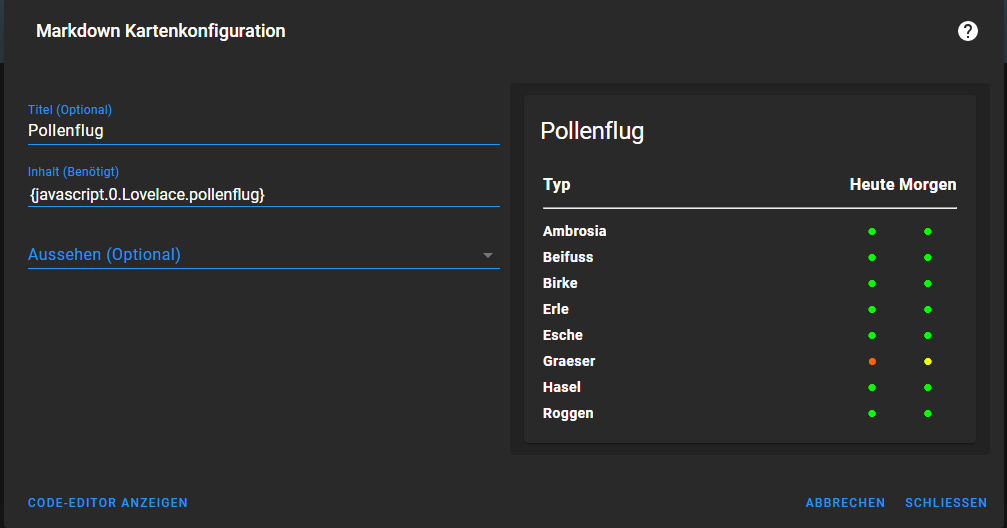
        4dfb5051-0946-4ba9-815f-c3f5edc29217-image.png

        Smart Home Zentrale: Raspberry Pi 4 4GB
        Meine Homepage: https://www.myHome.zone

        1 Antwort Letzte Antwort
        1
        • H haumichel

          @philo686
          Hallo,
          kannst du mir sagen, welche "battery-entity" du genau genommen hast? Ich bekomme die, die ich von GitHub bezogen habe, nicht in Lovelace eingebunden. Egal was ich auch mache, es gibt folgende Fehlermeldung:
          Custom element doesn't exist: battery-entity.
          Ich kann mich erinnern, dass es auf GitHub mal eine "button-card" gab, die schlichtweg kaputt war.

          Vielen Dank

          ? Offline
          ? Offline
          Ein ehemaliger Benutzer
          schrieb am zuletzt editiert von
          #23

          @haumichel Sry für meine späte Rückmeldung, war ewig nicht mehr im Forum... soweit ich mich erinnern kann war das folgende: https://github.com/cbulock/lovelace-battery-entity/blob/master/README.md

          1 Antwort Letzte Antwort
          0
          • M M1R0O

            Ich stelle dann hier auch meine Visualisierung vor, die mit Hilfe von @David-G und dem Raspberry-Forum hingebastelt habe. Es ist noch nicht fertig, insbesondere die Unterseiten befinden sich noch im Aufbau.
            Optisch ist es an das transparent-Theme angelehnt, ich habe es nur ein wenig abgeändert, da ich es nicht so bunt mag und es auf dem Touchscreen mMn so besser aussieht. Der Screen schaltet sich automatisch ab und, wenn der Motion-Sensor eine Bewegung erkennt, wieder an.

            Die Vis dient zur Steuerung meines wachsenden Smarthomes.
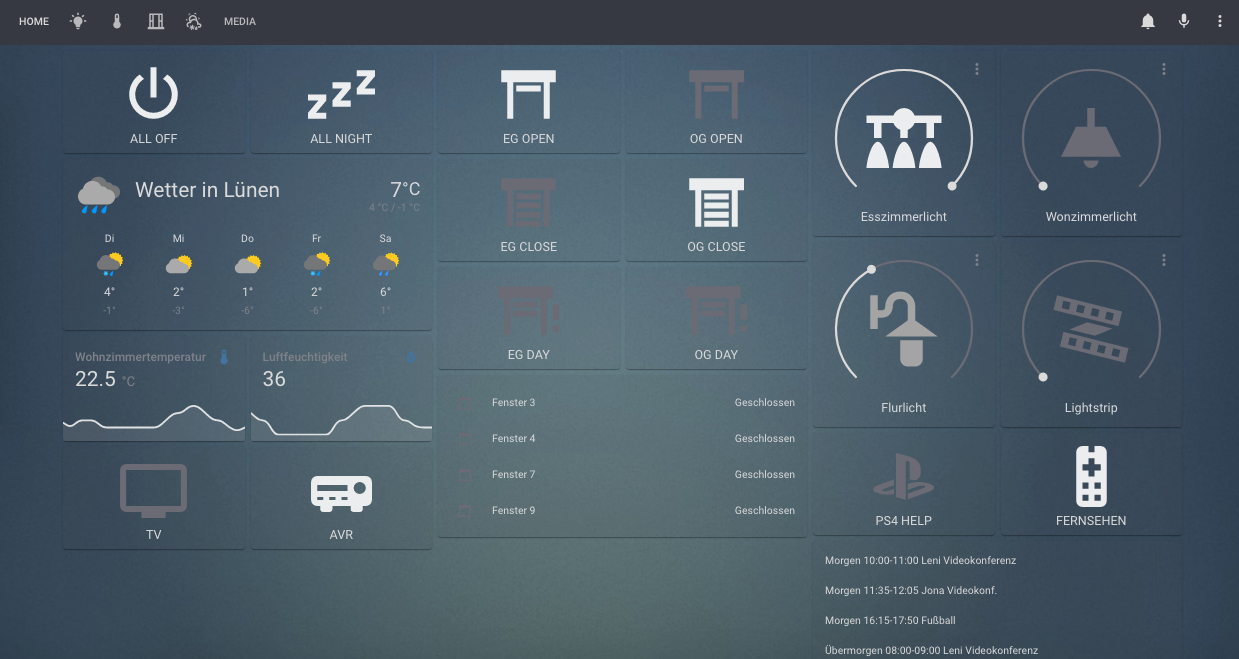
            Bildschirmfoto 2021-01-12 um 19.43.46.png
            Bildschirmfoto 2021-01-12 um 19.44.47.png
            Bildschirmfoto 2021-01-12 um 19.44.17.png

            Aufbaut sieht das ganze so aus:
            IMG_7253.png

            Und noch der Code:

            title: Home
            views:
              - path: home
                title: Home
                panel: false
                badges: []
                cards:
                  - type: horizontal-stack
                    cards:
                      - type: button
                        tap_action:
                          action: toggle
                        entity: switch.AwayLL
                        name: ALL OFF
                        icon: 'mdi:power'
                      - type: button
                        tap_action:
                          action: toggle
                        entity: switch.Alles
                        name: ALL NIGHT
                        icon: 'mdi:sleep'
                  - type: horizontal-stack
                    cards:
                      - type: button
                        tap_action:
                          action: toggle
                        entity: switch.JalousAufLL
                        name: EG OPEN
                        icon: 'mdi:window-shutter-open'
                      - type: button
                        tap_action:
                          action: toggle
                        name: OG OPEN
                        icon: 'mdi:window-shutter-open'
                        entity: switch.AlleAufOG
                  - type: horizontal-stack
                    cards:
                      - type: light
                        entity: light.Esszimmerlicht
                        name: Esszimmerlicht
                        icon: 'mdi:vanity-light'
                      - type: light
                        entity: light.Philips_hue_Wohnzimmerlicht
                        icon: 'mdi:ceiling-light'
                        name: Wonzimmerlicht
                  - type: weather-forecast
                    entity: weather.Luenen__Luenen_Deutschland_
                    name: Wetter in Lünen
                  - type: horizontal-stack
                    cards:
                      - type: button
                        tap_action:
                          action: toggle
                        entity: switch.JalousZuLL
                        name: EG CLOSE
                        icon: 'mdi:window-shutter'
                      - type: button
                        tap_action:
                          action: toggle
                        name: OG CLOSE
                        icon: 'mdi:window-shutter'
                        entity: switch.AlleZuOG
                  - type: horizontal-stack
                    cards:
                      - type: light
                        entity: light.Philips_hue_Flurlicht
                        name: Flurlicht
                        icon: 'mdi:outdoor-lamp'
                      - type: light
                        entity: light.Lightstrip
                        name: Lightstrip
                        icon: 'mdi:led-strip-variant'
                  - type: horizontal-stack
                    cards:
                      - type: sensor
                        graph: line
                        entity: sensor.Wohnzimmertemperatur
                        name: Wohnzimmertemperatur
                      - type: sensor
                        graph: line
                        entity: sensor.Luftfeuchtigkeit
                        name: Luftfeuchtigkeit
                        icon: 'mdi:water-percent'
                  - type: horizontal-stack
                    cards:
                      - type: button
                        tap_action:
                          action: toggle
                        entity: switch.Jalous30LL
                        name: EG DAY
                        icon: 'mdi:window-shutter-alert'
                      - type: button
                        tap_action:
                          action: toggle
                        name: OG DAY
                        icon: 'mdi:window-shutter-alert'
                        entity: switch.AlleSonneOG
                  - type: horizontal-stack
                    cards:
                      - type: button
                        tap_action:
                          action: toggle
                        entity: switch.PS4HelpLL
                        name: PS4 HELP
                        icon: 'mdi:sony-playstation'
                      - type: button
                        tap_action:
                          action: toggle
                        entity: switch.FernsehenLL
                        name: FERNSEHEN
                        icon: 'mdi:remote-tv'
                  - type: horizontal-stack
                    cards:
                      - type: button
                        tap_action:
                          action: toggle
                        entity: switch.TVLL
                        name: TV
                        icon: 'mdi:television'
                      - type: button
                        tap_action:
                          action: toggle
                        entity: switch.DenonToggleLL
                        name: AVR
                        icon: 'mdi:audio-video'
                  - type: entities
                    entities:
                      - entity: binary_sensor.Sensor_F3
                        name: Fenster 3
                      - entity: binary_sensor.Sensor_F4
                        name: Fenster 4
                      - entity: binary_sensor.Sensor_F7
                        name: Fenster 7
                      - entity: binary_sensor.Sensor_F9
                        name: Fenster 9
                  - type: markdown
                    content: '{ical.0.data.html}'
              - title: Licht
                path: licht
                icon: 'mdi:lightbulb-on'
                panel: false
                badges: []
                cards:
                  - type: light
                    entity: light.Esszimmer
                    name: Esszimmerlicht
                    icon: 'mdi:vanity-light'
                  - type: light
                    entity: light.Lightstrip
                    name: Lightstrip
                    icon: 'mdi:led-strip-variant'
                  - type: light
                    entity: light.Philips_hue_Flurlicht
                    name: Flurlicht
                    icon: 'mdi:outdoor-lamp'
                  - type: light
                    entity: light.Philips_hue_Wohnzimmerlicht
                    icon: 'mdi:ceiling-light'
                    name: Wonzimmerlicht
                  - type: light
                    entity: light.Aussenlicht
                    icon: 'mdi:coach-lamp'
                  - type: light
                    entity: light.Terrassenlicht
                    icon: 'mdi:wall-sconce-flat'
                  - type: horizontal-stack
                    cards:
                      - type: light
                        entity: light.Aussenlicht
                        icon: 'mdi:coach-lamp'
                      - type: light
                        entity: light.Terrassenlicht
                        icon: 'mdi:wall-sconce-flat'
              - title: Temperatur
                path: temperatur
                icon: 'mdi:thermometer'
                badges: []
                cards:
                  - type: sensor
                    entity: sensor.Wohnzimmertemperatur
                    name: Wohnzimmertemperatur
                    graph: line
                    hours_to_show: 12
                    detail: 1
                    icon: 'mdi:thermometer'
                  - type: vertical-stack
                    title: Klima
                    cards:
                      - type: gauge
                        entity: sensor.Luftfeuchtigkeit
                        min: 0
                        max: 100
                      - type: gauge
                        entity: sensor.Wohnzimmertemperatur
                        min: 0
                        max: 100
                  - type: sensor
                    entity: sensor.Luftfeuchtigkeit
                    name: Luftfeuchtigkeit
                    graph: line
                    hours_to_show: 12
                    detail: 1
                    icon: 'mdi:water-percent'
                  - type: horizontal-stack
                    title: Klima
                    cards:
                      - type: gauge
                        entity: sensor.Wohnzimmertemperatur
                        min: 0
                        max: 100
                      - type: gauge
                        entity: sensor.Luftfeuchtigkeit
                        min: 0
                        max: 100
              - title: Fenster
                path: jalousien
                icon: 'mdi:window-open-variant'
                badges: []
                cards:
                  - type: entity
                    entity: lock.HaustuersperrstatusLL
                    name: Haustürschloss
                  - type: entities
                    entities:
                      - entity: cover.Fenster1
                      - entity: cover.Fenster2
                      - entity: cover.Fenster3
                      - entity: cover.Fenster4
                      - entity: cover.Fenster5
                      - entity: cover.Fenster6
                      - entity: cover.Fenster7
                      - entity: cover.Fenster8
                      - entity: cover.Fenster9
                      - entity: cover.Fenster10
                    title: Jalousien
                  - type: entity
                    entity: binary_sensor.HaustuerLL
                    name: Haustür
                  - type: 'custom:button-card'
                    entity: binary_sensor.HaustuerLL
                    name: Haustür
                    map_state:
                      '3': geöffnet
                      offen: geschlossen
                  - type: horizontal-stack
                    cards:
                      - type: button
                        tap_action:
                          action: toggle
                        entity: switch.JalousAufLL
                        name: EG OPEN
                        icon: 'mdi:window-shutter-open'
                      - type: button
                        tap_action:
                          action: toggle
                        entity: switch.Jalous30LL
                        name: EG DAY
                        icon: 'mdi:window-shutter-alert'
                      - type: button
                        tap_action:
                          action: toggle
                        entity: switch.JalousZuLL
                        name: EG CLOSE
                        icon: 'mdi:window-shutter'
                  - type: horizontal-stack
                    cards:
                      - type: button
                        tap_action:
                          action: toggle
                        name: OG OPEN
                        icon: 'mdi:window-shutter-open'
                        entity: switch.AlleAufOG
                      - type: button
                        tap_action:
                          action: toggle
                        name: OG DAY
                        icon: 'mdi:window-shutter-alert'
                        entity: switch.AlleSonneOG
                      - type: button
                        tap_action:
                          action: toggle
                        name: OG CLOSE
                        icon: 'mdi:window-shutter'
                        entity: switch.AlleZuOG
              - title: Wetter
                path: wetter
                icon: 'mdi:weather-partly-snowy-rainy'
                badges: []
                cards:
                  - type: 'custom:clockwork-card'
                    locale: de-DE
                    other_time:
                      - America/New_York
                      - Australia/Sydney
                      - America/Los_Angeles
                    style: |
                      .other_time { display: none; }
              - title: Media
                path: media
                badges: []
                cards:
                  - type: button
                    tap_action:
                      action: toggle
                    entity: switch.Alles
                    name: ALLES
                    icon: 'mdi:power'
                    resource: null
                  - type: button
                    tap_action:
                      action: toggle
                    entity: switch.DenonToggleLL
                    name: AVR
                    icon: 'mdi:audio-video'
            hideToolbar: true


            Vielen Dank an alle Helfer und die Inspirationen die ich bisher erhalten habe.

            M Offline
            M Offline
            MaHzeL
            schrieb am zuletzt editiert von
            #24

            @m1r0o
            Hallo,
            Darf ich fragen wie ich die App Header Toolbar Farbe ändern kann?
            Die ist immer dieses Standard blau.
            Trotz des Parameters im Theme
            Header app-header-background-color:

            Bitte um Hilfe. Danke

            1 Antwort Letzte Antwort
            0
            • FeuersturmF Online
              FeuersturmF Online
              Feuersturm
              schrieb am zuletzt editiert von Feuersturm
              #25

              Hallo zusammen,

              ich bin gerade dabei die "Willkommensseite" von der ioBroker Doku zu überarbeiten (https://forum.iobroker.net/topic/51919/brainstorming-doku-abschnitt-willkommen/11)

              Ich bin aktuell dabei das Kapitel "Visualisierung" zu überarbeiten.
              Den aktuellen Entwurfsstand für Lovelace findet ihr hier:
              https://github.com/Feuer-sturm/ioBroker.docs/blob/FS-welcome/docs/de/README.md#lovelace

              Ich suche weiteren Input für die Doku und würde mich über Rückmeldungen zu den folgenden Themen freuen:

              • Kurzbeschreibung / Merkmale von Lovelace ( @Garfonso Kannst du hier unterstützen?)
              • Eure Lovelace Views welche in die Doku als Beispiel eingettet werden können und einem Besucher helfen einen ersten Eindruck von Lovelace zu bekommen
              David G.D GarfonsoG 2 Antworten Letzte Antwort
              1
              • FeuersturmF Feuersturm

                Hallo zusammen,

                ich bin gerade dabei die "Willkommensseite" von der ioBroker Doku zu überarbeiten (https://forum.iobroker.net/topic/51919/brainstorming-doku-abschnitt-willkommen/11)

                Ich bin aktuell dabei das Kapitel "Visualisierung" zu überarbeiten.
                Den aktuellen Entwurfsstand für Lovelace findet ihr hier:
                https://github.com/Feuer-sturm/ioBroker.docs/blob/FS-welcome/docs/de/README.md#lovelace

                Ich suche weiteren Input für die Doku und würde mich über Rückmeldungen zu den folgenden Themen freuen:

                • Kurzbeschreibung / Merkmale von Lovelace ( @Garfonso Kannst du hier unterstützen?)
                • Eure Lovelace Views welche in die Doku als Beispiel eingettet werden können und einem Besucher helfen einen ersten Eindruck von Lovelace zu bekommen
                David G.D Online
                David G.D Online
                David G.
                schrieb am zuletzt editiert von
                #26

                @feuersturm sagte in Zeigt her eure Lovelace-Visualisierung:

                Eure Lovelace Views welche in die Doku als Beispiel eingettet werden können und einem Besucher helfen einen ersten Eindruck von Lovelace zu bekommen

                Meine kannst du gerne verwenden. Kann die Screenshots auch am PC neu machen.
                Die Frage ist, ob custom-cards verwendet werden dürfen.
                Ist "Out of the Box" eben nicht möglich, was Anfänger beim testen irritieren könnte.

                Zeigt eure Lovelace-Visualisierung klick
                (Auch ideal um sich Anregungen zu holen)

                Meine Tabellen für eure Visualisierung klick

                1 Antwort Letzte Antwort
                0
                • FeuersturmF Feuersturm

                  Hallo zusammen,

                  ich bin gerade dabei die "Willkommensseite" von der ioBroker Doku zu überarbeiten (https://forum.iobroker.net/topic/51919/brainstorming-doku-abschnitt-willkommen/11)

                  Ich bin aktuell dabei das Kapitel "Visualisierung" zu überarbeiten.
                  Den aktuellen Entwurfsstand für Lovelace findet ihr hier:
                  https://github.com/Feuer-sturm/ioBroker.docs/blob/FS-welcome/docs/de/README.md#lovelace

                  Ich suche weiteren Input für die Doku und würde mich über Rückmeldungen zu den folgenden Themen freuen:

                  • Kurzbeschreibung / Merkmale von Lovelace ( @Garfonso Kannst du hier unterstützen?)
                  • Eure Lovelace Views welche in die Doku als Beispiel eingettet werden können und einem Besucher helfen einen ersten Eindruck von Lovelace zu bekommen
                  GarfonsoG Offline
                  GarfonsoG Offline
                  Garfonso
                  Developer
                  schrieb am zuletzt editiert von
                  #27

                  @feuersturm said in Zeigt her eure Lovelace-Visualisierung:

                  Kurzbeschreibung / Merkmale von Lovelace ( @Garfonso Kannst du hier unterstützen?)

                  Mein erster Vorschlag wäre:

                  Mit diesem Adapter kann die HomeAssistant UI Lovelace für ioBroker genutzt werden. Lovelace ist responsive, passt sich also automatisch an das Display an (PC, Tablet, Smartphone, ...). Es lassen sich einfach hübsche UIs erstellen und man kann sich an vielen Beispielen aus der HomeAssistant Welt inspirieren lassen. Der Editor ist in die UI integriert und weitgehend WYSIWYG (What you see is what you get). Gleichzeitig erlauben die Verwendung von custom cards und der YAML Editor auch die Umsetzung von komplexen Wünschen.

                  Der Adapter verwendet das Geräte-Konzept des ioBroker und nutzt die Informationen daraus um verschiedene States zu Geräten zusammen zu fügen, die dann vom UI automatisch als eins dargestellt werden und so intuitiv werden können, Beispielsweise Lampen mit an/aus, Helligkeit und Farbe oder Thermostate / Klimaanlagen.

                  Ultimativer Lovelace Leitfaden: https://forum.iobroker.net/topic/35937/der-ultimative-iobroker-lovelace-leitfaden-dokumentation

                  Lovelace UI Beispiele: https://forum.iobroker.net/topic/35950/zeigt-her-eure-lovelace-visualisierung

                  FeuersturmF 1 Antwort Letzte Antwort
                  1
                  • GarfonsoG Garfonso

                    @feuersturm said in Zeigt her eure Lovelace-Visualisierung:

                    Kurzbeschreibung / Merkmale von Lovelace ( @Garfonso Kannst du hier unterstützen?)

                    Mein erster Vorschlag wäre:

                    Mit diesem Adapter kann die HomeAssistant UI Lovelace für ioBroker genutzt werden. Lovelace ist responsive, passt sich also automatisch an das Display an (PC, Tablet, Smartphone, ...). Es lassen sich einfach hübsche UIs erstellen und man kann sich an vielen Beispielen aus der HomeAssistant Welt inspirieren lassen. Der Editor ist in die UI integriert und weitgehend WYSIWYG (What you see is what you get). Gleichzeitig erlauben die Verwendung von custom cards und der YAML Editor auch die Umsetzung von komplexen Wünschen.

                    Der Adapter verwendet das Geräte-Konzept des ioBroker und nutzt die Informationen daraus um verschiedene States zu Geräten zusammen zu fügen, die dann vom UI automatisch als eins dargestellt werden und so intuitiv werden können, Beispielsweise Lampen mit an/aus, Helligkeit und Farbe oder Thermostate / Klimaanlagen.

                    FeuersturmF Online
                    FeuersturmF Online
                    Feuersturm
                    schrieb am zuletzt editiert von Feuersturm
                    #28

                    @garfonso sagte in Zeigt her eure Lovelace-Visualisierung:

                    Der Adapter verwendet das Geräte-Konzept des ioBroker und nutzt die Informationen daraus um verschiedene States zu Geräten zusammen zu fügen, die dann vom UI automatisch als eins dargestellt werden und so intuitiv werden können, Beispielsweise Lampen mit an/aus, Helligkeit und Farbe oder Thermostate / Klimaanlagen.

                    Ich persönlich finde diesen Absatz noch etwas schwer verständlich für jemanden der bisher noch keine Berührungen zu ioBroker hat. Kann man das etwas vereinfachen? Was genau ist das "Geräte-Konzept" für dich?
                    Ist die Kernaussage, dass der Adapter automatisch die in ioBroker bekannten Geräte (wie z.B. eine Lampe) erkennt inkl. ihrer Raumzuordnung und Datenpunkte/States und hierfür eine einfache Steuerungsmöglichkeit "Lampe ein/aus" anbietet?

                    GarfonsoG 1 Antwort Letzte Antwort
                    0
                    • FeuersturmF Feuersturm

                      @garfonso sagte in Zeigt her eure Lovelace-Visualisierung:

                      Der Adapter verwendet das Geräte-Konzept des ioBroker und nutzt die Informationen daraus um verschiedene States zu Geräten zusammen zu fügen, die dann vom UI automatisch als eins dargestellt werden und so intuitiv werden können, Beispielsweise Lampen mit an/aus, Helligkeit und Farbe oder Thermostate / Klimaanlagen.

                      Ich persönlich finde diesen Absatz noch etwas schwer verständlich für jemanden der bisher noch keine Berührungen zu ioBroker hat. Kann man das etwas vereinfachen? Was genau ist das "Geräte-Konzept" für dich?
                      Ist die Kernaussage, dass der Adapter automatisch die in ioBroker bekannten Geräte (wie z.B. eine Lampe) erkennt inkl. ihrer Raumzuordnung und Datenpunkte/States und hierfür eine einfache Steuerungsmöglichkeit "Lampe ein/aus" anbietet?

                      GarfonsoG Offline
                      GarfonsoG Offline
                      Garfonso
                      Developer
                      schrieb am zuletzt editiert von
                      #29

                      @feuersturm

                      Es wäre halt gut, wenn das Geräte-Konzept an prominenter Stelle erläutert würde. ;-)

                      Es geht im Grunde um alles, was sich im Geräte-Tab abspielt und was auch iot und material nutzen. Wenn alles gut läuft (insbesondere, wenn die Adapter in Ordnung sind oder das leisten können), dann ist es, wie du sagst, dass ioBroker automatisch die Geräte erkennt. Wenn nicht (z.B. weil der Adapter nicht die richtigen rollen vergibt oder Geräte nicht identifizieren kann, wie z.B. KNX oder mqtt, muss der User leider von Hand nacharbeiten mit alias-Geräten).

                      Ich hänge nicht an der Formulierung. Ich bin mir aber nicht ganz sicher, wie man es schreiben soll, dass es verständlich ist. Im Grunde will ich damit auch sagen, dass man bei einem komplexen Gerät nicht für jeden State von Hand irgendwas tun muss, sondern das automatisch in lovelace reinkommt und sich da gut steuern lässt mit den vorhandenen Karten. Z.B. bei einer Lampe mit an/aus, Helligkeit, Farbe reicht es, wenn diese vom type-detector erkannt wird und raum & funktion zugewiesen hat, dann taucht sie als Lampe auf und alle Optionen können gesteuert werden. Das ist ja z.B. in vis deutlich anders.

                      Ultimativer Lovelace Leitfaden: https://forum.iobroker.net/topic/35937/der-ultimative-iobroker-lovelace-leitfaden-dokumentation

                      Lovelace UI Beispiele: https://forum.iobroker.net/topic/35950/zeigt-her-eure-lovelace-visualisierung

                      1 Antwort Letzte Antwort
                      0
                      • Z Offline
                        Z Offline
                        Zeptran
                        schrieb am zuletzt editiert von
                        #30

                        Hallo zusammen,
                        da es leider nur sehr wenige Beispiel der Lovelace Vis hier im Forum und Generell unter IoBroker gibt wollte ich nun auch mal meine Vorstellen.
                        Die Ansicht hier sieht etwas verzerrt und Komisch aus da das Ganze auf ein Tablet Optimiert ist.

                        Startseite
                        Startseite der Übersicht mit PV-Anlage, Müll, Anwesenheit und die Steuerung fürs Außenwasser:![Startseite2.png]
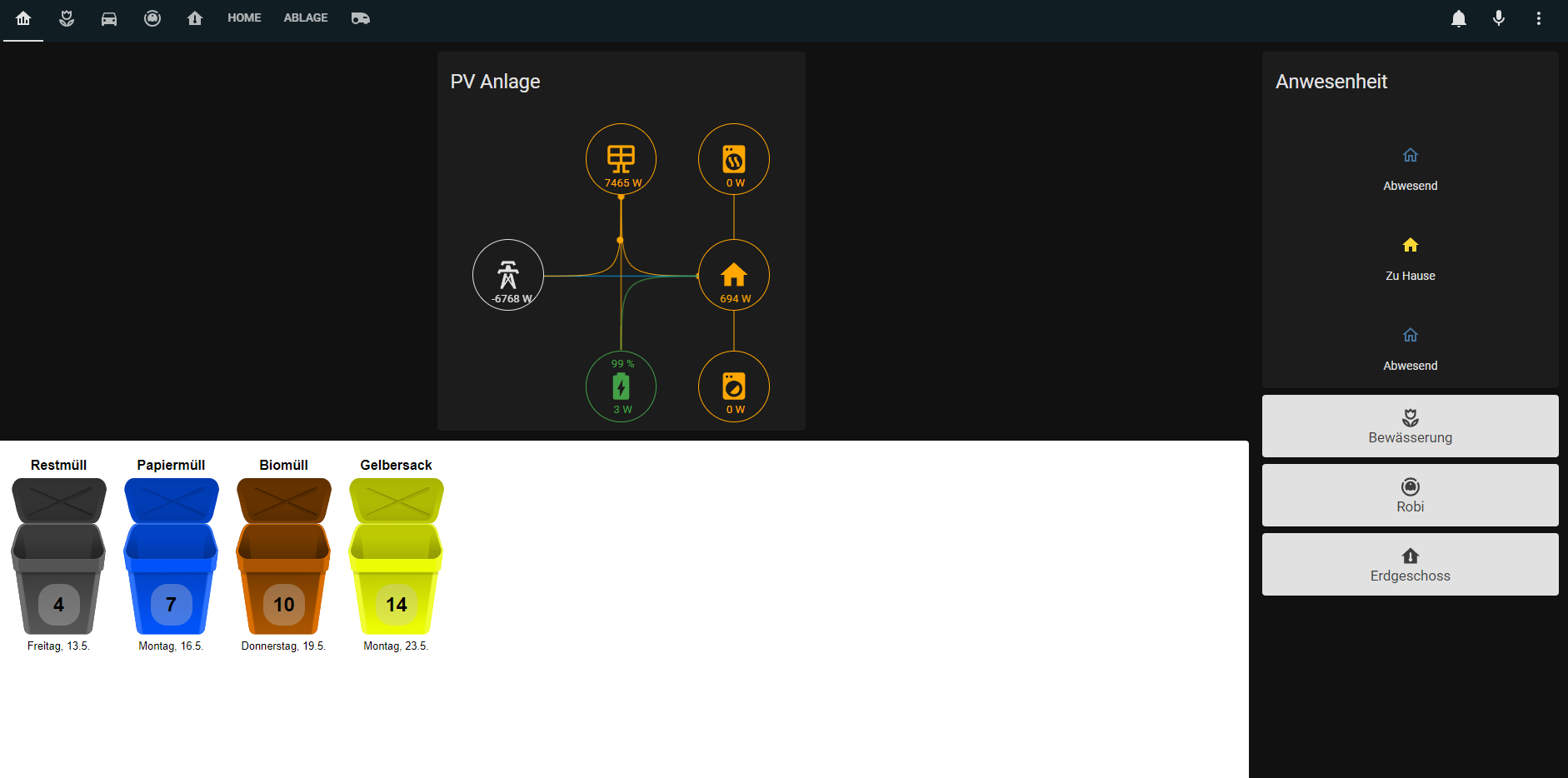
                        Startseite1.png

                        Startseite2.png

                        Bewässerung
                        Übersicht über die Bewässerungssteuerung und Manuelles laufen lassen mit dem Adapter Sprinklecontrol:
                        Bewässerung1.png

                        Bewässerung2.png

                        Staubsauger
                        Übersicht über den Staubsauger Roboter, leider absolut nicht optimal. Bekomme die Lovelace Karten für die Valetudo Sauger nicht zum laufen da diese alle entities in einer gebündelt haben wollen, mit verschiedenen Attributen dann.
                        Ist aktuell über ein hier eingebaute Vis gelöst, soll aber geändert werden da die Ladezeiten auf dem zur Verfügung stehenden Tablet störend sind.

                        Robi.png

                        Übersicht
                        Hier eine Übersicht über das Erdgeschoss mit sämtlichen Temperaturen und den bis jetzt hier Sinnvoll darstellbaren „Smart“ Sachen.

                        Grundriss.png

                        Nicht gezeigtes:
                        Fahrtwege und Fahrtzeiten mit Google Maps eingebettet

                        Geplant ist es die Staubsauger Darstellung zu ändern auf etwas Lovelace Natives, falls hier jemand einen Tipp hat für mich sehr gerne….
                        Ebenfalls ist angedacht den Rasenmäher (Gardena Sileno) einzubinden. Hier gibt es eine sehr schöne Karte für allerdings erfordert diese eine entity mit mehreren Attributen.
                        Angedacht ist auch eine Visualisierung der Verpassten Anrufe, hier habe ich bis jetzt nur den tr064 Adapter aber noch keine Herangehensweise.

                        Meine Custom Cards:

                        banner-card.js
                        button-card.js
                        card-mod.js
                        fold-entity-row.js
                        layout-card.js
                        mini-graph-card-bundle.js
                        slider-entity-row.js
                        stack-in-card.js
                        tesla-style-solar-power-card.js

                        Es sind noch einige mehr installiert als diese aber nicht in nutzbaren Views verwendet.

                        Für Anregungen und Fragen bin ich offen.

                        M Z 2 Antworten Letzte Antwort
                        2
                        • T Tirador

                          Hallo Community!

                          Lovelace sieht auf den ersten Blick gleichartig aus, bietet aufgrund der Konfigurationstiefe aber zahlreiche Variationen.
                          Dieser Thread dient dazu alle Lovelace Visualisierungen zu sammeln, die von euch erstellt wurden.
                          Damit können wir wechselseitig von Erfahrungen und Erkenntnissen profitieren.

                          Euer Beitrag sollte folgendes beinhalten

                          • Screenshots eurer Karten/Ansichten
                          • Annotation welche "Custom Cards" verwendet wurden
                          • YAML-Code eurer Ansichten anbei.

                          Ich hoffe auf einen regen Austausch und viele interessante Ideen.

                          XBiTX Offline
                          XBiTX Offline
                          XBiT
                          schrieb am zuletzt editiert von XBiT
                          #31

                          Hallo, ich stelle mal meine Lovelace Visualisierung vor, sie ist noch nicht fertig wird sie sicher nie :-)

                          Auf der Startseite sind die wichtigsten Infos zu finden.
                          Beim Tap auf Fenster, Lichter, Anrufer etc. werden weiter Infos in einem Fenster angezeigt.
                          die anderen Ansichten sollten selbsterklärend sein.

                          Home:
                          home.png

                          Lampen:
                          Lampen.png

                          Fenster:
                          Fenster.png

                          Steckdosen:
                          Steckdosen.png

                          Temperatur:
                          Temperatur.png

                          Staubsauger:
                          Sauger.png

                          Sonos:
                          Sonos.png

                          TV:
                          TV.png

                          Synology&Router:
                          Synology.png

                          Heizung:
                          Heizung.png

                          Tankstellen:
                          Tankstelle.png

                          Iobroker:
                          iobroker.png

                          Verwendete custom Karten:


                          custom:simple-clock-card
                          custom:vertical-stack-in-card
                          custom:button-card
                          custom:fold-entity-row
                          custom:simple-thermostat
                          custom:mini-graph-card
                          custom:mini-media-player

                          T 1 Antwort Letzte Antwort
                          3
                          • Z Zeptran

                            Hallo zusammen,
                            da es leider nur sehr wenige Beispiel der Lovelace Vis hier im Forum und Generell unter IoBroker gibt wollte ich nun auch mal meine Vorstellen.
                            Die Ansicht hier sieht etwas verzerrt und Komisch aus da das Ganze auf ein Tablet Optimiert ist.

                            Startseite
                            Startseite der Übersicht mit PV-Anlage, Müll, Anwesenheit und die Steuerung fürs Außenwasser:![Startseite2.png]
                            Startseite1.png

                            Startseite2.png

                            Bewässerung
                            Übersicht über die Bewässerungssteuerung und Manuelles laufen lassen mit dem Adapter Sprinklecontrol:
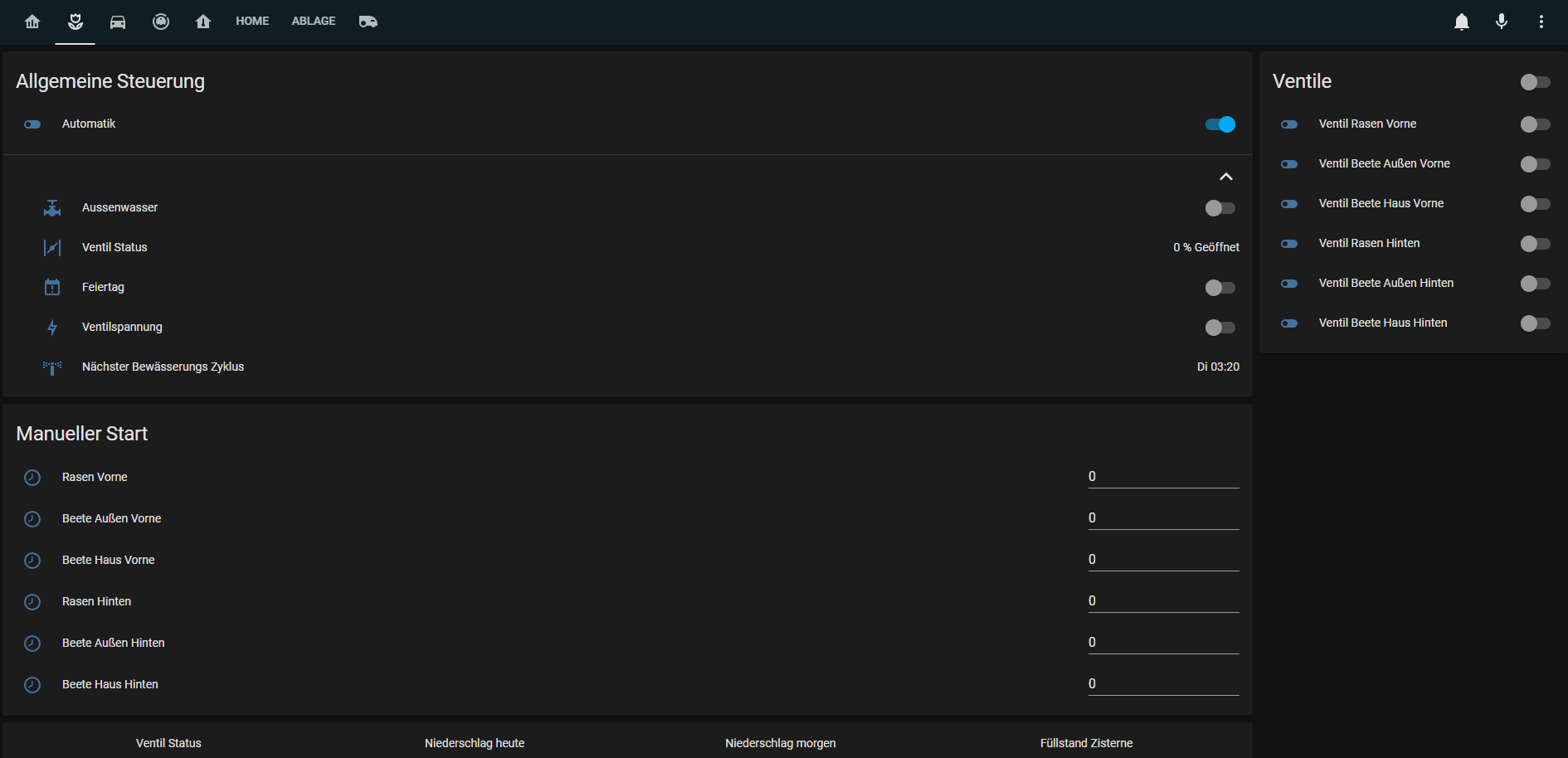
                            Bewässerung1.png

                            Bewässerung2.png

                            Staubsauger
                            Übersicht über den Staubsauger Roboter, leider absolut nicht optimal. Bekomme die Lovelace Karten für die Valetudo Sauger nicht zum laufen da diese alle entities in einer gebündelt haben wollen, mit verschiedenen Attributen dann.
                            Ist aktuell über ein hier eingebaute Vis gelöst, soll aber geändert werden da die Ladezeiten auf dem zur Verfügung stehenden Tablet störend sind.

                            Robi.png

                            Übersicht
                            Hier eine Übersicht über das Erdgeschoss mit sämtlichen Temperaturen und den bis jetzt hier Sinnvoll darstellbaren „Smart“ Sachen.

                            Grundriss.png

                            Nicht gezeigtes:
                            Fahrtwege und Fahrtzeiten mit Google Maps eingebettet

                            Geplant ist es die Staubsauger Darstellung zu ändern auf etwas Lovelace Natives, falls hier jemand einen Tipp hat für mich sehr gerne….
                            Ebenfalls ist angedacht den Rasenmäher (Gardena Sileno) einzubinden. Hier gibt es eine sehr schöne Karte für allerdings erfordert diese eine entity mit mehreren Attributen.
                            Angedacht ist auch eine Visualisierung der Verpassten Anrufe, hier habe ich bis jetzt nur den tr064 Adapter aber noch keine Herangehensweise.

                            Meine Custom Cards:

                            banner-card.js
                            button-card.js
                            card-mod.js
                            fold-entity-row.js
                            layout-card.js
                            mini-graph-card-bundle.js
                            slider-entity-row.js
                            stack-in-card.js
                            tesla-style-solar-power-card.js

                            Es sind noch einige mehr installiert als diese aber nicht in nutzbaren Views verwendet.

                            Für Anregungen und Fragen bin ich offen.

                            M Online
                            M Online
                            MCU
                            schrieb am zuletzt editiert von MCU
                            #32

                            @zeptran Kannst du bitte erklären, wie du die PV-Anzeige integriert hast? Danke.

                            NUC i7 64GB mit Proxmox ---- Jarvis Infos Aktualisierungen der Doku auf Instagram verfolgen -> mcuiobroker Instagram
                            Wenn Euch mein Vorschlag geholfen hat, bitte rechts "^" klicken.

                            David G.D 1 Antwort Letzte Antwort
                            0
                            • M MCU

                              @zeptran Kannst du bitte erklären, wie du die PV-Anzeige integriert hast? Danke.

                              David G.D Online
                              David G.D Online
                              David G.
                              schrieb am zuletzt editiert von
                              #33

                              @mcu

                              Das ist die https://github.com/reptilex/tesla-style-solar-power-card

                              Zeigt eure Lovelace-Visualisierung klick
                              (Auch ideal um sich Anregungen zu holen)

                              Meine Tabellen für eure Visualisierung klick

                              1 Antwort Letzte Antwort
                              2
                              • Z Zeptran

                                Hallo zusammen,
                                da es leider nur sehr wenige Beispiel der Lovelace Vis hier im Forum und Generell unter IoBroker gibt wollte ich nun auch mal meine Vorstellen.
                                Die Ansicht hier sieht etwas verzerrt und Komisch aus da das Ganze auf ein Tablet Optimiert ist.

                                Startseite
                                Startseite der Übersicht mit PV-Anlage, Müll, Anwesenheit und die Steuerung fürs Außenwasser:![Startseite2.png]
                                Startseite1.png

                                Startseite2.png

                                Bewässerung
                                Übersicht über die Bewässerungssteuerung und Manuelles laufen lassen mit dem Adapter Sprinklecontrol:
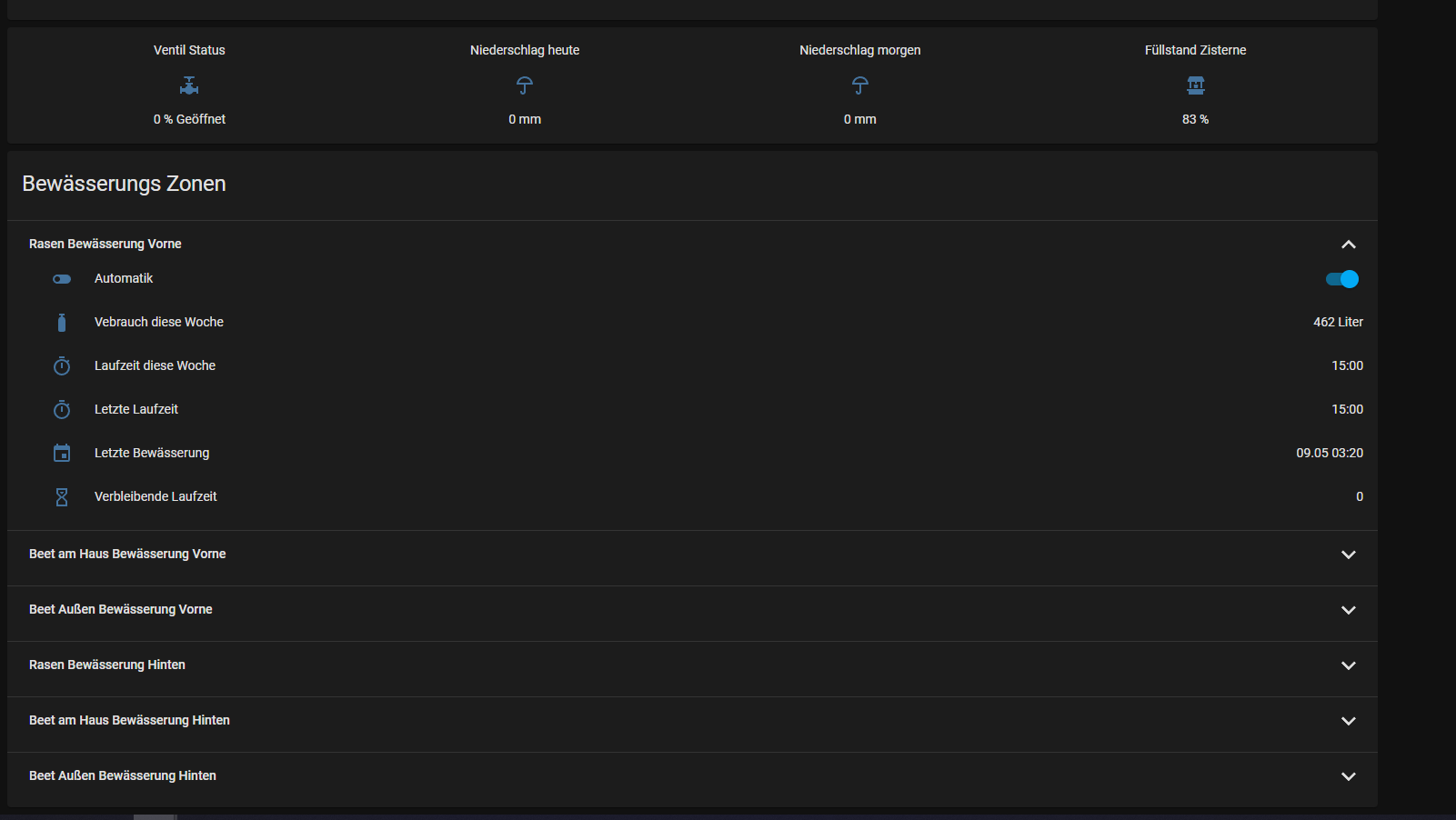
                                Bewässerung1.png

                                Bewässerung2.png

                                Staubsauger
                                Übersicht über den Staubsauger Roboter, leider absolut nicht optimal. Bekomme die Lovelace Karten für die Valetudo Sauger nicht zum laufen da diese alle entities in einer gebündelt haben wollen, mit verschiedenen Attributen dann.
                                Ist aktuell über ein hier eingebaute Vis gelöst, soll aber geändert werden da die Ladezeiten auf dem zur Verfügung stehenden Tablet störend sind.
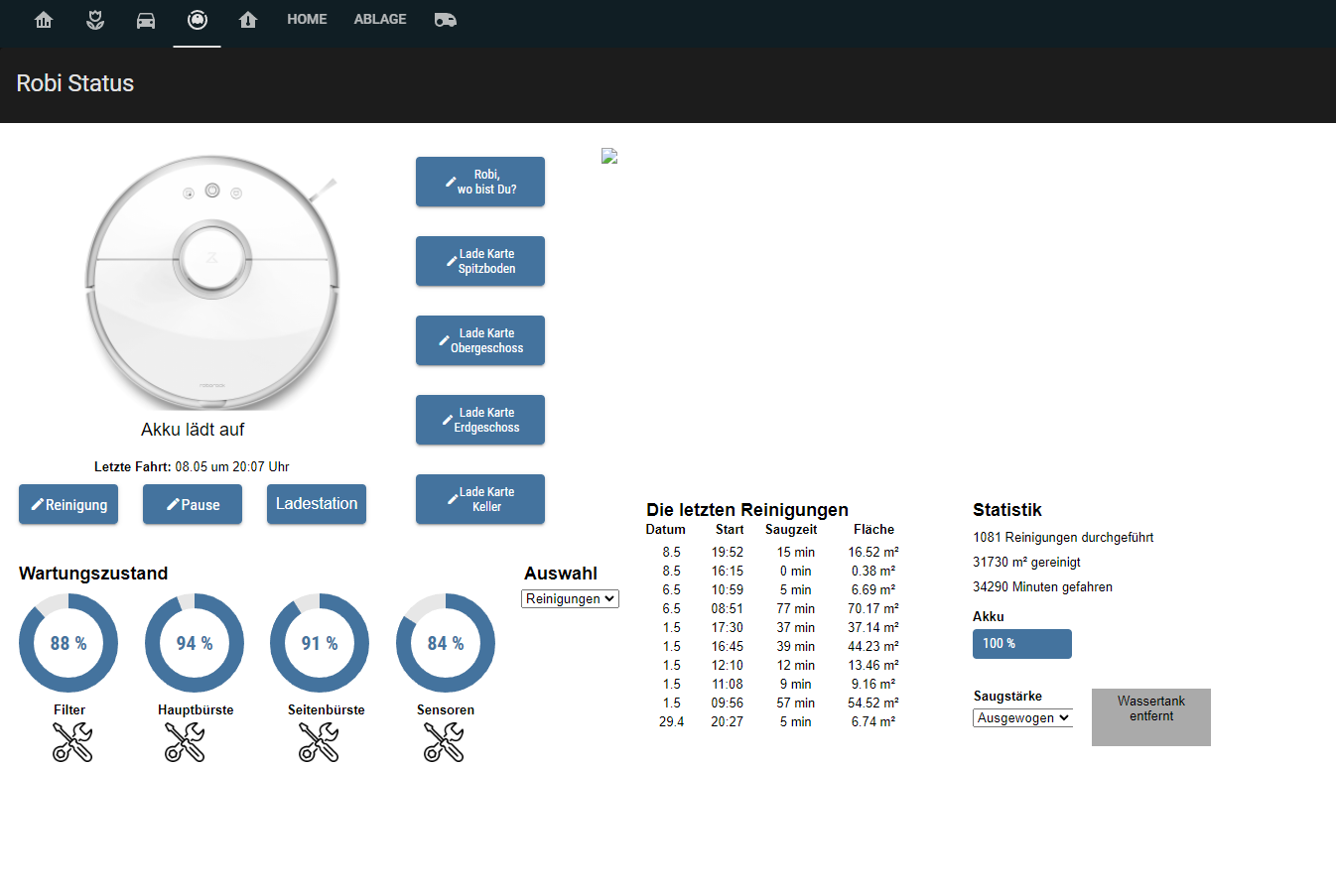
                                Robi.png

                                Übersicht
                                Hier eine Übersicht über das Erdgeschoss mit sämtlichen Temperaturen und den bis jetzt hier Sinnvoll darstellbaren „Smart“ Sachen.
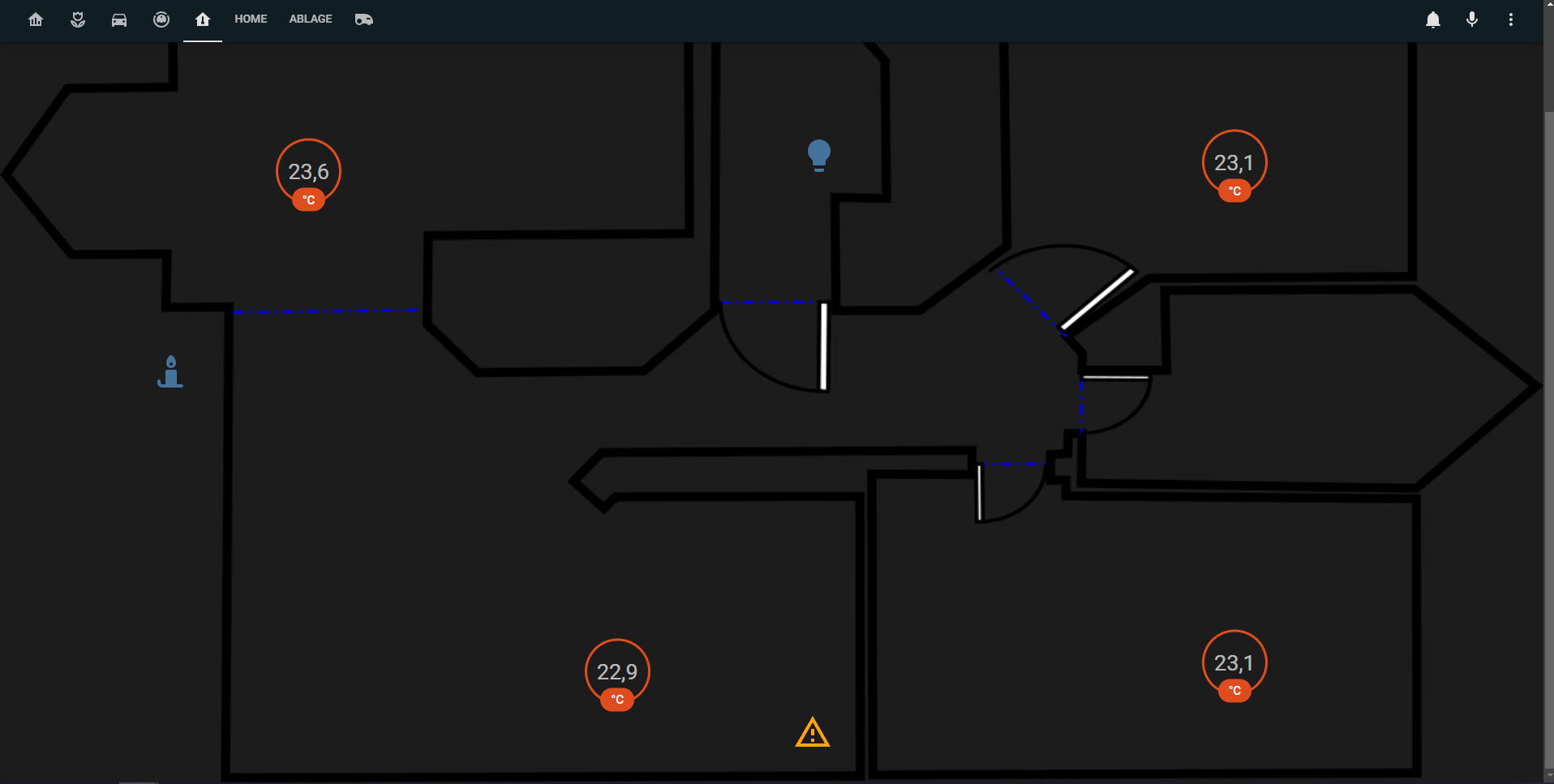
                                Grundriss.png

                                Nicht gezeigtes:
                                Fahrtwege und Fahrtzeiten mit Google Maps eingebettet

                                Geplant ist es die Staubsauger Darstellung zu ändern auf etwas Lovelace Natives, falls hier jemand einen Tipp hat für mich sehr gerne….
                                Ebenfalls ist angedacht den Rasenmäher (Gardena Sileno) einzubinden. Hier gibt es eine sehr schöne Karte für allerdings erfordert diese eine entity mit mehreren Attributen.
                                Angedacht ist auch eine Visualisierung der Verpassten Anrufe, hier habe ich bis jetzt nur den tr064 Adapter aber noch keine Herangehensweise.

                                Meine Custom Cards:

                                banner-card.js
                                button-card.js
                                card-mod.js
                                fold-entity-row.js
                                layout-card.js
                                mini-graph-card-bundle.js
                                slider-entity-row.js
                                stack-in-card.js
                                tesla-style-solar-power-card.js

                                Es sind noch einige mehr installiert als diese aber nicht in nutzbaren Views verwendet.

                                Für Anregungen und Fragen bin ich offen.

                                Z Offline
                                Z Offline
                                Zeptran
                                schrieb am zuletzt editiert von
                                #34

                                @zeptran

                                So in meiner Vis hat sich in letzter Zeit Extrem viel getan, unteranderem sind zwei Tablets die die Vis darstellen dazugekommen.

                                Deswegen gibt es hier jetzt ein Update zu meiner Vis

                                Die Startseite hat sich in vielen Punkten geändert:
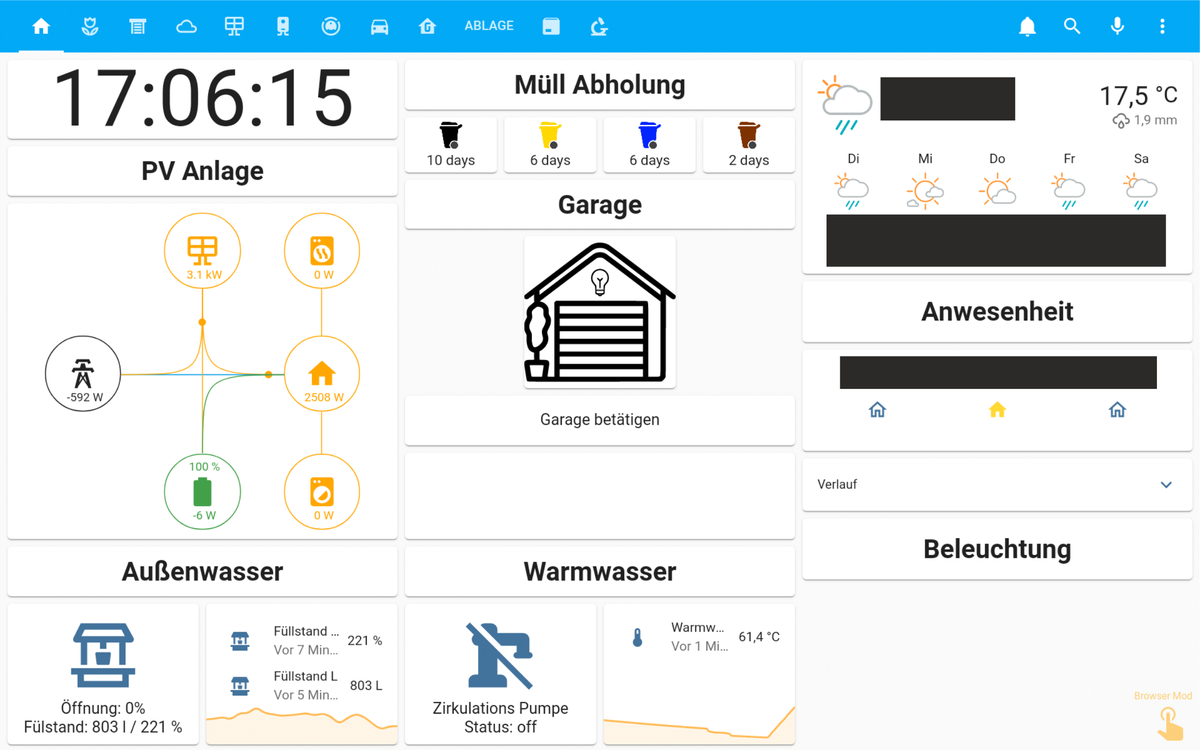
                                Lovelace_Card_Mod_so_soll_es_richtig.png

                                Der Garagen Öffnungsverlauf ist leider nicht unter dem Zustand Sichtbar da die Screenshots per Fullybrowser diesen aus Gründen nicht anzeigt.

                                Diese ist genau so angepasst das auf der Ersten Seite nicht gescrollt werden kann.
                                Hierzu habe ich mit der Card-Mod Karte den Rahmen der Markdown Elemente angepasst. Dafür braucht man folgenden Code:

                                card_mod:
                                  style: |
                                    ha-markdown.no-header {
                                      padding-top: 10px !important;
                                    }
                                    ha-markdown {
                                      padding: 0px 16px 16px;
                                        padding-bottom: 10px !important;
                                    }
                                

                                Ab hier kommen die Screenshots jetzt vom PC da auf den Tablets auf diesen Seiten gescrollt werden muss.

                                Die Seite der Bewässerung hat sich auch in einigen Punkten verändert
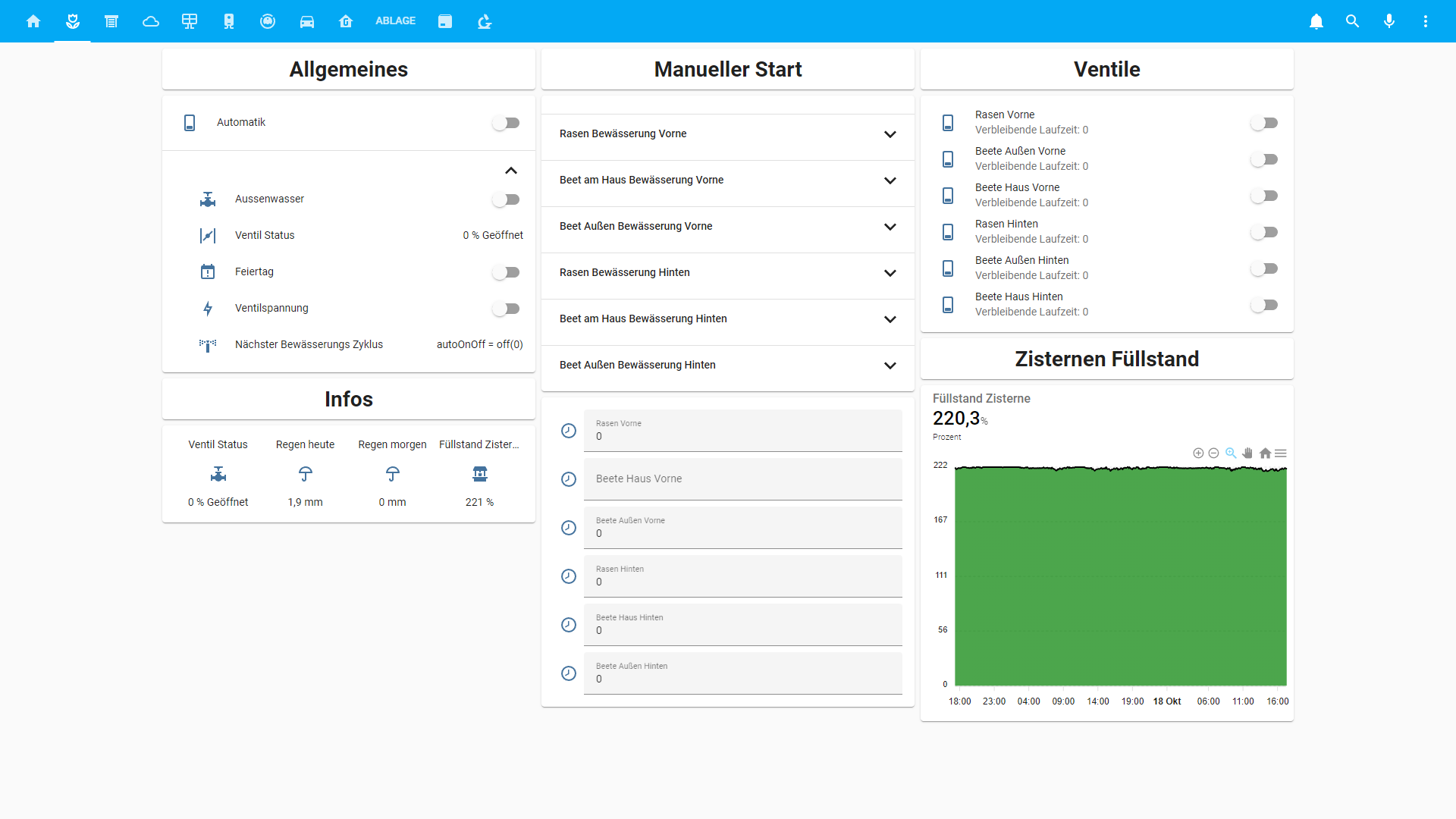
                                54a6828d-7bfc-4419-8cef-4b54df70a206-image.png

                                Neu dazu gekommen ist eine komplette Steuerung der Außen Verschattung, hierzu habe ich ebenfalls ein eignes Skript geschrieben das je nach Sonnenstand, Außentemperatur, Solarleistung im Durchschnitt der letzten 10 Minuten (Hab keinen Helligkeitssensor) die Verschattung verfährt.
                                Ebenfalls musste ich die nicht eindeutigen Werte der Warema Steuerung Umrechnen und in eigene Datenpunkte für die Vis stecken.
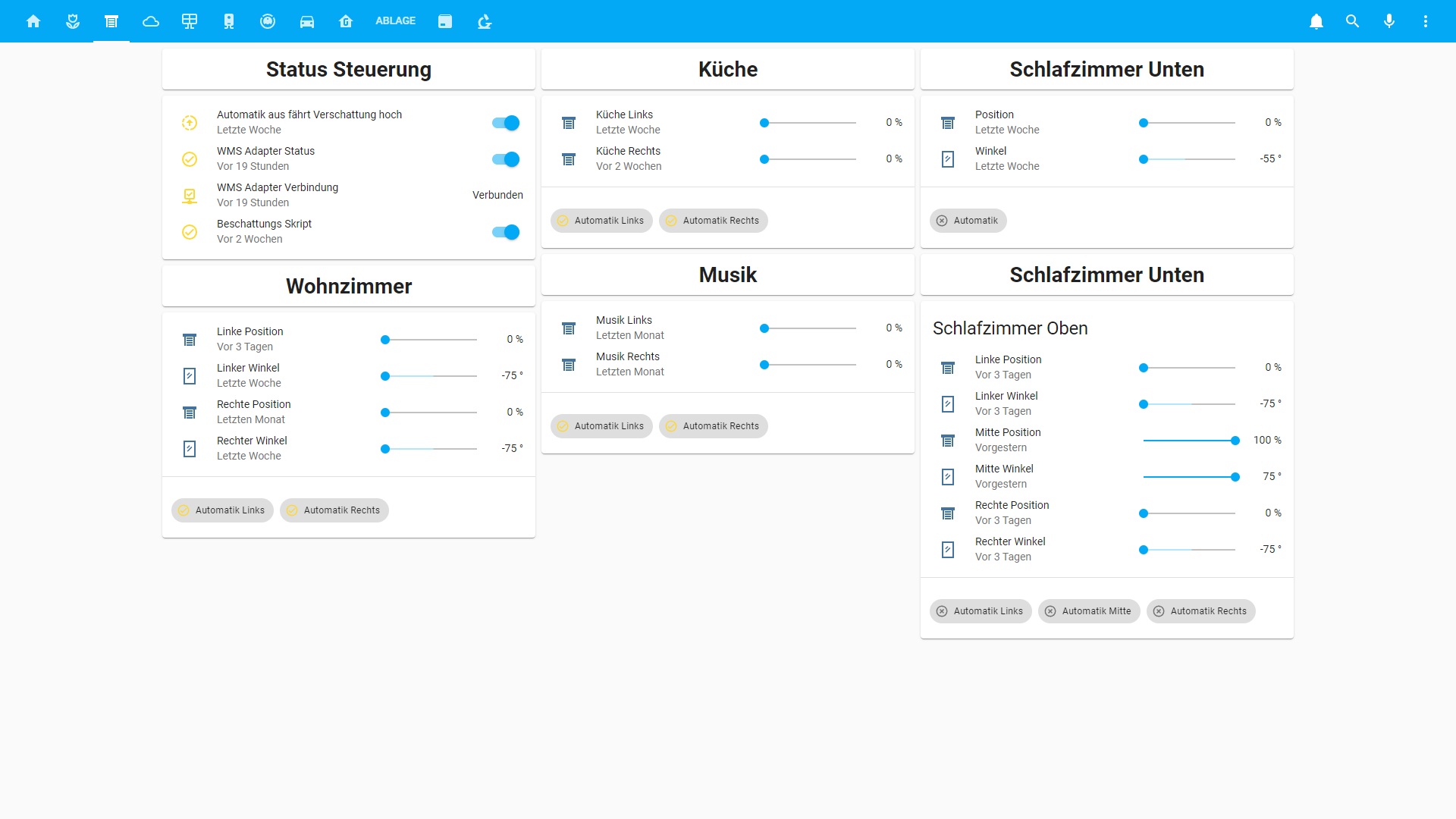
                                75ba63b7-1375-4638-be43-2088807fdc87-image.png

                                Hier gibt es nun eine andere Wettervorhersage, den Pollenflug in Niedersachsen und den Verlauf der Innen und Außentemperatur:
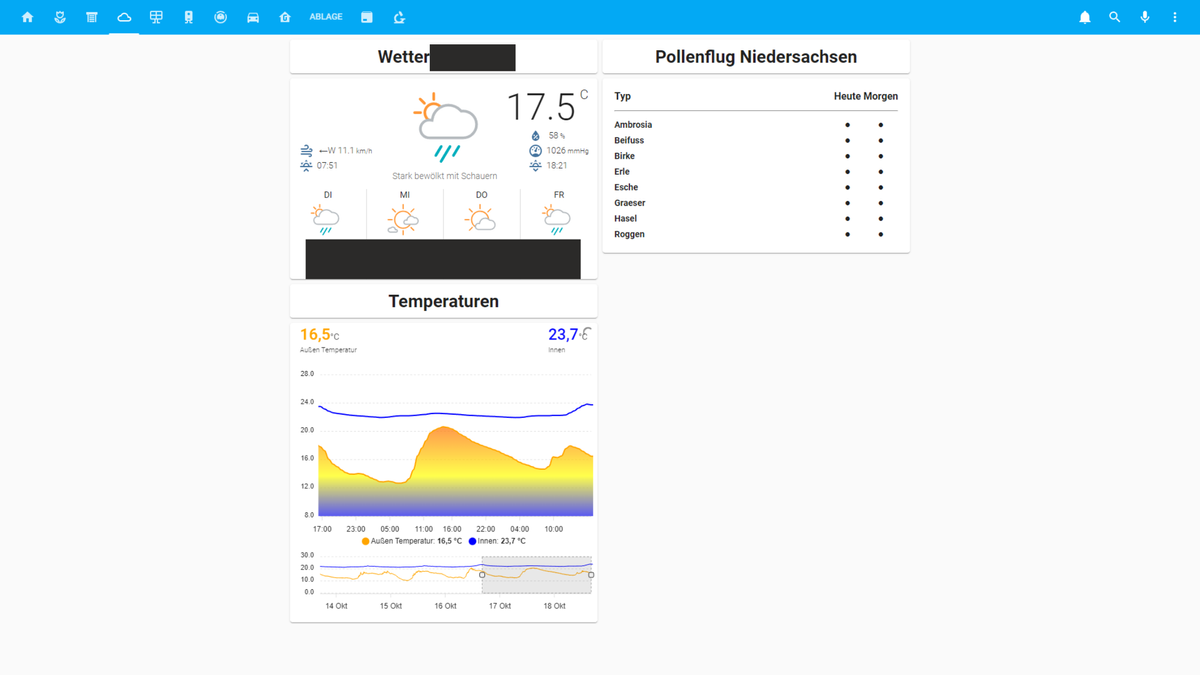
                                Lovelace_wetter_ansicht.png

                                Eine eigene Solar Übersichtsseite ist ebenfalls aufgebaut worden:
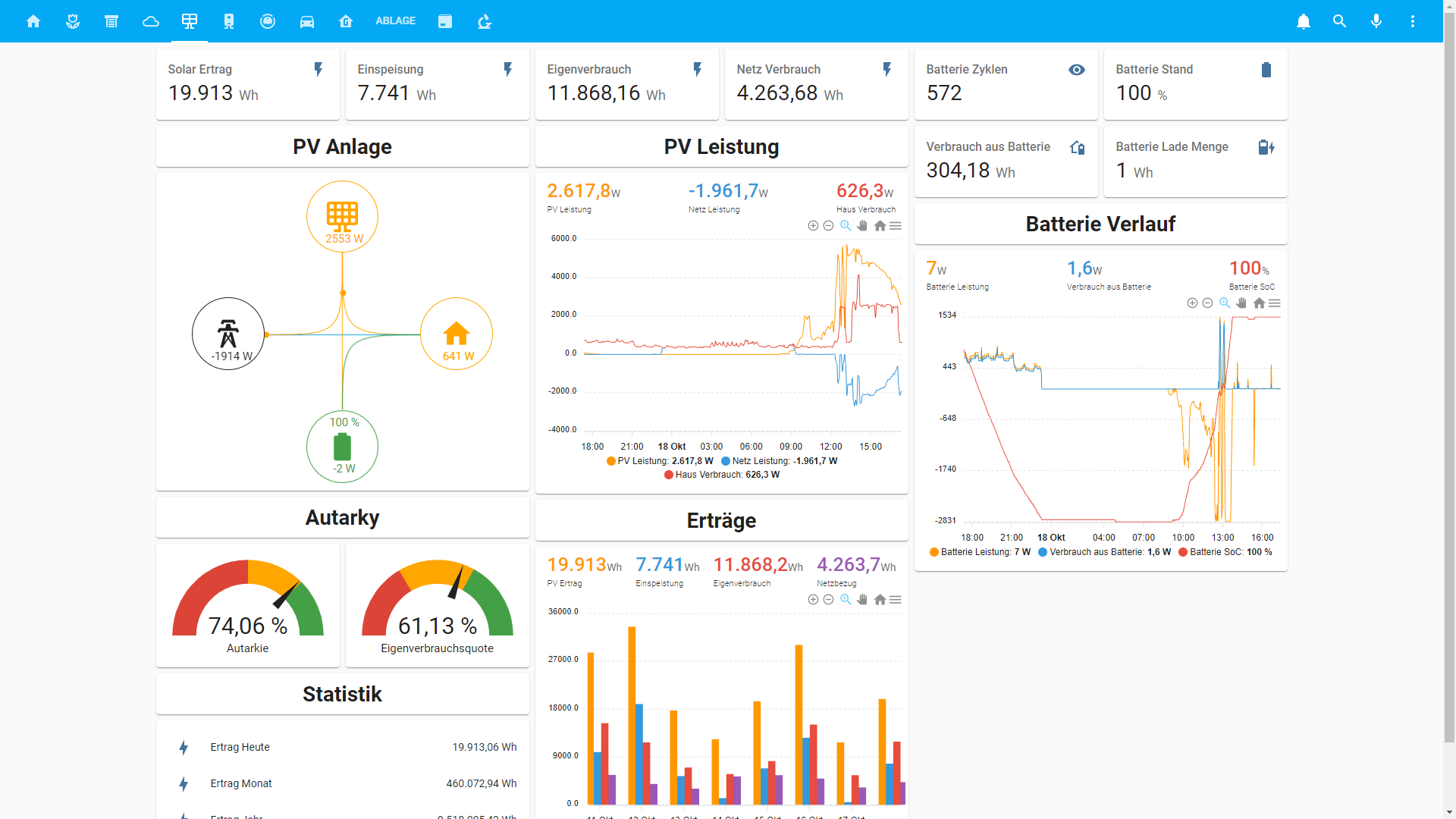
                                792033cc-c76d-4ed1-96d3-1590f978b543-image.png
                                Es ist inzwischen unpraktisch geworden zwischen Grafana und Lovelace immerhin und her zu wechseln daher ist es letztendlich auch hier gelandet

                                Auf dieser Seite gibt es einen Überblick über die Fußbodenheizung Vorlauf und Rücklauftemperaturen sowie das Warmwasser:
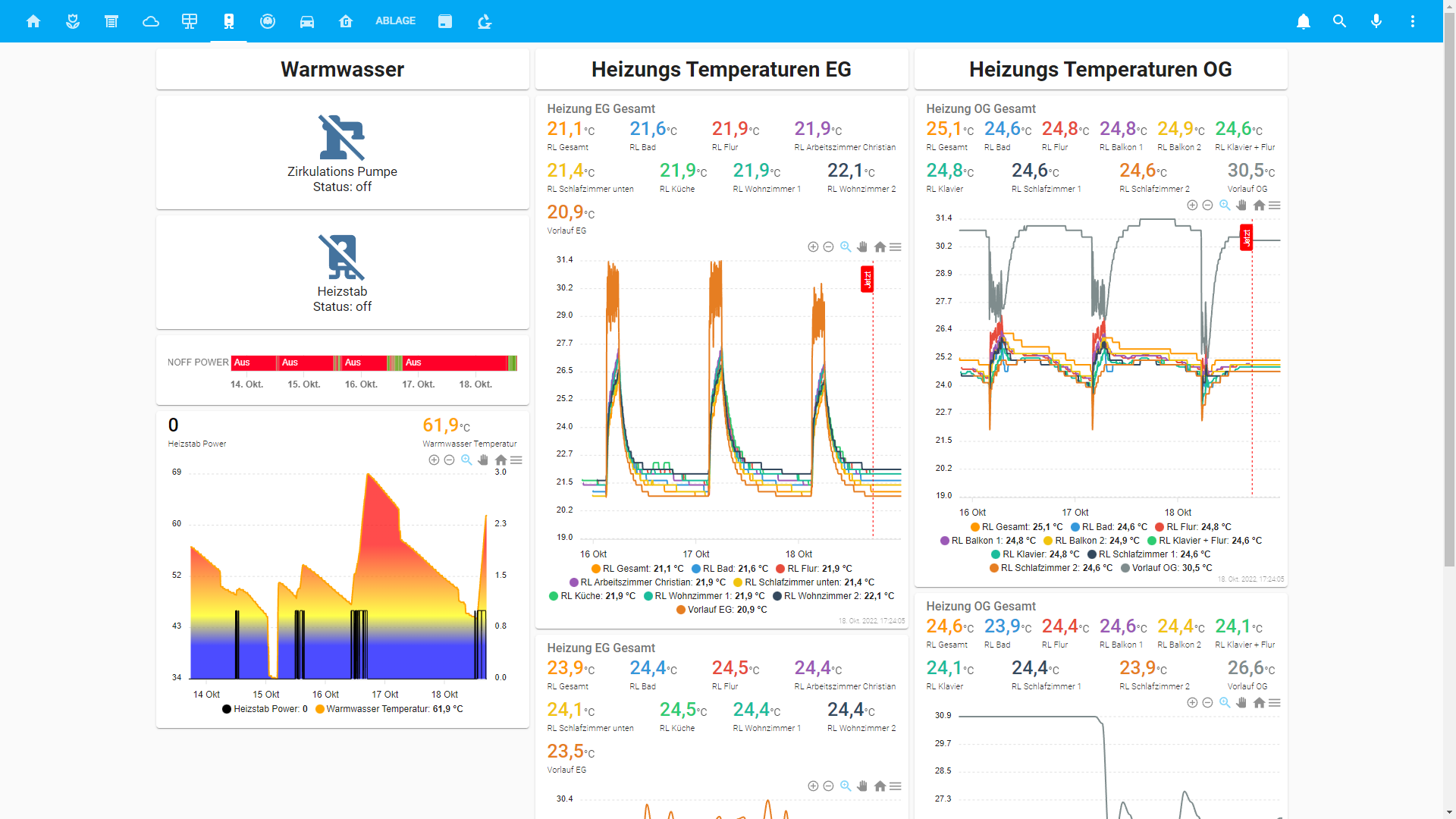
                                a94ea288-5475-47ca-818a-a13ab3da9d5b-image.png

                                Die Staubsauger Seite ist komplett rausgeflogen und hier wird nun einfach das Valetudo Interface angezeigt:
                                10a691bd-b6e9-4a40-ad5c-902b6828c89c-image.png

                                Falls Interesse besteht stelle ich gerne Configs zur Verfügung.

                                XBiTX G H 3 Antworten Letzte Antwort
                                2
                                • Z Zeptran

                                  @zeptran

                                  So in meiner Vis hat sich in letzter Zeit Extrem viel getan, unteranderem sind zwei Tablets die die Vis darstellen dazugekommen.

                                  Deswegen gibt es hier jetzt ein Update zu meiner Vis

                                  Die Startseite hat sich in vielen Punkten geändert:
                                  Lovelace_Card_Mod_so_soll_es_richtig.png

                                  Der Garagen Öffnungsverlauf ist leider nicht unter dem Zustand Sichtbar da die Screenshots per Fullybrowser diesen aus Gründen nicht anzeigt.

                                  Diese ist genau so angepasst das auf der Ersten Seite nicht gescrollt werden kann.
                                  Hierzu habe ich mit der Card-Mod Karte den Rahmen der Markdown Elemente angepasst. Dafür braucht man folgenden Code:

                                  card_mod:
                                    style: |
                                      ha-markdown.no-header {
                                        padding-top: 10px !important;
                                      }
                                      ha-markdown {
                                        padding: 0px 16px 16px;
                                          padding-bottom: 10px !important;
                                      }
                                  

                                  Ab hier kommen die Screenshots jetzt vom PC da auf den Tablets auf diesen Seiten gescrollt werden muss.

                                  Die Seite der Bewässerung hat sich auch in einigen Punkten verändert
                                  54a6828d-7bfc-4419-8cef-4b54df70a206-image.png

                                  Neu dazu gekommen ist eine komplette Steuerung der Außen Verschattung, hierzu habe ich ebenfalls ein eignes Skript geschrieben das je nach Sonnenstand, Außentemperatur, Solarleistung im Durchschnitt der letzten 10 Minuten (Hab keinen Helligkeitssensor) die Verschattung verfährt.
                                  Ebenfalls musste ich die nicht eindeutigen Werte der Warema Steuerung Umrechnen und in eigene Datenpunkte für die Vis stecken.
                                  75ba63b7-1375-4638-be43-2088807fdc87-image.png

                                  Hier gibt es nun eine andere Wettervorhersage, den Pollenflug in Niedersachsen und den Verlauf der Innen und Außentemperatur:
                                  Lovelace_wetter_ansicht.png

                                  Eine eigene Solar Übersichtsseite ist ebenfalls aufgebaut worden:
                                  792033cc-c76d-4ed1-96d3-1590f978b543-image.png
                                  Es ist inzwischen unpraktisch geworden zwischen Grafana und Lovelace immerhin und her zu wechseln daher ist es letztendlich auch hier gelandet

                                  Auf dieser Seite gibt es einen Überblick über die Fußbodenheizung Vorlauf und Rücklauftemperaturen sowie das Warmwasser:
                                  a94ea288-5475-47ca-818a-a13ab3da9d5b-image.png

                                  Die Staubsauger Seite ist komplett rausgeflogen und hier wird nun einfach das Valetudo Interface angezeigt:
                                  10a691bd-b6e9-4a40-ad5c-902b6828c89c-image.png

                                  Falls Interesse besteht stelle ich gerne Configs zur Verfügung.

                                  XBiTX Offline
                                  XBiTX Offline
                                  XBiT
                                  schrieb am zuletzt editiert von
                                  #35

                                  @zeptran

                                  gefällt mir, schaut gut aus

                                  1 Antwort Letzte Antwort
                                  1
                                  • Z Zeptran

                                    @zeptran

                                    So in meiner Vis hat sich in letzter Zeit Extrem viel getan, unteranderem sind zwei Tablets die die Vis darstellen dazugekommen.

                                    Deswegen gibt es hier jetzt ein Update zu meiner Vis

                                    Die Startseite hat sich in vielen Punkten geändert:
                                    Lovelace_Card_Mod_so_soll_es_richtig.png

                                    Der Garagen Öffnungsverlauf ist leider nicht unter dem Zustand Sichtbar da die Screenshots per Fullybrowser diesen aus Gründen nicht anzeigt.

                                    Diese ist genau so angepasst das auf der Ersten Seite nicht gescrollt werden kann.
                                    Hierzu habe ich mit der Card-Mod Karte den Rahmen der Markdown Elemente angepasst. Dafür braucht man folgenden Code:

                                    card_mod:
                                      style: |
                                        ha-markdown.no-header {
                                          padding-top: 10px !important;
                                        }
                                        ha-markdown {
                                          padding: 0px 16px 16px;
                                            padding-bottom: 10px !important;
                                        }
                                    

                                    Ab hier kommen die Screenshots jetzt vom PC da auf den Tablets auf diesen Seiten gescrollt werden muss.

                                    Die Seite der Bewässerung hat sich auch in einigen Punkten verändert
                                    54a6828d-7bfc-4419-8cef-4b54df70a206-image.png

                                    Neu dazu gekommen ist eine komplette Steuerung der Außen Verschattung, hierzu habe ich ebenfalls ein eignes Skript geschrieben das je nach Sonnenstand, Außentemperatur, Solarleistung im Durchschnitt der letzten 10 Minuten (Hab keinen Helligkeitssensor) die Verschattung verfährt.
                                    Ebenfalls musste ich die nicht eindeutigen Werte der Warema Steuerung Umrechnen und in eigene Datenpunkte für die Vis stecken.
                                    75ba63b7-1375-4638-be43-2088807fdc87-image.png

                                    Hier gibt es nun eine andere Wettervorhersage, den Pollenflug in Niedersachsen und den Verlauf der Innen und Außentemperatur:
                                    Lovelace_wetter_ansicht.png

                                    Eine eigene Solar Übersichtsseite ist ebenfalls aufgebaut worden:
                                    792033cc-c76d-4ed1-96d3-1590f978b543-image.png
                                    Es ist inzwischen unpraktisch geworden zwischen Grafana und Lovelace immerhin und her zu wechseln daher ist es letztendlich auch hier gelandet

                                    Auf dieser Seite gibt es einen Überblick über die Fußbodenheizung Vorlauf und Rücklauftemperaturen sowie das Warmwasser:
                                    a94ea288-5475-47ca-818a-a13ab3da9d5b-image.png

                                    Die Staubsauger Seite ist komplett rausgeflogen und hier wird nun einfach das Valetudo Interface angezeigt:
                                    10a691bd-b6e9-4a40-ad5c-902b6828c89c-image.png

                                    Falls Interesse besteht stelle ich gerne Configs zur Verfügung.

                                    G Offline
                                    G Offline
                                    gyle
                                    schrieb am zuletzt editiert von
                                    #36

                                    @zeptran könntest du mir bitte die config der Solar-Ansicht zu Verfügung stellen?
                                    mich interessieren vor allem die Diagramme...

                                    Danke

                                    Z 1 Antwort Letzte Antwort
                                    0
                                    • G gyle

                                      @zeptran könntest du mir bitte die config der Solar-Ansicht zu Verfügung stellen?
                                      mich interessieren vor allem die Diagramme...

                                      Danke

                                      Z Offline
                                      Z Offline
                                      Zeptran
                                      schrieb am zuletzt editiert von
                                      #37

                                      @gyle

                                      Moin,

                                      ich habe das ganze immer mit vertical-stack Karten in die Spalten so aufgeteilt das es eben gut aussieht und die gleichen Sachen immer untereinander sind.
                                      Für die Graphen verwende ich ApexCharts.

                                      Ich verwende hier den Kostal Adapter der mir mit Skripten Daten teilweise so umrechnet das man damit was anfangen kann. Wird bei dir wahrscheinlich anders ankommen, muss dann eben angepasst werden.

                                      Das hier ist einmal die Mittlere komplette Spalte:

                                      type: vertical-stack
                                      cards:
                                        - type: horizontal-stack
                                          cards:
                                            - type: sensor
                                              entity: sensor.PV_Anlage_EnergyHomePvDay
                                              detail: 0
                                              name: Eigenverbrauch
                                            - type: sensor
                                              entity: sensor.PV_Anlage_EnergyHomeGridDay
                                              detail: 2
                                              name: Netz Verbrauch
                                        - type: markdown
                                          content: |
                                            # <center>PV Leistung</center>
                                          card_mod:
                                            style: |
                                              ha-markdown.no-header {
                                                padding-top: 10px !important;
                                              }
                                              ha-markdown {
                                                padding: 0px 16px 16px;
                                                  padding-bottom: 10px !important;
                                              }
                                        - type: horizontal-stack
                                          cards:
                                            - type: custom:apexcharts-card
                                              header:
                                                show: true
                                                title: ' '
                                                show_states: true
                                                colorize_states: true
                                              apex_config:
                                                chart:
                                                  height: 350
                                                  zoom:
                                                    type: x
                                                    enabled: true
                                                    autoScaleYaxis: false
                                                  toolbar:
                                                    show: true
                                                    autoSelected: zoom
                                                  xaxis.type: datetime
                                                stroke:
                                                  width: 1
                                                  curve: smooth
                                              series:
                                                - entity: sensor.PV_Anlage_Pv_P
                                                  name: PV Leistung
                                                  group_by:
                                                    func: avg
                                                    duration: 5min
                                                - entity: sensor.PV_Anlage_Leistung_Stromnetz
                                                  name: Netz Leistung
                                                  group_by:
                                                    func: avg
                                                    duration: 5min
                                                - entity: sensor.PV_Anlage_Home_P
                                                  name: Haus Verbrauch
                                                  group_by:
                                                    func: avg
                                                    duration: 5min
                                        - type: markdown
                                          content: |
                                            # <center>Erträge</center>
                                          card_mod:
                                            style: |
                                              ha-markdown.no-header {
                                                padding-top: 10px !important;
                                              }
                                              ha-markdown {
                                                padding: 0px 16px 16px;
                                                  padding-bottom: 10px !important;
                                              }
                                        - type: horizontal-stack
                                          cards:
                                            - type: custom:apexcharts-card
                                              header:
                                                show: true
                                                title: ' '
                                                show_states: true
                                                colorize_states: true
                                              apex_config:
                                                chart:
                                                  height: 350
                                                  zoom:
                                                    type: x
                                                    enabled: true
                                                    autoScaleYaxis: false
                                                  toolbar:
                                                    show: true
                                                    autoSelected: zoom
                                                  xaxis.type: datetime
                                              series:
                                                - entity: sensor.Pv_Anlage_PV_Ertrag_heute
                                                  name: PV Ertrag
                                                  type: column
                                                  group_by:
                                                    func: max
                                                    duration: 23.9h
                                                - entity: sensor.PV_Anlage_EnergyToGridDay
                                                  name: Einspeistung
                                                  type: column
                                                  group_by:
                                                    func: max
                                                    duration: 23.9h
                                                - entity: sensor.PV_Anlage_EnergyHomePvDay
                                                  name: Eigenverbrauch
                                                  type: column
                                                  group_by:
                                                    func: max
                                                    duration: 23.9h
                                                - entity: sensor.PV_Anlage_EnergyHomeGridDay
                                                  name: Netzbezug
                                                  type: column
                                                  group_by:
                                                    func: max
                                                    duration: 23.9h
                                              graph_span: 8d
                                              span:
                                                end: day
                                      

                                      Damit das ganze etwas einfach zu kopieren ist wenn du nur Interesse an den Diagrammen hast kommen die auch noch einmal alleine:
                                      Hier sind die Leistungsverläufe des Tages drinnen:

                                      type: custom:apexcharts-card
                                      header:
                                        show: true
                                        title: ' '
                                        show_states: true
                                        colorize_states: true
                                      apex_config:
                                        chart:
                                          height: 350
                                          zoom:
                                            type: x
                                            enabled: true
                                            autoScaleYaxis: false
                                          toolbar:
                                            show: true
                                            autoSelected: zoom
                                          xaxis.type: datetime
                                        stroke:
                                          width: 1
                                          curve: smooth
                                      series:
                                        - entity: sensor.PV_Anlage_Pv_P
                                          name: PV Leistung
                                          group_by:
                                            func: avg
                                            duration: 5min
                                        - entity: sensor.PV_Anlage_Leistung_Stromnetz
                                          name: Netz Leistung
                                          group_by:
                                            func: avg
                                            duration: 5min
                                        - entity: sensor.PV_Anlage_Home_P
                                          name: Haus Verbrauch
                                          group_by:
                                            func: avg
                                            duration: 5min
                                      

                                      Hier ist dann einmal der Ertrag / Verbrauch der letzten acht Tage:

                                      type: custom:apexcharts-card
                                      header:
                                        show: true
                                        title: ' '
                                        show_states: true
                                        colorize_states: true
                                      apex_config:
                                        chart:
                                          height: 350
                                          zoom:
                                            type: x
                                            enabled: true
                                            autoScaleYaxis: false
                                          toolbar:
                                            show: true
                                            autoSelected: zoom
                                          xaxis.type: datetime
                                      series:
                                        - entity: sensor.Pv_Anlage_PV_Ertrag_heute
                                          name: PV Ertrag
                                          type: column
                                          group_by:
                                            func: max
                                            duration: 23.9h
                                        - entity: sensor.PV_Anlage_EnergyToGridDay
                                          name: Einspeistung
                                          type: column
                                          group_by:
                                            func: max
                                            duration: 23.9h
                                        - entity: sensor.PV_Anlage_EnergyHomePvDay
                                          name: Eigenverbrauch
                                          type: column
                                          group_by:
                                            func: max
                                            duration: 23.9h
                                        - entity: sensor.PV_Anlage_EnergyHomeGridDay
                                          name: Netzbezug
                                          type: column
                                          group_by:
                                            func: max
                                            duration: 23.9h
                                      graph_span: 8d
                                      span:
                                        end: day
                                      

                                      Die 23,9 Stunden Dauer musste ich nehmen da die Tagesdaten die aus dem Adapter kommen erst um 0:05 wieder bei null anfangen.

                                      Und dann ist hier noch einmal der Batterie Verlauf:

                                      type: custom:apexcharts-card
                                      header:
                                        show: true
                                        title: ' '
                                        show_states: true
                                        colorize_states: true
                                      apex_config:
                                        chart:
                                          height: 350
                                          zoom:
                                            type: x
                                            enabled: true
                                            autoScaleYaxis: false
                                          toolbar:
                                            show: true
                                            autoSelected: zoom
                                          xaxis.type: datetime
                                        stroke:
                                          width: 1
                                          curve: smooth
                                      yaxis:
                                        - id: first
                                          decimals: 0
                                          apex_config:
                                            tickAmount: 4
                                        - id: second
                                          opposite: true
                                          decimals: 0
                                          show: false
                                          apex_config:
                                            tickAmount: 4
                                      series:
                                        - entity: sensor.PV_Anlage_battery_P
                                          name: Batterie Leistung
                                          yaxis_id: first
                                          group_by:
                                            func: avg
                                            duration: 2min
                                        - entity: sensor.PV_Anlage_HomeBat_P
                                          name: Verbrauch aus Batterie
                                          yaxis_id: first
                                          group_by:
                                            func: avg
                                            duration: 2min
                                        - entity: sensor.PV_Anlage_battery_SoC
                                          name: Batterie SoC
                                          yaxis_id: second
                                          group_by:
                                            func: avg
                                            duration: 2min
                                      

                                      Falls es noch mehr Interesse gibt an Configs gibt stelle ich die gerne zur Verfügung.
                                      Bin echt begeistert von Lovelace mir gehen aber langsam die Ideen aus was und wie ich Sachen noch visualisieren kann.

                                      Finde es leider schade das der Thread hier nicht so aktiv genutzt wird wie er es meiner Ansicht nach Verdient.


                                      G 2 Antworten Letzte Antwort
                                      0
                                      • Z Zeptran

                                        @gyle

                                        Moin,

                                        ich habe das ganze immer mit vertical-stack Karten in die Spalten so aufgeteilt das es eben gut aussieht und die gleichen Sachen immer untereinander sind.
                                        Für die Graphen verwende ich ApexCharts.

                                        Ich verwende hier den Kostal Adapter der mir mit Skripten Daten teilweise so umrechnet das man damit was anfangen kann. Wird bei dir wahrscheinlich anders ankommen, muss dann eben angepasst werden.

                                        Das hier ist einmal die Mittlere komplette Spalte:

                                        type: vertical-stack
                                        cards:
                                          - type: horizontal-stack
                                            cards:
                                              - type: sensor
                                                entity: sensor.PV_Anlage_EnergyHomePvDay
                                                detail: 0
                                                name: Eigenverbrauch
                                              - type: sensor
                                                entity: sensor.PV_Anlage_EnergyHomeGridDay
                                                detail: 2
                                                name: Netz Verbrauch
                                          - type: markdown
                                            content: |
                                              # <center>PV Leistung</center>
                                            card_mod:
                                              style: |
                                                ha-markdown.no-header {
                                                  padding-top: 10px !important;
                                                }
                                                ha-markdown {
                                                  padding: 0px 16px 16px;
                                                    padding-bottom: 10px !important;
                                                }
                                          - type: horizontal-stack
                                            cards:
                                              - type: custom:apexcharts-card
                                                header:
                                                  show: true
                                                  title: ' '
                                                  show_states: true
                                                  colorize_states: true
                                                apex_config:
                                                  chart:
                                                    height: 350
                                                    zoom:
                                                      type: x
                                                      enabled: true
                                                      autoScaleYaxis: false
                                                    toolbar:
                                                      show: true
                                                      autoSelected: zoom
                                                    xaxis.type: datetime
                                                  stroke:
                                                    width: 1
                                                    curve: smooth
                                                series:
                                                  - entity: sensor.PV_Anlage_Pv_P
                                                    name: PV Leistung
                                                    group_by:
                                                      func: avg
                                                      duration: 5min
                                                  - entity: sensor.PV_Anlage_Leistung_Stromnetz
                                                    name: Netz Leistung
                                                    group_by:
                                                      func: avg
                                                      duration: 5min
                                                  - entity: sensor.PV_Anlage_Home_P
                                                    name: Haus Verbrauch
                                                    group_by:
                                                      func: avg
                                                      duration: 5min
                                          - type: markdown
                                            content: |
                                              # <center>Erträge</center>
                                            card_mod:
                                              style: |
                                                ha-markdown.no-header {
                                                  padding-top: 10px !important;
                                                }
                                                ha-markdown {
                                                  padding: 0px 16px 16px;
                                                    padding-bottom: 10px !important;
                                                }
                                          - type: horizontal-stack
                                            cards:
                                              - type: custom:apexcharts-card
                                                header:
                                                  show: true
                                                  title: ' '
                                                  show_states: true
                                                  colorize_states: true
                                                apex_config:
                                                  chart:
                                                    height: 350
                                                    zoom:
                                                      type: x
                                                      enabled: true
                                                      autoScaleYaxis: false
                                                    toolbar:
                                                      show: true
                                                      autoSelected: zoom
                                                    xaxis.type: datetime
                                                series:
                                                  - entity: sensor.Pv_Anlage_PV_Ertrag_heute
                                                    name: PV Ertrag
                                                    type: column
                                                    group_by:
                                                      func: max
                                                      duration: 23.9h
                                                  - entity: sensor.PV_Anlage_EnergyToGridDay
                                                    name: Einspeistung
                                                    type: column
                                                    group_by:
                                                      func: max
                                                      duration: 23.9h
                                                  - entity: sensor.PV_Anlage_EnergyHomePvDay
                                                    name: Eigenverbrauch
                                                    type: column
                                                    group_by:
                                                      func: max
                                                      duration: 23.9h
                                                  - entity: sensor.PV_Anlage_EnergyHomeGridDay
                                                    name: Netzbezug
                                                    type: column
                                                    group_by:
                                                      func: max
                                                      duration: 23.9h
                                                graph_span: 8d
                                                span:
                                                  end: day
                                        

                                        Damit das ganze etwas einfach zu kopieren ist wenn du nur Interesse an den Diagrammen hast kommen die auch noch einmal alleine:
                                        Hier sind die Leistungsverläufe des Tages drinnen:

                                        type: custom:apexcharts-card
                                        header:
                                          show: true
                                          title: ' '
                                          show_states: true
                                          colorize_states: true
                                        apex_config:
                                          chart:
                                            height: 350
                                            zoom:
                                              type: x
                                              enabled: true
                                              autoScaleYaxis: false
                                            toolbar:
                                              show: true
                                              autoSelected: zoom
                                            xaxis.type: datetime
                                          stroke:
                                            width: 1
                                            curve: smooth
                                        series:
                                          - entity: sensor.PV_Anlage_Pv_P
                                            name: PV Leistung
                                            group_by:
                                              func: avg
                                              duration: 5min
                                          - entity: sensor.PV_Anlage_Leistung_Stromnetz
                                            name: Netz Leistung
                                            group_by:
                                              func: avg
                                              duration: 5min
                                          - entity: sensor.PV_Anlage_Home_P
                                            name: Haus Verbrauch
                                            group_by:
                                              func: avg
                                              duration: 5min
                                        

                                        Hier ist dann einmal der Ertrag / Verbrauch der letzten acht Tage:

                                        type: custom:apexcharts-card
                                        header:
                                          show: true
                                          title: ' '
                                          show_states: true
                                          colorize_states: true
                                        apex_config:
                                          chart:
                                            height: 350
                                            zoom:
                                              type: x
                                              enabled: true
                                              autoScaleYaxis: false
                                            toolbar:
                                              show: true
                                              autoSelected: zoom
                                            xaxis.type: datetime
                                        series:
                                          - entity: sensor.Pv_Anlage_PV_Ertrag_heute
                                            name: PV Ertrag
                                            type: column
                                            group_by:
                                              func: max
                                              duration: 23.9h
                                          - entity: sensor.PV_Anlage_EnergyToGridDay
                                            name: Einspeistung
                                            type: column
                                            group_by:
                                              func: max
                                              duration: 23.9h
                                          - entity: sensor.PV_Anlage_EnergyHomePvDay
                                            name: Eigenverbrauch
                                            type: column
                                            group_by:
                                              func: max
                                              duration: 23.9h
                                          - entity: sensor.PV_Anlage_EnergyHomeGridDay
                                            name: Netzbezug
                                            type: column
                                            group_by:
                                              func: max
                                              duration: 23.9h
                                        graph_span: 8d
                                        span:
                                          end: day
                                        

                                        Die 23,9 Stunden Dauer musste ich nehmen da die Tagesdaten die aus dem Adapter kommen erst um 0:05 wieder bei null anfangen.

                                        Und dann ist hier noch einmal der Batterie Verlauf:

                                        type: custom:apexcharts-card
                                        header:
                                          show: true
                                          title: ' '
                                          show_states: true
                                          colorize_states: true
                                        apex_config:
                                          chart:
                                            height: 350
                                            zoom:
                                              type: x
                                              enabled: true
                                              autoScaleYaxis: false
                                            toolbar:
                                              show: true
                                              autoSelected: zoom
                                            xaxis.type: datetime
                                          stroke:
                                            width: 1
                                            curve: smooth
                                        yaxis:
                                          - id: first
                                            decimals: 0
                                            apex_config:
                                              tickAmount: 4
                                          - id: second
                                            opposite: true
                                            decimals: 0
                                            show: false
                                            apex_config:
                                              tickAmount: 4
                                        series:
                                          - entity: sensor.PV_Anlage_battery_P
                                            name: Batterie Leistung
                                            yaxis_id: first
                                            group_by:
                                              func: avg
                                              duration: 2min
                                          - entity: sensor.PV_Anlage_HomeBat_P
                                            name: Verbrauch aus Batterie
                                            yaxis_id: first
                                            group_by:
                                              func: avg
                                              duration: 2min
                                          - entity: sensor.PV_Anlage_battery_SoC
                                            name: Batterie SoC
                                            yaxis_id: second
                                            group_by:
                                              func: avg
                                              duration: 2min
                                        

                                        Falls es noch mehr Interesse gibt an Configs gibt stelle ich die gerne zur Verfügung.
                                        Bin echt begeistert von Lovelace mir gehen aber langsam die Ideen aus was und wie ich Sachen noch visualisieren kann.

                                        Finde es leider schade das der Thread hier nicht so aktiv genutzt wird wie er es meiner Ansicht nach Verdient.

                                        G Offline
                                        G Offline
                                        gyle
                                        schrieb am zuletzt editiert von gyle
                                        #38

                                        @zeptran danke
                                        gut: dann zeige ich auch mal was ich bisher habe....(teilweise noch experimentell)
                                        technik.png sauger.png rolladen.png pv.png home_LI.jpg eg.png außen.png

                                        IccubeI W 2 Antworten Letzte Antwort
                                        0
                                        • Z Zeptran

                                          @gyle

                                          Moin,

                                          ich habe das ganze immer mit vertical-stack Karten in die Spalten so aufgeteilt das es eben gut aussieht und die gleichen Sachen immer untereinander sind.
                                          Für die Graphen verwende ich ApexCharts.

                                          Ich verwende hier den Kostal Adapter der mir mit Skripten Daten teilweise so umrechnet das man damit was anfangen kann. Wird bei dir wahrscheinlich anders ankommen, muss dann eben angepasst werden.

                                          Das hier ist einmal die Mittlere komplette Spalte:

                                          type: vertical-stack
                                          cards:
                                            - type: horizontal-stack
                                              cards:
                                                - type: sensor
                                                  entity: sensor.PV_Anlage_EnergyHomePvDay
                                                  detail: 0
                                                  name: Eigenverbrauch
                                                - type: sensor
                                                  entity: sensor.PV_Anlage_EnergyHomeGridDay
                                                  detail: 2
                                                  name: Netz Verbrauch
                                            - type: markdown
                                              content: |
                                                # <center>PV Leistung</center>
                                              card_mod:
                                                style: |
                                                  ha-markdown.no-header {
                                                    padding-top: 10px !important;
                                                  }
                                                  ha-markdown {
                                                    padding: 0px 16px 16px;
                                                      padding-bottom: 10px !important;
                                                  }
                                            - type: horizontal-stack
                                              cards:
                                                - type: custom:apexcharts-card
                                                  header:
                                                    show: true
                                                    title: ' '
                                                    show_states: true
                                                    colorize_states: true
                                                  apex_config:
                                                    chart:
                                                      height: 350
                                                      zoom:
                                                        type: x
                                                        enabled: true
                                                        autoScaleYaxis: false
                                                      toolbar:
                                                        show: true
                                                        autoSelected: zoom
                                                      xaxis.type: datetime
                                                    stroke:
                                                      width: 1
                                                      curve: smooth
                                                  series:
                                                    - entity: sensor.PV_Anlage_Pv_P
                                                      name: PV Leistung
                                                      group_by:
                                                        func: avg
                                                        duration: 5min
                                                    - entity: sensor.PV_Anlage_Leistung_Stromnetz
                                                      name: Netz Leistung
                                                      group_by:
                                                        func: avg
                                                        duration: 5min
                                                    - entity: sensor.PV_Anlage_Home_P
                                                      name: Haus Verbrauch
                                                      group_by:
                                                        func: avg
                                                        duration: 5min
                                            - type: markdown
                                              content: |
                                                # <center>Erträge</center>
                                              card_mod:
                                                style: |
                                                  ha-markdown.no-header {
                                                    padding-top: 10px !important;
                                                  }
                                                  ha-markdown {
                                                    padding: 0px 16px 16px;
                                                      padding-bottom: 10px !important;
                                                  }
                                            - type: horizontal-stack
                                              cards:
                                                - type: custom:apexcharts-card
                                                  header:
                                                    show: true
                                                    title: ' '
                                                    show_states: true
                                                    colorize_states: true
                                                  apex_config:
                                                    chart:
                                                      height: 350
                                                      zoom:
                                                        type: x
                                                        enabled: true
                                                        autoScaleYaxis: false
                                                      toolbar:
                                                        show: true
                                                        autoSelected: zoom
                                                      xaxis.type: datetime
                                                  series:
                                                    - entity: sensor.Pv_Anlage_PV_Ertrag_heute
                                                      name: PV Ertrag
                                                      type: column
                                                      group_by:
                                                        func: max
                                                        duration: 23.9h
                                                    - entity: sensor.PV_Anlage_EnergyToGridDay
                                                      name: Einspeistung
                                                      type: column
                                                      group_by:
                                                        func: max
                                                        duration: 23.9h
                                                    - entity: sensor.PV_Anlage_EnergyHomePvDay
                                                      name: Eigenverbrauch
                                                      type: column
                                                      group_by:
                                                        func: max
                                                        duration: 23.9h
                                                    - entity: sensor.PV_Anlage_EnergyHomeGridDay
                                                      name: Netzbezug
                                                      type: column
                                                      group_by:
                                                        func: max
                                                        duration: 23.9h
                                                  graph_span: 8d
                                                  span:
                                                    end: day
                                          

                                          Damit das ganze etwas einfach zu kopieren ist wenn du nur Interesse an den Diagrammen hast kommen die auch noch einmal alleine:
                                          Hier sind die Leistungsverläufe des Tages drinnen:

                                          type: custom:apexcharts-card
                                          header:
                                            show: true
                                            title: ' '
                                            show_states: true
                                            colorize_states: true
                                          apex_config:
                                            chart:
                                              height: 350
                                              zoom:
                                                type: x
                                                enabled: true
                                                autoScaleYaxis: false
                                              toolbar:
                                                show: true
                                                autoSelected: zoom
                                              xaxis.type: datetime
                                            stroke:
                                              width: 1
                                              curve: smooth
                                          series:
                                            - entity: sensor.PV_Anlage_Pv_P
                                              name: PV Leistung
                                              group_by:
                                                func: avg
                                                duration: 5min
                                            - entity: sensor.PV_Anlage_Leistung_Stromnetz
                                              name: Netz Leistung
                                              group_by:
                                                func: avg
                                                duration: 5min
                                            - entity: sensor.PV_Anlage_Home_P
                                              name: Haus Verbrauch
                                              group_by:
                                                func: avg
                                                duration: 5min
                                          

                                          Hier ist dann einmal der Ertrag / Verbrauch der letzten acht Tage:

                                          type: custom:apexcharts-card
                                          header:
                                            show: true
                                            title: ' '
                                            show_states: true
                                            colorize_states: true
                                          apex_config:
                                            chart:
                                              height: 350
                                              zoom:
                                                type: x
                                                enabled: true
                                                autoScaleYaxis: false
                                              toolbar:
                                                show: true
                                                autoSelected: zoom
                                              xaxis.type: datetime
                                          series:
                                            - entity: sensor.Pv_Anlage_PV_Ertrag_heute
                                              name: PV Ertrag
                                              type: column
                                              group_by:
                                                func: max
                                                duration: 23.9h
                                            - entity: sensor.PV_Anlage_EnergyToGridDay
                                              name: Einspeistung
                                              type: column
                                              group_by:
                                                func: max
                                                duration: 23.9h
                                            - entity: sensor.PV_Anlage_EnergyHomePvDay
                                              name: Eigenverbrauch
                                              type: column
                                              group_by:
                                                func: max
                                                duration: 23.9h
                                            - entity: sensor.PV_Anlage_EnergyHomeGridDay
                                              name: Netzbezug
                                              type: column
                                              group_by:
                                                func: max
                                                duration: 23.9h
                                          graph_span: 8d
                                          span:
                                            end: day
                                          

                                          Die 23,9 Stunden Dauer musste ich nehmen da die Tagesdaten die aus dem Adapter kommen erst um 0:05 wieder bei null anfangen.

                                          Und dann ist hier noch einmal der Batterie Verlauf:

                                          type: custom:apexcharts-card
                                          header:
                                            show: true
                                            title: ' '
                                            show_states: true
                                            colorize_states: true
                                          apex_config:
                                            chart:
                                              height: 350
                                              zoom:
                                                type: x
                                                enabled: true
                                                autoScaleYaxis: false
                                              toolbar:
                                                show: true
                                                autoSelected: zoom
                                              xaxis.type: datetime
                                            stroke:
                                              width: 1
                                              curve: smooth
                                          yaxis:
                                            - id: first
                                              decimals: 0
                                              apex_config:
                                                tickAmount: 4
                                            - id: second
                                              opposite: true
                                              decimals: 0
                                              show: false
                                              apex_config:
                                                tickAmount: 4
                                          series:
                                            - entity: sensor.PV_Anlage_battery_P
                                              name: Batterie Leistung
                                              yaxis_id: first
                                              group_by:
                                                func: avg
                                                duration: 2min
                                            - entity: sensor.PV_Anlage_HomeBat_P
                                              name: Verbrauch aus Batterie
                                              yaxis_id: first
                                              group_by:
                                                func: avg
                                                duration: 2min
                                            - entity: sensor.PV_Anlage_battery_SoC
                                              name: Batterie SoC
                                              yaxis_id: second
                                              group_by:
                                                func: avg
                                                duration: 2min
                                          

                                          Falls es noch mehr Interesse gibt an Configs gibt stelle ich die gerne zur Verfügung.
                                          Bin echt begeistert von Lovelace mir gehen aber langsam die Ideen aus was und wie ich Sachen noch visualisieren kann.

                                          Finde es leider schade das der Thread hier nicht so aktiv genutzt wird wie er es meiner Ansicht nach Verdient.

                                          G Offline
                                          G Offline
                                          gyle
                                          schrieb am zuletzt editiert von
                                          #39

                                          @zeptran

                                          hast du mit apex-chats zufällig auch mal ausprobiert ob man das in dieser Form hinbekommt?
                                          3d4fb3c0-0f24-4716-bd23-c6519dbf3896-grafik.png

                                          Z 1 Antwort Letzte Antwort
                                          0
                                          Antworten
                                          • In einem neuen Thema antworten
                                          Anmelden zum Antworten
                                          • Älteste zuerst
                                          • Neuste zuerst
                                          • Meiste Stimmen


                                          Support us

                                          ioBroker
                                          Community Adapters
                                          Donate

                                          731

                                          Online

                                          32.5k

                                          Benutzer

                                          81.7k

                                          Themen

                                          1.3m

                                          Beiträge
                                          Community
                                          Impressum | Datenschutz-Bestimmungen | Nutzungsbedingungen | Einwilligungseinstellungen
                                          ioBroker Community 2014-2025
                                          logo
                                          • Anmelden

                                          • Du hast noch kein Konto? Registrieren

                                          • Anmelden oder registrieren, um zu suchen
                                          • Erster Beitrag
                                            Letzter Beitrag
                                          0
                                          • Home
                                          • Aktuell
                                          • Tags
                                          • Ungelesen 0
                                          • Kategorien
                                          • Unreplied
                                          • Beliebt
                                          • GitHub
                                          • Docu
                                          • Hilfe