




Iobroker nach update nict erreichbar
-
pi@iobroker:/opt/iobroker $ iobroker status
internal/modules/cjs/loader.js:983
  throw err;
  ^

Error: Cannot find module '/opt/iobroker/node_modules/iobroker.js-controller/iobroker.js'
    at Function.Module._resolveFilename (internal/modules/cjs/loader.js:980:15)
    at Function.Module._load (internal/modules/cjs/loader.js:862:27)
    at Function.executeUserEntryPoint [as runMain] (internal/modules/run_main.js:74:12)
    at internal/main/run_main_module.js:18:47 {
  code: 'MODULE_NOT_FOUND',
  requireStack: []
}
pi@iobroker:/opt/iobroker $
auch in dem anderen dir findet er iobroker ned
@haselchen Der fixer biegt 'nur' krumme Berechtigungen wieder gerade.
Hier hat es aber wohl module zerfetzt. Keine Ahnung, ob man da den iobroker einfach nochmal drüber kleistern kann/soll.BTW:
iobroker statuskann in jedem Verzeichnis ausgeführt werden.
-
@Shootgun
Im opt/iobroker verzeichnis eingeben, nacheinander.pkill io
npm i iobroker.js-controller@2.2.9
Wir fangen klein an ;)
@haselchen said in Iobroker nach update nict erreichbar:
pkill io
pi@iobroker:/opt/iobroker $ pkill io
pkill: killing pid 12 failed: Die Operation ist nicht erlaubt
pkill: killing pid 15 failed: Die Operation ist nicht erlaubt
pkill: killing pid 20 failed: Die Operation ist nicht erlaubt
pkill: killing pid 25 failed: Die Operation ist nicht erlaubt
pkill: killing pid 41 failed: Die Operation ist nicht erlaubt
pkill: killing pid 43 failed: Die Operation ist nicht erlaubt
pkill: killing pid 47 failed: Die Operation ist nicht erlaubt
pkill: killing pid 62 failed: Die Operation ist nicht erlaubt
pi@iobroker:/opt/iobroker $ curl -sL https://deb.nodesource.com/setup_10.x | sudo -E bash - ## Installing the NodeSource Node.js 10.x repo... ## Populating apt-get cache... + apt-get update OK:1 http://archive.raspberrypi.org/debian stretch InRelease OK:2 http://raspbian.raspberrypi.org/raspbian stretch InRelease OK:3 https://deb.nodesource.com/node_10.x stretch InRelease Paketlisten werden gelesen... Fertig ## Confirming "stretch" is supported... + curl -sLf -o /dev/null 'https://deb.nodesource.com/node_10.x/dists/stretch/Release' ## Adding the NodeSource signing key to your keyring... + curl -s https://deb.nodesource.com/gpgkey/nodesource.gpg.key | apt-key add - OK ## Creating apt sources list file for the NodeSource Node.js 10.x repo... + echo 'deb https://deb.nodesource.com/node_10.x stretch main' > /etc/apt/sources.list.d/nodesource.list + echo 'deb-src https://deb.nodesource.com/node_10.x stretch main' >> /etc/apt/sources.list.d/nodesource.list ## Running `apt-get update` for you... + apt-get update OK:1 http://archive.raspberrypi.org/debian stretch InRelease OK:2 http://raspbian.raspberrypi.org/raspbian stretch InRelease OK:3 https://deb.nodesource.com/node_10.x stretch InRelease Paketlisten werden gelesen... Fertig ## Run `sudo apt-get install -y nodejs` to install Node.js 10.x and npm ## You may also need development tools to build native addons: sudo apt-get install gcc g++ make ## To install the Yarn package manager, run: curl -sL https://dl.yarnpkg.com/debian/pubkey.gpg | sudo apt-key add - echo "deb https://dl.yarnpkg.com/debian/ stable main" | sudo tee /etc/apt/sources.list.d/yarn.list sudo apt-get update && sudo apt-get install yarn pi@iobroker:/opt/iobroker $ sudo apt-get install -y nodejs Paketlisten werden gelesen... Fertig Abhängigkeitsbaum wird aufgebaut. Statusinformationen werden eingelesen.... Fertig nodejs ist schon die neueste Version (10.20.1-1nodesource1). 0 aktualisiert, 0 neu installiert, 0 zu entfernen und 0 nicht aktualisiert. -
@haselchen said in Iobroker nach update nict erreichbar:
pkill io
pi@iobroker:/opt/iobroker $ pkill io
pkill: killing pid 12 failed: Die Operation ist nicht erlaubt
pkill: killing pid 15 failed: Die Operation ist nicht erlaubt
pkill: killing pid 20 failed: Die Operation ist nicht erlaubt
pkill: killing pid 25 failed: Die Operation ist nicht erlaubt
pkill: killing pid 41 failed: Die Operation ist nicht erlaubt
pkill: killing pid 43 failed: Die Operation ist nicht erlaubt
pkill: killing pid 47 failed: Die Operation ist nicht erlaubt
pkill: killing pid 62 failed: Die Operation ist nicht erlaubt
pi@iobroker:/opt/iobroker $ curl -sL https://deb.nodesource.com/setup_10.x | sudo -E bash - ## Installing the NodeSource Node.js 10.x repo... ## Populating apt-get cache... + apt-get update OK:1 http://archive.raspberrypi.org/debian stretch InRelease OK:2 http://raspbian.raspberrypi.org/raspbian stretch InRelease OK:3 https://deb.nodesource.com/node_10.x stretch InRelease Paketlisten werden gelesen... Fertig ## Confirming "stretch" is supported... + curl -sLf -o /dev/null 'https://deb.nodesource.com/node_10.x/dists/stretch/Release' ## Adding the NodeSource signing key to your keyring... + curl -s https://deb.nodesource.com/gpgkey/nodesource.gpg.key | apt-key add - OK ## Creating apt sources list file for the NodeSource Node.js 10.x repo... + echo 'deb https://deb.nodesource.com/node_10.x stretch main' > /etc/apt/sources.list.d/nodesource.list + echo 'deb-src https://deb.nodesource.com/node_10.x stretch main' >> /etc/apt/sources.list.d/nodesource.list ## Running `apt-get update` for you... + apt-get update OK:1 http://archive.raspberrypi.org/debian stretch InRelease OK:2 http://raspbian.raspberrypi.org/raspbian stretch InRelease OK:3 https://deb.nodesource.com/node_10.x stretch InRelease Paketlisten werden gelesen... Fertig ## Run `sudo apt-get install -y nodejs` to install Node.js 10.x and npm ## You may also need development tools to build native addons: sudo apt-get install gcc g++ make ## To install the Yarn package manager, run: curl -sL https://dl.yarnpkg.com/debian/pubkey.gpg | sudo apt-key add - echo "deb https://dl.yarnpkg.com/debian/ stable main" | sudo tee /etc/apt/sources.list.d/yarn.list sudo apt-get update && sudo apt-get install yarn pi@iobroker:/opt/iobroker $ sudo apt-get install -y nodejs Paketlisten werden gelesen... Fertig Abhängigkeitsbaum wird aufgebaut. Statusinformationen werden eingelesen.... Fertig nodejs ist schon die neueste Version (10.20.1-1nodesource1). 0 aktualisiert, 0 neu installiert, 0 zu entfernen und 0 nicht aktualisiert.@Shootgun
Das war der falsche Befehl.
Hab ihn korrigiert, siehe meinen obigen PostDanke, neues Wissen ist immer gut :)
Synology DS218+ & 2 x Fujitsu Esprimo (VM/Container) + FritzBox7590 + 2 AVM 3000 Repeater & Homematic & HUE & Osram & Xiaomi, NPM 10.9.8, Nodejs 22.23.2 ,JS Controller 7.2.2 ,Admin 8.0.4
-
@Shootgun
Das war der falsche Befehl.
Hab ihn korrigiert, siehe meinen obigen PostDanke, neues Wissen ist immer gut :)
pi@iobroker:/opt/iobroker $ pkill io pkill: killing pid 12 failed: Die Operation ist nicht erlaubt pkill: killing pid 15 failed: Die Operation ist nicht erlaubt pkill: killing pid 20 failed: Die Operation ist nicht erlaubt pkill: killing pid 25 failed: Die Operation ist nicht erlaubt pkill: killing pid 41 failed: Die Operation ist nicht erlaubt pkill: killing pid 43 failed: Die Operation ist nicht erlaubt pkill: killing pid 47 failed: Die Operation ist nicht erlaubt pkill: killing pid 62 failed: Die Operation ist nicht erlaubt pi@iobroker:/opt/iobroker $ npm i iobroker.js-controller@2.2.9 > iobroker.js-controller@2.2.9 preinstall /opt/iobroker/node_modules/iobroker.js-controller > node lib/preinstallCheck.js NPM version: 6.14.4 > iobroker.js-controller@2.2.9 install /opt/iobroker/node_modules/iobroker.js-controller > node iobroker.js setup first npm WARN optional SKIPPING OPTIONAL DEPENDENCY: fsevents@~2.1.2 (node_modules/chokidar/node_modules/fsevents): npm WARN notsup SKIPPING OPTIONAL DEPENDENCY: Unsupported platform for fsevents@2.1.3: wanted {"os":"darwin","arch":"any"} (current: {"os":"linux","arch":"arm"}) npm WARN optional SKIPPING OPTIONAL DEPENDENCY: osx-temperature-sensor@^1.0.4 (node_modules/iobroker.info/node_modules/osx-temperature-sensor): npm WARN notsup SKIPPING OPTIONAL DEPENDENCY: Unsupported platform for osx-temperature-sensor@1.0.5: wanted {"os":"darwin","arch":"any"} (current: {"os":"linux","arch":"arm"}) + iobroker.js-controller@2.2.9 added 23 packages from 14 contributors and audited 2840 packages in 37.332s 5 packages are looking for funding run `npm fund` for details found 25 vulnerabilities (23 low, 2 high) run `npm audit fix` to fix them, or `npm audit` for details ╭────────────────────────────────────────────────────────────────╮ │ │ │ New minor version of npm available! 6.4.1 → 6.13.4 │ │ Changelog: https://github.com/npm/cli/releases/tag/v6.13.4 │ │ Run npm install -g npm to update! │ │ │ ╰────────────────────────────────────────────────────────────────╯ pi@iobroker:/opt/iobroker $ -
pi@iobroker:/opt/iobroker $ pkill io pkill: killing pid 12 failed: Die Operation ist nicht erlaubt pkill: killing pid 15 failed: Die Operation ist nicht erlaubt pkill: killing pid 20 failed: Die Operation ist nicht erlaubt pkill: killing pid 25 failed: Die Operation ist nicht erlaubt pkill: killing pid 41 failed: Die Operation ist nicht erlaubt pkill: killing pid 43 failed: Die Operation ist nicht erlaubt pkill: killing pid 47 failed: Die Operation ist nicht erlaubt pkill: killing pid 62 failed: Die Operation ist nicht erlaubt pi@iobroker:/opt/iobroker $ npm i iobroker.js-controller@2.2.9 > iobroker.js-controller@2.2.9 preinstall /opt/iobroker/node_modules/iobroker.js-controller > node lib/preinstallCheck.js NPM version: 6.14.4 > iobroker.js-controller@2.2.9 install /opt/iobroker/node_modules/iobroker.js-controller > node iobroker.js setup first npm WARN optional SKIPPING OPTIONAL DEPENDENCY: fsevents@~2.1.2 (node_modules/chokidar/node_modules/fsevents): npm WARN notsup SKIPPING OPTIONAL DEPENDENCY: Unsupported platform for fsevents@2.1.3: wanted {"os":"darwin","arch":"any"} (current: {"os":"linux","arch":"arm"}) npm WARN optional SKIPPING OPTIONAL DEPENDENCY: osx-temperature-sensor@^1.0.4 (node_modules/iobroker.info/node_modules/osx-temperature-sensor): npm WARN notsup SKIPPING OPTIONAL DEPENDENCY: Unsupported platform for osx-temperature-sensor@1.0.5: wanted {"os":"darwin","arch":"any"} (current: {"os":"linux","arch":"arm"}) + iobroker.js-controller@2.2.9 added 23 packages from 14 contributors and audited 2840 packages in 37.332s 5 packages are looking for funding run `npm fund` for details found 25 vulnerabilities (23 low, 2 high) run `npm audit fix` to fix them, or `npm audit` for details ╭────────────────────────────────────────────────────────────────╮ │ │ │ New minor version of npm available! 6.4.1 → 6.13.4 │ │ Changelog: https://github.com/npm/cli/releases/tag/v6.13.4 │ │ Run npm install -g npm to update! │ │ │ ╰────────────────────────────────────────────────────────────────╯ pi@iobroker:/opt/iobroker $@Shootgun
pkill darf nur über sudo laufen.
Aber egal, jetzt ist es durch...iobroker startLinux-Werkzeugkasten:
https://forum.iobroker.net/topic/42952/der-kleine-iobroker-linux-werkzeugkasten
NodeJS Fixer Skript:
https://forum.iobroker.net/topic/68035/iob-node-fix-skript
iob_diag: curl -sLf -o diag.sh https://iobroker.net/diag.sh && bash diag.sh -
pi@iobroker:/opt/iobroker $ pkill io pkill: killing pid 12 failed: Die Operation ist nicht erlaubt pkill: killing pid 15 failed: Die Operation ist nicht erlaubt pkill: killing pid 20 failed: Die Operation ist nicht erlaubt pkill: killing pid 25 failed: Die Operation ist nicht erlaubt pkill: killing pid 41 failed: Die Operation ist nicht erlaubt pkill: killing pid 43 failed: Die Operation ist nicht erlaubt pkill: killing pid 47 failed: Die Operation ist nicht erlaubt pkill: killing pid 62 failed: Die Operation ist nicht erlaubt pi@iobroker:/opt/iobroker $ npm i iobroker.js-controller@2.2.9 > iobroker.js-controller@2.2.9 preinstall /opt/iobroker/node_modules/iobroker.js-controller > node lib/preinstallCheck.js NPM version: 6.14.4 > iobroker.js-controller@2.2.9 install /opt/iobroker/node_modules/iobroker.js-controller > node iobroker.js setup first npm WARN optional SKIPPING OPTIONAL DEPENDENCY: fsevents@~2.1.2 (node_modules/chokidar/node_modules/fsevents): npm WARN notsup SKIPPING OPTIONAL DEPENDENCY: Unsupported platform for fsevents@2.1.3: wanted {"os":"darwin","arch":"any"} (current: {"os":"linux","arch":"arm"}) npm WARN optional SKIPPING OPTIONAL DEPENDENCY: osx-temperature-sensor@^1.0.4 (node_modules/iobroker.info/node_modules/osx-temperature-sensor): npm WARN notsup SKIPPING OPTIONAL DEPENDENCY: Unsupported platform for osx-temperature-sensor@1.0.5: wanted {"os":"darwin","arch":"any"} (current: {"os":"linux","arch":"arm"}) + iobroker.js-controller@2.2.9 added 23 packages from 14 contributors and audited 2840 packages in 37.332s 5 packages are looking for funding run `npm fund` for details found 25 vulnerabilities (23 low, 2 high) run `npm audit fix` to fix them, or `npm audit` for details ╭────────────────────────────────────────────────────────────────╮ │ │ │ New minor version of npm available! 6.4.1 → 6.13.4 │ │ Changelog: https://github.com/npm/cli/releases/tag/v6.13.4 │ │ Run npm install -g npm to update! │ │ │ ╰────────────────────────────────────────────────────────────────╯ pi@iobroker:/opt/iobroker $ -
@Shootgun
pkill darf nur über sudo laufen.
Aber egal, jetzt ist es durch...iobroker startpi@iobroker:/opt/iobroker $ iobroker start pi@iobroker:/opt/iobroker $ iobroker status iobroker is running on this host. At least one iobroker host is running. Objects type: file States type: file pi@iobroker:/opt/iobroker $weboberfläche geht
ich hoffe er hat alle einstellungen gefundn -
pi@iobroker:/opt/iobroker $ iobroker start
pi@iobroker:/opt/iobroker $ iobroker status
iobroker is running on this host.

At least one iobroker host is running.

Objects type: file
States  type: file
pi@iobroker:/opt/iobroker $
weboberfläche geht
ich hoffe er hat alle einstellungen gefundn@Shootgun
Dann herzlich Willkommen zurück im Leben. -
pi@iobroker:/opt/iobroker $ iobroker start
pi@iobroker:/opt/iobroker $ iobroker status
iobroker is running on this host.

At least one iobroker host is running.

Objects type: file
States  type: file
pi@iobroker:/opt/iobroker $
weboberfläche geht
ich hoffe er hat alle einstellungen gefundnDas ist alles nachdem @Thomas-Braun und ich uns kümmern um Dich wie einen Sohn?

-
pi@iobroker:/opt/iobroker $ iobroker start
pi@iobroker:/opt/iobroker $ iobroker status
iobroker is running on this host.

At least one iobroker host is running.

Objects type: file
States  type: file
pi@iobroker:/opt/iobroker $
weboberfläche geht
ich hoffe er hat alle einstellungen gefundn -
ihr seid zum grillen eingeladen (mein ich ernst)
adresse ist großraum köln
:)
btw sollte ich den adapter nun wieder aktualisieren mitiobroker stop
iobroker update
iobroker upgrade self
iobroker startoder blos nicht ?
-
ihr seid zum grillen eingeladen (mein ich ernst)
adresse ist großraum köln
:)
btw sollte ich den adapter nun wieder aktualisieren mitiobroker stop
iobroker update
iobroker upgrade self
iobroker startoder blos nicht ?
@BBTown das Backup Monster :)
Wenn alles läuft, wieso updaten?
Sollte es dich in den Fingern jucken, mach es nach der Anleitung.https://forum.iobroker.net/topic/32481/js-controller-3-0-jetzt-im-latest
Aber vorher Backup.
-
ihr seid zum grillen eingeladen (mein ich ernst)
adresse ist großraum köln
:)
btw sollte ich den adapter nun wieder aktualisieren mitiobroker stop
iobroker update
iobroker upgrade self
iobroker startoder blos nicht ?
@Shootgun said in Iobroker nach update nict erreichbar:
adresse ist großraum köln
Passt gut, ich wohne in Köln...
Wenn du 'default' fährst würde ich auf 2.2.9 bleiben, bei 'latest' alles auf den neuesten Stand bringen.Linux-Werkzeugkasten:
https://forum.iobroker.net/topic/42952/der-kleine-iobroker-linux-werkzeugkasten
NodeJS Fixer Skript:
https://forum.iobroker.net/topic/68035/iob-node-fix-skript
iob_diag: curl -sLf -o diag.sh https://iobroker.net/diag.sh && bash diag.sh -
@Shootgun said in Iobroker nach update nict erreichbar:
adresse ist großraum köln
Passt gut, ich wohne in Köln...
Wenn du 'default' fährst würde ich auf 2.2.9 bleiben, bei 'latest' alles auf den neuesten Stand bringen.Das waren noch Zeiten....AOL Freundin aus Brühl. (22 Jahre her)
Ich ,Jüngling ,aus Hannover ab ins Auto , Mädel abgeholt und dann Kölner Innenstadt
-
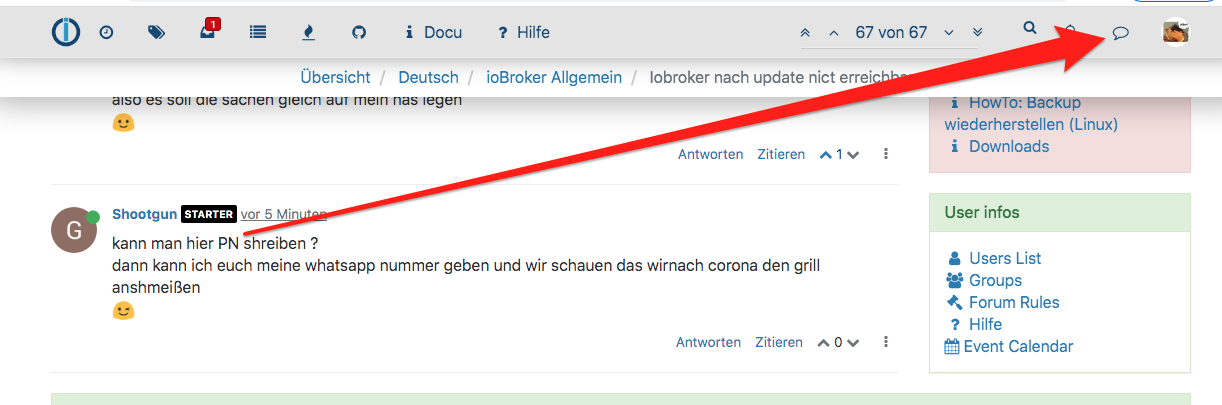
kann man hier PN shreiben ?
dann kann ich euch meine whatsapp nummer geben und wir schauen das wirnach corona den grill anshmeißen
;)





Hey! Du scheinst an dieser Unterhaltung interessiert zu sein, hast aber noch kein Konto.
Hast du es satt, bei jedem Besuch durch die gleichen Beiträge zu scrollen? Wenn du dich für ein Konto anmeldest, kommst du immer genau dorthin zurück, wo du zuvor warst, und kannst dich über neue Antworten benachrichtigen lassen (entweder per E-Mail oder Push-Benachrichtigung). Du kannst auch Lesezeichen speichern und Beiträge positiv bewerten, um anderen Community-Mitgliedern deine Wertschätzung zu zeigen.
Mit deinem Input könnte dieser Beitrag noch besser werden 💗
Registrieren Anmelden478
Online33.0k
Benutzende83.7k
Themen1.3m
Beiträge