




[Aufruf] Xbox Adapter testen
-
Die Installation befindet sich aber in diesem Ordner ?
Poste Mal deine Ordnerstruktur die Situation macht mich neugierig
Sent from my iPhone using Tapatalk
-
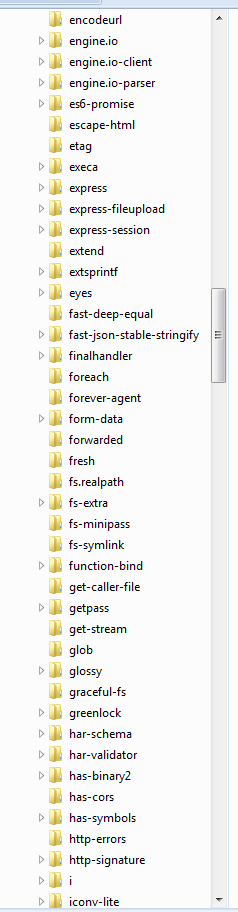
Die Installation befindet sich aber in diesem Ordner ? ` Ja.
Poste Mal deine Ordnerstruktur die Situation macht mich neugierig ` Du wolltest es so :mrgreen:
282_ordnerstruktur1.png
282_ordnerstruktur2.png
282_ordnerstruktur3.png
282_ordnerstruktur4.png
282_ordnerstruktur5.png
282_ordnerstruktur6.png
282_ordnerstruktur7.png
282_ordnerstruktur8.png -
Hmm ok sieht alles gut aus sorry Dan kommt ich auch nicht mehr weiter
Sent from my iPhone using Tapatalk
-
@Jey Cee:Mein Installationsversuch unter Windows scheitert:
!
`2018-09-21 18:10:14.025 - [32minfo[39m: iobroker url "https://github.com/foxriver76/ioBroker.xbox" --debug 2018-09-21 18:10:14.444 - [32minfo[39m: iobroker install https://github.com/foxriver76/ioBroker.xbox/tarball/master 2018-09-21 18:10:15.519 - [32minfo[39m: iobroker npm install https://github.com/foxriver76/ioBroker.xbox/tarball/master --production --save --prefix "C:/iobroker" (System call) 2018-09-21 18:10:29.841 - [32minfo[39m: iobroker > iobroker.xbox@0.0.6 preinstall C:\iobroker\node_modules\iobroker.xbox apt install -y build-essential libssl-dev libffi-dev python3-dev || echo -e '[INFO] Cant install build-essential libssl-dev libffi-dev python3-dev Debian packages. If you are on a Linux system, try installing the package via: sudo npm i iobroker.xbox --unsafe-perm, otherwise you have to manage to install the packages by yourself. If you are not running on Linux, you can ignore this INFO.' ! 2018-09-21 18:10:29.874 - [32minfo[39m: iobroker Der Befehl "apt" ist entweder falsch geschrieben oder konnte nicht gefunden werden. ! 2018-09-21 18:10:29.874 - [32minfo[39m: iobroker -e '[INFO] Cant install build-essential libssl-dev libffi-dev python3-dev Debian packages. If you are on a Linux system, try installing the package via: sudo npm i iobroker.xbox --unsafe-perm, otherwise you have to manage to install the packages by yourself. If you are not running on Linux, you can ignore this INFO.' ! 2018-09-21 18:10:29.935 - [32minfo[39m: iobroker > iobroker.xbox@0.0.6 install C:\iobroker\node_modules\iobroker.xbox npip install ! 2018-09-21 18:10:30.149 - [32minfo[39m: iobroker No python_modules directory; installing pip locally if needed. 2018-09-21 18:10:30.161 - [32minfo[39m: iobroker Error: No python executable. at getPythonInfo (C:\iobroker\node_modules\iobroker.xbox\node_modules\nopy\src\api.js:52:11) at Promise.then.catch.error (C:\iobroker\node_modules\iobroker.xbox\node_modules\nopy\src\api.js:115:14) at <anonymous> at process._tickCallback (internal/process/next_tick.js:188:7) ! 2018-09-21 18:10:30.326 - [32minfo[39m: iobroker npm 2018-09-21 18:10:30.326 - [32minfo[39m: iobroker ERR! code ELIFECYCLEnpm ERR! errno 1 ! 2018-09-21 18:10:30.327 - [32minfo[39m: iobroker npm 2018-09-21 18:10:30.327 - [32minfo[39m: iobroker ERR! iobroker.xbox@0.0.6 install: `npip install`npm 2018-09-21 18:10:30.327 - [32minfo[39m: iobroker ERR! Exit status 1npm ERR! npm 2018-09-21 18:10:30.327 - [32minfo[39m: iobroker ERR! Failed at the iobroker.xbox@0.0.6 install script.npm ERR! This is probably not a problem with npm. There is likely additional logging output above. ! 2018-09-21 18:10:30.344 - [32minfo[39m: iobroker 2018-09-21 18:10:30.344 - [32minfo[39m: iobroker npm ERR! A complete log of this run can be found in:npm ERR! C:\Windows\system32\config\systemprofile\AppData\Roaming\npm-cache\_logs\2018-09-21T16_10_30_331Z-debug.log ! 2018-09-21 18:10:30.624 - [32minfo[39m: iobroker exit 0[/code]</anonymous>` ! Das schaut so aus als würde er die --unsafe-perm flag benötigen. ! Probier mal noch ! `~~[code]~~npm i iobroker.xbox --unsafe-perm [/code]`` -
Okay, leider kein Link für nopy vorhanden.. another try:
Wenn du dich in /opt/iobroker/node_modules/iobroker.xbox/ befindest und den Befehl
npm rootabsetzt, was kommt dabei raus? `Hier das ergebnis :
rafal@HomeControl:/opt/iobroker/node_modules/iobroker.xbox$ npm root
/opt/iobroker/node_modules/iobroker.xbox/node_modules
Ich habe den adapter jetzt mal komplett geloescht und per console mit sudo installiert das ergebnis ==> Er laeuft !
Installiert ist jetzt die 0.0.6 auf meinem ubuntu system
log der installation:
xxx@xxx:/opt/iobroker$ sudo npm i iobroker.xbox --unsafe-perm > iobroker.xbox@0.0.6 preinstall /opt/iobroker/node_modules/.staging/iobroker.xbox-4a3b83e7 > apt install -y build-essential libssl-dev libffi-dev python3-dev || echo -e '[INFO] Cant install build-essential libssl-dev libffi-dev python3-dev Debian packages. If you are on a Linux system, try installing the package via: sudo npm i iobroker.xbox --unsafe-perm, otherwise you have to manage to install the packages by yourself. If you are not running on Linux, you can ignore this INFO.' Reading package lists... Done Building dependency tree Reading state information... Done build-essential is already the newest version (12.1ubuntu2). libssl-dev is already the newest version (1.0.2g-1ubuntu4.13). The following additional packages will be installed: libexpat1-dev libpython3-dev libpython3.5-dev python3.5-dev The following NEW packages will be installed: libexpat1-dev libffi-dev libpython3-dev libpython3.5-dev python3-dev python3.5-dev 0 upgraded, 6 newly installed, 0 to remove and 86 not upgraded. Need to get 38.0 MB of archives. After this operation, 55.3 MB of additional disk space will be used. Get:1 http://nl.archive.ubuntu.com/ubuntu xenial-updates/main amd64 libexpat1-dev amd64 2.1.0-7ubuntu0.16.04.3 [115 kB] Get:2 http://nl.archive.ubuntu.com/ubuntu xenial-updates/main amd64 libpython3.5-dev amd64 3.5.2-2ubuntu0~16.04.4 [37.3 MB] Get:3 http://nl.archive.ubuntu.com/ubuntu xenial/main amd64 libpython3-dev amd64 3.5.1-3 [6,926 B] Get:4 http://nl.archive.ubuntu.com/ubuntu xenial-updates/main amd64 python3.5-dev amd64 3.5.2-2ubuntu0~16.04.4 [413 kB] Get:5 http://nl.archive.ubuntu.com/ubuntu xenial/main amd64 python3-dev amd64 3.5.1-3 [1,186 B] Get:6 http://nl.archive.ubuntu.com/ubuntu xenial/main amd64 libffi-dev amd64 3.2.1-4 [161 kB] Fetched 38.0 MB in 3s (9,803 kB/s) Selecting previously unselected package libexpat1-dev:amd64. (Reading database ... 100125 files and directories currently installed.) Preparing to unpack .../libexpat1-dev_2.1.0-7ubuntu0.16.04.3_amd64.deb ... Unpacking libexpat1-dev:amd64 (2.1.0-7ubuntu0.16.04.3) ... Selecting previously unselected package libpython3.5-dev:amd64. Preparing to unpack .../libpython3.5-dev_3.5.2-2ubuntu0~16.04.4_amd64.deb ... Unpacking libpython3.5-dev:amd64 (3.5.2-2ubuntu0~16.04.4) ... Selecting previously unselected package libpython3-dev:amd64. Preparing to unpack .../libpython3-dev_3.5.1-3_amd64.deb ... Unpacking libpython3-dev:amd64 (3.5.1-3) ... Selecting previously unselected package python3.5-dev. Preparing to unpack .../python3.5-dev_3.5.2-2ubuntu0~16.04.4_amd64.deb ... Unpacking python3.5-dev (3.5.2-2ubuntu0~16.04.4) ... Selecting previously unselected package python3-dev. Preparing to unpack .../python3-dev_3.5.1-3_amd64.deb ... Unpacking python3-dev (3.5.1-3) ... Selecting previously unselected package libffi-dev:amd64. Preparing to unpack .../libffi-dev_3.2.1-4_amd64.deb ... Unpacking libffi-dev:amd64 (3.2.1-4) ... Processing triggers for man-db (2.7.5-1) ... Processing triggers for install-info (6.1.0.dfsg.1-5) ... Setting up libexpat1-dev:amd64 (2.1.0-7ubuntu0.16.04.3) ... Setting up libpython3.5-dev:amd64 (3.5.2-2ubuntu0~16.04.4) ... Setting up libpython3-dev:amd64 (3.5.1-3) ... Setting up python3.5-dev (3.5.2-2ubuntu0~16.04.4) ... Setting up python3-dev (3.5.1-3) ... Setting up libffi-dev:amd64 (3.2.1-4) ... > authenticate-pam@1.0.2 install /opt/iobroker/node_modules/authenticate-pam > node-gyp rebuild make: Entering directory '/opt/iobroker/node_modules/authenticate-pam/build' CXX(target) Release/obj.target/authenticate_pam/authenticate_pam.o ../authenticate_pam.cc:30:31: fatal error: security/pam_appl.h: No such file or directory compilation terminated. authenticate_pam.target.mk:94: recipe for target 'Release/obj.target/authenticate_pam/authenticate_pam.o' failed make: *** [Release/obj.target/authenticate_pam/authenticate_pam.o] Error 1 make: Leaving directory '/opt/iobroker/node_modules/authenticate-pam/build' gyp ERR! build error gyp ERR! stack Error: `make` failed with exit code: 2 gyp ERR! stack at ChildProcess.onExit (/usr/lib/node_modules/npm/node_modules/node-gyp/lib/build.js:276:23) gyp ERR! stack at emitTwo (events.js:106:13) gyp ERR! stack at ChildProcess.emit (events.js:191:7) gyp ERR! stack at Process.ChildProcess._handle.onexit (internal/child_process.js:219:12) gyp ERR! System Linux 4.4.0-62-generic gyp ERR! command "/usr/bin/node" "/usr/lib/node_modules/npm/node_modules/node-gyp/bin/node-gyp.js" "rebuild" gyp ERR! cwd /opt/iobroker/node_modules/authenticate-pam gyp ERR! node -v v6.14.1 gyp ERR! node-gyp -v v3.4.0 gyp ERR! not ok > iobroker.xbox@0.0.6 install /opt/iobroker/node_modules/iobroker.xbox > npip install No python_modules directory; installing pip locally if needed. Successfully completed pip check. The directory '/home/rafal/.cache/pip/http' or its parent directory is not owned by the current user and the cache has been disabled. Please check the permissions and owner of that directory. If executing pip with sudo, you may want sudo's -H flag. The directory '/home/rafal/.cache/pip' or its parent directory is not owned by the current user and caching wheels has been disabled. check the permissions and owner of that directory. If executing pip with sudo, you may want sudo's -H flag. Collecting xbox-smartglass-rest Downloading https://files.pythonhosted.org/packages/d4/f6/73521851d42496d7d703036bc5cb79a49144602bf4fffd85ba3bfb4afa8f/xbox_smartglass_rest-0.9.5-py2.py3-none-any.whl Collecting xbox-smartglass-core Downloading https://files.pythonhosted.org/packages/3f/9f/2e9c16dce7523dabf37dd8f1cdff44de42851d5970534baf0fe2a4f9badb/xbox_smartglass_core-1.0.10-py2.py3-none-any.whl (56kB) 100% |████████████████████████████████| 61kB 8.5MB/s Collecting Flask (from xbox-smartglass-rest) Downloading https://files.pythonhosted.org/packages/7f/e7/08578774ed4536d3242b14dacb4696386634607af824ea997202cd0edb4b/Flask-1.0.2-py2.py3-none-any.whl (91kB) 100% |████████████████████████████████| 92kB 9.5MB/s Collecting xbox-smartglass-stump>=0.9.4 (from xbox-smartglass-rest) Downloading https://files.pythonhosted.org/packages/7e/ea/fae9ae03e3ef0afc3c27638e8872254bf96bd14f06dc1ba5bce08b7916c7/xbox_smartglass_stump-0.9.4-py2.py3-none-any.whl Collecting urwid==2.0.1 (from xbox-smartglass-core) Downloading https://files.pythonhosted.org/packages/c7/90/415728875c230fafd13d118512bde3184d810d7bf798a631abc05fac09d0/urwid-2.0.1.tar.gz (604kB) 100% |████████████████████████████████| 614kB 11.3MB/s Collecting construct==2.9.41 (from xbox-smartglass-core) Downloading https://files.pythonhosted.org/packages/e6/f5/064be5013506d54212b396e8fc3e9890e60ed6a27df6d52529f0b8361cd5/construct-2.9.41.tar.gz (54kB) 100% |████████████████████████████████| 61kB 13.0MB/s Collecting gevent==1.2.2 (from xbox-smartglass-core) Downloading https://files.pythonhosted.org/packages/13/a9/81166b3ad2d344882ab42eb222e7723f93838fdf641b17b319b3a84821a7/gevent-1.2.2-cp35-cp35m-manylinux1_x86_64.whl (1.7MB) 100% |████████████████████████████████| 1.7MB 9.2MB/s Collecting xbox-webapi>=1.1.2 (from xbox-smartglass-core) Downloading https://files.pythonhosted.org/packages/04/9c/bd60a0093db35f32263306987cb6776ac12e0d9a8911a4be1c5856ff6d0b/xbox_webapi-1.1.5-py2.py3-none-any.whl (44kB) 100% |████████████████████████████████| 51kB 10.1MB/s Collecting appdirs==1.4.3 (from xbox-smartglass-core) Downloading https://files.pythonhosted.org/packages/56/eb/810e700ed1349edde4cbdc1b2a21e28cdf115f9faf263f6bbf8447c1abf3/appdirs-1.4.3-py2.py3-none-any.whl Collecting dpkt==1.9.1 (from xbox-smartglass-core) Downloading https://files.pythonhosted.org/packages/bf/a4/8e4622fac4841b5e4a347fa9da4c057a7974258df247031280008d6ac0d0/dpkt-1.9.1.tar.gz (115kB) 100% |████████████████████████████████| 122kB 15.1MB/s Collecting aenum==2.1.2; python_version <= "3.5" (from xbox-smartglass-core) Downloading https://files.pythonhosted.org/packages/0d/46/5b6a6c13fee40f9dfaba84de1394bfe082c0c7d95952ba0ffbd56ce3a3f7/aenum-2.1.2-py3-none-any.whl Collecting cryptography==2.2.2 (from xbox-smartglass-core) Downloading https://files.pythonhosted.org/packages/fa/f4/3cde3604972dfa2b0fea85b9711948bb4fb70ab64095322aef35071bd254/cryptography-2.2.2-cp34-abi3-manylinux1_x86_64.whl (2.2MB) 100% |████████████████████████████████| 2.2MB 11.6MB/s Collecting Werkzeug>=0.14 (from Flask->xbox-smartglass-rest) Downloading https://files.pythonhosted.org/packages/20/c4/12e3e56473e52375aa29c4764e70d1b8f3efa6682bef8d0aae04fe335243/Werkzeug-0.14.1-py2.py3-none-any.whl (322kB) 100% |████████████████████████████████| 327kB 16.5MB/s Collecting Jinja2>=2.10 (from Flask->xbox-smartglass-rest) Downloading https://files.pythonhosted.org/packages/7f/ff/ae64bacdfc95f27a016a7bed8e8686763ba4d277a78ca76f32659220a731/Jinja2-2.10-py2.py3-none-any.whl (126kB) 100% |████████████████████████████████| 133kB 10.3MB/s Collecting click>=5.1 (from Flask->xbox-smartglass-rest) Downloading https://files.pythonhosted.org/packages/34/c1/8806f99713ddb993c5366c362b2f908f18269f8d792aff1abfd700775a77/click-6.7-py2.py3-none-any.whl (71kB) 100% |████████████████████████████████| 71kB 9.7MB/s Collecting itsdangerous>=0.24 (from Flask->xbox-smartglass-rest) Downloading https://files.pythonhosted.org/packages/dc/b4/a60bcdba945c00f6d608d8975131ab3f25b22f2bcfe1dab221165194b2d4/itsdangerous-0.24.tar.gz (46kB) 100% |████████████████████████████████| 51kB 8.5MB/s Collecting marshmallow-objects (from xbox-smartglass-stump>=0.9.4->xbox-smartglass-rest) Downloading https://files.pythonhosted.org/packages/2a/46/710e3383d1216f1f066ee16da24d144c04c2d3180bdd962f08194f123849/marshmallow_objects-1.0.14-py2.py3-none-any.whl Collecting greenlet>=0.4.10 (from gevent==1.2.2->xbox-smartglass-core) Downloading https://files.pythonhosted.org/packages/2e/65/27f35497cc0102a792390d056e793e064da95fc9eae45d75ae0ba49c0a0d/greenlet-0.4.15-cp35-cp35m-manylinux1_x86_64.whl (41kB) 100% |████████████████████████████████| 51kB 9.3MB/s Collecting demjson (from xbox-webapi>=1.1.2->xbox-smartglass-core) Downloading https://files.pythonhosted.org/packages/96/67/6db789e2533158963d4af689f961b644ddd9200615b8ce92d6cad695c65a/demjson-2.2.4.tar.gz (131kB) 100% |████████████████████████████████| 133kB 14.6MB/s Requirement already satisfied: requests in /usr/lib/python3/dist-packages (from xbox-webapi>=1.1.2->xbox-smartglass-core) (2.9.1) Collecting idna>=2.1 (from cryptography==2.2.2->xbox-smartglass-core) Downloading https://files.pythonhosted.org/packages/4b/2a/0276479a4b3caeb8a8c1af2f8e4355746a97fab05a372e4a2c6a6b876165/idna-2.7-py2.py3-none-any.whl (58kB) 100% |████████████████████████████████| 61kB 14.3MB/s Collecting cffi>=1.7; platform_python_implementation != "PyPy" (from cryptography==2.2.2->xbox-smartglass-core) Downloading https://files.pythonhosted.org/packages/59/cc/0e1635b4951021ef35f5c92b32c865ae605fac2a19d724fb6ff99d745c81/cffi-1.11.5-cp35-cp35m-manylinux1_x86_64.whl (420kB) 100% |████████████████████████████████| 430kB 11.0MB/s Requirement already satisfied: six>=1.4.1 in /usr/lib/python3/dist-packages (from cryptography==2.2.2->xbox-smartglass-core) (1.10.0) Collecting asn1crypto>=0.21.0 (from cryptography==2.2.2->xbox-smartglass-core) Downloading https://files.pythonhosted.org/packages/ea/cd/35485615f45f30a510576f1a56d1e0a7ad7bd8ab5ed7cdc600ef7cd06222/asn1crypto-0.24.0-py2.py3-none-any.whl (101kB) 100% |████████████████████████████████| 102kB 13.7MB/s Collecting MarkupSafe>=0.23 (from Jinja2>=2.10->Flask->xbox-smartglass-rest) Downloading https://files.pythonhosted.org/packages/4d/de/32d741db316d8fdb7680822dd37001ef7a448255de9699ab4bfcbdf4172b/MarkupSafe-1.0.tar.gz Collecting marshmallow (from marshmallow-objects->xbox-smartglass-stump>=0.9.4->xbox-smartglass-rest) Downloading https://files.pythonhosted.org/packages/3f/4d/cb555dfc2e2f926179884665fa1e6ae6b8f8102e4f8228b73e2a30eb0ee0/marshmallow-2.15.6-py2.py3-none-any.whl (44kB) 100% |████████████████████████████████| 51kB 14.6MB/s Collecting pycparser (from cffi>=1.7; platform_python_implementation != "PyPy"->cryptography==2.2.2->xbox-smartglass-core) Downloading https://files.pythonhosted.org/packages/68/9e/49196946aee219aead1290e00d1e7fdeab8567783e83e1b9ab5585e6206a/pycparser-2.19.tar.gz (158kB) 100% |████████████████████████████████| 163kB 12.8MB/s Installing collected packages: Werkzeug, MarkupSafe, Jinja2, click, itsdangerous, Flask, urwid, construct, greenlet, gevent, appdirs, demjson, xbox-webapi, dpkt, aenum, idna, pycparser, cffi, asn1crypto, cryptography, xbox-smartglass-core, marshmallow, marshmallow-objects, xbox-smartglass-stump, xbox-smartglass-rest Running setup.py install for MarkupSafe ... done Running setup.py install for itsdangerous ... done Running setup.py install for urwid ... done Running setup.py install for construct ... done Running setup.py install for demjson ... done Running setup.py install for dpkt ... done Running setup.py install for pycparser ... done Successfully installed Flask-1.0.2 Jinja2-2.10 MarkupSafe-1.0 Werkzeug-0.14.1 aenum-2.1.2 appdirs-1.4.3 asn1crypto-0.24.0 cffi-1.11.5 click-6.7 construct-2.9.41 cryptography-2.2.2 demjson-2.2.4 dpkt-1.9.1 gevent-1.2.2 greenlet-0.4.15 idna-2.7 itsdangerous-0.24 marshmallow-2.15.6 marshmallow-objects-1.0.14 pycparser-2.19 urwid-2.0.1 xbox-smartglass-core-1.0.10 xbox-smartglass-rest-0.9.5 xbox-smartglass-stump-0.9.4 xbox-webapi-1.1.5 iobroker.core@1.0.0 /opt/iobroker └─┬ iobroker.xbox@0.0.6 ├── nopy@0.2.6 ├── ping@0.2.2 └─┬ request@2.88.0 ├── aws4@1.8.0 ├── combined-stream@1.0.7 ├── extend@3.0.2 ├─┬ form-data@2.3.2 │ └── combined-stream@1.0.6 ├─┬ har-validator@5.1.0 │ └─┬ ajv@5.5.2 │ └── fast-json-stable-stringify@2.0.0 ├─┬ mime-types@2.1.20 │ └── mime-db@1.36.0 ├── oauth-sign@0.9.0 ├── qs@6.5.2 ├── safe-buffer@5.1.2 ├─┬ tough-cookie@2.4.3 │ └── psl@1.1.29 └── uuid@3.3.2 npm WARN optional SKIPPING OPTIONAL DEPENDENCY: xpc-connection@~0.1.4 (node_modules/iobroker.radar/node_modules/noble/node_modules/xpc-connection): npm WARN notsup SKIPPING OPTIONAL DEPENDENCY: Unsupported platform for xpc-connection@0.1.4: wanted {"os":"darwin","arch":"any"} (current: {"os":"linux","arch":"x64"}) npm WARN optional SKIPPING OPTIONAL DEPENDENCY: xpc-connection@~0.1.4 (node_modules/noble/node_modules/xpc-connection): npm WARN notsup SKIPPING OPTIONAL DEPENDENCY: Unsupported platform for xpc-connection@0.1.4: wanted {"os":"darwin","arch":"any"} (current: {"os":"linux","arch":"x64"}) npm WARN optional SKIPPING OPTIONAL DEPENDENCY: authenticate-pam@1.0.2 (node_modules/authenticate-pam): npm WARN optional SKIPPING OPTIONAL DEPENDENCY: authenticate-pam@1.0.2 install: `node-gyp rebuild` npm WARN optional SKIPPING OPTIONAL DEPENDENCY: Exit status 1 xxx@xxx:/opt/iobroker$ sudo iobroker add xbox host.HomeControl install adapter xbox got /opt/iobroker/node_modules/iobroker.xbox/admin upload [2] xbox.admin /opt/iobroker/node_modules/iobroker.xbox/admin/xbox.png xbox.png image/png upload [1] xbox.admin /opt/iobroker/node_modules/iobroker.xbox/admin/words.js words.js application/javascript upload [0] xbox.admin /opt/iobroker/node_modules/iobroker.xbox/admin/index_m.html index_m.html text/html host.HomeControl object system.adapter.xbox created host.HomeControl create instance xbox host.HomeControl object xbox.0.media.stop created host.HomeControl object xbox.0.media.fastForward created host.HomeControl object xbox.0.media.view created host.HomeControl object xbox.0.media.rewind created host.HomeControl object xbox.0.media.back created host.HomeControl object xbox.0.media.menu created host.HomeControl object xbox.0.media.channelDown created host.HomeControl object xbox.0.media.nextTrack created host.HomeControl object xbox.0.media.channelUp created host.HomeControl object xbox.0.media.seek created host.HomeControl object xbox.0.media.playPause created host.HomeControl object xbox.0.media.previousTrack created host.HomeControl object xbox.0.media.record created host.HomeControl object xbox.0.media.pause created host.HomeControl object xbox.0.media.play created host.HomeControl object xbox.0.gamepad.dpadDown created host.HomeControl object xbox.0.gamepad.dpadLeft created host.HomeControl object xbox.0.gamepad.dpadRight created host.HomeControl object xbox.0.gamepad.clear created host.HomeControl object xbox.0.gamepad.dpadUp created host.HomeControl object xbox.0.gamepad.y created host.HomeControl object xbox.0.gamepad.x created host.HomeControl object xbox.0.gamepad.b created host.HomeControl object xbox.0.gamepad.a created host.HomeControl object xbox.0.gamepad.nexus created host.HomeControl object xbox.0.gamepad.menu created host.HomeControl object xbox.0.gamepad.view created host.HomeControl object xbox.0.gamepad.enroll created host.HomeControl object xbox.0.gamepad.rightThumbstick created host.HomeControl object xbox.0.gamepad.leftThumbstick created host.HomeControl object xbox.0.gamepad.leftShoulder created host.HomeControl object xbox.0.gamepad.rightShoulder created host.HomeControl object xbox.0.settings.power created host.HomeControl object xbox.0.settings created host.HomeControl object xbox.0.gamepad created host.HomeControl object xbox.0.media created host.HomeControl object xbox.0.info.connection created host.HomeControl object xbox.0.info created host.HomeControl object system.adapter.xbox.0.outputCount created host.HomeControl object system.adapter.xbox.0.inputCount created host.HomeControl object system.adapter.xbox.0.uptime created host.HomeControl object system.adapter.xbox.0.memRss created host.HomeControl object system.adapter.xbox.0.memHeapTotal created host.HomeControl object system.adapter.xbox.0.memHeapUsed created host.HomeControl object system.adapter.xbox.0.connected created host.HomeControl object system.adapter.xbox.0.alive created host.HomeControl object system.adapter.xbox.0 created xxx@xxx:/opt/iobroker$ -
Okay, leider kein Link für nopy vorhanden.. another try:
Wenn du dich in /opt/iobroker/node_modules/iobroker.xbox/ befindest und den Befehl
npm rootabsetzt, was kommt dabei raus? `Hier das ergebnis :
rafal@HomeControl:/opt/iobroker/node_modules/iobroker.xbox$ npm root
/opt/iobroker/node_modules/iobroker.xbox/node_modules

```` `
Okay, darüber findet er auch net wriklich raus wo seine Module liegen. Jedenfalls kann es laut npm sein, dass wenn ein npm Package (iobroker.xbox in diesem Fall) in dem Projekt eines anderen npm Packages liegt (iobroker), dass er es dann in die node_modules des übergeordneten Packages installiert. Zumindest habe ich es so verstanden, nur wovon das abhängt weiß ich nicht.
Jedenfalls probiert er jetzt erst mal nopy in iobroker.xbox zu finden und sonst schaut er noch in iobroker selbst.
Und wenn Packages fehlen muss unter Linux mit sudo (sonst kann er apt install nicht ausführen) installiert werden, oder man installiert sie eben händisch. Super, dass es auf den Linux-basierten Systemen zumindest schon mal klappt. :)
Vielen Dank fürs testen soweit.
-
Den Adapter hatte ich zufälligerweise schon vor einigen Wochen gefunden und ausprobiert, aber nicht zum Laufen bekommen. Werde heute Abend direkt den nächsten Versuch starten. `
Da gab es ihn noch nicht :)
Es gibt einen auf Github von Idittmar oder so, wahrscheinlich war es der.
beste Grüße
-
Es gibt einen auf Github von Idittmar oder so, wahrscheinlich war es der. `
Jetzt wo du es sagst…Deiner funktioniert nachdem ich bei der Installation erst Probleme hatte. Ich habe im home Ordner von meinem SSH Benutzer (Linux Raspbian) sudo npm i iobroker.xbox --unsafe-perm ausgeführt, nachdem die Installation via Admin nicht funktioniert hat.
Der Adapter war aber auch nach einem Reboot nicht in der Liste. Also einmal wieder entfernt, cd /opt/iobroker und nochmal sudo npm i iobroker.xbox --unsafe-perm und tadaa, der Adapter ist da und funktioniert.
Einziges Problemchen, das ich bisher noch feststellen konnte war, dass das DPad nicht immer funktioniert. Da im Log nichts dazu steht kann ich mir aber auch vorstellen, dass es ein Problem meiner XBox ist (sie hat so einige...)
-
Es gibt einen auf Github von Idittmar oder so, wahrscheinlich war es der. `
Jetzt wo du es sagst…Deiner funktioniert nachdem ich bei der Installation erst Probleme hatte. Ich habe im home Ordner von meinem SSH Benutzer (Linux Raspbian) sudo npm i iobroker.xbox --unsafe-perm ausgeführt, nachdem die Installation via Admin nicht funktioniert hat.
Der Adapter war aber auch nach einem Reboot nicht in der Liste. Also einmal wieder entfernt, cd /opt/iobroker und nochmal sudo npm i iobroker.xbox --unsafe-perm und tadaa, der Adapter ist da und funktioniert.
Einziges Problemchen, das ich bisher noch feststellen konnte war, dass das DPad nicht immer funktioniert. Da im Log nichts dazu steht kann ich mir aber auch vorstellen, dass es ein Problem meiner XBox ist (sie hat so einige...) `
Dpad funktioniert nicht und der Rest schon?
Also Logging sollte es soweit geben, wenn was nicht passt.
Zur Installation: Grundsätzlich sollte man ioBroker Adapter isntallieren, während man sich im Ordner /opt/iobroker/ befindet oder man geht auf nummer sicher mittels dem –prefix flag, dann ist es egal wo man sich aktuell befindet.
sudo npm i iobroker.xbox --unsafe-perm --prefix /opt/iobroker/beste Grüße und schon mal Danke fürs testen
-
Aktuell gibt es 0.0.8 als Version, es wurde lediglich das Logging etwas zurückgeschraubt im Falle, dass die Xbox online ist und mehrmals hintereinander keine Verbindung zustande kommt, werden die wiederholten Meldungen nur auf Debug geloggt. Ansonsten hatte ich am Anfang ein paar Attribute in der io-package erstellt, die nicht benötigt werden –> habe sie entfernt.
Ich plane den Adapter in 1 - 2 Wochen ins offizielle Repo aufzunehmen (vorerst nur latest), falls ihr Feedback jeglicher Art habt, schreibt es bitte.
beste Grüße
fox
-
Hi fox
Klasse Arbeit also bei mir läuft er immernoch Stabiel also ab in npm damit :)
Sent from my iPhone using Tapatalk
-
Dpad funktioniert nicht und der Rest schon? `
Das Dpad funktioniert manchmal nach dem Starten der Xbox ein, zwei Minuten nicht. Ich konnte noch keine Regelmäßigkeit feststellen und im Log seh ich auch nichts was dazu passen könnte. Die Xbox macht aber auch abseits vom Adapter einiges an Spirenzchen. Ich werde dieses Wochenende mal gucken ob ich's rauskriegen kann woher der Murks kommt.
Da ich den Adapter aber bisher nur zum Ein- und Ausschalten, sowie zum aufzeichnen der Aktivität nutze funktioniert der Adapter für mich trotz des Problemchen.
Ich würde mir noch wünschen, dass ich in einem Datenpunkt sehe wer gerade angemeldet ist und welches Spiel gerade gespielt wird. Falls es das schon gibt ignorier das einfach, hatte heute einen langen Tag.
-
Da ich den Adapter aber bisher nur zum Ein- und Ausschalten, sowie zum aufzeichnen der Aktivität nutze funktioniert der Adapter für mich trotz des Problemchen. `
Kannst du mir verraten unter welchen Umständen das aufzeichnen funktioniert?
Ich würde mir noch wünschen, dass ich in einem Datenpunkt sehe wer gerade angemeldet ist und welches Spiel gerade gespielt wird. Falls es das schon gibt ignorier das einfach, hatte heute einen langen Tag. `
Ich werde mal schauen ob das möglich ist.
-
Kannst du mir verraten unter welchen Umständen das aufzeichnen funktioniert? `
Da der interne Lüfter defekt ist ist ein externer drauf, der von der Xbox gesteuert wird. Manchmal geht der einfach so für ca eine Minute an und gerade nachts hat mich das so sehr gestört, dass die Xbox an einer geschalteten Steckdose hängt. Die Xbox kann also nicht via Controller eingeschaltet werden, sondern wurde sonst immer manuell eingeschaltet nachdem via ioBroker die Steckdose eingeschaltet wurde. Jetzt schalte ich die Xbox eine Sekunde nach der Steckdose ein und die Xbox nur via ioBroker aus und danach die Steckdose. Somit kann ich einfach aufzeichnen in welchem Zustand ich die Xbox geschalten habe.
-
Ach so, ich dachte du meinst aufzeichnen mittels der Media.record Taste. Also wie man während einem Spiel aufzeichnen kann. <emoji seq="1f600">😀</emoji>
-
Der Xbox Adapter wurde nun ins Latest Repo aufgenommen. Bin gespannt ob die Installation über die Oberfläche zuverlässig klappen wird, ansonsten werde ich mal schauen, dass bei dem Adapter automatisch die entsprechende Flag gesetzt wird.
-
sobald er in der repro ist werden wir testen, wird denke ich mal die nacht ueberdauern ?







Hey! Du scheinst an dieser Unterhaltung interessiert zu sein, hast aber noch kein Konto.
Hast du es satt, bei jedem Besuch durch die gleichen Beiträge zu scrollen? Wenn du dich für ein Konto anmeldest, kommst du immer genau dorthin zurück, wo du zuvor warst, und kannst dich über neue Antworten benachrichtigen lassen (entweder per E-Mail oder Push-Benachrichtigung). Du kannst auch Lesezeichen speichern und Beiträge positiv bewerten, um anderen Community-Mitgliedern deine Wertschätzung zu zeigen.
Mit deinem Input könnte dieser Beitrag noch besser werden 💗
Registrieren AnmeldenSupport us
234
Online33.0k
Benutzer83.6k
Themen1.3m
Beiträge