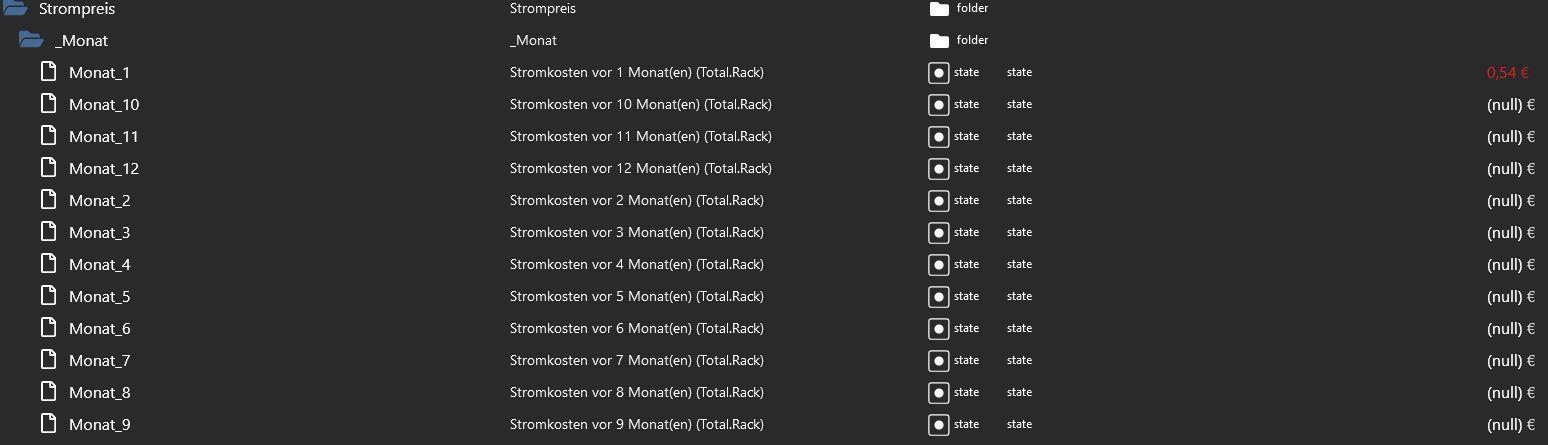
@kkickingereder Ich habe das ganze so gelöst.
[image: 1667944856785-a8ad92d4-8a17-47dc-b7ae-9858e1543476-image.png]
[image: 1667945127558-06328273-dac0-4ee0-8a12-b64dac6e9a9f-image.png]
so hat meine Frau die Restlaufzeit von dem Programm und die Uhrzeit an dem es fertig ist.
Blockly:
Protokoll
Ausgewählte Blöcke exportieren
<xml xmlns="https://developers.google.com/blockly/xml">
<variables>
<variable id="rI/MU0bb2vx?cMy#]1;h">Dauer</variable>
<variable id="jIw-#0$lg4RWth^zia4n">Stunden</variable>
<variable id="eDE,{!]85U2wKHr7b#+.">Minuten</variable>
<variable id="zKK-|$Mj;MF-v}]?,o14">Sekunden</variable>
</variables>
<block type="on" id="z6e`6VBk83f9Go+uS?vD" x="112" y="38">
<field name="OID">homeconnect.0.SIEMENS-SN658X06TE-68A40E42FB34.programs.active.options.BSH_Common_Option_RemainingProgramTime</field>
<field name="CONDITION">ne</field>
<field name="ACK_CONDITION"></field>
<statement name="STATEMENT">
<block type="variables_set" id="5OO:r9CY/I4.PuLt+uoX">
<field name="VAR" id="rI/MU0bb2vx?cMy#]1;h">Dauer</field>
<value name="VALUE">
<block type="get_value" id="+BQHmJD?}9`Lg3uT?8N`">
<field name="ATTR">val</field>
<field name="OID">homeconnect.0.SIEMENS-SN658X06TE-68A40E42FB34.programs.active.options.BSH_Common_Option_RemainingProgramTime</field>
</block>
</value>
<next>
<block type="variables_set" id="P`1=(VlTq)WG,CD-.5bo">
<field name="VAR" id="jIw-#0$lg4RWth^zia4n">Stunden</field>
<value name="VALUE">
<block type="math_round" id="S[;vM1j}t$+RFL;3gf=9">
<field name="OP">ROUNDDOWN</field>
<value name="NUM">
<shadow type="math_number" id="{L(wDg$WtYWI6u2/$0(+">
<field name="NUM">3.1</field>
</shadow>
<block type="math_arithmetic" id="o=h6OG}c84!{s4Dl^^vZ">
<field name="OP">DIVIDE</field>
<value name="A">
<shadow type="math_number">
<field name="NUM">1</field>
</shadow>
<block type="variables_get" id="@{kAY6pA0-GbDWc!9v:V">
<field name="VAR" id="rI/MU0bb2vx?cMy#]1;h">Dauer</field>
</block>
</value>
<value name="B">
<shadow type="math_number" id=",zQ3GVM~%~l|/6Wc+aGZ">
<field name="NUM">1</field>
</shadow>
<block type="math_number" id="cK2%7i*C?4hD;s-,93f^">
<field name="NUM">3600</field>
</block>
</value>
</block>
</value>
</block>
</value>
<next>
<block type="variables_set" id="YB98~EjxKRM.E^/RH;^c">
<field name="VAR" id="eDE,{!]85U2wKHr7b#+.">Minuten</field>
<value name="VALUE">
<block type="math_round" id="bU`4pk9On/08ov|?CkBl">
<field name="OP">ROUNDDOWN</field>
<value name="NUM">
<shadow type="math_number" id="5|KmBVYDfsYBmR7~Wl(9">
<field name="NUM">3.1</field>
</shadow>
<block type="math_modulo" id="$4Owp|d8.g!a#kaFhqs_">
<value name="DIVIDEND">
<shadow type="math_number" id="?)RI2P}2p!-YxZ88ijf~">
<field name="NUM">64</field>
</shadow>
<block type="math_arithmetic" id="frY;}ntyuAr*7.#,eo/0">
<field name="OP">DIVIDE</field>
<value name="A">
<shadow type="math_number">
<field name="NUM">1</field>
</shadow>
<block type="variables_get" id="COtpj]?(tSnLoo#9_3YI">
<field name="VAR" id="rI/MU0bb2vx?cMy#]1;h">Dauer</field>
</block>
</value>
<value name="B">
<shadow type="math_number">
<field name="NUM">1</field>
</shadow>
<block type="math_number" id="(9{Yo0!tJn1G}nK~j?U+">
<field name="NUM">60</field>
</block>
</value>
</block>
</value>
<value name="DIVISOR">
<shadow type="math_number" id="_b.9`}PqVBWn+a6+zFp:">
<field name="NUM">60</field>
</shadow>
</value>
</block>
</value>
</block>
</value>
<next>
<block type="variables_set" id="[uN`$4gdo}]!RaSbDz]7">
<field name="VAR" id="zKK-|$Mj;MF-v}]?,o14">Sekunden</field>
<value name="VALUE">
<block type="math_modulo" id="pgcv*`eLN{$4{]6ywy`,">
<value name="DIVIDEND">
<shadow type="math_number">
<field name="NUM">64</field>
</shadow>
<block type="math_arithmetic" id="ahqj,2ihF{2^=|)D]CDP">
<field name="OP">DIVIDE</field>
<value name="A">
<shadow type="math_number">
<field name="NUM">1</field>
</shadow>
<block type="variables_get" id="N=Ptb(8_CCCCn(mzR=$y">
<field name="VAR" id="rI/MU0bb2vx?cMy#]1;h">Dauer</field>
</block>
</value>
<value name="B">
<shadow type="math_number">
<field name="NUM">1</field>
</shadow>
<block type="math_number" id="gu.`t=SE*hv9|?b9XR~Z">
<field name="NUM">60</field>
</block>
</value>
</block>
</value>
<value name="DIVISOR">
<shadow type="math_number" id="3!Z)0TJTI7g[H$pKG0Qu">
<field name="NUM">60</field>
</shadow>
</value>
</block>
</value>
<next>
<block type="control" id="YQb1D#LU-%kUHcwvqDAr">
<mutation xmlns="http://www.w3.org/1999/xhtml" delay_input="false"></mutation>
<field name="OID">0_userdata.0.Restlaufzeit_Geschirrspuehler</field>
<field name="WITH_DELAY">FALSE</field>
<value name="VALUE">
<block type="text_join" id=":gH/~`:Sgc$=D?Le99Yz">
<mutation items="6"></mutation>
<value name="ADD0">
<block type="variables_get" id="p+Br~z+{OLmsWTn2,Kd(">
<field name="VAR" id="jIw-#0$lg4RWth^zia4n">Stunden</field>
</block>
</value>
<value name="ADD1">
<block type="text" id="Vlv$MjO3eb0S.dl9Q#pu">
<field name="TEXT">Std. </field>
</block>
</value>
<value name="ADD2">
<block type="variables_get" id="b9p+D7=YTP28!$iRn#wv">
<field name="VAR" id="eDE,{!]85U2wKHr7b#+.">Minuten</field>
</block>
</value>
<value name="ADD3">
<block type="text" id="Fx58{XKN/}`:*`Q5Fw`m">
<field name="TEXT">Min. </field>
</block>
</value>
<value name="ADD4">
<block type="variables_get" id="5@a-D./M7FJ6M9/~@K*M" disabled="true">
<field name="VAR" id="zKK-|$Mj;MF-v}]?,o14">Sekunden</field>
</block>
</value>
<value name="ADD5">
<block type="text" id="WM^*N:.`PzQAb~|Y#FZ6" disabled="true">
<field name="TEXT">Sek.</field>
</block>
</value>
</block>
</value>
<next>
<block type="control" id="^W^m+#lm@Z;WqRm|dnT}">
<mutation xmlns="http://www.w3.org/1999/xhtml" delay_input="false"></mutation>
<field name="OID">0_userdata.0.Geschirrspuehler_fertig_um</field>
<field name="WITH_DELAY">FALSE</field>
<value name="VALUE">
<block type="convert_from_date" id=")ZDR7lKID(;F]3#jA_33">
<mutation xmlns="http://www.w3.org/1999/xhtml" format="false" language="false"></mutation>
<field name="OPTION">hh:mm:ss</field>
<value name="VALUE">
<block type="math_arithmetic" id="(;Q{j/Th(QpZ,O:NR!gI">
<field name="OP">ADD</field>
<value name="A">
<shadow type="math_number" id="m#8q|-;wENNJh8{pGvm;">
<field name="NUM">1</field>
</shadow>
<block type="time_get" id="(tCA%Y)0lpIHk)a5AOJ2">
<mutation xmlns="http://www.w3.org/1999/xhtml" format="false" language="false"></mutation>
<field name="OPTION">object</field>
</block>
</value>
<value name="B">
<shadow type="math_number" id="hYrh.3`33kz7izXNDE_m">
<field name="NUM">6</field>
</shadow>
<block type="math_arithmetic" id=".=xi3L?p%}AN8CW)H5|]">
<field name="OP">MULTIPLY</field>
<value name="A">
<shadow type="math_number" id="TW.S8F$AG:alUBfpx]R/">
<field name="NUM">1000</field>
</shadow>
</value>
<value name="B">
<shadow type="math_number" id="L~Y~(Rj_O[cg=87|{,b@">
<field name="NUM">0</field>
</shadow>
<block type="get_value" id="ZZJ{NupDcd8L!-2UZoz0">
<field name="ATTR">val</field>
<field name="OID">homeconnect.0.SIEMENS-SN658X06TE-68A40E42FB34.programs.active.options.BSH_Common_Option_RemainingProgramTime</field>
</block>
</value>
</block>
</value>
</block>
</value>
</block>
</value>
</block>
</next>
</block>
</next>
</block>
</next>
</block>
</next>
</block>
</next>
</block>
</statement>
</block>
</xml>
<xml xmlns="https://developers.google.com/blockly/xml">
<variables>
<variable id="rI/MU0bb2vx?cMy#]1;h">Dauer</variable>
<variable id="jIw-#0$lg4RWth^zia4n">Stunden</variable>
<variable id="eDE,{!]85U2wKHr7b#+.">Minuten</variable>
<variable id="zKK-|$Mj;MF-v}]?,o14">Sekunden</variable>
</variables>
<block type="on" id="z6e`6VBk83f9Go+uS?vD" x="112" y="38">
<field name="OID">homeconnect.0.SIEMENS-SN658X06TE-68A40E42FB34.programs.active.options.BSH_Common_Option_RemainingProgramTime</field>
<field name="CONDITION">ne</field>
<field name="ACK_CONDITION"></field>
<statement name="STATEMENT">
<block type="variables_set" id="5OO:r9CY/I4.PuLt+uoX">
<field name="VAR" id="rI/MU0bb2vx?cMy#]1;h">Dauer</field>
<value name="VALUE">
<block type="get_value" id="+BQHmJD?}9`Lg3uT?8N`">
<field name="ATTR">val</field>
<field name="OID">homeconnect.0.SIEMENS-SN658X06TE-68A40E42FB34.programs.active.options.BSH_Common_Option_RemainingProgramTime</field>
</block>
</value>
<next>
<block type="variables_set" id="P`1=(VlTq)WG,CD-.5bo">
<field name="VAR" id="jIw-#0$lg4RWth^zia4n">Stunden</field>
<value name="VALUE">
<block type="math_round" id="S[;vM1j}t$+RFL;3gf=9">
<field name="OP">ROUNDDOWN</field>
<value name="NUM">
<shadow type="math_number" id="{L(wDg$WtYWI6u2/$0(+">
<field name="NUM">3.1</field>
</shadow>
<block type="math_arithmetic" id="o=h6OG}c84!{s4Dl^^vZ">
<field name="OP">DIVIDE</field>
<value name="A">
<shadow type="math_number">
<field name="NUM">1</field>
</shadow>
<block type="variables_get" id="@{kAY6pA0-GbDWc!9v:V">
<field name="VAR" id="rI/MU0bb2vx?cMy#]1;h">Dauer</field>
</block>
</value>
<value name="B">
<shadow type="math_number" id=",zQ3GVM~%~l|/6Wc+aGZ">
<field name="NUM">1</field>
</shadow>
<block type="math_number" id="cK2%7i*C?4hD;s-,93f^">
<field name="NUM">3600</field>
</block>
</value>
</block>
</value>
</block>
</value>
<next>
<block type="variables_set" id="YB98~EjxKRM.E^/RH;^c">
<field name="VAR" id="eDE,{!]85U2wKHr7b#+.">Minuten</field>
<value name="VALUE">
<block type="math_round" id="bU`4pk9On/08ov|?CkBl">
<field name="OP">ROUNDDOWN</field>
<value name="NUM">
<shadow type="math_number" id="5|KmBVYDfsYBmR7~Wl(9">
<field name="NUM">3.1</field>
</shadow>
<block type="math_modulo" id="$4Owp|d8.g!a#kaFhqs_">
<value name="DIVIDEND">
<shadow type="math_number" id="?)RI2P}2p!-YxZ88ijf~">
<field name="NUM">64</field>
</shadow>
<block type="math_arithmetic" id="frY;}ntyuAr*7.#,eo/0">
<field name="OP">DIVIDE</field>
<value name="A">
<shadow type="math_number">
<field name="NUM">1</field>
</shadow>
<block type="variables_get" id="COtpj]?(tSnLoo#9_3YI">
<field name="VAR" id="rI/MU0bb2vx?cMy#]1;h">Dauer</field>
</block>
</value>
<value name="B">
<shadow type="math_number">
<field name="NUM">1</field>
</shadow>
<block type="math_number" id="(9{Yo0!tJn1G}nK~j?U+">
<field name="NUM">60</field>
</block>
</value>
</block>
</value>
<value name="DIVISOR">
<shadow type="math_number" id="_b.9`}PqVBWn+a6+zFp:">
<field name="NUM">60</field>
</shadow>
</value>
</block>
</value>
</block>
</value>
<next>
<block type="variables_set" id="[uN`$4gdo}]!RaSbDz]7">
<field name="VAR" id="zKK-|$Mj;MF-v}]?,o14">Sekunden</field>
<value name="VALUE">
<block type="math_modulo" id="pgcv*`eLN{$4{]6ywy`,">
<value name="DIVIDEND">
<shadow type="math_number">
<field name="NUM">64</field>
</shadow>
<block type="math_arithmetic" id="ahqj,2ihF{2^=|)D]CDP">
<field name="OP">DIVIDE</field>
<value name="A">
<shadow type="math_number">
<field name="NUM">1</field>
</shadow>
<block type="variables_get" id="N=Ptb(8_CCCCn(mzR=$y">
<field name="VAR" id="rI/MU0bb2vx?cMy#]1;h">Dauer</field>
</block>
</value>
<value name="B">
<shadow type="math_number">
<field name="NUM">1</field>
</shadow>
<block type="math_number" id="gu.`t=SE*hv9|?b9XR~Z">
<field name="NUM">60</field>
</block>
</value>
</block>
</value>
<value name="DIVISOR">
<shadow type="math_number" id="3!Z)0TJTI7g[H$pKG0Qu">
<field name="NUM">60</field>
</shadow>
</value>
</block>
</value>
<next>
<block type="control" id="YQb1D#LU-%kUHcwvqDAr">
<mutation xmlns="http://www.w3.org/1999/xhtml" delay_input="false"></mutation>
<field name="OID">0_userdata.0.Restlaufzeit_Geschirrspuehler</field>
<field name="WITH_DELAY">FALSE</field>
<value name="VALUE">
<block type="text_join" id=":gH/~`:Sgc$=D?Le99Yz">
<mutation items="6"></mutation>
<value name="ADD0">
<block type="variables_get" id="p+Br~z+{OLmsWTn2,Kd(">
<field name="VAR" id="jIw-#0$lg4RWth^zia4n">Stunden</field>
</block>
</value>
<value name="ADD1">
<block type="text" id="Vlv$MjO3eb0S.dl9Q#pu">
<field name="TEXT">Std. </field>
</block>
</value>
<value name="ADD2">
<block type="variables_get" id="b9p+D7=YTP28!$iRn#wv">
<field name="VAR" id="eDE,{!]85U2wKHr7b#+.">Minuten</field>
</block>
</value>
<value name="ADD3">
<block type="text" id="Fx58{XKN/}`:*`Q5Fw`m">
<field name="TEXT">Min. </field>
</block>
</value>
<value name="ADD4">
<block type="variables_get" id="5@a-D./M7FJ6M9/~@K*M" disabled="true">
<field name="VAR" id="zKK-|$Mj;MF-v}]?,o14">Sekunden</field>
</block>
</value>
<value name="ADD5">
<block type="text" id="WM^*N:.`PzQAb~|Y#FZ6" disabled="true">
<field name="TEXT">Sek.</field>
</block>
</value>
</block>
</value>
<next>
<block type="control" id="^W^m+#lm@Z;WqRm|dnT}">
<mutation xmlns="http://www.w3.org/1999/xhtml" delay_input="false"></mutation>
<field name="OID">0_userdata.0.Geschirrspuehler_fertig_um</field>
<field name="WITH_DELAY">FALSE</field>
<value name="VALUE">
<block type="convert_from_date" id=")ZDR7lKID(;F]3#jA_33">
<mutation xmlns="http://www.w3.org/1999/xhtml" format="false" language="false"></mutation>
<field name="OPTION">hh:mm:ss</field>
<value name="VALUE">
<block type="math_arithmetic" id="(;Q{j/Th(QpZ,O:NR!gI">
<field name="OP">ADD</field>
<value name="A">
<shadow type="math_number" id="m#8q|-;wENNJh8{pGvm;">
<field name="NUM">1</field>
</shadow>
<block type="time_get" id="(tCA%Y)0lpIHk)a5AOJ2">
<mutation xmlns="http://www.w3.org/1999/xhtml" format="false" language="false"></mutation>
<field name="OPTION">object</field>
</block>
</value>
<value name="B">
<shadow type="math_number" id="hYrh.3`33kz7izXNDE_m">
<field name="NUM">6</field>
</shadow>
<block type="math_arithmetic" id=".=xi3L?p%}AN8CW)H5|]">
<field name="OP">MULTIPLY</field>
<value name="A">
<shadow type="math_number" id="TW.S8F$AG:alUBfpx]R/">
<field name="NUM">1000</field>
</shadow>
</value>
<value name="B">
<shadow type="math_number" id="L~Y~(Rj_O[cg=87|{,b@">
<field name="NUM">0</field>
</shadow>
<block type="get_value" id="ZZJ{NupDcd8L!-2UZoz0">
<field name="ATTR">val</field>
<field name="OID">homeconnect.0.SIEMENS-SN658X06TE-68A40E42FB34.programs.active.options.BSH_Common_Option_RemainingProgramTime</field>
</block>
</value>
</block>
</value>
</block>
</value>
</block>
</value>
</block>
</next>
</block>
</next>
</block>
</next>
</block>
</next>
</block>
</next>
</block>
</statement>
</block>
</xml>







 1
2 Votes1 Posts572 Views
1
2 Votes1 Posts572 Views 1
0 Votes5 Posts527 Views
1
0 Votes5 Posts527 Views 5
1 Votes30 Posts6k Views
5
1 Votes30 Posts6k Views 1
0 Votes3 Posts279 Views
1
0 Votes3 Posts279 Views 1
0 Votes6 Posts331 Views
1
0 Votes6 Posts331 Views 2
0 Votes11 Posts626 Views
2
0 Votes11 Posts626 Views