Skip to content

ioBroker Allgemein

29.7k Topics 437.1k Posts
Integrationtsplattform für IoT

NEWS

  • [Frage] Systemzeit stimmt nicht [gelöst]

    Moved
    9
    0 Votes
    9 Posts
    4k Views
    BuZZyB
    Du kannst auf der Kommandozeile mit "crontab -e" einen Crontab anlegen, der jede Nacht um 0 Uhr den NTP Dienst neu startet.. Gruß
  • Hm.rpc fehlt der "state" vom Unterputzschalter +

    Moved
    3
    2
    0 Votes
    3 Posts
    525 Views
    A
    so einfach….. :o Dankeschön.
  • Warnhinweis hm-rpc.0.CENTRAL.PONG (object not found) im Log

    Moved
    1
    0 Votes
    1 Posts
    316 Views
    No one has replied
  • Smart Geräte automatisch aus Raum und Funktion generieren

    Moved
    1
    0 Votes
    1 Posts
    327 Views
    No one has replied
  • Problem mit zugriff auf Cloud

    Moved
    4
    0 Votes
    4 Posts
    578 Views
    cvidalC
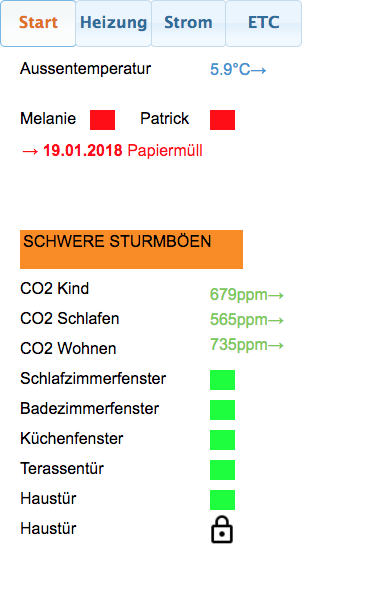
    Ich habe Aktuell das Problem das ich über die Cloud.Pro nicht auf Vis und Vis.edit zugreifen kann. Admin, Flot und Mobile laufen aber einwandfrei… Hat jemand eine Idee oder selbes verhalten? Vis ist 1.1.1 [image: 2113_vis.png] [image: 2113_vis.edit.png] Gruß Christian
  • [gelöst] iCal Adapter falsches Datum

    Moved
    12
    1
    0 Votes
    12 Posts
    960 Views
    P
    Negativ. Mittlerweile habe ich auf 1.4.0 eine korrekte Ansicht. [image: 3277_bildschirmfoto_2018-02-01_um_22.45.30.png]
  • 2\. Weatherunderground Instanz bekommt keine Daten

    Moved
    6
    0 Votes
    6 Posts
    846 Views
    P
    Nach einem Update des weatherunderground Adapters funktioniert es jetzt
  • Homematic All-In-One mit piVCCU Image ?

    Moved
    5
    0 Votes
    5 Posts
    884 Views
    O
    Aber es wäre schon toll das man an diesen Touchscreen auch das Vis usw. bearbeiten kann. LG Oliver
  • 0 Votes
    1 Posts
    422 Views
    No one has replied
  • SQL Adapter, Neuanlage von Datenpunkten geht nicht…

    Moved
    12
    0 Votes
    12 Posts
    1k Views
    apollon77A
    Dan am besten gleich die 1.6.7 (sollte morgen im latest sein, vorher Github install oder direkt npm) noch hinterher
  • Probleme mit der Steuerung nach umstieg auf ioBroker

    Moved
    8
    0 Votes
    8 Posts
    853 Views
    AlCalzoneA
    Für Farbe über Alexa musst du neben bri auch hue und sat einbinden. Dann rafft Alexa, dass das Gerät Farben kann und du kannst die per Sprache ändern.
  • Mysensors - Wrong UDP data recieved from 192.168.1.102:57213: 234567890

    Moved
    12
    0 Votes
    12 Posts
    1k Views
    M
    Nun bin ich schon viel weiter :) Ein paar Fragen hab ich aber noch: 1. warum benötige ich ein delay, bis ein Datenpunktwert genutzt werden kann? 2. warum ist bei setState string Variablenübergabe ein Leerstring vor der Variablen notwendig? Ansonsten wird ein Leerstring im state gespeichert. 3. Muss der createState 'UDP_val' in iobroker nur einmal ausgeführt werden und bleibt er in iobroker auch über Stopp und Neustart hinaus erhalten? 4. Wie ändere ich einen JavaScript Namen? JavaScript Code: /* UDB value empfangen und in variable laden teststring home protokoll: 19999R123456789ABCDE19 function createString(name) { createState(name, "", {read: true, write: true, desc: "Beschreibung", type: "string", def: "" }); } */ var lfd=0; var PORT1 = 5003; var HOST = '192.168.1.102'; var dgram = require('dgram'); var server = dgram.createSocket('udp4'); server.on('listening', function () { var address = server.address(); /*createState('UDB_val',"", {read:true, write: true, desc: "UDB_string", type: "string", def: "start" });*/ setState('UDB_val',''); setTimeout(function() { // delay, damit state gesetzt ist vor weiterer verwendung console.log('UDP broker listening on ' + address.address + ":" + address.port + ' UDB_val: ' + getState('UDB_val').val); }, 500); }); server.on('message', function (message, remote) { setState('UDB_val',''+ message,true); // warum leerstring vor der variablen notwendig? setTimeout(function() { // delay, damit state gesetzt ist vor weiterer verwendung lfd=lfd+1; console.log('lfd: ' + lfd + ' UDP_val: ' + getState('UDB_val').val); }, 500); }); server.bind(PORT1, HOST);
  • Best case für angelegte Objekte?

    Moved
    5
    2
    0 Votes
    5 Posts
    625 Views
    rantanplanR
    @AlCalzone: Ja, wobei gestern jemand meinte, man solle keine eigenen Bäume anlegen (weiß allerdings nicht warum). ` Wüste auch keinen Grund dies nicht zu tun. Das Anlegen unter javascript.x ist die einfachste Art. Bei mehreren Instanzen wurde mir das aber zu unübersichtlich. Datenpunkte für Tests und Foren-Scripts bleiben unter der jeweiligen Instanz. Für meine Produktivsachen habe ich Ordnerstrukturen im Root von Objekte angelegt. Da kann ich auch nichts versehentlich löschen. Grüße
  • IoBroker auf Raspi3 mit "Sägezahn CPU-Last"

    Moved
    3
    2
    0 Votes
    3 Posts
    542 Views
    hg6806H
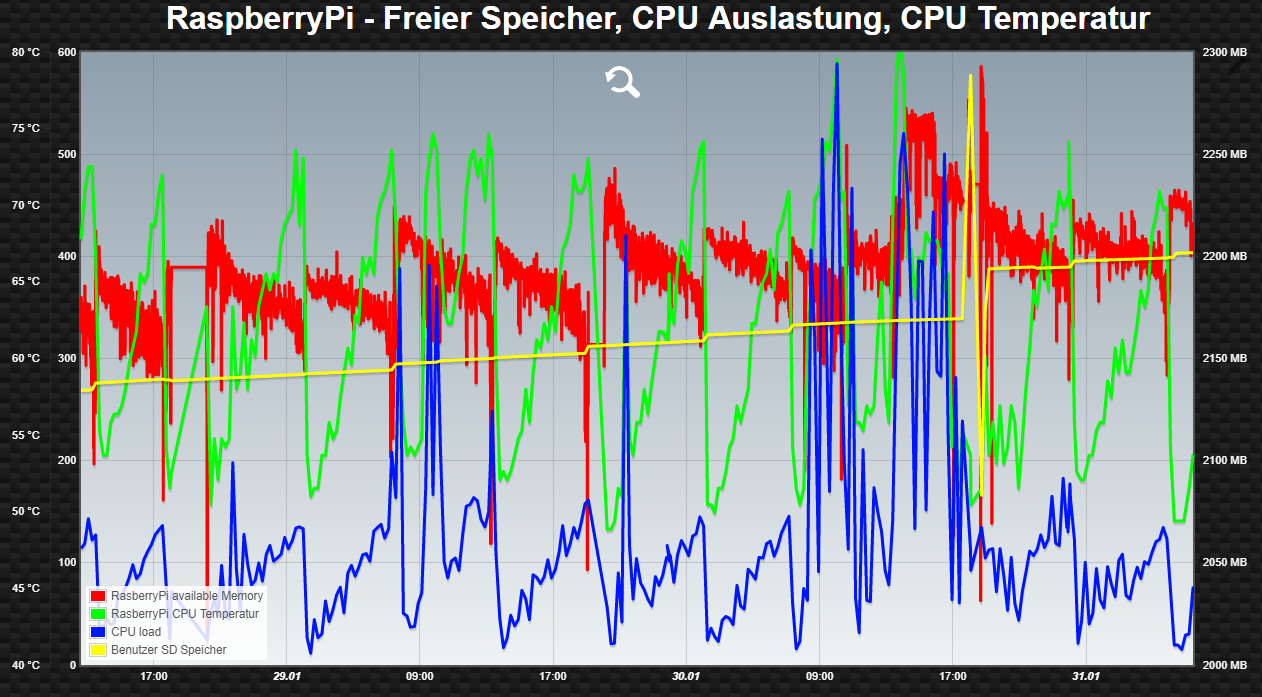
    So, ich habe den Übeltäter sehr wahrscheinlich gefunden, denn wenn ich das Script ausschalte, ist die CPU Last normal. [image: 1752_2018-02-01_08_42_13-info-center.png] Programm überträgt die Werte der beiden Smartmeter IR Köpfen auf die in der CCU2 vorher generierten Variablen. Der Smartmeter Adapter ist so eingestellt, dass alle 10 Sek. ausgelesen wird. Kann mir jemand sagen wieso hier die CPU Last so sägezahnmäßig ansteigt?
  • Fehler im Thread "Anleitungen und Links"

    Moved
    15
    0 Votes
    15 Posts
    3k Views
    wendy2702W
    Das hoffe ich auch. Wollte mir ein paar neue Anregungen holen.
  • Alert main/vis-views.json Nicht gefunden ( VIS APP für Android )

    Moved
    2
    0 Votes
    2 Posts
    726 Views
    S
    Ich antworte mir mal selbst… Ich habe einfach ein neues Projekt angelegt, dann hat er gemeckert, dass keine Views angelegt sind und hat die .json Datei selbstständig angelegt. Jetzt funktioniert alles bestens, so wie es soll. Kann geschlossen werden.
  • [Blockly] Hue Lightstrip soll blinken wenn Garagentor offen

    Moved
    1
    0 Votes
    1 Posts
    373 Views
    No one has replied
  • Datenpunkt Eigenschaften auf/zu

    Moved
    1
    0 Votes
    1 Posts
    281 Views
    No one has replied
  • Iobroker Dockerfile für Ubuntu 16.04.3

    Moved
    1
    0 Votes
    1 Posts
    429 Views
    No one has replied
  • [Gelöst] PI3 iobroker slave –>kein SSH Zugriff mehr möglich

    Moved
    2
    3
    0 Votes
    2 Posts
    767 Views
    wendy2702W
    Weiß nicht ob das wirklich die Lösung ist aber für mich ist dieser Beitrag den ich gerade gefunden habe ein workaround: SSH Hanging when Connecting to Raspberry Pi 3 We recently encountered a rather odd problem with a new device we were testing. We had a Raspberry Pi 3 in the office and were doing some testing with the device. The Raspberry Pi 3 was completely up to date running the latest versions of the OS Raspbian (based off of Debian 8 – Jessie, OpenSSH 6.7p1). What was happening is that we could connect to the Raspberry Pi 3 via SSH. We would be prompted for a username and password as usual, but then when we typed in the password nothing happened. So the SSH was hanging after we had authenticated. It just sat there and wouldn’t respond to any input at all. We had to close the session window. After some investigation we have determined that this a combination of two issues. One the latest version of SSH installed on the Raspberry Pi 3 uses QoS headers to ensure speedy delivery of packets over the network. For interactive connections (standard shell SSH connections) it sets the IP header for IP_TOS to be 0x10 (low delay or latency). For non-interactive connections (scp, etc) it sets the IP header for IP_TOS to be 0x08 (max throughput). The problem in our case seems to be that our network doesn’t really like those values. We aren’t sure if this issue is with the router itself, or something in between. Since this connection is occurring over WiFi and our router handles the Wifi, we suspect that the router is where the issue lies though. Additionally, we were able to determine that this impacted both SSH and SSHd, so both incoming and outgoing SSH connections were impacted by this issue. How To Fix SSH Hanging We did determine a work around to get SSH to work though. Edit the two configuration files for the Raspberry Pi: /etc/ssh/ssh_config /etc/ssh/sshd_config And add the following line to the bottom of the configuration file: IPQoS 0x00 And restart sshd (sudo service sshd restart). This configuration change will modify the TOS value sent out by SSH and SSHd, and will no longer choke the network connection. We hope that helps somebody out there. It was a bit of a pain to track down. Wenn sonst noch jemand eine Idee hat… bitte her damit.

293

Online

32.8k

Users

82.8k

Topics

1.3m

Posts