




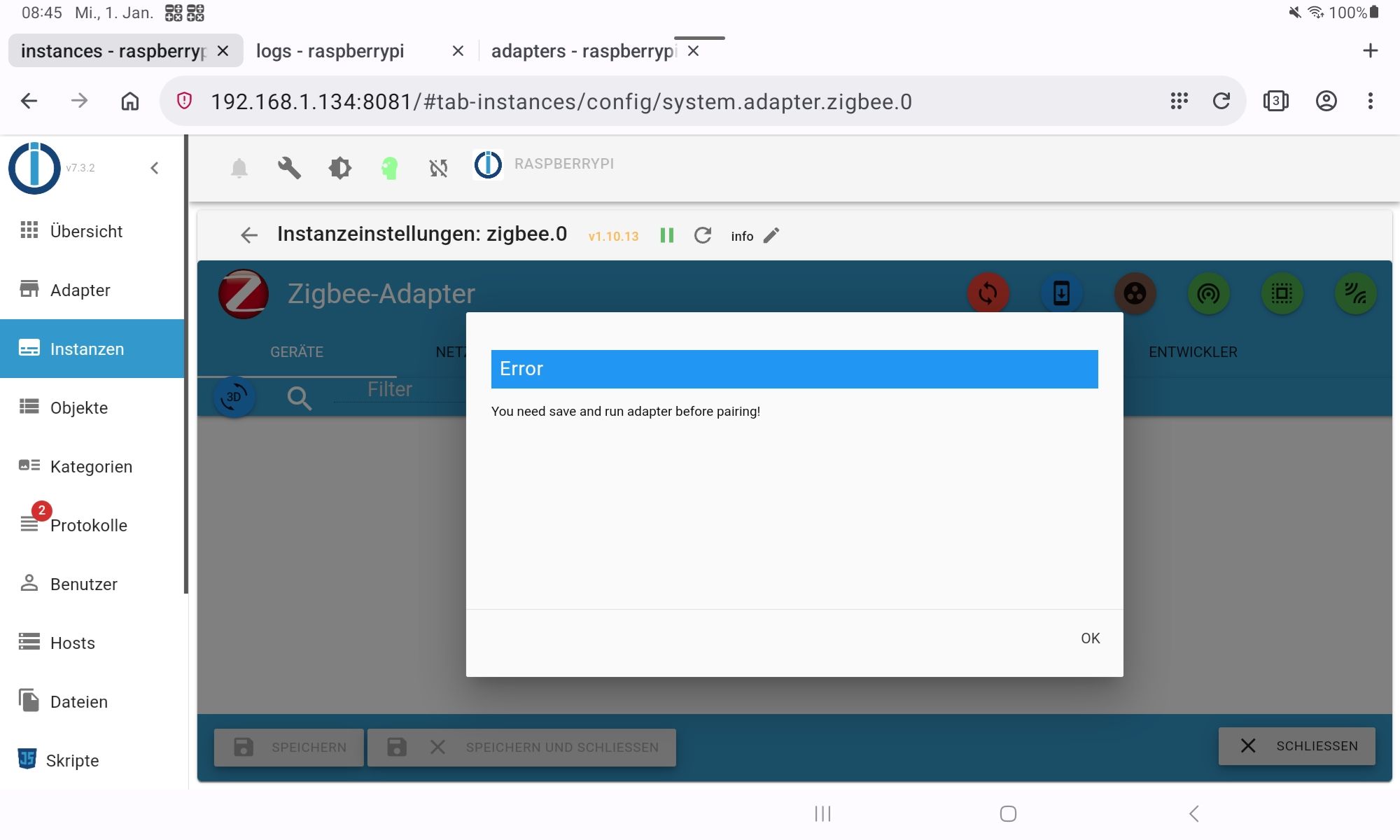
<gelöst>Zigbee ist tod
-
@asgothian Da wird doch der Hund in der Panne verrückt :) Jetzt geht's.
Weiß zwar nicht warum, aber Hauptsache es funktioniert wieder.
Nochmals vielen Dank an alle Helfer hier.Dann würde ich mir jetzt an deiner Stelle die anderen Kinken in dem System anschauen.
Linux-Werkzeugkasten:
https://forum.iobroker.net/topic/42952/der-kleine-iobroker-linux-werkzeugkasten
NodeJS Fixer Skript:
https://forum.iobroker.net/topic/68035/iob-node-fix-skript
iob_diag: curl -sLf -o diag.sh https://iobroker.net/diag.sh && bash diag.sh -
@asgothian Da wird doch der Hund in der Panne verrückt :) Jetzt geht's.
Weiß zwar nicht warum, aber Hauptsache es funktioniert wieder.
Nochmals vielen Dank an alle Helfer hier. -
@asgothian Da wird doch der Hund in der Panne verrückt :) Jetzt geht's.
Weiß zwar nicht warum, aber Hauptsache es funktioniert wieder.
Nochmals vielen Dank an alle Helfer hier.@winni sagte in <gelöst>Zigbee ist tod:
Weiß zwar nicht warum, aber Hauptsache es funktioniert wieder.
was genau geht jetzt ? Welche version ? mit oder ohne Kopie von der Platte ?
A.
ioBroker auf RPi4 - Hardware soweit wie möglich via Zigbee.
"Shit don't work" ist keine Fehlermeldung, sondern ein Fluch. -
@winni sagte in <gelöst>Zigbee ist tod:
Weiß zwar nicht warum, aber Hauptsache es funktioniert wieder.
was genau geht jetzt ? Welche version ? mit oder ohne Kopie von der Platte ?
A.
@asgothian Das war jetzt die ursprüngliche Version. Bis zum Update von der 1.10.9 auf die 1.10.13 hatte ja alles funktioniert. Das Problem zeigte sich nach dem Update auf die 1,10.13. Downgrade auf 1.10.3 brachte keinen Erfolg. Jetzt nach der Installation von 1.10.13 ging es wieder. Ich hatte ja einiges aus dem iobroker-data/zigbee_0 Ordner gelöscht. Was mir noch einfällt, der Adapter war gestoppt als ich den Update auf die 1.10.13 laufen ließ.
-
Dann würde ich mir jetzt an deiner Stelle die anderen Kinken in dem System anschauen.
@thomas-braun Wo anfangen? Soweit läuft jetzt alles. Vielleicht keine schlechte Idee ein ganz neues Image zu machen und dann iobroker neu installieren und Backup einspielen..
Es gibt nicht Gutes. Außer man tut es. Erich Kästner
-
@thomas-braun Wo anfangen? Soweit läuft jetzt alles. Vielleicht keine schlechte Idee ein ganz neues Image zu machen und dann iobroker neu installieren und Backup einspielen..
Linux-Werkzeugkasten:
https://forum.iobroker.net/topic/42952/der-kleine-iobroker-linux-werkzeugkasten
NodeJS Fixer Skript:
https://forum.iobroker.net/topic/68035/iob-node-fix-skript
iob_diag: curl -sLf -o diag.sh https://iobroker.net/diag.sh && bash diag.sh -
@thomas-braun ok :)
========== Start marking the full check here =========== ```bash Script v.2024-10-19 *** BASE SYSTEM *** Static hostname: raspberrypi Icon name: computer Operating System: Debian GNU/Linux 12 (bookworm) Kernel: Linux 6.6.62+rpt-rpi-2712 Architecture: arm64 OS is similar to: Model : Raspberry Pi 5 Model B Rev 1.0 Docker : false Virtualization : none Kernel : aarch64 Userland : 64 bit Systemuptime and Load: 14:05:45 up 57 min, 3 users, load average: 0.53, 0.89, 0.83 CPU threads: 4 *** LIFE CYCLE STATUS *** Operating System is the current Debian stable version codenamed 'bookworm'! *** RASPBERRY THROTTLING *** Current issues: No throttling issues detected. Previously detected issues: No throttling issues detected. *** TIME AND TIMEZONES *** Local time: Wed 2025-01-01 14:05:45 CET Universal time: Wed 2025-01-01 13:05:45 UTC RTC time: Wed 2025-01-01 13:05:45 Time zone: Europe/Berlin (CET, +0100) System clock synchronized: yes NTP service: active RTC in local TZ: no *** Users and Groups *** User that called 'iob diag': winni HOME=/home/winni GROUPS=winni adm dialout cdrom sudo audio video plugdev games users input render netdev lpadmin gpio i2c spi iobroker User that is running 'js-controller': iobroker HOME=/home/iobroker GROUPS=iobroker tty dialout audio video plugdev bluetooth gpio i2c *** DISPLAY-SERVER SETUP *** Display-Server: true Desktop: LXDE-pi-labwc Terminal: wayland System is booting into 'graphical.target'. Usually a server is running in 'multi-user.target'. Please set BootTarget to 'multi-user.target' or run 'iobroker fix' *** MEMORY *** total used free shared buff/cache available Mem: 8.4G 4.3G 2.2G 144M 2.2G 4.1G Swap: 209M 0B 209M Total: 8.6G 4.3G 2.4G Active iob-Instances: 49 8048 M total memory 4121 M used memory 4173 M active memory 1123 M inactive memory 2059 M free memory 128 M buffer memory 1976 M swap cache 199 M total swap 0 M used swap 199 M free swap *** top - Table Of Processes *** top - 14:05:45 up 57 min, 3 users, load average: 0.53, 0.89, 0.83 Tasks: 282 total, 2 running, 280 sleeping, 0 stopped, 0 zombie %Cpu(s): 0.0 us, 25.0 sy, 0.0 ni, 75.0 id, 0.0 wa, 0.0 hi, 0.0 si, 0.0 st MiB Mem : 8048.2 total, 2057.8 free, 4122.8 used, 2105.6 buff/cache MiB Swap: 200.0 total, 200.0 free, 0.0 used. 3925.4 avail Mem *** FAILED SERVICES *** UNIT LOAD ACTIVE SUB DESCRIPTION 0 loaded units listed. *** DMESG CRITICAL ERRORS *** No critical errors detected *** FILESYSTEM *** Filesystem Type Size Used Avail Use% Mounted on udev devtmpfs 3.9G 0 3.9G 0% /dev tmpfs tmpfs 805M 9.2M 796M 2% /run /dev/sda2 ext4 219G 30G 178G 15% / tmpfs tmpfs 4.0G 27M 4.0G 1% /dev/shm tmpfs tmpfs 5.0M 48K 5.0M 1% /run/lock /dev/sda1 vfat 511M 77M 435M 15% /boot/firmware tmpfs tmpfs 805M 192K 805M 1% /run/user/1000 /dev/sdb1 exfat 1.9T 1.5M 1.9T 1% /media/winni/Volume1 Messages concerning ext4 filesystem in dmesg: [Wed Jan 1 13:07:57 2025] Kernel command line: reboot=w coherent_pool=1M 8250.nr_uarts=1 pci=pcie_bus_safe cgroup_disable=memory numa_policy=interleave smsc95xx.macaddr=D8:3A:DD:BA:ED:B0 vc_mem.mem_base=0x3fc00000 vc_mem.mem_size=0x40000000 console=ttyAMA10,115200 console=tty1 root=PARTUUID=6bc658c1-02 rootfstype=ext4 fsck.repair=yes rootwait quiet splash plymouth.ignore-serial-consoles cfg80211.ieee80211_regdom=DE [Wed Jan 1 13:07:59 2025] EXT4-fs (sda2): mounted filesystem b8316dab-786b-45e8-815c-3d4bbf198d98 ro with ordered data mode. Quota mode: none. [Wed Jan 1 13:08:00 2025] EXT4-fs (sda2): re-mounted b8316dab-786b-45e8-815c-3d4bbf198d98 r/w. Quota mode: none. Show mounted filesystems: TARGET SOURCE FSTYPE OPTIONS / /dev/sda2 ext4 rw,noatime |-/run/user/1000/doc portal fuse.portal rw,nosuid,nodev,relatime,user_id=1000,group_id=1000 |-/boot/firmware /dev/sda1 vfat rw,relatime,fmask=0022,dmask=0022,codepage=437,iocharset=ascii,shortname=mixed,errors=remount-ro `-/media/winni/Volume1 /dev/sdb1 exfat rw,nosuid,nodev,relatime,uid=1000,gid=1000,fmask=0022,dmask=0022,iocharset=utf8,errors=remount-ro Files in neuralgic directories: /var: 5.6G /var/ 4.3G /var/cache/apt 4.3G /var/cache 4.2G /var/cache/apt/archives 855M /var/log Archived and active journals take up 768.0M in the file system. /opt/iobroker/backups: 449M /opt/iobroker/backups/ /opt/iobroker/iobroker-data: 3.4G /opt/iobroker/iobroker-data/ 1.9G /opt/iobroker/iobroker-data/history 1.4G /opt/iobroker/iobroker-data/files 617M /opt/iobroker/iobroker-data/files/javascript.admin 560M /opt/iobroker/iobroker-data/files/javascript.admin/static The five largest files in iobroker-data are: 46M /opt/iobroker/iobroker-data/objects.jsonl 38M /opt/iobroker/iobroker-data/files/iot.admin/static/js/main.d3d286bd.js.map 30M /opt/iobroker/iobroker-data/states.jsonl 26M /opt/iobroker/iobroker-data/files/echarts/static/js/main.41cee985.js.map 26M /opt/iobroker/iobroker-data/files/echarts.admin/chart/static/js/main.41cee985.js.map USB-Devices by-id: USB-Sticks - Avoid direct links to /dev/tty* in your adapter setups, please always prefer the links 'by-id': /dev/serial/by-id/usb-Silicon_Labs_Sonoff_Zigbee_3.0_USB_Dongle_Plus_0001-if00-port0 HINT: Your zigbee.0 COM-Port is NOT matching 'by-id'. Please check your setting: /dev/ttyUSB0 *** NodeJS-Installation *** /usr/bin/nodejs v20.18.1 /usr/bin/node v20.18.1 /usr/bin/npm 10.8.2 /usr/bin/npx 10.8.2 /usr/bin/corepack 0.29.4 nodejs: Installed: 20.18.1-1nodesource1 Candidate: 20.18.1-1nodesource1 Version table: *** 20.18.1-1nodesource1 1001 500 https://deb.nodesource.com/node_20.x nodistro/main arm64 Packages 100 /var/lib/dpkg/status 20.18.0-1nodesource1 1001 500 https://deb.nodesource.com/node_20.x nodistro/main arm64 Packages 20.17.0-1nodesource1 1001 500 https://deb.nodesource.com/node_20.x nodistro/main arm64 Packages 20.16.0-1nodesource1 1001 500 https://deb.nodesource.com/node_20.x nodistro/main arm64 Packages 20.15.1-1nodesource1 1001 500 https://deb.nodesource.com/node_20.x nodistro/main arm64 Packages 20.15.0-1nodesource1 1001 500 https://deb.nodesource.com/node_20.x nodistro/main arm64 Packages 20.14.0-1nodesource1 1001 500 https://deb.nodesource.com/node_20.x nodistro/main arm64 Packages 20.13.1-1nodesource1 1001 500 https://deb.nodesource.com/node_20.x nodistro/main arm64 Packages 20.13.0-1nodesource1 1001 500 https://deb.nodesource.com/node_20.x nodistro/main arm64 Packages 20.12.2-1nodesource1 1001 500 https://deb.nodesource.com/node_20.x nodistro/main arm64 Packages 20.12.1-1nodesource1 1001 500 https://deb.nodesource.com/node_20.x nodistro/main arm64 Packages 20.12.0-1nodesource1 1001 500 https://deb.nodesource.com/node_20.x nodistro/main arm64 Packages 20.11.1-1nodesource1 1001 500 https://deb.nodesource.com/node_20.x nodistro/main arm64 Packages 20.11.0-1nodesource1 1001 500 https://deb.nodesource.com/node_20.x nodistro/main arm64 Packages 20.10.0-1nodesource1 1001 500 https://deb.nodesource.com/node_20.x nodistro/main arm64 Packages 20.9.0-1nodesource1 1001 500 https://deb.nodesource.com/node_20.x nodistro/main arm64 Packages 20.8.1-1nodesource1 1001 500 https://deb.nodesource.com/node_20.x nodistro/main arm64 Packages 20.8.0-1nodesource1 1001 500 https://deb.nodesource.com/node_20.x nodistro/main arm64 Packages 20.7.0-1nodesource1 1001 500 https://deb.nodesource.com/node_20.x nodistro/main arm64 Packages 20.6.1-1nodesource1 1001 500 https://deb.nodesource.com/node_20.x nodistro/main arm64 Packages 20.6.0-1nodesource1 1001 500 https://deb.nodesource.com/node_20.x nodistro/main arm64 Packages 20.5.1-1nodesource1 1001 500 https://deb.nodesource.com/node_20.x nodistro/main arm64 Packages 20.5.0-1nodesource1 1001 500 https://deb.nodesource.com/node_20.x nodistro/main arm64 Packages 20.4.0-1nodesource1 1001 500 https://deb.nodesource.com/node_20.x nodistro/main arm64 Packages 20.3.1-1nodesource1 1001 500 https://deb.nodesource.com/node_20.x nodistro/main arm64 Packages 20.3.0-1nodesource1 1001 500 https://deb.nodesource.com/node_20.x nodistro/main arm64 Packages 20.2.0-1nodesource1 1001 500 https://deb.nodesource.com/node_20.x nodistro/main arm64 Packages 20.1.0-1nodesource1 1001 500 https://deb.nodesource.com/node_20.x nodistro/main arm64 Packages 20.0.0-1nodesource1 1001 500 https://deb.nodesource.com/node_20.x nodistro/main arm64 Packages 18.19.0+dfsg-6~deb12u2 500 500 http://deb.debian.org/debian bookworm/main arm64 Packages 18.19.0+dfsg-6~deb12u1 500 500 http://deb.debian.org/debian-security bookworm-security/main arm64 Packages Temp directories causing deletion problem: 0 No problems detected Errors in npm tree: 0 No problems detected *** ioBroker-Installation *** ioBroker Status iobroker is running on this host. Objects type: jsonl States type: jsonl Hosts: raspberrypi raspberrypi (version: 7.0.6, hostname: raspberrypi , alive, uptime: 3456) Core adapters versions js-controller: 7.0.6 admin: 7.3.2 javascript: 8.8.3 nodejs modules from github: 4 +-- iobroker.bluelink@3.1.0 (git+ssh://git@github.com/Newan/ioBroker.bluelink.git#ba4ca016c51236979f898af6d5310defe0e6a2a5) +-- iobroker.innogy-smarthome@1.2.6 (git+ssh://git@github.com/PArns/ioBroker.innogy-smarthome.git#8d8039c470db61972352f4578dd80e741e4640e8) +-- iobroker.nuki@2.0.0 (git+ssh://git@github.com/smaragdschlange/ioBroker.nuki.git#7bb88d9d2502908c7eadb3b573138b1ed72be910) +-- iobroker.sourceanalytix@0.4.14 (git+ssh://git@github.com/DrozmotiX/ioBroker.sourceanalytix.git#87a9b7837569274a136c4fa03ee6fbfd8a20f183) Adapter State + system.adapter.admin.0 : admin : raspberrypi - enabled, port: 8081, bind: 0.0.0.0, run as: admin + system.adapter.alexa2.0 : alexa2 : raspberrypi - enabled + system.adapter.backitup.0 : backitup : raspberrypi - enabled + system.adapter.bluelink.0 : bluelink : raspberrypi - enabled system.adapter.broadlink2.0 : broadlink2 : raspberrypi - disabled system.adapter.daswetter.0 : daswetter : raspberrypi - enabled system.adapter.device-watcher.0 : device-watcher : raspberrypi - disabled system.adapter.discovery.0 : discovery : raspberrypi - disabled system.adapter.dwd.0 : dwd : raspberrypi - enabled + system.adapter.echarts.0 : echarts : raspberrypi - enabled + system.adapter.email.0 : email : raspberrypi - enabled + system.adapter.energiefluss.0 : energiefluss : raspberrypi - enabled + system.adapter.fb-checkpresence.0 : fb-checkpresence : raspberrypi - enabled system.adapter.flot.0 : flot : raspberrypi - disabled system.adapter.fritzbox.0 : fritzbox : raspberrypi - disabled + system.adapter.fritzdect.0 : fritzdect : raspberrypi - enabled + system.adapter.heizoel.0 : heizoel : raspberrypi - enabled + system.adapter.history.0 : history : raspberrypi - enabled + system.adapter.hs100.0 : hs100 : raspberrypi - enabled + system.adapter.hue.1 : hue : raspberrypi - enabled, port: 80 system.adapter.ical.0 : ical : raspberrypi - enabled system.adapter.icons-addictive-flavour-png.0: icons-addictive-flavour-png: raspberrypi - disabled system.adapter.icons-eclipse-smarthome-classic.0: icons-eclipse-smarthome-classic: raspberrypi - disabled system.adapter.icons-freepic.0 : icons-freepic : raspberrypi - disabled system.adapter.icons-material-png.0 : icons-material-png : raspberrypi - disabled system.adapter.icons-mfd-svg.0 : icons-mfd-svg : raspberrypi - disabled system.adapter.icons-open-icon-library-png.0: icons-open-icon-library-png: raspberrypi - disabled system.adapter.icons-smarthome.0 : icons-smarthome : raspberrypi - disabled system.adapter.icons-ultimate-png.0 : icons-ultimate-png : raspberrypi - disabled + system.adapter.innogy-smarthome.0 : innogy-smarthome : raspberrypi - enabled + system.adapter.innogy-smarthome.1 : innogy-smarthome : raspberrypi - enabled + system.adapter.iot.0 : iot : raspberrypi - enabled + system.adapter.javascript.0 : javascript : raspberrypi - enabled + system.adapter.modbus.0 : modbus : raspberrypi - enabled + system.adapter.modbus.1 : modbus : raspberrypi - enabled + system.adapter.modbus.2 : modbus : raspberrypi - enabled + system.adapter.netatmo.0 : netatmo : raspberrypi - enabled + system.adapter.nuki.0 : nuki : raspberrypi - enabled + system.adapter.operating-hours.0 : operating-hours : raspberrypi - enabled + system.adapter.ping.0 : ping : raspberrypi - enabled + system.adapter.pvforecast.0 : pvforecast : raspberrypi - enabled + system.adapter.rpi2.0 : rpi2 : raspberrypi - enabled + system.adapter.sma-em.0 : sma-em : raspberrypi - enabled + system.adapter.sonoff.0 : sonoff : raspberrypi - enabled, port: 1883, bind: 0.0.0.0 + system.adapter.sonoff.10 : sonoff : raspberrypi - enabled, port: 1893, bind: 0.0.0.0 + system.adapter.sonoff.11 : sonoff : raspberrypi - enabled, port: 1896, bind: 0.0.0.0 + system.adapter.sonoff.12 : sonoff : raspberrypi - enabled, port: 1897, bind: 0.0.0.0 + system.adapter.sonoff.13 : sonoff : raspberrypi - enabled, port: 1898, bind: 0.0.0.0 + system.adapter.sonoff.14 : sonoff : raspberrypi - enabled, port: 1899, bind: 0.0.0.0 + system.adapter.sonoff.15 : sonoff : raspberrypi - enabled, port: 1900, bind: 0.0.0.0 + system.adapter.sonoff.2 : sonoff : raspberrypi - enabled, port: 1894, bind: 0.0.0.0 + system.adapter.sonoff.3 : sonoff : raspberrypi - enabled, port: 1886, bind: 0.0.0.0 + system.adapter.sonoff.4 : sonoff : raspberrypi - enabled, port: 1887, bind: 0.0.0.0 + system.adapter.sonoff.5 : sonoff : raspberrypi - enabled, port: 1888, bind: 0.0.0.0 + system.adapter.sonoff.6 : sonoff : raspberrypi - enabled, port: 1889, bind: 0.0.0.0 + system.adapter.sonoff.7 : sonoff : raspberrypi - enabled, port: 1890, bind: 0.0.0.0 + system.adapter.sonoff.8 : sonoff : raspberrypi - enabled, port: 1891, bind: 0.0.0.0 + system.adapter.sonoff.9 : sonoff : raspberrypi - enabled, port: 1892, bind: 0.0.0.0 + system.adapter.sourceanalytix.0 : sourceanalytix : raspberrypi - enabled + system.adapter.tr-064.0 : tr-064 : raspberrypi - enabled + system.adapter.tr-064.1 : tr-064 : raspberrypi - enabled system.adapter.vis-bars.0 : vis-bars : raspberrypi - disabled system.adapter.vis-canvas-gauges.0 : vis-canvas-gauges : raspberrypi - disabled system.adapter.vis-colorpicker.0 : vis-colorpicker : raspberrypi - disabled system.adapter.vis-fancyswitch.0 : vis-fancyswitch : raspberrypi - disabled system.adapter.vis-history.0 : vis-history : raspberrypi - disabled system.adapter.vis-hqwidgets.0 : vis-hqwidgets : raspberrypi - disabled + system.adapter.vis-inventwo.0 : vis-inventwo : raspberrypi - enabled system.adapter.vis-jqui-mfd.0 : vis-jqui-mfd : raspberrypi - disabled system.adapter.vis-justgage.0 : vis-justgage : raspberrypi - disabled system.adapter.vis-map.0 : vis-map : raspberrypi - disabled system.adapter.vis-material-advanced.0 : vis-material-advanced : raspberrypi - disabled system.adapter.vis-metro.0 : vis-metro : raspberrypi - disabled system.adapter.vis-plumb.0 : vis-plumb : raspberrypi - disabled system.adapter.vis.0 : vis : raspberrypi - enabled + system.adapter.web.0 : web : raspberrypi - enabled, port: 8082, bind: 0.0.0.0, run as: admin system.adapter.whatsapp-cmb.0 : whatsapp-cmb : raspberrypi - disabled + system.adapter.zigbee.0 : zigbee : raspberrypi - enabled, port: /dev/ttyUSB0 + instance is alive Enabled adapters with bindings + system.adapter.admin.0 : admin : raspberrypi - enabled, port: 8081, bind: 0.0.0.0, run as: admin + system.adapter.hue.1 : hue : raspberrypi - enabled, port: 80 + system.adapter.sonoff.0 : sonoff : raspberrypi - enabled, port: 1883, bind: 0.0.0.0 + system.adapter.sonoff.10 : sonoff : raspberrypi - enabled, port: 1893, bind: 0.0.0.0 + system.adapter.sonoff.11 : sonoff : raspberrypi - enabled, port: 1896, bind: 0.0.0.0 + system.adapter.sonoff.12 : sonoff : raspberrypi - enabled, port: 1897, bind: 0.0.0.0 + system.adapter.sonoff.13 : sonoff : raspberrypi - enabled, port: 1898, bind: 0.0.0.0 + system.adapter.sonoff.14 : sonoff : raspberrypi - enabled, port: 1899, bind: 0.0.0.0 + system.adapter.sonoff.15 : sonoff : raspberrypi - enabled, port: 1900, bind: 0.0.0.0 + system.adapter.sonoff.2 : sonoff : raspberrypi - enabled, port: 1894, bind: 0.0.0.0 + system.adapter.sonoff.3 : sonoff : raspberrypi - enabled, port: 1886, bind: 0.0.0.0 + system.adapter.sonoff.4 : sonoff : raspberrypi - enabled, port: 1887, bind: 0.0.0.0 + system.adapter.sonoff.5 : sonoff : raspberrypi - enabled, port: 1888, bind: 0.0.0.0 + system.adapter.sonoff.6 : sonoff : raspberrypi - enabled, port: 1889, bind: 0.0.0.0 + system.adapter.sonoff.7 : sonoff : raspberrypi - enabled, port: 1890, bind: 0.0.0.0 + system.adapter.sonoff.8 : sonoff : raspberrypi - enabled, port: 1891, bind: 0.0.0.0 + system.adapter.sonoff.9 : sonoff : raspberrypi - enabled, port: 1892, bind: 0.0.0.0 + system.adapter.web.0 : web : raspberrypi - enabled, port: 8082, bind: 0.0.0.0, run as: admin + system.adapter.zigbee.0 : zigbee : raspberrypi - enabled, port: /dev/ttyUSB0 ioBroker-Repositories âââââââââââ¬âââââââââââ¬ââââââââââââââââââââââââââââââââââââââââââââââââââââââââââ¬âââââââââââââââ (index) â name â url â auto upgrade â âââââââââââ¼âââââââââââ¼ââââââââââââââââââââââââââââââââââââââââââââââââââââââââââ¼ââââââââââââââ⤠â 0 â 'stable' â 'http://download.iobroker.net/sources-dist.json' â false â â 1 â 'beta' â 'http://download.iobroker.net/sources-dist-latest.json' â false â âââââââââââ´âââââââââââ´ââââââââââââââââââââââââââââââââââââââââââââââââââââââââââ´âââââââââââââââInstalled ioBroker-Instances Used repository: stable Adapter "admin" : 7.1.5 , installed 7.3.2 Adapter "alexa2" : 3.26.5 , installed 3.26.5 Adapter "backitup" : 3.0.25 , installed 3.0.25 Adapter "bluelink" : 2.3.6 , installed 3.1.0 Adapter "broadlink2" : 2.3.0 , installed 2.3.0 Adapter "daswetter" : 3.2.2 , installed 3.2.2 Adapter "device-watcher": 2.12.1 , installed 2.12.1 Adapter "discovery" : 5.0.0 , installed 5.0.0 Adapter "dwd" : 2.8.5 , installed 2.8.5 Adapter "echarts" : 1.9.2 , installed 1.9.2 Adapter "email" : 1.3.1 , installed 1.3.1 Adapter "energiefluss" : 3.6.2 , installed 3.6.2 Adapter "fb-checkpresence": 1.2.8 , installed 1.2.8 Adapter "flot" : 1.12.0 , installed 1.12.0 Adapter "fritzbox" : 0.6.0 , installed 0.6.0 Adapter "fritzdect" : 2.5.11 , installed 2.5.11 Adapter "heizoel" : 1.0.3 , installed 1.0.3 Adapter "history" : 3.0.1 , installed 3.0.1 Adapter "hs100" : 2.2.2 , installed 2.2.2 Adapter "hue" : 3.13.1 , installed 3.13.1 Adapter "ical" : 1.16.1 , installed 1.16.1 Adapter "icons-addictive-flavour-png": 0.1.0, installed 0.1.0 Adapter "icons-eclipse-smarthome-classic": 1.0.0, installed 1.0.0 Adapter "icons-freepic": 1.0.0 , installed 1.0.0 Adapter "icons-material-png": 0.1.0, installed 0.1.0 Adapter "icons-mfd-svg": 1.2.0 , installed 1.2.0 Adapter "icons-open-icon-library-png": 0.1.2, installed 0.1.2 Adapter "icons-smarthome": 1.0.0 , installed 1.0.0 Adapter "icons-ultimate-png": 1.0.1, installed 1.0.1 Adapter "innogy-smarthome": 1.2.6 , installed 1.2.6 Adapter "iot" : 3.3.0 , installed 3.3.0 Adapter "javascript" : 8.8.3 , installed 8.8.3 Controller "js-controller": 7.0.6 , installed 7.0.6 Adapter "modbus" : 6.3.2 , installed 6.3.2 Adapter "netatmo" : 3.1.0 , installed 3.1.0 Adapter "nuki" : 2.0.0 , installed 2.0.0 Adapter "operating-hours": 1.2.0 , installed 1.2.0 Adapter "ping" : 1.6.2 , installed 1.6.2 Adapter "pvforecast" : 4.1.0 , installed 4.1.0 Adapter "rpi2" : 2.2.1 , installed 2.2.1 Adapter "simple-api" : 2.8.0 , installed 2.8.0 Adapter "sma-em" : 1.1.0 , installed 1.1.0 Adapter "socketio" : 6.7.1 , installed 6.7.1 Adapter "sonoff" : 3.1.2 , installed 3.1.2 Adapter "tr-064" : 4.3.0 , installed 4.3.0 Adapter "vis" : 1.5.6 , installed 1.5.6 Adapter "vis-bars" : 0.1.4 , installed 0.1.4 Adapter "vis-canvas-gauges": 1.0.1, installed 1.0.1 Adapter "vis-colorpicker": 2.0.3 , installed 2.0.3 Adapter "vis-fancyswitch": 1.1.0 , installed 1.1.0 Adapter "vis-history" : 1.0.0 , installed 1.0.0 Adapter "vis-hqwidgets": 1.5.1 , installed 1.5.1 Adapter "vis-inventwo" : 3.3.4 , installed 3.3.4 Adapter "vis-jqui-mfd" : 1.1.1 , installed 1.1.1 Adapter "vis-justgage" : 2.1.7 , installed 2.1.7 Adapter "vis-map" : 1.1.2 , installed 1.1.2 Adapter "vis-material-advanced": 1.7.4, installed 1.7.4 Adapter "vis-metro" : 1.2.0 , installed 1.2.0 Adapter "vis-plumb" : 1.0.2 , installed 1.0.2 Adapter "web" : 6.2.5 , installed 6.2.5 Adapter "whatsapp-cmb" : 0.3.0 , installed 0.3.0 Adapter "ws" : 2.6.2 , installed 2.6.2 Adapter "zigbee" : 1.10.13 , installed 1.10.13 Objects and States Please stand by - This may take a while Objects: 32917 States: 26616 *** OS-Repositories and Updates *** Hit:1 http://deb.debian.org/debian bookworm InRelease Hit:2 http://deb.debian.org/debian-security bookworm-security InRelease Hit:3 http://deb.debian.org/debian bookworm-updates InRelease Hit:4 http://archive.raspberrypi.com/debian bookworm InRelease Hit:5 https://deb.nodesource.com/node_20.x nodistro InRelease Reading package lists... Pending Updates: 0 *** Listening Ports *** Active Internet connections (only servers) Proto Recv-Q Send-Q Local Address Foreign Address State User Inode PID/Program name tcp 0 0 0.0.0.0:53 0.0.0.0:* LISTEN 999 8172 1232/pihole-FTL tcp 0 0 0.0.0.0:22 0.0.0.0:* LISTEN 0 6985 959/sshd: /usr/sbin tcp 0 0 0.0.0.0:80 0.0.0.0:* LISTEN 0 9354 1243/lighttpd tcp 0 0 0.0.0.0:139 0.0.0.0:* LISTEN 0 9194 1281/smbd tcp 0 0 0.0.0.0:445 0.0.0.0:* LISTEN 0 9193 1281/smbd tcp 0 0 0.0.0.0:1893 0.0.0.0:* LISTEN 1001 15312 2944/io.sonoff.10 tcp 0 0 0.0.0.0:1892 0.0.0.0:* LISTEN 1001 21547 3259/io.sonoff.9 tcp 0 0 0.0.0.0:1894 0.0.0.0:* LISTEN 1001 18584 3072/io.sonoff.2 tcp 0 0 0.0.0.0:1889 0.0.0.0:* LISTEN 1001 17260 3165/io.sonoff.6 tcp 0 0 0.0.0.0:1888 0.0.0.0:* LISTEN 1001 18153 3140/io.sonoff.5 tcp 0 0 0.0.0.0:1891 0.0.0.0:* LISTEN 1001 21530 3244/io.sonoff.8 tcp 0 0 0.0.0.0:1890 0.0.0.0:* LISTEN 1001 20482 3196/io.sonoff.7 tcp 0 0 0.0.0.0:1900 0.0.0.0:* LISTEN 1001 18528 3051/io.sonoff.15 tcp 0 0 0.0.0.0:1897 0.0.0.0:* LISTEN 1001 16953 2995/io.sonoff.12 tcp 0 0 0.0.0.0:1896 0.0.0.0:* LISTEN 1001 16048 2974/io.sonoff.11 tcp 0 0 0.0.0.0:1899 0.0.0.0:* LISTEN 1001 17020 3032/io.sonoff.14 tcp 0 0 0.0.0.0:1898 0.0.0.0:* LISTEN 1001 18469 3014/io.sonoff.13 tcp 0 0 0.0.0.0:1887 0.0.0.0:* LISTEN 1001 17177 3113/io.sonoff.4 tcp 0 0 0.0.0.0:1886 0.0.0.0:* LISTEN 1001 17075 3094/io.sonoff.3 tcp 0 0 0.0.0.0:1883 0.0.0.0:* LISTEN 1001 17844 2910/io.sonoff.0 tcp 0 0 127.0.0.1:9000 0.0.0.0:* LISTEN 1001 11536 946/iobroker.js-con tcp 0 0 127.0.0.1:9001 0.0.0.0:* LISTEN 1001 10244 946/iobroker.js-con tcp 0 0 127.0.0.1:4711 0.0.0.0:* LISTEN 999 8178 1232/pihole-FTL tcp 0 0 127.0.0.1:631 0.0.0.0:* LISTEN 0 7779 945/cupsd tcp6 0 0 ::1:4711 :::* LISTEN 999 8179 1232/pihole-FTL tcp6 0 0 ::1:631 :::* LISTEN 0 7778 945/cupsd tcp6 0 0 :::8081 :::* LISTEN 1001 12176 1632/io.admin.0 tcp6 0 0 :::8082 :::* LISTEN 1001 19593 3367/io.web.0 tcp6 0 0 :::53 :::* LISTEN 999 8174 1232/pihole-FTL tcp6 0 0 :::22 :::* LISTEN 0 6987 959/sshd: /usr/sbin tcp6 0 0 :::80 :::* LISTEN 0 9353 1243/lighttpd tcp6 0 0 :::139 :::* LISTEN 0 9192 1281/smbd tcp6 0 0 :::445 :::* LISTEN 0 9191 1281/smbd udp 0 0 0.0.0.0:35925 0.0.0.0:* 1001 20000 3610/io.echarts.0 udp 0 0 0.0.0.0:44266 0.0.0.0:* 1001 12946 2360/io.email.0 udp 0 0 0.0.0.0:40239 0.0.0.0:* 1001 23192 3977/io.zigbee.0 udp 0 0 0.0.0.0:56826 0.0.0.0:* 1001 17815 2871/io.sma-em.0 udp 0 0 0.0.0.0:44754 0.0.0.0:* 1001 8071 946/iobroker.js-con udp 0 0 0.0.0.0:48938 0.0.0.0:* 1001 17566 2790/io.ping.0 udp 0 0 0.0.0.0:40925 0.0.0.0:* 1001 20579 3337/io.vis-inventw udp 0 0 0.0.0.0:53 0.0.0.0:* 999 8171 1232/pihole-FTL udp 0 0 0.0.0.0:53331 0.0.0.0:* 1001 21629 3321/io.tr-064.1 udp 0 0 192.168.1.255:137 0.0.0.0:* 0 8148 1250/nmbd udp 0 0 192.168.1.134:137 0.0.0.0:* 0 8147 1250/nmbd udp 0 0 0.0.0.0:137 0.0.0.0:* 0 8135 1250/nmbd udp 0 0 192.168.1.255:138 0.0.0.0:* 0 8150 1250/nmbd udp 0 0 192.168.1.134:138 0.0.0.0:* 0 8149 1250/nmbd udp 0 0 0.0.0.0:138 0.0.0.0:* 0 8136 1250/nmbd udp 0 0 0.0.0.0:37349 0.0.0.0:* 104 7705 748/avahi-daemon: r udp 0 0 0.0.0.0:57927 0.0.0.0:* 1001 19097 3432/io.energieflus udp 0 0 0.0.0.0:53941 0.0.0.0:* 1001 20863 3502/io.hs100.0 udp 0 0 0.0.0.0:58118 0.0.0.0:* 1001 14125 2476/io.alexa2.0 udp 0 0 0.0.0.0:37760 0.0.0.0:* 1001 16635 2819/io.rpi2.0 udp 0 0 0.0.0.0:58421 0.0.0.0:* 1001 14910 2651/io.modbus.0 udp 0 0 0.0.0.0:33894 0.0.0.0:* 1001 10235 2342/io.javascript. udp 0 0 0.0.0.0:58508 0.0.0.0:* 1001 14980 2688/io.modbus.2 udp 0 0 0.0.0.0:5353 0.0.0.0:* 104 7703 748/avahi-daemon: r udp 0 0 0.0.0.0:34032 0.0.0.0:* 1001 17483 2745/io.netatmo.0 udp 0 0 0.0.0.0:9522 0.0.0.0:* 1001 17820 2871/io.sma-em.0 udp 0 0 0.0.0.0:54942 0.0.0.0:* 1001 21801 3450/io.fb-checkpre udp 0 0 0.0.0.0:38571 0.0.0.0:* 1001 13399 1632/io.admin.0 udp 0 0 0.0.0.0:34505 0.0.0.0:* 1001 15586 2667/io.modbus.1 udp 0 0 0.0.0.0:34568 0.0.0.0:* 1001 15446 2569/io.backitup.0 udp 0 0 0.0.0.0:51181 0.0.0.0:* 1001 21719 3382/io.bluelink.0 udp 0 0 0.0.0.0:34990 0.0.0.0:* 1001 15783 2775/io.operating-h udp 0 0 0.0.0.0:43287 0.0.0.0:* 1001 19811 3519/io.iot.0 udp 0 0 0.0.0.0:39245 0.0.0.0:* 1001 15477 2588/io.hue.1 udp 0 0 0.0.0.0:35203 0.0.0.0:* 1001 14303 2636/io.innogy-smar udp 0 0 0.0.0.0:43419 0.0.0.0:* 1001 22002 3591/io.sourceanaly udp 0 0 0.0.0.0:35497 0.0.0.0:* 1001 19908 3546/io.pvforecast. udp6 0 0 :::53 :::* 999 8173 1232/pihole-FTL udp6 0 0 fe80::67fb:be67:45b:546 :::* 0 9415 901/NetworkManager udp6 0 0 :::54203 :::* 104 7706 748/avahi-daemon: r udp6 0 0 :::5353 :::* 104 7704 748/avahi-daemon: r *** Log File - Last 25 Lines *** 2025-01-01 14:00:00.017 - info: host.raspberrypi instance system.adapter.ical.0 in version "1.16.1" started with pid 20158 2025-01-01 14:00:00.054 - info: javascript.0 (2342) script.js.common.Energie.Geräte.Wp-Ein-Ausschalttemperatur: -0.66 2025-01-01 14:00:00.055 - info: javascript.0 (2342) script.js.common.Energie.Geräte.Wp-Ein-Ausschalttemperatur: 123 2025-01-01 14:00:00.056 - info: javascript.0 (2342) script.js.common.Energie.Geräte.Wp-Ein-Ausschalttemperatur: 55 2025-01-01 14:00:00.056 - info: javascript.0 (2342) script.js.common.Energie.Geräte.Wp-Ein-Ausschalttemperatur: 50 2025-01-01 14:00:04.028 - info: host.raspberrypi instance system.adapter.daswetter.0 in version "3.2.2" started with pid 20184 2025-01-01 14:00:08.371 - info: host.raspberrypi instance system.adapter.daswetter.0 having pid 20184 terminated with code 11 (ADAPTER_REQUESTED_TERMINATION) 2025-01-01 14:00:08.761 - info: host.raspberrypi instance system.adapter.ical.0 having pid 20158 terminated with code 0 (NO_ERROR) 2025-01-01 14:00:12.016 - info: host.raspberrypi instance system.adapter.dwd.0 in version "2.8.5" started with pid 20244 2025-01-01 14:00:14.481 - info: host.raspberrypi instance system.adapter.dwd.0 having pid 20244 terminated with code 11 (ADAPTER_REQUESTED_TERMINATION) 2025-01-01 14:01:30.056 - info: javascript.0 (2342) script.js.common.Energie.Geräte.Wp-Ein-Ausschalttemperatur: 125 2025-01-01 14:01:48.339 - info: admin.0 (1632) <== Disconnect system.user.admin from ::ffff:192.168.1.134 2025-01-01 14:01:48.384 - info: admin.0 (1632) <== Disconnect system.user.admin from ::ffff:192.168.1.134 admin 2025-01-01 14:02:45.470 - info: admin.0 (1632) <== Disconnect system.user.admin from ::ffff:192.168.1.134 admin 2025-01-01 14:04:00.039 - info: javascript.0 (2342) script.js.Sonstiges.Zieltemperaturen-Pruefen: Im Raum Einieger 2 wurde die Zieltemperatur übernommen============ Mark until here for C&P =============
Copy text starting here:
======================= SUMMARY =======================
			v.2024-10-19


 Static hostname: raspberrypi
       Icon name: computer
Operating System: Debian GNU/Linux 12 (bookworm)
          Kernel: Linux 6.6.62+rpt-rpi-2712
    Architecture: arm64

Installation: 		native
Kernel: 		aarch64
Userland: 		64 bit
Timezone: 		Europe/Berlin (CET, +0100)
User-ID: 		1000
Display-Server: 	true
Boot Target: 		graphical.target

Pending OS-Updates: 	0
Pending iob updates: 	0

Nodejs-Installation:
/usr/bin/nodejs 	v20.18.1
/usr/bin/node 		v20.18.1
/usr/bin/npm 		10.8.2
/usr/bin/npx 		10.8.2
/usr/bin/corepack 	0.29.4

Recommended versions are nodejs 20.18.1 and npm 10.8.2
nodeJS installation is correct

MEMORY:
               total        used        free      shared  buff/cache   available
Mem:            8.4G        4.4G        2.0G        151M        2.3G        4.1G
Swap:           209M          0B        209M
Total:          8.6G        4.4G        2.2G

Active iob-Instances: 	49
Upgrade policy: none

ioBroker Core: 		js-controller 		7.0.6
			admin 			7.3.2

ioBroker Status: 	iobroker is running on this host.


Objects type: jsonl
States  type: jsonl

Status admin and web instance:
+ system.adapter.admin.0                  : admin                 : raspberrypi                              -  enabled, port: 8081, bind: 0.0.0.0, run as: admin
+ system.adapter.web.0                    : web                   : raspberrypi                              -  enabled, port: 8082, bind: 0.0.0.0, run as: admin

Objects: 		32917
States: 		26616

Size of iob-Database:

46M	/opt/iobroker/iobroker-data/objects.jsonl
31M	/opt/iobroker/iobroker-data/states.jsonl


Operating System is the current Debian stable version codenamed 'bookworm'!

=================== END OF SUMMARY ====================
=== Mark text until here for copying ===
Edit: Die 15 CRITICAL ERRORS DETECTED! sind scheinbar weg, ich kann sie nicht mehr finden.Es gibt nicht Gutes. Außer man tut es. Erich Kästner
-
@thomas-braun ok :)
========== Start marking the full check here =========== ```bash Script v.2024-10-19 *** BASE SYSTEM *** Static hostname: raspberrypi Icon name: computer Operating System: Debian GNU/Linux 12 (bookworm) Kernel: Linux 6.6.62+rpt-rpi-2712 Architecture: arm64 OS is similar to: Model : Raspberry Pi 5 Model B Rev 1.0 Docker : false Virtualization : none Kernel : aarch64 Userland : 64 bit Systemuptime and Load: 14:05:45 up 57 min, 3 users, load average: 0.53, 0.89, 0.83 CPU threads: 4 *** LIFE CYCLE STATUS *** Operating System is the current Debian stable version codenamed 'bookworm'! *** RASPBERRY THROTTLING *** Current issues: No throttling issues detected. Previously detected issues: No throttling issues detected. *** TIME AND TIMEZONES *** Local time: Wed 2025-01-01 14:05:45 CET Universal time: Wed 2025-01-01 13:05:45 UTC RTC time: Wed 2025-01-01 13:05:45 Time zone: Europe/Berlin (CET, +0100) System clock synchronized: yes NTP service: active RTC in local TZ: no *** Users and Groups *** User that called 'iob diag': winni HOME=/home/winni GROUPS=winni adm dialout cdrom sudo audio video plugdev games users input render netdev lpadmin gpio i2c spi iobroker User that is running 'js-controller': iobroker HOME=/home/iobroker GROUPS=iobroker tty dialout audio video plugdev bluetooth gpio i2c *** DISPLAY-SERVER SETUP *** Display-Server: true Desktop: LXDE-pi-labwc Terminal: wayland System is booting into 'graphical.target'. Usually a server is running in 'multi-user.target'. Please set BootTarget to 'multi-user.target' or run 'iobroker fix' *** MEMORY *** total used free shared buff/cache available Mem: 8.4G 4.3G 2.2G 144M 2.2G 4.1G Swap: 209M 0B 209M Total: 8.6G 4.3G 2.4G Active iob-Instances: 49 8048 M total memory 4121 M used memory 4173 M active memory 1123 M inactive memory 2059 M free memory 128 M buffer memory 1976 M swap cache 199 M total swap 0 M used swap 199 M free swap *** top - Table Of Processes *** top - 14:05:45 up 57 min, 3 users, load average: 0.53, 0.89, 0.83 Tasks: 282 total, 2 running, 280 sleeping, 0 stopped, 0 zombie %Cpu(s): 0.0 us, 25.0 sy, 0.0 ni, 75.0 id, 0.0 wa, 0.0 hi, 0.0 si, 0.0 st MiB Mem : 8048.2 total, 2057.8 free, 4122.8 used, 2105.6 buff/cache MiB Swap: 200.0 total, 200.0 free, 0.0 used. 3925.4 avail Mem *** FAILED SERVICES *** UNIT LOAD ACTIVE SUB DESCRIPTION 0 loaded units listed. *** DMESG CRITICAL ERRORS *** No critical errors detected *** FILESYSTEM *** Filesystem Type Size Used Avail Use% Mounted on udev devtmpfs 3.9G 0 3.9G 0% /dev tmpfs tmpfs 805M 9.2M 796M 2% /run /dev/sda2 ext4 219G 30G 178G 15% / tmpfs tmpfs 4.0G 27M 4.0G 1% /dev/shm tmpfs tmpfs 5.0M 48K 5.0M 1% /run/lock /dev/sda1 vfat 511M 77M 435M 15% /boot/firmware tmpfs tmpfs 805M 192K 805M 1% /run/user/1000 /dev/sdb1 exfat 1.9T 1.5M 1.9T 1% /media/winni/Volume1 Messages concerning ext4 filesystem in dmesg: [Wed Jan 1 13:07:57 2025] Kernel command line: reboot=w coherent_pool=1M 8250.nr_uarts=1 pci=pcie_bus_safe cgroup_disable=memory numa_policy=interleave smsc95xx.macaddr=D8:3A:DD:BA:ED:B0 vc_mem.mem_base=0x3fc00000 vc_mem.mem_size=0x40000000 console=ttyAMA10,115200 console=tty1 root=PARTUUID=6bc658c1-02 rootfstype=ext4 fsck.repair=yes rootwait quiet splash plymouth.ignore-serial-consoles cfg80211.ieee80211_regdom=DE [Wed Jan 1 13:07:59 2025] EXT4-fs (sda2): mounted filesystem b8316dab-786b-45e8-815c-3d4bbf198d98 ro with ordered data mode. Quota mode: none. [Wed Jan 1 13:08:00 2025] EXT4-fs (sda2): re-mounted b8316dab-786b-45e8-815c-3d4bbf198d98 r/w. Quota mode: none. Show mounted filesystems: TARGET SOURCE FSTYPE OPTIONS / /dev/sda2 ext4 rw,noatime |-/run/user/1000/doc portal fuse.portal rw,nosuid,nodev,relatime,user_id=1000,group_id=1000 |-/boot/firmware /dev/sda1 vfat rw,relatime,fmask=0022,dmask=0022,codepage=437,iocharset=ascii,shortname=mixed,errors=remount-ro `-/media/winni/Volume1 /dev/sdb1 exfat rw,nosuid,nodev,relatime,uid=1000,gid=1000,fmask=0022,dmask=0022,iocharset=utf8,errors=remount-ro Files in neuralgic directories: /var: 5.6G /var/ 4.3G /var/cache/apt 4.3G /var/cache 4.2G /var/cache/apt/archives 855M /var/log Archived and active journals take up 768.0M in the file system. /opt/iobroker/backups: 449M /opt/iobroker/backups/ /opt/iobroker/iobroker-data: 3.4G /opt/iobroker/iobroker-data/ 1.9G /opt/iobroker/iobroker-data/history 1.4G /opt/iobroker/iobroker-data/files 617M /opt/iobroker/iobroker-data/files/javascript.admin 560M /opt/iobroker/iobroker-data/files/javascript.admin/static The five largest files in iobroker-data are: 46M /opt/iobroker/iobroker-data/objects.jsonl 38M /opt/iobroker/iobroker-data/files/iot.admin/static/js/main.d3d286bd.js.map 30M /opt/iobroker/iobroker-data/states.jsonl 26M /opt/iobroker/iobroker-data/files/echarts/static/js/main.41cee985.js.map 26M /opt/iobroker/iobroker-data/files/echarts.admin/chart/static/js/main.41cee985.js.map USB-Devices by-id: USB-Sticks - Avoid direct links to /dev/tty* in your adapter setups, please always prefer the links 'by-id': /dev/serial/by-id/usb-Silicon_Labs_Sonoff_Zigbee_3.0_USB_Dongle_Plus_0001-if00-port0 HINT: Your zigbee.0 COM-Port is NOT matching 'by-id'. Please check your setting: /dev/ttyUSB0 *** NodeJS-Installation *** /usr/bin/nodejs v20.18.1 /usr/bin/node v20.18.1 /usr/bin/npm 10.8.2 /usr/bin/npx 10.8.2 /usr/bin/corepack 0.29.4 nodejs: Installed: 20.18.1-1nodesource1 Candidate: 20.18.1-1nodesource1 Version table: *** 20.18.1-1nodesource1 1001 500 https://deb.nodesource.com/node_20.x nodistro/main arm64 Packages 100 /var/lib/dpkg/status 20.18.0-1nodesource1 1001 500 https://deb.nodesource.com/node_20.x nodistro/main arm64 Packages 20.17.0-1nodesource1 1001 500 https://deb.nodesource.com/node_20.x nodistro/main arm64 Packages 20.16.0-1nodesource1 1001 500 https://deb.nodesource.com/node_20.x nodistro/main arm64 Packages 20.15.1-1nodesource1 1001 500 https://deb.nodesource.com/node_20.x nodistro/main arm64 Packages 20.15.0-1nodesource1 1001 500 https://deb.nodesource.com/node_20.x nodistro/main arm64 Packages 20.14.0-1nodesource1 1001 500 https://deb.nodesource.com/node_20.x nodistro/main arm64 Packages 20.13.1-1nodesource1 1001 500 https://deb.nodesource.com/node_20.x nodistro/main arm64 Packages 20.13.0-1nodesource1 1001 500 https://deb.nodesource.com/node_20.x nodistro/main arm64 Packages 20.12.2-1nodesource1 1001 500 https://deb.nodesource.com/node_20.x nodistro/main arm64 Packages 20.12.1-1nodesource1 1001 500 https://deb.nodesource.com/node_20.x nodistro/main arm64 Packages 20.12.0-1nodesource1 1001 500 https://deb.nodesource.com/node_20.x nodistro/main arm64 Packages 20.11.1-1nodesource1 1001 500 https://deb.nodesource.com/node_20.x nodistro/main arm64 Packages 20.11.0-1nodesource1 1001 500 https://deb.nodesource.com/node_20.x nodistro/main arm64 Packages 20.10.0-1nodesource1 1001 500 https://deb.nodesource.com/node_20.x nodistro/main arm64 Packages 20.9.0-1nodesource1 1001 500 https://deb.nodesource.com/node_20.x nodistro/main arm64 Packages 20.8.1-1nodesource1 1001 500 https://deb.nodesource.com/node_20.x nodistro/main arm64 Packages 20.8.0-1nodesource1 1001 500 https://deb.nodesource.com/node_20.x nodistro/main arm64 Packages 20.7.0-1nodesource1 1001 500 https://deb.nodesource.com/node_20.x nodistro/main arm64 Packages 20.6.1-1nodesource1 1001 500 https://deb.nodesource.com/node_20.x nodistro/main arm64 Packages 20.6.0-1nodesource1 1001 500 https://deb.nodesource.com/node_20.x nodistro/main arm64 Packages 20.5.1-1nodesource1 1001 500 https://deb.nodesource.com/node_20.x nodistro/main arm64 Packages 20.5.0-1nodesource1 1001 500 https://deb.nodesource.com/node_20.x nodistro/main arm64 Packages 20.4.0-1nodesource1 1001 500 https://deb.nodesource.com/node_20.x nodistro/main arm64 Packages 20.3.1-1nodesource1 1001 500 https://deb.nodesource.com/node_20.x nodistro/main arm64 Packages 20.3.0-1nodesource1 1001 500 https://deb.nodesource.com/node_20.x nodistro/main arm64 Packages 20.2.0-1nodesource1 1001 500 https://deb.nodesource.com/node_20.x nodistro/main arm64 Packages 20.1.0-1nodesource1 1001 500 https://deb.nodesource.com/node_20.x nodistro/main arm64 Packages 20.0.0-1nodesource1 1001 500 https://deb.nodesource.com/node_20.x nodistro/main arm64 Packages 18.19.0+dfsg-6~deb12u2 500 500 http://deb.debian.org/debian bookworm/main arm64 Packages 18.19.0+dfsg-6~deb12u1 500 500 http://deb.debian.org/debian-security bookworm-security/main arm64 Packages Temp directories causing deletion problem: 0 No problems detected Errors in npm tree: 0 No problems detected *** ioBroker-Installation *** ioBroker Status iobroker is running on this host. Objects type: jsonl States type: jsonl Hosts: raspberrypi raspberrypi (version: 7.0.6, hostname: raspberrypi , alive, uptime: 3456) Core adapters versions js-controller: 7.0.6 admin: 7.3.2 javascript: 8.8.3 nodejs modules from github: 4 +-- iobroker.bluelink@3.1.0 (git+ssh://git@github.com/Newan/ioBroker.bluelink.git#ba4ca016c51236979f898af6d5310defe0e6a2a5) +-- iobroker.innogy-smarthome@1.2.6 (git+ssh://git@github.com/PArns/ioBroker.innogy-smarthome.git#8d8039c470db61972352f4578dd80e741e4640e8) +-- iobroker.nuki@2.0.0 (git+ssh://git@github.com/smaragdschlange/ioBroker.nuki.git#7bb88d9d2502908c7eadb3b573138b1ed72be910) +-- iobroker.sourceanalytix@0.4.14 (git+ssh://git@github.com/DrozmotiX/ioBroker.sourceanalytix.git#87a9b7837569274a136c4fa03ee6fbfd8a20f183) Adapter State + system.adapter.admin.0 : admin : raspberrypi - enabled, port: 8081, bind: 0.0.0.0, run as: admin + system.adapter.alexa2.0 : alexa2 : raspberrypi - enabled + system.adapter.backitup.0 : backitup : raspberrypi - enabled + system.adapter.bluelink.0 : bluelink : raspberrypi - enabled system.adapter.broadlink2.0 : broadlink2 : raspberrypi - disabled system.adapter.daswetter.0 : daswetter : raspberrypi - enabled system.adapter.device-watcher.0 : device-watcher : raspberrypi - disabled system.adapter.discovery.0 : discovery : raspberrypi - disabled system.adapter.dwd.0 : dwd : raspberrypi - enabled + system.adapter.echarts.0 : echarts : raspberrypi - enabled + system.adapter.email.0 : email : raspberrypi - enabled + system.adapter.energiefluss.0 : energiefluss : raspberrypi - enabled + system.adapter.fb-checkpresence.0 : fb-checkpresence : raspberrypi - enabled system.adapter.flot.0 : flot : raspberrypi - disabled system.adapter.fritzbox.0 : fritzbox : raspberrypi - disabled + system.adapter.fritzdect.0 : fritzdect : raspberrypi - enabled + system.adapter.heizoel.0 : heizoel : raspberrypi - enabled + system.adapter.history.0 : history : raspberrypi - enabled + system.adapter.hs100.0 : hs100 : raspberrypi - enabled + system.adapter.hue.1 : hue : raspberrypi - enabled, port: 80 system.adapter.ical.0 : ical : raspberrypi - enabled system.adapter.icons-addictive-flavour-png.0: icons-addictive-flavour-png: raspberrypi - disabled system.adapter.icons-eclipse-smarthome-classic.0: icons-eclipse-smarthome-classic: raspberrypi - disabled system.adapter.icons-freepic.0 : icons-freepic : raspberrypi - disabled system.adapter.icons-material-png.0 : icons-material-png : raspberrypi - disabled system.adapter.icons-mfd-svg.0 : icons-mfd-svg : raspberrypi - disabled system.adapter.icons-open-icon-library-png.0: icons-open-icon-library-png: raspberrypi - disabled system.adapter.icons-smarthome.0 : icons-smarthome : raspberrypi - disabled system.adapter.icons-ultimate-png.0 : icons-ultimate-png : raspberrypi - disabled + system.adapter.innogy-smarthome.0 : innogy-smarthome : raspberrypi - enabled + system.adapter.innogy-smarthome.1 : innogy-smarthome : raspberrypi - enabled + system.adapter.iot.0 : iot : raspberrypi - enabled + system.adapter.javascript.0 : javascript : raspberrypi - enabled + system.adapter.modbus.0 : modbus : raspberrypi - enabled + system.adapter.modbus.1 : modbus : raspberrypi - enabled + system.adapter.modbus.2 : modbus : raspberrypi - enabled + system.adapter.netatmo.0 : netatmo : raspberrypi - enabled + system.adapter.nuki.0 : nuki : raspberrypi - enabled + system.adapter.operating-hours.0 : operating-hours : raspberrypi - enabled + system.adapter.ping.0 : ping : raspberrypi - enabled + system.adapter.pvforecast.0 : pvforecast : raspberrypi - enabled + system.adapter.rpi2.0 : rpi2 : raspberrypi - enabled + system.adapter.sma-em.0 : sma-em : raspberrypi - enabled + system.adapter.sonoff.0 : sonoff : raspberrypi - enabled, port: 1883, bind: 0.0.0.0 + system.adapter.sonoff.10 : sonoff : raspberrypi - enabled, port: 1893, bind: 0.0.0.0 + system.adapter.sonoff.11 : sonoff : raspberrypi - enabled, port: 1896, bind: 0.0.0.0 + system.adapter.sonoff.12 : sonoff : raspberrypi - enabled, port: 1897, bind: 0.0.0.0 + system.adapter.sonoff.13 : sonoff : raspberrypi - enabled, port: 1898, bind: 0.0.0.0 + system.adapter.sonoff.14 : sonoff : raspberrypi - enabled, port: 1899, bind: 0.0.0.0 + system.adapter.sonoff.15 : sonoff : raspberrypi - enabled, port: 1900, bind: 0.0.0.0 + system.adapter.sonoff.2 : sonoff : raspberrypi - enabled, port: 1894, bind: 0.0.0.0 + system.adapter.sonoff.3 : sonoff : raspberrypi - enabled, port: 1886, bind: 0.0.0.0 + system.adapter.sonoff.4 : sonoff : raspberrypi - enabled, port: 1887, bind: 0.0.0.0 + system.adapter.sonoff.5 : sonoff : raspberrypi - enabled, port: 1888, bind: 0.0.0.0 + system.adapter.sonoff.6 : sonoff : raspberrypi - enabled, port: 1889, bind: 0.0.0.0 + system.adapter.sonoff.7 : sonoff : raspberrypi - enabled, port: 1890, bind: 0.0.0.0 + system.adapter.sonoff.8 : sonoff : raspberrypi - enabled, port: 1891, bind: 0.0.0.0 + system.adapter.sonoff.9 : sonoff : raspberrypi - enabled, port: 1892, bind: 0.0.0.0 + system.adapter.sourceanalytix.0 : sourceanalytix : raspberrypi - enabled + system.adapter.tr-064.0 : tr-064 : raspberrypi - enabled + system.adapter.tr-064.1 : tr-064 : raspberrypi - enabled system.adapter.vis-bars.0 : vis-bars : raspberrypi - disabled system.adapter.vis-canvas-gauges.0 : vis-canvas-gauges : raspberrypi - disabled system.adapter.vis-colorpicker.0 : vis-colorpicker : raspberrypi - disabled system.adapter.vis-fancyswitch.0 : vis-fancyswitch : raspberrypi - disabled system.adapter.vis-history.0 : vis-history : raspberrypi - disabled system.adapter.vis-hqwidgets.0 : vis-hqwidgets : raspberrypi - disabled + system.adapter.vis-inventwo.0 : vis-inventwo : raspberrypi - enabled system.adapter.vis-jqui-mfd.0 : vis-jqui-mfd : raspberrypi - disabled system.adapter.vis-justgage.0 : vis-justgage : raspberrypi - disabled system.adapter.vis-map.0 : vis-map : raspberrypi - disabled system.adapter.vis-material-advanced.0 : vis-material-advanced : raspberrypi - disabled system.adapter.vis-metro.0 : vis-metro : raspberrypi - disabled system.adapter.vis-plumb.0 : vis-plumb : raspberrypi - disabled system.adapter.vis.0 : vis : raspberrypi - enabled + system.adapter.web.0 : web : raspberrypi - enabled, port: 8082, bind: 0.0.0.0, run as: admin system.adapter.whatsapp-cmb.0 : whatsapp-cmb : raspberrypi - disabled + system.adapter.zigbee.0 : zigbee : raspberrypi - enabled, port: /dev/ttyUSB0 + instance is alive Enabled adapters with bindings + system.adapter.admin.0 : admin : raspberrypi - enabled, port: 8081, bind: 0.0.0.0, run as: admin + system.adapter.hue.1 : hue : raspberrypi - enabled, port: 80 + system.adapter.sonoff.0 : sonoff : raspberrypi - enabled, port: 1883, bind: 0.0.0.0 + system.adapter.sonoff.10 : sonoff : raspberrypi - enabled, port: 1893, bind: 0.0.0.0 + system.adapter.sonoff.11 : sonoff : raspberrypi - enabled, port: 1896, bind: 0.0.0.0 + system.adapter.sonoff.12 : sonoff : raspberrypi - enabled, port: 1897, bind: 0.0.0.0 + system.adapter.sonoff.13 : sonoff : raspberrypi - enabled, port: 1898, bind: 0.0.0.0 + system.adapter.sonoff.14 : sonoff : raspberrypi - enabled, port: 1899, bind: 0.0.0.0 + system.adapter.sonoff.15 : sonoff : raspberrypi - enabled, port: 1900, bind: 0.0.0.0 + system.adapter.sonoff.2 : sonoff : raspberrypi - enabled, port: 1894, bind: 0.0.0.0 + system.adapter.sonoff.3 : sonoff : raspberrypi - enabled, port: 1886, bind: 0.0.0.0 + system.adapter.sonoff.4 : sonoff : raspberrypi - enabled, port: 1887, bind: 0.0.0.0 + system.adapter.sonoff.5 : sonoff : raspberrypi - enabled, port: 1888, bind: 0.0.0.0 + system.adapter.sonoff.6 : sonoff : raspberrypi - enabled, port: 1889, bind: 0.0.0.0 + system.adapter.sonoff.7 : sonoff : raspberrypi - enabled, port: 1890, bind: 0.0.0.0 + system.adapter.sonoff.8 : sonoff : raspberrypi - enabled, port: 1891, bind: 0.0.0.0 + system.adapter.sonoff.9 : sonoff : raspberrypi - enabled, port: 1892, bind: 0.0.0.0 + system.adapter.web.0 : web : raspberrypi - enabled, port: 8082, bind: 0.0.0.0, run as: admin + system.adapter.zigbee.0 : zigbee : raspberrypi - enabled, port: /dev/ttyUSB0 ioBroker-Repositories âââââââââââ¬âââââââââââ¬ââââââââââââââââââââââââââââââââââââââââââââââââââââââââââ¬âââââââââââââââ (index) â name â url â auto upgrade â âââââââââââ¼âââââââââââ¼ââââââââââââââââââââââââââââââââââââââââââââââââââââââââââ¼ââââââââââââââ⤠â 0 â 'stable' â 'http://download.iobroker.net/sources-dist.json' â false â â 1 â 'beta' â 'http://download.iobroker.net/sources-dist-latest.json' â false â âââââââââââ´âââââââââââ´ââââââââââââââââââââââââââââââââââââââââââââââââââââââââââ´âââââââââââââââInstalled ioBroker-Instances Used repository: stable Adapter "admin" : 7.1.5 , installed 7.3.2 Adapter "alexa2" : 3.26.5 , installed 3.26.5 Adapter "backitup" : 3.0.25 , installed 3.0.25 Adapter "bluelink" : 2.3.6 , installed 3.1.0 Adapter "broadlink2" : 2.3.0 , installed 2.3.0 Adapter "daswetter" : 3.2.2 , installed 3.2.2 Adapter "device-watcher": 2.12.1 , installed 2.12.1 Adapter "discovery" : 5.0.0 , installed 5.0.0 Adapter "dwd" : 2.8.5 , installed 2.8.5 Adapter "echarts" : 1.9.2 , installed 1.9.2 Adapter "email" : 1.3.1 , installed 1.3.1 Adapter "energiefluss" : 3.6.2 , installed 3.6.2 Adapter "fb-checkpresence": 1.2.8 , installed 1.2.8 Adapter "flot" : 1.12.0 , installed 1.12.0 Adapter "fritzbox" : 0.6.0 , installed 0.6.0 Adapter "fritzdect" : 2.5.11 , installed 2.5.11 Adapter "heizoel" : 1.0.3 , installed 1.0.3 Adapter "history" : 3.0.1 , installed 3.0.1 Adapter "hs100" : 2.2.2 , installed 2.2.2 Adapter "hue" : 3.13.1 , installed 3.13.1 Adapter "ical" : 1.16.1 , installed 1.16.1 Adapter "icons-addictive-flavour-png": 0.1.0, installed 0.1.0 Adapter "icons-eclipse-smarthome-classic": 1.0.0, installed 1.0.0 Adapter "icons-freepic": 1.0.0 , installed 1.0.0 Adapter "icons-material-png": 0.1.0, installed 0.1.0 Adapter "icons-mfd-svg": 1.2.0 , installed 1.2.0 Adapter "icons-open-icon-library-png": 0.1.2, installed 0.1.2 Adapter "icons-smarthome": 1.0.0 , installed 1.0.0 Adapter "icons-ultimate-png": 1.0.1, installed 1.0.1 Adapter "innogy-smarthome": 1.2.6 , installed 1.2.6 Adapter "iot" : 3.3.0 , installed 3.3.0 Adapter "javascript" : 8.8.3 , installed 8.8.3 Controller "js-controller": 7.0.6 , installed 7.0.6 Adapter "modbus" : 6.3.2 , installed 6.3.2 Adapter "netatmo" : 3.1.0 , installed 3.1.0 Adapter "nuki" : 2.0.0 , installed 2.0.0 Adapter "operating-hours": 1.2.0 , installed 1.2.0 Adapter "ping" : 1.6.2 , installed 1.6.2 Adapter "pvforecast" : 4.1.0 , installed 4.1.0 Adapter "rpi2" : 2.2.1 , installed 2.2.1 Adapter "simple-api" : 2.8.0 , installed 2.8.0 Adapter "sma-em" : 1.1.0 , installed 1.1.0 Adapter "socketio" : 6.7.1 , installed 6.7.1 Adapter "sonoff" : 3.1.2 , installed 3.1.2 Adapter "tr-064" : 4.3.0 , installed 4.3.0 Adapter "vis" : 1.5.6 , installed 1.5.6 Adapter "vis-bars" : 0.1.4 , installed 0.1.4 Adapter "vis-canvas-gauges": 1.0.1, installed 1.0.1 Adapter "vis-colorpicker": 2.0.3 , installed 2.0.3 Adapter "vis-fancyswitch": 1.1.0 , installed 1.1.0 Adapter "vis-history" : 1.0.0 , installed 1.0.0 Adapter "vis-hqwidgets": 1.5.1 , installed 1.5.1 Adapter "vis-inventwo" : 3.3.4 , installed 3.3.4 Adapter "vis-jqui-mfd" : 1.1.1 , installed 1.1.1 Adapter "vis-justgage" : 2.1.7 , installed 2.1.7 Adapter "vis-map" : 1.1.2 , installed 1.1.2 Adapter "vis-material-advanced": 1.7.4, installed 1.7.4 Adapter "vis-metro" : 1.2.0 , installed 1.2.0 Adapter "vis-plumb" : 1.0.2 , installed 1.0.2 Adapter "web" : 6.2.5 , installed 6.2.5 Adapter "whatsapp-cmb" : 0.3.0 , installed 0.3.0 Adapter "ws" : 2.6.2 , installed 2.6.2 Adapter "zigbee" : 1.10.13 , installed 1.10.13 Objects and States Please stand by - This may take a while Objects: 32917 States: 26616 *** OS-Repositories and Updates *** Hit:1 http://deb.debian.org/debian bookworm InRelease Hit:2 http://deb.debian.org/debian-security bookworm-security InRelease Hit:3 http://deb.debian.org/debian bookworm-updates InRelease Hit:4 http://archive.raspberrypi.com/debian bookworm InRelease Hit:5 https://deb.nodesource.com/node_20.x nodistro InRelease Reading package lists... Pending Updates: 0 *** Listening Ports *** Active Internet connections (only servers) Proto Recv-Q Send-Q Local Address Foreign Address State User Inode PID/Program name tcp 0 0 0.0.0.0:53 0.0.0.0:* LISTEN 999 8172 1232/pihole-FTL tcp 0 0 0.0.0.0:22 0.0.0.0:* LISTEN 0 6985 959/sshd: /usr/sbin tcp 0 0 0.0.0.0:80 0.0.0.0:* LISTEN 0 9354 1243/lighttpd tcp 0 0 0.0.0.0:139 0.0.0.0:* LISTEN 0 9194 1281/smbd tcp 0 0 0.0.0.0:445 0.0.0.0:* LISTEN 0 9193 1281/smbd tcp 0 0 0.0.0.0:1893 0.0.0.0:* LISTEN 1001 15312 2944/io.sonoff.10 tcp 0 0 0.0.0.0:1892 0.0.0.0:* LISTEN 1001 21547 3259/io.sonoff.9 tcp 0 0 0.0.0.0:1894 0.0.0.0:* LISTEN 1001 18584 3072/io.sonoff.2 tcp 0 0 0.0.0.0:1889 0.0.0.0:* LISTEN 1001 17260 3165/io.sonoff.6 tcp 0 0 0.0.0.0:1888 0.0.0.0:* LISTEN 1001 18153 3140/io.sonoff.5 tcp 0 0 0.0.0.0:1891 0.0.0.0:* LISTEN 1001 21530 3244/io.sonoff.8 tcp 0 0 0.0.0.0:1890 0.0.0.0:* LISTEN 1001 20482 3196/io.sonoff.7 tcp 0 0 0.0.0.0:1900 0.0.0.0:* LISTEN 1001 18528 3051/io.sonoff.15 tcp 0 0 0.0.0.0:1897 0.0.0.0:* LISTEN 1001 16953 2995/io.sonoff.12 tcp 0 0 0.0.0.0:1896 0.0.0.0:* LISTEN 1001 16048 2974/io.sonoff.11 tcp 0 0 0.0.0.0:1899 0.0.0.0:* LISTEN 1001 17020 3032/io.sonoff.14 tcp 0 0 0.0.0.0:1898 0.0.0.0:* LISTEN 1001 18469 3014/io.sonoff.13 tcp 0 0 0.0.0.0:1887 0.0.0.0:* LISTEN 1001 17177 3113/io.sonoff.4 tcp 0 0 0.0.0.0:1886 0.0.0.0:* LISTEN 1001 17075 3094/io.sonoff.3 tcp 0 0 0.0.0.0:1883 0.0.0.0:* LISTEN 1001 17844 2910/io.sonoff.0 tcp 0 0 127.0.0.1:9000 0.0.0.0:* LISTEN 1001 11536 946/iobroker.js-con tcp 0 0 127.0.0.1:9001 0.0.0.0:* LISTEN 1001 10244 946/iobroker.js-con tcp 0 0 127.0.0.1:4711 0.0.0.0:* LISTEN 999 8178 1232/pihole-FTL tcp 0 0 127.0.0.1:631 0.0.0.0:* LISTEN 0 7779 945/cupsd tcp6 0 0 ::1:4711 :::* LISTEN 999 8179 1232/pihole-FTL tcp6 0 0 ::1:631 :::* LISTEN 0 7778 945/cupsd tcp6 0 0 :::8081 :::* LISTEN 1001 12176 1632/io.admin.0 tcp6 0 0 :::8082 :::* LISTEN 1001 19593 3367/io.web.0 tcp6 0 0 :::53 :::* LISTEN 999 8174 1232/pihole-FTL tcp6 0 0 :::22 :::* LISTEN 0 6987 959/sshd: /usr/sbin tcp6 0 0 :::80 :::* LISTEN 0 9353 1243/lighttpd tcp6 0 0 :::139 :::* LISTEN 0 9192 1281/smbd tcp6 0 0 :::445 :::* LISTEN 0 9191 1281/smbd udp 0 0 0.0.0.0:35925 0.0.0.0:* 1001 20000 3610/io.echarts.0 udp 0 0 0.0.0.0:44266 0.0.0.0:* 1001 12946 2360/io.email.0 udp 0 0 0.0.0.0:40239 0.0.0.0:* 1001 23192 3977/io.zigbee.0 udp 0 0 0.0.0.0:56826 0.0.0.0:* 1001 17815 2871/io.sma-em.0 udp 0 0 0.0.0.0:44754 0.0.0.0:* 1001 8071 946/iobroker.js-con udp 0 0 0.0.0.0:48938 0.0.0.0:* 1001 17566 2790/io.ping.0 udp 0 0 0.0.0.0:40925 0.0.0.0:* 1001 20579 3337/io.vis-inventw udp 0 0 0.0.0.0:53 0.0.0.0:* 999 8171 1232/pihole-FTL udp 0 0 0.0.0.0:53331 0.0.0.0:* 1001 21629 3321/io.tr-064.1 udp 0 0 192.168.1.255:137 0.0.0.0:* 0 8148 1250/nmbd udp 0 0 192.168.1.134:137 0.0.0.0:* 0 8147 1250/nmbd udp 0 0 0.0.0.0:137 0.0.0.0:* 0 8135 1250/nmbd udp 0 0 192.168.1.255:138 0.0.0.0:* 0 8150 1250/nmbd udp 0 0 192.168.1.134:138 0.0.0.0:* 0 8149 1250/nmbd udp 0 0 0.0.0.0:138 0.0.0.0:* 0 8136 1250/nmbd udp 0 0 0.0.0.0:37349 0.0.0.0:* 104 7705 748/avahi-daemon: r udp 0 0 0.0.0.0:57927 0.0.0.0:* 1001 19097 3432/io.energieflus udp 0 0 0.0.0.0:53941 0.0.0.0:* 1001 20863 3502/io.hs100.0 udp 0 0 0.0.0.0:58118 0.0.0.0:* 1001 14125 2476/io.alexa2.0 udp 0 0 0.0.0.0:37760 0.0.0.0:* 1001 16635 2819/io.rpi2.0 udp 0 0 0.0.0.0:58421 0.0.0.0:* 1001 14910 2651/io.modbus.0 udp 0 0 0.0.0.0:33894 0.0.0.0:* 1001 10235 2342/io.javascript. udp 0 0 0.0.0.0:58508 0.0.0.0:* 1001 14980 2688/io.modbus.2 udp 0 0 0.0.0.0:5353 0.0.0.0:* 104 7703 748/avahi-daemon: r udp 0 0 0.0.0.0:34032 0.0.0.0:* 1001 17483 2745/io.netatmo.0 udp 0 0 0.0.0.0:9522 0.0.0.0:* 1001 17820 2871/io.sma-em.0 udp 0 0 0.0.0.0:54942 0.0.0.0:* 1001 21801 3450/io.fb-checkpre udp 0 0 0.0.0.0:38571 0.0.0.0:* 1001 13399 1632/io.admin.0 udp 0 0 0.0.0.0:34505 0.0.0.0:* 1001 15586 2667/io.modbus.1 udp 0 0 0.0.0.0:34568 0.0.0.0:* 1001 15446 2569/io.backitup.0 udp 0 0 0.0.0.0:51181 0.0.0.0:* 1001 21719 3382/io.bluelink.0 udp 0 0 0.0.0.0:34990 0.0.0.0:* 1001 15783 2775/io.operating-h udp 0 0 0.0.0.0:43287 0.0.0.0:* 1001 19811 3519/io.iot.0 udp 0 0 0.0.0.0:39245 0.0.0.0:* 1001 15477 2588/io.hue.1 udp 0 0 0.0.0.0:35203 0.0.0.0:* 1001 14303 2636/io.innogy-smar udp 0 0 0.0.0.0:43419 0.0.0.0:* 1001 22002 3591/io.sourceanaly udp 0 0 0.0.0.0:35497 0.0.0.0:* 1001 19908 3546/io.pvforecast. udp6 0 0 :::53 :::* 999 8173 1232/pihole-FTL udp6 0 0 fe80::67fb:be67:45b:546 :::* 0 9415 901/NetworkManager udp6 0 0 :::54203 :::* 104 7706 748/avahi-daemon: r udp6 0 0 :::5353 :::* 104 7704 748/avahi-daemon: r *** Log File - Last 25 Lines *** 2025-01-01 14:00:00.017 - info: host.raspberrypi instance system.adapter.ical.0 in version "1.16.1" started with pid 20158 2025-01-01 14:00:00.054 - info: javascript.0 (2342) script.js.common.Energie.Geräte.Wp-Ein-Ausschalttemperatur: -0.66 2025-01-01 14:00:00.055 - info: javascript.0 (2342) script.js.common.Energie.Geräte.Wp-Ein-Ausschalttemperatur: 123 2025-01-01 14:00:00.056 - info: javascript.0 (2342) script.js.common.Energie.Geräte.Wp-Ein-Ausschalttemperatur: 55 2025-01-01 14:00:00.056 - info: javascript.0 (2342) script.js.common.Energie.Geräte.Wp-Ein-Ausschalttemperatur: 50 2025-01-01 14:00:04.028 - info: host.raspberrypi instance system.adapter.daswetter.0 in version "3.2.2" started with pid 20184 2025-01-01 14:00:08.371 - info: host.raspberrypi instance system.adapter.daswetter.0 having pid 20184 terminated with code 11 (ADAPTER_REQUESTED_TERMINATION) 2025-01-01 14:00:08.761 - info: host.raspberrypi instance system.adapter.ical.0 having pid 20158 terminated with code 0 (NO_ERROR) 2025-01-01 14:00:12.016 - info: host.raspberrypi instance system.adapter.dwd.0 in version "2.8.5" started with pid 20244 2025-01-01 14:00:14.481 - info: host.raspberrypi instance system.adapter.dwd.0 having pid 20244 terminated with code 11 (ADAPTER_REQUESTED_TERMINATION) 2025-01-01 14:01:30.056 - info: javascript.0 (2342) script.js.common.Energie.Geräte.Wp-Ein-Ausschalttemperatur: 125 2025-01-01 14:01:48.339 - info: admin.0 (1632) <== Disconnect system.user.admin from ::ffff:192.168.1.134 2025-01-01 14:01:48.384 - info: admin.0 (1632) <== Disconnect system.user.admin from ::ffff:192.168.1.134 admin 2025-01-01 14:02:45.470 - info: admin.0 (1632) <== Disconnect system.user.admin from ::ffff:192.168.1.134 admin 2025-01-01 14:04:00.039 - info: javascript.0 (2342) script.js.Sonstiges.Zieltemperaturen-Pruefen: Im Raum Einieger 2 wurde die Zieltemperatur übernommen============ Mark until here for C&P =============
Copy text starting here:
======================= SUMMARY =======================
			v.2024-10-19


 Static hostname: raspberrypi
       Icon name: computer
Operating System: Debian GNU/Linux 12 (bookworm)
          Kernel: Linux 6.6.62+rpt-rpi-2712
    Architecture: arm64

Installation: 		native
Kernel: 		aarch64
Userland: 		64 bit
Timezone: 		Europe/Berlin (CET, +0100)
User-ID: 		1000
Display-Server: 	true
Boot Target: 		graphical.target

Pending OS-Updates: 	0
Pending iob updates: 	0

Nodejs-Installation:
/usr/bin/nodejs 	v20.18.1
/usr/bin/node 		v20.18.1
/usr/bin/npm 		10.8.2
/usr/bin/npx 		10.8.2
/usr/bin/corepack 	0.29.4

Recommended versions are nodejs 20.18.1 and npm 10.8.2
nodeJS installation is correct

MEMORY:
               total        used        free      shared  buff/cache   available
Mem:            8.4G        4.4G        2.0G        151M        2.3G        4.1G
Swap:           209M          0B        209M
Total:          8.6G        4.4G        2.2G

Active iob-Instances: 	49
Upgrade policy: none

ioBroker Core: 		js-controller 		7.0.6
			admin 			7.3.2

ioBroker Status: 	iobroker is running on this host.


Objects type: jsonl
States  type: jsonl

Status admin and web instance:
+ system.adapter.admin.0                  : admin                 : raspberrypi                              -  enabled, port: 8081, bind: 0.0.0.0, run as: admin
+ system.adapter.web.0                    : web                   : raspberrypi                              -  enabled, port: 8082, bind: 0.0.0.0, run as: admin

Objects: 		32917
States: 		26616

Size of iob-Database:

46M	/opt/iobroker/iobroker-data/objects.jsonl
31M	/opt/iobroker/iobroker-data/states.jsonl


Operating System is the current Debian stable version codenamed 'bookworm'!

=================== END OF SUMMARY ====================
=== Mark text until here for copying ===
Edit: Die 15 CRITICAL ERRORS DETECTED! sind scheinbar weg, ich kann sie nicht mehr finden.@winni sagte in <gelöst>Zigbee ist tod:
System is booting into 'graphical.target'. Usually a server is running in 'multi-user.target'. Please set BootTarget to 'multi-user.target' or run 'iobroker fix'
Schalt den Desktop aus und stell auf multi-user um! Geht per 'iob fix'.
USB-Devices by-id:
USB-Sticks - Avoid direct links to /dev/tty* in your adapter setups, please always prefer the links 'by-id':
/dev/serial/by-id/usb-Silicon_Labs_Sonoff_Zigbee_3.0_USB_Dongle_Plus_0001-if00-port0
HINT:
Your zigbee.0 COM-Port is NOT matching 'by-id'. Please check your setting:
/dev/ttyUSB0
Stell den COM-Port im zigbee-Adapter auf
/dev/serial/by-id/usb-Silicon_Labs_Sonoff_Zigbee_3.0_USB_Dongle_Plus_0001-if00-port0statt /dev/ttyUSB0Prüfe, ob die alle aus dem GitHub kommen müssen oder ob nicht 'ordentliche' Versionen aus dem Repo verfügbar sind.
nodejs modules from github: 4
+-- iobroker.bluelink@3.1.0 (git+ssh://git@github.com/Newan/ioBroker.bluelink.git#ba4ca016c51236979f898af6d5310defe0e6a2a5)
+-- iobroker.innogy-smarthome@1.2.6 (git+ssh://git@github.com/PArns/ioBroker.innogy-smarthome.git#8d8039c470db61972352f4578dd80e741e4640e8)
+-- iobroker.nuki@2.0.0 (git+ssh://git@github.com/smaragdschlange/ioBroker.nuki.git#7bb88d9d2502908c7eadb3b573138b1ed72be910)
+-- iobroker.sourceanalytix@0.4.14 (git+ssh://git@github.com/DrozmotiX/ioBroker.sourceanalytix.git#87a9b7837569274a136c4fa03ee6fbfd8a20f183
Räum den Wildwuchs beim sonoff-Adapter auf. Jede Instanz verbraucht einen Port und weitere Ressourcen.
Vermeide Umlaute und sonstigen Sonderzeichen-Unfug in Dateinamen:
script.js.common.Energie.Geräte
Linux-Werkzeugkasten:
https://forum.iobroker.net/topic/42952/der-kleine-iobroker-linux-werkzeugkasten
NodeJS Fixer Skript:
https://forum.iobroker.net/topic/68035/iob-node-fix-skript
iob_diag: curl -sLf -o diag.sh https://iobroker.net/diag.sh && bash diag.sh -
@winni sagte in <gelöst>Zigbee ist tod:
System is booting into 'graphical.target'. Usually a server is running in 'multi-user.target'. Please set BootTarget to 'multi-user.target' or run 'iobroker fix'
Schalt den Desktop aus und stell auf multi-user um! Geht per 'iob fix'.
USB-Devices by-id:
USB-Sticks - Avoid direct links to /dev/tty* in your adapter setups, please always prefer the links 'by-id':
/dev/serial/by-id/usb-Silicon_Labs_Sonoff_Zigbee_3.0_USB_Dongle_Plus_0001-if00-port0
HINT:
Your zigbee.0 COM-Port is NOT matching 'by-id'. Please check your setting:
/dev/ttyUSB0
Stell den COM-Port im zigbee-Adapter auf
/dev/serial/by-id/usb-Silicon_Labs_Sonoff_Zigbee_3.0_USB_Dongle_Plus_0001-if00-port0statt /dev/ttyUSB0Prüfe, ob die alle aus dem GitHub kommen müssen oder ob nicht 'ordentliche' Versionen aus dem Repo verfügbar sind.
nodejs modules from github: 4
+-- iobroker.bluelink@3.1.0 (git+ssh://git@github.com/Newan/ioBroker.bluelink.git#ba4ca016c51236979f898af6d5310defe0e6a2a5)
+-- iobroker.innogy-smarthome@1.2.6 (git+ssh://git@github.com/PArns/ioBroker.innogy-smarthome.git#8d8039c470db61972352f4578dd80e741e4640e8)
+-- iobroker.nuki@2.0.0 (git+ssh://git@github.com/smaragdschlange/ioBroker.nuki.git#7bb88d9d2502908c7eadb3b573138b1ed72be910)
+-- iobroker.sourceanalytix@0.4.14 (git+ssh://git@github.com/DrozmotiX/ioBroker.sourceanalytix.git#87a9b7837569274a136c4fa03ee6fbfd8a20f183
Räum den Wildwuchs beim sonoff-Adapter auf. Jede Instanz verbraucht einen Port und weitere Ressourcen.
Vermeide Umlaute und sonstigen Sonderzeichen-Unfug in Dateinamen:
script.js.common.Energie.Geräte
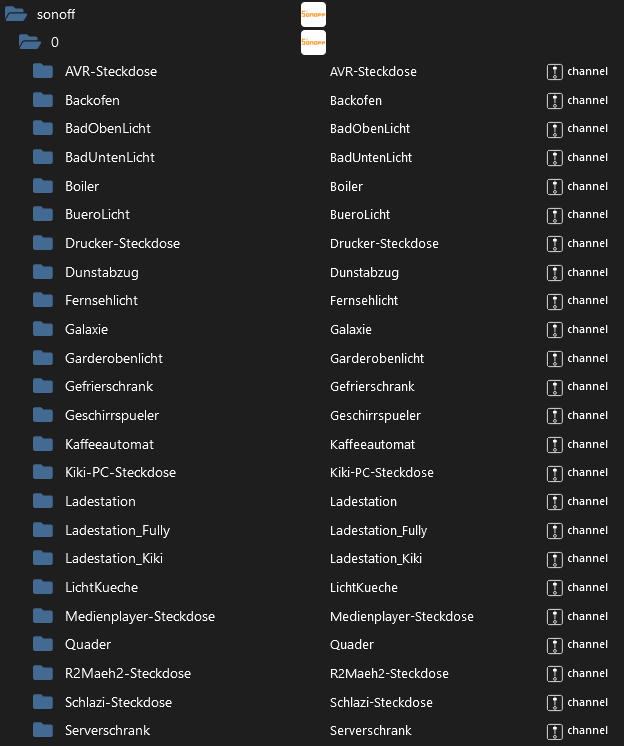
@thomas-braun Den Port vom Zigbee habe ich geändert. Desktop abschalten möchte ich eigentlich nicht, weil der Raspi auch mein Desktop-Computer ist, den nutze ich auch zum surfen und andere Sachen. Vielleicht richte ich mir da da noch mal einen zweiten ein. Der bluelink ist von github, aber der Innogy und der Nuki Adapter doch nicht. Beim sonoff Adapter steh ich völlig auf dem Schlauch, wie kann man damit mehrer Dosen auf einer Instanz betreiben? Jede Dose braucht doch ihren eigenen Port und in der Instanz kann ich nur einen Port angeben.
Es gibt nicht Gutes. Außer man tut es. Erich Kästner
-
@thomas-braun Den Port vom Zigbee habe ich geändert. Desktop abschalten möchte ich eigentlich nicht, weil der Raspi auch mein Desktop-Computer ist, den nutze ich auch zum surfen und andere Sachen. Vielleicht richte ich mir da da noch mal einen zweiten ein. Der bluelink ist von github, aber der Innogy und der Nuki Adapter doch nicht. Beim sonoff Adapter steh ich völlig auf dem Schlauch, wie kann man damit mehrer Dosen auf einer Instanz betreiben? Jede Dose braucht doch ihren eigenen Port und in der Instanz kann ich nur einen Port angeben.
@winni sagte in <gelöst>Zigbee ist tod:
weil der Raspi auch mein Desktop-Computer ist, den nutze ich auch zum surfen und andere Sachen.
Ganz ungünstige Konstellation.
Der bluelink ist von github, aber der Innogy und der Nuki Adapter doch nicht.
Natürlich sind die aus dem GitHub installiert... Sonst würden die dort nicht aufgeführt.
Beim sonoff Adapter steh ich völlig auf dem Schlauch, wie kann man damit mehrer Dosen auf einer Instanz betreiben?
Ich hab den selber nicht im Einsatz, aber bei anderen Adaptern braucht es ja auch natürlich nicht pro Gerät eine Instanz. Wird also beim sonoff nicht anders sein.
Linux-Werkzeugkasten:
https://forum.iobroker.net/topic/42952/der-kleine-iobroker-linux-werkzeugkasten
NodeJS Fixer Skript:
https://forum.iobroker.net/topic/68035/iob-node-fix-skript
iob_diag: curl -sLf -o diag.sh https://iobroker.net/diag.sh && bash diag.sh -
@thomas-braun Den Port vom Zigbee habe ich geändert. Desktop abschalten möchte ich eigentlich nicht, weil der Raspi auch mein Desktop-Computer ist, den nutze ich auch zum surfen und andere Sachen. Vielleicht richte ich mir da da noch mal einen zweiten ein. Der bluelink ist von github, aber der Innogy und der Nuki Adapter doch nicht. Beim sonoff Adapter steh ich völlig auf dem Schlauch, wie kann man damit mehrer Dosen auf einer Instanz betreiben? Jede Dose braucht doch ihren eigenen Port und in der Instanz kann ich nur einen Port angeben.
@winni sagte in <gelöst>Zigbee ist tod:
den nutze ich auch zum surfen
ist nicht unbedingt das sicherste für einen Server.
Internet Security läuft doch und zieht Ressourcen?kein Support per PN! - Fragen im Forum stellen - Benutzt das Voting rechts unten im Beitrag wenn er euch geholfen hat.
Das Forum freut sich über eine Spende. Benutzt dazu den Spendenbutton oben rechts. Danke!
der Installationsfixer: curl -fsL https://iobroker.net/fix.sh | bash - -
@winni sagte in <gelöst>Zigbee ist tod:
weil der Raspi auch mein Desktop-Computer ist, den nutze ich auch zum surfen und andere Sachen.
Ganz ungünstige Konstellation.
Der bluelink ist von github, aber der Innogy und der Nuki Adapter doch nicht.
Natürlich sind die aus dem GitHub installiert... Sonst würden die dort nicht aufgeführt.
Beim sonoff Adapter steh ich völlig auf dem Schlauch, wie kann man damit mehrer Dosen auf einer Instanz betreiben?
Ich hab den selber nicht im Einsatz, aber bei anderen Adaptern braucht es ja auch natürlich nicht pro Gerät eine Instanz. Wird also beim sonoff nicht anders sein.
@thomas-braun sagte in <gelöst>Zigbee ist tod:
Natürlich sind die aus dem GitHub installiert... Sonst würden die dort nicht >aufgeführt.
Ich hatte die aus dem GitHub installiert, sind jetzt aber im stable Repositorie. Kann ich das ändern ohne zu löschen und neu installieren?
Beim sonff sehe ich keine Möglichkeit mehrere Dosen mit einer Instanz zu steuern, vielleicht geht das mit einem anderen Adapter. Ich werde mal ein bisschen hier im Forum suchen..Es gibt nicht Gutes. Außer man tut es. Erich Kästner
-
@thomas-braun sagte in <gelöst>Zigbee ist tod:
Natürlich sind die aus dem GitHub installiert... Sonst würden die dort nicht >aufgeführt.
Ich hatte die aus dem GitHub installiert, sind jetzt aber im stable Repositorie. Kann ich das ändern ohne zu löschen und neu installieren?
Beim sonff sehe ich keine Möglichkeit mehrere Dosen mit einer Instanz zu steuern, vielleicht geht das mit einem anderen Adapter. Ich werde mal ein bisschen hier im Forum suchen..@winni sagte in <gelöst>Zigbee ist tod:
Kann ich das ändern ohne zu löschen und neu installieren?
Ja, einfach den Adapter wie üblich drüber installieren. GitHub ist NICHT der übliche Weg.
Linux-Werkzeugkasten:
https://forum.iobroker.net/topic/42952/der-kleine-iobroker-linux-werkzeugkasten
NodeJS Fixer Skript:
https://forum.iobroker.net/topic/68035/iob-node-fix-skript
iob_diag: curl -sLf -o diag.sh https://iobroker.net/diag.sh && bash diag.sh -
@winni sagte in <gelöst>Zigbee ist tod:
Kann ich das ändern ohne zu löschen und neu installieren?
Ja, einfach den Adapter wie üblich drüber installieren. GitHub ist NICHT der übliche Weg.
@thomas-braun Normalerweise bin ich da auch sehr vorsichtig, aber wenn eine Funktion verfügbar sind die ich unbedingt nutzen möchte, oder ich bei einer Adapteretwicklung mit testen helfen möchte, dann geht es halt nicht anders. Mal schauen wie das mit dem drüber installieren geht.
-
@winni sagte in <gelöst>Zigbee ist tod:
den nutze ich auch zum surfen
ist nicht unbedingt das sicherste für einen Server.
Internet Security läuft doch und zieht Ressourcen? -
@thomas-braun Den Port vom Zigbee habe ich geändert. Desktop abschalten möchte ich eigentlich nicht, weil der Raspi auch mein Desktop-Computer ist, den nutze ich auch zum surfen und andere Sachen. Vielleicht richte ich mir da da noch mal einen zweiten ein. Der bluelink ist von github, aber der Innogy und der Nuki Adapter doch nicht. Beim sonoff Adapter steh ich völlig auf dem Schlauch, wie kann man damit mehrer Dosen auf einer Instanz betreiben? Jede Dose braucht doch ihren eigenen Port und in der Instanz kann ich nur einen Port angeben.
@winni sagte in <gelöst>Zigbee ist tod:
wie kann man damit mehrer Dosen auf einer Instanz betreiben?
Indem man dieselbe Konfiguration bei jedem Sonoff-Gerät verwendet.
Proxmox und HA ...
Ich schreibe den Code nicht mehr selbst – ich schimpfe mit der KI, bis es funktioniert. -
@winni sagte in <gelöst>Zigbee ist tod:
wie kann man damit mehrer Dosen auf einer Instanz betreiben?
Indem man dieselbe Konfiguration bei jedem Sonoff-Gerät verwendet.
@meister-mopper das sieht toll aus. nur alle Dosen den gleichen Port zuweisen. Manchmal sieht man den Wald vor lauter Bäumen nicht. Schon lange nicht mehr soviel über iobroker an einem Tag dazu gelernt wie heute. 😀
-
@winni sagte in <gelöst>Zigbee ist tod:
nur alle Dosen den gleichen Port zuweisen.
???
der Port ist der Port des Adapters auf dem Server.
Der muss identisch sein, um in der gleichen Instanz zu landenkein Support per PN! - Fragen im Forum stellen - Benutzt das Voting rechts unten im Beitrag wenn er euch geholfen hat.
Das Forum freut sich über eine Spende. Benutzt dazu den Spendenbutton oben rechts. Danke!
der Installationsfixer: curl -fsL https://iobroker.net/fix.sh | bash - -
@winni sagte in <gelöst>Zigbee ist tod:
nur alle Dosen den gleichen Port zuweisen.
???
der Port ist der Port des Adapters auf dem Server.
Der muss identisch sein, um in der gleichen Instanz zu landen -
@winni sagte in <gelöst>Zigbee ist tod:
@homoran ja, das war mein Denkfehler, ich dachte über den Port wird die Dose gesteuert.
Wird ja auch. Nur das der Port halt wie ein Fenster ist. Alle Steckdosen können da ihre Nachrichten 'hinein' werfen, solange sie den Absender drauf schreiben. Und der Adapter schickt dann die Antworten an die entsprechende Absende-IP :)
ioBroker auf RPi4 - Hardware soweit wie möglich via Zigbee.
"Shit don't work" ist keine Fehlermeldung, sondern ein Fluch.




Hey! Du scheinst an dieser Unterhaltung interessiert zu sein, hast aber noch kein Konto.
Hast du es satt, bei jedem Besuch durch die gleichen Beiträge zu scrollen? Wenn du dich für ein Konto anmeldest, kommst du immer genau dorthin zurück, wo du zuvor warst, und kannst dich über neue Antworten benachrichtigen lassen (entweder per E-Mail oder Push-Benachrichtigung). Du kannst auch Lesezeichen speichern und Beiträge positiv bewerten, um anderen Community-Mitgliedern deine Wertschätzung zu zeigen.
Mit deinem Input könnte dieser Beitrag noch besser werden 💗
Registrieren Anmelden214
Online33.0k
Benutzende83.7k
Themen1.3m
Beiträge