Skip to content
  • Home
  • Aktuell
  • Tags
  • 0 Ungelesen 0
  • Kategorien
  • Unreplied
  • Beliebt
  • GitHub
  • Docu
  • Hilfe
Skins
  • Light
  • Brite
  • Cerulean
  • Cosmo
  • Flatly
  • Journal
  • Litera
  • Lumen
  • Lux
  • Materia
  • Minty
  • Morph
  • Pulse
  • Sandstone
  • Simplex
  • Sketchy
  • Spacelab
  • United
  • Yeti
  • Zephyr
  • Dark
  • Cyborg
  • Darkly
  • Quartz
  • Slate
  • Solar
  • Superhero
  • Vapor

  • Standard: (Kein Skin)
  • Kein Skin
Einklappen
ioBroker Logo

Community Forum

donate donate
  1. ioBroker Community Home
  2. Deutsch
  3. ioBroker Allgemein
  4. iob diag - Skript

NEWS

  • Monatsrückblick Januar/Februar 2026 ist online!
    BluefoxB
    Bluefox
    16
    1
    241

  • Jahresrückblick 2025 – unser neuer Blogbeitrag ist online! ✨
    BluefoxB
    Bluefox
    17
    1
    4.5k

  • Neuer Blogbeitrag: Monatsrückblick - Dezember 2025 🎄
    BluefoxB
    Bluefox
    13
    1
    1.3k

iob diag - Skript

Geplant Angeheftet Gesperrt Verschoben ioBroker Allgemein
787 Beiträge 49 Kommentatoren 219.4k Aufrufe 38 Watching
  • Älteste zuerst
  • Neuste zuerst
  • Meiste Stimmen
Antworten
  • In einem neuen Thema antworten
Anmelden zum Antworten
Dieses Thema wurde gelöscht. Nur Nutzer mit entsprechenden Rechten können es sehen.
  • S Abwesend
    S Abwesend
    Shadowhunter23
    schrieb am zuletzt editiert von
    #760
    USB-Devices by-id:
    USB-Sticks - Avoid direct links to /dev/tty* in your adapter setups,
    please always prefer the links 'by-id':
    
    No Devices found 'by-id'
    *** ZigBee Settings ***
    
    ⚠ HINT:
    Your zigbee.0 COM-Port is NOT matching 'by-id'.
    Please check your setting:
    tcp
    
    ⚠ HINT:
    Your zigbee.1 COM-Port is NOT matching 'by-id'.
    Please check your setting:
    tcp
    
    ⚠ HINT:
    Your zigbee.2 COM-Port is NOT matching 'by-id'.
    Please check your setting:
    tcp
    
    ⚠ HINT:
    Your zigbee.3 COM-Port is NOT matching 'by-id'.
    Please check your setting:
    tcp
    
    ⚠ HINT:
    Your zigbee.4 COM-Port is NOT matching 'by-id'.
    Please check your setting:
    tcp
    
    Zigbee Network Settings on your coordinator / in nvbackup are:
    
    zigbee.X
    \nExtended Pan ID:
    \n*** MASKED ***
    \nPan ID:
    \n*** MASKED ***
    \nChannel:
    \n*** MASKED ***
    \nNetwork Key:
    \n*** MASKED ***
    
    To unmask the settings run 'iob diag --unmask'
    
    === ZigBee Port Overview ===
    Instance        Configured Port                     Available by-id Port                Status
    --------        ----------------                    ----------------------------        ------
    zigbee.0        tcp://192.168.0.64:20108
    tcp://192.168.0.69:20108 -                                   tcp
    zigbee.1        tcp://192.168.0.69:20108
    tcp://192.168.0.79:20108 -                                   tcp
    zigbee.2        tcp://192.168.0.79:20108
    tcp://192.168.0.63:20108 -                                   tcp
    zigbee.3        tcp://192.168.0.63:20108
    tcp://192.168.0.99:20108 -                                   tcp
    zigbee.4        tcp://192.168.0.99:20108            -                                   tcp
    
    *** NodeJS-Installation ***
    

    Proxmox 9 HA-Cluster mit 3x HP prodesk 400 G6 i5
    Bei einem downvote bitte melden, es könnte sein, dass dieser ungewollt ist!

    Thomas BraunT 1 Antwort Letzte Antwort
    0
    • S Shadowhunter23
      USB-Devices by-id:
      USB-Sticks - Avoid direct links to /dev/tty* in your adapter setups,
      please always prefer the links 'by-id':
      
      No Devices found 'by-id'
      *** ZigBee Settings ***
      
      ⚠ HINT:
      Your zigbee.0 COM-Port is NOT matching 'by-id'.
      Please check your setting:
      tcp
      
      ⚠ HINT:
      Your zigbee.1 COM-Port is NOT matching 'by-id'.
      Please check your setting:
      tcp
      
      ⚠ HINT:
      Your zigbee.2 COM-Port is NOT matching 'by-id'.
      Please check your setting:
      tcp
      
      ⚠ HINT:
      Your zigbee.3 COM-Port is NOT matching 'by-id'.
      Please check your setting:
      tcp
      
      ⚠ HINT:
      Your zigbee.4 COM-Port is NOT matching 'by-id'.
      Please check your setting:
      tcp
      
      Zigbee Network Settings on your coordinator / in nvbackup are:
      
      zigbee.X
      \nExtended Pan ID:
      \n*** MASKED ***
      \nPan ID:
      \n*** MASKED ***
      \nChannel:
      \n*** MASKED ***
      \nNetwork Key:
      \n*** MASKED ***
      
      To unmask the settings run 'iob diag --unmask'
      
      === ZigBee Port Overview ===
      Instance        Configured Port                     Available by-id Port                Status
      --------        ----------------                    ----------------------------        ------
      zigbee.0        tcp://192.168.0.64:20108
      tcp://192.168.0.69:20108 -                                   tcp
      zigbee.1        tcp://192.168.0.69:20108
      tcp://192.168.0.79:20108 -                                   tcp
      zigbee.2        tcp://192.168.0.79:20108
      tcp://192.168.0.63:20108 -                                   tcp
      zigbee.3        tcp://192.168.0.63:20108
      tcp://192.168.0.99:20108 -                                   tcp
      zigbee.4        tcp://192.168.0.99:20108            -                                   tcp
      
      *** NodeJS-Installation ***
      
      Thomas BraunT Online
      Thomas BraunT Online
      Thomas Braun
      Most Active
      schrieb am zuletzt editiert von
      #761

      @Shadowhunter23

      Das schaut doch schon fast aus wie gewünscht...
      Bitte jetzt nochmal laufen lassen.

      Ich brauch übrigens nur den Part ab
      === ZigBee Port Overview ===

      Der Code davor wird nicht geändert.

      Linux-Werkzeugkasten:
      https://forum.iobroker.net/topic/42952/der-kleine-iobroker-linux-werkzeugkasten
      NodeJS Fixer Skript:
      https://forum.iobroker.net/topic/68035/iob-node-fix-skript
      iob_diag: curl -sLf -o diag.sh https://iobroker.net/diag.sh && bash diag.sh

      1 Antwort Letzte Antwort
      0
      • S Abwesend
        S Abwesend
        Shadowhunter23
        schrieb am zuletzt editiert von Shadowhunter23
        #762

        Komplett ohne Log:

        Script v.2026-03-08
        
        *** BASE SYSTEM ***
        Operating System: Debian GNU/Linux 13 (trixie)
         Static hostname: iobroker
               Icon name: computer-container
                 Chassis: container ☐
          Virtualization: lxc
                  Kernel: Linux 6.17.13-1-pve
            Architecture: x86-64
        OS is similar to:
        model name      : Intel(R) Core(TM) i5-10500T CPU @ 2.30GHz
        CPU threads     : 6
        Docker          : false                                                                                                                                                          Virtualization  : lxc                                                                                                                                                            Kernel          : x86_64                                                                                                                                                         Userland        : 64bit                                                                                                                                                          Systemuptime and Load:                                                                                                                                                            22:55:31 up  3:01,  2 users,  load average: 0.41, 0.39, 0.31                                                                                                                    *** LIFE CYCLE STATUS ***                                                                                                                                                        Operating System is the current Debian stable version codenamed 'trixie'!                                                                                                        *** TIME AND TIMEZONES ***                                                                                                                                                                      Local time: Sun 2026-03-08 22:55:31 CET                                                                                                                                      Universal time: Sun 2026-03-08 21:55:31 UTC                                                                                                                                            RTC time: n/a                                                                                                                                                                   Time zone: Europe/Berlin (CET, +0100)                                                                                                                            System clock synchronized: yes                                                                                                                                                                 NTP service: inactive                                                                                                                                                        RTC in local TZ: no                                                                                                                                                    *** Users and Groups ***                                                                                                                                                         User that called 'iob diag':                                                                                                                                                     tobias
        HOME=/home/tobias
        GROUPS=tobias adm dialout sudo audio video plugdev users iobroker
        
        User that is running 'js-controller':
        iobroker
        HOME=/home/iobroker
        SUDO_HOME=/home/tobias
        GROUPS=iobroker tty dialout audio video plugdev redis
        *** DISPLAY-SERVER SETUP ***
        Display-Server:         Unknown
        Display-Manager:        Not found
        Desktop:
        Session:                tty
        *** MEMORY ***
                       total        used        free      shared  buff/cache   available
        Mem:             10G        4.6G        6.1G        2.4M         63M        6.2G
        Swap:           5.4G          0B        5.4G
        Total:           16G        4.6G         11G                                                                                                                                     
        Active iob-Instances:   46
        
                10240 M total memory
                 4355 M used memory
                 4240 M active memory
                    0 M inactive memory
                 5825 M free memory
                    0 M buffer memory
                   60 M swap cache
                 5120 M total swap
                    0 M used swap
                 5120 M free swap
        
        *** top - Table Of Processes  ***
        top - 22:55:31 up  3:01,  2 users,  load average: 0.41, 0.39, 0.31
        Tasks:  78 total,   1 running,  77 sleeping,   0 stopped,   0 zombie
        %Cpu(s):  1.6 us,  1.6 sy,  0.0 ni, 96.7 id,  0.0 wa,  0.0 hi,  0.0 si,  0.0 st
        MiB Mem :  10240.0 total,   5824.9 free,   4356.4 used,     60.8 buff/cache
        MiB Swap:   5120.0 total,   5120.0 free,      0.0 used.   5883.6 avail Mem
        
        *** FAILED SERVICES ***
          UNIT                                 LOAD   ACTIVE SUB    DESCRIPTION
        * systemd-networkd-wait-online.service loaded failed failed Wait for Network to be Configured
        
        Legend: LOAD   -> Reflects whether the unit definition was properly loaded.
                ACTIVE -> The high-level unit activation state, i.e. generalization of SUB.
                SUB    -> The low-level unit activation state, values depend on unit type.
        
        1 loaded units listed.
        
        *** DMESG CRITICAL ERRORS ***
        dmesg: read kernel buffer failed: Operation not permitted
        No critical errors detected
        
        *** FILESYSTEM ***
        Filesystem             Type      Size  Used Avail Use% Mounted on
        DATA/subvol-400-disk-0 zfs        20G  4.3G   16G  22% /
        none                   tmpfs     492K  4.0K  488K   1% /dev
        udev                   devtmpfs   16G     0   16G   0% /dev/tty
        tmpfs                  tmpfs      16G     0   16G   0% /dev/shm
        tmpfs                  tmpfs     6.3G  152K  6.3G   1% /run
        tmpfs                  tmpfs      16G  1.9M   16G   1% /tmp
        tmpfs                  tmpfs     5.0M     0  5.0M   0% /run/lock
        tmpfs                  tmpfs     3.2G   12K  3.2G   1% /run/user/1000
        
        Messages concerning filesystems in dmesg:
        dmesg: read kernel buffer failed: Operation not permitted
        
        Show mounted filesystems:
        TARGET SOURCE                 FSTYPE OPTIONS
        /      DATA/subvol-400-disk-0 zfs    rw,relatime,xattr,posixacl,casesensitive
        
        Files in neuralgic directories:
        /var:
        559M    /var/
        221M    /var/cache
        219M    /var/cache/apt
        209M    /var/lib
        166M    /var/cache/apt/archives
        Archived and active journals take up 125.1M in the file system.
        
        /opt/iobroker/backups:
        136M    /opt/iobroker/backups/
        
        /opt/iobroker/iobroker-data:
        31M     /opt/iobroker/iobroker-data/
        27M     /opt/iobroker/iobroker-data/files
        20M     /opt/iobroker/iobroker-data/files/admin.admin/custom/assets
        20M     /opt/iobroker/iobroker-data/files/admin.admin/custom
        20M     /opt/iobroker/iobroker-data/files/admin.admin
        
        The five largest files in iobroker-data are:
        3.3M    /opt/iobroker/iobroker-data/files/backitup.admin/assets/index-BBu8-Y_o.js
        2.8M    /opt/iobroker/iobroker-data/objects.jsonl
        1.2M    /opt/iobroker/iobroker-data/files/backitup.admin/custom/assets/index-00V6sJFg.js
        1.2M    /opt/iobroker/iobroker-data/files/admin.admin/custom/assets/index-ZPb95xPG.js
        1.2M    /opt/iobroker/iobroker-data/files/admin.admin/custom/assets/index-IIKn7Ixx.js
        
        USB-Devices by-id:
        USB-Sticks - Avoid direct links to /dev/tty* in your adapter setups,
        please always prefer the links 'by-id':
        
        No Devices found 'by-id'
        *** ZigBee Settings ***
        
        ⚠ HINT:
        Your zigbee.0 COM-Port is NOT matching 'by-id'.
        Please check your setting:
        tcp
        
        ⚠ HINT:
        Your zigbee.1 COM-Port is NOT matching 'by-id'.
        Please check your setting:
        tcp
        
        ⚠ HINT:
        Your zigbee.2 COM-Port is NOT matching 'by-id'.
        Please check your setting:
        tcp
        
        ⚠ HINT:
        Your zigbee.3 COM-Port is NOT matching 'by-id'.
        Please check your setting:
        tcp
        
        ⚠ HINT:
        Your zigbee.4 COM-Port is NOT matching 'by-id'.
        Please check your setting:
        tcp
        
        Zigbee Network Settings on your coordinator / in nvbackup are:
        
        zigbee.X
        \nExtended Pan ID:
        \n*** MASKED ***
        \nPan ID:
        \n*** MASKED ***
        \nChannel:
        \n*** MASKED ***
        \nNetwork Key:
        \n*** MASKED ***
        
        To unmask the settings run 'iob diag --unmask'
        
        === ZigBee Port Overview ===
        Instance        Configured Port                     Available by-id Port                Status
        --------        ----------------                    ----------------------------        ------
        zigbee.0        tcp://192.168.0.64:20108
        tcp://192.168.0.69:20108 -                                   tcp
        zigbee.1        tcp://192.168.0.69:20108
        tcp://192.168.0.79:20108 -                                   tcp
        zigbee.2        tcp://192.168.0.79:20108
        tcp://192.168.0.63:20108 -                                   tcp
        zigbee.3        tcp://192.168.0.63:20108
        tcp://192.168.0.99:20108 -                                   tcp
        zigbee.4        tcp://192.168.0.99:20108            -                                   tcp
        
        *** NodeJS-Installation ***
        
        /usr/bin/nodejs         v22.22.1
        /usr/bin/node           v22.22.1
        /usr/bin/npm            10.9.4
        /usr/bin/npx            10.9.4
        
        ✓ Node.js installation is correct
        
        nodejs:
          Installed: 22.22.1-1nodesource1
          Candidate: 22.22.1-1nodesource1
          Version table:
         *** 22.22.1-1nodesource1 1001
                500 https://deb.nodesource.com/node_22.x nodistro/main amd64 Packages
                100 /var/lib/dpkg/status
             22.22.0-1nodesource1 1001
                500 https://deb.nodesource.com/node_22.x nodistro/main amd64 Packages
             22.21.0-1nodesource1 1001
                500 https://deb.nodesource.com/node_22.x nodistro/main amd64 Packages
             22.20.0-1nodesource1 1001
                500 https://deb.nodesource.com/node_22.x nodistro/main amd64 Packages
             22.19.0-1nodesource1 1001
                500 https://deb.nodesource.com/node_22.x nodistro/main amd64 Packages
             22.18.0-1nodesource1 1001
                500 https://deb.nodesource.com/node_22.x nodistro/main amd64 Packages
             22.17.1-1nodesource1 1001
                500 https://deb.nodesource.com/node_22.x nodistro/main amd64 Packages
             22.17.0-1nodesource1 1001
                500 https://deb.nodesource.com/node_22.x nodistro/main amd64 Packages
             22.16.0-1nodesource1 1001
                500 https://deb.nodesource.com/node_22.x nodistro/main amd64 Packages
             22.15.1-1nodesource1 1001
                500 https://deb.nodesource.com/node_22.x nodistro/main amd64 Packages
             22.15.0-1nodesource1 1001
                500 https://deb.nodesource.com/node_22.x nodistro/main amd64 Packages
             22.14.0-1nodesource1 1001
                500 https://deb.nodesource.com/node_22.x nodistro/main amd64 Packages
             22.13.1-1nodesource1 1001
                500 https://deb.nodesource.com/node_22.x nodistro/main amd64 Packages
             22.13.0-1nodesource1 1001
                500 https://deb.nodesource.com/node_22.x nodistro/main amd64 Packages
             22.12.0-1nodesource1 1001
                500 https://deb.nodesource.com/node_22.x nodistro/main amd64 Packages
             22.11.0-1nodesource1 1001
                500 https://deb.nodesource.com/node_22.x nodistro/main amd64 Packages
             22.10.0-1nodesource1 1001
                500 https://deb.nodesource.com/node_22.x nodistro/main amd64 Packages
             22.9.0-1nodesource1 1001
                500 https://deb.nodesource.com/node_22.x nodistro/main amd64 Packages
             22.8.0-1nodesource1 1001
                500 https://deb.nodesource.com/node_22.x nodistro/main amd64 Packages
             22.7.0-1nodesource1 1001
                500 https://deb.nodesource.com/node_22.x nodistro/main amd64 Packages
             22.6.0-1nodesource1 1001
                500 https://deb.nodesource.com/node_22.x nodistro/main amd64 Packages
             22.5.1-1nodesource1 1001
                500 https://deb.nodesource.com/node_22.x nodistro/main amd64 Packages
             22.5.0-1nodesource1 1001
                500 https://deb.nodesource.com/node_22.x nodistro/main amd64 Packages
             22.4.1-1nodesource1 1001
                500 https://deb.nodesource.com/node_22.x nodistro/main amd64 Packages
             22.4.0-1nodesource1 1001
                500 https://deb.nodesource.com/node_22.x nodistro/main amd64 Packages
             22.3.0-1nodesource1 1001
                500 https://deb.nodesource.com/node_22.x nodistro/main amd64 Packages
             22.2.0-1nodesource1 1001
                500 https://deb.nodesource.com/node_22.x nodistro/main amd64 Packages
             22.1.0-1nodesource1 1001
                500 https://deb.nodesource.com/node_22.x nodistro/main amd64 Packages
             22.0.0-1nodesource1 1001
                500 https://deb.nodesource.com/node_22.x nodistro/main amd64 Packages
             20.19.2+dfsg-1 500
                500 http://deb.debian.org/debian trixie/main amd64 Packages
        
        Temp directories causing deletion problem: 0
        No problems detected
        
        Errors in npm tree: 0
        No problems detected
        
        Checking for nodejs vulnerability:
        
        
         █████  ██      ██           ██████   ██████   ██████  ██████         ██
        ██   ██ ██      ██          ██       ██    ██ ██    ██ ██   ██     ██  ██
        ███████ ██      ██          ██   ███ ██    ██ ██    ██ ██   ██         ██
        ██   ██ ██      ██          ██    ██ ██    ██ ██    ██ ██   ██     ██  ██
        ██   ██ ███████ ███████      ██████   ██████   ██████  ██████         ██


        *** ioBroker-Installation ***
        ioBroker Status
        iobroker is running on this host.
        
        At least one iobroker host is running.
        
        Objects type: redis
        States  type: redis
        
        Hosts:
        iobroker            iobroker (version: 7.1.0, hostname: iobroker      , alive, uptime: 10891)
        
        Core adapters versions
        js-controller:  7.1.0
        admin:          7.8.3
        javascript:     9.0.18
        
        nodejs modules from github:     0
        
        
        Adapter State
        + system.adapter.admin.0                  : admin                 : iobroker                                 -  enabled, port: 8081, bind: 0.0.0.0, run as: admin
        + system.adapter.alexa2.0                 : alexa2                : iobroker                                 -  enabled
          system.adapter.ankersolix2.0            : ankersolix2           : iobroker                                 - disabled
        + system.adapter.awtrix-light.0           : awtrix-light          : iobroker                                 -  enabled
        + system.adapter.awtrix-light.1           : awtrix-light          : iobroker                                 -  enabled
        + system.adapter.backitup.0               : backitup              : iobroker                                 -  enabled
          system.adapter.birthdays.0              : birthdays             : iobroker                                 -  enabled
        + system.adapter.chromecast.0             : chromecast            : iobroker                                 -  enabled
        + system.adapter.cloud.0                  : cloud                 : iobroker                                 -  enabled
        + system.adapter.device-watcher.0         : device-watcher        : iobroker                                 -  enabled
        + system.adapter.email.0                  : email                 : iobroker                                 -  enabled
        + system.adapter.fb-checkpresence.0       : fb-checkpresence      : iobroker                                 -  enabled
        + system.adapter.fritzdect.0              : fritzdect             : iobroker                                 -  enabled
        + system.adapter.fullybrowser.0           : fullybrowser          : iobroker                                 -  enabled
          system.adapter.ical.0                   : ical                  : iobroker                                 -  enabled
          system.adapter.ical.1                   : ical                  : iobroker                                 -  enabled
        + system.adapter.iot.0                    : iot                   : iobroker                                 -  enabled
        + system.adapter.javascript.0             : javascript            : iobroker                                 -  enabled
          system.adapter.lg-thinq.0               : lg-thinq              : iobroker                                 - disabled
        + system.adapter.mqtt-client.0            : mqtt-client           : iobroker                                 -  enabled, port: 1883
        + system.adapter.mqtt.0                   : mqtt                  : iobroker                                 -  enabled, port: 1883, bind: 0.0.0.0
        + system.adapter.mytime.0                 : mytime                : iobroker                                 -  enabled
        + system.adapter.netatmo.0                : netatmo               : iobroker                                 -  enabled
        + system.adapter.notification-manager.0   : notification-manager  : iobroker                                 -  enabled
        + system.adapter.nuki.0                   : nuki                  : iobroker                                 -  enabled
        + system.adapter.operating-hours.0        : operating-hours       : iobroker                                 -  enabled
        + system.adapter.ping.0                   : ping                  : iobroker                                 -  enabled
        + system.adapter.ping.1                   : ping                  : iobroker                                 -  enabled
        + system.adapter.pushover.0               : pushover              : iobroker                                 -  enabled
        + system.adapter.pushover.1               : pushover              : iobroker                                 -  enabled
        + system.adapter.sayit.0                  : sayit                 : iobroker                                 -  enabled
        + system.adapter.sayit.1                  : sayit                 : iobroker                                 -  enabled
        + system.adapter.sayit.2                  : sayit                 : iobroker                                 -  enabled
        + system.adapter.sayit.3                  : sayit                 : iobroker                                 -  enabled
        + system.adapter.shelly.0                 : shelly                : iobroker                                 -  enabled, port: 1882, bind: 0.0.0.0
        + system.adapter.shelly.1                 : shelly                : iobroker                                 -  enabled, port: 1882, bind: 0.0.0.0
        + system.adapter.simple-api.0             : simple-api            : iobroker                                 -  enabled, port: 8087, bind: 0.0.0.0, run as: admin
        + system.adapter.telegram.0               : telegram              : iobroker                                 -  enabled, port: 8443, bind: 0.0.0.0
        + system.adapter.telegram.1               : telegram              : iobroker                                 -  enabled, port: 8443, bind: 0.0.0.0
        + system.adapter.text2command.0           : text2command          : iobroker                                 -  enabled
        + system.adapter.text2command.1           : text2command          : iobroker                                 -  enabled
        + system.adapter.trashschedule.0          : trashschedule         : iobroker                                 -  enabled
        + system.adapter.tuya.0                   : tuya                  : iobroker                                 -  enabled
          system.adapter.vis-icontwo.0            : vis-icontwo           : iobroker                                 - disabled
        + system.adapter.vis-inventwo.0           : vis-inventwo          : iobroker                                 -  enabled
          system.adapter.vis-timeandweather.0     : vis-timeandweather    : iobroker                                 - disabled
          system.adapter.vis-weather.0            : vis-weather           : iobroker                                 - disabled
          system.adapter.vis.0                    : vis                   : iobroker                                 -  enabled
        + system.adapter.web.0                    : web                   : iobroker                                 -  enabled, port: 8082, bind: 0.0.0.0, run as: admin
        + system.adapter.zigbee.0                 : zigbee                : iobroker                                 -  enabled, port: tcp://192.168.0.64:20108
        + system.adapter.zigbee.1                 : zigbee                : iobroker                                 -  enabled, port: tcp://192.168.0.69:20108
        + system.adapter.zigbee.2                 : zigbee                : iobroker                                 -  enabled, port: tcp://192.168.0.79:20108
        + system.adapter.zigbee.3                 : zigbee                : iobroker                                 -  enabled, port: tcp://192.168.0.63:20108
        + system.adapter.zigbee.4                 : zigbee                : iobroker                                 -  enabled, port: tcp://192.168.0.99:20108
        
        + instance is alive
        
        Enabled adapters with bindings
        + system.adapter.admin.0                  : admin                 : iobroker                                 -  enabled, port: 8081, bind: 0.0.0.0, run as: admin
        + system.adapter.mqtt-client.0            : mqtt-client           : iobroker                                 -  enabled, port: 1883
        + system.adapter.mqtt.0                   : mqtt                  : iobroker                                 -  enabled, port: 1883, bind: 0.0.0.0
        + system.adapter.shelly.0                 : shelly                : iobroker                                 -  enabled, port: 1882, bind: 0.0.0.0
        + system.adapter.shelly.1                 : shelly                : iobroker                                 -  enabled, port: 1882, bind: 0.0.0.0
        + system.adapter.simple-api.0             : simple-api            : iobroker                                 -  enabled, port: 8087, bind: 0.0.0.0, run as: admin
        + system.adapter.telegram.0               : telegram              : iobroker                                 -  enabled, port: 8443, bind: 0.0.0.0
        + system.adapter.telegram.1               : telegram              : iobroker                                 -  enabled, port: 8443, bind: 0.0.0.0
        + system.adapter.web.0                    : web                   : iobroker                                 -  enabled, port: 8082, bind: 0.0.0.0, run as: admin
        + system.adapter.zigbee.0                 : zigbee                : iobroker                                 -  enabled, port: tcp://192.168.0.64:20108
        + system.adapter.zigbee.1                 : zigbee                : iobroker                                 -  enabled, port: tcp://192.168.0.69:20108
        + system.adapter.zigbee.2                 : zigbee                : iobroker                                 -  enabled, port: tcp://192.168.0.79:20108
        + system.adapter.zigbee.3                 : zigbee                : iobroker                                 -  enabled, port: tcp://192.168.0.63:20108
        + system.adapter.zigbee.4                 : zigbee                : iobroker                                 -  enabled, port: tcp://192.168.0.99:20108
        
        
        ioBroker-Repositories
        ┌─────────┬──────────┬─────────────────────────────────────────────────────────┬──────────────┐
        │ (index) │ name     │ url                                                     │ auto upgrade │
        ├─────────┼──────────┼─────────────────────────────────────────────────────────┼──────────────┤
        │ 0       │ 'stable' │ 'http://download.iobroker.net/sources-dist.json'        │ false        │
        │ 1       │ 'beta'   │ 'http://download.iobroker.net/sources-dist-latest.json' │ false        │
        └─────────┴──────────┴─────────────────────────────────────────────────────────┴──────────────┘
        
        Active repo(s): beta
        Upgrade policy: none
        
        
        Installed ioBroker-Adapters
        Used repository: beta
        Adapter    "admin"        : 7.8.3    , installed 7.8.3
        Adapter    "alexa2"       : 3.27.4   , installed 3.27.4
        Adapter    "ankersolix2"  : 2.4.1    , installed 2.4.1
        Adapter    "awtrix-light" : 3.0.0    , installed 3.0.0
        Adapter    "backitup"     : 3.3.14   , installed 3.3.14
        Adapter    "birthdays"    : 5.0.0    , installed 5.0.0
        Adapter    "chromecast"   : 4.1.1    , installed 4.1.1
        Adapter    "cloud"        : 6.0.1    , installed 6.0.1
        Adapter    "device-watcher": 2.15.5  , installed 2.15.5
        Adapter    "email"        : 2.0.4    , installed 2.0.4
        Adapter    "fb-checkpresence": 1.4.2 , installed 1.4.2
        Adapter    "fritzdect"    : 2.6.2    , installed 2.6.2
        Adapter    "fullybrowser" : 3.1.2    , installed 3.1.2
        Adapter    "ical"         : 1.19.7   , installed 1.19.7
        Adapter    "iot"          : 5.0.12   , installed 5.0.12
        Adapter    "javascript"   : 9.0.18   , installed 9.0.18
        Controller "js-controller": 7.1.0    , installed 7.1.0
        Adapter    "lg-thinq"     : 1.1.6    , installed 1.1.6
        Adapter    "mqtt"         : 6.1.4    , installed 6.1.4
        Adapter    "mqtt-client"  : 3.0.0    , installed 3.0.0
        Adapter    "mytime"       : 2.3.2    , installed 2.3.2
        Adapter    "netatmo"      : 3.1.0    , installed 3.1.0
        Adapter    "notification-manager": 1.3.0, installed 1.3.0
        Adapter    "nuki"         : 2.0.0    , installed 2.0.0
        Adapter    "operating-hours": 1.4.1  , installed 1.4.1
        Adapter    "ping"         : 2.1.0    , installed 2.1.0
        Adapter    "pushover"     : 4.1.0    , installed 4.1.0
        Adapter    "sayit"        : 5.1.0    , installed 5.1.0
        Adapter    "shelly"       : 10.6.1   , installed 10.6.1
        Adapter    "simple-api"   : 3.0.7    , installed 3.0.7
        Adapter    "socketio"     : 7.0.8    , installed 7.0.8
        Adapter    "telegram"     : 4.1.0    , installed 4.1.0
        Adapter    "text2command" : 4.0.0    , installed 4.0.0
        Adapter    "trashschedule": 5.2.1    , installed 5.2.1
        Adapter    "tuya"         : 3.17.0   , installed 3.17.0
        Adapter    "vis"          : 1.5.6    , installed 1.5.6
        Adapter    "vis-icontwo"  : 2.11.1   , installed 2.11.1
        Adapter    "vis-inventwo" : 3.3.5    , installed 3.3.5
        Adapter    "vis-timeandweather": 1.2.2, installed 1.2.2
        Adapter    "vis-weather"  : 2.5.13   , installed 2.5.13
        Adapter    "web"          : 8.0.0    , installed 8.0.0
        Adapter    "ws"           : 4.0.0    , installed 4.0.0
        Adapter    "zigbee"       : 3.3.5    , installed 3.3.5
        
        
        Objects and States
        Please stand by - This may take a while
        
        Objects:        12439
        States:         11004
        
        *** OS-Repositories and Updates ***
        
        Hit:1 http://security.debian.org trixie-security InRelease
        Hit:2 http://deb.debian.org/debian trixie InRelease
        Hit:3 http://deb.debian.org/debian trixie-updates InRelease
        Hit:4 https://deb.nodesource.com/node_22.x nodistro InRelease
        Reading package lists... Done
        
        Pending systemupdates: 0
        
        *** Listening Ports ***
        Netid    State     Recv-Q    Send-Q       Local Address:Port         Peer Address:Port    Process                                                                                udp      UNCONN    0         0                  0.0.0.0:6666              0.0.0.0:*        users:(("io.tuya.0",pid=943,fd=40))                                                   udp      UNCONN    0         0                  0.0.0.0:6667              0.0.0.0:*        users:(("io.tuya.0",pid=943,fd=41))                                                   udp      UNCONN    0         0                  0.0.0.0:sunrpc            0.0.0.0:*        users:(("rpcbind",pid=141,fd=5),("systemd",pid=1,fd=35))                              udp      UNCONN    0         0                  0.0.0.0:mdns              0.0.0.0:*        users:(("io.chromecast.0",pid=615,fd=35))                                             udp      UNCONN    0         0                  0.0.0.0:coap              0.0.0.0:*        users:(("io.shelly.0",pid=899,fd=52))                                                 udp      UNCONN    0         0                     [::]:sunrpc               [::]:*        users:(("rpcbind",pid=141,fd=7),("systemd",pid=1,fd=37))                              tcp      LISTEN    0         511          192.168.0.222:9092              0.0.0.0:*        users:(("io.nuki.0",pid=808,fd=31))                                                   tcp      LISTEN    0         4096               0.0.0.0:sunrpc            0.0.0.0:*        users:(("rpcbind",pid=141,fd=4),("systemd",pid=1,fd=34))                              tcp      LISTEN    0         511                0.0.0.0:1882              0.0.0.0:*        users:(("io.shelly.1",pid=921,fd=45))                                                 tcp      LISTEN    0         511                0.0.0.0:1883              0.0.0.0:*        users:(("io.mqtt.0",pid=756,fd=35))                                                   tcp      LISTEN    0         100              127.0.0.1:smtp              0.0.0.0:*        users:(("master",pid=371,fd=13))                                                      tcp      LISTEN    0         511              127.0.0.1:redis             0.0.0.0:*        users:(("redis-server",pid=164,fd=8))                                                 tcp      LISTEN    0         100                  [::1]:smtp                 [::]:*        users:(("master",pid=371,fd=14))                                                      tcp      LISTEN    0         511                  [::1]:redis                [::]:*        users:(("redis-server",pid=164,fd=9))                                                 tcp      LISTEN    0         4096                  [::]:sunrpc               [::]:*        users:(("rpcbind",pid=141,fd=6),("systemd",pid=1,fd=36))                              tcp      LISTEN    0         511                      *:http                    *:*        users:(("apache2",pid=207,fd=4),("apache2",pid=206,fd=4),("apache2",pid=204,fd=4))    tcp      LISTEN    0         4096                     *:ssh                     *:*        users:(("sshd",pid=191,fd=3),("systemd",pid=1,fd=65))                                 tcp      LISTEN    0         511                      *:3000                    *:*        users:(("io.fullybrowser",pid=689,fd=30))                                             tcp      LISTEN    0         511                      *:8087                    *:*        users:(("io.simple-api.0",pid=1316,fd=35))                                            tcp      LISTEN    0         511                      *:8082                    *:*        users:(("io.web.0",pid=1441,fd=35))                                                   tcp      LISTEN    0         511                      *:tproxy                  *:*        users:(("io.admin.0",pid=401,fd=39))                                                  


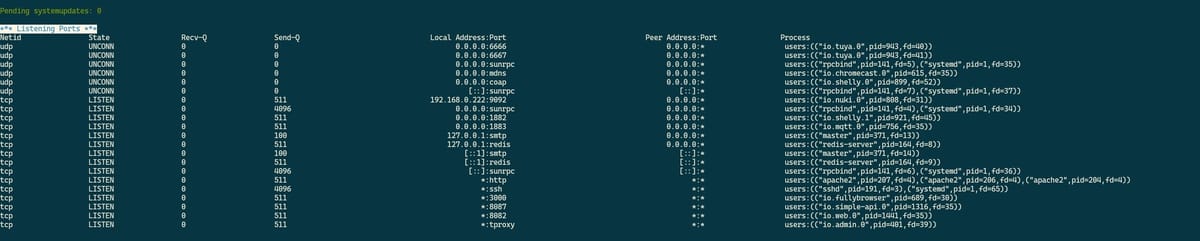
        Das einfügen ab Listening Ports ist gerade schwierig. Müsste ich morgen Mal vom PC machen.

        Proxmox 9 HA-Cluster mit 3x HP prodesk 400 G6 i5
        Bei einem downvote bitte melden, es könnte sein, dass dieser ungewollt ist!

        Thomas BraunT 1 Antwort Letzte Antwort
        0
        • S Shadowhunter23

          Komplett ohne Log:

          Script v.2026-03-08
          
          *** BASE SYSTEM ***
          Operating System: Debian GNU/Linux 13 (trixie)
           Static hostname: iobroker
                 Icon name: computer-container
                   Chassis: container ☐
            Virtualization: lxc
                    Kernel: Linux 6.17.13-1-pve
              Architecture: x86-64
          OS is similar to:
          model name      : Intel(R) Core(TM) i5-10500T CPU @ 2.30GHz
          CPU threads     : 6
          Docker          : false                                                                                                                                                          Virtualization  : lxc                                                                                                                                                            Kernel          : x86_64                                                                                                                                                         Userland        : 64bit                                                                                                                                                          Systemuptime and Load:                                                                                                                                                            22:55:31 up  3:01,  2 users,  load average: 0.41, 0.39, 0.31                                                                                                                    *** LIFE CYCLE STATUS ***                                                                                                                                                        Operating System is the current Debian stable version codenamed 'trixie'!                                                                                                        *** TIME AND TIMEZONES ***                                                                                                                                                                      Local time: Sun 2026-03-08 22:55:31 CET                                                                                                                                      Universal time: Sun 2026-03-08 21:55:31 UTC                                                                                                                                            RTC time: n/a                                                                                                                                                                   Time zone: Europe/Berlin (CET, +0100)                                                                                                                            System clock synchronized: yes                                                                                                                                                                 NTP service: inactive                                                                                                                                                        RTC in local TZ: no                                                                                                                                                    *** Users and Groups ***                                                                                                                                                         User that called 'iob diag':                                                                                                                                                     tobias
          HOME=/home/tobias
          GROUPS=tobias adm dialout sudo audio video plugdev users iobroker
          
          User that is running 'js-controller':
          iobroker
          HOME=/home/iobroker
          SUDO_HOME=/home/tobias
          GROUPS=iobroker tty dialout audio video plugdev redis
          *** DISPLAY-SERVER SETUP ***
          Display-Server:         Unknown
          Display-Manager:        Not found
          Desktop:
          Session:                tty
          *** MEMORY ***
                         total        used        free      shared  buff/cache   available
          Mem:             10G        4.6G        6.1G        2.4M         63M        6.2G
          Swap:           5.4G          0B        5.4G
          Total:           16G        4.6G         11G                                                                                                                                     
          Active iob-Instances:   46
          
                  10240 M total memory
                   4355 M used memory
                   4240 M active memory
                      0 M inactive memory
                   5825 M free memory
                      0 M buffer memory
                     60 M swap cache
                   5120 M total swap
                      0 M used swap
                   5120 M free swap
          
          *** top - Table Of Processes  ***
          top - 22:55:31 up  3:01,  2 users,  load average: 0.41, 0.39, 0.31
          Tasks:  78 total,   1 running,  77 sleeping,   0 stopped,   0 zombie
          %Cpu(s):  1.6 us,  1.6 sy,  0.0 ni, 96.7 id,  0.0 wa,  0.0 hi,  0.0 si,  0.0 st
          MiB Mem :  10240.0 total,   5824.9 free,   4356.4 used,     60.8 buff/cache
          MiB Swap:   5120.0 total,   5120.0 free,      0.0 used.   5883.6 avail Mem
          
          *** FAILED SERVICES ***
            UNIT                                 LOAD   ACTIVE SUB    DESCRIPTION
          * systemd-networkd-wait-online.service loaded failed failed Wait for Network to be Configured
          
          Legend: LOAD   -> Reflects whether the unit definition was properly loaded.
                  ACTIVE -> The high-level unit activation state, i.e. generalization of SUB.
                  SUB    -> The low-level unit activation state, values depend on unit type.
          
          1 loaded units listed.
          
          *** DMESG CRITICAL ERRORS ***
          dmesg: read kernel buffer failed: Operation not permitted
          No critical errors detected
          
          *** FILESYSTEM ***
          Filesystem             Type      Size  Used Avail Use% Mounted on
          DATA/subvol-400-disk-0 zfs        20G  4.3G   16G  22% /
          none                   tmpfs     492K  4.0K  488K   1% /dev
          udev                   devtmpfs   16G     0   16G   0% /dev/tty
          tmpfs                  tmpfs      16G     0   16G   0% /dev/shm
          tmpfs                  tmpfs     6.3G  152K  6.3G   1% /run
          tmpfs                  tmpfs      16G  1.9M   16G   1% /tmp
          tmpfs                  tmpfs     5.0M     0  5.0M   0% /run/lock
          tmpfs                  tmpfs     3.2G   12K  3.2G   1% /run/user/1000
          
          Messages concerning filesystems in dmesg:
          dmesg: read kernel buffer failed: Operation not permitted
          
          Show mounted filesystems:
          TARGET SOURCE                 FSTYPE OPTIONS
          /      DATA/subvol-400-disk-0 zfs    rw,relatime,xattr,posixacl,casesensitive
          
          Files in neuralgic directories:
          /var:
          559M    /var/
          221M    /var/cache
          219M    /var/cache/apt
          209M    /var/lib
          166M    /var/cache/apt/archives
          Archived and active journals take up 125.1M in the file system.
          
          /opt/iobroker/backups:
          136M    /opt/iobroker/backups/
          
          /opt/iobroker/iobroker-data:
          31M     /opt/iobroker/iobroker-data/
          27M     /opt/iobroker/iobroker-data/files
          20M     /opt/iobroker/iobroker-data/files/admin.admin/custom/assets
          20M     /opt/iobroker/iobroker-data/files/admin.admin/custom
          20M     /opt/iobroker/iobroker-data/files/admin.admin
          
          The five largest files in iobroker-data are:
          3.3M    /opt/iobroker/iobroker-data/files/backitup.admin/assets/index-BBu8-Y_o.js
          2.8M    /opt/iobroker/iobroker-data/objects.jsonl
          1.2M    /opt/iobroker/iobroker-data/files/backitup.admin/custom/assets/index-00V6sJFg.js
          1.2M    /opt/iobroker/iobroker-data/files/admin.admin/custom/assets/index-ZPb95xPG.js
          1.2M    /opt/iobroker/iobroker-data/files/admin.admin/custom/assets/index-IIKn7Ixx.js
          
          USB-Devices by-id:
          USB-Sticks - Avoid direct links to /dev/tty* in your adapter setups,
          please always prefer the links 'by-id':
          
          No Devices found 'by-id'
          *** ZigBee Settings ***
          
          ⚠ HINT:
          Your zigbee.0 COM-Port is NOT matching 'by-id'.
          Please check your setting:
          tcp
          
          ⚠ HINT:
          Your zigbee.1 COM-Port is NOT matching 'by-id'.
          Please check your setting:
          tcp
          
          ⚠ HINT:
          Your zigbee.2 COM-Port is NOT matching 'by-id'.
          Please check your setting:
          tcp
          
          ⚠ HINT:
          Your zigbee.3 COM-Port is NOT matching 'by-id'.
          Please check your setting:
          tcp
          
          ⚠ HINT:
          Your zigbee.4 COM-Port is NOT matching 'by-id'.
          Please check your setting:
          tcp
          
          Zigbee Network Settings on your coordinator / in nvbackup are:
          
          zigbee.X
          \nExtended Pan ID:
          \n*** MASKED ***
          \nPan ID:
          \n*** MASKED ***
          \nChannel:
          \n*** MASKED ***
          \nNetwork Key:
          \n*** MASKED ***
          
          To unmask the settings run 'iob diag --unmask'
          
          === ZigBee Port Overview ===
          Instance        Configured Port                     Available by-id Port                Status
          --------        ----------------                    ----------------------------        ------
          zigbee.0        tcp://192.168.0.64:20108
          tcp://192.168.0.69:20108 -                                   tcp
          zigbee.1        tcp://192.168.0.69:20108
          tcp://192.168.0.79:20108 -                                   tcp
          zigbee.2        tcp://192.168.0.79:20108
          tcp://192.168.0.63:20108 -                                   tcp
          zigbee.3        tcp://192.168.0.63:20108
          tcp://192.168.0.99:20108 -                                   tcp
          zigbee.4        tcp://192.168.0.99:20108            -                                   tcp
          
          *** NodeJS-Installation ***
          
          /usr/bin/nodejs         v22.22.1
          /usr/bin/node           v22.22.1
          /usr/bin/npm            10.9.4
          /usr/bin/npx            10.9.4
          
          ✓ Node.js installation is correct
          
          nodejs:
            Installed: 22.22.1-1nodesource1
            Candidate: 22.22.1-1nodesource1
            Version table:
           *** 22.22.1-1nodesource1 1001
                  500 https://deb.nodesource.com/node_22.x nodistro/main amd64 Packages
                  100 /var/lib/dpkg/status
               22.22.0-1nodesource1 1001
                  500 https://deb.nodesource.com/node_22.x nodistro/main amd64 Packages
               22.21.0-1nodesource1 1001
                  500 https://deb.nodesource.com/node_22.x nodistro/main amd64 Packages
               22.20.0-1nodesource1 1001
                  500 https://deb.nodesource.com/node_22.x nodistro/main amd64 Packages
               22.19.0-1nodesource1 1001
                  500 https://deb.nodesource.com/node_22.x nodistro/main amd64 Packages
               22.18.0-1nodesource1 1001
                  500 https://deb.nodesource.com/node_22.x nodistro/main amd64 Packages
               22.17.1-1nodesource1 1001
                  500 https://deb.nodesource.com/node_22.x nodistro/main amd64 Packages
               22.17.0-1nodesource1 1001
                  500 https://deb.nodesource.com/node_22.x nodistro/main amd64 Packages
               22.16.0-1nodesource1 1001
                  500 https://deb.nodesource.com/node_22.x nodistro/main amd64 Packages
               22.15.1-1nodesource1 1001
                  500 https://deb.nodesource.com/node_22.x nodistro/main amd64 Packages
               22.15.0-1nodesource1 1001
                  500 https://deb.nodesource.com/node_22.x nodistro/main amd64 Packages
               22.14.0-1nodesource1 1001
                  500 https://deb.nodesource.com/node_22.x nodistro/main amd64 Packages
               22.13.1-1nodesource1 1001
                  500 https://deb.nodesource.com/node_22.x nodistro/main amd64 Packages
               22.13.0-1nodesource1 1001
                  500 https://deb.nodesource.com/node_22.x nodistro/main amd64 Packages
               22.12.0-1nodesource1 1001
                  500 https://deb.nodesource.com/node_22.x nodistro/main amd64 Packages
               22.11.0-1nodesource1 1001
                  500 https://deb.nodesource.com/node_22.x nodistro/main amd64 Packages
               22.10.0-1nodesource1 1001
                  500 https://deb.nodesource.com/node_22.x nodistro/main amd64 Packages
               22.9.0-1nodesource1 1001
                  500 https://deb.nodesource.com/node_22.x nodistro/main amd64 Packages
               22.8.0-1nodesource1 1001
                  500 https://deb.nodesource.com/node_22.x nodistro/main amd64 Packages
               22.7.0-1nodesource1 1001
                  500 https://deb.nodesource.com/node_22.x nodistro/main amd64 Packages
               22.6.0-1nodesource1 1001
                  500 https://deb.nodesource.com/node_22.x nodistro/main amd64 Packages
               22.5.1-1nodesource1 1001
                  500 https://deb.nodesource.com/node_22.x nodistro/main amd64 Packages
               22.5.0-1nodesource1 1001
                  500 https://deb.nodesource.com/node_22.x nodistro/main amd64 Packages
               22.4.1-1nodesource1 1001
                  500 https://deb.nodesource.com/node_22.x nodistro/main amd64 Packages
               22.4.0-1nodesource1 1001
                  500 https://deb.nodesource.com/node_22.x nodistro/main amd64 Packages
               22.3.0-1nodesource1 1001
                  500 https://deb.nodesource.com/node_22.x nodistro/main amd64 Packages
               22.2.0-1nodesource1 1001
                  500 https://deb.nodesource.com/node_22.x nodistro/main amd64 Packages
               22.1.0-1nodesource1 1001
                  500 https://deb.nodesource.com/node_22.x nodistro/main amd64 Packages
               22.0.0-1nodesource1 1001
                  500 https://deb.nodesource.com/node_22.x nodistro/main amd64 Packages
               20.19.2+dfsg-1 500
                  500 http://deb.debian.org/debian trixie/main amd64 Packages
          
          Temp directories causing deletion problem: 0
          No problems detected
          
          Errors in npm tree: 0
          No problems detected
          
          Checking for nodejs vulnerability:
          
          
           █████  ██      ██           ██████   ██████   ██████  ██████         ██
          ██   ██ ██      ██          ██       ██    ██ ██    ██ ██   ██     ██  ██
          ███████ ██      ██          ██   ███ ██    ██ ██    ██ ██   ██         ██
          ██   ██ ██      ██          ██    ██ ██    ██ ██    ██ ██   ██     ██  ██
          ██   ██ ███████ ███████      ██████   ██████   ██████  ██████         ██


          *** ioBroker-Installation ***
          ioBroker Status
          iobroker is running on this host.
          
          At least one iobroker host is running.
          
          Objects type: redis
          States  type: redis
          
          Hosts:
          iobroker            iobroker (version: 7.1.0, hostname: iobroker      , alive, uptime: 10891)
          
          Core adapters versions
          js-controller:  7.1.0
          admin:          7.8.3
          javascript:     9.0.18
          
          nodejs modules from github:     0
          
          
          Adapter State
          + system.adapter.admin.0                  : admin                 : iobroker                                 -  enabled, port: 8081, bind: 0.0.0.0, run as: admin
          + system.adapter.alexa2.0                 : alexa2                : iobroker                                 -  enabled
            system.adapter.ankersolix2.0            : ankersolix2           : iobroker                                 - disabled
          + system.adapter.awtrix-light.0           : awtrix-light          : iobroker                                 -  enabled
          + system.adapter.awtrix-light.1           : awtrix-light          : iobroker                                 -  enabled
          + system.adapter.backitup.0               : backitup              : iobroker                                 -  enabled
            system.adapter.birthdays.0              : birthdays             : iobroker                                 -  enabled
          + system.adapter.chromecast.0             : chromecast            : iobroker                                 -  enabled
          + system.adapter.cloud.0                  : cloud                 : iobroker                                 -  enabled
          + system.adapter.device-watcher.0         : device-watcher        : iobroker                                 -  enabled
          + system.adapter.email.0                  : email                 : iobroker                                 -  enabled
          + system.adapter.fb-checkpresence.0       : fb-checkpresence      : iobroker                                 -  enabled
          + system.adapter.fritzdect.0              : fritzdect             : iobroker                                 -  enabled
          + system.adapter.fullybrowser.0           : fullybrowser          : iobroker                                 -  enabled
            system.adapter.ical.0                   : ical                  : iobroker                                 -  enabled
            system.adapter.ical.1                   : ical                  : iobroker                                 -  enabled
          + system.adapter.iot.0                    : iot                   : iobroker                                 -  enabled
          + system.adapter.javascript.0             : javascript            : iobroker                                 -  enabled
            system.adapter.lg-thinq.0               : lg-thinq              : iobroker                                 - disabled
          + system.adapter.mqtt-client.0            : mqtt-client           : iobroker                                 -  enabled, port: 1883
          + system.adapter.mqtt.0                   : mqtt                  : iobroker                                 -  enabled, port: 1883, bind: 0.0.0.0
          + system.adapter.mytime.0                 : mytime                : iobroker                                 -  enabled
          + system.adapter.netatmo.0                : netatmo               : iobroker                                 -  enabled
          + system.adapter.notification-manager.0   : notification-manager  : iobroker                                 -  enabled
          + system.adapter.nuki.0                   : nuki                  : iobroker                                 -  enabled
          + system.adapter.operating-hours.0        : operating-hours       : iobroker                                 -  enabled
          + system.adapter.ping.0                   : ping                  : iobroker                                 -  enabled
          + system.adapter.ping.1                   : ping                  : iobroker                                 -  enabled
          + system.adapter.pushover.0               : pushover              : iobroker                                 -  enabled
          + system.adapter.pushover.1               : pushover              : iobroker                                 -  enabled
          + system.adapter.sayit.0                  : sayit                 : iobroker                                 -  enabled
          + system.adapter.sayit.1                  : sayit                 : iobroker                                 -  enabled
          + system.adapter.sayit.2                  : sayit                 : iobroker                                 -  enabled
          + system.adapter.sayit.3                  : sayit                 : iobroker                                 -  enabled
          + system.adapter.shelly.0                 : shelly                : iobroker                                 -  enabled, port: 1882, bind: 0.0.0.0
          + system.adapter.shelly.1                 : shelly                : iobroker                                 -  enabled, port: 1882, bind: 0.0.0.0
          + system.adapter.simple-api.0             : simple-api            : iobroker                                 -  enabled, port: 8087, bind: 0.0.0.0, run as: admin
          + system.adapter.telegram.0               : telegram              : iobroker                                 -  enabled, port: 8443, bind: 0.0.0.0
          + system.adapter.telegram.1               : telegram              : iobroker                                 -  enabled, port: 8443, bind: 0.0.0.0
          + system.adapter.text2command.0           : text2command          : iobroker                                 -  enabled
          + system.adapter.text2command.1           : text2command          : iobroker                                 -  enabled
          + system.adapter.trashschedule.0          : trashschedule         : iobroker                                 -  enabled
          + system.adapter.tuya.0                   : tuya                  : iobroker                                 -  enabled
            system.adapter.vis-icontwo.0            : vis-icontwo           : iobroker                                 - disabled
          + system.adapter.vis-inventwo.0           : vis-inventwo          : iobroker                                 -  enabled
            system.adapter.vis-timeandweather.0     : vis-timeandweather    : iobroker                                 - disabled
            system.adapter.vis-weather.0            : vis-weather           : iobroker                                 - disabled
            system.adapter.vis.0                    : vis                   : iobroker                                 -  enabled
          + system.adapter.web.0                    : web                   : iobroker                                 -  enabled, port: 8082, bind: 0.0.0.0, run as: admin
          + system.adapter.zigbee.0                 : zigbee                : iobroker                                 -  enabled, port: tcp://192.168.0.64:20108
          + system.adapter.zigbee.1                 : zigbee                : iobroker                                 -  enabled, port: tcp://192.168.0.69:20108
          + system.adapter.zigbee.2                 : zigbee                : iobroker                                 -  enabled, port: tcp://192.168.0.79:20108
          + system.adapter.zigbee.3                 : zigbee                : iobroker                                 -  enabled, port: tcp://192.168.0.63:20108
          + system.adapter.zigbee.4                 : zigbee                : iobroker                                 -  enabled, port: tcp://192.168.0.99:20108
          
          + instance is alive
          
          Enabled adapters with bindings
          + system.adapter.admin.0                  : admin                 : iobroker                                 -  enabled, port: 8081, bind: 0.0.0.0, run as: admin
          + system.adapter.mqtt-client.0            : mqtt-client           : iobroker                                 -  enabled, port: 1883
          + system.adapter.mqtt.0                   : mqtt                  : iobroker                                 -  enabled, port: 1883, bind: 0.0.0.0
          + system.adapter.shelly.0                 : shelly                : iobroker                                 -  enabled, port: 1882, bind: 0.0.0.0
          + system.adapter.shelly.1                 : shelly                : iobroker                                 -  enabled, port: 1882, bind: 0.0.0.0
          + system.adapter.simple-api.0             : simple-api            : iobroker                                 -  enabled, port: 8087, bind: 0.0.0.0, run as: admin
          + system.adapter.telegram.0               : telegram              : iobroker                                 -  enabled, port: 8443, bind: 0.0.0.0
          + system.adapter.telegram.1               : telegram              : iobroker                                 -  enabled, port: 8443, bind: 0.0.0.0
          + system.adapter.web.0                    : web                   : iobroker                                 -  enabled, port: 8082, bind: 0.0.0.0, run as: admin
          + system.adapter.zigbee.0                 : zigbee                : iobroker                                 -  enabled, port: tcp://192.168.0.64:20108
          + system.adapter.zigbee.1                 : zigbee                : iobroker                                 -  enabled, port: tcp://192.168.0.69:20108
          + system.adapter.zigbee.2                 : zigbee                : iobroker                                 -  enabled, port: tcp://192.168.0.79:20108
          + system.adapter.zigbee.3                 : zigbee                : iobroker                                 -  enabled, port: tcp://192.168.0.63:20108
          + system.adapter.zigbee.4                 : zigbee                : iobroker                                 -  enabled, port: tcp://192.168.0.99:20108
          
          
          ioBroker-Repositories
          ┌─────────┬──────────┬─────────────────────────────────────────────────────────┬──────────────┐
          │ (index) │ name     │ url                                                     │ auto upgrade │
          ├─────────┼──────────┼─────────────────────────────────────────────────────────┼──────────────┤
          │ 0       │ 'stable' │ 'http://download.iobroker.net/sources-dist.json'        │ false        │
          │ 1       │ 'beta'   │ 'http://download.iobroker.net/sources-dist-latest.json' │ false        │
          └─────────┴──────────┴─────────────────────────────────────────────────────────┴──────────────┘
          
          Active repo(s): beta
          Upgrade policy: none
          
          
          Installed ioBroker-Adapters
          Used repository: beta
          Adapter    "admin"        : 7.8.3    , installed 7.8.3
          Adapter    "alexa2"       : 3.27.4   , installed 3.27.4
          Adapter    "ankersolix2"  : 2.4.1    , installed 2.4.1
          Adapter    "awtrix-light" : 3.0.0    , installed 3.0.0
          Adapter    "backitup"     : 3.3.14   , installed 3.3.14
          Adapter    "birthdays"    : 5.0.0    , installed 5.0.0
          Adapter    "chromecast"   : 4.1.1    , installed 4.1.1
          Adapter    "cloud"        : 6.0.1    , installed 6.0.1
          Adapter    "device-watcher": 2.15.5  , installed 2.15.5
          Adapter    "email"        : 2.0.4    , installed 2.0.4
          Adapter    "fb-checkpresence": 1.4.2 , installed 1.4.2
          Adapter    "fritzdect"    : 2.6.2    , installed 2.6.2
          Adapter    "fullybrowser" : 3.1.2    , installed 3.1.2
          Adapter    "ical"         : 1.19.7   , installed 1.19.7
          Adapter    "iot"          : 5.0.12   , installed 5.0.12
          Adapter    "javascript"   : 9.0.18   , installed 9.0.18
          Controller "js-controller": 7.1.0    , installed 7.1.0
          Adapter    "lg-thinq"     : 1.1.6    , installed 1.1.6
          Adapter    "mqtt"         : 6.1.4    , installed 6.1.4
          Adapter    "mqtt-client"  : 3.0.0    , installed 3.0.0
          Adapter    "mytime"       : 2.3.2    , installed 2.3.2
          Adapter    "netatmo"      : 3.1.0    , installed 3.1.0
          Adapter    "notification-manager": 1.3.0, installed 1.3.0
          Adapter    "nuki"         : 2.0.0    , installed 2.0.0
          Adapter    "operating-hours": 1.4.1  , installed 1.4.1
          Adapter    "ping"         : 2.1.0    , installed 2.1.0
          Adapter    "pushover"     : 4.1.0    , installed 4.1.0
          Adapter    "sayit"        : 5.1.0    , installed 5.1.0
          Adapter    "shelly"       : 10.6.1   , installed 10.6.1
          Adapter    "simple-api"   : 3.0.7    , installed 3.0.7
          Adapter    "socketio"     : 7.0.8    , installed 7.0.8
          Adapter    "telegram"     : 4.1.0    , installed 4.1.0
          Adapter    "text2command" : 4.0.0    , installed 4.0.0
          Adapter    "trashschedule": 5.2.1    , installed 5.2.1
          Adapter    "tuya"         : 3.17.0   , installed 3.17.0
          Adapter    "vis"          : 1.5.6    , installed 1.5.6
          Adapter    "vis-icontwo"  : 2.11.1   , installed 2.11.1
          Adapter    "vis-inventwo" : 3.3.5    , installed 3.3.5
          Adapter    "vis-timeandweather": 1.2.2, installed 1.2.2
          Adapter    "vis-weather"  : 2.5.13   , installed 2.5.13
          Adapter    "web"          : 8.0.0    , installed 8.0.0
          Adapter    "ws"           : 4.0.0    , installed 4.0.0
          Adapter    "zigbee"       : 3.3.5    , installed 3.3.5
          
          
          Objects and States
          Please stand by - This may take a while
          
          Objects:        12439
          States:         11004
          
          *** OS-Repositories and Updates ***
          
          Hit:1 http://security.debian.org trixie-security InRelease
          Hit:2 http://deb.debian.org/debian trixie InRelease
          Hit:3 http://deb.debian.org/debian trixie-updates InRelease
          Hit:4 https://deb.nodesource.com/node_22.x nodistro InRelease
          Reading package lists... Done
          
          Pending systemupdates: 0
          
          *** Listening Ports ***
          Netid    State     Recv-Q    Send-Q       Local Address:Port         Peer Address:Port    Process                                                                                udp      UNCONN    0         0                  0.0.0.0:6666              0.0.0.0:*        users:(("io.tuya.0",pid=943,fd=40))                                                   udp      UNCONN    0         0                  0.0.0.0:6667              0.0.0.0:*        users:(("io.tuya.0",pid=943,fd=41))                                                   udp      UNCONN    0         0                  0.0.0.0:sunrpc            0.0.0.0:*        users:(("rpcbind",pid=141,fd=5),("systemd",pid=1,fd=35))                              udp      UNCONN    0         0                  0.0.0.0:mdns              0.0.0.0:*        users:(("io.chromecast.0",pid=615,fd=35))                                             udp      UNCONN    0         0                  0.0.0.0:coap              0.0.0.0:*        users:(("io.shelly.0",pid=899,fd=52))                                                 udp      UNCONN    0         0                     [::]:sunrpc               [::]:*        users:(("rpcbind",pid=141,fd=7),("systemd",pid=1,fd=37))                              tcp      LISTEN    0         511          192.168.0.222:9092              0.0.0.0:*        users:(("io.nuki.0",pid=808,fd=31))                                                   tcp      LISTEN    0         4096               0.0.0.0:sunrpc            0.0.0.0:*        users:(("rpcbind",pid=141,fd=4),("systemd",pid=1,fd=34))                              tcp      LISTEN    0         511                0.0.0.0:1882              0.0.0.0:*        users:(("io.shelly.1",pid=921,fd=45))                                                 tcp      LISTEN    0         511                0.0.0.0:1883              0.0.0.0:*        users:(("io.mqtt.0",pid=756,fd=35))                                                   tcp      LISTEN    0         100              127.0.0.1:smtp              0.0.0.0:*        users:(("master",pid=371,fd=13))                                                      tcp      LISTEN    0         511              127.0.0.1:redis             0.0.0.0:*        users:(("redis-server",pid=164,fd=8))                                                 tcp      LISTEN    0         100                  [::1]:smtp                 [::]:*        users:(("master",pid=371,fd=14))                                                      tcp      LISTEN    0         511                  [::1]:redis                [::]:*        users:(("redis-server",pid=164,fd=9))                                                 tcp      LISTEN    0         4096                  [::]:sunrpc               [::]:*        users:(("rpcbind",pid=141,fd=6),("systemd",pid=1,fd=36))                              tcp      LISTEN    0         511                      *:http                    *:*        users:(("apache2",pid=207,fd=4),("apache2",pid=206,fd=4),("apache2",pid=204,fd=4))    tcp      LISTEN    0         4096                     *:ssh                     *:*        users:(("sshd",pid=191,fd=3),("systemd",pid=1,fd=65))                                 tcp      LISTEN    0         511                      *:3000                    *:*        users:(("io.fullybrowser",pid=689,fd=30))                                             tcp      LISTEN    0         511                      *:8087                    *:*        users:(("io.simple-api.0",pid=1316,fd=35))                                            tcp      LISTEN    0         511                      *:8082                    *:*        users:(("io.web.0",pid=1441,fd=35))                                                   tcp      LISTEN    0         511                      *:tproxy                  *:*        users:(("io.admin.0",pid=401,fd=39))                                                  


          Das einfügen ab Listening Ports ist gerade schwierig. Müsste ich morgen Mal vom PC machen.

          Thomas BraunT Online
          Thomas BraunT Online
          Thomas Braun
          Most Active
          schrieb am zuletzt editiert von
          #763

          @Shadowhunter23

          Nur die Tabelle mit den Zigbee-Ports (oder wie es gerade bei dir aussieht) reicht.

          Versuch nochmal.

          Linux-Werkzeugkasten:
          https://forum.iobroker.net/topic/42952/der-kleine-iobroker-linux-werkzeugkasten
          NodeJS Fixer Skript:
          https://forum.iobroker.net/topic/68035/iob-node-fix-skript
          iob_diag: curl -sLf -o diag.sh https://iobroker.net/diag.sh && bash diag.sh

          1 Antwort Letzte Antwort
          0
          • S Abwesend
            S Abwesend
            Shadowhunter23
            schrieb am zuletzt editiert von
            #764

            Leider als Bild
            48.jpg

            Proxmox 9 HA-Cluster mit 3x HP prodesk 400 G6 i5
            Bei einem downvote bitte melden, es könnte sein, dass dieser ungewollt ist!

            Thomas BraunT 1 Antwort Letzte Antwort
            0
            • S Abwesend
              S Abwesend
              Shadowhunter23
              schrieb am zuletzt editiert von
              #765

              Oder meinst du den Bereich:

              Enabled adapters with bindings
              + system.adapter.admin.0                  : admin                 : iobroker                                 -  enabled, port: 8081, bind: 0.0.0.0, run as: admin
              + system.adapter.mqtt-client.0            : mqtt-client           : iobroker                                 -  enabled, port: 1883
              + system.adapter.mqtt.0                   : mqtt                  : iobroker                                 -  enabled, port: 1883, bind: 0.0.0.0
              + system.adapter.shelly.0                 : shelly                : iobroker                                 -  enabled, port: 1882, bind: 0.0.0.0
              + system.adapter.shelly.1                 : shelly                : iobroker                                 -  enabled, port: 1882, bind: 0.0.0.0
              + system.adapter.simple-api.0             : simple-api            : iobroker                                 -  enabled, port: 8087, bind: 0.0.0.0, run as: admin
              + system.adapter.telegram.0               : telegram              : iobroker                                 -  enabled, port: 8443, bind: 0.0.0.0
              + system.adapter.telegram.1               : telegram              : iobroker                                 -  enabled, port: 8443, bind: 0.0.0.0
              + system.adapter.web.0                    : web                   : iobroker                                 -  enabled, port: 8082, bind: 0.0.0.0, run as: admin
              + system.adapter.zigbee.0                 : zigbee                : iobroker                                 -  enabled, port: tcp://192.168.0.64:20108
              + system.adapter.zigbee.1                 : zigbee                : iobroker                                 -  enabled, port: tcp://192.168.0.69:20108
              + system.adapter.zigbee.2                 : zigbee                : iobroker                                 -  enabled, port: tcp://192.168.0.79:20108
              + system.adapter.zigbee.3                 : zigbee                : iobroker                                 -  enabled, port: tcp://192.168.0.63:20108
              + system.adapter.zigbee.4                 : zigbee                : iobroker                                 -  enabled, port: tcp://192.168.0.99:20108
              

              Proxmox 9 HA-Cluster mit 3x HP prodesk 400 G6 i5
              Bei einem downvote bitte melden, es könnte sein, dass dieser ungewollt ist!

              1 Antwort Letzte Antwort
              0
              • S Shadowhunter23

                Leider als Bild
                48.jpg

                Thomas BraunT Online
                Thomas BraunT Online
                Thomas Braun
                Most Active
                schrieb am zuletzt editiert von
                #766

                @Shadowhunter23

                ???

                Nein, ich meine nur die Zigbee-relevante Tabelle mit
                === ZigBee Port Overview ===
                überschrieben.

                Bei mir halt dieses Layout:

                === ZigBee Port Overview ===
                Instance        Configured Port                     Available by-id Port                Status              
                --------        ----------------                    ----------------------------        ------              
                zigbee.0        ...00_23_93_2C_A8-if00-port0        ...00_23_93_2C_A8-if00-port0        ✓ Matching


                Deine Listening Ports spielen keine Rolle.

                Linux-Werkzeugkasten:
                https://forum.iobroker.net/topic/42952/der-kleine-iobroker-linux-werkzeugkasten
                NodeJS Fixer Skript:
                https://forum.iobroker.net/topic/68035/iob-node-fix-skript
                iob_diag: curl -sLf -o diag.sh https://iobroker.net/diag.sh && bash diag.sh

                1 Antwort Letzte Antwort
                0
                • S Abwesend
                  S Abwesend
                  Shadowhunter23
                  schrieb am zuletzt editiert von
                  #767

                  Jetzt ist es wohl spät, ich...

                  USB-Devices by-id:
                  USB-Sticks - Avoid direct links to /dev/tty* in your adapter setups,
                  please always prefer the links 'by-id':
                  
                  No Devices found 'by-id'
                  *** ZigBee Settings ***
                  
                  ⚠ HINT:
                  Your zigbee.0 COM-Port is NOT matching 'by-id'.
                  Please check your setting:
                  tcp
                  
                  ⚠ HINT:
                  Your zigbee.1 COM-Port is NOT matching 'by-id'.
                  Please check your setting:
                  tcp
                  
                  ⚠ HINT:
                  Your zigbee.2 COM-Port is NOT matching 'by-id'.
                  Please check your setting:
                  tcp
                  
                  ⚠ HINT:
                  Your zigbee.3 COM-Port is NOT matching 'by-id'.
                  Please check your setting:
                  tcp
                  
                  ⚠ HINT:
                  Your zigbee.4 COM-Port is NOT matching 'by-id'.
                  Please check your setting:
                  tcp
                  
                  Zigbee Network Settings on your coordinator / in nvbackup are:
                  
                  zigbee.X
                  \nExtended Pan ID:
                  \n*** MASKED ***
                  \nPan ID:
                  \n*** MASKED ***
                  \nChannel:
                  \n*** MASKED ***
                  \nNetwork Key:
                  \n*** MASKED ***
                  
                  To unmask the settings run 'iob diag --unmask'
                  
                  === ZigBee Port Overview ===
                  Instance        Configured Port                     Available by-id Port                Status
                  --------        ----------------                    ----------------------------        ------
                  sed: -e expression #1, char 134: unknown command: `/'
                  sed: -e expression #1, char 134: unknown command: `/'
                  sed: -e expression #1, char 134: unknown command: `/'
                  sed: -e expression #1, char 134: unknown command: `/'
                  sed: -e expression #1, char 134: unknown command: `/'
                  
                  *** NodeJS-Installation ***
                  

                  Proxmox 9 HA-Cluster mit 3x HP prodesk 400 G6 i5
                  Bei einem downvote bitte melden, es könnte sein, dass dieser ungewollt ist!

                  Thomas BraunT 1 Antwort Letzte Antwort
                  0
                  • S Shadowhunter23

                    Jetzt ist es wohl spät, ich...

                    USB-Devices by-id:
                    USB-Sticks - Avoid direct links to /dev/tty* in your adapter setups,
                    please always prefer the links 'by-id':
                    
                    No Devices found 'by-id'
                    *** ZigBee Settings ***
                    
                    ⚠ HINT:
                    Your zigbee.0 COM-Port is NOT matching 'by-id'.
                    Please check your setting:
                    tcp
                    
                    ⚠ HINT:
                    Your zigbee.1 COM-Port is NOT matching 'by-id'.
                    Please check your setting:
                    tcp
                    
                    ⚠ HINT:
                    Your zigbee.2 COM-Port is NOT matching 'by-id'.
                    Please check your setting:
                    tcp
                    
                    ⚠ HINT:
                    Your zigbee.3 COM-Port is NOT matching 'by-id'.
                    Please check your setting:
                    tcp
                    
                    ⚠ HINT:
                    Your zigbee.4 COM-Port is NOT matching 'by-id'.
                    Please check your setting:
                    tcp
                    
                    Zigbee Network Settings on your coordinator / in nvbackup are:
                    
                    zigbee.X
                    \nExtended Pan ID:
                    \n*** MASKED ***
                    \nPan ID:
                    \n*** MASKED ***
                    \nChannel:
                    \n*** MASKED ***
                    \nNetwork Key:
                    \n*** MASKED ***
                    
                    To unmask the settings run 'iob diag --unmask'
                    
                    === ZigBee Port Overview ===
                    Instance        Configured Port                     Available by-id Port                Status
                    --------        ----------------                    ----------------------------        ------
                    sed: -e expression #1, char 134: unknown command: `/'
                    sed: -e expression #1, char 134: unknown command: `/'
                    sed: -e expression #1, char 134: unknown command: `/'
                    sed: -e expression #1, char 134: unknown command: `/'
                    sed: -e expression #1, char 134: unknown command: `/'
                    
                    *** NodeJS-Installation ***
                    
                    Thomas BraunT Online
                    Thomas BraunT Online
                    Thomas Braun
                    Most Active
                    schrieb am zuletzt editiert von
                    #768

                    @Shadowhunter23

                    Ich hab sed jetzt angepasst. Versuch nochmal.

                    Linux-Werkzeugkasten:
                    https://forum.iobroker.net/topic/42952/der-kleine-iobroker-linux-werkzeugkasten
                    NodeJS Fixer Skript:
                    https://forum.iobroker.net/topic/68035/iob-node-fix-skript
                    iob_diag: curl -sLf -o diag.sh https://iobroker.net/diag.sh && bash diag.sh

                    1 Antwort Letzte Antwort
                    0
                    • S Abwesend
                      S Abwesend
                      Shadowhunter23
                      schrieb am zuletzt editiert von Shadowhunter23
                      #769

                      Erwartest du das so?

                      USB-Devices by-id:
                      USB-Sticks - Avoid direct links to /dev/tty* in your adapter setups,
                      please always prefer the links 'by-id':
                      
                      No Devices found 'by-id'
                      *** ZigBee Settings ***
                      
                      ⚠ HINT:
                      Your zigbee.0 COM-Port is NOT matching 'by-id'.
                      Please check your setting:
                      tcp
                      
                      ⚠ HINT:
                      Your zigbee.1 COM-Port is NOT matching 'by-id'.
                      Please check your setting:
                      tcp
                      
                      ⚠ HINT:
                      Your zigbee.2 COM-Port is NOT matching 'by-id'.
                      Please check your setting:
                      tcp
                      
                      ⚠ HINT:
                      Your zigbee.3 COM-Port is NOT matching 'by-id'.
                      Please check your setting:
                      tcp
                      
                      ⚠ HINT:
                      Your zigbee.4 COM-Port is NOT matching 'by-id'.
                      Please check your setting:
                      tcp
                      
                      Zigbee Network Settings on your coordinator / in nvbackup are:
                      
                      zigbee.X
                      \nExtended Pan ID:
                      \n*** MASKED ***
                      \nPan ID:
                      \n*** MASKED ***
                      \nChannel:
                      \n*** MASKED ***
                      \nNetwork Key:
                      \n*** MASKED ***
                      
                      To unmask the settings run 'iob diag --unmask'
                      
                      === ZigBee Port Overview ===
                      Instance        Configured Port                     Available by-id Port                Status
                      --------        ----------------                    ----------------------------        ------
                      sed: -e expression #1, char 134: unknown command: `/'
                      sed: -e expression #1, char 134: unknown command: `/'
                      sed: -e expression #1, char 134: unknown command: `/'
                      sed: -e expression #1, char 134: unknown command: `/'
                      sed: -e expression #1, char 134: unknown command: `/'
                      
                      *** NodeJS-Installation ***
                      

                      Proxmox 9 HA-Cluster mit 3x HP prodesk 400 G6 i5
                      Bei einem downvote bitte melden, es könnte sein, dass dieser ungewollt ist!

                      Thomas BraunT 1 Antwort Letzte Antwort
                      0
                      • S Abwesend
                        S Abwesend
                        Shadowhunter23
                        schrieb am zuletzt editiert von
                        #770

                        Und nochmal:

                        USB-Devices by-id:
                        USB-Sticks - Avoid direct links to /dev/tty* in your adapter setups,
                        please always prefer the links 'by-id':
                        
                        No Devices found 'by-id'
                        *** ZigBee Settings ***
                        
                        ⚠ HINT:
                        Your zigbee.0 COM-Port is NOT matching 'by-id'.
                        Please check your setting:
                        tcp
                        
                        ⚠ HINT:
                        Your zigbee.1 COM-Port is NOT matching 'by-id'.
                        Please check your setting:
                        tcp
                        
                        ⚠ HINT:
                        Your zigbee.2 COM-Port is NOT matching 'by-id'.
                        Please check your setting:
                        tcp
                        
                        ⚠ HINT:
                        Your zigbee.3 COM-Port is NOT matching 'by-id'.
                        Please check your setting:
                        tcp
                        
                        ⚠ HINT:
                        Your zigbee.4 COM-Port is NOT matching 'by-id'.
                        Please check your setting:
                        tcp
                        
                        Zigbee Network Settings on your coordinator / in nvbackup are:
                        
                        zigbee.X
                        \nExtended Pan ID:
                        \n*** MASKED ***
                        \nPan ID:
                        \n*** MASKED ***
                        \nChannel:
                        \n*** MASKED ***
                        \nNetwork Key:
                        \n*** MASKED ***
                        
                        To unmask the settings run 'iob diag --unmask'
                        
                        === ZigBee Port Overview ===
                        Instance        Configured Port                     Available by-id Port                Status
                        --------        ----------------                    ----------------------------        ------
                        awk: run time error: regular expression compile failed (missing operand)
                        + system.adapter.zigbee.0                 : zigbee                : iobroker                                 -  enabled, port: tcp://192.168.0.64:20108
                                FILENAME="-" FNR=1 NR=1
                        awk: run time error: regular expression compile failed (missing operand)
                        + system.adapter.zigbee.1                 : zigbee                : iobroker                                 -  enabled, port: tcp://192.168.0.69:20108
                                FILENAME="-" FNR=1 NR=1
                        awk: run time error: regular expression compile failed (missing operand)
                        + system.adapter.zigbee.2                 : zigbee                : iobroker                                 -  enabled, port: tcp://192.168.0.79:20108
                                FILENAME="-" FNR=1 NR=1
                        awk: run time error: regular expression compile failed (missing operand)
                        + system.adapter.zigbee.3                 : zigbee                : iobroker                                 -  enabled, port: tcp://192.168.0.63:20108
                                FILENAME="-" FNR=1 NR=1
                        awk: run time error: regular expression compile failed (missing operand)
                        + system.adapter.zigbee.4                 : zigbee                : iobroker                                 -  enabled, port: tcp://192.168.0.99:20108
                                FILENAME="-" FNR=1 NR=1
                        
                        *** NodeJS-Installation ***
                        

                        Proxmox 9 HA-Cluster mit 3x HP prodesk 400 G6 i5
                        Bei einem downvote bitte melden, es könnte sein, dass dieser ungewollt ist!

                        1 Antwort Letzte Antwort
                        0
                        • S Shadowhunter23

                          Erwartest du das so?

                          USB-Devices by-id:
                          USB-Sticks - Avoid direct links to /dev/tty* in your adapter setups,
                          please always prefer the links 'by-id':
                          
                          No Devices found 'by-id'
                          *** ZigBee Settings ***
                          
                          ⚠ HINT:
                          Your zigbee.0 COM-Port is NOT matching 'by-id'.
                          Please check your setting:
                          tcp
                          
                          ⚠ HINT:
                          Your zigbee.1 COM-Port is NOT matching 'by-id'.
                          Please check your setting:
                          tcp
                          
                          ⚠ HINT:
                          Your zigbee.2 COM-Port is NOT matching 'by-id'.
                          Please check your setting:
                          tcp
                          
                          ⚠ HINT:
                          Your zigbee.3 COM-Port is NOT matching 'by-id'.
                          Please check your setting:
                          tcp
                          
                          ⚠ HINT:
                          Your zigbee.4 COM-Port is NOT matching 'by-id'.
                          Please check your setting:
                          tcp
                          
                          Zigbee Network Settings on your coordinator / in nvbackup are:
                          
                          zigbee.X
                          \nExtended Pan ID:
                          \n*** MASKED ***
                          \nPan ID:
                          \n*** MASKED ***
                          \nChannel:
                          \n*** MASKED ***
                          \nNetwork Key:
                          \n*** MASKED ***
                          
                          To unmask the settings run 'iob diag --unmask'
                          
                          === ZigBee Port Overview ===
                          Instance        Configured Port                     Available by-id Port                Status
                          --------        ----------------                    ----------------------------        ------
                          sed: -e expression #1, char 134: unknown command: `/'
                          sed: -e expression #1, char 134: unknown command: `/'
                          sed: -e expression #1, char 134: unknown command: `/'
                          sed: -e expression #1, char 134: unknown command: `/'
                          sed: -e expression #1, char 134: unknown command: `/'
                          
                          *** NodeJS-Installation ***
                          
                          Thomas BraunT Online
                          Thomas BraunT Online
                          Thomas Braun
                          Most Active
                          schrieb am zuletzt editiert von
                          #771

                          @Shadowhunter23

                          Mist...
                          Dann halt einfacheren Code...
                          Bitte nochmal.

                          Linux-Werkzeugkasten:
                          https://forum.iobroker.net/topic/42952/der-kleine-iobroker-linux-werkzeugkasten
                          NodeJS Fixer Skript:
                          https://forum.iobroker.net/topic/68035/iob-node-fix-skript
                          iob_diag: curl -sLf -o diag.sh https://iobroker.net/diag.sh && bash diag.sh

                          1 Antwort Letzte Antwort
                          0
                          • S Abwesend
                            S Abwesend
                            Shadowhunter23
                            schrieb am zuletzt editiert von Shadowhunter23
                            #772

                            Hatt sich noch nichts geändert

                            USB-Devices by-id:
                            USB-Sticks - Avoid direct links to /dev/tty* in your adapter setups,
                            please always prefer the links 'by-id':
                            
                            No Devices found 'by-id'
                            *** ZigBee Settings ***
                            
                            ⚠ HINT:
                            Your zigbee.0 COM-Port is NOT matching 'by-id'.
                            Please check your setting:
                            tcp
                            
                            ⚠ HINT:
                            Your zigbee.1 COM-Port is NOT matching 'by-id'.
                            Please check your setting:
                            tcp
                            
                            ⚠ HINT:
                            Your zigbee.2 COM-Port is NOT matching 'by-id'.
                            Please check your setting:
                            tcp
                            
                            ⚠ HINT:
                            Your zigbee.3 COM-Port is NOT matching 'by-id'.
                            Please check your setting:
                            tcp
                            
                            ⚠ HINT:
                            Your zigbee.4 COM-Port is NOT matching 'by-id'.
                            Please check your setting:
                            tcp
                            
                            Zigbee Network Settings on your coordinator / in nvbackup are:
                            
                            zigbee.X
                            \nExtended Pan ID:
                            \n*** MASKED ***
                            \nPan ID:
                            \n*** MASKED ***
                            \nChannel:
                            \n*** MASKED ***
                            \nNetwork Key:
                            \n*** MASKED ***
                            
                            To unmask the settings run 'iob diag --unmask'
                            
                            === ZigBee Port Overview ===
                            Instance        Configured Port                     Available by-id Port                Status
                            --------        ----------------                    ----------------------------        ------
                            awk: run time error: regular expression compile failed (missing operand)
                            + system.adapter.zigbee.0                 : zigbee                : iobroker                                 -  enabled, port: tcp://192.168.0.64:20108
                                    FILENAME="-" FNR=1 NR=1
                            awk: run time error: regular expression compile failed (missing operand)
                            + system.adapter.zigbee.1                 : zigbee                : iobroker                                 -  enabled, port: tcp://192.168.0.69:20108
                                    FILENAME="-" FNR=1 NR=1
                            awk: run time error: regular expression compile failed (missing operand)
                            + system.adapter.zigbee.2                 : zigbee                : iobroker                                 -  enabled, port: tcp://192.168.0.79:20108
                                    FILENAME="-" FNR=1 NR=1
                            awk: run time error: regular expression compile failed (missing operand)
                            + system.adapter.zigbee.3                 : zigbee                : iobroker                                 -  enabled, port: tcp://192.168.0.63:20108
                                    FILENAME="-" FNR=1 NR=1
                            awk: run time error: regular expression compile failed (missing operand)
                            + system.adapter.zigbee.4                 : zigbee                : iobroker                                 -  enabled, port: tcp://192.168.0.99:20108
                                    FILENAME="-" FNR=1 NR=1
                            
                            *** NodeJS-Installation ***
                            

                            Proxmox 9 HA-Cluster mit 3x HP prodesk 400 G6 i5
                            Bei einem downvote bitte melden, es könnte sein, dass dieser ungewollt ist!

                            Thomas BraunT 1 Antwort Letzte Antwort
                            0
                            • S Shadowhunter23

                              Hatt sich noch nichts geändert

                              USB-Devices by-id:
                              USB-Sticks - Avoid direct links to /dev/tty* in your adapter setups,
                              please always prefer the links 'by-id':
                              
                              No Devices found 'by-id'
                              *** ZigBee Settings ***
                              
                              ⚠ HINT:
                              Your zigbee.0 COM-Port is NOT matching 'by-id'.
                              Please check your setting:
                              tcp
                              
                              ⚠ HINT:
                              Your zigbee.1 COM-Port is NOT matching 'by-id'.
                              Please check your setting:
                              tcp
                              
                              ⚠ HINT:
                              Your zigbee.2 COM-Port is NOT matching 'by-id'.
                              Please check your setting:
                              tcp
                              
                              ⚠ HINT:
                              Your zigbee.3 COM-Port is NOT matching 'by-id'.
                              Please check your setting:
                              tcp
                              
                              ⚠ HINT:
                              Your zigbee.4 COM-Port is NOT matching 'by-id'.
                              Please check your setting:
                              tcp
                              
                              Zigbee Network Settings on your coordinator / in nvbackup are:
                              
                              zigbee.X
                              \nExtended Pan ID:
                              \n*** MASKED ***
                              \nPan ID:
                              \n*** MASKED ***
                              \nChannel:
                              \n*** MASKED ***
                              \nNetwork Key:
                              \n*** MASKED ***
                              
                              To unmask the settings run 'iob diag --unmask'
                              
                              === ZigBee Port Overview ===
                              Instance        Configured Port                     Available by-id Port                Status
                              --------        ----------------                    ----------------------------        ------
                              awk: run time error: regular expression compile failed (missing operand)
                              + system.adapter.zigbee.0                 : zigbee                : iobroker                                 -  enabled, port: tcp://192.168.0.64:20108
                                      FILENAME="-" FNR=1 NR=1
                              awk: run time error: regular expression compile failed (missing operand)
                              + system.adapter.zigbee.1                 : zigbee                : iobroker                                 -  enabled, port: tcp://192.168.0.69:20108
                                      FILENAME="-" FNR=1 NR=1
                              awk: run time error: regular expression compile failed (missing operand)
                              + system.adapter.zigbee.2                 : zigbee                : iobroker                                 -  enabled, port: tcp://192.168.0.79:20108
                                      FILENAME="-" FNR=1 NR=1
                              awk: run time error: regular expression compile failed (missing operand)
                              + system.adapter.zigbee.3                 : zigbee                : iobroker                                 -  enabled, port: tcp://192.168.0.63:20108
                                      FILENAME="-" FNR=1 NR=1
                              awk: run time error: regular expression compile failed (missing operand)
                              + system.adapter.zigbee.4                 : zigbee                : iobroker                                 -  enabled, port: tcp://192.168.0.99:20108
                                      FILENAME="-" FNR=1 NR=1
                              
                              *** NodeJS-Installation ***
                              
                              Thomas BraunT Online
                              Thomas BraunT Online
                              Thomas Braun
                              Most Active
                              schrieb am zuletzt editiert von
                              #773

                              @Shadowhunter23 sagte in iob diag - Skript:

                              Hatt sich noch nichts geändert

                              Ich hab es auch vergessen hochzuladen...
                              Bitte jetzt nochmal.

                              Linux-Werkzeugkasten:
                              https://forum.iobroker.net/topic/42952/der-kleine-iobroker-linux-werkzeugkasten
                              NodeJS Fixer Skript:
                              https://forum.iobroker.net/topic/68035/iob-node-fix-skript
                              iob_diag: curl -sLf -o diag.sh https://iobroker.net/diag.sh && bash diag.sh

                              1 Antwort Letzte Antwort
                              0
                              • S Abwesend
                                S Abwesend
                                Shadowhunter23
                                schrieb am zuletzt editiert von
                                #774

                                Habs x mal erneuert:

                                USB-Devices by-id:
                                USB-Sticks - Avoid direct links to /dev/tty* in your adapter setups,
                                please always prefer the links 'by-id':
                                
                                No Devices found 'by-id'
                                *** ZigBee Settings ***
                                
                                ⚠ HINT:
                                Your zigbee.0 COM-Port is NOT matching 'by-id'.
                                Please check your setting:
                                tcp
                                
                                ⚠ HINT:
                                Your zigbee.1 COM-Port is NOT matching 'by-id'.
                                Please check your setting:
                                tcp
                                
                                ⚠ HINT:
                                Your zigbee.2 COM-Port is NOT matching 'by-id'.
                                Please check your setting:
                                tcp
                                
                                ⚠ HINT:
                                Your zigbee.3 COM-Port is NOT matching 'by-id'.
                                Please check your setting:
                                tcp
                                
                                ⚠ HINT:
                                Your zigbee.4 COM-Port is NOT matching 'by-id'.
                                Please check your setting:
                                tcp
                                
                                Zigbee Network Settings on your coordinator / in nvbackup are:
                                
                                zigbee.X
                                \nExtended Pan ID:
                                \n*** MASKED ***
                                \nPan ID:
                                \n*** MASKED ***
                                \nChannel:
                                \n*** MASKED ***
                                \nNetwork Key:
                                \n*** MASKED ***
                                
                                To unmask the settings run 'iob diag --unmask'
                                
                                === ZigBee Port Overview ===
                                Instance        Configured Port                     Available by-id Port                Status
                                --------        ----------------                    ----------------------------        ------
                                awk: run time error: regular expression compile failed (missing operand)
                                + system.adapter.zigbee.0                 : zigbee                : iobroker                                 -  enabled, port: tcp://192.168.0.64:20108
                                        FILENAME="-" FNR=1 NR=1
                                awk: run time error: regular expression compile failed (missing operand)
                                + system.adapter.zigbee.1                 : zigbee                : iobroker                                 -  enabled, port: tcp://192.168.0.69:20108
                                        FILENAME="-" FNR=1 NR=1
                                awk: run time error: regular expression compile failed (missing operand)
                                + system.adapter.zigbee.2                 : zigbee                : iobroker                                 -  enabled, port: tcp://192.168.0.79:20108
                                        FILENAME="-" FNR=1 NR=1
                                awk: run time error: regular expression compile failed (missing operand)
                                + system.adapter.zigbee.3                 : zigbee                : iobroker                                 -  enabled, port: tcp://192.168.0.63:20108
                                        FILENAME="-" FNR=1 NR=1
                                awk: run time error: regular expression compile failed (missing operand)
                                + system.adapter.zigbee.4                 : zigbee                : iobroker                                 -  enabled, port: tcp://192.168.0.99:20108
                                        FILENAME="-" FNR=1 NR=1
                                
                                *** NodeJS-Installation ***
                                

                                Proxmox 9 HA-Cluster mit 3x HP prodesk 400 G6 i5
                                Bei einem downvote bitte melden, es könnte sein, dass dieser ungewollt ist!

                                1 Antwort Letzte Antwort
                                0
                                • S Abwesend
                                  S Abwesend
                                  Shadowhunter23
                                  schrieb am zuletzt editiert von
                                  #775

                                  Jetzt sieht es besser aus:

                                  USB-Devices by-id:
                                  USB-Sticks - Avoid direct links to /dev/tty* in your adapter setups,
                                  please always prefer the links 'by-id':
                                  
                                  No Devices found 'by-id'
                                  *** ZigBee Settings ***
                                  
                                  ⚠ HINT:
                                  Your zigbee.0 COM-Port is NOT matching 'by-id'.
                                  Please check your setting:
                                  tcp
                                  
                                  ⚠ HINT:
                                  Your zigbee.1 COM-Port is NOT matching 'by-id'.
                                  Please check your setting:
                                  tcp
                                  
                                  ⚠ HINT:
                                  Your zigbee.2 COM-Port is NOT matching 'by-id'.
                                  Please check your setting:
                                  tcp
                                  
                                  ⚠ HINT:
                                  Your zigbee.3 COM-Port is NOT matching 'by-id'.
                                  Please check your setting:
                                  tcp
                                  
                                  ⚠ HINT:
                                  Your zigbee.4 COM-Port is NOT matching 'by-id'.
                                  Please check your setting:
                                  tcp
                                  
                                  Zigbee Network Settings on your coordinator / in nvbackup are:
                                  
                                  zigbee.X
                                  \nExtended Pan ID:
                                  \n*** MASKED ***
                                  \nPan ID:
                                  \n*** MASKED ***
                                  \nChannel:
                                  \n*** MASKED ***
                                  \nNetwork Key:
                                  \n*** MASKED ***
                                  
                                  To unmask the settings run 'iob diag --unmask'
                                  
                                  === ZigBee Port Overview ===
                                  Instance        Configured Port                     Available by-id Port                Status
                                  --------        ----------------                    ----------------------------        ------
                                  zigbee.0        tcp://192.168.0.64:20108            -                                   tcp
                                  zigbee.1        tcp://192.168.0.69:20108            -                                   tcp
                                  zigbee.2        tcp://192.168.0.79:20108            -                                   tcp
                                  zigbee.3        tcp://192.168.0.63:20108            -                                   tcp
                                  zigbee.4        tcp://192.168.0.99:20108            -                                   tcp
                                  
                                  *** NodeJS-Installation ***
                                  

                                  Proxmox 9 HA-Cluster mit 3x HP prodesk 400 G6 i5
                                  Bei einem downvote bitte melden, es könnte sein, dass dieser ungewollt ist!

                                  Thomas BraunT 1 Antwort Letzte Antwort
                                  0
                                  • S Shadowhunter23

                                    Jetzt sieht es besser aus:

                                    USB-Devices by-id:
                                    USB-Sticks - Avoid direct links to /dev/tty* in your adapter setups,
                                    please always prefer the links 'by-id':
                                    
                                    No Devices found 'by-id'
                                    *** ZigBee Settings ***
                                    
                                    ⚠ HINT:
                                    Your zigbee.0 COM-Port is NOT matching 'by-id'.
                                    Please check your setting:
                                    tcp
                                    
                                    ⚠ HINT:
                                    Your zigbee.1 COM-Port is NOT matching 'by-id'.
                                    Please check your setting:
                                    tcp
                                    
                                    ⚠ HINT:
                                    Your zigbee.2 COM-Port is NOT matching 'by-id'.
                                    Please check your setting:
                                    tcp
                                    
                                    ⚠ HINT:
                                    Your zigbee.3 COM-Port is NOT matching 'by-id'.
                                    Please check your setting:
                                    tcp
                                    
                                    ⚠ HINT:
                                    Your zigbee.4 COM-Port is NOT matching 'by-id'.
                                    Please check your setting:
                                    tcp
                                    
                                    Zigbee Network Settings on your coordinator / in nvbackup are:
                                    
                                    zigbee.X
                                    \nExtended Pan ID:
                                    \n*** MASKED ***
                                    \nPan ID:
                                    \n*** MASKED ***
                                    \nChannel:
                                    \n*** MASKED ***
                                    \nNetwork Key:
                                    \n*** MASKED ***
                                    
                                    To unmask the settings run 'iob diag --unmask'
                                    
                                    === ZigBee Port Overview ===
                                    Instance        Configured Port                     Available by-id Port                Status
                                    --------        ----------------                    ----------------------------        ------
                                    zigbee.0        tcp://192.168.0.64:20108            -                                   tcp
                                    zigbee.1        tcp://192.168.0.69:20108            -                                   tcp
                                    zigbee.2        tcp://192.168.0.79:20108            -                                   tcp
                                    zigbee.3        tcp://192.168.0.63:20108            -                                   tcp
                                    zigbee.4        tcp://192.168.0.99:20108            -                                   tcp
                                    
                                    *** NodeJS-Installation ***
                                    
                                    Thomas BraunT Online
                                    Thomas BraunT Online
                                    Thomas Braun
                                    Most Active
                                    schrieb am zuletzt editiert von Thomas Braun
                                    #776

                                    @Shadowhunter23

                                    Ah, das sieht wie gewollt aus.
                                    Kannst du es jetzt nochmal laden?
                                    Ich hoffe das war es dann.

                                    Bei mir schaut die Ausgabe nun so aus:

                                    === ZigBee Port Overview ===
                                    Instance        Configured Port                     Available by-id Port                Status              
                                    --------        ----------------                    ----------------------------        ------              
                                    zigbee.0        ...00_23_93_2C_A8-if00-port0        ...00_23_93_2C_A8-if00-port0        ✓ Matching


                                    Linux-Werkzeugkasten:
                                    https://forum.iobroker.net/topic/42952/der-kleine-iobroker-linux-werkzeugkasten
                                    NodeJS Fixer Skript:
                                    https://forum.iobroker.net/topic/68035/iob-node-fix-skript
                                    iob_diag: curl -sLf -o diag.sh https://iobroker.net/diag.sh && bash diag.sh

                                    1 Antwort Letzte Antwort
                                    0
                                    • S Abwesend
                                      S Abwesend
                                      Shadowhunter23
                                      schrieb am zuletzt editiert von
                                      #777
                                      USB-Devices by-id:
                                      USB-Sticks - Avoid direct links to /dev/tty* in your adapter setups,
                                      please always prefer the links 'by-id':
                                      
                                      No Devices found 'by-id'
                                      *** ZigBee Settings ***
                                      
                                      ⚠ HINT:
                                      Your zigbee.0 COM-Port is NOT matching 'by-id'.
                                      Please check your setting:
                                      tcp
                                      
                                      ⚠ HINT:
                                      Your zigbee.1 COM-Port is NOT matching 'by-id'.
                                      Please check your setting:
                                      tcp
                                      
                                      ⚠ HINT:
                                      Your zigbee.2 COM-Port is NOT matching 'by-id'.
                                      Please check your setting:
                                      tcp
                                      
                                      ⚠ HINT:
                                      Your zigbee.3 COM-Port is NOT matching 'by-id'.
                                      Please check your setting:
                                      tcp
                                      
                                      ⚠ HINT:
                                      Your zigbee.4 COM-Port is NOT matching 'by-id'.
                                      Please check your setting:
                                      tcp
                                      
                                      Zigbee Network Settings on your coordinator / in nvbackup are:
                                      
                                      zigbee.X
                                      \nExtended Pan ID:
                                      \n*** MASKED ***
                                      \nPan ID:
                                      \n*** MASKED ***
                                      \nChannel:
                                      \n*** MASKED ***
                                      \nNetwork Key:
                                      \n*** MASKED ***
                                      
                                      To unmask the settings run 'iob diag --unmask'
                                      
                                      === ZigBee Port Overview ===
                                      Instance        Configured Port                     Available by-id Port                Status
                                      --------        ----------------                    ----------------------------        ------
                                      zigbee.0        tcp://192.168.0.64:20108            -                                   tcp
                                      zigbee.1        tcp://192.168.0.69:20108            -                                   tcp
                                      zigbee.2        tcp://192.168.0.79:20108            -                                   tcp
                                      zigbee.3        tcp://192.168.0.63:20108            -                                   tcp
                                      zigbee.4        tcp://192.168.0.99:20108            -                                   tcp
                                      
                                      *** NodeJS-Installation ***
                                      

                                      Proxmox 9 HA-Cluster mit 3x HP prodesk 400 G6 i5
                                      Bei einem downvote bitte melden, es könnte sein, dass dieser ungewollt ist!

                                      Thomas BraunT 1 Antwort Letzte Antwort
                                      0
                                      • S Shadowhunter23
                                        USB-Devices by-id:
                                        USB-Sticks - Avoid direct links to /dev/tty* in your adapter setups,
                                        please always prefer the links 'by-id':
                                        
                                        No Devices found 'by-id'
                                        *** ZigBee Settings ***
                                        
                                        ⚠ HINT:
                                        Your zigbee.0 COM-Port is NOT matching 'by-id'.
                                        Please check your setting:
                                        tcp
                                        
                                        ⚠ HINT:
                                        Your zigbee.1 COM-Port is NOT matching 'by-id'.
                                        Please check your setting:
                                        tcp
                                        
                                        ⚠ HINT:
                                        Your zigbee.2 COM-Port is NOT matching 'by-id'.
                                        Please check your setting:
                                        tcp
                                        
                                        ⚠ HINT:
                                        Your zigbee.3 COM-Port is NOT matching 'by-id'.
                                        Please check your setting:
                                        tcp
                                        
                                        ⚠ HINT:
                                        Your zigbee.4 COM-Port is NOT matching 'by-id'.
                                        Please check your setting:
                                        tcp
                                        
                                        Zigbee Network Settings on your coordinator / in nvbackup are:
                                        
                                        zigbee.X
                                        \nExtended Pan ID:
                                        \n*** MASKED ***
                                        \nPan ID:
                                        \n*** MASKED ***
                                        \nChannel:
                                        \n*** MASKED ***
                                        \nNetwork Key:
                                        \n*** MASKED ***
                                        
                                        To unmask the settings run 'iob diag --unmask'
                                        
                                        === ZigBee Port Overview ===
                                        Instance        Configured Port                     Available by-id Port                Status
                                        --------        ----------------                    ----------------------------        ------
                                        zigbee.0        tcp://192.168.0.64:20108            -                                   tcp
                                        zigbee.1        tcp://192.168.0.69:20108            -                                   tcp
                                        zigbee.2        tcp://192.168.0.79:20108            -                                   tcp
                                        zigbee.3        tcp://192.168.0.63:20108            -                                   tcp
                                        zigbee.4        tcp://192.168.0.99:20108            -                                   tcp
                                        
                                        *** NodeJS-Installation ***
                                        
                                        Thomas BraunT Online
                                        Thomas BraunT Online
                                        Thomas Braun
                                        Most Active
                                        schrieb am zuletzt editiert von
                                        #778

                                        @Shadowhunter23

                                        Super, so sollte es aussehen. Und die Werte sind auch richtig zugeordnet?
                                        Also zigbee.0 ist mit tcp://192.168.0.64:20108 konfiguriert?

                                        Linux-Werkzeugkasten:
                                        https://forum.iobroker.net/topic/42952/der-kleine-iobroker-linux-werkzeugkasten
                                        NodeJS Fixer Skript:
                                        https://forum.iobroker.net/topic/68035/iob-node-fix-skript
                                        iob_diag: curl -sLf -o diag.sh https://iobroker.net/diag.sh && bash diag.sh

                                        S 1 Antwort Letzte Antwort
                                        0
                                        • Thomas BraunT Thomas Braun

                                          @Shadowhunter23

                                          Super, so sollte es aussehen. Und die Werte sind auch richtig zugeordnet?
                                          Also zigbee.0 ist mit tcp://192.168.0.64:20108 konfiguriert?

                                          S Abwesend
                                          S Abwesend
                                          Shadowhunter23
                                          schrieb am zuletzt editiert von
                                          #779

                                          @Thomas-Braun sagte in iob diag - Skript:

                                          Super, so sollte es aussehen. Und die Werte sind auch richtig zugeordnet?

                                          Ja bei allen passt es.

                                          Proxmox 9 HA-Cluster mit 3x HP prodesk 400 G6 i5
                                          Bei einem downvote bitte melden, es könnte sein, dass dieser ungewollt ist!

                                          Thomas BraunT 1 Antwort Letzte Antwort
                                          1
                                          Antworten
                                          • In einem neuen Thema antworten
                                          Anmelden zum Antworten
                                          • Älteste zuerst
                                          • Neuste zuerst
                                          • Meiste Stimmen


                                          Support us

                                          ioBroker
                                          Community Adapters
                                          Donate
                                          FAQ Cloud / IOT
                                          HowTo: Node.js-Update
                                          HowTo: Backup/Restore
                                          Downloads
                                          BLOG

                                          581

                                          Online

                                          32.7k

                                          Benutzer

                                          82.5k

                                          Themen

                                          1.3m

                                          Beiträge
                                          Community
                                          Impressum | Datenschutz-Bestimmungen | Nutzungsbedingungen | Einwilligungseinstellungen
                                          ioBroker Community 2014-2025
                                          logo
                                          • Anmelden

                                          • Du hast noch kein Konto? Registrieren

                                          • Anmelden oder registrieren, um zu suchen
                                          • Erster Beitrag
                                            Letzter Beitrag
                                          0
                                          • Home
                                          • Aktuell
                                          • Tags
                                          • Ungelesen 0
                                          • Kategorien
                                          • Unreplied
                                          • Beliebt
                                          • GitHub
                                          • Docu
                                          • Hilfe