



Weiter zum Inhalt
  • Home
  • Aktuell
  • Tags
  • 0 Ungelesen 0
  • Kategorien
  • Unreplied
  • Beliebt
  • GitHub
  • Docu
  • Hilfe
Skins
  • Hell
  • Brite
  • Cerulean
  • Cosmo
  • Flatly
  • Journal
  • Litera
  • Lumen
  • Lux
  • Materia
  • Minty
  • Morph
  • Pulse
  • Sandstone
  • Simplex
  • Sketchy
  • Spacelab
  • United
  • Yeti
  • Zephyr
  • Dunkel
  • Cyborg
  • Darkly
  • Quartz
  • Slate
  • Solar
  • Superhero
  • Vapor

  • Standard: (Kein Skin)
  • Kein Skin
Einklappen
ioBroker Logo

Community Forum

donate donate
  1. ioBroker Community Home
  2. Deutsch
  3. ioBroker Allgemein
  4. Admin :8081 Ladezeit: (fast) unendlich!

NEWS

  • Neues YouTube-Video: Visualisierung im Devices-Adapter
    BluefoxB
    Bluefox
    11
    1
    513

  • Neuer ioBroker-Blog online: Monatsrückblick März/April 2026
    BluefoxB
    Bluefox
    8
    1
    1.9k

  • Verwendung von KI bitte immer deutlich kennzeichnen
    HomoranH
    Homoran
    11
    1
    852

Admin :8081 Ladezeit: (fast) unendlich!

Geplant Angeheftet Gesperrt Verschoben ioBroker Allgemein
70 Beiträge 6 Kommentatoren 6.5k Aufrufe 4 Beobachtet
  • Älteste zuerst
  • Neuste zuerst
  • Meiste Stimmen
Antworten
  • In einem neuen Thema antworten
Anmelden zum Antworten
Dieses Thema wurde gelöscht. Nur Nutzer mit entsprechenden Rechten können es sehen.
  • R rotamint

    @homoran said in Admin :8081 Ladezeit: (fast) unendlich!:

    @rotamint sagte in Admin :8081 Ladezeit: (fast) unendlich!:

    der Admin hat nun geladen

    bei/nach welcher Aktion?
    Fast 20 Minuten warten...

    da dein Raspi nur 2GB RAM hat solltwst du wirklich nur das allernötigste drauf laufen lassen.
    Desktop und gar vnc gehören da nicht zu.

    OK, 4 GB besser?

    kann es sein, dass irgendetwas noch den port 8081 nutzt?
    Weiß ich nicht, wie kann ich das raus finden?
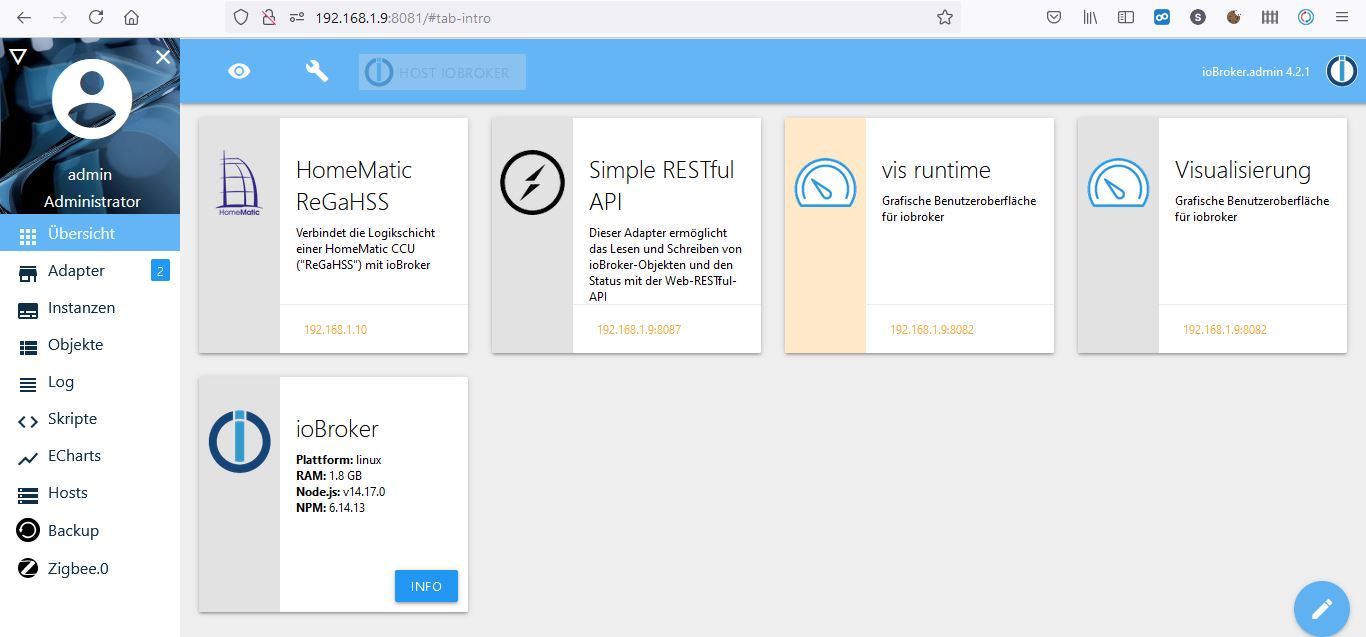
    admin1.JPG

    Instanzen laufen nicht allzuviele. die sollten keinen Stau verursachen.

    Lief in der Vergangenheit auch deutlich schneller. Ist mir jetzt halt aufgefallen dass es eeewig dauert...

    HomoranH Nicht stören
    HomoranH Nicht stören
    Homoran
    Global Moderator Administrators
    schrieb am zuletzt editiert von
    #18

    @rotamint sagte in Admin :8081 Ladezeit: (fast) unendlich!:

    OK, 4 GB besser?

    nein!
    wenn er erst nach

    @rotamint sagte in Admin :8081 Ladezeit: (fast) unendlich!:

    Fast 20 Minuten warten...

    erreichbar ist, istwas anderes faul.

    meiner hat auch nur 2GB, und bei deinen wenigen Instanzen ist 2GB vollkommen ausreichend.
    da bremst eich irgenwas anderes aus

    kein Support per PN! - Fragen im Forum stellen -
    Benutzt das Voting rechts unten im Beitrag wenn er euch geholfen hat.
    Das Forum freut sich über eine Spende. Benutzt dazu den Spendenbutton oben rechts. Danke!
    der Installationsfixer: curl -fsL https://iobroker.net/fix.sh | bash -

    R 1 Antwort Letzte Antwort
    0
    • Thomas BraunT Thomas Braun

      @rotamint sagte in Admin :8081 Ladezeit: (fast) unendlich!:

      OK, 4 GB besser?

      Nee, lt. htop hast du 2GB.
      Und auch mit 4GB lässt man auf einem Server keine GUI laufen. Und auch nicht mit 8, 16, 32, 64 GB RAM.

      free -ht --mega
      

      sagt?

      R Offline
      R Offline
      rotamint
      schrieb am zuletzt editiert von
      #19

      @thomas-braun said in Admin :8081 Ladezeit: (fast) unendlich!:

      @rotamint sagte in Admin :8081 Ladezeit: (fast) unendlich!:

      OK, 4 GB besser?

      Nee, lt. htop hast du 2GB.
      Und auch mit 4GB lässt man auf einem Server keine GUI laufen. Und auch nicht mit 8, 16, 32, 64 GB RAM.

      free -ht --mega
      

      sagt?

      pi@ioBroker:~ $ free -ht --mega
                    total        used        free      shared  buff/cache   available
      Mem:           1,9G        523M        836M         33M        505M        1,3G
      Swap:           99M          0B         99M
      Total:         2,0G        523M        936M
      pi@ioBroker:~ $
      
      
      1 Antwort Letzte Antwort
      0
      • HomoranH Homoran

        @rotamint sagte in Admin :8081 Ladezeit: (fast) unendlich!:

        OK, 4 GB besser?

        nein!
        wenn er erst nach

        @rotamint sagte in Admin :8081 Ladezeit: (fast) unendlich!:

        Fast 20 Minuten warten...

        erreichbar ist, istwas anderes faul.

        meiner hat auch nur 2GB, und bei deinen wenigen Instanzen ist 2GB vollkommen ausreichend.
        da bremst eich irgenwas anderes aus

        R Offline
        R Offline
        rotamint
        schrieb am zuletzt editiert von
        #20

        @homoran said in Admin :8081 Ladezeit: (fast) unendlich!:

        @rotamint sagte in Admin :8081 Ladezeit: (fast) unendlich!:

        OK, 4 GB besser?

        nein!
        wenn er erst nach

        @rotamint sagte in Admin :8081 Ladezeit: (fast) unendlich!:

        Fast 20 Minuten warten...

        erreichbar ist, istwas anderes faul.

        meiner hat auch nur 2GB, und bei deinen wenigen Instanzen ist 2GB vollkommen ausreichend.
        da bremst eich irgenwas anderes aus

        Hat ja auch in der Vergangenheit tadellos gelaufen. Habe da nie gemerkt, an Grenzen zu kommen... Hast Du eine Idee, wie ich dem Übeltäter auf die Spur kommen kann? :8082 läuft wie geschmiert...

        Thomas BraunT HomoranH 2 Antworten Letzte Antwort
        0
        • R rotamint

          @homoran said in Admin :8081 Ladezeit: (fast) unendlich!:

          @rotamint sagte in Admin :8081 Ladezeit: (fast) unendlich!:

          OK, 4 GB besser?

          nein!
          wenn er erst nach

          @rotamint sagte in Admin :8081 Ladezeit: (fast) unendlich!:

          Fast 20 Minuten warten...

          erreichbar ist, istwas anderes faul.

          meiner hat auch nur 2GB, und bei deinen wenigen Instanzen ist 2GB vollkommen ausreichend.
          da bremst eich irgenwas anderes aus

          Hat ja auch in der Vergangenheit tadellos gelaufen. Habe da nie gemerkt, an Grenzen zu kommen... Hast Du eine Idee, wie ich dem Übeltäter auf die Spur kommen kann? :8082 läuft wie geschmiert...

          Thomas BraunT Online
          Thomas BraunT Online
          Thomas Braun
          Most Active
          schrieb am zuletzt editiert von
          #21

          @rotamint

          sudo ss -tunlp
          

          Linux-Werkzeugkasten:
          https://forum.iobroker.net/topic/42952/der-kleine-iobroker-linux-werkzeugkasten
          NodeJS Fixer Skript:
          https://forum.iobroker.net/topic/68035/iob-node-fix-skript
          iob_diag: curl -sLf -o diag.sh https://iobroker.net/diag.sh && bash diag.sh

          R 1 Antwort Letzte Antwort
          0
          • Thomas BraunT Thomas Braun

            @rotamint

            sudo ss -tunlp
            
            R Offline
            R Offline
            rotamint
            schrieb am zuletzt editiert von
            #22

            @thomas-braun said in Admin :8081 Ladezeit: (fast) unendlich!:

            @rotamint

            sudo ss -tunlp
            
            pi@ioBroker:~ $ sudo ss -tunlp
            Netid   State    Recv-Q   Send-Q     Local Address:Port      Peer Address:Port                                                                                          
            udp     UNCONN   0        0                0.0.0.0:48121          0.0.0.0:*                                                                                              users:(("avahi-daemon",pid=355,fd=14))
            udp     UNCONN   0        0                0.0.0.0:68             0.0.0.0:*                                                                                              users:(("dhclient",pid=521,fd=7))
            udp     UNCONN   0        0                0.0.0.0:631            0.0.0.0:*                                                                                              users:(("cups-browsed",pid=427,fd=7))
            udp     UNCONN   0        0                0.0.0.0:5353           0.0.0.0:*                                                                                              users:(("avahi-daemon",pid=355,fd=12))
            udp     UNCONN   0        0                      *:32848                *:*                                                                                              users:(("avahi-daemon",pid=355,fd=15))
            udp     UNCONN   0        0                      *:5353                 *:*                                                                                              users:(("avahi-daemon",pid=355,fd=13))
            tcp     LISTEN   0        511          192.168.1.9:12001          0.0.0.0:*                                                                                              users:(("io.hm-rpc.0",pid=2095,fd=27))
            tcp     LISTEN   0        511            127.0.0.1:9000           0.0.0.0:*                                                                                              users:(("iobroker.js-con",pid=654,fd=24))
            tcp     LISTEN   0        511            127.0.0.1:9001           0.0.0.0:*                                                                                              users:(("iobroker.js-con",pid=654,fd=19))
            tcp     LISTEN   0        5                0.0.0.0:5900           0.0.0.0:*                                                                                              users:(("vncserver-x11-c",pid=670,fd=12))
            tcp     LISTEN   0        511          192.168.1.9:8081           0.0.0.0:*                                                                                              users:(("io.admin.0",pid=928,fd=27))
            tcp     LISTEN   0        128              0.0.0.0:22             0.0.0.0:*                                                                                              users:(("sshd",pid=676,fd=3))
            tcp     LISTEN   0        5              127.0.0.1:631            0.0.0.0:*                                                                                              users:(("cupsd",pid=327,fd=7))
            tcp     LISTEN   0        5                   [::]:5900              [::]:*                                                                                              users:(("vncserver-x11-c",pid=670,fd=11))
            tcp     LISTEN   0        128                 [::]:22                [::]:*                                                                                              users:(("sshd",pid=676,fd=4))
            tcp     LISTEN   0        5                  [::1]:631               [::]:*                                                                                              users:(("cupsd",pid=327,fd=6))
            pi@ioBroker:~ $
            
            
            1 Antwort Letzte Antwort
            0
            • R rotamint

              @homoran said in Admin :8081 Ladezeit: (fast) unendlich!:

              @rotamint sagte in Admin :8081 Ladezeit: (fast) unendlich!:

              OK, 4 GB besser?

              nein!
              wenn er erst nach

              @rotamint sagte in Admin :8081 Ladezeit: (fast) unendlich!:

              Fast 20 Minuten warten...

              erreichbar ist, istwas anderes faul.

              meiner hat auch nur 2GB, und bei deinen wenigen Instanzen ist 2GB vollkommen ausreichend.
              da bremst eich irgenwas anderes aus

              Hat ja auch in der Vergangenheit tadellos gelaufen. Habe da nie gemerkt, an Grenzen zu kommen... Hast Du eine Idee, wie ich dem Übeltäter auf die Spur kommen kann? :8082 läuft wie geschmiert...

              HomoranH Nicht stören
              HomoranH Nicht stören
              Homoran
              Global Moderator Administrators
              schrieb am zuletzt editiert von Homoran
              #23

              @rotamint sagte in Admin :8081 Ladezeit: (fast) unendlich!:

              Habe da nie gemerkt, an Grenzen zu kommen... Hast Du eine Idee, wie ich dem Übeltäter auf die Spur kommen kann?

              was hast du denn im moment alles deaktiviert?
              du kannst den Übeltäter ja nicht finden, wenn er sich jetzt versteckt.

              und die Antwort zu der Frage von @Thomas-Braun bezüglich JAVA (nicht javascript!!) habe ich auch nicht gefunden.

              kein Support per PN! - Fragen im Forum stellen -
              Benutzt das Voting rechts unten im Beitrag wenn er euch geholfen hat.
              Das Forum freut sich über eine Spende. Benutzt dazu den Spendenbutton oben rechts. Danke!
              der Installationsfixer: curl -fsL https://iobroker.net/fix.sh | bash -

              R 1 Antwort Letzte Antwort
              0
              • HomoranH Homoran

                @rotamint sagte in Admin :8081 Ladezeit: (fast) unendlich!:

                Habe da nie gemerkt, an Grenzen zu kommen... Hast Du eine Idee, wie ich dem Übeltäter auf die Spur kommen kann?

                was hast du denn im moment alles deaktiviert?
                du kannst den Übeltäter ja nicht finden, wenn er sich jetzt versteckt.

                und die Antwort zu der Frage von @Thomas-Braun bezüglich JAVA (nicht javascript!!) habe ich auch nicht gefunden.

                R Offline
                R Offline
                rotamint
                schrieb am zuletzt editiert von
                #24

                @homoran Alles außer den Admin…

                1 Antwort Letzte Antwort
                0
                • R rotamint

                  @homoran

                  Danke Homoran, der Admin hat nun geladen :)

                  Platform: linux
                  os: linux
                  Architecture: arm
                  CPUs: 4
                  Speed: 1500 MHz
                  Model: ARMv7 Processor rev 3 (v7l)
                  RAM: 1.8 GB 
                  System uptime: 00:15:33
                  Node.js: v14.17.0
                  NPM: 6.14.13
                  Disk size: 55.9 GiB
                  Disk free: 45.4 GiB
                  adapters count: 345
                  Uptime: 00:15:22
                  Active instances: 11
                  

                  iobroker status:

                  pi@ioBroker:~ $ iobroker staus
                  iobroker [command]
                  
                  Commands:
                    iobroker setup                                               Setup ioBroker
                    iobroker start                                               Starts the js-con                                                                                        troller
                    iobroker stop                                                stops the js-cont                                                                                        roller
                    iobroker restart                                             Restarts js-contr                                                                                        oller
                    iobroker debug <adapter>[.<instance>]                        Starts a Node.js                                                                                         debugging session for the adapter instance
                    iobroker info                                                Shows the host in                                                                                        fo
                    iobroker logs [<adapter>]                                    Monitor log
                    iobroker add <adapter> [desiredNumber]                       Add instance of a                                                                                        dapter
                    iobroker install <adapter>                                   Installs a specif                                                                                        ied adapter
                    iobroker rebuild <adapter>|self                              Rebuilds a specif                                                                                        ied adapter
                    iobroker url <url> [<name>]                                  Install adapter f                                                                                        rom specified url, e.g. GitHub
                    iobroker del <adapter>                                       Remove adapter fr                                                                                        om system
                    iobroker del <adapter>.<instance>                            Remove adapter in                                                                                        stance
                    iobroker update [<repositoryUrl>]                            Update repository                                                                                         and list adapters
                    iobroker upgrade                                             Upgrade managemen                                                                                        t
                    iobroker upload                                              Upload management
                    iobroker object                                              Object management
                    iobroker state                                               State management
                    iobroker message <adapter>[.instance] <command> [<message>]  Send message to a                                                                                        dapter instance/s
                    iobroker list <type> [<filter>]                              List all entries,                                                                                         like objects
                    iobroker chmod <mode> <file>                                 Change file right                                                                                        s
                    iobroker chown <user> <group> <file>                         Change file owner                                                                                        ship
                    iobroker touch <file>                                        Touch file
                    iobroker rm <file>                                           Remove file
                    iobroker file                                                File management
                    iobroker user                                                User commands
                    iobroker group                                               group management
                    iobroker host <hostname>                                     Set host to given                                                                                         hostname
                    iobroker set <adapter>.<instance>                            Change settings o                                                                                        f adapter config
                    iobroker license <license.file or license.text>              Update license by                                                                                         given file
                    iobroker cert                                                Certificate manag                                                                                        ement
                    iobroker clean <yes>                                         Clears all object                                                                                        s and states
                    iobroker backup                                              Create backup
                    iobroker restore <backup name or path>                       Restore a specifi                                                                                        ed backup
                    iobroker validate <backup name or path>                      Validate a specif                                                                                        ied backup
                    iobroker status [all|<adapter>.<instance>]                   Status of ioBroke                                                                                        r or adapter instance
                    iobroker repo [<name>]                                       Show repo informa                                                                                        tion
                    iobroker uuid                                                Show uuid of the                                                                                         installation
                    iobroker unsetup                                             Reset license, in                                                                                        stallation secret and language
                    iobroker fix                                                 Execute the insta                                                                                        llation fixer script, this updates your ioBroker installation
                    iobroker multihost                                           Multihost managem                                                                                        ent
                    iobroker compact                                             compact group man                                                                                        agement
                    iobroker plugin                                              Plugin management
                    iobroker version [<adapter>]                                 Show version of j                                                                                        s-controller or specified adapter
                  
                  Options:
                        --help     Show help  [boolean]
                    -v, --version  Show version  [boolean]
                  pi@ioBroker:~ $


                  iobroker list intances:

                  pi@ioBroker:~ $ iobroker list instances
                  + system.adapter.admin.0                  : admin                 : ioBroker                                                                                                                         -  enabled, port: 8081, bind: 192.168.1.9, run as:                                                                                         admin
                  + system.adapter.backitup.0               : backitup              : ioBroker                                                                                                                         -  enabled
                    system.adapter.ble.0                    : ble                   : ioBroker                                                                                                                         - disabled
                    system.adapter.daswetter.0              : daswetter             : ioBroker                                                                                                                         - disabled
                  + system.adapter.discovery.0              : discovery             : ioBroker                                                                                                                         -  enabled
                    system.adapter.echarts.0                : echarts               : ioBroker                                                                                                                         - disabled
                    system.adapter.ecovacs-deebot.0         : ecovacs-deebot        : ioBroker                                                                                                                         - disabled
                    system.adapter.ecovacs-deebot.1         : ecovacs-deebot        : ioBroker                                                                                                                         - disabled
                    system.adapter.fb-checkpresence.0       : fb-checkpresence      : ioBroker                                                                                                                         - disabled
                    system.adapter.feiertage.0              : feiertage             : ioBroker                                                                                                                         - disabled
                    system.adapter.fritzdect.0              : fritzdect             : ioBroker                                                                                                                         - disabled
                    system.adapter.growatt.0                : growatt               : ioBroker                                                                                                                         - disabled
                    system.adapter.heatingcontrol.0         : heatingcontrol        : ioBroker                                                                                                                         - disabled
                    system.adapter.history.0                : history               : ioBroker                                                                                                                         - disabled
                  + system.adapter.hm-rega.0                : hm-rega               : ioBroker                                                                                                                         -  enabled
                  + system.adapter.hm-rpc.0                 : hm-rpc                : ioBroker                                                                                                                         -  enabled, port: 12001
                    system.adapter.icons-mfd-png.0          : icons-mfd-png         : ioBroker                                                                                                                         - disabled
                    system.adapter.icons-mfd-svg.0          : icons-mfd-svg         : ioBroker                                                                                                                         - disabled
                  + system.adapter.javascript.0             : javascript            : ioBroker                                                                                                                         -  enabled
                    system.adapter.linkeddevices.0          : linkeddevices         : ioBroker                                                                                                                         - disabled
                    system.adapter.milight-smart-light.0    : milight-smart-light   : ioBroker                                                                                                                         - disabled
                    system.adapter.milight-smart-light.1    : milight-smart-light   : ioBroker                                                                                                                         - disabled
                    system.adapter.ping.0                   : ping                  : ioBroker                                                                                                                         - disabled
                    system.adapter.sayit.0                  : sayit                 : ioBroker                                                                                                                         - disabled
                  + system.adapter.shuttercontrol.0         : shuttercontrol        : ioBroker                                                                                                                         -  enabled
                  + system.adapter.simple-api.0             : simple-api            : ioBroker                                                                                                                         -  enabled, port: 8087, bind: 0.0.0.0, run as: admi                                                                                        n
                    system.adapter.smartcontrol.0           : smartcontrol          : ioBroker                                                                                                                         - disabled
                  + system.adapter.sonoff.0                 : sonoff                : ioBroker                                                                                                                         -  enabled, port: 1883, bind: 0.0.0.0
                    system.adapter.tankerkoenig.0           : tankerkoenig          : ioBroker                                                                                                                         - disabled
                    system.adapter.tr-064.0                 : tr-064                : ioBroker                                                                                                                         - disabled
                    system.adapter.vis-colorpicker.0        : vis-colorpicker       : ioBroker                                                                                                                         - disabled
                    system.adapter.vis-jqui-mfd.0           : vis-jqui-mfd          : ioBroker                                                                                                                         - disabled
                    system.adapter.vis.0                    : vis                   : ioBroker                                                                                                                         -  enabled
                  + system.adapter.web.0                    : web                   : ioBroker                                                                                                                         -  enabled, port: 8082, bind: 192.168.1.9, run as:                                                                                         admin
                    system.adapter.whatsapp-cmb.0           : whatsapp-cmb          : ioBroker                                                                                                                         - disabled
                    system.adapter.wled.0                   : wled                  : ioBroker                                                                                                                         - disabled
                  + system.adapter.zigbee.0                 : zigbee                : ioBroker                                                                                                                         -  enabled, port: /dev/ttyACM0
                  
                  + instance is alive
                  pi@ioBroker:~ $


                  OK, VNC hab ich deaktiviert ;-)

                  Danke!

                  HomoranH Nicht stören
                  HomoranH Nicht stören
                  Homoran
                  Global Moderator Administrators
                  schrieb am zuletzt editiert von
                  #25

                  @rotamint sagte in Admin :8081 Ladezeit: (fast) unendlich!:

                  VNC hab ich deaktiviert

                  so was meine ich

                  und wieviele Instanzen laufen üblicherweise?
                  mehr als bei dem list instances aktiv waren?

                  kein Support per PN! - Fragen im Forum stellen -
                  Benutzt das Voting rechts unten im Beitrag wenn er euch geholfen hat.
                  Das Forum freut sich über eine Spende. Benutzt dazu den Spendenbutton oben rechts. Danke!
                  der Installationsfixer: curl -fsL https://iobroker.net/fix.sh | bash -

                  Thomas BraunT 1 Antwort Letzte Antwort
                  0
                  • HomoranH Homoran

                    @rotamint sagte in Admin :8081 Ladezeit: (fast) unendlich!:

                    VNC hab ich deaktiviert

                    so was meine ich

                    und wieviele Instanzen laufen üblicherweise?
                    mehr als bei dem list instances aktiv waren?

                    Thomas BraunT Online
                    Thomas BraunT Online
                    Thomas Braun
                    Most Active
                    schrieb am zuletzt editiert von Thomas Braun
                    #26

                    @homoran @rotamint
                    Da läuft immer noch ein X.

                    users:(("vncserver-x11-c
                    

                    Acker mal den
                    https://forum.iobroker.net/topic/42952/der-kleine-iobroker-linux-werkzeugkasten
                    durch. Insbesondere den Punkt 'Runlevel 5 / graphische Oberfläche'.

                    Linux-Werkzeugkasten:
                    https://forum.iobroker.net/topic/42952/der-kleine-iobroker-linux-werkzeugkasten
                    NodeJS Fixer Skript:
                    https://forum.iobroker.net/topic/68035/iob-node-fix-skript
                    iob_diag: curl -sLf -o diag.sh https://iobroker.net/diag.sh && bash diag.sh

                    R 1 Antwort Letzte Antwort
                    0
                    • Thomas BraunT Thomas Braun

                      @rotamint

                      Okay. Und wo kommt der java-Kram im root-Kontext her? Das sieht mega schief aus.

                      R Offline
                      R Offline
                      rotamint
                      schrieb am zuletzt editiert von
                      #27

                      @thomas-braun

                      Was meinst Du damit?

                      Danke! Stefan.

                      Thomas BraunT 1 Antwort Letzte Antwort
                      0
                      • R rotamint

                        @thomas-braun

                        Was meinst Du damit?

                        Danke! Stefan.

                        Thomas BraunT Online
                        Thomas BraunT Online
                        Thomas Braun
                        Most Active
                        schrieb am zuletzt editiert von Thomas Braun
                        #28

                        @rotamint
                        Damit meine ich, dass da ohne Grund ein VNC-Server (und damit auch ein X-Server) läuft. Den knipst man aus, indem man den kompletten GUI/Desktop-Kram auf Eis legt. Wie es für einen Server angesagt ist.

                        Linux-Werkzeugkasten:
                        https://forum.iobroker.net/topic/42952/der-kleine-iobroker-linux-werkzeugkasten
                        NodeJS Fixer Skript:
                        https://forum.iobroker.net/topic/68035/iob-node-fix-skript
                        iob_diag: curl -sLf -o diag.sh https://iobroker.net/diag.sh && bash diag.sh

                        1 Antwort Letzte Antwort
                        0
                        • Thomas BraunT Thomas Braun

                          @homoran @rotamint
                          Da läuft immer noch ein X.

                          users:(("vncserver-x11-c
                          

                          Acker mal den
                          https://forum.iobroker.net/topic/42952/der-kleine-iobroker-linux-werkzeugkasten
                          durch. Insbesondere den Punkt 'Runlevel 5 / graphische Oberfläche'.

                          R Offline
                          R Offline
                          rotamint
                          schrieb am zuletzt editiert von rotamint
                          #29

                          @thomas-braun
                          Habe den "kleinen Werkzeugkasten" durchgemacht, alle Instanzen wieder gestartet, so wie "es sein soll"

                          pi@ioBroker:~ $ iobroker list instances
                          + system.adapter.admin.0                  : admin                 : ioBroker                                 -  enabled, port: 8081, bind: 192.168.1.9, run as: admin
                          + system.adapter.backitup.0               : backitup              : ioBroker                                 -  enabled
                          + system.adapter.ble.0                    : ble                   : ioBroker                                 -  enabled
                            system.adapter.daswetter.0              : daswetter             : ioBroker                                 - disabled
                            system.adapter.discovery.0              : discovery             : ioBroker                                 - disabled
                            system.adapter.echarts.0                : echarts               : ioBroker                                 - disabled
                            system.adapter.ecovacs-deebot.0         : ecovacs-deebot        : ioBroker                                 - disabled
                            system.adapter.ecovacs-deebot.1         : ecovacs-deebot        : ioBroker                                 - disabled
                            system.adapter.fb-checkpresence.0       : fb-checkpresence      : ioBroker                                 - disabled
                            system.adapter.feiertage.0              : feiertage             : ioBroker                                 - disabled
                            system.adapter.fritzdect.0              : fritzdect             : ioBroker                                 - disabled
                            system.adapter.growatt.0                : growatt               : ioBroker                                 - disabled
                            system.adapter.heatingcontrol.0         : heatingcontrol        : ioBroker                                 - disabled
                          + system.adapter.history.0                : history               : ioBroker                                 -  enabled
                          + system.adapter.hm-rega.0                : hm-rega               : ioBroker                                 -  enabled
                          + system.adapter.hm-rpc.0                 : hm-rpc                : ioBroker                                 -  enabled, port: 12001
                            system.adapter.icons-mfd-png.0          : icons-mfd-png         : ioBroker                                 - disabled
                            system.adapter.icons-mfd-svg.0          : icons-mfd-svg         : ioBroker                                 - disabled
                          + system.adapter.javascript.0             : javascript            : ioBroker                                 -  enabled
                          + system.adapter.linkeddevices.0          : linkeddevices         : ioBroker                                 -  enabled
                          + system.adapter.milight-smart-light.0    : milight-smart-light   : ioBroker                                 -  enabled
                          + system.adapter.milight-smart-light.1    : milight-smart-light   : ioBroker                                 -  enabled
                          + system.adapter.ping.0                   : ping                  : ioBroker                                 -  enabled
                            system.adapter.sayit.0                  : sayit                 : ioBroker                                 - disabled
                          + system.adapter.shuttercontrol.0         : shuttercontrol        : ioBroker                                 -  enabled
                          + system.adapter.simple-api.0             : simple-api            : ioBroker                                 -  enabled, port: 8087, bind: 0.0.0.0, run as: admin
                          + system.adapter.sonoff.0                 : sonoff                : ioBroker                                 -  enabled, port: 1883, bind: 0.0.0.0
                            system.adapter.tankerkoenig.0           : tankerkoenig          : ioBroker                                 - disabled
                            system.adapter.tr-064.0                 : tr-064                : ioBroker                                 - disabled
                            system.adapter.vis-colorpicker.0        : vis-colorpicker       : ioBroker                                 - disabled
                            system.adapter.vis-jqui-mfd.0           : vis-jqui-mfd          : ioBroker                                 - disabled
                            system.adapter.vis.0                    : vis                   : ioBroker                                 -  enabled
                            system.adapter.web.0                    : web                   : ioBroker                                 - disabled, port: 8082, bind: 192.168.1.9, run as: admin
                            system.adapter.whatsapp-cmb.0           : whatsapp-cmb          : ioBroker                                 - disabled
                            system.adapter.wled.0                   : wled                  : ioBroker                                 - disabled
                          + system.adapter.zigbee.0                 : zigbee                : ioBroker                                 -  enabled, port: /dev/ttyACM0
                          
                          + instance is alive
                          
                          
                          pi@ioBroker:~ $ who -r
                                   Runlevel 3   2021-06-02 23:30
                          pi@ioBroker:~ $ 
                          

                          Trotzdem sehe ich noch den vnc-Server:

                          pi@ioBroker:~ $ sudo ss -tunlp
                          Netid       State        Recv-Q        Send-Q               Local Address:Port                Peer Address:Port
                          udp         UNCONN       0             0                          0.0.0.0:39357                    0.0.0.0:*           users:(("io.milight-smar",pid=3408,fd=26))
                          udp         UNCONN       0             0                          0.0.0.0:68                       0.0.0.0:*           users:(("dhclient",pid=507,fd=7))
                          udp         UNCONN       0             0                          0.0.0.0:631                      0.0.0.0:*           users:(("cups-browsed",pid=415,fd=7))
                          udp         UNCONN       0             0                          0.0.0.0:5353                     0.0.0.0:*           users:(("avahi-daemon",pid=327,fd=12))
                          udp         UNCONN       0             0                          0.0.0.0:37139                    0.0.0.0:*           users:(("avahi-daemon",pid=327,fd=14))
                          udp         UNCONN       0             0                          0.0.0.0:44377                    0.0.0.0:*           users:(("io.milight-smar",pid=3418,fd=26))
                          udp         UNCONN       0             0                                *:37998                          *:*           users:(("avahi-daemon",pid=327,fd=15))
                          udp         UNCONN       0             0                                *:5353                           *:*           users:(("avahi-daemon",pid=327,fd=13))
                          tcp         LISTEN       0             511                    192.168.1.9:12001                    0.0.0.0:*           users:(("io.hm-rpc.0",pid=2910,fd=27))
                          tcp         LISTEN       0             511                      127.0.0.1:9000                     0.0.0.0:*           users:(("iobroker.js-con",pid=2784,fd=24))
                          tcp         LISTEN       0             511                      127.0.0.1:9001                     0.0.0.0:*           users:(("iobroker.js-con",pid=2784,fd=19))
                          tcp         LISTEN       0             5                          0.0.0.0:5900                     0.0.0.0:*           users:(("vncserver-x11-c",pid=624,fd=12))
                          tcp         LISTEN       0             511                    192.168.1.9:8081                     0.0.0.0:*           users:(("io.admin.0",pid=2802,fd=27))
                          tcp         LISTEN       0             128                        0.0.0.0:22                       0.0.0.0:*           users:(("sshd",pid=635,fd=3))
                          tcp         LISTEN       0             5                        127.0.0.1:631                      0.0.0.0:*           users:(("cupsd",pid=350,fd=7))
                          tcp         LISTEN       0             511                        0.0.0.0:1883                     0.0.0.0:*           users:(("io.sonoff.0",pid=2966,fd=26))
                          tcp         LISTEN       0             5                             [::]:5900                        [::]:*           users:(("vncserver-x11-c",pid=624,fd=11))
                          tcp         LISTEN       0             511                              *:4400                           *:*           users:(("io.milight-smar",pid=3418,fd=28))
                          tcp         LISTEN       0             128                           [::]:22                          [::]:*           users:(("sshd",pid=635,fd=4))
                          tcp         LISTEN       0             511                              *:8087                           *:*           users:(("io.simple-api.0",pid=2951,fd=26))
                          tcp         LISTEN       0             5                            [::1]:631                         [::]:*           users:(("cupsd",pid=350,fd=6))
                          pi@ioBroker:~ $


                          Der Admin ist auch immer noch träge...
                          Danke für Eure Hilfe!!!

                          Thomas BraunT 3 Antworten Letzte Antwort
                          0
                          • R rotamint

                            @thomas-braun
                            Habe den "kleinen Werkzeugkasten" durchgemacht, alle Instanzen wieder gestartet, so wie "es sein soll"

                            pi@ioBroker:~ $ iobroker list instances
                            + system.adapter.admin.0                  : admin                 : ioBroker                                 -  enabled, port: 8081, bind: 192.168.1.9, run as: admin
                            + system.adapter.backitup.0               : backitup              : ioBroker                                 -  enabled
                            + system.adapter.ble.0                    : ble                   : ioBroker                                 -  enabled
                              system.adapter.daswetter.0              : daswetter             : ioBroker                                 - disabled
                              system.adapter.discovery.0              : discovery             : ioBroker                                 - disabled
                              system.adapter.echarts.0                : echarts               : ioBroker                                 - disabled
                              system.adapter.ecovacs-deebot.0         : ecovacs-deebot        : ioBroker                                 - disabled
                              system.adapter.ecovacs-deebot.1         : ecovacs-deebot        : ioBroker                                 - disabled
                              system.adapter.fb-checkpresence.0       : fb-checkpresence      : ioBroker                                 - disabled
                              system.adapter.feiertage.0              : feiertage             : ioBroker                                 - disabled
                              system.adapter.fritzdect.0              : fritzdect             : ioBroker                                 - disabled
                              system.adapter.growatt.0                : growatt               : ioBroker                                 - disabled
                              system.adapter.heatingcontrol.0         : heatingcontrol        : ioBroker                                 - disabled
                            + system.adapter.history.0                : history               : ioBroker                                 -  enabled
                            + system.adapter.hm-rega.0                : hm-rega               : ioBroker                                 -  enabled
                            + system.adapter.hm-rpc.0                 : hm-rpc                : ioBroker                                 -  enabled, port: 12001
                              system.adapter.icons-mfd-png.0          : icons-mfd-png         : ioBroker                                 - disabled
                              system.adapter.icons-mfd-svg.0          : icons-mfd-svg         : ioBroker                                 - disabled
                            + system.adapter.javascript.0             : javascript            : ioBroker                                 -  enabled
                            + system.adapter.linkeddevices.0          : linkeddevices         : ioBroker                                 -  enabled
                            + system.adapter.milight-smart-light.0    : milight-smart-light   : ioBroker                                 -  enabled
                            + system.adapter.milight-smart-light.1    : milight-smart-light   : ioBroker                                 -  enabled
                            + system.adapter.ping.0                   : ping                  : ioBroker                                 -  enabled
                              system.adapter.sayit.0                  : sayit                 : ioBroker                                 - disabled
                            + system.adapter.shuttercontrol.0         : shuttercontrol        : ioBroker                                 -  enabled
                            + system.adapter.simple-api.0             : simple-api            : ioBroker                                 -  enabled, port: 8087, bind: 0.0.0.0, run as: admin
                            + system.adapter.sonoff.0                 : sonoff                : ioBroker                                 -  enabled, port: 1883, bind: 0.0.0.0
                              system.adapter.tankerkoenig.0           : tankerkoenig          : ioBroker                                 - disabled
                              system.adapter.tr-064.0                 : tr-064                : ioBroker                                 - disabled
                              system.adapter.vis-colorpicker.0        : vis-colorpicker       : ioBroker                                 - disabled
                              system.adapter.vis-jqui-mfd.0           : vis-jqui-mfd          : ioBroker                                 - disabled
                              system.adapter.vis.0                    : vis                   : ioBroker                                 -  enabled
                              system.adapter.web.0                    : web                   : ioBroker                                 - disabled, port: 8082, bind: 192.168.1.9, run as: admin
                              system.adapter.whatsapp-cmb.0           : whatsapp-cmb          : ioBroker                                 - disabled
                              system.adapter.wled.0                   : wled                  : ioBroker                                 - disabled
                            + system.adapter.zigbee.0                 : zigbee                : ioBroker                                 -  enabled, port: /dev/ttyACM0
                            
                            + instance is alive
                            
                            
                            pi@ioBroker:~ $ who -r
                                     Runlevel 3   2021-06-02 23:30
                            pi@ioBroker:~ $ 
                            

                            Trotzdem sehe ich noch den vnc-Server:

                            pi@ioBroker:~ $ sudo ss -tunlp
                            Netid       State        Recv-Q        Send-Q               Local Address:Port                Peer Address:Port
                            udp         UNCONN       0             0                          0.0.0.0:39357                    0.0.0.0:*           users:(("io.milight-smar",pid=3408,fd=26))
                            udp         UNCONN       0             0                          0.0.0.0:68                       0.0.0.0:*           users:(("dhclient",pid=507,fd=7))
                            udp         UNCONN       0             0                          0.0.0.0:631                      0.0.0.0:*           users:(("cups-browsed",pid=415,fd=7))
                            udp         UNCONN       0             0                          0.0.0.0:5353                     0.0.0.0:*           users:(("avahi-daemon",pid=327,fd=12))
                            udp         UNCONN       0             0                          0.0.0.0:37139                    0.0.0.0:*           users:(("avahi-daemon",pid=327,fd=14))
                            udp         UNCONN       0             0                          0.0.0.0:44377                    0.0.0.0:*           users:(("io.milight-smar",pid=3418,fd=26))
                            udp         UNCONN       0             0                                *:37998                          *:*           users:(("avahi-daemon",pid=327,fd=15))
                            udp         UNCONN       0             0                                *:5353                           *:*           users:(("avahi-daemon",pid=327,fd=13))
                            tcp         LISTEN       0             511                    192.168.1.9:12001                    0.0.0.0:*           users:(("io.hm-rpc.0",pid=2910,fd=27))
                            tcp         LISTEN       0             511                      127.0.0.1:9000                     0.0.0.0:*           users:(("iobroker.js-con",pid=2784,fd=24))
                            tcp         LISTEN       0             511                      127.0.0.1:9001                     0.0.0.0:*           users:(("iobroker.js-con",pid=2784,fd=19))
                            tcp         LISTEN       0             5                          0.0.0.0:5900                     0.0.0.0:*           users:(("vncserver-x11-c",pid=624,fd=12))
                            tcp         LISTEN       0             511                    192.168.1.9:8081                     0.0.0.0:*           users:(("io.admin.0",pid=2802,fd=27))
                            tcp         LISTEN       0             128                        0.0.0.0:22                       0.0.0.0:*           users:(("sshd",pid=635,fd=3))
                            tcp         LISTEN       0             5                        127.0.0.1:631                      0.0.0.0:*           users:(("cupsd",pid=350,fd=7))
                            tcp         LISTEN       0             511                        0.0.0.0:1883                     0.0.0.0:*           users:(("io.sonoff.0",pid=2966,fd=26))
                            tcp         LISTEN       0             5                             [::]:5900                        [::]:*           users:(("vncserver-x11-c",pid=624,fd=11))
                            tcp         LISTEN       0             511                              *:4400                           *:*           users:(("io.milight-smar",pid=3418,fd=28))
                            tcp         LISTEN       0             128                           [::]:22                          [::]:*           users:(("sshd",pid=635,fd=4))
                            tcp         LISTEN       0             511                              *:8087                           *:*           users:(("io.simple-api.0",pid=2951,fd=26))
                            tcp         LISTEN       0             5                            [::1]:631                         [::]:*           users:(("cupsd",pid=350,fd=6))
                            pi@ioBroker:~ $


                            Der Admin ist auch immer noch träge...
                            Danke für Eure Hilfe!!!

                            Thomas BraunT Online
                            Thomas BraunT Online
                            Thomas Braun
                            Most Active
                            schrieb am zuletzt editiert von
                            #30

                            @rotamint

                            Der admin ist auch an eine IP 192.168.1.9 gebunden.
                            Ist das bewusst so? Und richtig?

                            Linux-Werkzeugkasten:
                            https://forum.iobroker.net/topic/42952/der-kleine-iobroker-linux-werkzeugkasten
                            NodeJS Fixer Skript:
                            https://forum.iobroker.net/topic/68035/iob-node-fix-skript
                            iob_diag: curl -sLf -o diag.sh https://iobroker.net/diag.sh && bash diag.sh

                            1 Antwort Letzte Antwort
                            0
                            • R rotamint

                              @thomas-braun
                              Habe den "kleinen Werkzeugkasten" durchgemacht, alle Instanzen wieder gestartet, so wie "es sein soll"

                              pi@ioBroker:~ $ iobroker list instances
                              + system.adapter.admin.0                  : admin                 : ioBroker                                 -  enabled, port: 8081, bind: 192.168.1.9, run as: admin
                              + system.adapter.backitup.0               : backitup              : ioBroker                                 -  enabled
                              + system.adapter.ble.0                    : ble                   : ioBroker                                 -  enabled
                                system.adapter.daswetter.0              : daswetter             : ioBroker                                 - disabled
                                system.adapter.discovery.0              : discovery             : ioBroker                                 - disabled
                                system.adapter.echarts.0                : echarts               : ioBroker                                 - disabled
                                system.adapter.ecovacs-deebot.0         : ecovacs-deebot        : ioBroker                                 - disabled
                                system.adapter.ecovacs-deebot.1         : ecovacs-deebot        : ioBroker                                 - disabled
                                system.adapter.fb-checkpresence.0       : fb-checkpresence      : ioBroker                                 - disabled
                                system.adapter.feiertage.0              : feiertage             : ioBroker                                 - disabled
                                system.adapter.fritzdect.0              : fritzdect             : ioBroker                                 - disabled
                                system.adapter.growatt.0                : growatt               : ioBroker                                 - disabled
                                system.adapter.heatingcontrol.0         : heatingcontrol        : ioBroker                                 - disabled
                              + system.adapter.history.0                : history               : ioBroker                                 -  enabled
                              + system.adapter.hm-rega.0                : hm-rega               : ioBroker                                 -  enabled
                              + system.adapter.hm-rpc.0                 : hm-rpc                : ioBroker                                 -  enabled, port: 12001
                                system.adapter.icons-mfd-png.0          : icons-mfd-png         : ioBroker                                 - disabled
                                system.adapter.icons-mfd-svg.0          : icons-mfd-svg         : ioBroker                                 - disabled
                              + system.adapter.javascript.0             : javascript            : ioBroker                                 -  enabled
                              + system.adapter.linkeddevices.0          : linkeddevices         : ioBroker                                 -  enabled
                              + system.adapter.milight-smart-light.0    : milight-smart-light   : ioBroker                                 -  enabled
                              + system.adapter.milight-smart-light.1    : milight-smart-light   : ioBroker                                 -  enabled
                              + system.adapter.ping.0                   : ping                  : ioBroker                                 -  enabled
                                system.adapter.sayit.0                  : sayit                 : ioBroker                                 - disabled
                              + system.adapter.shuttercontrol.0         : shuttercontrol        : ioBroker                                 -  enabled
                              + system.adapter.simple-api.0             : simple-api            : ioBroker                                 -  enabled, port: 8087, bind: 0.0.0.0, run as: admin
                              + system.adapter.sonoff.0                 : sonoff                : ioBroker                                 -  enabled, port: 1883, bind: 0.0.0.0
                                system.adapter.tankerkoenig.0           : tankerkoenig          : ioBroker                                 - disabled
                                system.adapter.tr-064.0                 : tr-064                : ioBroker                                 - disabled
                                system.adapter.vis-colorpicker.0        : vis-colorpicker       : ioBroker                                 - disabled
                                system.adapter.vis-jqui-mfd.0           : vis-jqui-mfd          : ioBroker                                 - disabled
                                system.adapter.vis.0                    : vis                   : ioBroker                                 -  enabled
                                system.adapter.web.0                    : web                   : ioBroker                                 - disabled, port: 8082, bind: 192.168.1.9, run as: admin
                                system.adapter.whatsapp-cmb.0           : whatsapp-cmb          : ioBroker                                 - disabled
                                system.adapter.wled.0                   : wled                  : ioBroker                                 - disabled
                              + system.adapter.zigbee.0                 : zigbee                : ioBroker                                 -  enabled, port: /dev/ttyACM0
                              
                              + instance is alive
                              
                              
                              pi@ioBroker:~ $ who -r
                                       Runlevel 3   2021-06-02 23:30
                              pi@ioBroker:~ $ 
                              

                              Trotzdem sehe ich noch den vnc-Server:

                              pi@ioBroker:~ $ sudo ss -tunlp
                              Netid       State        Recv-Q        Send-Q               Local Address:Port                Peer Address:Port
                              udp         UNCONN       0             0                          0.0.0.0:39357                    0.0.0.0:*           users:(("io.milight-smar",pid=3408,fd=26))
                              udp         UNCONN       0             0                          0.0.0.0:68                       0.0.0.0:*           users:(("dhclient",pid=507,fd=7))
                              udp         UNCONN       0             0                          0.0.0.0:631                      0.0.0.0:*           users:(("cups-browsed",pid=415,fd=7))
                              udp         UNCONN       0             0                          0.0.0.0:5353                     0.0.0.0:*           users:(("avahi-daemon",pid=327,fd=12))
                              udp         UNCONN       0             0                          0.0.0.0:37139                    0.0.0.0:*           users:(("avahi-daemon",pid=327,fd=14))
                              udp         UNCONN       0             0                          0.0.0.0:44377                    0.0.0.0:*           users:(("io.milight-smar",pid=3418,fd=26))
                              udp         UNCONN       0             0                                *:37998                          *:*           users:(("avahi-daemon",pid=327,fd=15))
                              udp         UNCONN       0             0                                *:5353                           *:*           users:(("avahi-daemon",pid=327,fd=13))
                              tcp         LISTEN       0             511                    192.168.1.9:12001                    0.0.0.0:*           users:(("io.hm-rpc.0",pid=2910,fd=27))
                              tcp         LISTEN       0             511                      127.0.0.1:9000                     0.0.0.0:*           users:(("iobroker.js-con",pid=2784,fd=24))
                              tcp         LISTEN       0             511                      127.0.0.1:9001                     0.0.0.0:*           users:(("iobroker.js-con",pid=2784,fd=19))
                              tcp         LISTEN       0             5                          0.0.0.0:5900                     0.0.0.0:*           users:(("vncserver-x11-c",pid=624,fd=12))
                              tcp         LISTEN       0             511                    192.168.1.9:8081                     0.0.0.0:*           users:(("io.admin.0",pid=2802,fd=27))
                              tcp         LISTEN       0             128                        0.0.0.0:22                       0.0.0.0:*           users:(("sshd",pid=635,fd=3))
                              tcp         LISTEN       0             5                        127.0.0.1:631                      0.0.0.0:*           users:(("cupsd",pid=350,fd=7))
                              tcp         LISTEN       0             511                        0.0.0.0:1883                     0.0.0.0:*           users:(("io.sonoff.0",pid=2966,fd=26))
                              tcp         LISTEN       0             5                             [::]:5900                        [::]:*           users:(("vncserver-x11-c",pid=624,fd=11))
                              tcp         LISTEN       0             511                              *:4400                           *:*           users:(("io.milight-smar",pid=3418,fd=28))
                              tcp         LISTEN       0             128                           [::]:22                          [::]:*           users:(("sshd",pid=635,fd=4))
                              tcp         LISTEN       0             511                              *:8087                           *:*           users:(("io.simple-api.0",pid=2951,fd=26))
                              tcp         LISTEN       0             5                            [::1]:631                         [::]:*           users:(("cupsd",pid=350,fd=6))
                              pi@ioBroker:~ $


                              Der Admin ist auch immer noch träge...
                              Danke für Eure Hilfe!!!

                              Thomas BraunT Online
                              Thomas BraunT Online
                              Thomas Braun
                              Most Active
                              schrieb am zuletzt editiert von
                              #31

                              @rotamint sagte in Admin :8081 Ladezeit: (fast) unendlich!:

                              Trotzdem sehe ich noch den vnc-Server:

                              Wo hast du den denn aktiviert? In raspi-config?

                              sudo raspi-config
                              

                              3 Interface Options
                              P3 VNC Enable/disable graphical remote access using RealVNC

                              Linux-Werkzeugkasten:
                              https://forum.iobroker.net/topic/42952/der-kleine-iobroker-linux-werkzeugkasten
                              NodeJS Fixer Skript:
                              https://forum.iobroker.net/topic/68035/iob-node-fix-skript
                              iob_diag: curl -sLf -o diag.sh https://iobroker.net/diag.sh && bash diag.sh

                              1 Antwort Letzte Antwort
                              0
                              • R rotamint

                                @thomas-braun
                                Habe den "kleinen Werkzeugkasten" durchgemacht, alle Instanzen wieder gestartet, so wie "es sein soll"

                                pi@ioBroker:~ $ iobroker list instances
                                + system.adapter.admin.0                  : admin                 : ioBroker                                 -  enabled, port: 8081, bind: 192.168.1.9, run as: admin
                                + system.adapter.backitup.0               : backitup              : ioBroker                                 -  enabled
                                + system.adapter.ble.0                    : ble                   : ioBroker                                 -  enabled
                                  system.adapter.daswetter.0              : daswetter             : ioBroker                                 - disabled
                                  system.adapter.discovery.0              : discovery             : ioBroker                                 - disabled
                                  system.adapter.echarts.0                : echarts               : ioBroker                                 - disabled
                                  system.adapter.ecovacs-deebot.0         : ecovacs-deebot        : ioBroker                                 - disabled
                                  system.adapter.ecovacs-deebot.1         : ecovacs-deebot        : ioBroker                                 - disabled
                                  system.adapter.fb-checkpresence.0       : fb-checkpresence      : ioBroker                                 - disabled
                                  system.adapter.feiertage.0              : feiertage             : ioBroker                                 - disabled
                                  system.adapter.fritzdect.0              : fritzdect             : ioBroker                                 - disabled
                                  system.adapter.growatt.0                : growatt               : ioBroker                                 - disabled
                                  system.adapter.heatingcontrol.0         : heatingcontrol        : ioBroker                                 - disabled
                                + system.adapter.history.0                : history               : ioBroker                                 -  enabled
                                + system.adapter.hm-rega.0                : hm-rega               : ioBroker                                 -  enabled
                                + system.adapter.hm-rpc.0                 : hm-rpc                : ioBroker                                 -  enabled, port: 12001
                                  system.adapter.icons-mfd-png.0          : icons-mfd-png         : ioBroker                                 - disabled
                                  system.adapter.icons-mfd-svg.0          : icons-mfd-svg         : ioBroker                                 - disabled
                                + system.adapter.javascript.0             : javascript            : ioBroker                                 -  enabled
                                + system.adapter.linkeddevices.0          : linkeddevices         : ioBroker                                 -  enabled
                                + system.adapter.milight-smart-light.0    : milight-smart-light   : ioBroker                                 -  enabled
                                + system.adapter.milight-smart-light.1    : milight-smart-light   : ioBroker                                 -  enabled
                                + system.adapter.ping.0                   : ping                  : ioBroker                                 -  enabled
                                  system.adapter.sayit.0                  : sayit                 : ioBroker                                 - disabled
                                + system.adapter.shuttercontrol.0         : shuttercontrol        : ioBroker                                 -  enabled
                                + system.adapter.simple-api.0             : simple-api            : ioBroker                                 -  enabled, port: 8087, bind: 0.0.0.0, run as: admin
                                + system.adapter.sonoff.0                 : sonoff                : ioBroker                                 -  enabled, port: 1883, bind: 0.0.0.0
                                  system.adapter.tankerkoenig.0           : tankerkoenig          : ioBroker                                 - disabled
                                  system.adapter.tr-064.0                 : tr-064                : ioBroker                                 - disabled
                                  system.adapter.vis-colorpicker.0        : vis-colorpicker       : ioBroker                                 - disabled
                                  system.adapter.vis-jqui-mfd.0           : vis-jqui-mfd          : ioBroker                                 - disabled
                                  system.adapter.vis.0                    : vis                   : ioBroker                                 -  enabled
                                  system.adapter.web.0                    : web                   : ioBroker                                 - disabled, port: 8082, bind: 192.168.1.9, run as: admin
                                  system.adapter.whatsapp-cmb.0           : whatsapp-cmb          : ioBroker                                 - disabled
                                  system.adapter.wled.0                   : wled                  : ioBroker                                 - disabled
                                + system.adapter.zigbee.0                 : zigbee                : ioBroker                                 -  enabled, port: /dev/ttyACM0
                                
                                + instance is alive
                                
                                
                                pi@ioBroker:~ $ who -r
                                         Runlevel 3   2021-06-02 23:30
                                pi@ioBroker:~ $ 
                                

                                Trotzdem sehe ich noch den vnc-Server:

                                pi@ioBroker:~ $ sudo ss -tunlp
                                Netid       State        Recv-Q        Send-Q               Local Address:Port                Peer Address:Port
                                udp         UNCONN       0             0                          0.0.0.0:39357                    0.0.0.0:*           users:(("io.milight-smar",pid=3408,fd=26))
                                udp         UNCONN       0             0                          0.0.0.0:68                       0.0.0.0:*           users:(("dhclient",pid=507,fd=7))
                                udp         UNCONN       0             0                          0.0.0.0:631                      0.0.0.0:*           users:(("cups-browsed",pid=415,fd=7))
                                udp         UNCONN       0             0                          0.0.0.0:5353                     0.0.0.0:*           users:(("avahi-daemon",pid=327,fd=12))
                                udp         UNCONN       0             0                          0.0.0.0:37139                    0.0.0.0:*           users:(("avahi-daemon",pid=327,fd=14))
                                udp         UNCONN       0             0                          0.0.0.0:44377                    0.0.0.0:*           users:(("io.milight-smar",pid=3418,fd=26))
                                udp         UNCONN       0             0                                *:37998                          *:*           users:(("avahi-daemon",pid=327,fd=15))
                                udp         UNCONN       0             0                                *:5353                           *:*           users:(("avahi-daemon",pid=327,fd=13))
                                tcp         LISTEN       0             511                    192.168.1.9:12001                    0.0.0.0:*           users:(("io.hm-rpc.0",pid=2910,fd=27))
                                tcp         LISTEN       0             511                      127.0.0.1:9000                     0.0.0.0:*           users:(("iobroker.js-con",pid=2784,fd=24))
                                tcp         LISTEN       0             511                      127.0.0.1:9001                     0.0.0.0:*           users:(("iobroker.js-con",pid=2784,fd=19))
                                tcp         LISTEN       0             5                          0.0.0.0:5900                     0.0.0.0:*           users:(("vncserver-x11-c",pid=624,fd=12))
                                tcp         LISTEN       0             511                    192.168.1.9:8081                     0.0.0.0:*           users:(("io.admin.0",pid=2802,fd=27))
                                tcp         LISTEN       0             128                        0.0.0.0:22                       0.0.0.0:*           users:(("sshd",pid=635,fd=3))
                                tcp         LISTEN       0             5                        127.0.0.1:631                      0.0.0.0:*           users:(("cupsd",pid=350,fd=7))
                                tcp         LISTEN       0             511                        0.0.0.0:1883                     0.0.0.0:*           users:(("io.sonoff.0",pid=2966,fd=26))
                                tcp         LISTEN       0             5                             [::]:5900                        [::]:*           users:(("vncserver-x11-c",pid=624,fd=11))
                                tcp         LISTEN       0             511                              *:4400                           *:*           users:(("io.milight-smar",pid=3418,fd=28))
                                tcp         LISTEN       0             128                           [::]:22                          [::]:*           users:(("sshd",pid=635,fd=4))
                                tcp         LISTEN       0             511                              *:8087                           *:*           users:(("io.simple-api.0",pid=2951,fd=26))
                                tcp         LISTEN       0             5                            [::1]:631                         [::]:*           users:(("cupsd",pid=350,fd=6))
                                pi@ioBroker:~ $


                                Der Admin ist auch immer noch träge...
                                Danke für Eure Hilfe!!!

                                Thomas BraunT Online
                                Thomas BraunT Online
                                Thomas Braun
                                Most Active
                                schrieb am zuletzt editiert von Thomas Braun
                                #32

                                @rotamint

                                cupsd ist vermutlich auch überflüssig? Dient der Raspberry als Druckerserver?
                                Wenn nein:

                                sudo systemctl stop cupsd
                                sudo apt remove cups
                                

                                Linux-Werkzeugkasten:
                                https://forum.iobroker.net/topic/42952/der-kleine-iobroker-linux-werkzeugkasten
                                NodeJS Fixer Skript:
                                https://forum.iobroker.net/topic/68035/iob-node-fix-skript
                                iob_diag: curl -sLf -o diag.sh https://iobroker.net/diag.sh && bash diag.sh

                                R 1 Antwort Letzte Antwort
                                0
                                • R Offline
                                  R Offline
                                  rotamint
                                  schrieb am zuletzt editiert von
                                  #33

                                  @thomas-braun

                                  Der Admin stand vorher (und auch die ganze Zeit voher auf
                                  "[IPV4] 0.0.0.0 - Auf allen IP Adressen hören.

                                  Ich habe ihn auf die IP vom ioBroker (192.168.1.9:8081) umgestellt, habe das als Hinweis für mich aus diesem Threat entnommen:

                                  https://forum.iobroker.net/topic/31399/gelöst-admin-seiten-laden-extrem-langsam-bis-gar-nicht/28

                                  Soll ich den wieder zurück stellen auf 0.0.0.0 ?

                                  Thomas BraunT HomoranH 2 Antworten Letzte Antwort
                                  0
                                  • R rotamint

                                    @thomas-braun

                                    Der Admin stand vorher (und auch die ganze Zeit voher auf
                                    "[IPV4] 0.0.0.0 - Auf allen IP Adressen hören.

                                    Ich habe ihn auf die IP vom ioBroker (192.168.1.9:8081) umgestellt, habe das als Hinweis für mich aus diesem Threat entnommen:

                                    https://forum.iobroker.net/topic/31399/gelöst-admin-seiten-laden-extrem-langsam-bis-gar-nicht/28

                                    Soll ich den wieder zurück stellen auf 0.0.0.0 ?

                                    Thomas BraunT Online
                                    Thomas BraunT Online
                                    Thomas Braun
                                    Most Active
                                    schrieb am zuletzt editiert von Thomas Braun
                                    #34

                                    @rotamint
                                    Ja, stell das auf ALLE 0.0.0.0. zurück.

                                    Ich sehe gerade, du hast den ble-Adapter an Bord. Schau mal wie viele Objekte der mitschleift. Das kann (wenn man das nicht anders einstellt) leicht in die Hunderttausende gehen. Dann geht im ioBroker nix mehr, auf der kleinen Hardware eines Pis.

                                    Linux-Werkzeugkasten:
                                    https://forum.iobroker.net/topic/42952/der-kleine-iobroker-linux-werkzeugkasten
                                    NodeJS Fixer Skript:
                                    https://forum.iobroker.net/topic/68035/iob-node-fix-skript
                                    iob_diag: curl -sLf -o diag.sh https://iobroker.net/diag.sh && bash diag.sh

                                    R 2 Antworten Letzte Antwort
                                    0
                                    • Thomas BraunT Thomas Braun

                                      @rotamint
                                      Ja, stell das auf ALLE 0.0.0.0. zurück.

                                      Ich sehe gerade, du hast den ble-Adapter an Bord. Schau mal wie viele Objekte der mitschleift. Das kann (wenn man das nicht anders einstellt) leicht in die Hunderttausende gehen. Dann geht im ioBroker nix mehr, auf der kleinen Hardware eines Pis.

                                      R Offline
                                      R Offline
                                      rotamint
                                      schrieb am zuletzt editiert von
                                      #35

                                      @thomas-braun

                                      erledigt.

                                      1 Antwort Letzte Antwort
                                      0
                                      • Thomas BraunT Thomas Braun

                                        @rotamint

                                        cupsd ist vermutlich auch überflüssig? Dient der Raspberry als Druckerserver?
                                        Wenn nein:

                                        sudo systemctl stop cupsd
                                        sudo apt remove cups
                                        
                                        R Offline
                                        R Offline
                                        rotamint
                                        schrieb am zuletzt editiert von
                                        #36

                                        @thomas-braun

                                        pi@ioBroker:~ $ sudo systemctl stop cupsd
                                        Failed to stop cupsd.service: Unit cupsd.service not loaded.
                                        pi@ioBroker:~ $ sudo ss -tunlp
                                        Netid       State        Recv-Q        Send-Q               Local Address:Port                Peer Address:Port
                                        udp         UNCONN       0             0                          0.0.0.0:39357                    0.0.0.0:*           users:(("io.milight-smar",pid=3408,fd=26))
                                        udp         UNCONN       0             0                          0.0.0.0:68                       0.0.0.0:*           users:(("dhclient",pid=507,fd=7))
                                        udp         UNCONN       0             0                          0.0.0.0:631                      0.0.0.0:*           users:(("cups-browsed",pid=4024,fd=7))
                                        udp         UNCONN       0             0                          0.0.0.0:5353                     0.0.0.0:*           users:(("avahi-daemon",pid=327,fd=12))
                                        udp         UNCONN       0             0                          0.0.0.0:37139                    0.0.0.0:*           users:(("avahi-daemon",pid=327,fd=14))
                                        udp         UNCONN       0             0                          0.0.0.0:44377                    0.0.0.0:*           users:(("io.milight-smar",pid=3418,fd=26))
                                        udp         UNCONN       0             0                                *:37998                          *:*           users:(("avahi-daemon",pid=327,fd=15))
                                        udp         UNCONN       0             0                                *:5353                           *:*           users:(("avahi-daemon",pid=327,fd=13))
                                        tcp         LISTEN       0             511                    192.168.1.9:12001                    0.0.0.0:*           users:(("io.hm-rpc.0",pid=2910,fd=27))
                                        tcp         LISTEN       0             511                      127.0.0.1:9000                     0.0.0.0:*           users:(("iobroker.js-con",pid=2784,fd=24))
                                        tcp         LISTEN       0             511                      127.0.0.1:9001                     0.0.0.0:*           users:(("iobroker.js-con",pid=2784,fd=19))
                                        tcp         LISTEN       0             128                        0.0.0.0:22                       0.0.0.0:*           users:(("sshd",pid=635,fd=3))
                                        tcp         LISTEN       0             5                        127.0.0.1:631                      0.0.0.0:*           users:(("cupsd",pid=4023,fd=7))
                                        tcp         LISTEN       0             511                        0.0.0.0:1883                     0.0.0.0:*           users:(("io.sonoff.0",pid=2966,fd=26))
                                        tcp         LISTEN       0             511                              *:4400                           *:*           users:(("io.milight-smar",pid=3418,fd=28))
                                        tcp         LISTEN       0             511                              *:8081                           *:*           users:(("io.admin.0",pid=4316,fd=27))
                                        tcp         LISTEN       0             128                           [::]:22                          [::]:*           users:(("sshd",pid=635,fd=4))
                                        tcp         LISTEN       0             5                            [::1]:631                         [::]:*           users:(("cupsd",pid=4023,fd=6))
                                        tcp         LISTEN       0             511                              *:8087                           *:*           users:(("io.simple-api.0",pid=2951,fd=26))
                                        pi@ioBroker:~ $
                                        
                                        
                                        Thomas BraunT 1 Antwort Letzte Antwort
                                        0
                                        • R rotamint

                                          @thomas-braun

                                          pi@ioBroker:~ $ sudo systemctl stop cupsd
                                          Failed to stop cupsd.service: Unit cupsd.service not loaded.
                                          pi@ioBroker:~ $ sudo ss -tunlp
                                          Netid       State        Recv-Q        Send-Q               Local Address:Port                Peer Address:Port
                                          udp         UNCONN       0             0                          0.0.0.0:39357                    0.0.0.0:*           users:(("io.milight-smar",pid=3408,fd=26))
                                          udp         UNCONN       0             0                          0.0.0.0:68                       0.0.0.0:*           users:(("dhclient",pid=507,fd=7))
                                          udp         UNCONN       0             0                          0.0.0.0:631                      0.0.0.0:*           users:(("cups-browsed",pid=4024,fd=7))
                                          udp         UNCONN       0             0                          0.0.0.0:5353                     0.0.0.0:*           users:(("avahi-daemon",pid=327,fd=12))
                                          udp         UNCONN       0             0                          0.0.0.0:37139                    0.0.0.0:*           users:(("avahi-daemon",pid=327,fd=14))
                                          udp         UNCONN       0             0                          0.0.0.0:44377                    0.0.0.0:*           users:(("io.milight-smar",pid=3418,fd=26))
                                          udp         UNCONN       0             0                                *:37998                          *:*           users:(("avahi-daemon",pid=327,fd=15))
                                          udp         UNCONN       0             0                                *:5353                           *:*           users:(("avahi-daemon",pid=327,fd=13))
                                          tcp         LISTEN       0             511                    192.168.1.9:12001                    0.0.0.0:*           users:(("io.hm-rpc.0",pid=2910,fd=27))
                                          tcp         LISTEN       0             511                      127.0.0.1:9000                     0.0.0.0:*           users:(("iobroker.js-con",pid=2784,fd=24))
                                          tcp         LISTEN       0             511                      127.0.0.1:9001                     0.0.0.0:*           users:(("iobroker.js-con",pid=2784,fd=19))
                                          tcp         LISTEN       0             128                        0.0.0.0:22                       0.0.0.0:*           users:(("sshd",pid=635,fd=3))
                                          tcp         LISTEN       0             5                        127.0.0.1:631                      0.0.0.0:*           users:(("cupsd",pid=4023,fd=7))
                                          tcp         LISTEN       0             511                        0.0.0.0:1883                     0.0.0.0:*           users:(("io.sonoff.0",pid=2966,fd=26))
                                          tcp         LISTEN       0             511                              *:4400                           *:*           users:(("io.milight-smar",pid=3418,fd=28))
                                          tcp         LISTEN       0             511                              *:8081                           *:*           users:(("io.admin.0",pid=4316,fd=27))
                                          tcp         LISTEN       0             128                           [::]:22                          [::]:*           users:(("sshd",pid=635,fd=4))
                                          tcp         LISTEN       0             5                            [::1]:631                         [::]:*           users:(("cupsd",pid=4023,fd=6))
                                          tcp         LISTEN       0             511                              *:8087                           *:*           users:(("io.simple-api.0",pid=2951,fd=26))
                                          pi@ioBroker:~ $
                                          
                                          
                                          Thomas BraunT Online
                                          Thomas BraunT Online
                                          Thomas Braun
                                          Most Active
                                          schrieb am zuletzt editiert von
                                          #37

                                          @rotamint Dann schmeiß den cups raus.
                                          Mein Edit bzgl. ble hast du gesehen?

                                          Linux-Werkzeugkasten:
                                          https://forum.iobroker.net/topic/42952/der-kleine-iobroker-linux-werkzeugkasten
                                          NodeJS Fixer Skript:
                                          https://forum.iobroker.net/topic/68035/iob-node-fix-skript
                                          iob_diag: curl -sLf -o diag.sh https://iobroker.net/diag.sh && bash diag.sh

                                          R 1 Antwort Letzte Antwort
                                          0

                                          Hey! Du scheinst an dieser Unterhaltung interessiert zu sein, hast aber noch kein Konto.

                                          Hast du es satt, bei jedem Besuch durch die gleichen Beiträge zu scrollen? Wenn du dich für ein Konto anmeldest, kommst du immer genau dorthin zurück, wo du zuvor warst, und kannst dich über neue Antworten benachrichtigen lassen (entweder per E-Mail oder Push-Benachrichtigung). Du kannst auch Lesezeichen speichern und Beiträge positiv bewerten, um anderen Community-Mitgliedern deine Wertschätzung zu zeigen.

                                          Mit deinem Input könnte dieser Beitrag noch besser werden 💗

                                          Registrieren Anmelden
                                          Antworten
                                          • In einem neuen Thema antworten
                                          Anmelden zum Antworten
                                          • Älteste zuerst
                                          • Neuste zuerst
                                          • Meiste Stimmen


                                          Support us

                                          ioBroker
                                          Community Adapters
                                          Donate
                                          FAQ Cloud / IOT
                                          HowTo: Node.js-Update
                                          HowTo: Backup/Restore
                                          Downloads
                                          BLOG

                                          586

                                          Online

                                          32.9k

                                          Benutzer

                                          83.0k

                                          Themen

                                          1.3m

                                          Beiträge
                                          Community
                                          Impressum | Datenschutz-Bestimmungen | Nutzungsbedingungen | Einwilligungseinstellungen
                                          ioBroker Community 2014-2025
                                          logo
                                          • Anmelden

                                          • Du hast noch kein Konto? Registrieren

                                          • Anmelden oder registrieren, um zu suchen
                                          • Erster Beitrag
                                            Letzter Beitrag
                                          0
                                          • Home
                                          • Aktuell
                                          • Tags
                                          • Ungelesen 0
                                          • Kategorien
                                          • Unreplied
                                          • Beliebt
                                          • GitHub
                                          • Docu
                                          • Hilfe