Skip to content
  • Home
  • Recent
  • Tags
  • 0 Unread 0
  • Categories
  • Unreplied
  • Popular
  • GitHub
  • Docu
  • Hilfe
Skins
  • Light
  • Brite
  • Cerulean
  • Cosmo
  • Flatly
  • Journal
  • Litera
  • Lumen
  • Lux
  • Materia
  • Minty
  • Morph
  • Pulse
  • Sandstone
  • Simplex
  • Sketchy
  • Spacelab
  • United
  • Yeti
  • Zephyr
  • Dark
  • Cyborg
  • Darkly
  • Quartz
  • Slate
  • Solar
  • Superhero
  • Vapor

  • Default (No Skin)
  • No Skin
Collapse
ioBroker Logo

Community Forum

donate donate
  1. ioBroker Community Home
  2. Deutsch
  3. ioBroker Allgemein
  4. Amazon Dash Button für ioBroker nutzen

NEWS

  • Monatsrückblick Januar/Februar 2026 ist online!
    BluefoxB
    Bluefox
    16
    1
    249

  • Jahresrückblick 2025 – unser neuer Blogbeitrag ist online! ✨
    BluefoxB
    Bluefox
    17
    1
    4.6k

  • Neuer Blogbeitrag: Monatsrückblick - Dezember 2025 🎄
    BluefoxB
    Bluefox
    13
    1
    1.3k

Amazon Dash Button für ioBroker nutzen

Scheduled Pinned Locked Moved ioBroker Allgemein
385 Posts 86 Posters 108.2k Views 1 Watching
  • Oldest to Newest
  • Newest to Oldest
  • Most Votes
Reply
  • Reply as topic
Log in to reply
This topic has been deleted. Only users with topic management privileges can see it.
  • P Offline
    P Offline
    PArt
    wrote on last edited by
    #24

    So, update ist raus … Ein state darf nicht state heißen ;) Neuer Name "switch" geht, bitte den State state löschen

    Das Paket steht nun auch über NPM zur Verfügung

    1 Reply Last reply
    0
    • P Offline
      P Offline
      PArt
      wrote on last edited by
      #25

      Zum Python problem … Siehe http://stackoverflow.com/questions/2136 ... g-with-npm

      Du brauchst python 2.7 + das muss in die environment variable eingetragen sein, da das PCAP Modul kompiliert werden muss und natürlich brauchst du PCAP für Windows!

      Dein Log sagt ja auch:

      Can't find Python executable "python", you can set the PYTHON env variable.gyp ERR! stack at failNoPython

      1 Reply Last reply
      0
      • ruhr70R Offline
        ruhr70R Offline
        ruhr70
        wrote on last edited by
        #26

        Top Arbeit! Funktioniert auf Anhieb :-)

        Zur Info, ein Datenpunkt wird nicht gefüllt:

        amazon-dash.0.50-f5-da-xx-xx-xx.lastPressed

        Adapter: Fritzbox, Unify Circuit
        Skripte: dynamic hue, Bluetooth Scan, Multi-Ereignisliste

        1 Reply Last reply
        0
        • M Offline
          M Offline
          mayer
          wrote on last edited by
          #27

          Hi, bekomme es auf dem MAC nicht installiert. Er meckert GIT an.

          npm WARN addRemoteGit Error: Command failed: git config --get remote.origin.url
          

          GIT ist installiert.

          Komme erst mal nicht weiter.

          Gruss, mayer

          1 Reply Last reply
          0
          • P Offline
            P Offline
            PArt
            wrote on last edited by
            #28

            Oh man, manchmal hab ich auch Tomaten auf den Augen … Deshalb funktionierte auch der State nicht ...

            Ich habe eine neue Version online gestellt, die hoffentlich auch das GIT Problem behebt

            1 Reply Last reply
            0
            • PatrickP Offline
              PatrickP Offline
              Patrick
              wrote on last edited by
              #29

              hallo

              ich glaub ich bin etwas weiter gekommen aber jetzt weis ich nicht mehr was ich noch machen kann

              kann mir da jemand bitte helfen

              $ ./iobroker url "https://github.com/PArns/ioBroker.amazon-dash" –debug

              install https://github.com/PArns/ioBroker.amazo ... all/master

              npm install https://github.com/PArns/ioBroker.amazo ... all/master --production --prefix "C:/Program Files/IO BROKER/ioBroker" (System call)

              npm WARN addRemoteGit Error: not found: gitnpm WARN addRemoteGit at F (C:\Program Files\nodejs\node_modules\npm\node_modules\which\which.js:78:19)

              npm WARN addRemoteGit at E (C:\Program Files\nodejs\node_modules\npm\node_modules\which\which.js:82:29)npm WARN addRemoteGit at C:\Program Files\nodejs\node_modules\npm\node_modules\which\which.js:93:16

              npm WARN addRemoteGit at FSReqWrap.oncomplete (fs.js:82:15)

              npm WARN addRemoteGit git+https://github.com/mranney/node_pcap.git resetting remote C:\WINDOWS\system32\config\systemprofile\AppData\Roaming\npm-cache_git-remotes\https-github-com-mranney-node-pcap-git-72c55299 because of error: { [Error: not found: git] code: 'ENOGIT' }

              npm

              ERR! git clone –template=C:\WINDOWS\system32\config\systemprofile\AppData\Roaming\npm-cache_git-remotes_templates --mirror https://github.com/mranney/node_pcap.git C:\WINDOWS\system32\config\systemprofile\AppData\Roaming\npm-cache_git-remotes\https-github-com-mranney-node-pcap-git-72c55299: undefinednpm ERR! git clone --template=C:\WINDOWS\system32\config\systemprofile\AppData\Roaming\npm-cache_git-remotes_templates --mirror https://github.com/mranney/node_pcap.git C:\WINDOWS\system32\config\systemprofile\AppData\Roaming\npm-cache_git-remotes\https-github-com-mranney-node-pcap-git-72c55299: undefined

              npm

              ERR! Windows_NT 10.0.10586npm ERR! argv "C:\Program Files\nodejs\node.exe" "C:\Program Files\nodejs\node_modules\npm\bin\npm-cli.js" "install" "https://github.com/PArns/ioBroker.amazo ... all/master" "--production" "--prefix" "C:/Program Files/IO BROKER/ioBroker"

              npm ERR!

              node v4.3.1npm ERR! npm v2.14.12

              npm

              ERR! code ENOGIT

              npm ERR! not found: git

              npm ERR! npm ERR! Failed using git.

              npm ERR! This is most likely not a problem with npm itself.

              npm

              ERR! Please check if you have git installed and in your PATH.

              npm ERR! Please include the following file with any support request:npm ERR! C:\Program Files\IO BROKER\ioBroker\node_modules\iobroker\npm-debug.log

              ERROR: host.ricknetpc Cannot install https://github.com/PArns/ioBroker.amazo ... all/master: 1

              ERROR: process exited with code 25

              1 Reply Last reply
              0
              • P Offline
                P Offline
                PArt
                wrote on last edited by
                #30

                Installiere dir auch mal Git, da dein Log meldet

                npm ERR! npm ERR! Failed using git.

                Das offizielle von GitHub sollte funktionieren https://git-for-windows.github.io/

                1 Reply Last reply
                0
                • PatrickP Offline
                  PatrickP Offline
                  Patrick
                  wrote on last edited by
                  #31

                  Hallo

                  Git bash ist schon installiert

                  1 Reply Last reply
                  0
                  • oldi-2000O Offline
                    oldi-2000O Offline
                    oldi-2000
                    wrote on last edited by
                    #32

                    Hallo bei mir schlägt die Installation leider auch fehl,

                    $ ./iobroker add amazon-dash
                    npm install iobroker.amazon-dash --production --prefix "/opt/iobroker" (System call)
                    gyp
                    
                    ERR!
                    
                    configure error
                     gyp ERR! stack Error: Can't find Python executable "python", you can set the PYTHON env variable.
                    gyp
                     ERR! 
                    stack     at failNoPython (/usr/lib/node_modules/npm/node_modules/node-gyp/lib/configure.js:449:14)gyp ERR! stack     at /usr/lib/node_modules/npm/node_modules/node-gyp/lib/configure.js:353:11
                    gyp ERR! stack     at F (/usr/lib/node_modules/npm/node_modules/which/which.js:69:16)
                    gyp ERR! stack     at E (/usr/lib/node_modules/npm/node_modules/which/which.js:81:29)
                    gyp ERR! stack     at /usr/lib/node_modules/npm/node_modules/which/which.js:90:16
                    gyp ERR! stack     at /usr/lib/node_modules/npm/node_modules/which/node_modules/isexe/index.js:44:5
                    gyp ERR! stack     at /usr/lib/node_modules/npm/node_modules/which/node_modules/isexe/access.js:8:5
                    gyp ERR! stack     at FSReqWrap.oncomplete (fs.js:82:15)
                    gyp ERR! System Linux 4.4.0-36-generic
                    gyp ERR! command "/usr/bin/nodejs" "/usr/lib/node_modules/npm/node_modules/node-gyp/bin/node-gyp.js" "rebuild"
                    gyp ERR! cwd /opt/iobroker/node_modules/iobroker.amazon-dash/node_modules/pcap/node_modules/socketwatcher
                    gyp ERR! node -v v4.5.0
                    gyp ERR! node-gyp -v v3.4.0
                    gyp ERR! not ok 
                    
                    npm
                    
                    ERR!
                     Linux 4.4.0-36-genericnpm
                     ERR! argv "/usr/bin/nodejs" "/usr/bin/npm" "install" "iobroker.amazon-dash" "--production" "--prefix" "/opt/iobroker"npm ERR! node v4.5.0
                    npm ERR! npm  v2.15.9
                    
                    npm
                     ERR! code
                     ELIFECYCLE
                    npm ERR! socketwatcher@0.3.0 install: `node-gyp rebuild`
                    npm 
                    ERR! Exit status 1npm
                     ERR!
                     npm ERR! Failed at the socketwatcher@0.3.0 install script 'node-gyp rebuild'.
                    npm ERR! This is most likely a problem with the socketwatcher package,
                    npm ERR! not with npm itself.
                    npm ERR! Tell the author that this fails on your system:
                    npm ERR!     node-gyp rebuild
                    npm ERR! You can get information on how to open an issue for this project with:
                    npm ERR!     npm bugs socketwatcher
                    npm ERR! Or if that isn't available, you can get their info via:
                    npm ERR! 
                    npm ERR!     npm owner ls socketwatcher
                    npm ERR! There is likely additional logging output above.
                    
                    npm
                    
                    ERR! Please include the following file with any support request:
                    npm ERR!     /npm-debug.log
                    ERROR: host.iobrokerVM Cannot install iobroker.amazon-dash: 1
                    ERROR: process exited with code 25


                    hab Ubutnu 16.4 unter virtualbox alles andere funktioniert.

                    Hab auch schon zwei Dash-Buttons da :?

                    Hat jemand ne Lösung??

                    MFG Daniel

                    1 Reply Last reply
                    0
                    • PatrickP Offline
                      PatrickP Offline
                      Patrick
                      wrote on last edited by
                      #33

                      __Zum Python problem … Siehe http://stackoverflow.com/questions/2136 ... g-with-npm

                      Du brauchst python 2.7 + das muss in die environment variable eingetragen sein, da das PCAP Modul kompiliert werden muss und natürlich brauchst du PCAP für Windows!

                      Dein Log sagt ja auch:

                      Can't find Python executable "python", you can set the PYTHON env variable.gyp ERR! stack at failNoPython__

                      Nach dem ich auf Grund diesen Beitrags PYTHON 2.7 installiert habe und das auch in die System variablen eingetragen habe, verschwand bei mir der erste teil der Error´s (aber bei Windows)

                      was ist socketwatcher@0.3.0??

                      und kann das mit den anderen Fehlermeldungen zutun haben?

                      1 Reply Last reply
                      0
                      • P Offline
                        P Offline
                        PArt
                        wrote on last edited by
                        #34

                        socketwatcher ist teil von pcap und für das "Sniffen" der Anmeldepakete verantwortlich und ist der Teil, der eben individuell kompiliert werden muss …

                        1 Reply Last reply
                        0
                        • oldi-2000O Offline
                          oldi-2000O Offline
                          oldi-2000
                          wrote on last edited by
                          #35

                          ??? [emoji20]

                          Gesendet von meinem LG-H815 mit Tapatalk

                          1 Reply Last reply
                          0
                          • oldi-2000O Offline
                            oldi-2000O Offline
                            oldi-2000
                            wrote on last edited by
                            #36

                            So ich habe Python jetzt nach einiger Rechereche installiert und in die configs von node-Gyp und npm eingetragen.

                            Jetzt habe ich bei der Adapter Installation diesen Fehler:````
                            $ ./iobroker add amazon-dash
                            npm install iobroker.amazon-dash --production --prefix "/opt/iobroker" (System call)
                            gyp

                            ERR!
                            UNCAUGHT EXCEPTION
                            gyp

                            ERR! stack Error: spawn EACCESgyp
                            ERR!
                            stack at exports._errnoException (util.js:907:11)gyp ERR! stack at ChildProcess.spawn (internal/child_process.js:298:11)
                            gyp ERR! stack at exports.spawn (child_process.js:362:9)
                            gyp ERR! stack at exports.execFile (child_process.js:151:15)
                            gyp ERR! stack at checkPythonVersion (/usr/lib/node_modules/npm/node_modules/node-gyp/lib/configure.js:419:5)
                            gyp ERR! stack at /usr/lib/node_modules/npm/node_modules/node-gyp/lib/configure.js:361:9
                            gyp ERR! stack at /usr/lib/node_modules/npm/node_modules/which/which.js:88:20
                            gyp ERR! stack at /usr/lib/node_modules/npm/node_modules/which/node_modules/isexe/index.js:44:5

                            gyp ERR! stack at /usr/lib/node_modules/npm/node_modules/which/node_modules/isexe/access.js:8:5gyp ERR! stack at FSReqWrap.oncomplete (fs.js:82:15)
                            gyp ERR! System
                            Linux 4.4.0-36-genericgyp ERR! command "/usr/bin/nodejs" "/usr/lib/node_modules/npm/node_modules/node-gyp/bin/node-gyp.js" "rebuild"
                            gyp
                            ERR! cwd /opt/iobroker/node_modules/iobroker.amazon-dash/node_modules/pcap/node_modules/socketwatcher
                            gyp ERR! node -v v4.5.0gyp ERR! node-gyp -v v3.4.0
                            gyp ERR! This is a bug in node-gyp.
                            gyp ERR! Try to update node-gyp and file an Issue if it does not help:
                            gyp ERR! <https: github.com/nodejs/node-gyp/issues="">

                            npm

                            ERR!
                            Linux 4.4.0-36-genericnpm
                            ERR!
                            argv "/usr/bin/nodejs" "/usr/bin/npm" "install" "iobroker.amazon-dash" "--production" "--prefix" "/opt/iobroker"npm ERR! node v4.5.0
                            npm
                            ERR! npm v2.15.9npm ERR! code ELIFECYCLE

                            npm ERR! socketwatcher@0.3.0 install: node-gyp rebuildnpm ERR!
                            Exit status 7
                            npm ERR!
                            npm ERR! Failed at the socketwatcher@0.3.0 install script 'node-gyp rebuild'.
                            npm ERR! This is most likely a problem with the socketwatcher package,

                            npm ERR! not with npm itself.npm ERR! Tell the author that this fails on your system:
                            npm ERR! node-gyp rebuild
                            npm ERR! You can get information on how to open an issue for this project with:
                            npm ERR! npm bugs socketwatcher
                            npm ERR! Or if that isn't available, you can get their info via:
                            npm ERR!
                            npm ERR! npm owner ls socketwatcher
                            npm ERR! There is likely additional logging output above.

                            npm
                            ERR! Please include the following file with any support request:npm ERR! /npm-debug.log

                            ERROR: host.iobrokerVM Cannot install iobroker.amazon-dash: 1
                            ERROR: process exited with code 25</https:>

                            
                            Alle anderen Adapter lassen sich installieren und funktionieren.
                            
                            Mein Wissensstand reicht einfach nicht aus das zu lösen und das Internet hilft auch nicht mehr weiter. :cry:
                            
                            Hat einer ne Idee?
                            
                            MFG
                            
                            Daniel
                            1 Reply Last reply
                            0
                            • PatrickP Offline
                              PatrickP Offline
                              Patrick
                              wrote on last edited by
                              #37

                              Hat sonst keiner das Problem?

                              1 Reply Last reply
                              0
                              • BluefoxB Offline
                                BluefoxB Offline
                                Bluefox
                                wrote on last edited by
                                #38

                                > This is a bug innode-gyp `

                                Versuch mal

                                npm install node-gyp –force -g

                                (Vielleicht als sudo)

                                Kann es sein, dass du node.js Version upgedated hast?

                                1 Reply Last reply
                                0
                                • HomoranH Do not disturb
                                  HomoranH Do not disturb
                                  Homoran
                                  Global Moderator Administrators
                                  wrote on last edited by
                                  #39

                                  @oldi-2000:

                                  ERR! stack Error: spawn EACCESgyp `
                                  Welcher User??

                                  @Bluefox:

                                  Kann es sein, dass du node.js Version upgedated hast? `
                                  @oldi-2000:

                                  node -v v4.5.0gyp ERR! node-gyp -v v3.4.0 `

                                  Gruß

                                  Rainer

                                  kein Support per PN! - Fragen im Forum stellen -
                                  Benutzt das Voting rechts unten im Beitrag wenn er euch geholfen hat.
                                  Das Forum freut sich über eine Spende. Benutzt dazu den Spendenbutton im Header. Danke!
                                  der Installationsfixer: curl -fsL https://iobroker.net/fix.sh | bash -

                                  1 Reply Last reply
                                  0
                                  • oldi-2000O Offline
                                    oldi-2000O Offline
                                    oldi-2000
                                    wrote on last edited by
                                    #40

                                    Was ist mit node, zu neu?? Und wie, welcher user??

                                    Gesendet von meinem LG-H815 mit Tapatalk

                                    1 Reply Last reply
                                    0
                                    • S Offline
                                      S Offline
                                      sirtwist672
                                      wrote on last edited by
                                      #41

                                      Hallo,

                                      Ich hab folgendes Phänomen:

                                      bei mir erscheinen in den Objekten insgesamt 3 Geräte, obwohl ich nur einen Dash habe

                                      beim Nachforschen der Mac Adressen bin dann darauf gestoßen das die anderen Geräte ein Fire tv stick und ein Kindle Ebook sind.

                                      kann man die irgendwie rausfiltern?

                                      ist aber nicht so wichtig, macht die Sache nur etwas unübersichtlicher.

                                      Wenn mans weis kann man die weiteren Geräte ja Ignorieren

                                      Sirtwist

                                      1 Reply Last reply
                                      0
                                      • C Offline
                                        C Offline
                                        charlyphyro
                                        wrote on last edited by
                                        #42

                                        Hallo zusammen,

                                        Hat auf anhieb funktioniert! 1000 Dank für den Adapter!

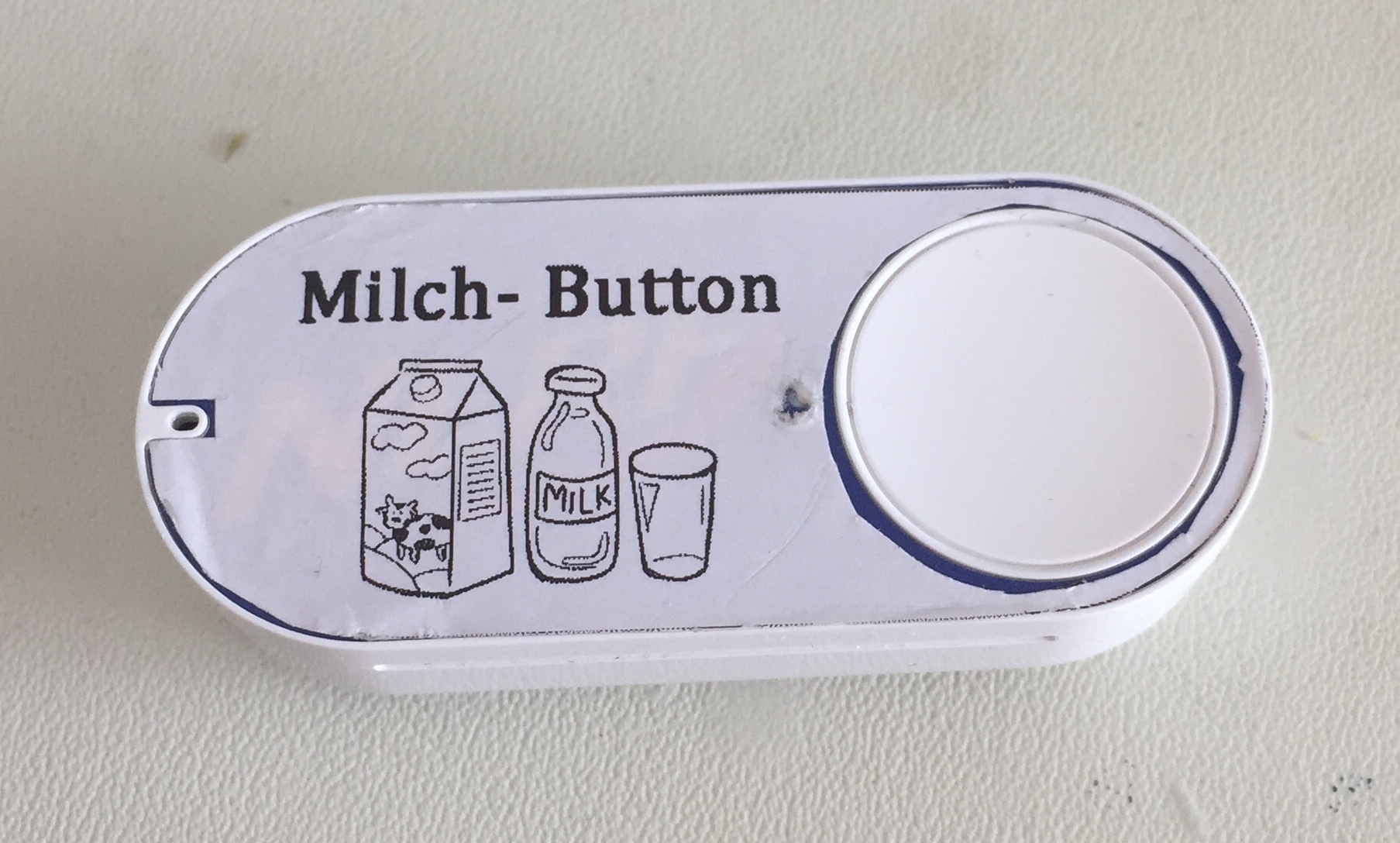
                                        Wer möchte, hab eine Vorlage gebastelt. So kann man sich sein eigenes Etikett erstellen.

                                        Charly
                                        978_dash_button.jpg
                                        978_img_0857.jpg

                                        1 Reply Last reply
                                        0
                                        • M Offline
                                          M Offline
                                          Moses1989
                                          wrote on last edited by
                                          #43

                                          Ich habe das gleiche Problem wie oldi-2000.

                                          Server läuft auch mit Ubuntu 16 und ich bekomme den Dash Button Adapter auch nicht installiert.

                                          Ich habe Python 2.7.12 und Node v0.10.33 drauf.

                                          $ ./iobroker add amazon-dash
                                          npm install iobroker.amazon-dash --production --prefix "/opt/iobroker" (System call)
                                          npm
                                           ERR! not a package /tmp/npm-3186-jmsB2Zl0/github.com/mranney/node_pcap
                                          npm
                                           ERR! Error: ENOENT, open '/tmp/npm-3186-jmsB2Zl0/github.com/mranney/node_pcap-unpack/package.json'
                                          npm
                                           ERR! If you need help, you may report this *entire* log,npm ERR! including the npm and node versions, at:
                                          npm ERR!     <http: github.com/npm/issues="">
                                          
                                          npm
                                           ERR! System Linux 4.4.0-38-genericnpm ERR! command "/usr/local/bin/node" "/usr/local/bin/npm" "install" "iobroker.amazon-dash" "--production" "--prefix" "/opt/iobroker"
                                          npm
                                           ERR! cwd /npm ERR! node -v v0.10.33
                                          
                                          npm ERR! npm -v 1.4.28
                                          npm ERR! path /tmp/npm-3186-jmsB2Zl0/github.com/mranney/node_pcap-unpack/package.json
                                          npm ERR! code ENOENT
                                          npm ERR! errno 34
                                          npm ERR! not ok code 0
                                          ERROR: host.server Cannot install iobroker.amazon-dash: 34
                                          ERROR: process exited with code 25</http:>
                                          

                                          Hat jemand vielleicht noch eine Idee ?

                                          @oldi-2000 Hast du es ans laufen bekommen?

                                          grüße moses

                                          1 Reply Last reply
                                          0
                                          Reply
                                          • Reply as topic
                                          Log in to reply
                                          • Oldest to Newest
                                          • Newest to Oldest
                                          • Most Votes


                                          Support us

                                          ioBroker
                                          Community Adapters
                                          Donate
                                          FAQ Cloud / IOT
                                          HowTo: Node.js-Update
                                          HowTo: Backup/Restore
                                          Downloads
                                          BLOG

                                          382

                                          Online

                                          32.7k

                                          Users

                                          82.5k

                                          Topics

                                          1.3m

                                          Posts
                                          Community
                                          Impressum | Datenschutz-Bestimmungen | Nutzungsbedingungen | Einwilligungseinstellungen
                                          ioBroker Community 2014-2025
                                          logo
                                          • Login

                                          • Don't have an account? Register

                                          • Login or register to search.
                                          • First post
                                            Last post
                                          0
                                          • Home
                                          • Recent
                                          • Tags
                                          • Unread 0
                                          • Categories
                                          • Unreplied
                                          • Popular
                                          • GitHub
                                          • Docu
                                          • Hilfe