
NEWS




ioBroker.js-controller 1.5.6
-
Gerade auch Javascript und js-controller auf neueste Version hochgezogen.
Bisher alles unauffällig, Vis "Empty ID" Fehler s ist weg. :+1:Bisher keine Fehler im Log von DasWetter . Behalte es mal im Auge:wink:
-
Gerade auch Javascript und js-controller auf neueste Version hochgezogen.
Bisher alles unauffällig, Vis "Empty ID" Fehler s ist weg. :+1:Bisher keine Fehler im Log von DasWetter . Behalte es mal im Auge:wink:
-
Gerade auch Javascript und js-controller auf neueste Version hochgezogen.
Bisher alles unauffällig, Vis "Empty ID" Fehler s ist weg. :+1:Bisher keine Fehler im Log von DasWetter . Behalte es mal im Auge:wink:
@coyote sagte in ioBroker.js-controller 1.5.6:
Bisher keine Fehler im Log von DasWetter . Behalte es mal im Auge
War bei mir auch so, der kommt erst später.....
-
Участник @PrinzEisenherz1 написал в ioBroker.js-controller 1.5.6:
- */16 * * * *
Kannst du auf "*/16 * * * *" ändern? Sonst wird es jede Sekunde ausgeführt
@Bluefox sagte in ioBroker.js-controller 1.5.6:
Участник @PrinzEisenherz1 написал в ioBroker.js-controller 1.5.6:
*/16 * * * *
Kannst du auf "*/16 * * * *" ändern? Sonst wird es jede Sekunde ausgeführt
Ah, auch gerade den Fehler gemerkt.
-
Nach neustart alles gut.
repetier.0	2019-02-13 21:05:24.548	info	starting. Version 0.0.1 in /opt/iobroker/node_modules/iobroker.repetier, node: v8.12.0
host.debian	2019-02-13 21:05:24.013	info	instance system.adapter.repetier.0 started with pid 31337
host.debian	2019-02-13 21:05:21.150	info	instance system.adapter.repetier.0 terminated with code 0 (OK)
host.debian	2019-02-13 21:05:18.227	info	instance scheduled system.adapter.daswetter.0 */15 * * * *
repetier.0	2019-02-13 21:05:16.608	info	starting. Version 0.0.1 in /opt/iobroker/node_modules/iobroker.repetier, node: v8.12.0
host.debian	2019-02-13 21:05:16.013	info	instance system.adapter.repetier.0 started with pid 31323
host.debian	2019-02-13 21:05:15.722	warn	stopInstance system.adapter.daswetter.0 not scheduled
host.debian	2019-02-13 21:05:15.722	info	stopInstance system.adapter.daswetter.0
host.debian	2019-02-13 21:05:15.721	info	object change system.adapter.daswetter.0
Schätze, dass der Fehler erst nach dem ersten Schedule kommt
-
Gestern hatte ich ohne Erfolg 1.5.4. versucht, heute 1.5.6.
Ich denke ich habe woanders Probleme. Irgendwie habe ich neben opt/iobroker auch home/iobroker... im zweiten habe ich aber keine Rechte... sudo cd /home/iobroker geht auch nicht.NPM version: 6.4.1 npm version >= 5: disabling package-lock Could not check npm version: Error: EACCES: permission denied, open '/opt/iobroker/.npmrc' Assuming that correct version is installed. > node-bluetooth@1.2.5 install /opt/iobroker/node_modules/node-bluetooth > node-gyp configure build gyp WARN EACCES user "root" does not have permission to access the dev dir "/home/iobroker/.node-gyp/8.15.0" gyp WARN EACCES attempting to reinstall using temporary dev dir "/opt/iobroker/node_modules/node-bluetooth/.node-gyp" gyp WARN install got an error, rolling back install gyp WARN install got an error, rolling back install gyp ERR! configure error gyp ERR! stack Error: EACCES: permission denied, mkdir '/opt/iobroker/node_modules/node-bluetooth/.node-gyp' gyp ERR! System Linux 4.15.0-45-generic gyp ERR! command "/usr/bin/node" "/usr/lib/node_modules/npm/node_modules/node-gyp/bin/node-gyp.js" "configure" "build" gyp ERR! cwd /opt/iobroker/node_modules/node-bluetooth gyp ERR! node -v v8.15.0 gyp ERR! node-gyp -v v3.8.0 gyp ERR! not ok > ursa-optional@0.9.10 install /opt/iobroker/node_modules/ursa-optional > node rebuild.js ursaNative bindings compilation fail. This is not an issue. Modules that depend on it will use fallbacks. fs.js:646 return binding.open(pathModule._makeLong(path), stringToFlags(flags), mode); ^ Error: EACCES: permission denied, open './stdout.log' at Object.fs.openSync (fs.js:646:18) at Object.fs.writeFileSync (fs.js:1299:33) at Object.<anonymous> (/opt/iobroker/node_modules/ursa-optional/rebuild.js:13:10) at Module._compile (module.js:653:30) at Object.Module._extensions..js (module.js:664:10) at Module.load (module.js:566:32) at tryModuleLoad (module.js:506:12) at Function.Module._load (module.js:498:3) at Function.Module.runMain (module.js:694:10) at startup (bootstrap_node.js:204:16) > usb@1.5.0 install /opt/iobroker/node_modules/usb > node-pre-gyp install --fallback-to-build node-pre-gyp WARN Using request for node-pre-gyp https download node-pre-gyp WARN Tried to download(404): https://github.com/tessel/node-usb/releases/download/1.5.0/usb_bindings-v1.5.0-node-v57-linux-x64.tar.gz node-pre-gyp WARN Pre-built binaries not found for usb@1.5.0 and node@8.15.0 (node-v57 ABI, glibc) (falling back to source compile with node-gyp) gyp WARN EACCES user "root" does not have permission to access the dev dir "/home/iobroker/.node-gyp/8.15.0" gyp WARN EACCES attempting to reinstall using temporary dev dir "/opt/iobroker/node_modules/usb/.node-gyp" gyp WARN install got an error, rolling back install gyp WARN install got an error, rolling back install gyp ERR! configure error gyp ERR! stack Error: EACCES: permission denied, mkdir '/opt/iobroker/node_modules/usb/.node-gyp' gyp ERR! System Linux 4.15.0-45-generic gyp ERR! command "/usr/bin/node" "/usr/lib/node_modules/npm/node_modules/node-gyp/bin/node-gyp.js" "configure" "--fallback-to-build" "--module=/opt/iobroker/node_modules/usb/src/binding/usb_bindings.node" "--module_name=usb_bindings" "--module_path=/opt/iobroker/node_modules/usb/src/binding" "--napi_version=3" "--node_abi_napi=napi" "--napi_build_version=0" "--node_napi_label=node-v57" gyp ERR! cwd /opt/iobroker/node_modules/usb gyp ERR! node -v v8.15.0 gyp ERR! node-gyp -v v3.8.0 gyp ERR! not ok node-pre-gyp ERR! build error node-pre-gyp ERR! stack Error: Failed to execute '/usr/bin/node /usr/lib/node_modules/npm/node_modules/node-gyp/bin/node-gyp.js configure --fallback-to-build --module=/opt/iobroker/node_modules/usb/src/binding/usb_bindings.node --module_name=usb_bindings --module_path=/opt/iobroker/node_modules/usb/src/binding --napi_version=3 --node_abi_napi=napi --napi_build_version=0 --node_napi_label=node-v57' (1) node-pre-gyp ERR! stack at ChildProcess.<anonymous> (/opt/iobroker/node_modules/usb/node_modules/node-pre-gyp/lib/util/compile.js:83:29) node-pre-gyp ERR! stack at emitTwo (events.js:126:13) node-pre-gyp ERR! stack at ChildProcess.emit (events.js:214:7) node-pre-gyp ERR! stack at maybeClose (internal/child_process.js:915:16) node-pre-gyp ERR! stack at Process.ChildProcess._handle.onexit (internal/child_process.js:209:5) node-pre-gyp ERR! System Linux 4.15.0-45-generic node-pre-gyp ERR! command "/usr/bin/node" "/opt/iobroker/node_modules/usb/node_modules/.bin/node-pre-gyp" "install" "--fallback-to-build" node-pre-gyp ERR! cwd /opt/iobroker/node_modules/usb node-pre-gyp ERR! node -v v8.15.0 node-pre-gyp ERR! node-pre-gyp -v v0.11.0 node-pre-gyp ERR! not ok Failed to execute '/usr/bin/node /usr/lib/node_modules/npm/node_modules/node-gyp/bin/node-gyp.js configure --fallback-to-build --module=/opt/iobroker/node_modules/usb/src/binding/usb_bindings.node --module_name=usb_bindings --module_path=/opt/iobroker/node_modules/usb/src/binding --napi_version=3 --node_abi_napi=napi --napi_build_version=0 --node_napi_label=node-v57' (1) > diskusage@0.2.6 install /opt/iobroker/node_modules/diskusage > node-gyp rebuild gyp WARN EACCES user "root" does not have permission to access the dev dir "/home/iobroker/.node-gyp/8.15.0" gyp WARN EACCES attempting to reinstall using temporary dev dir "/opt/iobroker/node_modules/diskusage/.node-gyp" gyp WARN install got an error, rolling back install gyp WARN install got an error, rolling back install gyp ERR! configure error gyp ERR! stack Error: EACCES: permission denied, mkdir '/opt/iobroker/node_modules/diskusage/.node-gyp' gyp ERR! System Linux 4.15.0-45-generic gyp ERR! command "/usr/bin/node" "/usr/lib/node_modules/npm/node_modules/node-gyp/bin/node-gyp.js" "rebuild" gyp ERR! cwd /opt/iobroker/node_modules/diskusage gyp ERR! node -v v8.15.0 gyp ERR! node-gyp -v v3.8.0 gyp ERR! not ok > iobroker.js-controller@1.5.6 install /opt/iobroker/node_modules/iobroker.js-controller > node iobroker.js setup first Cannot delete file. Not critical: Error: EACCES: permission denied, unlink '/opt/iobroker/node_modules/iobroker.js-controller/lib/setup/../../_service_iobroker.bat' Cannot delete file. Not critical: Error: EACCES: permission denied, unlink '/opt/iobroker/node_modules/iobroker.js-controller/lib/setup/../../iobroker.bat' fs.js:885 return binding.mkdir(pathModule._makeLong(path), ^ Error: EACCES: permission denied, mkdir '/opt/iobroker/node_modules/iobroker.js-controller/lib/setup/../../tmp' at Object.fs.mkdirSync (fs.js:885:18) at Setup.setup (/opt/iobroker/node_modules/iobroker.js-controller/lib/setup/setupSetup.js:157:58) at /opt/iobroker/node_modules/iobroker.js-controller/lib/setup.js:634:27 at processCommand (/opt/iobroker/node_modules/iobroker.js-controller/lib/setup.js:664:15) at Object.module.exports.execute (/opt/iobroker/node_modules/iobroker.js-controller/lib/setup.js:3159:5) at Object.<anonymous> (/opt/iobroker/node_modules/iobroker.js-controller/iobroker.js:1:100) at Module._compile (module.js:653:30) at Object.Module._extensions..js (module.js:664:10) at Module.load (module.js:566:32) at tryModuleLoad (module.js:506:12) npm WARN onvif-snapshot@1.0.2 requires a peer of onvif@^0.5.5 but none is installed. You must install peer dependencies yourself. npm WARN optional SKIPPING OPTIONAL DEPENDENCY: xpc-connection@0.1.4 (node_modules/xpc-connection): npm WARN notsup SKIPPING OPTIONAL DEPENDENCY: Unsupported platform for xpc-connection@0.1.4: wanted {"os":"darwin","arch":"any"} (current: {"os":"linux","arch":"x64"}) npm WARN optional SKIPPING OPTIONAL DEPENDENCY: @abandonware/bluetooth-hci-socket@0.5.3-1 (node_modules/@abandonware/bluetooth-hci-socket): npm WARN optional SKIPPING OPTIONAL DEPENDENCY: @abandonware/bluetooth-hci-socket@0.5.3-1 preinstall: `npm install node-pre-gyp` npm WARN optional SKIPPING OPTIONAL DEPENDENCY: Exit status 243 npm WARN optional SKIPPING OPTIONAL DEPENDENCY: node-bluetooth@1.2.5 (node_modules/node-bluetooth): npm WARN optional SKIPPING OPTIONAL DEPENDENCY: node-bluetooth@1.2.5 install: `node-gyp configure build` npm WARN optional SKIPPING OPTIONAL DEPENDENCY: Exit status 1 npm WARN optional SKIPPING OPTIONAL DEPENDENCY: ursa-optional@0.9.10 (node_modules/ursa-optional): npm WARN optional SKIPPING OPTIONAL DEPENDENCY: ursa-optional@0.9.10 install: `node rebuild.js` npm WARN optional SKIPPING OPTIONAL DEPENDENCY: Exit status 1 npm WARN optional SKIPPING OPTIONAL DEPENDENCY: usb@1.5.0 (node_modules/usb): npm WARN optional SKIPPING OPTIONAL DEPENDENCY: usb@1.5.0 install: `node-pre-gyp install --fallback-to-build` npm WARN optional SKIPPING OPTIONAL DEPENDENCY: Exit status 1 npm WARN optional SKIPPING OPTIONAL DEPENDENCY: diskusage@0.2.6 (node_modules/diskusage): npm WARN optional SKIPPING OPTIONAL DEPENDENCY: diskusage@0.2.6 install: `node-gyp rebuild` npm WARN optional SKIPPING OPTIONAL DEPENDENCY: Exit status 1 npm ERR! code ELIFECYCLE npm ERR! errno 1 npm ERR! iobroker.js-controller@1.5.6 install: `node iobroker.js setup first` npm ERR! Exit status 1 npm ERR! npm ERR! Failed at the iobroker.js-controller@1.5.6 install script. npm ERR! This is probably not a problem with npm. There is likely additional logging output above. npm ERR! A complete log of this run can be found in: npm ERR! /home/iobroker/.npm/_logs/2019-02-13T19_51_21_042Z-debug.log iobroker@iobroker-ubuntu:/opt/iobroker$ -
@Bluefox sagte in ioBroker.js-controller 1.5.6:
@Homer1976 Eigentlich DasWetter läuft alle 15 Minuten und stoppt sich.
Code 11 ist genau das.Bei mit kommt jetzt auch ein Fehler:
daswetter.0 2019-02-13 20:30:02.224 error at WS.Transport.onPacket (C:\ioBroker\node_modules\engine.io-client\lib\transport.js:145:8) daswetter.0 2019-02-13 20:30:02.224 error at WS.Emitter.emit (C:\ioBroker\node_modules\engine.io-client\node_modules\component-emitter\index.js:133:20) daswetter.0 2019-02-13 20:30:02.224 error at WS.<anonymous> (C:\ioBroker\node_modules\engine.io-client\lib\socket.js:268:10) daswetter.0 2019-02-13 20:30:02.224 error at Socket.onPacket (C:\ioBroker\node_modules\engine.io-client\lib\socket.js:451:14) daswetter.0 2019-02-13 20:30:02.224 error at Socket.Emitter.emit (C:\ioBroker\node_modules\engine.io-client\node_modules\component-emitter\index.js:133:20) daswetter.0 2019-02-13 20:30:02.224 error at Socket.<anonymous> (C:\ioBroker\node_modules\component-bind\index.js:21:15) daswetter.0 2019-02-13 20:30:02.224 error at Manager.ondata (C:\ioBroker\node_modules\socket.io-client\lib\manager.js:322:16) daswetter.0 2019-02-13 20:30:02.224 error at Decoder.add (C:\ioBroker\node_modules\socket.io-parser\index.js:237:14) daswetter.0 2019-02-13 20:30:02.224 error at decodeString (C:\ioBroker\node_modules\socket.io-parser\index.js:325:9) daswetter.0 2019-02-13 20:30:02.224 error at tryParse (C:\ioBroker\node_modules\socket.io-parser\index.js:336:12) daswetter.0 2019-02-13 20:30:02.224 error RangeError: Maximum call stack size exceeded daswetter.0 2019-02-13 20:30:02.224 error uncaught exception: Maximum call stack size exceeded -
@lobomau da kann ich leider jetzt nicht helfen. Man muss sauber alles trennen. Da ist was mit der Installation kaputt
-
@sigi234 Welche DasWetter Version hast du?
kannst du so was probieren ?:
node C:\ioBroker\node_modules\iobroker.daswetter\main.js --logs@Bluefox sagte in ioBroker.js-controller 1.5.6:
@sigi234 Welche DasWetter Version hast du?
kannst du so was probieren ?:
node C:\ioBroker\node_modules\iobroker.daswetter\main.js --logsstarting. Version 2.6.1 in C:/ioBroker/node_modules/iobroker.daswetter, node: v8.15.0 set timeout to 300 sec checking data structures deleting unused dataset, reset to true using new datastructure calling forecast 5 days: http://api.daswetter.com/index.php?api_lang=de&localidad=xxxxx&affiliate_id=xxxxxxx=2.05 days forecast done, objects in list 947 objects in list: 947 calling forecast hourly: http://api.daswetter.com/index.php?api_lang=de&localidad=xxxx&affiliate_id=xxxxxx&v=2.0&h=1 got 148 channels RangeError: Maximum call stack size exceeded at tryParse (C:\ioBroker\node_modules\socket.io-parser\index.js:336:12) at decodeString (C:\ioBroker\node_modules\socket.io-parser\index.js:325:9) at Decoder.add (C:\ioBroker\node_modules\socket.io-parser\index.js:237:14) at Manager.ondata (C:\ioBroker\node_modules\socket.io-client\lib\manager.js:322:16) at Socket.<anonymous> (C:\ioBroker\node_modules\component-bind\index.js:21:15) at Socket.Emitter.emit (C:\ioBroker\node_modules\engine.io-client\node_modules\component-emitter\index.js:133:20) at Socket.onPacket (C:\ioBroker\node_modules\engine.io-client\lib\socket.js:451:14) at WS.<anonymous> (C:\ioBroker\node_modules\engine.io-client\lib\socket.js:268:10) at WS.Emitter.emit (C:\ioBroker\node_modules\engine.io-client\node_modules\component-emitter\index.js:133:20) at WS.Transport.onPacket (C:\ioBroker\node_modules\engine.io-client\lib\transport.js:145:8) hourly forecast done, objects in list 2581 update already running update already running terminating -
@Bluefox sagte in ioBroker.js-controller 1.5.6:
node C:\ioBroker\node_modules\iobroker.daswetter\main.js --logs
Hi Bluefox, also bei mir kommt folgendes
oot@ioBroker-VM:~# node /opt/iobroker/node_modules/iobroker.daswetter/main.js --logs
starting. Version 2.6.1 in /opt/iobroker/node_modules/iobroker.daswetter, node: v8.15.0
set timeout to 80 sec
checking data structures
deleting unused dataset, reset to true
using new datastructure
calling forecast 7 days: http://api.daswetter.com/index.php?api_lang=de&localidad=100557&affiliate_id=1h42khm1qqjz
7 days forecast done, objects in list 107
objects in list: 107
calling forecast hourly: http://api.daswetter.com/index.php?api_lang=de&localidad=100557&affiliate_id=1h42khm1qqjz&v=2.0&h=1
got 150 channels
got 2875 states
hourly forecast done, objects in list 1699
update already running
update already running
nothing to do
exit, all done
root@ioBroker-VM:~#
Ich hab die Version 2.6.1
-
Nach neustart alles gut.
repetier.0	2019-02-13 21:05:24.548	info	starting. Version 0.0.1 in /opt/iobroker/node_modules/iobroker.repetier, node: v8.12.0
host.debian	2019-02-13 21:05:24.013	info	instance system.adapter.repetier.0 started with pid 31337
host.debian	2019-02-13 21:05:21.150	info	instance system.adapter.repetier.0 terminated with code 0 (OK)
host.debian	2019-02-13 21:05:18.227	info	instance scheduled system.adapter.daswetter.0 */15 * * * *
repetier.0	2019-02-13 21:05:16.608	info	starting. Version 0.0.1 in /opt/iobroker/node_modules/iobroker.repetier, node: v8.12.0
host.debian	2019-02-13 21:05:16.013	info	instance system.adapter.repetier.0 started with pid 31323
host.debian	2019-02-13 21:05:15.722	warn	stopInstance system.adapter.daswetter.0 not scheduled
host.debian	2019-02-13 21:05:15.722	info	stopInstance system.adapter.daswetter.0
host.debian	2019-02-13 21:05:15.721	info	object change system.adapter.daswetter.0
Schätze, dass der Fehler erst nach dem ersten Schedule kommt
@coyote sagte in ioBroker.js-controller 1.5.6:
Schätze, dass der Fehler erst nach dem ersten Schedule kommt
Kann ich bestätigen.
-
@Bluefox sagte in ioBroker.js-controller 1.5.6:
node C:\ioBroker\node_modules\iobroker.daswetter\main.js --logs
Hi Bluefox, also bei mir kommt folgendes
oot@ioBroker-VM:~# node /opt/iobroker/node_modules/iobroker.daswetter/main.js --logs
starting. Version 2.6.1 in /opt/iobroker/node_modules/iobroker.daswetter, node: v8.15.0
set timeout to 80 sec
checking data structures
deleting unused dataset, reset to true
using new datastructure
calling forecast 7 days: http://api.daswetter.com/index.php?api_lang=de&localidad=100557&affiliate_id=1h42khm1qqjz
7 days forecast done, objects in list 107
objects in list: 107
calling forecast hourly: http://api.daswetter.com/index.php?api_lang=de&localidad=100557&affiliate_id=1h42khm1qqjz&v=2.0&h=1
got 150 channels
got 2875 states
hourly forecast done, objects in list 1699
update already running
update already running
nothing to do
exit, all done
root@ioBroker-VM:~#
Ich hab die Version 2.6.1
@PrinzEisenherz1 Hier ist alles OK.
-
Bei einer Iobroker Installation mit neuen Installer ist auf die korrekte Rechtevergabe zu achten.
Der Befehlnpm i iobroker.js-controller@1.5.6kann nicht einfach als anderer User ausgeführt werden, da sonst der User iobroker nicht alle Recht hat.
@simatec Nach Rücksprache mit @AlCalzone ist das nicht ganz korrek t- zumindestens nicht mit den Installern seit 20.1. glaube ich.
Dafpr ind die Default ACLs da die vom Instller gesetzt werden
Dann gehören die Dateien zwar dem aktuellen user, iobroker behält trotzdem die Berechtigungen
Beitrag hat geholfen? Votet rechts unten im Beitrag :-) https://paypal.me/Apollon77 / https://github.com/sponsors/Apollon77
- Debug-Log für Instanz einschalten? Admin -> Instanzen -> Expertenmodus -> Instanz aufklappen - Loglevel ändern
- Logfiles auf Platte /opt/iobroker/log/… nutzen, Admin schneidet Zeilen ab
-
@simatec Nach Rücksprache mit @AlCalzone ist das nicht ganz korrek t- zumindestens nicht mit den Installern seit 20.1. glaube ich.
Dafpr ind die Default ACLs da die vom Instller gesetzt werden
Dann gehören die Dateien zwar dem aktuellen user, iobroker behält trotzdem die Berechtigungen
@apollon77
OK dann teste ich das noch einmal mit einer neu aufgesetzten Installation.
Meine aktuelle mit den manuellen Patch, den ich dann als PR für den Installer gepusht hatte, ging es nicht.Aber ich werde das nochmal reproduzieren und berichten 😉
-
@coyote sagte in ioBroker.js-controller 1.5.6:
Schätze, dass der Fehler erst nach dem ersten Schedule kommt
Kann ich bestätigen.
@sigi234 sagte in ioBroker.js-controller 1.5.6:
Kann ich bestätigen.
Also bei mir alles ok, kein Fehler im Log von DasWetter. Sind ja jetzt schon mehrere Zyklen durchgelaufen ohne Probleme....
-
@sigi234 sagte in ioBroker.js-controller 1.5.6:
Kann ich bestätigen.
Also bei mir alles ok, kein Fehler im Log von DasWetter. Sind ja jetzt schon mehrere Zyklen durchgelaufen ohne Probleme....
@coyote sagte in ioBroker.js-controller 1.5.6:
@sigi234 sagte in ioBroker.js-controller 1.5.6:
Kann ich bestätigen.
Also bei mir alles ok, kein Fehler im Log von DasWetter. Sind ja jetzt schon mehrere Zyklen durchgelaufen ohne Probleme....
Hm........... da wären deine Einstellungen vom Adapter interessant.
-
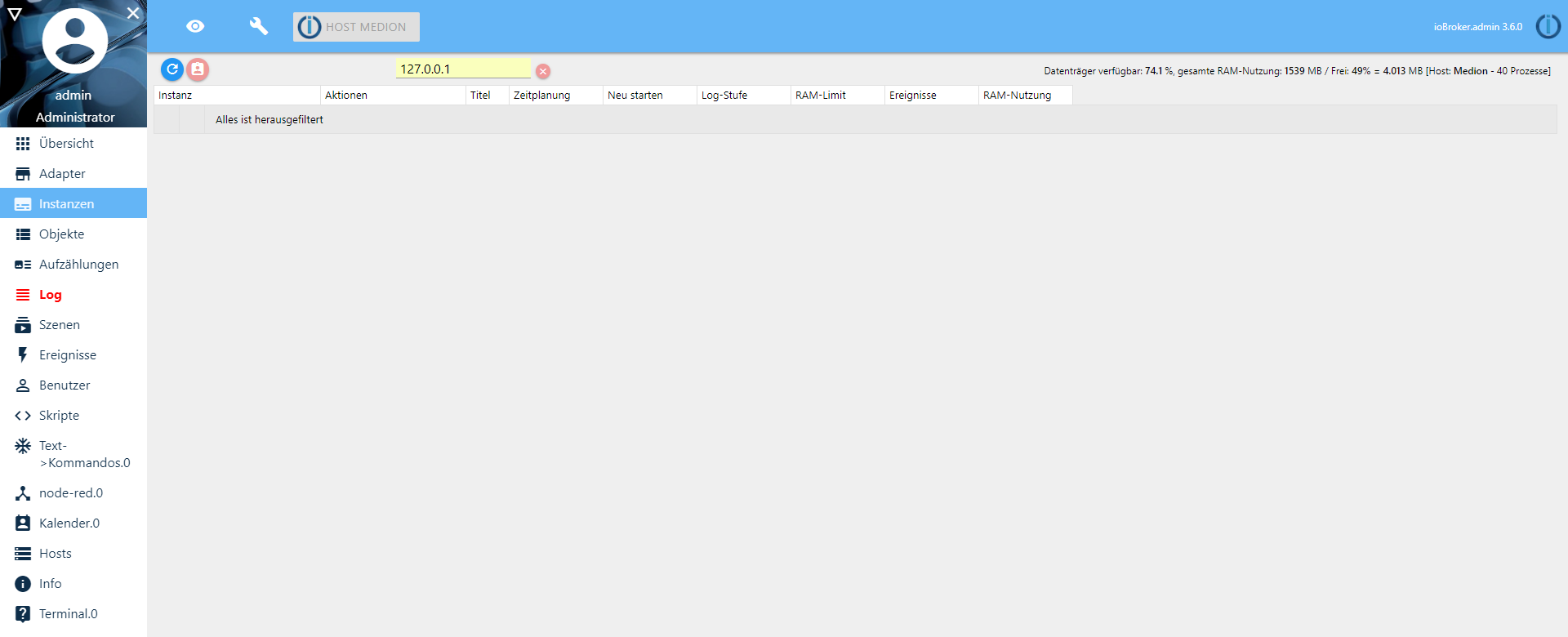
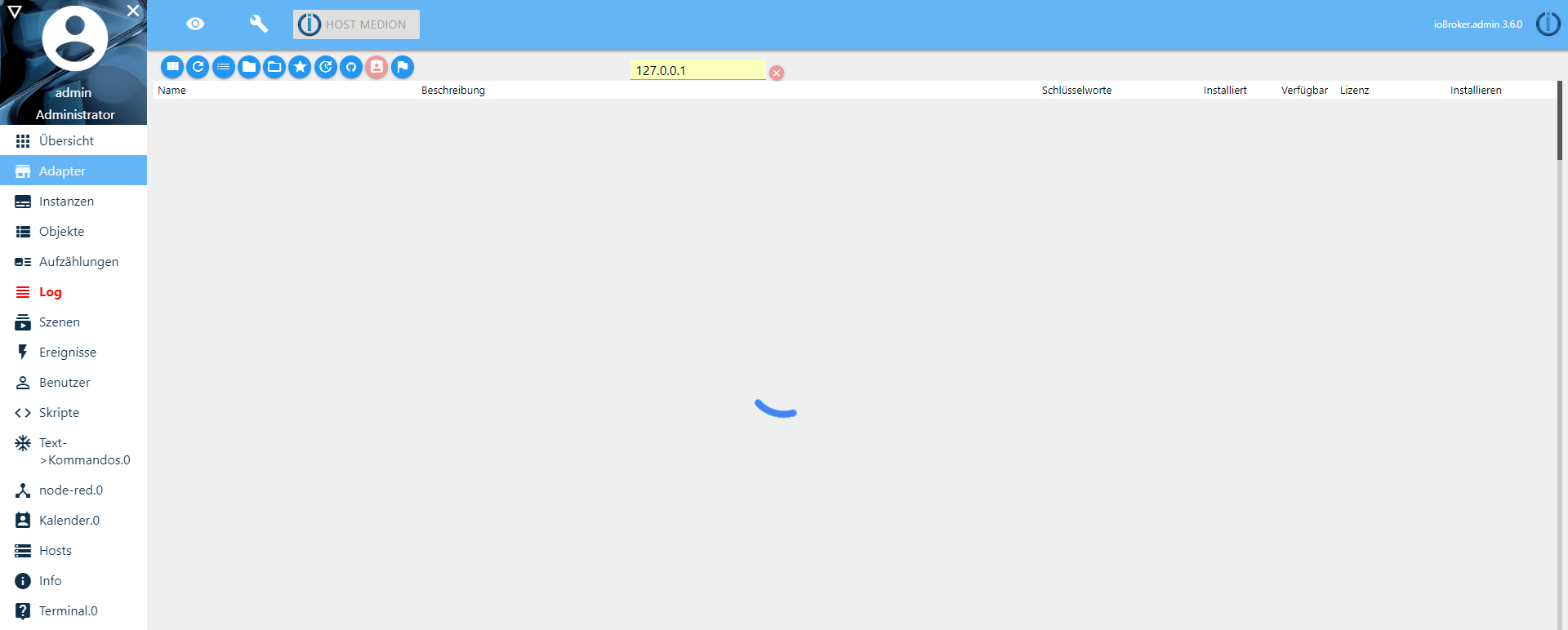
Ich habe folgendes Verhalten beobachtet:
Beim laden wird immer auf 127.0.0.1 gefiltert, wenn ich das Rote X Drücke geht es.
-
Ist nur "neue Datenstruktur" angewählt, Pfad 1-4 ausgefüllt, 60Sek Zeitlimit und Iconset 6
Das war's auch schon@coyote sagte in ioBroker.js-controller 1.5.6:
Ist nur "neue Datenstruktur" angewählt, Pfad 1-4 ausgefüllt, 60Sek Zeitlimit und Iconset 6
Das war's auch schonAha, ich habe nur Pfad 2+3 drinnen.






Support us
391
Online32.6k
Users82.2k
Topics1.3m
Posts