Skip to content
  • Home
  • Aktuell
  • Tags
  • 0 Ungelesen 0
  • Kategorien
  • Unreplied
  • Beliebt
  • GitHub
  • Docu
  • Hilfe
Skins
  • Light
  • Brite
  • Cerulean
  • Cosmo
  • Flatly
  • Journal
  • Litera
  • Lumen
  • Lux
  • Materia
  • Minty
  • Morph
  • Pulse
  • Sandstone
  • Simplex
  • Sketchy
  • Spacelab
  • United
  • Yeti
  • Zephyr
  • Dark
  • Cyborg
  • Darkly
  • Quartz
  • Slate
  • Solar
  • Superhero
  • Vapor

  • Standard: (Kein Skin)
  • Kein Skin
Einklappen
ioBroker Logo

Community Forum

donate donate
  1. ioBroker Community Home
  2. Deutsch
  3. Hardware
  4. ShellyPLUS 1PM in ioBroker einbinden

NEWS

  • Weihnachtsangebot 2025! 🎄
    BluefoxB
    Bluefox
    24
    1
    1.3k

  • UPDATE 31.10.: Amazon Alexa - ioBroker Skill läuft aus ?
    apollon77A
    apollon77
    48
    3
    9.3k

  • Monatsrückblick – September 2025
    BluefoxB
    Bluefox
    14
    1
    2.5k

ShellyPLUS 1PM in ioBroker einbinden

Geplant Angeheftet Gesperrt Verschoben Hardware
shellyplus 1pm
76 Beiträge 11 Kommentatoren 9.3k Aufrufe 10 Watching
  • Älteste zuerst
  • Neuste zuerst
  • Meiste Stimmen
Antworten
  • In einem neuen Thema antworten
Anmelden zum Antworten
Dieses Thema wurde gelöscht. Nur Nutzer mit entsprechenden Rechten können es sehen.
  • crunchipC crunchip

    @atticus du hast immer noch 1883 drin stehen
    ja das steht dann auf connected, wenn deine mqtt Verbindung steht

    A Offline
    A Offline
    Atticus
    schrieb am zuletzt editiert von Atticus
    #23

    @crunchip ```

    pi@ioBroker482:~ $ sudo netstat -ltp
    Aktive Internetverbindungen (Nur Server)
    Proto Recv-Q Send-Q Local Address           Foreign Address         State       PID/Program name
    tcp        0      0 ioBroker482.fritz.:2001 0.0.0.0:*               LISTEN      1207/io.hm-rpc.0
    tcp        0      0 127.0.0.53:domain       0.0.0.0:*               LISTEN      324/systemd-resolve
    tcp        0      0 0.0.0.0:ssh             0.0.0.0:*               LISTEN      464/sshd
    tcp        0      0 localhost:ipp           0.0.0.0:*               LISTEN      5466/cupsd
    tcp        0      0 0.0.0.0:55703           0.0.0.0:*               LISTEN      1670/rpc.statd
    tcp        0      0 0.0.0.0:1880            0.0.0.0:*               LISTEN      1144/node-red
    tcp        0      0 0.0.0.0:1882            0.0.0.0:*               LISTEN      27615/io.shelly.1
    tcp        0      0 ioBroker482:pipe-server 0.0.0.0:*               LISTEN      1215/io.hm-rpc.1
    tcp        0      0 ioBroker482.fritz.:8701 0.0.0.0:*               LISTEN      1235/io.hm-rpc.2
    tcp        0      0 ioBroker482.fritz.:8702 0.0.0.0:*               LISTEN      1242/io.hm-rpc.3
    tcp        0      0 ioBroker482.fritz.:8100 0.0.0.0:*               LISTEN      1532/io.doorbird.0
    tcp        0      0 localhost:9000          0.0.0.0:*               LISTEN      440/iobroker.js-con
    tcp        0      0 localhost:9001          0.0.0.0:*               LISTEN      440/iobroker.js-con
    tcp        0      0 0.0.0.0:hostmon         0.0.0.0:*               LISTEN      324/systemd-resolve
    tcp        0      0 ioBroker482.fritz:18701 0.0.0.0:*               LISTEN      1257/io.hm-rpc.4
    tcp        0      0 0.0.0.0:sunrpc          0.0.0.0:*               LISTEN      1/init
    tcp6       0      0 [::]:tproxy             [::]:*                  LISTEN      1038/io.admin.0
    tcp6       0      0 [::]:8082               [::]:*                  LISTEN      1803/io.web.0
    tcp6       0      0 [::]:8084               [::]:*                  LISTEN      1689/io.socketio.0
    tcp6       0      0 [::]:ssh                [::]:*                  LISTEN      464/sshd
    tcp6       0      0 localhost:ipp           [::]:*                  LISTEN      5466/cupsd
    tcp6       0      0 [::]:8087               [::]:*                  LISTEN      1677/io.simple-api.
    tcp6       0      0 [::]:omniorb            [::]:*                  LISTEN      1713/io.terminal.0
    tcp6       0      0 [::]:40385              [::]:*                  LISTEN      1670/rpc.statd
    tcp6       0      0 [::]:hostmon            [::]:*                  LISTEN      324/systemd-resolve
    tcp6       0      0 [::]:sunrpc             [::]:*                  LISTEN      1/init
    pi@ioBroker482:~ $


    War der alte Scrennshot :-)

    crunchipC 1 Antwort Letzte Antwort
    0
    • A Atticus

      @crunchip ```

      pi@ioBroker482:~ $ sudo netstat -ltp
      Aktive Internetverbindungen (Nur Server)
      Proto Recv-Q Send-Q Local Address           Foreign Address         State       PID/Program name
      tcp        0      0 ioBroker482.fritz.:2001 0.0.0.0:*               LISTEN      1207/io.hm-rpc.0
      tcp        0      0 127.0.0.53:domain       0.0.0.0:*               LISTEN      324/systemd-resolve
      tcp        0      0 0.0.0.0:ssh             0.0.0.0:*               LISTEN      464/sshd
      tcp        0      0 localhost:ipp           0.0.0.0:*               LISTEN      5466/cupsd
      tcp        0      0 0.0.0.0:55703           0.0.0.0:*               LISTEN      1670/rpc.statd
      tcp        0      0 0.0.0.0:1880            0.0.0.0:*               LISTEN      1144/node-red
      tcp        0      0 0.0.0.0:1882            0.0.0.0:*               LISTEN      27615/io.shelly.1
      tcp        0      0 ioBroker482:pipe-server 0.0.0.0:*               LISTEN      1215/io.hm-rpc.1
      tcp        0      0 ioBroker482.fritz.:8701 0.0.0.0:*               LISTEN      1235/io.hm-rpc.2
      tcp        0      0 ioBroker482.fritz.:8702 0.0.0.0:*               LISTEN      1242/io.hm-rpc.3
      tcp        0      0 ioBroker482.fritz.:8100 0.0.0.0:*               LISTEN      1532/io.doorbird.0
      tcp        0      0 localhost:9000          0.0.0.0:*               LISTEN      440/iobroker.js-con
      tcp        0      0 localhost:9001          0.0.0.0:*               LISTEN      440/iobroker.js-con
      tcp        0      0 0.0.0.0:hostmon         0.0.0.0:*               LISTEN      324/systemd-resolve
      tcp        0      0 ioBroker482.fritz:18701 0.0.0.0:*               LISTEN      1257/io.hm-rpc.4
      tcp        0      0 0.0.0.0:sunrpc          0.0.0.0:*               LISTEN      1/init
      tcp6       0      0 [::]:tproxy             [::]:*                  LISTEN      1038/io.admin.0
      tcp6       0      0 [::]:8082               [::]:*                  LISTEN      1803/io.web.0
      tcp6       0      0 [::]:8084               [::]:*                  LISTEN      1689/io.socketio.0
      tcp6       0      0 [::]:ssh                [::]:*                  LISTEN      464/sshd
      tcp6       0      0 localhost:ipp           [::]:*                  LISTEN      5466/cupsd
      tcp6       0      0 [::]:8087               [::]:*                  LISTEN      1677/io.simple-api.
      tcp6       0      0 [::]:omniorb            [::]:*                  LISTEN      1713/io.terminal.0
      tcp6       0      0 [::]:40385              [::]:*                  LISTEN      1670/rpc.statd
      tcp6       0      0 [::]:hostmon            [::]:*                  LISTEN      324/systemd-resolve
      tcp6       0      0 [::]:sunrpc             [::]:*                  LISTEN      1/init
      pi@ioBroker482:~ $


      War der alte Scrennshot :-)

      crunchipC Abwesend
      crunchipC Abwesend
      crunchip
      Forum Testing Most Active
      schrieb am zuletzt editiert von
      #24

      @atticus sagte in ShellyPLUS 1PM in ioBroker einbinden:

      War der alte Scrennshot

      ich seh keinen neuen

      was zeigt das Log an?

      umgestiegen von Proxmox auf Unraid

      A 1 Antwort Letzte Antwort
      0
      • crunchipC crunchip

        @atticus sagte in ShellyPLUS 1PM in ioBroker einbinden:

        War der alte Scrennshot

        ich seh keinen neuen

        was zeigt das Log an?

        A Offline
        A Offline
        Atticus
        schrieb am zuletzt editiert von
        #25

        @crunchip

        ShellyPlus1pm_006.JPG

        crunchipC 1 Antwort Letzte Antwort
        0
        • A Atticus

          @crunchip

          ShellyPlus1pm_006.JPG

          crunchipC Abwesend
          crunchipC Abwesend
          crunchip
          Forum Testing Most Active
          schrieb am zuletzt editiert von
          #26

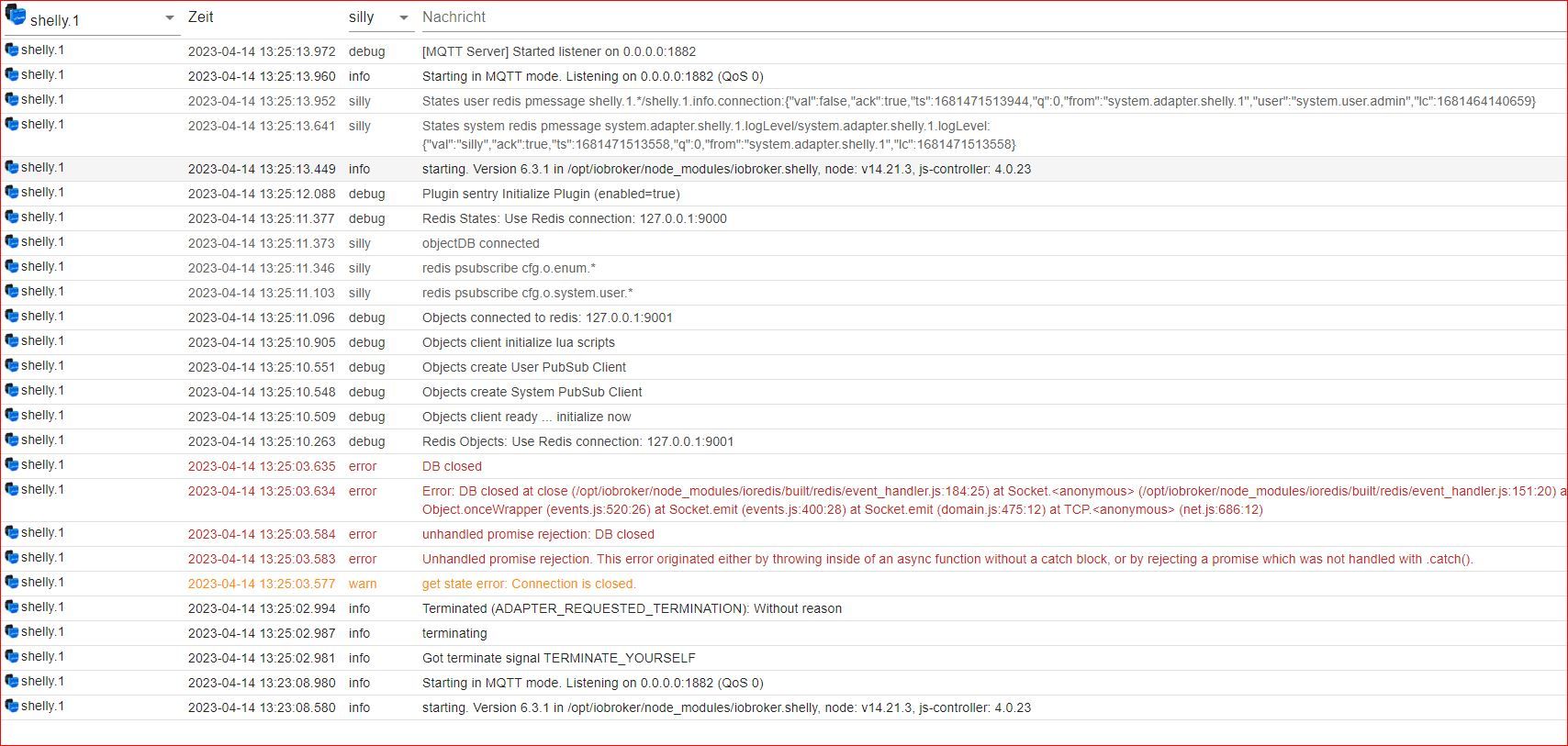
          @atticus starte mal den shelly neu, stell die Instanz auf debug und zeig das Log

          umgestiegen von Proxmox auf Unraid

          A 1 Antwort Letzte Antwort
          0
          • crunchipC crunchip

            @atticus starte mal den shelly neu, stell die Instanz auf debug und zeig das Log

            A Offline
            A Offline
            Atticus
            schrieb am zuletzt editiert von
            #27

            @crunchip

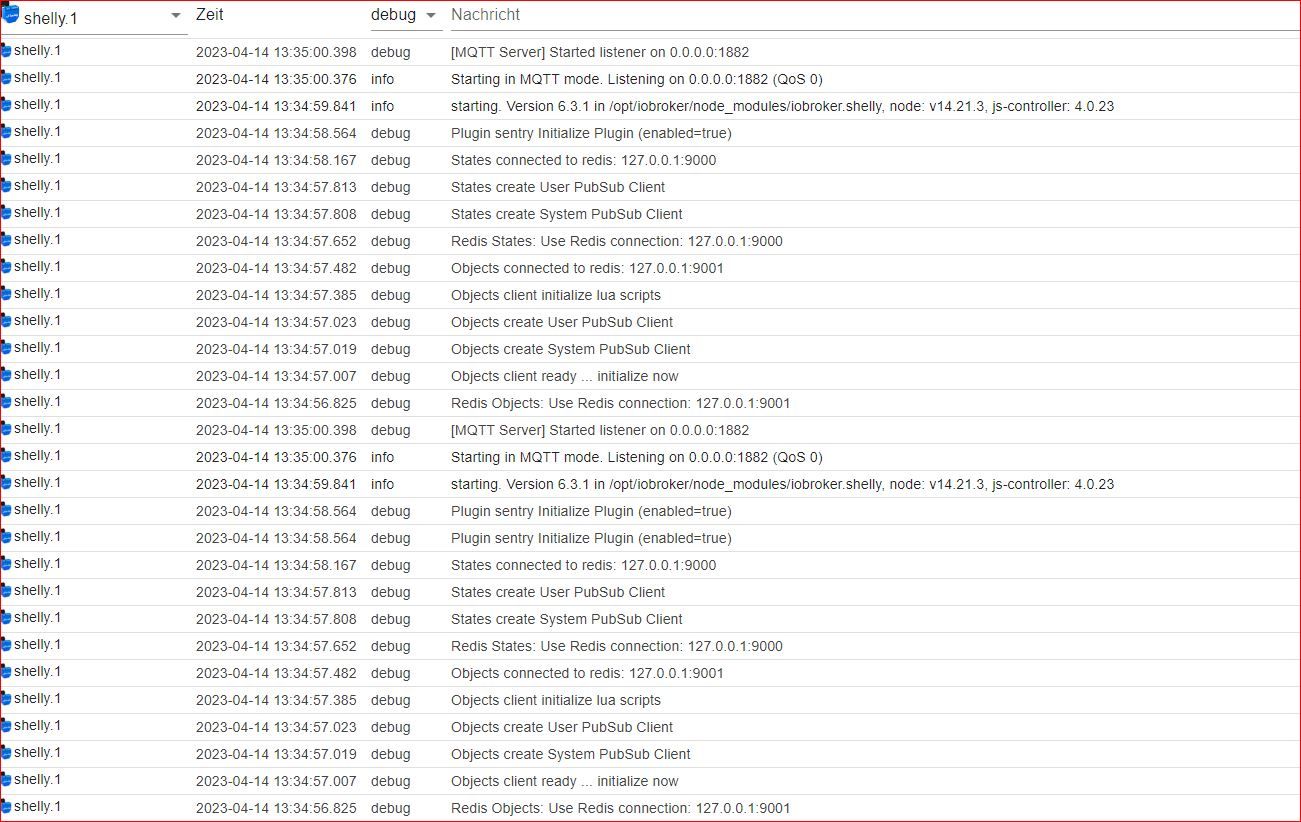
            Shelly neu gestartet, Instanz auf Debug

            ShellyPlus1pm_008.JPG

            crunchipC 1 Antwort Letzte Antwort
            0
            • A Atticus

              @crunchip

              Shelly neu gestartet, Instanz auf Debug

              ShellyPlus1pm_008.JPG

              crunchipC Abwesend
              crunchipC Abwesend
              crunchip
              Forum Testing Most Active
              schrieb am zuletzt editiert von
              #28

              @atticus ich seh keinen Fehler, steht nun die Verbindung?

              umgestiegen von Proxmox auf Unraid

              A 1 Antwort Letzte Antwort
              0
              • crunchipC crunchip

                @atticus ich seh keinen Fehler, steht nun die Verbindung?

                A Offline
                A Offline
                Atticus
                schrieb am zuletzt editiert von
                #29

                @crunchip

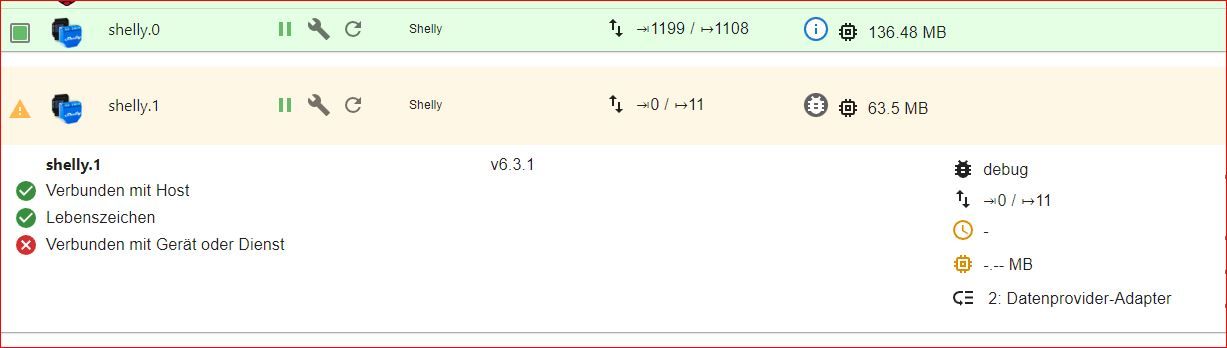
                Nein, es kommt keine Verbindung zu Stande.
                Die Instanz sieht immer noch so aus:
                ShellyPlus1pm_009.JPG

                Soll ich den Shelly noch mal auf Werkseinstellungen resetten? Die Instanz hab ich schon noch mal gelöscht und neu installiert.

                crunchipC S 2 Antworten Letzte Antwort
                0
                • A Atticus

                  @crunchip

                  Nein, es kommt keine Verbindung zu Stande.
                  Die Instanz sieht immer noch so aus:

                  ShellyPlus1pm_009.JPG

                  Soll ich den Shelly noch mal auf Werkseinstellungen resetten? Die Instanz hab ich schon noch mal gelöscht und neu installiert.

                  crunchipC Abwesend
                  crunchipC Abwesend
                  crunchip
                  Forum Testing Most Active
                  schrieb am zuletzt editiert von crunchip
                  #30

                  @atticus sagte in ShellyPLUS 1PM in ioBroker einbinden:

                  Soll ich den Shelly noch mal auf Werkseinstellungen resetten?

                  kannst du probieren

                  ansonsten, geh mal mit der Firmware zurück, vllt liegt es daran
                  http://archive.shelly-tools.de/

                  umgestiegen von Proxmox auf Unraid

                  A 1 Antwort Letzte Antwort
                  0
                  • crunchipC crunchip

                    @atticus sagte in ShellyPLUS 1PM in ioBroker einbinden:

                    Soll ich den Shelly noch mal auf Werkseinstellungen resetten?

                    kannst du probieren

                    ansonsten, geh mal mit der Firmware zurück, vllt liegt es daran
                    http://archive.shelly-tools.de/

                    A Offline
                    A Offline
                    Atticus
                    schrieb am zuletzt editiert von
                    #31

                    @crunchip

                    Auf der Archive Seite von Shelly ist dem Shelly Plus 1PM nicht zu finden, das Ding hat aktuell FW 0.14.1 installiert, da ist nichts vergleichbares zu sehen

                    FriedhofsblondF crunchipC 2 Antworten Letzte Antwort
                    0
                    • A Atticus

                      @crunchip

                      Auf der Archive Seite von Shelly ist dem Shelly Plus 1PM nicht zu finden, das Ding hat aktuell FW 0.14.1 installiert, da ist nichts vergleichbares zu sehen

                      FriedhofsblondF Offline
                      FriedhofsblondF Offline
                      Friedhofsblond
                      schrieb am zuletzt editiert von Friedhofsblond
                      #32

                      @atticus
                      Moin,
                      habe auch Probleme den Shelly Plus 1 pm einzubinden.
                      Die Plug S 2 und 3EM wurden sofort erkannt.
                      Der Plus 1 PM ist der für das Balkonkraftwerk. Wäre wichtig den einzubinden, weil ich mit dem 3EM den Energiefluß darstellen wollte und noch paar andere Sachen.
                      Kann bestätigen, daß man dort kein Benutzer/Passwort anlegen kann. Ich gehe aber nicht über MQTT sondern CoAP.
                      Beim start wird auch die IP-Adresse des PM garn nicht gefunden.
                      Grüße

                      S 1 Antwort Letzte Antwort
                      0
                      • S Offline
                        S Offline
                        SpacerX
                        schrieb am zuletzt editiert von
                        #33

                        @atticus Mach noch mal bitte einen aktuellen Screenshot von den Mqtt Einstellungen des Shellys

                        DS720|Nuc8i3BEH|Proxmox|RaspberryMatic|ioBroker|influxDB2|Grafana

                        1 Antwort Letzte Antwort
                        0
                        • FriedhofsblondF Friedhofsblond

                          @atticus
                          Moin,
                          habe auch Probleme den Shelly Plus 1 pm einzubinden.
                          Die Plug S 2 und 3EM wurden sofort erkannt.
                          Der Plus 1 PM ist der für das Balkonkraftwerk. Wäre wichtig den einzubinden, weil ich mit dem 3EM den Energiefluß darstellen wollte und noch paar andere Sachen.
                          Kann bestätigen, daß man dort kein Benutzer/Passwort anlegen kann. Ich gehe aber nicht über MQTT sondern CoAP.
                          Beim start wird auch die IP-Adresse des PM garn nicht gefunden.
                          Grüße

                          S Offline
                          S Offline
                          SpacerX
                          schrieb am zuletzt editiert von SpacerX
                          #34

                          @friedhofsblond

                          Edit: Sorry war eine Fehlbedienung.:blush:

                          Der Shelly Plus 1PM unterstütz doch gar kein COAP!

                          DS720|Nuc8i3BEH|Proxmox|RaspberryMatic|ioBroker|influxDB2|Grafana

                          FriedhofsblondF 1 Antwort Letzte Antwort
                          0
                          • S SpacerX

                            @friedhofsblond

                            Edit: Sorry war eine Fehlbedienung.:blush:

                            Der Shelly Plus 1PM unterstütz doch gar kein COAP!

                            FriedhofsblondF Offline
                            FriedhofsblondF Offline
                            Friedhofsblond
                            schrieb am zuletzt editiert von
                            #35

                            @spacerx
                            meinst du mich mit MQTT ? - falls ja - ich habe nix bei MQTT aktiviert - nutze ich nicht

                            da_WoodyD 1 Antwort Letzte Antwort
                            0
                            • FriedhofsblondF Friedhofsblond

                              @spacerx
                              meinst du mich mit MQTT ? - falls ja - ich habe nix bei MQTT aktiviert - nutze ich nicht

                              da_WoodyD Online
                              da_WoodyD Online
                              da_Woody
                              schrieb am zuletzt editiert von
                              #36

                              @friedhofsblond aber die plus funktionieren nur mit MQTT

                              gruß vom Woody
                              HAPPINESS is not a DESTINATION, it's a WAY of LIFE!

                              FriedhofsblondF 1 Antwort Letzte Antwort
                              0
                              • da_WoodyD da_Woody

                                @friedhofsblond aber die plus funktionieren nur mit MQTT

                                FriedhofsblondF Offline
                                FriedhofsblondF Offline
                                Friedhofsblond
                                schrieb am zuletzt editiert von
                                #37

                                @da_woody
                                also muß ich dann bei allen MQTT aktivieren?
                                Mist - hab da keinen Schimmer von.

                                da_WoodyD S 2 Antworten Letzte Antwort
                                0
                                • A Atticus

                                  @crunchip

                                  Nein, es kommt keine Verbindung zu Stande.
                                  Die Instanz sieht immer noch so aus:

                                  ShellyPlus1pm_009.JPG

                                  Soll ich den Shelly noch mal auf Werkseinstellungen resetten? Die Instanz hab ich schon noch mal gelöscht und neu installiert.

                                  S Offline
                                  S Offline
                                  SpacerX
                                  schrieb am zuletzt editiert von SpacerX
                                  #38

                                  @atticus Noch mal der Auszug aus der md zu Plus Geräten.

                                  • Aktiviere MQTT und gib die gerade konfigurierten Benutzerdaten und die IP-Adresse deiner ioBroker-Installation ein - gefolgt vom konfigurierten Port (beispielsweise 192.168.1.2:1882)
                                    Speichere die Konfiguration - der Shelly startet automatisch neu

                                  • Ändere nicht die "client id" in dieser Konfiguration

                                  • Für Generation 2 Geräte müssen alle RPC-Optionen aktiviert werden (siehe Screenshots)!

                                  • SSL darf nicht aktiviert werden

                                  In deinem letzten Screenshot der Einstellungen ist zu sehen das du die Client-ID geändert hast.

                                  DS720|Nuc8i3BEH|Proxmox|RaspberryMatic|ioBroker|influxDB2|Grafana

                                  A 1 Antwort Letzte Antwort
                                  0
                                  • FriedhofsblondF Friedhofsblond

                                    @da_woody
                                    also muß ich dann bei allen MQTT aktivieren?
                                    Mist - hab da keinen Schimmer von.

                                    da_WoodyD Online
                                    da_WoodyD Online
                                    da_Woody
                                    schrieb am zuletzt editiert von
                                    #39

                                    @friedhofsblond ist keine raketen wissenschaft.
                                    entweder für die neuen dinger ne 2. instanz, oder alle auf mqtt umstellen. da brauchst du keinen schimmer haben. ist easy, weil kein extra mqtt server benötigt wird.

                                    gruß vom Woody
                                    HAPPINESS is not a DESTINATION, it's a WAY of LIFE!

                                    1 Antwort Letzte Antwort
                                    0
                                    • FriedhofsblondF Friedhofsblond

                                      @da_woody
                                      also muß ich dann bei allen MQTT aktivieren?
                                      Mist - hab da keinen Schimmer von.

                                      S Offline
                                      S Offline
                                      SpacerX
                                      schrieb am zuletzt editiert von
                                      #40

                                      @friedhofsblond Da COAP bei den neuen Geräten nicht mehr unterstützt wird wäre es doch naheliegend alle Shelly's auf MQTT umzustellen. So Brauchst du nur eine Instanz.

                                      DS720|Nuc8i3BEH|Proxmox|RaspberryMatic|ioBroker|influxDB2|Grafana

                                      da_WoodyD FriedhofsblondF 2 Antworten Letzte Antwort
                                      0
                                      • S SpacerX

                                        @friedhofsblond Da COAP bei den neuen Geräten nicht mehr unterstützt wird wäre es doch naheliegend alle Shelly's auf MQTT umzustellen. So Brauchst du nur eine Instanz.

                                        da_WoodyD Online
                                        da_WoodyD Online
                                        da_Woody
                                        schrieb am zuletzt editiert von
                                        #41

                                        @spacerx nuja, das ist relativ. ich hab keinen bock >80 shelly umzustellen... :D
                                        da ist mir eine 2. instanz lieber... ;)

                                        gruß vom Woody
                                        HAPPINESS is not a DESTINATION, it's a WAY of LIFE!

                                        1 Antwort Letzte Antwort
                                        1
                                        • S SpacerX

                                          @friedhofsblond Da COAP bei den neuen Geräten nicht mehr unterstützt wird wäre es doch naheliegend alle Shelly's auf MQTT umzustellen. So Brauchst du nur eine Instanz.

                                          FriedhofsblondF Offline
                                          FriedhofsblondF Offline
                                          Friedhofsblond
                                          schrieb am zuletzt editiert von
                                          #42

                                          @spacerx
                                          Ah, jetzt dämmerts. Ich dachte ich muß noch irgendwo einen MQTT-Server hinbasteln.
                                          OK, dann versuche ich morgen mal was.
                                          Muß jetzt meine GEZ abnutzen ... Gute Nacht

                                          S da_WoodyD 2 Antworten Letzte Antwort
                                          0
                                          Antworten
                                          • In einem neuen Thema antworten
                                          Anmelden zum Antworten
                                          • Älteste zuerst
                                          • Neuste zuerst
                                          • Meiste Stimmen


                                          Support us

                                          ioBroker
                                          Community Adapters
                                          Donate

                                          756

                                          Online

                                          32.5k

                                          Benutzer

                                          81.7k

                                          Themen

                                          1.3m

                                          Beiträge
                                          Community
                                          Impressum | Datenschutz-Bestimmungen | Nutzungsbedingungen | Einwilligungseinstellungen
                                          ioBroker Community 2014-2025
                                          logo
                                          • Anmelden

                                          • Du hast noch kein Konto? Registrieren

                                          • Anmelden oder registrieren, um zu suchen
                                          • Erster Beitrag
                                            Letzter Beitrag
                                          0
                                          • Home
                                          • Aktuell
                                          • Tags
                                          • Ungelesen 0
                                          • Kategorien
                                          • Unreplied
                                          • Beliebt
                                          • GitHub
                                          • Docu
                                          • Hilfe