




Anfänger sucht Hilfe bei Install. proxmox auf INTELNUC8i3BEK
-
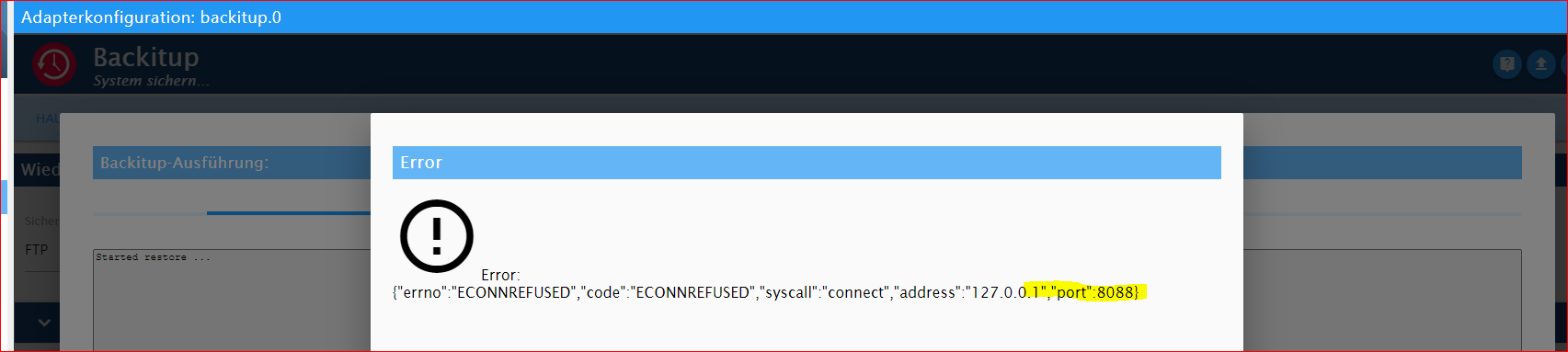
Sorry, dies habe ich nicht ordentlich gekennzeichnet, dies war schon der Screen vom backitup vom iobroker-NUC.
Du bist Hellseher !
RESTORE INFLUXDB:
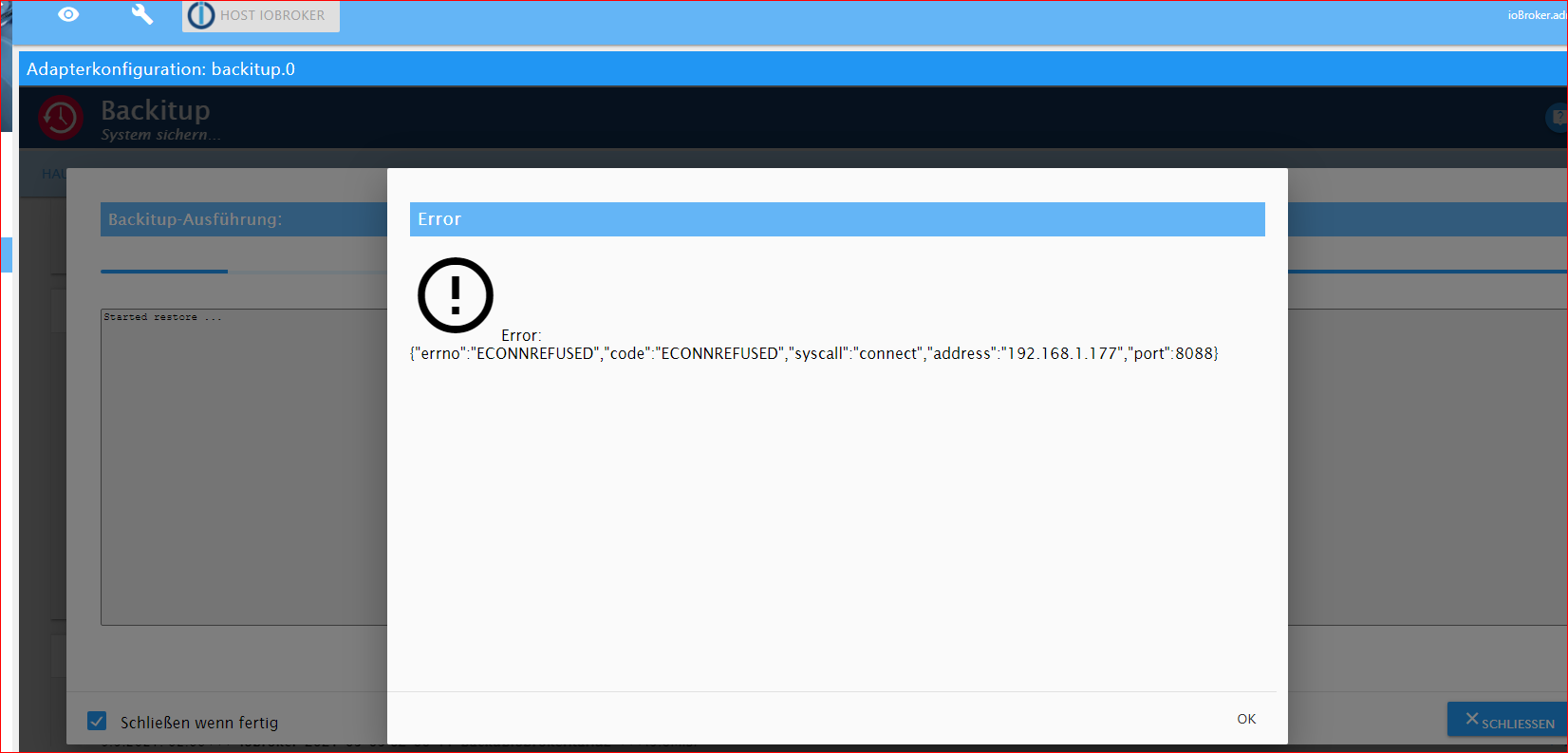
Den iobroker hat er mir aber jetzt gemacht. Ein 1. Schritt ist mal getan !

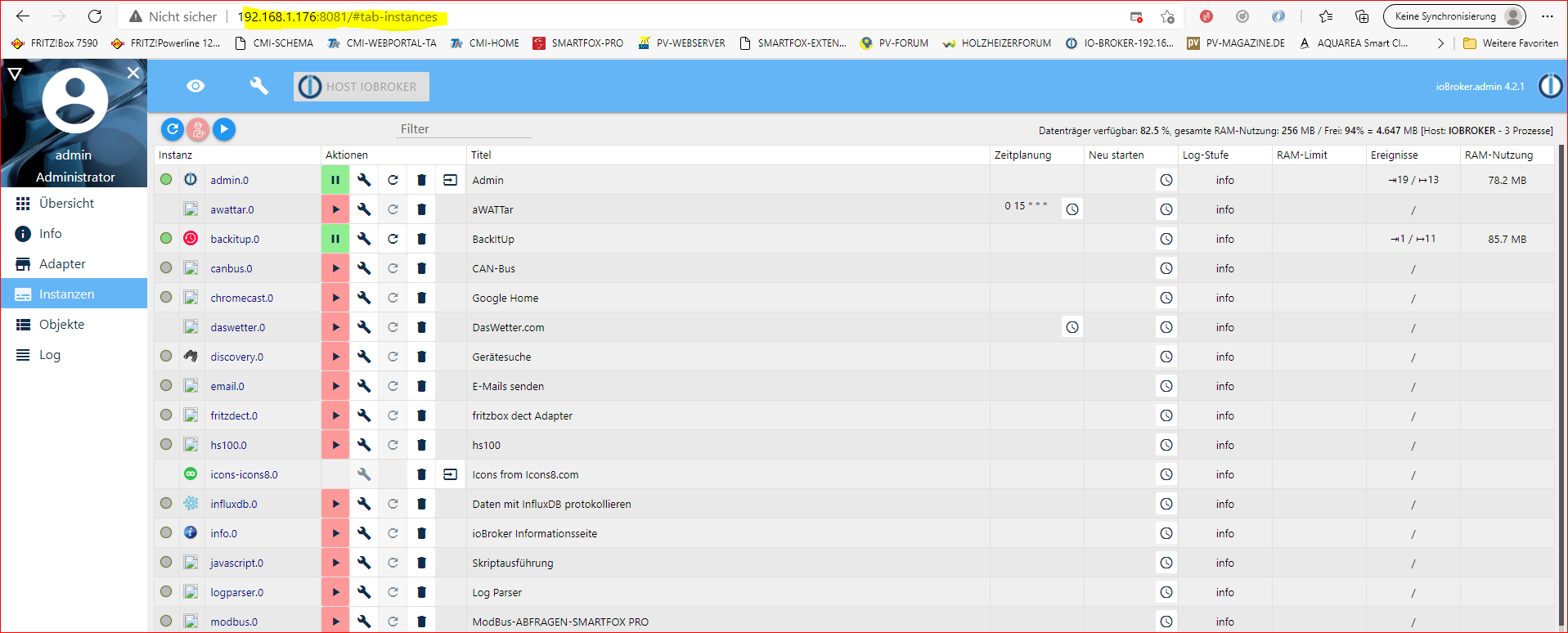
@goetschhofer sagte in Anfänger sucht Hilfe bei Install. proxmox auf INTELNUC8i3BEK:
dies war schon der Screen vom backitup vom iobroker-NUC
ok
@goetschhofer sagte in Anfänger sucht Hilfe bei Install. proxmox auf INTELNUC8i3BEK:
Du bist Hellseher
dann wohl oder übel den anderen Weg
-
@goetschhofer sagte in Anfänger sucht Hilfe bei Install. proxmox auf INTELNUC8i3BEK:
dies war schon der Screen vom backitup vom iobroker-NUC
ok
@goetschhofer sagte in Anfänger sucht Hilfe bei Install. proxmox auf INTELNUC8i3BEK:
Du bist Hellseher
dann wohl oder übel den anderen Weg
@crunchip
Was ich bei dem 2. Weg des backup und restore für die Influxdb noch nicht verstanden habe, ist, dass man ein händisches backup auf dem RSP macht, aber wie kommt dieses physisch in die Influxdb-NUC ?Ich kann ja dies vom NUC aus nicht vom RSP hochladen ?
dann wohl oder übel den anderen Weg warum nicht nach der offiziellen Beschreibung ein direktes backup machen und wiederherstellen? https://docs.influxdata.com/influxdb/v1.8/administration/backup_and_restore/#configuring-remote-connections -
@crunchip
Was ich bei dem 2. Weg des backup und restore für die Influxdb noch nicht verstanden habe, ist, dass man ein händisches backup auf dem RSP macht, aber wie kommt dieses physisch in die Influxdb-NUC ?Ich kann ja dies vom NUC aus nicht vom RSP hochladen ?
dann wohl oder übel den anderen Weg warum nicht nach der offiziellen Beschreibung ein direktes backup machen und wiederherstellen? https://docs.influxdata.com/influxdb/v1.8/administration/backup_and_restore/#configuring-remote-connections@goetschhofer
also,- entweder du installierst dir den influx dienst ebenfalls auf deinen neuen iobroker, dann hast du die Möglichkeit per backitup vom neuen iobroker aus, ein backup aus deinem Pi zu ziehen. Da du aber jetzt mit proxmox unterwegs bist, ist eine Sicherung via backitup eigentlich nicht mehr nötig, somit auch unnötig nochmal influx auf dem neuen iobroker zu installieren.
- die normale Backup und Wiederherstellungsmethode, wie es influx beschreibt. Hab mich damit auch noch nicht auseinandergesetzt bzw noch nie benutzt.
ich gehe davon aus bzw verstehe es so, bin mir aber nicht 100% sicher
dieses von deinem Influx LXC auszuführen (mydatabase und ip vom PI musst du ersetzen)
influxd backup -portable -database mydatabase -host <remote-node-IP>:8088 /tmp/mysnapshotsomit hast du dann ein backup auf deinem LXC im verzeichnis /tmp/mysnapshot
dieses spielst du dann ein
<path-to-backup> wäre dann /tmp/mysnapshot, mydatabase ersetzen mit iobroker
<> lässt man natürlich weginfluxd restore -metadir /var/lib/influxdb/meta <path-to-backup> influxd restore -database <mydatabase> -datadir /var/lib/influxdb/data <path-to-backup> sudo chown -R influxdb:influxdb /var/lib/influxdb systemctl start influxdb -
@goetschhofer
also,- entweder du installierst dir den influx dienst ebenfalls auf deinen neuen iobroker, dann hast du die Möglichkeit per backitup vom neuen iobroker aus, ein backup aus deinem Pi zu ziehen. Da du aber jetzt mit proxmox unterwegs bist, ist eine Sicherung via backitup eigentlich nicht mehr nötig, somit auch unnötig nochmal influx auf dem neuen iobroker zu installieren.
- die normale Backup und Wiederherstellungsmethode, wie es influx beschreibt. Hab mich damit auch noch nicht auseinandergesetzt bzw noch nie benutzt.
ich gehe davon aus bzw verstehe es so, bin mir aber nicht 100% sicher
dieses von deinem Influx LXC auszuführen (mydatabase und ip vom PI musst du ersetzen)
influxd backup -portable -database mydatabase -host <remote-node-IP>:8088 /tmp/mysnapshotsomit hast du dann ein backup auf deinem LXC im verzeichnis /tmp/mysnapshot
dieses spielst du dann ein
<path-to-backup> wäre dann /tmp/mysnapshot, mydatabase ersetzen mit iobroker
<> lässt man natürlich weginfluxd restore -metadir /var/lib/influxdb/meta <path-to-backup> influxd restore -database <mydatabase> -datadir /var/lib/influxdb/data <path-to-backup> sudo chown -R influxdb:influxdb /var/lib/influxdb systemctl start influxdbIch habe mydatabase durch influxdb ersetzt, aber ich glaube dies ist falsch ?
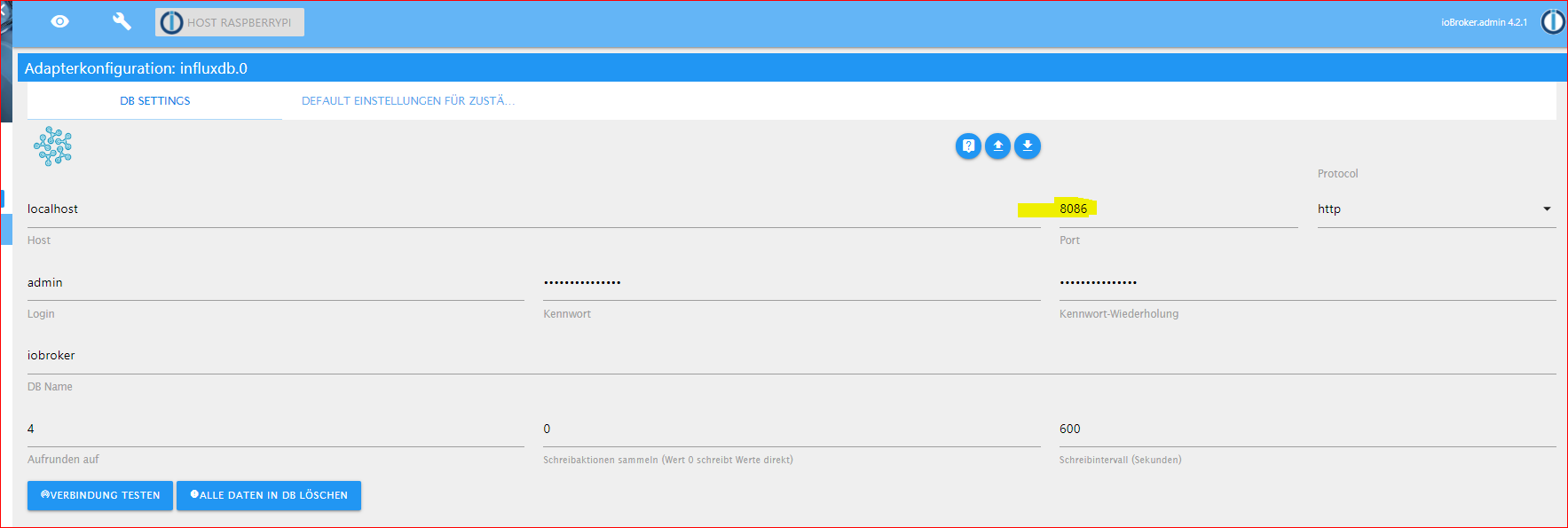
Eines ist mir noch aufgefallen. In Influx-Instanz bei meinem RSP habe ich als Port:8086 eingetragen.
Könnte dies nicht auch der Grund sein, warum er beim restore die Fehlermeldung erzeugt hat.
Debian GNU/Linux comes with ABSOLUTELY NO WARRANTY, to the extent permitted by applicable law. karl@LXC-INFLUXDB-192:~$ influxd backup -portable -database influxdb -host 192.168.1.160:8088 /tmp/mysnapshot 2021/05/10 09:40:10 backing up metastore to /tmp/mysnapshot/meta.00 2021/05/10 09:40:10 Download shard 0 failed dial tcp 192.168.1.160:8088: connect: connection refused. Waiting 2s and retrying (0)... 2021/05/10 09:40:12 Download shard 0 failed dial tcp 192.168.1.160:8088: connect: connection refused. Waiting 2s and retrying (1)... 2021/05/10 09:40:14 Download shard 0 failed dial tcp 192.168.1.160:8088: connect: connection refused. Waiting 2s and retrying (2)... 2021/05/10 09:40:16 Download shard 0 failed dial tcp 192.168.1.160:8088: connect: connection refused. Waiting 2s and retrying (3)... 2021/05/10 09:40:18 Download shard 0 failed dial tcp 192.168.1.160:8088: connect: connection refused. Waiting 2s and retrying (4)... 2021/05/10 09:40:20 Download shard 0 failed dial tcp 192.168.1.160:8088: connect: connection refused. Waiting 2s and retrying (5)... 2021/05/10 09:40:22 Download shard 0 failed dial tcp 192.168.1.160:8088: connect: connection refused. Waiting 3.01s and retrying (6)... 2021/05/10 09:40:25 Download shard 0 failed dial tcp 192.168.1.160:8088: connect: connection refused. Waiting 11.441s and retrying (7)... 2021/05/10 09:40:36 Download shard 0 failed dial tcp 192.168.1.160:8088: connect: connection refused. Waiting 43.477s and retrying (8)... 2021/05/10 09:41:20 Download shard 0 failed dial tcp 192.168.1.160:8088: connect: connection refused. Waiting 2m45.216s and retrying (9)... -
Ich habe mydatabase durch influxdb ersetzt, aber ich glaube dies ist falsch ?
Eines ist mir noch aufgefallen. In Influx-Instanz bei meinem RSP habe ich als Port:8086 eingetragen.
Könnte dies nicht auch der Grund sein, warum er beim restore die Fehlermeldung erzeugt hat.
Debian GNU/Linux comes with ABSOLUTELY NO WARRANTY, to the extent permitted by applicable law. karl@LXC-INFLUXDB-192:~$ influxd backup -portable -database influxdb -host 192.168.1.160:8088 /tmp/mysnapshot 2021/05/10 09:40:10 backing up metastore to /tmp/mysnapshot/meta.00 2021/05/10 09:40:10 Download shard 0 failed dial tcp 192.168.1.160:8088: connect: connection refused. Waiting 2s and retrying (0)... 2021/05/10 09:40:12 Download shard 0 failed dial tcp 192.168.1.160:8088: connect: connection refused. Waiting 2s and retrying (1)... 2021/05/10 09:40:14 Download shard 0 failed dial tcp 192.168.1.160:8088: connect: connection refused. Waiting 2s and retrying (2)... 2021/05/10 09:40:16 Download shard 0 failed dial tcp 192.168.1.160:8088: connect: connection refused. Waiting 2s and retrying (3)... 2021/05/10 09:40:18 Download shard 0 failed dial tcp 192.168.1.160:8088: connect: connection refused. Waiting 2s and retrying (4)... 2021/05/10 09:40:20 Download shard 0 failed dial tcp 192.168.1.160:8088: connect: connection refused. Waiting 2s and retrying (5)... 2021/05/10 09:40:22 Download shard 0 failed dial tcp 192.168.1.160:8088: connect: connection refused. Waiting 3.01s and retrying (6)... 2021/05/10 09:40:25 Download shard 0 failed dial tcp 192.168.1.160:8088: connect: connection refused. Waiting 11.441s and retrying (7)... 2021/05/10 09:40:36 Download shard 0 failed dial tcp 192.168.1.160:8088: connect: connection refused. Waiting 43.477s and retrying (8)... 2021/05/10 09:41:20 Download shard 0 failed dial tcp 192.168.1.160:8088: connect: connection refused. Waiting 2m45.216s and retrying (9)...@goetschhofer sagte in Anfänger sucht Hilfe bei Install. proxmox auf INTELNUC8i3BEK:
ch habe mydatabase durch influxdb ersetzt, aber ich glaube dies ist falsch ?
influxd backup -portable -database iobroker -host 192.168.1.160:8088 /tmp/mysnapshotdie ports passen schon so
8086 ist für deine inluxdb
8088 ist für den rpc dienst(sichern/wiederherstellen) -
@goetschhofer sagte in Anfänger sucht Hilfe bei Install. proxmox auf INTELNUC8i3BEK:
ch habe mydatabase durch influxdb ersetzt, aber ich glaube dies ist falsch ?
influxd backup -portable -database iobroker -host 192.168.1.160:8088 /tmp/mysnapshotdie ports passen schon so
8086 ist für deine inluxdb
8088 ist für den rpc dienst(sichern/wiederherstellen)@crunchip said in Anfänger sucht Hilfe bei Install. proxmox auf INTELNUC8i3BEK:
influxd backup -portable -database iobroker -host 192.168.1.160:8088 /tmp/mysnapshot
Dies habe ich vorhin ersetzen mydatabase mit iobroker auch schon versucht.
Debian GNU/Linux comes with ABSOLUTELY NO WARRANTY, to the extent permitted by applicable law. karl@LXC-INFLUXDB-192:~$ influxd backup -portable -database iobroker -host 192.168.1.160:8088 /tmp/mysnapshot 2021/05/10 10:01:37 backing up metastore to /tmp/mysnapshot/meta.00 2021/05/10 10:01:37 Download shard 0 failed dial tcp 192.168.1.160:8088: connect: connection refused. Waiting 2s and retrying (0)... 2021/05/10 10:01:39 Download shard 0 failed dial tcp 192.168.1.160:8088: connect: connection refused. Waiting 2s and retrying (1)... 2021/05/10 10:01:41 Download shard 0 failed dial tcp 192.168.1.160:8088: connect: connection refused. Waiting 2s and retrying (2)... 2021/05/10 10:01:43 Download shard 0 failed dial tcp 192.168.1.160:8088: connect: connection refused. Waiting 2s and retrying (3)... 2021/05/10 10:01:45 Download shard 0 failed dial tcp 192.168.1.160:8088: connect: connection refused. Waiting 2s and retrying (4)... 2021/05/10 10:01:47 Download shard 0 failed dial tcp 192.168.1.160:8088: connect: connection refused. Waiting 2s and retrying (5)... 2021/05/10 10:01:49 Download shard 0 failed dial tcp 192.168.1.160:8088: connect: connection refused. Waiting 3.01s and retrying (6)... -
@crunchip said in Anfänger sucht Hilfe bei Install. proxmox auf INTELNUC8i3BEK:
influxd backup -portable -database iobroker -host 192.168.1.160:8088 /tmp/mysnapshot
Dies habe ich vorhin ersetzen mydatabase mit iobroker auch schon versucht.
Debian GNU/Linux comes with ABSOLUTELY NO WARRANTY, to the extent permitted by applicable law. karl@LXC-INFLUXDB-192:~$ influxd backup -portable -database iobroker -host 192.168.1.160:8088 /tmp/mysnapshot 2021/05/10 10:01:37 backing up metastore to /tmp/mysnapshot/meta.00 2021/05/10 10:01:37 Download shard 0 failed dial tcp 192.168.1.160:8088: connect: connection refused. Waiting 2s and retrying (0)... 2021/05/10 10:01:39 Download shard 0 failed dial tcp 192.168.1.160:8088: connect: connection refused. Waiting 2s and retrying (1)... 2021/05/10 10:01:41 Download shard 0 failed dial tcp 192.168.1.160:8088: connect: connection refused. Waiting 2s and retrying (2)... 2021/05/10 10:01:43 Download shard 0 failed dial tcp 192.168.1.160:8088: connect: connection refused. Waiting 2s and retrying (3)... 2021/05/10 10:01:45 Download shard 0 failed dial tcp 192.168.1.160:8088: connect: connection refused. Waiting 2s and retrying (4)... 2021/05/10 10:01:47 Download shard 0 failed dial tcp 192.168.1.160:8088: connect: connection refused. Waiting 2s and retrying (5)... 2021/05/10 10:01:49 Download shard 0 failed dial tcp 192.168.1.160:8088: connect: connection refused. Waiting 3.01s and retrying (6)...@goetschhofer ich blicke gerade nicht ganz durch, die .160 ist dein PI?
-
@goetschhofer ich blicke gerade nicht ganz durch, die .160 ist dein PI?
-
@goetschhofer probier es mal anders herum und führe es von deinem Pi aus
.77 ist dein LXC? ansonsten ersetzen mit der richtigen ipinfluxd backup -portable -database iobroker -host 192.168.1.77:8088 /tmp/mysnapshot -
@goetschhofer probier es mal anders herum und führe es von deinem Pi aus
.77 ist dein LXC? ansonsten ersetzen mit der richtigen ipinfluxd backup -portable -database iobroker -host 192.168.1.77:8088 /tmp/mysnapshotJa, .77 mein LXC-Influxdb.
Port freigeben in Fritzbox7590 ?
pi@raspberrypi:~ $ influxd backup -portable -database iobroker -host 192.168.1.7 7:8088 /tmp/mysnapshot 2021/05/10 10:12:54 backing up metastore to /tmp/mysnapshot/meta.00 2021/05/10 10:12:57 Download shard 0 failed dial tcp 192.168.1.77:8088: connect: no route to host. Waiting 2s and retrying (0)... 2021/05/10 10:13:00 Download shard 0 failed dial tcp 192.168.1.77:8088: connect: no route to host. Waiting 2s and retrying (1)... 2021/05/10 10:13:03 Download shard 0 failed dial tcp 192.168.1.77:8088: connect: no route to host. Waiting 2s and retrying (2)... 2021/05/10 10:13:06 Download shard 0 failed dial tcp 192.168.1.77:8088: connect: no route to host. Waiting 2s and retrying (3)... pi@raspberrypi:~ $ influxd backup -portable -database iobroker -host 192.168.1.7 7:8088 /tmp/mysnapshot 2021/05/10 10:12:54 backing up metastore to /tmp/mysnapshot/meta.00 2021/05/10 10:12:57 Download shard 0 failed dial tcp 192.168.1.77:8088: connect: no route to host. Waiting 2s and retrying (0)... 2021/05/10 10:13:00 Download shard 0 failed dial tcp 192.168.1.77:8088: connect: no route to host. Waiting 2s and retrying (1)... 2021/05/10 10:13:03 Download shard 0 failed dial tcp 192.168.1.77:8088: connect: no route to host. Waiting 2s and retrying (2)... ^C -
Ja, .77 mein LXC-Influxdb.
Port freigeben in Fritzbox7590 ?
pi@raspberrypi:~ $ influxd backup -portable -database iobroker -host 192.168.1.7 7:8088 /tmp/mysnapshot 2021/05/10 10:12:54 backing up metastore to /tmp/mysnapshot/meta.00 2021/05/10 10:12:57 Download shard 0 failed dial tcp 192.168.1.77:8088: connect: no route to host. Waiting 2s and retrying (0)... 2021/05/10 10:13:00 Download shard 0 failed dial tcp 192.168.1.77:8088: connect: no route to host. Waiting 2s and retrying (1)... 2021/05/10 10:13:03 Download shard 0 failed dial tcp 192.168.1.77:8088: connect: no route to host. Waiting 2s and retrying (2)... 2021/05/10 10:13:06 Download shard 0 failed dial tcp 192.168.1.77:8088: connect: no route to host. Waiting 2s and retrying (3)... pi@raspberrypi:~ $ influxd backup -portable -database iobroker -host 192.168.1.7 7:8088 /tmp/mysnapshot 2021/05/10 10:12:54 backing up metastore to /tmp/mysnapshot/meta.00 2021/05/10 10:12:57 Download shard 0 failed dial tcp 192.168.1.77:8088: connect: no route to host. Waiting 2s and retrying (0)... 2021/05/10 10:13:00 Download shard 0 failed dial tcp 192.168.1.77:8088: connect: no route to host. Waiting 2s and retrying (1)... 2021/05/10 10:13:03 Download shard 0 failed dial tcp 192.168.1.77:8088: connect: no route to host. Waiting 2s and retrying (2)... ^C@goetschhofer in der ersten zeile steht aber nur 192.168.1.7 sollte doch .77 sein
-
@goetschhofer in der ersten zeile steht aber nur 192.168.1.7 sollte doch .77 sein
Sorry, hier war ich schlampig.
pi@raspberrypi:~ $ influxd backup -portable -database iobroker -host 192.168.1.77:8088 /tmp/mysnapshot 2021/05/10 10:16:20 backing up metastore to /tmp/mysnapshot/meta.00 2021/05/10 10:16:23 Download shard 0 failed dial tcp 192.168.1.77:8088: connect: no route to host. Waiting 2s and retrying (0)... 2021/05/10 10:16:26 Download shard 0 failed dial tcp 192.168.1.77:8088: connect: no route to host. Waiting 2s and retrying (1)... 2021/05/10 10:16:29 Download shard 0 failed dial tcp 192.168.1.77:8088: connect: no route to host. Waiting 2s and retrying (2)... 2021/05/10 10:16:32 Download shard 0 failed dial tcp 192.168.1.77:8088: connect: no route to host. Waiting 2s and retrying (3)... 2021/05/10 10:16:35 Download shard 0 failed dial tcp 192.168.1.77:8088: connect: no route to host. Waiting 2s and retrying (4)... 2021/05/10 10:16:38 Download shard 0 failed dial tcp 192.168.1.77:8088: connect: no route to host. Waiting 2s and retrying (5)... -
@goetschhofer in der ersten zeile steht aber nur 192.168.1.7 sollte doch .77 sein
Hier habe ich noch einen Fehler gemacht. .177 anstatt .77
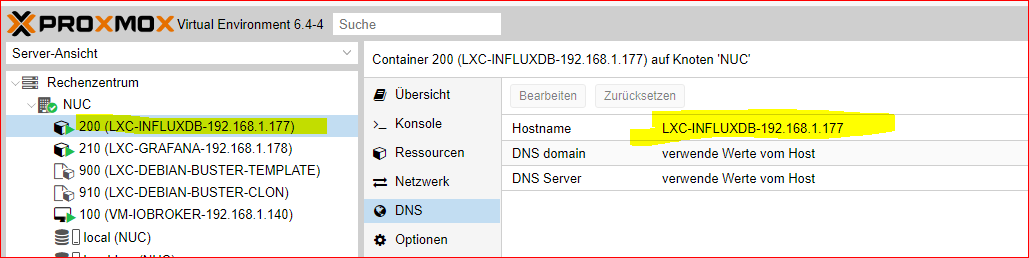
pi@raspberrypi:~ $ influxd backup -portable -database iobroker -host 192.168.1.177:8088 /tmp/mysnapshot 2021/05/10 10:18:41 backing up metastore to /tmp/mysnapshot/meta.00 2021/05/10 10:18:41 Download shard 0 failed dial tcp 192.168.1.177:8088: connect: connection refused. Waiting 2s and retrying (0)... 2021/05/10 10:18:43 Download shard 0 failed dial tcp 192.168.1.177:8088: connect: connection refused. Waiting 2s and retrying (1)... 2021/05/10 10:18:45 Download shard 0 failed dial tcp 192.168.1.177:8088: connect: connection refused. Waiting 2s and retrying (2)... 2021/05/10 10:18:47 Download shard 0 failed dial tcp 192.168.1.177:8088: connect: connection refused. Waiting 2s and retrying (3)... 2021/05/10 10:18:49 Download shard 0 failed dial tcp 192.168.1.177:8088: connect: connection refused. Waiting 2s and retrying (4)... 2021/05/10 10:18:51 Download shard 0 failed dial tcp 192.168.1.177:8088: connect: connection refused. Waiting 2s and retrying (5)... 2021/05/10 10:18:53 Download shard 0 failed dial tcp 192.168.1.177:8088: connect: connection refused. Waiting 3.01s and retrying (6)... -
Hier habe ich noch einen Fehler gemacht. .177 anstatt .77
pi@raspberrypi:~ $ influxd backup -portable -database iobroker -host 192.168.1.177:8088 /tmp/mysnapshot 2021/05/10 10:18:41 backing up metastore to /tmp/mysnapshot/meta.00 2021/05/10 10:18:41 Download shard 0 failed dial tcp 192.168.1.177:8088: connect: connection refused. Waiting 2s and retrying (0)... 2021/05/10 10:18:43 Download shard 0 failed dial tcp 192.168.1.177:8088: connect: connection refused. Waiting 2s and retrying (1)... 2021/05/10 10:18:45 Download shard 0 failed dial tcp 192.168.1.177:8088: connect: connection refused. Waiting 2s and retrying (2)... 2021/05/10 10:18:47 Download shard 0 failed dial tcp 192.168.1.177:8088: connect: connection refused. Waiting 2s and retrying (3)... 2021/05/10 10:18:49 Download shard 0 failed dial tcp 192.168.1.177:8088: connect: connection refused. Waiting 2s and retrying (4)... 2021/05/10 10:18:51 Download shard 0 failed dial tcp 192.168.1.177:8088: connect: connection refused. Waiting 2s and retrying (5)... 2021/05/10 10:18:53 Download shard 0 failed dial tcp 192.168.1.177:8088: connect: connection refused. Waiting 3.01s and retrying (6)...@goetschhofer ah, ok
ich blick ehrlich gesagt da im Moment auch nicht durch
setz mal ein sudo vor den Befehlwas steht eigentlich in deiner /etc/influxdb/influxdb.conf beim PI
geht um diesen Eintrag
bind-address = "127.0.0.1:8088 -
@goetschhofer ah, ok
ich blick ehrlich gesagt da im Moment auch nicht durch
setz mal ein sudo vor den Befehlwas steht eigentlich in deiner /etc/influxdb/influxdb.conf beim PI
geht um diesen Eintrag
bind-address = "127.0.0.1:8088backup portable influxdb mit sudo vom RSP aus.
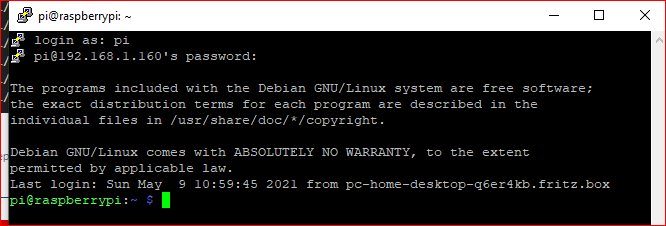
login as: pi pi@192.168.1.160's password: The programs included with the Debian GNU/Linux system are free software; the exact distribution terms for each program are described in the individual files in /usr/share/doc/*/copyright. Debian GNU/Linux comes with ABSOLUTELY NO WARRANTY, to the extent permitted by applicable law. Last login: Mon May 10 10:08:05 2021 from pc-home-desktop-q6er4kb.fritz.box pi@raspberrypi:~ $ sudo influxd backup -portable -database iobroker -host 192.168.1.177:8088 /tmp/mysnapshot 2021/05/10 10:35:40 backing up metastore to /tmp/mysnapshot/meta.00 2021/05/10 10:35:40 Download shard 0 failed dial tcp 192.168.1.177:8088: connect: connection refused. Waiting 2s and retrying (0)... 2021/05/10 10:35:42 Download shard 0 failed dial tcp 192.168.1.177:8088: connect: connection refused. Waiting 2s and retrying (1)... 2021/05/10 10:35:44 Download shard 0 failed dial tcp 192.168.1.177:8088: connect: connection refused. Waiting 2s and retrying (2)... 2021/05/10 10:35:46 Download shard 0 failed dial tcp 192.168.1.177:8088: connect: connection refused. Waiting 2s and retrying (3)... 2021/05/10 10:35:48 Download shard 0 failed dial tcp 192.168.1.177:8088: connect: connection refused. Waiting 2s and retrying (4)... 2021/05/10 10:35:50 Download shard 0 failed dial tcp 192.168.1.177:8088: connect: connection refused. Waiting 2s and retrying (5)... 2021/05/10 10:35:52 Download shard 0 failed dial tcp 192.168.1.177:8088: connect: connection refused. Waiting 3.01s and retrying (6)... 2021/05/10 10:35:55 Download shard 0 failed dial tcp 192.168.1.177:8088: connect: connection refused. Waiting 11.441s and retrying (7)... 2021/05/10 10:36:06 Download shard 0 failed dial tcp 192.168.1.177:8088: connect: connection refused. Waiting 43.477s and retrying (8)... 2021/05/10 10:36:50 Download shard 0 failed dial tcp 192.168.1.177:8088: connect: connection refused. Waiting 2m45.216s and retrying (9)... ^Cpi@raspberrypi:~ $ ^C -
backup portable influxdb mit sudo vom RSP aus.
login as: pi pi@192.168.1.160's password: The programs included with the Debian GNU/Linux system are free software; the exact distribution terms for each program are described in the individual files in /usr/share/doc/*/copyright. Debian GNU/Linux comes with ABSOLUTELY NO WARRANTY, to the extent permitted by applicable law. Last login: Mon May 10 10:08:05 2021 from pc-home-desktop-q6er4kb.fritz.box pi@raspberrypi:~ $ sudo influxd backup -portable -database iobroker -host 192.168.1.177:8088 /tmp/mysnapshot 2021/05/10 10:35:40 backing up metastore to /tmp/mysnapshot/meta.00 2021/05/10 10:35:40 Download shard 0 failed dial tcp 192.168.1.177:8088: connect: connection refused. Waiting 2s and retrying (0)... 2021/05/10 10:35:42 Download shard 0 failed dial tcp 192.168.1.177:8088: connect: connection refused. Waiting 2s and retrying (1)... 2021/05/10 10:35:44 Download shard 0 failed dial tcp 192.168.1.177:8088: connect: connection refused. Waiting 2s and retrying (2)... 2021/05/10 10:35:46 Download shard 0 failed dial tcp 192.168.1.177:8088: connect: connection refused. Waiting 2s and retrying (3)... 2021/05/10 10:35:48 Download shard 0 failed dial tcp 192.168.1.177:8088: connect: connection refused. Waiting 2s and retrying (4)... 2021/05/10 10:35:50 Download shard 0 failed dial tcp 192.168.1.177:8088: connect: connection refused. Waiting 2s and retrying (5)... 2021/05/10 10:35:52 Download shard 0 failed dial tcp 192.168.1.177:8088: connect: connection refused. Waiting 3.01s and retrying (6)... 2021/05/10 10:35:55 Download shard 0 failed dial tcp 192.168.1.177:8088: connect: connection refused. Waiting 11.441s and retrying (7)... 2021/05/10 10:36:06 Download shard 0 failed dial tcp 192.168.1.177:8088: connect: connection refused. Waiting 43.477s and retrying (8)... 2021/05/10 10:36:50 Download shard 0 failed dial tcp 192.168.1.177:8088: connect: connection refused. Waiting 2m45.216s and retrying (9)... ^Cpi@raspberrypi:~ $ ^C@goetschhofer
mach mal sosudo influxd backup -portable -database iobroker -host 127.0.0.1:8088 /tmp/influx_backup -
@goetschhofer
mach mal sosudo influxd backup -portable -database iobroker -host 127.0.0.1:8088 /tmp/influx_backup@crunchip said in Anfänger sucht Hilfe bei Install. proxmox auf INTELNUC8i3BEK:
sudo influxd backup -portable -database iobroker -host 127.0.0.1:8088 /tmp/influx_backup
Ehrlich, wenn ich dich hier nicht hätte, hätte ich schon längst das Handtuch geworfen. Danke

pi@raspberrypi:~ $ sudo influxd backup -portable -database iobroker -host 127.0.0.1:8088 /tmp/influx_backup 2021/05/10 10:42:39 backing up metastore to /tmp/influx_backup/meta.00 2021/05/10 10:42:39 backing up db=iobroker 2021/05/10 10:42:39 backing up db=iobroker rp=autogen shard=2 to /tmp/influx_backup/iobroker.autogen.00002.00 since 0001-01-01T00:00:00Z 2021/05/10 10:42:45 backing up db=iobroker rp=autogen shard=9 to /tmp/influx_backup/iobroker.autogen.00009.00 since 0001-01-01T00:00:00Z 2021/05/10 10:42:54 backing up db=iobroker rp=autogen shard=17 to /tmp/influx_backup/iobroker.autogen.00017.00 since 0001-01-01T00:00:00Z 2021/05/10 10:43:02 backing up db=iobroker rp=autogen shard=22 to /tmp/influx_backup/iobroker.autogen.00022.00 since 0001-01-01T00:00:00Z 2021/05/10 10:43:07 backing up db=iobroker rp=autogen shard=26 to /tmp/influx_backup/iobroker.autogen.00026.00 since 0001-01-01T00:00:00Z 2021/05/10 10:43:16 backing up db=iobroker rp=autogen shard=34 to /tmp/influx_backup/iobroker.autogen.00034.00 since 0001-01-01T00:00:00Z 2021/05/10 10:43:23 backing up db=iobroker rp=autogen shard=42 to /tmp/influx_backup/iobroker.autogen.00042.00 since 0001-01-01T00:00:00Z 2021/05/10 10:43:30 backing up db=iobroker rp=autogen shard=50 to /tmp/influx_backup/iobroker.autogen.00050.00 since 0001-01-01T00:00:00Z 2021/05/10 10:43:44 backing up db=iobroker rp=autogen shard=58 to /tmp/influx_backup/iobroker.autogen.00058.00 since 0001-01-01T00:00:00Z 2021/05/10 10:43:54 backing up db=iobroker rp=autogen shard=66 to /tmp/influx_backup/iobroker.autogen.00066.00 since 0001-01-01T00:00:00Z 2021/05/10 10:44:04 backing up db=iobroker rp=autogen shard=74 to /tmp/influx_backup/iobroker.autogen.00074.00 since 0001-01-01T00:00:00Z 2021/05/10 10:44:09 backing up db=iobroker rp=autogen shard=82 to /tmp/influx_backup/iobroker.autogen.00082.00 since 0001-01-01T00:00:00Z 2021/05/10 10:44:19 backing up db=iobroker rp=autogen shard=90 to /tmp/influx_backup/iobroker.autogen.00090.00 since 0001-01-01T00:00:00Z 2021/05/10 10:44:28 backing up db=iobroker rp=autogen shard=98 to /tmp/influx_backup/iobroker.autogen.00098.00 since 0001-01-01T00:00:00Z 2021/05/10 10:44:36 backing up db=iobroker rp=autogen shard=106 to /tmp/influx_backup/iobroker.autogen.00106.00 since 0001-01-01T00:00:00Z 2021/05/10 10:44:43 backing up db=iobroker rp=autogen shard=114 to /tmp/influx_backup/iobroker.autogen.00114.00 since 0001-01-01T00:00:00Z 2021/05/10 10:44:48 backing up db=iobroker rp=autogen shard=122 to /tmp/influx_backup/iobroker.autogen.00122.00 since 0001-01-01T00:00:00Z 2021/05/10 10:44:48 backing up db=iobroker rp=autogen shard=130 to /tmp/influx_backup/iobroker.autogen.00130.00 since 0001-01-01T00:00:00Z 2021/05/10 10:44:48 backup complete: 2021/05/10 10:44:48 /tmp/influx_backup/20210510T084239Z.meta 2021/05/10 10:44:48 /tmp/influx_backup/20210510T084239Z.s2.tar.gz 2021/05/10 10:44:48 /tmp/influx_backup/20210510T084239Z.s9.tar.gz 2021/05/10 10:44:48 /tmp/influx_backup/20210510T084239Z.s17.tar.gz 2021/05/10 10:44:48 /tmp/influx_backup/20210510T084239Z.s22.tar.gz 2021/05/10 10:44:48 /tmp/influx_backup/20210510T084239Z.s26.tar.gz 2021/05/10 10:44:48 /tmp/influx_backup/20210510T084239Z.s34.tar.gz 2021/05/10 10:44:48 /tmp/influx_backup/20210510T084239Z.s42.tar.gz 2021/05/10 10:44:48 /tmp/influx_backup/20210510T084239Z.s50.tar.gz 2021/05/10 10:44:48 /tmp/influx_backup/20210510T084239Z.s58.tar.gz 2021/05/10 10:44:48 /tmp/influx_backup/20210510T084239Z.s66.tar.gz 2021/05/10 10:44:48 /tmp/influx_backup/20210510T084239Z.s74.tar.gz 2021/05/10 10:44:48 /tmp/influx_backup/20210510T084239Z.s82.tar.gz 2021/05/10 10:44:48 /tmp/influx_backup/20210510T084239Z.s90.tar.gz 2021/05/10 10:44:48 /tmp/influx_backup/20210510T084239Z.s98.tar.gz 2021/05/10 10:44:48 /tmp/influx_backup/20210510T084239Z.s106.tar.gz 2021/05/10 10:44:48 /tmp/influx_backup/20210510T084239Z.s114.tar.gz 2021/05/10 10:44:48 /tmp/influx_backup/20210510T084239Z.s122.tar.gz 2021/05/10 10:44:48 /tmp/influx_backup/20210510T084239Z.s130.tar.gz 2021/05/10 10:44:48 /tmp/influx_backup/20210510T084239Z.manifest pi@raspberrypi:~ $ ^C -
@crunchip said in Anfänger sucht Hilfe bei Install. proxmox auf INTELNUC8i3BEK:
sudo influxd backup -portable -database iobroker -host 127.0.0.1:8088 /tmp/influx_backup
Ehrlich, wenn ich dich hier nicht hätte, hätte ich schon längst das Handtuch geworfen. Danke
pi@raspberrypi:~ $ sudo influxd backup -portable -database iobroker -host 127.0.0.1:8088 /tmp/influx_backup 2021/05/10 10:42:39 backing up metastore to /tmp/influx_backup/meta.00 2021/05/10 10:42:39 backing up db=iobroker 2021/05/10 10:42:39 backing up db=iobroker rp=autogen shard=2 to /tmp/influx_backup/iobroker.autogen.00002.00 since 0001-01-01T00:00:00Z 2021/05/10 10:42:45 backing up db=iobroker rp=autogen shard=9 to /tmp/influx_backup/iobroker.autogen.00009.00 since 0001-01-01T00:00:00Z 2021/05/10 10:42:54 backing up db=iobroker rp=autogen shard=17 to /tmp/influx_backup/iobroker.autogen.00017.00 since 0001-01-01T00:00:00Z 2021/05/10 10:43:02 backing up db=iobroker rp=autogen shard=22 to /tmp/influx_backup/iobroker.autogen.00022.00 since 0001-01-01T00:00:00Z 2021/05/10 10:43:07 backing up db=iobroker rp=autogen shard=26 to /tmp/influx_backup/iobroker.autogen.00026.00 since 0001-01-01T00:00:00Z 2021/05/10 10:43:16 backing up db=iobroker rp=autogen shard=34 to /tmp/influx_backup/iobroker.autogen.00034.00 since 0001-01-01T00:00:00Z 2021/05/10 10:43:23 backing up db=iobroker rp=autogen shard=42 to /tmp/influx_backup/iobroker.autogen.00042.00 since 0001-01-01T00:00:00Z 2021/05/10 10:43:30 backing up db=iobroker rp=autogen shard=50 to /tmp/influx_backup/iobroker.autogen.00050.00 since 0001-01-01T00:00:00Z 2021/05/10 10:43:44 backing up db=iobroker rp=autogen shard=58 to /tmp/influx_backup/iobroker.autogen.00058.00 since 0001-01-01T00:00:00Z 2021/05/10 10:43:54 backing up db=iobroker rp=autogen shard=66 to /tmp/influx_backup/iobroker.autogen.00066.00 since 0001-01-01T00:00:00Z 2021/05/10 10:44:04 backing up db=iobroker rp=autogen shard=74 to /tmp/influx_backup/iobroker.autogen.00074.00 since 0001-01-01T00:00:00Z 2021/05/10 10:44:09 backing up db=iobroker rp=autogen shard=82 to /tmp/influx_backup/iobroker.autogen.00082.00 since 0001-01-01T00:00:00Z 2021/05/10 10:44:19 backing up db=iobroker rp=autogen shard=90 to /tmp/influx_backup/iobroker.autogen.00090.00 since 0001-01-01T00:00:00Z 2021/05/10 10:44:28 backing up db=iobroker rp=autogen shard=98 to /tmp/influx_backup/iobroker.autogen.00098.00 since 0001-01-01T00:00:00Z 2021/05/10 10:44:36 backing up db=iobroker rp=autogen shard=106 to /tmp/influx_backup/iobroker.autogen.00106.00 since 0001-01-01T00:00:00Z 2021/05/10 10:44:43 backing up db=iobroker rp=autogen shard=114 to /tmp/influx_backup/iobroker.autogen.00114.00 since 0001-01-01T00:00:00Z 2021/05/10 10:44:48 backing up db=iobroker rp=autogen shard=122 to /tmp/influx_backup/iobroker.autogen.00122.00 since 0001-01-01T00:00:00Z 2021/05/10 10:44:48 backing up db=iobroker rp=autogen shard=130 to /tmp/influx_backup/iobroker.autogen.00130.00 since 0001-01-01T00:00:00Z 2021/05/10 10:44:48 backup complete: 2021/05/10 10:44:48 /tmp/influx_backup/20210510T084239Z.meta 2021/05/10 10:44:48 /tmp/influx_backup/20210510T084239Z.s2.tar.gz 2021/05/10 10:44:48 /tmp/influx_backup/20210510T084239Z.s9.tar.gz 2021/05/10 10:44:48 /tmp/influx_backup/20210510T084239Z.s17.tar.gz 2021/05/10 10:44:48 /tmp/influx_backup/20210510T084239Z.s22.tar.gz 2021/05/10 10:44:48 /tmp/influx_backup/20210510T084239Z.s26.tar.gz 2021/05/10 10:44:48 /tmp/influx_backup/20210510T084239Z.s34.tar.gz 2021/05/10 10:44:48 /tmp/influx_backup/20210510T084239Z.s42.tar.gz 2021/05/10 10:44:48 /tmp/influx_backup/20210510T084239Z.s50.tar.gz 2021/05/10 10:44:48 /tmp/influx_backup/20210510T084239Z.s58.tar.gz 2021/05/10 10:44:48 /tmp/influx_backup/20210510T084239Z.s66.tar.gz 2021/05/10 10:44:48 /tmp/influx_backup/20210510T084239Z.s74.tar.gz 2021/05/10 10:44:48 /tmp/influx_backup/20210510T084239Z.s82.tar.gz 2021/05/10 10:44:48 /tmp/influx_backup/20210510T084239Z.s90.tar.gz 2021/05/10 10:44:48 /tmp/influx_backup/20210510T084239Z.s98.tar.gz 2021/05/10 10:44:48 /tmp/influx_backup/20210510T084239Z.s106.tar.gz 2021/05/10 10:44:48 /tmp/influx_backup/20210510T084239Z.s114.tar.gz 2021/05/10 10:44:48 /tmp/influx_backup/20210510T084239Z.s122.tar.gz 2021/05/10 10:44:48 /tmp/influx_backup/20210510T084239Z.s130.tar.gz 2021/05/10 10:44:48 /tmp/influx_backup/20210510T084239Z.manifest pi@raspberrypi:~ $ ^C@goetschhofer ok, backup hast du nun auf dem PI
dann musst du nun auf deinem LCX ein Verzeichnis anlegenmkdir /tmp/influx_backupdie Daten die jetzt auf deinem Pi erstellt wurden, musst du auf deinem LXC in das Verzeichnis kopieren
soweit ich gelesen habe, darf die selbe Datenbank nicht vorhanden sein, da du die Influx Insatnz aber schon gestartet hast wurde ja eine Datenbank iobroker schon angelegt.
Ich würde die Influx Instanz auf deinem neuen Iobroker stoppen
dann auf deinem Influxdb LXC folgendesinflux drop database iobroker exitanschliessend dieses ausführen (bin mir aber nicht sicher, ob der influx Dienst vorher gestoppt sein muss), daher vllt vorher noch stoppen
sudo service influxdb stop influxd restore -metadir /var/lib/influxdb/meta /tmp/influx_backup influxd restore -database iobroker -datadir /var/lib/influxdb/data /tmp/influx_backup sudo chown -R influxdb:influxdb /var/lib/influxdb systemctl start influxdb -
@goetschhofer ah, ok
ich blick ehrlich gesagt da im Moment auch nicht durch
setz mal ein sudo vor den Befehlwas steht eigentlich in deiner /etc/influxdb/influxdb.conf beim PI
geht um diesen Eintrag
bind-address = "127.0.0.1:8088@crunchip said in Anfänger sucht Hilfe bei Install. proxmox auf INTELNUC8i3BEK:
was steht eigentlich in deiner /etc/influxdb/influxdb.conf beim PI
geht um diesen Eintrag
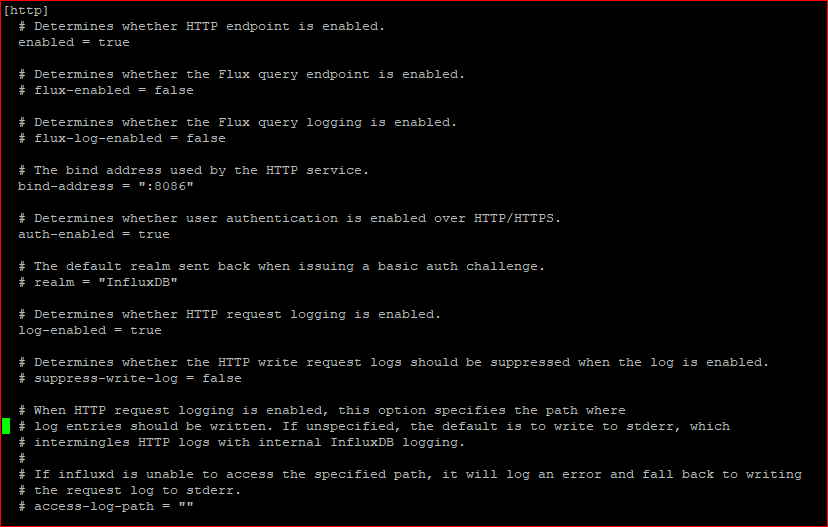
bind-address = "127.0.0.1:8088bind-address = "127.0.0.1:8088 kann ich nicht finden ?
-
@crunchip said in Anfänger sucht Hilfe bei Install. proxmox auf INTELNUC8i3BEK:
was steht eigentlich in deiner /etc/influxdb/influxdb.conf beim PI
geht um diesen Eintrag
bind-address = "127.0.0.1:8088bind-address = "127.0.0.1:8088 kann ich nicht finden ?
@goetschhofer das steht ganz oben, das passt schon, sonst hätte das backup nicht funktioniert, bzw würde das backup via backitup gar nicht funktionieren

Hey! Du scheinst an dieser Unterhaltung interessiert zu sein, hast aber noch kein Konto.
Hast du es satt, bei jedem Besuch durch die gleichen Beiträge zu scrollen? Wenn du dich für ein Konto anmeldest, kommst du immer genau dorthin zurück, wo du zuvor warst, und kannst dich über neue Antworten benachrichtigen lassen (entweder per E-Mail oder Push-Benachrichtigung). Du kannst auch Lesezeichen speichern und Beiträge positiv bewerten, um anderen Community-Mitgliedern deine Wertschätzung zu zeigen.
Mit deinem Input könnte dieser Beitrag noch besser werden 💗
Registrieren Anmelden416
Online33.0k
Benutzer83.6k
Themen1.3m
Beiträge