



Weiter zum Inhalt
  • Home
  • Aktuell
  • Tags
  • 0 Ungelesen 0
  • Kategorien
  • Unreplied
  • Beliebt
  • GitHub
  • Docu
  • Hilfe
Skins
  • Hell
  • Brite
  • Cerulean
  • Cosmo
  • Flatly
  • Journal
  • Litera
  • Lumen
  • Lux
  • Materia
  • Minty
  • Morph
  • Pulse
  • Sandstone
  • Simplex
  • Sketchy
  • Spacelab
  • United
  • Yeti
  • Zephyr
  • Dunkel
  • Cyborg
  • Darkly
  • Quartz
  • Slate
  • Solar
  • Superhero
  • Vapor

  • Standard: (Kein Skin)
  • Kein Skin
Einklappen
ioBroker Logo

Community Forum

donate donate
  1. ioBroker Community Home
  2. Deutsch
  3. ioBroker Allgemein
  4. Restore funktioniert nicht

NEWS

  • Monatsrückblick Januar/Februar 2026 ist online!
    BluefoxB
    Bluefox
    18
    1
    810

  • Jahresrückblick 2025 – unser neuer Blogbeitrag ist online! ✨
    BluefoxB
    Bluefox
    18
    1
    6.3k

  • Neuer Blogbeitrag: Monatsrückblick - Dezember 2025 🎄
    BluefoxB
    Bluefox
    13
    1
    1.6k

Restore funktioniert nicht

Geplant Angeheftet Gesperrt Verschoben ioBroker Allgemein
101 Beiträge 19 Kommentatoren 16.7k Aufrufe 7 Beobachtet
  • Älteste zuerst
  • Neuste zuerst
  • Meiste Stimmen
Antworten
  • In einem neuen Thema antworten
Anmelden zum Antworten
Dieses Thema wurde gelöscht. Nur Nutzer mit entsprechenden Rechten können es sehen.
  • P paul.honka

    Hi simatec,
    der Vorteil von Redis ist?
    Beste Grüsse paul

    simatecS Offline
    simatecS Offline
    simatec
    Developer Most Active
    schrieb am zuletzt editiert von
    #87

    @paul-honka sagte in Restore funktioniert nicht:

    Redis

    Hier ist Redis gut und schnell erklärt ...

    • Besuche meine Github Seite
    • Beitrag hat geholfen oder willst du mich unterstützen
    • HowTo Restore ioBroker
    1 Antwort Letzte Antwort
    0
    • R r0b1zZle

      @simatec Haha, verdammt. Würde auch erklären, warum ich bei einer laufenden iobroker Version ein Backup erstellen und direkt danach wieder einspielen kann, nach einem Formatieren (mit Zwischensicherung auf dem PC) aber nicht mehr. Wie gesagt, ich teste das mal. Danke nochmals für deine Hilfe!!!!

      simatecS Offline
      simatecS Offline
      simatec
      Developer Most Active
      schrieb am zuletzt editiert von
      #88

      @r0b1zZle sagte in Restore funktioniert nicht:

      @simatec Haha, verdammt. Würde auch erklären, warum ich bei einer laufenden iobroker Version ein Backup erstellen und direkt danach wieder einspielen kann, nach einem Formatieren (mit Zwischensicherung auf dem PC) aber nicht mehr. Wie gesagt, ich teste das mal. Danke nochmals für deine Hilfe!!!!

      Kurzes Feedback, ob der Fehler behoben ist, wäre noch interessant

      • Besuche meine Github Seite
      • Beitrag hat geholfen oder willst du mich unterstützen
      • HowTo Restore ioBroker
      R 1 Antwort Letzte Antwort
      0
      • simatecS simatec

        @r0b1zZle sagte in Restore funktioniert nicht:

        @simatec Haha, verdammt. Würde auch erklären, warum ich bei einer laufenden iobroker Version ein Backup erstellen und direkt danach wieder einspielen kann, nach einem Formatieren (mit Zwischensicherung auf dem PC) aber nicht mehr. Wie gesagt, ich teste das mal. Danke nochmals für deine Hilfe!!!!

        Kurzes Feedback, ob der Fehler behoben ist, wäre noch interessant

        R Offline
        R Offline
        r0b1zZle
        schrieb am zuletzt editiert von r0b1zZle
        #89

        @simatec Mittlerweile habe ich meine ganzen Scripte alle wieder aus dem Gedächtnis neu geschrieben und sämtliche Adapter etc. wieder zum Laufen gebracht. Um das jetzt zu testen, würde ich ein aktuelles Backup machen und im Backups-Ordner liegen lassen. Dann würde ich die SD-Karte mounten und mir eine Kopie von diesem Backup ziehen. Dieses auf dem Windows-Rechner einmal umbenennen und das umbenannte Backup wieder auf die SD-Karte ziehen. Im Anschluss würde ich dann einen Restore mit den beiden Backups probieren. Wenn das Originale (nicht kopierte) dann funktioniert und das andere nicht (siehe Fehler oben), müssten wir unsere Antwort auf das Problem haben, richtig? Wenn ich jetzt quasi ohne Grund ein Backup mache und es direkt wieder einspiele, versaue ich mir dann wieder irgend etwas an der laufenden Konfiguration oder kann ich das ohne Probleme einfach drauf spielen?

        1 Antwort Letzte Antwort
        0
        • K Offline
          K Offline
          Kludi
          schrieb am zuletzt editiert von
          #90

          Hallo,ich wollte auf meinem Proxmox eine neue VM mit ioBroker erstellen. Ich bin aber langsam am Ende und weiß nicht mehr weiter.

          Die neue VM habe ich nach der Beschreibung neu angelegt: https://github.com/ioBroker/ioBroker.docs/blob/master/docs/de/install/proxmox.md

          Ich hatte auf dem neuen System schon fast alles fertiggestellt. Dann wollte ich den Admin‑Adapter auf HTTPS umstellen. Jedes Mal, wenn ich das gemacht habe, konnte ich nicht mehr über HTTPS auf die Webseite zugreifen. Ich konnte nur wieder darauf zugreifen, indem ich über das Terminal einen neuen Admin‑Adapter installiert habe.

          In irgendeinem Beitrag im Forum hatte ich dann gelesen, man solle einfach den neuen ioBroker laufen lassen und es am nächsten Tag erneut versuchen. Aus unerklärlichen Gründen hat das tatsächlich funktioniert.

          Am nächsten Tag konnte ich den Admin‑Adapter problemlos auf HTTPS umstellen.

          Dann habe ich die IP‑Adresse meines neuen ioBrokers auf die Adresse gesetzt, auf der mein alter ioBroker lief, unter:

          sudo nano /etc/network/interfaces

          und anschließend neu gestartet.

          Das hat auch super geklappt.

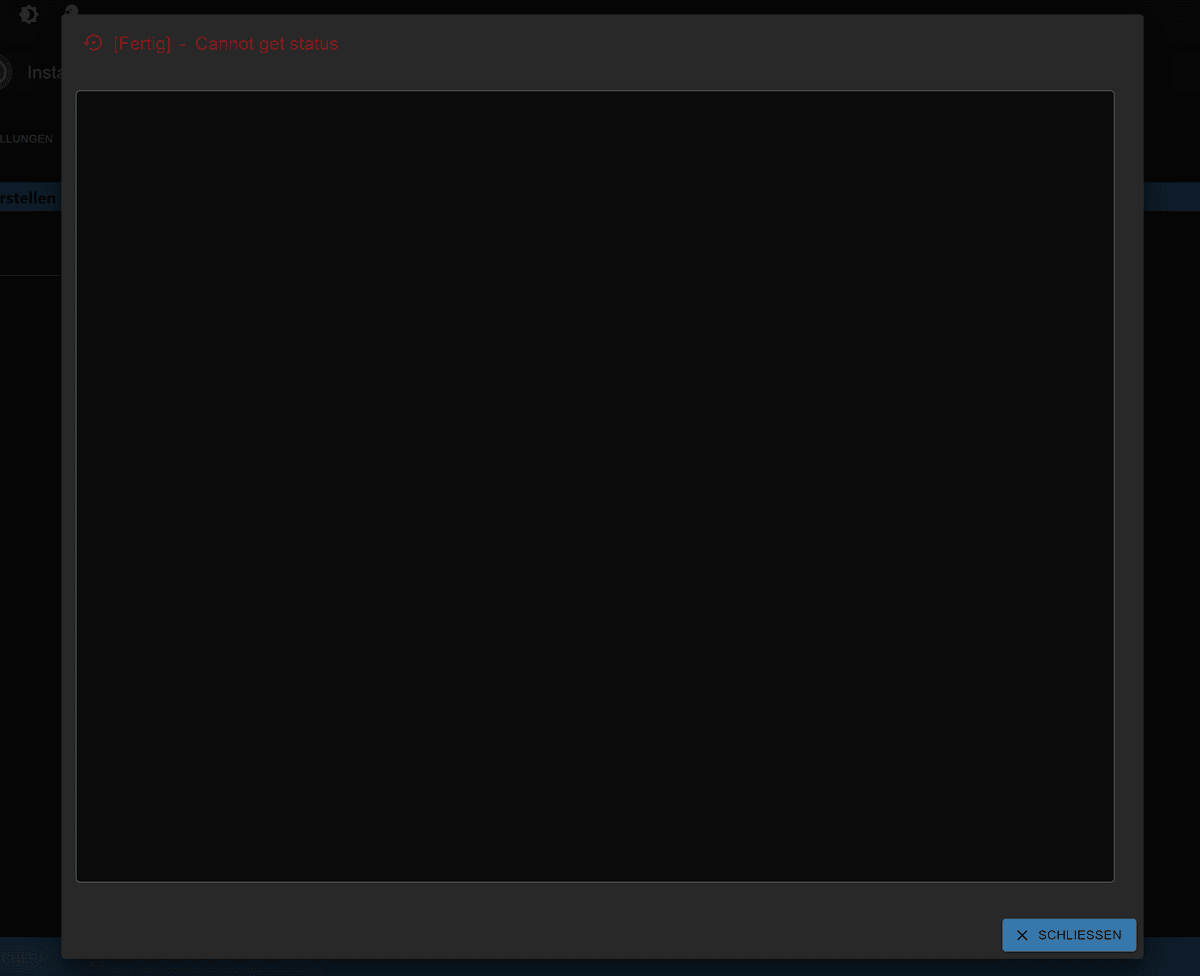
          Dann wollte ich über meinen Backitup‑Adapter per FTP mein System wiederherstellen. Dabei bekomme ich nur das angezeigt, was auf dem Bild zu sehen ist:
          Screenshot 2026-04-11 122510.png

          Seitdem komme ich nicht mehr auf die Webseite. iob fix bringt keine Veränderung.

          Ich hoffe, ihr könnt mir helfen. Mein alter ioBroker hat schon viele Jahre auf dem Buckel und deshalb wollte ich alles neu aufsetzen. Nach meinem Wissen ist auf meinem alten System alles auf dem neuesten Stand.

          1 Antwort Letzte Antwort
          0
          • K Offline
            K Offline
            Kludi
            schrieb am zuletzt editiert von
            #91

            Noch ein Nachtrag, dass ist mein iob diag bevor ich das backup aufspiele und die ip geändert habe.

            ========== Start marking the full check here ===========

            Script v.2026-01-31
            
            *** BASE SYSTEM ***
            Operating System: Debian GNU/Linux 13 (trixie)
             Static hostname: ioBroker
                   Icon name: computer-vm
                     Chassis: vm 🖴
                AF_VSOCK CID: 1
              Virtualization: kvm
                      Kernel: Linux 6.12.74+deb13+1-amd64
                Architecture: x86-64
             Hardware Vendor: QEMU
              Hardware Model: Standard PC _i440FX + PIIX, 1996_
            Firmware Version: rel-1.17.0-0-gb52ca86e094d-prebuilt.qemu.org
               Firmware Date: Tue 2014-04-01
                Firmware Age: 12y 1w 3d
            OS is similar to:
            
            model name      : QEMU Virtual CPU version 2.5+
            Docker          : false
            Virtualization  : kvm
            Kernel          : x86_64
            Userland        : 64 bit
            
            Systemuptime and Load:
             13:17:19 up 6 min,  1 user,  load average: 0.12, 0.27, 0.15
            CPU threads: 4
            
            
            *** LIFE CYCLE STATUS ***
            Operating System is the current Debian stable version codenamed 'trixie'!
            
            *** TIME AND TIMEZONES ***
                           Local time: Sat 2026-04-11 13:17:19 CEST
                       Universal time: Sat 2026-04-11 11:17:19 UTC
                             RTC time: Sat 2026-04-11 11:17:19
                            Time zone: Europe/Berlin (CEST, +0200)
            System clock synchronized: yes
                          NTP service: active
                      RTC in local TZ: no
            
            *** Users and Groups ***
            User that called 'iob diag':
            phillipp
            HOME=/home/phillipp
            GROUPS=phillipp cdrom floppy sudo audio dip video plugdev users netdev iobroker
            
            User that is running 'js-controller':
            iobroker
            HOME=/home/iobroker
            SUDO_HOME=/home/phillipp
            GROUPS=iobroker tty dialout audio video plugdev
            
            *** DISPLAY-SERVER SETUP ***
            Display-Server:         false
            Unit display-manager.service could not be found.
            Display-Manager:
            Desktop:
            Session:                tty
            
            *** MEMORY ***
                           total        used        free      shared  buff/cache   available
            Mem:             10G        1.1G        8.9G        3.2M        739M        9.3G
            Swap:           1.8G          0B        1.8G
            Total:           12G        1.1G         10G
            
            Active iob-Instances:   3
            
                     9951 M total memory
                     1037 M used memory
                      839 M active memory
                      469 M inactive memory
                     8459 M free memory
                       49 M buffer memory
                      655 M swap cache
                     1721 M total swap
                        0 M used swap
                     1721 M free swap
            
            *** top - Table Of Processes  ***
            top - 13:17:20 up 6 min,  1 user,  load average: 0.12, 0.27, 0.15
            Tasks: 134 total,   1 running, 133 sleeping,   0 stopped,   0 zombie
            %Cpu(s):  2.1 us,  2.1 sy,  0.0 ni, 95.7 id,  0.0 wa,  0.0 hi,  0.0 si,  0.0 st
            MiB Mem :   9951.3 total,   8457.6 free,   1038.7 used,    705.1 buff/cache
            MiB Swap:   1722.0 total,   1722.0 free,      0.0 used.   8912.5 avail Mem
            
            *** FAILED SERVICES ***
            
              UNIT LOAD ACTIVE SUB DESCRIPTION
            
            0 loaded units listed.
            
            
            *** DMESG CRITICAL ERRORS ***
            No critical errors detected
            
            *** FILESYSTEM ***
            Filesystem     Type      Size  Used Avail Use% Mounted on
            udev           devtmpfs  4.9G     0  4.9G   0% /dev
            tmpfs          tmpfs     996M  516K  995M   1% /run
            /dev/sda1      ext4       30G  3.4G   25G  12% /
            tmpfs          tmpfs     4.9G     0  4.9G   0% /dev/shm
            tmpfs          tmpfs     5.0M     0  5.0M   0% /run/lock
            tmpfs          tmpfs     1.0M     0  1.0M   0% /run/credentials/systemd-journald                                                                                                                                                             .service
            tmpfs          tmpfs     4.9G  2.6M  4.9G   1% /tmp
            tmpfs          tmpfs     1.0M     0  1.0M   0% /run/credentials/getty@tty1.servi                                                                                                                                                             ce
            tmpfs          tmpfs     996M  8.0K  996M   1% /run/user/1000
            
            Messages concerning ext4 filesystem in dmesg:
            [Sat Apr 11 13:11:02 2026] EXT4-fs (sda1): orphan cleanup on readonly fs
            [Sat Apr 11 13:11:02 2026] EXT4-fs (sda1): mounted filesystem 1e970333-9e2f-4362                                                                                                                                                             -8abe-73ffee80fdd3 ro with ordered data mode. Quota mode: none.
            [Sat Apr 11 13:11:03 2026] EXT4-fs (sda1): re-mounted 1e970333-9e2f-4362-8abe-73                                                                                                                                                             ffee80fdd3 r/w.
            
            Show mounted filesystems:
            TARGET SOURCE    FSTYPE OPTIONS
            /      /dev/sda1 ext4   rw,relatime,errors=remount-ro
            
            Files in neuralgic directories:
            
            /var:
            558M    /var/
            284M    /var/cache
            276M    /var/cache/apt
            187M    /var/lib
            186M    /var/cache/apt/archives
            
            Hint: You are currently not seeing messages from other users and the system.
                  Users in groups 'adm', 'systemd-journal' can see all messages.
                  Pass -q to turn off this notice.
            Archived and active journals take up 8M in the file system.
            
            /opt/iobroker/backups:
            4.2M    /opt/iobroker/backups/
            
            /opt/iobroker/iobroker-data:
            289M    /opt/iobroker/iobroker-data/
            80M     /opt/iobroker/iobroker-data/files
            47M     /opt/iobroker/iobroker-data/files/admin.admin
            46M     /opt/iobroker/iobroker-data/files/admin.admin/custom/assets
            46M     /opt/iobroker/iobroker-data/files/admin.admin/custom
            
            The five largest files in iobroker-data are:
            160M    /opt/iobroker/iobroker-data/objects.jsonl
            8.2M    /opt/iobroker/iobroker-data/files/backitup.admin/assets/index-BDfRPp5J.j                                                                                                                                                             s
            4.1M    /opt/iobroker/iobroker-data/backup-objects/2026-04-09_22-17_objects.json                                                                                                                                                             l.gz
            4.1M    /opt/iobroker/iobroker-data/backup-objects/2026-04-09_20-17_objects.json                                                                                                                                                             l.gz
            4.1M    /opt/iobroker/iobroker-data/backup-objects/2026-04-09_18-17_objects.json                                                                                                                                                             l.gz
            
            USB-Devices by-id:
            USB-Sticks - Avoid direct links to /dev/tty* in your adapter setups,
            please always prefer the links 'by-id':
            
            No Devices found 'by-id'
            
            No nvbackup.json found.
            
            *** NodeJS-Installation ***
            
            /usr/bin/nodejs         v22.22.2
            /usr/bin/node           v22.22.2
            /usr/bin/npm            10.9.7
            /usr/bin/npx            10.9.7
            
            ✓ Node.js installation is correct
            
            nodejs:
              Installed: 22.22.2-1nodesource1
              Candidate: 22.22.2-1nodesource1
              Version table:
             *** 22.22.2-1nodesource1 1001
                    500 https://deb.nodesource.com/node_22.x nodistro/main amd64 Packages
                    100 /var/lib/dpkg/status
                 22.22.1-1nodesource1 1001
                    500 https://deb.nodesource.com/node_22.x nodistro/main amd64 Packages
                 22.22.0-1nodesource1 1001
                    500 https://deb.nodesource.com/node_22.x nodistro/main amd64 Packages
                 22.21.0-1nodesource1 1001
                    500 https://deb.nodesource.com/node_22.x nodistro/main amd64 Packages
                 22.20.0-1nodesource1 1001
                    500 https://deb.nodesource.com/node_22.x nodistro/main amd64 Packages
                 22.19.0-1nodesource1 1001
                    500 https://deb.nodesource.com/node_22.x nodistro/main amd64 Packages
                 22.18.0-1nodesource1 1001
                    500 https://deb.nodesource.com/node_22.x nodistro/main amd64 Packages
                 22.17.1-1nodesource1 1001
                    500 https://deb.nodesource.com/node_22.x nodistro/main amd64 Packages
                 22.17.0-1nodesource1 1001
                    500 https://deb.nodesource.com/node_22.x nodistro/main amd64 Packages
                 22.16.0-1nodesource1 1001
                    500 https://deb.nodesource.com/node_22.x nodistro/main amd64 Packages
                 22.15.1-1nodesource1 1001
                    500 https://deb.nodesource.com/node_22.x nodistro/main amd64 Packages
                 22.15.0-1nodesource1 1001
                    500 https://deb.nodesource.com/node_22.x nodistro/main amd64 Packages
                 22.14.0-1nodesource1 1001
                    500 https://deb.nodesource.com/node_22.x nodistro/main amd64 Packages
                 22.13.1-1nodesource1 1001
                    500 https://deb.nodesource.com/node_22.x nodistro/main amd64 Packages
                 22.13.0-1nodesource1 1001
                    500 https://deb.nodesource.com/node_22.x nodistro/main amd64 Packages
                 22.12.0-1nodesource1 1001
                    500 https://deb.nodesource.com/node_22.x nodistro/main amd64 Packages
                 22.11.0-1nodesource1 1001
                    500 https://deb.nodesource.com/node_22.x nodistro/main amd64 Packages
                 22.10.0-1nodesource1 1001
                    500 https://deb.nodesource.com/node_22.x nodistro/main amd64 Packages
                 22.9.0-1nodesource1 1001
                    500 https://deb.nodesource.com/node_22.x nodistro/main amd64 Packages
                 22.8.0-1nodesource1 1001
                    500 https://deb.nodesource.com/node_22.x nodistro/main amd64 Packages
                 22.7.0-1nodesource1 1001
                    500 https://deb.nodesource.com/node_22.x nodistro/main amd64 Packages
                 22.6.0-1nodesource1 1001
                    500 https://deb.nodesource.com/node_22.x nodistro/main amd64 Packages
                 22.5.1-1nodesource1 1001
                    500 https://deb.nodesource.com/node_22.x nodistro/main amd64 Packages
                 22.5.0-1nodesource1 1001
                    500 https://deb.nodesource.com/node_22.x nodistro/main amd64 Packages
                 22.4.1-1nodesource1 1001
                    500 https://deb.nodesource.com/node_22.x nodistro/main amd64 Packages
                 22.4.0-1nodesource1 1001
                    500 https://deb.nodesource.com/node_22.x nodistro/main amd64 Packages
                 22.3.0-1nodesource1 1001
                    500 https://deb.nodesource.com/node_22.x nodistro/main amd64 Packages
                 22.2.0-1nodesource1 1001
                    500 https://deb.nodesource.com/node_22.x nodistro/main amd64 Packages
                 22.1.0-1nodesource1 1001
                    500 https://deb.nodesource.com/node_22.x nodistro/main amd64 Packages
                 22.0.0-1nodesource1 1001
                    500 https://deb.nodesource.com/node_22.x nodistro/main amd64 Packages
                 20.19.2+dfsg-1+deb13u2 500
                    500 http://security.debian.org/debian-security trixie-security/main amd6                                                                                                                                                             4 Packages
                 20.19.2+dfsg-1 500
                    500 http://deb.debian.org/debian trixie/main amd64 Packages
            
            Temp directories causing deletion problem: 0
            No problems detected
            
            Errors in npm tree: 0
            No problems detected
            
            Checking for nodejs vulnerability:
            
            
             █████  ██      ██           ██████   ██████   ██████  ██████         ██
            ██   ██ ██      ██          ██       ██    ██ ██    ██ ██   ██     ██  ██
            ███████ ██      ██          ██   ███ ██    ██ ██    ██ ██   ██         ██
            ██   ██ ██      ██          ██    ██ ██    ██ ██    ██ ██   ██     ██  ██
            ██   ██ ███████ ███████      ██████   ██████   ██████  ██████         ██


            *** ioBroker-Installation ***
            
            ioBroker Status
            iobroker is running on this host.
            
            
            Objects type: jsonl
            States  type: jsonl
            
            Hosts:
            ioBroker            ioBroker (version: 7.0.7, hostname: ioBroker      , alive, u                                                                                                                                                             ptime: 379)
            
            Core adapters versions
            js-controller:  7.0.7
            admin:          7.7.22
            javascript:     "javascript" not found
            
            nodejs modules from github:     2
            +-- iobroker.esphome@0.7.0-beta.4 (git+ssh://git@github.com/DrozmotiX/ioBroker.e                                                                                                                                                             sphome.git#6b17df9c740aa8b3cfd135d7544804e289c0374d)
            | `-- autopy@1.1.1 (git+ssh://git@github.com/SimonFischer04/autopy.git#fbe016f35                                                                                                                                                             e13e335e1c44783a1e7273bbb2a08c1)
            
            Adapter State
            + system.adapter.admin.0                  : admin                 : ioBroker                                                                                                                                                                                              -  enabled, port: 8081, bind: 0.0.0.0 (SSL), run as                                                                                                                                                             : admin
              system.adapter.backitup.0               : backitup              : ioBroker                                                                                                                                                                                              - disabled
              system.adapter.discovery.0              : discovery             : ioBroker                                                                                                                                                                                              - disabled
              system.adapter.esphome.0                : esphome               : ioBroker                                                                                                                                                                                              - disabled
              system.adapter.history.0                : history               : ioBroker                                                                                                                                                                                              - disabled
              system.adapter.node-red.0               : node-red              : ioBroker                                                                                                                                                                                              - disabled, port: 1880, bind: 0.0.0.0
              system.adapter.vw-connect.0             : vw-connect            : ioBroker                                                                                                                                                                                              - disabled
            + system.adapter.web.0                    : web                   : ioBroker                                                                                                                                                                                              -  enabled, port: 8082, bind: 0.0.0.0, run as: admi                                                                                                                                                             n
            
            + instance is alive
            
            Enabled adapters with bindings
            + system.adapter.admin.0                  : admin                 : ioBroker                                                                                                                                                                                              -  enabled, port: 8081, bind: 0.0.0.0 (SSL), run as                                                                                                                                                             : admin
            + system.adapter.web.0                    : web                   : ioBroker                                                                                                                                                                                              -  enabled, port: 8082, bind: 0.0.0.0, run as: admi                                                                                                                                                             n
            
            ioBroker-Repositories
            ┌─────────┬──────────┬─────────────────────────────────────────────────────────┬                                                                                                                                                             ──────────────┐
            │ (index) │ name     │ url                                                     │                                                                                                                                                              auto upgrade │
            ├─────────┼──────────┼─────────────────────────────────────────────────────────┼                                                                                                                                                             ──────────────┤
            │ 0       │ 'stable' │ 'http://download.iobroker.net/sources-dist.json'        │                                                                                                                                                              false        │
            │ 1       │ 'beta'   │ 'http://download.iobroker.net/sources-dist-latest.json' │                                                                                                                                                              false        │
            └─────────┴──────────┴─────────────────────────────────────────────────────────┴                                                                                                                                                             ──────────────┘
            
            Active repo(s): stable
            Upgrade policy: none
            
            Installed ioBroker-Adapters
            Used repository: stable
            Adapter    "admin"        : 7.7.22   , installed 7.7.22
            Adapter    "backitup"     : 3.3.14   , installed 3.3.14
            Adapter    "discovery"    : 5.0.0    , installed 5.0.0
            Adapter    "history"      : 4.0.0    , installed 4.0.0
            Controller "js-controller": 7.0.7    , installed 7.0.7
            Adapter    "node-red"     : 6.0.7    , installed 6.0.7
            Adapter    "socketio"     : 7.0.8    , installed 7.0.8
            Adapter    "web"          : 8.0.0    , installed 8.0.0
            Adapter    "ws"           : 4.0.0    , installed 4.0.0
            
            Objects and States
            Please stand by - This may take a while
            Objects:        280
            States:         146
            
            *** OS-Repositories and Updates ***
            Hit:1 http://security.debian.org/debian-security trixie-security InRelease
            Hit:2 http://deb.debian.org/debian trixie InRelease
            Hit:3 http://deb.debian.org/debian trixie-updates InRelease
            Hit:4 https://deb.nodesource.com/node_22.x nodistro InRelease
            Reading package lists...
            Pending systemupdates: 3
            
            *** Listening Ports ***
            Active Internet connections (only servers)
            Proto Recv-Q Send-Q Local Address           Foreign Address         State                                                                                                                                                                    User       Inode      PID/Program name
            tcp        0      0 127.0.0.1:9000          0.0.0.0:*               LISTEN                                                                                                                                                                   1001       6734       686/iobroker.js-con
            tcp        0      0 127.0.0.1:9001          0.0.0.0:*               LISTEN                                                                                                                                                                   1001       6729       686/iobroker.js-con
            tcp        0      0 0.0.0.0:1880            0.0.0.0:*               LISTEN                                                                                                                                                                   1001       7616       1114/node-red
            tcp        0      0 0.0.0.0:111             0.0.0.0:*               LISTEN                                                                                                                                                                   0          4423       1/init
            tcp        0      0 0.0.0.0:22              0.0.0.0:*               LISTEN                                                                                                                                                                   0          7324       697/sshd: /usr/sbin
            tcp6       0      0 :::8081                 :::*                    LISTEN                                                                                                                                                                   1001       8368       852/io.admin.0
            tcp6       0      0 :::8082                 :::*                    LISTEN                                                                                                                                                                   1001       8677       1156/io.web.0
            tcp6       0      0 :::111                  :::*                    LISTEN                                                                                                                                                                   0          143        1/init
            tcp6       0      0 :::22                   :::*                    LISTEN                                                                                                                                                                   0          7326       697/sshd: /usr/sbin
            udp        0      0 192.168.178.22:68       0.0.0.0:*                                                                                                                                                                                        0          7367       800/dhcpcd: [BOOTP
            udp        0      0 0.0.0.0:111             0.0.0.0:*                                                                                                                                                                                        0          4424       1/init
            udp6       0      0 :::111                  :::*                                                                                                                                                                                             0          4425       1/init
            udp6       0      0 fd3f:ea22:c652:fc51:546 :::*                                                                                                                                                                                             0          8565       1009/dhcpcd: [DHCP6
            udp6       0      0 fd3f:ea22:c652:fc51:546 :::*                                                                                                                                                                                             0          7356       757/dhcpcd: [DHCP6
            udp6       0      0 fe80::4b09:1f5a:904:546 :::*                                                                                                                                                                                             0          7342       721/dhcpcd: [DHCP6
            
            *** Log File - Last 25 Lines ***


            ============ Mark until here for C&P =============

            iob diag has finished.

            Thomas BraunT 1 Antwort Letzte Antwort
            0
            • K Kludi

              Noch ein Nachtrag, dass ist mein iob diag bevor ich das backup aufspiele und die ip geändert habe.

              ========== Start marking the full check here ===========

              Script v.2026-01-31
              
              *** BASE SYSTEM ***
              Operating System: Debian GNU/Linux 13 (trixie)
               Static hostname: ioBroker
                     Icon name: computer-vm
                       Chassis: vm 🖴
                  AF_VSOCK CID: 1
                Virtualization: kvm
                        Kernel: Linux 6.12.74+deb13+1-amd64
                  Architecture: x86-64
               Hardware Vendor: QEMU
                Hardware Model: Standard PC _i440FX + PIIX, 1996_
              Firmware Version: rel-1.17.0-0-gb52ca86e094d-prebuilt.qemu.org
                 Firmware Date: Tue 2014-04-01
                  Firmware Age: 12y 1w 3d
              OS is similar to:
              
              model name      : QEMU Virtual CPU version 2.5+
              Docker          : false
              Virtualization  : kvm
              Kernel          : x86_64
              Userland        : 64 bit
              
              Systemuptime and Load:
               13:17:19 up 6 min,  1 user,  load average: 0.12, 0.27, 0.15
              CPU threads: 4
              
              
              *** LIFE CYCLE STATUS ***
              Operating System is the current Debian stable version codenamed 'trixie'!
              
              *** TIME AND TIMEZONES ***
                             Local time: Sat 2026-04-11 13:17:19 CEST
                         Universal time: Sat 2026-04-11 11:17:19 UTC
                               RTC time: Sat 2026-04-11 11:17:19
                              Time zone: Europe/Berlin (CEST, +0200)
              System clock synchronized: yes
                            NTP service: active
                        RTC in local TZ: no
              
              *** Users and Groups ***
              User that called 'iob diag':
              phillipp
              HOME=/home/phillipp
              GROUPS=phillipp cdrom floppy sudo audio dip video plugdev users netdev iobroker
              
              User that is running 'js-controller':
              iobroker
              HOME=/home/iobroker
              SUDO_HOME=/home/phillipp
              GROUPS=iobroker tty dialout audio video plugdev
              
              *** DISPLAY-SERVER SETUP ***
              Display-Server:         false
              Unit display-manager.service could not be found.
              Display-Manager:
              Desktop:
              Session:                tty
              
              *** MEMORY ***
                             total        used        free      shared  buff/cache   available
              Mem:             10G        1.1G        8.9G        3.2M        739M        9.3G
              Swap:           1.8G          0B        1.8G
              Total:           12G        1.1G         10G
              
              Active iob-Instances:   3
              
                       9951 M total memory
                       1037 M used memory
                        839 M active memory
                        469 M inactive memory
                       8459 M free memory
                         49 M buffer memory
                        655 M swap cache
                       1721 M total swap
                          0 M used swap
                       1721 M free swap
              
              *** top - Table Of Processes  ***
              top - 13:17:20 up 6 min,  1 user,  load average: 0.12, 0.27, 0.15
              Tasks: 134 total,   1 running, 133 sleeping,   0 stopped,   0 zombie
              %Cpu(s):  2.1 us,  2.1 sy,  0.0 ni, 95.7 id,  0.0 wa,  0.0 hi,  0.0 si,  0.0 st
              MiB Mem :   9951.3 total,   8457.6 free,   1038.7 used,    705.1 buff/cache
              MiB Swap:   1722.0 total,   1722.0 free,      0.0 used.   8912.5 avail Mem
              
              *** FAILED SERVICES ***
              
                UNIT LOAD ACTIVE SUB DESCRIPTION
              
              0 loaded units listed.
              
              
              *** DMESG CRITICAL ERRORS ***
              No critical errors detected
              
              *** FILESYSTEM ***
              Filesystem     Type      Size  Used Avail Use% Mounted on
              udev           devtmpfs  4.9G     0  4.9G   0% /dev
              tmpfs          tmpfs     996M  516K  995M   1% /run
              /dev/sda1      ext4       30G  3.4G   25G  12% /
              tmpfs          tmpfs     4.9G     0  4.9G   0% /dev/shm
              tmpfs          tmpfs     5.0M     0  5.0M   0% /run/lock
              tmpfs          tmpfs     1.0M     0  1.0M   0% /run/credentials/systemd-journald                                                                                                                                                             .service
              tmpfs          tmpfs     4.9G  2.6M  4.9G   1% /tmp
              tmpfs          tmpfs     1.0M     0  1.0M   0% /run/credentials/getty@tty1.servi                                                                                                                                                             ce
              tmpfs          tmpfs     996M  8.0K  996M   1% /run/user/1000
              
              Messages concerning ext4 filesystem in dmesg:
              [Sat Apr 11 13:11:02 2026] EXT4-fs (sda1): orphan cleanup on readonly fs
              [Sat Apr 11 13:11:02 2026] EXT4-fs (sda1): mounted filesystem 1e970333-9e2f-4362                                                                                                                                                             -8abe-73ffee80fdd3 ro with ordered data mode. Quota mode: none.
              [Sat Apr 11 13:11:03 2026] EXT4-fs (sda1): re-mounted 1e970333-9e2f-4362-8abe-73                                                                                                                                                             ffee80fdd3 r/w.
              
              Show mounted filesystems:
              TARGET SOURCE    FSTYPE OPTIONS
              /      /dev/sda1 ext4   rw,relatime,errors=remount-ro
              
              Files in neuralgic directories:
              
              /var:
              558M    /var/
              284M    /var/cache
              276M    /var/cache/apt
              187M    /var/lib
              186M    /var/cache/apt/archives
              
              Hint: You are currently not seeing messages from other users and the system.
                    Users in groups 'adm', 'systemd-journal' can see all messages.
                    Pass -q to turn off this notice.
              Archived and active journals take up 8M in the file system.
              
              /opt/iobroker/backups:
              4.2M    /opt/iobroker/backups/
              
              /opt/iobroker/iobroker-data:
              289M    /opt/iobroker/iobroker-data/
              80M     /opt/iobroker/iobroker-data/files
              47M     /opt/iobroker/iobroker-data/files/admin.admin
              46M     /opt/iobroker/iobroker-data/files/admin.admin/custom/assets
              46M     /opt/iobroker/iobroker-data/files/admin.admin/custom
              
              The five largest files in iobroker-data are:
              160M    /opt/iobroker/iobroker-data/objects.jsonl
              8.2M    /opt/iobroker/iobroker-data/files/backitup.admin/assets/index-BDfRPp5J.j                                                                                                                                                             s
              4.1M    /opt/iobroker/iobroker-data/backup-objects/2026-04-09_22-17_objects.json                                                                                                                                                             l.gz
              4.1M    /opt/iobroker/iobroker-data/backup-objects/2026-04-09_20-17_objects.json                                                                                                                                                             l.gz
              4.1M    /opt/iobroker/iobroker-data/backup-objects/2026-04-09_18-17_objects.json                                                                                                                                                             l.gz
              
              USB-Devices by-id:
              USB-Sticks - Avoid direct links to /dev/tty* in your adapter setups,
              please always prefer the links 'by-id':
              
              No Devices found 'by-id'
              
              No nvbackup.json found.
              
              *** NodeJS-Installation ***
              
              /usr/bin/nodejs         v22.22.2
              /usr/bin/node           v22.22.2
              /usr/bin/npm            10.9.7
              /usr/bin/npx            10.9.7
              
              ✓ Node.js installation is correct
              
              nodejs:
                Installed: 22.22.2-1nodesource1
                Candidate: 22.22.2-1nodesource1
                Version table:
               *** 22.22.2-1nodesource1 1001
                      500 https://deb.nodesource.com/node_22.x nodistro/main amd64 Packages
                      100 /var/lib/dpkg/status
                   22.22.1-1nodesource1 1001
                      500 https://deb.nodesource.com/node_22.x nodistro/main amd64 Packages
                   22.22.0-1nodesource1 1001
                      500 https://deb.nodesource.com/node_22.x nodistro/main amd64 Packages
                   22.21.0-1nodesource1 1001
                      500 https://deb.nodesource.com/node_22.x nodistro/main amd64 Packages
                   22.20.0-1nodesource1 1001
                      500 https://deb.nodesource.com/node_22.x nodistro/main amd64 Packages
                   22.19.0-1nodesource1 1001
                      500 https://deb.nodesource.com/node_22.x nodistro/main amd64 Packages
                   22.18.0-1nodesource1 1001
                      500 https://deb.nodesource.com/node_22.x nodistro/main amd64 Packages
                   22.17.1-1nodesource1 1001
                      500 https://deb.nodesource.com/node_22.x nodistro/main amd64 Packages
                   22.17.0-1nodesource1 1001
                      500 https://deb.nodesource.com/node_22.x nodistro/main amd64 Packages
                   22.16.0-1nodesource1 1001
                      500 https://deb.nodesource.com/node_22.x nodistro/main amd64 Packages
                   22.15.1-1nodesource1 1001
                      500 https://deb.nodesource.com/node_22.x nodistro/main amd64 Packages
                   22.15.0-1nodesource1 1001
                      500 https://deb.nodesource.com/node_22.x nodistro/main amd64 Packages
                   22.14.0-1nodesource1 1001
                      500 https://deb.nodesource.com/node_22.x nodistro/main amd64 Packages
                   22.13.1-1nodesource1 1001
                      500 https://deb.nodesource.com/node_22.x nodistro/main amd64 Packages
                   22.13.0-1nodesource1 1001
                      500 https://deb.nodesource.com/node_22.x nodistro/main amd64 Packages
                   22.12.0-1nodesource1 1001
                      500 https://deb.nodesource.com/node_22.x nodistro/main amd64 Packages
                   22.11.0-1nodesource1 1001
                      500 https://deb.nodesource.com/node_22.x nodistro/main amd64 Packages
                   22.10.0-1nodesource1 1001
                      500 https://deb.nodesource.com/node_22.x nodistro/main amd64 Packages
                   22.9.0-1nodesource1 1001
                      500 https://deb.nodesource.com/node_22.x nodistro/main amd64 Packages
                   22.8.0-1nodesource1 1001
                      500 https://deb.nodesource.com/node_22.x nodistro/main amd64 Packages
                   22.7.0-1nodesource1 1001
                      500 https://deb.nodesource.com/node_22.x nodistro/main amd64 Packages
                   22.6.0-1nodesource1 1001
                      500 https://deb.nodesource.com/node_22.x nodistro/main amd64 Packages
                   22.5.1-1nodesource1 1001
                      500 https://deb.nodesource.com/node_22.x nodistro/main amd64 Packages
                   22.5.0-1nodesource1 1001
                      500 https://deb.nodesource.com/node_22.x nodistro/main amd64 Packages
                   22.4.1-1nodesource1 1001
                      500 https://deb.nodesource.com/node_22.x nodistro/main amd64 Packages
                   22.4.0-1nodesource1 1001
                      500 https://deb.nodesource.com/node_22.x nodistro/main amd64 Packages
                   22.3.0-1nodesource1 1001
                      500 https://deb.nodesource.com/node_22.x nodistro/main amd64 Packages
                   22.2.0-1nodesource1 1001
                      500 https://deb.nodesource.com/node_22.x nodistro/main amd64 Packages
                   22.1.0-1nodesource1 1001
                      500 https://deb.nodesource.com/node_22.x nodistro/main amd64 Packages
                   22.0.0-1nodesource1 1001
                      500 https://deb.nodesource.com/node_22.x nodistro/main amd64 Packages
                   20.19.2+dfsg-1+deb13u2 500
                      500 http://security.debian.org/debian-security trixie-security/main amd6                                                                                                                                                             4 Packages
                   20.19.2+dfsg-1 500
                      500 http://deb.debian.org/debian trixie/main amd64 Packages
              
              Temp directories causing deletion problem: 0
              No problems detected
              
              Errors in npm tree: 0
              No problems detected
              
              Checking for nodejs vulnerability:
              
              
               █████  ██      ██           ██████   ██████   ██████  ██████         ██
              ██   ██ ██      ██          ██       ██    ██ ██    ██ ██   ██     ██  ██
              ███████ ██      ██          ██   ███ ██    ██ ██    ██ ██   ██         ██
              ██   ██ ██      ██          ██    ██ ██    ██ ██    ██ ██   ██     ██  ██
              ██   ██ ███████ ███████      ██████   ██████   ██████  ██████         ██


              *** ioBroker-Installation ***
              
              ioBroker Status
              iobroker is running on this host.
              
              
              Objects type: jsonl
              States  type: jsonl
              
              Hosts:
              ioBroker            ioBroker (version: 7.0.7, hostname: ioBroker      , alive, u                                                                                                                                                             ptime: 379)
              
              Core adapters versions
              js-controller:  7.0.7
              admin:          7.7.22
              javascript:     "javascript" not found
              
              nodejs modules from github:     2
              +-- iobroker.esphome@0.7.0-beta.4 (git+ssh://git@github.com/DrozmotiX/ioBroker.e                                                                                                                                                             sphome.git#6b17df9c740aa8b3cfd135d7544804e289c0374d)
              | `-- autopy@1.1.1 (git+ssh://git@github.com/SimonFischer04/autopy.git#fbe016f35                                                                                                                                                             e13e335e1c44783a1e7273bbb2a08c1)
              
              Adapter State
              + system.adapter.admin.0                  : admin                 : ioBroker                                                                                                                                                                                              -  enabled, port: 8081, bind: 0.0.0.0 (SSL), run as                                                                                                                                                             : admin
                system.adapter.backitup.0               : backitup              : ioBroker                                                                                                                                                                                              - disabled
                system.adapter.discovery.0              : discovery             : ioBroker                                                                                                                                                                                              - disabled
                system.adapter.esphome.0                : esphome               : ioBroker                                                                                                                                                                                              - disabled
                system.adapter.history.0                : history               : ioBroker                                                                                                                                                                                              - disabled
                system.adapter.node-red.0               : node-red              : ioBroker                                                                                                                                                                                              - disabled, port: 1880, bind: 0.0.0.0
                system.adapter.vw-connect.0             : vw-connect            : ioBroker                                                                                                                                                                                              - disabled
              + system.adapter.web.0                    : web                   : ioBroker                                                                                                                                                                                              -  enabled, port: 8082, bind: 0.0.0.0, run as: admi                                                                                                                                                             n
              
              + instance is alive
              
              Enabled adapters with bindings
              + system.adapter.admin.0                  : admin                 : ioBroker                                                                                                                                                                                              -  enabled, port: 8081, bind: 0.0.0.0 (SSL), run as                                                                                                                                                             : admin
              + system.adapter.web.0                    : web                   : ioBroker                                                                                                                                                                                              -  enabled, port: 8082, bind: 0.0.0.0, run as: admi                                                                                                                                                             n
              
              ioBroker-Repositories
              ┌─────────┬──────────┬─────────────────────────────────────────────────────────┬                                                                                                                                                             ──────────────┐
              │ (index) │ name     │ url                                                     │                                                                                                                                                              auto upgrade │
              ├─────────┼──────────┼─────────────────────────────────────────────────────────┼                                                                                                                                                             ──────────────┤
              │ 0       │ 'stable' │ 'http://download.iobroker.net/sources-dist.json'        │                                                                                                                                                              false        │
              │ 1       │ 'beta'   │ 'http://download.iobroker.net/sources-dist-latest.json' │                                                                                                                                                              false        │
              └─────────┴──────────┴─────────────────────────────────────────────────────────┴                                                                                                                                                             ──────────────┘
              
              Active repo(s): stable
              Upgrade policy: none
              
              Installed ioBroker-Adapters
              Used repository: stable
              Adapter    "admin"        : 7.7.22   , installed 7.7.22
              Adapter    "backitup"     : 3.3.14   , installed 3.3.14
              Adapter    "discovery"    : 5.0.0    , installed 5.0.0
              Adapter    "history"      : 4.0.0    , installed 4.0.0
              Controller "js-controller": 7.0.7    , installed 7.0.7
              Adapter    "node-red"     : 6.0.7    , installed 6.0.7
              Adapter    "socketio"     : 7.0.8    , installed 7.0.8
              Adapter    "web"          : 8.0.0    , installed 8.0.0
              Adapter    "ws"           : 4.0.0    , installed 4.0.0
              
              Objects and States
              Please stand by - This may take a while
              Objects:        280
              States:         146
              
              *** OS-Repositories and Updates ***
              Hit:1 http://security.debian.org/debian-security trixie-security InRelease
              Hit:2 http://deb.debian.org/debian trixie InRelease
              Hit:3 http://deb.debian.org/debian trixie-updates InRelease
              Hit:4 https://deb.nodesource.com/node_22.x nodistro InRelease
              Reading package lists...
              Pending systemupdates: 3
              
              *** Listening Ports ***
              Active Internet connections (only servers)
              Proto Recv-Q Send-Q Local Address           Foreign Address         State                                                                                                                                                                    User       Inode      PID/Program name
              tcp        0      0 127.0.0.1:9000          0.0.0.0:*               LISTEN                                                                                                                                                                   1001       6734       686/iobroker.js-con
              tcp        0      0 127.0.0.1:9001          0.0.0.0:*               LISTEN                                                                                                                                                                   1001       6729       686/iobroker.js-con
              tcp        0      0 0.0.0.0:1880            0.0.0.0:*               LISTEN                                                                                                                                                                   1001       7616       1114/node-red
              tcp        0      0 0.0.0.0:111             0.0.0.0:*               LISTEN                                                                                                                                                                   0          4423       1/init
              tcp        0      0 0.0.0.0:22              0.0.0.0:*               LISTEN                                                                                                                                                                   0          7324       697/sshd: /usr/sbin
              tcp6       0      0 :::8081                 :::*                    LISTEN                                                                                                                                                                   1001       8368       852/io.admin.0
              tcp6       0      0 :::8082                 :::*                    LISTEN                                                                                                                                                                   1001       8677       1156/io.web.0
              tcp6       0      0 :::111                  :::*                    LISTEN                                                                                                                                                                   0          143        1/init
              tcp6       0      0 :::22                   :::*                    LISTEN                                                                                                                                                                   0          7326       697/sshd: /usr/sbin
              udp        0      0 192.168.178.22:68       0.0.0.0:*                                                                                                                                                                                        0          7367       800/dhcpcd: [BOOTP
              udp        0      0 0.0.0.0:111             0.0.0.0:*                                                                                                                                                                                        0          4424       1/init
              udp6       0      0 :::111                  :::*                                                                                                                                                                                             0          4425       1/init
              udp6       0      0 fd3f:ea22:c652:fc51:546 :::*                                                                                                                                                                                             0          8565       1009/dhcpcd: [DHCP6
              udp6       0      0 fd3f:ea22:c652:fc51:546 :::*                                                                                                                                                                                             0          7356       757/dhcpcd: [DHCP6
              udp6       0      0 fe80::4b09:1f5a:904:546 :::*                                                                                                                                                                                             0          7342       721/dhcpcd: [DHCP6
              
              *** Log File - Last 25 Lines ***


              ============ Mark until here for C&P =============

              iob diag has finished.

              Thomas BraunT Online
              Thomas BraunT Online
              Thomas Braun
              Most Active
              schrieb am zuletzt editiert von
              #92

              @Kludi sagte:

              bevor ich das backup aufspiele

              Das kann nicht sein, da sind ja bereits andere Adapter installiert worden.

              Linux-Werkzeugkasten:
              https://forum.iobroker.net/topic/42952/der-kleine-iobroker-linux-werkzeugkasten
              NodeJS Fixer Skript:
              https://forum.iobroker.net/topic/68035/iob-node-fix-skript
              iob_diag: curl -sLf -o diag.sh https://iobroker.net/diag.sh && bash diag.sh

              1 Antwort Letzte Antwort
              0
              • K Offline
                K Offline
                Kludi
                schrieb am zuletzt editiert von
                #93

                ja das stimmst. Hat das negative Auswirkungen auf das backup? wenn ja welche Adapter dürfen nur drauf sein?

                Thomas BraunT 2 Antworten Letzte Antwort
                0
                • K Kludi

                  ja das stimmst. Hat das negative Auswirkungen auf das backup? wenn ja welche Adapter dürfen nur drauf sein?

                  Thomas BraunT Online
                  Thomas BraunT Online
                  Thomas Braun
                  Most Active
                  schrieb zuletzt editiert von
                  #94

                  @Kludi

                  Üblicherweise spielst du ein Backup ja in eine frische Grundinstallation ein.

                  Linux-Werkzeugkasten:
                  https://forum.iobroker.net/topic/42952/der-kleine-iobroker-linux-werkzeugkasten
                  NodeJS Fixer Skript:
                  https://forum.iobroker.net/topic/68035/iob-node-fix-skript
                  iob_diag: curl -sLf -o diag.sh https://iobroker.net/diag.sh && bash diag.sh

                  1 Antwort Letzte Antwort
                  0
                  • K Kludi

                    ja das stimmst. Hat das negative Auswirkungen auf das backup? wenn ja welche Adapter dürfen nur drauf sein?

                    Thomas BraunT Online
                    Thomas BraunT Online
                    Thomas Braun
                    Most Active
                    schrieb zuletzt editiert von Thomas Braun
                    #95

                    @Kludi

                    Ich verstehe auch nie, warum da immer so ein Hantier mit IP-Adressen betrieben wird?

                    Dann habe ich die IP‑Adresse meines neuen ioBrokers auf die Adresse gesetzt, auf der mein alter ioBroker lief, unter:
                    sudo nano /etc/network/interfaces
                    und anschließend neu gestartet.

                    IP-Adressen können dir vollkommen wurscht sein, wenn (viel wichtiger!) eindeutige Hostnames vergeben werden.
                    In meinem Netz spreche ich die Geräte nie über die IP an sondern immer über den hostname.

                    Linux-Werkzeugkasten:
                    https://forum.iobroker.net/topic/42952/der-kleine-iobroker-linux-werkzeugkasten
                    NodeJS Fixer Skript:
                    https://forum.iobroker.net/topic/68035/iob-node-fix-skript
                    iob_diag: curl -sLf -o diag.sh https://iobroker.net/diag.sh && bash diag.sh

                    1 Antwort Letzte Antwort
                    0
                    • K Offline
                      K Offline
                      Kludi
                      schrieb zuletzt editiert von
                      #96

                      ich habe mir das mit den ip Adressen angewöhnt, weil die Fritzbox bei mir gerne ip adressen doppelt vergeben hat. also habe ich überall statische ip Adressen .
                      Ich habe vor jedem größeren Arbeitsgang ein VM backup gemacht. Habe eben den zustand zurückgespielt als ich ioBroker installiert habe und das erste mal im einrichtungsfenster gekommen bin. Da sieht die diag noch so aus:
                      ========== Start marking the full check here ===========

                      Script v.2026-01-31
                      
                      *** BASE SYSTEM ***
                      Operating System: Debian GNU/Linux 13 (trixie)
                       Static hostname: ioBroker
                             Icon name: computer-vm
                               Chassis: vm 🖴
                          AF_VSOCK CID: 1
                        Virtualization: kvm
                                Kernel: Linux 6.12.74+deb13+1-amd64
                          Architecture: x86-64
                       Hardware Vendor: QEMU
                        Hardware Model: Standard PC _i440FX + PIIX, 1996_
                      Firmware Version: rel-1.17.0-0-gb52ca86e094d-prebuilt.qemu.org
                         Firmware Date: Tue 2014-04-01
                          Firmware Age: 12y 1w 3d
                      OS is similar to:
                      
                      model name      : QEMU Virtual CPU version 2.5+
                      Docker          : false
                      Virtualization  : kvm
                      Kernel          : x86_64
                      Userland        : 64 bit
                      
                      Systemuptime and Load:
                       14:14:11 up 3 min,  1 user,  load average: 0.15, 0.08, 0.02
                      CPU threads: 4
                      
                      
                      *** LIFE CYCLE STATUS ***
                      Operating System is the current Debian stable version codenamed 'trixie'!
                      
                      *** TIME AND TIMEZONES ***
                                     Local time: Sat 2026-04-11 14:14:11 CEST
                                 Universal time: Sat 2026-04-11 12:14:11 UTC
                                       RTC time: Sat 2026-04-11 12:14:11
                                      Time zone: Europe/Berlin (CEST, +0200)
                      System clock synchronized: yes
                                    NTP service: active
                                RTC in local TZ: no
                      
                      *** Users and Groups ***
                      User that called 'iob diag':
                      phillipp
                      HOME=/home/phillipp
                      GROUPS=phillipp cdrom floppy sudo audio dip video plugdev users netdev iobroker
                      
                      User that is running 'js-controller':
                      js-controller is not running
                      
                      *** DISPLAY-SERVER SETUP ***
                      Display-Server:         false
                      Unit display-manager.service could not be found.
                      Display-Manager:
                      Desktop:
                      Session:                tty
                      
                      *** MEMORY ***
                                     total        used        free      shared  buff/cache   available
                      Mem:             10G        415M        9.7G        3.2M        562M         10G
                      Swap:           1.8G          0B        1.8G
                      Total:           12G        415M         11G
                      
                      Active iob-Instances:   1
                      
                               9951 M total memory
                                396 M used memory
                                188 M active memory
                                322 M inactive memory
                               9272 M free memory
                                 38 M buffer memory
                                498 M swap cache
                               1721 M total swap
                                  0 M used swap
                               1721 M free swap
                      
                      *** top - Table Of Processes  ***
                      top - 14:14:11 up 3 min,  1 user,  load average: 0.15, 0.08, 0.02
                      Tasks: 137 total,   1 running, 136 sleeping,   0 stopped,   0 zombie
                      %Cpu(s):  2.2 us,  0.0 sy,  0.0 ni, 97.8 id,  0.0 wa,  0.0 hi,  0.0 si,  0.0 st
                      MiB Mem :   9951.3 total,   9272.6 free,    396.5 used,    536.9 buff/cache
                      MiB Swap:   1722.0 total,   1722.0 free,      0.0 used.   9554.8 avail Mem
                      
                      *** FAILED SERVICES ***
                      
                        UNIT             LOAD   ACTIVE SUB    DESCRIPTION
                      * iobroker.service loaded failed failed ioBroker Server
                      
                      Legend: LOAD   -> Reflects whether the unit definition was properly loaded.
                              ACTIVE -> The high-level unit activation state, i.e. generalization of SUB.
                              SUB    -> The low-level unit activation state, values depend on unit type.
                      
                      1 loaded units listed.
                      
                      
                      *** DMESG CRITICAL ERRORS ***
                      No critical errors detected
                      
                      *** FILESYSTEM ***
                      Filesystem     Type      Size  Used Avail Use% Mounted on
                      udev           devtmpfs  4.9G     0  4.9G   0% /dev
                      tmpfs          tmpfs     996M  516K  995M   1% /run
                      /dev/sda1      ext4       30G  2.9G   26G  11% /
                      tmpfs          tmpfs     4.9G     0  4.9G   0% /dev/shm
                      tmpfs          tmpfs     5.0M     0  5.0M   0% /run/lock
                      tmpfs          tmpfs     1.0M     0  1.0M   0% /run/credentials/systemd-journald.service
                      tmpfs          tmpfs     4.9G  2.6M  4.9G   1% /tmp
                      tmpfs          tmpfs     1.0M     0  1.0M   0% /run/credentials/getty@tty1.service
                      tmpfs          tmpfs     996M  8.0K  996M   1% /run/user/1000
                      
                      Messages concerning ext4 filesystem in dmesg:
                      [Sat Apr 11 14:11:10 2026] EXT4-fs (sda1): orphan cleanup on readonly fs
                      [Sat Apr 11 14:11:10 2026] EXT4-fs (sda1): mounted filesystem 1e970333-9e2f-4362-8abe-73ffee80fdd3 ro with ordered data mode. Quota mode: none.
                      [Sat Apr 11 14:11:10 2026] EXT4-fs (sda1): re-mounted 1e970333-9e2f-4362-8abe-73ffee80fdd3 r/w.
                      
                      Show mounted filesystems:
                      TARGET SOURCE    FSTYPE OPTIONS
                      /      /dev/sda1 ext4   rw,relatime,errors=remount-ro
                      
                      Files in neuralgic directories:
                      
                      /var:
                      526M    /var/
                      284M    /var/cache
                      276M    /var/cache/apt
                      187M    /var/lib
                      186M    /var/cache/apt/archives
                      
                      Hint: You are currently not seeing messages from other users and the system.
                            Users in groups 'adm', 'systemd-journal' can see all messages.
                            Pass -q to turn off this notice.
                      Archived and active journals take up 8M in the file system.
                      
                      /opt/iobroker/backups:
                      4.0K    /opt/iobroker/backups/
                      
                      /opt/iobroker/iobroker-data:
                      70M     /opt/iobroker/iobroker-data/
                      64M     /opt/iobroker/iobroker-data/files
                      47M     /opt/iobroker/iobroker-data/files/admin.admin
                      46M     /opt/iobroker/iobroker-data/files/admin.admin/custom/assets
                      46M     /opt/iobroker/iobroker-data/files/admin.admin/custom
                      
                      The five largest files in iobroker-data are:
                      8.1M    /opt/iobroker/iobroker-data/files/backitup.admin/assets/index-Djx0nwYT.js
                      5.9M    /opt/iobroker/iobroker-data/objects.jsonl
                      3.7M    /opt/iobroker/iobroker-data/files/backitup.admin/custom/assets/index-BZ-iFQHq.js
                      3.7M    /opt/iobroker/iobroker-data/files/admin.admin/custom/assets/index-ZPb95xPG.js
                      3.7M    /opt/iobroker/iobroker-data/files/admin.admin/custom/assets/index-IIKn7Ixx.js
                      
                      USB-Devices by-id:
                      USB-Sticks - Avoid direct links to /dev/tty* in your adapter setups,
                      please always prefer the links 'by-id':
                      
                      No Devices found 'by-id'
                      
                      No nvbackup.json found.
                      
                      *** NodeJS-Installation ***
                      
                      /usr/bin/nodejs         v22.22.2
                      /usr/bin/node           v22.22.2
                      /usr/bin/npm            10.9.7
                      /usr/bin/npx            10.9.7
                      
                      ✓ Node.js installation is correct
                      
                      nodejs:
                        Installed: 22.22.2-1nodesource1
                        Candidate: 22.22.2-1nodesource1
                        Version table:
                       *** 22.22.2-1nodesource1 1001
                              500 https://deb.nodesource.com/node_22.x nodistro/main amd64 Packages
                              100 /var/lib/dpkg/status
                           22.22.1-1nodesource1 1001
                              500 https://deb.nodesource.com/node_22.x nodistro/main amd64 Packages
                           22.22.0-1nodesource1 1001
                              500 https://deb.nodesource.com/node_22.x nodistro/main amd64 Packages
                           22.21.0-1nodesource1 1001
                              500 https://deb.nodesource.com/node_22.x nodistro/main amd64 Packages
                           22.20.0-1nodesource1 1001
                              500 https://deb.nodesource.com/node_22.x nodistro/main amd64 Packages
                           22.19.0-1nodesource1 1001
                              500 https://deb.nodesource.com/node_22.x nodistro/main amd64 Packages
                           22.18.0-1nodesource1 1001
                              500 https://deb.nodesource.com/node_22.x nodistro/main amd64 Packages
                           22.17.1-1nodesource1 1001
                              500 https://deb.nodesource.com/node_22.x nodistro/main amd64 Packages
                           22.17.0-1nodesource1 1001
                              500 https://deb.nodesource.com/node_22.x nodistro/main amd64 Packages
                           22.16.0-1nodesource1 1001
                              500 https://deb.nodesource.com/node_22.x nodistro/main amd64 Packages
                           22.15.1-1nodesource1 1001
                              500 https://deb.nodesource.com/node_22.x nodistro/main amd64 Packages
                           22.15.0-1nodesource1 1001
                              500 https://deb.nodesource.com/node_22.x nodistro/main amd64 Packages
                           22.14.0-1nodesource1 1001
                              500 https://deb.nodesource.com/node_22.x nodistro/main amd64 Packages
                           22.13.1-1nodesource1 1001
                              500 https://deb.nodesource.com/node_22.x nodistro/main amd64 Packages
                           22.13.0-1nodesource1 1001
                              500 https://deb.nodesource.com/node_22.x nodistro/main amd64 Packages
                           22.12.0-1nodesource1 1001
                              500 https://deb.nodesource.com/node_22.x nodistro/main amd64 Packages
                           22.11.0-1nodesource1 1001
                              500 https://deb.nodesource.com/node_22.x nodistro/main amd64 Packages
                           22.10.0-1nodesource1 1001
                              500 https://deb.nodesource.com/node_22.x nodistro/main amd64 Packages
                           22.9.0-1nodesource1 1001
                              500 https://deb.nodesource.com/node_22.x nodistro/main amd64 Packages
                           22.8.0-1nodesource1 1001
                              500 https://deb.nodesource.com/node_22.x nodistro/main amd64 Packages
                           22.7.0-1nodesource1 1001
                              500 https://deb.nodesource.com/node_22.x nodistro/main amd64 Packages
                           22.6.0-1nodesource1 1001
                              500 https://deb.nodesource.com/node_22.x nodistro/main amd64 Packages
                           22.5.1-1nodesource1 1001
                              500 https://deb.nodesource.com/node_22.x nodistro/main amd64 Packages
                           22.5.0-1nodesource1 1001
                              500 https://deb.nodesource.com/node_22.x nodistro/main amd64 Packages
                           22.4.1-1nodesource1 1001
                              500 https://deb.nodesource.com/node_22.x nodistro/main amd64 Packages
                           22.4.0-1nodesource1 1001
                              500 https://deb.nodesource.com/node_22.x nodistro/main amd64 Packages
                           22.3.0-1nodesource1 1001
                              500 https://deb.nodesource.com/node_22.x nodistro/main amd64 Packages
                           22.2.0-1nodesource1 1001
                              500 https://deb.nodesource.com/node_22.x nodistro/main amd64 Packages
                           22.1.0-1nodesource1 1001
                              500 https://deb.nodesource.com/node_22.x nodistro/main amd64 Packages
                           22.0.0-1nodesource1 1001
                              500 https://deb.nodesource.com/node_22.x nodistro/main amd64 Packages
                           20.19.2+dfsg-1+deb13u2 500
                              500 http://security.debian.org/debian-security trixie-security/main amd64 Packages
                           20.19.2+dfsg-1 500
                              500 http://deb.debian.org/debian trixie/main amd64 Packages
                      
                      Temp directories causing deletion problem: 0
                      No problems detected
                      
                      Errors in npm tree: 0
                      No problems detected
                      
                      Checking for nodejs vulnerability:
                      
                      
                       █████  ██      ██           ██████   ██████   ██████  ██████         ██
                      ██   ██ ██      ██          ██       ██    ██ ██    ██ ██   ██     ██  ██
                      ███████ ██      ██          ██   ███ ██    ██ ██    ██ ██   ██         ██
                      ██   ██ ██      ██          ██    ██ ██    ██ ██    ██ ██   ██     ██  ██
                      ██   ██ ███████ ███████      ██████   ██████   ██████  ██████         ██


                      *** ioBroker-Installation ***
                      
                      ioBroker Status
                      iobroker is not running on this host.
                      
                      
                      Objects type: jsonl
                      States  type: jsonl
                      
                      Hosts:
                      ioBroker            ioBroker (version: 7.0.7, hostname: ioBroker      , alive, uptime: 107)
                      
                      Core adapters versions
                      js-controller:  7.0.7
                      admin:          7.7.22
                      javascript:     "javascript" not found
                      
                      nodejs modules from github:     0
                      
                      Adapter State
                        system.adapter.admin.0                  : admin                 : ioBroker                                 -  enabled, port: 8081, bind: 0.0.0.0, run as: admin
                        system.adapter.backitup.0               : backitup              : ioBroker                                 -  enabled
                        system.adapter.discovery.0              : discovery             : ioBroker                                 -  enabled
                      
                      + instance is alive
                      
                      Enabled adapters with bindings
                        system.adapter.admin.0                  : admin                 : ioBroker                                 -  enabled, port: 8081, bind: 0.0.0.0, run as: admin
                      
                      ioBroker-Repositories
                      ┌─────────┬──────────┬─────────────────────────────────────────────────────────┬──────────────┐
                      │ (index) │ name     │ url                                                     │ auto upgrade │
                      ├─────────┼──────────┼─────────────────────────────────────────────────────────┼──────────────┤
                      │ 0       │ 'stable' │ 'http://download.iobroker.net/sources-dist.json'        │ false        │
                      │ 1       │ 'beta'   │ 'http://download.iobroker.net/sources-dist-latest.json' │ false        │
                      └─────────┴──────────┴─────────────────────────────────────────────────────────┴──────────────┘
                      
                      Active repo(s): stable
                      Upgrade policy: none
                      
                      Installed ioBroker-Adapters
                      Used repository: stable
                      Adapter    "admin"        : 7.7.22   , installed 7.7.22
                      Adapter    "backitup"     : 3.3.14   , installed 3.3.13 [Updatable]
                      Adapter    "discovery"    : 5.0.0    , installed 5.0.0
                      Controller "js-controller": 7.0.7    , installed 7.0.7
                      
                      Objects and States
                      Please stand by - This may take a while
                      Objects:        149
                      States:         79
                      
                      *** OS-Repositories and Updates ***
                      Hit:1 http://deb.debian.org/debian trixie InRelease
                      Hit:2 http://security.debian.org/debian-security trixie-security InRelease
                      Hit:3 http://deb.debian.org/debian trixie-updates InRelease
                      Hit:4 https://deb.nodesource.com/node_22.x nodistro InRelease
                      Reading package lists...
                      Pending systemupdates: 0
                      
                      *** Listening Ports ***
                      Active Internet connections (only servers)
                      Proto Recv-Q Send-Q Local Address           Foreign Address         State       User       Inode      PID/Program name
                      tcp        0      0 0.0.0.0:111             0.0.0.0:*               LISTEN      0          1444       1/init
                      tcp        0      0 0.0.0.0:22              0.0.0.0:*               LISTEN      0          10581      1601/sshd: /usr/sbi
                      tcp6       0      0 :::111                  :::*                    LISTEN      0          2585       1/init
                      tcp6       0      0 :::22                   :::*                    LISTEN      0          10583      1601/sshd: /usr/sbi
                      udp        0      0 192.168.178.22:68       0.0.0.0:*                           0          6658       859/dhcpcd: [BOOTP
                      udp        0      0 0.0.0.0:111             0.0.0.0:*                           0          1445       1/init
                      udp6       0      0 :::111                  :::*                                0          1446       1/init
                      udp6       0      0 fd3f:ea22:c652:fc51:546 :::*                                0          7471       1002/dhcpcd: [DHCP6
                      udp6       0      0 fd3f:ea22:c652:fc51:546 :::*                                0          5071       823/dhcpcd: [DHCP6
                      udp6       0      0 fe80::4b09:1f5a:904:546 :::*                                0          5045       781/dhcpcd: [DHCP6
                      
                      *** Log File - Last 25 Lines ***
                      
                      2026-04-11 14:13:06.715  - info: backitup.0 (942) cleaned everything up...
                      2026-04-11 14:13:06.720  - info: host.ioBroker stopInstance system.adapter.admin.0 (force=false, process=true)
                      2026-04-11 14:13:06.720  - info: host.ioBroker stopInstance system.adapter.backitup.0 (force=false, process=true)
                      2026-04-11 14:13:06.721  - info: host.ioBroker stopInstance system.adapter.discovery.0 (force=false, process=true)
                      2026-04-11 14:13:06.724  - info: admin.0 (897) <== Disconnect system.user.admin from ::ffff:192.168.178.9 admin
                      2026-04-11 14:13:06.731  - info: backitup.0 (942) Got terminate signal TERMINATE_YOURSELF
                      2026-04-11 14:13:06.732  - info: discovery.0 (965) Got terminate signal TERMINATE_YOURSELF
                      2026-04-11 14:13:06.735  - info: host.ioBroker stopInstance system.adapter.admin.0 send kill signal
                      2026-04-11 14:13:06.739  - info: admin.0 (897) Got terminate signal TERMINATE_YOURSELF
                      2026-04-11 14:13:06.739  - info: host.ioBroker stopInstance system.adapter.backitup.0 send kill signal
                      2026-04-11 14:13:06.740  - info: host.ioBroker stopInstance system.adapter.discovery.0 send kill signal
                      2026-04-11 14:13:06.744  - info: admin.0 (897) terminating
                      2026-04-11 14:13:06.744  - info: discovery.0 (965) terminating
                      2026-04-11 14:13:06.745  - info: admin.0 (897) Terminated (NO_ERROR): Without reason
                      2026-04-11 14:13:06.747  - info: discovery.0 (965) Terminated (NO_ERROR): Without reason
                      2026-04-11 14:13:06.784  - info: backitup.0 (942) terminating
                      2026-04-11 14:13:06.785  - info: backitup.0 (942) Terminated (NO_ERROR): Without reason
                      2026-04-11 14:13:07.223  - info: discovery.0 (965) terminating
                      2026-04-11 14:13:07.223  - info: backitup.0 (942) terminating
                      2026-04-11 14:13:07.231  - info: admin.0 (897) terminating
                      2026-04-11 14:13:07.289  - info: host.ioBroker instance system.adapter.admin.0 terminated with code 0 (NO_ERROR)
                      2026-04-11 14:13:07.323  - info: host.ioBroker instance system.adapter.discovery.0 terminated with code 0 (NO_ERROR)
                      2026-04-11 14:13:07.364  - info: host.ioBroker instance system.adapter.backitup.0 terminated with code 0 (NO_ERROR)
                      2026-04-11 14:13:07.364  - info: host.ioBroker All instances are stopped.
                      2026-04-11 14:13:07.529  - info: host.ioBroker terminated


                      ============ Mark until here for C&P =============

                      iob diag has finished.

                      Thomas BraunT HomoranH 2 Antworten Letzte Antwort
                      0
                      • K Kludi

                        ich habe mir das mit den ip Adressen angewöhnt, weil die Fritzbox bei mir gerne ip adressen doppelt vergeben hat. also habe ich überall statische ip Adressen .
                        Ich habe vor jedem größeren Arbeitsgang ein VM backup gemacht. Habe eben den zustand zurückgespielt als ich ioBroker installiert habe und das erste mal im einrichtungsfenster gekommen bin. Da sieht die diag noch so aus:
                        ========== Start marking the full check here ===========

                        Script v.2026-01-31
                        
                        *** BASE SYSTEM ***
                        Operating System: Debian GNU/Linux 13 (trixie)
                         Static hostname: ioBroker
                               Icon name: computer-vm
                                 Chassis: vm 🖴
                            AF_VSOCK CID: 1
                          Virtualization: kvm
                                  Kernel: Linux 6.12.74+deb13+1-amd64
                            Architecture: x86-64
                         Hardware Vendor: QEMU
                          Hardware Model: Standard PC _i440FX + PIIX, 1996_
                        Firmware Version: rel-1.17.0-0-gb52ca86e094d-prebuilt.qemu.org
                           Firmware Date: Tue 2014-04-01
                            Firmware Age: 12y 1w 3d
                        OS is similar to:
                        
                        model name      : QEMU Virtual CPU version 2.5+
                        Docker          : false
                        Virtualization  : kvm
                        Kernel          : x86_64
                        Userland        : 64 bit
                        
                        Systemuptime and Load:
                         14:14:11 up 3 min,  1 user,  load average: 0.15, 0.08, 0.02
                        CPU threads: 4
                        
                        
                        *** LIFE CYCLE STATUS ***
                        Operating System is the current Debian stable version codenamed 'trixie'!
                        
                        *** TIME AND TIMEZONES ***
                                       Local time: Sat 2026-04-11 14:14:11 CEST
                                   Universal time: Sat 2026-04-11 12:14:11 UTC
                                         RTC time: Sat 2026-04-11 12:14:11
                                        Time zone: Europe/Berlin (CEST, +0200)
                        System clock synchronized: yes
                                      NTP service: active
                                  RTC in local TZ: no
                        
                        *** Users and Groups ***
                        User that called 'iob diag':
                        phillipp
                        HOME=/home/phillipp
                        GROUPS=phillipp cdrom floppy sudo audio dip video plugdev users netdev iobroker
                        
                        User that is running 'js-controller':
                        js-controller is not running
                        
                        *** DISPLAY-SERVER SETUP ***
                        Display-Server:         false
                        Unit display-manager.service could not be found.
                        Display-Manager:
                        Desktop:
                        Session:                tty
                        
                        *** MEMORY ***
                                       total        used        free      shared  buff/cache   available
                        Mem:             10G        415M        9.7G        3.2M        562M         10G
                        Swap:           1.8G          0B        1.8G
                        Total:           12G        415M         11G
                        
                        Active iob-Instances:   1
                        
                                 9951 M total memory
                                  396 M used memory
                                  188 M active memory
                                  322 M inactive memory
                                 9272 M free memory
                                   38 M buffer memory
                                  498 M swap cache
                                 1721 M total swap
                                    0 M used swap
                                 1721 M free swap
                        
                        *** top - Table Of Processes  ***
                        top - 14:14:11 up 3 min,  1 user,  load average: 0.15, 0.08, 0.02
                        Tasks: 137 total,   1 running, 136 sleeping,   0 stopped,   0 zombie
                        %Cpu(s):  2.2 us,  0.0 sy,  0.0 ni, 97.8 id,  0.0 wa,  0.0 hi,  0.0 si,  0.0 st
                        MiB Mem :   9951.3 total,   9272.6 free,    396.5 used,    536.9 buff/cache
                        MiB Swap:   1722.0 total,   1722.0 free,      0.0 used.   9554.8 avail Mem
                        
                        *** FAILED SERVICES ***
                        
                          UNIT             LOAD   ACTIVE SUB    DESCRIPTION
                        * iobroker.service loaded failed failed ioBroker Server
                        
                        Legend: LOAD   -> Reflects whether the unit definition was properly loaded.
                                ACTIVE -> The high-level unit activation state, i.e. generalization of SUB.
                                SUB    -> The low-level unit activation state, values depend on unit type.
                        
                        1 loaded units listed.
                        
                        
                        *** DMESG CRITICAL ERRORS ***
                        No critical errors detected
                        
                        *** FILESYSTEM ***
                        Filesystem     Type      Size  Used Avail Use% Mounted on
                        udev           devtmpfs  4.9G     0  4.9G   0% /dev
                        tmpfs          tmpfs     996M  516K  995M   1% /run
                        /dev/sda1      ext4       30G  2.9G   26G  11% /
                        tmpfs          tmpfs     4.9G     0  4.9G   0% /dev/shm
                        tmpfs          tmpfs     5.0M     0  5.0M   0% /run/lock
                        tmpfs          tmpfs     1.0M     0  1.0M   0% /run/credentials/systemd-journald.service
                        tmpfs          tmpfs     4.9G  2.6M  4.9G   1% /tmp
                        tmpfs          tmpfs     1.0M     0  1.0M   0% /run/credentials/getty@tty1.service
                        tmpfs          tmpfs     996M  8.0K  996M   1% /run/user/1000
                        
                        Messages concerning ext4 filesystem in dmesg:
                        [Sat Apr 11 14:11:10 2026] EXT4-fs (sda1): orphan cleanup on readonly fs
                        [Sat Apr 11 14:11:10 2026] EXT4-fs (sda1): mounted filesystem 1e970333-9e2f-4362-8abe-73ffee80fdd3 ro with ordered data mode. Quota mode: none.
                        [Sat Apr 11 14:11:10 2026] EXT4-fs (sda1): re-mounted 1e970333-9e2f-4362-8abe-73ffee80fdd3 r/w.
                        
                        Show mounted filesystems:
                        TARGET SOURCE    FSTYPE OPTIONS
                        /      /dev/sda1 ext4   rw,relatime,errors=remount-ro
                        
                        Files in neuralgic directories:
                        
                        /var:
                        526M    /var/
                        284M    /var/cache
                        276M    /var/cache/apt
                        187M    /var/lib
                        186M    /var/cache/apt/archives
                        
                        Hint: You are currently not seeing messages from other users and the system.
                              Users in groups 'adm', 'systemd-journal' can see all messages.
                              Pass -q to turn off this notice.
                        Archived and active journals take up 8M in the file system.
                        
                        /opt/iobroker/backups:
                        4.0K    /opt/iobroker/backups/
                        
                        /opt/iobroker/iobroker-data:
                        70M     /opt/iobroker/iobroker-data/
                        64M     /opt/iobroker/iobroker-data/files
                        47M     /opt/iobroker/iobroker-data/files/admin.admin
                        46M     /opt/iobroker/iobroker-data/files/admin.admin/custom/assets
                        46M     /opt/iobroker/iobroker-data/files/admin.admin/custom
                        
                        The five largest files in iobroker-data are:
                        8.1M    /opt/iobroker/iobroker-data/files/backitup.admin/assets/index-Djx0nwYT.js
                        5.9M    /opt/iobroker/iobroker-data/objects.jsonl
                        3.7M    /opt/iobroker/iobroker-data/files/backitup.admin/custom/assets/index-BZ-iFQHq.js
                        3.7M    /opt/iobroker/iobroker-data/files/admin.admin/custom/assets/index-ZPb95xPG.js
                        3.7M    /opt/iobroker/iobroker-data/files/admin.admin/custom/assets/index-IIKn7Ixx.js
                        
                        USB-Devices by-id:
                        USB-Sticks - Avoid direct links to /dev/tty* in your adapter setups,
                        please always prefer the links 'by-id':
                        
                        No Devices found 'by-id'
                        
                        No nvbackup.json found.
                        
                        *** NodeJS-Installation ***
                        
                        /usr/bin/nodejs         v22.22.2
                        /usr/bin/node           v22.22.2
                        /usr/bin/npm            10.9.7
                        /usr/bin/npx            10.9.7
                        
                        ✓ Node.js installation is correct
                        
                        nodejs:
                          Installed: 22.22.2-1nodesource1
                          Candidate: 22.22.2-1nodesource1
                          Version table:
                         *** 22.22.2-1nodesource1 1001
                                500 https://deb.nodesource.com/node_22.x nodistro/main amd64 Packages
                                100 /var/lib/dpkg/status
                             22.22.1-1nodesource1 1001
                                500 https://deb.nodesource.com/node_22.x nodistro/main amd64 Packages
                             22.22.0-1nodesource1 1001
                                500 https://deb.nodesource.com/node_22.x nodistro/main amd64 Packages
                             22.21.0-1nodesource1 1001
                                500 https://deb.nodesource.com/node_22.x nodistro/main amd64 Packages
                             22.20.0-1nodesource1 1001
                                500 https://deb.nodesource.com/node_22.x nodistro/main amd64 Packages
                             22.19.0-1nodesource1 1001
                                500 https://deb.nodesource.com/node_22.x nodistro/main amd64 Packages
                             22.18.0-1nodesource1 1001
                                500 https://deb.nodesource.com/node_22.x nodistro/main amd64 Packages
                             22.17.1-1nodesource1 1001
                                500 https://deb.nodesource.com/node_22.x nodistro/main amd64 Packages
                             22.17.0-1nodesource1 1001
                                500 https://deb.nodesource.com/node_22.x nodistro/main amd64 Packages
                             22.16.0-1nodesource1 1001
                                500 https://deb.nodesource.com/node_22.x nodistro/main amd64 Packages
                             22.15.1-1nodesource1 1001
                                500 https://deb.nodesource.com/node_22.x nodistro/main amd64 Packages
                             22.15.0-1nodesource1 1001
                                500 https://deb.nodesource.com/node_22.x nodistro/main amd64 Packages
                             22.14.0-1nodesource1 1001
                                500 https://deb.nodesource.com/node_22.x nodistro/main amd64 Packages
                             22.13.1-1nodesource1 1001
                                500 https://deb.nodesource.com/node_22.x nodistro/main amd64 Packages
                             22.13.0-1nodesource1 1001
                                500 https://deb.nodesource.com/node_22.x nodistro/main amd64 Packages
                             22.12.0-1nodesource1 1001
                                500 https://deb.nodesource.com/node_22.x nodistro/main amd64 Packages
                             22.11.0-1nodesource1 1001
                                500 https://deb.nodesource.com/node_22.x nodistro/main amd64 Packages
                             22.10.0-1nodesource1 1001
                                500 https://deb.nodesource.com/node_22.x nodistro/main amd64 Packages
                             22.9.0-1nodesource1 1001
                                500 https://deb.nodesource.com/node_22.x nodistro/main amd64 Packages
                             22.8.0-1nodesource1 1001
                                500 https://deb.nodesource.com/node_22.x nodistro/main amd64 Packages
                             22.7.0-1nodesource1 1001
                                500 https://deb.nodesource.com/node_22.x nodistro/main amd64 Packages
                             22.6.0-1nodesource1 1001
                                500 https://deb.nodesource.com/node_22.x nodistro/main amd64 Packages
                             22.5.1-1nodesource1 1001
                                500 https://deb.nodesource.com/node_22.x nodistro/main amd64 Packages
                             22.5.0-1nodesource1 1001
                                500 https://deb.nodesource.com/node_22.x nodistro/main amd64 Packages
                             22.4.1-1nodesource1 1001
                                500 https://deb.nodesource.com/node_22.x nodistro/main amd64 Packages
                             22.4.0-1nodesource1 1001
                                500 https://deb.nodesource.com/node_22.x nodistro/main amd64 Packages
                             22.3.0-1nodesource1 1001
                                500 https://deb.nodesource.com/node_22.x nodistro/main amd64 Packages
                             22.2.0-1nodesource1 1001
                                500 https://deb.nodesource.com/node_22.x nodistro/main amd64 Packages
                             22.1.0-1nodesource1 1001
                                500 https://deb.nodesource.com/node_22.x nodistro/main amd64 Packages
                             22.0.0-1nodesource1 1001
                                500 https://deb.nodesource.com/node_22.x nodistro/main amd64 Packages
                             20.19.2+dfsg-1+deb13u2 500
                                500 http://security.debian.org/debian-security trixie-security/main amd64 Packages
                             20.19.2+dfsg-1 500
                                500 http://deb.debian.org/debian trixie/main amd64 Packages
                        
                        Temp directories causing deletion problem: 0
                        No problems detected
                        
                        Errors in npm tree: 0
                        No problems detected
                        
                        Checking for nodejs vulnerability:
                        
                        
                         █████  ██      ██           ██████   ██████   ██████  ██████         ██
                        ██   ██ ██      ██          ██       ██    ██ ██    ██ ██   ██     ██  ██
                        ███████ ██      ██          ██   ███ ██    ██ ██    ██ ██   ██         ██
                        ██   ██ ██      ██          ██    ██ ██    ██ ██    ██ ██   ██     ██  ██
                        ██   ██ ███████ ███████      ██████   ██████   ██████  ██████         ██


                        *** ioBroker-Installation ***
                        
                        ioBroker Status
                        iobroker is not running on this host.
                        
                        
                        Objects type: jsonl
                        States  type: jsonl
                        
                        Hosts:
                        ioBroker            ioBroker (version: 7.0.7, hostname: ioBroker      , alive, uptime: 107)
                        
                        Core adapters versions
                        js-controller:  7.0.7
                        admin:          7.7.22
                        javascript:     "javascript" not found
                        
                        nodejs modules from github:     0
                        
                        Adapter State
                          system.adapter.admin.0                  : admin                 : ioBroker                                 -  enabled, port: 8081, bind: 0.0.0.0, run as: admin
                          system.adapter.backitup.0               : backitup              : ioBroker                                 -  enabled
                          system.adapter.discovery.0              : discovery             : ioBroker                                 -  enabled
                        
                        + instance is alive
                        
                        Enabled adapters with bindings
                          system.adapter.admin.0                  : admin                 : ioBroker                                 -  enabled, port: 8081, bind: 0.0.0.0, run as: admin
                        
                        ioBroker-Repositories
                        ┌─────────┬──────────┬─────────────────────────────────────────────────────────┬──────────────┐
                        │ (index) │ name     │ url                                                     │ auto upgrade │
                        ├─────────┼──────────┼─────────────────────────────────────────────────────────┼──────────────┤
                        │ 0       │ 'stable' │ 'http://download.iobroker.net/sources-dist.json'        │ false        │
                        │ 1       │ 'beta'   │ 'http://download.iobroker.net/sources-dist-latest.json' │ false        │
                        └─────────┴──────────┴─────────────────────────────────────────────────────────┴──────────────┘
                        
                        Active repo(s): stable
                        Upgrade policy: none
                        
                        Installed ioBroker-Adapters
                        Used repository: stable
                        Adapter    "admin"        : 7.7.22   , installed 7.7.22
                        Adapter    "backitup"     : 3.3.14   , installed 3.3.13 [Updatable]
                        Adapter    "discovery"    : 5.0.0    , installed 5.0.0
                        Controller "js-controller": 7.0.7    , installed 7.0.7
                        
                        Objects and States
                        Please stand by - This may take a while
                        Objects:        149
                        States:         79
                        
                        *** OS-Repositories and Updates ***
                        Hit:1 http://deb.debian.org/debian trixie InRelease
                        Hit:2 http://security.debian.org/debian-security trixie-security InRelease
                        Hit:3 http://deb.debian.org/debian trixie-updates InRelease
                        Hit:4 https://deb.nodesource.com/node_22.x nodistro InRelease
                        Reading package lists...
                        Pending systemupdates: 0
                        
                        *** Listening Ports ***
                        Active Internet connections (only servers)
                        Proto Recv-Q Send-Q Local Address           Foreign Address         State       User       Inode      PID/Program name
                        tcp        0      0 0.0.0.0:111             0.0.0.0:*               LISTEN      0          1444       1/init
                        tcp        0      0 0.0.0.0:22              0.0.0.0:*               LISTEN      0          10581      1601/sshd: /usr/sbi
                        tcp6       0      0 :::111                  :::*                    LISTEN      0          2585       1/init
                        tcp6       0      0 :::22                   :::*                    LISTEN      0          10583      1601/sshd: /usr/sbi
                        udp        0      0 192.168.178.22:68       0.0.0.0:*                           0          6658       859/dhcpcd: [BOOTP
                        udp        0      0 0.0.0.0:111             0.0.0.0:*                           0          1445       1/init
                        udp6       0      0 :::111                  :::*                                0          1446       1/init
                        udp6       0      0 fd3f:ea22:c652:fc51:546 :::*                                0          7471       1002/dhcpcd: [DHCP6
                        udp6       0      0 fd3f:ea22:c652:fc51:546 :::*                                0          5071       823/dhcpcd: [DHCP6
                        udp6       0      0 fe80::4b09:1f5a:904:546 :::*                                0          5045       781/dhcpcd: [DHCP6
                        
                        *** Log File - Last 25 Lines ***
                        
                        2026-04-11 14:13:06.715  - info: backitup.0 (942) cleaned everything up...
                        2026-04-11 14:13:06.720  - info: host.ioBroker stopInstance system.adapter.admin.0 (force=false, process=true)
                        2026-04-11 14:13:06.720  - info: host.ioBroker stopInstance system.adapter.backitup.0 (force=false, process=true)
                        2026-04-11 14:13:06.721  - info: host.ioBroker stopInstance system.adapter.discovery.0 (force=false, process=true)
                        2026-04-11 14:13:06.724  - info: admin.0 (897) <== Disconnect system.user.admin from ::ffff:192.168.178.9 admin
                        2026-04-11 14:13:06.731  - info: backitup.0 (942) Got terminate signal TERMINATE_YOURSELF
                        2026-04-11 14:13:06.732  - info: discovery.0 (965) Got terminate signal TERMINATE_YOURSELF
                        2026-04-11 14:13:06.735  - info: host.ioBroker stopInstance system.adapter.admin.0 send kill signal
                        2026-04-11 14:13:06.739  - info: admin.0 (897) Got terminate signal TERMINATE_YOURSELF
                        2026-04-11 14:13:06.739  - info: host.ioBroker stopInstance system.adapter.backitup.0 send kill signal
                        2026-04-11 14:13:06.740  - info: host.ioBroker stopInstance system.adapter.discovery.0 send kill signal
                        2026-04-11 14:13:06.744  - info: admin.0 (897) terminating
                        2026-04-11 14:13:06.744  - info: discovery.0 (965) terminating
                        2026-04-11 14:13:06.745  - info: admin.0 (897) Terminated (NO_ERROR): Without reason
                        2026-04-11 14:13:06.747  - info: discovery.0 (965) Terminated (NO_ERROR): Without reason
                        2026-04-11 14:13:06.784  - info: backitup.0 (942) terminating
                        2026-04-11 14:13:06.785  - info: backitup.0 (942) Terminated (NO_ERROR): Without reason
                        2026-04-11 14:13:07.223  - info: discovery.0 (965) terminating
                        2026-04-11 14:13:07.223  - info: backitup.0 (942) terminating
                        2026-04-11 14:13:07.231  - info: admin.0 (897) terminating
                        2026-04-11 14:13:07.289  - info: host.ioBroker instance system.adapter.admin.0 terminated with code 0 (NO_ERROR)
                        2026-04-11 14:13:07.323  - info: host.ioBroker instance system.adapter.discovery.0 terminated with code 0 (NO_ERROR)
                        2026-04-11 14:13:07.364  - info: host.ioBroker instance system.adapter.backitup.0 terminated with code 0 (NO_ERROR)
                        2026-04-11 14:13:07.364  - info: host.ioBroker All instances are stopped.
                        2026-04-11 14:13:07.529  - info: host.ioBroker terminated


                        ============ Mark until here for C&P =============

                        iob diag has finished.

                        Thomas BraunT Online
                        Thomas BraunT Online
                        Thomas Braun
                        Most Active
                        schrieb zuletzt editiert von Thomas Braun
                        #97

                        @Kludi sagte:

                        also habe ich überall statische ip Adressen .

                        Das wird das Problem sein. Bei wirklich festgekloppten und starren IPs bräuchtest du ja auch keinen dhcpcd.

                        Linux-Werkzeugkasten:
                        https://forum.iobroker.net/topic/42952/der-kleine-iobroker-linux-werkzeugkasten
                        NodeJS Fixer Skript:
                        https://forum.iobroker.net/topic/68035/iob-node-fix-skript
                        iob_diag: curl -sLf -o diag.sh https://iobroker.net/diag.sh && bash diag.sh

                        1 Antwort Letzte Antwort
                        0
                        • K Kludi

                          ich habe mir das mit den ip Adressen angewöhnt, weil die Fritzbox bei mir gerne ip adressen doppelt vergeben hat. also habe ich überall statische ip Adressen .
                          Ich habe vor jedem größeren Arbeitsgang ein VM backup gemacht. Habe eben den zustand zurückgespielt als ich ioBroker installiert habe und das erste mal im einrichtungsfenster gekommen bin. Da sieht die diag noch so aus:
                          ========== Start marking the full check here ===========

                          Script v.2026-01-31
                          
                          *** BASE SYSTEM ***
                          Operating System: Debian GNU/Linux 13 (trixie)
                           Static hostname: ioBroker
                                 Icon name: computer-vm
                                   Chassis: vm 🖴
                              AF_VSOCK CID: 1
                            Virtualization: kvm
                                    Kernel: Linux 6.12.74+deb13+1-amd64
                              Architecture: x86-64
                           Hardware Vendor: QEMU
                            Hardware Model: Standard PC _i440FX + PIIX, 1996_
                          Firmware Version: rel-1.17.0-0-gb52ca86e094d-prebuilt.qemu.org
                             Firmware Date: Tue 2014-04-01
                              Firmware Age: 12y 1w 3d
                          OS is similar to:
                          
                          model name      : QEMU Virtual CPU version 2.5+
                          Docker          : false
                          Virtualization  : kvm
                          Kernel          : x86_64
                          Userland        : 64 bit
                          
                          Systemuptime and Load:
                           14:14:11 up 3 min,  1 user,  load average: 0.15, 0.08, 0.02
                          CPU threads: 4
                          
                          
                          *** LIFE CYCLE STATUS ***
                          Operating System is the current Debian stable version codenamed 'trixie'!
                          
                          *** TIME AND TIMEZONES ***
                                         Local time: Sat 2026-04-11 14:14:11 CEST
                                     Universal time: Sat 2026-04-11 12:14:11 UTC
                                           RTC time: Sat 2026-04-11 12:14:11
                                          Time zone: Europe/Berlin (CEST, +0200)
                          System clock synchronized: yes
                                        NTP service: active
                                    RTC in local TZ: no
                          
                          *** Users and Groups ***
                          User that called 'iob diag':
                          phillipp
                          HOME=/home/phillipp
                          GROUPS=phillipp cdrom floppy sudo audio dip video plugdev users netdev iobroker
                          
                          User that is running 'js-controller':
                          js-controller is not running
                          
                          *** DISPLAY-SERVER SETUP ***
                          Display-Server:         false
                          Unit display-manager.service could not be found.
                          Display-Manager:
                          Desktop:
                          Session:                tty
                          
                          *** MEMORY ***
                                         total        used        free      shared  buff/cache   available
                          Mem:             10G        415M        9.7G        3.2M        562M         10G
                          Swap:           1.8G          0B        1.8G
                          Total:           12G        415M         11G
                          
                          Active iob-Instances:   1
                          
                                   9951 M total memory
                                    396 M used memory
                                    188 M active memory
                                    322 M inactive memory
                                   9272 M free memory
                                     38 M buffer memory
                                    498 M swap cache
                                   1721 M total swap
                                      0 M used swap
                                   1721 M free swap
                          
                          *** top - Table Of Processes  ***
                          top - 14:14:11 up 3 min,  1 user,  load average: 0.15, 0.08, 0.02
                          Tasks: 137 total,   1 running, 136 sleeping,   0 stopped,   0 zombie
                          %Cpu(s):  2.2 us,  0.0 sy,  0.0 ni, 97.8 id,  0.0 wa,  0.0 hi,  0.0 si,  0.0 st
                          MiB Mem :   9951.3 total,   9272.6 free,    396.5 used,    536.9 buff/cache
                          MiB Swap:   1722.0 total,   1722.0 free,      0.0 used.   9554.8 avail Mem
                          
                          *** FAILED SERVICES ***
                          
                            UNIT             LOAD   ACTIVE SUB    DESCRIPTION
                          * iobroker.service loaded failed failed ioBroker Server
                          
                          Legend: LOAD   -> Reflects whether the unit definition was properly loaded.
                                  ACTIVE -> The high-level unit activation state, i.e. generalization of SUB.
                                  SUB    -> The low-level unit activation state, values depend on unit type.
                          
                          1 loaded units listed.
                          
                          
                          *** DMESG CRITICAL ERRORS ***
                          No critical errors detected
                          
                          *** FILESYSTEM ***
                          Filesystem     Type      Size  Used Avail Use% Mounted on
                          udev           devtmpfs  4.9G     0  4.9G   0% /dev
                          tmpfs          tmpfs     996M  516K  995M   1% /run
                          /dev/sda1      ext4       30G  2.9G   26G  11% /
                          tmpfs          tmpfs     4.9G     0  4.9G   0% /dev/shm
                          tmpfs          tmpfs     5.0M     0  5.0M   0% /run/lock
                          tmpfs          tmpfs     1.0M     0  1.0M   0% /run/credentials/systemd-journald.service
                          tmpfs          tmpfs     4.9G  2.6M  4.9G   1% /tmp
                          tmpfs          tmpfs     1.0M     0  1.0M   0% /run/credentials/getty@tty1.service
                          tmpfs          tmpfs     996M  8.0K  996M   1% /run/user/1000
                          
                          Messages concerning ext4 filesystem in dmesg:
                          [Sat Apr 11 14:11:10 2026] EXT4-fs (sda1): orphan cleanup on readonly fs
                          [Sat Apr 11 14:11:10 2026] EXT4-fs (sda1): mounted filesystem 1e970333-9e2f-4362-8abe-73ffee80fdd3 ro with ordered data mode. Quota mode: none.
                          [Sat Apr 11 14:11:10 2026] EXT4-fs (sda1): re-mounted 1e970333-9e2f-4362-8abe-73ffee80fdd3 r/w.
                          
                          Show mounted filesystems:
                          TARGET SOURCE    FSTYPE OPTIONS
                          /      /dev/sda1 ext4   rw,relatime,errors=remount-ro
                          
                          Files in neuralgic directories:
                          
                          /var:
                          526M    /var/
                          284M    /var/cache
                          276M    /var/cache/apt
                          187M    /var/lib
                          186M    /var/cache/apt/archives
                          
                          Hint: You are currently not seeing messages from other users and the system.
                                Users in groups 'adm', 'systemd-journal' can see all messages.
                                Pass -q to turn off this notice.
                          Archived and active journals take up 8M in the file system.
                          
                          /opt/iobroker/backups:
                          4.0K    /opt/iobroker/backups/
                          
                          /opt/iobroker/iobroker-data:
                          70M     /opt/iobroker/iobroker-data/
                          64M     /opt/iobroker/iobroker-data/files
                          47M     /opt/iobroker/iobroker-data/files/admin.admin
                          46M     /opt/iobroker/iobroker-data/files/admin.admin/custom/assets
                          46M     /opt/iobroker/iobroker-data/files/admin.admin/custom
                          
                          The five largest files in iobroker-data are:
                          8.1M    /opt/iobroker/iobroker-data/files/backitup.admin/assets/index-Djx0nwYT.js
                          5.9M    /opt/iobroker/iobroker-data/objects.jsonl
                          3.7M    /opt/iobroker/iobroker-data/files/backitup.admin/custom/assets/index-BZ-iFQHq.js
                          3.7M    /opt/iobroker/iobroker-data/files/admin.admin/custom/assets/index-ZPb95xPG.js
                          3.7M    /opt/iobroker/iobroker-data/files/admin.admin/custom/assets/index-IIKn7Ixx.js
                          
                          USB-Devices by-id:
                          USB-Sticks - Avoid direct links to /dev/tty* in your adapter setups,
                          please always prefer the links 'by-id':
                          
                          No Devices found 'by-id'
                          
                          No nvbackup.json found.
                          
                          *** NodeJS-Installation ***
                          
                          /usr/bin/nodejs         v22.22.2
                          /usr/bin/node           v22.22.2
                          /usr/bin/npm            10.9.7
                          /usr/bin/npx            10.9.7
                          
                          ✓ Node.js installation is correct
                          
                          nodejs:
                            Installed: 22.22.2-1nodesource1
                            Candidate: 22.22.2-1nodesource1
                            Version table:
                           *** 22.22.2-1nodesource1 1001
                                  500 https://deb.nodesource.com/node_22.x nodistro/main amd64 Packages
                                  100 /var/lib/dpkg/status
                               22.22.1-1nodesource1 1001
                                  500 https://deb.nodesource.com/node_22.x nodistro/main amd64 Packages
                               22.22.0-1nodesource1 1001
                                  500 https://deb.nodesource.com/node_22.x nodistro/main amd64 Packages
                               22.21.0-1nodesource1 1001
                                  500 https://deb.nodesource.com/node_22.x nodistro/main amd64 Packages
                               22.20.0-1nodesource1 1001
                                  500 https://deb.nodesource.com/node_22.x nodistro/main amd64 Packages
                               22.19.0-1nodesource1 1001
                                  500 https://deb.nodesource.com/node_22.x nodistro/main amd64 Packages
                               22.18.0-1nodesource1 1001
                                  500 https://deb.nodesource.com/node_22.x nodistro/main amd64 Packages
                               22.17.1-1nodesource1 1001
                                  500 https://deb.nodesource.com/node_22.x nodistro/main amd64 Packages
                               22.17.0-1nodesource1 1001
                                  500 https://deb.nodesource.com/node_22.x nodistro/main amd64 Packages
                               22.16.0-1nodesource1 1001
                                  500 https://deb.nodesource.com/node_22.x nodistro/main amd64 Packages
                               22.15.1-1nodesource1 1001
                                  500 https://deb.nodesource.com/node_22.x nodistro/main amd64 Packages
                               22.15.0-1nodesource1 1001
                                  500 https://deb.nodesource.com/node_22.x nodistro/main amd64 Packages
                               22.14.0-1nodesource1 1001
                                  500 https://deb.nodesource.com/node_22.x nodistro/main amd64 Packages
                               22.13.1-1nodesource1 1001
                                  500 https://deb.nodesource.com/node_22.x nodistro/main amd64 Packages
                               22.13.0-1nodesource1 1001
                                  500 https://deb.nodesource.com/node_22.x nodistro/main amd64 Packages
                               22.12.0-1nodesource1 1001
                                  500 https://deb.nodesource.com/node_22.x nodistro/main amd64 Packages
                               22.11.0-1nodesource1 1001
                                  500 https://deb.nodesource.com/node_22.x nodistro/main amd64 Packages
                               22.10.0-1nodesource1 1001
                                  500 https://deb.nodesource.com/node_22.x nodistro/main amd64 Packages
                               22.9.0-1nodesource1 1001
                                  500 https://deb.nodesource.com/node_22.x nodistro/main amd64 Packages
                               22.8.0-1nodesource1 1001
                                  500 https://deb.nodesource.com/node_22.x nodistro/main amd64 Packages
                               22.7.0-1nodesource1 1001
                                  500 https://deb.nodesource.com/node_22.x nodistro/main amd64 Packages
                               22.6.0-1nodesource1 1001
                                  500 https://deb.nodesource.com/node_22.x nodistro/main amd64 Packages
                               22.5.1-1nodesource1 1001
                                  500 https://deb.nodesource.com/node_22.x nodistro/main amd64 Packages
                               22.5.0-1nodesource1 1001
                                  500 https://deb.nodesource.com/node_22.x nodistro/main amd64 Packages
                               22.4.1-1nodesource1 1001
                                  500 https://deb.nodesource.com/node_22.x nodistro/main amd64 Packages
                               22.4.0-1nodesource1 1001
                                  500 https://deb.nodesource.com/node_22.x nodistro/main amd64 Packages
                               22.3.0-1nodesource1 1001
                                  500 https://deb.nodesource.com/node_22.x nodistro/main amd64 Packages
                               22.2.0-1nodesource1 1001
                                  500 https://deb.nodesource.com/node_22.x nodistro/main amd64 Packages
                               22.1.0-1nodesource1 1001
                                  500 https://deb.nodesource.com/node_22.x nodistro/main amd64 Packages
                               22.0.0-1nodesource1 1001
                                  500 https://deb.nodesource.com/node_22.x nodistro/main amd64 Packages
                               20.19.2+dfsg-1+deb13u2 500
                                  500 http://security.debian.org/debian-security trixie-security/main amd64 Packages
                               20.19.2+dfsg-1 500
                                  500 http://deb.debian.org/debian trixie/main amd64 Packages
                          
                          Temp directories causing deletion problem: 0
                          No problems detected
                          
                          Errors in npm tree: 0
                          No problems detected
                          
                          Checking for nodejs vulnerability:
                          
                          
                           █████  ██      ██           ██████   ██████   ██████  ██████         ██
                          ██   ██ ██      ██          ██       ██    ██ ██    ██ ██   ██     ██  ██
                          ███████ ██      ██          ██   ███ ██    ██ ██    ██ ██   ██         ██
                          ██   ██ ██      ██          ██    ██ ██    ██ ██    ██ ██   ██     ██  ██
                          ██   ██ ███████ ███████      ██████   ██████   ██████  ██████         ██


                          *** ioBroker-Installation ***
                          
                          ioBroker Status
                          iobroker is not running on this host.
                          
                          
                          Objects type: jsonl
                          States  type: jsonl
                          
                          Hosts:
                          ioBroker            ioBroker (version: 7.0.7, hostname: ioBroker      , alive, uptime: 107)
                          
                          Core adapters versions
                          js-controller:  7.0.7
                          admin:          7.7.22
                          javascript:     "javascript" not found
                          
                          nodejs modules from github:     0
                          
                          Adapter State
                            system.adapter.admin.0                  : admin                 : ioBroker                                 -  enabled, port: 8081, bind: 0.0.0.0, run as: admin
                            system.adapter.backitup.0               : backitup              : ioBroker                                 -  enabled
                            system.adapter.discovery.0              : discovery             : ioBroker                                 -  enabled
                          
                          + instance is alive
                          
                          Enabled adapters with bindings
                            system.adapter.admin.0                  : admin                 : ioBroker                                 -  enabled, port: 8081, bind: 0.0.0.0, run as: admin
                          
                          ioBroker-Repositories
                          ┌─────────┬──────────┬─────────────────────────────────────────────────────────┬──────────────┐
                          │ (index) │ name     │ url                                                     │ auto upgrade │
                          ├─────────┼──────────┼─────────────────────────────────────────────────────────┼──────────────┤
                          │ 0       │ 'stable' │ 'http://download.iobroker.net/sources-dist.json'        │ false        │
                          │ 1       │ 'beta'   │ 'http://download.iobroker.net/sources-dist-latest.json' │ false        │
                          └─────────┴──────────┴─────────────────────────────────────────────────────────┴──────────────┘
                          
                          Active repo(s): stable
                          Upgrade policy: none
                          
                          Installed ioBroker-Adapters
                          Used repository: stable
                          Adapter    "admin"        : 7.7.22   , installed 7.7.22
                          Adapter    "backitup"     : 3.3.14   , installed 3.3.13 [Updatable]
                          Adapter    "discovery"    : 5.0.0    , installed 5.0.0
                          Controller "js-controller": 7.0.7    , installed 7.0.7
                          
                          Objects and States
                          Please stand by - This may take a while
                          Objects:        149
                          States:         79
                          
                          *** OS-Repositories and Updates ***
                          Hit:1 http://deb.debian.org/debian trixie InRelease
                          Hit:2 http://security.debian.org/debian-security trixie-security InRelease
                          Hit:3 http://deb.debian.org/debian trixie-updates InRelease
                          Hit:4 https://deb.nodesource.com/node_22.x nodistro InRelease
                          Reading package lists...
                          Pending systemupdates: 0
                          
                          *** Listening Ports ***
                          Active Internet connections (only servers)
                          Proto Recv-Q Send-Q Local Address           Foreign Address         State       User       Inode      PID/Program name
                          tcp        0      0 0.0.0.0:111             0.0.0.0:*               LISTEN      0          1444       1/init
                          tcp        0      0 0.0.0.0:22              0.0.0.0:*               LISTEN      0          10581      1601/sshd: /usr/sbi
                          tcp6       0      0 :::111                  :::*                    LISTEN      0          2585       1/init
                          tcp6       0      0 :::22                   :::*                    LISTEN      0          10583      1601/sshd: /usr/sbi
                          udp        0      0 192.168.178.22:68       0.0.0.0:*                           0          6658       859/dhcpcd: [BOOTP
                          udp        0      0 0.0.0.0:111             0.0.0.0:*                           0          1445       1/init
                          udp6       0      0 :::111                  :::*                                0          1446       1/init
                          udp6       0      0 fd3f:ea22:c652:fc51:546 :::*                                0          7471       1002/dhcpcd: [DHCP6
                          udp6       0      0 fd3f:ea22:c652:fc51:546 :::*                                0          5071       823/dhcpcd: [DHCP6
                          udp6       0      0 fe80::4b09:1f5a:904:546 :::*                                0          5045       781/dhcpcd: [DHCP6
                          
                          *** Log File - Last 25 Lines ***
                          
                          2026-04-11 14:13:06.715  - info: backitup.0 (942) cleaned everything up...
                          2026-04-11 14:13:06.720  - info: host.ioBroker stopInstance system.adapter.admin.0 (force=false, process=true)
                          2026-04-11 14:13:06.720  - info: host.ioBroker stopInstance system.adapter.backitup.0 (force=false, process=true)
                          2026-04-11 14:13:06.721  - info: host.ioBroker stopInstance system.adapter.discovery.0 (force=false, process=true)
                          2026-04-11 14:13:06.724  - info: admin.0 (897) <== Disconnect system.user.admin from ::ffff:192.168.178.9 admin
                          2026-04-11 14:13:06.731  - info: backitup.0 (942) Got terminate signal TERMINATE_YOURSELF
                          2026-04-11 14:13:06.732  - info: discovery.0 (965) Got terminate signal TERMINATE_YOURSELF
                          2026-04-11 14:13:06.735  - info: host.ioBroker stopInstance system.adapter.admin.0 send kill signal
                          2026-04-11 14:13:06.739  - info: admin.0 (897) Got terminate signal TERMINATE_YOURSELF
                          2026-04-11 14:13:06.739  - info: host.ioBroker stopInstance system.adapter.backitup.0 send kill signal
                          2026-04-11 14:13:06.740  - info: host.ioBroker stopInstance system.adapter.discovery.0 send kill signal
                          2026-04-11 14:13:06.744  - info: admin.0 (897) terminating
                          2026-04-11 14:13:06.744  - info: discovery.0 (965) terminating
                          2026-04-11 14:13:06.745  - info: admin.0 (897) Terminated (NO_ERROR): Without reason
                          2026-04-11 14:13:06.747  - info: discovery.0 (965) Terminated (NO_ERROR): Without reason
                          2026-04-11 14:13:06.784  - info: backitup.0 (942) terminating
                          2026-04-11 14:13:06.785  - info: backitup.0 (942) Terminated (NO_ERROR): Without reason
                          2026-04-11 14:13:07.223  - info: discovery.0 (965) terminating
                          2026-04-11 14:13:07.223  - info: backitup.0 (942) terminating
                          2026-04-11 14:13:07.231  - info: admin.0 (897) terminating
                          2026-04-11 14:13:07.289  - info: host.ioBroker instance system.adapter.admin.0 terminated with code 0 (NO_ERROR)
                          2026-04-11 14:13:07.323  - info: host.ioBroker instance system.adapter.discovery.0 terminated with code 0 (NO_ERROR)
                          2026-04-11 14:13:07.364  - info: host.ioBroker instance system.adapter.backitup.0 terminated with code 0 (NO_ERROR)
                          2026-04-11 14:13:07.364  - info: host.ioBroker All instances are stopped.
                          2026-04-11 14:13:07.529  - info: host.ioBroker terminated


                          ============ Mark until here for C&P =============

                          iob diag has finished.

                          HomoranH Nicht stören
                          HomoranH Nicht stören
                          Homoran
                          Global Moderator Administrators
                          schrieb zuletzt editiert von Homoran
                          #98

                          @Kludi sagte:

                          weil die Fritzbox bei mir gerne ip adressen doppelt vergeben hat.

                          Das passiert nur wenn du statische Adressen im DHCP Bereich vergibst.
                          Das macht man nicht!

                          Wenn du es konsequent richtig machst passiert auch nichts

                          kein Support per PN! - Fragen im Forum stellen -
                          Benutzt das Voting rechts unten im Beitrag wenn er euch geholfen hat.
                          Das Forum freut sich über eine Spende. Benutzt dazu den Spendenbutton oben rechts. Danke!
                          der Installationsfixer: curl -fsL https://iobroker.net/fix.sh | bash -

                          1 Antwort Letzte Antwort
                          0
                          • K Offline
                            K Offline
                            Kludi
                            schrieb zuletzt editiert von
                            #99

                            Danke es läuft

                            Thomas BraunT 1 Antwort Letzte Antwort
                            0
                            • K Kludi

                              Danke es läuft

                              Thomas BraunT Online
                              Thomas BraunT Online
                              Thomas Braun
                              Most Active
                              schrieb zuletzt editiert von
                              #100

                              @Kludi

                              Und es lag an (d)einem Netzwerksetupfehler?

                              Linux-Werkzeugkasten:
                              https://forum.iobroker.net/topic/42952/der-kleine-iobroker-linux-werkzeugkasten
                              NodeJS Fixer Skript:
                              https://forum.iobroker.net/topic/68035/iob-node-fix-skript
                              iob_diag: curl -sLf -o diag.sh https://iobroker.net/diag.sh && bash diag.sh

                              K 1 Antwort Letzte Antwort
                              0
                              • Thomas BraunT Thomas Braun

                                @Kludi

                                Und es lag an (d)einem Netzwerksetupfehler?

                                K Offline
                                K Offline
                                Kludi
                                schrieb zuletzt editiert von
                                #101

                                @Thomas-Braun Ja das stimmt, ich habe es auf DHCP gelassen und es läuft. Ich verstehe nur nicht warm mein altes System keine Probleme gemacht hat.

                                1 Antwort Letzte Antwort
                                0

                                Hey! Du scheinst an dieser Unterhaltung interessiert zu sein, hast aber noch kein Konto.

                                Hast du es satt, bei jedem Besuch durch die gleichen Beiträge zu scrollen? Wenn du dich für ein Konto anmeldest, kommst du immer genau dorthin zurück, wo du zuvor warst, und kannst dich über neue Antworten benachrichtigen lassen (entweder per E-Mail oder Push-Benachrichtigung). Du kannst auch Lesezeichen speichern und Beiträge positiv bewerten, um anderen Community-Mitgliedern deine Wertschätzung zu zeigen.

                                Mit deinem Input könnte dieser Beitrag noch besser werden 💗

                                Registrieren Anmelden
                                Antworten
                                • In einem neuen Thema antworten
                                Anmelden zum Antworten
                                • Älteste zuerst
                                • Neuste zuerst
                                • Meiste Stimmen


                                Support us

                                ioBroker
                                Community Adapters
                                Donate
                                FAQ Cloud / IOT
                                HowTo: Node.js-Update
                                HowTo: Backup/Restore
                                Downloads
                                BLOG

                                717

                                Online

                                32.8k

                                Benutzer

                                82.7k

                                Themen

                                1.3m

                                Beiträge
                                Community
                                Impressum | Datenschutz-Bestimmungen | Nutzungsbedingungen | Einwilligungseinstellungen
                                ioBroker Community 2014-2025
                                logo
                                • Anmelden

                                • Du hast noch kein Konto? Registrieren

                                • Anmelden oder registrieren, um zu suchen
                                • Erster Beitrag
                                  Letzter Beitrag
                                0
                                • Home
                                • Aktuell
                                • Tags
                                • Ungelesen 0
                                • Kategorien
                                • Unreplied
                                • Beliebt
                                • GitHub
                                • Docu
                                • Hilfe