Skip to content
  • Home
  • Aktuell
  • Tags
  • 0 Ungelesen 0
  • Kategorien
  • Unreplied
  • Beliebt
  • GitHub
  • Docu
  • Hilfe
Skins
  • Light
  • Brite
  • Cerulean
  • Cosmo
  • Flatly
  • Journal
  • Litera
  • Lumen
  • Lux
  • Materia
  • Minty
  • Morph
  • Pulse
  • Sandstone
  • Simplex
  • Sketchy
  • Spacelab
  • United
  • Yeti
  • Zephyr
  • Dark
  • Cyborg
  • Darkly
  • Quartz
  • Slate
  • Solar
  • Superhero
  • Vapor

  • Standard: (Kein Skin)
  • Kein Skin
Einklappen
ioBroker Logo

Community Forum

donate donate
  1. ioBroker Community Home
  2. Deutsch
  3. Einsteigerfragen
  4. Installation
  5. Raspberry Pi 5 8Gb Iobroker Installation

NEWS

  • UPDATE 31.10.: Amazon Alexa - ioBroker Skill läuft aus ?
    apollon77A
    apollon77
    48
    3
    8.8k

  • Monatsrückblick – September 2025
    BluefoxB
    Bluefox
    13
    1
    2.2k

  • Neues Video "KI im Smart Home" - ioBroker plus n8n
    BluefoxB
    Bluefox
    16
    1
    3.3k

Raspberry Pi 5 8Gb Iobroker Installation

Geplant Angeheftet Gesperrt Verschoben Installation
48 Beiträge 12 Kommentatoren 13.8k Aufrufe 8 Watching
  • Älteste zuerst
  • Neuste zuerst
  • Meiste Stimmen
Antworten
  • In einem neuen Thema antworten
Anmelden zum Antworten
Dieses Thema wurde gelöscht. Nur Nutzer mit entsprechenden Rechten können es sehen.
  • HomoranH Homoran

    @albyricus sagte in Raspberry Pi 5 8Gb Iobroker Installation:

    genau das selbe Image

    @thomas-braun sagte in Raspberry Pi 5 8Gb Iobroker Installation:

    @teletapi

    Hab das gerade mal auf meinem System nachgestellt. Hier hat es funktioniert.

    hattest du auch das aktuelle RasPiOS gezogen?

    A Offline
    A Offline
    Albyricus
    schrieb am zuletzt editiert von
    #20

    @homoran

    hi, ja ich habe gestern das Raspberry Pi OS Lite (64-bit) geholt. die erste Reinstall hat auch super funktioniert und ich hab mein iobroker aufgebaut... dann beim versuch auf Multihost völlig zerschossen und wollte heute nochmal bei 0 beginnen... tja und ab dann war der wurm drinnen

    Thomas BraunT 1 Antwort Letzte Antwort
    0
    • A Albyricus

      @homoran

      hi, ja ich habe gestern das Raspberry Pi OS Lite (64-bit) geholt. die erste Reinstall hat auch super funktioniert und ich hab mein iobroker aufgebaut... dann beim versuch auf Multihost völlig zerschossen und wollte heute nochmal bei 0 beginnen... tja und ab dann war der wurm drinnen

      Thomas BraunT Online
      Thomas BraunT Online
      Thomas Braun
      Most Active
      schrieb am zuletzt editiert von
      #21

      @albyricus

      This is a problem related to network connectivity.

      Musste mal nach dem Netzwerk schauen.

      Linux-Werkzeugkasten:
      https://forum.iobroker.net/topic/42952/der-kleine-iobroker-linux-werkzeugkasten
      NodeJS Fixer Skript:
      https://forum.iobroker.net/topic/68035/iob-node-fix-skript
      iob_diag: curl -sLf -o diag.sh https://iobroker.net/diag.sh && bash diag.sh

      A 1 Antwort Letzte Antwort
      0
      • Thomas BraunT Thomas Braun

        @albyricus

        This is a problem related to network connectivity.

        Musste mal nach dem Netzwerk schauen.

        A Offline
        A Offline
        Albyricus
        schrieb am zuletzt editiert von Albyricus
        #22

        @thomas-braun

        ich hab ein stinklangweiliges dsl50 mit fritzbox, ohne proxy, ohne pihole oder sonstige spielereien und der Pi hängt am gigabit lan kabel.... hab auch die Fritzbox schonmal neugestartet... mache gerade versuch nummer 14...

        1 Antwort Letzte Antwort
        0
        • Thomas BraunT Thomas Braun

          @teletapi

          Hol dir ein Bier, geh 'ne Runde um den Block oder tu was andres, während die Kiste arbeitet.
          'Abstürze' sehen in der Regel anders aus. Die haben nämlich keine Fortschrittsbalken. Hab jedenfalls noch keine 'Kernel Panic' mit einem gesehen...

          teletapiT Online
          teletapiT Online
          teletapi
          schrieb am zuletzt editiert von
          #23

          @thomas-braun
          Bin gerade wieder rein und das stand in der Konsole.
          Ich mach jetzt nochmal neu.


          pi@Raspberrypi5:~ $ curl -sLf https://iobroker.net/install.sh | bash -
          library: loaded
          Library version=2023-10-13

          ==========================================================================

          Welcome to the ioBroker installer!
          Installer version: 2023-10-13
          
          You might need to enter your password a couple of times.
          

          ==========================================================================

          ==========================================================================
          Installing prerequisites (1/4)

          OK:1 http://deb.debian.org/debian bookworm InRelease
          OK:2 http://deb.debian.org/debian-security bookworm-security InRelease
          Holen:3 http://deb.debian.org/debian bookworm-updates InRelease [52,1 kB]
          OK:4 http://archive.raspberrypi.com/debian bookworm InRelease
          OK:5 https://deb.nodesource.com/node_18.x nodistro InRelease
          Es wurden 52,1 kB in 1 s geholt (59,5 kB/s).
          Paketlisten werden gelesen… Fertig

          ==========================================================================
          Creating ioBroker user and directory (2/4)

          Created /etc/sudoers.d/iobroker
          Directory /opt/iobroker created

          ==========================================================================
          Installing ioBroker (3/4)

          npm ERR! code ERR_SOCKET_TIMEOUT
          npm ERR! network Socket timeout
          npm ERR! network This is a problem related to network connectivity.
          npm ERR! network In most cases you are behind a proxy or have bad network settin gs.
          npm ERR! network
          npm ERR! network If you are behind a proxy, please make sure that the
          npm ERR! network 'proxy' config is set properly. See: 'npm help config'

          npm ERR! A complete log of this run can be found in: /home/pi/.npm/_logs/2023-11 -08T21_03_31_496Z-debug-0.log

          ==========================================================================
          Finalizing installation (4/4)

          Enabling autostart...
          Created symlink /etc/systemd/system/multi-user.target.wants/iobroker.service → / lib/systemd/system/iobroker.service.
          Autostart enabled!
          Fixing directory permissions...

          ==========================================================================

          ioBroker was installed successfully
          Open http://192.168.178.121 192.168.178.122:8081 in a browser and start conf            iguring!
          

          ==========================================================================

          You need to re-login before doing anything else on the console!

          Thomas BraunT 2 Antworten Letzte Antwort
          0
          • teletapiT teletapi

            @thomas-braun
            Bin gerade wieder rein und das stand in der Konsole.
            Ich mach jetzt nochmal neu.


            pi@Raspberrypi5:~ $ curl -sLf https://iobroker.net/install.sh | bash -
            library: loaded
            Library version=2023-10-13

            ==========================================================================

            Welcome to the ioBroker installer!
            Installer version: 2023-10-13
            
            You might need to enter your password a couple of times.
            

            ==========================================================================

            ==========================================================================
            Installing prerequisites (1/4)

            OK:1 http://deb.debian.org/debian bookworm InRelease
            OK:2 http://deb.debian.org/debian-security bookworm-security InRelease
            Holen:3 http://deb.debian.org/debian bookworm-updates InRelease [52,1 kB]
            OK:4 http://archive.raspberrypi.com/debian bookworm InRelease
            OK:5 https://deb.nodesource.com/node_18.x nodistro InRelease
            Es wurden 52,1 kB in 1 s geholt (59,5 kB/s).
            Paketlisten werden gelesen… Fertig

            ==========================================================================
            Creating ioBroker user and directory (2/4)

            Created /etc/sudoers.d/iobroker
            Directory /opt/iobroker created

            ==========================================================================
            Installing ioBroker (3/4)

            npm ERR! code ERR_SOCKET_TIMEOUT
            npm ERR! network Socket timeout
            npm ERR! network This is a problem related to network connectivity.
            npm ERR! network In most cases you are behind a proxy or have bad network settin gs.
            npm ERR! network
            npm ERR! network If you are behind a proxy, please make sure that the
            npm ERR! network 'proxy' config is set properly. See: 'npm help config'

            npm ERR! A complete log of this run can be found in: /home/pi/.npm/_logs/2023-11 -08T21_03_31_496Z-debug-0.log

            ==========================================================================
            Finalizing installation (4/4)

            Enabling autostart...
            Created symlink /etc/systemd/system/multi-user.target.wants/iobroker.service → / lib/systemd/system/iobroker.service.
            Autostart enabled!
            Fixing directory permissions...

            ==========================================================================

            ioBroker was installed successfully
            Open http://192.168.178.121 192.168.178.122:8081 in a browser and start conf            iguring!
            

            ==========================================================================

            You need to re-login before doing anything else on the console!

            Thomas BraunT Online
            Thomas BraunT Online
            Thomas Braun
            Most Active
            schrieb am zuletzt editiert von
            #24

            @teletapi sagte in Raspberry Pi 5 8Gb Iobroker Installation:

            Ich mach jetzt nochmal neu.

            Und warum sollte das Ergebnis bei sonst unverändertem Umfeld dann ein anderes sein?

            Linux-Werkzeugkasten:
            https://forum.iobroker.net/topic/42952/der-kleine-iobroker-linux-werkzeugkasten
            NodeJS Fixer Skript:
            https://forum.iobroker.net/topic/68035/iob-node-fix-skript
            iob_diag: curl -sLf -o diag.sh https://iobroker.net/diag.sh && bash diag.sh

            teletapiT 1 Antwort Letzte Antwort
            0
            • Thomas BraunT Thomas Braun

              @teletapi sagte in Raspberry Pi 5 8Gb Iobroker Installation:

              Ich mach jetzt nochmal neu.

              Und warum sollte das Ergebnis bei sonst unverändertem Umfeld dann ein anderes sein?

              teletapiT Online
              teletapiT Online
              teletapi
              schrieb am zuletzt editiert von
              #25

              @thomas-braun
              Weil ich die Fehlerquelle vorm Rechner vermute

              1 Antwort Letzte Antwort
              0
              • teletapiT teletapi

                @thomas-braun
                Bin gerade wieder rein und das stand in der Konsole.
                Ich mach jetzt nochmal neu.


                pi@Raspberrypi5:~ $ curl -sLf https://iobroker.net/install.sh | bash -
                library: loaded
                Library version=2023-10-13

                ==========================================================================

                Welcome to the ioBroker installer!
                Installer version: 2023-10-13
                
                You might need to enter your password a couple of times.
                

                ==========================================================================

                ==========================================================================
                Installing prerequisites (1/4)

                OK:1 http://deb.debian.org/debian bookworm InRelease
                OK:2 http://deb.debian.org/debian-security bookworm-security InRelease
                Holen:3 http://deb.debian.org/debian bookworm-updates InRelease [52,1 kB]
                OK:4 http://archive.raspberrypi.com/debian bookworm InRelease
                OK:5 https://deb.nodesource.com/node_18.x nodistro InRelease
                Es wurden 52,1 kB in 1 s geholt (59,5 kB/s).
                Paketlisten werden gelesen… Fertig

                ==========================================================================
                Creating ioBroker user and directory (2/4)

                Created /etc/sudoers.d/iobroker
                Directory /opt/iobroker created

                ==========================================================================
                Installing ioBroker (3/4)

                npm ERR! code ERR_SOCKET_TIMEOUT
                npm ERR! network Socket timeout
                npm ERR! network This is a problem related to network connectivity.
                npm ERR! network In most cases you are behind a proxy or have bad network settin gs.
                npm ERR! network
                npm ERR! network If you are behind a proxy, please make sure that the
                npm ERR! network 'proxy' config is set properly. See: 'npm help config'

                npm ERR! A complete log of this run can be found in: /home/pi/.npm/_logs/2023-11 -08T21_03_31_496Z-debug-0.log

                ==========================================================================
                Finalizing installation (4/4)

                Enabling autostart...
                Created symlink /etc/systemd/system/multi-user.target.wants/iobroker.service → / lib/systemd/system/iobroker.service.
                Autostart enabled!
                Fixing directory permissions...

                ==========================================================================

                ioBroker was installed successfully
                Open http://192.168.178.121 192.168.178.122:8081 in a browser and start conf            iguring!
                

                ==========================================================================

                You need to re-login before doing anything else on the console!

                Thomas BraunT Online
                Thomas BraunT Online
                Thomas Braun
                Most Active
                schrieb am zuletzt editiert von
                #26

                @teletapi sagte in Raspberry Pi 5 8Gb Iobroker Installation:

                /home/pi/.npm/_logs/2023-11 -08T21_03_31_496Z-debug-0.log

                Schau in das angegebene Log rein. Vielleicht steht ja was verwertbares drin.

                Linux-Werkzeugkasten:
                https://forum.iobroker.net/topic/42952/der-kleine-iobroker-linux-werkzeugkasten
                NodeJS Fixer Skript:
                https://forum.iobroker.net/topic/68035/iob-node-fix-skript
                iob_diag: curl -sLf -o diag.sh https://iobroker.net/diag.sh && bash diag.sh

                teletapiT 1 Antwort Letzte Antwort
                0
                • Thomas BraunT Thomas Braun

                  @teletapi sagte in Raspberry Pi 5 8Gb Iobroker Installation:

                  /home/pi/.npm/_logs/2023-11 -08T21_03_31_496Z-debug-0.log

                  Schau in das angegebene Log rein. Vielleicht steht ja was verwertbares drin.

                  teletapiT Online
                  teletapiT Online
                  teletapi
                  schrieb am zuletzt editiert von
                  #27

                  @thomas-braun Mein Problem was den Log angeht das ich garnicht weiß wie ich den aufrufen soll, ich hab dann nochmals alles neu gemacht und nachdem immer wieder fehler autauchten immer erneut den Curl Befehl hinter einander laufen lassen nach dem 6-7 mal ging das dann plötzlich und es wurden keine fehler mehr angezeigt so scheint es im Augenblick zu funktionieren das Grundgerüst sollte jetzt stehen

                  ======== Start marking the full check here =========

                  Skript v.2023-10-10
                  
                  *** BASE SYSTEM ***
                   Static hostname: Raspberrypi5
                         Icon name: computer
                  Operating System: Debian GNU/Linux 12 (bookworm)
                            Kernel: Linux 6.1.0-rpi6-rpi-2712
                      Architecture: arm64
                  
                  Model           : Raspberry Pi 5 Model B Rev 1.0
                  Docker          : false
                  Virtualization  : none
                  Kernel          : aarch64
                  Userland        : arm64
                  
                  Systemuptime and Load:
                   00:06:18 up 6 min,  2 users,  load average: 0.21, 0.25, 0.14
                  CPU threads: 4
                  
                  
                  *** RASPBERRY THROTTLING ***
                  Current issues:
                  No throttling issues detected.
                  
                  Previously detected issues:
                  No throttling issues detected.
                  
                  *** Time and Time Zones ***
                                 Local time: Thu 2023-11-09 00:06:18 CET
                             Universal time: Wed 2023-11-08 23:06:18 UTC
                                   RTC time: Wed 2023-11-08 23:06:18
                                  Time zone: Europe/Berlin (CET, +0100)
                  System clock synchronized: yes
                                NTP service: active
                            RTC in local TZ: no
                  
                  *** User and Groups ***
                  pi
                  /home/pi
                  pi adm dialout cdrom sudo audio video plugdev games users input render netdev gpio i2c spi iobroker
                  
                  *** X-Server-Setup ***
                  X-Server:       false
                  Desktop:
                  Terminal:       tty
                  Boot Target:    multi-user.target
                  
                  *** MEMORY ***
                                 total        used        free      shared  buff/cache   available
                  Mem:            8.4G        547M        7.5G        5.3M        455M        7.9G
                  Swap:           104M          0B        104M
                  Total:          8.5G        547M        7.6G
                  
                           8053 M total memory
                            522 M used memory
                            456 M active memory
                            259 M inactive memory
                           7190 M free memory
                             30 M buffer memory
                            403 M swap cache
                             99 M total swap
                              0 M used swap
                             99 M free swap
                  
                  Raspberry only:
                  vc_gencmd_read_response returned -1
                  error=1 error_msg="Command not registered"
                  
                  *** FAILED SERVICES ***
                  
                    UNIT LOAD ACTIVE SUB DESCRIPTION
                  0 loaded units listed.
                  
                  *** FILESYSTEM ***
                  Filesystem     Type      Size  Used Avail Use% Mounted on
                  udev           devtmpfs  3.8G     0  3.8G   0% /dev
                  tmpfs          tmpfs     806M  5.0M  801M   1% /run
                  /dev/mmcblk0p2 ext4       59G  2.9G   53G   6% /
                  tmpfs          tmpfs     4.0G     0  4.0G   0% /dev/shm
                  tmpfs          tmpfs     5.0M   48K  5.0M   1% /run/lock
                  /dev/mmcblk0p1 vfat      510M   61M  450M  12% /boot/firmware
                  tmpfs          tmpfs     806M     0  806M   0% /run/user/1000
                  
                  Messages concerning ext4 filesystem in dmesg:
                  [Wed Nov  8 23:59:32 2023] Kernel command line: coherent_pool=1M 8250.nr_uarts=1 pci=pcie_bus_safe snd_bcm2835.enable_compat_alsa=0 snd_bcm2835.enable_hdmi=1  smsc95xx.macaddr=D8:3A:DD:A3:25:8A vc_mem.mem_base=0x3fc00000 vc_mem.mem_size=0x40000000  console=ttyAMA10,115200 console=tty1 root=PARTUUID=beeda195-02 rootfstype=ext4 fsck.repair=yes rootwait cfg80211.ieee80211_regdom=DE
                  [Wed Nov  8 23:59:34 2023] EXT4-fs (mmcblk0p2): mounted filesystem with ordered data mode. Quota mode: none.
                  [Wed Nov  8 23:59:36 2023] EXT4-fs (mmcblk0p2): re-mounted. Quota mode: none.
                  
                  Show mounted filesystems \(real ones only\):
                  TARGET           SOURCE         FSTYPE OPTIONS
                  /                /dev/mmcblk0p2 ext4   rw,noatime
                  `-/boot/firmware /dev/mmcblk0p1 vfat   rw,relatime,fmask=0022,dmask=0022,codepage=437,iocharset=ascii,shortname=mixed,errors=remount-ro
                  
                  Files in neuralgic directories:
                  
                  /var:
                  496M    /var/
                  201M    /var/cache
                  195M    /var/cache/apt
                  163M    /var/lib
                  131M    /var/lib/apt/lists
                  
                  Archived and active journals take up 32.0M in the file system.
                  
                  /opt/iobroker/backups:
                  4.0K    /opt/iobroker/backups/
                  
                  /opt/iobroker/iobroker-data:
                  19M     /opt/iobroker/iobroker-data/
                  15M     /opt/iobroker/iobroker-data/files
                  13M     /opt/iobroker/iobroker-data/files/admin.admin/custom/static/js
                  13M     /opt/iobroker/iobroker-data/files/admin.admin/custom/static
                  13M     /opt/iobroker/iobroker-data/files/admin.admin/custom
                  
                  The five largest files in iobroker-data are:
                  6.3M    /opt/iobroker/iobroker-data/files/admin.admin/custom/static/js/vendors-node_modules_iobroker_adapter-react-v5_assets_devices_parseNames_js-node_modules_iobr-99c23e.847b8ad9.chunk.js.map
                  3.9M    /opt/iobroker/iobroker-data/objects.jsonl
                  2.8M    /opt/iobroker/iobroker-data/files/admin.admin/custom/static/js/vendors-node_modules_iobroker_adapter-react-v5_assets_devices_parseNames_js-node_modules_iobr-99c23e.847b8ad9.chunk.js
                  1.6M    /opt/iobroker/iobroker-data/files/admin.admin/custom/static/js/vendors-node_modules_mui_material_Accordion_index_js-node_modules_mui_material_AccordionDetai-57e02d.0886b730.chunk.js.map
                  652K    /opt/iobroker/iobroker-data/files/admin.admin/custom/static/js/vendors-node_modules_mui_material_index_js.40e01f69.chunk.js.map
                  
                  USB-Devices by-id:
                  USB-Sticks -  Avoid direct links to /dev/* in your adapter setups, please always prefer the links 'by-id':
                  
                  find: '/dev/serial/by-id/': No such file or directory
                  
                  *** NodeJS-Installation ***
                  
                  /usr/bin/nodejs         v18.18.2
                  /usr/bin/node           v18.18.2
                  /usr/bin/npm            9.8.1
                  /usr/bin/npx            9.8.1
                  /usr/bin/corepack       0.19.0
                  
                  
                  nodejs:
                    Installed: 18.18.2-1nodesource1
                    Candidate: 18.18.2-1nodesource1
                    Version table:
                   *** 18.18.2-1nodesource1 500
                          500 https://deb.nodesource.com/node_18.x nodistro/main arm64 Packages
                          100 /var/lib/dpkg/status
                       18.18.1-1nodesource1 500
                          500 https://deb.nodesource.com/node_18.x nodistro/main arm64 Packages
                       18.18.0-1nodesource1 500
                          500 https://deb.nodesource.com/node_18.x nodistro/main arm64 Packages
                       18.17.1-1nodesource1 500
                          500 https://deb.nodesource.com/node_18.x nodistro/main arm64 Packages
                       18.17.0-1nodesource1 500
                          500 https://deb.nodesource.com/node_18.x nodistro/main arm64 Packages
                       18.16.1-1nodesource1 500
                          500 https://deb.nodesource.com/node_18.x nodistro/main arm64 Packages
                       18.16.0-1nodesource1 500
                          500 https://deb.nodesource.com/node_18.x nodistro/main arm64 Packages
                       18.15.0-1nodesource1 500
                          500 https://deb.nodesource.com/node_18.x nodistro/main arm64 Packages
                       18.14.2-1nodesource1 500
                          500 https://deb.nodesource.com/node_18.x nodistro/main arm64 Packages
                       18.14.1-1nodesource1 500
                          500 https://deb.nodesource.com/node_18.x nodistro/main arm64 Packages
                       18.14.0-1nodesource1 500
                          500 https://deb.nodesource.com/node_18.x nodistro/main arm64 Packages
                       18.13.0+dfsg1-1 500
                          500 http://deb.debian.org/debian bookworm/main arm64 Packages
                       18.13.0-1nodesource1 500
                          500 https://deb.nodesource.com/node_18.x nodistro/main arm64 Packages
                       18.12.0-1nodesource1 500
                          500 https://deb.nodesource.com/node_18.x nodistro/main arm64 Packages
                       18.11.0-1nodesource1 500
                          500 https://deb.nodesource.com/node_18.x nodistro/main arm64 Packages
                       18.10.0-1nodesource1 500
                          500 https://deb.nodesource.com/node_18.x nodistro/main arm64 Packages
                       18.9.1-1nodesource1 500
                          500 https://deb.nodesource.com/node_18.x nodistro/main arm64 Packages
                       18.9.0-1nodesource1 500
                          500 https://deb.nodesource.com/node_18.x nodistro/main arm64 Packages
                       18.8.0-1nodesource1 500
                          500 https://deb.nodesource.com/node_18.x nodistro/main arm64 Packages
                       18.7.0-1nodesource1 500
                          500 https://deb.nodesource.com/node_18.x nodistro/main arm64 Packages
                       18.6.0-1nodesource1 500
                          500 https://deb.nodesource.com/node_18.x nodistro/main arm64 Packages
                       18.5.0-1nodesource1 500
                          500 https://deb.nodesource.com/node_18.x nodistro/main arm64 Packages
                       18.4.0-1nodesource1 500
                          500 https://deb.nodesource.com/node_18.x nodistro/main arm64 Packages
                       18.3.0-1nodesource1 500
                          500 https://deb.nodesource.com/node_18.x nodistro/main arm64 Packages
                       18.2.0-1nodesource1 500
                          500 https://deb.nodesource.com/node_18.x nodistro/main arm64 Packages
                       18.1.0-1nodesource1 500
                          500 https://deb.nodesource.com/node_18.x nodistro/main arm64 Packages
                       18.0.0-1nodesource1 500
                          500 https://deb.nodesource.com/node_18.x nodistro/main arm64 Packages
                  
                  Temp directories causing npm8 problem: 0
                  No problems detected
                  
                  Errors in npm tree:
                  
                  *** ioBroker-Installation ***
                  
                  ioBroker Status
                  iobroker is running on this host.
                  
                  
                  Objects type: jsonl
                  States  type: jsonl
                  
                  Core adapters versions
                  js-controller:  5.0.12
                  admin:          6.12.0
                  javascript:     "javascript" not found
                  
                  Adapters from github:   0
                  
                  Adapter State
                  + system.adapter.admin.0                  : admin                 : Raspberrypi5                             -  enabled, port: 8081, bind: 0.0.0.0, run as: admin
                  + system.adapter.backitup.0               : backitup              : Raspberrypi5                             -  enabled
                  + system.adapter.discovery.0              : discovery             : Raspberrypi5                             -  enabled
                  
                  + instance is alive
                  
                  Enabled adapters with bindings
                  + system.adapter.admin.0                  : admin                 : Raspberrypi5                             -  enabled, port: 8081, bind: 0.0.0.0, run as: admin
                  
                  ioBroker-Repositories
                  stable        : http://download.iobroker.net/sources-dist.json
                  beta          : http://download.iobroker.net/sources-dist-latest.json
                  
                  Active repo(s): stable
                  
                  Installed ioBroker-Instances
                  Used repository: stable
                  Adapter    "admin"        : 6.12.0   , installed 6.12.0
                  Adapter    "backitup"     : 2.8.7    , installed 2.8.7
                  Adapter    "discovery"    : 3.1.0    , installed 3.1.0
                  Controller "js-controller": 5.0.12   , installed 5.0.12
                  
                  Objects and States
                  Please stand by - This may take a while
                  Objects:        144
                  States:         103
                  
                  *** OS-Repositories and Updates ***
                  Hit:1 http://deb.debian.org/debian bookworm InRelease
                  Hit:2 http://deb.debian.org/debian-security bookworm-security InRelease
                  Hit:3 http://deb.debian.org/debian bookworm-updates InRelease
                  Hit:4 http://archive.raspberrypi.com/debian bookworm InRelease
                  Hit:5 https://deb.nodesource.com/node_18.x nodistro InRelease
                  Reading package lists...
                  Pending Updates: 0
                  
                  *** Listening Ports ***
                  Active Internet connections (only servers)
                  Proto Recv-Q Send-Q Local Address           Foreign Address         State       User       Inode      PID/Program name
                  tcp        0      0 127.0.0.1:9001          0.0.0.0:*               LISTEN      1001       16053      774/iobroker.js-con
                  tcp        0      0 127.0.0.1:9000          0.0.0.0:*               LISTEN      1001       16060      774/iobroker.js-con
                  tcp        0      0 0.0.0.0:22              0.0.0.0:*               LISTEN      0          13986      792/sshd: /usr/sbin
                  tcp6       0      0 :::8081                 :::*                    LISTEN      1001       14223      1098/io.admin.0
                  tcp6       0      0 :::22                   :::*                    LISTEN      0          13988      792/sshd: /usr/sbin
                  udp        0      0 0.0.0.0:5353            0.0.0.0:*                           104        13828      669/avahi-daemon: r
                  udp        0      0 0.0.0.0:59718           0.0.0.0:*                           104        13830      669/avahi-daemon: r
                  udp6       0      0 fe80::f05b:9255:16f:546 :::*                                0          16717      746/NetworkManager
                  udp6       0      0 fe80::6e03:de62:d22:546 :::*                                0          16706      746/NetworkManager
                  udp6       0      0 :::5353                 :::*                                104        13829      669/avahi-daemon: r
                  udp6       0      0 :::60759                :::*                                104        13831      669/avahi-daemon: r
                  
                  *** Log File - Last 25 Lines ***
                  
                  2023-11-09 00:04:39.099  - info: host.Raspberrypi5 stopInstance system.adapter.admin.0 (force=false, process=true)
                  2023-11-09 00:04:39.103  - info: admin.0 (831) Got terminate signal TERMINATE_YOURSELF
                  2023-11-09 00:04:39.105  - info: admin.0 (831) terminating http server on port 8081
                  2023-11-09 00:04:39.107  - info: admin.0 (831) terminating
                  2023-11-09 00:04:39.107  - info: admin.0 (831) Terminated (ADAPTER_REQUESTED_TERMINATION): Without reason
                  2023-11-09 00:04:39.143  - info: host.Raspberrypi5 stopInstance system.adapter.admin.0 send kill signal
                  2023-11-09 00:04:39.609  - info: admin.0 (831) terminating
                  2023-11-09 00:04:39.666  - info: host.Raspberrypi5 instance system.adapter.admin.0 terminated with code 11 (ADAPTER_REQUESTED_TERMINATION)
                  2023-11-09 00:04:42.105  - info: host.Raspberrypi5 [WEBSERVER_UPGRADE] (admin) Server is running on http://localhost:8081
                  2023-11-09 00:04:48.188  - info: host.Raspberrypi5 [WEBSERVER_UPGRADE] (admin) Successfully upgraded admin to version 6.12.0
                  2023-11-09 00:04:48.793  - info: host.Raspberrypi5 [WEBSERVER_UPGRADE] (admin) Final information delivered
                  2023-11-09 00:04:48.798  - info: host.Raspberrypi5 "system.adapter.admin.0" enabled
                  2023-11-09 00:04:48.799  - info: host.Raspberrypi5 [WEBSERVER_UPGRADE] (admin) Successfully started adapter
                  2023-11-09 00:04:48.866  - info: host.Raspberrypi5 instance system.adapter.admin.0 started with pid 1098
                  2023-11-09 00:04:49.715  - info: admin.0 (1098) starting. Version 6.12.0 in /opt/iobroker/node_modules/iobroker.admin, node: v18.18.2, js-controller: 5.0.12
                  2023-11-09 00:04:49.745  - info: admin.0 (1098) requesting all objects
                  2023-11-09 00:04:50.037  - info: admin.0 (1098) received all objects
                  2023-11-09 00:04:50.169  - info: admin.0 (1098) socket.io server listening on port 8081
                  2023-11-09 00:04:50.170  - info: admin.0 (1098) http server listening on port 8081
                  2023-11-09 00:04:50.170  - info: admin.0 (1098) Use link "http://127.0.0.1:8081" to configure.
                  2023-11-09 00:04:52.193  - info: admin.0 (1098) ==> Connected system.user.admin from ::ffff:192.168.178.63
                  2023-11-09 00:04:52.941  - info: admin.0 (1098) <== Disconnect system.user.admin from ::ffff:192.168.178.63 admin
                  2023-11-09 00:04:53.345  - info: admin.0 (1098) ==> Connected system.user.admin from ::ffff:192.168.178.63
                  2023-11-09 00:04:53.350  - info: admin.0 (1098) <== Disconnect system.user.admin from ::ffff:192.168.178.63 admin
                  2023-11-09 00:04:54.756  - info: admin.0 (1098) ==> Connected system.user.admin from ::ffff:192.168.178.63


                  ============ Mark until here for C&P =============

                  iob diag has finished.

                  Thomas BraunT 1 Antwort Letzte Antwort
                  0
                  • teletapiT teletapi

                    @thomas-braun Mein Problem was den Log angeht das ich garnicht weiß wie ich den aufrufen soll, ich hab dann nochmals alles neu gemacht und nachdem immer wieder fehler autauchten immer erneut den Curl Befehl hinter einander laufen lassen nach dem 6-7 mal ging das dann plötzlich und es wurden keine fehler mehr angezeigt so scheint es im Augenblick zu funktionieren das Grundgerüst sollte jetzt stehen

                    ======== Start marking the full check here =========

                    Skript v.2023-10-10
                    
                    *** BASE SYSTEM ***
                     Static hostname: Raspberrypi5
                           Icon name: computer
                    Operating System: Debian GNU/Linux 12 (bookworm)
                              Kernel: Linux 6.1.0-rpi6-rpi-2712
                        Architecture: arm64
                    
                    Model           : Raspberry Pi 5 Model B Rev 1.0
                    Docker          : false
                    Virtualization  : none
                    Kernel          : aarch64
                    Userland        : arm64
                    
                    Systemuptime and Load:
                     00:06:18 up 6 min,  2 users,  load average: 0.21, 0.25, 0.14
                    CPU threads: 4
                    
                    
                    *** RASPBERRY THROTTLING ***
                    Current issues:
                    No throttling issues detected.
                    
                    Previously detected issues:
                    No throttling issues detected.
                    
                    *** Time and Time Zones ***
                                   Local time: Thu 2023-11-09 00:06:18 CET
                               Universal time: Wed 2023-11-08 23:06:18 UTC
                                     RTC time: Wed 2023-11-08 23:06:18
                                    Time zone: Europe/Berlin (CET, +0100)
                    System clock synchronized: yes
                                  NTP service: active
                              RTC in local TZ: no
                    
                    *** User and Groups ***
                    pi
                    /home/pi
                    pi adm dialout cdrom sudo audio video plugdev games users input render netdev gpio i2c spi iobroker
                    
                    *** X-Server-Setup ***
                    X-Server:       false
                    Desktop:
                    Terminal:       tty
                    Boot Target:    multi-user.target
                    
                    *** MEMORY ***
                                   total        used        free      shared  buff/cache   available
                    Mem:            8.4G        547M        7.5G        5.3M        455M        7.9G
                    Swap:           104M          0B        104M
                    Total:          8.5G        547M        7.6G
                    
                             8053 M total memory
                              522 M used memory
                              456 M active memory
                              259 M inactive memory
                             7190 M free memory
                               30 M buffer memory
                              403 M swap cache
                               99 M total swap
                                0 M used swap
                               99 M free swap
                    
                    Raspberry only:
                    vc_gencmd_read_response returned -1
                    error=1 error_msg="Command not registered"
                    
                    *** FAILED SERVICES ***
                    
                      UNIT LOAD ACTIVE SUB DESCRIPTION
                    0 loaded units listed.
                    
                    *** FILESYSTEM ***
                    Filesystem     Type      Size  Used Avail Use% Mounted on
                    udev           devtmpfs  3.8G     0  3.8G   0% /dev
                    tmpfs          tmpfs     806M  5.0M  801M   1% /run
                    /dev/mmcblk0p2 ext4       59G  2.9G   53G   6% /
                    tmpfs          tmpfs     4.0G     0  4.0G   0% /dev/shm
                    tmpfs          tmpfs     5.0M   48K  5.0M   1% /run/lock
                    /dev/mmcblk0p1 vfat      510M   61M  450M  12% /boot/firmware
                    tmpfs          tmpfs     806M     0  806M   0% /run/user/1000
                    
                    Messages concerning ext4 filesystem in dmesg:
                    [Wed Nov  8 23:59:32 2023] Kernel command line: coherent_pool=1M 8250.nr_uarts=1 pci=pcie_bus_safe snd_bcm2835.enable_compat_alsa=0 snd_bcm2835.enable_hdmi=1  smsc95xx.macaddr=D8:3A:DD:A3:25:8A vc_mem.mem_base=0x3fc00000 vc_mem.mem_size=0x40000000  console=ttyAMA10,115200 console=tty1 root=PARTUUID=beeda195-02 rootfstype=ext4 fsck.repair=yes rootwait cfg80211.ieee80211_regdom=DE
                    [Wed Nov  8 23:59:34 2023] EXT4-fs (mmcblk0p2): mounted filesystem with ordered data mode. Quota mode: none.
                    [Wed Nov  8 23:59:36 2023] EXT4-fs (mmcblk0p2): re-mounted. Quota mode: none.
                    
                    Show mounted filesystems \(real ones only\):
                    TARGET           SOURCE         FSTYPE OPTIONS
                    /                /dev/mmcblk0p2 ext4   rw,noatime
                    `-/boot/firmware /dev/mmcblk0p1 vfat   rw,relatime,fmask=0022,dmask=0022,codepage=437,iocharset=ascii,shortname=mixed,errors=remount-ro
                    
                    Files in neuralgic directories:
                    
                    /var:
                    496M    /var/
                    201M    /var/cache
                    195M    /var/cache/apt
                    163M    /var/lib
                    131M    /var/lib/apt/lists
                    
                    Archived and active journals take up 32.0M in the file system.
                    
                    /opt/iobroker/backups:
                    4.0K    /opt/iobroker/backups/
                    
                    /opt/iobroker/iobroker-data:
                    19M     /opt/iobroker/iobroker-data/
                    15M     /opt/iobroker/iobroker-data/files
                    13M     /opt/iobroker/iobroker-data/files/admin.admin/custom/static/js
                    13M     /opt/iobroker/iobroker-data/files/admin.admin/custom/static
                    13M     /opt/iobroker/iobroker-data/files/admin.admin/custom
                    
                    The five largest files in iobroker-data are:
                    6.3M    /opt/iobroker/iobroker-data/files/admin.admin/custom/static/js/vendors-node_modules_iobroker_adapter-react-v5_assets_devices_parseNames_js-node_modules_iobr-99c23e.847b8ad9.chunk.js.map
                    3.9M    /opt/iobroker/iobroker-data/objects.jsonl
                    2.8M    /opt/iobroker/iobroker-data/files/admin.admin/custom/static/js/vendors-node_modules_iobroker_adapter-react-v5_assets_devices_parseNames_js-node_modules_iobr-99c23e.847b8ad9.chunk.js
                    1.6M    /opt/iobroker/iobroker-data/files/admin.admin/custom/static/js/vendors-node_modules_mui_material_Accordion_index_js-node_modules_mui_material_AccordionDetai-57e02d.0886b730.chunk.js.map
                    652K    /opt/iobroker/iobroker-data/files/admin.admin/custom/static/js/vendors-node_modules_mui_material_index_js.40e01f69.chunk.js.map
                    
                    USB-Devices by-id:
                    USB-Sticks -  Avoid direct links to /dev/* in your adapter setups, please always prefer the links 'by-id':
                    
                    find: '/dev/serial/by-id/': No such file or directory
                    
                    *** NodeJS-Installation ***
                    
                    /usr/bin/nodejs         v18.18.2
                    /usr/bin/node           v18.18.2
                    /usr/bin/npm            9.8.1
                    /usr/bin/npx            9.8.1
                    /usr/bin/corepack       0.19.0
                    
                    
                    nodejs:
                      Installed: 18.18.2-1nodesource1
                      Candidate: 18.18.2-1nodesource1
                      Version table:
                     *** 18.18.2-1nodesource1 500
                            500 https://deb.nodesource.com/node_18.x nodistro/main arm64 Packages
                            100 /var/lib/dpkg/status
                         18.18.1-1nodesource1 500
                            500 https://deb.nodesource.com/node_18.x nodistro/main arm64 Packages
                         18.18.0-1nodesource1 500
                            500 https://deb.nodesource.com/node_18.x nodistro/main arm64 Packages
                         18.17.1-1nodesource1 500
                            500 https://deb.nodesource.com/node_18.x nodistro/main arm64 Packages
                         18.17.0-1nodesource1 500
                            500 https://deb.nodesource.com/node_18.x nodistro/main arm64 Packages
                         18.16.1-1nodesource1 500
                            500 https://deb.nodesource.com/node_18.x nodistro/main arm64 Packages
                         18.16.0-1nodesource1 500
                            500 https://deb.nodesource.com/node_18.x nodistro/main arm64 Packages
                         18.15.0-1nodesource1 500
                            500 https://deb.nodesource.com/node_18.x nodistro/main arm64 Packages
                         18.14.2-1nodesource1 500
                            500 https://deb.nodesource.com/node_18.x nodistro/main arm64 Packages
                         18.14.1-1nodesource1 500
                            500 https://deb.nodesource.com/node_18.x nodistro/main arm64 Packages
                         18.14.0-1nodesource1 500
                            500 https://deb.nodesource.com/node_18.x nodistro/main arm64 Packages
                         18.13.0+dfsg1-1 500
                            500 http://deb.debian.org/debian bookworm/main arm64 Packages
                         18.13.0-1nodesource1 500
                            500 https://deb.nodesource.com/node_18.x nodistro/main arm64 Packages
                         18.12.0-1nodesource1 500
                            500 https://deb.nodesource.com/node_18.x nodistro/main arm64 Packages
                         18.11.0-1nodesource1 500
                            500 https://deb.nodesource.com/node_18.x nodistro/main arm64 Packages
                         18.10.0-1nodesource1 500
                            500 https://deb.nodesource.com/node_18.x nodistro/main arm64 Packages
                         18.9.1-1nodesource1 500
                            500 https://deb.nodesource.com/node_18.x nodistro/main arm64 Packages
                         18.9.0-1nodesource1 500
                            500 https://deb.nodesource.com/node_18.x nodistro/main arm64 Packages
                         18.8.0-1nodesource1 500
                            500 https://deb.nodesource.com/node_18.x nodistro/main arm64 Packages
                         18.7.0-1nodesource1 500
                            500 https://deb.nodesource.com/node_18.x nodistro/main arm64 Packages
                         18.6.0-1nodesource1 500
                            500 https://deb.nodesource.com/node_18.x nodistro/main arm64 Packages
                         18.5.0-1nodesource1 500
                            500 https://deb.nodesource.com/node_18.x nodistro/main arm64 Packages
                         18.4.0-1nodesource1 500
                            500 https://deb.nodesource.com/node_18.x nodistro/main arm64 Packages
                         18.3.0-1nodesource1 500
                            500 https://deb.nodesource.com/node_18.x nodistro/main arm64 Packages
                         18.2.0-1nodesource1 500
                            500 https://deb.nodesource.com/node_18.x nodistro/main arm64 Packages
                         18.1.0-1nodesource1 500
                            500 https://deb.nodesource.com/node_18.x nodistro/main arm64 Packages
                         18.0.0-1nodesource1 500
                            500 https://deb.nodesource.com/node_18.x nodistro/main arm64 Packages
                    
                    Temp directories causing npm8 problem: 0
                    No problems detected
                    
                    Errors in npm tree:
                    
                    *** ioBroker-Installation ***
                    
                    ioBroker Status
                    iobroker is running on this host.
                    
                    
                    Objects type: jsonl
                    States  type: jsonl
                    
                    Core adapters versions
                    js-controller:  5.0.12
                    admin:          6.12.0
                    javascript:     "javascript" not found
                    
                    Adapters from github:   0
                    
                    Adapter State
                    + system.adapter.admin.0                  : admin                 : Raspberrypi5                             -  enabled, port: 8081, bind: 0.0.0.0, run as: admin
                    + system.adapter.backitup.0               : backitup              : Raspberrypi5                             -  enabled
                    + system.adapter.discovery.0              : discovery             : Raspberrypi5                             -  enabled
                    
                    + instance is alive
                    
                    Enabled adapters with bindings
                    + system.adapter.admin.0                  : admin                 : Raspberrypi5                             -  enabled, port: 8081, bind: 0.0.0.0, run as: admin
                    
                    ioBroker-Repositories
                    stable        : http://download.iobroker.net/sources-dist.json
                    beta          : http://download.iobroker.net/sources-dist-latest.json
                    
                    Active repo(s): stable
                    
                    Installed ioBroker-Instances
                    Used repository: stable
                    Adapter    "admin"        : 6.12.0   , installed 6.12.0
                    Adapter    "backitup"     : 2.8.7    , installed 2.8.7
                    Adapter    "discovery"    : 3.1.0    , installed 3.1.0
                    Controller "js-controller": 5.0.12   , installed 5.0.12
                    
                    Objects and States
                    Please stand by - This may take a while
                    Objects:        144
                    States:         103
                    
                    *** OS-Repositories and Updates ***
                    Hit:1 http://deb.debian.org/debian bookworm InRelease
                    Hit:2 http://deb.debian.org/debian-security bookworm-security InRelease
                    Hit:3 http://deb.debian.org/debian bookworm-updates InRelease
                    Hit:4 http://archive.raspberrypi.com/debian bookworm InRelease
                    Hit:5 https://deb.nodesource.com/node_18.x nodistro InRelease
                    Reading package lists...
                    Pending Updates: 0
                    
                    *** Listening Ports ***
                    Active Internet connections (only servers)
                    Proto Recv-Q Send-Q Local Address           Foreign Address         State       User       Inode      PID/Program name
                    tcp        0      0 127.0.0.1:9001          0.0.0.0:*               LISTEN      1001       16053      774/iobroker.js-con
                    tcp        0      0 127.0.0.1:9000          0.0.0.0:*               LISTEN      1001       16060      774/iobroker.js-con
                    tcp        0      0 0.0.0.0:22              0.0.0.0:*               LISTEN      0          13986      792/sshd: /usr/sbin
                    tcp6       0      0 :::8081                 :::*                    LISTEN      1001       14223      1098/io.admin.0
                    tcp6       0      0 :::22                   :::*                    LISTEN      0          13988      792/sshd: /usr/sbin
                    udp        0      0 0.0.0.0:5353            0.0.0.0:*                           104        13828      669/avahi-daemon: r
                    udp        0      0 0.0.0.0:59718           0.0.0.0:*                           104        13830      669/avahi-daemon: r
                    udp6       0      0 fe80::f05b:9255:16f:546 :::*                                0          16717      746/NetworkManager
                    udp6       0      0 fe80::6e03:de62:d22:546 :::*                                0          16706      746/NetworkManager
                    udp6       0      0 :::5353                 :::*                                104        13829      669/avahi-daemon: r
                    udp6       0      0 :::60759                :::*                                104        13831      669/avahi-daemon: r
                    
                    *** Log File - Last 25 Lines ***
                    
                    2023-11-09 00:04:39.099  - info: host.Raspberrypi5 stopInstance system.adapter.admin.0 (force=false, process=true)
                    2023-11-09 00:04:39.103  - info: admin.0 (831) Got terminate signal TERMINATE_YOURSELF
                    2023-11-09 00:04:39.105  - info: admin.0 (831) terminating http server on port 8081
                    2023-11-09 00:04:39.107  - info: admin.0 (831) terminating
                    2023-11-09 00:04:39.107  - info: admin.0 (831) Terminated (ADAPTER_REQUESTED_TERMINATION): Without reason
                    2023-11-09 00:04:39.143  - info: host.Raspberrypi5 stopInstance system.adapter.admin.0 send kill signal
                    2023-11-09 00:04:39.609  - info: admin.0 (831) terminating
                    2023-11-09 00:04:39.666  - info: host.Raspberrypi5 instance system.adapter.admin.0 terminated with code 11 (ADAPTER_REQUESTED_TERMINATION)
                    2023-11-09 00:04:42.105  - info: host.Raspberrypi5 [WEBSERVER_UPGRADE] (admin) Server is running on http://localhost:8081
                    2023-11-09 00:04:48.188  - info: host.Raspberrypi5 [WEBSERVER_UPGRADE] (admin) Successfully upgraded admin to version 6.12.0
                    2023-11-09 00:04:48.793  - info: host.Raspberrypi5 [WEBSERVER_UPGRADE] (admin) Final information delivered
                    2023-11-09 00:04:48.798  - info: host.Raspberrypi5 "system.adapter.admin.0" enabled
                    2023-11-09 00:04:48.799  - info: host.Raspberrypi5 [WEBSERVER_UPGRADE] (admin) Successfully started adapter
                    2023-11-09 00:04:48.866  - info: host.Raspberrypi5 instance system.adapter.admin.0 started with pid 1098
                    2023-11-09 00:04:49.715  - info: admin.0 (1098) starting. Version 6.12.0 in /opt/iobroker/node_modules/iobroker.admin, node: v18.18.2, js-controller: 5.0.12
                    2023-11-09 00:04:49.745  - info: admin.0 (1098) requesting all objects
                    2023-11-09 00:04:50.037  - info: admin.0 (1098) received all objects
                    2023-11-09 00:04:50.169  - info: admin.0 (1098) socket.io server listening on port 8081
                    2023-11-09 00:04:50.170  - info: admin.0 (1098) http server listening on port 8081
                    2023-11-09 00:04:50.170  - info: admin.0 (1098) Use link "http://127.0.0.1:8081" to configure.
                    2023-11-09 00:04:52.193  - info: admin.0 (1098) ==> Connected system.user.admin from ::ffff:192.168.178.63
                    2023-11-09 00:04:52.941  - info: admin.0 (1098) <== Disconnect system.user.admin from ::ffff:192.168.178.63 admin
                    2023-11-09 00:04:53.345  - info: admin.0 (1098) ==> Connected system.user.admin from ::ffff:192.168.178.63
                    2023-11-09 00:04:53.350  - info: admin.0 (1098) <== Disconnect system.user.admin from ::ffff:192.168.178.63 admin
                    2023-11-09 00:04:54.756  - info: admin.0 (1098) ==> Connected system.user.admin from ::ffff:192.168.178.63


                    ============ Mark until here for C&P =============

                    iob diag has finished.

                    Thomas BraunT Online
                    Thomas BraunT Online
                    Thomas Braun
                    Most Active
                    schrieb am zuletzt editiert von
                    #28

                    @teletapi

                    Mit einem pager wie z. B.

                    less /home/pi/.npm/_logs/2023-11 -08T21_03_31_496Z-debug-0.log
                    

                    Linux-Werkzeugkasten:
                    https://forum.iobroker.net/topic/42952/der-kleine-iobroker-linux-werkzeugkasten
                    NodeJS Fixer Skript:
                    https://forum.iobroker.net/topic/68035/iob-node-fix-skript
                    iob_diag: curl -sLf -o diag.sh https://iobroker.net/diag.sh && bash diag.sh

                    hg6806H 1 Antwort Letzte Antwort
                    0
                    • Thomas BraunT Thomas Braun

                      @teletapi

                      Mit einem pager wie z. B.

                      less /home/pi/.npm/_logs/2023-11 -08T21_03_31_496Z-debug-0.log
                      
                      hg6806H Offline
                      hg6806H Offline
                      hg6806
                      Most Active
                      schrieb am zuletzt editiert von
                      #29

                      @thomas-braun

                      Ich habe seit gestern auf einen Pi5 und das gleiche Problem.
                      Das Log-File ist zu groß zu posten, deshalb habe ich es angehängt.
                      2023-11-09T17_43_57_638Z-debug-0.log

                      Thomas BraunT 1 Antwort Letzte Antwort
                      0
                      • hg6806H hg6806

                        @thomas-braun

                        Ich habe seit gestern auf einen Pi5 und das gleiche Problem.
                        Das Log-File ist zu groß zu posten, deshalb habe ich es angehängt.
                        2023-11-09T17_43_57_638Z-debug-0.log

                        Thomas BraunT Online
                        Thomas BraunT Online
                        Thomas Braun
                        Most Active
                        schrieb am zuletzt editiert von
                        #30

                        @hg6806

                        Der Hase liegt dort im Pfeffer:

                        2229 verbose stack FetchError: Invalid response body while trying to fetch https://registry.npmjs.org/@iobroker%2fdb-states-file: Socket timeout
                        2229 verbose stack     at /usr/lib/node_modules/npm/node_modules/minipass-fetch/lib/body.js:170:15
                        2229 verbose stack     at process.processTicksAndRejections (node:internal/process/task_queues:95:5)
                        2229 verbose stack     at async Response.json (/usr/lib/node_modules/npm/node_modules/minipass-fetch/lib/body.js:75:17)
                        2229 verbose stack     at async RegistryFetcher.packument (/usr/lib/node_modules/npm/node_modules/pacote/lib/registry.js:94:25)
                        2229 verbose stack     at async RegistryFetcher.manifest (/usr/lib/node_modules/npm/node_modules/pacote/lib/registry.js:118:23)
                        2229 verbose stack     at async Promise.all (index 43)
                        2229 verbose stack     at async #buildDepStep (/usr/lib/node_modules/npm/node_modules/@npmcli/arborist/lib/arborist/build-ideal-tree.js:1034:5)
                        2229 verbose stack     at async Arborist.buildIdealTree (/usr/lib/node_modules/npm/node_modules/@npmcli/arborist/lib/arborist/build-ideal-tree.js:196:7)
                        2229 verbose stack     at async Promise.all (index 1)
                        2229 verbose stack     at async Arborist.reify (/usr/lib/node_modules/npm/node_modules/@npmcli/arborist/lib/arborist/reify.js:159:5)
                        2230 verbose cwd /opt/iobroker
                        2231 verbose Linux 6.1.0-rpi4-rpi-2712
                        2232 verbose node v18.18.2
                        2233 verbose npm  v9.8.1
                        2234 error code ERR_SOCKET_TIMEOUT
                        2235 error errno ERR_SOCKET_TIMEOUT
                        2236 error network Invalid response body while trying to fetch https://registry.npmjs.org/@iobroker%2fdb-states-file: Socket timeout
                        2237 error network This is a problem related to network connectivity.
                        2237 error network In most cases you are behind a proxy or have bad network settings.
                        2237 error network
                        2237 error network If you are behind a proxy, please make sure that the
                        2237 error network 'proxy' config is set properly.  See: 'npm help config'
                        2238 verbose exit 1
                        

                        Warum es an der Stelle hakt, bei den anderen Modulen aber nicht kann ich dir nicht sagen.

                        Linux-Werkzeugkasten:
                        https://forum.iobroker.net/topic/42952/der-kleine-iobroker-linux-werkzeugkasten
                        NodeJS Fixer Skript:
                        https://forum.iobroker.net/topic/68035/iob-node-fix-skript
                        iob_diag: curl -sLf -o diag.sh https://iobroker.net/diag.sh && bash diag.sh

                        hg6806H 1 Antwort Letzte Antwort
                        0
                        • Thomas BraunT Thomas Braun

                          @hg6806

                          Der Hase liegt dort im Pfeffer:

                          2229 verbose stack FetchError: Invalid response body while trying to fetch https://registry.npmjs.org/@iobroker%2fdb-states-file: Socket timeout
                          2229 verbose stack     at /usr/lib/node_modules/npm/node_modules/minipass-fetch/lib/body.js:170:15
                          2229 verbose stack     at process.processTicksAndRejections (node:internal/process/task_queues:95:5)
                          2229 verbose stack     at async Response.json (/usr/lib/node_modules/npm/node_modules/minipass-fetch/lib/body.js:75:17)
                          2229 verbose stack     at async RegistryFetcher.packument (/usr/lib/node_modules/npm/node_modules/pacote/lib/registry.js:94:25)
                          2229 verbose stack     at async RegistryFetcher.manifest (/usr/lib/node_modules/npm/node_modules/pacote/lib/registry.js:118:23)
                          2229 verbose stack     at async Promise.all (index 43)
                          2229 verbose stack     at async #buildDepStep (/usr/lib/node_modules/npm/node_modules/@npmcli/arborist/lib/arborist/build-ideal-tree.js:1034:5)
                          2229 verbose stack     at async Arborist.buildIdealTree (/usr/lib/node_modules/npm/node_modules/@npmcli/arborist/lib/arborist/build-ideal-tree.js:196:7)
                          2229 verbose stack     at async Promise.all (index 1)
                          2229 verbose stack     at async Arborist.reify (/usr/lib/node_modules/npm/node_modules/@npmcli/arborist/lib/arborist/reify.js:159:5)
                          2230 verbose cwd /opt/iobroker
                          2231 verbose Linux 6.1.0-rpi4-rpi-2712
                          2232 verbose node v18.18.2
                          2233 verbose npm  v9.8.1
                          2234 error code ERR_SOCKET_TIMEOUT
                          2235 error errno ERR_SOCKET_TIMEOUT
                          2236 error network Invalid response body while trying to fetch https://registry.npmjs.org/@iobroker%2fdb-states-file: Socket timeout
                          2237 error network This is a problem related to network connectivity.
                          2237 error network In most cases you are behind a proxy or have bad network settings.
                          2237 error network
                          2237 error network If you are behind a proxy, please make sure that the
                          2237 error network 'proxy' config is set properly.  See: 'npm help config'
                          2238 verbose exit 1
                          

                          Warum es an der Stelle hakt, bei den anderen Modulen aber nicht kann ich dir nicht sagen.

                          hg6806H Offline
                          hg6806H Offline
                          hg6806
                          Most Active
                          schrieb am zuletzt editiert von
                          #31

                          @thomas-braun

                          Ok
                          Da es ja nach mehrfachen Versuchen bei @teletapi geklappt hat, liegt es doch nahe, dass das Timeout der ersten Zeile vielleicht nur höher gesetzt werden muss?

                          @teletapi Läuft bei dir ioBroker nun auf dem Pi5?

                          teletapiT 1 Antwort Letzte Antwort
                          0
                          • Marc BergM Offline
                            Marc BergM Offline
                            Marc Berg
                            Most Active
                            schrieb am zuletzt editiert von
                            #32

                            Wenn man das hier so liest, könnte man glauben, dass der Pi 5 grundsätzliche Netzwerkprobleme hat, oder?

                            Drei Leute mit ähnlichen Konnektivitätsfehlern ...

                            NUC10I3+Ubuntu+Docker+ioBroker+influxDB2+Node Red+RabbitMQ+Grafana

                            Pi-hole, Traefik, Checkmk, Conbee II+Zigbee2MQTT, ESPSomfy-RTS, LoRaWAN, Arduino, KiCad

                            Benutzt das Voting im Beitrag, wenn er euch geholfen hat.

                            1 Antwort Letzte Antwort
                            0
                            • hg6806H Offline
                              hg6806H Offline
                              hg6806
                              Most Active
                              schrieb am zuletzt editiert von
                              #33

                              Bei mir läuft es jetzt auch.
                              Nach dem 3. Installationsversuch.

                              1 Antwort Letzte Antwort
                              0
                              • hg6806H hg6806

                                @thomas-braun

                                Ok
                                Da es ja nach mehrfachen Versuchen bei @teletapi geklappt hat, liegt es doch nahe, dass das Timeout der ersten Zeile vielleicht nur höher gesetzt werden muss?

                                @teletapi Läuft bei dir ioBroker nun auf dem Pi5?

                                teletapiT Online
                                teletapiT Online
                                teletapi
                                schrieb am zuletzt editiert von teletapi
                                #34

                                @hg6806 Ja läuft ist zwar noch nicht produktiv im Einsatz aber läuft


                                ======== Start marking the full check here =========

                                Skript v.2023-10-10
                                
                                *** BASE SYSTEM ***
                                 Static hostname: Raspberrypi5
                                       Icon name: computer
                                Operating System: Debian GNU/Linux 12 (bookworm)
                                          Kernel: Linux 6.1.0-rpi6-rpi-2712
                                    Architecture: arm64
                                
                                Model           : Raspberry Pi 5 Model B Rev 1.0
                                Docker          : false
                                Virtualization  : none
                                Kernel          : aarch64
                                Userland        : arm64
                                
                                Systemuptime and Load:
                                 00:31:49 up 24 min,  2 users,  load average: 0.61, 0.37, 0.25
                                CPU threads: 4
                                
                                
                                *** RASPBERRY THROTTLING ***
                                Current issues:
                                No throttling issues detected.
                                
                                Previously detected issues:
                                No throttling issues detected.
                                
                                *** Time and Time Zones ***
                                               Local time: Sat 2023-11-11 00:31:49 CET
                                           Universal time: Fri 2023-11-10 23:31:49 UTC
                                                 RTC time: Fri 2023-11-10 23:31:49
                                                Time zone: Europe/Berlin (CET, +0100)
                                System clock synchronized: yes
                                              NTP service: active
                                          RTC in local TZ: no
                                
                                *** User and Groups ***
                                pi
                                /home/pi
                                pi adm dialout cdrom sudo audio video plugdev games users input render netdev gpio i2c spi iobroker
                                
                                *** X-Server-Setup ***
                                X-Server:       false
                                Desktop:
                                Terminal:       tty
                                Boot Target:    multi-user.target
                                
                                *** MEMORY ***
                                               total        used        free      shared  buff/cache   available
                                Mem:            8.4G        2.9G        4.3G        5.3M        1.4G        5.6G
                                Swap:           104M          0B        104M
                                Total:          8.5G        2.9G        4.4G
                                
                                         8053 M total memory
                                         2721 M used memory
                                         2616 M active memory
                                          887 M inactive memory
                                         4120 M free memory
                                           75 M buffer memory
                                         1237 M swap cache
                                           99 M total swap
                                            0 M used swap
                                           99 M free swap
                                
                                Raspberry only:
                                vc_gencmd_read_response returned -1
                                error=1 error_msg="Command not registered"
                                
                                *** FAILED SERVICES ***
                                
                                  UNIT LOAD ACTIVE SUB DESCRIPTION
                                0 loaded units listed.
                                
                                *** FILESYSTEM ***
                                Filesystem     Type      Size  Used Avail Use% Mounted on
                                udev           devtmpfs  3.8G     0  3.8G   0% /dev
                                tmpfs          tmpfs     806M  5.1M  801M   1% /run
                                /dev/mmcblk0p2 ext4       59G  5.4G   50G  10% /
                                tmpfs          tmpfs     4.0G     0  4.0G   0% /dev/shm
                                tmpfs          tmpfs     5.0M   48K  5.0M   1% /run/lock
                                /dev/mmcblk0p1 vfat      510M   61M  450M  12% /boot/firmware
                                tmpfs          tmpfs     806M     0  806M   0% /run/user/1000
                                
                                Messages concerning ext4 filesystem in dmesg:
                                [Sat Nov 11 00:07:42 2023] Kernel command line: coherent_pool=1M 8250.nr_uarts=1 pci=pcie_bus_safe snd_bcm2835.enable_compat_alsa=0 snd_bcm2835.enable_hdmi=1  smsc95xx.macaddr=D8:3A:DD:A3:25:8A vc_mem.mem_base=0x3fc00000 vc_mem.mem_size=0x40000000  console=ttyAMA10,115200 console=tty1 root=PARTUUID=beeda195-02 rootfstype=ext4 fsck.repair=yes rootwait cfg80211.ieee80211_regdom=DE
                                [Sat Nov 11 00:07:44 2023] EXT4-fs (mmcblk0p2): mounted filesystem with ordered data mode. Quota mode: none.
                                [Sat Nov 11 00:07:46 2023] EXT4-fs (mmcblk0p2): re-mounted. Quota mode: none.
                                
                                Show mounted filesystems \(real ones only\):
                                TARGET           SOURCE         FSTYPE OPTIONS
                                /                /dev/mmcblk0p2 ext4   rw,noatime
                                `-/boot/firmware /dev/mmcblk0p1 vfat   rw,relatime,fmask=0022,dmask=0022,codepage=437,iocharset=ascii,shortname=mixed,errors=remount-ro
                                
                                Files in neuralgic directories:
                                
                                /var:
                                939M    /var/
                                542M    /var/lib
                                361M    /var/lib/influxdb/engine/data/2a3f1759f802b32d/autogen
                                361M    /var/lib/influxdb/engine/data/2a3f1759f802b32d
                                361M    /var/lib/influxdb/engine/data
                                
                                Archived and active journals take up 80.0M in the file system.
                                
                                /opt/iobroker/backups:
                                447M    /opt/iobroker/backups/
                                
                                /opt/iobroker/iobroker-data:
                                302M    /opt/iobroker/iobroker-data/
                                220M    /opt/iobroker/iobroker-data/files
                                67M     /opt/iobroker/iobroker-data/files/javascript.admin
                                62M     /opt/iobroker/iobroker-data/node-red.0
                                61M     /opt/iobroker/iobroker-data/node-red.0/node_modules
                                
                                The five largest files in iobroker-data are:
                                33M     /opt/iobroker/iobroker-data/files/iot.admin/static/js/main.1797d034.js.map
                                22M     /opt/iobroker/iobroker-data/files/modbus.admin/static/js/main.b5f6766c.js.map
                                21M     /opt/iobroker/iobroker-data/files/web.admin/static/js/main.aaea95f8.js.map
                                14M     /opt/iobroker/iobroker-data/objects.jsonl
                                8.9M    /opt/iobroker/iobroker-data/files/modbus.admin/static/js/main.b5f6766c.js
                                
                                USB-Devices by-id:
                                USB-Sticks -  Avoid direct links to /dev/* in your adapter setups, please always prefer the links 'by-id':
                                
                                find: '/dev/serial/by-id/': No such file or directory
                                
                                *** NodeJS-Installation ***
                                
                                /usr/bin/nodejs         v18.18.2
                                /usr/bin/node           v18.18.2
                                /usr/bin/npm            9.8.1
                                /usr/bin/npx            9.8.1
                                /usr/bin/corepack       0.19.0
                                
                                
                                nodejs:
                                  Installed: 18.18.2-1nodesource1
                                  Candidate: 18.18.2-1nodesource1
                                  Version table:
                                 *** 18.18.2-1nodesource1 500
                                        500 https://deb.nodesource.com/node_18.x nodistro/main arm64 Packages
                                        100 /var/lib/dpkg/status
                                     18.18.1-1nodesource1 500
                                        500 https://deb.nodesource.com/node_18.x nodistro/main arm64 Packages
                                     18.18.0-1nodesource1 500
                                        500 https://deb.nodesource.com/node_18.x nodistro/main arm64 Packages
                                     18.17.1-1nodesource1 500
                                        500 https://deb.nodesource.com/node_18.x nodistro/main arm64 Packages
                                     18.17.0-1nodesource1 500
                                        500 https://deb.nodesource.com/node_18.x nodistro/main arm64 Packages
                                     18.16.1-1nodesource1 500
                                        500 https://deb.nodesource.com/node_18.x nodistro/main arm64 Packages
                                     18.16.0-1nodesource1 500
                                        500 https://deb.nodesource.com/node_18.x nodistro/main arm64 Packages
                                     18.15.0-1nodesource1 500
                                        500 https://deb.nodesource.com/node_18.x nodistro/main arm64 Packages
                                     18.14.2-1nodesource1 500
                                        500 https://deb.nodesource.com/node_18.x nodistro/main arm64 Packages
                                     18.14.1-1nodesource1 500
                                        500 https://deb.nodesource.com/node_18.x nodistro/main arm64 Packages
                                     18.14.0-1nodesource1 500
                                        500 https://deb.nodesource.com/node_18.x nodistro/main arm64 Packages
                                     18.13.0+dfsg1-1 500
                                        500 http://deb.debian.org/debian bookworm/main arm64 Packages
                                     18.13.0-1nodesource1 500
                                        500 https://deb.nodesource.com/node_18.x nodistro/main arm64 Packages
                                     18.12.0-1nodesource1 500
                                        500 https://deb.nodesource.com/node_18.x nodistro/main arm64 Packages
                                     18.11.0-1nodesource1 500
                                        500 https://deb.nodesource.com/node_18.x nodistro/main arm64 Packages
                                     18.10.0-1nodesource1 500
                                        500 https://deb.nodesource.com/node_18.x nodistro/main arm64 Packages
                                     18.9.1-1nodesource1 500
                                        500 https://deb.nodesource.com/node_18.x nodistro/main arm64 Packages
                                     18.9.0-1nodesource1 500
                                        500 https://deb.nodesource.com/node_18.x nodistro/main arm64 Packages
                                     18.8.0-1nodesource1 500
                                        500 https://deb.nodesource.com/node_18.x nodistro/main arm64 Packages
                                     18.7.0-1nodesource1 500
                                        500 https://deb.nodesource.com/node_18.x nodistro/main arm64 Packages
                                     18.6.0-1nodesource1 500
                                        500 https://deb.nodesource.com/node_18.x nodistro/main arm64 Packages
                                     18.5.0-1nodesource1 500
                                        500 https://deb.nodesource.com/node_18.x nodistro/main arm64 Packages
                                     18.4.0-1nodesource1 500
                                        500 https://deb.nodesource.com/node_18.x nodistro/main arm64 Packages
                                     18.3.0-1nodesource1 500
                                        500 https://deb.nodesource.com/node_18.x nodistro/main arm64 Packages
                                     18.2.0-1nodesource1 500
                                        500 https://deb.nodesource.com/node_18.x nodistro/main arm64 Packages
                                     18.1.0-1nodesource1 500
                                        500 https://deb.nodesource.com/node_18.x nodistro/main arm64 Packages
                                     18.0.0-1nodesource1 500
                                        500 https://deb.nodesource.com/node_18.x nodistro/main arm64 Packages
                                
                                Temp directories causing npm8 problem: 0
                                No problems detected
                                
                                Errors in npm tree:
                                
                                *** ioBroker-Installation ***
                                
                                ioBroker Status
                                iobroker is running on this host.
                                
                                
                                Objects type: jsonl
                                States  type: jsonl
                                
                                Core adapters versions
                                js-controller:  5.0.16
                                admin:          6.12.2
                                javascript:     7.1.6
                                
                                Adapters from github:   2
                                
                                Adapter State
                                + system.adapter.admin.0                  : admin                 : Raspberrypi5                             -  enabled, port: 8081, bind: 0.0.0.0, run as: admin
                                + system.adapter.alexa2.0                 : alexa2                : Raspberrypi5                             -  enabled
                                  system.adapter.alias-manager.0          : alias-manager         : Raspberrypi5                             - disabled
                                + system.adapter.backitup.0               : backitup              : Raspberrypi5                             -  enabled
                                + system.adapter.cloud.0                  : cloud                 : Raspberrypi5                             -  enabled
                                + system.adapter.discovery.0              : discovery             : Raspberrypi5                             -  enabled
                                  system.adapter.energiefluss-erweitert.0 : energiefluss-erweitert: Raspberrypi5                             - disabled
                                + system.adapter.fritzdect.0              : fritzdect             : Raspberrypi5                             -  enabled
                                + system.adapter.hm-rega.0                : hm-rega               : Raspberrypi5                             -  enabled
                                + system.adapter.hm-rpc.0                 : hm-rpc                : Raspberrypi5                             -  enabled, port: 18701
                                + system.adapter.hm-rpc.1                 : hm-rpc                : Raspberrypi5                             -  enabled, port: 12001
                                + system.adapter.hm-rpc.2                 : hm-rpc                : Raspberrypi5                             -  enabled, port: 12010
                                + system.adapter.hm-rpc.3                 : hm-rpc                : Raspberrypi5                             -  enabled, port: 0
                                + system.adapter.hue-extended.0           : hue-extended          : Raspberrypi5                             -  enabled
                                  system.adapter.ical.0                   : ical                  : Raspberrypi5                             -  enabled
                                + system.adapter.influxdb.0               : influxdb              : Raspberrypi5                             -  enabled, port: 8086
                                + system.adapter.info.0                   : info                  : Raspberrypi5                             -  enabled
                                + system.adapter.iot.0                    : iot                   : Raspberrypi5                             -  enabled
                                + system.adapter.jarvis.0                 : jarvis                : Raspberrypi5                             -  enabled
                                + system.adapter.javascript.0             : javascript            : Raspberrypi5                             -  enabled
                                  system.adapter.modbus.0                 : modbus                : Raspberrypi5                             - disabled
                                + system.adapter.mqtt.0                   : mqtt                  : Raspberrypi5                             -  enabled, port: 1883, bind: 0.0.0.0
                                + system.adapter.net-tools.0              : net-tools             : Raspberrypi5                             -  enabled
                                + system.adapter.node-red.0               : node-red              : Raspberrypi5                             -  enabled, port: 1880, bind: 0.0.0.0
                                + system.adapter.nuki.0                   : nuki                  : Raspberrypi5                             -  enabled
                                + system.adapter.opendtu.0                : opendtu               : Raspberrypi5                             -  enabled
                                + system.adapter.panasonic-viera.0        : panasonic-viera       : Raspberrypi5                             -  enabled
                                + system.adapter.ping.0                   : ping                  : Raspberrypi5                             -  enabled
                                + system.adapter.rpi2.0                   : rpi2                  : Raspberrypi5                             -  enabled
                                + system.adapter.shelly.0                 : shelly                : Raspberrypi5                             -  enabled, port: 1882, bind: 0.0.0.0
                                + system.adapter.simple-api.0             : simple-api            : Raspberrypi5                             -  enabled, port: 8087, bind: 192.168.178.82, run as: admin
                                  system.adapter.smartmeter.0             : smartmeter            : Raspberrypi5                             - disabled
                                  system.adapter.smartmeter.1             : smartmeter            : Raspberrypi5                             - disabled
                                + system.adapter.socketio.0               : socketio              : Raspberrypi5                             -  enabled, port: 8084, bind: 0.0.0.0, run as: admin
                                + system.adapter.sonoff.0                 : sonoff                : Raspberrypi5                             -  enabled, port: 1886, bind: 0.0.0.0
                                + system.adapter.telegram.0               : telegram              : Raspberrypi5                             -  enabled, port: 8443, bind: 0.0.0.0
                                + system.adapter.tr-064.0                 : tr-064                : Raspberrypi5                             -  enabled
                                + system.adapter.web.0                    : web                   : Raspberrypi5                             -  enabled, port: 8082, bind: 0.0.0.0, run as: admin
                                
                                + instance is alive
                                
                                Enabled adapters with bindings
                                + system.adapter.admin.0                  : admin                 : Raspberrypi5                             -  enabled, port: 8081, bind: 0.0.0.0, run as: admin
                                + system.adapter.hm-rpc.0                 : hm-rpc                : Raspberrypi5                             -  enabled, port: 18701
                                + system.adapter.hm-rpc.1                 : hm-rpc                : Raspberrypi5                             -  enabled, port: 12001
                                + system.adapter.hm-rpc.2                 : hm-rpc                : Raspberrypi5                             -  enabled, port: 12010
                                + system.adapter.hm-rpc.3                 : hm-rpc                : Raspberrypi5                             -  enabled, port: 0
                                + system.adapter.influxdb.0               : influxdb              : Raspberrypi5                             -  enabled, port: 8086
                                + system.adapter.mqtt.0                   : mqtt                  : Raspberrypi5                             -  enabled, port: 1883, bind: 0.0.0.0
                                + system.adapter.node-red.0               : node-red              : Raspberrypi5                             -  enabled, port: 1880, bind: 0.0.0.0
                                + system.adapter.shelly.0                 : shelly                : Raspberrypi5                             -  enabled, port: 1882, bind: 0.0.0.0
                                + system.adapter.simple-api.0             : simple-api            : Raspberrypi5                             -  enabled, port: 8087, bind: 192.168.178.82, run as: admin
                                + system.adapter.socketio.0               : socketio              : Raspberrypi5                             -  enabled, port: 8084, bind: 0.0.0.0, run as: admin
                                + system.adapter.sonoff.0                 : sonoff                : Raspberrypi5                             -  enabled, port: 1886, bind: 0.0.0.0
                                + system.adapter.telegram.0               : telegram              : Raspberrypi5                             -  enabled, port: 8443, bind: 0.0.0.0
                                + system.adapter.web.0                    : web                   : Raspberrypi5                             -  enabled, port: 8082, bind: 0.0.0.0, run as: admin
                                
                                ioBroker-Repositories
                                stable        : http://download.iobroker.net/sources-dist.json
                                beta          : http://download.iobroker.net/sources-dist-latest.json
                                
                                Active repo(s): beta
                                
                                Installed ioBroker-Instances
                                Used repository: beta
                                Adapter    "admin"        : 6.12.2   , installed 6.12.2
                                Adapter    "alexa2"       : 3.26.1   , installed 3.26.1
                                Adapter    "alias-manager": 1.2.6    , installed 1.2.6
                                Adapter    "backitup"     : 2.9.1    , installed 2.9.1
                                Adapter    "cloud"        : 4.4.1    , installed 4.4.1
                                Adapter    "discovery"    : 4.2.0    , installed 4.2.0
                                Adapter    "fritzdect"    : 2.5.8    , installed 2.5.8
                                Adapter    "hm-rega"      : 4.0.0    , installed 4.0.0
                                Adapter    "hm-rpc"       : 1.15.19  , installed 1.15.19
                                Adapter    "hue-extended" : 2.0.0    , installed 2.0.0
                                Adapter    "ical"         : 1.13.3   , installed 1.13.3
                                Adapter    "influxdb"     : 3.2.0    , installed 3.2.0
                                Adapter    "info"         : 2.0.0    , installed 2.0.0
                                Adapter    "iot"          : 2.0.11   , installed 2.0.11
                                Adapter    "jarvis"       : 3.1.8    , installed 3.1.9-beta.3
                                Adapter    "javascript"   : 7.1.6    , installed 7.1.6
                                Controller "js-controller": 5.0.16   , installed 5.0.16
                                Adapter    "modbus"       : 6.0.1    , installed 6.0.1
                                Adapter    "mqtt"         : 5.1.0    , installed 5.1.0
                                Adapter    "net-tools"    : 0.2.0    , installed 0.2.0
                                Adapter    "node-red"     : 4.0.3    , installed 4.0.3
                                Adapter    "nuki"         : 1.6.0    , installed 1.6.0
                                Adapter    "opendtu"      : 1.0.1    , installed 1.0.1
                                Adapter    "panasonic-viera": 2.0.0  , installed 2.0.0
                                Adapter    "ping"         : 1.6.2    , installed 1.6.2
                                Adapter    "rpi2"         : 1.3.2    , installed 1.3.2
                                Adapter    "shelly"       : 6.6.1    , installed 6.6.1
                                Adapter    "simple-api"   : 2.7.2    , installed 2.7.2
                                Adapter    "smartmeter"   : 3.3.4    , installed 3.3.4
                                Adapter    "socketio"     : 6.6.0    , installed 6.6.0
                                Adapter    "sonoff"       : 3.0.3    , installed 3.0.3
                                Adapter    "telegram"     : 3.0.0    , installed 3.0.0
                                Adapter    "tr-064"       : 4.2.18   , installed 4.2.18
                                Adapter    "web"          : 6.1.10   , installed 6.1.10
                                Adapter    "ws"           : 2.5.8    , installed 2.5.8
                                
                                Objects and States
                                Please stand by - This may take a while
                                Objects:        9004
                                States:         8403
                                
                                *** OS-Repositories and Updates ***
                                Hit:1 http://deb.debian.org/debian bookworm InRelease
                                Hit:2 http://archive.raspberrypi.com/debian bookworm InRelease
                                Hit:3 http://deb.debian.org/debian-security bookworm-security InRelease
                                Hit:4 http://deb.debian.org/debian bookworm-updates InRelease
                                Hit:5 https://repos.influxdata.com/debian stable InRelease
                                Hit:6 https://apt.grafana.com stable InRelease
                                Hit:7 https://deb.nodesource.com/node_18.x nodistro InRelease
                                Reading package lists...
                                Pending Updates: 0
                                
                                *** Listening Ports ***
                                Active Internet connections (only servers)
                                Proto Recv-Q Send-Q Local Address           Foreign Address         State       User       Inode      PID/Program name
                                tcp        0      0 127.0.0.1:9000          0.0.0.0:*               LISTEN      1001       16637      968/iobroker.js-con
                                tcp        0      0 127.0.0.1:9001          0.0.0.0:*               LISTEN      1001       16630      968/iobroker.js-con
                                tcp        0      0 192.168.178.121:12001   0.0.0.0:*               LISTEN      1001       17859      1336/io.hm-rpc.1
                                tcp        0      0 192.168.178.121:12010   0.0.0.0:*               LISTEN      1001       14188      1351/io.hm-rpc.2
                                tcp        0      0 192.168.178.121:18701   0.0.0.0:*               LISTEN      1001       17824      1306/io.hm-rpc.0
                                tcp        0      0 0.0.0.0:1880            0.0.0.0:*               LISTEN      1001       17696      1113/node-red
                                tcp        0      0 0.0.0.0:1882            0.0.0.0:*               LISTEN      1001       18673      1433/io.shelly.0
                                tcp        0      0 0.0.0.0:1883            0.0.0.0:*               LISTEN      106        961        794/mosquitto
                                tcp        0      0 0.0.0.0:1886            0.0.0.0:*               LISTEN      1001       18048      1454/io.sonoff.0
                                tcp        0      0 192.168.178.121:2001    0.0.0.0:*               LISTEN      1001       17887      1366/io.hm-rpc.3
                                tcp        0      0 0.0.0.0:8400            0.0.0.0:*               LISTEN      1001       23565      2264/io.jarvis.0
                                tcp        0      0 0.0.0.0:22              0.0.0.0:*               LISTEN      0          975        807/sshd: /usr/sbin
                                tcp        0      0 192.168.178.121:9092    0.0.0.0:*               LISTEN      1001       23892      2310/io.nuki.0
                                tcp6       0      0 :::8081                 :::*                    LISTEN      1001       17483      996/io.admin.0
                                tcp6       0      0 :::8082                 :::*                    LISTEN      1001       25013      2451/io.web.0
                                tcp6       0      0 :::8084                 :::*                    LISTEN      1001       23369      2432/io.socketio.0
                                tcp6       0      0 :::8086                 :::*                    LISTEN      999        16591      891/influxd
                                tcp6       0      0 :::3000                 :::*                    LISTEN      107        15958      967/grafana
                                tcp6       0      0 :::1883                 :::*                    LISTEN      106        962        794/mosquitto
                                tcp6       0      0 :::22                   :::*                    LISTEN      0          977        807/sshd: /usr/sbin
                                udp        0      0 0.0.0.0:5353            0.0.0.0:*                           104        15696      677/avahi-daemon: r
                                udp        0      0 0.0.0.0:60563           0.0.0.0:*                           104        15698      677/avahi-daemon: r
                                udp6       0      0 fe80::f05b:9255:16f:546 :::*                                0          17446      758/NetworkManager
                                udp6       0      0 fe80::38be:beb2:fe6:546 :::*                                0          16559      758/NetworkManager
                                udp6       0      0 :::5353                 :::*                                104        15697      677/avahi-daemon: r
                                udp6       0      0 :::34544                :::*                                104        15699      677/avahi-daemon: r
                                
                                *** Log File - Last 25 Lines ***
                                
                                2023-11-11 00:10:01.823  - info: simple-api.0 (2409) Allow states only when user is owner: false
                                2023-11-11 00:10:05.024  - info: host.Raspberrypi5 instance system.adapter.socketio.0 started with pid 2432
                                2023-11-11 00:10:05.985  - info: socketio.0 (2432) starting. Version 6.6.0 in /opt/iobroker/node_modules/iobroker.socketio, node: v18.18.2, js-controller: 5.0.16
                                2023-11-11 00:10:06.016  - warn: socketio.0 (2432) Information for Developer: Using the direct "Let's encrypt" module import is deprecated and will be removed in the next js-controller version, use @iobroker/webserver instead
                                2023-11-11 00:10:06.044  - info: socketio.0 (2432) socket.io server listening on port 8084
                                2023-11-11 00:10:09.006  - info: host.Raspberrypi5 instance system.adapter.web.0 started with pid 2451
                                2023-11-11 00:10:09.929  - info: web.0 (2451) starting. Version 6.1.10 in /opt/iobroker/node_modules/iobroker.web, node: v18.18.2, js-controller: 5.0.16
                                2023-11-11 00:10:10.067  - info: web.0 (2451) socket.io server listening on port 8082
                                2023-11-11 00:10:10.072  - info: web.0 (2451) http server listening on port 8082
                                2023-11-11 00:10:22.543  - info: cloud.0 (1526) Trying to connect as system.user.admin to cloud
                                2023-11-11 00:10:22.667  - info: cloud.0 (1526) Connection changed: connect
                                2023-11-11 00:21:24.723  - info: admin.0 (996) <== Disconnect system.user.admin from ::ffff:192.168.178.63 admin
                                2023-11-11 00:30:00.108  - info: host.Raspberrypi5 instance system.adapter.ical.0 started with pid 4855
                                2023-11-11 00:30:01.141  - info: ical.0 (4855) starting. Version 1.13.3 in /opt/iobroker/node_modules/iobroker.ical, node: v18.18.2, js-controller: 5.0.16
                                xxxxxxxxxxxxxxxx
                                2023-11-11 00:30:06.664  - info: ical.0 (4855) Terminated (NO_ERROR): Without reason
                                2023-11-11 00:30:07.183  - info: host.Raspberrypi5 instance system.adapter.ical.0 terminated with code 0 (NO_ERROR)
                                2023-11-11 00:30:56.211  - info: admin.0 (996) ==> Connected system.user.admin from ::ffff:192.168.178.63
                                2023-11-11 00:31:04.428  - info: host.Raspberrypi5 "system.adapter.telegram.0" enabled
                                2023-11-11 00:31:04.554  - info: host.Raspberrypi5 instance system.adapter.telegram.0 started with pid 5016
                                2023-11-11 00:31:05.767  - info: telegram.0 (5016) starting. Version 3.0.0 in /opt/iobroker/node_modules/iobroker.telegram, node: v18.18.2, js-controller: 5.0.16
                                2023-11-11 00:31:24.629  - info: admin.0 (996) <== Disconnect system.user.admin from ::ffff:192.168.178.63 admin


                                ============ Mark until here for C&P =============

                                1 Antwort Letzte Antwort
                                0
                                • hg6806H Offline
                                  hg6806H Offline
                                  hg6806
                                  Most Active
                                  schrieb am zuletzt editiert von hg6806
                                  #35

                                  Die Fehler haben evtl. etwas mit einer zu langsamen SD Karte zu tun.
                                  Ich habe jetzt bestimmte 4-5x auf dem Pi5 neu installiert und mit einer Sandisk Extreme pro KEINE Probleme gehabt.
                                  Nur mit einer langsameren Karte hatte ich die von allen beschriebenen Fehler.
                                  Vielleicht ein Zufall, aber bei solchen Sachen glaube ich nicht an Zufälle :-)
                                  Also, bitte das mal checken.

                                  ioBroker auf einer SD Karte zu installieren ist natürlich nur zulange von Dauer bis es ein PCIe HAT dafür gibt.

                                  teletapiT 1 Antwort Letzte Antwort
                                  0
                                  • hg6806H hg6806

                                    Die Fehler haben evtl. etwas mit einer zu langsamen SD Karte zu tun.
                                    Ich habe jetzt bestimmte 4-5x auf dem Pi5 neu installiert und mit einer Sandisk Extreme pro KEINE Probleme gehabt.
                                    Nur mit einer langsameren Karte hatte ich die von allen beschriebenen Fehler.
                                    Vielleicht ein Zufall, aber bei solchen Sachen glaube ich nicht an Zufälle :-)
                                    Also, bitte das mal checken.

                                    ioBroker auf einer SD Karte zu installieren ist natürlich nur zulange von Dauer bis es ein PCIe HAT dafür gibt.

                                    teletapiT Online
                                    teletapiT Online
                                    teletapi
                                    schrieb am zuletzt editiert von teletapi
                                    #36

                                    @hg6806 said in Raspberry Pi 5 8Gb Iobroker Installation:

                                    PCIe

                                    Ich halte schon dauernd Ausschau danach abernoch tut sich nix besonderes was die neuen M.2 angeht, wobei mir ein System ähnlich wie mit dem Argon one M.2 Gehäuse schon reichen würde.

                                    Ich hab gerade mal so eine sandisk Extreme Pro geordert
                                    und wenn die da ist werde ich das auch mal testen
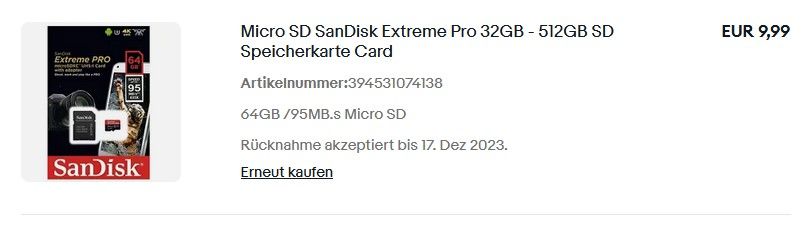
                                    Screenshot_2.jpg

                                    hg6806H 1 Antwort Letzte Antwort
                                    0
                                    • teletapiT teletapi

                                      @hg6806 said in Raspberry Pi 5 8Gb Iobroker Installation:

                                      PCIe

                                      Ich halte schon dauernd Ausschau danach abernoch tut sich nix besonderes was die neuen M.2 angeht, wobei mir ein System ähnlich wie mit dem Argon one M.2 Gehäuse schon reichen würde.

                                      Ich hab gerade mal so eine sandisk Extreme Pro geordert
                                      und wenn die da ist werde ich das auch mal testen
                                      Screenshot_2.jpg

                                      hg6806H Offline
                                      hg6806H Offline
                                      hg6806
                                      Most Active
                                      schrieb am zuletzt editiert von hg6806
                                      #37

                                      @teletapi

                                      Genau, die habe ich auch. Die höhere Geschwindigkeit merkt man definitiv!
                                      Auf jeden Fall macht der 5er echt Laune.

                                      teletapiT 1 Antwort Letzte Antwort
                                      0
                                      • hg6806H hg6806

                                        @teletapi

                                        Genau, die habe ich auch. Die höhere Geschwindigkeit merkt man definitiv!
                                        Auf jeden Fall macht der 5er echt Laune.

                                        teletapiT Online
                                        teletapiT Online
                                        teletapi
                                        schrieb am zuletzt editiert von teletapi
                                        #38

                                        @hg6806
                                        Ich hab heute die sd Karte bekommen und hab das gleich getestet und es hat auf Anhieb funktioniert.

                                        1 Antwort Letzte Antwort
                                        0
                                        • I Offline
                                          I Offline
                                          itwegner72
                                          schrieb am zuletzt editiert von
                                          #39

                                          Der Raspberry 5 macht Richtig Laune.
                                          Habe meine ioBroker Installation nun komplett fertig auf dem Raspberry 5 mit dem Pineberry Pi BM1L HatDrive! Bottom NVMe Adapter und einer SAMSUNG 980 Festplatte Retail 1 TB SSD M.2 NVMe intern.
                                          Läuft alles Super Flüssig und sowas von fix gegenüber dem RPi4, bin einfach nur Begeistert.

                                          Kann ich allen nur empfehlen, wer mit dem Raspberry arbeitet.

                                          mcm1957M Meister MopperM S 3 Antworten Letzte Antwort
                                          0
                                          Antworten
                                          • In einem neuen Thema antworten
                                          Anmelden zum Antworten
                                          • Älteste zuerst
                                          • Neuste zuerst
                                          • Meiste Stimmen


                                          Support us

                                          ioBroker
                                          Community Adapters
                                          Donate

                                          850

                                          Online

                                          32.4k

                                          Benutzer

                                          81.5k

                                          Themen

                                          1.3m

                                          Beiträge
                                          Community
                                          Impressum | Datenschutz-Bestimmungen | Nutzungsbedingungen | Einwilligungseinstellungen
                                          ioBroker Community 2014-2025
                                          logo
                                          • Anmelden

                                          • Du hast noch kein Konto? Registrieren

                                          • Anmelden oder registrieren, um zu suchen
                                          • Erster Beitrag
                                            Letzter Beitrag
                                          0
                                          • Home
                                          • Aktuell
                                          • Tags
                                          • Ungelesen 0
                                          • Kategorien
                                          • Unreplied
                                          • Beliebt
                                          • GitHub
                                          • Docu
                                          • Hilfe