




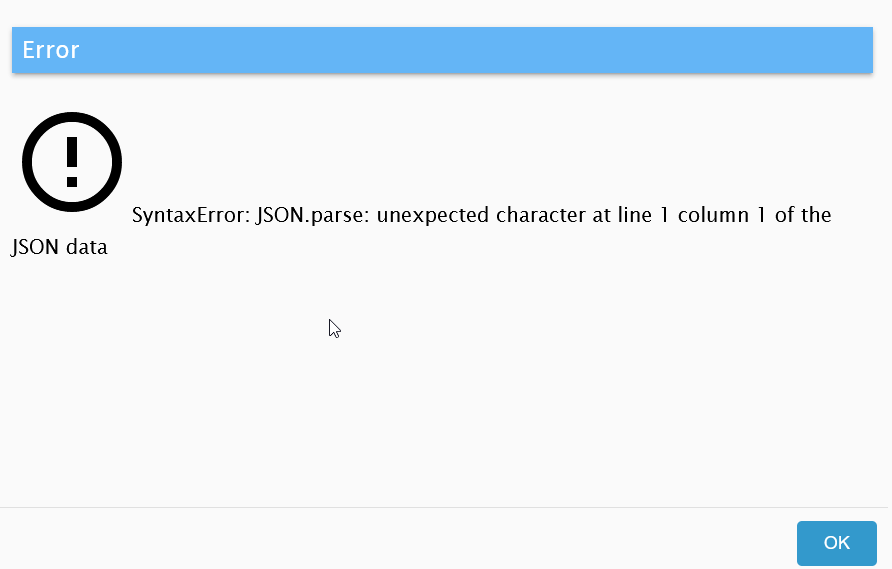
Backitup Restore fehler
-
@esmax666 sagte in Backitup Restore fehler:
Woher sollte ich die files haben ?
Alles gut , du sollst nichts suchen , oder haben !
iob setup custom
siehe hier :
https://www.iobroker.net/#de/documentation/config/multihost.md
wie er auch schreibt :
Du wirst durch das Menü geführt und wählst bei der Objekt-Datenbank und State- Datenbank jeweils "file" aus, was auf deinem alten System li
@glasfaser ach so hab falsch verstanden :/
Also hab jetzt das so verstanden :
Type of objects DB [(j)sonl, (f)ile, (r)edis, ...], default [file]: f Host / Unix Socket of objects DB(file), default[127.0.0.1]: Port of objects DB(file), default[9001]: Type of states DB [(j)sonl, (f)file, (r)edis, ...], default [file]: f Host / Unix Socket of states DB (file), default[127.0.0.1]: Port of states DB (file), default[9000]: Data directory (file), default[../../iobroker-data/]: Host name of this machine [ubuntu]: updating conf/iobroker.json esmax@ubuntu:~$ -
@glasfaser ach so hab falsch verstanden :/
Also hab jetzt das so verstanden :
Type of objects DB [(j)sonl, (f)ile, (r)edis, ...], default [file]: f Host / Unix Socket of objects DB(file), default[127.0.0.1]: Port of objects DB(file), default[9001]: Type of states DB [(j)sonl, (f)file, (r)edis, ...], default [file]: f Host / Unix Socket of states DB (file), default[127.0.0.1]: Port of states DB (file), default[9000]: Data directory (file), default[../../iobroker-data/]: Host name of this machine [ubuntu]: updating conf/iobroker.json esmax@ubuntu:~$ -
@esmax666 sagte in Backitup Restore fehler:
Also hab jetzt das so verstanden :
genau und jetzt weiter machen , wie oben beschrieben !
@glasfaser ja chef

-
@esmax666 sagte in Backitup Restore fehler:
Also hab jetzt das so verstanden :
genau und jetzt weiter machen , wie oben beschrieben !
-
die installation muss ich nie "/opt/iobroker/" duchfürhen oder ist das egal ?
npm install iobroker.js-controller@3.3.22 iobroker upgrade backitup@2.2.2 iobroker upgrade admin@5.2.1 -
@esmax666 sagte in Backitup Restore fehler:
die installation muss ich nie "/opt/iobroker/" duchfürhen oder ist das egal ?
npm Befehle dürfen nur in /opt/iobroker ausgeführt werden!
iobroker Befehle überall
-
@esmax666 sagte in Backitup Restore fehler:
die installation muss ich nie "/opt/iobroker/" duchfürhen oder ist das egal ?
npm Befehle dürfen nur in /opt/iobroker ausgeführt werden!
iobroker Befehle überall
@Glasfaser
ich mache immer fehler ....was habe ich hier nicht verstanden und falsch gemacht ?
esmax@ubuntu:~$ cd opt/iobroker -bash: cd: opt/iobroker: No such file or directory esmax@ubuntu:~$ cd . ./ ../ .cache/ .iobroker/ .npm/ .ssh/ esmax@ubuntu:~$ cd . ./ ../ .cache/ .iobroker/ .npm/ .ssh/ -
@Glasfaser
ich mache immer fehler ....was habe ich hier nicht verstanden und falsch gemacht ?
esmax@ubuntu:~$ cd opt/iobroker -bash: cd: opt/iobroker: No such file or directory esmax@ubuntu:~$ cd . ./ ../ .cache/ .iobroker/ .npm/ .ssh/ esmax@ubuntu:~$ cd . ./ ../ .cache/ .iobroker/ .npm/ .ssh/ -
@esmax666 sagte in Backitup Restore fehler:
und falsch gemacht ?
esmax@ubuntu:~$ cd opt/iobroker
so der / fehlt
cd /opt/iobroker@glasfaser ach so ok lol
und dann muss ich mir die admin rechte geben ?esmax@ubuntu:/opt/iobroker$ npm install iobroker.js-controller@3.3.22 iobroker upgrade backitup@2.2.2 iobroker upgrade admin@5.2.1 npm ERR! code EACCES npm ERR! syscall rename npm ERR! path /opt/iobroker/node_modules/alcalzone-shared npm ERR! dest /opt/iobroker/node_modules/.alcalzone-shared-FgX40TmF npm ERR! errno -13 npm ERR! Error: EACCES: permission denied, rename '/opt/iobroker/node_modules/alcalzone-shared' -> '/opt/iobroker/node_modules/.alcalzone-shared-FgX40TmF' npm ERR! [Error: EACCES: permission denied, rename '/opt/iobroker/node_modules/alcalzone-shared' -> '/opt/iobroker/node_modules/.alcalzone-shared-FgX40TmF'] { npm ERR! errno: -13, npm ERR! code: 'EACCES', npm ERR! syscall: 'rename', npm ERR! path: '/opt/iobroker/node_modules/alcalzone-shared', npm ERR! dest: '/opt/iobroker/node_modules/.alcalzone-shared-FgX40TmF' npm ERR! } npm ERR! npm ERR! The operation was rejected by your operating system. npm ERR! It is likely you do not have the permissions to access this file as the current user npm ERR! npm ERR! If you believe this might be a permissions issue, please double-check the npm ERR! permissions of the file and its containing directories, or try running npm ERR! the command again as root/Administrator. npm ERR! A complete log of this run can be found in: /home/esmax/.npm/_logs/2023-09-27T17_16_56_756Z-debug-0.log Server Cannot load /opt/iobroker/iobroker-data/objects.json: Database file /opt/iobroker/iobroker-data/objects.json does not exists.. We try last Backup! Server Cannot load /opt/iobroker/iobroker-data/states.json: Database file /opt/iobroker/iobroker-data/states.json does not exists.. We try last Backup! Server Cannot load /opt/iobroker/iobroker-data/objects.json.bak: Database file /opt/iobroker/iobroker-data/objects.json.bak does not exists.. Continue with empty dataset! Server If this is no Migration or initial start please restore the last backup from /opt/iobroker/iobroker-data/backup-objects Server Cannot load /opt/iobroker/iobroker-data/states.json.bak: Database file /opt/iobroker/iobroker-data/states.json.bak does not exists.. Continue with empty dataset! Server If this is no Migration or initial start please restore the last backup from /opt/iobroker/iobroker-data/backup-objects Cannot read system.config: null (OK when migrating or restoring) Cannot read system.config: null (OK when migrating or restoring) esmax@ubuntu:/opt/iobroker$ -
@glasfaser ach so ok lol
und dann muss ich mir die admin rechte geben ?esmax@ubuntu:/opt/iobroker$ npm install iobroker.js-controller@3.3.22 iobroker upgrade backitup@2.2.2 iobroker upgrade admin@5.2.1 npm ERR! code EACCES npm ERR! syscall rename npm ERR! path /opt/iobroker/node_modules/alcalzone-shared npm ERR! dest /opt/iobroker/node_modules/.alcalzone-shared-FgX40TmF npm ERR! errno -13 npm ERR! Error: EACCES: permission denied, rename '/opt/iobroker/node_modules/alcalzone-shared' -> '/opt/iobroker/node_modules/.alcalzone-shared-FgX40TmF' npm ERR! [Error: EACCES: permission denied, rename '/opt/iobroker/node_modules/alcalzone-shared' -> '/opt/iobroker/node_modules/.alcalzone-shared-FgX40TmF'] { npm ERR! errno: -13, npm ERR! code: 'EACCES', npm ERR! syscall: 'rename', npm ERR! path: '/opt/iobroker/node_modules/alcalzone-shared', npm ERR! dest: '/opt/iobroker/node_modules/.alcalzone-shared-FgX40TmF' npm ERR! } npm ERR! npm ERR! The operation was rejected by your operating system. npm ERR! It is likely you do not have the permissions to access this file as the current user npm ERR! npm ERR! If you believe this might be a permissions issue, please double-check the npm ERR! permissions of the file and its containing directories, or try running npm ERR! the command again as root/Administrator. npm ERR! A complete log of this run can be found in: /home/esmax/.npm/_logs/2023-09-27T17_16_56_756Z-debug-0.log Server Cannot load /opt/iobroker/iobroker-data/objects.json: Database file /opt/iobroker/iobroker-data/objects.json does not exists.. We try last Backup! Server Cannot load /opt/iobroker/iobroker-data/states.json: Database file /opt/iobroker/iobroker-data/states.json does not exists.. We try last Backup! Server Cannot load /opt/iobroker/iobroker-data/objects.json.bak: Database file /opt/iobroker/iobroker-data/objects.json.bak does not exists.. Continue with empty dataset! Server If this is no Migration or initial start please restore the last backup from /opt/iobroker/iobroker-data/backup-objects Server Cannot load /opt/iobroker/iobroker-data/states.json.bak: Database file /opt/iobroker/iobroker-data/states.json.bak does not exists.. Continue with empty dataset! Server If this is no Migration or initial start please restore the last backup from /opt/iobroker/iobroker-data/backup-objects Cannot read system.config: null (OK when migrating or restoring) Cannot read system.config: null (OK when migrating or restoring) esmax@ubuntu:/opt/iobroker$@esmax666 sagte in Backitup Restore fehler:
und dann muss ich mir die admin rechte geben ?
ich weiss nicht worauf du hinaus willst, aber einfach
sudomitnpm....ist ein noGo -
@glasfaser ach so ok lol
und dann muss ich mir die admin rechte geben ?esmax@ubuntu:/opt/iobroker$ npm install iobroker.js-controller@3.3.22 iobroker upgrade backitup@2.2.2 iobroker upgrade admin@5.2.1 npm ERR! code EACCES npm ERR! syscall rename npm ERR! path /opt/iobroker/node_modules/alcalzone-shared npm ERR! dest /opt/iobroker/node_modules/.alcalzone-shared-FgX40TmF npm ERR! errno -13 npm ERR! Error: EACCES: permission denied, rename '/opt/iobroker/node_modules/alcalzone-shared' -> '/opt/iobroker/node_modules/.alcalzone-shared-FgX40TmF' npm ERR! [Error: EACCES: permission denied, rename '/opt/iobroker/node_modules/alcalzone-shared' -> '/opt/iobroker/node_modules/.alcalzone-shared-FgX40TmF'] { npm ERR! errno: -13, npm ERR! code: 'EACCES', npm ERR! syscall: 'rename', npm ERR! path: '/opt/iobroker/node_modules/alcalzone-shared', npm ERR! dest: '/opt/iobroker/node_modules/.alcalzone-shared-FgX40TmF' npm ERR! } npm ERR! npm ERR! The operation was rejected by your operating system. npm ERR! It is likely you do not have the permissions to access this file as the current user npm ERR! npm ERR! If you believe this might be a permissions issue, please double-check the npm ERR! permissions of the file and its containing directories, or try running npm ERR! the command again as root/Administrator. npm ERR! A complete log of this run can be found in: /home/esmax/.npm/_logs/2023-09-27T17_16_56_756Z-debug-0.log Server Cannot load /opt/iobroker/iobroker-data/objects.json: Database file /opt/iobroker/iobroker-data/objects.json does not exists.. We try last Backup! Server Cannot load /opt/iobroker/iobroker-data/states.json: Database file /opt/iobroker/iobroker-data/states.json does not exists.. We try last Backup! Server Cannot load /opt/iobroker/iobroker-data/objects.json.bak: Database file /opt/iobroker/iobroker-data/objects.json.bak does not exists.. Continue with empty dataset! Server If this is no Migration or initial start please restore the last backup from /opt/iobroker/iobroker-data/backup-objects Server Cannot load /opt/iobroker/iobroker-data/states.json.bak: Database file /opt/iobroker/iobroker-data/states.json.bak does not exists.. Continue with empty dataset! Server If this is no Migration or initial start please restore the last backup from /opt/iobroker/iobroker-data/backup-objects Cannot read system.config: null (OK when migrating or restoring) Cannot read system.config: null (OK when migrating or restoring) esmax@ubuntu:/opt/iobroker$ -
sudo -u iobroker rm opt/iobroker/node_modules/.alcalzone-shared-FgX40TmFdann nochmal versuchen
@glasfaser said in Backitup Restore fehler:
sudo -u iobroker rm opt/iobroker/node_modules/.alcalzone-shared-FgX40TmF
da war nichts,
esmax@ubuntu:/opt/iobroker$ sudo -u iobroker rm node_modules/.alcalzone-shared-F                                                                                                                                   gX40TmF
rm: cannot remove 'node_modules/.alcalzone-shared-FgX40TmF': No such file or dir                                                                                                                                   ectory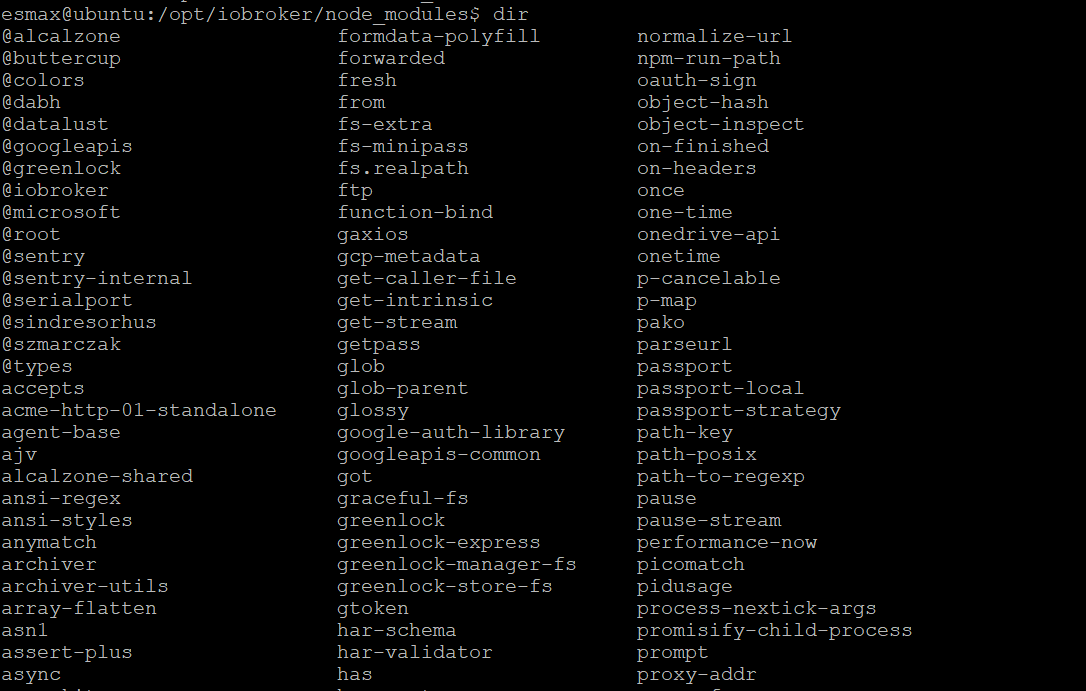
ich dache ich muss nur die admin rechte geben für "esmax" user -
@glasfaser said in Backitup Restore fehler:
sudo -u iobroker rm opt/iobroker/node_modules/.alcalzone-shared-FgX40TmF
da war nichts,
esmax@ubuntu:/opt/iobroker$ sudo -u iobroker rm node_modules/.alcalzone-shared-F                                                                                                                                   gX40TmF
rm: cannot remove 'node_modules/.alcalzone-shared-FgX40TmF': No such file or dir                                                                                                                                   ectory
ich dache ich muss nur die admin rechte geben für "esmax" user -
@glasfaser said in Backitup Restore fehler:
sudo -u iobroker rm opt/iobroker/node_modules/.alcalzone-shared-FgX40TmF
da war nichts,
esmax@ubuntu:/opt/iobroker$ sudo -u iobroker rm node_modules/.alcalzone-shared-F                                                                                                                                   gX40TmF
rm: cannot remove 'node_modules/.alcalzone-shared-FgX40TmF': No such file or dir                                                                                                                                   ectory
ich dache ich muss nur die admin rechte geben für "esmax" user@esmax666 sagte in Backitup Restore fehler:
esmax@ubuntu:/opt/iobroker$ sudo -u iobroker rm node_modules/.alcalzone-shared-F gX40TmF
tipps du die Befehle immer ab bzw. veränderst du sie !?
da fehlt immer etwas bei dir !!!
@glasfaser sagte in Backitup Restore fehler:
sudo -u iobroker rm opt/iobroker/node_modules/.alcalzone-shared-FgX40TmFSynology 918+ 16GB - ioBroker in Docker v9 , VISO auf Trekstor Primebook C13 13,3" , Hikvision Domkameras mit Surveillance Station .. CCU RaspberryMatic in Synology VM .. Zigbee CC2538+CC2592 .. Sonoff .. KNX .. Modbus ..
-
@esmax666 sagte in Backitup Restore fehler:
esmax@ubuntu:/opt/iobroker$ sudo -u iobroker rm node_modules/.alcalzone-shared-F gX40TmF
tipps du die Befehle immer ab bzw. veränderst du sie !?
da fehlt immer etwas bei dir !!!
@glasfaser sagte in Backitup Restore fehler:
sudo -u iobroker rm opt/iobroker/node_modules/.alcalzone-shared-FgX40TmF@glasfaser
nicht immer
ich war schon in "opt/iobroker/" deshalb hatte ich das nicht eingefügtalso dann habe ich das bekommen:
esmax@ubuntu:/opt/iobroker$ sudo -H -u iobroker npm install iobroker.js-controller@3.3.22 [sudo] password for esmax: added 11 packages, removed 28 packages, and changed 25 packages in 29s 48 packages are looking for funding run `npm fund` for details esmax@ubuntu:/opt/iobroker$ -
@esmax666 sagte in Backitup Restore fehler:
esmax@ubuntu:/opt/iobroker$ sudo -u iobroker rm node_modules/.alcalzone-shared-F gX40TmF
tipps du die Befehle immer ab bzw. veränderst du sie !?
da fehlt immer etwas bei dir !!!
@glasfaser sagte in Backitup Restore fehler:
sudo -u iobroker rm opt/iobroker/node_modules/.alcalzone-shared-FgX40TmF@glasfaser sagte in Backitup Restore fehler:
da fehlt immer etwas bei dir !!!
nee das putty Fenster ist zu schmal. 1m weiter rechts geht's weiter.
das fehlende /opt/iobroker dürfte i.O. sein
-
@glasfaser
nicht immer
ich war schon in "opt/iobroker/" deshalb hatte ich das nicht eingefügtalso dann habe ich das bekommen:
esmax@ubuntu:/opt/iobroker$ sudo -H -u iobroker npm install iobroker.js-controller@3.3.22 [sudo] password for esmax: added 11 packages, removed 28 packages, and changed 25 packages in 29s 48 packages are looking for funding run `npm fund` for details esmax@ubuntu:/opt/iobroker$ -
@glasfaser
nicht immer
ich war schon in "opt/iobroker/" deshalb hatte ich das nicht eingefügtalso dann habe ich das bekommen:
esmax@ubuntu:/opt/iobroker$ sudo -H -u iobroker npm install iobroker.js-controller@3.3.22 [sudo] password for esmax: added 11 packages, removed 28 packages, and changed 25 packages in 29s 48 packages are looking for funding run `npm fund` for details esmax@ubuntu:/opt/iobroker$@esmax666 sagte in Backitup Restore fehler:
@glasfaser
nicht immer
ich war schon in "opt/iobroker/" deshalb hatte ich das nicht eingefügtalso dann habe ich das bekommen:
esmax@ubuntu:/opt/iobroker$ sudo -H -u iobroker npm install iobroker.js-controller@3.3.22
[sudo] password for esmax:

added 11 packages, removed 28 packages, and changed 25 packages in 29s

48 packages are looking for funding
  run `npm fund` for details
esmax@ubuntu:/opt/iobroker$
Nun weiter wie beschrieben
-
@esmax666 sagte in Backitup Restore fehler:
@glasfaser
nicht immer
ich war schon in "opt/iobroker/" deshalb hatte ich das nicht eingefügtalso dann habe ich das bekommen:
esmax@ubuntu:/opt/iobroker$ sudo -H -u iobroker npm install iobroker.js-controller@3.3.22
[sudo] password for esmax:

added 11 packages, removed 28 packages, and changed 25 packages in 29s

48 packages are looking for funding
  run `npm fund` for details
esmax@ubuntu:/opt/iobroker$
Nun weiter wie beschrieben
So alle command sind jetzt durchgefürt :D und iobroker startet noch

Wie lange muss man warten bis "alle Adapter installiert" sind?
Momentan sind die noch grau markiert

die Command
esmax@ubuntu:/opt/iobroker$ iobroker upgrade backitup@2.2.2 Update repository "stable" under "http://download.iobroker.net/sources-dist.json" hash changed or no sources cached => force download of new sources This downgrade of "backitup" will at least remove the following changes: ========================================================================== -> 2.8.1 Fix roles help-links added -> 2.8.0 small Sentry fixes Bugfix System-Message Docu & Wiki updated Translation updated dependencies updated Fix Webdav WOL Address & Port added Restore for Backitup Config added -> 2.7.0 dependencies updated Fix error Messages edit automatic name addition added Docu & Wiki updated small bug fixes Translation updated Add support for sending notifications via discord (requires ioBroker.discord >= 2.1) -> 2.6.23 Fix Influx Restore for MultiDB Token renew for Onedrive added Fix PSQL Restore -> 2.6.22 Fix Influx Restore for MultiDB Default Ports for InfluxDB added -> 2.6.21 small Sentry fixes Fix Influx Restore Fix Onedrive Download dependencies updated -> 2.6.20 FTP self signed Certificates added dependencies updated ========================================================================== Would you like to downgrade backitup from @2.8.1 to @2.2.2 now? [(y)es, (n)o]: y Update backitup from @2.8.1 to @2.2.2 NPM version: 9.6.7 npm install iobroker.backitup@2.2.2 --loglevel error --prefix "/opt/iobroker" (System call) upload [10] backitup.admin /opt/iobroker/node_modules/iobroker.backitup/admin/words.js words.js application/javascript upload [9] backitup.admin /opt/iobroker/node_modules/iobroker.backitup/admin/tab_m.js tab_m.js application/javascript upload [8] backitup.admin /opt/iobroker/node_modules/iobroker.backitup/admin/tab_m.html tab_m.html text/html upload [7] backitup.admin /opt/iobroker/node_modules/iobroker.backitup/admin/tab_m.css tab_m.css text/css upload [6] backitup.admin /opt/iobroker/node_modules/iobroker.backitup/admin/style.css style.css text/css upload [5] backitup.admin /opt/iobroker/node_modules/iobroker.backitup/admin/index_m.js index_m.js application/javascript upload [4] backitup.admin /opt/iobroker/node_modules/iobroker.backitup/admin/index_m.html index_m.html text/html upload [3] backitup.admin /opt/iobroker/node_modules/iobroker.backitup/admin/index.html index.html text/html upload [2] backitup.admin /opt/iobroker/node_modules/iobroker.backitup/admin/backitup.svg backitup.svg image/svg+xml upload [1] backitup.admin /opt/iobroker/node_modules/iobroker.backitup/admin/backitup.png backitup.png image/png upload [0] backitup.admin /opt/iobroker/node_modules/iobroker.backitup/admin/adapter-settings.js adapter-settings.js application/javascript Adapter "backitup" updated esmax@ubuntu:/opt/iobroker$ iobroker upgrade admin@5.2.1 This downgrade of "admin" will at least remove the following changes: ========================================================================== -> 6.10.1 fixed `between` function for showing news if date string is not parseable show the original string instead of `Invalid Date` updated socket classes to not crash on invalid patterns -> 6.10.0 various minor improvements fixed problem with discovery dialog object browser now validates setting state of type number allow to specify unique columns for tables fix crash on invalid states, which are missing the property `common.role` -> 6.9.2 show info, if server time differs from client time remove confusion with different names for state (datapoint and state) fixed link on 404-page being opened inside child view fixed issue if non-text default values are provided to a text jsonConfig component implemented del key shortcut to delete a selected object -> 6.9.1 allow resizing of all columns in objects tab without expert mode users are only allowed to edit objects in `0_userdata.0` and `alias.0` namespace fixed keyboard navigation fixed problem with showing controller upgrade instructions if no UI upgrade is supported -> 6.9.0 Added possibility to change log direction JSON config: Added possibility to filter out internal IP addresses JSON config: Added _changed flag for formula in JSON config -> 6.8.3 added description to adapter rating dialog Extended the select component with grouping Allowed the sorting of adapters by name and not only by title Allowed the set state JSON config component -> 6.8.0 try to find correct IP for controller UI multihost slave upgrade admin is now showing update information, while it is stopped during upgrade required nodejs version is 16 as 14 is End-Of-Life fix downloading folders recursive ========================================================================== BE CAREFUL: THIS IS A MAJOR DOWNGRADE, WHICH WILL MOST LIKELY INTRODUCE BREAKING CHANGES! Would you like to downgrade admin from @6.10.1 to @5.2.1 now? [(y)es, (n)o]: y Update admin from @6.10.1 to @5.2.1 NPM version: 9.6.7 npm install iobroker.admin@5.2.1 --loglevel error --prefix "/opt/iobroker" (System call) upload [14] admin.admin /opt/iobroker/node_modules/iobroker.admin/admin/words.js words.js application/javascript upload [13] admin.admin /opt/iobroker/node_modules/iobroker.admin/admin/jsonConfig.json jsonConfig.json application/json upload [12] admin.admin /opt/iobroker/node_modules/iobroker.admin/admin/index_m.html index_m.html text/html upload [11] admin.admin /opt/iobroker/node_modules/iobroker.admin/admin/index.html index.html text/html upload [10] admin.admin /opt/iobroker/node_modules/iobroker.admin/admin/i18n/zh-cn/translations.json i18n/zh-cn/translations.json application/json upload [9] admin.admin /opt/iobroker/node_modules/iobroker.admin/admin/i18n/ru/translations.json i18n/ru/translations.json application/json upload [8] admin.admin /opt/iobroker/node_modules/iobroker.admin/admin/i18n/pt/translations.json i18n/pt/translations.json application/json upload [7] admin.admin /opt/iobroker/node_modules/iobroker.admin/admin/i18n/pl/translations.json i18n/pl/translations.json application/json upload [6] admin.admin /opt/iobroker/node_modules/iobroker.admin/admin/i18n/nl/translations.json i18n/nl/translations.json application/json upload [5] admin.admin /opt/iobroker/node_modules/iobroker.admin/admin/i18n/it/translations.json i18n/it/translations.json application/json upload [4] admin.admin /opt/iobroker/node_modules/iobroker.admin/admin/i18n/fr/translations.json i18n/fr/translations.json application/json upload [3] admin.admin /opt/iobroker/node_modules/iobroker.admin/admin/i18n/es/translations.json i18n/es/translations.json application/json upload [2] admin.admin /opt/iobroker/node_modules/iobroker.admin/admin/i18n/en/translations.json i18n/en/translations.json application/json upload [1] admin.admin /opt/iobroker/node_modules/iobroker.admin/admin/i18n/de/translations.json i18n/de/translations.json application/json upload [0] admin.admin /opt/iobroker/node_modules/iobroker.admin/admin/admin.png admin.png image/png Adapter "admin" updated esmax@ubuntu:/opt/iobroker$ ^C esmax@ubuntu:/opt/iobroker$ cd backups/ esmax@ubuntu:/opt/iobroker/backups$ dir iobroker_2022_09_21-02_40_10_backupiobroker.tar.gz esmax@ubuntu:/opt/iobroker/backups$ iobroker restore iobroker_2022_09_21-02_40_10_backupiobroker.tar.gz iobroker controller daemon is not running host.ubuntu OK. host.ubuntu Clear all objects and states... clean 18 objects... Server Objects 127.0.0.1:51690 Error from InMemDB: Error: Object is marked as non deletable [Not critical] Cannot delete object 0_userdata.0: {"command":{"name":"del","args":["cfg.o.0_userdata.0"]}} Server Objects 127.0.0.1:51690 Error from InMemDB: Error: Object is marked as non deletable [Not critical] Cannot delete object alias.0: {"command":{"name":"del","args":["cfg.o.alias.0"]}} Server Objects 127.0.0.1:51690 Error from InMemDB: Error: Object is marked as non deletable [Not critical] Cannot delete object enum.functions: {"command":{"name":"del","args":["cfg.o.enum.functions"]}} Server Objects 127.0.0.1:51690 Error from InMemDB: Error: Object is marked as non deletable [Not critical] Cannot delete object enum.rooms: {"command":{"name":"del","args":["cfg.o.enum.rooms"]}} Server Objects 127.0.0.1:51690 Error from InMemDB: Error: Object is marked as non deletable [Not critical] Cannot delete object system.config: {"command":{"name":"del","args":["cfg.o.system.config"]}} Server Objects 127.0.0.1:51690 Error from InMemDB: Error: Object is marked as non deletable Server Objects 127.0.0.1:51690 Error from InMemDB: Error: Object is marked as non deletable Server Objects 127.0.0.1:51690 Error from InMemDB: Error: Object is marked as non deletable [Not critical] Cannot delete object system.repositories: {"command":{"name":"del","args":["cfg.o.system.repositories"]}} Server Objects 127.0.0.1:51690 Error from InMemDB: Error: Object is marked as non deletable clean 2 states... host.ubuntu done. host.ubuntu Processed 0/3050 states host.ubuntu Processed 200/3050 states host.ubuntu Processed 400/3050 states host.ubuntu Processed 600/3050 states host.ubuntu Processed 800/3050 states host.ubuntu Processed 1000/3050 states host.ubuntu Processed 1200/3050 states host.ubuntu Processed 1400/3050 states host.ubuntu Processed 1600/3050 states host.ubuntu Processed 1800/3050 states host.ubuntu Processed 2000/3050 states host.ubuntu Processed 2200/3050 states host.ubuntu Processed 2400/3050 states host.ubuntu Processed 2600/3050 states host.ubuntu Processed 2800/3050 states host.ubuntu Processed 3000/3050 states 3050 states restored. host.ubuntu Processed 0/4382 objects host.ubuntu Processed 200/4382 objects host.ubuntu Processed 400/4382 objects host.ubuntu Processed 600/4382 objects host.ubuntu Processed 800/4382 objects host.ubuntu Processed 1000/4382 objects host.ubuntu Processed 1200/4382 objects host.ubuntu Processed 1400/4382 objects host.ubuntu Processed 1600/4382 objects host.ubuntu Processed 1800/4382 objects host.ubuntu Processed 2000/4382 objects host.ubuntu Processed 2200/4382 objects host.ubuntu Processed 2400/4382 objects host.ubuntu Processed 2600/4382 objects host.ubuntu Processed 2800/4382 objects host.ubuntu Processed 3000/4382 objects host.ubuntu Processed 3200/4382 objects host.ubuntu Processed 3400/4382 objects host.ubuntu Processed 3600/4382 objects host.ubuntu Processed 3800/4382 objects host.ubuntu Processed 4000/4382 objects host.ubuntu Processed 4200/4382 objects 4382 objects restored. host.ubuntu Upload user file "vis.0/HeatingControl/images/MaterialIcons-Regular (1).woff host.ubuntu Upload user file "vis.0/HeatingControl/images/MaterialIcons-Regular.eot host.ubuntu Upload user file "vis.0/HeatingControl/images/MaterialIcons-Regular.ttf host.ubuntu Upload user file "vis.0/HeatingControl/images/MaterialIcons-Regular.woff host.ubuntu Upload user file "vis.0/HeatingControl/images/MaterialIcons-Regular.woff2 host.ubuntu Upload user file "vis.0/HeatingControl/images/edit_copy.svg host.ubuntu Upload user file "vis.0/HeatingControl/images/fts_window_1w.svg host.ubuntu Upload user file "vis.0/HeatingControl/images/fts_window_1w_open.svg host.ubuntu Upload user file "vis.0/HeatingControl/images/heatingcontrol.png host.ubuntu Upload user file "vis.0/HeatingControl/images/ioBrokerLogo-blau-128x128.png host.ubuntu Upload user file "vis.0/HeatingControl/images/ioBrokerLogo-blau-512x512.png host.ubuntu Upload user file "vis.0/HeatingControl/images/ioBrokerLogo-gelb-128x128.png host.ubuntu Upload user file "vis.0/HeatingControl/images/ioBrokerLogo-gelb-512x512.png host.ubuntu Upload user file "vis.0/HeatingControl/images/ioBrokerLogo-grau-128x128.png host.ubuntu Upload user file "vis.0/HeatingControl/images/ioBrokerLogo-grau-512x512.png host.ubuntu Upload user file "vis.0/HeatingControl/images/ioBrokerLogo-gruen-128x128.png host.ubuntu Upload user file "vis.0/HeatingControl/images/ioBrokerLogo-gruen-512x512.png host.ubuntu Upload user file "vis.0/HeatingControl/images/ioBrokerLogo-rot-128x128.png host.ubuntu Upload user file "vis.0/HeatingControl/images/ioBrokerLogo-rot-512x512.png host.ubuntu Upload user file "vis.0/HeatingControl/images/ioBrokerLogo-weiss-128x128.png host.ubuntu Upload user file "vis.0/HeatingControl/images/ioBrokerLogo-weiss-512x512.png host.ubuntu Upload user file "vis.0/HeatingControl/images/it_wifi.svg host.ubuntu Upload user file "vis.0/HeatingControl/vis-user.css host.ubuntu Upload user file "vis.0/HeatingControl/vis-views.json host.ubuntu Upload user file "vis.0/main/vis-views.json upload [14] admin.admin /opt/iobroker/node_modules/iobroker.admin/admin/words.js words.js application/javascript upload [13] admin.admin /opt/iobroker/node_modules/iobroker.admin/admin/jsonConfig.json jsonConfig.json application/json upload [12] admin.admin /opt/iobroker/node_modules/iobroker.admin/admin/index_m.html index_m.html text/html upload [11] admin.admin /opt/iobroker/node_modules/iobroker.admin/admin/index.html index.html text/html upload [10] admin.admin /opt/iobroker/node_modules/iobroker.admin/admin/i18n/zh-cn/translations.json i18n/zh-cn/translations.json application/json upload [9] admin.admin /opt/iobroker/node_modules/iobroker.admin/admin/i18n/ru/translations.json i18n/ru/translations.json application/json upload [8] admin.admin /opt/iobroker/node_modules/iobroker.admin/admin/i18n/pt/translations.json i18n/pt/translations.json application/json upload [7] admin.admin /opt/iobroker/node_modules/iobroker.admin/admin/i18n/pl/translations.json i18n/pl/translations.json application/json upload [6] admin.admin /opt/iobroker/node_modules/iobroker.admin/admin/i18n/nl/translations.json i18n/nl/translations.json application/json upload [5] admin.admin /opt/iobroker/node_modules/iobroker.admin/admin/i18n/it/translations.json i18n/it/translations.json application/json upload [4] admin.admin /opt/iobroker/node_modules/iobroker.admin/admin/i18n/fr/translations.json i18n/fr/translations.json application/json upload [3] admin.admin /opt/iobroker/node_modules/iobroker.admin/admin/i18n/es/translations.json i18n/es/translations.json application/json upload [2] admin.admin /opt/iobroker/node_modules/iobroker.admin/admin/i18n/en/translations.json i18n/en/translations.json application/json upload [1] admin.admin /opt/iobroker/node_modules/iobroker.admin/admin/i18n/de/translations.json i18n/de/translations.json application/json upload [0] admin.admin /opt/iobroker/node_modules/iobroker.admin/admin/admin.png admin.png image/png upload [10] backitup.admin /opt/iobroker/node_modules/iobroker.backitup/admin/words.js words.js application/javascript upload [9] backitup.admin /opt/iobroker/node_modules/iobroker.backitup/admin/tab_m.js tab_m.js application/javascript upload [8] backitup.admin /opt/iobroker/node_modules/iobroker.backitup/admin/tab_m.html tab_m.html text/html upload [7] backitup.admin /opt/iobroker/node_modules/iobroker.backitup/admin/tab_m.css tab_m.css text/css upload [6] backitup.admin /opt/iobroker/node_modules/iobroker.backitup/admin/style.css style.css text/css upload [5] backitup.admin /opt/iobroker/node_modules/iobroker.backitup/admin/index_m.js index_m.js application/javascript upload [4] backitup.admin /opt/iobroker/node_modules/iobroker.backitup/admin/index_m.html index_m.html text/html upload [3] backitup.admin /opt/iobroker/node_modules/iobroker.backitup/admin/index.html index.html text/html upload [2] backitup.admin /opt/iobroker/node_modules/iobroker.backitup/admin/backitup.svg backitup.svg image/svg+xml upload [1] backitup.admin /opt/iobroker/node_modules/iobroker.backitup/admin/backitup.png backitup.png image/png upload [0] backitup.admin /opt/iobroker/node_modules/iobroker.backitup/admin/adapter-settings.js adapter-settings.js application/javascript upload [6] discovery.admin /opt/iobroker/node_modules/iobroker.discovery/admin/words.js words.js application/javascript upload [5] discovery.admin /opt/iobroker/node_modules/iobroker.discovery/admin/translateTools.js translateTools.js application/javascript upload [4] discovery.admin /opt/iobroker/node_modules/iobroker.discovery/admin/settings_m.html settings_m.html text/html upload [3] discovery.admin /opt/iobroker/node_modules/iobroker.discovery/admin/settings.html settings.html text/html upload [2] discovery.admin /opt/iobroker/node_modules/iobroker.discovery/admin/index_m.html index_m.html text/html upload [1] discovery.admin /opt/iobroker/node_modules/iobroker.discovery/admin/index.html index.html text/html upload [0] discovery.admin /opt/iobroker/node_modules/iobroker.discovery/admin/discovery.png discovery.png image/png System successfully restored! esmax@ubuntu:/opt/iobroker/backups$ cd.. cd..: command not found esmax@ubuntu:/opt/iobroker/backups$ cd .. esmax@ubuntu:/opt/iobroker$ iobroker host this A host with the name "ubuntu" already exists! esmax@ubuntu:/opt/iobroker$ iobroker start esmax@ubuntu:/opt/iobroker$ -
So alle command sind jetzt durchgefürt :D und iobroker startet noch
Wie lange muss man warten bis "alle Adapter installiert" sind?
Momentan sind die noch grau markiert
die Command
esmax@ubuntu:/opt/iobroker$ iobroker upgrade backitup@2.2.2
Update repository "stable" under "http://download.iobroker.net/sources-dist.json"
hash changed or no sources cached => force download of new sources

This downgrade of "backitup" will at least remove the following changes:
==========================================================================
-> 2.8.1
Fix roles
help-links added

-> 2.8.0
small Sentry fixes
Bugfix System-Message
Docu & Wiki updated
Translation updated
dependencies updated
Fix Webdav
WOL Address & Port added
Restore for Backitup Config added

-> 2.7.0
dependencies updated
Fix error Messages
edit automatic name addition added
Docu & Wiki updated
small bug fixes
Translation updated
Add support for sending notifications via discord (requires ioBroker.discord >= 2.1)

-> 2.6.23
Fix Influx Restore for MultiDB
Token renew for Onedrive added
Fix PSQL Restore

-> 2.6.22
Fix Influx Restore for MultiDB
Default Ports for InfluxDB added

-> 2.6.21
small Sentry fixes
Fix Influx Restore
Fix Onedrive Download
dependencies updated

-> 2.6.20
FTP self signed Certificates added
dependencies updated
==========================================================================

Would you like to downgrade backitup from @2.8.1 to @2.2.2 now? [(y)es, (n)o]: y
Update backitup from @2.8.1 to @2.2.2
NPM version: 9.6.7
npm install iobroker.backitup@2.2.2 --loglevel error --prefix "/opt/iobroker" (System call)
upload [10] backitup.admin /opt/iobroker/node_modules/iobroker.backitup/admin/words.js words.js application/javascript
upload [9] backitup.admin /opt/iobroker/node_modules/iobroker.backitup/admin/tab_m.js tab_m.js application/javascript
upload [8] backitup.admin /opt/iobroker/node_modules/iobroker.backitup/admin/tab_m.html tab_m.html text/html
upload [7] backitup.admin /opt/iobroker/node_modules/iobroker.backitup/admin/tab_m.css tab_m.css text/css
upload [6] backitup.admin /opt/iobroker/node_modules/iobroker.backitup/admin/style.css style.css text/css
upload [5] backitup.admin /opt/iobroker/node_modules/iobroker.backitup/admin/index_m.js index_m.js application/javascript
upload [4] backitup.admin /opt/iobroker/node_modules/iobroker.backitup/admin/index_m.html index_m.html text/html
upload [3] backitup.admin /opt/iobroker/node_modules/iobroker.backitup/admin/index.html index.html text/html
upload [2] backitup.admin /opt/iobroker/node_modules/iobroker.backitup/admin/backitup.svg backitup.svg image/svg+xml
upload [1] backitup.admin /opt/iobroker/node_modules/iobroker.backitup/admin/backitup.png backitup.png image/png
upload [0] backitup.admin /opt/iobroker/node_modules/iobroker.backitup/admin/adapter-settings.js adapter-settings.js application/javascript
Adapter "backitup" updated
esmax@ubuntu:/opt/iobroker$ iobroker upgrade admin@5.2.1

This downgrade of "admin" will at least remove the following changes:
==========================================================================
-> 6.10.1
fixed `between` function for showing news
if date string is not parseable show the original string instead of `Invalid Date`
updated socket classes to not crash on invalid patterns

-> 6.10.0
various minor improvements
fixed problem with discovery dialog
object browser now validates setting state of type number
allow to specify unique columns for tables
fix crash on invalid states, which are missing the property `common.role`

-> 6.9.2
show info, if server time differs from client time
remove confusion with different names for state (datapoint and state)
fixed link on 404-page being opened inside child view
fixed issue if non-text default values are provided to a text jsonConfig component
implemented del key shortcut to delete a selected object

-> 6.9.1
allow resizing of all columns in objects tab
without expert mode users are only allowed to edit objects in `0_userdata.0` and `alias.0` namespace
fixed keyboard navigation
fixed problem with showing controller upgrade instructions if no UI upgrade is supported

-> 6.9.0
Added possibility to change log direction
JSON config: Added possibility to filter out internal IP addresses
JSON config: Added _changed flag for formula in JSON config

-> 6.8.3
added description to adapter rating dialog
Extended the select component with grouping
Allowed the sorting of adapters by name and not only by title
Allowed the set state JSON config component

-> 6.8.0
try to find correct IP for controller UI multihost slave upgrade
admin is now showing update information, while it is stopped during upgrade
required nodejs version is 16 as 14 is End-Of-Life
fix downloading folders recursive
==========================================================================

BE CAREFUL: THIS IS A MAJOR DOWNGRADE, WHICH WILL MOST LIKELY INTRODUCE BREAKING CHANGES!
Would you like to downgrade admin from @6.10.1 to @5.2.1 now? [(y)es, (n)o]: y
Update admin from @6.10.1 to @5.2.1
NPM version: 9.6.7
npm install iobroker.admin@5.2.1 --loglevel error --prefix "/opt/iobroker" (System call)
upload [14] admin.admin /opt/iobroker/node_modules/iobroker.admin/admin/words.js words.js application/javascript
upload [13] admin.admin /opt/iobroker/node_modules/iobroker.admin/admin/jsonConfig.json jsonConfig.json application/json
upload [12] admin.admin /opt/iobroker/node_modules/iobroker.admin/admin/index_m.html index_m.html text/html
upload [11] admin.admin /opt/iobroker/node_modules/iobroker.admin/admin/index.html index.html text/html
upload [10] admin.admin /opt/iobroker/node_modules/iobroker.admin/admin/i18n/zh-cn/translations.json i18n/zh-cn/translations.json application/json
upload [9] admin.admin /opt/iobroker/node_modules/iobroker.admin/admin/i18n/ru/translations.json i18n/ru/translations.json application/json
upload [8] admin.admin /opt/iobroker/node_modules/iobroker.admin/admin/i18n/pt/translations.json i18n/pt/translations.json application/json
upload [7] admin.admin /opt/iobroker/node_modules/iobroker.admin/admin/i18n/pl/translations.json i18n/pl/translations.json application/json
upload [6] admin.admin /opt/iobroker/node_modules/iobroker.admin/admin/i18n/nl/translations.json i18n/nl/translations.json application/json
upload [5] admin.admin /opt/iobroker/node_modules/iobroker.admin/admin/i18n/it/translations.json i18n/it/translations.json application/json
upload [4] admin.admin /opt/iobroker/node_modules/iobroker.admin/admin/i18n/fr/translations.json i18n/fr/translations.json application/json
upload [3] admin.admin /opt/iobroker/node_modules/iobroker.admin/admin/i18n/es/translations.json i18n/es/translations.json application/json
upload [2] admin.admin /opt/iobroker/node_modules/iobroker.admin/admin/i18n/en/translations.json i18n/en/translations.json application/json
upload [1] admin.admin /opt/iobroker/node_modules/iobroker.admin/admin/i18n/de/translations.json i18n/de/translations.json application/json
upload [0] admin.admin /opt/iobroker/node_modules/iobroker.admin/admin/admin.png admin.png image/png
Adapter "admin" updated
esmax@ubuntu:/opt/iobroker$ ^C
esmax@ubuntu:/opt/iobroker$ cd backups/
esmax@ubuntu:/opt/iobroker/backups$ dir
iobroker_2022_09_21-02_40_10_backupiobroker.tar.gz
esmax@ubuntu:/opt/iobroker/backups$ iobroker restore iobroker_2022_09_21-02_40_10_backupiobroker.tar.gz
iobroker controller daemon is not running
host.ubuntu OK.
host.ubuntu Clear all objects and states...
clean 18 objects...
Server Objects 127.0.0.1:51690 Error from InMemDB: Error: Object is marked as non deletable
[Not critical] Cannot delete object 0_userdata.0: {"command":{"name":"del","args":["cfg.o.0_userdata.0"]}}
Server Objects 127.0.0.1:51690 Error from InMemDB: Error: Object is marked as non deletable
[Not critical] Cannot delete object alias.0: {"command":{"name":"del","args":["cfg.o.alias.0"]}}
Server Objects 127.0.0.1:51690 Error from InMemDB: Error: Object is marked as non deletable
[Not critical] Cannot delete object enum.functions: {"command":{"name":"del","args":["cfg.o.enum.functions"]}}
Server Objects 127.0.0.1:51690 Error from InMemDB: Error: Object is marked as non deletable
[Not critical] Cannot delete object enum.rooms: {"command":{"name":"del","args":["cfg.o.enum.rooms"]}}
Server Objects 127.0.0.1:51690 Error from InMemDB: Error: Object is marked as non deletable
[Not critical] Cannot delete object system.config: {"command":{"name":"del","args":["cfg.o.system.config"]}}
Server Objects 127.0.0.1:51690 Error from InMemDB: Error: Object is marked as non deletable
Server Objects 127.0.0.1:51690 Error from InMemDB: Error: Object is marked as non deletable
Server Objects 127.0.0.1:51690 Error from InMemDB: Error: Object is marked as non deletable
[Not critical] Cannot delete object system.repositories: {"command":{"name":"del","args":["cfg.o.system.repositories"]}}
Server Objects 127.0.0.1:51690 Error from InMemDB: Error: Object is marked as non deletable
clean 2 states...
host.ubuntu done.
host.ubuntu Processed 0/3050 states
host.ubuntu Processed 200/3050 states
host.ubuntu Processed 400/3050 states
host.ubuntu Processed 600/3050 states
host.ubuntu Processed 800/3050 states
host.ubuntu Processed 1000/3050 states
host.ubuntu Processed 1200/3050 states
host.ubuntu Processed 1400/3050 states
host.ubuntu Processed 1600/3050 states
host.ubuntu Processed 1800/3050 states
host.ubuntu Processed 2000/3050 states
host.ubuntu Processed 2200/3050 states
host.ubuntu Processed 2400/3050 states
host.ubuntu Processed 2600/3050 states
host.ubuntu Processed 2800/3050 states
host.ubuntu Processed 3000/3050 states
3050 states restored.
host.ubuntu Processed 0/4382 objects
host.ubuntu Processed 200/4382 objects
host.ubuntu Processed 400/4382 objects
host.ubuntu Processed 600/4382 objects
host.ubuntu Processed 800/4382 objects
host.ubuntu Processed 1000/4382 objects
host.ubuntu Processed 1200/4382 objects
host.ubuntu Processed 1400/4382 objects
host.ubuntu Processed 1600/4382 objects
host.ubuntu Processed 1800/4382 objects
host.ubuntu Processed 2000/4382 objects
host.ubuntu Processed 2200/4382 objects
host.ubuntu Processed 2400/4382 objects
host.ubuntu Processed 2600/4382 objects
host.ubuntu Processed 2800/4382 objects
host.ubuntu Processed 3000/4382 objects
host.ubuntu Processed 3200/4382 objects
host.ubuntu Processed 3400/4382 objects
host.ubuntu Processed 3600/4382 objects
host.ubuntu Processed 3800/4382 objects
host.ubuntu Processed 4000/4382 objects
host.ubuntu Processed 4200/4382 objects
4382 objects restored.
host.ubuntu Upload user file "vis.0/HeatingControl/images/MaterialIcons-Regular (1).woff
host.ubuntu Upload user file "vis.0/HeatingControl/images/MaterialIcons-Regular.eot
host.ubuntu Upload user file "vis.0/HeatingControl/images/MaterialIcons-Regular.ttf
host.ubuntu Upload user file "vis.0/HeatingControl/images/MaterialIcons-Regular.woff
host.ubuntu Upload user file "vis.0/HeatingControl/images/MaterialIcons-Regular.woff2
host.ubuntu Upload user file "vis.0/HeatingControl/images/edit_copy.svg
host.ubuntu Upload user file "vis.0/HeatingControl/images/fts_window_1w.svg
host.ubuntu Upload user file "vis.0/HeatingControl/images/fts_window_1w_open.svg
host.ubuntu Upload user file "vis.0/HeatingControl/images/heatingcontrol.png
host.ubuntu Upload user file "vis.0/HeatingControl/images/ioBrokerLogo-blau-128x128.png
host.ubuntu Upload user file "vis.0/HeatingControl/images/ioBrokerLogo-blau-512x512.png
host.ubuntu Upload user file "vis.0/HeatingControl/images/ioBrokerLogo-gelb-128x128.png
host.ubuntu Upload user file "vis.0/HeatingControl/images/ioBrokerLogo-gelb-512x512.png
host.ubuntu Upload user file "vis.0/HeatingControl/images/ioBrokerLogo-grau-128x128.png
host.ubuntu Upload user file "vis.0/HeatingControl/images/ioBrokerLogo-grau-512x512.png
host.ubuntu Upload user file "vis.0/HeatingControl/images/ioBrokerLogo-gruen-128x128.png
host.ubuntu Upload user file "vis.0/HeatingControl/images/ioBrokerLogo-gruen-512x512.png
host.ubuntu Upload user file "vis.0/HeatingControl/images/ioBrokerLogo-rot-128x128.png
host.ubuntu Upload user file "vis.0/HeatingControl/images/ioBrokerLogo-rot-512x512.png
host.ubuntu Upload user file "vis.0/HeatingControl/images/ioBrokerLogo-weiss-128x128.png
host.ubuntu Upload user file "vis.0/HeatingControl/images/ioBrokerLogo-weiss-512x512.png
host.ubuntu Upload user file "vis.0/HeatingControl/images/it_wifi.svg
host.ubuntu Upload user file "vis.0/HeatingControl/vis-user.css
host.ubuntu Upload user file "vis.0/HeatingControl/vis-views.json
host.ubuntu Upload user file "vis.0/main/vis-views.json
upload [14] admin.admin /opt/iobroker/node_modules/iobroker.admin/admin/words.js words.js application/javascript
upload [13] admin.admin /opt/iobroker/node_modules/iobroker.admin/admin/jsonConfig.json jsonConfig.json application/json
upload [12] admin.admin /opt/iobroker/node_modules/iobroker.admin/admin/index_m.html index_m.html text/html
upload [11] admin.admin /opt/iobroker/node_modules/iobroker.admin/admin/index.html index.html text/html
upload [10] admin.admin /opt/iobroker/node_modules/iobroker.admin/admin/i18n/zh-cn/translations.json i18n/zh-cn/translations.json application/json
upload [9] admin.admin /opt/iobroker/node_modules/iobroker.admin/admin/i18n/ru/translations.json i18n/ru/translations.json application/json
upload [8] admin.admin /opt/iobroker/node_modules/iobroker.admin/admin/i18n/pt/translations.json i18n/pt/translations.json application/json
upload [7] admin.admin /opt/iobroker/node_modules/iobroker.admin/admin/i18n/pl/translations.json i18n/pl/translations.json application/json
upload [6] admin.admin /opt/iobroker/node_modules/iobroker.admin/admin/i18n/nl/translations.json i18n/nl/translations.json application/json
upload [5] admin.admin /opt/iobroker/node_modules/iobroker.admin/admin/i18n/it/translations.json i18n/it/translations.json application/json
upload [4] admin.admin /opt/iobroker/node_modules/iobroker.admin/admin/i18n/fr/translations.json i18n/fr/translations.json application/json
upload [3] admin.admin /opt/iobroker/node_modules/iobroker.admin/admin/i18n/es/translations.json i18n/es/translations.json application/json
upload [2] admin.admin /opt/iobroker/node_modules/iobroker.admin/admin/i18n/en/translations.json i18n/en/translations.json application/json
upload [1] admin.admin /opt/iobroker/node_modules/iobroker.admin/admin/i18n/de/translations.json i18n/de/translations.json application/json
upload [0] admin.admin /opt/iobroker/node_modules/iobroker.admin/admin/admin.png admin.png image/png
upload [10] backitup.admin /opt/iobroker/node_modules/iobroker.backitup/admin/words.js words.js application/javascript
upload [9] backitup.admin /opt/iobroker/node_modules/iobroker.backitup/admin/tab_m.js tab_m.js application/javascript
upload [8] backitup.admin /opt/iobroker/node_modules/iobroker.backitup/admin/tab_m.html tab_m.html text/html
upload [7] backitup.admin /opt/iobroker/node_modules/iobroker.backitup/admin/tab_m.css tab_m.css text/css
upload [6] backitup.admin /opt/iobroker/node_modules/iobroker.backitup/admin/style.css style.css text/css
upload [5] backitup.admin /opt/iobroker/node_modules/iobroker.backitup/admin/index_m.js index_m.js application/javascript
upload [4] backitup.admin /opt/iobroker/node_modules/iobroker.backitup/admin/index_m.html index_m.html text/html
upload [3] backitup.admin /opt/iobroker/node_modules/iobroker.backitup/admin/index.html index.html text/html
upload [2] backitup.admin /opt/iobroker/node_modules/iobroker.backitup/admin/backitup.svg backitup.svg image/svg+xml
upload [1] backitup.admin /opt/iobroker/node_modules/iobroker.backitup/admin/backitup.png backitup.png image/png
upload [0] backitup.admin /opt/iobroker/node_modules/iobroker.backitup/admin/adapter-settings.js adapter-settings.js application/javascript
upload [6] discovery.admin /opt/iobroker/node_modules/iobroker.discovery/admin/words.js words.js application/javascript
upload [5] discovery.admin /opt/iobroker/node_modules/iobroker.discovery/admin/translateTools.js translateTools.js application/javascript
upload [4] discovery.admin /opt/iobroker/node_modules/iobroker.discovery/admin/settings_m.html settings_m.html text/html
upload [3] discovery.admin /opt/iobroker/node_modules/iobroker.discovery/admin/settings.html settings.html text/html
upload [2] discovery.admin /opt/iobroker/node_modules/iobroker.discovery/admin/index_m.html index_m.html text/html
upload [1] discovery.admin /opt/iobroker/node_modules/iobroker.discovery/admin/index.html index.html text/html
upload [0] discovery.admin /opt/iobroker/node_modules/iobroker.discovery/admin/discovery.png discovery.png image/png
System successfully restored!
esmax@ubuntu:/opt/iobroker/backups$ cd..
cd..: command not found
esmax@ubuntu:/opt/iobroker/backups$ cd ..
esmax@ubuntu:/opt/iobroker$ iobroker host this
A host with the name "ubuntu" already exists!
esmax@ubuntu:/opt/iobroker$ iobroker start
esmax@ubuntu:/opt/iobroker$


Hey! Du scheinst an dieser Unterhaltung interessiert zu sein, hast aber noch kein Konto.
Hast du es satt, bei jedem Besuch durch die gleichen Beiträge zu scrollen? Wenn du dich für ein Konto anmeldest, kommst du immer genau dorthin zurück, wo du zuvor warst, und kannst dich über neue Antworten benachrichtigen lassen (entweder per E-Mail oder Push-Benachrichtigung). Du kannst auch Lesezeichen speichern und Beiträge positiv bewerten, um anderen Community-Mitgliedern deine Wertschätzung zu zeigen.
Mit deinem Input könnte dieser Beitrag noch besser werden 💗
Registrieren Anmelden418
Online33.0k
Benutzer83.4k
Themen1.3m
Beiträge