




Ziggbe sendet nicht mehr an empfängt aber noch Daten
-
@tapdance-0 sagte in Ziggbe sendet nicht mehr an empfängt aber noch Daten:
Pending Updates: 147
@djmarc75 said in Ziggbe sendet nicht mehr an empfängt aber noch Daten:
Pending Updates: 147
Das verstehe ich nicht. Von welchen Updates ist da die rede und wo müsste ich die machen?
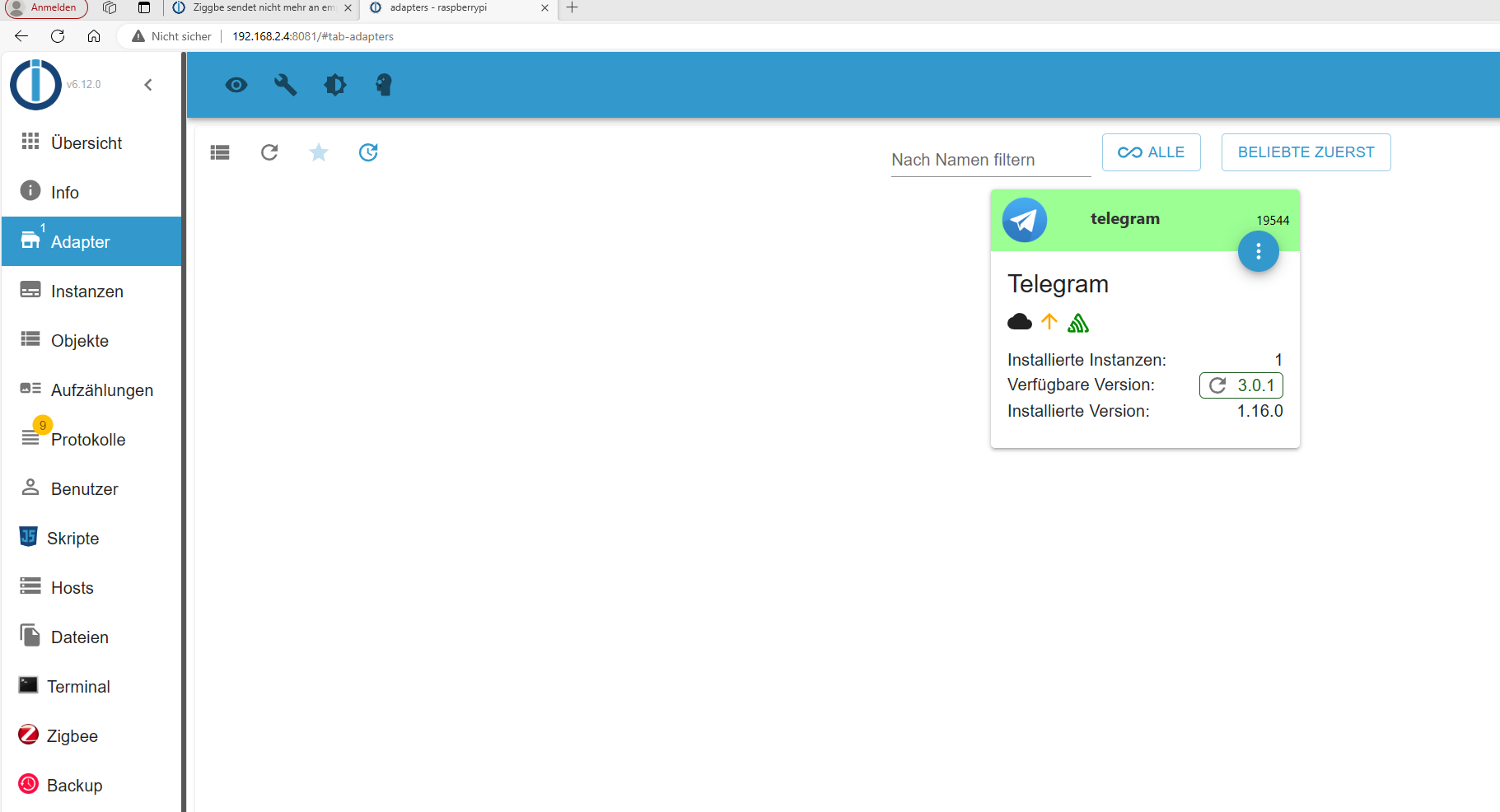
-
@djmarc75 said in Ziggbe sendet nicht mehr an empfängt aber noch Daten:
Pending Updates: 147
Das verstehe ich nicht. Von welchen Updates ist da die rede und wo müsste ich die machen?
@tapdance-0 sagte in Ziggbe sendet nicht mehr an empfängt aber noch Daten:
Das verstehe ich nicht. Von welchen Updates ist da die rede und wo müsste ich die machen?
Das sind Updates für dein Betriebssystem. Das will auch gepflegt werden. Siehe mein Posting weiter oben...
-
@tapdance-0 sagte in Ziggbe sendet nicht mehr an empfängt aber noch Daten:
Das verstehe ich nicht. Von welchen Updates ist da die rede und wo müsste ich die machen?
Das sind Updates für dein Betriebssystem. Das will auch gepflegt werden. Siehe mein Posting weiter oben...
@thomas-braun
OK Update läuft. Melde mich danach wenn ich alles durch ist und ich getestet haben. Sorry für meine Unwissenheit. -
@thomas-braun
OK Update läuft. Melde mich danach wenn ich alles durch ist und ich getestet haben. Sorry für meine Unwissenheit.Alle updates eingespielt
Als hätte ich es geahnt, jetzt startet der Zigbee Adapter gar nicht mehr :man-facepalming:Hoffe ihr könnt weiter helfen
======== Start marking the full check here ========= Skript v.2023-10-10 *** BASE SYSTEM *** Static hostname: raspberrypi Icon name: computer Operating System: Debian GNU/Linux 12 (bookworm) Kernel: Linux 6.1.0-rpi7-rpi-v8 Architecture: arm64 Model : Raspberry Pi 4 Model B Rev 1.1 Docker : false Virtualization : none Kernel : aarch64 Userland : arm64 Systemuptime and Load: 15:37:27 up 23 min, 4 users, load average: 1.00, 0.99, 0.79 CPU threads: 4 *** RASPBERRY THROTTLING *** Current issues: No throttling issues detected. Previously detected issues: No throttling issues detected. *** Time and Time Zones *** Local time: Fri 2024-01-19 15:37:27 CET Universal time: Fri 2024-01-19 14:37:27 UTC RTC time: n/a Time zone: Europe/Berlin (CET, +0100) System clock synchronized: yes NTP service: active RTC in local TZ: no *** User and Groups *** PI /home/PI PI adm dialout cdrom sudo audio video plugdev games users input render netdev lpadmin gpio i2c spi iobroker *** X-Server-Setup *** X-Server: false Desktop: Terminal: tty Boot Target: graphical.target *** MEMORY *** total used free shared buff/cache available Mem: 4.0G 1.9G 1.3G 15M 930M 2.1G Swap: 104M 0B 104M Total: 4.1G 1.9G 1.4G 3793 M total memory 1791 M used memory 1923 M active memory 468 M inactive memory 1204 M free memory 72 M buffer memory 815 M swap cache 99 M total swap 0 M used swap 99 M free swap Raspberry only: oom events: 0 lifetime oom required: 0 Mbytes total time in oom handler: 0 ms max time spent in oom handler: 0 ms *** FAILED SERVICES *** UNIT LOAD ACTIVE SUB DESCRIPTION 0 loaded units listed. *** FILESYSTEM *** Filesystem Type Size Used Avail Use% Mounted on udev devtmpfs 1.6G 0 1.6G 0% /dev tmpfs tmpfs 380M 1.3M 379M 1% /run /dev/mmcblk0p2 ext4 28G 7.0G 20G 27% / tmpfs tmpfs 1.9G 148K 1.9G 1% /dev/shm tmpfs tmpfs 5.0M 16K 5.0M 1% /run/lock /dev/mmcblk0p1 vfat 510M 73M 438M 15% /boot/firmware tmpfs tmpfs 380M 36K 380M 1% /run/user/1000 Messages concerning ext4 filesystem in dmesg: [Fri Jan 19 15:13:43 2024] Kernel command line: coherent_pool=1M 8250.nr_uarts=0 snd_bcm2835.enable_headphones=0 snd_bcm2835.enable_headphones=1 snd_bcm2835.enable_hdmi=1 snd_bcm2835.enable_hdmi=0 smsc95xx.macaddr=DC:A6:32:64:62:CC vc_mem.mem_base=0x3ec00000 vc_mem.mem_size=0x40000000 console=ttyS0,115200 console=tty1 root=PARTUUID=9515910b-02 rootfstype=ext4 fsck.repair=yes rootwait quiet splash plymouth.ignore-serial-consoles [Fri Jan 19 15:13:46 2024] EXT4-fs (mmcblk0p2): mounted filesystem with ordered data mode. Quota mode: none. [Fri Jan 19 15:13:49 2024] EXT4-fs (mmcblk0p2): re-mounted. Quota mode: none. Show mounted filesystems \(real ones only\): TARGET SOURCE FSTYPE OPTIONS / /dev/mmcblk0p2 ext4 rw,noatime,commit=600 |-/run/user/1000/doc portal fuse.portal rw,nosuid,nodev,relatime,user_id=1000,group_id=1000 `-/boot/firmware /dev/mmcblk0p1 vfat rw,relatime,fmask=0022,dmask=0022,codepage=437,iocharset=ascii,shortname=mixed,errors=remount-ro Files in neuralgic directories: /var: 627M /var/ 194M /var/lib 185M /var/cache 172M /var/cache/apt 147M /var/log Archived and active journals take up 145.5M in the file system. /opt/iobroker/backups: 4.0K /opt/iobroker/backups/ /opt/iobroker/iobroker-data: 379M /opt/iobroker/iobroker-data/ 270M /opt/iobroker/iobroker-data/files 78M /opt/iobroker/iobroker-data/files/icons-open-icon-library-png 73M /opt/iobroker/iobroker-data/backup-objects 67M /opt/iobroker/iobroker-data/files/javascript.admin The five largest files in iobroker-data are: 28M /opt/iobroker/iobroker-data/objects.jsonl 21M /opt/iobroker/iobroker-data/files/web.admin/static/js/main.aaea95f8.js.map 8.5M /opt/iobroker/iobroker-data/states.jsonl 8.3M /opt/iobroker/iobroker-data/files/web.admin/static/js/main.aaea95f8.js 7.5M /opt/iobroker/iobroker-data/files/javascript.admin/static/js/691.26ff76ce.chunk.js.map USB-Devices by-id: USB-Sticks - Avoid direct links to /dev/* in your adapter setups, please always prefer the links 'by-id': /dev/serial/by-id/usb-Texas_Instruments_TI_CC2531_USB_CDC___0X00124B0018E2F56A-if00 *** NodeJS-Installation *** /usr/bin/nodejs v18.19.0 /usr/bin/node v18.19.0 /usr/bin/npm 10.2.3 /usr/bin/npx 10.2.3 /usr/bin/corepack 0.22.0 nodejs: Installed: 18.19.0-1nodesource1 Candidate: 18.19.0-1nodesource1 Version table: 18.19.0+dfsg-6~deb12u1 500 500 http://deb.debian.org/debian-security bookworm-security/main arm64 Packages *** 18.19.0-1nodesource1 1001 500 https://deb.nodesource.com/node_18.x nodistro/main arm64 Packages 100 /var/lib/dpkg/status 18.18.2-1nodesource1 1001 500 https://deb.nodesource.com/node_18.x nodistro/main arm64 Packages 18.18.1-1nodesource1 1001 500 https://deb.nodesource.com/node_18.x nodistro/main arm64 Packages 18.18.0-1nodesource1 1001 500 https://deb.nodesource.com/node_18.x nodistro/main arm64 Packages 18.17.1-1nodesource1 1001 500 https://deb.nodesource.com/node_18.x nodistro/main arm64 Packages 18.17.0-1nodesource1 1001 500 https://deb.nodesource.com/node_18.x nodistro/main arm64 Packages 18.16.1-1nodesource1 1001 500 https://deb.nodesource.com/node_18.x nodistro/main arm64 Packages 18.16.0-1nodesource1 1001 500 https://deb.nodesource.com/node_18.x nodistro/main arm64 Packages 18.15.0-1nodesource1 1001 500 https://deb.nodesource.com/node_18.x nodistro/main arm64 Packages 18.14.2-1nodesource1 1001 500 https://deb.nodesource.com/node_18.x nodistro/main arm64 Packages 18.14.1-1nodesource1 1001 500 https://deb.nodesource.com/node_18.x nodistro/main arm64 Packages 18.14.0-1nodesource1 1001 500 https://deb.nodesource.com/node_18.x nodistro/main arm64 Packages 18.13.0+dfsg1-1 500 500 http://deb.debian.org/debian bookworm/main arm64 Packages 18.13.0-1nodesource1 1001 500 https://deb.nodesource.com/node_18.x nodistro/main arm64 Packages 18.12.0-1nodesource1 1001 500 https://deb.nodesource.com/node_18.x nodistro/main arm64 Packages 18.11.0-1nodesource1 1001 500 https://deb.nodesource.com/node_18.x nodistro/main arm64 Packages 18.10.0-1nodesource1 1001 500 https://deb.nodesource.com/node_18.x nodistro/main arm64 Packages 18.9.1-1nodesource1 1001 500 https://deb.nodesource.com/node_18.x nodistro/main arm64 Packages 18.9.0-1nodesource1 1001 500 https://deb.nodesource.com/node_18.x nodistro/main arm64 Packages 18.8.0-1nodesource1 1001 500 https://deb.nodesource.com/node_18.x nodistro/main arm64 Packages 18.7.0-1nodesource1 1001 500 https://deb.nodesource.com/node_18.x nodistro/main arm64 Packages 18.6.0-1nodesource1 1001 500 https://deb.nodesource.com/node_18.x nodistro/main arm64 Packages 18.5.0-1nodesource1 1001 500 https://deb.nodesource.com/node_18.x nodistro/main arm64 Packages 18.4.0-1nodesource1 1001 500 https://deb.nodesource.com/node_18.x nodistro/main arm64 Packages 18.3.0-1nodesource1 1001 500 https://deb.nodesource.com/node_18.x nodistro/main arm64 Packages 18.2.0-1nodesource1 1001 500 https://deb.nodesource.com/node_18.x nodistro/main arm64 Packages 18.1.0-1nodesource1 1001 500 https://deb.nodesource.com/node_18.x nodistro/main arm64 Packages 18.0.0-1nodesource1 1001 500 https://deb.nodesource.com/node_18.x nodistro/main arm64 Packages Temp directories causing npm8 problem: 0 No problems detected Errors in npm tree: *** ioBroker-Installation *** ioBroker Status iobroker is running on this host. Objects type: jsonl States type: jsonl Core adapters versions js-controller: 5.0.17 admin: 6.12.0 javascript: 7.1.6 Adapters from github: 0 Adapter State + system.adapter.admin.0 : admin : raspberrypi - enabled, port: 8081, bind: 0.0.0.0, run as: admin + system.adapter.alarm.0 : alarm : raspberrypi - enabled + system.adapter.backitup.0 : backitup : raspberrypi - enabled + system.adapter.broadlink2.0 : broadlink2 : raspberrypi - enabled + system.adapter.cloud.0 : cloud : raspberrypi - enabled + system.adapter.discovery.0 : discovery : raspberrypi - enabled + system.adapter.history.0 : history : raspberrypi - enabled + system.adapter.hm-rega.0 : hm-rega : raspberrypi - enabled + system.adapter.hm-rpc.0 : hm-rpc : raspberrypi - enabled, port: 0 + system.adapter.hm-rpc.1 : hm-rpc : raspberrypi - enabled, port: 0 system.adapter.icons-icons8.0 : icons-icons8 : raspberrypi - disabled system.adapter.icons-material-png.0 : icons-material-png : raspberrypi - disabled system.adapter.icons-open-icon-library-png.0: icons-open-icon-library-png: raspberrypi - disabled + system.adapter.info.0 : info : raspberrypi - enabled + system.adapter.javascript.0 : javascript : raspberrypi - enabled system.adapter.mobile.0 : mobile : raspberrypi - disabled + system.adapter.ping.0 : ping : raspberrypi - enabled + system.adapter.sayit.0 : sayit : raspberrypi - enabled + system.adapter.shelly.0 : shelly : raspberrypi - enabled, port: 1882, bind: 0.0.0.0 + system.adapter.sonoff.0 : sonoff : raspberrypi - enabled, port: 1883, bind: 0.0.0.0 + system.adapter.synology.0 : synology : raspberrypi - enabled, port: 5000 + system.adapter.telegram.0 : telegram : raspberrypi - enabled, port: 8443, bind: 0.0.0.0 + system.adapter.terminal.0 : terminal : raspberrypi - enabled, port: 8088, bind: 192.168.2.4, run as: admin + system.adapter.tr-064.0 : tr-064 : raspberrypi - enabled system.adapter.vis-bars.0 : vis-bars : raspberrypi - disabled system.adapter.vis-colorpicker.0 : vis-colorpicker : raspberrypi - disabled system.adapter.vis-fancyswitch.0 : vis-fancyswitch : raspberrypi - disabled system.adapter.vis-hqwidgets.0 : vis-hqwidgets : raspberrypi - disabled system.adapter.vis-jqui-mfd.0 : vis-jqui-mfd : raspberrypi - disabled system.adapter.vis-players.0 : vis-players : raspberrypi - enabled system.adapter.vis.0 : vis : raspberrypi - enabled + system.adapter.web.0 : web : raspberrypi - enabled, port: 8082, bind: 0.0.0.0, run as: admin + system.adapter.whatsapp-cmb.0 : whatsapp-cmb : raspberrypi - enabled + system.adapter.wifilight.0 : wifilight : raspberrypi - enabled + system.adapter.yahka.0 : yahka : raspberrypi - enabled + system.adapter.zigbee.0 : zigbee : raspberrypi - enabled, port: /dev/serial/by-id/usb-Texas_Instruments_TI_CC2531_USB_CDC___0X00124B0018E2F56A-if00 + instance is alive Enabled adapters with bindings + system.adapter.admin.0 : admin : raspberrypi - enabled, port: 8081, bind: 0.0.0.0, run as: admin + system.adapter.hm-rpc.0 : hm-rpc : raspberrypi - enabled, port: 0 + system.adapter.hm-rpc.1 : hm-rpc : raspberrypi - enabled, port: 0 + system.adapter.shelly.0 : shelly : raspberrypi - enabled, port: 1882, bind: 0.0.0.0 + system.adapter.sonoff.0 : sonoff : raspberrypi - enabled, port: 1883, bind: 0.0.0.0 + system.adapter.synology.0 : synology : raspberrypi - enabled, port: 5000 + system.adapter.telegram.0 : telegram : raspberrypi - enabled, port: 8443, bind: 0.0.0.0 + system.adapter.terminal.0 : terminal : raspberrypi - enabled, port: 8088, bind: 192.168.2.4, run as: admin + system.adapter.web.0 : web : raspberrypi - enabled, port: 8082, bind: 0.0.0.0, run as: admin + system.adapter.zigbee.0 : zigbee : raspberrypi - enabled, port: /dev/serial/by-id/usb-Texas_Instruments_TI_CC2531_USB_CDC___0X00124B0018E2F56A-if00 ioBroker-Repositories Aktuell : http://download.iobroker.net/sources-dist-latest.json Beta (latest) : http://download.iobroker.net/sources-dist-latest.json Stable (default): http://download.iobroker.net/sources-dist.json Active repo(s): Stable (default) Installed ioBroker-Instances Used repository: Stable (default) Adapter "admin" : 6.12.0 , installed 6.12.0 Adapter "alarm" : 3.6.0 , installed 3.6.0 Adapter "backitup" : 2.9.8 , installed 2.9.8 Adapter "broadlink2" : 2.1.5 , installed 2.1.5 Adapter "cloud" : 4.4.1 , installed 4.4.1 Adapter "discovery" : 4.2.0 , installed 4.2.0 Adapter "history" : 3.0.1 , installed 3.0.1 Adapter "hm-rega" : 4.0.0 , installed 4.0.0 Adapter "hm-rpc" : 1.15.19 , installed 1.15.19 Adapter "icons-icons8" : 0.0.1 , installed 0.0.1 Adapter "icons-material-png": 0.1.0, installed 0.1.0 Adapter "icons-open-icon-library-png": 0.1.2, installed 0.1.2 Adapter "info" : 2.0.0 , installed 2.0.0 Adapter "javascript" : 7.1.6 , installed 7.1.6 Controller "js-controller": 5.0.17 , installed 5.0.17 Adapter "mobile" : 1.0.1 , installed 1.0.1 Adapter "ping" : 1.6.2 , installed 1.6.2 Adapter "sayit" : 3.0.5 , installed 3.0.5 Adapter "shelly" : 6.6.1 , installed 6.6.1 Adapter "simple-api" : 2.7.2 , installed 2.7.2 Adapter "socketio" : 6.6.0 , installed 6.6.0 Adapter "sonoff" : 3.0.3 , installed 3.0.3 Adapter "synology" : 3.0.1 , installed 3.0.1 Adapter "telegram" : 3.0.1 , installed 1.16.0 [Updatable] Adapter "terminal" : 1.0.0 , installed 1.0.0 Adapter "tr-064" : 4.2.18 , installed 4.2.18 Adapter "vis" : 1.5.4 , installed 1.5.4 Adapter "vis-bars" : 0.1.4 , installed 0.1.4 Adapter "vis-colorpicker": 2.0.3 , installed 2.0.3 Adapter "vis-fancyswitch": 1.1.0 , installed 1.1.0 Adapter "vis-hqwidgets": 1.4.0 , installed 1.4.0 Adapter "vis-jqui-mfd" : 1.0.12 , installed 1.0.12 Adapter "vis-players" : 0.1.6 , installed 0.1.6 Adapter "web" : 6.1.10 , installed 6.1.10 Adapter "whatsapp-cmb" : 0.2.3 , installed 0.2.3 Adapter "wifilight" : 1.1.4 , installed 1.1.4 Adapter "ws" : 2.5.8 , installed 2.5.8 Adapter "yahka" : 1.0.3 , installed 1.0.3 Adapter "zigbee" : 1.9.7 , installed 1.9.7 Objects and States Please stand by - This may take a while Objects: 5503 States: 4858 *** OS-Repositories and Updates *** Hit:1 http://deb.debian.org/debian bookworm InRelease Hit:2 http://deb.debian.org/debian-security bookworm-security InRelease Hit:3 http://archive.raspberrypi.com/debian bookworm InRelease Hit:4 http://deb.debian.org/debian bookworm-updates InRelease Hit:5 https://deb.nodesource.com/node_18.x nodistro InRelease Reading package lists... Pending Updates: 0 *** Listening Ports *** Active Internet connections (only servers) Proto Recv-Q Send-Q Local Address Foreign Address State User Inode PID/Program name tcp 0 0 127.0.0.1:9000 0.0.0.0:* LISTEN 1001 19718 752/iobroker.js-con tcp 0 0 127.0.0.1:9001 0.0.0.0:* LISTEN 1001 18981 752/iobroker.js-con tcp 0 0 127.0.0.1:631 0.0.0.0:* LISTEN 0 15073 751/cupsd tcp 0 0 0.0.0.0:1883 0.0.0.0:* LISTEN 1001 22673 1998/io.sonoff.0 tcp 0 0 192.168.2.4:2001 0.0.0.0:* LISTEN 1001 20698 1908/io.hm-rpc.0 tcp 0 0 192.168.2.4:2010 0.0.0.0:* LISTEN 1001 20710 1927/io.hm-rpc.1 tcp 0 0 0.0.0.0:22 0.0.0.0:* LISTEN 0 898 765/sshd: /usr/sbin tcp6 0 0 :::8081 :::* LISTEN 1001 19403 1384/io.admin.0 tcp6 0 0 :::8082 :::* LISTEN 1001 24726 2691/io.web.0 tcp6 0 0 :::8088 :::* LISTEN 1001 24557 2279/io.terminal.0 tcp6 0 0 :::33083 :::* LISTEN 1001 23346 2793/io.yahka.0 tcp6 0 0 ::1:631 :::* LISTEN 0 15072 751/cupsd tcp6 0 0 :::22 :::* LISTEN 0 900 765/sshd: /usr/sbin udp 0 0 192.168.2.4:5353 0.0.0.0:* 1001 20872 2037/io.tr-064.0 udp 0 0 0.0.0.0:5353 0.0.0.0:* 104 14995 551/avahi-daemon: r udp 0 0 0.0.0.0:50520 0.0.0.0:* 104 14997 551/avahi-daemon: r udp 0 0 0.0.0.0:5683 0.0.0.0:* 1001 18275 1981/io.shelly.0 udp 0 0 0.0.0.0:38468 0.0.0.0:* 1001 39292 2116/io.broadlink2. udp 0 0 0.0.0.0:53057 0.0.0.0:* 1001 20997 2116/io.broadlink2. udp 0 0 0.0.0.0:631 0.0.0.0:* 0 17645 992/cups-browsed udp 0 0 0.0.0.0:15001 0.0.0.0:* 1001 20977 2116/io.broadlink2. udp6 0 0 :::5353 :::* 104 14996 551/avahi-daemon: r udp6 0 0 :::54862 :::* 104 14998 551/avahi-daemon: r udp6 0 0 fe80::67d1:e1cb:7ef:546 :::* 0 17668 688/NetworkManager *** Log File - Last 25 Lines *** 2024-01-19 15:38:00.243 - warn: shelly.0 (1981) [authEnabled] 192.168.2.226 (shellydimmer2 / shellydimmer2-8CAAB54C4E21 / SHDM-2#8CAAB54C4E21#1): This device is not protected via restricted login (see adapter documentation for details) 2024-01-19 15:38:01.144 - warn: sonoff.0 (1998) Client [Taster-Schlafzimmer-Bett-L] has invalid password or username 2024-01-19 15:38:01.575 - warn: shelly.0 (1981) [authEnabled] 192.168.2.214 (shellydimmer2 / shellydimmer2-8CAAB54C4B57 / SHDM-2#8CAAB54C4B57#1): This device is not protected via restricted login (see adapter documentation for details) 2024-01-19 15:38:02.431 - warn: sonoff.0 (1998) Client [Pool Pumpe] has invalid password or username 2024-01-19 15:38:02.919 - warn: sonoff.0 (1998) Client [Pool Beleuchtung] has invalid password or username 2024-01-19 15:38:05.777 - warn: sonoff.0 (1998) Client [Wohnzimmer-Vitrine] has invalid password or username 2024-01-19 15:38:07.984 - warn: sonoff.0 (1998) Client [Pavillon Beleuchtung] has invalid password or username 2024-01-19 15:38:09.036 - warn: shelly.0 (1981) [authEnabled] 192.168.2.180 (shellydimmer / shellydimmer-D3E918 / SHDM-1#D3E918#1): This device is not protected via restricted login (see adapter documentation for details) 2024-01-19 15:38:11.818 - warn: sonoff.0 (1998) Client [PC-Buero] has invalid password or username 2024-01-19 15:38:12.934 - warn: shelly.0 (1981) [authEnabled] 192.168.2.226 (shellydimmer2 / shellydimmer2-8CAAB54C4E21 / SHDM-2#8CAAB54C4E21#1): This device is not protected via restricted login (see adapter documentation for details) 2024-01-19 15:38:13.034 - warn: sonoff.0 (1998) Client [Durchlauferhitzer] has invalid password or username 2024-01-19 15:38:13.322 - warn: shelly.0 (1981) [authEnabled] 192.168.2.214 (shellydimmer2 / shellydimmer2-8CAAB54C4B57 / SHDM-2#8CAAB54C4B57#1): This device is not protected via restricted login (see adapter documentation for details) 2024-01-19 15:38:21.094 - warn: shelly.0 (1981) [authEnabled] 192.168.2.180 (shellydimmer / shellydimmer-D3E918 / SHDM-1#D3E918#1): This device is not protected via restricted login (see adapter documentation for details) 2024-01-19 15:38:25.110 - warn: sonoff.0 (1998) Client [Muschel Terrasse] has invalid password or username 2024-01-19 15:38:25.340 - warn: shelly.0 (1981) [authEnabled] 192.168.2.214 (shellydimmer2 / shellydimmer2-8CAAB54C4B57 / SHDM-2#8CAAB54C4B57#1): This device is not protected via restricted login (see adapter documentation for details) 2024-01-19 15:38:25.345 - warn: shelly.0 (1981) [authEnabled] 192.168.2.226 (shellydimmer2 / shellydimmer2-8CAAB54C4E21 / SHDM-2#8CAAB54C4E21#1): This device is not protected via restricted login (see adapter documentation for details) 2024-01-19 15:38:26.829 - warn: sonoff.0 (1998) Client [Taster-Schlafzimmer-Bett-L] has invalid password or username 2024-01-19 15:38:28.242 - warn: sonoff.0 (1998) Client [Pool Pumpe] has invalid password or username 2024-01-19 15:38:28.718 - warn: sonoff.0 (1998) Client [Pool Beleuchtung] has invalid password or username 2024-01-19 15:38:31.438 - warn: sonoff.0 (1998) Client [Wohnzimmer-Vitrine] has invalid password or username 2024-01-19 15:38:34.442 - warn: sonoff.0 (1998) Client [Pavillon Beleuchtung] has invalid password or username 2024-01-19 15:38:34.835 - warn: shelly.0 (1981) [authEnabled] 192.168.2.180 (shellydimmer / shellydimmer-D3E918 / SHDM-1#D3E918#1): This device is not protected via restricted login (see adapter documentation for details) 2024-01-19 15:38:36.787 - warn: shelly.0 (1981) [authEnabled] 192.168.2.214 (shellydimmer2 / shellydimmer2-8CAAB54C4B57 / SHDM-2#8CAAB54C4B57#1): This device is not protected via restricted login (see adapter documentation for details) 2024-01-19 15:38:36.868 - warn: shelly.0 (1981) [authEnabled] 192.168.2.226 (shellydimmer2 / shellydimmer2-8CAAB54C4E21 / SHDM-2#8CAAB54C4E21#1): This device is not protected via restricted login (see adapter documentation for details) 2024-01-19 15:38:36.998 - warn: sonoff.0 (1998) Client [PC-Buero] has invalid password or username ============ Mark until here for C&P ============= iob diag has finished. Copy text starting here: ======================= SUMMARY ======================= v.2023-10-10 Static hostname: raspberrypi Icon name: computer Operating System: Debian GNU/Linux 12 (bookworm) Kernel: Linux 6.1.0-rpi7-rpi-v8 Architecture: arm64 Installation: native Kernel: aarch64 Userland: arm64 Timezone: Europe/Berlin (CET, +0100) User-ID: 1000 X-Server: false Boot Target: graphical.target Pending OS-Updates: 0 Pending iob updates: 1 Nodejs-Installation: /usr/bin/nodejs v18.19.0 /usr/bin/node v18.19.0 /usr/bin/npm 10.2.3 /usr/bin/npx 10.2.3 /usr/bin/corepack 0.22.0 Recommended versions are nodejs 18.19.0 and npm 10.2.3 Your nodejs installation is correct MEMORY: total used free shared buff/cache available Mem: 4.0G 1.9G 1.2G 15M 931M 2.1G Swap: 104M 0B 104M Total: 4.1G 1.9G 1.3G Active iob-Instances: 26 Active repo(s): Stable (default) ioBroker Core: js-controller 5.0.17 admin 6.12.0 ioBroker Status: iobroker is running on this host. Objects type: jsonl States type: jsonl Status admin and web instance: + system.adapter.admin.0 : admin : raspberrypi - enabled, port: 8081, bind: 0.0.0.0, run as: admin + system.adapter.web.0 : web : raspberrypi - enabled, port: 8082, bind: 0.0.0.0, run as: admin Objects: 5503 States: 4858 Size of iob-Database: 28M /opt/iobroker/iobroker-data/objects.jsonl 8.7M /opt/iobroker/iobroker-data/states.jsonl =================== END OF SUMMARY ==================== === Mark text until here for copying === -
Alle updates eingespielt
Als hätte ich es geahnt, jetzt startet der Zigbee Adapter gar nicht mehr :man-facepalming:Hoffe ihr könnt weiter helfen
======== Start marking the full check here ========= Skript v.2023-10-10 *** BASE SYSTEM *** Static hostname: raspberrypi Icon name: computer Operating System: Debian GNU/Linux 12 (bookworm) Kernel: Linux 6.1.0-rpi7-rpi-v8 Architecture: arm64 Model : Raspberry Pi 4 Model B Rev 1.1 Docker : false Virtualization : none Kernel : aarch64 Userland : arm64 Systemuptime and Load: 15:37:27 up 23 min, 4 users, load average: 1.00, 0.99, 0.79 CPU threads: 4 *** RASPBERRY THROTTLING *** Current issues: No throttling issues detected. Previously detected issues: No throttling issues detected. *** Time and Time Zones *** Local time: Fri 2024-01-19 15:37:27 CET Universal time: Fri 2024-01-19 14:37:27 UTC RTC time: n/a Time zone: Europe/Berlin (CET, +0100) System clock synchronized: yes NTP service: active RTC in local TZ: no *** User and Groups *** PI /home/PI PI adm dialout cdrom sudo audio video plugdev games users input render netdev lpadmin gpio i2c spi iobroker *** X-Server-Setup *** X-Server: false Desktop: Terminal: tty Boot Target: graphical.target *** MEMORY *** total used free shared buff/cache available Mem: 4.0G 1.9G 1.3G 15M 930M 2.1G Swap: 104M 0B 104M Total: 4.1G 1.9G 1.4G 3793 M total memory 1791 M used memory 1923 M active memory 468 M inactive memory 1204 M free memory 72 M buffer memory 815 M swap cache 99 M total swap 0 M used swap 99 M free swap Raspberry only: oom events: 0 lifetime oom required: 0 Mbytes total time in oom handler: 0 ms max time spent in oom handler: 0 ms *** FAILED SERVICES *** UNIT LOAD ACTIVE SUB DESCRIPTION 0 loaded units listed. *** FILESYSTEM *** Filesystem Type Size Used Avail Use% Mounted on udev devtmpfs 1.6G 0 1.6G 0% /dev tmpfs tmpfs 380M 1.3M 379M 1% /run /dev/mmcblk0p2 ext4 28G 7.0G 20G 27% / tmpfs tmpfs 1.9G 148K 1.9G 1% /dev/shm tmpfs tmpfs 5.0M 16K 5.0M 1% /run/lock /dev/mmcblk0p1 vfat 510M 73M 438M 15% /boot/firmware tmpfs tmpfs 380M 36K 380M 1% /run/user/1000 Messages concerning ext4 filesystem in dmesg: [Fri Jan 19 15:13:43 2024] Kernel command line: coherent_pool=1M 8250.nr_uarts=0 snd_bcm2835.enable_headphones=0 snd_bcm2835.enable_headphones=1 snd_bcm2835.enable_hdmi=1 snd_bcm2835.enable_hdmi=0 smsc95xx.macaddr=DC:A6:32:64:62:CC vc_mem.mem_base=0x3ec00000 vc_mem.mem_size=0x40000000 console=ttyS0,115200 console=tty1 root=PARTUUID=9515910b-02 rootfstype=ext4 fsck.repair=yes rootwait quiet splash plymouth.ignore-serial-consoles [Fri Jan 19 15:13:46 2024] EXT4-fs (mmcblk0p2): mounted filesystem with ordered data mode. Quota mode: none. [Fri Jan 19 15:13:49 2024] EXT4-fs (mmcblk0p2): re-mounted. Quota mode: none. Show mounted filesystems \(real ones only\): TARGET SOURCE FSTYPE OPTIONS / /dev/mmcblk0p2 ext4 rw,noatime,commit=600 |-/run/user/1000/doc portal fuse.portal rw,nosuid,nodev,relatime,user_id=1000,group_id=1000 `-/boot/firmware /dev/mmcblk0p1 vfat rw,relatime,fmask=0022,dmask=0022,codepage=437,iocharset=ascii,shortname=mixed,errors=remount-ro Files in neuralgic directories: /var: 627M /var/ 194M /var/lib 185M /var/cache 172M /var/cache/apt 147M /var/log Archived and active journals take up 145.5M in the file system. /opt/iobroker/backups: 4.0K /opt/iobroker/backups/ /opt/iobroker/iobroker-data: 379M /opt/iobroker/iobroker-data/ 270M /opt/iobroker/iobroker-data/files 78M /opt/iobroker/iobroker-data/files/icons-open-icon-library-png 73M /opt/iobroker/iobroker-data/backup-objects 67M /opt/iobroker/iobroker-data/files/javascript.admin The five largest files in iobroker-data are: 28M /opt/iobroker/iobroker-data/objects.jsonl 21M /opt/iobroker/iobroker-data/files/web.admin/static/js/main.aaea95f8.js.map 8.5M /opt/iobroker/iobroker-data/states.jsonl 8.3M /opt/iobroker/iobroker-data/files/web.admin/static/js/main.aaea95f8.js 7.5M /opt/iobroker/iobroker-data/files/javascript.admin/static/js/691.26ff76ce.chunk.js.map USB-Devices by-id: USB-Sticks - Avoid direct links to /dev/* in your adapter setups, please always prefer the links 'by-id': /dev/serial/by-id/usb-Texas_Instruments_TI_CC2531_USB_CDC___0X00124B0018E2F56A-if00 *** NodeJS-Installation *** /usr/bin/nodejs v18.19.0 /usr/bin/node v18.19.0 /usr/bin/npm 10.2.3 /usr/bin/npx 10.2.3 /usr/bin/corepack 0.22.0 nodejs: Installed: 18.19.0-1nodesource1 Candidate: 18.19.0-1nodesource1 Version table: 18.19.0+dfsg-6~deb12u1 500 500 http://deb.debian.org/debian-security bookworm-security/main arm64 Packages *** 18.19.0-1nodesource1 1001 500 https://deb.nodesource.com/node_18.x nodistro/main arm64 Packages 100 /var/lib/dpkg/status 18.18.2-1nodesource1 1001 500 https://deb.nodesource.com/node_18.x nodistro/main arm64 Packages 18.18.1-1nodesource1 1001 500 https://deb.nodesource.com/node_18.x nodistro/main arm64 Packages 18.18.0-1nodesource1 1001 500 https://deb.nodesource.com/node_18.x nodistro/main arm64 Packages 18.17.1-1nodesource1 1001 500 https://deb.nodesource.com/node_18.x nodistro/main arm64 Packages 18.17.0-1nodesource1 1001 500 https://deb.nodesource.com/node_18.x nodistro/main arm64 Packages 18.16.1-1nodesource1 1001 500 https://deb.nodesource.com/node_18.x nodistro/main arm64 Packages 18.16.0-1nodesource1 1001 500 https://deb.nodesource.com/node_18.x nodistro/main arm64 Packages 18.15.0-1nodesource1 1001 500 https://deb.nodesource.com/node_18.x nodistro/main arm64 Packages 18.14.2-1nodesource1 1001 500 https://deb.nodesource.com/node_18.x nodistro/main arm64 Packages 18.14.1-1nodesource1 1001 500 https://deb.nodesource.com/node_18.x nodistro/main arm64 Packages 18.14.0-1nodesource1 1001 500 https://deb.nodesource.com/node_18.x nodistro/main arm64 Packages 18.13.0+dfsg1-1 500 500 http://deb.debian.org/debian bookworm/main arm64 Packages 18.13.0-1nodesource1 1001 500 https://deb.nodesource.com/node_18.x nodistro/main arm64 Packages 18.12.0-1nodesource1 1001 500 https://deb.nodesource.com/node_18.x nodistro/main arm64 Packages 18.11.0-1nodesource1 1001 500 https://deb.nodesource.com/node_18.x nodistro/main arm64 Packages 18.10.0-1nodesource1 1001 500 https://deb.nodesource.com/node_18.x nodistro/main arm64 Packages 18.9.1-1nodesource1 1001 500 https://deb.nodesource.com/node_18.x nodistro/main arm64 Packages 18.9.0-1nodesource1 1001 500 https://deb.nodesource.com/node_18.x nodistro/main arm64 Packages 18.8.0-1nodesource1 1001 500 https://deb.nodesource.com/node_18.x nodistro/main arm64 Packages 18.7.0-1nodesource1 1001 500 https://deb.nodesource.com/node_18.x nodistro/main arm64 Packages 18.6.0-1nodesource1 1001 500 https://deb.nodesource.com/node_18.x nodistro/main arm64 Packages 18.5.0-1nodesource1 1001 500 https://deb.nodesource.com/node_18.x nodistro/main arm64 Packages 18.4.0-1nodesource1 1001 500 https://deb.nodesource.com/node_18.x nodistro/main arm64 Packages 18.3.0-1nodesource1 1001 500 https://deb.nodesource.com/node_18.x nodistro/main arm64 Packages 18.2.0-1nodesource1 1001 500 https://deb.nodesource.com/node_18.x nodistro/main arm64 Packages 18.1.0-1nodesource1 1001 500 https://deb.nodesource.com/node_18.x nodistro/main arm64 Packages 18.0.0-1nodesource1 1001 500 https://deb.nodesource.com/node_18.x nodistro/main arm64 Packages Temp directories causing npm8 problem: 0 No problems detected Errors in npm tree: *** ioBroker-Installation *** ioBroker Status iobroker is running on this host. Objects type: jsonl States type: jsonl Core adapters versions js-controller: 5.0.17 admin: 6.12.0 javascript: 7.1.6 Adapters from github: 0 Adapter State + system.adapter.admin.0 : admin : raspberrypi - enabled, port: 8081, bind: 0.0.0.0, run as: admin + system.adapter.alarm.0 : alarm : raspberrypi - enabled + system.adapter.backitup.0 : backitup : raspberrypi - enabled + system.adapter.broadlink2.0 : broadlink2 : raspberrypi - enabled + system.adapter.cloud.0 : cloud : raspberrypi - enabled + system.adapter.discovery.0 : discovery : raspberrypi - enabled + system.adapter.history.0 : history : raspberrypi - enabled + system.adapter.hm-rega.0 : hm-rega : raspberrypi - enabled + system.adapter.hm-rpc.0 : hm-rpc : raspberrypi - enabled, port: 0 + system.adapter.hm-rpc.1 : hm-rpc : raspberrypi - enabled, port: 0 system.adapter.icons-icons8.0 : icons-icons8 : raspberrypi - disabled system.adapter.icons-material-png.0 : icons-material-png : raspberrypi - disabled system.adapter.icons-open-icon-library-png.0: icons-open-icon-library-png: raspberrypi - disabled + system.adapter.info.0 : info : raspberrypi - enabled + system.adapter.javascript.0 : javascript : raspberrypi - enabled system.adapter.mobile.0 : mobile : raspberrypi - disabled + system.adapter.ping.0 : ping : raspberrypi - enabled + system.adapter.sayit.0 : sayit : raspberrypi - enabled + system.adapter.shelly.0 : shelly : raspberrypi - enabled, port: 1882, bind: 0.0.0.0 + system.adapter.sonoff.0 : sonoff : raspberrypi - enabled, port: 1883, bind: 0.0.0.0 + system.adapter.synology.0 : synology : raspberrypi - enabled, port: 5000 + system.adapter.telegram.0 : telegram : raspberrypi - enabled, port: 8443, bind: 0.0.0.0 + system.adapter.terminal.0 : terminal : raspberrypi - enabled, port: 8088, bind: 192.168.2.4, run as: admin + system.adapter.tr-064.0 : tr-064 : raspberrypi - enabled system.adapter.vis-bars.0 : vis-bars : raspberrypi - disabled system.adapter.vis-colorpicker.0 : vis-colorpicker : raspberrypi - disabled system.adapter.vis-fancyswitch.0 : vis-fancyswitch : raspberrypi - disabled system.adapter.vis-hqwidgets.0 : vis-hqwidgets : raspberrypi - disabled system.adapter.vis-jqui-mfd.0 : vis-jqui-mfd : raspberrypi - disabled system.adapter.vis-players.0 : vis-players : raspberrypi - enabled system.adapter.vis.0 : vis : raspberrypi - enabled + system.adapter.web.0 : web : raspberrypi - enabled, port: 8082, bind: 0.0.0.0, run as: admin + system.adapter.whatsapp-cmb.0 : whatsapp-cmb : raspberrypi - enabled + system.adapter.wifilight.0 : wifilight : raspberrypi - enabled + system.adapter.yahka.0 : yahka : raspberrypi - enabled + system.adapter.zigbee.0 : zigbee : raspberrypi - enabled, port: /dev/serial/by-id/usb-Texas_Instruments_TI_CC2531_USB_CDC___0X00124B0018E2F56A-if00 + instance is alive Enabled adapters with bindings + system.adapter.admin.0 : admin : raspberrypi - enabled, port: 8081, bind: 0.0.0.0, run as: admin + system.adapter.hm-rpc.0 : hm-rpc : raspberrypi - enabled, port: 0 + system.adapter.hm-rpc.1 : hm-rpc : raspberrypi - enabled, port: 0 + system.adapter.shelly.0 : shelly : raspberrypi - enabled, port: 1882, bind: 0.0.0.0 + system.adapter.sonoff.0 : sonoff : raspberrypi - enabled, port: 1883, bind: 0.0.0.0 + system.adapter.synology.0 : synology : raspberrypi - enabled, port: 5000 + system.adapter.telegram.0 : telegram : raspberrypi - enabled, port: 8443, bind: 0.0.0.0 + system.adapter.terminal.0 : terminal : raspberrypi - enabled, port: 8088, bind: 192.168.2.4, run as: admin + system.adapter.web.0 : web : raspberrypi - enabled, port: 8082, bind: 0.0.0.0, run as: admin + system.adapter.zigbee.0 : zigbee : raspberrypi - enabled, port: /dev/serial/by-id/usb-Texas_Instruments_TI_CC2531_USB_CDC___0X00124B0018E2F56A-if00 ioBroker-Repositories Aktuell : http://download.iobroker.net/sources-dist-latest.json Beta (latest) : http://download.iobroker.net/sources-dist-latest.json Stable (default): http://download.iobroker.net/sources-dist.json Active repo(s): Stable (default) Installed ioBroker-Instances Used repository: Stable (default) Adapter "admin" : 6.12.0 , installed 6.12.0 Adapter "alarm" : 3.6.0 , installed 3.6.0 Adapter "backitup" : 2.9.8 , installed 2.9.8 Adapter "broadlink2" : 2.1.5 , installed 2.1.5 Adapter "cloud" : 4.4.1 , installed 4.4.1 Adapter "discovery" : 4.2.0 , installed 4.2.0 Adapter "history" : 3.0.1 , installed 3.0.1 Adapter "hm-rega" : 4.0.0 , installed 4.0.0 Adapter "hm-rpc" : 1.15.19 , installed 1.15.19 Adapter "icons-icons8" : 0.0.1 , installed 0.0.1 Adapter "icons-material-png": 0.1.0, installed 0.1.0 Adapter "icons-open-icon-library-png": 0.1.2, installed 0.1.2 Adapter "info" : 2.0.0 , installed 2.0.0 Adapter "javascript" : 7.1.6 , installed 7.1.6 Controller "js-controller": 5.0.17 , installed 5.0.17 Adapter "mobile" : 1.0.1 , installed 1.0.1 Adapter "ping" : 1.6.2 , installed 1.6.2 Adapter "sayit" : 3.0.5 , installed 3.0.5 Adapter "shelly" : 6.6.1 , installed 6.6.1 Adapter "simple-api" : 2.7.2 , installed 2.7.2 Adapter "socketio" : 6.6.0 , installed 6.6.0 Adapter "sonoff" : 3.0.3 , installed 3.0.3 Adapter "synology" : 3.0.1 , installed 3.0.1 Adapter "telegram" : 3.0.1 , installed 1.16.0 [Updatable] Adapter "terminal" : 1.0.0 , installed 1.0.0 Adapter "tr-064" : 4.2.18 , installed 4.2.18 Adapter "vis" : 1.5.4 , installed 1.5.4 Adapter "vis-bars" : 0.1.4 , installed 0.1.4 Adapter "vis-colorpicker": 2.0.3 , installed 2.0.3 Adapter "vis-fancyswitch": 1.1.0 , installed 1.1.0 Adapter "vis-hqwidgets": 1.4.0 , installed 1.4.0 Adapter "vis-jqui-mfd" : 1.0.12 , installed 1.0.12 Adapter "vis-players" : 0.1.6 , installed 0.1.6 Adapter "web" : 6.1.10 , installed 6.1.10 Adapter "whatsapp-cmb" : 0.2.3 , installed 0.2.3 Adapter "wifilight" : 1.1.4 , installed 1.1.4 Adapter "ws" : 2.5.8 , installed 2.5.8 Adapter "yahka" : 1.0.3 , installed 1.0.3 Adapter "zigbee" : 1.9.7 , installed 1.9.7 Objects and States Please stand by - This may take a while Objects: 5503 States: 4858 *** OS-Repositories and Updates *** Hit:1 http://deb.debian.org/debian bookworm InRelease Hit:2 http://deb.debian.org/debian-security bookworm-security InRelease Hit:3 http://archive.raspberrypi.com/debian bookworm InRelease Hit:4 http://deb.debian.org/debian bookworm-updates InRelease Hit:5 https://deb.nodesource.com/node_18.x nodistro InRelease Reading package lists... Pending Updates: 0 *** Listening Ports *** Active Internet connections (only servers) Proto Recv-Q Send-Q Local Address Foreign Address State User Inode PID/Program name tcp 0 0 127.0.0.1:9000 0.0.0.0:* LISTEN 1001 19718 752/iobroker.js-con tcp 0 0 127.0.0.1:9001 0.0.0.0:* LISTEN 1001 18981 752/iobroker.js-con tcp 0 0 127.0.0.1:631 0.0.0.0:* LISTEN 0 15073 751/cupsd tcp 0 0 0.0.0.0:1883 0.0.0.0:* LISTEN 1001 22673 1998/io.sonoff.0 tcp 0 0 192.168.2.4:2001 0.0.0.0:* LISTEN 1001 20698 1908/io.hm-rpc.0 tcp 0 0 192.168.2.4:2010 0.0.0.0:* LISTEN 1001 20710 1927/io.hm-rpc.1 tcp 0 0 0.0.0.0:22 0.0.0.0:* LISTEN 0 898 765/sshd: /usr/sbin tcp6 0 0 :::8081 :::* LISTEN 1001 19403 1384/io.admin.0 tcp6 0 0 :::8082 :::* LISTEN 1001 24726 2691/io.web.0 tcp6 0 0 :::8088 :::* LISTEN 1001 24557 2279/io.terminal.0 tcp6 0 0 :::33083 :::* LISTEN 1001 23346 2793/io.yahka.0 tcp6 0 0 ::1:631 :::* LISTEN 0 15072 751/cupsd tcp6 0 0 :::22 :::* LISTEN 0 900 765/sshd: /usr/sbin udp 0 0 192.168.2.4:5353 0.0.0.0:* 1001 20872 2037/io.tr-064.0 udp 0 0 0.0.0.0:5353 0.0.0.0:* 104 14995 551/avahi-daemon: r udp 0 0 0.0.0.0:50520 0.0.0.0:* 104 14997 551/avahi-daemon: r udp 0 0 0.0.0.0:5683 0.0.0.0:* 1001 18275 1981/io.shelly.0 udp 0 0 0.0.0.0:38468 0.0.0.0:* 1001 39292 2116/io.broadlink2. udp 0 0 0.0.0.0:53057 0.0.0.0:* 1001 20997 2116/io.broadlink2. udp 0 0 0.0.0.0:631 0.0.0.0:* 0 17645 992/cups-browsed udp 0 0 0.0.0.0:15001 0.0.0.0:* 1001 20977 2116/io.broadlink2. udp6 0 0 :::5353 :::* 104 14996 551/avahi-daemon: r udp6 0 0 :::54862 :::* 104 14998 551/avahi-daemon: r udp6 0 0 fe80::67d1:e1cb:7ef:546 :::* 0 17668 688/NetworkManager *** Log File - Last 25 Lines *** 2024-01-19 15:38:00.243 - warn: shelly.0 (1981) [authEnabled] 192.168.2.226 (shellydimmer2 / shellydimmer2-8CAAB54C4E21 / SHDM-2#8CAAB54C4E21#1): This device is not protected via restricted login (see adapter documentation for details) 2024-01-19 15:38:01.144 - warn: sonoff.0 (1998) Client [Taster-Schlafzimmer-Bett-L] has invalid password or username 2024-01-19 15:38:01.575 - warn: shelly.0 (1981) [authEnabled] 192.168.2.214 (shellydimmer2 / shellydimmer2-8CAAB54C4B57 / SHDM-2#8CAAB54C4B57#1): This device is not protected via restricted login (see adapter documentation for details) 2024-01-19 15:38:02.431 - warn: sonoff.0 (1998) Client [Pool Pumpe] has invalid password or username 2024-01-19 15:38:02.919 - warn: sonoff.0 (1998) Client [Pool Beleuchtung] has invalid password or username 2024-01-19 15:38:05.777 - warn: sonoff.0 (1998) Client [Wohnzimmer-Vitrine] has invalid password or username 2024-01-19 15:38:07.984 - warn: sonoff.0 (1998) Client [Pavillon Beleuchtung] has invalid password or username 2024-01-19 15:38:09.036 - warn: shelly.0 (1981) [authEnabled] 192.168.2.180 (shellydimmer / shellydimmer-D3E918 / SHDM-1#D3E918#1): This device is not protected via restricted login (see adapter documentation for details) 2024-01-19 15:38:11.818 - warn: sonoff.0 (1998) Client [PC-Buero] has invalid password or username 2024-01-19 15:38:12.934 - warn: shelly.0 (1981) [authEnabled] 192.168.2.226 (shellydimmer2 / shellydimmer2-8CAAB54C4E21 / SHDM-2#8CAAB54C4E21#1): This device is not protected via restricted login (see adapter documentation for details) 2024-01-19 15:38:13.034 - warn: sonoff.0 (1998) Client [Durchlauferhitzer] has invalid password or username 2024-01-19 15:38:13.322 - warn: shelly.0 (1981) [authEnabled] 192.168.2.214 (shellydimmer2 / shellydimmer2-8CAAB54C4B57 / SHDM-2#8CAAB54C4B57#1): This device is not protected via restricted login (see adapter documentation for details) 2024-01-19 15:38:21.094 - warn: shelly.0 (1981) [authEnabled] 192.168.2.180 (shellydimmer / shellydimmer-D3E918 / SHDM-1#D3E918#1): This device is not protected via restricted login (see adapter documentation for details) 2024-01-19 15:38:25.110 - warn: sonoff.0 (1998) Client [Muschel Terrasse] has invalid password or username 2024-01-19 15:38:25.340 - warn: shelly.0 (1981) [authEnabled] 192.168.2.214 (shellydimmer2 / shellydimmer2-8CAAB54C4B57 / SHDM-2#8CAAB54C4B57#1): This device is not protected via restricted login (see adapter documentation for details) 2024-01-19 15:38:25.345 - warn: shelly.0 (1981) [authEnabled] 192.168.2.226 (shellydimmer2 / shellydimmer2-8CAAB54C4E21 / SHDM-2#8CAAB54C4E21#1): This device is not protected via restricted login (see adapter documentation for details) 2024-01-19 15:38:26.829 - warn: sonoff.0 (1998) Client [Taster-Schlafzimmer-Bett-L] has invalid password or username 2024-01-19 15:38:28.242 - warn: sonoff.0 (1998) Client [Pool Pumpe] has invalid password or username 2024-01-19 15:38:28.718 - warn: sonoff.0 (1998) Client [Pool Beleuchtung] has invalid password or username 2024-01-19 15:38:31.438 - warn: sonoff.0 (1998) Client [Wohnzimmer-Vitrine] has invalid password or username 2024-01-19 15:38:34.442 - warn: sonoff.0 (1998) Client [Pavillon Beleuchtung] has invalid password or username 2024-01-19 15:38:34.835 - warn: shelly.0 (1981) [authEnabled] 192.168.2.180 (shellydimmer / shellydimmer-D3E918 / SHDM-1#D3E918#1): This device is not protected via restricted login (see adapter documentation for details) 2024-01-19 15:38:36.787 - warn: shelly.0 (1981) [authEnabled] 192.168.2.214 (shellydimmer2 / shellydimmer2-8CAAB54C4B57 / SHDM-2#8CAAB54C4B57#1): This device is not protected via restricted login (see adapter documentation for details) 2024-01-19 15:38:36.868 - warn: shelly.0 (1981) [authEnabled] 192.168.2.226 (shellydimmer2 / shellydimmer2-8CAAB54C4E21 / SHDM-2#8CAAB54C4E21#1): This device is not protected via restricted login (see adapter documentation for details) 2024-01-19 15:38:36.998 - warn: sonoff.0 (1998) Client [PC-Buero] has invalid password or username ============ Mark until here for C&P ============= iob diag has finished. Copy text starting here: ======================= SUMMARY ======================= v.2023-10-10 Static hostname: raspberrypi Icon name: computer Operating System: Debian GNU/Linux 12 (bookworm) Kernel: Linux 6.1.0-rpi7-rpi-v8 Architecture: arm64 Installation: native Kernel: aarch64 Userland: arm64 Timezone: Europe/Berlin (CET, +0100) User-ID: 1000 X-Server: false Boot Target: graphical.target Pending OS-Updates: 0 Pending iob updates: 1 Nodejs-Installation: /usr/bin/nodejs v18.19.0 /usr/bin/node v18.19.0 /usr/bin/npm 10.2.3 /usr/bin/npx 10.2.3 /usr/bin/corepack 0.22.0 Recommended versions are nodejs 18.19.0 and npm 10.2.3 Your nodejs installation is correct MEMORY: total used free shared buff/cache available Mem: 4.0G 1.9G 1.2G 15M 931M 2.1G Swap: 104M 0B 104M Total: 4.1G 1.9G 1.3G Active iob-Instances: 26 Active repo(s): Stable (default) ioBroker Core: js-controller 5.0.17 admin 6.12.0 ioBroker Status: iobroker is running on this host. Objects type: jsonl States type: jsonl Status admin and web instance: + system.adapter.admin.0 : admin : raspberrypi - enabled, port: 8081, bind: 0.0.0.0, run as: admin + system.adapter.web.0 : web : raspberrypi - enabled, port: 8082, bind: 0.0.0.0, run as: admin Objects: 5503 States: 4858 Size of iob-Database: 28M /opt/iobroker/iobroker-data/objects.jsonl 8.7M /opt/iobroker/iobroker-data/states.jsonl =================== END OF SUMMARY ==================== === Mark text until here for copying ===Dann poste doch mal das log des startversuchs des zigbee Adapters.
Wichtig:
- Adapter anhalten
- 30 Sekunden warten
- zigbee adapter starten
- 30 Sekunden warten
- log herunter laden
- die log Einträge des zigbee Adapters hier posten.
A.
-
Alle updates eingespielt
Als hätte ich es geahnt, jetzt startet der Zigbee Adapter gar nicht mehr :man-facepalming:Hoffe ihr könnt weiter helfen
======== Start marking the full check here ========= Skript v.2023-10-10 *** BASE SYSTEM *** Static hostname: raspberrypi Icon name: computer Operating System: Debian GNU/Linux 12 (bookworm) Kernel: Linux 6.1.0-rpi7-rpi-v8 Architecture: arm64 Model : Raspberry Pi 4 Model B Rev 1.1 Docker : false Virtualization : none Kernel : aarch64 Userland : arm64 Systemuptime and Load: 15:37:27 up 23 min, 4 users, load average: 1.00, 0.99, 0.79 CPU threads: 4 *** RASPBERRY THROTTLING *** Current issues: No throttling issues detected. Previously detected issues: No throttling issues detected. *** Time and Time Zones *** Local time: Fri 2024-01-19 15:37:27 CET Universal time: Fri 2024-01-19 14:37:27 UTC RTC time: n/a Time zone: Europe/Berlin (CET, +0100) System clock synchronized: yes NTP service: active RTC in local TZ: no *** User and Groups *** PI /home/PI PI adm dialout cdrom sudo audio video plugdev games users input render netdev lpadmin gpio i2c spi iobroker *** X-Server-Setup *** X-Server: false Desktop: Terminal: tty Boot Target: graphical.target *** MEMORY *** total used free shared buff/cache available Mem: 4.0G 1.9G 1.3G 15M 930M 2.1G Swap: 104M 0B 104M Total: 4.1G 1.9G 1.4G 3793 M total memory 1791 M used memory 1923 M active memory 468 M inactive memory 1204 M free memory 72 M buffer memory 815 M swap cache 99 M total swap 0 M used swap 99 M free swap Raspberry only: oom events: 0 lifetime oom required: 0 Mbytes total time in oom handler: 0 ms max time spent in oom handler: 0 ms *** FAILED SERVICES *** UNIT LOAD ACTIVE SUB DESCRIPTION 0 loaded units listed. *** FILESYSTEM *** Filesystem Type Size Used Avail Use% Mounted on udev devtmpfs 1.6G 0 1.6G 0% /dev tmpfs tmpfs 380M 1.3M 379M 1% /run /dev/mmcblk0p2 ext4 28G 7.0G 20G 27% / tmpfs tmpfs 1.9G 148K 1.9G 1% /dev/shm tmpfs tmpfs 5.0M 16K 5.0M 1% /run/lock /dev/mmcblk0p1 vfat 510M 73M 438M 15% /boot/firmware tmpfs tmpfs 380M 36K 380M 1% /run/user/1000 Messages concerning ext4 filesystem in dmesg: [Fri Jan 19 15:13:43 2024] Kernel command line: coherent_pool=1M 8250.nr_uarts=0 snd_bcm2835.enable_headphones=0 snd_bcm2835.enable_headphones=1 snd_bcm2835.enable_hdmi=1 snd_bcm2835.enable_hdmi=0 smsc95xx.macaddr=DC:A6:32:64:62:CC vc_mem.mem_base=0x3ec00000 vc_mem.mem_size=0x40000000 console=ttyS0,115200 console=tty1 root=PARTUUID=9515910b-02 rootfstype=ext4 fsck.repair=yes rootwait quiet splash plymouth.ignore-serial-consoles [Fri Jan 19 15:13:46 2024] EXT4-fs (mmcblk0p2): mounted filesystem with ordered data mode. Quota mode: none. [Fri Jan 19 15:13:49 2024] EXT4-fs (mmcblk0p2): re-mounted. Quota mode: none. Show mounted filesystems \(real ones only\): TARGET SOURCE FSTYPE OPTIONS / /dev/mmcblk0p2 ext4 rw,noatime,commit=600 |-/run/user/1000/doc portal fuse.portal rw,nosuid,nodev,relatime,user_id=1000,group_id=1000 `-/boot/firmware /dev/mmcblk0p1 vfat rw,relatime,fmask=0022,dmask=0022,codepage=437,iocharset=ascii,shortname=mixed,errors=remount-ro Files in neuralgic directories: /var: 627M /var/ 194M /var/lib 185M /var/cache 172M /var/cache/apt 147M /var/log Archived and active journals take up 145.5M in the file system. /opt/iobroker/backups: 4.0K /opt/iobroker/backups/ /opt/iobroker/iobroker-data: 379M /opt/iobroker/iobroker-data/ 270M /opt/iobroker/iobroker-data/files 78M /opt/iobroker/iobroker-data/files/icons-open-icon-library-png 73M /opt/iobroker/iobroker-data/backup-objects 67M /opt/iobroker/iobroker-data/files/javascript.admin The five largest files in iobroker-data are: 28M /opt/iobroker/iobroker-data/objects.jsonl 21M /opt/iobroker/iobroker-data/files/web.admin/static/js/main.aaea95f8.js.map 8.5M /opt/iobroker/iobroker-data/states.jsonl 8.3M /opt/iobroker/iobroker-data/files/web.admin/static/js/main.aaea95f8.js 7.5M /opt/iobroker/iobroker-data/files/javascript.admin/static/js/691.26ff76ce.chunk.js.map USB-Devices by-id: USB-Sticks - Avoid direct links to /dev/* in your adapter setups, please always prefer the links 'by-id': /dev/serial/by-id/usb-Texas_Instruments_TI_CC2531_USB_CDC___0X00124B0018E2F56A-if00 *** NodeJS-Installation *** /usr/bin/nodejs v18.19.0 /usr/bin/node v18.19.0 /usr/bin/npm 10.2.3 /usr/bin/npx 10.2.3 /usr/bin/corepack 0.22.0 nodejs: Installed: 18.19.0-1nodesource1 Candidate: 18.19.0-1nodesource1 Version table: 18.19.0+dfsg-6~deb12u1 500 500 http://deb.debian.org/debian-security bookworm-security/main arm64 Packages *** 18.19.0-1nodesource1 1001 500 https://deb.nodesource.com/node_18.x nodistro/main arm64 Packages 100 /var/lib/dpkg/status 18.18.2-1nodesource1 1001 500 https://deb.nodesource.com/node_18.x nodistro/main arm64 Packages 18.18.1-1nodesource1 1001 500 https://deb.nodesource.com/node_18.x nodistro/main arm64 Packages 18.18.0-1nodesource1 1001 500 https://deb.nodesource.com/node_18.x nodistro/main arm64 Packages 18.17.1-1nodesource1 1001 500 https://deb.nodesource.com/node_18.x nodistro/main arm64 Packages 18.17.0-1nodesource1 1001 500 https://deb.nodesource.com/node_18.x nodistro/main arm64 Packages 18.16.1-1nodesource1 1001 500 https://deb.nodesource.com/node_18.x nodistro/main arm64 Packages 18.16.0-1nodesource1 1001 500 https://deb.nodesource.com/node_18.x nodistro/main arm64 Packages 18.15.0-1nodesource1 1001 500 https://deb.nodesource.com/node_18.x nodistro/main arm64 Packages 18.14.2-1nodesource1 1001 500 https://deb.nodesource.com/node_18.x nodistro/main arm64 Packages 18.14.1-1nodesource1 1001 500 https://deb.nodesource.com/node_18.x nodistro/main arm64 Packages 18.14.0-1nodesource1 1001 500 https://deb.nodesource.com/node_18.x nodistro/main arm64 Packages 18.13.0+dfsg1-1 500 500 http://deb.debian.org/debian bookworm/main arm64 Packages 18.13.0-1nodesource1 1001 500 https://deb.nodesource.com/node_18.x nodistro/main arm64 Packages 18.12.0-1nodesource1 1001 500 https://deb.nodesource.com/node_18.x nodistro/main arm64 Packages 18.11.0-1nodesource1 1001 500 https://deb.nodesource.com/node_18.x nodistro/main arm64 Packages 18.10.0-1nodesource1 1001 500 https://deb.nodesource.com/node_18.x nodistro/main arm64 Packages 18.9.1-1nodesource1 1001 500 https://deb.nodesource.com/node_18.x nodistro/main arm64 Packages 18.9.0-1nodesource1 1001 500 https://deb.nodesource.com/node_18.x nodistro/main arm64 Packages 18.8.0-1nodesource1 1001 500 https://deb.nodesource.com/node_18.x nodistro/main arm64 Packages 18.7.0-1nodesource1 1001 500 https://deb.nodesource.com/node_18.x nodistro/main arm64 Packages 18.6.0-1nodesource1 1001 500 https://deb.nodesource.com/node_18.x nodistro/main arm64 Packages 18.5.0-1nodesource1 1001 500 https://deb.nodesource.com/node_18.x nodistro/main arm64 Packages 18.4.0-1nodesource1 1001 500 https://deb.nodesource.com/node_18.x nodistro/main arm64 Packages 18.3.0-1nodesource1 1001 500 https://deb.nodesource.com/node_18.x nodistro/main arm64 Packages 18.2.0-1nodesource1 1001 500 https://deb.nodesource.com/node_18.x nodistro/main arm64 Packages 18.1.0-1nodesource1 1001 500 https://deb.nodesource.com/node_18.x nodistro/main arm64 Packages 18.0.0-1nodesource1 1001 500 https://deb.nodesource.com/node_18.x nodistro/main arm64 Packages Temp directories causing npm8 problem: 0 No problems detected Errors in npm tree: *** ioBroker-Installation *** ioBroker Status iobroker is running on this host. Objects type: jsonl States type: jsonl Core adapters versions js-controller: 5.0.17 admin: 6.12.0 javascript: 7.1.6 Adapters from github: 0 Adapter State + system.adapter.admin.0 : admin : raspberrypi - enabled, port: 8081, bind: 0.0.0.0, run as: admin + system.adapter.alarm.0 : alarm : raspberrypi - enabled + system.adapter.backitup.0 : backitup : raspberrypi - enabled + system.adapter.broadlink2.0 : broadlink2 : raspberrypi - enabled + system.adapter.cloud.0 : cloud : raspberrypi - enabled + system.adapter.discovery.0 : discovery : raspberrypi - enabled + system.adapter.history.0 : history : raspberrypi - enabled + system.adapter.hm-rega.0 : hm-rega : raspberrypi - enabled + system.adapter.hm-rpc.0 : hm-rpc : raspberrypi - enabled, port: 0 + system.adapter.hm-rpc.1 : hm-rpc : raspberrypi - enabled, port: 0 system.adapter.icons-icons8.0 : icons-icons8 : raspberrypi - disabled system.adapter.icons-material-png.0 : icons-material-png : raspberrypi - disabled system.adapter.icons-open-icon-library-png.0: icons-open-icon-library-png: raspberrypi - disabled + system.adapter.info.0 : info : raspberrypi - enabled + system.adapter.javascript.0 : javascript : raspberrypi - enabled system.adapter.mobile.0 : mobile : raspberrypi - disabled + system.adapter.ping.0 : ping : raspberrypi - enabled + system.adapter.sayit.0 : sayit : raspberrypi - enabled + system.adapter.shelly.0 : shelly : raspberrypi - enabled, port: 1882, bind: 0.0.0.0 + system.adapter.sonoff.0 : sonoff : raspberrypi - enabled, port: 1883, bind: 0.0.0.0 + system.adapter.synology.0 : synology : raspberrypi - enabled, port: 5000 + system.adapter.telegram.0 : telegram : raspberrypi - enabled, port: 8443, bind: 0.0.0.0 + system.adapter.terminal.0 : terminal : raspberrypi - enabled, port: 8088, bind: 192.168.2.4, run as: admin + system.adapter.tr-064.0 : tr-064 : raspberrypi - enabled system.adapter.vis-bars.0 : vis-bars : raspberrypi - disabled system.adapter.vis-colorpicker.0 : vis-colorpicker : raspberrypi - disabled system.adapter.vis-fancyswitch.0 : vis-fancyswitch : raspberrypi - disabled system.adapter.vis-hqwidgets.0 : vis-hqwidgets : raspberrypi - disabled system.adapter.vis-jqui-mfd.0 : vis-jqui-mfd : raspberrypi - disabled system.adapter.vis-players.0 : vis-players : raspberrypi - enabled system.adapter.vis.0 : vis : raspberrypi - enabled + system.adapter.web.0 : web : raspberrypi - enabled, port: 8082, bind: 0.0.0.0, run as: admin + system.adapter.whatsapp-cmb.0 : whatsapp-cmb : raspberrypi - enabled + system.adapter.wifilight.0 : wifilight : raspberrypi - enabled + system.adapter.yahka.0 : yahka : raspberrypi - enabled + system.adapter.zigbee.0 : zigbee : raspberrypi - enabled, port: /dev/serial/by-id/usb-Texas_Instruments_TI_CC2531_USB_CDC___0X00124B0018E2F56A-if00 + instance is alive Enabled adapters with bindings + system.adapter.admin.0 : admin : raspberrypi - enabled, port: 8081, bind: 0.0.0.0, run as: admin + system.adapter.hm-rpc.0 : hm-rpc : raspberrypi - enabled, port: 0 + system.adapter.hm-rpc.1 : hm-rpc : raspberrypi - enabled, port: 0 + system.adapter.shelly.0 : shelly : raspberrypi - enabled, port: 1882, bind: 0.0.0.0 + system.adapter.sonoff.0 : sonoff : raspberrypi - enabled, port: 1883, bind: 0.0.0.0 + system.adapter.synology.0 : synology : raspberrypi - enabled, port: 5000 + system.adapter.telegram.0 : telegram : raspberrypi - enabled, port: 8443, bind: 0.0.0.0 + system.adapter.terminal.0 : terminal : raspberrypi - enabled, port: 8088, bind: 192.168.2.4, run as: admin + system.adapter.web.0 : web : raspberrypi - enabled, port: 8082, bind: 0.0.0.0, run as: admin + system.adapter.zigbee.0 : zigbee : raspberrypi - enabled, port: /dev/serial/by-id/usb-Texas_Instruments_TI_CC2531_USB_CDC___0X00124B0018E2F56A-if00 ioBroker-Repositories Aktuell : http://download.iobroker.net/sources-dist-latest.json Beta (latest) : http://download.iobroker.net/sources-dist-latest.json Stable (default): http://download.iobroker.net/sources-dist.json Active repo(s): Stable (default) Installed ioBroker-Instances Used repository: Stable (default) Adapter "admin" : 6.12.0 , installed 6.12.0 Adapter "alarm" : 3.6.0 , installed 3.6.0 Adapter "backitup" : 2.9.8 , installed 2.9.8 Adapter "broadlink2" : 2.1.5 , installed 2.1.5 Adapter "cloud" : 4.4.1 , installed 4.4.1 Adapter "discovery" : 4.2.0 , installed 4.2.0 Adapter "history" : 3.0.1 , installed 3.0.1 Adapter "hm-rega" : 4.0.0 , installed 4.0.0 Adapter "hm-rpc" : 1.15.19 , installed 1.15.19 Adapter "icons-icons8" : 0.0.1 , installed 0.0.1 Adapter "icons-material-png": 0.1.0, installed 0.1.0 Adapter "icons-open-icon-library-png": 0.1.2, installed 0.1.2 Adapter "info" : 2.0.0 , installed 2.0.0 Adapter "javascript" : 7.1.6 , installed 7.1.6 Controller "js-controller": 5.0.17 , installed 5.0.17 Adapter "mobile" : 1.0.1 , installed 1.0.1 Adapter "ping" : 1.6.2 , installed 1.6.2 Adapter "sayit" : 3.0.5 , installed 3.0.5 Adapter "shelly" : 6.6.1 , installed 6.6.1 Adapter "simple-api" : 2.7.2 , installed 2.7.2 Adapter "socketio" : 6.6.0 , installed 6.6.0 Adapter "sonoff" : 3.0.3 , installed 3.0.3 Adapter "synology" : 3.0.1 , installed 3.0.1 Adapter "telegram" : 3.0.1 , installed 1.16.0 [Updatable] Adapter "terminal" : 1.0.0 , installed 1.0.0 Adapter "tr-064" : 4.2.18 , installed 4.2.18 Adapter "vis" : 1.5.4 , installed 1.5.4 Adapter "vis-bars" : 0.1.4 , installed 0.1.4 Adapter "vis-colorpicker": 2.0.3 , installed 2.0.3 Adapter "vis-fancyswitch": 1.1.0 , installed 1.1.0 Adapter "vis-hqwidgets": 1.4.0 , installed 1.4.0 Adapter "vis-jqui-mfd" : 1.0.12 , installed 1.0.12 Adapter "vis-players" : 0.1.6 , installed 0.1.6 Adapter "web" : 6.1.10 , installed 6.1.10 Adapter "whatsapp-cmb" : 0.2.3 , installed 0.2.3 Adapter "wifilight" : 1.1.4 , installed 1.1.4 Adapter "ws" : 2.5.8 , installed 2.5.8 Adapter "yahka" : 1.0.3 , installed 1.0.3 Adapter "zigbee" : 1.9.7 , installed 1.9.7 Objects and States Please stand by - This may take a while Objects: 5503 States: 4858 *** OS-Repositories and Updates *** Hit:1 http://deb.debian.org/debian bookworm InRelease Hit:2 http://deb.debian.org/debian-security bookworm-security InRelease Hit:3 http://archive.raspberrypi.com/debian bookworm InRelease Hit:4 http://deb.debian.org/debian bookworm-updates InRelease Hit:5 https://deb.nodesource.com/node_18.x nodistro InRelease Reading package lists... Pending Updates: 0 *** Listening Ports *** Active Internet connections (only servers) Proto Recv-Q Send-Q Local Address Foreign Address State User Inode PID/Program name tcp 0 0 127.0.0.1:9000 0.0.0.0:* LISTEN 1001 19718 752/iobroker.js-con tcp 0 0 127.0.0.1:9001 0.0.0.0:* LISTEN 1001 18981 752/iobroker.js-con tcp 0 0 127.0.0.1:631 0.0.0.0:* LISTEN 0 15073 751/cupsd tcp 0 0 0.0.0.0:1883 0.0.0.0:* LISTEN 1001 22673 1998/io.sonoff.0 tcp 0 0 192.168.2.4:2001 0.0.0.0:* LISTEN 1001 20698 1908/io.hm-rpc.0 tcp 0 0 192.168.2.4:2010 0.0.0.0:* LISTEN 1001 20710 1927/io.hm-rpc.1 tcp 0 0 0.0.0.0:22 0.0.0.0:* LISTEN 0 898 765/sshd: /usr/sbin tcp6 0 0 :::8081 :::* LISTEN 1001 19403 1384/io.admin.0 tcp6 0 0 :::8082 :::* LISTEN 1001 24726 2691/io.web.0 tcp6 0 0 :::8088 :::* LISTEN 1001 24557 2279/io.terminal.0 tcp6 0 0 :::33083 :::* LISTEN 1001 23346 2793/io.yahka.0 tcp6 0 0 ::1:631 :::* LISTEN 0 15072 751/cupsd tcp6 0 0 :::22 :::* LISTEN 0 900 765/sshd: /usr/sbin udp 0 0 192.168.2.4:5353 0.0.0.0:* 1001 20872 2037/io.tr-064.0 udp 0 0 0.0.0.0:5353 0.0.0.0:* 104 14995 551/avahi-daemon: r udp 0 0 0.0.0.0:50520 0.0.0.0:* 104 14997 551/avahi-daemon: r udp 0 0 0.0.0.0:5683 0.0.0.0:* 1001 18275 1981/io.shelly.0 udp 0 0 0.0.0.0:38468 0.0.0.0:* 1001 39292 2116/io.broadlink2. udp 0 0 0.0.0.0:53057 0.0.0.0:* 1001 20997 2116/io.broadlink2. udp 0 0 0.0.0.0:631 0.0.0.0:* 0 17645 992/cups-browsed udp 0 0 0.0.0.0:15001 0.0.0.0:* 1001 20977 2116/io.broadlink2. udp6 0 0 :::5353 :::* 104 14996 551/avahi-daemon: r udp6 0 0 :::54862 :::* 104 14998 551/avahi-daemon: r udp6 0 0 fe80::67d1:e1cb:7ef:546 :::* 0 17668 688/NetworkManager *** Log File - Last 25 Lines *** 2024-01-19 15:38:00.243 - warn: shelly.0 (1981) [authEnabled] 192.168.2.226 (shellydimmer2 / shellydimmer2-8CAAB54C4E21 / SHDM-2#8CAAB54C4E21#1): This device is not protected via restricted login (see adapter documentation for details) 2024-01-19 15:38:01.144 - warn: sonoff.0 (1998) Client [Taster-Schlafzimmer-Bett-L] has invalid password or username 2024-01-19 15:38:01.575 - warn: shelly.0 (1981) [authEnabled] 192.168.2.214 (shellydimmer2 / shellydimmer2-8CAAB54C4B57 / SHDM-2#8CAAB54C4B57#1): This device is not protected via restricted login (see adapter documentation for details) 2024-01-19 15:38:02.431 - warn: sonoff.0 (1998) Client [Pool Pumpe] has invalid password or username 2024-01-19 15:38:02.919 - warn: sonoff.0 (1998) Client [Pool Beleuchtung] has invalid password or username 2024-01-19 15:38:05.777 - warn: sonoff.0 (1998) Client [Wohnzimmer-Vitrine] has invalid password or username 2024-01-19 15:38:07.984 - warn: sonoff.0 (1998) Client [Pavillon Beleuchtung] has invalid password or username 2024-01-19 15:38:09.036 - warn: shelly.0 (1981) [authEnabled] 192.168.2.180 (shellydimmer / shellydimmer-D3E918 / SHDM-1#D3E918#1): This device is not protected via restricted login (see adapter documentation for details) 2024-01-19 15:38:11.818 - warn: sonoff.0 (1998) Client [PC-Buero] has invalid password or username 2024-01-19 15:38:12.934 - warn: shelly.0 (1981) [authEnabled] 192.168.2.226 (shellydimmer2 / shellydimmer2-8CAAB54C4E21 / SHDM-2#8CAAB54C4E21#1): This device is not protected via restricted login (see adapter documentation for details) 2024-01-19 15:38:13.034 - warn: sonoff.0 (1998) Client [Durchlauferhitzer] has invalid password or username 2024-01-19 15:38:13.322 - warn: shelly.0 (1981) [authEnabled] 192.168.2.214 (shellydimmer2 / shellydimmer2-8CAAB54C4B57 / SHDM-2#8CAAB54C4B57#1): This device is not protected via restricted login (see adapter documentation for details) 2024-01-19 15:38:21.094 - warn: shelly.0 (1981) [authEnabled] 192.168.2.180 (shellydimmer / shellydimmer-D3E918 / SHDM-1#D3E918#1): This device is not protected via restricted login (see adapter documentation for details) 2024-01-19 15:38:25.110 - warn: sonoff.0 (1998) Client [Muschel Terrasse] has invalid password or username 2024-01-19 15:38:25.340 - warn: shelly.0 (1981) [authEnabled] 192.168.2.214 (shellydimmer2 / shellydimmer2-8CAAB54C4B57 / SHDM-2#8CAAB54C4B57#1): This device is not protected via restricted login (see adapter documentation for details) 2024-01-19 15:38:25.345 - warn: shelly.0 (1981) [authEnabled] 192.168.2.226 (shellydimmer2 / shellydimmer2-8CAAB54C4E21 / SHDM-2#8CAAB54C4E21#1): This device is not protected via restricted login (see adapter documentation for details) 2024-01-19 15:38:26.829 - warn: sonoff.0 (1998) Client [Taster-Schlafzimmer-Bett-L] has invalid password or username 2024-01-19 15:38:28.242 - warn: sonoff.0 (1998) Client [Pool Pumpe] has invalid password or username 2024-01-19 15:38:28.718 - warn: sonoff.0 (1998) Client [Pool Beleuchtung] has invalid password or username 2024-01-19 15:38:31.438 - warn: sonoff.0 (1998) Client [Wohnzimmer-Vitrine] has invalid password or username 2024-01-19 15:38:34.442 - warn: sonoff.0 (1998) Client [Pavillon Beleuchtung] has invalid password or username 2024-01-19 15:38:34.835 - warn: shelly.0 (1981) [authEnabled] 192.168.2.180 (shellydimmer / shellydimmer-D3E918 / SHDM-1#D3E918#1): This device is not protected via restricted login (see adapter documentation for details) 2024-01-19 15:38:36.787 - warn: shelly.0 (1981) [authEnabled] 192.168.2.214 (shellydimmer2 / shellydimmer2-8CAAB54C4B57 / SHDM-2#8CAAB54C4B57#1): This device is not protected via restricted login (see adapter documentation for details) 2024-01-19 15:38:36.868 - warn: shelly.0 (1981) [authEnabled] 192.168.2.226 (shellydimmer2 / shellydimmer2-8CAAB54C4E21 / SHDM-2#8CAAB54C4E21#1): This device is not protected via restricted login (see adapter documentation for details) 2024-01-19 15:38:36.998 - warn: sonoff.0 (1998) Client [PC-Buero] has invalid password or username ============ Mark until here for C&P ============= iob diag has finished. Copy text starting here: ======================= SUMMARY ======================= v.2023-10-10 Static hostname: raspberrypi Icon name: computer Operating System: Debian GNU/Linux 12 (bookworm) Kernel: Linux 6.1.0-rpi7-rpi-v8 Architecture: arm64 Installation: native Kernel: aarch64 Userland: arm64 Timezone: Europe/Berlin (CET, +0100) User-ID: 1000 X-Server: false Boot Target: graphical.target Pending OS-Updates: 0 Pending iob updates: 1 Nodejs-Installation: /usr/bin/nodejs v18.19.0 /usr/bin/node v18.19.0 /usr/bin/npm 10.2.3 /usr/bin/npx 10.2.3 /usr/bin/corepack 0.22.0 Recommended versions are nodejs 18.19.0 and npm 10.2.3 Your nodejs installation is correct MEMORY: total used free shared buff/cache available Mem: 4.0G 1.9G 1.2G 15M 931M 2.1G Swap: 104M 0B 104M Total: 4.1G 1.9G 1.3G Active iob-Instances: 26 Active repo(s): Stable (default) ioBroker Core: js-controller 5.0.17 admin 6.12.0 ioBroker Status: iobroker is running on this host. Objects type: jsonl States type: jsonl Status admin and web instance: + system.adapter.admin.0 : admin : raspberrypi - enabled, port: 8081, bind: 0.0.0.0, run as: admin + system.adapter.web.0 : web : raspberrypi - enabled, port: 8082, bind: 0.0.0.0, run as: admin Objects: 5503 States: 4858 Size of iob-Database: 28M /opt/iobroker/iobroker-data/objects.jsonl 8.7M /opt/iobroker/iobroker-data/states.jsonl =================== END OF SUMMARY ==================== === Mark text until here for copying ===sudo systemctl set-default multi-user.targetUnd schmeiß die Doublette in den Repos raus, verwirrt nur.
iob repo del AktuellSchau dir im LogFile an, wie der zigbee-Adapter nun tickt:
iob logs --watchund einen Kaltstart des Adapters auslösen.
-
sudo systemctl set-default multi-user.targetUnd schmeiß die Doublette in den Repos raus, verwirrt nur.
iob repo del AktuellSchau dir im LogFile an, wie der zigbee-Adapter nun tickt:
iob logs --watchund einen Kaltstart des Adapters auslösen.
Gibt es eine Möglichkeit "iob logs --watch" nach einem bestimmten adapter zu filtern? Das Protokoll ist zu lang um es hier zu posten.
DANKE für die Unterstützung
Das ist aus der Webansicht.
zigbee.0 Zeit warn Nachricht zigbee.0 2024-01-19 16:19:55.389 error Error herdsman start zigbee.0 2024-01-19 16:19:55.388 error Failed to start Zigbee zigbee.0 2024-01-19 16:19:55.388 error Starting zigbee-herdsman problem : "Error while opening serialport 'Error: Error Resource temporarily unavailable Cannot lock port'" zigbee.0 2024-01-19 16:19:45.066 error Error herdsman start zigbee.0 2024-01-19 16:19:45.065 error Failed to start Zigbee zigbee.0 2024-01-19 16:19:45.064 error Starting zigbee-herdsman problem : "Failed to connect to the adapter (Error: SRSP - SYS - ping after 6000ms)" -
Gibt es eine Möglichkeit "iob logs --watch" nach einem bestimmten adapter zu filtern? Das Protokoll ist zu lang um es hier zu posten.
DANKE für die Unterstützung
Das ist aus der Webansicht.
zigbee.0 Zeit warn Nachricht zigbee.0 2024-01-19 16:19:55.389 error Error herdsman start zigbee.0 2024-01-19 16:19:55.388 error Failed to start Zigbee zigbee.0 2024-01-19 16:19:55.388 error Starting zigbee-herdsman problem : "Error while opening serialport 'Error: Error Resource temporarily unavailable Cannot lock port'" zigbee.0 2024-01-19 16:19:45.066 error Error herdsman start zigbee.0 2024-01-19 16:19:45.065 error Failed to start Zigbee zigbee.0 2024-01-19 16:19:45.064 error Starting zigbee-herdsman problem : "Failed to connect to the adapter (Error: SRSP - SYS - ping after 6000ms)"iob logs | grep zigbeeAber wenn das Log zu lang ist dann stimmt da auch anderes nicht. LogLevel zu hoch oder da tickt irgendwas anderes aus.
Mein Log von heute hat z. B. nur 28 Zeilen.
echad@chet:/opt/iobroker $ iob logs | wc -l
28
Und du sollst auch nur die neuen Zeilen posten, die nach einem Kaltstart des Adapters erscheinen. Das können nicht zu viele sein.
-
iob logs | grep zigbeeAber wenn das Log zu lang ist dann stimmt da auch anderes nicht. LogLevel zu hoch oder da tickt irgendwas anderes aus.
Mein Log von heute hat z. B. nur 28 Zeilen.
echad@chet:/opt/iobroker $ iob logs | wc -l
28
Und du sollst auch nur die neuen Zeilen posten, die nach einem Kaltstart des Adapters erscheinen. Das können nicht zu viele sein.
@thomas-braun
Seltsam diesmal ist der Adapter gestartet hat aber immer noch das Problem das nicht alle Komponenten funtionieren.2024-01-19 17:07:11.379 - info: host.raspberrypi "system.adapter.zigbee.0" disabled 2024-01-19 17:07:11.381 - info: host.raspberrypi stopInstance system.adapter.zigbee.0 (force=false, process=true) 2024-01-19 17:07:11.393 - info: zigbee.0 (10688) Got terminate signal TERMINATE_YOURSELF 2024-01-19 17:07:11.450 - info: host.raspberrypi stopInstance system.adapter.zigbee.0 send kill signal 2024-01-19 17:07:11.398 - info: zigbee.0 (10688) cleaned everything up... 2024-01-19 17:07:11.449 - debug: zigbee.0 (10688) DeviceAvailability:Publish available for 0x00158d00044d8e0b = false 2024-01-19 17:07:11.465 - debug: zigbee.0 (10688) DeviceAvailability:Publish LQ for 0x00158d00044d8e0b = 0 2024-01-19 17:07:11.481 - debug: zigbee.0 (10688) DeviceAvailability:Publish available for 0x00158d000257bae7 = false 2024-01-19 17:07:11.494 - debug: zigbee.0 (10688) DeviceAvailability:Publish LQ for 0x00158d000257bae7 = 0 2024-01-19 17:07:11.500 - debug: zigbee.0 (10688) DeviceAvailability:Publish available for 0x00158d00045f7cee = false 2024-01-19 17:07:11.504 - debug: zigbee.0 (10688) DeviceAvailability:Publish LQ for 0x00158d00045f7cee = 0 2024-01-19 17:07:11.509 - debug: zigbee.0 (10688) DeviceAvailability:Publish available for 0x00158d0004521481 = false 2024-01-19 17:07:11.512 - debug: zigbee.0 (10688) DeviceAvailability:Publish LQ for 0x00158d0004521481 = 0 2024-01-19 17:07:11.517 - debug: zigbee.0 (10688) DeviceAvailability:Publish available for 0x00158d000461b53e = false 2024-01-19 17:07:11.521 - debug: zigbee.0 (10688) DeviceAvailability:Publish LQ for 0x00158d000461b53e = 0 2024-01-19 17:07:11.527 - debug: zigbee.0 (10688) DeviceAvailability:Publish available for 0x680ae2fffec91ea4 = false 2024-01-19 17:07:11.530 - debug: zigbee.0 (10688) DeviceAvailability:Publish LQ for 0x680ae2fffec91ea4 = 0 2024-01-19 17:07:11.535 - debug: zigbee.0 (10688) DeviceAvailability:Publish available for 0x588e81fffe2b8762 = false 2024-01-19 17:07:11.540 - debug: zigbee.0 (10688) DeviceAvailability:Publish LQ for 0x588e81fffe2b8762 = 0 2024-01-19 17:07:11.545 - debug: zigbee.0 (10688) DeviceAvailability:Publish available for 0x680ae2fffe924d57 = false 2024-01-19 17:07:11.548 - debug: zigbee.0 (10688) DeviceAvailability:Publish LQ for 0x680ae2fffe924d57 = 0 2024-01-19 17:07:11.554 - debug: zigbee.0 (10688) DeviceAvailability:Publish available for 0x00158d00045eb708 = false 2024-01-19 17:07:11.557 - debug: zigbee.0 (10688) DeviceAvailability:Publish LQ for 0x00158d00045eb708 = 0 2024-01-19 17:07:11.562 - debug: zigbee.0 (10688) DeviceAvailability:Publish available for 0x00158d0002a71e25 = false 2024-01-19 17:07:11.566 - debug: zigbee.0 (10688) DeviceAvailability:Publish LQ for 0x00158d0002a71e25 = 0 2024-01-19 17:07:11.570 - debug: zigbee.0 (10688) DeviceAvailability:Publish available for 0x04cf8cdf3c794764 = false 2024-01-19 17:07:11.574 - debug: zigbee.0 (10688) DeviceAvailability:Publish LQ for 0x04cf8cdf3c794764 = 0 2024-01-19 17:07:11.578 - debug: zigbee.0 (10688) DeviceAvailability:Publish available for 0x04cf8cdf3c7946a1 = false 2024-01-19 17:07:11.581 - debug: zigbee.0 (10688) DeviceAvailability:Publish LQ for 0x04cf8cdf3c7946a1 = 0 2024-01-19 17:07:11.585 - debug: zigbee.0 (10688) DeviceAvailability:Publish available for 0x00158d00045f8d3d = false 2024-01-19 17:07:11.588 - debug: zigbee.0 (10688) DeviceAvailability:Publish LQ for 0x00158d00045f8d3d = 0 2024-01-19 17:07:11.592 - debug: zigbee.0 (10688) DeviceAvailability:Publish available for 0x00158d0004597653 = false 2024-01-19 17:07:11.596 - debug: zigbee.0 (10688) DeviceAvailability:Publish LQ for 0x00158d0004597653 = 0 2024-01-19 17:07:11.600 - debug: zigbee.0 (10688) DeviceAvailability:Publish available for 0x842e14fffe768d41 = false 2024-01-19 17:07:11.603 - debug: zigbee.0 (10688) DeviceAvailability:Publish LQ for 0x842e14fffe768d41 = 0 2024-01-19 17:07:11.608 - debug: zigbee.0 (10688) DeviceAvailability:Publish available for 0xbc33acfffe2ab392 = false 2024-01-19 17:07:11.611 - debug: zigbee.0 (10688) DeviceAvailability:Publish LQ for 0xbc33acfffe2ab392 = 0 2024-01-19 17:07:11.616 - debug: zigbee.0 (10688) DeviceAvailability:Publish available for 0x04cf8cdf3c7b5255 = false 2024-01-19 17:07:11.619 - debug: zigbee.0 (10688) DeviceAvailability:Publish LQ for 0x04cf8cdf3c7b5255 = 0 2024-01-19 17:07:11.622 - debug: zigbee.0 (10688) DeviceAvailability:Publish available for 0x04cf8cdf3c7b51f7 = false 2024-01-19 17:07:11.626 - debug: zigbee.0 (10688) DeviceAvailability:Publish LQ for 0x04cf8cdf3c7b51f7 = 0 2024-01-19 17:07:11.631 - debug: zigbee.0 (10688) DeviceAvailability:Publish available for 0x04cf8cdf3c78b7ba = false 2024-01-19 17:07:11.635 - debug: zigbee.0 (10688) DeviceAvailability:Publish LQ for 0x04cf8cdf3c78b7ba = 0 2024-01-19 17:07:11.639 - debug: zigbee.0 (10688) DeviceAvailability:Publish available for 0x00158d000461da61 = false 2024-01-19 17:07:11.643 - debug: zigbee.0 (10688) DeviceAvailability:Publish LQ for 0x00158d000461da61 = 0 2024-01-19 17:07:11.648 - debug: zigbee.0 (10688) DeviceAvailability:Publish available for 0xf4b3b1fffef87315 = false 2024-01-19 17:07:11.651 - debug: zigbee.0 (10688) DeviceAvailability:Publish LQ for 0xf4b3b1fffef87315 = 0 2024-01-19 17:07:11.654 - debug: zigbee.0 (10688) DeviceAvailability:Publish available for 0xf4b3b1fffef8731e = false 2024-01-19 17:07:11.658 - debug: zigbee.0 (10688) DeviceAvailability:Publish LQ for 0xf4b3b1fffef8731e = 0 2024-01-19 17:07:11.662 - debug: zigbee.0 (10688) DeviceAvailability:Publish available for 0xf4b3b1fffef84d2d = false 2024-01-19 17:07:11.665 - debug: zigbee.0 (10688) DeviceAvailability:Publish LQ for 0xf4b3b1fffef84d2d = 0 2024-01-19 17:07:11.670 - debug: zigbee.0 (10688) DeviceAvailability:Publish available for 0xf4b3b1fffef87b6a = false 2024-01-19 17:07:11.673 - debug: zigbee.0 (10688) DeviceAvailability:Publish LQ for 0xf4b3b1fffef87b6a = 0 2024-01-19 17:07:11.678 - debug: zigbee.0 (10688) DeviceAvailability:Publish available for 0xf4b3b1fffef853ac = false 2024-01-19 17:07:11.681 - debug: zigbee.0 (10688) DeviceAvailability:Publish LQ for 0xf4b3b1fffef853ac = 0 2024-01-19 17:07:11.684 - debug: zigbee.0 (10688) DeviceAvailability:Publish available for 0x04cd15fffefe9ca8 = false 2024-01-19 17:07:11.689 - debug: zigbee.0 (10688) DeviceAvailability:Publish LQ for 0x04cd15fffefe9ca8 = 0 2024-01-19 17:07:11.693 - debug: zigbee.0 (10688) DeviceAvailability:Publish available for 0xa4c138c66404899e = false 2024-01-19 17:07:11.697 - debug: zigbee.0 (10688) DeviceAvailability:Publish LQ for 0xa4c138c66404899e = 0 2024-01-19 17:07:11.708 - info: zigbee.0 (10688) Zigbee: disabling joining new devices. 2024-01-19 17:07:12.198 - warn: zigbee.0 (10688) Failed to stop zigbee during startup 2024-01-19 17:07:12.199 - info: zigbee.0 (10688) terminating 2024-01-19 17:07:12.200 - debug: zigbee.0 (10688) Plugin sentry destroyed 2024-01-19 17:07:12.200 - info: zigbee.0 (10688) Terminated (ADAPTER_REQUESTED_TERMINATION): Without reason 2024-01-19 17:07:12.201 - info: zigbee.0 (10688) terminating 2024-01-19 17:07:12.267 - info: zigbee.0 (10688) debug devices set to [] 2024-01-19 17:07:12.452 - info: host.raspberrypi stopInstance system.adapter.zigbee.0 killing pid 10688 2024-01-19 17:07:12.842 - info: host.raspberrypi instance system.adapter.zigbee.0 terminated with code 11 (ADAPTER_REQUESTED_TERMINATION) 2024-01-19 17:08:03.340 - info: host.raspberrypi "system.adapter.zigbee.0" enabled 2024-01-19 17:08:03.661 - info: host.raspberrypi instance system.adapter.zigbee.0 started with pid 13374 2024-01-19 17:08:07.955 - debug: zigbee.0 (13374) Redis Objects: Use Redis connection: 127.0.0.1:9001 2024-01-19 17:08:08.003 - debug: zigbee.0 (13374) Objects client ready ... initialize now 2024-01-19 17:08:08.006 - debug: zigbee.0 (13374) Objects create System PubSub Client 2024-01-19 17:08:08.007 - debug: zigbee.0 (13374) Objects create User PubSub Client 2024-01-19 17:08:08.070 - debug: zigbee.0 (13374) Objects client initialize lua scripts 2024-01-19 17:08:08.080 - debug: zigbee.0 (13374) Objects connected to redis: 127.0.0.1:9001 2024-01-19 17:08:08.127 - debug: zigbee.0 (13374) Redis States: Use Redis connection: 127.0.0.1:9000 2024-01-19 17:08:08.147 - debug: zigbee.0 (13374) States create System PubSub Client 2024-01-19 17:08:08.148 - debug: zigbee.0 (13374) States create User PubSub Client 2024-01-19 17:08:08.224 - debug: zigbee.0 (13374) States connected to redis: 127.0.0.1:9000 2024-01-19 17:08:08.283 - debug: zigbee.0 (13374) Plugin sentry Initialize Plugin (enabled=true) 2024-01-19 17:08:08.883 - info: zigbee.0 (13374) starting. Version 1.9.7 in /opt/iobroker/node_modules/iobroker.zigbee, node: v18.19.0, js-controller: 5.0.17 2024-01-19 17:08:08.917 - debug: zigbee.0 (13374) Using zigbee-herdsman with settings: {"network":{"panID":6754,"extendedPanID":[221,221,221,221,221,221,221,221],"channelList":[11],"networkKey":[1,3,5,7,9,11,13,15,0,2,4,6,8,10,12,13]},"databasePath":"/opt/iobroker/iobroker-data/zigbee_0/shepherd.db","backupPath":"/opt/iobroker/iobroker-data/zigbee_0/nvbackup.json","serialPort":{"baudRate":115200,"rtscts":false,"path":"/dev/serial/by-id/usb-Texas_Instruments_TI_CC2531_USB_CDC___0X00124B0018E2F56A-if00","adapter":"zstack"},"adapter":{"forceStartWithInconsistentAdapterConfiguration":false},"legacy":false} 2024-01-19 17:08:09.001 - info: zigbee.0 (13374) delete old Backup files. keep only last 10 2024-01-19 17:08:09.003 - info: zigbee.0 (13374) Starting Zigbee npm ... 2024-01-19 17:08:09.052 - debug: zigbee.0 (13374) Starting zigbee-herdsman... 2024-01-19 17:08:09.383 - info: zigbee.0 (13374) Installed Version: iobroker.zigbee@1.9.7 2024-01-19 17:08:10.054 - debug: zigbee.0 (13374) Backup /opt/iobroker/iobroker-data/zigbee_0/backup_2024_01_19-17_08_08.tar.gz success 2024-01-19 17:08:12.335 - debug: zigbee.0 (13374) zigbee-herdsman started 2024-01-19 17:08:12.337 - info: zigbee.0 (13374) Coordinator firmware version: {"type":"zStack12","meta":{"transportrev":2,"product":0,"majorrel":2,"minorrel":6,"maintrel":3,"revision":20190608}} 2024-01-19 17:08:12.343 - debug: zigbee.0 (13374) Zigbee network parameters: panID=6754 channel=11 extendedPanID=dddddddddddddddd 2024-01-19 17:08:12.343 - info: zigbee.0 (13374) Disable LED 2024-01-19 17:08:12.344 - info: zigbee.0 (13374) Unable to disable LED, unsupported function. 2024-01-19 17:08:12.362 - info: zigbee.0 (13374) --> transmitPower : normal 2024-01-19 17:08:12.384 - info: zigbee.0 (13374) Currently 28 devices are joined: 2024-01-19 17:08:12.385 - debug: zigbee.0 (13374) DeviceAvailability:Publish available for 0x00158d00044d8e0b = true 2024-01-19 17:08:12.393 - debug: zigbee.0 (13374) DeviceAvailability:Publish LQ for 0x00158d00044d8e0b = 10 2024-01-19 17:08:12.402 - debug: zigbee.0 (13374) DeviceAvailability:Publish available for 0x00158d000257bae7 = true 2024-01-19 17:08:12.409 - debug: zigbee.0 (13374) DeviceAvailability:Publish LQ for 0x00158d000257bae7 = 10 2024-01-19 17:08:12.413 - debug: zigbee.0 (13374) DeviceAvailability:Publish available for 0x00158d00045f7cee = true 2024-01-19 17:08:12.417 - debug: zigbee.0 (13374) DeviceAvailability:Publish LQ for 0x00158d00045f7cee = 10 2024-01-19 17:08:12.420 - debug: zigbee.0 (13374) DeviceAvailability:Publish available for 0x00158d0004521481 = true 2024-01-19 17:08:12.423 - debug: zigbee.0 (13374) DeviceAvailability:Publish LQ for 0x00158d0004521481 = 10 2024-01-19 17:08:12.427 - debug: zigbee.0 (13374) DeviceAvailability:Publish available for 0x00158d000461b53e = true grep: (standard input): binary file matches -
@thomas-braun
Seltsam diesmal ist der Adapter gestartet hat aber immer noch das Problem das nicht alle Komponenten funtionieren.2024-01-19 17:07:11.379 - info: host.raspberrypi "system.adapter.zigbee.0" disabled 2024-01-19 17:07:11.381 - info: host.raspberrypi stopInstance system.adapter.zigbee.0 (force=false, process=true) 2024-01-19 17:07:11.393 - info: zigbee.0 (10688) Got terminate signal TERMINATE_YOURSELF 2024-01-19 17:07:11.450 - info: host.raspberrypi stopInstance system.adapter.zigbee.0 send kill signal 2024-01-19 17:07:11.398 - info: zigbee.0 (10688) cleaned everything up... 2024-01-19 17:07:11.449 - debug: zigbee.0 (10688) DeviceAvailability:Publish available for 0x00158d00044d8e0b = false 2024-01-19 17:07:11.465 - debug: zigbee.0 (10688) DeviceAvailability:Publish LQ for 0x00158d00044d8e0b = 0 2024-01-19 17:07:11.481 - debug: zigbee.0 (10688) DeviceAvailability:Publish available for 0x00158d000257bae7 = false 2024-01-19 17:07:11.494 - debug: zigbee.0 (10688) DeviceAvailability:Publish LQ for 0x00158d000257bae7 = 0 2024-01-19 17:07:11.500 - debug: zigbee.0 (10688) DeviceAvailability:Publish available for 0x00158d00045f7cee = false 2024-01-19 17:07:11.504 - debug: zigbee.0 (10688) DeviceAvailability:Publish LQ for 0x00158d00045f7cee = 0 2024-01-19 17:07:11.509 - debug: zigbee.0 (10688) DeviceAvailability:Publish available for 0x00158d0004521481 = false 2024-01-19 17:07:11.512 - debug: zigbee.0 (10688) DeviceAvailability:Publish LQ for 0x00158d0004521481 = 0 2024-01-19 17:07:11.517 - debug: zigbee.0 (10688) DeviceAvailability:Publish available for 0x00158d000461b53e = false 2024-01-19 17:07:11.521 - debug: zigbee.0 (10688) DeviceAvailability:Publish LQ for 0x00158d000461b53e = 0 2024-01-19 17:07:11.527 - debug: zigbee.0 (10688) DeviceAvailability:Publish available for 0x680ae2fffec91ea4 = false 2024-01-19 17:07:11.530 - debug: zigbee.0 (10688) DeviceAvailability:Publish LQ for 0x680ae2fffec91ea4 = 0 2024-01-19 17:07:11.535 - debug: zigbee.0 (10688) DeviceAvailability:Publish available for 0x588e81fffe2b8762 = false 2024-01-19 17:07:11.540 - debug: zigbee.0 (10688) DeviceAvailability:Publish LQ for 0x588e81fffe2b8762 = 0 2024-01-19 17:07:11.545 - debug: zigbee.0 (10688) DeviceAvailability:Publish available for 0x680ae2fffe924d57 = false 2024-01-19 17:07:11.548 - debug: zigbee.0 (10688) DeviceAvailability:Publish LQ for 0x680ae2fffe924d57 = 0 2024-01-19 17:07:11.554 - debug: zigbee.0 (10688) DeviceAvailability:Publish available for 0x00158d00045eb708 = false 2024-01-19 17:07:11.557 - debug: zigbee.0 (10688) DeviceAvailability:Publish LQ for 0x00158d00045eb708 = 0 2024-01-19 17:07:11.562 - debug: zigbee.0 (10688) DeviceAvailability:Publish available for 0x00158d0002a71e25 = false 2024-01-19 17:07:11.566 - debug: zigbee.0 (10688) DeviceAvailability:Publish LQ for 0x00158d0002a71e25 = 0 2024-01-19 17:07:11.570 - debug: zigbee.0 (10688) DeviceAvailability:Publish available for 0x04cf8cdf3c794764 = false 2024-01-19 17:07:11.574 - debug: zigbee.0 (10688) DeviceAvailability:Publish LQ for 0x04cf8cdf3c794764 = 0 2024-01-19 17:07:11.578 - debug: zigbee.0 (10688) DeviceAvailability:Publish available for 0x04cf8cdf3c7946a1 = false 2024-01-19 17:07:11.581 - debug: zigbee.0 (10688) DeviceAvailability:Publish LQ for 0x04cf8cdf3c7946a1 = 0 2024-01-19 17:07:11.585 - debug: zigbee.0 (10688) DeviceAvailability:Publish available for 0x00158d00045f8d3d = false 2024-01-19 17:07:11.588 - debug: zigbee.0 (10688) DeviceAvailability:Publish LQ for 0x00158d00045f8d3d = 0 2024-01-19 17:07:11.592 - debug: zigbee.0 (10688) DeviceAvailability:Publish available for 0x00158d0004597653 = false 2024-01-19 17:07:11.596 - debug: zigbee.0 (10688) DeviceAvailability:Publish LQ for 0x00158d0004597653 = 0 2024-01-19 17:07:11.600 - debug: zigbee.0 (10688) DeviceAvailability:Publish available for 0x842e14fffe768d41 = false 2024-01-19 17:07:11.603 - debug: zigbee.0 (10688) DeviceAvailability:Publish LQ for 0x842e14fffe768d41 = 0 2024-01-19 17:07:11.608 - debug: zigbee.0 (10688) DeviceAvailability:Publish available for 0xbc33acfffe2ab392 = false 2024-01-19 17:07:11.611 - debug: zigbee.0 (10688) DeviceAvailability:Publish LQ for 0xbc33acfffe2ab392 = 0 2024-01-19 17:07:11.616 - debug: zigbee.0 (10688) DeviceAvailability:Publish available for 0x04cf8cdf3c7b5255 = false 2024-01-19 17:07:11.619 - debug: zigbee.0 (10688) DeviceAvailability:Publish LQ for 0x04cf8cdf3c7b5255 = 0 2024-01-19 17:07:11.622 - debug: zigbee.0 (10688) DeviceAvailability:Publish available for 0x04cf8cdf3c7b51f7 = false 2024-01-19 17:07:11.626 - debug: zigbee.0 (10688) DeviceAvailability:Publish LQ for 0x04cf8cdf3c7b51f7 = 0 2024-01-19 17:07:11.631 - debug: zigbee.0 (10688) DeviceAvailability:Publish available for 0x04cf8cdf3c78b7ba = false 2024-01-19 17:07:11.635 - debug: zigbee.0 (10688) DeviceAvailability:Publish LQ for 0x04cf8cdf3c78b7ba = 0 2024-01-19 17:07:11.639 - debug: zigbee.0 (10688) DeviceAvailability:Publish available for 0x00158d000461da61 = false 2024-01-19 17:07:11.643 - debug: zigbee.0 (10688) DeviceAvailability:Publish LQ for 0x00158d000461da61 = 0 2024-01-19 17:07:11.648 - debug: zigbee.0 (10688) DeviceAvailability:Publish available for 0xf4b3b1fffef87315 = false 2024-01-19 17:07:11.651 - debug: zigbee.0 (10688) DeviceAvailability:Publish LQ for 0xf4b3b1fffef87315 = 0 2024-01-19 17:07:11.654 - debug: zigbee.0 (10688) DeviceAvailability:Publish available for 0xf4b3b1fffef8731e = false 2024-01-19 17:07:11.658 - debug: zigbee.0 (10688) DeviceAvailability:Publish LQ for 0xf4b3b1fffef8731e = 0 2024-01-19 17:07:11.662 - debug: zigbee.0 (10688) DeviceAvailability:Publish available for 0xf4b3b1fffef84d2d = false 2024-01-19 17:07:11.665 - debug: zigbee.0 (10688) DeviceAvailability:Publish LQ for 0xf4b3b1fffef84d2d = 0 2024-01-19 17:07:11.670 - debug: zigbee.0 (10688) DeviceAvailability:Publish available for 0xf4b3b1fffef87b6a = false 2024-01-19 17:07:11.673 - debug: zigbee.0 (10688) DeviceAvailability:Publish LQ for 0xf4b3b1fffef87b6a = 0 2024-01-19 17:07:11.678 - debug: zigbee.0 (10688) DeviceAvailability:Publish available for 0xf4b3b1fffef853ac = false 2024-01-19 17:07:11.681 - debug: zigbee.0 (10688) DeviceAvailability:Publish LQ for 0xf4b3b1fffef853ac = 0 2024-01-19 17:07:11.684 - debug: zigbee.0 (10688) DeviceAvailability:Publish available for 0x04cd15fffefe9ca8 = false 2024-01-19 17:07:11.689 - debug: zigbee.0 (10688) DeviceAvailability:Publish LQ for 0x04cd15fffefe9ca8 = 0 2024-01-19 17:07:11.693 - debug: zigbee.0 (10688) DeviceAvailability:Publish available for 0xa4c138c66404899e = false 2024-01-19 17:07:11.697 - debug: zigbee.0 (10688) DeviceAvailability:Publish LQ for 0xa4c138c66404899e = 0 2024-01-19 17:07:11.708 - info: zigbee.0 (10688) Zigbee: disabling joining new devices. 2024-01-19 17:07:12.198 - warn: zigbee.0 (10688) Failed to stop zigbee during startup 2024-01-19 17:07:12.199 - info: zigbee.0 (10688) terminating 2024-01-19 17:07:12.200 - debug: zigbee.0 (10688) Plugin sentry destroyed 2024-01-19 17:07:12.200 - info: zigbee.0 (10688) Terminated (ADAPTER_REQUESTED_TERMINATION): Without reason 2024-01-19 17:07:12.201 - info: zigbee.0 (10688) terminating 2024-01-19 17:07:12.267 - info: zigbee.0 (10688) debug devices set to [] 2024-01-19 17:07:12.452 - info: host.raspberrypi stopInstance system.adapter.zigbee.0 killing pid 10688 2024-01-19 17:07:12.842 - info: host.raspberrypi instance system.adapter.zigbee.0 terminated with code 11 (ADAPTER_REQUESTED_TERMINATION) 2024-01-19 17:08:03.340 - info: host.raspberrypi "system.adapter.zigbee.0" enabled 2024-01-19 17:08:03.661 - info: host.raspberrypi instance system.adapter.zigbee.0 started with pid 13374 2024-01-19 17:08:07.955 - debug: zigbee.0 (13374) Redis Objects: Use Redis connection: 127.0.0.1:9001 2024-01-19 17:08:08.003 - debug: zigbee.0 (13374) Objects client ready ... initialize now 2024-01-19 17:08:08.006 - debug: zigbee.0 (13374) Objects create System PubSub Client 2024-01-19 17:08:08.007 - debug: zigbee.0 (13374) Objects create User PubSub Client 2024-01-19 17:08:08.070 - debug: zigbee.0 (13374) Objects client initialize lua scripts 2024-01-19 17:08:08.080 - debug: zigbee.0 (13374) Objects connected to redis: 127.0.0.1:9001 2024-01-19 17:08:08.127 - debug: zigbee.0 (13374) Redis States: Use Redis connection: 127.0.0.1:9000 2024-01-19 17:08:08.147 - debug: zigbee.0 (13374) States create System PubSub Client 2024-01-19 17:08:08.148 - debug: zigbee.0 (13374) States create User PubSub Client 2024-01-19 17:08:08.224 - debug: zigbee.0 (13374) States connected to redis: 127.0.0.1:9000 2024-01-19 17:08:08.283 - debug: zigbee.0 (13374) Plugin sentry Initialize Plugin (enabled=true) 2024-01-19 17:08:08.883 - info: zigbee.0 (13374) starting. Version 1.9.7 in /opt/iobroker/node_modules/iobroker.zigbee, node: v18.19.0, js-controller: 5.0.17 2024-01-19 17:08:08.917 - debug: zigbee.0 (13374) Using zigbee-herdsman with settings: {"network":{"panID":6754,"extendedPanID":[221,221,221,221,221,221,221,221],"channelList":[11],"networkKey":[1,3,5,7,9,11,13,15,0,2,4,6,8,10,12,13]},"databasePath":"/opt/iobroker/iobroker-data/zigbee_0/shepherd.db","backupPath":"/opt/iobroker/iobroker-data/zigbee_0/nvbackup.json","serialPort":{"baudRate":115200,"rtscts":false,"path":"/dev/serial/by-id/usb-Texas_Instruments_TI_CC2531_USB_CDC___0X00124B0018E2F56A-if00","adapter":"zstack"},"adapter":{"forceStartWithInconsistentAdapterConfiguration":false},"legacy":false} 2024-01-19 17:08:09.001 - info: zigbee.0 (13374) delete old Backup files. keep only last 10 2024-01-19 17:08:09.003 - info: zigbee.0 (13374) Starting Zigbee npm ... 2024-01-19 17:08:09.052 - debug: zigbee.0 (13374) Starting zigbee-herdsman... 2024-01-19 17:08:09.383 - info: zigbee.0 (13374) Installed Version: iobroker.zigbee@1.9.7 2024-01-19 17:08:10.054 - debug: zigbee.0 (13374) Backup /opt/iobroker/iobroker-data/zigbee_0/backup_2024_01_19-17_08_08.tar.gz success 2024-01-19 17:08:12.335 - debug: zigbee.0 (13374) zigbee-herdsman started 2024-01-19 17:08:12.337 - info: zigbee.0 (13374) Coordinator firmware version: {"type":"zStack12","meta":{"transportrev":2,"product":0,"majorrel":2,"minorrel":6,"maintrel":3,"revision":20190608}} 2024-01-19 17:08:12.343 - debug: zigbee.0 (13374) Zigbee network parameters: panID=6754 channel=11 extendedPanID=dddddddddddddddd 2024-01-19 17:08:12.343 - info: zigbee.0 (13374) Disable LED 2024-01-19 17:08:12.344 - info: zigbee.0 (13374) Unable to disable LED, unsupported function. 2024-01-19 17:08:12.362 - info: zigbee.0 (13374) --> transmitPower : normal 2024-01-19 17:08:12.384 - info: zigbee.0 (13374) Currently 28 devices are joined: 2024-01-19 17:08:12.385 - debug: zigbee.0 (13374) DeviceAvailability:Publish available for 0x00158d00044d8e0b = true 2024-01-19 17:08:12.393 - debug: zigbee.0 (13374) DeviceAvailability:Publish LQ for 0x00158d00044d8e0b = 10 2024-01-19 17:08:12.402 - debug: zigbee.0 (13374) DeviceAvailability:Publish available for 0x00158d000257bae7 = true 2024-01-19 17:08:12.409 - debug: zigbee.0 (13374) DeviceAvailability:Publish LQ for 0x00158d000257bae7 = 10 2024-01-19 17:08:12.413 - debug: zigbee.0 (13374) DeviceAvailability:Publish available for 0x00158d00045f7cee = true 2024-01-19 17:08:12.417 - debug: zigbee.0 (13374) DeviceAvailability:Publish LQ for 0x00158d00045f7cee = 10 2024-01-19 17:08:12.420 - debug: zigbee.0 (13374) DeviceAvailability:Publish available for 0x00158d0004521481 = true 2024-01-19 17:08:12.423 - debug: zigbee.0 (13374) DeviceAvailability:Publish LQ for 0x00158d0004521481 = 10 2024-01-19 17:08:12.427 - debug: zigbee.0 (13374) DeviceAvailability:Publish available for 0x00158d000461b53e = true grep: (standard input): binary file matches@tapdance-0 sagte in Ziggbe sendet nicht mehr an empfängt aber noch Daten:
Currently 28 devices are joined
Sind für den ollen CC2531 auch zuviele Geräte. Das packt der nicht mehr.
Tausch das gegen was aktuelles aus.CC2531:
Warning 1: requires additional hardware to flash (CC debugger + download cable)
Warning 2: might not be powerful enough to handle networks of 20+ devices
Warning 3: this adapter has bad rangeLinux-Werkzeugkasten:
https://forum.iobroker.net/topic/42952/der-kleine-iobroker-linux-werkzeugkasten
NodeJS Fixer Skript:
https://forum.iobroker.net/topic/68035/iob-node-fix-skript
iob_diag: curl -sLf -o diag.sh https://iobroker.net/diag.sh && bash diag.sh -
@tapdance-0 sagte in Ziggbe sendet nicht mehr an empfängt aber noch Daten:
Currently 28 devices are joined
Sind für den ollen CC2531 auch zuviele Geräte. Das packt der nicht mehr.
Tausch das gegen was aktuelles aus.CC2531:
Warning 1: requires additional hardware to flash (CC debugger + download cable)
Warning 2: might not be powerful enough to handle networks of 20+ devices
Warning 3: this adapter has bad range@thomas-braun sagte in Ziggbe sendet nicht mehr an empfängt aber noch Daten:
@tapdance-0 sagte in Ziggbe sendet nicht mehr an empfängt aber noch Daten:
Currently 28 devices are joined
Sind für den ollen CC2531 auch zuviele Geräte. Das packt der nicht mehr.
Tausch das gegen was aktuelles aus.CC2531:
Warning 1: requires additional hardware to flash (CC debugger + download cable)
Warning 2: might not be powerful enough to handle networks of 20+ devices
Warning 3: this adapter has bad rangeDem kann ich mich nur anschließen.
Auch: der Zigbee Adapter braucht insbesondere bei den cc2531 durchaus mal eine oder 2 Minuten bis er stabil läuft. Bis da hin ist da zigbee Netzwerk mit Rekonstruktion beschäftigt.
A.
-
@thomas-braun sagte in Ziggbe sendet nicht mehr an empfängt aber noch Daten:
@tapdance-0 sagte in Ziggbe sendet nicht mehr an empfängt aber noch Daten:
Currently 28 devices are joined
Sind für den ollen CC2531 auch zuviele Geräte. Das packt der nicht mehr.
Tausch das gegen was aktuelles aus.CC2531:
Warning 1: requires additional hardware to flash (CC debugger + download cable)
Warning 2: might not be powerful enough to handle networks of 20+ devices
Warning 3: this adapter has bad rangeDem kann ich mich nur anschließen.
Auch: der Zigbee Adapter braucht insbesondere bei den cc2531 durchaus mal eine oder 2 Minuten bis er stabil läuft. Bis da hin ist da zigbee Netzwerk mit Rekonstruktion beschäftigt.
A.
Gegen was würdet ihr den den tauschen? muss ich dann alles neu anlernen und programmieren?
-
Gegen was würdet ihr den den tauschen? muss ich dann alles neu anlernen und programmieren?
Am besten was von Amazon was sofort lieferbar ist und garantiert sofort funktioniert. Den stick musste ich damals flashen und das hat Tage gedauert bis es funktioniert hat. Ist echt nervig wenn das halbe Smart Home nicht funktioniert.
DANKE noch mal für die schnelle Hilfe.
-
Am besten was von Amazon was sofort lieferbar ist und garantiert sofort funktioniert. Den stick musste ich damals flashen und das hat Tage gedauert bis es funktioniert hat. Ist echt nervig wenn das halbe Smart Home nicht funktioniert.
DANKE noch mal für die schnelle Hilfe.
Empfohlene Sticks:
https://www.zigbee2mqtt.io/guide/adapters/#recommended
Wechsel des Sticks:
https://www.zigbee2mqtt.io/guide/faq/#how-do-i-migrate-from-one-adapter-to-another -
Empfohlene Sticks:
https://www.zigbee2mqtt.io/guide/adapters/#recommended
Wechsel des Sticks:
https://www.zigbee2mqtt.io/guide/faq/#how-do-i-migrate-from-one-adapter-to-anotherSorry spreche kein englisch und blicke da nicht durch. Sind die jetzt sofort funktionsbereit oder muss ich da noch bestimmte Firmware drauf spielen und wo genau bekomme ich die?
USB connected (easiest)
Electrolama zig-a-zig-ah! (zzh!)
Slaesh's CC2652RB stick
Tube's CC2652P2 USB Coordinator
Egony Stick V4
ZigStar Stick v4
CircuitSetup's CC2652P2 USB Coordinator
SMLIGHT CC2652P Zigbee USB Adapter SLZB-02
SONOFF Zigbee 3.0 USB Dongle Plus ZBDongle-P
Vision CC2652 dongle
JetHome JetStick Z2/ZB6UX CC2652P1 -
Sorry spreche kein englisch und blicke da nicht durch. Sind die jetzt sofort funktionsbereit oder muss ich da noch bestimmte Firmware drauf spielen und wo genau bekomme ich die?
USB connected (easiest)
Electrolama zig-a-zig-ah! (zzh!)
Slaesh's CC2652RB stick
Tube's CC2652P2 USB Coordinator
Egony Stick V4
ZigStar Stick v4
CircuitSetup's CC2652P2 USB Coordinator
SMLIGHT CC2652P Zigbee USB Adapter SLZB-02
SONOFF Zigbee 3.0 USB Dongle Plus ZBDongle-P
Vision CC2652 dongle
JetHome JetStick Z2/ZB6UX CC2652P1@tapdance-0 sagte in Ziggbe sendet nicht mehr an empfängt aber noch Daten:
Besorg dir den:
SONOFF Zigbee 3.0 USB Dongle Plus ZBDongle-P
Der dürfte auch über die Amazonen erhältlich sein und hat die passende Firmware. Aufpassen, es gibt auch eine Version -E, du möchtest aber lieber -P haben.
-
@tapdance-0 sagte in Ziggbe sendet nicht mehr an empfängt aber noch Daten:
Besorg dir den:
SONOFF Zigbee 3.0 USB Dongle Plus ZBDongle-P
Der dürfte auch über die Amazonen erhältlich sein und hat die passende Firmware. Aufpassen, es gibt auch eine Version -E, du möchtest aber lieber -P haben.
dann müsste der das sein richtig?
DANKE noch mal für die Unterstützung.
-
dann müsste der das sein richtig?
DANKE noch mal für die Unterstützung.
Ja, das sollte der richtige sein.
-
dann müsste der das sein richtig?
DANKE noch mal für die Unterstützung.
@tapdance-0
Leg dir auch gleich eine 1,5m-USB-Verlängerung in den Einkauskorb. Empfiehlt sich für sowas. -
@tapdance-0
Leg dir auch gleich eine 1,5m-USB-Verlängerung in den Einkauskorb. Empfiehlt sich für sowas.Danke habe ich gemacht hoffe ich bekommen das dann morgen hin wenn er geliefert wird.
Danke noch mal für die Unterstützung.



Hey! Du scheinst an dieser Unterhaltung interessiert zu sein, hast aber noch kein Konto.
Hast du es satt, bei jedem Besuch durch die gleichen Beiträge zu scrollen? Wenn du dich für ein Konto anmeldest, kommst du immer genau dorthin zurück, wo du zuvor warst, und kannst dich über neue Antworten benachrichtigen lassen (entweder per E-Mail oder Push-Benachrichtigung). Du kannst auch Lesezeichen speichern und Beiträge positiv bewerten, um anderen Community-Mitgliedern deine Wertschätzung zu zeigen.
Mit deinem Input könnte dieser Beitrag noch besser werden 💗
Registrieren Anmelden437
Online33.0k
Benutzende83.7k
Themen1.3m
Beiträge