



Weiter zum Inhalt
  • Home
  • Aktuell
  • Tags
  • 0 Ungelesen 0
  • Kategorien
  • Unreplied
  • Beliebt
  • GitHub
  • Docu
  • Hilfe
Skins
  • Hell
  • Brite
  • Cerulean
  • Cosmo
  • Flatly
  • Journal
  • Litera
  • Lumen
  • Lux
  • Materia
  • Minty
  • Morph
  • Pulse
  • Sandstone
  • Simplex
  • Sketchy
  • Spacelab
  • United
  • Yeti
  • Zephyr
  • Dunkel
  • Cyborg
  • Darkly
  • Quartz
  • Slate
  • Solar
  • Superhero
  • Vapor

  • Standard: (Kein Skin)
  • Kein Skin
Einklappen
ioBroker Logo

Community Forum

donate donate
  1. ioBroker Community Home
  2. Deutsch
  3. ioBroker Allgemein
  4. Kein Backup aufgrund fehlender Permissions

NEWS

  • Neuer ioBroker-Blog online: Monatsrückblick März/April 2026
    BluefoxB
    Bluefox
    8
    1
    826

  • Verwendung von KI bitte immer deutlich kennzeichnen
    HomoranH
    Homoran
    10
    1
    621

  • Monatsrückblick Januar/Februar 2026 ist online!
    BluefoxB
    Bluefox
    18
    1
    1.1k

Kein Backup aufgrund fehlender Permissions

Geplant Angeheftet Gesperrt Verschoben ioBroker Allgemein
44 Beiträge 4 Kommentatoren 1.6k Aufrufe 3 Beobachtet
  • Älteste zuerst
  • Neuste zuerst
  • Meiste Stimmen
Antworten
  • In einem neuen Thema antworten
Anmelden zum Antworten
Dieses Thema wurde gelöscht. Nur Nutzer mit entsprechenden Rechten können es sehen.
  • J JoergH

    @glasfaser sagte in Kein Backup aufgrund fehlender Permissions:

    curl -sLf -o diag.sh https://iobroker.net/diag.sh && bash diag.sh

    ======================= SUMMARY =======================
    v.2023-04-16

    Operatingsystem: Debian GNU/Linux 11 (bullseye)
    Kernel: 5.19.17-Unraid
    Installation: Docker
    Timezone: Etc/UTC
    User-ID: 0
    X-Server: false

    Pending OS-Updates: 0
    Pending iob updates: 0

    Nodejs-Installation: /usr/bin/nodejs v18.16.0
    /usr/bin/node v18.16.0
    /usr/bin/npm 9.5.1
    /usr/bin/npx 9.5.1

    Recommended versions are nodejs 18.x.y and npm 9.x.y
    Your nodejs installation is correct

    MEMORY:
    total used free shared buff/cache available
    Mem: 31G 5.6G 511M 1.2G 25G 24G
    Swap: 0B 0B 0B
    Total: 31G 5.6G 511M

    Active iob-Instances: 3
    Active repo(s): stable

    ioBroker Core: js-controller 4.0.24
    admin 6.3.5

    ioBroker Status: iobroker is running on this host.

    Objects type: jsonl
    States type: jsonl

    Status admin and web instance:

    • system.adapter.admin.0 : admin : 2b4afc16c5c3 - enabled, port: 8081, bind: 0.0.0.0, run as: admin
      system.adapter.web.0 : web : 2b4afc16c5c3 - disabled, port: 8082, bind: 0.0.0.0, run as: admin

    Objects: 28188
    States: 23406

    Size of iob-Database:

    25M /opt/iobroker/iobroker-data/objects.jsonl
    5.4M /opt/iobroker/iobroker-data/states.jsonl

    =================== END OF SUMMARY ====================


    GlasfaserG Offline
    GlasfaserG Offline
    Glasfaser
    schrieb am zuletzt editiert von
    #18

    @joergh

    die Full - Ausgabe bitte ( am Anfang )

    Synology 918+ 16GB - ioBroker in Docker v9 , VISO auf Trekstor Primebook C13 13,3" , Hikvision Domkameras mit Surveillance Station .. CCU RaspberryMatic in Synology VM .. Zigbee CC2538+CC2592 .. Sonoff .. KNX .. Modbus ..

    J 1 Antwort Letzte Antwort
    0
    • GlasfaserG Glasfaser

      @joergh

      die Full - Ausgabe bitte ( am Anfang )

      J Offline
      J Offline
      JoergH
      schrieb am zuletzt editiert von
      #19

      @glasfaser sagte in Kein Backup aufgrund fehlender Permissions:

      @joergh

      die Full - Ausgabe bitte ( am Anfang )

      Ok, Du hast es so gewollt ;-)

      ======== Start marking the full check here =========
      
      Skript v.2023-04-16
      
      *** BASE SYSTEM ***
      Architecture    : x86_64
      Docker          : v8.0.0
      Virtualization  : Unknown (buanet/Synology?)
      Distributor ID: Debian
      Description:    Debian GNU/Linux 11 (bullseye)
      Release:        11
      Codename:       bullseye
      
      PRETTY_NAME="Debian GNU/Linux 11 (bullseye)"
      NAME="Debian GNU/Linux"
      VERSION_ID="11"
      VERSION="11 (bullseye)"
      VERSION_CODENAME=bullseye
      ID=debian
      HOME_URL="https://www.debian.org/"
      SUPPORT_URL="https://www.debian.org/support"
      BUG_REPORT_URL="https://bugs.debian.org/"
      
      Systemuptime and Load:
       19:24:19 up 2 days,  3:25,  0 users,  load average: 6.41, 6.45, 8.04
      CPU threads: 16
      
      
      *** Time and Time Zones ***
      Mon Apr 17 17:24:19 UTC 2023
      Mon Apr 17 19:24:19 CEST 2023
      CEST +0200
      Etc/UTC
      
      *** User and Groups ***
      root
      /root
      root
      
      *** X-Server-Setup ***
      X-Server:       false
      Desktop: 
      Terminal: 
      
      
      *** MEMORY ***
                     total        used        free      shared  buff/cache   available
      Mem:             31G        5.6G        390M        1.2G         25G         24G
      Swap:             0B          0B          0B
      Total:           31G        5.6G        390M
      
              31977 M total memory
               5596 M used memory
              19817 M active memory
               6499 M inactive memory
                399 M free memory
                  0 M buffer memory
              25981 M swap cache
                  0 M total swap
                  0 M used swap
                  0 M free swap
      
      *** FILESYSTEM ***
      Filesystem            Type       Size  Used Avail Use% Mounted on
      /dev/mapper/nvme0n1p1 btrfs      932G   66G  866G   8% /
      tmpfs                 tmpfs       64M     0   64M   0% /dev
      tmpfs                 tmpfs       16G     0   16G   0% /sys/fs/cgroup
      shm                   tmpfs       64M     0   64M   0% /dev/shm
      shfs                  fuse.shfs  932G   66G  866G   8% /opt/iobroker
      /dev/mapper/nvme0n1p1 btrfs      932G   66G  866G   8% /etc/hosts
      
      Messages concerning ext4 filesystem in dmesg:
      
      Show mounted filesystems (real ones only):
      TARGET SOURCE                                                                                                                       FSTYPE OPTIONS
      /      /dev/mapper/nvme0n1p1[/system/docker/installed/btrfs/subvolumes/a764796ea53e73d4d1a7bbfd7a7da26a4361d52997353dccddc58ff2325abd33]
      |                                                                                                                                   btrfs  rw,noat
      |-/opt/iobroker
      |      shfs[/appdata/iobroker/data]                                                                                                 fuse.s rw,nosu
      |-/opt/userscripts
      |      shfs[/appdata/iobroker/scripts]                                                                                              fuse.s rw,nosu
      |-/etc/resolv.conf
      |      /dev/mapper/nvme0n1p1[/system/docker/installed/containers/2b4afc16c5c329d95cb401eea18df52817839c7478076788de46b9bdcc5c629a/resolv.conf]
      |                                                                                                                                   btrfs  rw,noat
      |-/etc/hostname
      |      /dev/mapper/nvme0n1p1[/system/docker/installed/containers/2b4afc16c5c329d95cb401eea18df52817839c7478076788de46b9bdcc5c629a/hostname]
      |                                                                                                                                   btrfs  rw,noat
      `-/etc/hosts
             /dev/mapper/nvme0n1p1[/system/docker/installed/containers/2b4afc16c5c329d95cb401eea18df52817839c7478076788de46b9bdcc5c629a/hosts]
                                                                                                                                          btrfs  rw,noat
      
      Files in neuralgic directories:
      
      /var:
      33M     /var/
      30M     /var/lib
      18M     /var/lib/apt/lists
      18M     /var/lib/apt
      13M     /var/lib/dpkg


      /opt/iobroker/backups:
      16K     /opt/iobroker/backups/
      
      /opt/iobroker/iobroker-data:
      308M    /opt/iobroker/iobroker-data/
      274M    /opt/iobroker/iobroker-data/files
      51M     /opt/iobroker/iobroker-data/files/javascript.admin
      48M     /opt/iobroker/iobroker-data/files/telegram.admin
      32M     /opt/iobroker/iobroker-data/files/javascript.admin/static/js
      
      The five largest files in iobroker-data are:
      25M     /opt/iobroker/iobroker-data/objects.jsonl
      15M     /opt/iobroker/iobroker-data/files/telegram.admin/rules/static/js/vendors-node_modules_iobroker_adapter-react-v5_assets_devices_parseNames_d_ts-node_modules_io-1d9f06.44fe4a3f.chunk.js.map
      8.5M    /opt/iobroker/iobroker-data/files/vis.0/Homematic_Steuerung/img/Eigene_Bilder/20180322_153925_HDR.jpg
      7.2M    /opt/iobroker/iobroker-data/files/telegram.admin/rules/static/js/vendors-node_modules_iobroker_adapter-react-v5_assets_devices_parseNames_d_ts-node_modules_io-1d9f06.44fe4a3f.chunk.js
      7.2M    /opt/iobroker/iobroker-data/files/ham.admin/static/js/main.8080bc0b.js.map
      
      *** NodeJS-Installation ***
      
      /usr/bin/nodejs         v18.16.0
      /usr/bin/node           v18.16.0
      /usr/bin/npm            9.5.1
      /usr/bin/npx            9.5.1
      
      
      nodejs:
        Installed: 18.16.0-deb-1nodesource1
        Candidate: 18.16.0-deb-1nodesource1
        Version table:
       *** 18.16.0-deb-1nodesource1 500
              500 https://deb.nodesource.com/node_18.x bullseye/main amd64 Packages
              100 /var/lib/dpkg/status
           12.22.12~dfsg-1~deb11u3 500
              500 http://deb.debian.org/debian-security bullseye-security/main amd64 Packages
           12.22.5~dfsg-2~11u1 500
              500 http://deb.debian.org/debian bullseye/main amd64 Packages
      
      Temp directories causing npm8 problem: 0
      No problems detected
      
      *** ioBroker-Installation ***
      
      ioBroker Status
      iobroker is running on this host.
      
      
      Objects type: jsonl
      States  type: jsonl
      
      MULTIHOSTSERVICE/enabled: false
      
      Core adapters versions
      js-controller:  4.0.24
      admin:          6.3.5
      javascript:     6.1.4
      
      Adapters from github:   0
      
      Adapter State
      + system.adapter.admin.0                  : admin                 : 2b4afc16c5c3                             -  enabled, port: 8081, bind: 0.0.0.0, run as: admin
      + system.adapter.backitup.0               : backitup              : 2b4afc16c5c3                             -  enabled
        system.adapter.birthdays.0              : birthdays             : 2b4afc16c5c3                             - disabled
        system.adapter.daikin-cloud.0           : daikin-cloud          : 2b4afc16c5c3                             - disabled
        system.adapter.denon.0                  : denon                 : 2b4afc16c5c3                             - disabled
        system.adapter.discovery.0              : discovery             : 2b4afc16c5c3                             - disabled
        system.adapter.dwd.0                    : dwd                   : 2b4afc16c5c3                             - disabled
        system.adapter.exchangerates.0          : exchangerates         : 2b4afc16c5c3                             - disabled
        system.adapter.fb-checkpresence.0       : fb-checkpresence      : 2b4afc16c5c3                             - disabled
        system.adapter.firetv.0                 : firetv                : 2b4afc16c5c3                             - disabled
        system.adapter.fullybrowser.0           : fullybrowser          : 2b4afc16c5c3                             - disabled
        system.adapter.go-e.0                   : go-e                  : 2b4afc16c5c3                             - disabled
        system.adapter.ham.0                    : ham                   : 2b4afc16c5c3                             - disabled
        system.adapter.hm-rega.0                : hm-rega               : 2b4afc16c5c3                             - disabled
        system.adapter.hm-rpc.0                 : hm-rpc                : 2b4afc16c5c3                             - disabled, port: 18701
        system.adapter.hm-rpc.3                 : hm-rpc                : 2b4afc16c5c3                             - disabled, port: 0
        system.adapter.hm-rpc.4                 : hm-rpc                : 2b4afc16c5c3                             - disabled, port: 0
        system.adapter.hm-rpc.5                 : hm-rpc                : 2b4afc16c5c3                             - disabled, port: 0
        system.adapter.ical.0                   : ical                  : 2b4afc16c5c3                             - disabled
        system.adapter.ical.1                   : ical                  : 2b4afc16c5c3                             - disabled
        system.adapter.icons-addictive-flavour-png.0: icons-addictive-flavour-png: 2b4afc16c5c3                             - disabled
        system.adapter.icons-icons8.0           : icons-icons8          : 2b4afc16c5c3                             - disabled
        system.adapter.icons-material-png.0     : icons-material-png    : 2b4afc16c5c3                             - disabled
        system.adapter.icons-material-svg.0     : icons-material-svg    : 2b4afc16c5c3                             - disabled
        system.adapter.icons-mfd-png.0          : icons-mfd-png         : 2b4afc16c5c3                             - disabled
        system.adapter.icons-mfd-svg.0          : icons-mfd-svg         : 2b4afc16c5c3                             - disabled
        system.adapter.influxdb.0               : influxdb              : 2b4afc16c5c3                             - disabled, port: 8086
        system.adapter.info.0                   : info                  : 2b4afc16c5c3                             - disabled
        system.adapter.javascript.0             : javascript            : 2b4afc16c5c3                             - disabled
        system.adapter.mielecloudservice.0      : mielecloudservice     : 2b4afc16c5c3                             - disabled
        system.adapter.mihome-vacuum.1          : mihome-vacuum         : 2b4afc16c5c3                             - disabled, port: 54321
        system.adapter.modbus.0                 : modbus                : 2b4afc16c5c3                             - disabled
        system.adapter.mqtt.0                   : mqtt                  : 2b4afc16c5c3                             - disabled, port: 1883, bind: 0.0.0.0
        system.adapter.netatmo-crawler.0        : netatmo-crawler       : 2b4afc16c5c3                             - disabled
        system.adapter.octoprint.0              : octoprint             : 2b4afc16c5c3                             - disabled
        system.adapter.odl.0                    : odl                   : 2b4afc16c5c3                             - disabled
        system.adapter.openweathermap.0         : openweathermap        : 2b4afc16c5c3                             - disabled
        system.adapter.pollenflug.0             : pollenflug            : 2b4afc16c5c3                             - disabled
        system.adapter.powerfox2.0              : powerfox2             : 2b4afc16c5c3                             - disabled
        system.adapter.pvforecast.0             : pvforecast            : 2b4afc16c5c3                             - disabled
        system.adapter.renault.0                : renault               : 2b4afc16c5c3                             - disabled
        system.adapter.sayit.0                  : sayit                 : 2b4afc16c5c3                             - disabled, port: 0
        system.adapter.schoolfree.0             : schoolfree            : 2b4afc16c5c3                             - disabled
        system.adapter.shelly.0                 : shelly                : 2b4afc16c5c3                             - disabled, port: 1882, bind: 0.0.0.0
        system.adapter.sourceanalytix.0         : sourceanalytix        : 2b4afc16c5c3                             - disabled
        system.adapter.telegram.0               : telegram              : 2b4afc16c5c3                             - disabled, port: 8443, bind: 0.0.0.0
        system.adapter.tesla-motors.0           : tesla-motors          : 2b4afc16c5c3                             - disabled
        system.adapter.tr-064.0                 : tr-064                : 2b4afc16c5c3                             - disabled
        system.adapter.trashschedule.0          : trashschedule         : 2b4afc16c5c3                             - disabled
        system.adapter.vaillant.0               : vaillant              : 2b4afc16c5c3                             - disabled
        system.adapter.vis-canvas-gauges.0      : vis-canvas-gauges     : 2b4afc16c5c3                             - disabled
        system.adapter.vis-fancyswitch.0        : vis-fancyswitch       : 2b4afc16c5c3                             - disabled
        system.adapter.vis-google-fonts.0       : vis-google-fonts      : 2b4afc16c5c3                             - disabled
        system.adapter.vis-hqwidgets.0          : vis-hqwidgets         : 2b4afc16c5c3                             - disabled
        system.adapter.vis-icontwo.0            : vis-icontwo           : 2b4afc16c5c3                             - disabled
        system.adapter.vis-inventwo.0           : vis-inventwo          : 2b4afc16c5c3                             - disabled
        system.adapter.vis-justgage.0           : vis-justgage          : 2b4afc16c5c3                             - disabled
        system.adapter.vis-material-advanced.0  : vis-material-advanced : 2b4afc16c5c3                             - disabled
        system.adapter.vis-plumb.0              : vis-plumb             : 2b4afc16c5c3                             - disabled
        system.adapter.vis-rgraph.0             : vis-rgraph            : 2b4afc16c5c3                             - disabled
        system.adapter.vis-timeandweather.0     : vis-timeandweather    : 2b4afc16c5c3                             - disabled
        system.adapter.vis-weather.0            : vis-weather           : 2b4afc16c5c3                             - disabled
        system.adapter.vis.0                    : vis                   : 2b4afc16c5c3                             - disabled
        system.adapter.web.0                    : web                   : 2b4afc16c5c3                             - disabled, port: 8082, bind: 0.0.0.0, run as: admin
      
      + instance is alive
      
      Enabled adapters with bindings
      + system.adapter.admin.0                  : admin                 : 2b4afc16c5c3                             -  enabled, port: 8081, bind: 0.0.0.0, run as: admin
      
      ioBroker-Repositories
      stable        : http://download.iobroker.net/sources-dist.json
      beta          : http://download.iobroker.net/sources-dist-latest.json
      
      Active repo(s): stable
      
      Installed ioBroker-Instances
      Used repository: stable
      Adapter    "admin"        : 6.3.5    , installed 6.3.5
      Adapter    "backitup"     : 2.6.16   , installed 2.6.16
      Adapter    "birthdays"    : 2.2.0    , installed 2.2.0
      Adapter    "denon"        : 1.15.0   , installed 1.15.0
      Adapter    "discovery"    : 3.1.0    , installed 3.1.0
      Adapter    "dwd"          : 2.8.3    , installed 2.8.3
      Adapter    "exchangerates": 0.0.14   , installed 0.0.14
      Adapter    "fb-checkpresence": 1.1.26, installed 1.1.26
      Adapter    "firetv"       : 1.0.0    , installed 1.0.0
      Adapter    "fullybrowser" : 2.1.2    , installed 2.1.2
      Adapter    "go-e"         : 1.0.27   , installed 1.0.27
      Adapter    "ham"          : 5.3.1    , installed 5.3.1
      Adapter    "hm-rega"      : 3.0.46   , installed 3.0.46
      Adapter    "hm-rpc"       : 1.15.16  , installed 1.15.16
      Adapter    "ical"         : 1.13.2   , installed 1.13.2
      Adapter    "icons-addictive-flavour-png": 0.1.0, installed 0.1.0
      Adapter    "icons-icons8" : 0.0.1    , installed 0.0.1
      Adapter    "icons-material-png": 0.1.0, installed 0.1.0
      Adapter    "icons-material-svg": 0.1.0, installed 0.1.0
      Adapter    "icons-mfd-png": 1.1.0    , installed 1.1.0
      Adapter    "icons-mfd-svg": 1.1.0    , installed 1.1.0
      Adapter    "influxdb"     : 3.2.0    , installed 3.2.0
      Adapter    "info"         : 1.9.19   , installed 1.9.19
      Adapter    "javascript"   : 6.1.4    , installed 6.1.4
      Controller "js-controller": 4.0.24   , installed 4.0.24
      Adapter    "mielecloudservice": 6.4.0, installed 6.4.0
      Adapter    "mihome-vacuum": 3.9.5    , installed 3.9.5
      Adapter    "modbus"       : 5.0.11   , installed 5.0.11
      Adapter    "mqtt"         : 4.0.7    , installed 4.0.7
      Adapter    "netatmo-crawler": 0.8.1  , installed 0.8.1
      Adapter    "octoprint"    : 4.0.0    , installed 4.0.0
      Adapter    "odl"          : 2.0.5    , installed 2.0.5
      Adapter    "openweathermap": 0.3.3   , installed 0.3.3
      Adapter    "pollenflug"   : 1.0.6    , installed 1.0.6
      Adapter    "powerfox2"    : 0.0.12   , installed 0.0.12
      Adapter    "pvforecast"   : 2.3.0    , installed 2.3.0
      Adapter    "renault"      : 0.0.15   , installed 0.0.15
      Adapter    "sayit"        : 1.12.3   , installed 1.12.3
      Adapter    "schoolfree"   : 1.1.1    , installed 1.1.1
      Adapter    "shelly"       : 6.3.1    , installed 6.3.1
      Adapter    "simple-api"   : 2.7.2    , installed 2.7.2
      Adapter    "socketio"     : 4.2.0    , installed 4.2.0
      Adapter    "telegram"     : 1.15.2   , installed 1.15.2
      Adapter    "tesla-motors" : 1.3.2    , installed 1.3.2
      Adapter    "tr-064"       : 4.2.18   , installed 4.2.18
      Adapter    "trashschedule": 2.2.0    , installed 2.2.0
      Adapter    "vaillant"     : 0.1.2    , installed 0.1.2
      Adapter    "vis"          : 1.4.16   , installed 1.4.16
      Adapter    "vis-canvas-gauges": 1.0.1, installed 1.0.1
      Adapter    "vis-fancyswitch": 1.1.0  , installed 1.1.0
      Adapter    "vis-google-fonts": 1.0.4 , installed 1.0.4
      Adapter    "vis-hqwidgets": 1.3.0    , installed 1.3.0
      Adapter    "vis-icontwo"  : 0.93.0   , installed 0.93.0
      Adapter    "vis-inventwo" : 3.3.1    , installed 3.3.1
      Adapter    "vis-justgage" : 1.0.2    , installed 1.0.2
      Adapter    "vis-material-advanced": 1.7.2, installed 1.7.2
      Adapter    "vis-plumb"    : 1.0.2    , installed 1.0.2
      Adapter    "vis-rgraph"   : 0.0.2    , installed 0.0.2
      Adapter    "vis-timeandweather": 1.2.2, installed 1.2.2
      Adapter    "vis-weather"  : 2.5.6    , installed 2.5.6
      Adapter    "web"          : 4.3.0    , installed 4.3.0
      Adapter    "ws"           : 1.3.0    , installed 1.3.0
      
      Objects and States
      Please stand by - This may take a while
      Objects:        28188
      States:         23406
      
      *** OS-Repositories and Updates ***
      Hit:1 http://deb.debian.org/debian bullseye InRelease
      Hit:2 http://deb.debian.org/debian-security bullseye-security InRelease
      Hit:3 http://deb.debian.org/debian bullseye-updates InRelease
      Hit:4 https://deb.nodesource.com/node_18.x bullseye InRelease
      Reading package lists... Done                       
      Pending Updates: 0
      
      *** Listening Ports ***
      Active Internet connections (only servers)
      Proto Recv-Q Send-Q Local Address           Foreign Address         State       User       Inode      PID/Program name    
      tcp        0      0 127.0.0.1:9000          0.0.0.0:*               LISTEN      99         15054269   132/iobroker.js-con 
      tcp        0      0 127.0.0.1:9001          0.0.0.0:*               LISTEN      99         15040174   132/iobroker.js-con 
      tcp6       0      0 :::8081                 :::*                    LISTEN      99         15056164   161/io.admin.0      
      
      *** Log File - Last 25 Lines ***
      
      2023-04-17 19:15:30.255  - error: host.2b4afc16c5c3 iobroker npm-install: host.2b4afc16c5c3 Unknown packetName sourceanalytix. Please install packages from outside the repository using npm!
      2023-04-17 19:15:31.267  - info: host.2b4afc16c5c3 iobroker npm-install: exit 12
      2023-04-17 19:15:32.267  - warn: host.2b4afc16c5c3 startInstance cannot find adapter "daikin-cloud@0.2.3". Try to install it... 2 attempt
      2023-04-17 19:15:32.267  - info: host.2b4afc16c5c3 iobroker install daikin-cloud@0.2.3 using installedFrom
      2023-04-17 19:15:33.985  - info: host.2b4afc16c5c3 iobroker npm-install: NPM version: 9.5.1
      2023-04-17 19:15:33.986  - info: host.2b4afc16c5c3 iobroker npm-install: Installing iobroker.daikin-cloud@0.2.3... (System call)
      2023-04-17 19:15:35.511  - error: host.2b4afc16c5c3 iobroker npm-install: host.2b4afc16c5c3 Cannot install iobroker.daikin-cloud@0.2.3: 1
      2023-04-17 19:15:36.521  - info: host.2b4afc16c5c3 iobroker npm-install: exit 25
      2023-04-17 19:15:36.944  - debug: backitup.0 (215) mount activ... umount in 2 Seconds!!
      2023-04-17 19:15:37.522  - warn: host.2b4afc16c5c3 startInstance cannot find adapter "daikin-cloud@0.2.3". Try to install it... 3 attempt
      2023-04-17 19:15:37.522  - info: host.2b4afc16c5c3 iobroker install daikin-cloud@0.2.3 using installedVersion
      2023-04-17 19:15:38.970  - debug: backitup.0 (215) umount successfully completed
      2023-04-17 19:15:39.259  - info: host.2b4afc16c5c3 iobroker npm-install: NPM version: 9.5.1
      2023-04-17 19:15:39.259  - info: host.2b4afc16c5c3 iobroker npm-install: Installing iobroker.daikin-cloud@0.2.3... (System call)
      2023-04-17 19:15:40.405  - info: admin.0 (161) ==> Connected system.user.admin from ::ffff:172.17.0.1
      2023-04-17 19:15:41.082  - error: host.2b4afc16c5c3 iobroker npm-install: host.2b4afc16c5c3 Cannot install iobroker.daikin-cloud@0.2.3: 1
      2023-04-17 19:15:41.578  - info: admin.0 (161) ==> Connected system.user.admin from ::ffff:172.17.0.1
      2023-04-17 19:15:42.096  - info: host.2b4afc16c5c3 iobroker npm-install: exit 25
      2023-04-17 19:15:43.096  - warn: host.2b4afc16c5c3 startInstance cannot find adapter "daikin-cloud@0.2.3". Try to install it... 4 attempt
      2023-04-17 19:15:43.096  - info: host.2b4afc16c5c3 iobroker install daikin-cloud@0.2.3 using installedVersion
      2023-04-17 19:15:44.895  - info: host.2b4afc16c5c3 iobroker npm-install: NPM version: 9.5.1
      2023-04-17 19:15:44.896  - info: host.2b4afc16c5c3 iobroker npm-install: Installing iobroker.daikin-cloud@0.2.3... (System call)
      2023-04-17 19:15:46.375  - error: host.2b4afc16c5c3 iobroker npm-install: host.2b4afc16c5c3 Cannot install iobroker.daikin-cloud@0.2.3: 1
      2023-04-17 19:15:47.384  - info: host.2b4afc16c5c3 iobroker npm-install: exit 25
      2023-04-17 19:15:48.384  - error: host.2b4afc16c5c3 Cannot download and install adapter "daikin-cloud@0.2.3". To retry it disable/enable the adapter or restart host. Also check the error messages in the log!
      
      ============ Mark until here for C&P =============
      

      HomoranH GlasfaserG 2 Antworten Letzte Antwort
      0
      • J JoergH

        @glasfaser sagte in Kein Backup aufgrund fehlender Permissions:

        @joergh

        die Full - Ausgabe bitte ( am Anfang )

        Ok, Du hast es so gewollt ;-)

        ======== Start marking the full check here =========
        
        Skript v.2023-04-16
        
        *** BASE SYSTEM ***
        Architecture    : x86_64
        Docker          : v8.0.0
        Virtualization  : Unknown (buanet/Synology?)
        Distributor ID: Debian
        Description:    Debian GNU/Linux 11 (bullseye)
        Release:        11
        Codename:       bullseye
        
        PRETTY_NAME="Debian GNU/Linux 11 (bullseye)"
        NAME="Debian GNU/Linux"
        VERSION_ID="11"
        VERSION="11 (bullseye)"
        VERSION_CODENAME=bullseye
        ID=debian
        HOME_URL="https://www.debian.org/"
        SUPPORT_URL="https://www.debian.org/support"
        BUG_REPORT_URL="https://bugs.debian.org/"
        
        Systemuptime and Load:
         19:24:19 up 2 days,  3:25,  0 users,  load average: 6.41, 6.45, 8.04
        CPU threads: 16
        
        
        *** Time and Time Zones ***
        Mon Apr 17 17:24:19 UTC 2023
        Mon Apr 17 19:24:19 CEST 2023
        CEST +0200
        Etc/UTC
        
        *** User and Groups ***
        root
        /root
        root
        
        *** X-Server-Setup ***
        X-Server:       false
        Desktop: 
        Terminal: 
        
        
        *** MEMORY ***
                       total        used        free      shared  buff/cache   available
        Mem:             31G        5.6G        390M        1.2G         25G         24G
        Swap:             0B          0B          0B
        Total:           31G        5.6G        390M
        
                31977 M total memory
                 5596 M used memory
                19817 M active memory
                 6499 M inactive memory
                  399 M free memory
                    0 M buffer memory
                25981 M swap cache
                    0 M total swap
                    0 M used swap
                    0 M free swap
        
        *** FILESYSTEM ***
        Filesystem            Type       Size  Used Avail Use% Mounted on
        /dev/mapper/nvme0n1p1 btrfs      932G   66G  866G   8% /
        tmpfs                 tmpfs       64M     0   64M   0% /dev
        tmpfs                 tmpfs       16G     0   16G   0% /sys/fs/cgroup
        shm                   tmpfs       64M     0   64M   0% /dev/shm
        shfs                  fuse.shfs  932G   66G  866G   8% /opt/iobroker
        /dev/mapper/nvme0n1p1 btrfs      932G   66G  866G   8% /etc/hosts
        
        Messages concerning ext4 filesystem in dmesg:
        
        Show mounted filesystems (real ones only):
        TARGET SOURCE                                                                                                                       FSTYPE OPTIONS
        /      /dev/mapper/nvme0n1p1[/system/docker/installed/btrfs/subvolumes/a764796ea53e73d4d1a7bbfd7a7da26a4361d52997353dccddc58ff2325abd33]
        |                                                                                                                                   btrfs  rw,noat
        |-/opt/iobroker
        |      shfs[/appdata/iobroker/data]                                                                                                 fuse.s rw,nosu
        |-/opt/userscripts
        |      shfs[/appdata/iobroker/scripts]                                                                                              fuse.s rw,nosu
        |-/etc/resolv.conf
        |      /dev/mapper/nvme0n1p1[/system/docker/installed/containers/2b4afc16c5c329d95cb401eea18df52817839c7478076788de46b9bdcc5c629a/resolv.conf]
        |                                                                                                                                   btrfs  rw,noat
        |-/etc/hostname
        |      /dev/mapper/nvme0n1p1[/system/docker/installed/containers/2b4afc16c5c329d95cb401eea18df52817839c7478076788de46b9bdcc5c629a/hostname]
        |                                                                                                                                   btrfs  rw,noat
        `-/etc/hosts
               /dev/mapper/nvme0n1p1[/system/docker/installed/containers/2b4afc16c5c329d95cb401eea18df52817839c7478076788de46b9bdcc5c629a/hosts]
                                                                                                                                            btrfs  rw,noat
        
        Files in neuralgic directories:
        
        /var:
        33M     /var/
        30M     /var/lib
        18M     /var/lib/apt/lists
        18M     /var/lib/apt
        13M     /var/lib/dpkg


        /opt/iobroker/backups:
        16K     /opt/iobroker/backups/
        
        /opt/iobroker/iobroker-data:
        308M    /opt/iobroker/iobroker-data/
        274M    /opt/iobroker/iobroker-data/files
        51M     /opt/iobroker/iobroker-data/files/javascript.admin
        48M     /opt/iobroker/iobroker-data/files/telegram.admin
        32M     /opt/iobroker/iobroker-data/files/javascript.admin/static/js
        
        The five largest files in iobroker-data are:
        25M     /opt/iobroker/iobroker-data/objects.jsonl
        15M     /opt/iobroker/iobroker-data/files/telegram.admin/rules/static/js/vendors-node_modules_iobroker_adapter-react-v5_assets_devices_parseNames_d_ts-node_modules_io-1d9f06.44fe4a3f.chunk.js.map
        8.5M    /opt/iobroker/iobroker-data/files/vis.0/Homematic_Steuerung/img/Eigene_Bilder/20180322_153925_HDR.jpg
        7.2M    /opt/iobroker/iobroker-data/files/telegram.admin/rules/static/js/vendors-node_modules_iobroker_adapter-react-v5_assets_devices_parseNames_d_ts-node_modules_io-1d9f06.44fe4a3f.chunk.js
        7.2M    /opt/iobroker/iobroker-data/files/ham.admin/static/js/main.8080bc0b.js.map
        
        *** NodeJS-Installation ***
        
        /usr/bin/nodejs         v18.16.0
        /usr/bin/node           v18.16.0
        /usr/bin/npm            9.5.1
        /usr/bin/npx            9.5.1
        
        
        nodejs:
          Installed: 18.16.0-deb-1nodesource1
          Candidate: 18.16.0-deb-1nodesource1
          Version table:
         *** 18.16.0-deb-1nodesource1 500
                500 https://deb.nodesource.com/node_18.x bullseye/main amd64 Packages
                100 /var/lib/dpkg/status
             12.22.12~dfsg-1~deb11u3 500
                500 http://deb.debian.org/debian-security bullseye-security/main amd64 Packages
             12.22.5~dfsg-2~11u1 500
                500 http://deb.debian.org/debian bullseye/main amd64 Packages
        
        Temp directories causing npm8 problem: 0
        No problems detected
        
        *** ioBroker-Installation ***
        
        ioBroker Status
        iobroker is running on this host.
        
        
        Objects type: jsonl
        States  type: jsonl
        
        MULTIHOSTSERVICE/enabled: false
        
        Core adapters versions
        js-controller:  4.0.24
        admin:          6.3.5
        javascript:     6.1.4
        
        Adapters from github:   0
        
        Adapter State
        + system.adapter.admin.0                  : admin                 : 2b4afc16c5c3                             -  enabled, port: 8081, bind: 0.0.0.0, run as: admin
        + system.adapter.backitup.0               : backitup              : 2b4afc16c5c3                             -  enabled
          system.adapter.birthdays.0              : birthdays             : 2b4afc16c5c3                             - disabled
          system.adapter.daikin-cloud.0           : daikin-cloud          : 2b4afc16c5c3                             - disabled
          system.adapter.denon.0                  : denon                 : 2b4afc16c5c3                             - disabled
          system.adapter.discovery.0              : discovery             : 2b4afc16c5c3                             - disabled
          system.adapter.dwd.0                    : dwd                   : 2b4afc16c5c3                             - disabled
          system.adapter.exchangerates.0          : exchangerates         : 2b4afc16c5c3                             - disabled
          system.adapter.fb-checkpresence.0       : fb-checkpresence      : 2b4afc16c5c3                             - disabled
          system.adapter.firetv.0                 : firetv                : 2b4afc16c5c3                             - disabled
          system.adapter.fullybrowser.0           : fullybrowser          : 2b4afc16c5c3                             - disabled
          system.adapter.go-e.0                   : go-e                  : 2b4afc16c5c3                             - disabled
          system.adapter.ham.0                    : ham                   : 2b4afc16c5c3                             - disabled
          system.adapter.hm-rega.0                : hm-rega               : 2b4afc16c5c3                             - disabled
          system.adapter.hm-rpc.0                 : hm-rpc                : 2b4afc16c5c3                             - disabled, port: 18701
          system.adapter.hm-rpc.3                 : hm-rpc                : 2b4afc16c5c3                             - disabled, port: 0
          system.adapter.hm-rpc.4                 : hm-rpc                : 2b4afc16c5c3                             - disabled, port: 0
          system.adapter.hm-rpc.5                 : hm-rpc                : 2b4afc16c5c3                             - disabled, port: 0
          system.adapter.ical.0                   : ical                  : 2b4afc16c5c3                             - disabled
          system.adapter.ical.1                   : ical                  : 2b4afc16c5c3                             - disabled
          system.adapter.icons-addictive-flavour-png.0: icons-addictive-flavour-png: 2b4afc16c5c3                             - disabled
          system.adapter.icons-icons8.0           : icons-icons8          : 2b4afc16c5c3                             - disabled
          system.adapter.icons-material-png.0     : icons-material-png    : 2b4afc16c5c3                             - disabled
          system.adapter.icons-material-svg.0     : icons-material-svg    : 2b4afc16c5c3                             - disabled
          system.adapter.icons-mfd-png.0          : icons-mfd-png         : 2b4afc16c5c3                             - disabled
          system.adapter.icons-mfd-svg.0          : icons-mfd-svg         : 2b4afc16c5c3                             - disabled
          system.adapter.influxdb.0               : influxdb              : 2b4afc16c5c3                             - disabled, port: 8086
          system.adapter.info.0                   : info                  : 2b4afc16c5c3                             - disabled
          system.adapter.javascript.0             : javascript            : 2b4afc16c5c3                             - disabled
          system.adapter.mielecloudservice.0      : mielecloudservice     : 2b4afc16c5c3                             - disabled
          system.adapter.mihome-vacuum.1          : mihome-vacuum         : 2b4afc16c5c3                             - disabled, port: 54321
          system.adapter.modbus.0                 : modbus                : 2b4afc16c5c3                             - disabled
          system.adapter.mqtt.0                   : mqtt                  : 2b4afc16c5c3                             - disabled, port: 1883, bind: 0.0.0.0
          system.adapter.netatmo-crawler.0        : netatmo-crawler       : 2b4afc16c5c3                             - disabled
          system.adapter.octoprint.0              : octoprint             : 2b4afc16c5c3                             - disabled
          system.adapter.odl.0                    : odl                   : 2b4afc16c5c3                             - disabled
          system.adapter.openweathermap.0         : openweathermap        : 2b4afc16c5c3                             - disabled
          system.adapter.pollenflug.0             : pollenflug            : 2b4afc16c5c3                             - disabled
          system.adapter.powerfox2.0              : powerfox2             : 2b4afc16c5c3                             - disabled
          system.adapter.pvforecast.0             : pvforecast            : 2b4afc16c5c3                             - disabled
          system.adapter.renault.0                : renault               : 2b4afc16c5c3                             - disabled
          system.adapter.sayit.0                  : sayit                 : 2b4afc16c5c3                             - disabled, port: 0
          system.adapter.schoolfree.0             : schoolfree            : 2b4afc16c5c3                             - disabled
          system.adapter.shelly.0                 : shelly                : 2b4afc16c5c3                             - disabled, port: 1882, bind: 0.0.0.0
          system.adapter.sourceanalytix.0         : sourceanalytix        : 2b4afc16c5c3                             - disabled
          system.adapter.telegram.0               : telegram              : 2b4afc16c5c3                             - disabled, port: 8443, bind: 0.0.0.0
          system.adapter.tesla-motors.0           : tesla-motors          : 2b4afc16c5c3                             - disabled
          system.adapter.tr-064.0                 : tr-064                : 2b4afc16c5c3                             - disabled
          system.adapter.trashschedule.0          : trashschedule         : 2b4afc16c5c3                             - disabled
          system.adapter.vaillant.0               : vaillant              : 2b4afc16c5c3                             - disabled
          system.adapter.vis-canvas-gauges.0      : vis-canvas-gauges     : 2b4afc16c5c3                             - disabled
          system.adapter.vis-fancyswitch.0        : vis-fancyswitch       : 2b4afc16c5c3                             - disabled
          system.adapter.vis-google-fonts.0       : vis-google-fonts      : 2b4afc16c5c3                             - disabled
          system.adapter.vis-hqwidgets.0          : vis-hqwidgets         : 2b4afc16c5c3                             - disabled
          system.adapter.vis-icontwo.0            : vis-icontwo           : 2b4afc16c5c3                             - disabled
          system.adapter.vis-inventwo.0           : vis-inventwo          : 2b4afc16c5c3                             - disabled
          system.adapter.vis-justgage.0           : vis-justgage          : 2b4afc16c5c3                             - disabled
          system.adapter.vis-material-advanced.0  : vis-material-advanced : 2b4afc16c5c3                             - disabled
          system.adapter.vis-plumb.0              : vis-plumb             : 2b4afc16c5c3                             - disabled
          system.adapter.vis-rgraph.0             : vis-rgraph            : 2b4afc16c5c3                             - disabled
          system.adapter.vis-timeandweather.0     : vis-timeandweather    : 2b4afc16c5c3                             - disabled
          system.adapter.vis-weather.0            : vis-weather           : 2b4afc16c5c3                             - disabled
          system.adapter.vis.0                    : vis                   : 2b4afc16c5c3                             - disabled
          system.adapter.web.0                    : web                   : 2b4afc16c5c3                             - disabled, port: 8082, bind: 0.0.0.0, run as: admin
        
        + instance is alive
        
        Enabled adapters with bindings
        + system.adapter.admin.0                  : admin                 : 2b4afc16c5c3                             -  enabled, port: 8081, bind: 0.0.0.0, run as: admin
        
        ioBroker-Repositories
        stable        : http://download.iobroker.net/sources-dist.json
        beta          : http://download.iobroker.net/sources-dist-latest.json
        
        Active repo(s): stable
        
        Installed ioBroker-Instances
        Used repository: stable
        Adapter    "admin"        : 6.3.5    , installed 6.3.5
        Adapter    "backitup"     : 2.6.16   , installed 2.6.16
        Adapter    "birthdays"    : 2.2.0    , installed 2.2.0
        Adapter    "denon"        : 1.15.0   , installed 1.15.0
        Adapter    "discovery"    : 3.1.0    , installed 3.1.0
        Adapter    "dwd"          : 2.8.3    , installed 2.8.3
        Adapter    "exchangerates": 0.0.14   , installed 0.0.14
        Adapter    "fb-checkpresence": 1.1.26, installed 1.1.26
        Adapter    "firetv"       : 1.0.0    , installed 1.0.0
        Adapter    "fullybrowser" : 2.1.2    , installed 2.1.2
        Adapter    "go-e"         : 1.0.27   , installed 1.0.27
        Adapter    "ham"          : 5.3.1    , installed 5.3.1
        Adapter    "hm-rega"      : 3.0.46   , installed 3.0.46
        Adapter    "hm-rpc"       : 1.15.16  , installed 1.15.16
        Adapter    "ical"         : 1.13.2   , installed 1.13.2
        Adapter    "icons-addictive-flavour-png": 0.1.0, installed 0.1.0
        Adapter    "icons-icons8" : 0.0.1    , installed 0.0.1
        Adapter    "icons-material-png": 0.1.0, installed 0.1.0
        Adapter    "icons-material-svg": 0.1.0, installed 0.1.0
        Adapter    "icons-mfd-png": 1.1.0    , installed 1.1.0
        Adapter    "icons-mfd-svg": 1.1.0    , installed 1.1.0
        Adapter    "influxdb"     : 3.2.0    , installed 3.2.0
        Adapter    "info"         : 1.9.19   , installed 1.9.19
        Adapter    "javascript"   : 6.1.4    , installed 6.1.4
        Controller "js-controller": 4.0.24   , installed 4.0.24
        Adapter    "mielecloudservice": 6.4.0, installed 6.4.0
        Adapter    "mihome-vacuum": 3.9.5    , installed 3.9.5
        Adapter    "modbus"       : 5.0.11   , installed 5.0.11
        Adapter    "mqtt"         : 4.0.7    , installed 4.0.7
        Adapter    "netatmo-crawler": 0.8.1  , installed 0.8.1
        Adapter    "octoprint"    : 4.0.0    , installed 4.0.0
        Adapter    "odl"          : 2.0.5    , installed 2.0.5
        Adapter    "openweathermap": 0.3.3   , installed 0.3.3
        Adapter    "pollenflug"   : 1.0.6    , installed 1.0.6
        Adapter    "powerfox2"    : 0.0.12   , installed 0.0.12
        Adapter    "pvforecast"   : 2.3.0    , installed 2.3.0
        Adapter    "renault"      : 0.0.15   , installed 0.0.15
        Adapter    "sayit"        : 1.12.3   , installed 1.12.3
        Adapter    "schoolfree"   : 1.1.1    , installed 1.1.1
        Adapter    "shelly"       : 6.3.1    , installed 6.3.1
        Adapter    "simple-api"   : 2.7.2    , installed 2.7.2
        Adapter    "socketio"     : 4.2.0    , installed 4.2.0
        Adapter    "telegram"     : 1.15.2   , installed 1.15.2
        Adapter    "tesla-motors" : 1.3.2    , installed 1.3.2
        Adapter    "tr-064"       : 4.2.18   , installed 4.2.18
        Adapter    "trashschedule": 2.2.0    , installed 2.2.0
        Adapter    "vaillant"     : 0.1.2    , installed 0.1.2
        Adapter    "vis"          : 1.4.16   , installed 1.4.16
        Adapter    "vis-canvas-gauges": 1.0.1, installed 1.0.1
        Adapter    "vis-fancyswitch": 1.1.0  , installed 1.1.0
        Adapter    "vis-google-fonts": 1.0.4 , installed 1.0.4
        Adapter    "vis-hqwidgets": 1.3.0    , installed 1.3.0
        Adapter    "vis-icontwo"  : 0.93.0   , installed 0.93.0
        Adapter    "vis-inventwo" : 3.3.1    , installed 3.3.1
        Adapter    "vis-justgage" : 1.0.2    , installed 1.0.2
        Adapter    "vis-material-advanced": 1.7.2, installed 1.7.2
        Adapter    "vis-plumb"    : 1.0.2    , installed 1.0.2
        Adapter    "vis-rgraph"   : 0.0.2    , installed 0.0.2
        Adapter    "vis-timeandweather": 1.2.2, installed 1.2.2
        Adapter    "vis-weather"  : 2.5.6    , installed 2.5.6
        Adapter    "web"          : 4.3.0    , installed 4.3.0
        Adapter    "ws"           : 1.3.0    , installed 1.3.0
        
        Objects and States
        Please stand by - This may take a while
        Objects:        28188
        States:         23406
        
        *** OS-Repositories and Updates ***
        Hit:1 http://deb.debian.org/debian bullseye InRelease
        Hit:2 http://deb.debian.org/debian-security bullseye-security InRelease
        Hit:3 http://deb.debian.org/debian bullseye-updates InRelease
        Hit:4 https://deb.nodesource.com/node_18.x bullseye InRelease
        Reading package lists... Done                       
        Pending Updates: 0
        
        *** Listening Ports ***
        Active Internet connections (only servers)
        Proto Recv-Q Send-Q Local Address           Foreign Address         State       User       Inode      PID/Program name    
        tcp        0      0 127.0.0.1:9000          0.0.0.0:*               LISTEN      99         15054269   132/iobroker.js-con 
        tcp        0      0 127.0.0.1:9001          0.0.0.0:*               LISTEN      99         15040174   132/iobroker.js-con 
        tcp6       0      0 :::8081                 :::*                    LISTEN      99         15056164   161/io.admin.0      
        
        *** Log File - Last 25 Lines ***
        
        2023-04-17 19:15:30.255  - error: host.2b4afc16c5c3 iobroker npm-install: host.2b4afc16c5c3 Unknown packetName sourceanalytix. Please install packages from outside the repository using npm!
        2023-04-17 19:15:31.267  - info: host.2b4afc16c5c3 iobroker npm-install: exit 12
        2023-04-17 19:15:32.267  - warn: host.2b4afc16c5c3 startInstance cannot find adapter "daikin-cloud@0.2.3". Try to install it... 2 attempt
        2023-04-17 19:15:32.267  - info: host.2b4afc16c5c3 iobroker install daikin-cloud@0.2.3 using installedFrom
        2023-04-17 19:15:33.985  - info: host.2b4afc16c5c3 iobroker npm-install: NPM version: 9.5.1
        2023-04-17 19:15:33.986  - info: host.2b4afc16c5c3 iobroker npm-install: Installing iobroker.daikin-cloud@0.2.3... (System call)
        2023-04-17 19:15:35.511  - error: host.2b4afc16c5c3 iobroker npm-install: host.2b4afc16c5c3 Cannot install iobroker.daikin-cloud@0.2.3: 1
        2023-04-17 19:15:36.521  - info: host.2b4afc16c5c3 iobroker npm-install: exit 25
        2023-04-17 19:15:36.944  - debug: backitup.0 (215) mount activ... umount in 2 Seconds!!
        2023-04-17 19:15:37.522  - warn: host.2b4afc16c5c3 startInstance cannot find adapter "daikin-cloud@0.2.3". Try to install it... 3 attempt
        2023-04-17 19:15:37.522  - info: host.2b4afc16c5c3 iobroker install daikin-cloud@0.2.3 using installedVersion
        2023-04-17 19:15:38.970  - debug: backitup.0 (215) umount successfully completed
        2023-04-17 19:15:39.259  - info: host.2b4afc16c5c3 iobroker npm-install: NPM version: 9.5.1
        2023-04-17 19:15:39.259  - info: host.2b4afc16c5c3 iobroker npm-install: Installing iobroker.daikin-cloud@0.2.3... (System call)
        2023-04-17 19:15:40.405  - info: admin.0 (161) ==> Connected system.user.admin from ::ffff:172.17.0.1
        2023-04-17 19:15:41.082  - error: host.2b4afc16c5c3 iobroker npm-install: host.2b4afc16c5c3 Cannot install iobroker.daikin-cloud@0.2.3: 1
        2023-04-17 19:15:41.578  - info: admin.0 (161) ==> Connected system.user.admin from ::ffff:172.17.0.1
        2023-04-17 19:15:42.096  - info: host.2b4afc16c5c3 iobroker npm-install: exit 25
        2023-04-17 19:15:43.096  - warn: host.2b4afc16c5c3 startInstance cannot find adapter "daikin-cloud@0.2.3". Try to install it... 4 attempt
        2023-04-17 19:15:43.096  - info: host.2b4afc16c5c3 iobroker install daikin-cloud@0.2.3 using installedVersion
        2023-04-17 19:15:44.895  - info: host.2b4afc16c5c3 iobroker npm-install: NPM version: 9.5.1
        2023-04-17 19:15:44.896  - info: host.2b4afc16c5c3 iobroker npm-install: Installing iobroker.daikin-cloud@0.2.3... (System call)
        2023-04-17 19:15:46.375  - error: host.2b4afc16c5c3 iobroker npm-install: host.2b4afc16c5c3 Cannot install iobroker.daikin-cloud@0.2.3: 1
        2023-04-17 19:15:47.384  - info: host.2b4afc16c5c3 iobroker npm-install: exit 25
        2023-04-17 19:15:48.384  - error: host.2b4afc16c5c3 Cannot download and install adapter "daikin-cloud@0.2.3". To retry it disable/enable the adapter or restart host. Also check the error messages in the log!
        
        ============ Mark until here for C&P =============
        

        HomoranH Nicht stören
        HomoranH Nicht stören
        Homoran
        Global Moderator Administrators
        schrieb am zuletzt editiert von
        #20

        @joergh sagte in Kein Backup aufgrund fehlender Permissions:

        load average: 6.41, 6.45, 8.04

        was treibst du da?

        kein Support per PN! - Fragen im Forum stellen -
        Benutzt das Voting rechts unten im Beitrag wenn er euch geholfen hat.
        Das Forum freut sich über eine Spende. Benutzt dazu den Spendenbutton oben rechts. Danke!
        der Installationsfixer: curl -fsL https://iobroker.net/fix.sh | bash -

        J 1 Antwort Letzte Antwort
        0
        • HomoranH Homoran

          @joergh sagte in Kein Backup aufgrund fehlender Permissions:

          load average: 6.41, 6.45, 8.04

          was treibst du da?

          J Offline
          J Offline
          JoergH
          schrieb am zuletzt editiert von Homoran
          #21

          @homoran Was besagt das? CPU Last?

          HomoranH 1 Antwort Letzte Antwort
          0
          • J JoergH

            @glasfaser sagte in Kein Backup aufgrund fehlender Permissions:

            @joergh

            die Full - Ausgabe bitte ( am Anfang )

            Ok, Du hast es so gewollt ;-)

            ======== Start marking the full check here =========
            
            Skript v.2023-04-16
            
            *** BASE SYSTEM ***
            Architecture    : x86_64
            Docker          : v8.0.0
            Virtualization  : Unknown (buanet/Synology?)
            Distributor ID: Debian
            Description:    Debian GNU/Linux 11 (bullseye)
            Release:        11
            Codename:       bullseye
            
            PRETTY_NAME="Debian GNU/Linux 11 (bullseye)"
            NAME="Debian GNU/Linux"
            VERSION_ID="11"
            VERSION="11 (bullseye)"
            VERSION_CODENAME=bullseye
            ID=debian
            HOME_URL="https://www.debian.org/"
            SUPPORT_URL="https://www.debian.org/support"
            BUG_REPORT_URL="https://bugs.debian.org/"
            
            Systemuptime and Load:
             19:24:19 up 2 days,  3:25,  0 users,  load average: 6.41, 6.45, 8.04
            CPU threads: 16
            
            
            *** Time and Time Zones ***
            Mon Apr 17 17:24:19 UTC 2023
            Mon Apr 17 19:24:19 CEST 2023
            CEST +0200
            Etc/UTC
            
            *** User and Groups ***
            root
            /root
            root
            
            *** X-Server-Setup ***
            X-Server:       false
            Desktop: 
            Terminal: 
            
            
            *** MEMORY ***
                           total        used        free      shared  buff/cache   available
            Mem:             31G        5.6G        390M        1.2G         25G         24G
            Swap:             0B          0B          0B
            Total:           31G        5.6G        390M
            
                    31977 M total memory
                     5596 M used memory
                    19817 M active memory
                     6499 M inactive memory
                      399 M free memory
                        0 M buffer memory
                    25981 M swap cache
                        0 M total swap
                        0 M used swap
                        0 M free swap
            
            *** FILESYSTEM ***
            Filesystem            Type       Size  Used Avail Use% Mounted on
            /dev/mapper/nvme0n1p1 btrfs      932G   66G  866G   8% /
            tmpfs                 tmpfs       64M     0   64M   0% /dev
            tmpfs                 tmpfs       16G     0   16G   0% /sys/fs/cgroup
            shm                   tmpfs       64M     0   64M   0% /dev/shm
            shfs                  fuse.shfs  932G   66G  866G   8% /opt/iobroker
            /dev/mapper/nvme0n1p1 btrfs      932G   66G  866G   8% /etc/hosts
            
            Messages concerning ext4 filesystem in dmesg:
            
            Show mounted filesystems (real ones only):
            TARGET SOURCE                                                                                                                       FSTYPE OPTIONS
            /      /dev/mapper/nvme0n1p1[/system/docker/installed/btrfs/subvolumes/a764796ea53e73d4d1a7bbfd7a7da26a4361d52997353dccddc58ff2325abd33]
            |                                                                                                                                   btrfs  rw,noat
            |-/opt/iobroker
            |      shfs[/appdata/iobroker/data]                                                                                                 fuse.s rw,nosu
            |-/opt/userscripts
            |      shfs[/appdata/iobroker/scripts]                                                                                              fuse.s rw,nosu
            |-/etc/resolv.conf
            |      /dev/mapper/nvme0n1p1[/system/docker/installed/containers/2b4afc16c5c329d95cb401eea18df52817839c7478076788de46b9bdcc5c629a/resolv.conf]
            |                                                                                                                                   btrfs  rw,noat
            |-/etc/hostname
            |      /dev/mapper/nvme0n1p1[/system/docker/installed/containers/2b4afc16c5c329d95cb401eea18df52817839c7478076788de46b9bdcc5c629a/hostname]
            |                                                                                                                                   btrfs  rw,noat
            `-/etc/hosts
                   /dev/mapper/nvme0n1p1[/system/docker/installed/containers/2b4afc16c5c329d95cb401eea18df52817839c7478076788de46b9bdcc5c629a/hosts]
                                                                                                                                                btrfs  rw,noat
            
            Files in neuralgic directories:
            
            /var:
            33M     /var/
            30M     /var/lib
            18M     /var/lib/apt/lists
            18M     /var/lib/apt
            13M     /var/lib/dpkg


            /opt/iobroker/backups:
            16K     /opt/iobroker/backups/
            
            /opt/iobroker/iobroker-data:
            308M    /opt/iobroker/iobroker-data/
            274M    /opt/iobroker/iobroker-data/files
            51M     /opt/iobroker/iobroker-data/files/javascript.admin
            48M     /opt/iobroker/iobroker-data/files/telegram.admin
            32M     /opt/iobroker/iobroker-data/files/javascript.admin/static/js
            
            The five largest files in iobroker-data are:
            25M     /opt/iobroker/iobroker-data/objects.jsonl
            15M     /opt/iobroker/iobroker-data/files/telegram.admin/rules/static/js/vendors-node_modules_iobroker_adapter-react-v5_assets_devices_parseNames_d_ts-node_modules_io-1d9f06.44fe4a3f.chunk.js.map
            8.5M    /opt/iobroker/iobroker-data/files/vis.0/Homematic_Steuerung/img/Eigene_Bilder/20180322_153925_HDR.jpg
            7.2M    /opt/iobroker/iobroker-data/files/telegram.admin/rules/static/js/vendors-node_modules_iobroker_adapter-react-v5_assets_devices_parseNames_d_ts-node_modules_io-1d9f06.44fe4a3f.chunk.js
            7.2M    /opt/iobroker/iobroker-data/files/ham.admin/static/js/main.8080bc0b.js.map
            
            *** NodeJS-Installation ***
            
            /usr/bin/nodejs         v18.16.0
            /usr/bin/node           v18.16.0
            /usr/bin/npm            9.5.1
            /usr/bin/npx            9.5.1
            
            
            nodejs:
              Installed: 18.16.0-deb-1nodesource1
              Candidate: 18.16.0-deb-1nodesource1
              Version table:
             *** 18.16.0-deb-1nodesource1 500
                    500 https://deb.nodesource.com/node_18.x bullseye/main amd64 Packages
                    100 /var/lib/dpkg/status
                 12.22.12~dfsg-1~deb11u3 500
                    500 http://deb.debian.org/debian-security bullseye-security/main amd64 Packages
                 12.22.5~dfsg-2~11u1 500
                    500 http://deb.debian.org/debian bullseye/main amd64 Packages
            
            Temp directories causing npm8 problem: 0
            No problems detected
            
            *** ioBroker-Installation ***
            
            ioBroker Status
            iobroker is running on this host.
            
            
            Objects type: jsonl
            States  type: jsonl
            
            MULTIHOSTSERVICE/enabled: false
            
            Core adapters versions
            js-controller:  4.0.24
            admin:          6.3.5
            javascript:     6.1.4
            
            Adapters from github:   0
            
            Adapter State
            + system.adapter.admin.0                  : admin                 : 2b4afc16c5c3                             -  enabled, port: 8081, bind: 0.0.0.0, run as: admin
            + system.adapter.backitup.0               : backitup              : 2b4afc16c5c3                             -  enabled
              system.adapter.birthdays.0              : birthdays             : 2b4afc16c5c3                             - disabled
              system.adapter.daikin-cloud.0           : daikin-cloud          : 2b4afc16c5c3                             - disabled
              system.adapter.denon.0                  : denon                 : 2b4afc16c5c3                             - disabled
              system.adapter.discovery.0              : discovery             : 2b4afc16c5c3                             - disabled
              system.adapter.dwd.0                    : dwd                   : 2b4afc16c5c3                             - disabled
              system.adapter.exchangerates.0          : exchangerates         : 2b4afc16c5c3                             - disabled
              system.adapter.fb-checkpresence.0       : fb-checkpresence      : 2b4afc16c5c3                             - disabled
              system.adapter.firetv.0                 : firetv                : 2b4afc16c5c3                             - disabled
              system.adapter.fullybrowser.0           : fullybrowser          : 2b4afc16c5c3                             - disabled
              system.adapter.go-e.0                   : go-e                  : 2b4afc16c5c3                             - disabled
              system.adapter.ham.0                    : ham                   : 2b4afc16c5c3                             - disabled
              system.adapter.hm-rega.0                : hm-rega               : 2b4afc16c5c3                             - disabled
              system.adapter.hm-rpc.0                 : hm-rpc                : 2b4afc16c5c3                             - disabled, port: 18701
              system.adapter.hm-rpc.3                 : hm-rpc                : 2b4afc16c5c3                             - disabled, port: 0
              system.adapter.hm-rpc.4                 : hm-rpc                : 2b4afc16c5c3                             - disabled, port: 0
              system.adapter.hm-rpc.5                 : hm-rpc                : 2b4afc16c5c3                             - disabled, port: 0
              system.adapter.ical.0                   : ical                  : 2b4afc16c5c3                             - disabled
              system.adapter.ical.1                   : ical                  : 2b4afc16c5c3                             - disabled
              system.adapter.icons-addictive-flavour-png.0: icons-addictive-flavour-png: 2b4afc16c5c3                             - disabled
              system.adapter.icons-icons8.0           : icons-icons8          : 2b4afc16c5c3                             - disabled
              system.adapter.icons-material-png.0     : icons-material-png    : 2b4afc16c5c3                             - disabled
              system.adapter.icons-material-svg.0     : icons-material-svg    : 2b4afc16c5c3                             - disabled
              system.adapter.icons-mfd-png.0          : icons-mfd-png         : 2b4afc16c5c3                             - disabled
              system.adapter.icons-mfd-svg.0          : icons-mfd-svg         : 2b4afc16c5c3                             - disabled
              system.adapter.influxdb.0               : influxdb              : 2b4afc16c5c3                             - disabled, port: 8086
              system.adapter.info.0                   : info                  : 2b4afc16c5c3                             - disabled
              system.adapter.javascript.0             : javascript            : 2b4afc16c5c3                             - disabled
              system.adapter.mielecloudservice.0      : mielecloudservice     : 2b4afc16c5c3                             - disabled
              system.adapter.mihome-vacuum.1          : mihome-vacuum         : 2b4afc16c5c3                             - disabled, port: 54321
              system.adapter.modbus.0                 : modbus                : 2b4afc16c5c3                             - disabled
              system.adapter.mqtt.0                   : mqtt                  : 2b4afc16c5c3                             - disabled, port: 1883, bind: 0.0.0.0
              system.adapter.netatmo-crawler.0        : netatmo-crawler       : 2b4afc16c5c3                             - disabled
              system.adapter.octoprint.0              : octoprint             : 2b4afc16c5c3                             - disabled
              system.adapter.odl.0                    : odl                   : 2b4afc16c5c3                             - disabled
              system.adapter.openweathermap.0         : openweathermap        : 2b4afc16c5c3                             - disabled
              system.adapter.pollenflug.0             : pollenflug            : 2b4afc16c5c3                             - disabled
              system.adapter.powerfox2.0              : powerfox2             : 2b4afc16c5c3                             - disabled
              system.adapter.pvforecast.0             : pvforecast            : 2b4afc16c5c3                             - disabled
              system.adapter.renault.0                : renault               : 2b4afc16c5c3                             - disabled
              system.adapter.sayit.0                  : sayit                 : 2b4afc16c5c3                             - disabled, port: 0
              system.adapter.schoolfree.0             : schoolfree            : 2b4afc16c5c3                             - disabled
              system.adapter.shelly.0                 : shelly                : 2b4afc16c5c3                             - disabled, port: 1882, bind: 0.0.0.0
              system.adapter.sourceanalytix.0         : sourceanalytix        : 2b4afc16c5c3                             - disabled
              system.adapter.telegram.0               : telegram              : 2b4afc16c5c3                             - disabled, port: 8443, bind: 0.0.0.0
              system.adapter.tesla-motors.0           : tesla-motors          : 2b4afc16c5c3                             - disabled
              system.adapter.tr-064.0                 : tr-064                : 2b4afc16c5c3                             - disabled
              system.adapter.trashschedule.0          : trashschedule         : 2b4afc16c5c3                             - disabled
              system.adapter.vaillant.0               : vaillant              : 2b4afc16c5c3                             - disabled
              system.adapter.vis-canvas-gauges.0      : vis-canvas-gauges     : 2b4afc16c5c3                             - disabled
              system.adapter.vis-fancyswitch.0        : vis-fancyswitch       : 2b4afc16c5c3                             - disabled
              system.adapter.vis-google-fonts.0       : vis-google-fonts      : 2b4afc16c5c3                             - disabled
              system.adapter.vis-hqwidgets.0          : vis-hqwidgets         : 2b4afc16c5c3                             - disabled
              system.adapter.vis-icontwo.0            : vis-icontwo           : 2b4afc16c5c3                             - disabled
              system.adapter.vis-inventwo.0           : vis-inventwo          : 2b4afc16c5c3                             - disabled
              system.adapter.vis-justgage.0           : vis-justgage          : 2b4afc16c5c3                             - disabled
              system.adapter.vis-material-advanced.0  : vis-material-advanced : 2b4afc16c5c3                             - disabled
              system.adapter.vis-plumb.0              : vis-plumb             : 2b4afc16c5c3                             - disabled
              system.adapter.vis-rgraph.0             : vis-rgraph            : 2b4afc16c5c3                             - disabled
              system.adapter.vis-timeandweather.0     : vis-timeandweather    : 2b4afc16c5c3                             - disabled
              system.adapter.vis-weather.0            : vis-weather           : 2b4afc16c5c3                             - disabled
              system.adapter.vis.0                    : vis                   : 2b4afc16c5c3                             - disabled
              system.adapter.web.0                    : web                   : 2b4afc16c5c3                             - disabled, port: 8082, bind: 0.0.0.0, run as: admin
            
            + instance is alive
            
            Enabled adapters with bindings
            + system.adapter.admin.0                  : admin                 : 2b4afc16c5c3                             -  enabled, port: 8081, bind: 0.0.0.0, run as: admin
            
            ioBroker-Repositories
            stable        : http://download.iobroker.net/sources-dist.json
            beta          : http://download.iobroker.net/sources-dist-latest.json
            
            Active repo(s): stable
            
            Installed ioBroker-Instances
            Used repository: stable
            Adapter    "admin"        : 6.3.5    , installed 6.3.5
            Adapter    "backitup"     : 2.6.16   , installed 2.6.16
            Adapter    "birthdays"    : 2.2.0    , installed 2.2.0
            Adapter    "denon"        : 1.15.0   , installed 1.15.0
            Adapter    "discovery"    : 3.1.0    , installed 3.1.0
            Adapter    "dwd"          : 2.8.3    , installed 2.8.3
            Adapter    "exchangerates": 0.0.14   , installed 0.0.14
            Adapter    "fb-checkpresence": 1.1.26, installed 1.1.26
            Adapter    "firetv"       : 1.0.0    , installed 1.0.0
            Adapter    "fullybrowser" : 2.1.2    , installed 2.1.2
            Adapter    "go-e"         : 1.0.27   , installed 1.0.27
            Adapter    "ham"          : 5.3.1    , installed 5.3.1
            Adapter    "hm-rega"      : 3.0.46   , installed 3.0.46
            Adapter    "hm-rpc"       : 1.15.16  , installed 1.15.16
            Adapter    "ical"         : 1.13.2   , installed 1.13.2
            Adapter    "icons-addictive-flavour-png": 0.1.0, installed 0.1.0
            Adapter    "icons-icons8" : 0.0.1    , installed 0.0.1
            Adapter    "icons-material-png": 0.1.0, installed 0.1.0
            Adapter    "icons-material-svg": 0.1.0, installed 0.1.0
            Adapter    "icons-mfd-png": 1.1.0    , installed 1.1.0
            Adapter    "icons-mfd-svg": 1.1.0    , installed 1.1.0
            Adapter    "influxdb"     : 3.2.0    , installed 3.2.0
            Adapter    "info"         : 1.9.19   , installed 1.9.19
            Adapter    "javascript"   : 6.1.4    , installed 6.1.4
            Controller "js-controller": 4.0.24   , installed 4.0.24
            Adapter    "mielecloudservice": 6.4.0, installed 6.4.0
            Adapter    "mihome-vacuum": 3.9.5    , installed 3.9.5
            Adapter    "modbus"       : 5.0.11   , installed 5.0.11
            Adapter    "mqtt"         : 4.0.7    , installed 4.0.7
            Adapter    "netatmo-crawler": 0.8.1  , installed 0.8.1
            Adapter    "octoprint"    : 4.0.0    , installed 4.0.0
            Adapter    "odl"          : 2.0.5    , installed 2.0.5
            Adapter    "openweathermap": 0.3.3   , installed 0.3.3
            Adapter    "pollenflug"   : 1.0.6    , installed 1.0.6
            Adapter    "powerfox2"    : 0.0.12   , installed 0.0.12
            Adapter    "pvforecast"   : 2.3.0    , installed 2.3.0
            Adapter    "renault"      : 0.0.15   , installed 0.0.15
            Adapter    "sayit"        : 1.12.3   , installed 1.12.3
            Adapter    "schoolfree"   : 1.1.1    , installed 1.1.1
            Adapter    "shelly"       : 6.3.1    , installed 6.3.1
            Adapter    "simple-api"   : 2.7.2    , installed 2.7.2
            Adapter    "socketio"     : 4.2.0    , installed 4.2.0
            Adapter    "telegram"     : 1.15.2   , installed 1.15.2
            Adapter    "tesla-motors" : 1.3.2    , installed 1.3.2
            Adapter    "tr-064"       : 4.2.18   , installed 4.2.18
            Adapter    "trashschedule": 2.2.0    , installed 2.2.0
            Adapter    "vaillant"     : 0.1.2    , installed 0.1.2
            Adapter    "vis"          : 1.4.16   , installed 1.4.16
            Adapter    "vis-canvas-gauges": 1.0.1, installed 1.0.1
            Adapter    "vis-fancyswitch": 1.1.0  , installed 1.1.0
            Adapter    "vis-google-fonts": 1.0.4 , installed 1.0.4
            Adapter    "vis-hqwidgets": 1.3.0    , installed 1.3.0
            Adapter    "vis-icontwo"  : 0.93.0   , installed 0.93.0
            Adapter    "vis-inventwo" : 3.3.1    , installed 3.3.1
            Adapter    "vis-justgage" : 1.0.2    , installed 1.0.2
            Adapter    "vis-material-advanced": 1.7.2, installed 1.7.2
            Adapter    "vis-plumb"    : 1.0.2    , installed 1.0.2
            Adapter    "vis-rgraph"   : 0.0.2    , installed 0.0.2
            Adapter    "vis-timeandweather": 1.2.2, installed 1.2.2
            Adapter    "vis-weather"  : 2.5.6    , installed 2.5.6
            Adapter    "web"          : 4.3.0    , installed 4.3.0
            Adapter    "ws"           : 1.3.0    , installed 1.3.0
            
            Objects and States
            Please stand by - This may take a while
            Objects:        28188
            States:         23406
            
            *** OS-Repositories and Updates ***
            Hit:1 http://deb.debian.org/debian bullseye InRelease
            Hit:2 http://deb.debian.org/debian-security bullseye-security InRelease
            Hit:3 http://deb.debian.org/debian bullseye-updates InRelease
            Hit:4 https://deb.nodesource.com/node_18.x bullseye InRelease
            Reading package lists... Done                       
            Pending Updates: 0
            
            *** Listening Ports ***
            Active Internet connections (only servers)
            Proto Recv-Q Send-Q Local Address           Foreign Address         State       User       Inode      PID/Program name    
            tcp        0      0 127.0.0.1:9000          0.0.0.0:*               LISTEN      99         15054269   132/iobroker.js-con 
            tcp        0      0 127.0.0.1:9001          0.0.0.0:*               LISTEN      99         15040174   132/iobroker.js-con 
            tcp6       0      0 :::8081                 :::*                    LISTEN      99         15056164   161/io.admin.0      
            
            *** Log File - Last 25 Lines ***
            
            2023-04-17 19:15:30.255  - error: host.2b4afc16c5c3 iobroker npm-install: host.2b4afc16c5c3 Unknown packetName sourceanalytix. Please install packages from outside the repository using npm!
            2023-04-17 19:15:31.267  - info: host.2b4afc16c5c3 iobroker npm-install: exit 12
            2023-04-17 19:15:32.267  - warn: host.2b4afc16c5c3 startInstance cannot find adapter "daikin-cloud@0.2.3". Try to install it... 2 attempt
            2023-04-17 19:15:32.267  - info: host.2b4afc16c5c3 iobroker install daikin-cloud@0.2.3 using installedFrom
            2023-04-17 19:15:33.985  - info: host.2b4afc16c5c3 iobroker npm-install: NPM version: 9.5.1
            2023-04-17 19:15:33.986  - info: host.2b4afc16c5c3 iobroker npm-install: Installing iobroker.daikin-cloud@0.2.3... (System call)
            2023-04-17 19:15:35.511  - error: host.2b4afc16c5c3 iobroker npm-install: host.2b4afc16c5c3 Cannot install iobroker.daikin-cloud@0.2.3: 1
            2023-04-17 19:15:36.521  - info: host.2b4afc16c5c3 iobroker npm-install: exit 25
            2023-04-17 19:15:36.944  - debug: backitup.0 (215) mount activ... umount in 2 Seconds!!
            2023-04-17 19:15:37.522  - warn: host.2b4afc16c5c3 startInstance cannot find adapter "daikin-cloud@0.2.3". Try to install it... 3 attempt
            2023-04-17 19:15:37.522  - info: host.2b4afc16c5c3 iobroker install daikin-cloud@0.2.3 using installedVersion
            2023-04-17 19:15:38.970  - debug: backitup.0 (215) umount successfully completed
            2023-04-17 19:15:39.259  - info: host.2b4afc16c5c3 iobroker npm-install: NPM version: 9.5.1
            2023-04-17 19:15:39.259  - info: host.2b4afc16c5c3 iobroker npm-install: Installing iobroker.daikin-cloud@0.2.3... (System call)
            2023-04-17 19:15:40.405  - info: admin.0 (161) ==> Connected system.user.admin from ::ffff:172.17.0.1
            2023-04-17 19:15:41.082  - error: host.2b4afc16c5c3 iobroker npm-install: host.2b4afc16c5c3 Cannot install iobroker.daikin-cloud@0.2.3: 1
            2023-04-17 19:15:41.578  - info: admin.0 (161) ==> Connected system.user.admin from ::ffff:172.17.0.1
            2023-04-17 19:15:42.096  - info: host.2b4afc16c5c3 iobroker npm-install: exit 25
            2023-04-17 19:15:43.096  - warn: host.2b4afc16c5c3 startInstance cannot find adapter "daikin-cloud@0.2.3". Try to install it... 4 attempt
            2023-04-17 19:15:43.096  - info: host.2b4afc16c5c3 iobroker install daikin-cloud@0.2.3 using installedVersion
            2023-04-17 19:15:44.895  - info: host.2b4afc16c5c3 iobroker npm-install: NPM version: 9.5.1
            2023-04-17 19:15:44.896  - info: host.2b4afc16c5c3 iobroker npm-install: Installing iobroker.daikin-cloud@0.2.3... (System call)
            2023-04-17 19:15:46.375  - error: host.2b4afc16c5c3 iobroker npm-install: host.2b4afc16c5c3 Cannot install iobroker.daikin-cloud@0.2.3: 1
            2023-04-17 19:15:47.384  - info: host.2b4afc16c5c3 iobroker npm-install: exit 25
            2023-04-17 19:15:48.384  - error: host.2b4afc16c5c3 Cannot download and install adapter "daikin-cloud@0.2.3". To retry it disable/enable the adapter or restart host. Also check the error messages in the log!
            
            ============ Mark until here for C&P =============
            

            GlasfaserG Offline
            GlasfaserG Offline
            Glasfaser
            schrieb am zuletzt editiert von
            #22

            @joergh sagte in Kein Backup aufgrund fehlender Permissions:

            2023-04-17 19:15:41.082 - error: host.2b4afc16c5c3 iobroker npm-install: host.2b4afc16c5c3 Cannot install iobroker.daikin-cloud@0.2.3: 1
            2023-04-17 19:15:47.384 - info: host.2b4afc16c5c3 iobroker npm-install: exit 25

            Auszug :

            Der röddelt aber ganz schön nach deinem Log

            Dazu gibt es zb. ein Thread :
            https://forum.iobroker.net/topic/57337/fehler-25-217-oder-enotempty-bei-adapter-install-update

            Synology 918+ 16GB - ioBroker in Docker v9 , VISO auf Trekstor Primebook C13 13,3" , Hikvision Domkameras mit Surveillance Station .. CCU RaspberryMatic in Synology VM .. Zigbee CC2538+CC2592 .. Sonoff .. KNX .. Modbus ..

            J 1 Antwort Letzte Antwort
            0
            • J JoergH

              @homoran Was besagt das? CPU Last?

              HomoranH Nicht stören
              HomoranH Nicht stören
              Homoran
              Global Moderator Administrators
              schrieb am zuletzt editiert von Homoran
              #23

              @joergh sagte in Kein Backup aufgrund fehlender Permissions:

              @homoran Was besagt das? CPU Last?

              nicht nur, auch I/O Vorgänge.

              selbst wenn du 16 Kerne hättest, wäre der Rechner zu 50% ausgelastet

              kein Support per PN! - Fragen im Forum stellen -
              Benutzt das Voting rechts unten im Beitrag wenn er euch geholfen hat.
              Das Forum freut sich über eine Spende. Benutzt dazu den Spendenbutton oben rechts. Danke!
              der Installationsfixer: curl -fsL https://iobroker.net/fix.sh | bash -

              J 1 Antwort Letzte Antwort
              0
              • GlasfaserG Glasfaser

                @joergh sagte in Kein Backup aufgrund fehlender Permissions:

                2023-04-17 19:15:41.082 - error: host.2b4afc16c5c3 iobroker npm-install: host.2b4afc16c5c3 Cannot install iobroker.daikin-cloud@0.2.3: 1
                2023-04-17 19:15:47.384 - info: host.2b4afc16c5c3 iobroker npm-install: exit 25

                Auszug :

                Der röddelt aber ganz schön nach deinem Log

                Dazu gibt es zb. ein Thread :
                https://forum.iobroker.net/topic/57337/fehler-25-217-oder-enotempty-bei-adapter-install-update

                J Offline
                J Offline
                JoergH
                schrieb am zuletzt editiert von
                #24

                @glasfaser sagte in Kein Backup aufgrund fehlender Permissions:

                @joergh sagte in Kein Backup aufgrund fehlender Permissions:

                2023-04-17 19:15:41.082 - error: host.2b4afc16c5c3 iobroker npm-install: host.2b4afc16c5c3 Cannot install iobroker.daikin-cloud@0.2.3: 1
                2023-04-17 19:15:47.384 - info: host.2b4afc16c5c3 iobroker npm-install: exit 25

                Auszug :

                Der röddelt aber ganz schön nach deinem Log

                Dazu gibt es zb. ein Thread :
                https://forum.iobroker.net/topic/57337/fehler-25-217-oder-enotempty-bei-adapter-install-update

                Der Daikin Adapter läuft nicht mit Nodejs 18, ist also "normal"...habe ich noch nicht aus dem iob geschmissen, aber die laufen eh alle nicht bis auf die Grundadapter bisher...

                1 Antwort Letzte Antwort
                0
                • HomoranH Homoran

                  @joergh sagte in Kein Backup aufgrund fehlender Permissions:

                  @homoran Was besagt das? CPU Last?

                  nicht nur, auch I/O Vorgänge.

                  selbst wenn du 16 Kerne hättest, wäre der Rechner zu 50% ausgelastet

                  J Offline
                  J Offline
                  JoergH
                  schrieb am zuletzt editiert von
                  #25

                  @homoran sagte in Kein Backup aufgrund fehlender Permissions:

                  @joergh sagte in Kein Backup aufgrund fehlender Permissions:

                  @homoran Was besagt das? CPU Last?

                  nicht nur, auch I/O Vorgänge.

                  selbst wenn du 16 Kerne hättest, wäre der Rechner zu 50% ausgelastet

                  Ja, ist ein i9 und der macht gerade Backups meiner Rechner, deswegen ist der gut beschäftigt, neben den 15 Dockern oder wie viele es jetzt sind...

                  1 Antwort Letzte Antwort
                  0
                  • J JoergH

                    @glasfaser
                    Das funktioniert im Container anders. Um den iob zu stoppen muss man pkill nehmen und dann den fix laufen lassen und anschliessend den Container stoppen und neu starten.
                    Der macht aber bei jedem Start immer einen Check und setzt die Permissions neu.
                    diag kann er auch nach dem fix nicht...

                    GlasfaserG Offline
                    GlasfaserG Offline
                    Glasfaser
                    schrieb am zuletzt editiert von
                    #26

                    @joergh sagte in Kein Backup aufgrund fehlender Permissions:

                    Der macht aber bei jedem Start immer einen Check und setzt die Permissions neu.

                    mache mal bitte jetzt ein Backup Lokal und schau dann nach

                    im Verzeichnis:

                    opt/iobroker/backups# ls -la
                    

                    Synology 918+ 16GB - ioBroker in Docker v9 , VISO auf Trekstor Primebook C13 13,3" , Hikvision Domkameras mit Surveillance Station .. CCU RaspberryMatic in Synology VM .. Zigbee CC2538+CC2592 .. Sonoff .. KNX .. Modbus ..

                    J 1 Antwort Letzte Antwort
                    0
                    • GlasfaserG Glasfaser

                      @joergh sagte in Kein Backup aufgrund fehlender Permissions:

                      Der macht aber bei jedem Start immer einen Check und setzt die Permissions neu.

                      mache mal bitte jetzt ein Backup Lokal und schau dann nach

                      im Verzeichnis:

                      opt/iobroker/backups# ls -la
                      
                      J Offline
                      J Offline
                      JoergH
                      schrieb am zuletzt editiert von JoergH
                      #27

                      @glasfaser

                      root@2b4afc16c5c3:/opt/iobroker/backups# ls -la
                      total 21484
                      drwxrwxrwx+ 1 iobroker users       96 Apr 17 19:37 .
                      drwxrwxr-x+ 1 iobroker users      242 Apr 17 19:14 ..
                      -rw-r--r--+ 1 iobroker users 21982637 Apr 17 19:37 2023_04_17-19_37_50_backupiobroker.tar.gz
                      -rw-r--r--+ 1 root     root     12536 Apr 17 19:24 diag.sh
                      

                      Macht er brav. Hatte ich manuell mit ./iobroker backup im Verzeichnis oben drüber ausgelöst...war richtig, oder?

                      GlasfaserG 1 Antwort Letzte Antwort
                      0
                      • J JoergH

                        @glasfaser

                        root@2b4afc16c5c3:/opt/iobroker/backups# ls -la
                        total 21484
                        drwxrwxrwx+ 1 iobroker users       96 Apr 17 19:37 .
                        drwxrwxr-x+ 1 iobroker users      242 Apr 17 19:14 ..
                        -rw-r--r--+ 1 iobroker users 21982637 Apr 17 19:37 2023_04_17-19_37_50_backupiobroker.tar.gz
                        -rw-r--r--+ 1 root     root     12536 Apr 17 19:24 diag.sh
                        

                        Macht er brav. Hatte ich manuell mit ./iobroker backup im Verzeichnis oben drüber ausgelöst...war richtig, oder?

                        GlasfaserG Offline
                        GlasfaserG Offline
                        Glasfaser
                        schrieb am zuletzt editiert von
                        #28

                        @joergh sagte in Kein Backup aufgrund fehlender Permissions:

                        Hatte ich manuell

                        Nimm den Button in der Instanz !
                        was ist dann ...

                        Synology 918+ 16GB - ioBroker in Docker v9 , VISO auf Trekstor Primebook C13 13,3" , Hikvision Domkameras mit Surveillance Station .. CCU RaspberryMatic in Synology VM .. Zigbee CC2538+CC2592 .. Sonoff .. KNX .. Modbus ..

                        J 1 Antwort Letzte Antwort
                        0
                        • J JoergH

                          Hallo,
                          Frage an die Linux Freaks: Ich habe mir auf meinem NAS in Unraid den IOB als Docker installiert und möchte nun über CIFS das Backup auf das NAS "rüber"-senden.
                          Die CIFS Verbindung funktioniert inzwischen auch, aber ich erhalte Schreibfehler wegen fehlender Berechtigungen. Ich habe mir die schon angesehen, kenne mich aber nicht so gut aus und muss was übersehen.

                          Die Fehlermeldung sieht so aus:

                          Cannot pack directory /opt/iobroker/node_modules/iobroker.js-controller/tmp/backup: EACCES: permission denied, open '/opt/iobroker/backups/iobroker_2023_04_17-17_52_45_backupiobroker.tar.gz'
                          

                          Die Schreibrechte des Nutzers "iobroker" sind vorhanden, so wie ich das interpretiere oder muss ich den Nutzer im Container auch extra noch anlegen und ihm die Schreibrechte zuweisen?

                          root@xxxxxxxxxxxx:/opt/iobroker/backups# ls -la
                          total 0
                          drwxrwxrwx+ 1 iobroker users   0 Apr 17 17:15 .
                          drwxrwxr-x+ 1 iobroker users 242 Apr 17 17:28 ..
                          root@2b4afc16c5c3:/opt/iobroker/backups# 
                          
                          GlasfaserG Offline
                          GlasfaserG Offline
                          Glasfaser
                          schrieb am zuletzt editiert von
                          #29

                          @joergh sagte in Kein Backup aufgrund fehlender Permissions:

                          Ich habe mir auf meinem NAS in Unraid den IOB als Docker installiert und möchte nun über CIFS das Backup auf das NAS "rüber"-senden.

                          Nochmal zur Erklärung von dir , leider verstehe ich es nicht :

                          NAS in Unraid den IOB als Docker installiert

                          ist dann :

                          Das ist mein "alter" PC mit Unraid auf USB Stick.

                          aber was ist das :

                          auf das NAS "rüber"-senden.

                          welche NAS , auf die gleiche oder ... !?

                          Synology 918+ 16GB - ioBroker in Docker v9 , VISO auf Trekstor Primebook C13 13,3" , Hikvision Domkameras mit Surveillance Station .. CCU RaspberryMatic in Synology VM .. Zigbee CC2538+CC2592 .. Sonoff .. KNX .. Modbus ..

                          J 1 Antwort Letzte Antwort
                          0
                          • GlasfaserG Glasfaser

                            @joergh sagte in Kein Backup aufgrund fehlender Permissions:

                            Hatte ich manuell

                            Nimm den Button in der Instanz !
                            was ist dann ...

                            J Offline
                            J Offline
                            JoergH
                            schrieb am zuletzt editiert von
                            #30

                            @glasfaser Dann passiert "same procedure as last year"

                            Started iobroker ...
                            [DEBUG] [mount] - noserverino option: true
                            [DEBUG] [mount] - cifs-mount command: "sudo mount -t cifs -o username=nas_user,password=****,noserverino,rw,uid=iobroker,gid=iobroker,file_mode=0777,dir_mode=0777,vers=3.0 //xxx.xxx.xxx.xxx/Backup/NAS_iobroker /opt/iobroker/backups"
                            [DEBUG] [mount] - mount successfully completed
                            [DEBUG] [mount] - done
                            [DEBUG] [iobroker] - host.xxxxxxxxxxxxxxxx states saved
                            
                            [DEBUG] [iobroker] - host.xxxxxxxxxxxxxx 28192 objects saved
                            
                            [ERROR] [iobroker] - host.xxxxxxxxxxxxxx Cannot pack directory /opt/iobroker/node_modules/iobroker.js-controller/tmp/backup: EACCES: permission denied, open '/opt/iobroker/backups/iobroker_2023_04_17-19_46_59_backupiobroker.tar.gz'
                            
                            [DEBUG] [iobroker] - done
                            [DEBUG] [grafana] - Start Grafana Backup ...
                            [ERROR] [grafana] - Grafana tmp directory "/opt/iobroker/backups/grafana_tmp" cannot created ... Error: EACCES: permission denied, mkdir '/opt/iobroker/backups/grafana_tmp'
                            [DEBUG] [grafana] - Created grafana_tmp directory: "/opt/iobroker/backups/grafana_tmp"
                            [ERROR] [grafana] - Grafana Backup cannot created: Error: EACCES: permission denied, mkdir '/opt/iobroker/backups/grafana_tmp'
                            [ERROR] [grafana] - Error: EACCES: permission denied, mkdir '/opt/iobroker/backups/grafana_tmp'
                            [ERROR] [grafana] - Grafana Backup cannot created ...
                            [DEBUG] [grafana] - done
                            [DEBUG] [javascripts] - Javascript tmp directory "/opt/iobroker/backups/tmpScripts" cannot created ... Error: EACCES: permission denied, mkdir '/opt/iobroker/backups/tmpScripts'
                            [ERROR] [javascripts] - script.json cannot be written: Error: ENOENT: no such file or directory, open '/opt/iobroker/backups/tmpScripts/script.json'
                            [DEBUG] [javascripts] - found Script: Autos@Home
                            [DEBUG] [javascripts] - found Script: Loadmanagement_Kfz
                            [DEBUG] [javascripts] - found Script: PV_Laden
                            [DEBUG] [javascripts] - found Script: Tesla_Zustand_erkennen
                            [DEBUG] [javascripts] - found Script: go-e_Zustand_erkennen
                            [DEBUG] [javascripts] - found Script: Bewaesserung
                            [DEBUG] [javascripts] - found Script: Zisterne
                            [DEBUG] [javascripts] - found Script: Briefkasten_Einwurf
                            [DEBUG] [javascripts] - found Script: Briefkasten_reset
                            [DEBUG] [javascripts] - found Script: Energiedaten_aufbereiten
                            [DEBUG] [javascripts] - found Script: Klimaanlagen
                            [DEBUG] [javascripts] - found Script: Loadmanagement_Geräte
                            [DEBUG] [javascripts] - found Script: PV_Faktor_berechnen
                            [DEBUG] [javascripts] - found Script: PV_Laden_neu
                            [DEBUG] [javascripts] - found Script: Tesla_Zustand_erkennen_neu
                            [DEBUG] [javascripts] - found Script: go-e_Time_Switch
                            [DEBUG] [javascripts] - found Script: go-e_Zustand_erkennen_neu
                            [DEBUG] [javascripts] - found Script: Fenster_Sprachausgabe
                            [DEBUG] [javascripts] - found Script: Fenster_zu_
                            [DEBUG] [javascripts] - found Script: Fenster_zählen_1_6_14
                            [DEBUG] [javascripts] - found Script: Toilette_lüften
                            [DEBUG] [javascripts] - found Script: Anycubic_Vyper
                            [DEBUG] [javascripts] - found Script: Geschirrspüler_Status
                            [DEBUG] [javascripts] - found Script: Trockner_fertig
                            [DEBUG] [javascripts] - found Script: Waschmaschine_fertig
                            [DEBUG] [javascripts] - found Script: Waschmaschine_pausieren
                            [DEBUG] [javascripts] - found Script: Heizungsüberwachung
                            [DEBUG] [javascripts] - found Script: Zirkulationspumpe_Bedarf
                            [DEBUG] [javascripts] - found Script: Leinwand_hoch
                            [DEBUG] [javascripts] - found Script: Leinwand_runter
                            [DEBUG] [javascripts] - found Script: Bewegungsmelder_Keller
                            [DEBUG] [javascripts] - found Script: Esszimmer_Licht_an_bei_Rollladen_runter
                            [DEBUG] [javascripts] - found Script: Hitzeschutz
                            [DEBUG] [javascripts] - found Script: Rollladen_morgens
                            [DEBUG] [javascripts] - found Script: Sonnenschutz
                            [DEBUG] [javascripts] - found Script: Michelle_ist_im_Haus
                            [DEBUG] [javascripts] - found Script: Oana_Radar
                            [DEBUG] [javascripts] - found Script: Alarm_ausgelöst
                            [DEBUG] [javascripts] - found Script: Alarmanlage_Modus
                            [DEBUG] [javascripts] - found Script: Alarmauslösung
                            [DEBUG] [javascripts] - found Script: Garage_schliessen
                            [DEBUG] [javascripts] - found Script: Garagentor_Status
                            [DEBUG] [javascripts] - found Script: Tor_Einfahrt_schliessen
                            [DEBUG] [javascripts] - found Script: Testprogramm
                            [DEBUG] [javascripts] - found Script: Testskript
                            [DEBUG] [javascripts] - found Script: Alarmknopf
                            [DEBUG] [javascripts] - found Script: Fullybrowser
                            [DEBUG] [javascripts] - found Script: Sprachausgabe
                            [DEBUG] [javascripts] - found Script: Wetter_Ebene
                            [DEBUG] [javascripts] - found Script: Zählerstände
                            [DEBUG] [javascripts] - javascript Backup not created
                            [DEBUG] [javascripts] - done
                            [DEBUG] [cifs] - used copy path: /Backup/NAS_iobroker
                            [DEBUG] [cifs] - done
                            [ERROR] [dropbox] - Dropbox: File "/opt/iobroker/backups/iobroker_2023_04_17-19_46_59_backupiobroker.tar.gz" not found
                            [ERROR] [dropbox] - Dropbox: File "/opt/iobroker/backups/javascripts_2023_04_17-19_47_07_backupiobroker.tar.gz" not found
                            [DEBUG] [dropbox] - done
                            [ERROR] [clean] - Backup files not deleted from /opt/iobroker/backups because some errors.
                            [DEBUG] [clean] - done
                            [DEBUG] [historyHTML] - new history html values created
                            [DEBUG] [historyHTML] - done
                            [DEBUG] [historyJSON] - new history json values created
                            [DEBUG] [historyJSON] - done
                            [DEBUG] [umount] - mount activ, umount is started ...
                            [DEBUG] [umount] - umount successfully completed
                            [DEBUG] [umount] - done
                            [EXIT] 9
                            
                            GlasfaserG Thomas BraunT 2 Antworten Letzte Antwort
                            0
                            • J JoergH

                              @glasfaser Dann passiert "same procedure as last year"

                              Started iobroker ...
                              [DEBUG] [mount] - noserverino option: true
                              [DEBUG] [mount] - cifs-mount command: "sudo mount -t cifs -o username=nas_user,password=****,noserverino,rw,uid=iobroker,gid=iobroker,file_mode=0777,dir_mode=0777,vers=3.0 //xxx.xxx.xxx.xxx/Backup/NAS_iobroker /opt/iobroker/backups"
                              [DEBUG] [mount] - mount successfully completed
                              [DEBUG] [mount] - done
                              [DEBUG] [iobroker] - host.xxxxxxxxxxxxxxxx states saved
                              
                              [DEBUG] [iobroker] - host.xxxxxxxxxxxxxx 28192 objects saved
                              
                              [ERROR] [iobroker] - host.xxxxxxxxxxxxxx Cannot pack directory /opt/iobroker/node_modules/iobroker.js-controller/tmp/backup: EACCES: permission denied, open '/opt/iobroker/backups/iobroker_2023_04_17-19_46_59_backupiobroker.tar.gz'
                              
                              [DEBUG] [iobroker] - done
                              [DEBUG] [grafana] - Start Grafana Backup ...
                              [ERROR] [grafana] - Grafana tmp directory "/opt/iobroker/backups/grafana_tmp" cannot created ... Error: EACCES: permission denied, mkdir '/opt/iobroker/backups/grafana_tmp'
                              [DEBUG] [grafana] - Created grafana_tmp directory: "/opt/iobroker/backups/grafana_tmp"
                              [ERROR] [grafana] - Grafana Backup cannot created: Error: EACCES: permission denied, mkdir '/opt/iobroker/backups/grafana_tmp'
                              [ERROR] [grafana] - Error: EACCES: permission denied, mkdir '/opt/iobroker/backups/grafana_tmp'
                              [ERROR] [grafana] - Grafana Backup cannot created ...
                              [DEBUG] [grafana] - done
                              [DEBUG] [javascripts] - Javascript tmp directory "/opt/iobroker/backups/tmpScripts" cannot created ... Error: EACCES: permission denied, mkdir '/opt/iobroker/backups/tmpScripts'
                              [ERROR] [javascripts] - script.json cannot be written: Error: ENOENT: no such file or directory, open '/opt/iobroker/backups/tmpScripts/script.json'
                              [DEBUG] [javascripts] - found Script: Autos@Home
                              [DEBUG] [javascripts] - found Script: Loadmanagement_Kfz
                              [DEBUG] [javascripts] - found Script: PV_Laden
                              [DEBUG] [javascripts] - found Script: Tesla_Zustand_erkennen
                              [DEBUG] [javascripts] - found Script: go-e_Zustand_erkennen
                              [DEBUG] [javascripts] - found Script: Bewaesserung
                              [DEBUG] [javascripts] - found Script: Zisterne
                              [DEBUG] [javascripts] - found Script: Briefkasten_Einwurf
                              [DEBUG] [javascripts] - found Script: Briefkasten_reset
                              [DEBUG] [javascripts] - found Script: Energiedaten_aufbereiten
                              [DEBUG] [javascripts] - found Script: Klimaanlagen
                              [DEBUG] [javascripts] - found Script: Loadmanagement_Geräte
                              [DEBUG] [javascripts] - found Script: PV_Faktor_berechnen
                              [DEBUG] [javascripts] - found Script: PV_Laden_neu
                              [DEBUG] [javascripts] - found Script: Tesla_Zustand_erkennen_neu
                              [DEBUG] [javascripts] - found Script: go-e_Time_Switch
                              [DEBUG] [javascripts] - found Script: go-e_Zustand_erkennen_neu
                              [DEBUG] [javascripts] - found Script: Fenster_Sprachausgabe
                              [DEBUG] [javascripts] - found Script: Fenster_zu_
                              [DEBUG] [javascripts] - found Script: Fenster_zählen_1_6_14
                              [DEBUG] [javascripts] - found Script: Toilette_lüften
                              [DEBUG] [javascripts] - found Script: Anycubic_Vyper
                              [DEBUG] [javascripts] - found Script: Geschirrspüler_Status
                              [DEBUG] [javascripts] - found Script: Trockner_fertig
                              [DEBUG] [javascripts] - found Script: Waschmaschine_fertig
                              [DEBUG] [javascripts] - found Script: Waschmaschine_pausieren
                              [DEBUG] [javascripts] - found Script: Heizungsüberwachung
                              [DEBUG] [javascripts] - found Script: Zirkulationspumpe_Bedarf
                              [DEBUG] [javascripts] - found Script: Leinwand_hoch
                              [DEBUG] [javascripts] - found Script: Leinwand_runter
                              [DEBUG] [javascripts] - found Script: Bewegungsmelder_Keller
                              [DEBUG] [javascripts] - found Script: Esszimmer_Licht_an_bei_Rollladen_runter
                              [DEBUG] [javascripts] - found Script: Hitzeschutz
                              [DEBUG] [javascripts] - found Script: Rollladen_morgens
                              [DEBUG] [javascripts] - found Script: Sonnenschutz
                              [DEBUG] [javascripts] - found Script: Michelle_ist_im_Haus
                              [DEBUG] [javascripts] - found Script: Oana_Radar
                              [DEBUG] [javascripts] - found Script: Alarm_ausgelöst
                              [DEBUG] [javascripts] - found Script: Alarmanlage_Modus
                              [DEBUG] [javascripts] - found Script: Alarmauslösung
                              [DEBUG] [javascripts] - found Script: Garage_schliessen
                              [DEBUG] [javascripts] - found Script: Garagentor_Status
                              [DEBUG] [javascripts] - found Script: Tor_Einfahrt_schliessen
                              [DEBUG] [javascripts] - found Script: Testprogramm
                              [DEBUG] [javascripts] - found Script: Testskript
                              [DEBUG] [javascripts] - found Script: Alarmknopf
                              [DEBUG] [javascripts] - found Script: Fullybrowser
                              [DEBUG] [javascripts] - found Script: Sprachausgabe
                              [DEBUG] [javascripts] - found Script: Wetter_Ebene
                              [DEBUG] [javascripts] - found Script: Zählerstände
                              [DEBUG] [javascripts] - javascript Backup not created
                              [DEBUG] [javascripts] - done
                              [DEBUG] [cifs] - used copy path: /Backup/NAS_iobroker
                              [DEBUG] [cifs] - done
                              [ERROR] [dropbox] - Dropbox: File "/opt/iobroker/backups/iobroker_2023_04_17-19_46_59_backupiobroker.tar.gz" not found
                              [ERROR] [dropbox] - Dropbox: File "/opt/iobroker/backups/javascripts_2023_04_17-19_47_07_backupiobroker.tar.gz" not found
                              [DEBUG] [dropbox] - done
                              [ERROR] [clean] - Backup files not deleted from /opt/iobroker/backups because some errors.
                              [DEBUG] [clean] - done
                              [DEBUG] [historyHTML] - new history html values created
                              [DEBUG] [historyHTML] - done
                              [DEBUG] [historyJSON] - new history json values created
                              [DEBUG] [historyJSON] - done
                              [DEBUG] [umount] - mount activ, umount is started ...
                              [DEBUG] [umount] - umount successfully completed
                              [DEBUG] [umount] - done
                              [EXIT] 9
                              
                              GlasfaserG Offline
                              GlasfaserG Offline
                              Glasfaser
                              schrieb am zuletzt editiert von
                              #31

                              @joergh sagte in Kein Backup aufgrund fehlender Permissions:

                              [DEBUG] [mount] - cifs-mount command: "sudo mount -t cifs -o username=nas_user,password=****,noserverino,rw,uid=iobroker,gid=iobroker,file_mode=0777,dir_mode=0777,vers=3.0 //xxx.xxx.xxx.xxx/Backup/NAS_iobroker /opt/iobroker/backups"

                              du solltest mal bitte LOKAL versuchen !

                              siehe :

                              @glasfaser sagte in Kein Backup aufgrund fehlender Permissions:
                              mache mal bitte jetzt ein Backup Lokal und schau dann nach

                              Synology 918+ 16GB - ioBroker in Docker v9 , VISO auf Trekstor Primebook C13 13,3" , Hikvision Domkameras mit Surveillance Station .. CCU RaspberryMatic in Synology VM .. Zigbee CC2538+CC2592 .. Sonoff .. KNX .. Modbus ..

                              J 1 Antwort Letzte Antwort
                              0
                              • GlasfaserG Glasfaser

                                @joergh sagte in Kein Backup aufgrund fehlender Permissions:

                                Ich habe mir auf meinem NAS in Unraid den IOB als Docker installiert und möchte nun über CIFS das Backup auf das NAS "rüber"-senden.

                                Nochmal zur Erklärung von dir , leider verstehe ich es nicht :

                                NAS in Unraid den IOB als Docker installiert

                                ist dann :

                                Das ist mein "alter" PC mit Unraid auf USB Stick.

                                aber was ist das :

                                auf das NAS "rüber"-senden.

                                welche NAS , auf die gleiche oder ... !?

                                J Offline
                                J Offline
                                JoergH
                                schrieb am zuletzt editiert von
                                #32

                                @glasfaser

                                welche NAS , auf die gleiche oder ... !?

                                Also ich lasse auf dem PC Unraid laufen, darauf installiere ich dann den Docker. Da der ja sein eigenes gekapseltes System ist, muss ich ja irgendwie die Daten aus dem Container bekommen, also auf die Festplatte des NAS, deshalb "rüber" senden...aus dem Container auf die Platte, in ein Backup Verzeichnis. Wenn ich jetzt so drüber nachdenke, wäre es eigentlich nicht unbedingt nötig, da die Daten des iob standardmäßig auch auf die Platte außerhalb des Containers gemappt werden, aber irgendwie fände ich es gut alle Backups in einem Share abzulegen...

                                GlasfaserG 1 Antwort Letzte Antwort
                                0
                                • GlasfaserG Glasfaser

                                  @joergh sagte in Kein Backup aufgrund fehlender Permissions:

                                  [DEBUG] [mount] - cifs-mount command: "sudo mount -t cifs -o username=nas_user,password=****,noserverino,rw,uid=iobroker,gid=iobroker,file_mode=0777,dir_mode=0777,vers=3.0 //xxx.xxx.xxx.xxx/Backup/NAS_iobroker /opt/iobroker/backups"

                                  du solltest mal bitte LOKAL versuchen !

                                  siehe :

                                  @glasfaser sagte in Kein Backup aufgrund fehlender Permissions:
                                  mache mal bitte jetzt ein Backup Lokal und schau dann nach

                                  J Offline
                                  J Offline
                                  JoergH
                                  schrieb am zuletzt editiert von
                                  #33

                                  @glasfaser Ok, dann hoffe ich er löscht jetzt nicht meinen API Key etc. wenn ich CIFS etc. deaktiviere...

                                  GlasfaserG 1 Antwort Letzte Antwort
                                  0
                                  • J JoergH

                                    @glasfaser

                                    welche NAS , auf die gleiche oder ... !?

                                    Also ich lasse auf dem PC Unraid laufen, darauf installiere ich dann den Docker. Da der ja sein eigenes gekapseltes System ist, muss ich ja irgendwie die Daten aus dem Container bekommen, also auf die Festplatte des NAS, deshalb "rüber" senden...aus dem Container auf die Platte, in ein Backup Verzeichnis. Wenn ich jetzt so drüber nachdenke, wäre es eigentlich nicht unbedingt nötig, da die Daten des iob standardmäßig auch auf die Platte außerhalb des Containers gemappt werden, aber irgendwie fände ich es gut alle Backups in einem Share abzulegen...

                                    GlasfaserG Offline
                                    GlasfaserG Offline
                                    Glasfaser
                                    schrieb am zuletzt editiert von
                                    #34

                                    @joergh sagte in Kein Backup aufgrund fehlender Permissions:

                                    Wenn ich jetzt so drüber nachdenke, wäre es eigentlich nicht unbedingt nötig, da die Daten des iob standardmäßig auch auf die Platte außerhalb des Containers gemappt werden,

                                    also hast du ein Mount erstellt , so wie hier :
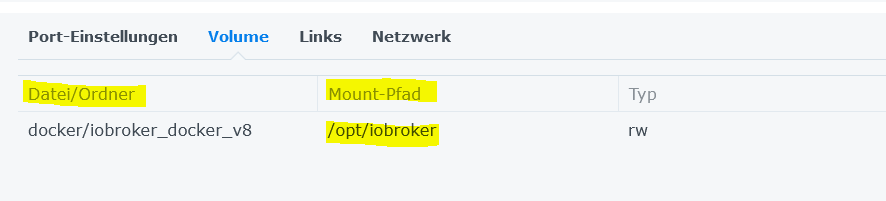
                                    29741671-4c56-43d1-8adb-5b3a41b24b1e-grafik.png

                                    das ist doch so OK .

                                    und was du da machen willst ... ist über Rom gehen und das Backup auf die gleiche NAS legen .

                                    Synology 918+ 16GB - ioBroker in Docker v9 , VISO auf Trekstor Primebook C13 13,3" , Hikvision Domkameras mit Surveillance Station .. CCU RaspberryMatic in Synology VM .. Zigbee CC2538+CC2592 .. Sonoff .. KNX .. Modbus ..

                                    1 Antwort Letzte Antwort
                                    0
                                    • J JoergH

                                      @glasfaser Dann passiert "same procedure as last year"

                                      Started iobroker ...
                                      [DEBUG] [mount] - noserverino option: true
                                      [DEBUG] [mount] - cifs-mount command: "sudo mount -t cifs -o username=nas_user,password=****,noserverino,rw,uid=iobroker,gid=iobroker,file_mode=0777,dir_mode=0777,vers=3.0 //xxx.xxx.xxx.xxx/Backup/NAS_iobroker /opt/iobroker/backups"
                                      [DEBUG] [mount] - mount successfully completed
                                      [DEBUG] [mount] - done
                                      [DEBUG] [iobroker] - host.xxxxxxxxxxxxxxxx states saved
                                      
                                      [DEBUG] [iobroker] - host.xxxxxxxxxxxxxx 28192 objects saved
                                      
                                      [ERROR] [iobroker] - host.xxxxxxxxxxxxxx Cannot pack directory /opt/iobroker/node_modules/iobroker.js-controller/tmp/backup: EACCES: permission denied, open '/opt/iobroker/backups/iobroker_2023_04_17-19_46_59_backupiobroker.tar.gz'
                                      
                                      [DEBUG] [iobroker] - done
                                      [DEBUG] [grafana] - Start Grafana Backup ...
                                      [ERROR] [grafana] - Grafana tmp directory "/opt/iobroker/backups/grafana_tmp" cannot created ... Error: EACCES: permission denied, mkdir '/opt/iobroker/backups/grafana_tmp'
                                      [DEBUG] [grafana] - Created grafana_tmp directory: "/opt/iobroker/backups/grafana_tmp"
                                      [ERROR] [grafana] - Grafana Backup cannot created: Error: EACCES: permission denied, mkdir '/opt/iobroker/backups/grafana_tmp'
                                      [ERROR] [grafana] - Error: EACCES: permission denied, mkdir '/opt/iobroker/backups/grafana_tmp'
                                      [ERROR] [grafana] - Grafana Backup cannot created ...
                                      [DEBUG] [grafana] - done
                                      [DEBUG] [javascripts] - Javascript tmp directory "/opt/iobroker/backups/tmpScripts" cannot created ... Error: EACCES: permission denied, mkdir '/opt/iobroker/backups/tmpScripts'
                                      [ERROR] [javascripts] - script.json cannot be written: Error: ENOENT: no such file or directory, open '/opt/iobroker/backups/tmpScripts/script.json'
                                      [DEBUG] [javascripts] - found Script: Autos@Home
                                      [DEBUG] [javascripts] - found Script: Loadmanagement_Kfz
                                      [DEBUG] [javascripts] - found Script: PV_Laden
                                      [DEBUG] [javascripts] - found Script: Tesla_Zustand_erkennen
                                      [DEBUG] [javascripts] - found Script: go-e_Zustand_erkennen
                                      [DEBUG] [javascripts] - found Script: Bewaesserung
                                      [DEBUG] [javascripts] - found Script: Zisterne
                                      [DEBUG] [javascripts] - found Script: Briefkasten_Einwurf
                                      [DEBUG] [javascripts] - found Script: Briefkasten_reset
                                      [DEBUG] [javascripts] - found Script: Energiedaten_aufbereiten
                                      [DEBUG] [javascripts] - found Script: Klimaanlagen
                                      [DEBUG] [javascripts] - found Script: Loadmanagement_Geräte
                                      [DEBUG] [javascripts] - found Script: PV_Faktor_berechnen
                                      [DEBUG] [javascripts] - found Script: PV_Laden_neu
                                      [DEBUG] [javascripts] - found Script: Tesla_Zustand_erkennen_neu
                                      [DEBUG] [javascripts] - found Script: go-e_Time_Switch
                                      [DEBUG] [javascripts] - found Script: go-e_Zustand_erkennen_neu
                                      [DEBUG] [javascripts] - found Script: Fenster_Sprachausgabe
                                      [DEBUG] [javascripts] - found Script: Fenster_zu_
                                      [DEBUG] [javascripts] - found Script: Fenster_zählen_1_6_14
                                      [DEBUG] [javascripts] - found Script: Toilette_lüften
                                      [DEBUG] [javascripts] - found Script: Anycubic_Vyper
                                      [DEBUG] [javascripts] - found Script: Geschirrspüler_Status
                                      [DEBUG] [javascripts] - found Script: Trockner_fertig
                                      [DEBUG] [javascripts] - found Script: Waschmaschine_fertig
                                      [DEBUG] [javascripts] - found Script: Waschmaschine_pausieren
                                      [DEBUG] [javascripts] - found Script: Heizungsüberwachung
                                      [DEBUG] [javascripts] - found Script: Zirkulationspumpe_Bedarf
                                      [DEBUG] [javascripts] - found Script: Leinwand_hoch
                                      [DEBUG] [javascripts] - found Script: Leinwand_runter
                                      [DEBUG] [javascripts] - found Script: Bewegungsmelder_Keller
                                      [DEBUG] [javascripts] - found Script: Esszimmer_Licht_an_bei_Rollladen_runter
                                      [DEBUG] [javascripts] - found Script: Hitzeschutz
                                      [DEBUG] [javascripts] - found Script: Rollladen_morgens
                                      [DEBUG] [javascripts] - found Script: Sonnenschutz
                                      [DEBUG] [javascripts] - found Script: Michelle_ist_im_Haus
                                      [DEBUG] [javascripts] - found Script: Oana_Radar
                                      [DEBUG] [javascripts] - found Script: Alarm_ausgelöst
                                      [DEBUG] [javascripts] - found Script: Alarmanlage_Modus
                                      [DEBUG] [javascripts] - found Script: Alarmauslösung
                                      [DEBUG] [javascripts] - found Script: Garage_schliessen
                                      [DEBUG] [javascripts] - found Script: Garagentor_Status
                                      [DEBUG] [javascripts] - found Script: Tor_Einfahrt_schliessen
                                      [DEBUG] [javascripts] - found Script: Testprogramm
                                      [DEBUG] [javascripts] - found Script: Testskript
                                      [DEBUG] [javascripts] - found Script: Alarmknopf
                                      [DEBUG] [javascripts] - found Script: Fullybrowser
                                      [DEBUG] [javascripts] - found Script: Sprachausgabe
                                      [DEBUG] [javascripts] - found Script: Wetter_Ebene
                                      [DEBUG] [javascripts] - found Script: Zählerstände
                                      [DEBUG] [javascripts] - javascript Backup not created
                                      [DEBUG] [javascripts] - done
                                      [DEBUG] [cifs] - used copy path: /Backup/NAS_iobroker
                                      [DEBUG] [cifs] - done
                                      [ERROR] [dropbox] - Dropbox: File "/opt/iobroker/backups/iobroker_2023_04_17-19_46_59_backupiobroker.tar.gz" not found
                                      [ERROR] [dropbox] - Dropbox: File "/opt/iobroker/backups/javascripts_2023_04_17-19_47_07_backupiobroker.tar.gz" not found
                                      [DEBUG] [dropbox] - done
                                      [ERROR] [clean] - Backup files not deleted from /opt/iobroker/backups because some errors.
                                      [DEBUG] [clean] - done
                                      [DEBUG] [historyHTML] - new history html values created
                                      [DEBUG] [historyHTML] - done
                                      [DEBUG] [historyJSON] - new history json values created
                                      [DEBUG] [historyJSON] - done
                                      [DEBUG] [umount] - mount activ, umount is started ...
                                      [DEBUG] [umount] - umount successfully completed
                                      [DEBUG] [umount] - done
                                      [EXIT] 9
                                      
                                      Thomas BraunT Online
                                      Thomas BraunT Online
                                      Thomas Braun
                                      Most Active
                                      schrieb am zuletzt editiert von
                                      #35

                                      @joergh

                                      Vermutlich eine falsche Option: noserverino option: true

                                      Linux-Werkzeugkasten:
                                      https://forum.iobroker.net/topic/42952/der-kleine-iobroker-linux-werkzeugkasten
                                      NodeJS Fixer Skript:
                                      https://forum.iobroker.net/topic/68035/iob-node-fix-skript
                                      iob_diag: curl -sLf -o diag.sh https://iobroker.net/diag.sh && bash diag.sh

                                      J 1 Antwort Letzte Antwort
                                      0
                                      • J JoergH

                                        @glasfaser Ok, dann hoffe ich er löscht jetzt nicht meinen API Key etc. wenn ich CIFS etc. deaktiviere...

                                        GlasfaserG Offline
                                        GlasfaserG Offline
                                        Glasfaser
                                        schrieb am zuletzt editiert von
                                        #36

                                        @joergh sagte in Kein Backup aufgrund fehlender Permissions:

                                        @glasfaser Ok, dann hoffe ich er löscht jetzt nicht meinen API Key etc. wenn ich CIFS etc. deaktiviere...

                                        du kannst auch eine neue Instanz erstellen und mit dieser Testen !

                                        Synology 918+ 16GB - ioBroker in Docker v9 , VISO auf Trekstor Primebook C13 13,3" , Hikvision Domkameras mit Surveillance Station .. CCU RaspberryMatic in Synology VM .. Zigbee CC2538+CC2592 .. Sonoff .. KNX .. Modbus ..

                                        J 1 Antwort Letzte Antwort
                                        0
                                        • GlasfaserG Glasfaser

                                          @joergh sagte in Kein Backup aufgrund fehlender Permissions:

                                          @glasfaser Ok, dann hoffe ich er löscht jetzt nicht meinen API Key etc. wenn ich CIFS etc. deaktiviere...

                                          du kannst auch eine neue Instanz erstellen und mit dieser Testen !

                                          J Offline
                                          J Offline
                                          JoergH
                                          schrieb am zuletzt editiert von
                                          #37

                                          @glasfaser sagte in Kein Backup aufgrund fehlender Permissions:

                                          @joergh sagte in Kein Backup aufgrund fehlender Permissions:

                                          @glasfaser Ok, dann hoffe ich er löscht jetzt nicht meinen API Key etc. wenn ich CIFS etc. deaktiviere...

                                          du kannst auch eine neue Instanz erstellen und mit dieser Testen !

                                          Too late. Habs schon gemacht...funktioniert soweit, hat iobroker und javascript gesichert, mit Grafana hat er noch Probleme, hat aber damit wohl nichts zu tun. Da habe ich noch keine templates wieder eingespielt...

                                          Naja, ich speichere einmal "lokal", was außerhalb in die appdata gemappt wird und dann wollte ich eben parallel dazu die Daten in das Backup Share schicken und dort ablegen. Es kam schon öfter vor, dass ich die appdata komplett löschen musste, weil ein Container nicht so wollte und bevor ich vergesse, dass die Backups da liegen....klar, zur Not geht es auch so...fuxt mich aber das nicht hinzubekommen 😁

                                          1 Antwort Letzte Antwort
                                          0

                                          Hey! Du scheinst an dieser Unterhaltung interessiert zu sein, hast aber noch kein Konto.

                                          Hast du es satt, bei jedem Besuch durch die gleichen Beiträge zu scrollen? Wenn du dich für ein Konto anmeldest, kommst du immer genau dorthin zurück, wo du zuvor warst, und kannst dich über neue Antworten benachrichtigen lassen (entweder per E-Mail oder Push-Benachrichtigung). Du kannst auch Lesezeichen speichern und Beiträge positiv bewerten, um anderen Community-Mitgliedern deine Wertschätzung zu zeigen.

                                          Mit deinem Input könnte dieser Beitrag noch besser werden 💗

                                          Registrieren Anmelden
                                          Antworten
                                          • In einem neuen Thema antworten
                                          Anmelden zum Antworten
                                          • Älteste zuerst
                                          • Neuste zuerst
                                          • Meiste Stimmen


                                          Support us

                                          ioBroker
                                          Community Adapters
                                          Donate
                                          FAQ Cloud / IOT
                                          HowTo: Node.js-Update
                                          HowTo: Backup/Restore
                                          Downloads
                                          BLOG

                                          461

                                          Online

                                          32.8k

                                          Benutzer

                                          82.9k

                                          Themen

                                          1.3m

                                          Beiträge
                                          Community
                                          Impressum | Datenschutz-Bestimmungen | Nutzungsbedingungen | Einwilligungseinstellungen
                                          ioBroker Community 2014-2025
                                          logo
                                          • Anmelden

                                          • Du hast noch kein Konto? Registrieren

                                          • Anmelden oder registrieren, um zu suchen
                                          • Erster Beitrag
                                            Letzter Beitrag
                                          0
                                          • Home
                                          • Aktuell
                                          • Tags
                                          • Ungelesen 0
                                          • Kategorien
                                          • Unreplied
                                          • Beliebt
                                          • GitHub
                                          • Docu
                                          • Hilfe
