




cloud.0 Adapter Fehlermeldung Admin instance not defined
-
Welche Version ..!?
Hinweis :
https://forum.iobroker.net/topic/58413/pro-cloud-update-cloud-adapter-4-2-0-nötig@glasfaser Vom Cloud Apapter ? 4.2.2
-
Hallo.
Arbeite seit ca. einer Woche mit iobroker, und es läuft alles soweit stabil auf einem Raspi 4 / 4GB.
Ich werde aber ein "Problem nicht los.
Vielleicht kann mir jemand einen Tipp geben.
Wenn ich von außerhalb meines Heimnetzwerks auf iobroker zugreife (iobroker.pro account), kann ich zwar alles problemlos bearbeiten, soweit ich das feststellen konnte, aber innerhalb kürzester Zeit gibt das Protokoll zig Fehlermeldungen aus.
"Admin instance not defined. Please specify the lovelace instance in settings".
Und:
"Cannot request web pages"
Was mache ich falsch ?
node 16.17.0 / NPM 8.15.0
Danke für Hilfe vorab.@jochen sagte in cloud.0 Adapter Fehlermeldung Admin instance not defined:
Admin instance not defined. Please specify the lovelace instance in settings
Bist du sicher die gehört zur Meldung von cloud.
Zeige mal die kompletten Logmeldungen dazu , aber in Code-Tags </> , keine Screenshots
Synology 918+ 16GB - ioBroker in Docker v9 , VISO auf Trekstor Primebook C13 13,3" , Hikvision Domkameras mit Surveillance Station .. CCU RaspberryMatic in Synology VM .. Zigbee CC2538+CC2592 .. Sonoff .. KNX .. Modbus ..
-
@jochen sagte in cloud.0 Adapter Fehlermeldung Admin instance not defined:
Admin instance not defined. Please specify the lovelace instance in settings
Bist du sicher die gehört zur Meldung von cloud.
Zeige mal die kompletten Logmeldungen dazu , aber in Code-Tags </> , keine Screenshots
-
@glasfaser Mache ich gerne. Aber da wirst Du mich anleiten müssen, wie das geht.
DANKE.Code-Tags ... siehe hier :
https://forum.iobroker.net/topic/51555/hinweise-für-gute-forenbeiträge
Synology 918+ 16GB - ioBroker in Docker v9 , VISO auf Trekstor Primebook C13 13,3" , Hikvision Domkameras mit Surveillance Station .. CCU RaspberryMatic in Synology VM .. Zigbee CC2538+CC2592 .. Sonoff .. KNX .. Modbus ..
-
Code-Tags ... siehe hier :
https://forum.iobroker.net/topic/51555/hinweise-für-gute-forenbeiträge
@glasfaser Danke schonmal. Sollte ich hinkriegen. Allerdings scheinbar (wahrscheinlich WEGEN des geschilderten Problems) nicht von hier aus dem Büro. Wenn ich auf Log herunterladen (current) klicke, dann kommt..:
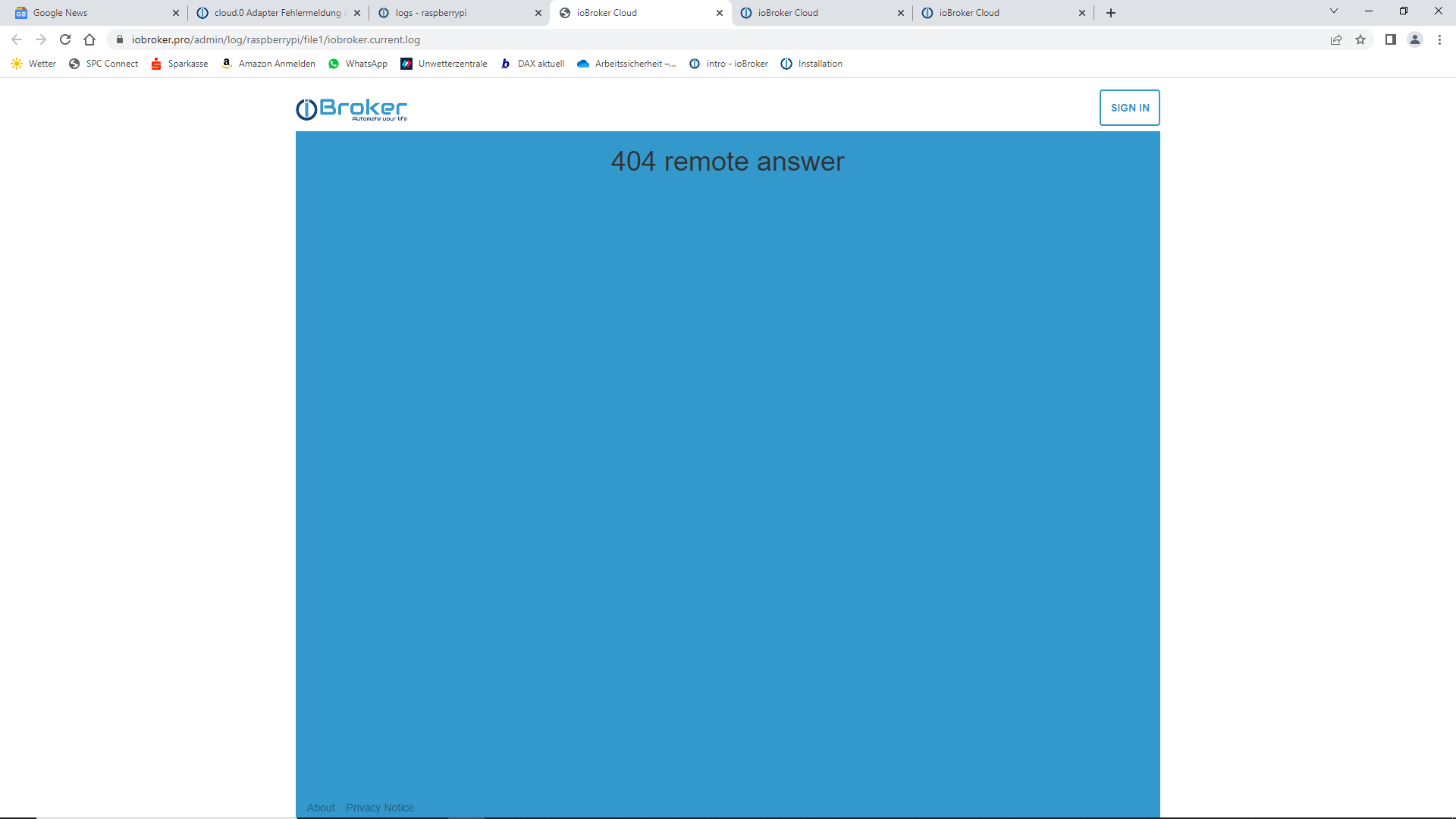
...und von da werde ich über sign in wieder auf die iobroker.pro Seite geleitet, wo ich aber auch schon eingeloggt bin.
Muss ich später von zu Hause probieren. -
@glasfaser Danke schonmal. Sollte ich hinkriegen. Allerdings scheinbar (wahrscheinlich WEGEN des geschilderten Problems) nicht von hier aus dem Büro. Wenn ich auf Log herunterladen (current) klicke, dann kommt..:
...und von da werde ich über sign in wieder auf die iobroker.pro Seite geleitet, wo ich aber auch schon eingeloggt bin.
Muss ich später von zu Hause probieren. -
@jochen Ach ja, falls das evtl. auch etwas damit zu tun haben könnte, diesen (eigentlich roten) Eintrag bekomme ich auch nicht weg. Wieder screenshot, sorry, aber sollte hierbei ja auch egal sein.
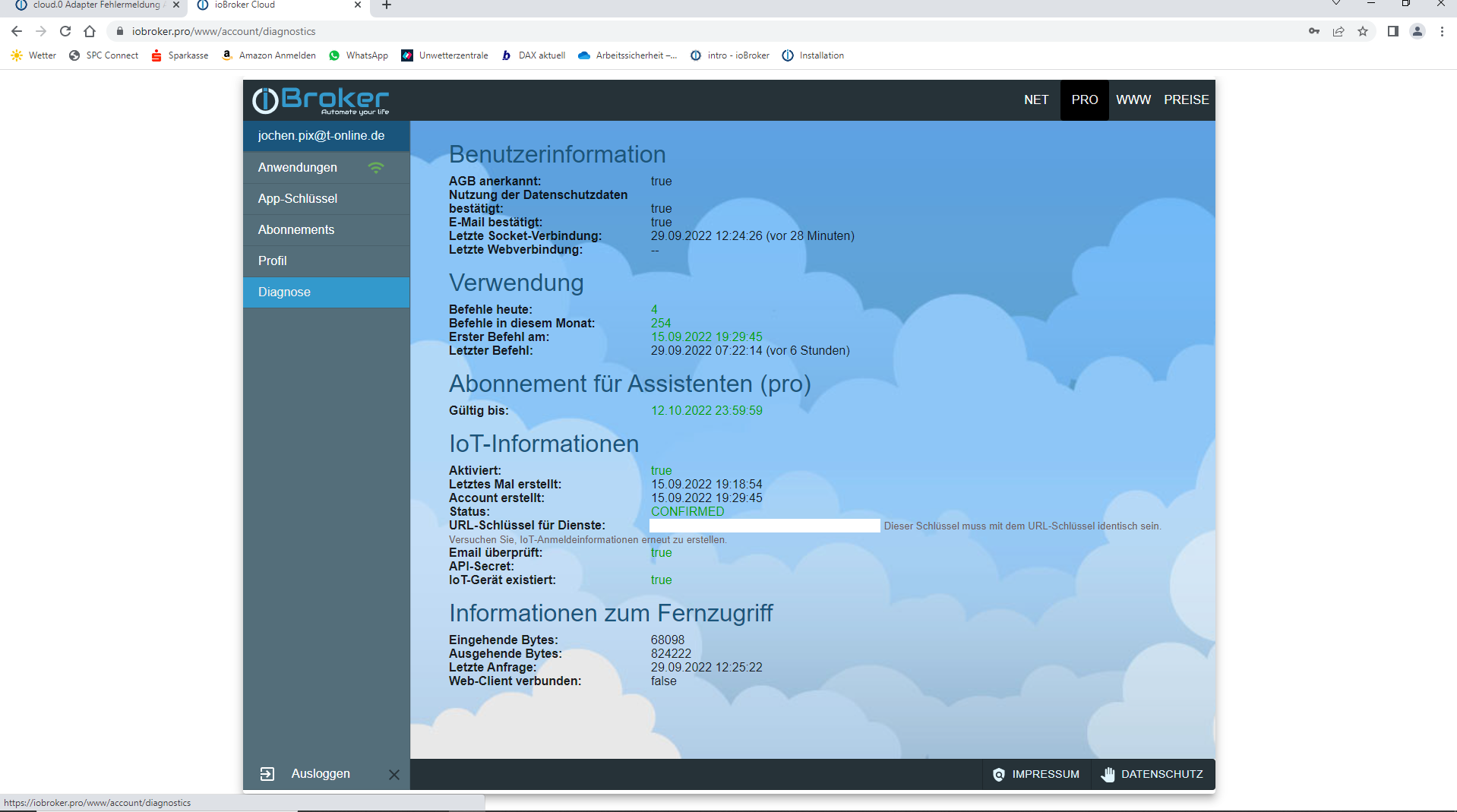
Die logs dann später..@jochen sagte in cloud.0 Adapter Fehlermeldung Admin instance not defined:
diesen (eigentlich roten) Eintrag bekomme ich auch nicht weg
Bei URL Schlüssel für Dienste?
Da steht doch dabei was zu tun ist...Im iot Adapter die iot Anmeldeinformationen neu erstellen
-
@jochen sagte in cloud.0 Adapter Fehlermeldung Admin instance not defined:
diesen (eigentlich roten) Eintrag bekomme ich auch nicht weg
Bei URL Schlüssel für Dienste?
Da steht doch dabei was zu tun ist...Im iot Adapter die iot Anmeldeinformationen neu erstellen
@fredf Habe ich mit Sicherheit schon mehrfach versucht.
Habe - wenn ich mich recht entsinne - auch den .iot Adapter anfangs schonmal runter geschmissen, und neu installiert.
Mit der Folge, dass ich dann alle Alexa-gesteuerten Geräte auch nochmal anlegen musste.
Hier im Büro sieht das so aus...:
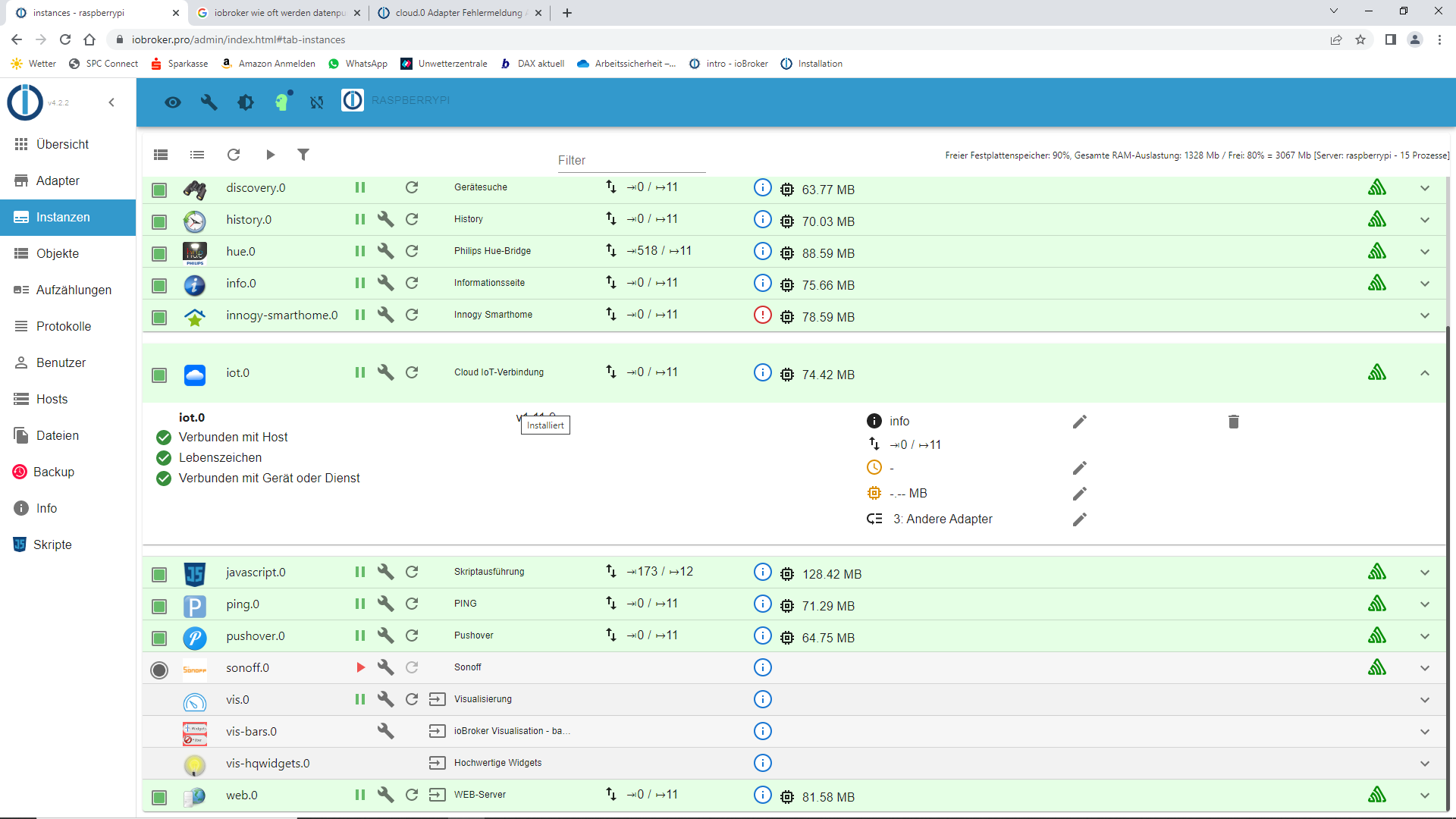
Und die "Einstellungen"...:
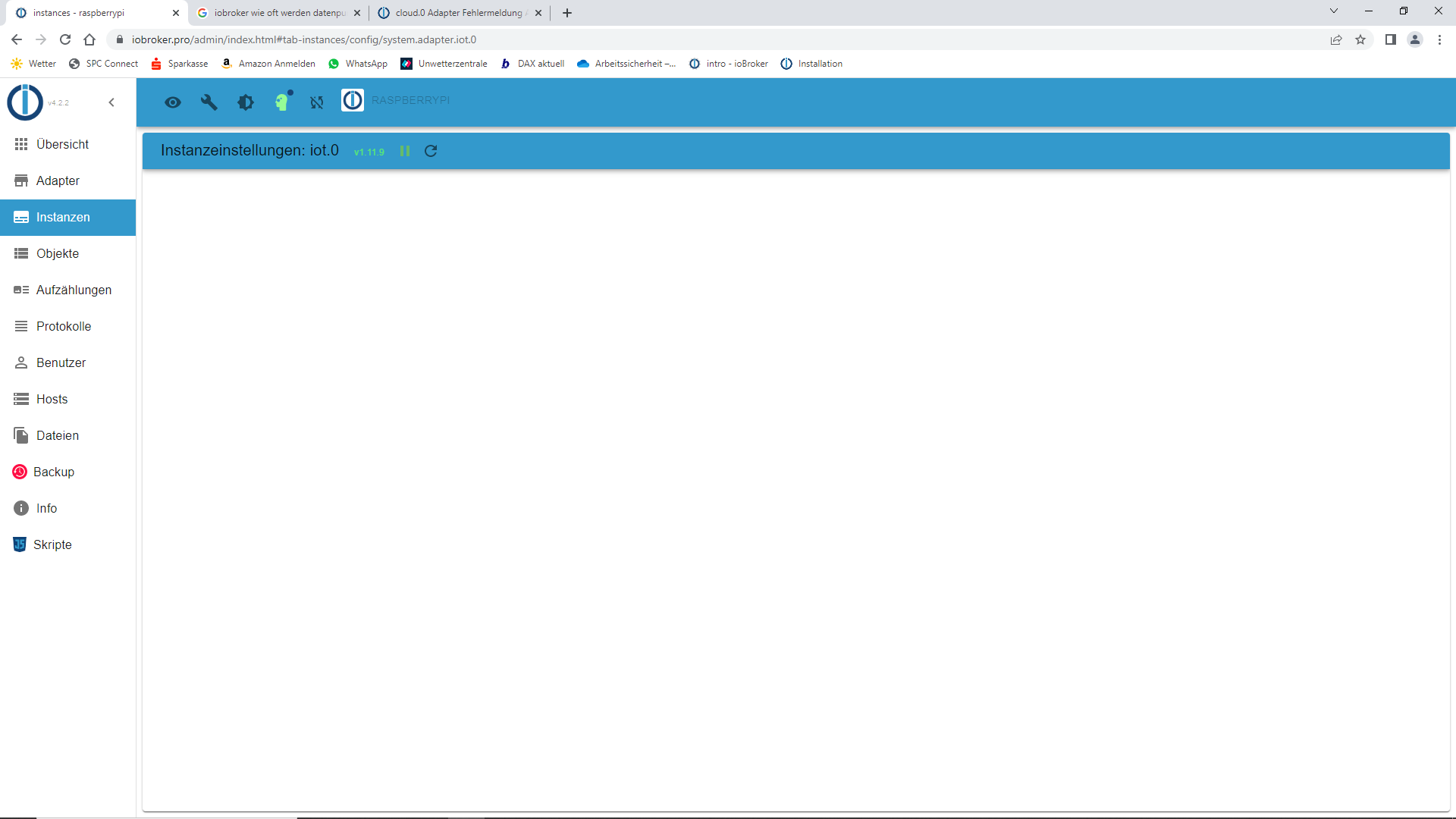
-
@fredf Habe ich mit Sicherheit schon mehrfach versucht.
Habe - wenn ich mich recht entsinne - auch den .iot Adapter anfangs schonmal runter geschmissen, und neu installiert.
Mit der Folge, dass ich dann alle Alexa-gesteuerten Geräte auch nochmal anlegen musste.
Hier im Büro sieht das so aus...:
Und die "Einstellungen"...:
@jochen
Ja, merke gerade auch das über die cloud keine Einstellungen der iot Instanz sicht bar sind.
Habe das mal hier gemeldet:
https://forum.iobroker.net/topic/58412/pro-cloud-update-mit-admin-6-problem-meldungen -
@jochen
Ja, merke gerade auch das über die cloud keine Einstellungen der iot Instanz sicht bar sind.
Habe das mal hier gemeldet:
https://forum.iobroker.net/topic/58412/pro-cloud-update-mit-admin-6-problem-meldungenDas liegt aber seiner Admin Version.
Man braucht glaube ich mind. Version 6 um die Einstellungen sehen zu können.
Er hat 4.2.2Synology DS218+ & 2 x Fujitsu Esprimo (VM/Container) + FritzBox7590 + 2 AVM 3000 Repeater & Homematic & HUE & Osram & Xiaomi, NPM 10.9.8, Nodejs 22.23.2 ,JS Controller 7.2.2 ,Admin 8.0.4
-
Das liegt aber seiner Admin Version.
Man braucht glaube ich mind. Version 6 um die Einstellungen sehen zu können.
Er hat 4.2.2@haselchen Admin Adapter 6.2.22...
-
Das liegt aber seiner Admin Version.
Man braucht glaube ich mind. Version 6 um die Einstellungen sehen zu können.
Er hat 4.2.2@haselchen Nö, das ist noch ein Bug das über die Cloud die falsche Admin Version angezeigt wird
-
@haselchen Nö, das ist noch ein Bug das über die Cloud die falsche Admin Version angezeigt wird
Über die Cloud?
Sein Screenshot ist doch vom Admin Hauptbildschirm?
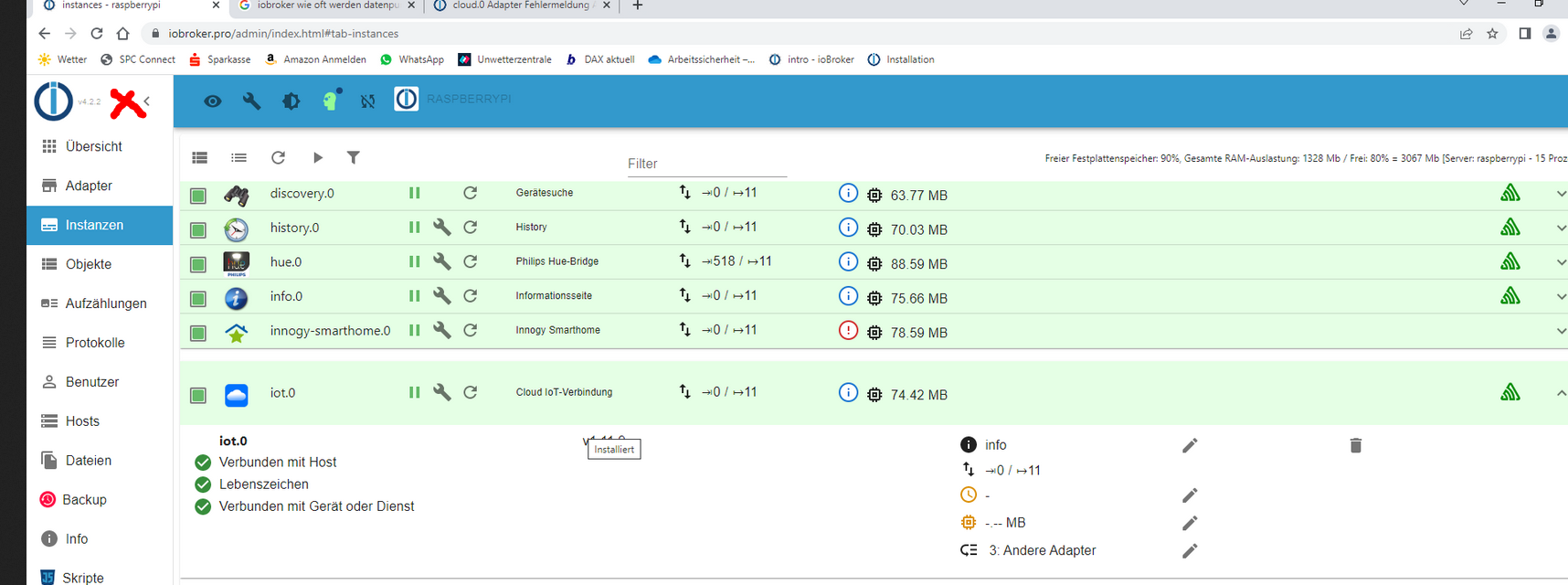
Ok, wenn es das nicht ist, Irrtum von mir :)
Synology DS218+ & 2 x Fujitsu Esprimo (VM/Container) + FritzBox7590 + 2 AVM 3000 Repeater & Homematic & HUE & Osram & Xiaomi, NPM 10.9.8, Nodejs 22.23.2 ,JS Controller 7.2.2 ,Admin 8.0.4
-
Über die Cloud?
Sein Screenshot ist doch vom Admin Hauptbildschirm?Ok, wenn es das nicht ist, Irrtum von mir :)
@haselchen Nö, ist die cloud ansicht
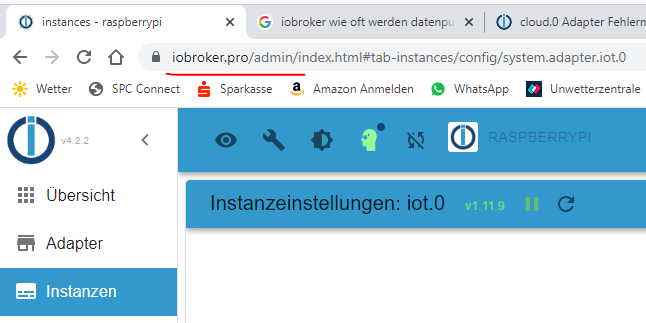
-
@haselchen Nö, ist die cloud ansicht
Noch eine kleine Zusatzinfo an die Experten..
Ich habe jetzt die ganze Zeit online an Scripten gearbeitet, und ab und zu auf die Protokolle geklickt.
Dabei ist mir aufgefallen, dass der scheinbar erst wieder anfängt, die Fehlermeldungen (3 pro Sek. !) auszugeben, sobald ich auf Protokolle klicke.
Dazwischen sind immer zeitliche Lücken - eben die Lücken, in denen ich an den Scripten gearbeitet habe, und nicht in den Protokollen war.
So, jetzt gebe ich Ruhe bis ich gleich die logs habe.
Danke nochmal für die rege Beteiligung so far. -
Noch eine kleine Zusatzinfo an die Experten..
Ich habe jetzt die ganze Zeit online an Scripten gearbeitet, und ab und zu auf die Protokolle geklickt.
Dabei ist mir aufgefallen, dass der scheinbar erst wieder anfängt, die Fehlermeldungen (3 pro Sek. !) auszugeben, sobald ich auf Protokolle klicke.
Dazwischen sind immer zeitliche Lücken - eben die Lücken, in denen ich an den Scripten gearbeitet habe, und nicht in den Protokollen war.
So, jetzt gebe ich Ruhe bis ich gleich die logs habe.
Danke nochmal für die rege Beteiligung so far.2022-09-29 14:08:11.164 - info: cloud.0 (1065) User accessed from cloud: pzvhrnGtaDl-q1oTAUzi 2022-09-29 14:10:10.608 - info: cloud.0 (1065) User disconnected from cloud: pzvhrnGtaDl-q1oTAUzi 2022-09-29 14:11:09.521 - info: cloud.0 (1065) User accessed from cloud: 571FCjNg4FmuW7hqAU0- 2022-09-29 14:12:59.232 - warn: cloud.0 (1065) User disconnected from cloud: 0 571FCjNg4FmuW7hqAU0- 2022-09-29 14:12:59.235 - info: cloud.0 (1065) User disconnected from cloud: 2022-09-29 14:13:32.389 - error: cloud.0 (1065) Admin instance not defined. Please specify the lovelace instance in settings 2022-09-29 14:13:32.390 - error: cloud.0 (1065) Admin instance not defined. Please specify the lovelace instance in settings 2022-09-29 14:13:32.404 - error: cloud.0 (1065) Admin instance not defined. Please specify the lovelace instance in settings 2022-09-29 14:13:32.420 - error: cloud.0 (1065) Admin instance not defined. Please specify the lovelace instance in settings 2022-09-29 14:13:32.692 - error: cloud.0 (1065) Admin instance not defined. Please specify the lovelace instance in settings 2022-09-29 14:13:33.002 - error: cloud.0 (1065) Admin instance not defined. Please specify the lovelace instance in settings 2022-09-29 14:13:33.310 - error: cloud.0 (1065) Admin instance not defined. Please specify the lovelace instance in settings 2022-09-29 14:13:33.604 - error: cloud.0 (1065) Admin instance not defined. Please specify the lovelace instance in settings 2022-09-29 14:13:33.914 - error: cloud.0 (1065) Admin instance not defined. Please specify the lovelace instance in settings 2022-09-29 14:13:34.215 - error: cloud.0 (1065) Admin instance not defined. Please specify the lovelace instance in settings 2022-09-29 14:13:34.517 - error: cloud.0 (1065) Admin instance not defined. Please specify the lovelace instance in settings 2022-09-29 14:13:34.816 - error: cloud.0 (1065) Admin instance not defined. Please specify the lovelace instance in settings 2022-09-29 14:13:35.142 - error: cloud.0 (1065) Admin instance not defined. Please specify the lovelace instance in settings 2022-09-29 14:13:35.447 - error: cloud.0 (1065) Admin instance not defined. Please specify the lovelace instance in settings 2022-09-29 14:13:35.759 - error: cloud.0 (1065) Admin instance not defined. Please specify the lovelace instance in settings 2022-09-29 14:13:36.054 - error: cloud.0 (1065) Admin instance not defined. Please specify the lovelace instance in settings 2022-09-29 14:13:36.351 - error: cloud.0 (1065) Admin instance not defined. Please specify the lovelace instance in settings 2022-09-29 14:13:36.652 - error: cloud.0 (1065) Admin instance not defined. Please specify the lovelace instance in settings 2022-09-29 14:13:36.952 - error: cloud.0 (1065) Admin instance not defined. Please specify the lovelace instance in settings 2022-09-29 14:13:37.258 - error: cloud.0 (1065) Admin instance not defined. Please specify the lovelace instance in settings 2022-09-29 14:13:37.737 - info: cloud.0 (1065) User accessed from cloud: F45_2QblRpJ4TEvUAU2Q 2022-09-29 14:13:42.286 - info: cloud.0 (1065) User accessed from cloud: CzgPPNB_Jt3lVwr_AU2W 2022-09-29 14:13:42.322 - error: cloud.0 (1065) Received unknown command 1: name 2022-09-29 14:13:45.330 - error: cloud.0 (1065) Cannot request web pages: File i-vis-switch-1.ejs not found: {} 2022-09-29 14:13:45.405 - error: cloud.0 (1065) Cannot request web pages: File i-vis-button.ejs not found: {} 2022-09-29 14:13:47.567 - error: cloud.0 (1065) Cannot request web pages: File i-vis-switch-1.ejs not found: {} 2022-09-29 14:13:47.640 - error: cloud.0 (1065) Cannot request web pages: File i-vis-button.ejs not found: {} 2022-09-29 14:13:51.685 - info: cloud.0 (1065) User disconnected from cloud: CzgPPNB_Jt3lVwr_AU2W 2022-09-29 14:15:22.728 - info: cloud.0 (1065) User disconnected from cloud: F45_2QblRpJ4TEvUAU2Q 2022-09-29 14:15:59.078 - info: cloud.0 (1065) User accessed from cloud: LDN6Rndl4-3sQe76AU3g 2022-09-29 14:16:17.217 - info: cloud.0 (1065) received all objects 2022-09-29 14:17:46.194 - info: cloud.0 (1065) User disconnected from cloud: LDN6Rndl4-3sQe76AU3g 2022-09-29 14:17:46.452 - error: cloud.0 (1065) Admin instance not defined. Please specify the lovelace instance in settings 2022-09-29 14:17:46.492 - error: cloud.0 (1065) Admin instance not defined. Please specify the lovelace instance in settings 2022-09-29 14:18:09.950 - warn: cloud.0 (1065) Used invalid characters: 0_userdata.0.Noch_Verbraucher_eingeschaltet_? changed to 0_userdata.0.Noch_Verbraucher_eingeschaltet__ 2022-09-29 14:18:42.930 - info: cloud.0 (1065) received all objects 2022-09-29 14:19:16.102 - warn: cloud.0 (1065) Used invalid characters: 0_userdata.0.Noch_Verbraucher_eingeschaltet__.Noch_Verbraucher_eingeschaltet_? changed to 0_userdata.0.Noch_Verbraucher_eingeschaltet__.Noch_Verbraucher_eingeschaltet__ 2022-09-29 14:19:23.269 - error: cloud.0 (1065) Admin instance not defined. Please specify the lovelace instance in settings 2022-09-29 14:19:23.271 - error: cloud.0 (1065) Admin instance not defined. Please specify the lovelace instance in settings 2022-09-29 14:19:23.273 - error: cloud.0 (1065) Admin instance not defined. Please specify the lovelace instance in settings 2022-09-29 14:19:23.308 - error: cloud.0 (1065) Admin instance not defined. Please specify the lovelace instance in settings 2022-09-29 14:19:23.567 - error: cloud.0 (1065) Admin instance not defined. Please specify the lovelace instance in settings 2022-09-29 14:19:23.881 - error: cloud.0 (1065) Admin instance not defined. Please specify the lovelace instance in settings 2022-09-29 14:19:24.179 - error: cloud.0 (1065) Admin instance not defined. Please specify the lovelace instance in settings 2022-09-29 14:19:24.467 - error: cloud.0 (1065) Admin instance not defined. Please specify the lovelace instance in settings 2022-09-29 14:19:24.755 - error: cloud.0 (1065) Admin instance not defined. Please specify the lovelace instance in settings 2022-09-29 14:19:25.054 - error: cloud.0 (1065) Admin instance not defined. Please specify the lovelace instance in settings 2022-09-29 14:19:25.342 - error: cloud.0 (1065) Admin instance not defined. Please specify the lovelace instance in settings 2022-09-29 14:19:25.638 - error: cloud.0 (1065) Admin instance not defined. Please specify the lovelace instance in settings 2022-09-29 14:19:25.941 - error: cloud.0 (1065) Admin instance not defined. Please specify the lovelace instance in settings 2022-09-29 14:19:26.230 - error: cloud.0 (1065) Admin instance not defined. Please specify the lovelace instance in settings 2022-09-29 14:19:26.539 - error: cloud.0 (1065) Admin instance not defined. Please specify the lovelace instance in settings 2022-09-29 14:19:26.823 - error: cloud.0 (1065) Admin instance not defined. Please specify the lovelace instance in settings 2022-09-29 14:19:27.121 - error: cloud.0 (1065) Admin instance not defined. Please specify the lovelace instance in settings 2022-09-29 14:19:27.419 - error: cloud.0 (1065) Admin instance not defined. Please specify the lovelace instance in settings 2022-09-29 14:19:27.715 - error: cloud.0 (1065) Admin instance not defined. Please specify the lovelace instance in settings 2022-09-29 14:19:28.003 - error: cloud.0 (1065) Admin instance not defined. Please specify the lovelace instance in settings 2022-09-29 14:19:28.636 - error: cloud.0 (1065) Admin instance not defined. Please specify the lovelace instance in settings 2022-09-29 14:19:28.948 - error: cloud.0 (1065) Admin instance not defined. Please specify the lovelace instance in settings 2022-09-29 14:19:29.239 - error: cloud.0 (1065) Admin instance not defined. Please specify the lovelace instance in settings 2022-09-29 14:19:29.553 - error: cloud.0 (1065) Admin instance not defined. Please specify the lovelace instance in settings 2022-09-29 14:19:29.558 - error: cloud.0 (1065) Admin instance not defined. Please specify the lovelace instance in settings 2022-09-29 14:19:34.622 - info: cloud.0 (1065) received all objects 2022-09-29 14:19:57.312 - info: cloud.0 (1065) User accessed from cloud: 78l_vKjv-nv3okU2AU6K 2022-09-29 14:20:55.188 - info: javascript.0 (813) Stop script script.js.common.Energie.Noch_Verbraucher_eingeschaltet__ 2022-09-29 14:21:01.676 - warn: cloud.0 (1065) User disconnected from cloud: 0 78l_vKjv-nv3okU2AU6K 2022-09-29 14:21:01.680 - info: cloud.0 (1065) User disconnected from cloud: 2022-09-29 14:21:01.688 - info: cloud.0 (1065) User disconnected from cloud: gXr3IVoOZEduz4DjAURB 2022-09-29 14:22:33.850 - info: cloud.0 (1065) User accessed from cloud: PBzg5Cr07YXXvEYYAU7y 2022-09-29 14:22:42.303 - error: cloud.0 (1065) Admin instance not defined. Please specify the lovelace instance in settings 2022-09-29 14:22:42.307 - error: cloud.0 (1065) Admin instance not defined. Please specify the lovelace instance in settings 2022-09-29 14:24:34.087 - error: cloud.0 (1065) Admin instance not defined. Please specify the lovelace instance in settings 2022-09-29 14:24:34.092 - error: cloud.0 (1065) Admin instance not defined. Please specify the lovelace instance in settings 2022-09-29 14:24:34.096 - error: cloud.0 (1065) Admin instance not defined. Please specify the lovelace instance in settings 2022-09-29 14:24:34.129 - error: cloud.0 (1065) Admin instance not defined. Please specify the lovelace instance in settings 2022-09-29 14:24:34.403 - error: cloud.0 (1065) Admin instance not defined. Please specify the lovelace instance in settings 2022-09-29 14:24:34.700 - error: cloud.0 (1065) Admin instance not defined. Please specify the lovelace instance in settings 2022-09-29 14:24:35.020 - error: cloud.0 (1065) Admin instance not defined. Please specify the lovelace instance in settings 2022-09-29 14:24:35.328 - error: cloud.0 (1065) Admin instance not defined. Please specify the lovelace instance in settings 2022-09-29 14:24:35.619 - error: cloud.0 (1065) Admin instance not defined. Please specify the lovelace instance in settings 2022-09-29 14:24:35.921 - error: cloud.0 (1065) Admin instance not defined. Please specify the lovelace instance in settings 2022-09-29 14:24:36.231 - error: cloud.0 (1065) Admin instance not defined. Please specify the lovelace instance in settings 2022-09-29 14:24:36.544 - error: cloud.0 (1065) Admin instance not defined. Please specify the lovelace instance in settings 2022-09-29 14:24:36.836 - error: cloud.0 (1065) Admin instance not defined. Please specify the lovelace instance in settings 2022-09-29 14:24:37.135 - error: cloud.0 (1065) Admin instance not defined. Please specify the lovelace instance in settings 2022-09-29 14:24:37.454 - info: cloud.0 (1065) User accessed from cloud: 6ewN_arEbvPrGCLpAU8t 2022-09-29 14:25:33.791 - warn: cloud.0 (1065) User disconnected from cloud: 0 6ewN_arEbvPrGCLpAU8t 2022-09-29 14:25:33.794 - info: cloud.0 (1065) User disconnected from cloud: 2022-09-29 14:25:34.091 - error: cloud.0 (1065) Admin instance not defined. Please specify the lovelace instance in settings 2022-09-29 14:25:34.290 - error: cloud.0 (1065) Admin instance not defined. Please specify the lovelace instance in settings 2022-09-29 14:26:43.292 - info: cloud.0 (1065) User accessed from cloud: n34UEuZqv2uz35jNAU91 2022-09-29 14:26:54.962 - info: cloud.0 (1065) User disconnected from cloud: n34UEuZqv2uz35jNAU91 2022-09-29 14:26:54.975 - info: cloud.0 (1065) User disconnected from cloud: PBzg5Cr07YXXvEYYAU7y 2022-09-29 14:46:05.757 - info: cloud.0 (1065) Connection changed: disconnect 2022-09-29 14:46:05.758 - info: cloud.0 (1065) Connection lost 2022-09-29 14:46:35.830 - info: cloud.0 (1065) Trying to connect as system.user.admin to cloud 2022-09-29 14:46:55.515 - info: cloud.0 (1065) Connection changed: connect 2022-09-29 15:16:52.456 - info: web.0 (1004) ==> Connected system.user.admin from ::ffff:192.168.123.21 2022-09-29 15:18:21.677 - info: web.0 (1004) <== Disconnect system.user.admin from ::ffff:192.168.123.21 vis.0 2022-09-29 15:26:12.393 - info: admin.0 (581) failed connection to socket.io from ::ffff:192.168.123.196: Passport was not initialized 2022-09-29 15:26:55.411 - info: admin.0 (581) ==> Connected system.user.admin from ::ffff:192.168.123.196 -
2022-09-29 14:08:11.164 - info: cloud.0 (1065) User accessed from cloud: pzvhrnGtaDl-q1oTAUzi 2022-09-29 14:10:10.608 - info: cloud.0 (1065) User disconnected from cloud: pzvhrnGtaDl-q1oTAUzi 2022-09-29 14:11:09.521 - info: cloud.0 (1065) User accessed from cloud: 571FCjNg4FmuW7hqAU0- 2022-09-29 14:12:59.232 - warn: cloud.0 (1065) User disconnected from cloud: 0 571FCjNg4FmuW7hqAU0- 2022-09-29 14:12:59.235 - info: cloud.0 (1065) User disconnected from cloud: 2022-09-29 14:13:32.389 - error: cloud.0 (1065) Admin instance not defined. Please specify the lovelace instance in settings 2022-09-29 14:13:32.390 - error: cloud.0 (1065) Admin instance not defined. Please specify the lovelace instance in settings 2022-09-29 14:13:32.404 - error: cloud.0 (1065) Admin instance not defined. Please specify the lovelace instance in settings 2022-09-29 14:13:32.420 - error: cloud.0 (1065) Admin instance not defined. Please specify the lovelace instance in settings 2022-09-29 14:13:32.692 - error: cloud.0 (1065) Admin instance not defined. Please specify the lovelace instance in settings 2022-09-29 14:13:33.002 - error: cloud.0 (1065) Admin instance not defined. Please specify the lovelace instance in settings 2022-09-29 14:13:33.310 - error: cloud.0 (1065) Admin instance not defined. Please specify the lovelace instance in settings 2022-09-29 14:13:33.604 - error: cloud.0 (1065) Admin instance not defined. Please specify the lovelace instance in settings 2022-09-29 14:13:33.914 - error: cloud.0 (1065) Admin instance not defined. Please specify the lovelace instance in settings 2022-09-29 14:13:34.215 - error: cloud.0 (1065) Admin instance not defined. Please specify the lovelace instance in settings 2022-09-29 14:13:34.517 - error: cloud.0 (1065) Admin instance not defined. Please specify the lovelace instance in settings 2022-09-29 14:13:34.816 - error: cloud.0 (1065) Admin instance not defined. Please specify the lovelace instance in settings 2022-09-29 14:13:35.142 - error: cloud.0 (1065) Admin instance not defined. Please specify the lovelace instance in settings 2022-09-29 14:13:35.447 - error: cloud.0 (1065) Admin instance not defined. Please specify the lovelace instance in settings 2022-09-29 14:13:35.759 - error: cloud.0 (1065) Admin instance not defined. Please specify the lovelace instance in settings 2022-09-29 14:13:36.054 - error: cloud.0 (1065) Admin instance not defined. Please specify the lovelace instance in settings 2022-09-29 14:13:36.351 - error: cloud.0 (1065) Admin instance not defined. Please specify the lovelace instance in settings 2022-09-29 14:13:36.652 - error: cloud.0 (1065) Admin instance not defined. Please specify the lovelace instance in settings 2022-09-29 14:13:36.952 - error: cloud.0 (1065) Admin instance not defined. Please specify the lovelace instance in settings 2022-09-29 14:13:37.258 - error: cloud.0 (1065) Admin instance not defined. Please specify the lovelace instance in settings 2022-09-29 14:13:37.737 - info: cloud.0 (1065) User accessed from cloud: F45_2QblRpJ4TEvUAU2Q 2022-09-29 14:13:42.286 - info: cloud.0 (1065) User accessed from cloud: CzgPPNB_Jt3lVwr_AU2W 2022-09-29 14:13:42.322 - error: cloud.0 (1065) Received unknown command 1: name 2022-09-29 14:13:45.330 - error: cloud.0 (1065) Cannot request web pages: File i-vis-switch-1.ejs not found: {} 2022-09-29 14:13:45.405 - error: cloud.0 (1065) Cannot request web pages: File i-vis-button.ejs not found: {} 2022-09-29 14:13:47.567 - error: cloud.0 (1065) Cannot request web pages: File i-vis-switch-1.ejs not found: {} 2022-09-29 14:13:47.640 - error: cloud.0 (1065) Cannot request web pages: File i-vis-button.ejs not found: {} 2022-09-29 14:13:51.685 - info: cloud.0 (1065) User disconnected from cloud: CzgPPNB_Jt3lVwr_AU2W 2022-09-29 14:15:22.728 - info: cloud.0 (1065) User disconnected from cloud: F45_2QblRpJ4TEvUAU2Q 2022-09-29 14:15:59.078 - info: cloud.0 (1065) User accessed from cloud: LDN6Rndl4-3sQe76AU3g 2022-09-29 14:16:17.217 - info: cloud.0 (1065) received all objects 2022-09-29 14:17:46.194 - info: cloud.0 (1065) User disconnected from cloud: LDN6Rndl4-3sQe76AU3g 2022-09-29 14:17:46.452 - error: cloud.0 (1065) Admin instance not defined. Please specify the lovelace instance in settings 2022-09-29 14:17:46.492 - error: cloud.0 (1065) Admin instance not defined. Please specify the lovelace instance in settings 2022-09-29 14:18:09.950 - warn: cloud.0 (1065) Used invalid characters: 0_userdata.0.Noch_Verbraucher_eingeschaltet_? changed to 0_userdata.0.Noch_Verbraucher_eingeschaltet__ 2022-09-29 14:18:42.930 - info: cloud.0 (1065) received all objects 2022-09-29 14:19:16.102 - warn: cloud.0 (1065) Used invalid characters: 0_userdata.0.Noch_Verbraucher_eingeschaltet__.Noch_Verbraucher_eingeschaltet_? changed to 0_userdata.0.Noch_Verbraucher_eingeschaltet__.Noch_Verbraucher_eingeschaltet__ 2022-09-29 14:19:23.269 - error: cloud.0 (1065) Admin instance not defined. Please specify the lovelace instance in settings 2022-09-29 14:19:23.271 - error: cloud.0 (1065) Admin instance not defined. Please specify the lovelace instance in settings 2022-09-29 14:19:23.273 - error: cloud.0 (1065) Admin instance not defined. Please specify the lovelace instance in settings 2022-09-29 14:19:23.308 - error: cloud.0 (1065) Admin instance not defined. Please specify the lovelace instance in settings 2022-09-29 14:19:23.567 - error: cloud.0 (1065) Admin instance not defined. Please specify the lovelace instance in settings 2022-09-29 14:19:23.881 - error: cloud.0 (1065) Admin instance not defined. Please specify the lovelace instance in settings 2022-09-29 14:19:24.179 - error: cloud.0 (1065) Admin instance not defined. Please specify the lovelace instance in settings 2022-09-29 14:19:24.467 - error: cloud.0 (1065) Admin instance not defined. Please specify the lovelace instance in settings 2022-09-29 14:19:24.755 - error: cloud.0 (1065) Admin instance not defined. Please specify the lovelace instance in settings 2022-09-29 14:19:25.054 - error: cloud.0 (1065) Admin instance not defined. Please specify the lovelace instance in settings 2022-09-29 14:19:25.342 - error: cloud.0 (1065) Admin instance not defined. Please specify the lovelace instance in settings 2022-09-29 14:19:25.638 - error: cloud.0 (1065) Admin instance not defined. Please specify the lovelace instance in settings 2022-09-29 14:19:25.941 - error: cloud.0 (1065) Admin instance not defined. Please specify the lovelace instance in settings 2022-09-29 14:19:26.230 - error: cloud.0 (1065) Admin instance not defined. Please specify the lovelace instance in settings 2022-09-29 14:19:26.539 - error: cloud.0 (1065) Admin instance not defined. Please specify the lovelace instance in settings 2022-09-29 14:19:26.823 - error: cloud.0 (1065) Admin instance not defined. Please specify the lovelace instance in settings 2022-09-29 14:19:27.121 - error: cloud.0 (1065) Admin instance not defined. Please specify the lovelace instance in settings 2022-09-29 14:19:27.419 - error: cloud.0 (1065) Admin instance not defined. Please specify the lovelace instance in settings 2022-09-29 14:19:27.715 - error: cloud.0 (1065) Admin instance not defined. Please specify the lovelace instance in settings 2022-09-29 14:19:28.003 - error: cloud.0 (1065) Admin instance not defined. Please specify the lovelace instance in settings 2022-09-29 14:19:28.636 - error: cloud.0 (1065) Admin instance not defined. Please specify the lovelace instance in settings 2022-09-29 14:19:28.948 - error: cloud.0 (1065) Admin instance not defined. Please specify the lovelace instance in settings 2022-09-29 14:19:29.239 - error: cloud.0 (1065) Admin instance not defined. Please specify the lovelace instance in settings 2022-09-29 14:19:29.553 - error: cloud.0 (1065) Admin instance not defined. Please specify the lovelace instance in settings 2022-09-29 14:19:29.558 - error: cloud.0 (1065) Admin instance not defined. Please specify the lovelace instance in settings 2022-09-29 14:19:34.622 - info: cloud.0 (1065) received all objects 2022-09-29 14:19:57.312 - info: cloud.0 (1065) User accessed from cloud: 78l_vKjv-nv3okU2AU6K 2022-09-29 14:20:55.188 - info: javascript.0 (813) Stop script script.js.common.Energie.Noch_Verbraucher_eingeschaltet__ 2022-09-29 14:21:01.676 - warn: cloud.0 (1065) User disconnected from cloud: 0 78l_vKjv-nv3okU2AU6K 2022-09-29 14:21:01.680 - info: cloud.0 (1065) User disconnected from cloud: 2022-09-29 14:21:01.688 - info: cloud.0 (1065) User disconnected from cloud: gXr3IVoOZEduz4DjAURB 2022-09-29 14:22:33.850 - info: cloud.0 (1065) User accessed from cloud: PBzg5Cr07YXXvEYYAU7y 2022-09-29 14:22:42.303 - error: cloud.0 (1065) Admin instance not defined. Please specify the lovelace instance in settings 2022-09-29 14:22:42.307 - error: cloud.0 (1065) Admin instance not defined. Please specify the lovelace instance in settings 2022-09-29 14:24:34.087 - error: cloud.0 (1065) Admin instance not defined. Please specify the lovelace instance in settings 2022-09-29 14:24:34.092 - error: cloud.0 (1065) Admin instance not defined. Please specify the lovelace instance in settings 2022-09-29 14:24:34.096 - error: cloud.0 (1065) Admin instance not defined. Please specify the lovelace instance in settings 2022-09-29 14:24:34.129 - error: cloud.0 (1065) Admin instance not defined. Please specify the lovelace instance in settings 2022-09-29 14:24:34.403 - error: cloud.0 (1065) Admin instance not defined. Please specify the lovelace instance in settings 2022-09-29 14:24:34.700 - error: cloud.0 (1065) Admin instance not defined. Please specify the lovelace instance in settings 2022-09-29 14:24:35.020 - error: cloud.0 (1065) Admin instance not defined. Please specify the lovelace instance in settings 2022-09-29 14:24:35.328 - error: cloud.0 (1065) Admin instance not defined. Please specify the lovelace instance in settings 2022-09-29 14:24:35.619 - error: cloud.0 (1065) Admin instance not defined. Please specify the lovelace instance in settings 2022-09-29 14:24:35.921 - error: cloud.0 (1065) Admin instance not defined. Please specify the lovelace instance in settings 2022-09-29 14:24:36.231 - error: cloud.0 (1065) Admin instance not defined. Please specify the lovelace instance in settings 2022-09-29 14:24:36.544 - error: cloud.0 (1065) Admin instance not defined. Please specify the lovelace instance in settings 2022-09-29 14:24:36.836 - error: cloud.0 (1065) Admin instance not defined. Please specify the lovelace instance in settings 2022-09-29 14:24:37.135 - error: cloud.0 (1065) Admin instance not defined. Please specify the lovelace instance in settings 2022-09-29 14:24:37.454 - info: cloud.0 (1065) User accessed from cloud: 6ewN_arEbvPrGCLpAU8t 2022-09-29 14:25:33.791 - warn: cloud.0 (1065) User disconnected from cloud: 0 6ewN_arEbvPrGCLpAU8t 2022-09-29 14:25:33.794 - info: cloud.0 (1065) User disconnected from cloud: 2022-09-29 14:25:34.091 - error: cloud.0 (1065) Admin instance not defined. Please specify the lovelace instance in settings 2022-09-29 14:25:34.290 - error: cloud.0 (1065) Admin instance not defined. Please specify the lovelace instance in settings 2022-09-29 14:26:43.292 - info: cloud.0 (1065) User accessed from cloud: n34UEuZqv2uz35jNAU91 2022-09-29 14:26:54.962 - info: cloud.0 (1065) User disconnected from cloud: n34UEuZqv2uz35jNAU91 2022-09-29 14:26:54.975 - info: cloud.0 (1065) User disconnected from cloud: PBzg5Cr07YXXvEYYAU7y 2022-09-29 14:46:05.757 - info: cloud.0 (1065) Connection changed: disconnect 2022-09-29 14:46:05.758 - info: cloud.0 (1065) Connection lost 2022-09-29 14:46:35.830 - info: cloud.0 (1065) Trying to connect as system.user.admin to cloud 2022-09-29 14:46:55.515 - info: cloud.0 (1065) Connection changed: connect 2022-09-29 15:16:52.456 - info: web.0 (1004) ==> Connected system.user.admin from ::ffff:192.168.123.21 2022-09-29 15:18:21.677 - info: web.0 (1004) <== Disconnect system.user.admin from ::ffff:192.168.123.21 vis.0 2022-09-29 15:26:12.393 - info: admin.0 (581) failed connection to socket.io from ::ffff:192.168.123.196: Passport was not initialized 2022-09-29 15:26:55.411 - info: admin.0 (581) ==> Connected system.user.admin from ::ffff:192.168.123.196Und wegen dem URL-Schlüssel für Dienste...
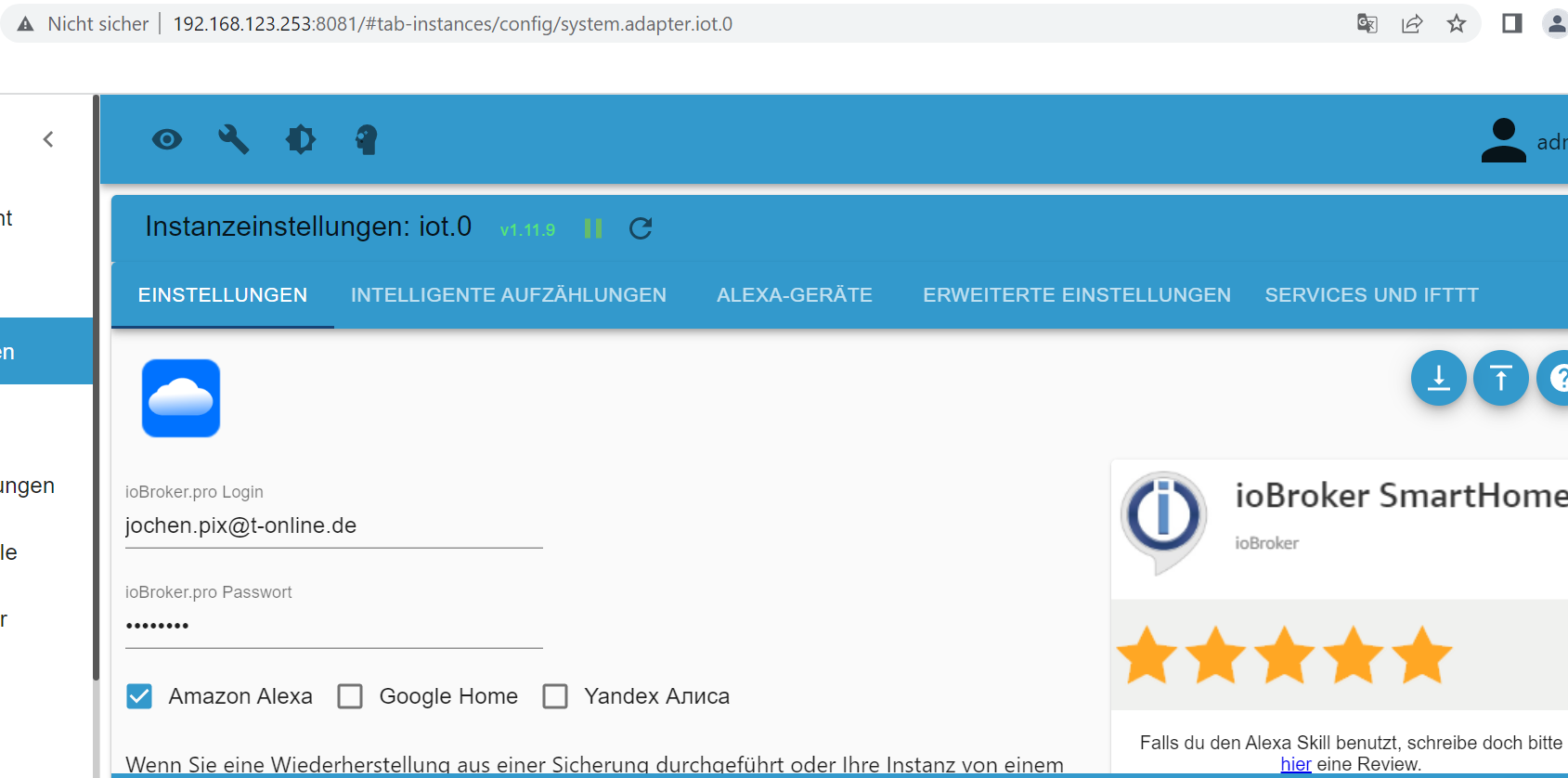
Die Anmeldedaten sind ok. Wenn ich die "ändere" - also mit dem Gleichen überschreibe (was soll ich sonst da rein schreiben, wenn es richtig ist), dann lässt der mich ja noch nicht mal speichern.
Oder ist das hier: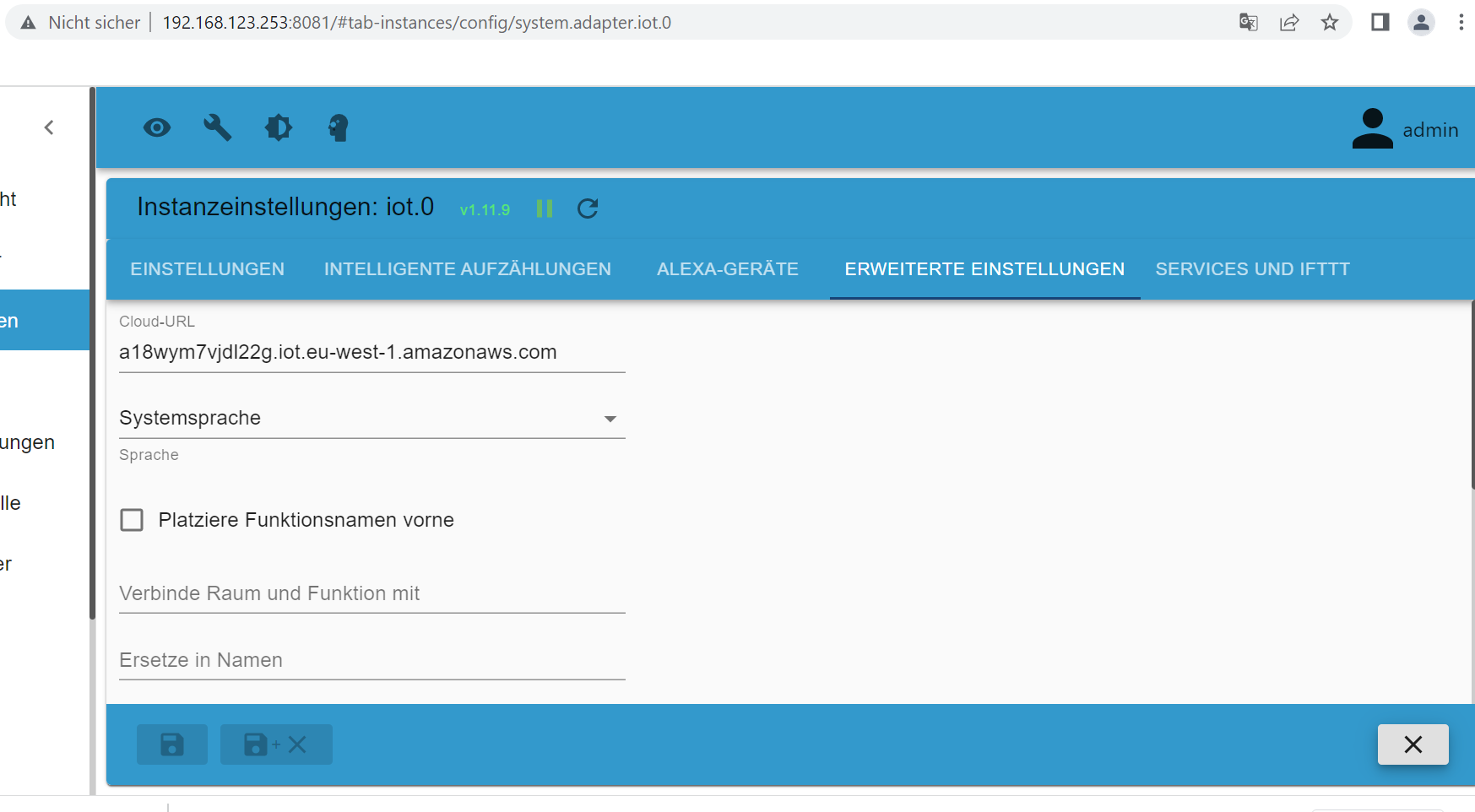
-
Und wegen dem URL-Schlüssel für Dienste...
Die Anmeldedaten sind ok. Wenn ich die "ändere" - also mit dem Gleichen überschreibe (was soll ich sonst da rein schreiben, wenn es richtig ist), dann lässt der mich ja noch nicht mal speichern.
Oder ist das hier:@jochen sagte in cloud.0 Adapter Fehlermeldung Admin instance not defined:
Und wegen dem URL-Schlüssel für Dienste...

Dann muss aber der iot Skill wieder aktiviert werden
-
@jochen sagte in cloud.0 Adapter Fehlermeldung Admin instance not defined:
Und wegen dem URL-Schlüssel für Dienste...
Dann muss aber der iot Skill wieder aktiviert werden
-
@jochen sagte in cloud.0 Adapter Fehlermeldung Admin instance not defined:
Und wegen dem URL-Schlüssel für Dienste...
Dann muss aber der iot Skill wieder aktiviert werden
@fredf Nee, das war es nicht. Habe den Button benutzt.
"Zertifikate werden nach dem Start erneuert"
iot Adapter startet wieder.
skill deaktiviert und wieder aktiviert.
iobroker.pro ausgeloggt und wieder eingeloggt.
Diagnose immer noch gleich.




Hey! Du scheinst an dieser Unterhaltung interessiert zu sein, hast aber noch kein Konto.
Hast du es satt, bei jedem Besuch durch die gleichen Beiträge zu scrollen? Wenn du dich für ein Konto anmeldest, kommst du immer genau dorthin zurück, wo du zuvor warst, und kannst dich über neue Antworten benachrichtigen lassen (entweder per E-Mail oder Push-Benachrichtigung). Du kannst auch Lesezeichen speichern und Beiträge positiv bewerten, um anderen Community-Mitgliedern deine Wertschätzung zu zeigen.
Mit deinem Input könnte dieser Beitrag noch besser werden 💗
Registrieren AnmeldenSupport us
217
Online33.0k
Benutzer83.6k
Themen1.3m
Beiträge