
NEWS




Test Adapter TP-Link Tapo
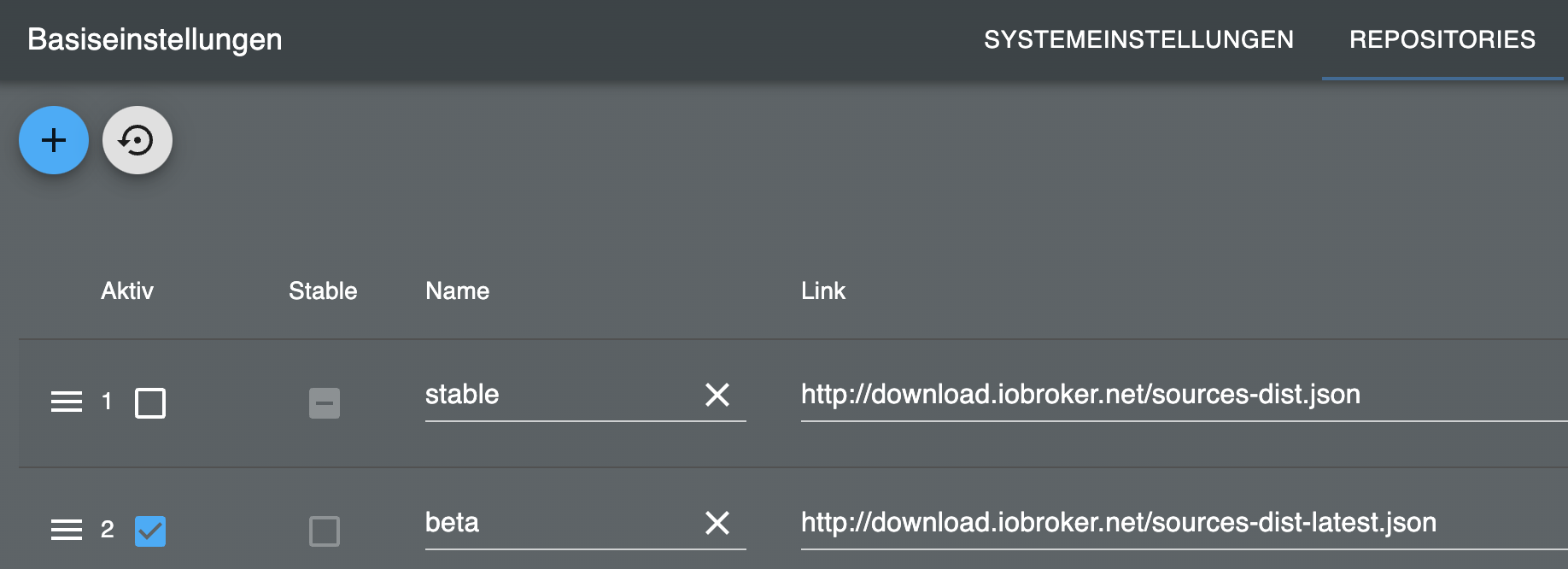
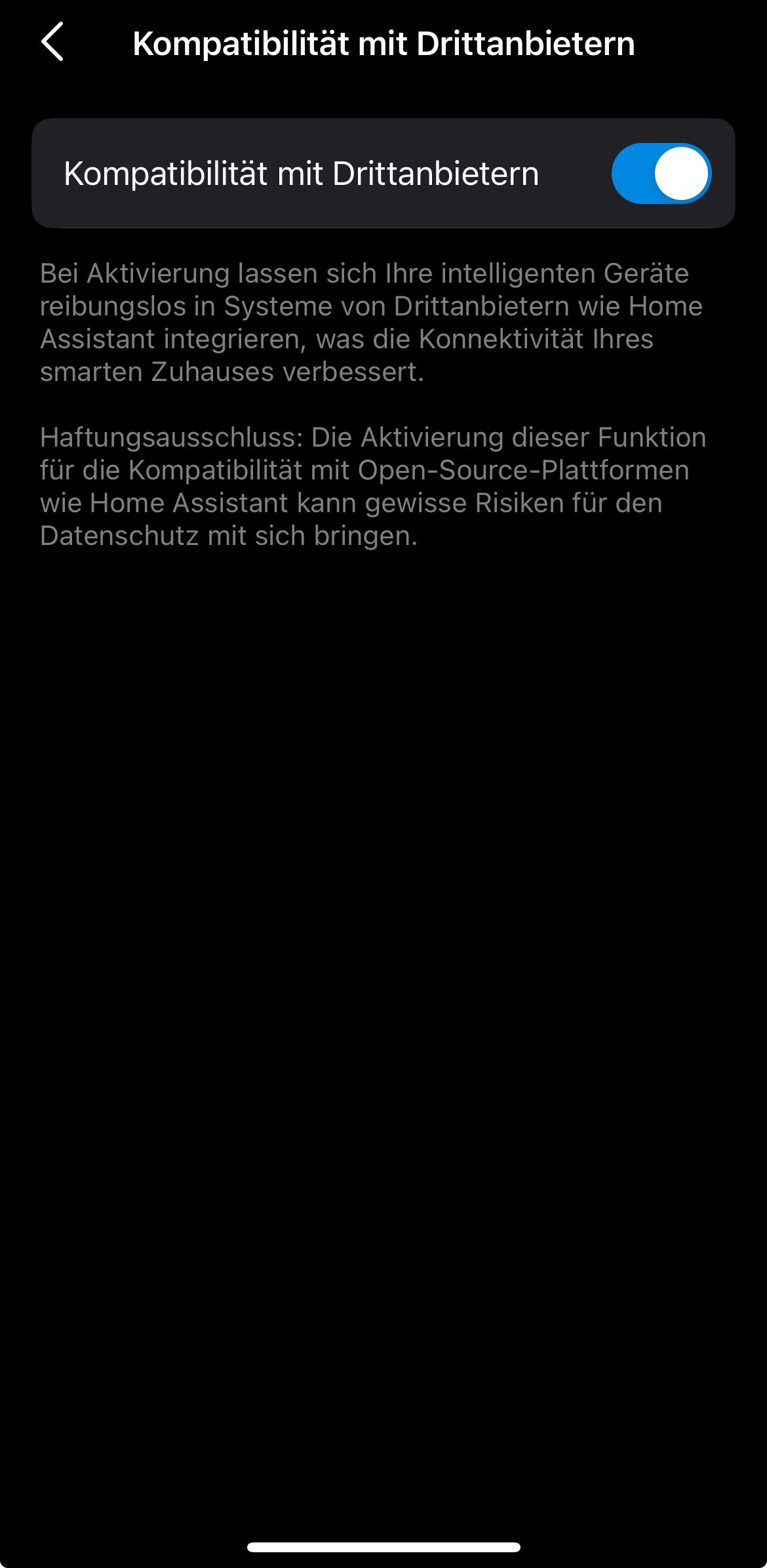
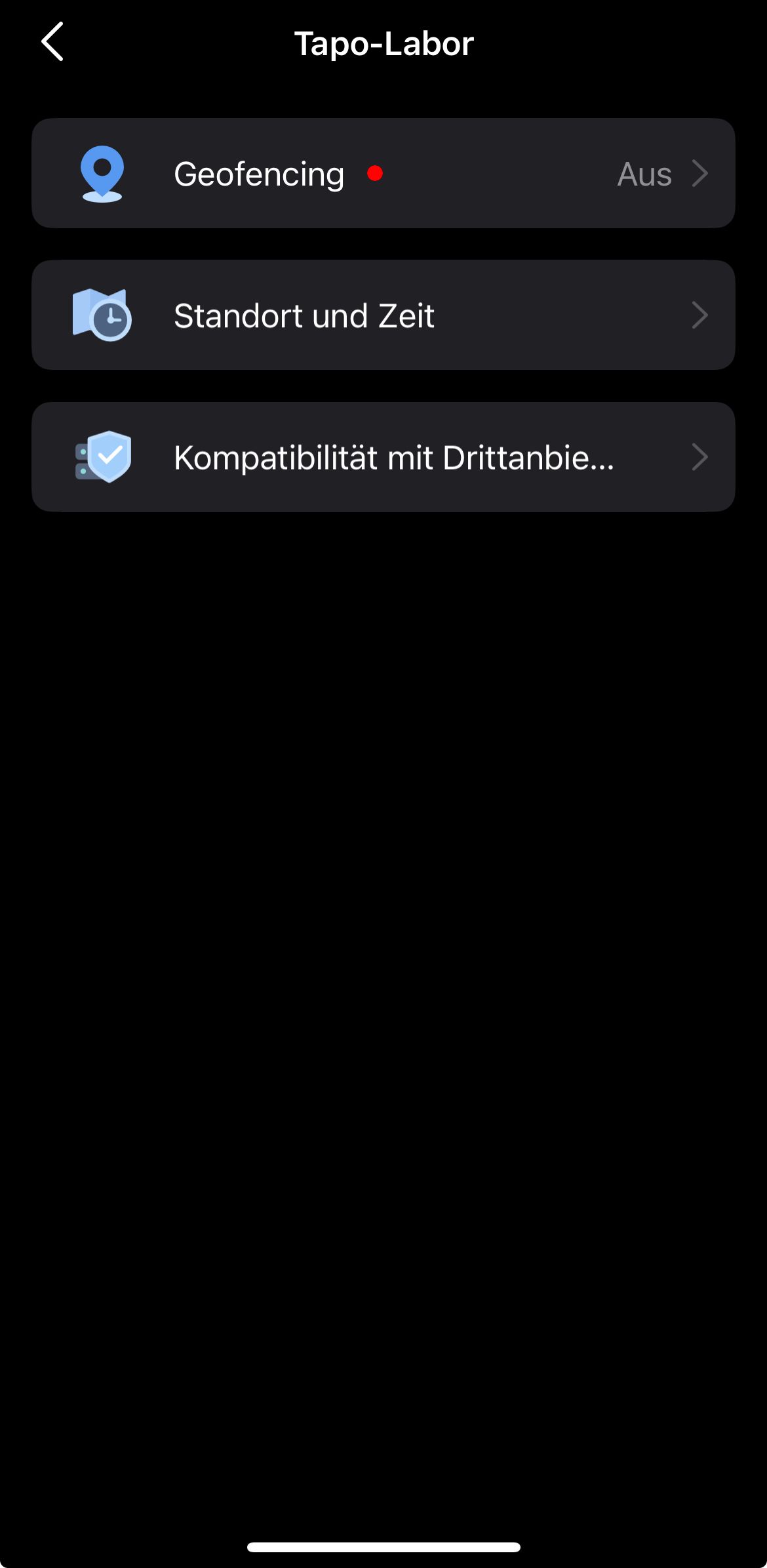
-
Wäre es eigentlich möglich, in den DP von Tapo den Namen mit anzuzeigen, der in der App vergeben wurde?
So ist es immer schwer rauszufinden, welcher Stecker was ist....
-
@hant0r also bei mir finde ich den passenden über die Datenpunkte. Es kommt auch darauf an, wie das Gerät in der App eingerichtet und welchen Räumen zugeordnet wurde. Diese Infos findet man in den Datenpunkten wieder.
Ro75
@ro75 sagte in Test Adapter TP-Link Tapo:
@hant0r also bei mir finde ich den passenden über die Datenpunkte. Es kommt auch darauf an, wie das Gerät in der App eingerichtet und welchen Räumen zugeordnet wurde. Diese Infos findet man in den Datenpunkten wieder.
Ro75
Erwartet hätte ich die Namen unter "Namen" beim Hauptordner oder zumindest unter dem DP "alias".
Aber der Name des Gerätes wird in keinem der vorhanden DP angezeigt. Auch der zugeordnete Raum nicht.
Mache ich etwas falsch?
-
@tombox said in Test Adapter TP-Link Tapo:
@nimsoc Das ist nicht die aktuelle GitHub version
Ich konnte bislang nur folgendes installieren:
Erstmal unter "benutzerdefiniert" den 0.3.4 Adapter mit diesem Link:
https://github.com/TA2k/ioBroker.tapoErst dann erscheint unter "von Github" im Dropdownmenu unter TA2k: "TP-Link Tapo [TA2k]", den ich zusätzlich installiert habe.
Dann den Adapter instanziiert, es tut sich aber nach wie vor nichts bei der Anzeige vom Energieverbrauch. Alles sieht genauso aus wie im Debug Code von oben.
-
@tombox said in Test Adapter TP-Link Tapo:
@nimsoc Das ist nicht die aktuelle GitHub version
Ich konnte bislang nur folgendes installieren:
Erstmal unter "benutzerdefiniert" den 0.3.4 Adapter mit diesem Link:
https://github.com/TA2k/ioBroker.tapoErst dann erscheint unter "von Github" im Dropdownmenu unter TA2k: "TP-Link Tapo [TA2k]", den ich zusätzlich installiert habe.
Dann den Adapter instanziiert, es tut sich aber nach wie vor nichts bei der Anzeige vom Energieverbrauch. Alles sieht genauso aus wie im Debug Code von oben.
-
Und was mir noch aufgefallen ist, kann es sein, dass der Adapter es gar nicht mag, wenn ein Gerät plözlich nicht mehr am Strom hängt?
Meine Frau hatte einen Stecker gezogen und später wieder eingesteckt. Das Log im ioBroker war übersäht mit den Meldungen und funktionierte erst nach einem Neustart wieder:
tapo.0 2024-11-25 15:06:36.766	error	Request failed with status code 403
tapo.0 2024-11-25 15:06:26.761	error	Request failed with status code 403
tapo.0 2024-11-25 15:06:16.761	error	Request failed with status code 403
tapo.0 2024-11-25 15:06:06.763	error	Request failed with status code 403
tapo.0 2024-11-25 15:05:56.760	error	Request failed with status code 403
tapo.0 2024-11-25 15:05:46.757	error	Request failed with status code 403
tapo.0 2024-11-25 15:05:36.757	error	Request failed with status code 403
tapo.0 2024-11-25 15:05:26.762	error	Request failed with status code 403
tapo.0 2024-11-25 15:05:16.759	error	Request failed with status code 403
tapo.0 2024-11-25 15:05:06.758	error	Request failed with status code 403
tapo.0 2024-11-25 15:05:04.332	error	Request failed with status code 403
oder auch schön:
tapo.0 2024-11-26 08:55:02.239	info	true
tapo.0 2024-11-26 08:55:02.232	info	true
tapo.0 2024-11-26 08:55:02.208	info	true
tapo.0 2024-11-26 08:50:02.241	info	true
tapo.0 2024-11-26 08:50:02.239	info	true
tapo.0 2024-11-26 08:50:02.224	info	true
tapo.0 2024-11-26 08:45:02.265	info	true
tapo.0 2024-11-26 08:45:02.263	info	true
tapo.0 2024-11-26 08:45:02.260	info	true
tapo.0 2024-11-26 08:40:02.232	info	true
tapo.0 2024-11-26 08:40:02.226	info	true
tapo.0 2024-11-26 08:40:02.218	info	true
kann man das abstellen?
-
@benjamincz sagte in Test Adapter TP-Link Tapo:
Ich habe ja noch den hs100 adapter dort laufen die TPLInk Steckosen normal (sind keine KASA sondern TP Link Steckdosen)
HS100 (KASA) habe ich auch 4 Stück. Die laufen aber nur dort und die TAPO nur unter TAPO. Vermischen ist nicht. Wobei die Verbindung bei den HS100 auch nicht so gut aussieht.
warn: hs100.0 (4546) Socket connection Timeout 192_168_178_64 Tannenbaum please reconnect the DeviceDu setzt einen Container ein. Vielleicht mal einen neuen aufsetzen. Aber da bin ich raus.
Ro75.
@ro75 Hi kann es zusammen hängen das ich die Konten von TPLInk und Tapo Fusioniert habe ? Ich habe aktuell ein Tapo Konto mit der Tapo Android app und dort habe ich die TP-Link Steckdosen und die Tapo Steckdosen und kann beide Typen Schalten. Ich habe echt alles Probiert auch ohne schnick schnack direkt neuen router eingerichtet iobroker aufgesetzt und tapo adapter installiert aber auch hier gleiches Problem er findet die Steckdosen ruft diese auch ab aber ich kann diese wenn ich true oder false schalte am datenpunkt unter remote passiert einfach nix.
Funktionieren bei allen anderen die Steckdosen nur bei mir nicht ? Hatt einer die gleiche Konstelation wie ich mit der Firmware der Steckdose wie oben beschrieben und IOBroker auf Aktuellstem Stand ?
-
@ro75 Hi kann es zusammen hängen das ich die Konten von TPLInk und Tapo Fusioniert habe ? Ich habe aktuell ein Tapo Konto mit der Tapo Android app und dort habe ich die TP-Link Steckdosen und die Tapo Steckdosen und kann beide Typen Schalten. Ich habe echt alles Probiert auch ohne schnick schnack direkt neuen router eingerichtet iobroker aufgesetzt und tapo adapter installiert aber auch hier gleiches Problem er findet die Steckdosen ruft diese auch ab aber ich kann diese wenn ich true oder false schalte am datenpunkt unter remote passiert einfach nix.
Funktionieren bei allen anderen die Steckdosen nur bei mir nicht ? Hatt einer die gleiche Konstelation wie ich mit der Firmware der Steckdose wie oben beschrieben und IOBroker auf Aktuellstem Stand ?
@benjamincz sagte in Test Adapter TP-Link Tapo:
@ro75 Hi kann es zusammen hängen das ich die Konten von TPLInk und Tapo Fusioniert habe ? Ich habe aktuell ein Tapo Konto mit der Tapo Android app und dort habe ich die TP-Link Steckdosen und die Tapo Steckdosen und kann beide Typen Schalten. Ich habe echt alles Probiert auch ohne schnick schnack direkt neuen router eingerichtet iobroker aufgesetzt und tapo adapter installiert aber auch hier gleiches Problem er findet die Steckdosen ruft diese auch ab aber ich kann diese wenn ich true oder false schalte am datenpunkt unter remote passiert einfach nix.
Funktionieren bei allen anderen die Steckdosen nur bei mir nicht ? Hatt einer die gleiche Konstelation wie ich mit der Firmware der Steckdose wie oben beschrieben und IOBroker auf Aktuellstem Stand ?
Nachtrag:
bzw. gibt es einen anderen adapter oder kann man die Steckdosen irgendwie flashen das die nur lokal Funktionieren ?
-
@ro75 Hi kann es zusammen hängen das ich die Konten von TPLInk und Tapo Fusioniert habe ? Ich habe aktuell ein Tapo Konto mit der Tapo Android app und dort habe ich die TP-Link Steckdosen und die Tapo Steckdosen und kann beide Typen Schalten. Ich habe echt alles Probiert auch ohne schnick schnack direkt neuen router eingerichtet iobroker aufgesetzt und tapo adapter installiert aber auch hier gleiches Problem er findet die Steckdosen ruft diese auch ab aber ich kann diese wenn ich true oder false schalte am datenpunkt unter remote passiert einfach nix.
Funktionieren bei allen anderen die Steckdosen nur bei mir nicht ? Hatt einer die gleiche Konstelation wie ich mit der Firmware der Steckdose wie oben beschrieben und IOBroker auf Aktuellstem Stand ?
@benjamincz Schaue mir das alles am Wochenende intensiv an mit eigner P100
-
@benjamincz die Kazan Steckdosen laufen im hs100. In der Android App im der tapo und in der kaza. Also sowohl als auch. Und im iobroker die einen mit dem hs100 und die anderen im tapo. Lassen sich schalten und alles ok.
Ro75
-
@sigi234 said in Test Adapter TP-Link Tapo:
Bitte benutzt die Code Tags Funktion -> </>
Hier gehts zur Hilfe.Hi, sorry, hier nochmal der 'debug' Log für @tombox mit Code Tags.
Bin dankbar für jeden Tipp.tapo.0 2024-11-23 21:29:23.876 info Start first Update tapo.0 2024-11-23 21:29:13.875 info Wait for connections for non camera devices tapo.0 2024-11-23 21:29:13.869 debug initResult 8022351778BC1F7F570D99814A2CFE072104474A undefined tapo.0 2024-11-23 21:29:13.869 error 52 - Get Device Info failed tapo.0 2024-11-23 21:29:13.869 error {} tapo.0 2024-11-23 21:29:13.869 info Initialized 8022351778BC1F7F570D99814A2CFE072104474A tapo.0 2024-11-23 21:29:13.869 debug undefined tapo.0 2024-11-23 21:29:13.869 debug Init cipher successful tapo.0 2024-11-23 21:29:13.868 debug Handshake 2 successful: tapo.0 2024-11-23 21:29:13.868 debug Received request on host response: 192.168.188.125 tapo.0 2024-11-23 21:29:13.857 debug Handshake 1 successful tapo.0 2024-11-23 21:29:13.857 debug Handshake 1 cookie: "TP_SESSIONID=94C1082CB75A8E19ACCB8B1ABDC60818;TIMEOUT=86400" tapo.0 2024-11-23 21:29:13.856 debug Received request on host response: 192.168.188.125 tapo.0 2024-11-23 21:29:13.845 debug Trying new habdshake tapo.0 2024-11-23 21:29:13.845 debug Detected KLAP device tapo.0 2024-11-23 21:29:13.845 info Trying KLAP Auth tapo.0 2024-11-23 21:29:13.845 debug Received Handshake P100 on host response: 192.168.188.125 tapo.0 2024-11-23 21:29:13.823 debug Handshake P100 on host: 192.168.188.125 tapo.0 2024-11-23 21:29:13.823 info Constructing P110 on host: 192.168.188.125 tapo.0 2024-11-23 21:29:13.779 debug Constructing P100 on host: 192.168.188.125 tapo.0 2024-11-23 21:29:13.779 info Init device 8022351778BC1F7F570D99814A2CFE072104474A type P110 with ip 192.168.188.125 tapo.0 2024-11-23 21:29:13.778 debug {"hwVer":"1.0","category":"plug","model":"P110","ssid":"RlJJVFohQm94IDc0OTA=","mac":"4822546428BE","hwId":"2FB30EF5BF920C44099401D396C6B55B","fwId":"00000000000000000000000000000000","oemId":"18BDC6C734AF8407B3EF871EACFCECF5","fwVer":"1.3.1 Build 240621 Rel.162048","ip":"192.168.188.125","onboardingTime":1702323054,"role":0,"deviceType":"SMART.TAPOPLUG","pcSameRegion":false,"pcAppServerUrl":"https://n-euw1-wap.tplinkcloud.com"} tapo.0 2024-11-23 21:29:13.560 debug Found device 8022351778BC1F7F570D99814A2CFE072104474A VFYgRWNrZQ== tapo.0 2024-11-23 21:29:13.560 debug initResult 80225FFE25B13340A9EE576950434B472104B7F1 undefined tapo.0 2024-11-23 21:29:13.560 error 52 - Get Device Info failed tapo.0 2024-11-23 21:29:13.560 error {} tapo.0 2024-11-23 21:29:13.559 info Initialized 80225FFE25B13340A9EE576950434B472104B7F1 tapo.0 2024-11-23 21:29:13.559 debug undefined tapo.0 2024-11-23 21:29:13.559 debug Init cipher successful tapo.0 2024-11-23 21:29:13.558 debug Handshake 2 successful: tapo.0 2024-11-23 21:29:13.558 debug Received request on host response: 192.168.188.116 tapo.0 2024-11-23 21:29:13.549 debug Handshake 1 successful tapo.0 2024-11-23 21:29:13.548 debug Handshake 1 cookie: "TP_SESSIONID=3CA5EBC869D9E9C695F3E7C7BF8DE6C0;TIMEOUT=86400" tapo.0 2024-11-23 21:29:13.548 debug Received request on host response: 192.168.188.116 tapo.0 2024-11-23 21:29:13.537 debug Trying new habdshake tapo.0 2024-11-23 21:29:13.537 debug Detected KLAP device tapo.0 2024-11-23 21:29:13.537 info Trying KLAP Auth tapo.0 2024-11-23 21:29:13.537 debug Received Handshake P100 on host response: 192.168.188.116 tapo.0 2024-11-23 21:29:13.515 debug Handshake P100 on host: 192.168.188.116 tapo.0 2024-11-23 21:29:13.515 info Constructing P110 on host: 192.168.188.116 tapo.0 2024-11-23 21:29:13.421 debug Constructing P100 on host: 192.168.188.116 tapo.0 2024-11-23 21:29:13.420 info Init device 80225FFE25B13340A9EE576950434B472104B7F1 type P110 with ip 192.168.188.116 tapo.0 2024-11-23 21:29:13.419 debug {"hwVer":"1.0","category":"plug","model":"P110","ssid":"RlJJVFohQm94IDc0OTA=","mac":"48225464204A","hwId":"2FB30EF5BF920C44099401D396C6B55B","fwId":"00000000000000000000000000000000","oemId":"18BDC6C734AF8407B3EF871EACFCECF5","fwVer":"1.3.1 Build 240621 Rel.162048","ip":"192.168.188.116","onboardingTime":1697298596,"role":0,"deviceType":"SMART.TAPOPLUG","pcSameRegion":false,"pcAppServerUrl":"https://n-euw1-wap.tplinkcloud.com"} tapo.0 2024-11-23 21:29:13.184 debug Found device 80225FFE25B13340A9EE576950434B472104B7F1 Raspberry Pi tapo.0 2024-11-23 21:29:13.183 info Found 2 devices tapo.0 2024-11-23 21:29:13.183 debug {"error_code":0,"result":{"totalNum":2,"deviceList":[{"deviceType":"SMART.TAPOPLUG","role":0,"fwVer":"1.3.1 Build 240621 Rel.162048","appServerUrl":"https://n-euw1-wap-gw.tplinkcloud.com","deviceRegion":"eu-west-1","roleType":"owner","deviceId":"80225FFE25B13340A9EE576950434B472104B7F1","deviceName":"P110","deviceHwVer":"1.0","alias":"UmFzcGJlcnJ5IFBp","deviceMac":"48225464204A","oemId":"18BDC6C734AF8407B3EF871EACFCECF5","deviceModel":"P110(EU)","hwId":"2FB30EF5BF920C44099401D396C6B55B","fwId":"00000000000000000000000000000000","isSameRegion":true,"status":0},{"deviceType":"SMART.TAPOPLUG","role":0,"fwVer":"1.3.1 Build 240621 Rel.162048","appServerUrl":"https://n-euw1-wap-gw.tplinkcloud.com","deviceRegion":"eu-west-1","roleType":"owner","deviceId":"8022351778BC1F7F570D99814A2CFE072104474A","deviceName":"P110","deviceHwVer":"1.0","alias":"VFYgRWNrZQ==","deviceMac":"4822546428BE","oemId":"18BDC6C734AF8407B3EF871EACFCECF5","deviceModel":"P110(EU)","hwId":"2FB30EF5BF920C44099401D396C6B55B","fwId":"00000000000000000000000000000000","isSameRegion":true,"status":0}],"currentIndex":1}} tapo.0 2024-11-23 21:29:12.996 debug yfoQzXVQIYQWjRDZuXyppQ== tapo.0 2024-11-23 21:29:12.995 info Login succesfull tapo.0 2024-11-23 21:29:12.995 debug {"error_code":0,"result":{"lockedMinutes":0,"lastCheckDate":"Sat Nov 23 11:17:39 UTC 2024","appServerUrl":"https://n-euw1-wap-gw.tplinkcloud.com","failedAttempts":0,"riskDetected":0,"remainAttempts":0,"errorCode":"0","supportedMFATypes":[],"token":"058029a9-BT7To9zBFLWlo5xNP2cooJ2","accountId":"15*****","regionCode":"","regTime":"2023-10-14 15:47:20","nickname":"c***","email":"c****@**","refreshToken":"21c415b6e9ac468c9fd608d5e2fb7737"}} tapo.0 2024-11-23 21:29:12.716 debug Nu5mbssUcSfg778xhNYYFw== tapo.0 2024-11-23 21:29:12.671 info Login tp TAPO App tapo.0 2024-11-23 21:29:12.652 info starting. Version 0.3.4 (non-npm: TA2k/ioBroker.tapo#0eb45d794d70c5df51c8755c2907b8d42d8e3140) in /opt/iobroker/node_modules/iobroker.tapo, node: v20.18.1, js-controller: 6.0.11 tapo.0 2024-11-23 21:29:12.522 debug Plugin sentry Initialize Plugin (enabled=true) tapo.0 2024-11-23 21:29:12.510 debug States connected to redis: 127.0.0.1:9000 tapo.0 2024-11-23 21:29:12.463 debug States create User PubSub Client tapo.0 2024-11-23 21:29:12.462 debug States create System PubSub Client tapo.0 2024-11-23 21:29:12.458 debug Redis States: Use Redis connection: 127.0.0.1:9000 tapo.0 2024-11-23 21:29:12.448 debug Objects connected to redis: 127.0.0.1:9001 tapo.0 2024-11-23 21:29:12.444 debug Objects client initialize lua scripts tapo.0 2024-11-23 21:29:12.431 debug Objects create User PubSub Client tapo.0 2024-11-23 21:29:12.430 debug Objects create System PubSub Client tapo.0 2024-11-23 21:29:12.429 debug Objects client ready ... initialize now tapo.0 2024-11-23 21:29:12.416 debug Redis Objects: Use Redis connection: 127.0.0.1:9001 host.raspberrypi5 2024-11-23 21:29:11.812 info instance system.adapter.tapo.0 in version "0.3.4" (non-npm: TA2k/ioBroker.tapo#0eb45d794d70c5df51c8755c2907b8d42d8e3140) started with pid 107034@nimsoc @BenjaminCz @Walter-White
bitte 0.4.1 testen
-
@nimsoc @BenjaminCz @Walter-White
bitte 0.4.1 testen
@tombox said in Test Adapter TP-Link Tapo:
@nimsoc @BenjaminCz @Walter-White
bitte 0.4.0 testen
Strommessung funktioniert jetzt! Besten Dank!
-
@nimsoc @BenjaminCz @Walter-White
bitte 0.4.1 testen
@tombox
Hi zusammen, bei mir funktioniert die P100 leider nicht mit der Version 0.4.1tapo.0 2024-11-29 14:52:46.529 info starting. Version 0.4.1 (non-npm: TA2k/ioBroker.tapo#259c74d007bc086f3f508243dd2c523c5c74ded4) in /opt/iobroker/node_modules/iobroker.tapo, node: v20.18.0, js-controller: 6.0.11 tapo.0 2024-11-29 14:52:46.581 info Login tp TAPO App tapo.0 2024-11-29 14:52:46.597 debug QNPZ/8BSviD1DAjHLsWv7Q== tapo.0 2024-11-29 14:52:47.005 debug {"error_code":0,"result":{"lockedMinutes":0,"lastCheckDate":"Fri Nov 29 12:20:16 UTC 2024","appServerUrl":"https://n-euw1-wap-gw.tplinkcloud.com","failedAttempts":0,"riskDetected":0,"remainAttempts":0,"errorCode":"0","supportedMFATypes":[],"token":"XXXX-XXXX","accountId":"XXXX","regionCode":"DE","regTime":"2020-08-12 21:31:15","nickname":"XXXX","email":"XXXX","refreshToken":"XXXXXXXXXXXXXXXXXXXXXXXXXXXXXXX"}} tapo.0 2024-11-29 14:52:47.007 info Login succesfull tapo.0 2024-11-29 14:52:47.009 debug yfoQzXVQIYQWjRDZuXyppQ== tapo.0 2024-11-29 14:52:47.229 debug {"error_code":0,"result":{"totalNum":1,"deviceList":[{"deviceType":"SMART.TAPOPLUG","role":0,"fwVer":"1.3.7 Build 20230711 Rel. 61904","appServerUrl":"https://n-euw1-wap-gw.tplinkcloud.com","deviceRegion":"eu-west-1","roleType":"owner","deviceId":"8022EE8F8F78F7107794A37DA2C24FCC1CEA0F01","deviceName":"P100","deviceHwVer":"1.0","alias":"U21hcnRlIFN0ZWNrZG9zZQ==","deviceMac":"B09575BA1B94","oemId":"9552772F906C60A9AEEA36A3347B6EBC","deviceModel":"P100","hwId":"9994A0A7D5B29645B8150C392284029D","fwId":"1D18AD293A25ABDE41405B20C6F98816","isSameRegion":true,"status":0}],"currentIndex":0}} tapo.0 2024-11-29 14:52:47.231 info Found 1 devices tapo.0 2024-11-29 14:52:47.233 debug Found device 8022EE8F8F78F7107794A37DA2C24FCC1CEA0F01 Smarte Steckdose tapo.0 2024-11-29 14:52:47.493 debug {"hwVer":"1.0","category":"plug","model":"P100","ssid":"ZmF3by5uZXQuaG9tZQ==","mac":"B09575BA1B94","hwId":"9994A0A7D5B29645B8150C392284029D","fwId":"1D18AD293A25ABDE41405B20C6F98816","oemId":"9552772F906C60A9AEEA36A3347B6EBC","fwVer":"1.3.7 Build 20230711 Rel. 61904","ip":"192.168.6.134","onboardingTime":1732888328,"role":0,"deviceType":"SMART.TAPOPLUG","pcSameRegion":false,"pcAppServerUrl":"https://n-euw1-wap.tplinkcloud.com"} tapo.0 2024-11-29 14:52:47.496 info Init device 8022EE8F8F78F7107794A37DA2C24FCC1CEA0F01 type P100 with ip 192.168.6.134 tapo.0 2024-11-29 14:52:47.498 debug Constructing P100 on host: 192.168.6.134 tapo.0 2024-11-29 14:52:47.578 debug Handshake P100 on host: 192.168.6.134 tapo.0 2024-11-29 14:52:47.626 debug Received Handshake P100 on host response: 192.168.6.134 tapo.0 2024-11-29 14:52:47.631 error 106 Error Code: 0, Success 192.168.6.134 tapo.0 2024-11-29 14:52:47.632 debug Detected KLAP device tapo.0 2024-11-29 14:52:47.633 debug Trying new habdshake tapo.0 2024-11-29 14:52:47.852 error 276 Error: Request failed with status code 404 tapo.0 2024-11-29 14:52:47.854 error TypeError: res.subarray is not a function tapo.0 2024-11-29 14:52:47.854 error KLAP Handshake failed tapo.0 2024-11-29 14:52:47.855 error undefined tapo.0 2024-11-29 14:52:47.856 error 52 - Get Device Info failed tapo.0 2024-11-29 14:52:47.856 info Initialized 8022EE8F8F78F7107794A37DA2C24FCC1CEA0F01 tapo.0 2024-11-29 14:52:47.856 debug initResult 8022EE8F8F78F7107794A37DA2C24FCC1CEA0F01 undefined tapo.0 2024-11-29 14:52:47.878 info Wait for connections for non camera devices tapo.0 2024-11-29 14:52:57.879 info Start first Update tapo.0 2024-11-29 14:52:57.880 debug Update done -
Und was mir noch aufgefallen ist, kann es sein, dass der Adapter es gar nicht mag, wenn ein Gerät plözlich nicht mehr am Strom hängt?
Meine Frau hatte einen Stecker gezogen und später wieder eingesteckt. Das Log im ioBroker war übersäht mit den Meldungen und funktionierte erst nach einem Neustart wieder:
tapo.0 2024-11-25 15:06:36.766	error	Request failed with status code 403
tapo.0 2024-11-25 15:06:26.761	error	Request failed with status code 403
tapo.0 2024-11-25 15:06:16.761	error	Request failed with status code 403
tapo.0 2024-11-25 15:06:06.763	error	Request failed with status code 403
tapo.0 2024-11-25 15:05:56.760	error	Request failed with status code 403
tapo.0 2024-11-25 15:05:46.757	error	Request failed with status code 403
tapo.0 2024-11-25 15:05:36.757	error	Request failed with status code 403
tapo.0 2024-11-25 15:05:26.762	error	Request failed with status code 403
tapo.0 2024-11-25 15:05:16.759	error	Request failed with status code 403
tapo.0 2024-11-25 15:05:06.758	error	Request failed with status code 403
tapo.0 2024-11-25 15:05:04.332	error	Request failed with status code 403
oder auch schön:
tapo.0 2024-11-26 08:55:02.239	info	true
tapo.0 2024-11-26 08:55:02.232	info	true
tapo.0 2024-11-26 08:55:02.208	info	true
tapo.0 2024-11-26 08:50:02.241	info	true
tapo.0 2024-11-26 08:50:02.239	info	true
tapo.0 2024-11-26 08:50:02.224	info	true
tapo.0 2024-11-26 08:45:02.265	info	true
tapo.0 2024-11-26 08:45:02.263	info	true
tapo.0 2024-11-26 08:45:02.260	info	true
tapo.0 2024-11-26 08:40:02.232	info	true
tapo.0 2024-11-26 08:40:02.226	info	true
tapo.0 2024-11-26 08:40:02.218	info	true
kann man das abstellen?
@hant0r sagte in Test Adapter TP-Link Tapo:
Und was mir noch aufgefallen ist, kann es sein, dass der Adapter es gar nicht mag, wenn ein Gerät plözlich nicht mehr am Strom hängt?
Meine Frau hatte einen Stecker gezogen und später wieder eingesteckt. Das Log im ioBroker war übersäht mit den Meldungen und funktionierte erst nach einem Neustart wieder:
tapo.0 2024-11-25 15:06:36.766	error	Request failed with status code 403
tapo.0 2024-11-25 15:06:26.761	error	Request failed with status code 403
tapo.0 2024-11-25 15:06:16.761	error	Request failed with status code 403
tapo.0 2024-11-25 15:06:06.763	error	Request failed with status code 403
tapo.0 2024-11-25 15:05:56.760	error	Request failed with status code 403
tapo.0 2024-11-25 15:05:46.757	error	Request failed with status code 403
tapo.0 2024-11-25 15:05:36.757	error	Request failed with status code 403
tapo.0 2024-11-25 15:05:26.762	error	Request failed with status code 403
tapo.0 2024-11-25 15:05:16.759	error	Request failed with status code 403
tapo.0 2024-11-25 15:05:06.758	error	Request failed with status code 403
tapo.0 2024-11-25 15:05:04.332	error	Request failed with status code 403
oder auch schön:
tapo.0 2024-11-26 08:55:02.239	info	true
tapo.0 2024-11-26 08:55:02.232	info	true
tapo.0 2024-11-26 08:55:02.208	info	true
tapo.0 2024-11-26 08:50:02.241	info	true
tapo.0 2024-11-26 08:50:02.239	info	true
tapo.0 2024-11-26 08:50:02.224	info	true
tapo.0 2024-11-26 08:45:02.265	info	true
tapo.0 2024-11-26 08:45:02.263	info	true
tapo.0 2024-11-26 08:45:02.260	info	true
tapo.0 2024-11-26 08:40:02.232	info	true
tapo.0 2024-11-26 08:40:02.226	info	true
tapo.0 2024-11-26 08:40:02.218	info	true
kann man das abstellen?
Moin @tombox , konntest du schon herausfinden, was es damit auf sich hat?
-
@hant0r sagte in Test Adapter TP-Link Tapo:
Und was mir noch aufgefallen ist, kann es sein, dass der Adapter es gar nicht mag, wenn ein Gerät plözlich nicht mehr am Strom hängt?
Meine Frau hatte einen Stecker gezogen und später wieder eingesteckt. Das Log im ioBroker war übersäht mit den Meldungen und funktionierte erst nach einem Neustart wieder:
tapo.0 2024-11-25 15:06:36.766	error	Request failed with status code 403
tapo.0 2024-11-25 15:06:26.761	error	Request failed with status code 403
tapo.0 2024-11-25 15:06:16.761	error	Request failed with status code 403
tapo.0 2024-11-25 15:06:06.763	error	Request failed with status code 403
tapo.0 2024-11-25 15:05:56.760	error	Request failed with status code 403
tapo.0 2024-11-25 15:05:46.757	error	Request failed with status code 403
tapo.0 2024-11-25 15:05:36.757	error	Request failed with status code 403
tapo.0 2024-11-25 15:05:26.762	error	Request failed with status code 403
tapo.0 2024-11-25 15:05:16.759	error	Request failed with status code 403
tapo.0 2024-11-25 15:05:06.758	error	Request failed with status code 403
tapo.0 2024-11-25 15:05:04.332	error	Request failed with status code 403
oder auch schön:
tapo.0 2024-11-26 08:55:02.239	info	true
tapo.0 2024-11-26 08:55:02.232	info	true
tapo.0 2024-11-26 08:55:02.208	info	true
tapo.0 2024-11-26 08:50:02.241	info	true
tapo.0 2024-11-26 08:50:02.239	info	true
tapo.0 2024-11-26 08:50:02.224	info	true
tapo.0 2024-11-26 08:45:02.265	info	true
tapo.0 2024-11-26 08:45:02.263	info	true
tapo.0 2024-11-26 08:45:02.260	info	true
tapo.0 2024-11-26 08:40:02.232	info	true
tapo.0 2024-11-26 08:40:02.226	info	true
tapo.0 2024-11-26 08:40:02.218	info	true
kann man das abstellen?
Moin @tombox , konntest du schon herausfinden, was es damit auf sich hat?
-
@tombox
Hi zusammen, bei mir funktioniert die P100 leider nicht mit der Version 0.4.1tapo.0 2024-11-29 14:52:46.529 info starting. Version 0.4.1 (non-npm: TA2k/ioBroker.tapo#259c74d007bc086f3f508243dd2c523c5c74ded4) in /opt/iobroker/node_modules/iobroker.tapo, node: v20.18.0, js-controller: 6.0.11 tapo.0 2024-11-29 14:52:46.581 info Login tp TAPO App tapo.0 2024-11-29 14:52:46.597 debug QNPZ/8BSviD1DAjHLsWv7Q== tapo.0 2024-11-29 14:52:47.005 debug {"error_code":0,"result":{"lockedMinutes":0,"lastCheckDate":"Fri Nov 29 12:20:16 UTC 2024","appServerUrl":"https://n-euw1-wap-gw.tplinkcloud.com","failedAttempts":0,"riskDetected":0,"remainAttempts":0,"errorCode":"0","supportedMFATypes":[],"token":"XXXX-XXXX","accountId":"XXXX","regionCode":"DE","regTime":"2020-08-12 21:31:15","nickname":"XXXX","email":"XXXX","refreshToken":"XXXXXXXXXXXXXXXXXXXXXXXXXXXXXXX"}} tapo.0 2024-11-29 14:52:47.007 info Login succesfull tapo.0 2024-11-29 14:52:47.009 debug yfoQzXVQIYQWjRDZuXyppQ== tapo.0 2024-11-29 14:52:47.229 debug {"error_code":0,"result":{"totalNum":1,"deviceList":[{"deviceType":"SMART.TAPOPLUG","role":0,"fwVer":"1.3.7 Build 20230711 Rel. 61904","appServerUrl":"https://n-euw1-wap-gw.tplinkcloud.com","deviceRegion":"eu-west-1","roleType":"owner","deviceId":"8022EE8F8F78F7107794A37DA2C24FCC1CEA0F01","deviceName":"P100","deviceHwVer":"1.0","alias":"U21hcnRlIFN0ZWNrZG9zZQ==","deviceMac":"B09575BA1B94","oemId":"9552772F906C60A9AEEA36A3347B6EBC","deviceModel":"P100","hwId":"9994A0A7D5B29645B8150C392284029D","fwId":"1D18AD293A25ABDE41405B20C6F98816","isSameRegion":true,"status":0}],"currentIndex":0}} tapo.0 2024-11-29 14:52:47.231 info Found 1 devices tapo.0 2024-11-29 14:52:47.233 debug Found device 8022EE8F8F78F7107794A37DA2C24FCC1CEA0F01 Smarte Steckdose tapo.0 2024-11-29 14:52:47.493 debug {"hwVer":"1.0","category":"plug","model":"P100","ssid":"ZmF3by5uZXQuaG9tZQ==","mac":"B09575BA1B94","hwId":"9994A0A7D5B29645B8150C392284029D","fwId":"1D18AD293A25ABDE41405B20C6F98816","oemId":"9552772F906C60A9AEEA36A3347B6EBC","fwVer":"1.3.7 Build 20230711 Rel. 61904","ip":"192.168.6.134","onboardingTime":1732888328,"role":0,"deviceType":"SMART.TAPOPLUG","pcSameRegion":false,"pcAppServerUrl":"https://n-euw1-wap.tplinkcloud.com"} tapo.0 2024-11-29 14:52:47.496 info Init device 8022EE8F8F78F7107794A37DA2C24FCC1CEA0F01 type P100 with ip 192.168.6.134 tapo.0 2024-11-29 14:52:47.498 debug Constructing P100 on host: 192.168.6.134 tapo.0 2024-11-29 14:52:47.578 debug Handshake P100 on host: 192.168.6.134 tapo.0 2024-11-29 14:52:47.626 debug Received Handshake P100 on host response: 192.168.6.134 tapo.0 2024-11-29 14:52:47.631 error 106 Error Code: 0, Success 192.168.6.134 tapo.0 2024-11-29 14:52:47.632 debug Detected KLAP device tapo.0 2024-11-29 14:52:47.633 debug Trying new habdshake tapo.0 2024-11-29 14:52:47.852 error 276 Error: Request failed with status code 404 tapo.0 2024-11-29 14:52:47.854 error TypeError: res.subarray is not a function tapo.0 2024-11-29 14:52:47.854 error KLAP Handshake failed tapo.0 2024-11-29 14:52:47.855 error undefined tapo.0 2024-11-29 14:52:47.856 error 52 - Get Device Info failed tapo.0 2024-11-29 14:52:47.856 info Initialized 8022EE8F8F78F7107794A37DA2C24FCC1CEA0F01 tapo.0 2024-11-29 14:52:47.856 debug initResult 8022EE8F8F78F7107794A37DA2C24FCC1CEA0F01 undefined tapo.0 2024-11-29 14:52:47.878 info Wait for connections for non camera devices tapo.0 2024-11-29 14:52:57.879 info Start first Update tapo.0 2024-11-29 14:52:57.880 debug Update done -
@tombox sagte in Test Adapter TP-Link Tapo:
@hant0r bitte mit 0.4.1 testen
Habe ich installiert. Dennoch wird das Log zugesamt :D
tapo.0 2024-11-29 21:00:02.365	info	true
tapo.0 2024-11-29 21:00:02.356	info	true
tapo.0 2024-11-29 20:55:02.309	info	true
tapo.0 2024-11-29 20:55:02.302	info	true
tapo.0 2024-11-29 20:50:02.220	info	true
tapo.0 2024-11-29 20:50:02.207	info	true
tapo.0 2024-11-29 20:45:02.534	info	true
tapo.0 2024-11-29 20:45:02.299	info	true
Hatte eben auch das hier
tapo.0 2024-11-29 20:45:02.292 warn State "tapo.0.80220719A059A5A7CC58B902714B8CC72~~~~~~~.tod`y_runtime" has no existing object, this might lead to an error in future versionsAber die Namen sind nun bei der DPs drin 😇 .. mega - vielen Dank 😘👏
-
@tombox sagte in Test Adapter TP-Link Tapo:
@hant0r bitte mit 0.4.1 testen
Habe ich installiert. Dennoch wird das Log zugesamt :D
tapo.0 2024-11-29 21:00:02.365	info	true
tapo.0 2024-11-29 21:00:02.356	info	true
tapo.0 2024-11-29 20:55:02.309	info	true
tapo.0 2024-11-29 20:55:02.302	info	true
tapo.0 2024-11-29 20:50:02.220	info	true
tapo.0 2024-11-29 20:50:02.207	info	true
tapo.0 2024-11-29 20:45:02.534	info	true
tapo.0 2024-11-29 20:45:02.299	info	true
Hatte eben auch das hier
tapo.0 2024-11-29 20:45:02.292 warn State "tapo.0.80220719A059A5A7CC58B902714B8CC72~~~~~~~.tod`y_runtime" has no existing object, this might lead to an error in future versionsAber die Namen sind nun bei der DPs drin 😇 .. mega - vielen Dank 😘👏


Support us
548
Online32.7k
Users82.4k
Topics1.3m
Posts