




Iobroker neuinstallation startet nicht
-
@fraenki23 sagte in Iobroker neuinstallation startet nicht:
Hab es über Nacht laufen lassen da das Upgrade sehr lange gebraucht hat.
Das ist nicht normal.
@fraenki23 sagte in Iobroker neuinstallation startet nicht:
Nun läuft er wieder nicht
Wie äußert sich das?
@fraenki23 sagte in Iobroker neuinstallation startet nicht:
Nun startet es.
Ääähm - das widerspricht der letzten Aussage
@fraenki23 sagte in Iobroker neuinstallation startet nicht:
dass es gefühlt wieder kein sauberes System ist
was löst dieses Feeling aus?
das log enthält IMHO nur die üblichen serialport WarnungenWenn du aber nochmal Lust hast, versuch es bitte mit dem RaspberryOS lite download und z.B. Balena Etcher, da ich den Imager und dessen mögliche Schwachstellen nicht kenne.
Bis auf das ewige Upgrade sehe ich keine wirklichen Probleme
Das upgrade kann lange dauern, wenn es da ein Kernel-Update gab@homoran Hallo
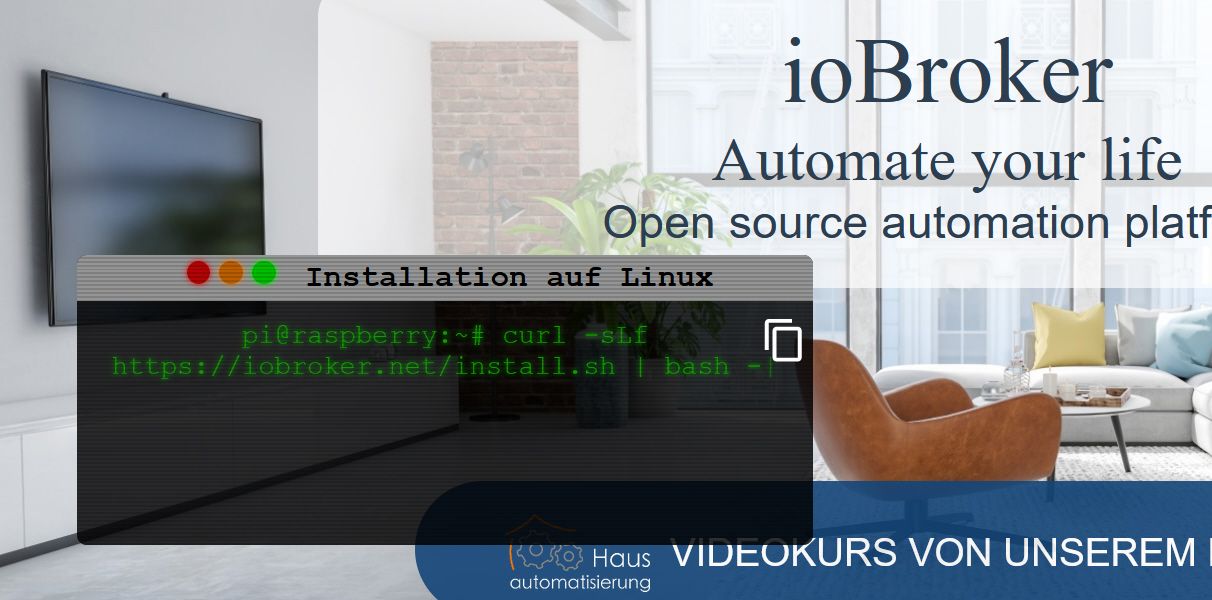
Danke dass Du Dir die Zeit für mich nimmst.Befehl: curl -sLf https://iobroker.net/install.sh | bash -
Nach der installation vom Iobroker startete dieser nicht. Ich habe auch nicht die Meldung bekommen dass ich mit der Ip starten kannNun einfach nochmals diesen Befehl ausgeführt.
Da steht -sL im ersten -sLfBefehl der funktioniert:curl -sL https://iobroker.net/install.sh | bash -
Nachdem ich diesen ausgeführt habe startet der Iobroker im Browser und ich kann damit arbeitenDaher das gute Gefühl.
Schade ist nur dass es mit dem ersten Befehl nicht funktioniert Was sagt das "Da steht -sL im ersten -sLf"Für mich war es wichtig einmal jeden Schritt zur installation ausgeführt und ohne Fehler abgeschlossen.
Danke Frank
-
@homoran Hallo
Danke dass Du Dir die Zeit für mich nimmst.Befehl: curl -sLf https://iobroker.net/install.sh | bash -
Nach der installation vom Iobroker startete dieser nicht. Ich habe auch nicht die Meldung bekommen dass ich mit der Ip starten kannNun einfach nochmals diesen Befehl ausgeführt.
Da steht -sL im ersten -sLfBefehl der funktioniert:curl -sL https://iobroker.net/install.sh | bash -
Nachdem ich diesen ausgeführt habe startet der Iobroker im Browser und ich kann damit arbeitenDaher das gute Gefühl.
Schade ist nur dass es mit dem ersten Befehl nicht funktioniert Was sagt das "Da steht -sL im ersten -sLf"Für mich war es wichtig einmal jeden Schritt zur installation ausgeführt und ohne Fehler abgeschlossen.
Danke Frank
@fraenki23 sagte in Iobroker neuinstallation startet nicht:
Nun einfach nochmals diesen Befehl ausgeführt.
du hast im Prinzip damit die Installation ein zweites mal durchgeführt
woher hast du den "mit ohne" f
-
@fraenki23 sagte in Iobroker neuinstallation startet nicht:
Nun einfach nochmals diesen Befehl ausgeführt.
du hast im Prinzip damit die Installation ein zweites mal durchgeführt
woher hast du den "mit ohne" f
-
@homoran Hallo
Danke dass Du Dir die Zeit für mich nimmst.Befehl: curl -sLf https://iobroker.net/install.sh | bash -
Nach der installation vom Iobroker startete dieser nicht. Ich habe auch nicht die Meldung bekommen dass ich mit der Ip starten kannNun einfach nochmals diesen Befehl ausgeführt.
Da steht -sL im ersten -sLfBefehl der funktioniert:curl -sL https://iobroker.net/install.sh | bash -
Nachdem ich diesen ausgeführt habe startet der Iobroker im Browser und ich kann damit arbeitenDaher das gute Gefühl.
Schade ist nur dass es mit dem ersten Befehl nicht funktioniert Was sagt das "Da steht -sL im ersten -sLf"Für mich war es wichtig einmal jeden Schritt zur installation ausgeführt und ohne Fehler abgeschlossen.
Danke Frank
@fraenki23 sagte in Iobroker neuinstallation startet nicht:
Ich habe auch nicht die Meldung bekommen dass ich mit der Ip starten kann
dann war er noch nicht fertig
irgendetwas bremst deinen RasPi massiv aus -
@fraenki23 sagte in Iobroker neuinstallation startet nicht:
Ich habe auch nicht die Meldung bekommen dass ich mit der Ip starten kann
dann war er noch nicht fertig
irgendetwas bremst deinen RasPi massiv aus@homoran kann ich mit einem zweiten geöffneten Putty mit einem Befehl die Geschwindigkeit beim Download testen?
Oder allgemein die geschwindigkeit des Raspi.Wenn ich andere sehe läuft das rasend schnell.
Ich hatte auch schon das Gefühl dass die Installation auf dem Raspi 2 und 3 schneller geht
Gruß Frank -
@homoran kann ich mit einem zweiten geöffneten Putty mit einem Befehl die Geschwindigkeit beim Download testen?
Oder allgemein die geschwindigkeit des Raspi.Wenn ich andere sehe läuft das rasend schnell.
Ich hatte auch schon das Gefühl dass die Installation auf dem Raspi 2 und 3 schneller geht
Gruß Frank@fraenki23
Acker mal den kleinen Linux-Werkzeugkasten aus meiner Signatur durch.Linux-Werkzeugkasten:
https://forum.iobroker.net/topic/42952/der-kleine-iobroker-linux-werkzeugkasten
NodeJS Fixer Skript:
https://forum.iobroker.net/topic/68035/iob-node-fix-skript
iob_diag: curl -sLf -o diag.sh https://iobroker.net/diag.sh && bash diag.sh -
@fraenki23
Acker mal den kleinen Linux-Werkzeugkasten aus meiner Signatur durch.@thomas-braun sagte in Iobroker neuinstallation startet nicht:
@fraenki23
Acker mal den kleinen Linux-Werkzeugkasten aus meiner Signatur durch.ich denke nicht, dass es hier am node liegt, wenn schon das apt-upgrade Stunden dauert
@fraenki23 sagte in Iobroker neuinstallation startet nicht:
kann ich mit einem zweiten geöffneten Putty mit einem Befehl die Geschwindigkeit beim Download testen?
Oder allgemein die geschwindigkeit des Raspi.zumindest, ob irgendetwas den RasPi in seiner Arbeit stört, kann man das mit
topsehenkein Support per PN! - Fragen im Forum stellen - Benutzt das Voting rechts unten im Beitrag wenn er euch geholfen hat.
Das Forum freut sich über eine Spende. Benutzt dazu den Spendenbutton oben rechts. Danke!
der Installationsfixer: curl -fsL https://iobroker.net/fix.sh | bash - -
@thomas-braun sagte in Iobroker neuinstallation startet nicht:
@fraenki23
Acker mal den kleinen Linux-Werkzeugkasten aus meiner Signatur durch.ich denke nicht, dass es hier am node liegt, wenn schon das apt-upgrade Stunden dauert
@fraenki23 sagte in Iobroker neuinstallation startet nicht:
kann ich mit einem zweiten geöffneten Putty mit einem Befehl die Geschwindigkeit beim Download testen?
Oder allgemein die geschwindigkeit des Raspi.zumindest, ob irgendetwas den RasPi in seiner Arbeit stört, kann man das mit
topsehen@homoran sagte in Iobroker neuinstallation startet nicht:
ich denke nicht, dass es hier am node liegt, wenn schon das apt-upgrade Stunden dauert
Da ist ja auch noch anderes Werkzeug drin.
Linux-Werkzeugkasten:
https://forum.iobroker.net/topic/42952/der-kleine-iobroker-linux-werkzeugkasten
NodeJS Fixer Skript:
https://forum.iobroker.net/topic/68035/iob-node-fix-skript
iob_diag: curl -sLf -o diag.sh https://iobroker.net/diag.sh && bash diag.sh -
@homoran sagte in Iobroker neuinstallation startet nicht:
ich denke nicht, dass es hier am node liegt, wenn schon das apt-upgrade Stunden dauert
Da ist ja auch noch anderes Werkzeug drin.
@thomas-braun sagte in Iobroker neuinstallation startet nicht:
@homoran sagte in Iobroker neuinstallation startet nicht:
ich denke nicht, dass es hier am node liegt, wenn schon das apt-upgrade Stunden dauert
Da ist ja auch noch anderes Werkzeug drin.
WOW!
Wann hast du denn den noch aufgefüllt?
OBI hat doch zu -
@fraenki23
Acker mal den kleinen Linux-Werkzeugkasten aus meiner Signatur durch.@thomas-braun Hallo
Kannst Du mal drauf schauen. Bin zwar nicht durch hat aber ein paar fragwürdige Stellen. Bin mir nicht sicher ob ich einfach weiter machen soll.pi@raspberrypi:~ $ sudo usage: sudo -h | -K | -k | -V usage: sudo -v [-AknS] [-g group] [-h host] [-p prompt] [-u user] usage: sudo -l [-AknS] [-g group] [-h host] [-p prompt] [-U user] [-u user] [command] usage: sudo [-AbEHknPS] [-r role] [-t type] [-C num] [-g group] [-h host] [-p prompt] [-T timeout] [-u user] [VAR=value] [-i|-s] [<command>] usage: sudo -e [-AknS] [-r role] [-t type] [-C num] [-g group] [-h host] [-p prompt] [-T timeout] [-u user] file ... pi@raspberrypi:~ $ groups pi adm dialout cdrom sudo audio video plugdev games users input netdev gpio i2c spi iobroker pi@raspberrypi:~ $ who -r run-level 5 Mar 10 09:15 pi@raspberrypi:~ $ sudo raspi-config Created symlink /etc/systemd/system/default.target → /lib/systemd/system/multi-user.target. rm: cannot remove '/etc/systemd/system/getty@tty1.service.d/autologin.conf': No such file or directory pi@raspberrypi:~ $ sudo apt update Hit:1 http://packages.microsoft.com/repos/code stable InRelease Hit:2 http://raspbian.raspberrypi.org/raspbian buster InRelease Hit:3 http://archive.raspberrypi.org/debian buster InRelease Hit:4 https://deb.nodesource.com/node_12.x buster InRelease Reading package lists... Done Building dependency tree Reading state information... Done All packages are up to date. pi@raspberrypi:~ $ sudo apt dist-upgrade Reading package lists... Done Building dependency tree Reading state information... Done Calculating upgrade... Done 0 upgraded, 0 newly installed, 0 to remove and 0 not upgraded. pi@raspberrypi:~ $ sudo reboot pi@raspberrypi:~ $ sudo apt update Hit:1 http://archive.raspberrypi.org/debian buster InRelease Hit:2 http://raspbian.raspberrypi.org/raspbian buster InRelease Hit:3 http://packages.microsoft.com/repos/code stable InRelease Hit:4 https://deb.nodesource.com/node_12.x buster InRelease Reading package lists... Done Building dependency tree Reading state information... Done All packages are up to date. pi@raspberrypi:~ $ pi@raspberrypi:~ $ sudo apt update Hit:1 http://archive.raspberrypi.org/debian buster InRelease Hit:2 http://raspbian.raspberrypi.org/raspbian buster InRelease Hit:3 http://packages.microsoft.com/repos/code stable InRelease Hit:4 https://deb.nodesource.com/node_12.x buster InRelease Reading package lists... Done Building dependency tree Reading state information... Done All packages are up to date. pi@raspberrypi:~ $ ^C pi@raspberrypi:~ $ sudo apt update Hit:1 http://packages.microsoft.com/repos/code stable InRelease Get:2 http://raspbian.raspberrypi.org/raspbian buster InRelease [15.0 kB] Hit:3 http://archive.raspberrypi.org/debian buster InRelease Hit:4 https://deb.nodesource.com/node_12.x buster InRelease Fetched 15.0 kB in 1s (11.1 kB/s) Reading package lists... Done Building dependency tree Reading state information... Done All packages are up to date.Nun reagiert er nicht auf sudo reboot springt ins normale Fenster pi@raspberrypi:~ $
Nach ca 1 Minute ist denn doch in den reboot Modus gegangenpi@raspberrypi:~ $ sudo reboot pi@raspberrypi:~ $ pi@raspberrypi:~ $ which nodejs && nodejs -v && which node && node -v && which npm && npm -v && apt policy nodejs /usr/bin/nodejs v12.21.0 /usr/bin/node v12.21.0 npm erscheint nicht pi@raspberrypi:~ $ iobroker repo list default : http://download.iobroker.net/sources-dist.json latest : http://download.iobroker.net/sources-dist-latest.json Active repo: default pi@raspberrypi:~ $MOD-Edit: Code in code-tags gesetzt!
-
@thomas-braun Hallo
Kannst Du mal drauf schauen. Bin zwar nicht durch hat aber ein paar fragwürdige Stellen. Bin mir nicht sicher ob ich einfach weiter machen soll.pi@raspberrypi:~ $ sudo usage: sudo -h | -K | -k | -V usage: sudo -v [-AknS] [-g group] [-h host] [-p prompt] [-u user] usage: sudo -l [-AknS] [-g group] [-h host] [-p prompt] [-U user] [-u user] [command] usage: sudo [-AbEHknPS] [-r role] [-t type] [-C num] [-g group] [-h host] [-p prompt] [-T timeout] [-u user] [VAR=value] [-i|-s] [<command>] usage: sudo -e [-AknS] [-r role] [-t type] [-C num] [-g group] [-h host] [-p prompt] [-T timeout] [-u user] file ... pi@raspberrypi:~ $ groups pi adm dialout cdrom sudo audio video plugdev games users input netdev gpio i2c spi iobroker pi@raspberrypi:~ $ who -r run-level 5 Mar 10 09:15 pi@raspberrypi:~ $ sudo raspi-config Created symlink /etc/systemd/system/default.target → /lib/systemd/system/multi-user.target. rm: cannot remove '/etc/systemd/system/getty@tty1.service.d/autologin.conf': No such file or directory pi@raspberrypi:~ $ sudo apt update Hit:1 http://packages.microsoft.com/repos/code stable InRelease Hit:2 http://raspbian.raspberrypi.org/raspbian buster InRelease Hit:3 http://archive.raspberrypi.org/debian buster InRelease Hit:4 https://deb.nodesource.com/node_12.x buster InRelease Reading package lists... Done Building dependency tree Reading state information... Done All packages are up to date. pi@raspberrypi:~ $ sudo apt dist-upgrade Reading package lists... Done Building dependency tree Reading state information... Done Calculating upgrade... Done 0 upgraded, 0 newly installed, 0 to remove and 0 not upgraded. pi@raspberrypi:~ $ sudo reboot pi@raspberrypi:~ $ sudo apt update Hit:1 http://archive.raspberrypi.org/debian buster InRelease Hit:2 http://raspbian.raspberrypi.org/raspbian buster InRelease Hit:3 http://packages.microsoft.com/repos/code stable InRelease Hit:4 https://deb.nodesource.com/node_12.x buster InRelease Reading package lists... Done Building dependency tree Reading state information... Done All packages are up to date. pi@raspberrypi:~ $ pi@raspberrypi:~ $ sudo apt update Hit:1 http://archive.raspberrypi.org/debian buster InRelease Hit:2 http://raspbian.raspberrypi.org/raspbian buster InRelease Hit:3 http://packages.microsoft.com/repos/code stable InRelease Hit:4 https://deb.nodesource.com/node_12.x buster InRelease Reading package lists... Done Building dependency tree Reading state information... Done All packages are up to date. pi@raspberrypi:~ $ ^C pi@raspberrypi:~ $ sudo apt update Hit:1 http://packages.microsoft.com/repos/code stable InRelease Get:2 http://raspbian.raspberrypi.org/raspbian buster InRelease [15.0 kB] Hit:3 http://archive.raspberrypi.org/debian buster InRelease Hit:4 https://deb.nodesource.com/node_12.x buster InRelease Fetched 15.0 kB in 1s (11.1 kB/s) Reading package lists... Done Building dependency tree Reading state information... Done All packages are up to date.Nun reagiert er nicht auf sudo reboot springt ins normale Fenster pi@raspberrypi:~ $
Nach ca 1 Minute ist denn doch in den reboot Modus gegangenpi@raspberrypi:~ $ sudo reboot pi@raspberrypi:~ $ pi@raspberrypi:~ $ which nodejs && nodejs -v && which node && node -v && which npm && npm -v && apt policy nodejs /usr/bin/nodejs v12.21.0 /usr/bin/node v12.21.0 npm erscheint nicht pi@raspberrypi:~ $ iobroker repo list default : http://download.iobroker.net/sources-dist.json latest : http://download.iobroker.net/sources-dist-latest.json Active repo: default pi@raspberrypi:~ $MOD-Edit: Code in code-tags gesetzt!
@fraenki23 Pack das bitte jeweils in CodeTags </>
-
@thomas-braun Hallo
Kannst Du mal drauf schauen. Bin zwar nicht durch hat aber ein paar fragwürdige Stellen. Bin mir nicht sicher ob ich einfach weiter machen soll.pi@raspberrypi:~ $ sudo usage: sudo -h | -K | -k | -V usage: sudo -v [-AknS] [-g group] [-h host] [-p prompt] [-u user] usage: sudo -l [-AknS] [-g group] [-h host] [-p prompt] [-U user] [-u user] [command] usage: sudo [-AbEHknPS] [-r role] [-t type] [-C num] [-g group] [-h host] [-p prompt] [-T timeout] [-u user] [VAR=value] [-i|-s] [<command>] usage: sudo -e [-AknS] [-r role] [-t type] [-C num] [-g group] [-h host] [-p prompt] [-T timeout] [-u user] file ... pi@raspberrypi:~ $ groups pi adm dialout cdrom sudo audio video plugdev games users input netdev gpio i2c spi iobroker pi@raspberrypi:~ $ who -r run-level 5 Mar 10 09:15 pi@raspberrypi:~ $ sudo raspi-config Created symlink /etc/systemd/system/default.target → /lib/systemd/system/multi-user.target. rm: cannot remove '/etc/systemd/system/getty@tty1.service.d/autologin.conf': No such file or directory pi@raspberrypi:~ $ sudo apt update Hit:1 http://packages.microsoft.com/repos/code stable InRelease Hit:2 http://raspbian.raspberrypi.org/raspbian buster InRelease Hit:3 http://archive.raspberrypi.org/debian buster InRelease Hit:4 https://deb.nodesource.com/node_12.x buster InRelease Reading package lists... Done Building dependency tree Reading state information... Done All packages are up to date. pi@raspberrypi:~ $ sudo apt dist-upgrade Reading package lists... Done Building dependency tree Reading state information... Done Calculating upgrade... Done 0 upgraded, 0 newly installed, 0 to remove and 0 not upgraded. pi@raspberrypi:~ $ sudo reboot pi@raspberrypi:~ $ sudo apt update Hit:1 http://archive.raspberrypi.org/debian buster InRelease Hit:2 http://raspbian.raspberrypi.org/raspbian buster InRelease Hit:3 http://packages.microsoft.com/repos/code stable InRelease Hit:4 https://deb.nodesource.com/node_12.x buster InRelease Reading package lists... Done Building dependency tree Reading state information... Done All packages are up to date. pi@raspberrypi:~ $ pi@raspberrypi:~ $ sudo apt update Hit:1 http://archive.raspberrypi.org/debian buster InRelease Hit:2 http://raspbian.raspberrypi.org/raspbian buster InRelease Hit:3 http://packages.microsoft.com/repos/code stable InRelease Hit:4 https://deb.nodesource.com/node_12.x buster InRelease Reading package lists... Done Building dependency tree Reading state information... Done All packages are up to date. pi@raspberrypi:~ $ ^C pi@raspberrypi:~ $ sudo apt update Hit:1 http://packages.microsoft.com/repos/code stable InRelease Get:2 http://raspbian.raspberrypi.org/raspbian buster InRelease [15.0 kB] Hit:3 http://archive.raspberrypi.org/debian buster InRelease Hit:4 https://deb.nodesource.com/node_12.x buster InRelease Fetched 15.0 kB in 1s (11.1 kB/s) Reading package lists... Done Building dependency tree Reading state information... Done All packages are up to date.Nun reagiert er nicht auf sudo reboot springt ins normale Fenster pi@raspberrypi:~ $
Nach ca 1 Minute ist denn doch in den reboot Modus gegangenpi@raspberrypi:~ $ sudo reboot pi@raspberrypi:~ $ pi@raspberrypi:~ $ which nodejs && nodejs -v && which node && node -v && which npm && npm -v && apt policy nodejs /usr/bin/nodejs v12.21.0 /usr/bin/node v12.21.0 npm erscheint nicht pi@raspberrypi:~ $ iobroker repo list default : http://download.iobroker.net/sources-dist.json latest : http://download.iobroker.net/sources-dist-latest.json Active repo: default pi@raspberrypi:~ $MOD-Edit: Code in code-tags gesetzt!
reboot hat eine Verzögerung von 60 Sekunden drin, damit man ggf. noch andere Dinge flugs herunterfahren kann. Z. B. den ioBroker.
reboot nowwürde die Kiste sofort neustarten.
npm muss im $PATH liegen.
sudo which npm && which npmprüfen.
-
@thomas-braun said in Iobroker neuinstallation startet nicht:
sudo which npm && which npm
pi@raspberrypi:~ $ sudo which npm && which npm
/usr/bin/npm
/usr/bin/npm
pi@raspberrypi:~ $
Jetz hab ich das mit dem Code in die Klammen geblickt.
-
@thomas-braun said in Iobroker neuinstallation startet nicht:
sudo which npm && which npm
pi@raspberrypi:~ $ sudo which npm && which npm
/usr/bin/npm
/usr/bin/npm
pi@raspberrypi:~ $
Jetz hab ich das mit dem Code in die Klammen geblickt.
-
@fraenki23 hatte es nicht abgeschickt
Merkwürdig.
which nodejs && nodejs -v && which node && node -v && which npm && npm -v && apt policy nodejsspringt wirklich über npm hinweg? Kann eigentlich nicht sein.
-
Merkwürdig.
which nodejs && nodejs -v && which node && node -v && which npm && npm -v && apt policy nodejsspringt wirklich über npm hinweg? Kann eigentlich nicht sein.
@thomas-braun bin so gefrustet
Kann als mit Putty darauf zugreifen dann wieder nicht
der wechsel von Instanzen dauert auch mal 25 Sekunden bis die Seite angezeigt wird.
Auch beim Log
selbst beim bearbeiten von Adapter sind ewige Verzögerungen.
Ich habe gerade ein Backup der SD Karte gemacht und wieder in den Raspi getan. Keine Berbindung möglich.
erst nach einem NeustartIch mache es nohmals neu
Gruß und dank Frankl -
@thomas-braun bin so gefrustet
Kann als mit Putty darauf zugreifen dann wieder nicht
der wechsel von Instanzen dauert auch mal 25 Sekunden bis die Seite angezeigt wird.
Auch beim Log
selbst beim bearbeiten von Adapter sind ewige Verzögerungen.
Ich habe gerade ein Backup der SD Karte gemacht und wieder in den Raspi getan. Keine Berbindung möglich.
erst nach einem NeustartIch mache es nohmals neu
Gruß und dank Frankl@fraenki23 Ich habe mich nochmals am Raspi eingeloggt per Putty
Der ist nach der Eingabe mit dem Passwort 40 Sekunden ohne einen zucker stehen geblieben. Dann kam der pi@raspberrypi:~ $ erst.pi@raspberrypi:~ $ which nodejs && nodejs -v && which node && node -v && which npm && npm -v && apt policy nodejs /usr/bin/nodejs v12.21.0 /usr/bin/node v12.21.0 /usr/bin/npm 6.14.11 nodejs: Installed: 12.21.0-1nodesource1 Candidate: 12.21.0-1nodesource1 Version table: *** 12.21.0-1nodesource1 500 500 https://deb.nodesource.com/node_12.x buster/main armhf Packages 100 /var/lib/dpkg/status 10.24.0~dfsg-1~deb10u1 500 500 http://raspbian.raspberrypi.org/raspbian buster/main armhf Packages pi@raspberrypi:~ $Wie oben zu sehen zeigt er alle an
ich mache auf einer anderen SD mal Neu -
@fraenki23 Ich habe mich nochmals am Raspi eingeloggt per Putty
Der ist nach der Eingabe mit dem Passwort 40 Sekunden ohne einen zucker stehen geblieben. Dann kam der pi@raspberrypi:~ $ erst.pi@raspberrypi:~ $ which nodejs && nodejs -v && which node && node -v && which npm && npm -v && apt policy nodejs /usr/bin/nodejs v12.21.0 /usr/bin/node v12.21.0 /usr/bin/npm 6.14.11 nodejs: Installed: 12.21.0-1nodesource1 Candidate: 12.21.0-1nodesource1 Version table: *** 12.21.0-1nodesource1 500 500 https://deb.nodesource.com/node_12.x buster/main armhf Packages 100 /var/lib/dpkg/status 10.24.0~dfsg-1~deb10u1 500 500 http://raspbian.raspberrypi.org/raspbian buster/main armhf Packages pi@raspberrypi:~ $Wie oben zu sehen zeigt er alle an
ich mache auf einer anderen SD mal NeuLinux-Werkzeugkasten:
https://forum.iobroker.net/topic/42952/der-kleine-iobroker-linux-werkzeugkasten
NodeJS Fixer Skript:
https://forum.iobroker.net/topic/68035/iob-node-fix-skript
iob_diag: curl -sLf -o diag.sh https://iobroker.net/diag.sh && bash diag.sh -
@thomas-braun steht da dann auch ein eventuelles under-voltage drin?
kein Support per PN! - Fragen im Forum stellen - Benutzt das Voting rechts unten im Beitrag wenn er euch geholfen hat.
Das Forum freut sich über eine Spende. Benutzt dazu den Spendenbutton oben rechts. Danke!
der Installationsfixer: curl -fsL https://iobroker.net/fix.sh | bash - -
@thomas-braun steht da dann auch ein eventuelles under-voltage drin?
@homoran ```
Wi-Fi is currently blocked by rfkill. Use raspi-config to set the country before use. pi@raspberrypi:~ $ dmesg -T [Thu Mar 11 13:36:24 2021] Booting Linux on physical CPU 0x0 [Thu Mar 11 13:36:24 2021] Linux version 5.10.17-v7l+ (dom@buildbot) (arm-linux- gnueabihf-gcc-8 (Ubuntu/Linaro 8.4.0-3ubuntu1) 8.4.0, GNU ld (GNU Binutils for U buntu) 2.34) #1403 SMP Mon Feb 22 11:33:35 GMT 2021 [Thu Mar 11 13:36:24 2021] CPU: ARMv7 Processor [410fd083] revision 3 (ARMv7), c r=30c5383d [Thu Mar 11 13:36:24 2021] CPU: div instructions available: patching division co de [Thu Mar 11 13:36:24 2021] CPU: PIPT / VIPT nonaliasing data cache, PIPT instruc tion cache [Thu Mar 11 13:36:24 2021] OF: fdt: Machine model: Raspberry Pi 4 Model B Rev 1. 1 [Thu Mar 11 13:36:24 2021] Memory policy: Data cache writealloc [Thu Mar 11 13:36:24 2021] Reserved memory: created CMA memory pool at 0x0000000 01ec00000, size 256 MiB [Thu Mar 11 13:36:24 2021] OF: reserved mem: initialized node linux,cma, compati ble id shared-dma-pool [Thu Mar 11 13:36:24 2021] Zone ranges: [Thu Mar 11 13:36:24 2021] DMA [mem 0x0000000000000000-0x000000002fffffff ] [Thu Mar 11 13:36:24 2021] Normal empty [Thu Mar 11 13:36:24 2021] HighMem [mem 0x0000000030000000-0x00000000fbffffff ] [Thu Mar 11 13:36:24 2021] Movable zone start for each node [Thu Mar 11 13:36:24 2021] Early memory node ranges [Thu Mar 11 13:36:24 2021] node 0: [mem 0x0000000000000000-0x000000003b3ffff f] [Thu Mar 11 13:36:24 2021] node 0: [mem 0x0000000040000000-0x00000000fbfffff f] [Thu Mar 11 13:36:24 2021] Initmem setup node 0 [mem 0x0000000000000000-0x000000 00fbffffff] [Thu Mar 11 13:36:24 2021] On node 0 totalpages: 1012736 [Thu Mar 11 13:36:24 2021] DMA zone: 2304 pages used for memmap [Thu Mar 11 13:36:24 2021] DMA zone: 0 pages reserved [Thu Mar 11 13:36:24 2021] DMA zone: 196608 pages, LIFO batch:63 [Thu Mar 11 13:36:24 2021] HighMem zone: 816128 pages, LIFO batch:63 [Thu Mar 11 13:36:24 2021] percpu: Embedded 20 pages/cpu s50700 r8192 d23028 u81 920 [Thu Mar 11 13:36:24 2021] pcpu-alloc: s50700 r8192 d23028 u81920 alloc=20*4096 [Thu Mar 11 13:36:24 2021] pcpu-alloc: [0] 0 [0] 1 [0] 2 [0] 3 [Thu Mar 11 13:36:24 2021] Built 1 zonelists, mobility grouping on. Total pages : 1010432 [Thu Mar 11 13:36:24 2021] Kernel command line: coherent_pool=1M 8250.nr_uarts=0 snd_bcm2835.enable_compat_alsa=0 snd_bcm2835.enable_hdmi=1 video=HDMI-A-1:1920x 1080M@60,margin_left=48,margin_right=48,margin_top=48,margin_bottom=48 smsc95xx. macaddr=DC:A6:32:3C:EA:69 vc_mem.mem_base=0x3ec00000 vc_mem.mem_size=0x40000000 console=ttyS0,115200 console=tty1 root=PARTUUID=172f70ac-02 rootfstype=ext4 ele vator=deadline fsck.repair=yes rootwait [Thu Mar 11 13:36:24 2021] Kernel parameter elevator= does not have any effect a nymore. Please use sysfs to set IO scheduler for individual d evices. [Thu Mar 11 13:36:24 2021] Dentry cache hash table entries: 131072 (order: 7, 52 4288 bytes, linear) [Thu Mar 11 13:36:24 2021] Inode-cache hash table entries: 65536 (order: 6, 2621 44 bytes, linear) [Thu Mar 11 13:36:24 2021] mem auto-init: stack:off, heap alloc:off, heap free:o ff [Thu Mar 11 13:36:24 2021] software IO TLB: mapped [mem 0x0000000017cc0000-0x000 000001bcc0000] (64MB) [Thu Mar 11 13:36:24 2021] Memory: 3654936K/4050944K available (10240K kernel co de, 1358K rwdata, 3160K rodata, 2048K init, 890K bss, 133864K reserved, 262144K cma-reserved, 3264512K highmem) [Thu Mar 11 13:36:24 2021] SLUB: HWalign=64, Order=0-3, MinObjects=0, CPUs=4, No des=1 [Thu Mar 11 13:36:24 2021] ftrace: allocating 33942 entries in 67 pages [Thu Mar 11 13:36:24 2021] ftrace: allocated 67 pages with 3 groups [Thu Mar 11 13:36:24 2021] rcu: Hierarchical RCU implementation. [Thu Mar 11 13:36:24 2021] Rude variant of Tasks RCU enabled. [Thu Mar 11 13:36:24 2021] Tracing variant of Tasks RCU enabled. [Thu Mar 11 13:36:24 2021] rcu: RCU calculated value of scheduler-enlistment del ay is 10 jiffies. [Thu Mar 11 13:36:24 2021] NR_IRQS: 16, nr_irqs: 16, preallocated irqs: 16 [Thu Mar 11 13:36:24 2021] GIC: Using split EOI/Deactivate mode [Thu Mar 11 13:36:24 2021] random: get_random_bytes called from start_kernel+0x3 c8/0x59c with crng_init=0 [Thu Mar 11 13:36:24 2021] sched_clock: 32 bits at 1000kHz, resolution 1000ns, w raps every 2147483647500ns [Thu Mar 11 13:36:24 2021] clocksource: timer: mask: 0xffffffff max_cycles: 0xff ffffff, max_idle_ns: 1911260446275 ns [Thu Mar 11 13:36:24 2021] bcm2835: system timer (irq = 25) [Thu Mar 11 13:36:24 2021] arch_timer: cp15 timer(s) running at 54.00MHz (phys). [Thu Mar 11 13:36:24 2021] clocksource: arch_sys_counter: mask: 0xffffffffffffff max_cycles: 0xc743ce346, max_idle_ns: 440795203123 ns [Thu Mar 11 13:36:24 2021] sched_clock: 56 bits at 54MHz, resolution 18ns, wraps every 4398046511102ns [Thu Mar 11 13:36:24 2021] Switching to timer-based delay loop, resolution 18ns [Thu Mar 11 13:36:24 2021] Console: colour dummy device 80x30 [Thu Mar 11 13:36:24 2021] printk: console [tty1] enabled [Thu Mar 11 13:36:24 2021] Calibrating delay loop (skipped), value calculated us ing timer frequency.. 108.00 BogoMIPS (lpj=540000) [Thu Mar 11 13:36:24 2021] pid_max: default: 32768 minimum: 301 [Thu Mar 11 13:36:24 2021] LSM: Security Framework initializing [Thu Mar 11 13:36:24 2021] Mount-cache hash table entries: 2048 (order: 1, 8192 bytes, linear) [Thu Mar 11 13:36:24 2021] Mountpoint-cache hash table entries: 2048 (order: 1, 8192 bytes, linear) [Thu Mar 11 13:36:24 2021] Disabling memory control group subsystem [Thu Mar 11 13:36:24 2021] CPU: Testing write buffer coherency: ok [Thu Mar 11 13:36:24 2021] CPU0: thread -1, cpu 0, socket 0, mpidr 80000000 [Thu Mar 11 13:36:24 2021] Setting up static identity map for 0x200000 - 0x20003 c [Thu Mar 11 13:36:24 2021] rcu: Hierarchical SRCU implementation. [Thu Mar 11 13:36:24 2021] smp: Bringing up secondary CPUs ... [Thu Mar 11 13:36:24 2021] CPU1: thread -1, cpu 1, socket 0, mpidr 80000001 [Thu Mar 11 13:36:24 2021] CPU2: thread -1, cpu 2, socket 0, mpidr 80000002 [Thu Mar 11 13:36:24 2021] CPU3: thread -1, cpu 3, socket 0, mpidr 80000003 [Thu Mar 11 13:36:24 2021] smp: Brought up 1 node, 4 CPUs [Thu Mar 11 13:36:24 2021] SMP: Total of 4 processors activated (432.00 BogoMIPS ). [Thu Mar 11 13:36:24 2021] CPU: All CPU(s) started in HYP mode. [Thu Mar 11 13:36:24 2021] CPU: Virtualization extensions available. [Thu Mar 11 13:36:24 2021] devtmpfs: initialized [Thu Mar 11 13:36:24 2021] VFP support v0.3: implementor 41 architecture 3 part 40 variant 8 rev 0 [Thu Mar 11 13:36:24 2021] clocksource: jiffies: mask: 0xffffffff max_cycles: 0x ffffffff, max_idle_ns: 19112604462750000 ns [Thu Mar 11 13:36:24 2021] futex hash table entries: 1024 (order: 4, 65536 bytes , linear) [Thu Mar 11 13:36:24 2021] pinctrl core: initialized pinctrl subsystem [Thu Mar 11 13:36:24 2021] NET: Registered protocol family 16 [Thu Mar 11 13:36:24 2021] DMA: preallocated 1024 KiB pool for atomic coherent a llocations [Thu Mar 11 13:36:24 2021] audit: initializing netlink subsys (disabled) [Thu Mar 11 13:36:24 2021] audit: type=2000 audit(0.030:1): state=initialized au dit_enabled=0 res=1 [Thu Mar 11 13:36:24 2021] thermal_sys: Registered thermal governor 'step_wise' [Thu Mar 11 13:36:24 2021] hw-breakpoint: found 5 (+1 reserved) breakpoint and 4 watchpoint registers. [Thu Mar 11 13:36:24 2021] hw-breakpoint: maximum watchpoint size is 8 bytes. [Thu Mar 11 13:36:24 2021] Serial: AMBA PL011 UART driver [Thu Mar 11 13:36:24 2021] bcm2835-mbox fe00b880.mailbox: mailbox enabled [Thu Mar 11 13:36:24 2021] raspberrypi-firmware soc:firmware: Attached to firmwa re from 2021-02-25T12:10:40, variant start [Thu Mar 11 13:36:24 2021] raspberrypi-firmware soc:firmware: Firmware hash is 5 64e5f9b852b23a330b1764bcf0b2d022a20afd0 [Thu Mar 11 13:36:24 2021] bcm2835-dma fe007000.dma: DMA legacy API manager, dma chans=0x1 [Thu Mar 11 13:36:24 2021] vgaarb: loaded [Thu Mar 11 13:36:24 2021] SCSI subsystem initialized [Thu Mar 11 13:36:24 2021] usbcore: registered new interface driver usbfs [Thu Mar 11 13:36:24 2021] usbcore: registered new interface driver hub [Thu Mar 11 13:36:24 2021] usbcore: registered new device driver usb [Thu Mar 11 13:36:24 2021] usb_phy_generic phy: supply vcc not found, using dumm y regulator [Thu Mar 11 13:36:24 2021] clocksource: Switched to clocksource arch_sys_counter [Thu Mar 11 13:36:25 2021] VFS: Disk quotas dquot_6.6.0 [Thu Mar 11 13:36:25 2021] VFS: Dquot-cache hash table entries: 1024 (order 0, 4 096 bytes) [Thu Mar 11 13:36:25 2021] FS-Cache: Loaded [Thu Mar 11 13:36:25 2021] CacheFiles: Loaded [Thu Mar 11 13:36:25 2021] simple-framebuffer 3e4e0000.framebuffer: framebuffer at 0x3e4e0000, 0x6e7000 bytes, mapped to 0x(ptrval) [Thu Mar 11 13:36:25 2021] simple-framebuffer 3e4e0000.framebuffer: format=a8r8g 8b8, mode=1824x984x32, linelength=7296 [Thu Mar 11 13:36:25 2021] Console: switching to colour frame buffer device 228x 61 [Thu Mar 11 13:36:25 2021] simple-framebuffer 3e4e0000.framebuffer: fb0: simplef b registered! [Thu Mar 11 13:36:25 2021] NET: Registered protocol family 2 [Thu Mar 11 13:36:25 2021] tcp_listen_portaddr_hash hash table entries: 512 (ord er: 0, 6144 bytes, linear) [Thu Mar 11 13:36:25 2021] TCP established hash table entries: 8192 (order: 3, 3 2768 bytes, linear) [Thu Mar 11 13:36:25 2021] TCP bind hash table entries: 8192 (order: 4, 65536 by tes, linear) [Thu Mar 11 13:36:25 2021] TCP: Hash tables configured (established 8192 bind 81 92) [Thu Mar 11 13:36:25 2021] UDP hash table entries: 512 (order: 2, 16384 bytes, l inear) [Thu Mar 11 13:36:25 2021] UDP-Lite hash table entries: 512 (order: 2, 16384 byt es, linear) [Thu Mar 11 13:36:25 2021] NET: Registered protocol family 1 [Thu Mar 11 13:36:25 2021] RPC: Registered named UNIX socket transport module. [Thu Mar 11 13:36:25 2021] RPC: Registered udp transport module. [Thu Mar 11 13:36:25 2021] RPC: Registered tcp transport module. [Thu Mar 11 13:36:25 2021] RPC: Registered tcp NFSv4.1 backchannel transport mod ule. [Thu Mar 11 13:36:25 2021] PCI: CLS 0 bytes, default 64 [Thu Mar 11 13:36:25 2021] Initialise system trusted keyrings [Thu Mar 11 13:36:25 2021] workingset: timestamp_bits=14 max_order=20 bucket_ord er=6 [Thu Mar 11 13:36:25 2021] zbud: loaded [Thu Mar 11 13:36:25 2021] FS-Cache: Netfs 'nfs' registered for caching [Thu Mar 11 13:36:25 2021] NFS: Registering the id_resolver key type [Thu Mar 11 13:36:25 2021] Key type id_resolver registered [Thu Mar 11 13:36:25 2021] Key type id_legacy registered [Thu Mar 11 13:36:25 2021] nfs4filelayout_init: NFSv4 File Layout Driver Registe ring... [Thu Mar 11 13:36:25 2021] Key type asymmetric registered [Thu Mar 11 13:36:25 2021] Asymmetric key parser 'x509' registered [Thu Mar 11 13:36:25 2021] bounce: pool size: 64 pages [Thu Mar 11 13:36:25 2021] Block layer SCSI generic (bsg) driver version 0.4 loa ded (major 249) [Thu Mar 11 13:36:25 2021] io scheduler mq-deadline registered [Thu Mar 11 13:36:25 2021] io scheduler kyber registered [Thu Mar 11 13:36:25 2021] brcm-pcie fd500000.pcie: host bridge /scb/pcie@7d5000 00 ranges: [Thu Mar 11 13:36:25 2021] brcm-pcie fd500000.pcie: No bus range found for /sc b/pcie@7d500000, using [bus 00-ff] [Thu Mar 11 13:36:25 2021] brcm-pcie fd500000.pcie: MEM 0x0600000000..0x063 fffffff -> 0x00c0000000 [Thu Mar 11 13:36:25 2021] brcm-pcie fd500000.pcie: IB MEM 0x0000000000..0x00b fffffff -> 0x0400000000 [Thu Mar 11 13:36:25 2021] brcm-pcie fd500000.pcie: link up, 5.0 GT/s PCIe x1 (S SC) [Thu Mar 11 13:36:25 2021] brcm-pcie fd500000.pcie: PCI host bridge to bus 0000: 00 [Thu Mar 11 13:36:25 2021] pci_bus 0000:00: root bus resource [bus 00-ff] [Thu Mar 11 13:36:25 2021] pci_bus 0000:00: root bus resource [mem 0x600000000-0 x63fffffff] (bus address [0xc0000000-0xffffffff]) [Thu Mar 11 13:36:25 2021] pci 0000:00:00.0: [14e4:2711] type 01 class 0x060400 [Thu Mar 11 13:36:25 2021] pci 0000:00:00.0: PME# supported from D0 D3hot [Thu Mar 11 13:36:25 2021] PCI: bus0: Fast back to back transfers disabled [Thu Mar 11 13:36:25 2021] pci 0000:01:00.0: [1106:3483] type 00 class 0x0c0330 [Thu Mar 11 13:36:25 2021] pci 0000:01:00.0: reg 0x10: [mem 0x00000000-0x00000ff f 64bit] [Thu Mar 11 13:36:25 2021] pci 0000:01:00.0: PME# supported from D0 D3cold [Thu Mar 11 13:36:25 2021] PCI: bus1: Fast back to back transfers disabled [Thu Mar 11 13:36:25 2021] pci 0000:00:00.0: BAR 8: assigned [mem 0x600000000-0x 6000fffff] [Thu Mar 11 13:36:25 2021] pci 0000:01:00.0: BAR 0: assigned [mem 0x600000000-0x 600000fff 64bit] [Thu Mar 11 13:36:25 2021] pci 0000:00:00.0: PCI bridge to [bus 01] [Thu Mar 11 13:36:25 2021] pci 0000:00:00.0: bridge window [mem 0x600000000-0x 6000fffff] [Thu Mar 11 13:36:25 2021] pcieport 0000:00:00.0: enabling device (0140 -> 0142) [Thu Mar 11 13:36:25 2021] pcieport 0000:00:00.0: PME: Signaling with IRQ 62 [Thu Mar 11 13:36:25 2021] iproc-rng200 fe104000.rng: hwrng registered [Thu Mar 11 13:36:25 2021] vc-mem: phys_addr:0x00000000 mem_base=0x3ec00000 mem_ size:0x40000000(1024 MiB) [Thu Mar 11 13:36:25 2021] gpiomem-bcm2835 fe200000.gpiomem: Initialised: Regist ers at 0xfe200000 [Thu Mar 11 13:36:25 2021] brd: module loaded [Thu Mar 11 13:36:25 2021] loop: module loaded [Thu Mar 11 13:36:25 2021] Loading iSCSI transport class v2.0-870. [Thu Mar 11 13:36:25 2021] libphy: Fixed MDIO Bus: probed [Thu Mar 11 13:36:25 2021] bcmgenet fd580000.ethernet: GENET 5.0 EPHY: 0x0000 [Thu Mar 11 13:36:25 2021] libphy: bcmgenet MII bus: probed [Thu Mar 11 13:36:25 2021] unimac-mdio unimac-mdio.-19: Broadcom UniMAC MDIO bus [Thu Mar 11 13:36:25 2021] usbcore: registered new interface driver r8152 [Thu Mar 11 13:36:25 2021] usbcore: registered new interface driver lan78xx [Thu Mar 11 13:36:25 2021] usbcore: registered new interface driver smsc95xx [Thu Mar 11 13:36:25 2021] xhci_hcd 0000:01:00.0: enabling device (0140 -> 0142) [Thu Mar 11 13:36:25 2021] xhci_hcd 0000:01:00.0: xHCI Host Controller [Thu Mar 11 13:36:25 2021] xhci_hcd 0000:01:00.0: new USB bus registered, assign ed bus number 1 [Thu Mar 11 13:36:25 2021] xhci_hcd 0000:01:00.0: hcc params 0x002841eb hci vers ion 0x100 quirks 0x0000030000000890 [Thu Mar 11 13:36:25 2021] usb usb1: New USB device found, idVendor=1d6b, idProd uct=0002, bcdDevice= 5.10 [Thu Mar 11 13:36:25 2021] usb usb1: New USB device strings: Mfr=3, Product=2, S erialNumber=1 [Thu Mar 11 13:36:25 2021] usb usb1: Product: xHCI Host Controller [Thu Mar 11 13:36:25 2021] usb usb1: Manufacturer: Linux 5.10.17-v7l+ xhci-hcd [Thu Mar 11 13:36:25 2021] usb usb1: SerialNumber: 0000:01:00.0 [Thu Mar 11 13:36:25 2021] hub 1-0:1.0: USB hub found [Thu Mar 11 13:36:25 2021] hub 1-0:1.0: 1 port detected [Thu Mar 11 13:36:25 2021] xhci_hcd 0000:01:00.0: xHCI Host Controller [Thu Mar 11 13:36:25 2021] xhci_hcd 0000:01:00.0: new USB bus registered, assign ed bus number 2 [Thu Mar 11 13:36:25 2021] xhci_hcd 0000:01:00.0: Host supports USB 3.0 SuperSpe ed [Thu Mar 11 13:36:25 2021] usb usb2: New USB device found, idVendor=1d6b, idProd uct=0003, bcdDevice= 5.10 [Thu Mar 11 13:36:25 2021] usb usb2: New USB device strings: Mfr=3, Product=2, S erialNumber=1 [Thu Mar 11 13:36:25 2021] usb usb2: Product: xHCI Host Controller [Thu Mar 11 13:36:25 2021] usb usb2: Manufacturer: Linux 5.10.17-v7l+ xhci-hcd [Thu Mar 11 13:36:25 2021] usb usb2: SerialNumber: 0000:01:00.0 [Thu Mar 11 13:36:25 2021] hub 2-0:1.0: USB hub found [Thu Mar 11 13:36:25 2021] hub 2-0:1.0: 4 ports detected [Thu Mar 11 13:36:25 2021] dwc_otg: version 3.00a 10-AUG-2012 (platform bus) [Thu Mar 11 13:36:25 2021] dwc_otg: FIQ enabled [Thu Mar 11 13:36:25 2021] dwc_otg: NAK holdoff enabled [Thu Mar 11 13:36:25 2021] dwc_otg: FIQ split-transaction FSM enabled [Thu Mar 11 13:36:25 2021] Module dwc_common_port init [Thu Mar 11 13:36:25 2021] usbcore: registered new interface driver uas [Thu Mar 11 13:36:25 2021] usbcore: registered new interface driver usb-storage [Thu Mar 11 13:36:25 2021] mousedev: PS/2 mouse device common for all mice [Thu Mar 11 13:36:25 2021] bcm2835-wdt bcm2835-wdt: Broadcom BCM2835 watchdog ti mer [Thu Mar 11 13:36:25 2021] sdhci: Secure Digital Host Controller Interface drive r [Thu Mar 11 13:36:25 2021] sdhci: Copyright(c) Pierre Ossman [Thu Mar 11 13:36:25 2021] mmc-bcm2835 fe300000.mmcnr: could not get clk, deferr ing probe [Thu Mar 11 13:36:25 2021] sdhci-pltfm: SDHCI platform and OF driver helper [Thu Mar 11 13:36:25 2021] ledtrig-cpu: registered to indicate activity on CPUs [Thu Mar 11 13:36:25 2021] hid: raw HID events driver (C) Jiri Kosina [Thu Mar 11 13:36:25 2021] usbcore: registered new interface driver usbhid [Thu Mar 11 13:36:25 2021] usbhid: USB HID core driver [Thu Mar 11 13:36:25 2021] Initializing XFRM netlink socket [Thu Mar 11 13:36:25 2021] NET: Registered protocol family 17 [Thu Mar 11 13:36:25 2021] Key type dns_resolver registered [Thu Mar 11 13:36:25 2021] Registering SWP/SWPB emulation handler [Thu Mar 11 13:36:25 2021] registered taskstats version 1 [Thu Mar 11 13:36:25 2021] Loading compiled-in X.509 certificates [Thu Mar 11 13:36:25 2021] Key type ._fscrypt registered [Thu Mar 11 13:36:25 2021] Key type .fscrypt registered [Thu Mar 11 13:36:25 2021] Key type fscrypt-provisioning registered [Thu Mar 11 13:36:25 2021] uart-pl011 fe201000.serial: there is not valid maps f or state default [Thu Mar 11 13:36:25 2021] uart-pl011 fe201000.serial: cts_event_workaround enab led [Thu Mar 11 13:36:25 2021] fe201000.serial: ttyAMA0 at MMIO 0xfe201000 (irq = 36 , base_baud = 0) is a PL011 rev2 [Thu Mar 11 13:36:25 2021] bcm2835-power bcm2835-power: Broadcom BCM2835 power d omains driver [Thu Mar 11 13:36:25 2021] mmc-bcm2835 fe300000.mmcnr: mmc_debug:0 mmc_debug2:0 [Thu Mar 11 13:36:25 2021] mmc-bcm2835 fe300000.mmcnr: DMA channel allocated [Thu Mar 11 13:36:25 2021] of_cfs_init [Thu Mar 11 13:36:25 2021] of_cfs_init: OK [Thu Mar 11 13:36:25 2021] mmc1: queuing unknown CIS tuple 0x80 (2 bytes) [Thu Mar 11 13:36:25 2021] mmc1: queuing unknown CIS tuple 0x80 (3 bytes) [Thu Mar 11 13:36:25 2021] mmc1: queuing unknown CIS tuple 0x80 (3 bytes) [Thu Mar 11 13:36:25 2021] mmc1: queuing unknown CIS tuple 0x80 (7 bytes) [Thu Mar 11 13:36:25 2021] mmc1: queuing unknown CIS tuple 0x80 (3 bytes) [Thu Mar 11 13:36:25 2021] mmc0: SDHCI controller on fe340000.emmc2 [fe340000.em mc2] using ADMA [Thu Mar 11 13:36:25 2021] Waiting for root device PARTUUID=172f70ac-02... [Thu Mar 11 13:36:25 2021] random: fast init done [Thu Mar 11 13:36:25 2021] mmc0: new high speed SDXC card at address 2103 [Thu Mar 11 13:36:25 2021] mmcblk0: mmc0:2103 APPSD 58.6 GiB [Thu Mar 11 13:36:25 2021] mmcblk0: p1 p2 [Thu Mar 11 13:36:25 2021] mmc1: new high speed SDIO card at address 0001 [Thu Mar 11 13:36:25 2021] EXT4-fs (mmcblk0p2): INFO: recovery required on reado nly filesystem [Thu Mar 11 13:36:25 2021] EXT4-fs (mmcblk0p2): write access will be enabled dur ing recovery [Thu Mar 11 13:36:25 2021] usb 1-1: new high-speed USB device number 2 using xhc i_hcd [Thu Mar 11 13:36:26 2021] usb 1-1: New USB device found, idVendor=2109, idProdu ct=3431, bcdDevice= 4.21 [Thu Mar 11 13:36:26 2021] usb 1-1: New USB device strings: Mfr=0, Product=1, Se rialNumber=0 [Thu Mar 11 13:36:26 2021] usb 1-1: Product: USB2.0 Hub [Thu Mar 11 13:36:26 2021] hub 1-1:1.0: USB hub found [Thu Mar 11 13:36:26 2021] hub 1-1:1.0: 4 ports detected [Thu Mar 11 13:36:45 2021] EXT4-fs (mmcblk0p2): recovery complete [Thu Mar 11 13:36:49 2021] EXT4-fs (mmcblk0p2): mounted filesystem with ordered data mode. Opts: (null) [Thu Mar 11 13:36:49 2021] VFS: Mounted root (ext4 filesystem) readonly on devic e 179:2. [Thu Mar 11 13:36:49 2021] devtmpfs: mounted [Thu Mar 11 13:36:49 2021] Freeing unused kernel memory: 2048K [Thu Mar 11 13:36:49 2021] Run /sbin/init as init process [Thu Mar 11 13:36:49 2021] with arguments: [Thu Mar 11 13:36:49 2021] /sbin/init [Thu Mar 11 13:36:49 2021] with environment: [Thu Mar 11 13:36:49 2021] HOME=/ [Thu Mar 11 13:36:49 2021] TERM=linux [Thu Mar 11 13:36:50 2021] systemd[1]: System time before build time, advancing clock. [Thu Mar 11 13:36:50 2021] NET: Registered protocol family 10 [Thu Mar 11 13:36:50 2021] Segment Routing with IPv6 [Thu Mar 11 13:36:50 2021] systemd[1]: systemd 241 running in system mode. (+PAM +AUDIT +SELINUX +IMA +APPARMOR +SMACK +SYSVINIT +UTMP +LIBCRYPTSETUP +GCRYPT +G NUTLS +ACL +XZ +LZ4 +SECCOMP +BLKID +ELFUTILS +KMOD -IDN2 +IDN -PCRE2 default-hi erarchy=hybrid) [Thu Mar 11 13:36:50 2021] systemd[1]: Detected architecture arm. [Thu Mar 11 13:36:50 2021] systemd[1]: Set hostname to <raspberrypi>. [Thu Mar 11 13:36:51 2021] random: systemd: uninitialized urandom read (16 bytes read) [Thu Mar 11 13:36:51 2021] random: systemd: uninitialized urandom read (16 bytes read) [Thu Mar 11 13:36:51 2021] systemd[1]: Created slice User and Session Slice. [Thu Mar 11 13:36:51 2021] random: systemd: uninitialized urandom read (16 bytes read) [Thu Mar 11 13:36:51 2021] systemd[1]: Started Forward Password Requests to Wall Directory Watch. [Thu Mar 11 13:36:51 2021] systemd[1]: Listening on Journal Socket (/dev/log). [Thu Mar 11 13:36:51 2021] systemd[1]: Listening on fsck to fsckd communication Socket. [Thu Mar 11 13:36:51 2021] systemd[1]: Listening on Journal Socket. [Thu Mar 11 13:36:51 2021] systemd[1]: Mounting RPC Pipe File System... [Thu Mar 11 13:36:51 2021] systemd[1]: Listening on Syslog Socket. [Thu Mar 11 13:36:56 2021] EXT4-fs (mmcblk0p2): re-mounted. Opts: (null) [Thu Mar 11 13:36:56 2021] systemd-journald[116]: Received request to flush runt ime journal from PID 1 [Thu Mar 11 13:36:56 2021] rpivid-mem feb00000.hevc-decoder: rpivid-hevcmem init ialised: Registers at 0xfeb00000 length 0x00010000 [Thu Mar 11 13:36:56 2021] rpivid-mem feb10000.rpivid-local-intc: rpivid-intcmem initialised: Registers at 0xfeb10000 length 0x00001000 [Thu Mar 11 13:36:56 2021] rpivid-mem feb20000.h264-decoder: rpivid-h264mem init ialised: Registers at 0xfeb20000 length 0x00010000 [Thu Mar 11 13:36:56 2021] rpivid-mem feb30000.vp9-decoder: rpivid-vp9mem initia lised: Registers at 0xfeb30000 length 0x00010000 [Thu Mar 11 13:36:57 2021] vc_sm_cma: module is from the staging directory, the quality is unknown, you have been warned. [Thu Mar 11 13:36:57 2021] bcm2835_vc_sm_cma_probe: Videocore shared memory driv er [Thu Mar 11 13:36:57 2021] [vc_sm_connected_init]: start [Thu Mar 11 13:36:57 2021] snd_bcm2835: module is from the staging directory, th e quality is unknown, you have been warned. [Thu Mar 11 13:36:57 2021] [vc_sm_connected_init]: installed successfully [Thu Mar 11 13:36:57 2021] mc: Linux media interface: v0.10 [Thu Mar 11 13:36:57 2021] bcm2835_audio bcm2835_audio: card created with 4 chan nels [Thu Mar 11 13:36:57 2021] bcm2835_audio bcm2835_audio: card created with 4 chan nels [Thu Mar 11 13:36:57 2021] videodev: Linux video capture interface: v2.00 [Thu Mar 11 13:36:57 2021] bcm2835_mmal_vchiq: module is from the staging direct ory, the quality is unknown, you have been warned. [Thu Mar 11 13:36:57 2021] bcm2835_mmal_vchiq: module is from the staging direct ory, the quality is unknown, you have been warned. [Thu Mar 11 13:36:57 2021] bcm2835_mmal_vchiq: module is from the staging direct ory, the quality is unknown, you have been warned. [Thu Mar 11 13:36:57 2021] bcm2835_codec: module is from the staging directory, the quality is unknown, you have been warned. [Thu Mar 11 13:36:57 2021] bcm2835_isp: module is from the staging directory, th e quality is unknown, you have been warned. [Thu Mar 11 13:36:57 2021] bcm2835_v4l2: module is from the staging directory, t he quality is unknown, you have been warned. [Thu Mar 11 13:36:57 2021] bcm2835-isp bcm2835-isp: Device node output[0] regist ered as /dev/video13 [Thu Mar 11 13:36:57 2021] bcm2835-isp bcm2835-isp: Device node capture[0] regis tered as /dev/video14 [Thu Mar 11 13:36:57 2021] bcm2835-isp bcm2835-isp: Device node capture[1] regis tered as /dev/video15 [Thu Mar 11 13:36:57 2021] bcm2835-isp bcm2835-isp: Device node stats[2] registe red as /dev/video16 [Thu Mar 11 13:36:57 2021] bcm2835-isp bcm2835-isp: Register output node 0 with media controller [Thu Mar 11 13:36:57 2021] bcm2835-isp bcm2835-isp: Register capture node 1 with media controller [Thu Mar 11 13:36:57 2021] bcm2835-isp bcm2835-isp: Register capture node 2 with media controller [Thu Mar 11 13:36:57 2021] bcm2835-isp bcm2835-isp: Register capture node 3 with media controller [Thu Mar 11 13:36:57 2021] bcm2835-isp bcm2835-isp: Loaded V4L2 bcm2835-isp [Thu Mar 11 13:36:57 2021] [drm] Initialized v3d 1.0.0 20180419 for fec00000.v3d on minor 0 [Thu Mar 11 13:36:57 2021] bcm2835-codec bcm2835-codec: Device registered as /de v/video10 [Thu Mar 11 13:36:57 2021] bcm2835-codec bcm2835-codec: Loaded V4L2 decode [Thu Mar 11 13:36:57 2021] cfg80211: Loading compiled-in X.509 certificates for regulatory database [Thu Mar 11 13:36:57 2021] bcm2835-codec bcm2835-codec: Device registered as /de v/video11 [Thu Mar 11 13:36:57 2021] bcm2835-codec bcm2835-codec: Loaded V4L2 encode [Thu Mar 11 13:36:57 2021] bcm2835-codec bcm2835-codec: Device registered as /de v/video12 [Thu Mar 11 13:36:57 2021] bcm2835-codec bcm2835-codec: Loaded V4L2 isp [Thu Mar 11 13:36:57 2021] vc4-drm gpu: bound fe600000.firmwarekms (ops vc4_fkms _ops [vc4]) [Thu Mar 11 13:36:57 2021] checking generic (3e4e0000 6e7000) vs hw (0 fffffffff fffffff) [Thu Mar 11 13:36:57 2021] fb0: switching to vc4drmfb from simple [Thu Mar 11 13:36:57 2021] Console: switching to colour dummy device 80x30 [Thu Mar 11 13:36:57 2021] cfg80211: Loaded X.509 cert 'sforshee: 00b28ddf47aef9 cea7' [Thu Mar 11 13:36:57 2021] [drm] Initialized vc4 0.0.0 20140616 for gpu on minor 1 [Thu Mar 11 13:36:57 2021] brcmfmac: F1 signature read @0x18000000=0x15264345 [Thu Mar 11 13:36:57 2021] brcmfmac: brcmf_fw_alloc_request: using brcm/brcmfmac 43455-sdio for chip BCM4345/6 [Thu Mar 11 13:36:57 2021] usbcore: registered new interface driver brcmfmac [Thu Mar 11 13:36:57 2021] Console: switching to colour frame buffer device 240x 67 [Thu Mar 11 13:36:57 2021] brcmfmac mmc1:0001:1: Direct firmware load for brcm/b rcmfmac43455-sdio.raspberrypi,4-model-b.txt failed with error -2 [Thu Mar 11 13:36:57 2021] vc4-drm gpu: [drm] fb0: vc4drmfb frame buffer device [Thu Mar 11 13:36:58 2021] brcmfmac: brcmf_fw_alloc_request: using brcm/brcmfmac 43455-sdio for chip BCM4345/6 [Thu Mar 11 13:36:58 2021] brcmfmac: brcmf_c_preinit_dcmds: Firmware: BCM4345/6 wl0: Jan 4 2021 19:56:29 version 7.45.229 (617f1f5 CY) FWID 01-2dbd9d2e [Thu Mar 11 13:37:15 2021] uart-pl011 fe201000.serial: no DMA platform data [Thu Mar 11 13:37:15 2021] random: crng init done [Thu Mar 11 13:37:15 2021] random: 7 urandom warning(s) missed due to ratelimiti ng [Thu Mar 11 13:37:15 2021] 8021q: 802.1Q VLAN Support v1.8 [Thu Mar 11 13:37:15 2021] Adding 102396k swap on /var/swap. Priority:-2 extent s:1 across:102396k SSFS [Thu Mar 11 13:37:16 2021] bcmgenet fd580000.ethernet: configuring instance for external RGMII (RX delay) [Thu Mar 11 13:37:16 2021] bcmgenet fd580000.ethernet eth0: Link is Down [Thu Mar 11 13:37:19 2021] bcmgenet fd580000.ethernet eth0: Link is Up - 1Gbps/F ull - flow control off [Thu Mar 11 13:37:19 2021] IPv6: ADDRCONF(NETDEV_CHANGE): eth0: link becomes rea dy [Thu Mar 11 13:38:13 2021] ICMPv6: process `dhcpcd' is using deprecated sysctl ( syscall) net.ipv6.neigh.eth0.retrans_time - use net.ipv6.neigh.eth0.retrans_time _ms instead pi@raspberrypi:~ $muss gleich weg sieht man da was
Ist original raspi 4 Netzteil

Hey! Du scheinst an dieser Unterhaltung interessiert zu sein, hast aber noch kein Konto.
Hast du es satt, bei jedem Besuch durch die gleichen Beiträge zu scrollen? Wenn du dich für ein Konto anmeldest, kommst du immer genau dorthin zurück, wo du zuvor warst, und kannst dich über neue Antworten benachrichtigen lassen (entweder per E-Mail oder Push-Benachrichtigung). Du kannst auch Lesezeichen speichern und Beiträge positiv bewerten, um anderen Community-Mitgliedern deine Wertschätzung zu zeigen.
Mit deinem Input könnte dieser Beitrag noch besser werden 💗
Registrieren Anmelden361
Online33.0k
Benutzende83.7k
Themen1.3m
Beiträge