Skip to content
  • Home
  • Recent
  • Tags
  • 0 Unread 0
  • Categories
  • Unreplied
  • Popular
  • GitHub
  • Docu
  • Hilfe
Skins
  • Light
  • Brite
  • Cerulean
  • Cosmo
  • Flatly
  • Journal
  • Litera
  • Lumen
  • Lux
  • Materia
  • Minty
  • Morph
  • Pulse
  • Sandstone
  • Simplex
  • Sketchy
  • Spacelab
  • United
  • Yeti
  • Zephyr
  • Dark
  • Cyborg
  • Darkly
  • Quartz
  • Slate
  • Solar
  • Superhero
  • Vapor

  • Default (No Skin)
  • No Skin
Collapse
ioBroker Logo

Community Forum

donate donate
  1. ioBroker Community Home
  2. Deutsch
  3. Tester
  4. Test Adapter Linux Control v1.x.x

NEWS

  • Jahresrückblick 2025 – unser neuer Blogbeitrag ist online! ✨
    BluefoxB
    Bluefox
    16
    1
    1.9k

  • Neuer Blogbeitrag: Monatsrückblick - Dezember 2025 🎄
    BluefoxB
    Bluefox
    13
    1
    906

  • Weihnachtsangebot 2025! 🎄
    BluefoxB
    Bluefox
    25
    1
    2.2k

Test Adapter Linux Control v1.x.x

Scheduled Pinned Locked Moved Tester
adaptercontrolhardwarelinuxsteuern
715 Posts 73 Posters 183.2k Views 66 Watching
  • Oldest to Newest
  • Newest to Oldest
  • Most Votes
Reply
  • Reply as topic
Log in to reply
This topic has been deleted. Only users with topic management privileges can see it.
  • liv-in-skyL liv-in-sky

    @coyote evtl ist in zeile 13 dieses scripts ein befehl , der einen pfad braucht - was steht in zeile 13?

    coyoteC Offline
    coyoteC Offline
    coyote
    Most Active
    wrote on last edited by
    #96

    @liv-in-sky wie meinst du? In dem volldimmen.sh Script Zeile 13?

    So, führe ich den Befehl momentan in Javascript aus:

     node_ssh = require('node-ssh').NodeSSH;
    ssh = new node_ssh();
    ssh.connect({
      host: '192.168.XXX.XXX',   //MintTab VM
      username: 'coyote',
      password: 'pwd'
    }).then(() => {
      ssh.execCommand("bash /home/coyote/Downloads/nichtdimmen.sh");
    });   
    }
    
    liv-in-skyL 1 Reply Last reply
    0
    • coyoteC coyote

      @liv-in-sky wie meinst du? In dem volldimmen.sh Script Zeile 13?

      So, führe ich den Befehl momentan in Javascript aus:

       node_ssh = require('node-ssh').NodeSSH;
      ssh = new node_ssh();
      ssh.connect({
        host: '192.168.XXX.XXX',   //MintTab VM
        username: 'coyote',
        password: 'pwd'
      }).then(() => {
        ssh.execCommand("bash /home/coyote/Downloads/nichtdimmen.sh");
      });   
      }
      
      liv-in-skyL Offline
      liv-in-skyL Offline
      liv-in-sky
      wrote on last edited by
      #97

      @coyote ich meinte das script volldimmen auf linux ebene - da kommt die fehlermeldung- poste mal das ganze script

      nach einem gelösten Thread wäre es sinnvoll dies in der Überschrift des ersten Posts einzutragen [gelöst]-... Bitte benutzt das Voting rechts unten im Beitrag wenn er euch geholfen hat. Forum-Tools: PicPick https://picpick.app/en/download/ und ScreenToGif https://www.screentogif.com/downloads.html

      coyoteC 1 Reply Last reply
      0
      • liv-in-skyL liv-in-sky

        @coyote ich meinte das script volldimmen auf linux ebene - da kommt die fehlermeldung- poste mal das ganze script

        coyoteC Offline
        coyoteC Offline
        coyote
        Most Active
        wrote on last edited by
        #98

        @liv-in-sky hier:

        #!/bin/bash
        
        pkill nichtdimmen
        pkill python3
        
        # While the user is not logged in == until the $DISPLAY variable is unset or empty
        unset DISPLAY
        while [ -z "$DISPLAY" ] || [ "$DISPLAY" == "" ]; do
                DISPLAY=$(w "$(id -un)" | awk 'NF > 7 && $2 ~ /tty[0-9]+/ {print $3; exit}' 2>/dev/null)
                if [ "$DISPLAY" == "" ]; then sleep 30; else export DISPLAY="$DISPLAY"; fi
        done
        
        /bin/bash -c "python3 /home/coyote/Downloads/dimscreens.py 30 0.2"
        
        1 Reply Last reply
        0
        • liv-in-skyL Offline
          liv-in-skyL Offline
          liv-in-sky
          wrote on last edited by liv-in-sky
          #99

          @coyote - da fällt mir nix ein - ohne zu wissen warum, würde ich mal testen, was passiert wenn in zeile 13 nur das phyton aufgerufen wird - evtl geht das so nicht aber probieren kann man ja

          #!/bin/bash
          pkill nichtdimmen
          pkill python3
           
          # While the user is not logged in == until the $DISPLAY variable is unset or empty
          unset DISPLAY
          while [ -z "$DISPLAY" ] || [ "$DISPLAY" == "" ]; do
                  DISPLAY=$(w "$(id -un)" | awk 'NF > 7 && $2 ~ /tty[0-9]+/ {print $3; exit}' 2>/dev/null)
                  if [ "$DISPLAY" == "" ]; then sleep 30; else export DISPLAY="$DISPLAY"; fi
          done
           
          # /bin/bash -c "python3 /home/coyote/Downloads/dimscreens.py 30 0.2"
          python3 /home/coyote/Downloads/dimscreens.py 30 0.2
          

          @Thomas-Braun

          hast du eine idee dazu, warum die zeile 13 ein problem macht ?

          nach einem gelösten Thread wäre es sinnvoll dies in der Überschrift des ersten Posts einzutragen [gelöst]-... Bitte benutzt das Voting rechts unten im Beitrag wenn er euch geholfen hat. Forum-Tools: PicPick https://picpick.app/en/download/ und ScreenToGif https://www.screentogif.com/downloads.html

          coyoteC Thomas BraunT 2 Replies Last reply
          0
          • liv-in-skyL liv-in-sky

            @coyote - da fällt mir nix ein - ohne zu wissen warum, würde ich mal testen, was passiert wenn in zeile 13 nur das phyton aufgerufen wird - evtl geht das so nicht aber probieren kann man ja

            #!/bin/bash
            pkill nichtdimmen
            pkill python3
             
            # While the user is not logged in == until the $DISPLAY variable is unset or empty
            unset DISPLAY
            while [ -z "$DISPLAY" ] || [ "$DISPLAY" == "" ]; do
                    DISPLAY=$(w "$(id -un)" | awk 'NF > 7 && $2 ~ /tty[0-9]+/ {print $3; exit}' 2>/dev/null)
                    if [ "$DISPLAY" == "" ]; then sleep 30; else export DISPLAY="$DISPLAY"; fi
            done
             
            # /bin/bash -c "python3 /home/coyote/Downloads/dimscreens.py 30 0.2"
            python3 /home/coyote/Downloads/dimscreens.py 30 0.2
            

            @Thomas-Braun

            hast du eine idee dazu, warum die zeile 13 ein problem macht ?

            coyoteC Offline
            coyoteC Offline
            coyote
            Most Active
            wrote on last edited by
            #100

            @liv-in-sky kommt leider der gleiche Fehler

            1 Reply Last reply
            0
            • liv-in-skyL liv-in-sky

              @coyote - da fällt mir nix ein - ohne zu wissen warum, würde ich mal testen, was passiert wenn in zeile 13 nur das phyton aufgerufen wird - evtl geht das so nicht aber probieren kann man ja

              #!/bin/bash
              pkill nichtdimmen
              pkill python3
               
              # While the user is not logged in == until the $DISPLAY variable is unset or empty
              unset DISPLAY
              while [ -z "$DISPLAY" ] || [ "$DISPLAY" == "" ]; do
                      DISPLAY=$(w "$(id -un)" | awk 'NF > 7 && $2 ~ /tty[0-9]+/ {print $3; exit}' 2>/dev/null)
                      if [ "$DISPLAY" == "" ]; then sleep 30; else export DISPLAY="$DISPLAY"; fi
              done
               
              # /bin/bash -c "python3 /home/coyote/Downloads/dimscreens.py 30 0.2"
              python3 /home/coyote/Downloads/dimscreens.py 30 0.2
              

              @Thomas-Braun

              hast du eine idee dazu, warum die zeile 13 ein problem macht ?

              Thomas BraunT Online
              Thomas BraunT Online
              Thomas Braun
              Most Active
              wrote on last edited by
              #101

              @liv-in-sky Keine Ahnung von python. Aber was sind denn das für Optionen da am Ende? Das sieht komisch aus.

              Linux-Werkzeugkasten:
              https://forum.iobroker.net/topic/42952/der-kleine-iobroker-linux-werkzeugkasten
              NodeJS Fixer Skript:
              https://forum.iobroker.net/topic/68035/iob-node-fix-skript
              iob_diag: curl -sLf -o diag.sh https://iobroker.net/diag.sh && bash diag.sh

              coyoteC 1 Reply Last reply
              0
              • Thomas BraunT Thomas Braun

                @liv-in-sky Keine Ahnung von python. Aber was sind denn das für Optionen da am Ende? Das sieht komisch aus.

                coyoteC Offline
                coyoteC Offline
                coyote
                Most Active
                wrote on last edited by
                #102

                @Thomas-Braun damit wird das Display gedimmt, hier z.b. nach 30sec auf 20%, daher die 30 0,2

                Thomas BraunT 1 Reply Last reply
                0
                • coyoteC coyote

                  @Thomas-Braun damit wird das Display gedimmt, hier z.b. nach 30sec auf 20%, daher die 30 0,2

                  Thomas BraunT Online
                  Thomas BraunT Online
                  Thomas Braun
                  Most Active
                  wrote on last edited by
                  #103

                  @coyote

                  ls -la /home/coyote/Downloads/dimscreens.py
                  

                  Linux-Werkzeugkasten:
                  https://forum.iobroker.net/topic/42952/der-kleine-iobroker-linux-werkzeugkasten
                  NodeJS Fixer Skript:
                  https://forum.iobroker.net/topic/68035/iob-node-fix-skript
                  iob_diag: curl -sLf -o diag.sh https://iobroker.net/diag.sh && bash diag.sh

                  coyoteC 1 Reply Last reply
                  0
                  • Thomas BraunT Thomas Braun

                    @coyote

                    ls -la /home/coyote/Downloads/dimscreens.py
                    
                    coyoteC Offline
                    coyoteC Offline
                    coyote
                    Most Active
                    wrote on last edited by
                    #104

                    @Thomas-Braun sagte in Test Adapter Linux Control v0.x.x:

                    ls -la /home/coyote/Downloads/dimscreens.py

                    coyote@MintNUCi3Touchscreen:~$ ls -la /home/coyote/Downloads/dimscreens.py
                    -rw-rw-r-- 1 coyote coyote 1094 Jan 20  2020 /home/coyote/Downloads/dimscreens.py
                    
                    
                    Thomas BraunT 1 Reply Last reply
                    0
                    • coyoteC coyote

                      @Thomas-Braun sagte in Test Adapter Linux Control v0.x.x:

                      ls -la /home/coyote/Downloads/dimscreens.py

                      coyote@MintNUCi3Touchscreen:~$ ls -la /home/coyote/Downloads/dimscreens.py
                      -rw-rw-r-- 1 coyote coyote 1094 Jan 20  2020 /home/coyote/Downloads/dimscreens.py
                      
                      
                      Thomas BraunT Online
                      Thomas BraunT Online
                      Thomas Braun
                      Most Active
                      wrote on last edited by
                      #105

                      @coyote Änder mal die Gruppe auf z. B. 'iobroker'

                      Linux-Werkzeugkasten:
                      https://forum.iobroker.net/topic/42952/der-kleine-iobroker-linux-werkzeugkasten
                      NodeJS Fixer Skript:
                      https://forum.iobroker.net/topic/68035/iob-node-fix-skript
                      iob_diag: curl -sLf -o diag.sh https://iobroker.net/diag.sh && bash diag.sh

                      coyoteC 1 Reply Last reply
                      0
                      • Thomas BraunT Thomas Braun

                        @coyote Änder mal die Gruppe auf z. B. 'iobroker'

                        coyoteC Offline
                        coyoteC Offline
                        coyote
                        Most Active
                        wrote on last edited by
                        #106

                        @Thomas-Braun wie mache ich dass denn? Sorry, bin kein Linux Experte. Aber hast du weiter oben gelesen, dass ich die Scripte momentan noch über Javascript ausführen kann.
                        So:

                         node_ssh = require('node-ssh').NodeSSH;
                        ssh = new node_ssh();
                        ssh.connect({
                          host: '192.168.XXX.XXX',   //MintTab VM
                          username: 'coyote',
                          password: 'pwd'
                        }).then(() => {
                          ssh.execCommand("bash /home/coyote/Downloads/nichtdimmen.sh");
                        });   
                        }
                        
                        Das funktioniert ohne Probleme
                        
                        Thomas BraunT 1 Reply Last reply
                        0
                        • coyoteC coyote

                          @Thomas-Braun wie mache ich dass denn? Sorry, bin kein Linux Experte. Aber hast du weiter oben gelesen, dass ich die Scripte momentan noch über Javascript ausführen kann.
                          So:

                           node_ssh = require('node-ssh').NodeSSH;
                          ssh = new node_ssh();
                          ssh.connect({
                            host: '192.168.XXX.XXX',   //MintTab VM
                            username: 'coyote',
                            password: 'pwd'
                          }).then(() => {
                            ssh.execCommand("bash /home/coyote/Downloads/nichtdimmen.sh");
                          });   
                          }
                          
                          Das funktioniert ohne Probleme
                          
                          Thomas BraunT Online
                          Thomas BraunT Online
                          Thomas Braun
                          Most Active
                          wrote on last edited by
                          #107

                          @coyote

                          chown :iobroker /home/coyote/Downloads/dimscreens.py
                          

                          Linux-Werkzeugkasten:
                          https://forum.iobroker.net/topic/42952/der-kleine-iobroker-linux-werkzeugkasten
                          NodeJS Fixer Skript:
                          https://forum.iobroker.net/topic/68035/iob-node-fix-skript
                          iob_diag: curl -sLf -o diag.sh https://iobroker.net/diag.sh && bash diag.sh

                          coyoteC 1 Reply Last reply
                          0
                          • Thomas BraunT Thomas Braun

                            @coyote

                            chown :iobroker /home/coyote/Downloads/dimscreens.py
                            
                            coyoteC Offline
                            coyoteC Offline
                            coyote
                            Most Active
                            wrote on last edited by
                            #108

                            @Thomas-Braun

                            chown: ungültige Gruppe: »:iobroker“

                            Thomas BraunT 1 Reply Last reply
                            0
                            • liv-in-skyL liv-in-sky

                              @Scrounger -

                              keine ordner definiert!
                              service nur: control-restart
                              control shutdown
                              info: is-online
                              ip


                              Image 3.png
                              Image 6.png
                              Image 5.png
                              Image 4.png

                              ScroungerS Offline
                              ScroungerS Offline
                              Scrounger
                              Developer
                              wrote on last edited by
                              #109

                              @liv-in-sky

                              Das liegt alles an dem Enigma Linux.

                              ServiceInfo:
                              Geht nicht weil systemctl: command not found - systemctl gibts nicht.

                              linux-control.0	2020-08-21 07:21:32.593	error	(24951) [servicesInfo] AX--HD-60 (192.168.178.72:22): response error: [servicesInfo] AX--HD-60 (192.168.178.72:22): bash: systemctl: command not found, stack: ResponseError: [servicesInfo] AX--HD-60
                              

                              UpdateInfos:
                              Geht nicht weil apt-get: command not found - apt gibts nicht:

                              linux-control.0	2020-08-21 07:21:32.578	error	(24951) [cmdAptUpdate] AX--HD-60 (192.168.178.72:22): response error: [cmdAptUpdate] AX--HD-60 (192.168.178.72:22): bash: apt-get: command not found, stack: ResponseError: [cmdAptUpdate] AX--HD-60
                              

                              Distribution:
                              Geht nicht weil die infos nicht unter /etc/os-release liegen

                              linux-control.0	2020-08-21 07:21:32.565	error	(24951) [distributionInfo] AX--HD-60 (192.168.178.72:22): response error: [distributionInfo] AX--HD-60 (192.168.178.72:22): cat: can't open '/etc/os-release': No such file or directory, stack: Respon
                              

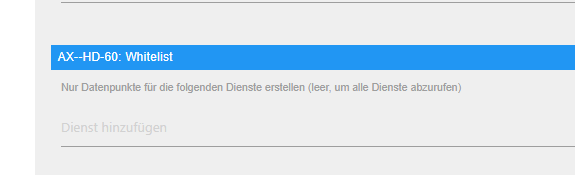
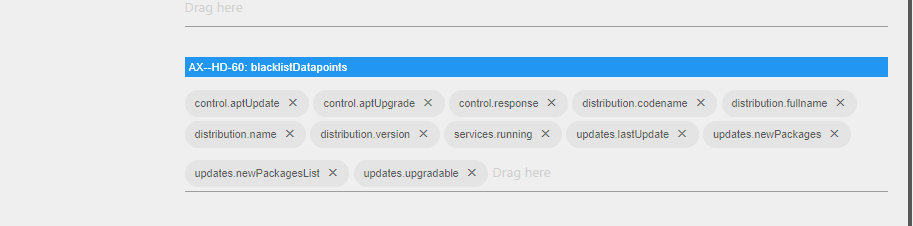
                              D.h. wenn du keine Fehlermeldung mehr haben willst, dann musst du alles auf die Blackliste für diesen Host setzen und eigen Befehle erstellen, die von der Enigma unterstütz werden.

                              Es gibt für Enigma basierte receiver einen Adapter:
                              https://github.com/Matten-Matten/ioBroker.enigma2

                              Der nutzt die API von Webif, nimm dafür besser den.

                              liv-in-skyL 1 Reply Last reply
                              0
                              • coyoteC coyote

                                @Thomas-Braun

                                chown: ungültige Gruppe: »:iobroker“

                                Thomas BraunT Online
                                Thomas BraunT Online
                                Thomas Braun
                                Most Active
                                wrote on last edited by
                                #110

                                @coyote Hast du keinen user iobroker? Ist das wieder so'n Docker-Zeuch auf Synology?

                                Linux-Werkzeugkasten:
                                https://forum.iobroker.net/topic/42952/der-kleine-iobroker-linux-werkzeugkasten
                                NodeJS Fixer Skript:
                                https://forum.iobroker.net/topic/68035/iob-node-fix-skript
                                iob_diag: curl -sLf -o diag.sh https://iobroker.net/diag.sh && bash diag.sh

                                ScroungerS 1 Reply Last reply
                                0
                                • Thomas BraunT Thomas Braun

                                  @coyote Hast du keinen user iobroker? Ist das wieder so'n Docker-Zeuch auf Synology?

                                  ScroungerS Offline
                                  ScroungerS Offline
                                  Scrounger
                                  Developer
                                  wrote on last edited by
                                  #111

                                  @Thomas-Braun sagte in Test Adapter Linux Control v0.x.x:

                                  @coyote Hast du keinen user iobroker? Ist das wieder so'n Docker-Zeuch auf Synology?

                                  @coyote

                                  Leute ihr kapert meinen Thread ;-) - hier geht es nicht um Linux Hilfe, sondern um die Weiterentwicklung des Adapters!
                                  Bitte macht für solche Fragen eigene Themen auf, sonst findet niemand mehr irgendwas hier wieder, danke!

                                  coyoteC 1 Reply Last reply
                                  0
                                  • ScroungerS Scrounger

                                    @Thomas-Braun sagte in Test Adapter Linux Control v0.x.x:

                                    @coyote Hast du keinen user iobroker? Ist das wieder so'n Docker-Zeuch auf Synology?

                                    @coyote

                                    Leute ihr kapert meinen Thread ;-) - hier geht es nicht um Linux Hilfe, sondern um die Weiterentwicklung des Adapters!
                                    Bitte macht für solche Fragen eigene Themen auf, sonst findet niemand mehr irgendwas hier wieder, danke!

                                    coyoteC Offline
                                    coyoteC Offline
                                    coyote
                                    Most Active
                                    wrote on last edited by
                                    #112

                                    @Thomas-Braun nein, alles auf einem NUC mit Proxmox in verschiedenen VM's. Einmal eine VM mit iobroker und die zweite VM ist ein Linux Mint, da hängt der Touchscreen dran, der gedimmt wird. Auf dem wird die *.sh ausgeführt.

                                    @Scrounger das war auch nicht meine Absicht, hätte ja sein können, dass da im Adapter noch was schief läuft, sorry.

                                    liv-in-skyL 1 Reply Last reply
                                    0
                                    • coyoteC coyote

                                      @Thomas-Braun nein, alles auf einem NUC mit Proxmox in verschiedenen VM's. Einmal eine VM mit iobroker und die zweite VM ist ein Linux Mint, da hängt der Touchscreen dran, der gedimmt wird. Auf dem wird die *.sh ausgeführt.

                                      @Scrounger das war auch nicht meine Absicht, hätte ja sein können, dass da im Adapter noch was schief läuft, sorry.

                                      liv-in-skyL Offline
                                      liv-in-skyL Offline
                                      liv-in-sky
                                      wrote on last edited by liv-in-sky
                                      #113

                                      @coyote - funktioniert der befehl eigenlich , obwohl ein fehlr kommt ?

                                      @Scrounger ich habe sowas ähnliches - ich starte einen curl befehl und bekomme auch einen error - das problem dabei scheint die rückgabe zu sein - die ja bei einem befehl - definiert als button -nicht gebraucht wird - der befehl wird jedoch ausgeführt ( @coyote : daher die frage, ob der befehl nicht doch ausgeführt wird, aber einen error bringt)

                                      nux-control.0	2020-08-21 12:56:23.572	error	at LinuxControl.onStateChange (/opt/iobroker/node_modules/iobroker.linux-control/main.js:1078:9)
                                      linux-control.0	2020-08-21 12:56:23.572	error	at processTicksAndRejections (internal/process/task_queues.js:97:5)
                                      linux-control.0	2020-08-21 12:56:23.572	error	at runMicrotasks (<anonymous>)
                                      linux-control.0	2020-08-21 12:56:23.572	error	at LinuxControl.sendCommand (/opt/iobroker/node_modules/iobroker.linux-control/main.js:749:26)
                                      linux-control.0	2020-08-21 12:56:23.572	error	0 0 0 0 0 0 0 0 --:--:-- --:--:-- --:--:-- 0 100 54 100 54 0 0 27000 0 --:--:-- --:--:-- --:--:-- 54000
                                      linux-control.0	2020-08-21 12:56:23.572	error	Dload Upload Total Spent Left Speed
                                      linux-control.0	2020-08-21 12:56:23.572	error	0 0 0 0 0 0 0 0 --:--:-- --:--:-- --:--:-- 0 100 54 100 54 0 0 27000 0 --:--:-- --:--:-- --:--:-- 54000, stack: ResponseError: [send userCommand]
                                      linux-control.0	2020-08-21 12:56:23.572	error	Dload Upload Total Spent Left Speed
                                      linux-control.0	2020-08-21 12:56:23.572	error	(6703) [send userCommand] Pi-Hole (192.168.178.145:22) - pause60: response error: [send userCommand] Pi-Hole (192.168.178.145:22) - pause60: % Total % Received % Xferd Average Speed Time Tim
                                      

                                      nach einem gelösten Thread wäre es sinnvoll dies in der Überschrift des ersten Posts einzutragen [gelöst]-... Bitte benutzt das Voting rechts unten im Beitrag wenn er euch geholfen hat. Forum-Tools: PicPick https://picpick.app/en/download/ und ScreenToGif https://www.screentogif.com/downloads.html

                                      1 Reply Last reply
                                      1
                                      • liv-in-skyL Offline
                                        liv-in-skyL Offline
                                        liv-in-sky
                                        wrote on last edited by liv-in-sky
                                        #114

                                        @Scrounger
                                        wenn ich den befehl in silent ausführe scheint es ohne error zu funktionieren
                                        ohne error:

                                        curl -s http://192.168.178.59:8087/set/pi-hole.0.deactPiHoleTime?value=45 >/dev/null
                                        

                                        mit error:

                                        curl  http://192.168.178.59:8087/set/pi-hole.0.deactPiHoleTime?value=45 
                                        

                                        @coyote

                                        probier mal :

                                         bash /home...... dimmen.sh > /dev/null 
                                        

                                        als befehl im adapter

                                        nach einem gelösten Thread wäre es sinnvoll dies in der Überschrift des ersten Posts einzutragen [gelöst]-... Bitte benutzt das Voting rechts unten im Beitrag wenn er euch geholfen hat. Forum-Tools: PicPick https://picpick.app/en/download/ und ScreenToGif https://www.screentogif.com/downloads.html

                                        coyoteC 1 Reply Last reply
                                        0
                                        • liv-in-skyL liv-in-sky

                                          @Scrounger
                                          wenn ich den befehl in silent ausführe scheint es ohne error zu funktionieren
                                          ohne error:

                                          curl -s http://192.168.178.59:8087/set/pi-hole.0.deactPiHoleTime?value=45 >/dev/null
                                          

                                          mit error:

                                          curl  http://192.168.178.59:8087/set/pi-hole.0.deactPiHoleTime?value=45 
                                          

                                          @coyote

                                          probier mal :

                                           bash /home...... dimmen.sh > /dev/null 
                                          

                                          als befehl im adapter

                                          coyoteC Offline
                                          coyoteC Offline
                                          coyote
                                          Most Active
                                          wrote on last edited by
                                          #115

                                          @liv-in-sky tatsächlich, der Befehl funktioniert, nur kommt eben der Fehler im Log. Das konnte ich heute morgen nicht testen, da ich nicht zu Hause war.


                                          liv-in-skyL 1 Reply Last reply
                                          0
                                          Reply
                                          • Reply as topic
                                          Log in to reply
                                          • Oldest to Newest
                                          • Newest to Oldest
                                          • Most Votes


                                          Support us

                                          ioBroker
                                          Community Adapters
                                          Donate

                                          513

                                          Online

                                          32.6k

                                          Users

                                          82.2k

                                          Topics

                                          1.3m

                                          Posts
                                          Community
                                          Impressum | Datenschutz-Bestimmungen | Nutzungsbedingungen | Einwilligungseinstellungen
                                          ioBroker Community 2014-2025
                                          logo
                                          • Login

                                          • Don't have an account? Register

                                          • Login or register to search.
                                          • First post
                                            Last post
                                          0
                                          • Home
                                          • Recent
                                          • Tags
                                          • Unread 0
                                          • Categories
                                          • Unreplied
                                          • Popular
                                          • GitHub
                                          • Docu
                                          • Hilfe