




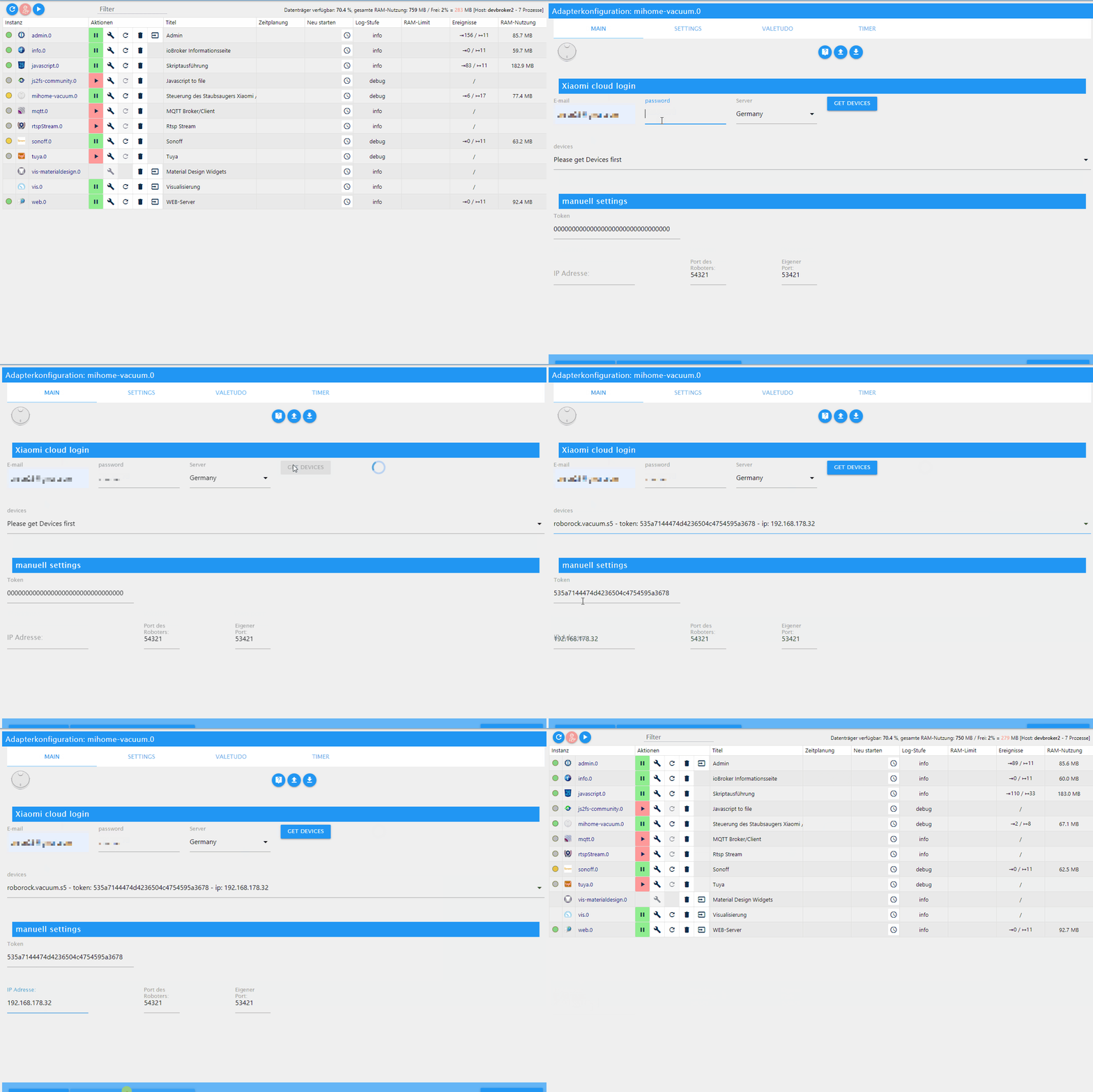
Test Adapter mihome-vacuum v2.0.x
-
Beim 1. Screenshot auch schon? Auf jeden Fall wurde der adapter zwischen dem Screenshot und den logausgaben neu gestartet
-
Beim 1. Screenshot auch schon? Auf jeden Fall wurde der adapter zwischen dem Screenshot und den logausgaben neu gestartet
-
Der Fehler mit undefind kommt alle 2 sec. Das ist sehr wahrscheinlich das mappolling. Das hatte ich in der neuesten Version abgefangen, vorher halt nicht. Daher meine Vermutung
-
Der Fehler mit undefind kommt alle 2 sec. Das ist sehr wahrscheinlich das mappolling. Das hatte ich in der neuesten Version abgefangen, vorher halt nicht. Daher meine Vermutung
-
Der Fehler mit undefind kommt alle 2 sec. Das ist sehr wahrscheinlich das mappolling. Das hatte ich in der neuesten Version abgefangen, vorher halt nicht. Daher meine Vermutung
-
    Map.updateMap(that.mappointer).then(function (data) {
        if (data){
            let dataurl = data[0].toDataURL();
data scheint hier dann null zu sein, daher hatte ich mal die if Abfrage darüber gemacht
-
    Map.updateMap(that.mappointer).then(function (data) {
        if (data){
            let dataurl = data[0].toDataURL();
data scheint hier dann null zu sein, daher hatte ich mal die if Abfrage darüber gemacht
-
So, wer testen möchte:
https://github.com/dirkhe/ioBroker.mihome-vacuum@dirkhe sagte in Test Adapter mihome-vacuum v2.0.x:
So, wer testen möchte:
https://github.com/dirkhe/ioBroker.mihome-vacuumTest erledigt, Ergebnis aus meiner Sicht N.I.O.

-
der von @haselchen und mir beschriebene Fehler "Cannot read property '0' of undefined" tritt auch mit der neuesten Version auf.
-
Room Cleaning gestartet, dann Pause gedrückt, dann ResumeZoneClean gedrückt --> nichts passiert.
Da es kein extra Button ResumeRoomClean gibt, müsste es doch darüber funktionieren oder muss ich das per Javascript Befehl lösen? Wenn ja wie?
Trotzdem Danke für den super Support und einen guten Start in die Woche!
-
-
Wenn du den Knopf resumezoneclean hast, du manuell eingestellt und das heißt, das du das aktiv drücken musst, wenn du eine Zone reinigt. Da habe ich keinen Knopf für Räume eingebaut, könnte ich aber noch machen. Aber besser du stellst auf Auto, indem du enable Zone clean in den Einstellungen aktivierst. Dann ist der manuelle Knopf weg und du benutzt nur noch Start und das wird dann Kontext bezogen ausgeführt
Das mit dem undefined hatte @MeisterTR ja schon gesagt, dass der Fehler woanders liegt, als ich vermutet habe. -
Wenn du den Knopf resumezoneclean hast, du manuell eingestellt und das heißt, das du das aktiv drücken musst, wenn du eine Zone reinigt. Da habe ich keinen Knopf für Räume eingebaut, könnte ich aber noch machen. Aber besser du stellst auf Auto, indem du enable Zone clean in den Einstellungen aktivierst. Dann ist der manuelle Knopf weg und du benutzt nur noch Start und das wird dann Kontext bezogen ausgeführt
Das mit dem undefined hatte @MeisterTR ja schon gesagt, dass der Fehler woanders liegt, als ich vermutet habe.@dirkhe
Ich bin mir nicht sicher, ob ich es ganz richtig verstanden habe, folgendes hab ich probiert:In den Adapter Einstellungen habe ich den Punkt "Zonenreinigung nach Pausierung fortsetzen" aktiviert.
Anschließend habe ich bei einem Raum den Button "roomClean" gedrückt, die Reinigung startet. Kurz gewartet, dann Pause gedrückt.Jetzt habe ich verstanden, dass ResumeZoneClean nicht funktioniert, also habe ich "Start" gedrückt, dann fängt er aber wieder an alles auszuwählen und nicht den vorherigen Raum fortzusetzen.
Kannst du mal bitte testhalber den Button "resumeRoomClean" hinzufügen?
-
@dirkhe
Ich bin mir nicht sicher, ob ich es ganz richtig verstanden habe, folgendes hab ich probiert:In den Adapter Einstellungen habe ich den Punkt "Zonenreinigung nach Pausierung fortsetzen" aktiviert.
Anschließend habe ich bei einem Raum den Button "roomClean" gedrückt, die Reinigung startet. Kurz gewartet, dann Pause gedrückt.Jetzt habe ich verstanden, dass ResumeZoneClean nicht funktioniert, also habe ich "Start" gedrückt, dann fängt er aber wieder an alles auszuwählen und nicht den vorherigen Raum fortzusetzen.
Kannst du mal bitte testhalber den Button "resumeRoomClean" hinzufügen?
@blackeagle998 du kannst ja testweise mal resume_zoned_clean für Zone und resume_segment_clean für Räume via xsendcommand senden.
Hast zufällig debug Log an und kannst das mal Posten?
Aber du hast Start im adapter gedrückt, oder? -
@blackeagle998 du kannst ja testweise mal resume_zoned_clean für Zone und resume_segment_clean für Räume via xsendcommand senden.
Hast zufällig debug Log an und kannst das mal Posten?
Aber du hast Start im adapter gedrückt, oder?@dirkhe
Kannst du mir mal bitte sagen, wie das mit dem xsendcommand geht? So tief stecke ich da nicht drin, bisher triggere ich ja nur vorhandene States via Javascript.Hier ein DEBUG LOG Auszug (inkl. dem TypeError):
mihome-vacuum.0 2020-02-24 14:12:36.291 error (29719) TypeError: Cannot read property '0' of undefined mihome-vacuum.0 2020-02-24 14:12:35.873 debug (29719) update_Map use old mapurl mihome-vacuum.0 2020-02-24 14:12:35.873 debug (29719) update_Map Mimap enabled mihome-vacuum.0 2020-02-24 14:12:33.870 error (29719) TypeError: Cannot read property '0' of undefined mihome-vacuum.0 2020-02-24 14:12:33.412 debug (29719) update_Map use old mapurl mihome-vacuum.0 2020-02-24 14:12:33.412 debug (29719) update_Map Mimap enabled mihome-vacuum.0 2020-02-24 14:12:31.410 error (29719) TypeError: Cannot read property '0' of undefined mihome-vacuum.0 2020-02-24 14:12:30.997 debug (29719) update_Map use old mapurl mihome-vacuum.0 2020-02-24 14:12:30.997 debug (29719) update_Map Mimap enabled mihome-vacuum.0 2020-02-24 14:12:28.994 error (29719) TypeError: Cannot read property '0' of undefined mihome-vacuum.0 2020-02-24 14:12:28.509 debug (29719) update_Map use old mapurl mihome-vacuum.0 2020-02-24 14:12:28.508 debug (29719) update_Map Mimap enabled mihome-vacuum.0 2020-02-24 14:12:27.752 debug (29719) stateChange mihome-vacuum.0.control.pause {"val":true,"ack":false,"ts":1582549947749,"q":0,"from":"system.adapter.admin.0","user":"system.user.admin","lc":1582182216427} mihome-vacuum.0 2020-02-24 14:12:26.507 error (29719) TypeError: Cannot read property '0' of undefined mihome-vacuum.0 2020-02-24 14:12:26.091 debug (29719) update_Map use old mapurl mihome-vacuum.0 2020-02-24 14:12:26.090 debug (29719) update_Map Mimap enabled mihome-vacuum.0 2020-02-24 14:12:24.088 error (29719) TypeError: Cannot read property '0' of undefined mihome-vacuum.0 2020-02-24 14:12:23.657 debug (29719) update_Map use old mapurl mihome-vacuum.0 2020-02-24 14:12:23.656 debug (29719) update_Map Mimap enabled mihome-vacuum.0 2020-02-24 14:12:16.194 debug (29719) stateChange mihome-vacuum.0.control.fan_power {"val":104,"ack":false,"ts":1582549936189,"q":0,"from":"system.adapter.mihome-vacuum.0","user":"system.user.admin","lc":1582142142021} mihome-vacuum.0 2020-02-24 14:12:16.184 info (29719) trigger cleaning segment 17 mihome-vacuum.0 2020-02-24 14:12:16.178 debug (29719) sendTo "cleanSegments" to system.adapter.mihome-vacuum.0 from system.adapter.mihome-vacuum.0: 17 mihome-vacuum.0 2020-02-24 14:12:16.176 debug (29719) stateChange mihome-vacuum.0.rooms.room17.roomClean {"val":true,"ack":false,"ts":1582549936173,"q":0,"from":"system.adapter.admin.0","user":"system.user.admin","lc":1582195312287} mihome-vacuum.0 2020-02-24 14:12:16.044 error (29719) TypeError: Cannot read property '0' of undefined mihome-vacuum.0 2020-02-24 14:12:15.620 debug (29719) update_Map use old mapurl mihome-vacuum.0 2020-02-24 14:12:15.620 debug (29719) update_Map Mimap enabled mihome-vacuum.0 2020-02-24 14:12:13.619 error (29719) TypeError: Cannot read property '0' of undefined mihome-vacuum.0 2020-02-24 14:12:13.156 debug (29719) update_Map use old mapurl mihome-vacuum.0 2020-02-24 14:12:13.155 debug (29719) update_Map Mimap enabled mihome-vacuum.0 2020-02-24 14:12:11.226 debug (29719) stateChange mihome-vacuum.0.control.fan_power {"val":104,"ack":false,"ts":1582549931222,"q":0,"from":"system.adapter.mihome-vacuum.0","user":"system.user.admin","lc":1582142142021} mihome-vacuum.0 2020-02-24 14:12:11.174 info (29719) should trigger cleaning segment 17, but is currently active. Add to queue mihome-vacuum.0 2020-02-24 14:12:11.171 debug (29719) sendTo "cleanSegments" to system.adapter.mihome-vacuum.0 from system.adapter.mihome-vacuum.0: 17 mihome-vacuum.0 2020-02-24 14:12:11.169 debug (29719) stateChange mihome-vacuum.0.rooms.room17.roomClean {"val":true,"ack":false,"ts":1582549930933,"q":0,"from":"system.adapter.admin.0","user":"system.user.admin","lc":1582195312287} mihome-vacuum.0 2020-02-24 14:12:11.154 error (29719) TypeError: Cannot read property '0' of undefined mihome-vacuum.0 2020-02-24 14:12:10.725 debug (29719) update_Map use old mapurl mihome-vacuum.0 2020-02-24 14:12:10.725 debug (29719) update_Map Mimap enabled mihome-vacuum.0 2020-02-24 14:12:08.724 error (29719) TypeError: Cannot read property '0' of undefined mihome-vacuum.0 2020-02-24 14:12:08.259 debug (29719) update_Map use old mapurl mihome-vacuum.0 2020-02-24 14:12:08.258 debug (29719) update_Map Mimap enabled mihome-vacuum.0 2020-02-24 14:12:06.275 debug (29719) stateChange mihome-vacuum.0.control.pause {"val":true,"ack":false,"ts":1582549926263,"q":0,"from":"system.adapter.admin.0","user":"system.user.admin","lc":1582182216427} mihome-vacuum.0 2020-02-24 14:12:06.256 error (29719) TypeError: Cannot read property '0' of undefined mihome-vacuum.0 2020-02-24 14:12:05.828 debug (29719) update_Map use old mapurl mihome-vacuum.0 2020-02-24 14:12:05.827 debug (29719) update_Map Mimap enabled mihome-vacuum.0 2020-02-24 14:12:03.825 error (29719) TypeError: Cannot read property '0' of undefined mihome-vacuum.0 2020-02-24 14:12:03.397 debug (29719) update_Map use old mapurl mihome-vacuum.0 2020-02-24 14:12:03.396 debug (29719) update_Map Mimap enabled mihome-vacuum.0 2020-02-24 14:12:01.394 error (29719) TypeError: Cannot read property '0' of undefined mihome-vacuum.0 2020-02-24 14:12:00.962 debug (29719) update_Map use old mapurl mihome-vacuum.0 2020-02-24 14:12:00.961 debug (29719) update_Map Mimap enabled mihome-vacuum.0 2020-02-24 14:11:58.960 error (29719) TypeError: Cannot read property '0' of undefined mihome-vacuum.0 2020-02-24 14:11:58.455 debug (29719) update_Map got new time:1582549918 mihome-vacuum.0 2020-02-24 14:11:58.455 debug (29719) update_Map got new expires:1582551718 mihome-vacuum.0 2020-02-24 14:11:58.454 debug (29719) update_Map got new url:https://awsde0.fds.api.xiaomi.com/robomap/robomap/74488275/1?Expires=1582551718000&GalaxyAccessKeyId=5271733786445&Signature=43Mqj3JDz3cTKaNgyU86A6Citqc= mihome-vacuum.0 2020-02-24 14:11:58.387 debug (29719) update_Map need new mapurl mihome-vacuum.0 2020-02-24 14:11:58.386 debug (29719) update_Map Mimap enabled mihome-vacuum.0 2020-02-24 14:11:56.385 error (29719) TypeError: Cannot read property '0' of undefined mihome-vacuum.0 2020-02-24 14:11:55.891 debug (29719) update_Map got new time:1582549915 mihome-vacuum.0 2020-02-24 14:11:55.890 debug (29719) update_Map got new expires:1582551715 mihome-vacuum.0 2020-02-24 14:11:55.890 debug (29719) update_Map got new url:https://awsde0.fds.api.xiaomi.com/robomap/robomap/74488275/0?Expires=1582551715000&GalaxyAccessKeyId=5271733786445&Signature=xOW4TY3DmfbxwdWgtAPvj1KTS20= mihome-vacuum.0 2020-02-24 14:11:55.804 debug (29719) Mappointer_updated mihome-vacuum.0 2020-02-24 14:11:55.792 debug (29719) update_Map need new mapurl mihome-vacuum.0 2020-02-24 14:11:55.791 debug (29719) update_Map Mimap enabled mihome-vacuum.0 2020-02-24 14:11:55.279 debug (29719) Mappointer_updated mihome-vacuum.0 2020-02-24 14:11:55.266 debug (29719) Mappointer_nomap___retry mihome-vacuum.0 2020-02-24 14:11:54.757 debug (29719) Mappointer_nomap___retry mihome-vacuum.0 2020-02-24 14:11:53.691 debug (29719) 25600 mihome-vacuum.0 2020-02-24 14:11:53.589 debug (29719) update_Map got new time:1582549913 mihome-vacuum.0 2020-02-24 14:11:53.588 debug (29719) update_Map got new expires:1582551713 mihome-vacuum.0 2020-02-24 14:11:53.588 debug (29719) update_Map got new url:https://awsde0.fds.api.xiaomi.com/robomap/robomap/74488275/17?Expires=1582551713000&GalaxyAccessKeyId=5271733786445&Signature=llwYzttUU3szZY+oJ4i4nCotXBI= mihome-vacuum.0 2020-02-24 14:11:53.484 debug (29719) update_Map need new mapurl mihome-vacuum.0 2020-02-24 14:11:53.484 debug (29719) update_Map Mimap enabled mihome-vacuum.0 2020-02-24 14:11:53.443 debug (29719) requesting params every: 60 Sec mihome-vacuum.0 2020-02-24 14:11:50.849 debug (29719) stateChange mihome-vacuum.0.control.fan_power {"val":104,"ack":false,"ts":1582549910844,"q":0,"from":"system.adapter.mihome-vacuum.0","user":"system.user.admin","lc":1582142142021} mihome-vacuum.0 2020-02-24 14:11:50.840 info (29719) trigger cleaning segment 17 mihome-vacuum.0 2020-02-24 14:11:50.836 debug (29719) sendTo "cleanSegments" to system.adapter.mihome-vacuum.0 from system.adapter.mihome-vacuum.0: 17 mihome-vacuum.0 2020-02-24 14:11:50.833 debug (29719) stateChange mihome-vacuum.0.rooms.room17.roomClean {"val":true,"ack":false,"ts":1582549910830,"q":0,"from":"system.adapter.admin.0","user":"system.user.admin","lc":1582195312287} mihome-vacuum.0 2020-02-24 14:10:55.879 debug (29719) Mappointer_updated mihome-vacuum.0 2020-02-24 14:10:55.871 debug (29719) Mappointer_nomap___retry mihome-vacuum.0 2020-02-24 14:10:53.443 debug (29719) requesting params every: 60 Sec mihome-vacuum.0 2020-02-24 14:10:31.600 debug (29719) stateChange mihome-vacuum.0.control.pause {"val":true,"ack":false,"ts":1582549831597,"q":0,"from":"system.adapter.admin.0","user":"system.user.admin","lc":1582182216427} mihome-vacuum.0 2020-02-24 14:10:23.257 debug (29719) stateChange mihome-vacuum.0.control.start {"val":true,"ack":false,"ts":1582549823254,"q":0,"from":"system.adapter.admin.0","user":"system.user.admin","lc":1582271390689} mihome-vacuum.0 2020-02-24 14:10:15.170 debug (29719) 25240 mihome-vacuum.0 2020-02-24 14:10:14.741 debug (29719) update_Map got new time:1582549814 mihome-vacuum.0 2020-02-24 14:10:14.741 debug (29719) update_Map got new expires:1582551614 mihome-vacuum.0 2020-02-24 14:10:14.740 debug (29719) update_Map got new url:https://awsde0.fds.api.xiaomi.com/robomap/robomap/74488275/14?Expires=1582551614000&GalaxyAccessKeyId=5271733786445&Signature=JIiXrz8t78N580S1EoaHcYwl9VI= mihome-vacuum.0 2020-02-24 14:10:14.684 debug (29719) Mappointer_updated mihome-vacuum.0 2020-02-24 14:10:14.674 debug (29719) update_Map need new mapurl mihome-vacuum.0 2020-02-24 14:10:14.674 debug (29719) update_Map Mimap enabled mihome-vacuum.0 2020-02-24 14:10:12.677 debug (29719) stateChange mihome-vacuum.0.control.resumeZoneClean {"val":true,"ack":false,"ts":1582549812001,"q":0,"from":"system.adapter.admin.0","user":"system.user.admin","lc":1582196233822} mihome-vacuum.0 2020-02-24 14:10:11.979 debug (29719) 25240 mihome-vacuum.0 2020-02-24 14:10:11.542 debug (29719) update_Map got new time:1582549811 mihome-vacuum.0 2020-02-24 14:10:11.542 debug (29719) update_Map got new expires:1582551611 mihome-vacuum.0 2020-02-24 14:10:11.541 debug (29719) update_Map got new url:https://awsde0.fds.api.xiaomi.com/robomap/robomap/74488275/13?Expires=1582551611000&GalaxyAccessKeyId=5271733786445&Signature=f4iaa0GmE/+TYVETX4xODv8W9r8= mihome-vacuum.0 2020-02-24 14:10:11.486 debug (29719) Mappointer_updated mihome-vacuum.0 2020-02-24 14:10:11.475 debug (29719) update_Map need new mapurl mihome-vacuum.0 2020-02-24 14:10:11.474 debug (29719) update_Map Mimap enabled mihome-vacuum.0 2020-02-24 14:10:08.154 debug (29719) 25274 mihome-vacuum.0 2020-02-24 14:10:07.676 debug (29719) update_Map got new time:1582549807 mihome-vacuum.0 2020-02-24 14:10:07.675 debug (29719) update_Map got new expires:1582551607 mihome-vacuum.0 2020-02-24 14:10:07.675 debug (29719) update_Map got new url:https://awsde0.fds.api.xiaomi.com/robomap/robomap/74488275/12?Expires=1582551607000&GalaxyAccessKeyId=5271733786445&Signature=GEsiSAJkypn6xAFtSG+ZLNOUCVY= mihome-vacuum.0 2020-02-24 14:10:07.594 debug (29719) Mappointer_updated mihome-vacuum.0 2020-02-24 14:10:07.582 debug (29719) update_Map need new mapurl mihome-vacuum.0 2020-02-24 14:10:07.582 debug (29719) update_Map Mimap enabled mihome-vacuum.0 2020-02-24 14:10:04.873 debug (29719) 25356 mihome-vacuum.0 2020-02-24 14:10:04.435 debug (29719) update_Map got new time:1582549804 mihome-vacuum.0 2020-02-24 14:10:04.434 debug (29719) update_Map got new expires:1582551604 mihome-vacuum.0 2020-02-24 14:10:04.434 debug (29719) update_Map got new url:https://awsde0.fds.api.xiaomi.com/robomap/robomap/74488275/11?Expires=1582551604000&GalaxyAccessKeyId=5271733786445&Signature=qFzgiYHZd/S7uE+JrtIOCG8W6+0= mihome-vacuum.0 2020-02-24 14:10:04.384 debug (29719) Mappointer_updated mihome-vacuum.0 2020-02-24 14:10:04.373 debug (29719) update_Map need new mapurl mihome-vacuum.0 2020-02-24 14:10:04.373 debug (29719) update_Map Mimap enabled mihome-vacuum.0 2020-02-24 14:10:03.540 debug (29719) stateChange mihome-vacuum.0.control.pause {"val":true,"ack":false,"ts":1582549803536,"q":0,"from":"system.adapter.javascript.0","user":"system.user.admin","lc":1582182216427} mihome-vacuum.0 2020-02-24 14:10:02.752 debug (29719) stateChange mihome-vacuum.0.control.pause {"val":true,"ack":false,"ts":1582549802746,"q":0,"from":"system.adapter.javascript.0","user":"system.user.admin","lc":1582182216427} mihome-vacuum.0 2020-02-24 14:10:01.066 debug (29719) 25375 mihome-vacuum.0 2020-02-24 14:10:00.624 debug (29719) update_Map got new time:1582549800 mihome-vacuum.0 2020-02-24 14:10:00.624 debug (29719) update_Map got new expires:1582551600 mihome-vacuum.0 2020-02-24 14:10:00.624 debug (29719) update_Map got new url:https://awsde0.fds.api.xiaomi.com/robomap/robomap/74488275/10?Expires=1582551600000&GalaxyAccessKeyId=5271733786445&Signature=LK5KTkw3/FZqoL2/ri4+Zk+kk6I= mihome-vacuum.0 2020-02-24 14:10:00.555 debug (29719) Mappointer_updated mihome-vacuum.0 2020-02-24 14:10:00.540 debug (29719) update_Map need new mapurl mihome-vacuum.0 2020-02-24 14:10:00.540 debug (29719) update_Map Mimap enabled mihome-vacuum.0 2020-02-24 14:09:57.847 debug (29719) 25375 mihome-vacuum.0 2020-02-24 14:09:57.345 debug (29719) update_Map got new time:1582549797 mihome-vacuum.0 2020-02-24 14:09:57.344 debug (29719) update_Map got new expires:1582551597 mihome-vacuum.0 2020-02-24 14:09:57.344 debug (29719) update_Map got new url:https://awsde0.fds.api.xiaomi.com/robomap/robomap/74488275/9?Expires=1582551597000&GalaxyAccessKeyId=5271733786445&Signature=o2E+CNIiNUi1FDnf729lHBXi2fA= mihome-vacuum.0 2020-02-24 14:09:57.282 debug (29719) Mappointer_updated mihome-vacuum.0 2020-02-24 14:09:57.269 debug (29719) update_Map need new mapurl mihome-vacuum.0 2020-02-24 14:09:57.268 debug (29719) update_Map Mimap enabled mihome-vacuum.0 2020-02-24 14:09:56.391 debug (29719) Mappointer_updated mihome-vacuum.0 2020-02-24 14:09:56.382 debug (29719) Mappointer_nomap___retry mihome-vacuum.0 2020-02-24 14:09:53.961 debug (29719) 25698 mihome-vacuum.0 2020-02-24 14:09:53.482 debug (29719) update_Map use old mapurl mihome-vacuum.0 2020-02-24 14:09:53.481 debug (29719) update_Map Mimap enabled mihome-vacuum.0 2020-02-24 14:09:53.441 debug (29719) requesting params every: 60 Sec mihome-vacuum.0 2020-02-24 14:09:37.899 debug (29719) stateChange mihome-vacuum.0.control.fan_power {"val":104,"ack":false,"ts":1582549777895,"q":0,"from":"system.adapter.mihome-vacuum.0","user":"system.user.admin","lc":1582142142021} mihome-vacuum.0 2020-02-24 14:09:37.891 info (29719) trigger cleaning segment 17 mihome-vacuum.0 2020-02-24 14:09:37.886 debug (29719) sendTo "cleanSegments" to system.adapter.mihome-vacuum.0 from system.adapter.mihome-vacuum.0: 17 mihome-vacuum.0 2020-02-24 14:09:37.881 debug (29719) stateChange mihome-vacuum.0.rooms.room17.roomClean {"val":true,"ack":false,"ts":1582549777877,"q":0,"from":"system.adapter.javascript.0","user":"system.user.admin","lc":1582195312287} mihome-vacuum.0 2020-02-24 14:08:57.456 debug (29719) get rooms from map data: [19,2,3,22,18,21,16,23,17,20,7,8] -
@dirkhe
Ahhhhh habs kapiert, man muss im Adapter "Eigene Befehle senden" aktivieren, ich teste mal... -
Zum Schluss hast du noch einmal Pause gedrückt, aber kein Start mehr?
Zwischendurch hast du mal Start gedrückt, aber davor kein Pause, zumindest lese ich das so aus dem log
-
@dirkhe
Zeile 113 = Pause
Zeile 90 = resumeZoneClean --> nur zum Testen
Zeile 82 = Start, danach Zeile 81 = wieder Pause, weil er nicht alles reinigen sollte -
@dirkhe
Ahhhhh habs kapiert, man muss im Adapter "Eigene Befehle senden" aktivieren, ich teste mal...@blackeagle998 sagte in Test Adapter mihome-vacuum v2.0.x:
@dirkhe
Ahhhhh habs kapiert, man muss im Adapter "Eigene Befehle senden" aktivieren, ich teste mal...Ich bin zu blöd dazu...
Habe jetzt zwar den Datenpunkt "mihome-vacuum.0.control.X_send_command", aber keine Ahnung was ich da wie eintragen muss. Folgende Befehle wurden jedenfalls nicht angenommen:- resume_17_clean (segment 17 ist der gestartete Raum)
- resume_segment_clean(17)
- resume_segment_clean[17]
- home
- home()
Keinen dieser Befehle schluckt er, helft mir mal bitte :man-shrugging:
-
@blackeagle998 sagte in Test Adapter mihome-vacuum v2.0.x:
@blackeagle998 sagte in Test Adapter mihome-vacuum v2.0.x:
@dirkhe
Ahhhhh habs kapiert, man muss im Adapter "Eigene Befehle senden" aktivieren, ich teste mal...Ich bin zu blöd dazu...
Habe jetzt zwar den Datenpunkt "mihome-vacuum.0.control.X_send_command", aber keine Ahnung was ich da wie eintragen muss. Folgende Befehle wurden jedenfalls nicht angenommen:- resume_17_clean (segment 17 ist der gestartete Raum)
- resume_segment_clean(17)
- resume_segment_clean[17]
- home
- home()
Keinen dieser Befehle schluckt er, helft mir mal bitte :man-shrugging:
Einfach nur resume_segment_clean, aber vorher Pause drücken
-
@dirkhe
Zeile 113 = Pause
Zeile 90 = resumeZoneClean --> nur zum Testen
Zeile 82 = Start, danach Zeile 81 = wieder Pause, weil er nicht alles reinigen sollte@blackeagle998 aber das Log musst du von unten nach oben lesen, schau mal auf den zeitstempel
-
@blackeagle998 aber das Log musst du von unten nach oben lesen, schau mal auf den zeitstempel
@dirkhe
Ja hab ich gemacht.
Zeile 135 (ganz unten) startet die Raumreinigung Segment 17.
Dann wie eben beschrieben:
Zeile 113 = Pause
Zeile 90 = resumeZoneClean --> nur zum Testen
Zeile 82 = Start, danach Zeile 81 = wieder Pause, weil er nicht alles reinigen sollte -
Der Ablauf sollte folgender sein
Du startest entweder per Start die volle Zimmerreinigung oder einen Raum oder eine Zone
Dann drückst du auf dem robbi selber Pause oder in der App oder im adapter Pause
Wenn du dann im adapter auf Start klickst, sollte er je nach gestarteten Modus Resume machen


Hello! It looks like you're interested in this conversation, but you don't have an account yet.
Getting fed up of having to scroll through the same posts each visit? When you register for an account, you'll always come back to exactly where you were before, and choose to be notified of new replies (either via email, or push notification). You'll also be able to save bookmarks and upvote posts to show your appreciation to other community members.
With your input, this post could be even better 💗
Register LoginSupport us
508
Online32.7k
Users82.6k
Topics1.3m
Posts