




Google Home/Assistant ioBroker einrichten/nutzen

-
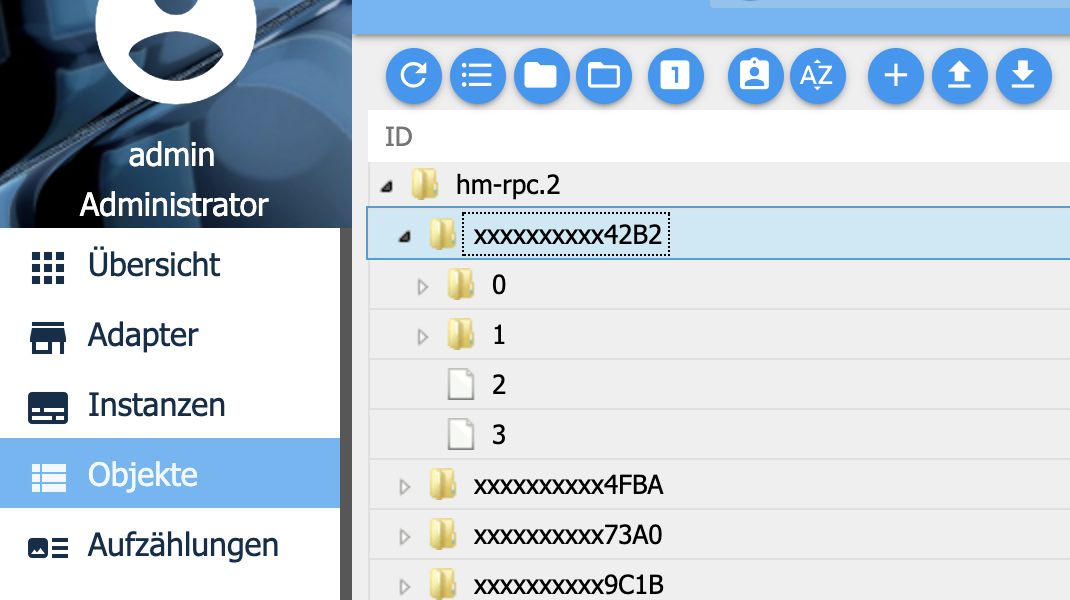
@tombox ist schon absehbar wann deine Github Version in Latest aufgenommen wird? Danach wird es dann ja noch eine Weile dauern bis das im Stable ankommt.
-
@mario1001
Es sieht so aus als hättest du nicht den Adapter aus dem github link installiert. Bist du dir sicher dass du ihn von github installierst hast@tombox Hab vielen Dank für Deine Antwort. Hatte es über den Adapter-Tab installiert - also der vermeintlich "easy" Weg.
Nach dem Deinstallieren des alten IOT Adapter, habe ich nun probiert die Version über die URL zu installieren. Danach erscheint der Adapter allerdings nicht in der Liste. Wie als hätte ich ihn nicht installiert. Auch die Zeile "iobroker u iot" via Konsole führt nicht zum Erscheinen in der Adapter-Liste.
Hier der Install-Log:
$ ./iobroker url "https://github.com/TA2k/ioBroker.iot"
install https://github.com/TA2k/ioBroker.iot/tarball/master
npm install https://github.com/TA2k/ioBroker.iot/tarball/master --production --save --prefix "/opt/iobroker" (System call)
In file included from ../src/dns_sd.cpp:1:0:../src/mdns.hpp:32:10: fatal error: dns_sd.h: No such file or directory
 #include <dns_sd.h>
          ^~~~~~~~~~
compilation terminated.

make: *** [Release/obj.target/dns_sd_bindings/src/dns_sd.o] Error 1
gyp
 ERR! build error
gyp ERR! stack Error: `make` failed with exit code: 2gyp ERR! stack
     at ChildProcess.onExit (/usr/local/lib/node_modules/npm/node_modules/node-gyp/lib/build.js:262:23)gyp ERR! stack     at emitTwo (events.js:126:13)
gyp ERR! stack     at ChildProcess.emit (events.js:214:7)
gyp ERR! stack     at Process.ChildProcess._handle.onexit (internal/child_process.js:198:12)

gyp ERR! System Linux 4.15.0-50-genericgyp ERR! command "/usr/bin/node" "/usr/local/lib/node_modules/npm/node_modules/node-gyp/bin/node-gyp.js" "rebuild"
gyp ERR!
 cwd /opt/iobroker/node_modules/mdnsgyp ERR! node -v v8.10.0
gyp ERR! node-gyp -v v3.8.0
gyp ERR!
 not ok
npm WARN optional SKIPPING OPTIONAL DEPENDENCY: xpc-connection@0.1.4 (node_modules/xpc-connection):
npm WARN notsup SKIPPING OPTIONAL DEPENDENCY: Unsupported platform for xpc-connection@0.1.4: wanted {"os":"darwin","arch":"any"} (current: {"os":"linux","arch":"x64"})npm WARN optional SKIPPING OPTIONAL DEPENDENCY: osx-temperature-sensor@1.0.3 (node_modules/osx-temperature-sensor):
npm WARN notsup SKIPPING OPTIONAL DEPENDENCY: Unsupported platform for osx-temperature-sensor@1.0.3: wanted {"os":"darwin","arch":"any"} (current: {"os":"linux","arch":"x64"})
npm WARN
 optional SKIPPING OPTIONAL DEPENDENCY: mdns@2.5.1 (node_modules/mdns):npm WARN optional SKIPPING OPTIONAL DEPENDENCY: mdns@2.5.1 install: `node-gyp rebuild`
npm WARN optional SKIPPING OPTIONAL DEPENDENCY: Exit status 1


process exited with code 0
Und der normale Log:
iobroker	2019-08-09 18:53:29.138	info	exit 0
iobroker	2019-08-09 18:53:29.009	info	npm WARN optional SKIPPING OPTIONAL DEPENDENCY: Exit status 1
iobroker	2019-08-09 18:53:29.009	info	optional SKIPPING OPTIONAL DEPENDENCY: mdns@2.5.1 (node_modules/mdns):npm WARN optional SKIPPING OPTIONAL DEPENDENCY: mdns@2.5.1 install: `node-gyp rebuild`
iobroker	2019-08-09 18:53:29.007	info	npm WARN
iobroker	2019-08-09 18:53:29.007	info	npm WARN notsup SKIPPING OPTIONAL DEPENDENCY: Unsupported platform for osx-temperature-sensor@1.0.3: wanted {"os":"darwin","arch":"any"} (current: {"os":"linux","arch":"x64"})
iobroker	2019-08-09 18:53:29.007	info	npm WARN notsup SKIPPING OPTIONAL DEPENDENCY: Unsupported platform for xpc-connection@0.1.4: wanted {"os":"darwin","arch":"any"} (current: {"os":"linux","arch":"x64"})npm WARN optional SKIPPING OPTIO
iobroker	2019-08-09 18:53:29.005	info	npm WARN optional SKIPPING OPTIONAL DEPENDENCY: xpc-connection@0.1.4 (node_modules/xpc-connection):
iobroker	2019-08-09 18:53:26.130	info	not ok
iobroker	2019-08-09 18:53:26.130	info	gyp ERR!
iobroker	2019-08-09 18:53:26.130	info	gyp ERR! node-gyp -v v3.8.0
iobroker	2019-08-09 18:53:26.130	info	cwd /opt/iobroker/node_modules/mdnsgyp ERR! node -v v8.10.0
iobroker	2019-08-09 18:53:26.129	info	gyp ERR!
iobroker	2019-08-09 18:53:26.129	info	gyp ERR! System Linux 4.15.0-50-genericgyp ERR! command "/usr/bin/node" "/usr/local/lib/node_modules/npm/node_modules/node-gyp/bin/node-gyp.js" "rebuild"
iobroker	2019-08-09 18:53:26.127	info	gyp ERR! stack at Process.ChildProcess._handle.onexit (internal/child_process.js:198:12)
iobroker	2019-08-09 18:53:26.127	info	gyp ERR! stack at ChildProcess.emit (events.js:214:7)
iobroker	2019-08-09 18:53:26.127	info	at ChildProcess.onExit (/usr/local/lib/node_modules/npm/node_modules/node-gyp/lib/build.js:262:23)gyp ERR! stack at emitTwo (events.js:126:13)
iobroker	2019-08-09 18:53:26.126	info	gyp ERR! stack Error: `make` failed with exit code: 2gyp ERR! stack
iobroker	2019-08-09 18:53:26.124	info	ERR! build error
iobroker	2019-08-09 18:53:26.123	info	gyp
iobroker	2019-08-09 18:53:26.118	info	make: *** [Release/obj.target/dns_sd_bindings/src/dns_sd.o] Error 1
iobroker	2019-08-09 18:53:26.104	info	compilation terminated.
iobroker	2019-08-09 18:53:26.104	info	^~~~~~~~~~
iobroker	2019-08-09 18:53:26.104	info	#include <dns_sd.h>
iobroker	2019-08-09 18:53:26.104	info	In file included from ../src/dns_sd.cpp:1:0:../src/mdns.hpp:32:10: fatal error: dns_sd.h: No such file or directory
iobroker	2019-08-09 18:52:44.306	info	npm install https://github.com/TA2k/ioBroker.iot/tarball/master --production --save --prefix "/opt/iobroker" (System call)
iobroker	2019-08-09 18:52:42.103	info	install https://github.com/TA2k/ioBroker.iot/tarball/master
iobroker	2019-08-09 18:52:40.439	info	url "https://github.com/TA2k/ioBroker.iot"
Nachtrag: Scheinbar ist irgendwas installiert:
-
@tombox Hab vielen Dank für Deine Antwort. Hatte es über den Adapter-Tab installiert - also der vermeintlich "easy" Weg.
Nach dem Deinstallieren des alten IOT Adapter, habe ich nun probiert die Version über die URL zu installieren. Danach erscheint der Adapter allerdings nicht in der Liste. Wie als hätte ich ihn nicht installiert. Auch die Zeile "iobroker u iot" via Konsole führt nicht zum Erscheinen in der Adapter-Liste.
Hier der Install-Log:
$ ./iobroker url "https://github.com/TA2k/ioBroker.iot"
install https://github.com/TA2k/ioBroker.iot/tarball/master
npm install https://github.com/TA2k/ioBroker.iot/tarball/master --production --save --prefix "/opt/iobroker" (System call)
In file included from ../src/dns_sd.cpp:1:0:../src/mdns.hpp:32:10: fatal error: dns_sd.h: No such file or directory
 #include <dns_sd.h>
          ^~~~~~~~~~
compilation terminated.

make: *** [Release/obj.target/dns_sd_bindings/src/dns_sd.o] Error 1
gyp
 ERR! build error
gyp ERR! stack Error: `make` failed with exit code: 2gyp ERR! stack
     at ChildProcess.onExit (/usr/local/lib/node_modules/npm/node_modules/node-gyp/lib/build.js:262:23)gyp ERR! stack     at emitTwo (events.js:126:13)
gyp ERR! stack     at ChildProcess.emit (events.js:214:7)
gyp ERR! stack     at Process.ChildProcess._handle.onexit (internal/child_process.js:198:12)

gyp ERR! System Linux 4.15.0-50-genericgyp ERR! command "/usr/bin/node" "/usr/local/lib/node_modules/npm/node_modules/node-gyp/bin/node-gyp.js" "rebuild"
gyp ERR!
 cwd /opt/iobroker/node_modules/mdnsgyp ERR! node -v v8.10.0
gyp ERR! node-gyp -v v3.8.0
gyp ERR!
 not ok
npm WARN optional SKIPPING OPTIONAL DEPENDENCY: xpc-connection@0.1.4 (node_modules/xpc-connection):
npm WARN notsup SKIPPING OPTIONAL DEPENDENCY: Unsupported platform for xpc-connection@0.1.4: wanted {"os":"darwin","arch":"any"} (current: {"os":"linux","arch":"x64"})npm WARN optional SKIPPING OPTIONAL DEPENDENCY: osx-temperature-sensor@1.0.3 (node_modules/osx-temperature-sensor):
npm WARN notsup SKIPPING OPTIONAL DEPENDENCY: Unsupported platform for osx-temperature-sensor@1.0.3: wanted {"os":"darwin","arch":"any"} (current: {"os":"linux","arch":"x64"})
npm WARN
 optional SKIPPING OPTIONAL DEPENDENCY: mdns@2.5.1 (node_modules/mdns):npm WARN optional SKIPPING OPTIONAL DEPENDENCY: mdns@2.5.1 install: `node-gyp rebuild`
npm WARN optional SKIPPING OPTIONAL DEPENDENCY: Exit status 1


process exited with code 0
Und der normale Log:
iobroker	2019-08-09 18:53:29.138	info	exit 0
iobroker	2019-08-09 18:53:29.009	info	npm WARN optional SKIPPING OPTIONAL DEPENDENCY: Exit status 1
iobroker	2019-08-09 18:53:29.009	info	optional SKIPPING OPTIONAL DEPENDENCY: mdns@2.5.1 (node_modules/mdns):npm WARN optional SKIPPING OPTIONAL DEPENDENCY: mdns@2.5.1 install: `node-gyp rebuild`
iobroker	2019-08-09 18:53:29.007	info	npm WARN
iobroker	2019-08-09 18:53:29.007	info	npm WARN notsup SKIPPING OPTIONAL DEPENDENCY: Unsupported platform for osx-temperature-sensor@1.0.3: wanted {"os":"darwin","arch":"any"} (current: {"os":"linux","arch":"x64"})
iobroker	2019-08-09 18:53:29.007	info	npm WARN notsup SKIPPING OPTIONAL DEPENDENCY: Unsupported platform for xpc-connection@0.1.4: wanted {"os":"darwin","arch":"any"} (current: {"os":"linux","arch":"x64"})npm WARN optional SKIPPING OPTIO
iobroker	2019-08-09 18:53:29.005	info	npm WARN optional SKIPPING OPTIONAL DEPENDENCY: xpc-connection@0.1.4 (node_modules/xpc-connection):
iobroker	2019-08-09 18:53:26.130	info	not ok
iobroker	2019-08-09 18:53:26.130	info	gyp ERR!
iobroker	2019-08-09 18:53:26.130	info	gyp ERR! node-gyp -v v3.8.0
iobroker	2019-08-09 18:53:26.130	info	cwd /opt/iobroker/node_modules/mdnsgyp ERR! node -v v8.10.0
iobroker	2019-08-09 18:53:26.129	info	gyp ERR!
iobroker	2019-08-09 18:53:26.129	info	gyp ERR! System Linux 4.15.0-50-genericgyp ERR! command "/usr/bin/node" "/usr/local/lib/node_modules/npm/node_modules/node-gyp/bin/node-gyp.js" "rebuild"
iobroker	2019-08-09 18:53:26.127	info	gyp ERR! stack at Process.ChildProcess._handle.onexit (internal/child_process.js:198:12)
iobroker	2019-08-09 18:53:26.127	info	gyp ERR! stack at ChildProcess.emit (events.js:214:7)
iobroker	2019-08-09 18:53:26.127	info	at ChildProcess.onExit (/usr/local/lib/node_modules/npm/node_modules/node-gyp/lib/build.js:262:23)gyp ERR! stack at emitTwo (events.js:126:13)
iobroker	2019-08-09 18:53:26.126	info	gyp ERR! stack Error: `make` failed with exit code: 2gyp ERR! stack
iobroker	2019-08-09 18:53:26.124	info	ERR! build error
iobroker	2019-08-09 18:53:26.123	info	gyp
iobroker	2019-08-09 18:53:26.118	info	make: *** [Release/obj.target/dns_sd_bindings/src/dns_sd.o] Error 1
iobroker	2019-08-09 18:53:26.104	info	compilation terminated.
iobroker	2019-08-09 18:53:26.104	info	^~~~~~~~~~
iobroker	2019-08-09 18:53:26.104	info	#include <dns_sd.h>
iobroker	2019-08-09 18:53:26.104	info	In file included from ../src/dns_sd.cpp:1:0:../src/mdns.hpp:32:10: fatal error: dns_sd.h: No such file or directory
iobroker	2019-08-09 18:52:44.306	info	npm install https://github.com/TA2k/ioBroker.iot/tarball/master --production --save --prefix "/opt/iobroker" (System call)
iobroker	2019-08-09 18:52:42.103	info	install https://github.com/TA2k/ioBroker.iot/tarball/master
iobroker	2019-08-09 18:52:40.439	info	url "https://github.com/TA2k/ioBroker.iot"
Nachtrag: Scheinbar ist irgendwas installiert:
@mario1001 Also der einfachste Weg ist den Adapter normal zu installieren vielleicht sogar die 0.4.3 falls du url key probleme hast und dann wie im ersten beitrag die github version drüber zu installieren.
-
@mario1001 Also der einfachste Weg ist den Adapter normal zu installieren vielleicht sogar die 0.4.3 falls du url key probleme hast und dann wie im ersten beitrag die github version drüber zu installieren.
-
@tombox said in Google Home/Assistant ioBroker einrichten/nutzen:
0.4.3
Verzeih bitte, stehe auf dem Schlauch. Was genau meinst Du mit "normal"? Per Adapterübersicht? Per Console? Welcher Befehl?
@mario1001 per adapterübersicht den iobroker.iot adapter
-
@mario1001 per adapterübersicht den iobroker.iot adapter
@tombox Uhm, ja, also ich habe inzwischen:
- die aktuelle Version direkt installiert über die Adapterübersicht
- die aktuelle Version direkt installiert über die Console
- die alte Version über die Console und daraufhin die aktuelle Version über die Adapterübersicht "drüberinstalliert"
alles resultiert in den Ladekreis auf dem Tab GOOGLE DEVICES.
-
@mario1001 per adapterübersicht den iobroker.iot adapter
@tombox Bin jetzt einen Schritt weiter. Nochmal von vorne installiert und nun komme ich endlich auf den Google Device Tab. Problem ist nun allerdings, dass ich keine Device ID hinzufügen kann. Habe sowohl den Channel als auch einen State probiert. Es werden auch keine Devices "automatisch" gefunden.
Fehlermeldung:
Das Log gibt nichts her:
-
@tombox Bin jetzt einen Schritt weiter. Nochmal von vorne installiert und nun komme ich endlich auf den Google Device Tab. Problem ist nun allerdings, dass ich keine Device ID hinzufügen kann. Habe sowohl den Channel als auch einen State probiert. Es werden auch keine Devices "automatisch" gefunden.
Fehlermeldung:
Das Log gibt nichts her:
@mario1001 könntest du bitte ein json export von dem gerät machen und hier hochladen. wie man das macht steht im ersten beitrag.
-
@mario1001 könntest du bitte ein json export von dem gerät machen und hier hochladen. wie man das macht steht im ersten beitrag.
-
Folgendes Problem, musste meinen Iobroker wiederherstellen.
So weit so gut.
IoT ist in der 1.0.6 Version und auch grün.
Im Log sind keine Fehler vorhanden, also alles gut.
Nur kann ich jetzt GH nicht mehr verbunden. Folgende Meldung kommt nun seit 3 Tagen: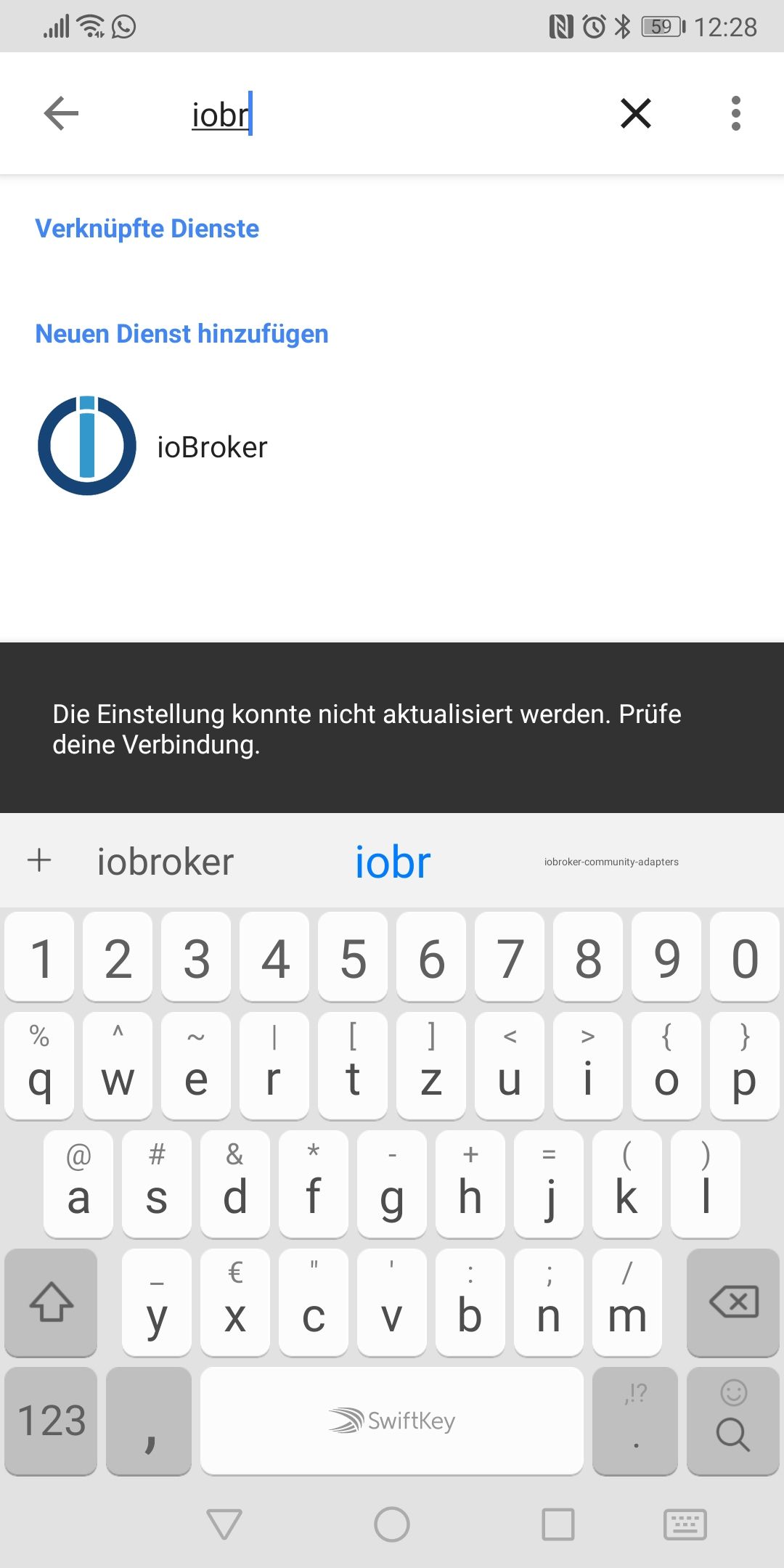
-
Folgendes Problem, musste meinen Iobroker wiederherstellen.
So weit so gut.
IoT ist in der 1.0.6 Version und auch grün.
Im Log sind keine Fehler vorhanden, also alles gut.
Nur kann ich jetzt GH nicht mehr verbunden. Folgende Meldung kommt nun seit 3 Tagen: -
@loi83 müsstest mal die instanz auf debug setzen und mir den log per privatnachricht schicken wenn du versuchst zu verbinden
-
Hallo, kann man vielleicht auch den Yamaha Adapter einbinden?
-
Ich habe nochmal ein paar Bugs gefixt:
Thermostate können jetzt auch ein Temperatur einstellen.
Luftfeuchtigkeit wird ausgegeben wenn sie sich einmal im iobroker geändert hat nach einem neustart des adapters.
Namen werden besser erkannt.Bitte mal installieren und neustarten ob noch Fehler auftauchen.
-
Wäre es möglich noch Sachen hinzuzufügen?
Xiaomi Thermostat:
mihome.0.devices.sensor_ht_158d0001e87d4c.jsonUnd einen onkyo AVR?
-
Ich habe nochmal ein paar Bugs gefixt:
Thermostate können jetzt auch ein Temperatur einstellen.
Luftfeuchtigkeit wird ausgegeben wenn sie sich einmal im iobroker geändert hat nach einem neustart des adapters.
Namen werden besser erkannt.Bitte mal installieren und neustarten ob noch Fehler auftauchen.
@tombox
Servus,
also in der GH App wird jetzt vernünftig die Temperatur angezeigt und man kann sie dort auch einstellen. Nur die Modis die man auswählen kann sind nicht richtig und funtionieren nicht. Hier Heizen,Kühlen und Aus. Luftfeuchtigkeit funktioniert auch nicht. "Ich kann das Thermostat xxxx nicht erreichen. Versuchen sie es später nochmal. Beim Aussenthermometer sagt er den Satz bei der Frage nach der Temperatur dafür die Luftfeuchtigkeit mit 0 %.
Bei den Fenstergriffsensoren hat sich nichts verändert. -
Wäre es möglich noch Sachen hinzuzufügen?
Xiaomi Thermostat:
mihome.0.devices.sensor_ht_158d0001e87d4c.jsonUnd einen onkyo AVR?
@loi83 beim onkyo den ordner device einem zimmer und funktion zuordnen und der device ordner muss vom typ device sein bzw die cover information vom typ media.cover und mediastate muss vom type number. Das wird aber in Zukunft verbessert.
Die Thermometer gehen bei mir automatisch.
-
@tombox
Servus,
also in der GH App wird jetzt vernünftig die Temperatur angezeigt und man kann sie dort auch einstellen. Nur die Modis die man auswählen kann sind nicht richtig und funtionieren nicht. Hier Heizen,Kühlen und Aus. Luftfeuchtigkeit funktioniert auch nicht. "Ich kann das Thermostat xxxx nicht erreichen. Versuchen sie es später nochmal. Beim Aussenthermometer sagt er den Satz bei der Frage nach der Temperatur dafür die Luftfeuchtigkeit mit 0 %.
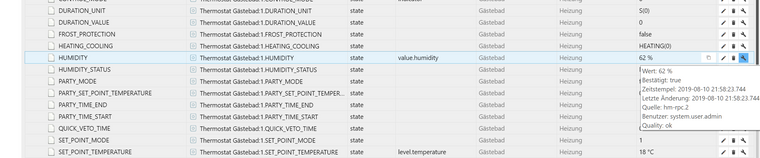
Bei den Fenstergriffsensoren hat sich nichts verändert.@intruder7 Die Modi sind hart drin und ohne Funktion. Bei der Luftfeuchtigkeit mal testen ob du sie abrufen kannst wenn du sie manuell im iobroker unter objekte änderst.
Fenstergriffe schaue ich mir nochmal an -
iot.0	2019-08-10 21:21:12.759	debug	[GHOME] {"hm-rpc.2.xxxxxxxxx4FBA.1":{"lock":0}}
iot.0	2019-08-10 21:21:12.757	error	[GHOME] Cannot updateState: Request contains an invalid argument.
dies kommt jetzt neuerdings in Vervindung mit den Fenstergriffsensoren
-
@intruder7 Die Modi sind hart drin und ohne Funktion. Bei der Luftfeuchtigkeit mal testen ob du sie abrufen kannst wenn du sie manuell im iobroker unter objekte änderst.
Fenstergriffe schaue ich mir nochmal an

366
Online32.7k
Users82.5k
Topics1.3m
Posts