
NEWS





-
@da_Woody sagte in Test Adapter iQontrol 1.5.x:
@SabineT nicht so ganz wenn ich mir das so durchlese...
Beschreibung:
This is a flot-chart widget. It will display the history of the datapoint linked to STATE or LEVEL. You need to have a history adapter up and running and the linked Datapoint needs to be logged to get this working!Das ist schon klar, nur wird die Leistung eben weder in STATE noch in LEVEL geliefert. Aber @s-bormann hat schon geschrieben, dass er das bei Gelegenheit einbauen wird.
-
Aktuelle Version installiert 1.5.2
Ersteinrichtung, alles gelöscht und beim Anlegen von Ansichten diese Meldung beim Speichern
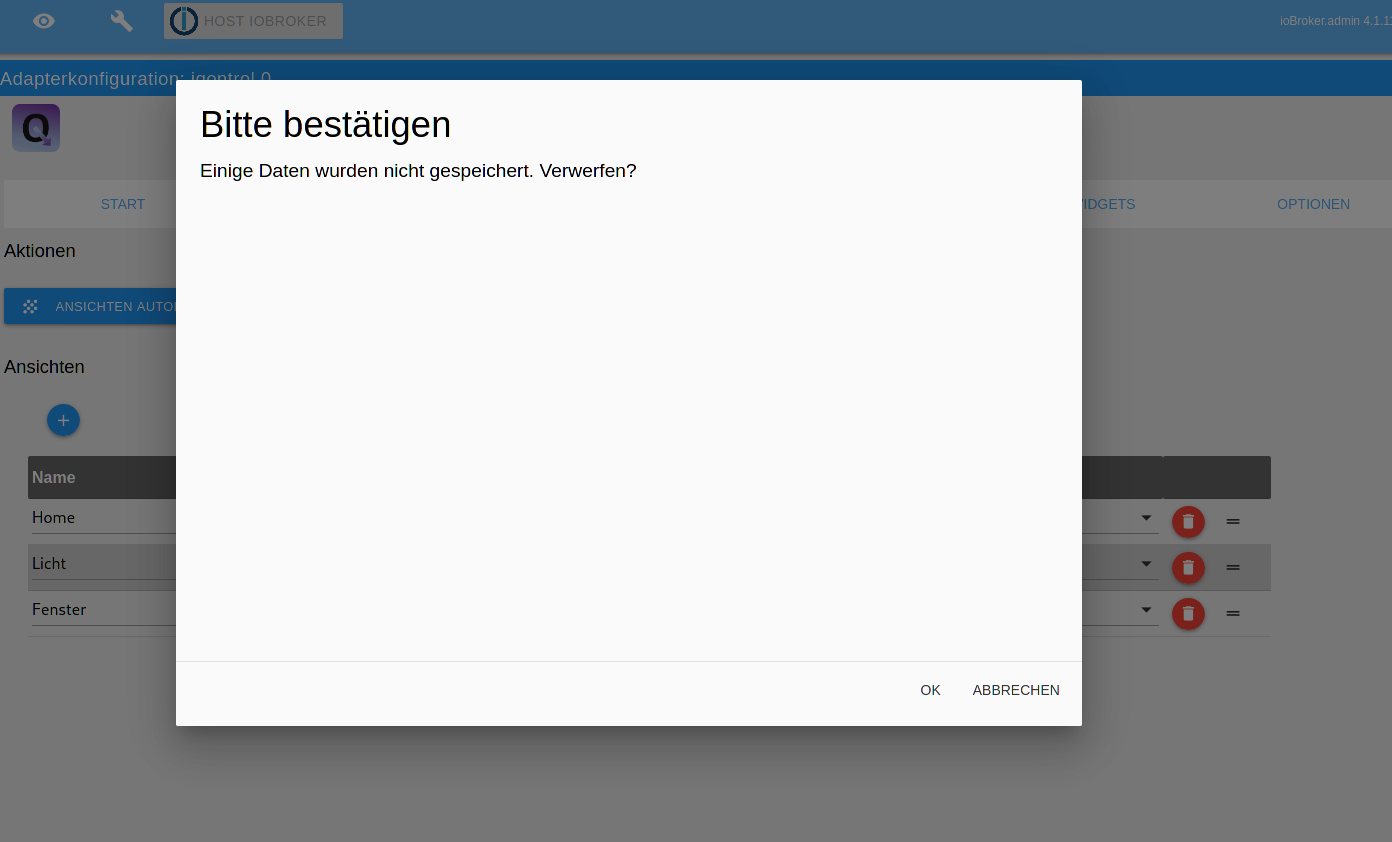
Danach wechselt er ioBroker Übersicht. Das gleiche auch bei der Toolbar. Wenn ich dann iQontrol öffne bekomme ich die Symbole angezeigt, aber keine Schrift.

Werde es jetzt nochmal löschen und eine alte Version nehmen
Gleiche Problem bei 1.5.0 bei mir, anderer Browser auch so.
-
Aktuelle Version installiert 1.5.2
Ersteinrichtung, alles gelöscht und beim Anlegen von Ansichten diese Meldung beim Speichern
Danach wechselt er ioBroker Übersicht. Das gleiche auch bei der Toolbar. Wenn ich dann iQontrol öffne bekomme ich die Symbole angezeigt, aber keine Schrift.
Werde es jetzt nochmal löschen und eine alte Version nehmen
Gleiche Problem bei 1.5.0 bei mir, anderer Browser auch so.
-
Ok, Danke für die Antwort.
So das Problem mit den nicht Anzeigen von Schriften für mich gelöst, ist aber auch ne böse Falle für Anfänger :face_with_rolling_eyes:
Alle Farben sind auf #000000 Schwarz gestellt und somit guggt man erst Mal dumm rein. Vielleicht sollte man dies ändern, auf grau die Schriftfarbe.
-
Ok, Danke für die Antwort.
So das Problem mit den nicht Anzeigen von Schriften für mich gelöst, ist aber auch ne böse Falle für Anfänger :face_with_rolling_eyes:
Alle Farben sind auf #000000 Schwarz gestellt und somit guggt man erst Mal dumm rein. Vielleicht sollte man dies ändern, auf grau die Schriftfarbe.
@Slowman sagte in Test Adapter iQontrol 1.5.x:
Ok, Danke für die Antwort.
So das Problem mit den nicht Anzeigen von Schriften für mich gelöst, ist aber auch ne böse Falle für Anfänger :face_with_rolling_eyes:
Alle Farben sind auf #000000 Schwarz gestellt und somit guggt man erst Mal dumm rein. Vielleicht sollte man dies ändern, auf grau die Schriftfarbe.
Hi,
ich arbeite an dem Fehler mit den schwarzen Farben. Leider muss bei Neuinstallationen aktuell bei allen Farben unter den Optionen auf das "X" geklickt werden, damit die Farben wieder auf Standard gehen. Sorry für diesen Bug.
VG!
-
@Slowman sagte in Test Adapter iQontrol 1.5.x:
Ok, Danke für die Antwort.
So das Problem mit den nicht Anzeigen von Schriften für mich gelöst, ist aber auch ne böse Falle für Anfänger :face_with_rolling_eyes:
Alle Farben sind auf #000000 Schwarz gestellt und somit guggt man erst Mal dumm rein. Vielleicht sollte man dies ändern, auf grau die Schriftfarbe.
Hi,
ich arbeite an dem Fehler mit den schwarzen Farben. Leider muss bei Neuinstallationen aktuell bei allen Farben unter den Optionen auf das "X" geklickt werden, damit die Farben wieder auf Standard gehen. Sorry für diesen Bug.
VG!
-
@s-bormann
Vielleicht sollte man solche aktuellen Fehler im 1. Posting mit aufnehmen. Denn genau dort fängt man als Neuling mit iQontrol an und verzweifelt schon bei der Installation bzw. doofe Fragen :grinning:
@Slowman sagte in Test Adapter iQontrol 1.5.x:
@s-bormann
Vielleicht sollte man solche aktuellen Fehler im 1. Posting mit aufnehmen. Denn genau dort fängt man als Neuling mit iQontrol an und verzweifelt schon bei der Installation bzw. doofe Fragen :grinning:
Hi, mit der 1.5.3 (lädt gerade hoch) ist der Fehler (hoffentlich) behoben. LG!
-
3x3
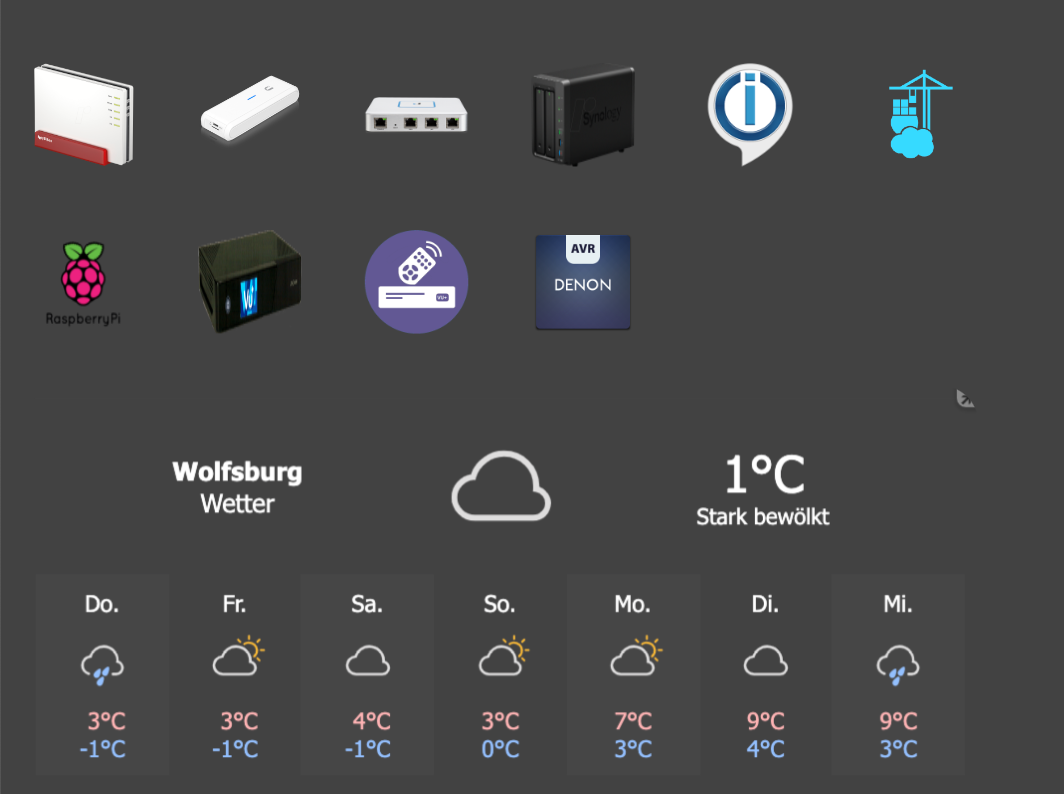
Vollbild
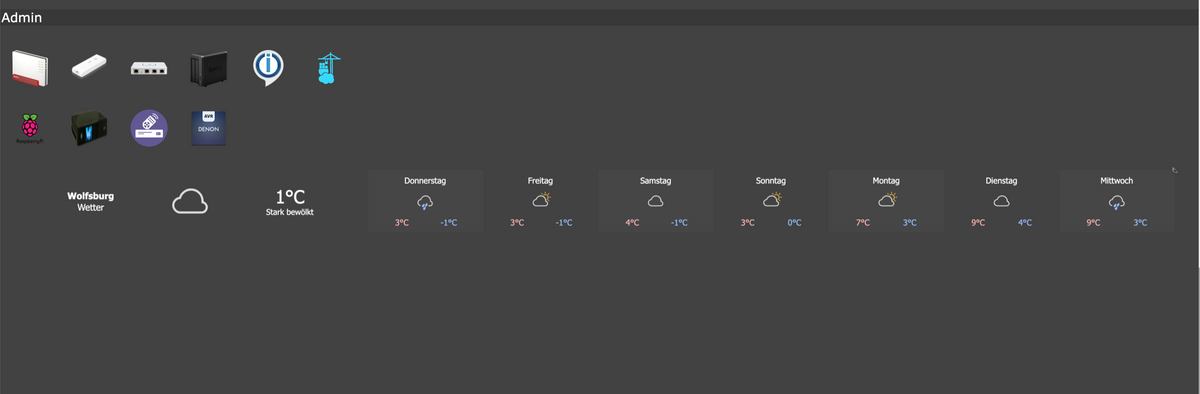
oder meinst du wegen dem rest der drunter leer angezeigt wird? wenn ja und du schaffst das, geb ich einen aus!
was bekommst Du da nicht hin ?
EDIT: 3x1 reicht auch (passt sich ja an)
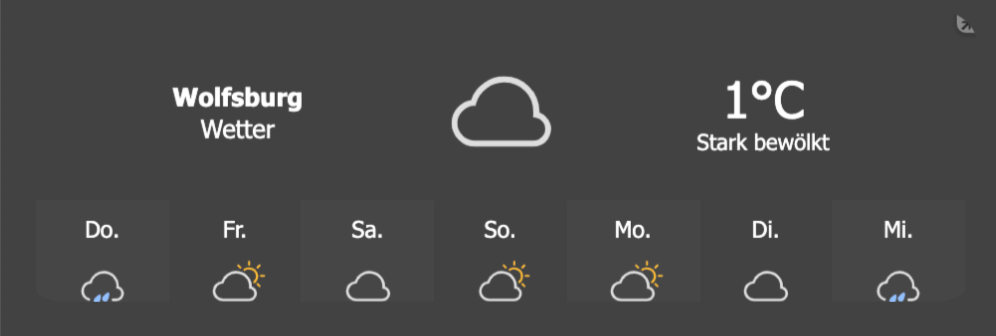
EDIT2:
am Handy bei 3×1
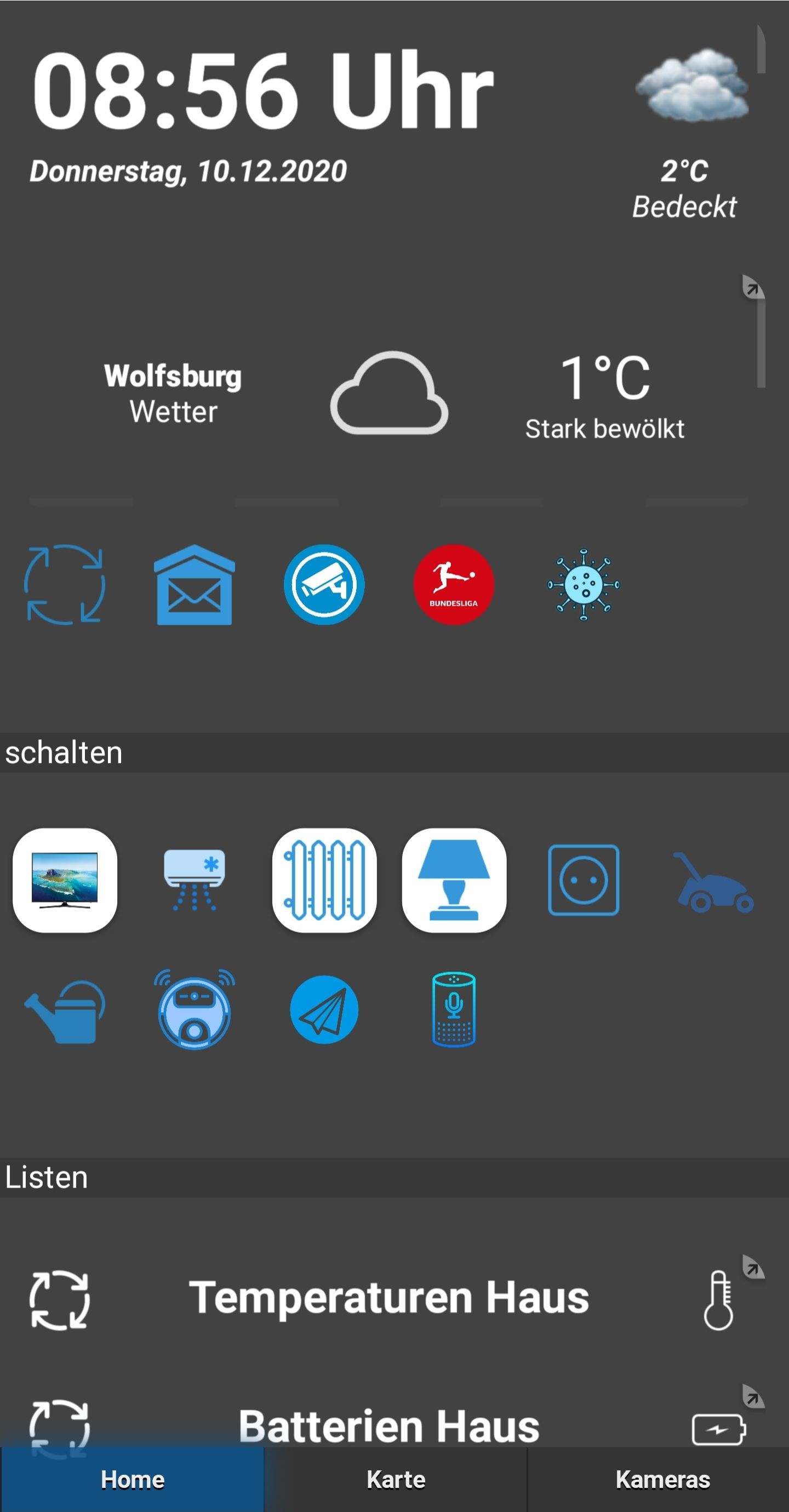
einmal scrollen bei 3×1
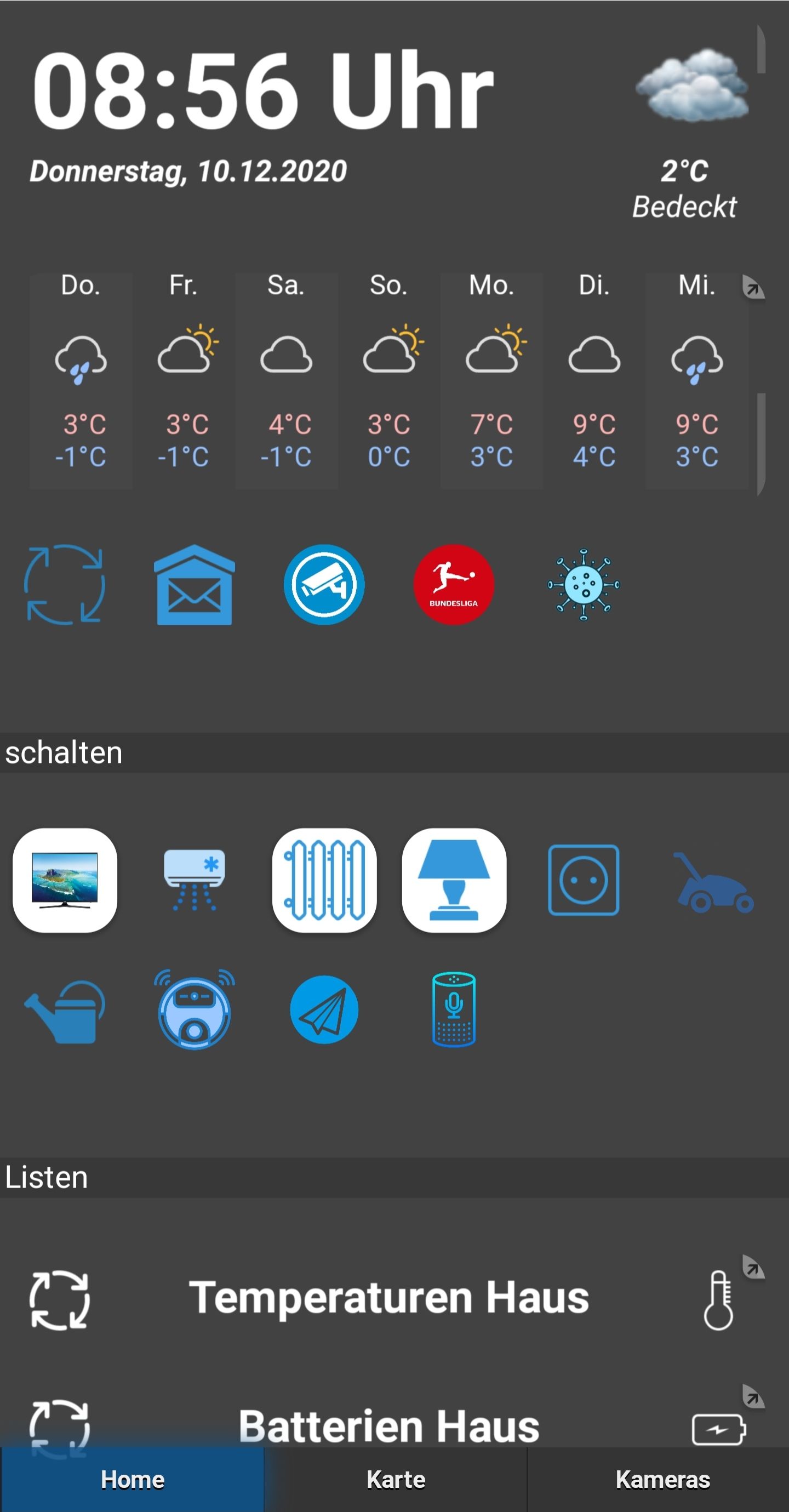
vergrößert auf Vollbild
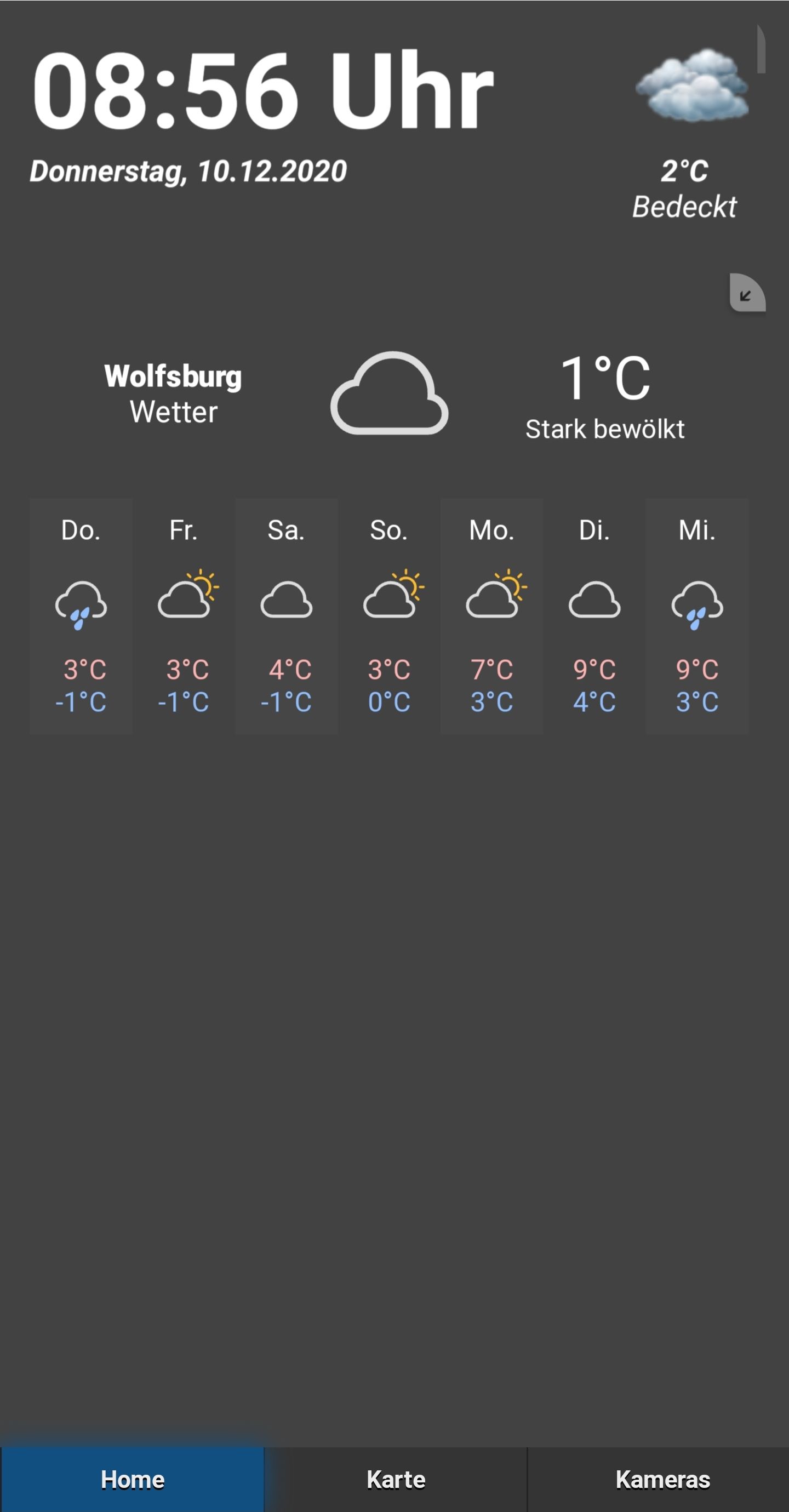
@s-bormann
Ja jetzt funzt es, musste nochmal von vorn anfangen.
Sag mal, für das Covid 19 Widget, wie bzw. wo importiere ich denn die *.json Datei?
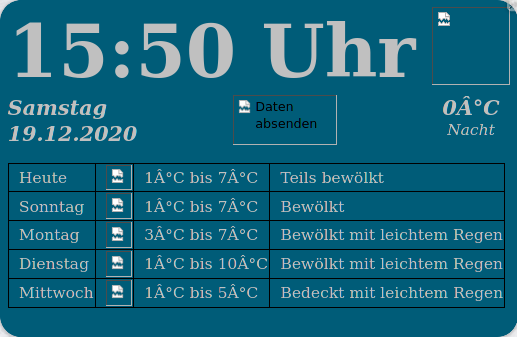
Wie hast du denn das mit der digitalen Uhr hinbekommen?
Bei dem Wetter will er nicht.
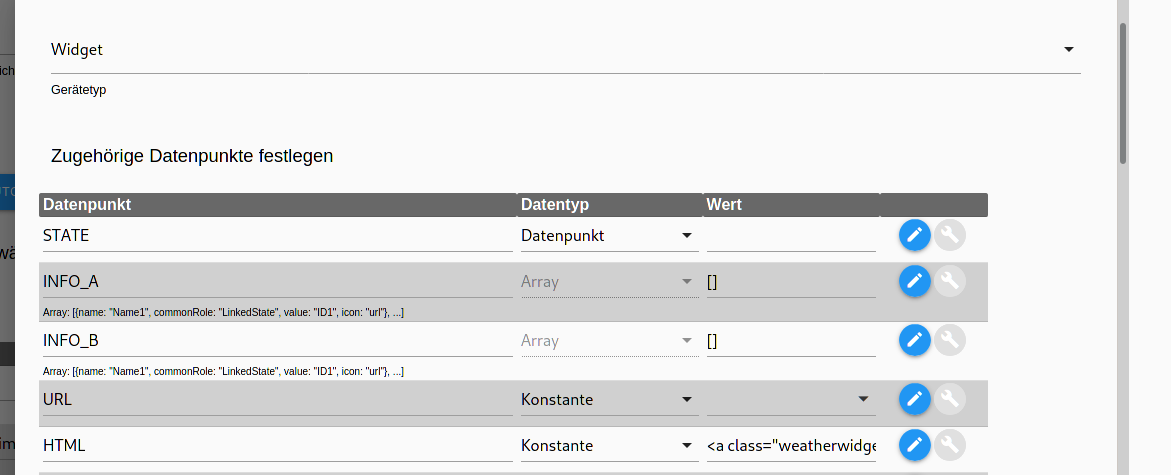

Wenn ich auf den Button klicke kommt das Wetter dann, aber als lange Zeile
-
@s-bormann
Ja jetzt funzt es, musste nochmal von vorn anfangen.
Sag mal, für das Covid 19 Widget, wie bzw. wo importiere ich denn die *.json Datei?
Wie hast du denn das mit der digitalen Uhr hinbekommen?
Bei dem Wetter will er nicht.
Wenn ich auf den Button klicke kommt das Wetter dann, aber als lange Zeile
@Slowman sagte in Test Adapter iQontrol 1.5.x:
Wie hast du denn das mit der digitalen Uhr hinbekommen?
Das ist ein Script von @blackeagle998
weiter oben im Forum. -
@Slowman sagte in Test Adapter iQontrol 1.5.x:
Wie hast du denn das mit der digitalen Uhr hinbekommen?
Das ist ein Script von @blackeagle998
weiter oben im Forum. -
Guten Tag,
irgendwie komme ich nicht weiter.
Ein Kollege hat einen Raspberry Pi 3. Auf diesem ist ioBroker installiert.
iQontrol zeigt nur folgendes Bild: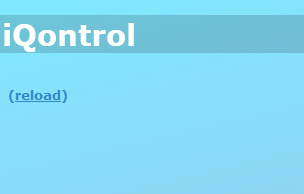
Daraufhin hatte ich ihm gesagt "arschlecken, wir wollen sowieso auf RPi 4 wechseln".
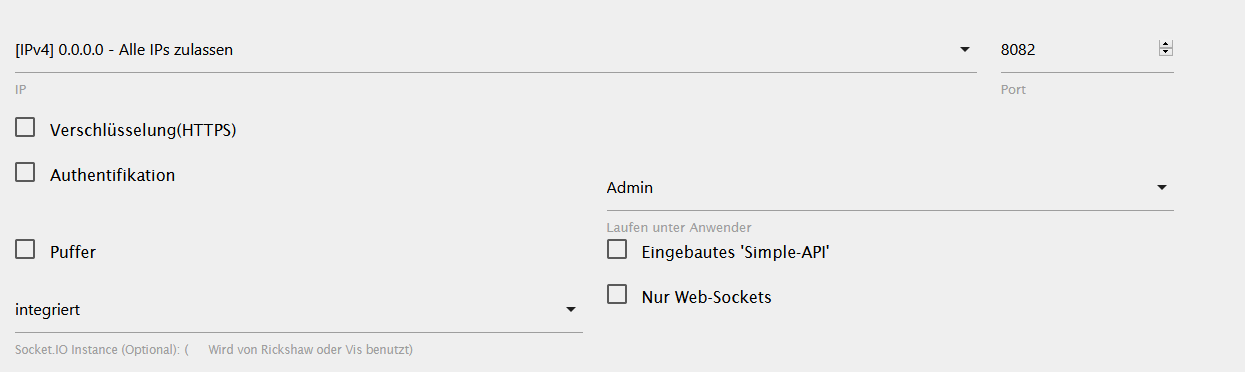
Gesagt getan. Raspberry Pi 4 gekauft, komplett neu mit ioBroker aufgesetzt. Gleiches Fenster. Das Ding ist also komplett neu aufgesetzt, leider funktioniert auch hier iQontrol nicht. :(web.0:
iqontrol.0	2020-12-19 15:05:23.740	debug	(7165) DeviceObject Popup.Message ist still in use - not deleting.
iqontrol.0	2020-12-19 15:05:23.739	debug	(7165) DeviceObject Popup.CLEAR ist still in use - not deleting.
iqontrol.0	2020-12-19 15:05:23.739	debug	(7165) DeviceObject Popup.Duration ist still in use - not deleting.
iqontrol.0	2020-12-19 15:05:23.739	debug	(7165) DeviceObject Popup.ClickedValue ist still in use - not deleting.
iqontrol.0	2020-12-19 15:05:23.738	debug	(7165) DeviceObject Popup.ClickedDestinationState ist still in use - not deleting.
iqontrol.0	2020-12-19 15:05:23.728	debug	(7165) DeviceObject Popup.POPUP_CLICKED ist still in use - not deleting.
iqontrol.0	2020-12-19 15:05:23.728	debug	(7165) DeviceObject Popup.ButtonNames ist still in use - not deleting.
iqontrol.0	2020-12-19 15:05:23.727	debug	(7165) DeviceObject Popup.ButtonValues ist still in use - not deleting.
iqontrol.0	2020-12-19 15:05:23.727	debug	(7165) DeviceObject Popup.ButtonDestinationStates ist still in use - not deleting.
iqontrol.0	2020-12-19 15:05:23.727	debug	(7165) DeviceObject Popup.ButtonCloses ist still in use - not deleting.
iqontrol.0	2020-12-19 15:05:23.726	debug	(7165) DeviceObject Popup.BUTTON_CLICKED ist still in use - not deleting.
iqontrol.0	2020-12-19 15:05:23.726	debug	(7165) Adapter Object IDs: 11 (iqontrol.0.Popup.BUTTON_CLICKED,iqontrol.0.Popup.ButtonCloses,iqontrol.0.Popup.ButtonDestinationStates,iqontrol.0.Popup.ButtonValues,iqontrol.0.Popup.ButtonNames,iqontro
iqontrol.0	2020-12-19 15:05:23.725	debug	(7165) Got Adapter Objects
iqontrol.0	2020-12-19 15:05:23.719	info	(7165) state iqontrol.0.info.connection changed: true (ack = true)
iqontrol.0	2020-12-19 15:05:23.707	info	(7165) iQontrol ready.
iqontrol.0	2020-12-19 15:05:23.705	info	(7165) Deleting unused Objects...
iqontrol.0	2020-12-19 15:05:23.704	info	(7165) Creating Widget States...
iqontrol.0	2020-12-19 15:05:23.703	debug	(7165) created: Popup.BUTTON_CLICKED
iqontrol.0	2020-12-19 15:05:23.699	debug	(7165) created: Popup.ButtonCloses
iqontrol.0	2020-12-19 15:05:23.695	debug	(7165) created: Popup.ButtonDestinationStates
iqontrol.0	2020-12-19 15:05:23.690	debug	(7165) created: Popup.ButtonValues
iqontrol.0	2020-12-19 15:05:23.686	debug	(7165) created: Popup.ButtonNames
iqontrol.0	2020-12-19 15:05:23.682	debug	(7165) created: Popup.POPUP_CLICKED
iqontrol.0	2020-12-19 15:05:23.677	debug	(7165) created: Popup.ClickedDestinationState
iqontrol.0	2020-12-19 15:05:23.673	debug	(7165) created: Popup.ClickedValue
iqontrol.0	2020-12-19 15:05:23.668	debug	(7165) created: Popup.Duration
iqontrol.0	2020-12-19 15:05:23.662	debug	(7165) created: Popup.CLEAR
iqontrol.0	2020-12-19 15:05:23.657	debug	(7165) created: Popup.Message
iqontrol.0	2020-12-19 15:05:23.623	info	(7165) Creating Popup States...
iqontrol.0	2020-12-19 15:05:23.593	info	(7165) starting. Version 1.5.0 in /opt/iobroker/node_modules/iobroker.iqontrol, node: v12.20.0, js-controller: 3.1.6
iqontrol.0	2020-12-19 15:05:23.580	info	(7165) Plugin sentry Sentry Plugin disabled for this process because sending of statistic data is disabled for the system
iqontrol.0	2020-12-19 15:05:23.575	debug	(7165) Plugin sentry Initialize Plugin (enabled=true)
host.ioBrokerPi	2020-12-19 15:05:22.429	info	instance system.adapter.iqontrol.0 started with pid 7165
host.ioBrokerPi	2020-12-19 14:05:19.919	info	instance system.adapter.iqontrol.0 terminated with code 11 (ADAPTER_REQUESTED_TERMINATION)
iqontrol.0	2020-12-19 14:05:19.405	info	(7149) Terminated (ADAPTER_REQUESTED_TERMINATION): Without reason
Es ist node v12.20.0 wie auf meinem System wo iQontrol funktioniert.
Woran könnte der Fehler noch liegen? :/ -
Guten Tag,
irgendwie komme ich nicht weiter.
Ein Kollege hat einen Raspberry Pi 3. Auf diesem ist ioBroker installiert.
iQontrol zeigt nur folgendes Bild:Daraufhin hatte ich ihm gesagt "arschlecken, wir wollen sowieso auf RPi 4 wechseln".
Gesagt getan. Raspberry Pi 4 gekauft, komplett neu mit ioBroker aufgesetzt. Gleiches Fenster. Das Ding ist also komplett neu aufgesetzt, leider funktioniert auch hier iQontrol nicht. :(web.0:
iqontrol.0	2020-12-19 15:05:23.740	debug	(7165) DeviceObject Popup.Message ist still in use - not deleting.
iqontrol.0	2020-12-19 15:05:23.739	debug	(7165) DeviceObject Popup.CLEAR ist still in use - not deleting.
iqontrol.0	2020-12-19 15:05:23.739	debug	(7165) DeviceObject Popup.Duration ist still in use - not deleting.
iqontrol.0	2020-12-19 15:05:23.739	debug	(7165) DeviceObject Popup.ClickedValue ist still in use - not deleting.
iqontrol.0	2020-12-19 15:05:23.738	debug	(7165) DeviceObject Popup.ClickedDestinationState ist still in use - not deleting.
iqontrol.0	2020-12-19 15:05:23.728	debug	(7165) DeviceObject Popup.POPUP_CLICKED ist still in use - not deleting.
iqontrol.0	2020-12-19 15:05:23.728	debug	(7165) DeviceObject Popup.ButtonNames ist still in use - not deleting.
iqontrol.0	2020-12-19 15:05:23.727	debug	(7165) DeviceObject Popup.ButtonValues ist still in use - not deleting.
iqontrol.0	2020-12-19 15:05:23.727	debug	(7165) DeviceObject Popup.ButtonDestinationStates ist still in use - not deleting.
iqontrol.0	2020-12-19 15:05:23.727	debug	(7165) DeviceObject Popup.ButtonCloses ist still in use - not deleting.
iqontrol.0	2020-12-19 15:05:23.726	debug	(7165) DeviceObject Popup.BUTTON_CLICKED ist still in use - not deleting.
iqontrol.0	2020-12-19 15:05:23.726	debug	(7165) Adapter Object IDs: 11 (iqontrol.0.Popup.BUTTON_CLICKED,iqontrol.0.Popup.ButtonCloses,iqontrol.0.Popup.ButtonDestinationStates,iqontrol.0.Popup.ButtonValues,iqontrol.0.Popup.ButtonNames,iqontro
iqontrol.0	2020-12-19 15:05:23.725	debug	(7165) Got Adapter Objects
iqontrol.0	2020-12-19 15:05:23.719	info	(7165) state iqontrol.0.info.connection changed: true (ack = true)
iqontrol.0	2020-12-19 15:05:23.707	info	(7165) iQontrol ready.
iqontrol.0	2020-12-19 15:05:23.705	info	(7165) Deleting unused Objects...
iqontrol.0	2020-12-19 15:05:23.704	info	(7165) Creating Widget States...
iqontrol.0	2020-12-19 15:05:23.703	debug	(7165) created: Popup.BUTTON_CLICKED
iqontrol.0	2020-12-19 15:05:23.699	debug	(7165) created: Popup.ButtonCloses
iqontrol.0	2020-12-19 15:05:23.695	debug	(7165) created: Popup.ButtonDestinationStates
iqontrol.0	2020-12-19 15:05:23.690	debug	(7165) created: Popup.ButtonValues
iqontrol.0	2020-12-19 15:05:23.686	debug	(7165) created: Popup.ButtonNames
iqontrol.0	2020-12-19 15:05:23.682	debug	(7165) created: Popup.POPUP_CLICKED
iqontrol.0	2020-12-19 15:05:23.677	debug	(7165) created: Popup.ClickedDestinationState
iqontrol.0	2020-12-19 15:05:23.673	debug	(7165) created: Popup.ClickedValue
iqontrol.0	2020-12-19 15:05:23.668	debug	(7165) created: Popup.Duration
iqontrol.0	2020-12-19 15:05:23.662	debug	(7165) created: Popup.CLEAR
iqontrol.0	2020-12-19 15:05:23.657	debug	(7165) created: Popup.Message
iqontrol.0	2020-12-19 15:05:23.623	info	(7165) Creating Popup States...
iqontrol.0	2020-12-19 15:05:23.593	info	(7165) starting. Version 1.5.0 in /opt/iobroker/node_modules/iobroker.iqontrol, node: v12.20.0, js-controller: 3.1.6
iqontrol.0	2020-12-19 15:05:23.580	info	(7165) Plugin sentry Sentry Plugin disabled for this process because sending of statistic data is disabled for the system
iqontrol.0	2020-12-19 15:05:23.575	debug	(7165) Plugin sentry Initialize Plugin (enabled=true)
host.ioBrokerPi	2020-12-19 15:05:22.429	info	instance system.adapter.iqontrol.0 started with pid 7165
host.ioBrokerPi	2020-12-19 14:05:19.919	info	instance system.adapter.iqontrol.0 terminated with code 11 (ADAPTER_REQUESTED_TERMINATION)
iqontrol.0	2020-12-19 14:05:19.405	info	(7149) Terminated (ADAPTER_REQUESTED_TERMINATION): Without reason
Es ist node v12.20.0 wie auf meinem System wo iQontrol funktioniert.
Woran könnte der Fehler noch liegen? :/ -
Guten Tag,
irgendwie komme ich nicht weiter.
Ein Kollege hat einen Raspberry Pi 3. Auf diesem ist ioBroker installiert.
iQontrol zeigt nur folgendes Bild:Daraufhin hatte ich ihm gesagt "arschlecken, wir wollen sowieso auf RPi 4 wechseln".
Gesagt getan. Raspberry Pi 4 gekauft, komplett neu mit ioBroker aufgesetzt. Gleiches Fenster. Das Ding ist also komplett neu aufgesetzt, leider funktioniert auch hier iQontrol nicht. :(web.0:
iqontrol.0	2020-12-19 15:05:23.740	debug	(7165) DeviceObject Popup.Message ist still in use - not deleting.
iqontrol.0	2020-12-19 15:05:23.739	debug	(7165) DeviceObject Popup.CLEAR ist still in use - not deleting.
iqontrol.0	2020-12-19 15:05:23.739	debug	(7165) DeviceObject Popup.Duration ist still in use - not deleting.
iqontrol.0	2020-12-19 15:05:23.739	debug	(7165) DeviceObject Popup.ClickedValue ist still in use - not deleting.
iqontrol.0	2020-12-19 15:05:23.738	debug	(7165) DeviceObject Popup.ClickedDestinationState ist still in use - not deleting.
iqontrol.0	2020-12-19 15:05:23.728	debug	(7165) DeviceObject Popup.POPUP_CLICKED ist still in use - not deleting.
iqontrol.0	2020-12-19 15:05:23.728	debug	(7165) DeviceObject Popup.ButtonNames ist still in use - not deleting.
iqontrol.0	2020-12-19 15:05:23.727	debug	(7165) DeviceObject Popup.ButtonValues ist still in use - not deleting.
iqontrol.0	2020-12-19 15:05:23.727	debug	(7165) DeviceObject Popup.ButtonDestinationStates ist still in use - not deleting.
iqontrol.0	2020-12-19 15:05:23.727	debug	(7165) DeviceObject Popup.ButtonCloses ist still in use - not deleting.
iqontrol.0	2020-12-19 15:05:23.726	debug	(7165) DeviceObject Popup.BUTTON_CLICKED ist still in use - not deleting.
iqontrol.0	2020-12-19 15:05:23.726	debug	(7165) Adapter Object IDs: 11 (iqontrol.0.Popup.BUTTON_CLICKED,iqontrol.0.Popup.ButtonCloses,iqontrol.0.Popup.ButtonDestinationStates,iqontrol.0.Popup.ButtonValues,iqontrol.0.Popup.ButtonNames,iqontro
iqontrol.0	2020-12-19 15:05:23.725	debug	(7165) Got Adapter Objects
iqontrol.0	2020-12-19 15:05:23.719	info	(7165) state iqontrol.0.info.connection changed: true (ack = true)
iqontrol.0	2020-12-19 15:05:23.707	info	(7165) iQontrol ready.
iqontrol.0	2020-12-19 15:05:23.705	info	(7165) Deleting unused Objects...
iqontrol.0	2020-12-19 15:05:23.704	info	(7165) Creating Widget States...
iqontrol.0	2020-12-19 15:05:23.703	debug	(7165) created: Popup.BUTTON_CLICKED
iqontrol.0	2020-12-19 15:05:23.699	debug	(7165) created: Popup.ButtonCloses
iqontrol.0	2020-12-19 15:05:23.695	debug	(7165) created: Popup.ButtonDestinationStates
iqontrol.0	2020-12-19 15:05:23.690	debug	(7165) created: Popup.ButtonValues
iqontrol.0	2020-12-19 15:05:23.686	debug	(7165) created: Popup.ButtonNames
iqontrol.0	2020-12-19 15:05:23.682	debug	(7165) created: Popup.POPUP_CLICKED
iqontrol.0	2020-12-19 15:05:23.677	debug	(7165) created: Popup.ClickedDestinationState
iqontrol.0	2020-12-19 15:05:23.673	debug	(7165) created: Popup.ClickedValue
iqontrol.0	2020-12-19 15:05:23.668	debug	(7165) created: Popup.Duration
iqontrol.0	2020-12-19 15:05:23.662	debug	(7165) created: Popup.CLEAR
iqontrol.0	2020-12-19 15:05:23.657	debug	(7165) created: Popup.Message
iqontrol.0	2020-12-19 15:05:23.623	info	(7165) Creating Popup States...
iqontrol.0	2020-12-19 15:05:23.593	info	(7165) starting. Version 1.5.0 in /opt/iobroker/node_modules/iobroker.iqontrol, node: v12.20.0, js-controller: 3.1.6
iqontrol.0	2020-12-19 15:05:23.580	info	(7165) Plugin sentry Sentry Plugin disabled for this process because sending of statistic data is disabled for the system
iqontrol.0	2020-12-19 15:05:23.575	debug	(7165) Plugin sentry Initialize Plugin (enabled=true)
host.ioBrokerPi	2020-12-19 15:05:22.429	info	instance system.adapter.iqontrol.0 started with pid 7165
host.ioBrokerPi	2020-12-19 14:05:19.919	info	instance system.adapter.iqontrol.0 terminated with code 11 (ADAPTER_REQUESTED_TERMINATION)
iqontrol.0	2020-12-19 14:05:19.405	info	(7149) Terminated (ADAPTER_REQUESTED_TERMINATION): Without reason
Es ist node v12.20.0 wie auf meinem System wo iQontrol funktioniert.
Woran könnte der Fehler noch liegen? :/@Hc-Yami sagte in Test Adapter iQontrol 1.5.x:
Guten Tag,
irgendwie komme ich nicht weiter.
Ein Kollege hat einen Raspberry Pi 3. Auf diesem ist ioBroker installiert.
iQontrol zeigt nur folgendes Bild:Daraufhin hatte ich ihm gesagt "arschlecken, wir wollen sowieso auf RPi 4 wechseln".
Gesagt getan. Raspberry Pi 4 gekauft, komplett neu mit ioBroker aufgesetzt. Gleiches Fenster. Das Ding ist also komplett neu aufgesetzt, leider funktioniert auch hier iQontrol nicht. :(web.0:
iqontrol.0	2020-12-19 15:05:23.740	debug	(7165) DeviceObject Popup.Message ist still in use - not deleting.
iqontrol.0	2020-12-19 15:05:23.739	debug	(7165) DeviceObject Popup.CLEAR ist still in use - not deleting.
iqontrol.0	2020-12-19 15:05:23.739	debug	(7165) DeviceObject Popup.Duration ist still in use - not deleting.
iqontrol.0	2020-12-19 15:05:23.739	debug	(7165) DeviceObject Popup.ClickedValue ist still in use - not deleting.
iqontrol.0	2020-12-19 15:05:23.738	debug	(7165) DeviceObject Popup.ClickedDestinationState ist still in use - not deleting.
iqontrol.0	2020-12-19 15:05:23.728	debug	(7165) DeviceObject Popup.POPUP_CLICKED ist still in use - not deleting.
iqontrol.0	2020-12-19 15:05:23.728	debug	(7165) DeviceObject Popup.ButtonNames ist still in use - not deleting.
iqontrol.0	2020-12-19 15:05:23.727	debug	(7165) DeviceObject Popup.ButtonValues ist still in use - not deleting.
iqontrol.0	2020-12-19 15:05:23.727	debug	(7165) DeviceObject Popup.ButtonDestinationStates ist still in use - not deleting.
iqontrol.0	2020-12-19 15:05:23.727	debug	(7165) DeviceObject Popup.ButtonCloses ist still in use - not deleting.
iqontrol.0	2020-12-19 15:05:23.726	debug	(7165) DeviceObject Popup.BUTTON_CLICKED ist still in use - not deleting.
iqontrol.0	2020-12-19 15:05:23.726	debug	(7165) Adapter Object IDs: 11 (iqontrol.0.Popup.BUTTON_CLICKED,iqontrol.0.Popup.ButtonCloses,iqontrol.0.Popup.ButtonDestinationStates,iqontrol.0.Popup.ButtonValues,iqontrol.0.Popup.ButtonNames,iqontro
iqontrol.0	2020-12-19 15:05:23.725	debug	(7165) Got Adapter Objects
iqontrol.0	2020-12-19 15:05:23.719	info	(7165) state iqontrol.0.info.connection changed: true (ack = true)
iqontrol.0	2020-12-19 15:05:23.707	info	(7165) iQontrol ready.
iqontrol.0	2020-12-19 15:05:23.705	info	(7165) Deleting unused Objects...
iqontrol.0	2020-12-19 15:05:23.704	info	(7165) Creating Widget States...
iqontrol.0	2020-12-19 15:05:23.703	debug	(7165) created: Popup.BUTTON_CLICKED
iqontrol.0	2020-12-19 15:05:23.699	debug	(7165) created: Popup.ButtonCloses
iqontrol.0	2020-12-19 15:05:23.695	debug	(7165) created: Popup.ButtonDestinationStates
iqontrol.0	2020-12-19 15:05:23.690	debug	(7165) created: Popup.ButtonValues
iqontrol.0	2020-12-19 15:05:23.686	debug	(7165) created: Popup.ButtonNames
iqontrol.0	2020-12-19 15:05:23.682	debug	(7165) created: Popup.POPUP_CLICKED
iqontrol.0	2020-12-19 15:05:23.677	debug	(7165) created: Popup.ClickedDestinationState
iqontrol.0	2020-12-19 15:05:23.673	debug	(7165) created: Popup.ClickedValue
iqontrol.0	2020-12-19 15:05:23.668	debug	(7165) created: Popup.Duration
iqontrol.0	2020-12-19 15:05:23.662	debug	(7165) created: Popup.CLEAR
iqontrol.0	2020-12-19 15:05:23.657	debug	(7165) created: Popup.Message
iqontrol.0	2020-12-19 15:05:23.623	info	(7165) Creating Popup States...
iqontrol.0	2020-12-19 15:05:23.593	info	(7165) starting. Version 1.5.0 in /opt/iobroker/node_modules/iobroker.iqontrol, node: v12.20.0, js-controller: 3.1.6
iqontrol.0	2020-12-19 15:05:23.580	info	(7165) Plugin sentry Sentry Plugin disabled for this process because sending of statistic data is disabled for the system
iqontrol.0	2020-12-19 15:05:23.575	debug	(7165) Plugin sentry Initialize Plugin (enabled=true)
host.ioBrokerPi	2020-12-19 15:05:22.429	info	instance system.adapter.iqontrol.0 started with pid 7165
host.ioBrokerPi	2020-12-19 14:05:19.919	info	instance system.adapter.iqontrol.0 terminated with code 11 (ADAPTER_REQUESTED_TERMINATION)
iqontrol.0	2020-12-19 14:05:19.405	info	(7149) Terminated (ADAPTER_REQUESTED_TERMINATION): Without reason
Es ist node v12.20.0 wie auf meinem System wo iQontrol funktioniert.
Woran könnte der Fehler noch liegen? :/Hi,
ich glaube das liegt daran, dass nach dem ersten Start die Demo-Konfiguration nicht gespeichert wurde. Das ist von mir leider nicht gut dokumentiert gewesen. Lade mal bitte die aktuelle Github-Version, da habe ich das so verbessert, dass jetzt man eine Meldung bekommt, wenn keine Konfiguration besteht und gefragt wird, ob man die Demo-View laden möchte. Und dann kommt auch der Hinweis, bitte jetzt zu speichern.
Hilft das?LG
-
@Hc-Yami sagte in Test Adapter iQontrol 1.5.x:
Guten Tag,
irgendwie komme ich nicht weiter.
Ein Kollege hat einen Raspberry Pi 3. Auf diesem ist ioBroker installiert.
iQontrol zeigt nur folgendes Bild:Daraufhin hatte ich ihm gesagt "arschlecken, wir wollen sowieso auf RPi 4 wechseln".
Gesagt getan. Raspberry Pi 4 gekauft, komplett neu mit ioBroker aufgesetzt. Gleiches Fenster. Das Ding ist also komplett neu aufgesetzt, leider funktioniert auch hier iQontrol nicht. :(web.0:
iqontrol.0	2020-12-19 15:05:23.740	debug	(7165) DeviceObject Popup.Message ist still in use - not deleting.
iqontrol.0	2020-12-19 15:05:23.739	debug	(7165) DeviceObject Popup.CLEAR ist still in use - not deleting.
iqontrol.0	2020-12-19 15:05:23.739	debug	(7165) DeviceObject Popup.Duration ist still in use - not deleting.
iqontrol.0	2020-12-19 15:05:23.739	debug	(7165) DeviceObject Popup.ClickedValue ist still in use - not deleting.
iqontrol.0	2020-12-19 15:05:23.738	debug	(7165) DeviceObject Popup.ClickedDestinationState ist still in use - not deleting.
iqontrol.0	2020-12-19 15:05:23.728	debug	(7165) DeviceObject Popup.POPUP_CLICKED ist still in use - not deleting.
iqontrol.0	2020-12-19 15:05:23.728	debug	(7165) DeviceObject Popup.ButtonNames ist still in use - not deleting.
iqontrol.0	2020-12-19 15:05:23.727	debug	(7165) DeviceObject Popup.ButtonValues ist still in use - not deleting.
iqontrol.0	2020-12-19 15:05:23.727	debug	(7165) DeviceObject Popup.ButtonDestinationStates ist still in use - not deleting.
iqontrol.0	2020-12-19 15:05:23.727	debug	(7165) DeviceObject Popup.ButtonCloses ist still in use - not deleting.
iqontrol.0	2020-12-19 15:05:23.726	debug	(7165) DeviceObject Popup.BUTTON_CLICKED ist still in use - not deleting.
iqontrol.0	2020-12-19 15:05:23.726	debug	(7165) Adapter Object IDs: 11 (iqontrol.0.Popup.BUTTON_CLICKED,iqontrol.0.Popup.ButtonCloses,iqontrol.0.Popup.ButtonDestinationStates,iqontrol.0.Popup.ButtonValues,iqontrol.0.Popup.ButtonNames,iqontro
iqontrol.0	2020-12-19 15:05:23.725	debug	(7165) Got Adapter Objects
iqontrol.0	2020-12-19 15:05:23.719	info	(7165) state iqontrol.0.info.connection changed: true (ack = true)
iqontrol.0	2020-12-19 15:05:23.707	info	(7165) iQontrol ready.
iqontrol.0	2020-12-19 15:05:23.705	info	(7165) Deleting unused Objects...
iqontrol.0	2020-12-19 15:05:23.704	info	(7165) Creating Widget States...
iqontrol.0	2020-12-19 15:05:23.703	debug	(7165) created: Popup.BUTTON_CLICKED
iqontrol.0	2020-12-19 15:05:23.699	debug	(7165) created: Popup.ButtonCloses
iqontrol.0	2020-12-19 15:05:23.695	debug	(7165) created: Popup.ButtonDestinationStates
iqontrol.0	2020-12-19 15:05:23.690	debug	(7165) created: Popup.ButtonValues
iqontrol.0	2020-12-19 15:05:23.686	debug	(7165) created: Popup.ButtonNames
iqontrol.0	2020-12-19 15:05:23.682	debug	(7165) created: Popup.POPUP_CLICKED
iqontrol.0	2020-12-19 15:05:23.677	debug	(7165) created: Popup.ClickedDestinationState
iqontrol.0	2020-12-19 15:05:23.673	debug	(7165) created: Popup.ClickedValue
iqontrol.0	2020-12-19 15:05:23.668	debug	(7165) created: Popup.Duration
iqontrol.0	2020-12-19 15:05:23.662	debug	(7165) created: Popup.CLEAR
iqontrol.0	2020-12-19 15:05:23.657	debug	(7165) created: Popup.Message
iqontrol.0	2020-12-19 15:05:23.623	info	(7165) Creating Popup States...
iqontrol.0	2020-12-19 15:05:23.593	info	(7165) starting. Version 1.5.0 in /opt/iobroker/node_modules/iobroker.iqontrol, node: v12.20.0, js-controller: 3.1.6
iqontrol.0	2020-12-19 15:05:23.580	info	(7165) Plugin sentry Sentry Plugin disabled for this process because sending of statistic data is disabled for the system
iqontrol.0	2020-12-19 15:05:23.575	debug	(7165) Plugin sentry Initialize Plugin (enabled=true)
host.ioBrokerPi	2020-12-19 15:05:22.429	info	instance system.adapter.iqontrol.0 started with pid 7165
host.ioBrokerPi	2020-12-19 14:05:19.919	info	instance system.adapter.iqontrol.0 terminated with code 11 (ADAPTER_REQUESTED_TERMINATION)
iqontrol.0	2020-12-19 14:05:19.405	info	(7149) Terminated (ADAPTER_REQUESTED_TERMINATION): Without reason
Es ist node v12.20.0 wie auf meinem System wo iQontrol funktioniert.
Woran könnte der Fehler noch liegen? :/Hi,
ich glaube das liegt daran, dass nach dem ersten Start die Demo-Konfiguration nicht gespeichert wurde. Das ist von mir leider nicht gut dokumentiert gewesen. Lade mal bitte die aktuelle Github-Version, da habe ich das so verbessert, dass jetzt man eine Meldung bekommt, wenn keine Konfiguration besteht und gefragt wird, ob man die Demo-View laden möchte. Und dann kommt auch der Hinweis, bitte jetzt zu speichern.
Hilft das?LG
@s-bormann dem ist tatsächlich so. Hatte zwar geprüft was in den Ansichten so ist und auch deine Demo gesehen aber natürlich nichts bearbeitet und gespeichert.
Jetzt läufts rund!
Danke. :DIch habe tatsächlich eine weitere Verständnisfrage.
Ich habe meine Velux Rolladen wie folgt eingestellt:
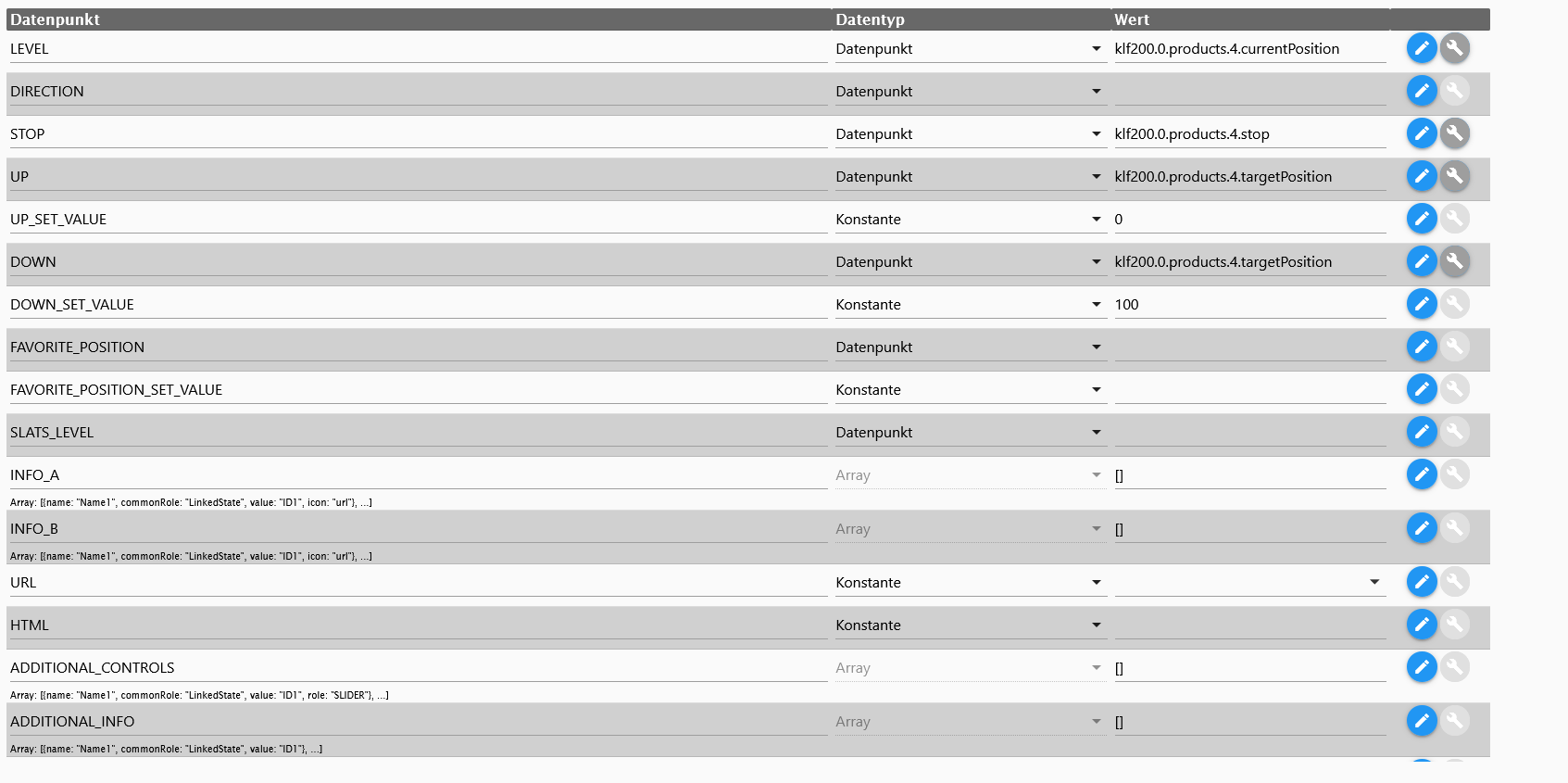
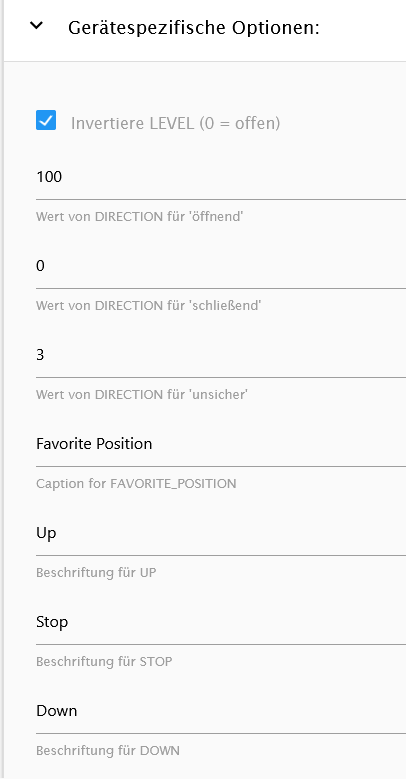
Ist der Rolladen geöffnet und ich drücke auf das Symbol des Rolladen, wird dieser geschlossen.. Wenn der Rolladen geschlossen ist und ich den Knopf drücke wird dieser jedoch nicht geöffnet.
Bei den Shelly Rolladen funktioniert alles problemlos. Was kann ich dagegen tun?
Grüße :)
-
@da_Woody sagte in Test Adapter iQontrol 1.5.x:
@SabineT nicht so ganz wenn ich mir das so durchlese...
Beschreibung:
This is a flot-chart widget. It will display the history of the datapoint linked to STATE or LEVEL. You need to have a history adapter up and running and the linked Datapoint needs to be logged to get this working!Das ist schon klar, nur wird die Leistung eben weder in STATE noch in LEVEL geliefert. Aber @s-bormann hat schon geschrieben, dass er das bei Gelegenheit einbauen wird.
@SabineT sagte in Test Adapter iQontrol 1.5.x:
@da_Woody sagte in Test Adapter iQontrol 1.5.x:
@SabineT nicht so ganz wenn ich mir das so durchlese...
Beschreibung:
This is a flot-chart widget. It will display the history of the datapoint linked to STATE or LEVEL. You need to have a history adapter up and running and the linked Datapoint needs to be logged to get this working!Das ist schon klar, nur wird die Leistung eben weder in STATE noch in LEVEL geliefert. Aber @s-bormann hat schon geschrieben, dass er das bei Gelegenheit einbauen wird.
Hi, probiere mal die aktuelle Github-Version, da kann man jetzt beim Hinzufügen des Widgets auch einen externen Datenpunkt eingeben (muss ein kompletter Pfad sein, also z.B. zigbee.0.irgendwas.power).
-
@SabineT sagte in Test Adapter iQontrol 1.5.x:
@da_Woody sagte in Test Adapter iQontrol 1.5.x:
@SabineT nicht so ganz wenn ich mir das so durchlese...
Beschreibung:
This is a flot-chart widget. It will display the history of the datapoint linked to STATE or LEVEL. You need to have a history adapter up and running and the linked Datapoint needs to be logged to get this working!Das ist schon klar, nur wird die Leistung eben weder in STATE noch in LEVEL geliefert. Aber @s-bormann hat schon geschrieben, dass er das bei Gelegenheit einbauen wird.
Hi, probiere mal die aktuelle Github-Version, da kann man jetzt beim Hinzufügen des Widgets auch einen externen Datenpunkt eingeben (muss ein kompletter Pfad sein, also z.B. zigbee.0.irgendwas.power).
@s-bormann Ich getraue mich fast nicht zu fragen, weil es wahrscheinlich so trivial ist. Ich arbeite zwar seit 1,5 Jahren mit iqontrol und habe zig Ansichten (die ganzen Listen von DSLRaser, Wetter usw.) und jetzt scheitere ich am anzeigen eines Text-States in einer Kachel. Geht es nur per html eine Kachel zu befüllen? Ich schreibe mit einem Blockly (thx @paul53 ) den Status wo sich meine Katze befindet in einen Userdata-State ("Katze da", "Katze weg" als Text).
Kann ich diese Infos nicht in die Kachel reinschreiben (ohne öffnen, irgendwelche Aktionen usw.)? -
@s-bormann Ich getraue mich fast nicht zu fragen, weil es wahrscheinlich so trivial ist. Ich arbeite zwar seit 1,5 Jahren mit iqontrol und habe zig Ansichten (die ganzen Listen von DSLRaser, Wetter usw.) und jetzt scheitere ich am anzeigen eines Text-States in einer Kachel. Geht es nur per html eine Kachel zu befüllen? Ich schreibe mit einem Blockly (thx @paul53 ) den Status wo sich meine Katze befindet in einen Userdata-State ("Katze da", "Katze weg" als Text).
Kann ich diese Infos nicht in die Kachel reinschreiben (ohne öffnen, irgendwelche Aktionen usw.)?@DocGame sagte in Test Adapter iQontrol 1.5.x:
Kann ich diese Infos nicht in die Kachel reinschreiben (ohne öffnen, irgendwelche Aktionen usw.)?
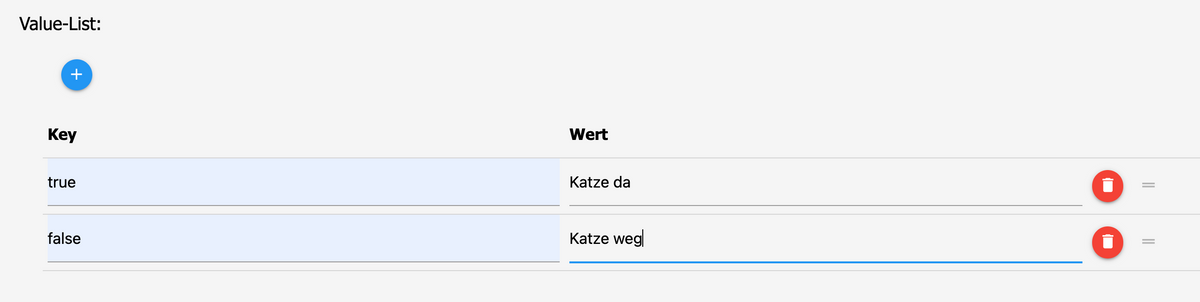
wenn das z.B. ein boolean ist, dann einfach über den Schraubenschlüssel.
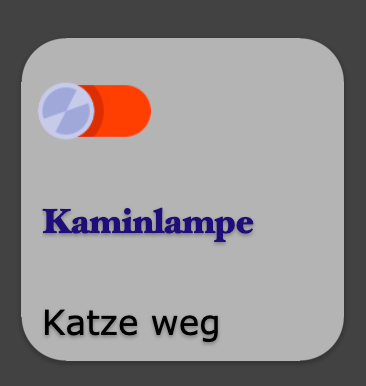
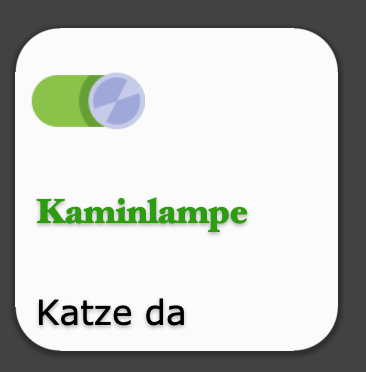
Edit: da ganz rechts

-
@DocGame sagte in Test Adapter iQontrol 1.5.x:
Kann ich diese Infos nicht in die Kachel reinschreiben (ohne öffnen, irgendwelche Aktionen usw.)?
wenn das z.B. ein boolean ist, dann einfach über den Schraubenschlüssel.
Edit: da ganz rechts
-
@dslraser Mein Gott... Die Value-Liste. Das ich da nicht mehr drauf gekommen bin. Hab ich doch schon bei anderen Projekten verwendet.
Danke, das du mir vom Schlauch auf dem ich gestanden habe runter geholfen hast. :kissing_closed_eyes:Hi,
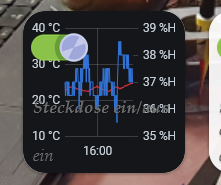
ich hab mir ein Skript erstellt, das die Anzahl meiner Zigbee Sensoren zählt die offline sind. Die Anzahl wird in einen Datenpunkt geschrieben und in einen zusätzlichen Datenpunkt die Namen der Sensoren.
Ich würde mir gerne auf einer Kachel die Anzahl anzeigen lassen und beim Klick auf die Kachel soll die Liste angezeigt werden. Ersteres hab ich hinbekommen, zweiteres noch nicht so richtig. Mir wird da dann der Slider mit dem Wert der Sensoren angezeigt und erst wenn ich auf "weitere Informationen" klicke kommt die Liste".
Wie stelle ich das am besten an, das gleich die Liste kommt?




Support us
305
Online32.6k
Users82.3k
Topics1.3m
Posts