Skip to content
  • Home
  • Recent
  • Tags
  • 0 Unread 0
  • Categories
  • Unreplied
  • Popular
  • GitHub
  • Docu
  • Hilfe
Skins
  • Light
  • Brite
  • Cerulean
  • Cosmo
  • Flatly
  • Journal
  • Litera
  • Lumen
  • Lux
  • Materia
  • Minty
  • Morph
  • Pulse
  • Sandstone
  • Simplex
  • Sketchy
  • Spacelab
  • United
  • Yeti
  • Zephyr
  • Dark
  • Cyborg
  • Darkly
  • Quartz
  • Slate
  • Solar
  • Superhero
  • Vapor

  • Default (No Skin)
  • No Skin
Collapse
ioBroker Logo

Community Forum

donate donate
  1. ioBroker Community Home
  2. Deutsch
  3. Tester
  4. Test Adapter SourceAnalytix v0.2.x

NEWS

  • Jahresrückblick 2025 – unser neuer Blogbeitrag ist online! ✨
    BluefoxB
    Bluefox
    16
    1
    1.9k

  • Neuer Blogbeitrag: Monatsrückblick - Dezember 2025 🎄
    BluefoxB
    Bluefox
    13
    1
    910

  • Weihnachtsangebot 2025! 🎄
    BluefoxB
    Bluefox
    25
    1
    2.2k

Test Adapter SourceAnalytix v0.2.x

Scheduled Pinned Locked Moved Tester
adaptertest
958 Posts 103 Posters 301.2k Views 71 Watching
  • Oldest to Newest
  • Newest to Oldest
  • Most Votes
Reply
  • Reply as topic
Log in to reply
This topic has been deleted. Only users with topic management privileges can see it.
  • DutchmanD Offline
    DutchmanD Offline
    Dutchman
    Developer Most Active Administrators
    wrote on last edited by
    #192

    @Kueppert:

    Wow dutch, Respekt. Da ich nun auch node 8 drauf habe, werde ich den Adapter wegen der tuya Dosen auch Mal in Angriff nehmen ;) `

    gerade bemerkt das ich 2 kleine Sachen vergessen habe, ist funktional aber kein problem… Es wird noch ne minor 0.2.1 kommen heute aber lasst euch bitte nicht abhalten ich brauche feedback damit ich issues abarbeiten kann ! :mrgreen:

    1 Reply Last reply
    0
    • Homer.J.H Offline
      Homer.J.H Offline
      Homer.J.
      wrote on last edited by
      #193

      Hallo Dutchman,

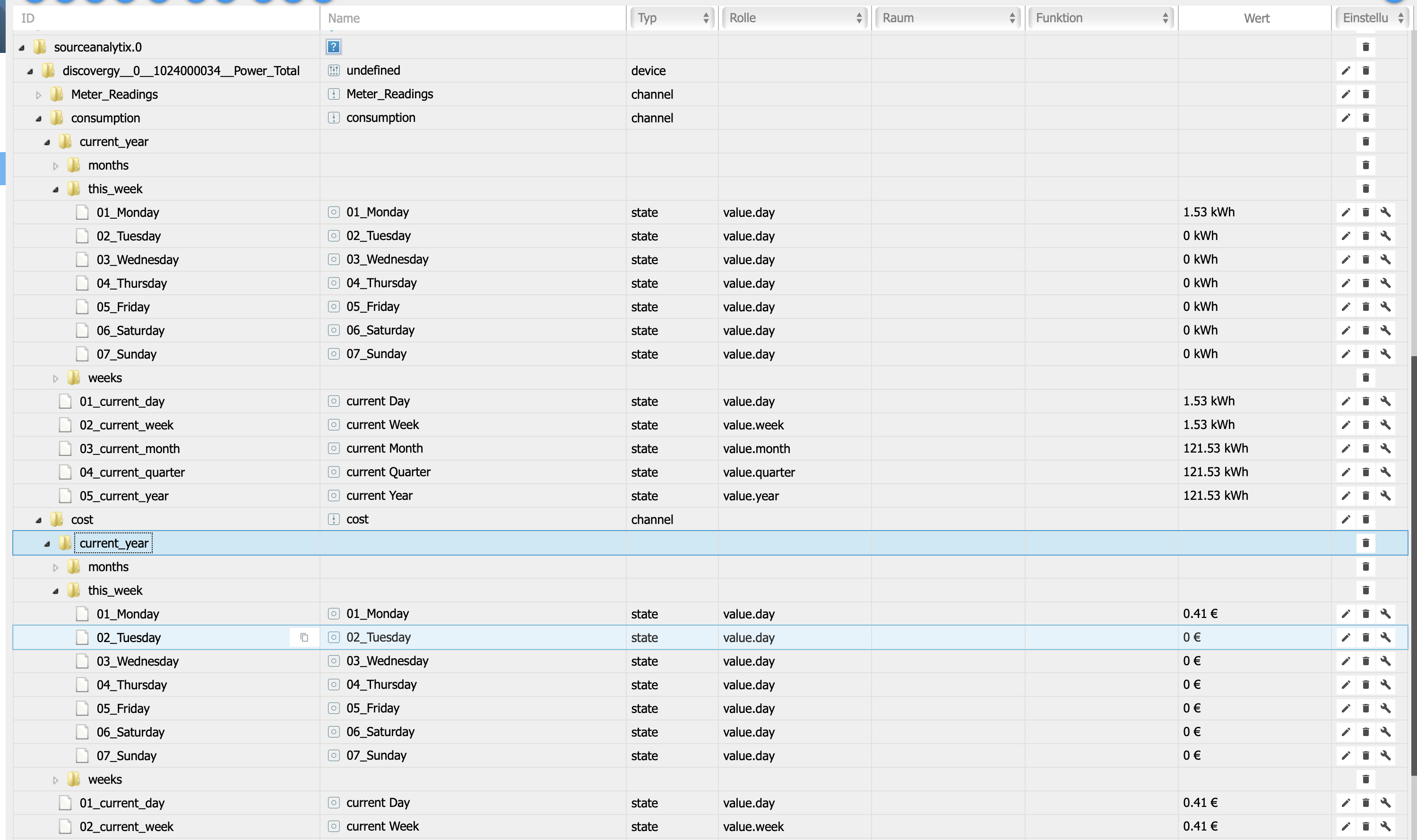
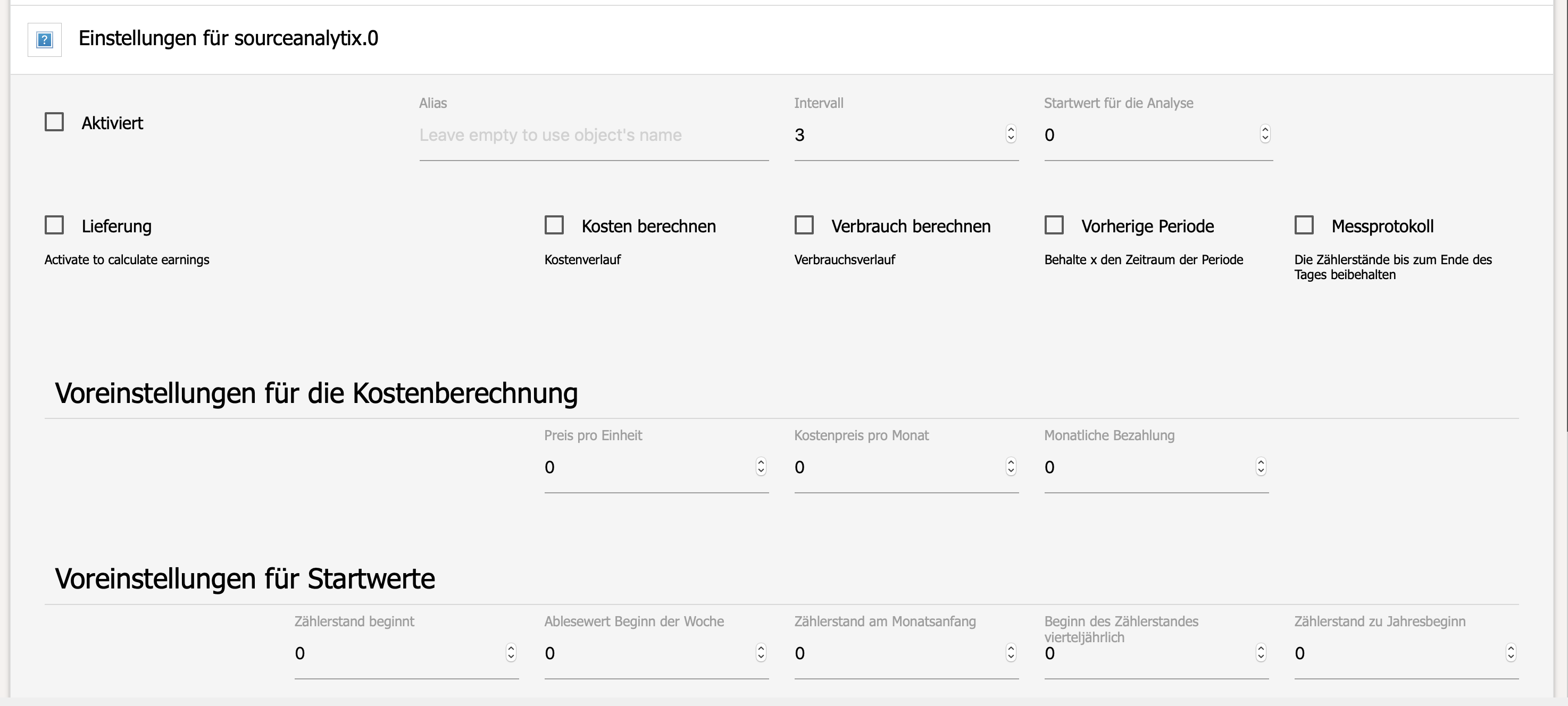
      Es wird keine Tagesvariable bei mir angelegt.

      Grüße
      5373_3cc833e7-3c58-4817-a6a8-2e27e05fb7b1.png

      1 Reply Last reply
      0
      • IssiI Offline
        IssiI Offline
        Issi
        Developer
        wrote on last edited by
        #194

        ja bei mir auch nicht berechnen tut er sie aber und es kommen bei mir immer solche Meldungen

        sourceanalytix.0	2019-01-20 17:14:57.061	info	state : zigbee.0.00158d000237acf1.no_motion removed from SourceAnalytix
        sourceanalytix.0	2019-01-20 17:14:55.920	info	state : netatmo.0.Büro-Alex.Außensensor removed from SourceAnalytix
        sourceanalytix.0	2019-01-20 17:14:55.889	info	state : netatmo.0.Büro-Alex.Indoor removed from SourceAnalytix
        sourceanalytix.0	2019-01-20 17:14:52.437	info	state : zigbee.0.00124b0018ed36ae.state removed from SourceAnalytix
        sourceanalytix.0	2019-01-20 17:14:52.437	info	state : zigbee.0.00124b0018ed36ae.link_quality removed from SourceAnalytix
        sourceanalytix.0	2019-01-20 17:14:52.437	info	state : zigbee.0.00124b0018ed36ae.link_quality removed from SourceAnalytix
        sourceanalytix.0	2019-01-20 17:14:47.033	info	state : zigbee.0.00158d000237acf1.no_motion removed from SourceAnalytix
        sourceanalytix.0	2019-01-20 17:14:37.020	info	state : zigbee.0.00158d000237acf1.no_motion removed from SourceAnalytix 
        

        Bitte benutzt das Voting rechts unten im Beitrag wenn er euch geholfen hat.

        1 Reply Last reply
        0
        • DutchmanD Offline
          DutchmanD Offline
          Dutchman
          Developer Most Active Administrators
          wrote on last edited by
          #195

          @Homer1976:

          Hallo Dutchman,

          Es wird keine Tagesvariable bei mir angelegt.

          Grüße `

          issue : https://github.com/iobroker-community-a … /issues/25

          fix : https://github.com/iobroker-community-a ... fc98ef4c29

          bitte nochmal von GitHub installieren ! Danke

          1 Reply Last reply
          0
          • DutchmanD Offline
            DutchmanD Offline
            Dutchman
            Developer Most Active Administrators
            wrote on last edited by
            #196

            @Issi:

            ja bei mir auch nicht berechnen tut er sie aber und es kommen bei mir immer solche Meldungen

            sourceanalytix.0	2019-01-20 17:14:57.061	info	state : zigbee.0.00158d000237acf1.no_motion removed from SourceAnalytix
            sourceanalytix.0	2019-01-20 17:14:55.920	info	state : netatmo.0.Büro-Alex.Außensensor removed from SourceAnalytix
            sourceanalytix.0	2019-01-20 17:14:55.889	info	state : netatmo.0.Büro-Alex.Indoor removed from SourceAnalytix
            sourceanalytix.0	2019-01-20 17:14:52.437	info	state : zigbee.0.00124b0018ed36ae.state removed from SourceAnalytix
            sourceanalytix.0	2019-01-20 17:14:52.437	info	state : zigbee.0.00124b0018ed36ae.link_quality removed from SourceAnalytix
            sourceanalytix.0	2019-01-20 17:14:52.437	info	state : zigbee.0.00124b0018ed36ae.link_quality removed from SourceAnalytix
            sourceanalytix.0	2019-01-20 17:14:47.033	info	state : zigbee.0.00158d000237acf1.no_motion removed from SourceAnalytix
            sourceanalytix.0	2019-01-20 17:14:37.020	info	state : zigbee.0.00158d000237acf1.no_motion removed from SourceAnalytix 
            ```` `  
            

            Danke ! : https://github.com/iobroker-community-a … /issues/26

            hohle ich in 0.2.1 raus

            1 Reply Last reply
            0
            • Homer.J.H Offline
              Homer.J.H Offline
              Homer.J.
              wrote on last edited by
              #197

              @Dutchman:

              @Homer1976:

              Hallo Dutchman,

              Es wird keine Tagesvariable bei mir angelegt.

              Grüße `

              issue : https://github.com/iobroker-community-a … /issues/25

              fix : https://github.com/iobroker-community-a ... fc98ef4c29

              bitte nochmal von GitHub installieren ! Danke `

              Funktioniert.

              Grüße

              1 Reply Last reply
              0
              • K Offline
                K Offline
                Kueppert
                wrote on last edited by
                #198

                @Kueppert:

                Wow dutch, Respekt. Da ich nun auch node 8 drauf habe, werde ich den Adapter wegen der tuya Dosen auch Mal in Angriff nehmen ;)

                Gesendet von meinem HUAWEI RIO-L01 mit Tapatalk ` Beim tuya Adapter wird der Wert aktuell in Watt ausgegeben. Wird aktuell gem. Log noch nicht unterstützt.

                Möchte nicht extra Skripte bauen, daher warte ich noch was… :)

                Gesendet von meinem HUAWEI RIO-L01 mit Tapatalk

                UDM Pro, Intel NUC - ioBroker in Proxmox-VM, PiHole+Grafana&Influx+TasmoAdmin in LXCs, Raspberry Pi3 (als CCU), Zigbee-Stick Sonoff, Synology DS918+

                1 Reply Last reply
                0
                • DutchmanD Offline
                  DutchmanD Offline
                  Dutchman
                  Developer Most Active Administrators
                  wrote on last edited by
                  #199

                  @Kueppert:

                  @Kueppert:

                  Wow dutch, Respekt. Da ich nun auch node 8 drauf habe, werde ich den Adapter wegen der tuya Dosen auch Mal in Angriff nehmen ;)

                  Gesendet von meinem HUAWEI RIO-L01 mit Tapatalk ` Beim tuya Adapter wird der Wert aktuell in Watt ausgegeben. Wird aktuell gem. Log noch nicht unterstützt.

                  Möchte nicht extra Skripte bauen, daher warte ich noch was… :) `

                  Dan kannste am besten Statistic Adapter benutzen um W nach Wh um zu rechnen.

                  Weiß noch nicht ob ich das hier integrieren kann/werde also bis Version 0.5 werden nach jetzigen Plan nur Energy Werte unterstützt und nicht Lasten.

                  Ich checke Mal intern warum tuya das nicht liefert

                  Edit : nicht möglich mit tuya die Geräte liefern keine wH bzw kWh Daten.

                  App kann es anzeigen weil die Geräte Werte an die Cloud schicken welche es berechnet.

                  Sent from my iPhone using Tapatalk

                  1 Reply Last reply
                  0
                  • F Offline
                    F Offline
                    FriMatze
                    wrote on last edited by
                    #200

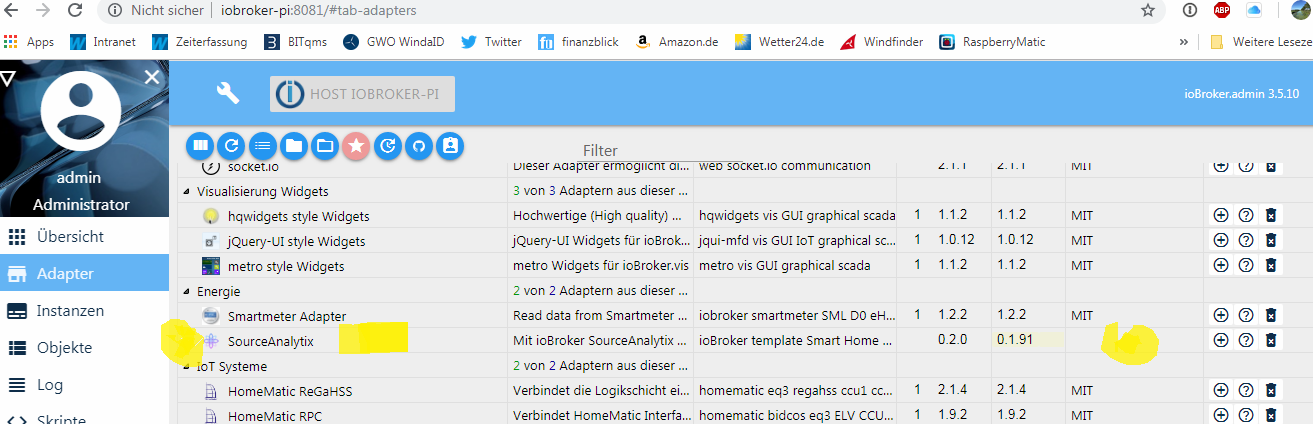
                    Hey, ich brauche jetzt wirklich mal eure Hilfe. Folgendes. Habe den Rat angenommen und vor der Installation von 0.2.0 alles wieder herunter geworfen; 0.1.6 war installiert. Dann Version 0.2.0 installiert. Die Installation läuft soweit ich das sehen kann ohne Probleme durch, siehe Bild. Nach der Installation kann ich unter den installierten Adaptern sehen das der SourceAnalytix Adapater 0.2.0 installiert wurde, aber unter Instanzen kann ich ihn nicht sehen.

                    Was ist hier los :?: Check ich nicht :!:
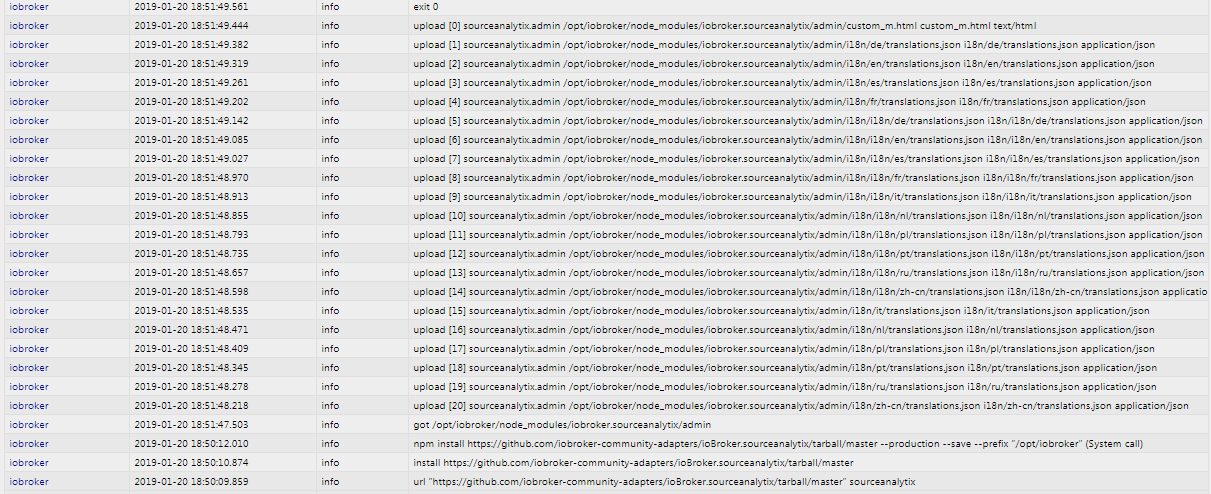
                    3311_3.png 3311_1.png 3311_2.png

                    1 Reply Last reply
                    0
                    • K Offline
                      K Offline
                      Kueppert
                      wrote on last edited by
                      #201

                      @FriMatze:

                      Hey, ich brauche jetzt wirklich mal eure Hilfe. Folgendes. Habe den Rat angenommen und vor der Installation von 0.2.0 alles wieder herunter geworfen; 0.1.6 war installiert. Dann Version 0.2.0 installiert. Die Installation läuft soweit ich das sehen kann ohne Probleme durch, siehe Bild. Nach der Installation kann ich unter den installierten Adaptern sehen das der SourceAnalytix Adapater 0.2.0 installiert wurde, aber unter Instanzen kann ich ihn nicht sehen.

                      Was ist hier los :?: Check ich nicht :!:
                      filename="3.png" index="0">~~ filename="1.png" index="2">~~ filename="2.png" index="1">~~ ` Hast ein Upload gemacht?

                      Gesendet von meinem HUAWEI RIO-L01 mit Tapatalk

                      UDM Pro, Intel NUC - ioBroker in Proxmox-VM, PiHole+Grafana&Influx+TasmoAdmin in LXCs, Raspberry Pi3 (als CCU), Zigbee-Stick Sonoff, Synology DS918+

                      1 Reply Last reply
                      0
                      • K Offline
                        K Offline
                        Kueppert
                        wrote on last edited by
                        #202

                        @Dutchman:

                        @Kueppert:

                        @Kueppert:

                        Wow dutch, Respekt. Da ich nun auch node 8 drauf habe, werde ich den Adapter wegen der tuya Dosen auch Mal in Angriff nehmen ;)

                        Gesendet von meinem HUAWEI RIO-L01 mit Tapatalk ` Beim tuya Adapter wird der Wert aktuell in Watt ausgegeben. Wird aktuell gem. Log noch nicht unterstützt.

                        Möchte nicht extra Skripte bauen, daher warte ich noch was… :) `

                        Dan kannste am besten Statistic Adapter benutzen um W nach Wh um zu rechnen.

                        Weiß noch nicht ob ich das hier integrieren kann/werde also bis Version 0.5 werden nach jetzigen Plan nur Energy Werte unterstützt und nicht Lasten.

                        Ich checke Mal intern warum tuya das nicht liefert

                        Edit : nicht möglich mit tuya die Geräte liefern keine wH bzw kWh Daten.

                        App kann es anzeigen weil die Geräte Werte an die Cloud schicken welche es berechnet.

                        Sent from my iPhone using Tapatalk ` Alles klar dutch,

                        dann mache ich den auch drauf und teste das über den Weg.

                        Wird Zeit für js1.6 und der Möglichkeit, mit compact RAM zu sparen langsam :D

                        Gesendet von meinem HUAWEI RIO-L01 mit Tapatalk

                        UDM Pro, Intel NUC - ioBroker in Proxmox-VM, PiHole+Grafana&Influx+TasmoAdmin in LXCs, Raspberry Pi3 (als CCU), Zigbee-Stick Sonoff, Synology DS918+

                        1 Reply Last reply
                        0
                        • DutchmanD Offline
                          DutchmanD Offline
                          Dutchman
                          Developer Most Active Administrators
                          wrote on last edited by
                          #203

                          @Kueppert:

                          @FriMatze:

                          Was ist hier los :?: Check ich nicht :!: `

                          Wen man über git installiert wird nie eine Instanzen erzeugt, das passiert nur bei Installationen aus dem Admin.

                          Also immer Manuel erstellen bzw Uploaden

                          Sent from my iPhone using Tapatalk `

                          1 Reply Last reply
                          0
                          • F Offline
                            F Offline
                            FriMatze
                            wrote on last edited by
                            #204

                            Mögt ihr mir eben fix schreiben was ich genau machen muss?

                            ich denke putty… cd /opt / iobroker und dann?

                            1 Reply Last reply
                            0
                            • IssiI Offline
                              IssiI Offline
                              Issi
                              Developer
                              wrote on last edited by
                              #205

                              @FriMatze:

                              Hey, ich brauche jetzt wirklich mal eure Hilfe. Folgendes. Habe den Rat angenommen und vor der Installation von 0.2.0 alles wieder herunter geworfen; 0.1.6 war installiert. Dann Version 0.2.0 installiert. Die Installation läuft soweit ich das sehen kann ohne Probleme durch, siehe Bild. Nach der Installation kann ich unter den installierten Adaptern sehen das der SourceAnalytix Adapater 0.2.0 installiert wurde, aber unter Instanzen kann ich ihn nicht sehen.

                              Was ist hier los :?: Check ich nicht :!:
                              3.png1.png2.png `

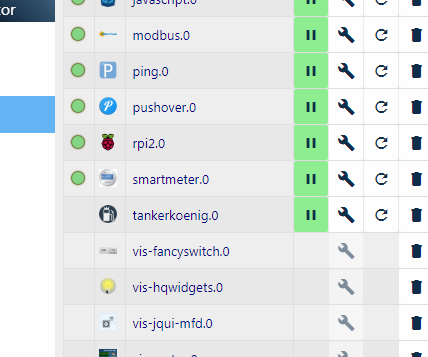
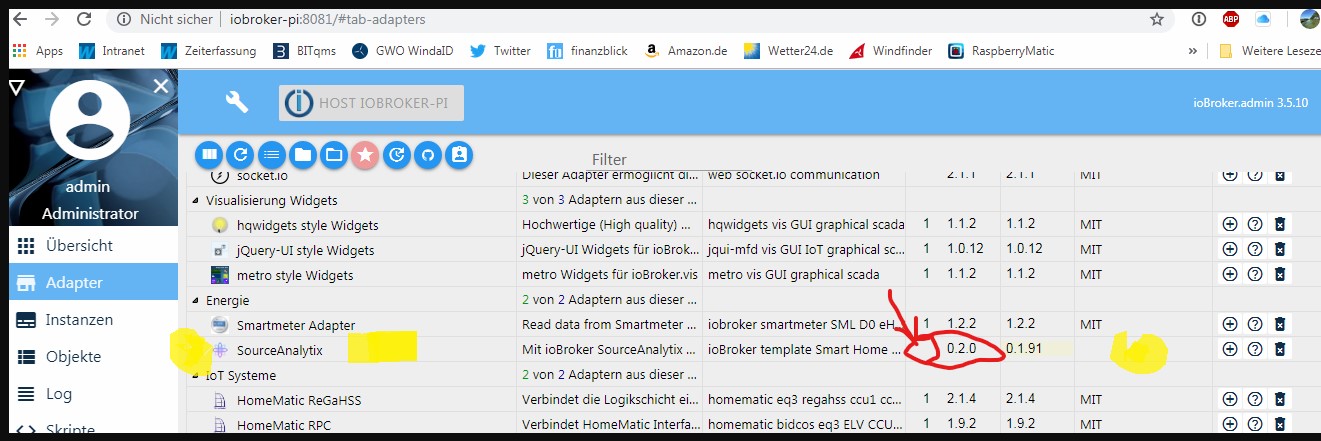
                              es siecht so aus als hättest du ihn nur in den iobroker geladen aber noch nicht installiert
                              9343__b7402c97-baa6-4ce6-b4ab-5ea36f193f80_.png.jpg
                              da fehlt die 1 davor
                              9343__bd92103d-50cb-4051-a715-fc4f22fed9b5_.png.jpg
                              einfach mal mit dem + installieren

                              Bitte benutzt das Voting rechts unten im Beitrag wenn er euch geholfen hat.

                              1 Reply Last reply
                              0
                              • F Offline
                                F Offline
                                FriMatze
                                wrote on last edited by
                                #206

                                Ach Mann….was blöd von mir. Hätte ich das mal morgen gemacht :) Danke euch :)

                                1 Reply Last reply
                                0
                                • bahnuhrB Online
                                  bahnuhrB Online
                                  bahnuhr
                                  Forum Testing Most Active
                                  wrote on last edited by
                                  #207

                                  so, 0.2.0 installiert.

                                  Fehlermeldungen sind weg.

                                  Objekte vom smartmeter werden angelegt.

                                  Aber…....

                                  Ich bekomme jetzt im log Meldungen bzgl. rpi ????

                                  sourceanalytix.0	2019-01-20 20:29:49.823	info	state : rpi2.0.wlan removed from SourceAnalytix
                                  sourceanalytix.0	2019-01-20 20:29:49.823	info	state : rpi2.0.uptime removed from SourceAnalytix
                                  sourceanalytix.0	2019-01-20 20:29:49.823	info	state : rpi2.0.temperature removed from SourceAnalytix
                                  sourceanalytix.0	2019-01-20 20:29:49.823	info	state : rpi2.0.swap removed from SourceAnalytix
                                  sourceanalytix.0	2019-01-20 20:29:49.823	info	state : rpi2.0.sdcard removed from SourceAnalytix
                                  sourceanalytix.0	2019-01-20 20:29:49.823	info	state : rpi2.0.network removed from SourceAnalytix
                                  sourceanalytix.0	2019-01-20 20:29:49.823	info	state : rpi2.0.memory removed from SourceAnalytix
                                  sourceanalytix.0	2019-01-20 20:29:49.823	info	state : rpi2.0.raspberry removed from SourceAnalytix
                                  sourceanalytix.0	2019-01-20 20:29:49.807	info	state : rpi2.0.cpu removed from SourceAnalytix
                                  sourceanalytix.0	2019-01-20 20:29:39.243	info	state : rpi2.0.wlan removed from SourceAnalytix
                                  sourceanalytix.0	2019-01-20 20:29:39.243	info	state : rpi2.0.uptime removed from SourceAnalytix
                                  sourceanalytix.0	2019-01-20 20:29:39.243	info	state : rpi2.0.temperature removed from SourceAnalytix
                                  sourceanalytix.0	2019-01-20 20:29:39.243	info	state : rpi2.0.swap removed from SourceAnalytix
                                  sourceanalytix.0	2019-01-20 20:29:39.243	info	state : rpi2.0.sdcard removed from SourceAnalytix
                                  sourceanalytix.0	2019-01-20 20:29:39.243	info	state : rpi2.0.network removed from SourceAnalytix
                                  sourceanalytix.0	2019-01-20 20:29:39.243	info	state : rpi2.0.memory removed from SourceAnalytix
                                  sourceanalytix.0	2019-01-20 20:29:39.243	info	state : rpi2.0.raspberry removed from SourceAnalytix
                                  sourceanalytix.0	2019-01-20 20:29:39.227	info	state : rpi2.0.cpu removed from SourceAnalytix
                                  sourceanalytix.0	2019-01-20 20:29:38.641	info	state : rpi2.0.wlan removed from SourceAnalytix
                                  sourceanalytix.0	2019-01-20 20:29:38.641	info	state : rpi2.0.uptime removed from SourceAnalytix
                                  sourceanalytix.0	2019-01-20 20:29:38.641	info	state : rpi2.0.temperature removed from SourceAnalytix
                                  sourceanalytix.0	2019-01-20 20:29:38.641	info	state : rpi2.0.swap removed from SourceAnalytix
                                  sourceanalytix.0	2019-01-20 20:29:38.641	info	state : rpi2.0.sdcard removed from SourceAnalytix
                                  sourceanalytix.0	2019-01-20 20:29:38.641	info	state : rpi2.0.network removed from SourceAnalytix
                                  sourceanalytix.0	2019-01-20 20:29:38.641	info	state : rpi2.0.memory removed from SourceAnalytix
                                  sourceanalytix.0	2019-01-20 20:29:38.641	info	state : rpi2.0.raspberry removed from SourceAnalytix
                                  sourceanalytix.0	2019-01-20 20:29:38.625	info	state : rpi2.0.cpu removed from SourceAnalytix
                                  

                                  Damit habe ich aber gar nichts gemacht !!

                                  Und bei den Objekten von rpi sehe ich auch nichts.

                                  Bitte klären.

                                  Danke.


                                  Wenn ich helfen konnte, dann Daumen hoch (Pfeil nach oben)!
                                  Danke.
                                  gute Forenbeiträge: https://forum.iobroker.net/topic/51555/hinweise-f%C3%BCr-gute-forenbeitr%C3%A4ge
                                  ScreenToGif :https://www.screentogif.com/downloads.html

                                  1 Reply Last reply
                                  0
                                  • bahnuhrB Online
                                    bahnuhrB Online
                                    bahnuhr
                                    Forum Testing Most Active
                                    wrote on last edited by
                                    #208

                                    Nachtrag:

                                    Und diese Meldung erscheint alle paar Sekunden im log.


                                    Wenn ich helfen konnte, dann Daumen hoch (Pfeil nach oben)!
                                    Danke.
                                    gute Forenbeiträge: https://forum.iobroker.net/topic/51555/hinweise-f%C3%BCr-gute-forenbeitr%C3%A4ge
                                    ScreenToGif :https://www.screentogif.com/downloads.html

                                    1 Reply Last reply
                                    0
                                    • IssiI Offline
                                      IssiI Offline
                                      Issi
                                      Developer
                                      wrote on last edited by
                                      #209

                                      @bahnuhr:

                                      so, 0.2.0 installiert.

                                      Fehlermeldungen sind weg.

                                      Objekte vom smartmeter werden angelegt.

                                      Aber…....

                                      Ich bekomme jetzt im log Meldungen bzgl. rpi ????

                                      sourceanalytix.0	2019-01-20 20:29:49.823	info	state : rpi2.0.wlan removed from SourceAnalytix
                                      sourceanalytix.0	2019-01-20 20:29:49.823	info	state : rpi2.0.uptime removed from SourceAnalytix
                                      sourceanalytix.0	2019-01-20 20:29:49.823	info	state : rpi2.0.temperature removed from SourceAnalytix
                                      sourceanalytix.0	2019-01-20 20:29:49.823	info	state : rpi2.0.swap removed from SourceAnalytix
                                      sourceanalytix.0	2019-01-20 20:29:49.823	info	state : rpi2.0.sdcard removed from SourceAnalytix
                                      sourceanalytix.0	2019-01-20 20:29:49.823	info	state : rpi2.0.network removed from SourceAnalytix
                                      sourceanalytix.0	2019-01-20 20:29:49.823	info	state : rpi2.0.memory removed from SourceAnalytix
                                      sourceanalytix.0	2019-01-20 20:29:49.823	info	state : rpi2.0.raspberry removed from SourceAnalytix
                                      sourceanalytix.0	2019-01-20 20:29:49.807	info	state : rpi2.0.cpu removed from SourceAnalytix
                                      sourceanalytix.0	2019-01-20 20:29:39.243	info	state : rpi2.0.wlan removed from SourceAnalytix
                                      sourceanalytix.0	2019-01-20 20:29:39.243	info	state : rpi2.0.uptime removed from SourceAnalytix
                                      sourceanalytix.0	2019-01-20 20:29:39.243	info	state : rpi2.0.temperature removed from SourceAnalytix
                                      sourceanalytix.0	2019-01-20 20:29:39.243	info	state : rpi2.0.swap removed from SourceAnalytix
                                      sourceanalytix.0	2019-01-20 20:29:39.243	info	state : rpi2.0.sdcard removed from SourceAnalytix
                                      sourceanalytix.0	2019-01-20 20:29:39.243	info	state : rpi2.0.network removed from SourceAnalytix
                                      sourceanalytix.0	2019-01-20 20:29:39.243	info	state : rpi2.0.memory removed from SourceAnalytix
                                      sourceanalytix.0	2019-01-20 20:29:39.243	info	state : rpi2.0.raspberry removed from SourceAnalytix
                                      sourceanalytix.0	2019-01-20 20:29:39.227	info	state : rpi2.0.cpu removed from SourceAnalytix
                                      sourceanalytix.0	2019-01-20 20:29:38.641	info	state : rpi2.0.wlan removed from SourceAnalytix
                                      sourceanalytix.0	2019-01-20 20:29:38.641	info	state : rpi2.0.uptime removed from SourceAnalytix
                                      sourceanalytix.0	2019-01-20 20:29:38.641	info	state : rpi2.0.temperature removed from SourceAnalytix
                                      sourceanalytix.0	2019-01-20 20:29:38.641	info	state : rpi2.0.swap removed from SourceAnalytix
                                      sourceanalytix.0	2019-01-20 20:29:38.641	info	state : rpi2.0.sdcard removed from SourceAnalytix
                                      sourceanalytix.0	2019-01-20 20:29:38.641	info	state : rpi2.0.network removed from SourceAnalytix
                                      sourceanalytix.0	2019-01-20 20:29:38.641	info	state : rpi2.0.memory removed from SourceAnalytix
                                      sourceanalytix.0	2019-01-20 20:29:38.641	info	state : rpi2.0.raspberry removed from SourceAnalytix
                                      sourceanalytix.0	2019-01-20 20:29:38.625	info	state : rpi2.0.cpu removed from SourceAnalytix
                                      

                                      Damit habe ich aber gar nichts gemacht !!

                                      Und bei den Objekten von rpi sehe ich auch nichts.

                                      Bitte klären.

                                      Danke. `

                                      das ist bereits bekannt und ist in arbeit

                                      @Dutchman:

                                      @Issi:

                                      ja bei mir auch nicht berechnen tut er sie aber und es kommen bei mir immer solche Meldungen

                                      sourceanalytix.0	2019-01-20 17:14:57.061	info	state : zigbee.0.00158d000237acf1.no_motion removed from SourceAnalytix
                                      sourceanalytix.0	2019-01-20 17:14:55.920	info	state : netatmo.0.Büro-Alex.Außensensor removed from SourceAnalytix
                                      sourceanalytix.0	2019-01-20 17:14:55.889	info	state : netatmo.0.Büro-Alex.Indoor removed from SourceAnalytix
                                      sourceanalytix.0	2019-01-20 17:14:52.437	info	state : zigbee.0.00124b0018ed36ae.state removed from SourceAnalytix
                                      sourceanalytix.0	2019-01-20 17:14:52.437	info	state : zigbee.0.00124b0018ed36ae.link_quality removed from SourceAnalytix
                                      sourceanalytix.0	2019-01-20 17:14:52.437	info	state : zigbee.0.00124b0018ed36ae.link_quality removed from SourceAnalytix
                                      sourceanalytix.0	2019-01-20 17:14:47.033	info	state : zigbee.0.00158d000237acf1.no_motion removed from SourceAnalytix
                                      sourceanalytix.0	2019-01-20 17:14:37.020	info	state : zigbee.0.00158d000237acf1.no_motion removed from SourceAnalytix 
                                      ```` `  
                                      

                                      Danke ! : https://github.com/iobroker-community-a … /issues/26

                                      hohle ich in 0.2.1 raus `
                                      setze den Adapter im loglevel auf warn dann siehst du es nicht mehr

                                      Bitte benutzt das Voting rechts unten im Beitrag wenn er euch geholfen hat.

                                      1 Reply Last reply
                                      0
                                      • bahnuhrB Online
                                        bahnuhrB Online
                                        bahnuhr
                                        Forum Testing Most Active
                                        wrote on last edited by
                                        #210

                                        Danke für die Info und deine Arbeit.

                                        Klasse.


                                        Wenn ich helfen konnte, dann Daumen hoch (Pfeil nach oben)!
                                        Danke.
                                        gute Forenbeiträge: https://forum.iobroker.net/topic/51555/hinweise-f%C3%BCr-gute-forenbeitr%C3%A4ge
                                        ScreenToGif :https://www.screentogif.com/downloads.html

                                        1 Reply Last reply
                                        0
                                        • bahnuhrB Online
                                          bahnuhrB Online
                                          bahnuhr
                                          Forum Testing Most Active
                                          wrote on last edited by
                                          #211

                                          Nochwas ist mir aufgefallen.

                                          Wenn man bei den Objekten in die config geht, dann steht wieder alles auf Englisch.

                                          Also: save und cancel

                                          mfg


                                          Wenn ich helfen konnte, dann Daumen hoch (Pfeil nach oben)!
                                          Danke.
                                          gute Forenbeiträge: https://forum.iobroker.net/topic/51555/hinweise-f%C3%BCr-gute-forenbeitr%C3%A4ge
                                          ScreenToGif :https://www.screentogif.com/downloads.html

                                          1 Reply Last reply
                                          0
                                          Reply
                                          • Reply as topic
                                          Log in to reply
                                          • Oldest to Newest
                                          • Newest to Oldest
                                          • Most Votes


                                          Support us

                                          ioBroker
                                          Community Adapters
                                          Donate

                                          782

                                          Online

                                          32.6k

                                          Users

                                          82.2k

                                          Topics

                                          1.3m

                                          Posts
                                          Community
                                          Impressum | Datenschutz-Bestimmungen | Nutzungsbedingungen | Einwilligungseinstellungen
                                          ioBroker Community 2014-2025
                                          logo
                                          • Login

                                          • Don't have an account? Register

                                          • Login or register to search.
                                          • First post
                                            Last post
                                          0
                                          • Home
                                          • Recent
                                          • Tags
                                          • Unread 0
                                          • Categories
                                          • Unreplied
                                          • Popular
                                          • GitHub
                                          • Docu
                                          • Hilfe