




Update tr-064 Adapter
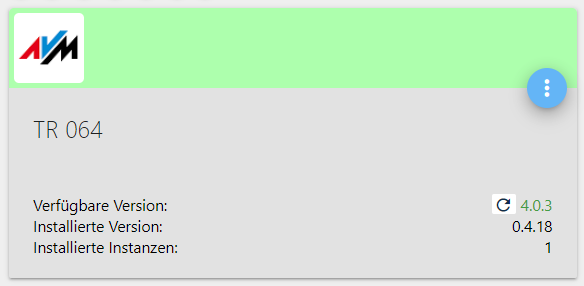
-
@Ralf
Ja, dann als Ralf einloggen.
root-login sollte tabu sein.
Als ralf dannsudo whoami -
Why sudo?
Using sudo is better (safer) than opening a session as root for a number of reasons, including:
Nobody needs to know the root password (sudo prompts for the current user's password). Extra privileges can be granted to individual users temporarily, and then taken away without the need for a password change.
It's easy to run only the commands that require special privileges via sudo; the rest of the time, you work as an unprivileged user, which reduces the damage that mistakes can cause.
Auditing/logging: when a sudo command is executed, the original username and the command are logged.
For the reasons above, switching to root using sudo -i (or sudo su) is usually deprecated because it cancels the above features.Und das ganze System inkl. des Rechtemanagement ist darauf ausgelegt mit sudo zu agieren.
-
Why sudo?
Using sudo is better (safer) than opening a session as root for a number of reasons, including:
Nobody needs to know the root password (sudo prompts for the current user's password). Extra privileges can be granted to individual users temporarily, and then taken away without the need for a password change.
It's easy to run only the commands that require special privileges via sudo; the rest of the time, you work as an unprivileged user, which reduces the damage that mistakes can cause.
Auditing/logging: when a sudo command is executed, the original username and the command are logged.
For the reasons above, switching to root using sudo -i (or sudo su) is usually deprecated because it cancels the above features.Und das ganze System inkl. des Rechtemanagement ist darauf ausgelegt mit sudo zu agieren.
@Thomas-Braun Adapter lässt sich nach wie vor nicht deinstallieren :
ralf@debian-iobroker:~$ sudo whoami root ralf@debian-iobroker:~$ iobroker del tr-064 Delete adapter "tr-064" npm uninstall iobroker.tr-064 --error --prefix "/opt/iobroker" (System call) npm WARN checkPermissions Missing write access to /opt/iobroker/node_modules/iobroker.tr-064/node_modules/array-ext npm WARN checkPermissions Missing write access to /opt/iobroker/node_modules/iobroker.tr-064/node_modules/dgram npm WARN checkPermissions Missing write access to /opt/iobroker/node_modules/iobroker.tr-064/node_modules/ip npm WARN checkPermissions Missing write access to /opt/iobroker/node_modules/iobroker.tr-064/node_modules/safe-buffer npm WARN checkPermissions Missing write access to /opt/iobroker/node_modules/iobroker.tr-064/node_modules/dns-packet npm WARN checkPermissions Missing write access to /opt/iobroker/node_modules/iobroker.tr-064/node_modules/sprintf-js npm WARN checkPermissions Missing write access to /opt/iobroker/node_modules/iobroker.tr-064/node_modules/soef npm WARN optional SKIPPING OPTIONAL DEPENDENCY: osx-temperature-sensor@^1.0.5 (node_modules/iobroker.info/node_modules/osx-temperature-sensor): npm WARN notsup SKIPPING OPTIONAL DEPENDENCY: Unsupported platform for osx-temperature-sensor@1.0.7: wanted {"os":"darwin","arch":"any"} (current: {"os":"linux","arch":"x64"}) npm WARN optional SKIPPING OPTIONAL DEPENDENCY: fsevents@~2.1.2 (node_modules/chokidar/node_modules/fsevents): npm WARN notsup SKIPPING OPTIONAL DEPENDENCY: Unsupported platform for fsevents@2.1.3: wanted {"os":"darwin","arch":"any"} (current: {"os":"linux","arch":"x64"}) npm ERR! code EACCES npm ERR! syscall access npm ERR! path /opt/iobroker/node_modules/iobroker.tr-064/node_modules/array-ext npm ERR! errno -13 npm ERR! Error: EACCES: permission denied, access '/opt/iobroker/node_modules/iobroker.tr-064/node_modules/array-ext' npm ERR! { [Error: EACCES: permission denied, access '/opt/iobroker/node_modules/iobroker.tr-064/node_modules/array-ext'] npm ERR! stack: npm ERR! 'Error: EACCES: permission denied, access \'/opt/iobroker/node_modules/iobroker.tr-064/node_modules/array-ext\'', npm ERR! errno: -13, npm ERR! code: 'EACCES', npm ERR! syscall: 'access', npm ERR! path: npm ERR! '/opt/iobroker/node_modules/iobroker.tr-064/node_modules/array-ext' } npm ERR! npm ERR! The operation was rejected by your operating system. npm ERR! It is likely you do not have the permissions to access this file as the current user npm ERR! npm ERR! If you believe this might be a permissions issue, please double-check the npm ERR! permissions of the file and its containing directories, or try running npm ERR! the command again as root/Administrator. npm ERR! A complete log of this run can be found in: npm ERR! /home/iobroker/.npm/_logs/2020-06-01T09_12_12_551Z-debug.log Error deleting adapter tr-064 from disk: Error: host.debian-iobroker: Cannot uninstall iobroker.tr-064: 243 You might have to delete it yourself! ralf@debian-iobroker:~$ -
@Thomas-Braun Adapter lässt sich nach wie vor nicht deinstallieren :
ralf@debian-iobroker:~$ sudo whoami root ralf@debian-iobroker:~$ iobroker del tr-064 Delete adapter "tr-064" npm uninstall iobroker.tr-064 --error --prefix "/opt/iobroker" (System call) npm WARN checkPermissions Missing write access to /opt/iobroker/node_modules/iobroker.tr-064/node_modules/array-ext npm WARN checkPermissions Missing write access to /opt/iobroker/node_modules/iobroker.tr-064/node_modules/dgram npm WARN checkPermissions Missing write access to /opt/iobroker/node_modules/iobroker.tr-064/node_modules/ip npm WARN checkPermissions Missing write access to /opt/iobroker/node_modules/iobroker.tr-064/node_modules/safe-buffer npm WARN checkPermissions Missing write access to /opt/iobroker/node_modules/iobroker.tr-064/node_modules/dns-packet npm WARN checkPermissions Missing write access to /opt/iobroker/node_modules/iobroker.tr-064/node_modules/sprintf-js npm WARN checkPermissions Missing write access to /opt/iobroker/node_modules/iobroker.tr-064/node_modules/soef npm WARN optional SKIPPING OPTIONAL DEPENDENCY: osx-temperature-sensor@^1.0.5 (node_modules/iobroker.info/node_modules/osx-temperature-sensor): npm WARN notsup SKIPPING OPTIONAL DEPENDENCY: Unsupported platform for osx-temperature-sensor@1.0.7: wanted {"os":"darwin","arch":"any"} (current: {"os":"linux","arch":"x64"}) npm WARN optional SKIPPING OPTIONAL DEPENDENCY: fsevents@~2.1.2 (node_modules/chokidar/node_modules/fsevents): npm WARN notsup SKIPPING OPTIONAL DEPENDENCY: Unsupported platform for fsevents@2.1.3: wanted {"os":"darwin","arch":"any"} (current: {"os":"linux","arch":"x64"}) npm ERR! code EACCES npm ERR! syscall access npm ERR! path /opt/iobroker/node_modules/iobroker.tr-064/node_modules/array-ext npm ERR! errno -13 npm ERR! Error: EACCES: permission denied, access '/opt/iobroker/node_modules/iobroker.tr-064/node_modules/array-ext' npm ERR! { [Error: EACCES: permission denied, access '/opt/iobroker/node_modules/iobroker.tr-064/node_modules/array-ext'] npm ERR! stack: npm ERR! 'Error: EACCES: permission denied, access \'/opt/iobroker/node_modules/iobroker.tr-064/node_modules/array-ext\'', npm ERR! errno: -13, npm ERR! code: 'EACCES', npm ERR! syscall: 'access', npm ERR! path: npm ERR! '/opt/iobroker/node_modules/iobroker.tr-064/node_modules/array-ext' } npm ERR! npm ERR! The operation was rejected by your operating system. npm ERR! It is likely you do not have the permissions to access this file as the current user npm ERR! npm ERR! If you believe this might be a permissions issue, please double-check the npm ERR! permissions of the file and its containing directories, or try running npm ERR! the command again as root/Administrator. npm ERR! A complete log of this run can be found in: npm ERR! /home/iobroker/.npm/_logs/2020-06-01T09_12_12_551Z-debug.log Error deleting adapter tr-064 from disk: Error: host.debian-iobroker: Cannot uninstall iobroker.tr-064: 243 You might have to delete it yourself! ralf@debian-iobroker:~$iobroker fix -
iobroker fix@Thomas-Braun sagte in Update tr-064 Adapter:
iobroker fix
und dann ?
ralf@debian-iobroker:~$ iobroker fix library: loaded Library version=2020-04-12 ioBroker or some processes are still running: io.admin.0 io.discovery.0 io.info.0 io.hue.0 io.ping.0 io.harmony.0 io.fakeroku.0 io.web.0 io.history.0 io.javascript.0 io.alexa2.0 io.sonoff.0 io.milight.0 io.iot.0 io.worx.0 io.tuya.0 io.shelly.0 Please stop them first and try again! ralf@debian-iobroker:~$ -
@Thomas-Braun sagte in Update tr-064 Adapter:
iobroker fix
und dann ?
ralf@debian-iobroker:~$ iobroker fix library: loaded Library version=2020-04-12 ioBroker or some processes are still running: io.admin.0 io.discovery.0 io.info.0 io.hue.0 io.ping.0 io.harmony.0 io.fakeroku.0 io.web.0 io.history.0 io.javascript.0 io.alexa2.0 io.sonoff.0 io.milight.0 io.iot.0 io.worx.0 io.tuya.0 io.shelly.0 Please stop them first and try again! ralf@debian-iobroker:~$iobroker stop iobroker fix -
iobroker stop iobroker fix@Thomas-Braun ok. sieht jetzt so aus :
========================================================================== Welcome to the ioBroker installation fixer! Script version: 2020-04-12 You might need to enter your password a couple of times. ========================================================================== ========================================================================== Installing prerequisites (1/3) ========================================================================== OK:1 http://deb.debian.org/debian buster InRelease Holen:2 http://deb.debian.org/debian buster-updates InRelease [49,3 kB] Holen:3 http://security.debian.org/debian-security buster/updates InRelease [65,4 kB] OK:4 https://deb.nodesource.com/node_10.x buster InRelease Es wurden 115 kB in 2 s geholt (48,7 kB/s). Paketlisten werden gelesen... Fertig Installed gcc-c++ Installed python-dev ========================================================================== Checking ioBroker user and directory permissions (2/3) ========================================================================== Created /etc/sudoers.d/iobroker Fixing directory permissions... ========================================================================== Checking autostart (3/3) ========================================================================== Enabling autostart... Autostart enabled! ========================================================================== Your installation was fixed successfully Run iobroker start to start ioBroker again! ========================================================================== ralf@debian-iobroker:~$ iobroker start ralf@debian-iobroker:~$ -
@Thomas-Braun ok. sieht jetzt so aus :
========================================================================== Welcome to the ioBroker installation fixer! Script version: 2020-04-12 You might need to enter your password a couple of times. ========================================================================== ========================================================================== Installing prerequisites (1/3) ========================================================================== OK:1 http://deb.debian.org/debian buster InRelease Holen:2 http://deb.debian.org/debian buster-updates InRelease [49,3 kB] Holen:3 http://security.debian.org/debian-security buster/updates InRelease [65,4 kB] OK:4 https://deb.nodesource.com/node_10.x buster InRelease Es wurden 115 kB in 2 s geholt (48,7 kB/s). Paketlisten werden gelesen... Fertig Installed gcc-c++ Installed python-dev ========================================================================== Checking ioBroker user and directory permissions (2/3) ========================================================================== Created /etc/sudoers.d/iobroker Fixing directory permissions... ========================================================================== Checking autostart (3/3) ========================================================================== Enabling autostart... Autostart enabled! ========================================================================== Your installation was fixed successfully Run iobroker start to start ioBroker again! ========================================================================== ralf@debian-iobroker:~$ iobroker start ralf@debian-iobroker:~$iobroker del tr-064 iobroker update iobroker upgrade iobroker add tr-064 -
iobroker del tr-064 iobroker update iobroker upgrade iobroker add tr-064 -
@Thomas-Braun Funktioniert jetzt
 Vielen Dank !!!
@Ralf
Und jetzt hast du dir selber die Antwort gegeben, warum man sich nicht als root einloggt.
Dein Rechtemanagement war verfummelt.Künftig also nur noch als 'ralf' einloggen und nur noch per sudo als root agieren.
-
@Ralf
Und jetzt hast du dir selber die Antwort gegeben, warum man sich nicht als root einloggt.
Dein Rechtemanagement war verfummelt.Künftig also nur noch als 'ralf' einloggen und nur noch per sudo als root agieren.
@Thomas-Braun ist notiert, danke nochmal.

Hey! Du scheinst an dieser Unterhaltung interessiert zu sein, hast aber noch kein Konto.
Hast du es satt, bei jedem Besuch durch die gleichen Beiträge zu scrollen? Wenn du dich für ein Konto anmeldest, kommst du immer genau dorthin zurück, wo du zuvor warst, und kannst dich über neue Antworten benachrichtigen lassen (entweder per E-Mail oder Push-Benachrichtigung). Du kannst auch Lesezeichen speichern und Beiträge positiv bewerten, um anderen Community-Mitgliedern deine Wertschätzung zu zeigen.
Mit deinem Input könnte dieser Beitrag noch besser werden 💗
Registrieren Anmelden285
Online33.1k
Benutzende83.7k
Themen1.3m
Beiträge