Skip to content
  • Home
  • Aktuell
  • Tags
  • 0 Ungelesen 0
  • Kategorien
  • Unreplied
  • Beliebt
  • GitHub
  • Docu
  • Hilfe
Skins
  • Light
  • Brite
  • Cerulean
  • Cosmo
  • Flatly
  • Journal
  • Litera
  • Lumen
  • Lux
  • Materia
  • Minty
  • Morph
  • Pulse
  • Sandstone
  • Simplex
  • Sketchy
  • Spacelab
  • United
  • Yeti
  • Zephyr
  • Dark
  • Cyborg
  • Darkly
  • Quartz
  • Slate
  • Solar
  • Superhero
  • Vapor

  • Standard: (Kein Skin)
  • Kein Skin
Einklappen
ioBroker Logo

Community Forum

donate donate
  1. ioBroker Community Home
  2. Deutsch
  3. Error/Bug
  4. Fehlermeldung im Log

NEWS

  • UPDATE 31.10.: Amazon Alexa - ioBroker Skill läuft aus ?
    apollon77A
    apollon77
    48
    3
    8.8k

  • Monatsrückblick – September 2025
    BluefoxB
    Bluefox
    13
    1
    2.2k

  • Neues Video "KI im Smart Home" - ioBroker plus n8n
    BluefoxB
    Bluefox
    16
    1
    3.2k

Fehlermeldung im Log

Geplant Angeheftet Gesperrt Verschoben Error/Bug
47 Beiträge 10 Kommentatoren 4.3k Aufrufe 5 Watching
  • Älteste zuerst
  • Neuste zuerst
  • Meiste Stimmen
Antworten
  • In einem neuen Thema antworten
Anmelden zum Antworten
Dieses Thema wurde gelöscht. Nur Nutzer mit entsprechenden Rechten können es sehen.
  • apollon77A Offline
    apollon77A Offline
    apollon77
    schrieb am zuletzt editiert von
    #11

    Warum tut das nicht mehr? Wegen der Fehlermeldung oben? Auch trotz einem "npm rebuild"?

    Beitrag hat geholfen? Votet rechts unten im Beitrag :-) https://paypal.me/Apollon77 / https://github.com/sponsors/Apollon77

    • Debug-Log für Instanz einschalten? Admin -> Instanzen -> Expertenmodus -> Instanz aufklappen - Loglevel ändern
    • Logfiles auf Platte /opt/iobroker/log/… nutzen, Admin schneidet Zeilen ab
    1 Antwort Letzte Antwort
    0
    • KusselinK Offline
      KusselinK Offline
      Kusselin
      schrieb am zuletzt editiert von
      #12

      Hi Apollon,

      Jetzt nochmal in Ruhe..

      Ich habe jetzt wieder wie in der iobroker Anleitung für raspberry 2+3 das Node und nodejs installiert..hier bin ich dann wieder auf 8.xx

      Was soll ich deiner Meinung jetzt machen??

      Auf Console einfach MPM rebuild machen???

      Sei doch so nett und sag mir in schritten was ich jetzt machen soll auf console..??

      Gesendet von iPad mit Tapatalk Pro

      1 Antwort Letzte Antwort
      0
      • HomoranH Nicht stören
        HomoranH Nicht stören
        Homoran
        Global Moderator Administrators
        schrieb am zuletzt editiert von
        #13
        cd /opt/iobroker
        sudo -H npm rebuild
        

        kein Support per PN! - Fragen im Forum stellen - es gibt fast nichts, was nicht auch für andere interessant ist.

        Benutzt das Voting rechts unten im Beitrag wenn er euch geholfen hat.

        der Installationsfixer: curl -fsL https://iobroker.net/fix.sh | bash -

        1 Antwort Letzte Antwort
        0
        • SegwayS Offline
          SegwayS Offline
          Segway
          schrieb am zuletzt editiert von
          #14

          ergibt leider bei mir den folgenden Fehler und somit Abbruch:

          1191 verbose pkgid iobroker@1.3.1
          1192 verbose cwd /opt/iobroker
          1193 verbose Linux 4.9.0-7-amd64
          1194 verbose argv "/usr/bin/node" "/usr/bin/npm" "rebuild"
          1195 verbose node v8.15.0
          1196 verbose npm  v6.4.1
          1197 error code ELIFECYCLE
          1198 error errno 1
          1199 error iobroker@1.3.1 postinstall: `node lib/install.js`
          1199 error Exit status 1
          1200 error Failed at the iobroker@1.3.1 postinstall script.
          1200 error This is probably not a problem with npm. There is likely additional logging output above.
          1201 verbose exit [ 1, true ]
          

          Gruß Dirk
          Intel Proxmox Cluster (3x NUC) mit Debian & Proxmox / IoB als VM unter Debian / 60+ Adapter installiert

          1 Antwort Letzte Antwort
          0
          • KusselinK Offline
            KusselinK Offline
            Kusselin
            schrieb am zuletzt editiert von
            #15

            @Homoran:

            cd /opt/iobroker
            sudo -H npm rebuild
            ```` `  
            

            Was bedeutet wenn ich das eingebe??

            Und was mach ich danach??

            Erzähl doch bislang was dazu das andere auch was verstehen

            Danke Dir

            Gesendet von iPad mit Tapatalk Pro

            1 Antwort Letzte Antwort
            0
            • HomoranH Nicht stören
              HomoranH Nicht stören
              Homoran
              Global Moderator Administrators
              schrieb am zuletzt editiert von
              #16

              @Kusselin:

              Was bedeutet wenn ich das eingebe?? `
              Ich weiß nicht wo genau es da bei dir hakt?

              Wenn du wissen willst, was diese Befehle bewirken?

              1.) wechsel in das Installationsverzeichnis von ioBroker

              2.) Die Pakete werden immer für die Hardware, das Betriebssystem und das jeweilige nodejs-Framework kompiliert.

              Dies muss jetzt angepasst werden, da du (zumindest) die Version von nodejs geändert hast.

              Gruß

              Rainer

              kein Support per PN! - Fragen im Forum stellen - es gibt fast nichts, was nicht auch für andere interessant ist.

              Benutzt das Voting rechts unten im Beitrag wenn er euch geholfen hat.

              der Installationsfixer: curl -fsL https://iobroker.net/fix.sh | bash -

              1 Antwort Letzte Antwort
              0
              • KusselinK Offline
                KusselinK Offline
                Kusselin
                schrieb am zuletzt editiert von
                #17

                das kommt wenn ich das von die eingabe:

                pi@raspberrypi:~ $ cd /opt/iobroker
                pi@raspberrypi:/opt/iobroker $ sudo -H npm rebuild
                
                > iobroker@2.0.2 install /opt/iobroker/node_modules/iobroker
                > node lib/checkVersions.js
                
                NPM version: 6.4.1
                
                > iobroker@2.0.2 postinstall /opt/iobroker/node_modules/iobroker
                > node lib/install.js
                
                lib/install.js is not being run as part of an installation - skipping...
                
                > serialport@6.2.2 install /opt/iobroker/node_modules/iobroker.discovery/node_modules/serialport
                > prebuild-install || node-gyp rebuild
                
                prebuild-install WARN install EACCES: permission denied, access '/root/.npm'
                gyp ERR! clean error
                gyp ERR! stack Error: EACCES: permission denied, rmdir 'build'
                gyp ERR! System Linux 4.14.79-v7+
                gyp ERR! command "/usr/bin/node" "/usr/lib/node_modules/npm/node_modules/node-gyp/bin/node-gyp.js" "rebuild"
                gyp ERR! cwd /opt/iobroker/node_modules/iobroker.discovery/node_modules/serialport
                gyp ERR! node -v v8.15.0
                gyp ERR! node-gyp -v v3.8.0
                gyp ERR! not ok
                npm ERR! code ELIFECYCLE
                npm ERR! errno 1
                npm ERR! serialport@6.2.2 install: `prebuild-install || node-gyp rebuild`
                npm ERR! Exit status 1
                npm ERR!
                npm ERR! Failed at the serialport@6.2.2 install script.
                npm ERR! This is probably not a problem with npm. There is likely additional logging output above.
                
                npm ERR! A complete log of this run can be found in:
                npm ERR!     /root/.npm/_logs/2019-01-27T12_54_47_265Z-debug.log
                
                
                1 Antwort Letzte Antwort
                0
                • HomoranH Nicht stören
                  HomoranH Nicht stören
                  Homoran
                  Global Moderator Administrators
                  schrieb am zuletzt editiert von
                  #18

                  Ähm???

                  wie hast du ioBroker (und nodejs) installiert?

                  Gruß

                  Rainer

                  kein Support per PN! - Fragen im Forum stellen - es gibt fast nichts, was nicht auch für andere interessant ist.

                  Benutzt das Voting rechts unten im Beitrag wenn er euch geholfen hat.

                  der Installationsfixer: curl -fsL https://iobroker.net/fix.sh | bash -

                  1 Antwort Letzte Antwort
                  0
                  • apollon77A Offline
                    apollon77A Offline
                    apollon77
                    schrieb am zuletzt editiert von
                    #19

                    Vllt eine alte Installation?

                    Mach mal ohne das -H

                    Gesendet vom Handy …

                    Beitrag hat geholfen? Votet rechts unten im Beitrag :-) https://paypal.me/Apollon77 / https://github.com/sponsors/Apollon77

                    • Debug-Log für Instanz einschalten? Admin -> Instanzen -> Expertenmodus -> Instanz aufklappen - Loglevel ändern
                    • Logfiles auf Platte /opt/iobroker/log/… nutzen, Admin schneidet Zeilen ab
                    1 Antwort Letzte Antwort
                    0
                    • KusselinK Offline
                      KusselinK Offline
                      Kusselin
                      schrieb am zuletzt editiert von
                      #20

                      @Homoran:

                      Ähm???

                      wie hast du ioBroker (und nodejs) installiert?

                      Gruß

                      Rainer `

                      so wie hier angegeben:

                      Installation Node.js
                      
                          System-Update: sudo apt-get update && sudo apt-get upgrade
                          Je nach verwendetem OS kann das Update auch mittels: sudo apt update && sudo apt upgrade ausgeführt werden
                          Auf bereits vorhandene Versionen von nodejs und npm testen.
                              node -v
                              nodejs -v
                              npm -v
                          nur wenn ALLE diese Befehle kein Ergebnis bringen (also keine Versionsnummer mehr anzeigen) mit Schritt 4\. dieses Abschnittes weitermachen, sonst
                              Die alten node & node.js Versionen deinstallieren
                                  sudo apt-get --purge remove node
                                  sudo apt-get --purge remove nodejs
                                  sudo apt-get autoremove
                                  sudo reboot
                          Node.js neu installieren für Linux und Raspberry 2/3
                              curl -sL https://deb.nodesource.com/setup_8.x | sudo -E bash -
                              sudo apt-get install -y build-essential libavahi-compat-libdnssd-dev libudev-dev libpam0g-dev nodejs
                              sudo reboot
                          Nach der Installation müssen das Kommandos “node -v” und “nodejs -v” die gleiche Versionsnummer zurückgeben.
                              Falls “node -v” eine Fehlermeldung wie “nicht gefunden” erzeugt, dann bitte ein sudo ln -s /usr/local/bin/nodejs /usr/bin/node an der Konsole ausführen.
                              Sind die Versionen unterschiedlich, bitte nochmals den Abschnitt “Installation Node.js” abarbeiten
                          Als letzte Überprüfung bitte noch die Version von npm mittels npm -v überprüfen.
                          Ergibt dies eine Version < 6, bitte noch mit sudo npm install -g npm@6 ein npm-Update durchführen
                      
                      Installation ioBroker
                      
                          ioBroker installieren. Die Installation kann mit dem User pi aber auch mit dem User root erfolgen
                              An der Konsole dann
                              curl -sL https://raw.githubusercontent.com/ioBroker/ioBroker/stable-installer/installer.sh | bash -
                              ausführen
                              Die Installation erfolgt in 4 Schritten:
                                  Creating ioBroker directory (1/4)
                                  Downloading installation files (2/4)
                                  Installing ioBroker (3/4)
                                  Finalizing installation (4/4)
                              Zum Abschluss kommt dann noch die Meldung
                              ioBroker was installed successfully
                              Open http://localhost:8081 in a browser and start configuring!
                              ioBroker nun über IP im Webbrowser aufrufen: http://IP-Adresse:8081
                      
                      
                      1 Antwort Letzte Antwort
                      0
                      • HomoranH Nicht stören
                        HomoranH Nicht stören
                        Homoran
                        Global Moderator Administrators
                        schrieb am zuletzt editiert von
                        #21

                        Danke!

                        Dann müsste der Befehl passen - jetzt bin ich ratlos.

                        Vielleicht weiss @Apollon77 weiter

                        Gruß

                        Rainer

                        kein Support per PN! - Fragen im Forum stellen - es gibt fast nichts, was nicht auch für andere interessant ist.

                        Benutzt das Voting rechts unten im Beitrag wenn er euch geholfen hat.

                        der Installationsfixer: curl -fsL https://iobroker.net/fix.sh | bash -

                        1 Antwort Letzte Antwort
                        0
                        • KusselinK Kusselin

                          Hi,

                          könnt ihr mir bitte sagen was das für ein Fehler ist? hängt das mit Node.js zusammen…was muss ich da machen?

                          Gruss

                          host.raspberrypi	2019-01-26 17:44:16.288	error	instance system.adapter.zigbee.0 terminated with code 1 ()
                          host.raspberrypi	2019-01-26 17:44:16.288	error	Caught by controller[0]: at Object.Module._extensions..js (internal/modules/cjs/loader.js:700:10)
                          host.raspberrypi	2019-01-26 17:44:16.288	error	Caught by controller[0]: at Module._compile (internal/modules/cjs/loader.js:689:30)
                          host.raspberrypi	2019-01-26 17:44:16.288	error	Caught by controller[0]: at Object. <anonymous>(/opt/iobroker/node_modules/serialport/lib/bindings/linux.js:2:36)
                          host.raspberrypi	2019-01-26 17:44:16.288	error	Caught by controller[0]: at bindings (/opt/iobroker/node_modules/bindings/bindings.js:81:44)
                          host.raspberrypi	2019-01-26 17:44:16.288	error	Caught by controller[0]: at require (internal/modules/cjs/helpers.js:22:18)
                          host.raspberrypi	2019-01-26 17:44:16.288	error	Caught by controller[0]: at Module.require (internal/modules/cjs/loader.js:637:17)
                          host.raspberrypi	2019-01-26 17:44:16.287	error	Caught by controller[0]: at Function.Module._load (internal/modules/cjs/loader.js:530:3)
                          host.raspberrypi	2019-01-26 17:44:16.287	error	Caught by controller[0]: at tryModuleLoad (internal/modules/cjs/loader.js:538:12)
                          host.raspberrypi	2019-01-26 17:44:16.287	error	Caught by controller[0]: at Module.load (internal/modules/cjs/loader.js:599:32)
                          host.raspberrypi	2019-01-26 17:44:16.287	error	Caught by controller[0]: at Object.Module._extensions..node (internal/modules/cjs/loader.js:718:18)
                          host.raspberrypi	2019-01-26 17:44:16.287	error	Caught by controller[0]: the module (for instance, using `npm rebuild` or `npm install`).
                          host.raspberrypi	2019-01-26 17:44:16.287	error	Caught by controller[0]: NODE_MODULE_VERSION 64\. Please try re-compiling or re-installing
                          host.raspberrypi	2019-01-26 17:44:16.287	error	Caught by controller[0]: NODE_MODULE_VERSION 57\. This version of Node.js requires
                          host.raspberrypi	2019-01-26 17:44:16.287	error	Caught by controller[0]: was compiled against a different Node.js version using
                          host.raspberrypi	2019-01-26 17:44:16.287	error	Caught by controller[0]: Error: The module '/opt/iobroker/node_modules/serialport/build/Release/serialport.node'
                          host.raspberrypi	2019-01-26 17:44:16.287	error	Caught by controller[0]: ^
                          host.raspberrypi	2019-01-26 17:44:16.286	error	Caught by controller[0]: throw e
                          host.raspberrypi	2019-01-26 17:44:16.286	error	Caught by controller[0]: /opt/iobroker/node_modules/bindings/bindings.js:88</anonymous>
                          
                          M Offline
                          M Offline
                          megaron
                          schrieb am zuletzt editiert von
                          #22

                          @Kusselin

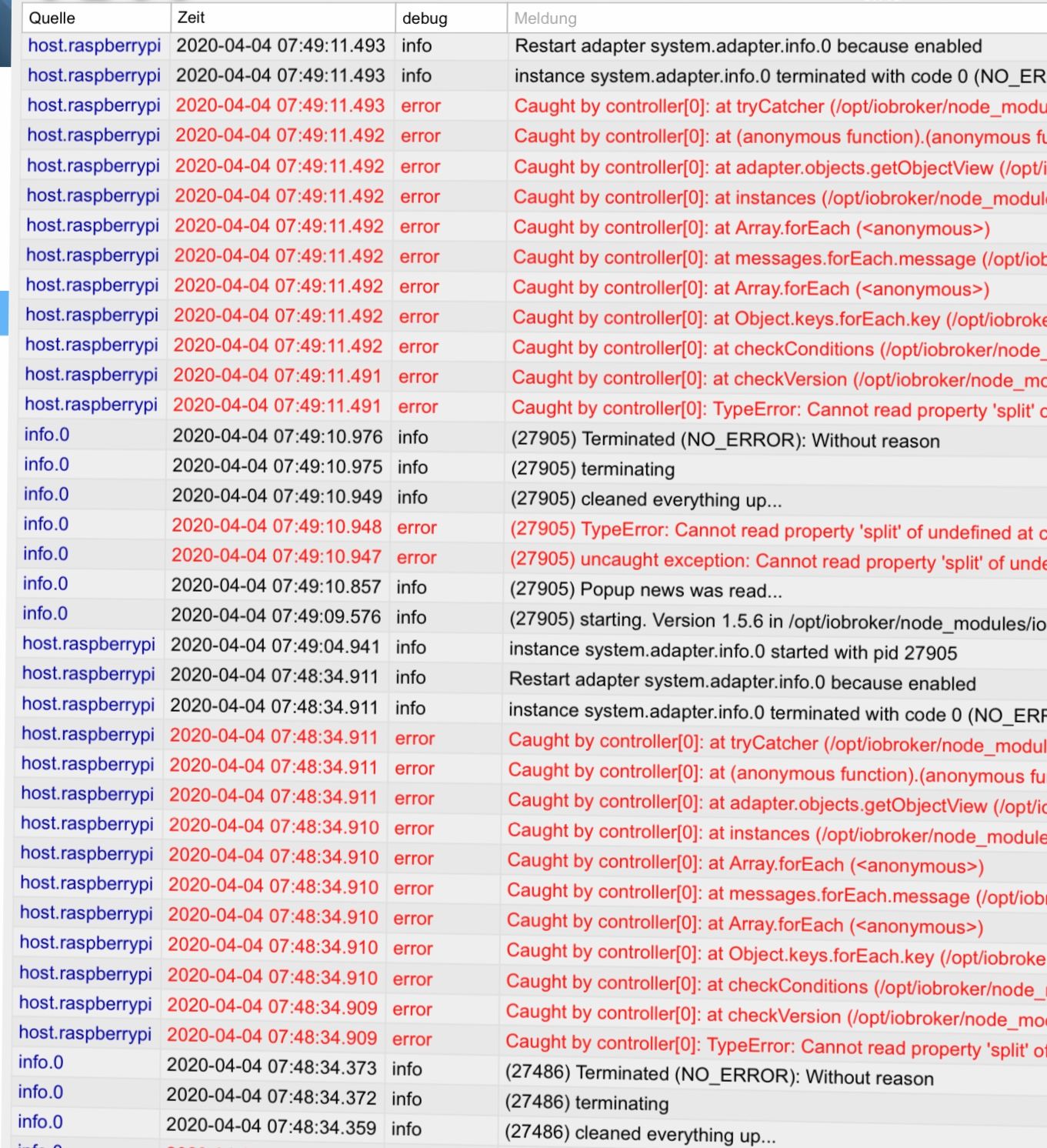
                          Hallo, ich habe einen Pi4 neu installiert. Alle Programmteile sind aktuell. Leider bekomme die selben Fehlermeldungen wie du im Minutentakt. Wie hast du dein Problem gelöst bekommen?

                          523E5F09-D967-4BEE-95C7-090FD174E6EB.jpeg

                          Viele Grüße megaron

                          Viele Grüße megaron

                          1 Antwort Letzte Antwort
                          0
                          • M Offline
                            M Offline
                            maxpd
                            schrieb am zuletzt editiert von maxpd
                            #23

                            Same here nach update von Nodejs 10 auf 12.

                            host.iobroker	2020-05-07 20:53:15.856	info	Restart adapter system.adapter.zigbee.0 because enabled
                            host.iobroker	2020-05-07 20:53:15.855	error	instance system.adapter.zigbee.0 terminated with code 1 (JS_CONTROLLER_STOPPED)
                            host.iobroker	2020-05-07 20:53:15.855	error	Caught by controller[0]: at Module.load (internal/modules/cjs/loader.js:977:32)
                            host.iobroker	2020-05-07 20:53:15.855	error	Caught by controller[0]: at Object.Module._extensions..js (internal/modules/cjs/loader.js:1153:10)
                            host.iobroker	2020-05-07 20:53:15.855	error	Caught by controller[0]: at Module._compile (internal/modules/cjs/loader.js:1133:30)
                            host.iobroker	2020-05-07 20:53:15.854	error	Caught by controller[0]: at Object.<anonymous> (/opt/iobroker/node_modules/@serialport/bindings/lib/linux.js:2:36)
                            host.iobroker	2020-05-07 20:53:15.854	error	Caught by controller[0]: at bindings (/opt/iobroker/node_modules/bindings/bindings.js:112:48)
                            host.iobroker	2020-05-07 20:53:15.854	error	Caught by controller[0]: at require (internal/modules/cjs/helpers.js:77:18)
                            host.iobroker	2020-05-07 20:53:15.854	error	Caught by controller[0]: at Module.require (internal/modules/cjs/loader.js:1019:19)
                            host.iobroker	2020-05-07 20:53:15.854	error	Caught by controller[0]: at Function.Module._load (internal/modules/cjs/loader.js:877:14)
                            host.iobroker	2020-05-07 20:53:15.854	error	Caught by controller[0]: at Module.load (internal/modules/cjs/loader.js:977:32)
                            host.iobroker	2020-05-07 20:53:15.853	error	Caught by controller[0]: at Object.Module._extensions..node (internal/modules/cjs/loader.js:1183:18)
                            host.iobroker	2020-05-07 20:53:15.853	error	Caught by controller[0]: the module (for instance, using `npm rebuild` or `npm install`).
                            host.iobroker	2020-05-07 20:53:15.853	error	Caught by controller[0]: NODE_MODULE_VERSION 72. Please try re-compiling or re-installing
                            host.iobroker	2020-05-07 20:53:15.853	error	Caught by controller[0]: NODE_MODULE_VERSION 64. This version of Node.js requires
                            host.iobroker	2020-05-07 20:53:15.853	error	Caught by controller[0]: was compiled against a different Node.js version using
                            host.iobroker	2020-05-07 20:53:15.852	error	Caught by controller[0]: Error: The module '/opt/iobroker/node_modules/@serialport/bindings/build/Release/bindings.node'
                            host.iobroker	2020-05-07 20:53:15.852	error	Caught by controller[0]: ^
                            host.iobroker	2020-05-07 20:53:15.852	error	Caught by controller[0]: throw e;
                            host.iobroker	2020-05-07 20:53:15.851	error	Caught by controller[0]: /opt/iobroker/node_modules/bindings/bindings.js:121
                            host.iobroker	2020-05-07 20:53:15.459	info	instance system.adapter.zigbee.0 started with pid 3641


                            Gruß
                            maxpd

                            Raspi 4 8gb | iobroker + pivccu3 | 46 Adapter | 68 Scripte, 120 Devices

                            GlasfaserG 1 Antwort Letzte Antwort
                            0
                            • M maxpd

                              Same here nach update von Nodejs 10 auf 12.

                              host.iobroker	2020-05-07 20:53:15.856	info	Restart adapter system.adapter.zigbee.0 because enabled
                              host.iobroker	2020-05-07 20:53:15.855	error	instance system.adapter.zigbee.0 terminated with code 1 (JS_CONTROLLER_STOPPED)
                              host.iobroker	2020-05-07 20:53:15.855	error	Caught by controller[0]: at Module.load (internal/modules/cjs/loader.js:977:32)
                              host.iobroker	2020-05-07 20:53:15.855	error	Caught by controller[0]: at Object.Module._extensions..js (internal/modules/cjs/loader.js:1153:10)
                              host.iobroker	2020-05-07 20:53:15.855	error	Caught by controller[0]: at Module._compile (internal/modules/cjs/loader.js:1133:30)
                              host.iobroker	2020-05-07 20:53:15.854	error	Caught by controller[0]: at Object.<anonymous> (/opt/iobroker/node_modules/@serialport/bindings/lib/linux.js:2:36)
                              host.iobroker	2020-05-07 20:53:15.854	error	Caught by controller[0]: at bindings (/opt/iobroker/node_modules/bindings/bindings.js:112:48)
                              host.iobroker	2020-05-07 20:53:15.854	error	Caught by controller[0]: at require (internal/modules/cjs/helpers.js:77:18)
                              host.iobroker	2020-05-07 20:53:15.854	error	Caught by controller[0]: at Module.require (internal/modules/cjs/loader.js:1019:19)
                              host.iobroker	2020-05-07 20:53:15.854	error	Caught by controller[0]: at Function.Module._load (internal/modules/cjs/loader.js:877:14)
                              host.iobroker	2020-05-07 20:53:15.854	error	Caught by controller[0]: at Module.load (internal/modules/cjs/loader.js:977:32)
                              host.iobroker	2020-05-07 20:53:15.853	error	Caught by controller[0]: at Object.Module._extensions..node (internal/modules/cjs/loader.js:1183:18)
                              host.iobroker	2020-05-07 20:53:15.853	error	Caught by controller[0]: the module (for instance, using `npm rebuild` or `npm install`).
                              host.iobroker	2020-05-07 20:53:15.853	error	Caught by controller[0]: NODE_MODULE_VERSION 72. Please try re-compiling or re-installing
                              host.iobroker	2020-05-07 20:53:15.853	error	Caught by controller[0]: NODE_MODULE_VERSION 64. This version of Node.js requires
                              host.iobroker	2020-05-07 20:53:15.853	error	Caught by controller[0]: was compiled against a different Node.js version using
                              host.iobroker	2020-05-07 20:53:15.852	error	Caught by controller[0]: Error: The module '/opt/iobroker/node_modules/@serialport/bindings/build/Release/bindings.node'
                              host.iobroker	2020-05-07 20:53:15.852	error	Caught by controller[0]: ^
                              host.iobroker	2020-05-07 20:53:15.852	error	Caught by controller[0]: throw e;
                              host.iobroker	2020-05-07 20:53:15.851	error	Caught by controller[0]: /opt/iobroker/node_modules/bindings/bindings.js:121
                              host.iobroker	2020-05-07 20:53:15.459	info	instance system.adapter.zigbee.0 started with pid 3641
                              
                              
                              GlasfaserG Offline
                              GlasfaserG Offline
                              Glasfaser
                              schrieb am zuletzt editiert von
                              #24

                              @maxpd sagte in Fehlermeldung im Log:

                              cd /opt/iobroker
                              
                              iobroker stop
                              
                              npm rebuild
                              
                              iobroker start
                              

                              Synology 918+ 16GB - ioBroker in Docker v9 , VISO auf Trekstor Primebook C13 13,3" , Hikvision Domkameras mit Surveillance Station .. CCU RaspberryMatic in Synology VM .. Zigbee CC2538+CC2592 .. Sonoff .. KNX .. Modbus ..

                              M 1 Antwort Letzte Antwort
                              0
                              • GlasfaserG Glasfaser

                                @maxpd sagte in Fehlermeldung im Log:

                                cd /opt/iobroker
                                
                                iobroker stop
                                
                                npm rebuild
                                
                                iobroker start
                                
                                M Offline
                                M Offline
                                maxpd
                                schrieb am zuletzt editiert von
                                #25

                                @Glasfaser LEider klappt das nicht

                                
                                pi@iobroker:/opt/iobroker $ iobroker stop
                                pi@iobroker:/opt/iobroker $ npm rebuild
                                
                                > iobroker@2.0.3 install /opt/iobroker/node_modules/iobroker
                                > node lib/checkVersions.js
                                
                                NPM version: 6.14.4
                                
                                > iobroker@2.0.3 postinstall /opt/iobroker/node_modules/iobroker
                                > node lib/install.js
                                
                                lib/install.js is not being run as part of an installation - skipping...
                                
                                > protobufjs@6.8.9 postinstall /opt/iobroker/node_modules/protobufjs
                                > node scripts/postinstall
                                
                                
                                > @serialport/bindings@2.0.8 install /opt/iobroker/node_modules/iobroker.discovery/node_modules/@serialport/bindings
                                > prebuild-install --tag-prefix @serialport/bindings@ || node-gyp rebuild
                                
                                prebuild-install WARN install No prebuilt binaries found (target=12.16.3 runtime=node arch=arm libc= platform=linux)
                                gyp ERR! clean error
                                gyp ERR! stack Error: EACCES: permission denied, rmdir 'build'
                                gyp ERR! System Linux 4.19.97-v7l+
                                gyp ERR! command "/usr/bin/node" "/usr/lib/node_modules/npm/node_modules/node-gyp/bin/node-gyp.js" "rebuild"
                                gyp ERR! cwd /opt/iobroker/node_modules/iobroker.discovery/node_modules/@serialport/bindings
                                gyp ERR! node -v v12.16.3
                                gyp ERR! node-gyp -v v5.1.0
                                gyp ERR! not ok
                                npm ERR! code ELIFECYCLE
                                npm ERR! errno 1
                                npm ERR! @serialport/bindings@2.0.8 install: `prebuild-install --tag-prefix @serialport/bindings@ || node-gyp rebuild`
                                npm ERR! Exit status 1
                                npm ERR!
                                npm ERR! Failed at the @serialport/bindings@2.0.8 install script.
                                npm ERR! This is probably not a problem with npm. There is likely additional logging output above.
                                
                                npm ERR! A complete log of this run can be found in:
                                npm ERR!     /home/pi/.npm/_logs/2020-05-07T20_24_32_194Z-debug.log


                                Gruß
                                maxpd

                                Raspi 4 8gb | iobroker + pivccu3 | 46 Adapter | 68 Scripte, 120 Devices

                                GlasfaserG 1 Antwort Letzte Antwort
                                0
                                • M maxpd

                                  @Glasfaser LEider klappt das nicht

                                  
                                  pi@iobroker:/opt/iobroker $ iobroker stop
                                  pi@iobroker:/opt/iobroker $ npm rebuild
                                  
                                  > iobroker@2.0.3 install /opt/iobroker/node_modules/iobroker
                                  > node lib/checkVersions.js
                                  
                                  NPM version: 6.14.4
                                  
                                  > iobroker@2.0.3 postinstall /opt/iobroker/node_modules/iobroker
                                  > node lib/install.js
                                  
                                  lib/install.js is not being run as part of an installation - skipping...
                                  
                                  > protobufjs@6.8.9 postinstall /opt/iobroker/node_modules/protobufjs
                                  > node scripts/postinstall
                                  
                                  
                                  > @serialport/bindings@2.0.8 install /opt/iobroker/node_modules/iobroker.discovery/node_modules/@serialport/bindings
                                  > prebuild-install --tag-prefix @serialport/bindings@ || node-gyp rebuild
                                  
                                  prebuild-install WARN install No prebuilt binaries found (target=12.16.3 runtime=node arch=arm libc= platform=linux)
                                  gyp ERR! clean error
                                  gyp ERR! stack Error: EACCES: permission denied, rmdir 'build'
                                  gyp ERR! System Linux 4.19.97-v7l+
                                  gyp ERR! command "/usr/bin/node" "/usr/lib/node_modules/npm/node_modules/node-gyp/bin/node-gyp.js" "rebuild"
                                  gyp ERR! cwd /opt/iobroker/node_modules/iobroker.discovery/node_modules/@serialport/bindings
                                  gyp ERR! node -v v12.16.3
                                  gyp ERR! node-gyp -v v5.1.0
                                  gyp ERR! not ok
                                  npm ERR! code ELIFECYCLE
                                  npm ERR! errno 1
                                  npm ERR! @serialport/bindings@2.0.8 install: `prebuild-install --tag-prefix @serialport/bindings@ || node-gyp rebuild`
                                  npm ERR! Exit status 1
                                  npm ERR!
                                  npm ERR! Failed at the @serialport/bindings@2.0.8 install script.
                                  npm ERR! This is probably not a problem with npm. There is likely additional logging output above.
                                  
                                  npm ERR! A complete log of this run can be found in:
                                  npm ERR!     /home/pi/.npm/_logs/2020-05-07T20_24_32_194Z-debug.log
                                  
                                  
                                  GlasfaserG Offline
                                  GlasfaserG Offline
                                  Glasfaser
                                  schrieb am zuletzt editiert von Glasfaser
                                  #26

                                  @maxpd sagte in Fehlermeldung im Log:

                                  iobroker@2.0.3 install

                                  Link Text

                                  Wie hast du denn von 10 auf 12 hochgezogen ... mit welchen Befehlen !??

                                  EACCES: permission denied,

                                  und lass mal den Fixer drüberlaufen

                                  Synology 918+ 16GB - ioBroker in Docker v9 , VISO auf Trekstor Primebook C13 13,3" , Hikvision Domkameras mit Surveillance Station .. CCU RaspberryMatic in Synology VM .. Zigbee CC2538+CC2592 .. Sonoff .. KNX .. Modbus ..

                                  Thomas BraunT M 2 Antworten Letzte Antwort
                                  0
                                  • GlasfaserG Glasfaser

                                    @maxpd sagte in Fehlermeldung im Log:

                                    iobroker@2.0.3 install

                                    Link Text

                                    Wie hast du denn von 10 auf 12 hochgezogen ... mit welchen Befehlen !??

                                    EACCES: permission denied,

                                    und lass mal den Fixer drüberlaufen

                                    Thomas BraunT Online
                                    Thomas BraunT Online
                                    Thomas Braun
                                    Most Active
                                    schrieb am zuletzt editiert von Thomas Braun
                                    #27

                                    @maxpd

                                    iobroker@2.0.3 postinstall /opt/iobroker/node_modules/iobroker
                                    

                                    Da hast du vermutlich tiefer im System was verfummelt. Das hatten wir gestern schon mal. Ich such den Thread nochmal raus.
                                    Da musste in den jason files irgendwas gelöscht werden. War aber nicht ganz risikofrei, wenn ich mich recht entsinne.

                                    Linux-Werkzeugkasten:
                                    https://forum.iobroker.net/topic/42952/der-kleine-iobroker-linux-werkzeugkasten
                                    NodeJS Fixer Skript:
                                    https://forum.iobroker.net/topic/68035/iob-node-fix-skript
                                    iob_diag: curl -sLf -o diag.sh https://iobroker.net/diag.sh && bash diag.sh

                                    GlasfaserG 1 Antwort Letzte Antwort
                                    0
                                    • GlasfaserG Glasfaser

                                      @maxpd sagte in Fehlermeldung im Log:

                                      iobroker@2.0.3 install

                                      Link Text

                                      Wie hast du denn von 10 auf 12 hochgezogen ... mit welchen Befehlen !??

                                      EACCES: permission denied,

                                      und lass mal den Fixer drüberlaufen

                                      M Offline
                                      M Offline
                                      maxpd
                                      schrieb am zuletzt editiert von
                                      #28

                                      @Glasfaser

                                      curl -sL https://deb.nodesource.com/setup_12.x | sudo -E bash -
                                      sudo apt update
                                      sudo apt dist-upgrade
                                      

                                      Gruß
                                      maxpd

                                      Raspi 4 8gb | iobroker + pivccu3 | 46 Adapter | 68 Scripte, 120 Devices

                                      GlasfaserG 1 Antwort Letzte Antwort
                                      0
                                      • M maxpd

                                        @Glasfaser

                                        curl -sL https://deb.nodesource.com/setup_12.x | sudo -E bash -
                                        sudo apt update
                                        sudo apt dist-upgrade
                                        
                                        GlasfaserG Offline
                                        GlasfaserG Offline
                                        Glasfaser
                                        schrieb am zuletzt editiert von
                                        #29

                                        @maxpd

                                        Warum schreibst du nicht im anderen Thread weiter ... das ist murks .

                                        @Thomas-Braun hilft dir doch schon hier Link Text

                                        Synology 918+ 16GB - ioBroker in Docker v9 , VISO auf Trekstor Primebook C13 13,3" , Hikvision Domkameras mit Surveillance Station .. CCU RaspberryMatic in Synology VM .. Zigbee CC2538+CC2592 .. Sonoff .. KNX .. Modbus ..

                                        Thomas BraunT M 2 Antworten Letzte Antwort
                                        0
                                        • GlasfaserG Glasfaser

                                          @maxpd

                                          Warum schreibst du nicht im anderen Thread weiter ... das ist murks .

                                          @Thomas-Braun hilft dir doch schon hier Link Text

                                          Thomas BraunT Online
                                          Thomas BraunT Online
                                          Thomas Braun
                                          Most Active
                                          schrieb am zuletzt editiert von
                                          #30

                                          @AlCalzone schrieb:

                                          iobroker@2.0.3 ist das Kern-Paket, dass beim Installieren benötigt wird. Deine Installation denkt wohl, dass das fehlt und bricht daraufhin alle npm-Installationen ab. Eigentlich sollte es auch gar nicht installiert sein, sondern enthält nur die Dateien, die zur Installation benötigt werden. Aus deiner Post-Historie vermute ich, dass du es ausversehen installiert hast, weil du Befehle nicht richtig abgetippt hast.

                                          Bitte genau lesen, nicht wie oben immer mal wieder Teile übersehen! Und bitte meine Antwort abwarten, nicht draus irgendwelchen Handlungsbedarf ableiten.

                                          Ist im Ordner /opt/iobroker eine Datei package-lock.json?
                                          Ist im Ordner /opt/iobroker/node_modules ein Ordner iobroker ohne führendes @?
                                          Zeige bitte den Inhalt der Datei /opt/iobroker/package.json.

                                          Linux-Werkzeugkasten:
                                          https://forum.iobroker.net/topic/42952/der-kleine-iobroker-linux-werkzeugkasten
                                          NodeJS Fixer Skript:
                                          https://forum.iobroker.net/topic/68035/iob-node-fix-skript
                                          iob_diag: curl -sLf -o diag.sh https://iobroker.net/diag.sh && bash diag.sh

                                          1 Antwort Letzte Antwort
                                          0
                                          Antworten
                                          • In einem neuen Thema antworten
                                          Anmelden zum Antworten
                                          • Älteste zuerst
                                          • Neuste zuerst
                                          • Meiste Stimmen


                                          Support us

                                          ioBroker
                                          Community Adapters
                                          Donate

                                          893

                                          Online

                                          32.4k

                                          Benutzer

                                          81.5k

                                          Themen

                                          1.3m

                                          Beiträge
                                          Community
                                          Impressum | Datenschutz-Bestimmungen | Nutzungsbedingungen | Einwilligungseinstellungen
                                          ioBroker Community 2014-2025
                                          logo
                                          • Anmelden

                                          • Du hast noch kein Konto? Registrieren

                                          • Anmelden oder registrieren, um zu suchen
                                          • Erster Beitrag
                                            Letzter Beitrag
                                          0
                                          • Home
                                          • Aktuell
                                          • Tags
                                          • Ungelesen 0
                                          • Kategorien
                                          • Unreplied
                                          • Beliebt
                                          • GitHub
                                          • Docu
                                          • Hilfe