




Umzug von Windows aus linux
-
Der Anfang fehlt.
@Thomas-Braun sagte in Umzug von Windows aus linux:
Der Anfang fehlt.
Entschuldigung!========== Start marking the full check here =========== ```bash Script v.2025-08-09 *** BASE SYSTEM *** Operating System: Ubuntu 25.04 Static hostname: ioBroker Icon name: computer-container Chassis: container ☐ Virtualization: lxc Kernel: Linux 6.17.4-1-pve Architecture: x86-64 OS is similar to: debian model name : AMD Ryzen 3 4300U with Radeon Graphics Docker : false Virtualization : lxc Kernel : x86_64 Userland : 64 bit Systemuptime and Load: 14:51:48 up 2 min, 0 user, load average: 0.24, 0.16, 0.05 CPU threads: 2 *** LIFE CYCLE STATUS *** Operating System codenamed 'plucky' is an aging Ubuntu release! Please upgrade to the latest LTS release 'noble' in due time! *** TIME AND TIMEZONES *** Local time: Sat 2025-12-27 14:51:48 CET Universal time: Sat 2025-12-27 13:51:48 UTC RTC time: n/a Time zone: Europe/Berlin (CET, +0100) System clock synchronized: yes NTP service: inactive RTC in local TZ: no *** Users and Groups *** User that called 'iob diag': root HOME=/root GROUPS=root User that is running 'js-controller': iobroker HOME=/home/iobroker SUDO_HOME=/root GROUPS=iobroker tty dialout audio video plugdev A default user should be created! This user will be enabled to temporarily switch to root via 'sudo'! A root login is not required in most Linux Distributions. Run 'iobroker fix' or use the system tools to create a user. *** DISPLAY-SERVER SETUP *** Display-Server: false Unit display-manager.service could not be found. Display-Manager: Desktop: Session: System is booting into 'graphical.target'. Usually a server is running in 'multi-user.target'. Please set BootTarget to 'multi-user.target' or run 'iobroker fix' *** MEMORY *** total used free shared buff/cache available Mem: 1.5G 415M 729M 3.4M 325M 1.1G Swap: 536M 0B 536M Total: 2.0G 415M 1.3G Active iob-Instances: 3 1400 M total memory 397 M used memory 560 M active memory 105 M inactive memory 695 M free memory 0 M buffer memory 310 M swap cache 512 M total swap 0 M used swap 512 M free swap *** top - Table Of Processes *** top - 14:51:48 up 2 min, 0 user, load average: 0.24, 0.16, 0.05 Tasks: 30 total, 1 running, 29 sleeping, 0 stopped, 0 zombie %Cpu(s): 0.0 us, 4.2 sy, 0.0 ni, 91.7 id, 4.2 wa, 0.0 hi, 0.0 si, 0.0 st MiB Mem : 1400.0 total, 693.9 free, 398.4 used, 310.9 buff/cache MiB Swap: 512.0 total, 512.0 free, 0.0 used. 1001.6 avail Mem *** FAILED SERVICES *** UNIT LOAD ACTIVE SUB DESCRIPTION * run-rpc_pipefs.mount loaded failed failed RPC Pipe File System Legend: LOAD -> Reflects whether the unit definition was properly loaded. ACTIVE -> The high-level unit activation state, i.e. generalization of SUB. SUB -> The low-level unit activation state, values depend on unit type. 1 loaded units listed. *** DMESG CRITICAL ERRORS *** dmesg: read kernel buffer failed: Operation not permitted No critical errors detected *** FILESYSTEM *** Filesystem Type Size Used Avail Use% Mounted on /dev/mapper/pve-vm--116--disk--1 ext4 7.8G 3.7G 3.8G 50% / none tmpfs 492K 4.0K 488K 1% /dev efivarfs efivarfs 128K 11K 113K 9% /sys/firmware/efi/efivars tmpfs tmpfs 3.4G 0 3.4G 0% /dev/shm tmpfs tmpfs 1.4G 120K 1.4G 1% /run tmpfs tmpfs 3.4G 3.2M 3.4G 1% /tmp tmpfs tmpfs 5.0M 0 5.0M 0% /run/lock Messages concerning ext4 filesystem in dmesg: dmesg: read kernel buffer failed: Operation not permitted Show mounted filesystems: TARGET SOURCE FSTYPE OPTIONS / /dev/mapper/pve-vm--116--disk--1 ext4 rw,relatime,stripe=16 Files in neuralgic directories: /var: 550M /var/ 287M /var/cache 278M /var/cache/apt 237M /var/lib 177M /var/cache/apt/archives Archived and active journals take up 24M in the file system. /opt/iobroker/backups: 23M /opt/iobroker/backups/ /opt/iobroker/iobroker-data: 263M /opt/iobroker/iobroker-data/ 218M /opt/iobroker/iobroker-data/files 47M /opt/iobroker/iobroker-data/files/admin.admin 46M /opt/iobroker/iobroker-data/files/admin.admin/custom/assets 46M /opt/iobroker/iobroker-data/files/admin.admin/custom The five largest files in iobroker-data are: 28M /opt/iobroker/iobroker-data/objects.jsonl 9.8M /opt/iobroker/iobroker-data/files/vis-2/material-icons/knx-uf.json 8.1M /opt/iobroker/iobroker-data/files/backitup.admin/assets/index-C_W7K-9p.js 5.6M /opt/iobroker/iobroker-data/files/vis/widgets/vis-2-widgets-energy/static/js/vendors-node_modules_echarts-for-react_esm_index_js.fe14c058.chunk.js.map 5.6M /opt/iobroker/iobroker-data/files/vis/widgets/vis-2-widgets-energy/static/js/vendors-node_modules_echarts-for-react_esm_index_js-node_modules_react_jsx-runtime_js.b995bce7.chunk.js.map USB-Devices by-id: USB-Sticks - Avoid direct links to /dev/tty* in your adapter setups, please always prefer the links 'by-id': No Devices found 'by-id' Zigbee Network Settings on your coordinator/in nvbackup are: zigbee.X Extended Pan ID: *** MASKED *** Pan ID: *** MASKED *** Channel: *** MASKED *** Network Key: *** MASKED *** To unmask the settings run 'iob diag --unmask' -
@Thomas-Braun sagte in Umzug von Windows aus linux:
Der Anfang fehlt.
Entschuldigung!========== Start marking the full check here =========== ```bash Script v.2025-08-09 *** BASE SYSTEM *** Operating System: Ubuntu 25.04 Static hostname: ioBroker Icon name: computer-container Chassis: container ☐ Virtualization: lxc Kernel: Linux 6.17.4-1-pve Architecture: x86-64 OS is similar to: debian model name : AMD Ryzen 3 4300U with Radeon Graphics Docker : false Virtualization : lxc Kernel : x86_64 Userland : 64 bit Systemuptime and Load: 14:51:48 up 2 min, 0 user, load average: 0.24, 0.16, 0.05 CPU threads: 2 *** LIFE CYCLE STATUS *** Operating System codenamed 'plucky' is an aging Ubuntu release! Please upgrade to the latest LTS release 'noble' in due time! *** TIME AND TIMEZONES *** Local time: Sat 2025-12-27 14:51:48 CET Universal time: Sat 2025-12-27 13:51:48 UTC RTC time: n/a Time zone: Europe/Berlin (CET, +0100) System clock synchronized: yes NTP service: inactive RTC in local TZ: no *** Users and Groups *** User that called 'iob diag': root HOME=/root GROUPS=root User that is running 'js-controller': iobroker HOME=/home/iobroker SUDO_HOME=/root GROUPS=iobroker tty dialout audio video plugdev A default user should be created! This user will be enabled to temporarily switch to root via 'sudo'! A root login is not required in most Linux Distributions. Run 'iobroker fix' or use the system tools to create a user. *** DISPLAY-SERVER SETUP *** Display-Server: false Unit display-manager.service could not be found. Display-Manager: Desktop: Session: System is booting into 'graphical.target'. Usually a server is running in 'multi-user.target'. Please set BootTarget to 'multi-user.target' or run 'iobroker fix' *** MEMORY *** total used free shared buff/cache available Mem: 1.5G 415M 729M 3.4M 325M 1.1G Swap: 536M 0B 536M Total: 2.0G 415M 1.3G Active iob-Instances: 3 1400 M total memory 397 M used memory 560 M active memory 105 M inactive memory 695 M free memory 0 M buffer memory 310 M swap cache 512 M total swap 0 M used swap 512 M free swap *** top - Table Of Processes *** top - 14:51:48 up 2 min, 0 user, load average: 0.24, 0.16, 0.05 Tasks: 30 total, 1 running, 29 sleeping, 0 stopped, 0 zombie %Cpu(s): 0.0 us, 4.2 sy, 0.0 ni, 91.7 id, 4.2 wa, 0.0 hi, 0.0 si, 0.0 st MiB Mem : 1400.0 total, 693.9 free, 398.4 used, 310.9 buff/cache MiB Swap: 512.0 total, 512.0 free, 0.0 used. 1001.6 avail Mem *** FAILED SERVICES *** UNIT LOAD ACTIVE SUB DESCRIPTION * run-rpc_pipefs.mount loaded failed failed RPC Pipe File System Legend: LOAD -> Reflects whether the unit definition was properly loaded. ACTIVE -> The high-level unit activation state, i.e. generalization of SUB. SUB -> The low-level unit activation state, values depend on unit type. 1 loaded units listed. *** DMESG CRITICAL ERRORS *** dmesg: read kernel buffer failed: Operation not permitted No critical errors detected *** FILESYSTEM *** Filesystem Type Size Used Avail Use% Mounted on /dev/mapper/pve-vm--116--disk--1 ext4 7.8G 3.7G 3.8G 50% / none tmpfs 492K 4.0K 488K 1% /dev efivarfs efivarfs 128K 11K 113K 9% /sys/firmware/efi/efivars tmpfs tmpfs 3.4G 0 3.4G 0% /dev/shm tmpfs tmpfs 1.4G 120K 1.4G 1% /run tmpfs tmpfs 3.4G 3.2M 3.4G 1% /tmp tmpfs tmpfs 5.0M 0 5.0M 0% /run/lock Messages concerning ext4 filesystem in dmesg: dmesg: read kernel buffer failed: Operation not permitted Show mounted filesystems: TARGET SOURCE FSTYPE OPTIONS / /dev/mapper/pve-vm--116--disk--1 ext4 rw,relatime,stripe=16 Files in neuralgic directories: /var: 550M /var/ 287M /var/cache 278M /var/cache/apt 237M /var/lib 177M /var/cache/apt/archives Archived and active journals take up 24M in the file system. /opt/iobroker/backups: 23M /opt/iobroker/backups/ /opt/iobroker/iobroker-data: 263M /opt/iobroker/iobroker-data/ 218M /opt/iobroker/iobroker-data/files 47M /opt/iobroker/iobroker-data/files/admin.admin 46M /opt/iobroker/iobroker-data/files/admin.admin/custom/assets 46M /opt/iobroker/iobroker-data/files/admin.admin/custom The five largest files in iobroker-data are: 28M /opt/iobroker/iobroker-data/objects.jsonl 9.8M /opt/iobroker/iobroker-data/files/vis-2/material-icons/knx-uf.json 8.1M /opt/iobroker/iobroker-data/files/backitup.admin/assets/index-C_W7K-9p.js 5.6M /opt/iobroker/iobroker-data/files/vis/widgets/vis-2-widgets-energy/static/js/vendors-node_modules_echarts-for-react_esm_index_js.fe14c058.chunk.js.map 5.6M /opt/iobroker/iobroker-data/files/vis/widgets/vis-2-widgets-energy/static/js/vendors-node_modules_echarts-for-react_esm_index_js-node_modules_react_jsx-runtime_js.b995bce7.chunk.js.map USB-Devices by-id: USB-Sticks - Avoid direct links to /dev/tty* in your adapter setups, please always prefer the links 'by-id': No Devices found 'by-id' Zigbee Network Settings on your coordinator/in nvbackup are: zigbee.X Extended Pan ID: *** MASKED *** Pan ID: *** MASKED *** Channel: *** MASKED *** Network Key: *** MASKED *** To unmask the settings run 'iob diag --unmask'Dafür fehlt jetzt das Ende...
Deine Basis ist aber unglücklich gewählt. Bei Ubuntu verwendet man nur die LTS-Versionen.
Und NIE als root herumkaspern! -
@Thomas-Braun sagte in Umzug von Windows aus linux:
Der Anfang fehlt.
Entschuldigung!========== Start marking the full check here =========== ```bash Script v.2025-08-09 *** BASE SYSTEM *** Operating System: Ubuntu 25.04 Static hostname: ioBroker Icon name: computer-container Chassis: container ☐ Virtualization: lxc Kernel: Linux 6.17.4-1-pve Architecture: x86-64 OS is similar to: debian model name : AMD Ryzen 3 4300U with Radeon Graphics Docker : false Virtualization : lxc Kernel : x86_64 Userland : 64 bit Systemuptime and Load: 14:51:48 up 2 min, 0 user, load average: 0.24, 0.16, 0.05 CPU threads: 2 *** LIFE CYCLE STATUS *** Operating System codenamed 'plucky' is an aging Ubuntu release! Please upgrade to the latest LTS release 'noble' in due time! *** TIME AND TIMEZONES *** Local time: Sat 2025-12-27 14:51:48 CET Universal time: Sat 2025-12-27 13:51:48 UTC RTC time: n/a Time zone: Europe/Berlin (CET, +0100) System clock synchronized: yes NTP service: inactive RTC in local TZ: no *** Users and Groups *** User that called 'iob diag': root HOME=/root GROUPS=root User that is running 'js-controller': iobroker HOME=/home/iobroker SUDO_HOME=/root GROUPS=iobroker tty dialout audio video plugdev A default user should be created! This user will be enabled to temporarily switch to root via 'sudo'! A root login is not required in most Linux Distributions. Run 'iobroker fix' or use the system tools to create a user. *** DISPLAY-SERVER SETUP *** Display-Server: false Unit display-manager.service could not be found. Display-Manager: Desktop: Session: System is booting into 'graphical.target'. Usually a server is running in 'multi-user.target'. Please set BootTarget to 'multi-user.target' or run 'iobroker fix' *** MEMORY *** total used free shared buff/cache available Mem: 1.5G 415M 729M 3.4M 325M 1.1G Swap: 536M 0B 536M Total: 2.0G 415M 1.3G Active iob-Instances: 3 1400 M total memory 397 M used memory 560 M active memory 105 M inactive memory 695 M free memory 0 M buffer memory 310 M swap cache 512 M total swap 0 M used swap 512 M free swap *** top - Table Of Processes *** top - 14:51:48 up 2 min, 0 user, load average: 0.24, 0.16, 0.05 Tasks: 30 total, 1 running, 29 sleeping, 0 stopped, 0 zombie %Cpu(s): 0.0 us, 4.2 sy, 0.0 ni, 91.7 id, 4.2 wa, 0.0 hi, 0.0 si, 0.0 st MiB Mem : 1400.0 total, 693.9 free, 398.4 used, 310.9 buff/cache MiB Swap: 512.0 total, 512.0 free, 0.0 used. 1001.6 avail Mem *** FAILED SERVICES *** UNIT LOAD ACTIVE SUB DESCRIPTION * run-rpc_pipefs.mount loaded failed failed RPC Pipe File System Legend: LOAD -> Reflects whether the unit definition was properly loaded. ACTIVE -> The high-level unit activation state, i.e. generalization of SUB. SUB -> The low-level unit activation state, values depend on unit type. 1 loaded units listed. *** DMESG CRITICAL ERRORS *** dmesg: read kernel buffer failed: Operation not permitted No critical errors detected *** FILESYSTEM *** Filesystem Type Size Used Avail Use% Mounted on /dev/mapper/pve-vm--116--disk--1 ext4 7.8G 3.7G 3.8G 50% / none tmpfs 492K 4.0K 488K 1% /dev efivarfs efivarfs 128K 11K 113K 9% /sys/firmware/efi/efivars tmpfs tmpfs 3.4G 0 3.4G 0% /dev/shm tmpfs tmpfs 1.4G 120K 1.4G 1% /run tmpfs tmpfs 3.4G 3.2M 3.4G 1% /tmp tmpfs tmpfs 5.0M 0 5.0M 0% /run/lock Messages concerning ext4 filesystem in dmesg: dmesg: read kernel buffer failed: Operation not permitted Show mounted filesystems: TARGET SOURCE FSTYPE OPTIONS / /dev/mapper/pve-vm--116--disk--1 ext4 rw,relatime,stripe=16 Files in neuralgic directories: /var: 550M /var/ 287M /var/cache 278M /var/cache/apt 237M /var/lib 177M /var/cache/apt/archives Archived and active journals take up 24M in the file system. /opt/iobroker/backups: 23M /opt/iobroker/backups/ /opt/iobroker/iobroker-data: 263M /opt/iobroker/iobroker-data/ 218M /opt/iobroker/iobroker-data/files 47M /opt/iobroker/iobroker-data/files/admin.admin 46M /opt/iobroker/iobroker-data/files/admin.admin/custom/assets 46M /opt/iobroker/iobroker-data/files/admin.admin/custom The five largest files in iobroker-data are: 28M /opt/iobroker/iobroker-data/objects.jsonl 9.8M /opt/iobroker/iobroker-data/files/vis-2/material-icons/knx-uf.json 8.1M /opt/iobroker/iobroker-data/files/backitup.admin/assets/index-C_W7K-9p.js 5.6M /opt/iobroker/iobroker-data/files/vis/widgets/vis-2-widgets-energy/static/js/vendors-node_modules_echarts-for-react_esm_index_js.fe14c058.chunk.js.map 5.6M /opt/iobroker/iobroker-data/files/vis/widgets/vis-2-widgets-energy/static/js/vendors-node_modules_echarts-for-react_esm_index_js-node_modules_react_jsx-runtime_js.b995bce7.chunk.js.map USB-Devices by-id: USB-Sticks - Avoid direct links to /dev/tty* in your adapter setups, please always prefer the links 'by-id': No Devices found 'by-id' Zigbee Network Settings on your coordinator/in nvbackup are: zigbee.X Extended Pan ID: *** MASKED *** Pan ID: *** MASKED *** Channel: *** MASKED *** Network Key: *** MASKED *** To unmask the settings run 'iob diag --unmask'@Wichtelmann sagte in Umzug von Windows aus linux:
Ubuntu 25.04
wie schon erwähnt, ungünstig, das ist eben der Vor/Nachteil an LXC in Proxmox, für jede Version bekommt man Templates, teils sind diese für Testzwecke gedacht. Für Produktive System sind gerade Ubuntu Versionen (LTS)
Vorzugweise wäre Debian in der aktuellen Version zu empfehlen
https://www.iobroker.net/#de/documentation/install/proxmox.md -
@Wichtelmann sagte in Umzug von Windows aus linux:
Ubuntu 25.04
wie schon erwähnt, ungünstig, das ist eben der Vor/Nachteil an LXC in Proxmox, für jede Version bekommt man Templates, teils sind diese für Testzwecke gedacht. Für Produktive System sind gerade Ubuntu Versionen (LTS)
Vorzugweise wäre Debian in der aktuellen Version zu empfehlen
https://www.iobroker.net/#de/documentation/install/proxmox.md@crunchip sagte in Umzug von Windows aus linux:
@Wichtelmann sagte in Umzug von Windows aus linux:
Ubuntu 25.04
wie schon erwähnt, ungünstig, das ist eben der Vor/Nachteil an LXC in Proxmox, für jede Version bekommt man Templates, teils sind diese für Testzwecke gedacht. Für Produktive System sind gerade Ubuntu Versionen (LTS)
Vorzugweise wäre Debian in der aktuellen Version zu empfehlen
https://www.iobroker.net/#de/documentation/install/proxmox.md
OK, hatte Ubuntu anhand eines Videos installiert, ggf da aber nicht auf die Version geachtet, letzte Ubuntu LTS wäre dann 24.04. oder das von Dir beschriebene Debian (dann 13.1-2?). Ist meine Hardware für alles offen? Ich weiß nicht welche Versionen mehr oder weniger genügsam sind.Das mit Admin schaue ich mir mal an, ist alles aktuell mal zum testen/ausprobieren, daher bin ich als admin unterwegs.
Hier dann die hoffentlich komplette Ausgabe von iob diag
========== Start marking the full check here =========== ```bash Script v.2025-08-09 *** BASE SYSTEM *** Operating System: Ubuntu 25.04 Static hostname: ioBroker Icon name: computer-container Chassis: container ☐ Virtualization: lxc Kernel: Linux 6.17.4-1-pve Architecture: x86-64 OS is similar to: debian model name : AMD Ryzen 3 4300U with Radeon Graphics Docker : false Virtualization : lxc Kernel : x86_64 Userland : 64 bit Systemuptime and Load: 16:42:22 up 1:52, 0 user, load average: 0.10, 0.11, 0.04 CPU threads: 2 *** LIFE CYCLE STATUS *** Operating System codenamed 'plucky' is an aging Ubuntu release! Please upgrade to the latest LTS release 'noble' in due time! *** TIME AND TIMEZONES *** Local time: Sat 2025-12-27 16:42:22 CET Universal time: Sat 2025-12-27 15:42:22 UTC RTC time: n/a Time zone: Europe/Berlin (CET, +0100) System clock synchronized: yes NTP service: inactive RTC in local TZ: no *** Users and Groups *** User that called 'iob diag': root HOME=/root GROUPS=root User that is running 'js-controller': iobroker HOME=/home/iobroker SUDO_HOME=/root GROUPS=iobroker tty dialout audio video plugdev A default user should be created! This user will be enabled to temporarily switch to root via 'sudo'! A root login is not required in most Linux Distributions. Run 'iobroker fix' or use the system tools to create a user. *** DISPLAY-SERVER SETUP *** Display-Server: false Unit display-manager.service could not be found. Display-Manager: Desktop: Session: System is booting into 'graphical.target'. Usually a server is running in 'multi-user.target'. Please set BootTarget to 'multi-user.target' or run 'iobroker fix' *** MEMORY *** total used free shared buff/cache available Mem: 1.5G 436M 451M 6.1M 585M 1.0G Swap: 536M 0B 536M Total: 2.0G 436M 988M Active iob-Instances: 3 1400 M total memory 417 M used memory 535 M active memory 376 M inactive memory 429 M free memory 0 M buffer memory 558 M swap cache 512 M total swap 0 M used swap 512 M free swap *** top - Table Of Processes *** top - 16:42:23 up 1:52, 0 user, load average: 0.10, 0.11, 0.04 Tasks: 30 total, 1 running, 29 sleeping, 0 stopped, 0 zombie %Cpu(s): 0.0 us, 0.0 sy, 0.0 ni,100.0 id, 0.0 wa, 0.0 hi, 0.0 si, 0.0 st MiB Mem : 1400.0 total, 428.7 free, 418.4 used, 558.5 buff/cache MiB Swap: 512.0 total, 512.0 free, 0.0 used. 981.6 avail Mem *** FAILED SERVICES *** UNIT LOAD ACTIVE SUB DESCRIPTION * run-rpc_pipefs.mount loaded failed failed RPC Pipe File System Legend: LOAD -> Reflects whether the unit definition was properly loaded. ACTIVE -> The high-level unit activation state, i.e. generalization of SUB. SUB -> The low-level unit activation state, values depend on unit type. 1 loaded units listed. *** DMESG CRITICAL ERRORS *** dmesg: read kernel buffer failed: Operation not permitted No critical errors detected *** FILESYSTEM *** Filesystem Type Size Used Avail Use% Mounted on /dev/mapper/pve-vm--116--disk--1 ext4 7.8G 3.7G 3.8G 50% / none tmpfs 492K 4.0K 488K 1% /dev efivarfs efivarfs 128K 11K 113K 9% /sys/firmware/efi/efivars tmpfs tmpfs 3.4G 0 3.4G 0% /dev/shm tmpfs tmpfs 1.4G 124K 1.4G 1% /run tmpfs tmpfs 3.4G 5.7M 3.4G 1% /tmp tmpfs tmpfs 5.0M 0 5.0M 0% /run/lock Messages concerning ext4 filesystem in dmesg: dmesg: read kernel buffer failed: Operation not permitted Show mounted filesystems: TARGET SOURCE FSTYPE OPTIONS / /dev/mapper/pve-vm--116--disk--1 ext4 rw,relatime,stripe=16 Files in neuralgic directories: /var: 550M /var/ 287M /var/cache 278M /var/cache/apt 237M /var/lib 177M /var/cache/apt/archives Archived and active journals take up 24M in the file system. /opt/iobroker/backups: 23M /opt/iobroker/backups/ /opt/iobroker/iobroker-data: 263M /opt/iobroker/iobroker-data/ 218M /opt/iobroker/iobroker-data/files 47M /opt/iobroker/iobroker-data/files/admin.admin 46M /opt/iobroker/iobroker-data/files/admin.admin/custom/assets 46M /opt/iobroker/iobroker-data/files/admin.admin/custom The five largest files in iobroker-data are: 28M /opt/iobroker/iobroker-data/objects.jsonl 9.8M /opt/iobroker/iobroker-data/files/vis-2/material-icons/knx-uf.json 8.1M /opt/iobroker/iobroker-data/files/backitup.admin/assets/index-C_W7K-9p.js 5.6M /opt/iobroker/iobroker-data/files/vis/widgets/vis-2-widgets-energy/static/js/vendors-node_modules_echarts-for-react_esm_index_js.fe14c058.chunk.js.map 5.6M /opt/iobroker/iobroker-data/files/vis/widgets/vis-2-widgets-energy/static/js/vendors-node_modules_echarts-for-react_esm_index_js-node_modules_react_jsx-runtime_js.b995bce7.chunk.js.map USB-Devices by-id: USB-Sticks - Avoid direct links to /dev/tty* in your adapter setups, please always prefer the links 'by-id': No Devices found 'by-id' Zigbee Network Settings on your coordinator/in nvbackup are: zigbee.X Extended Pan ID: *** MASKED *** Pan ID: *** MASKED *** Channel: *** MASKED *** Network Key: *** MASKED *** To unmask the settings run 'iob diag --unmask' *** NodeJS-Installation *** /usr/bin/nodejs v22.21.0 /usr/bin/node v22.21.0 /usr/bin/npm 10.9.4 /usr/bin/npx 10.9.4 /usr/bin/corepack 0.34.0 nodejs: Installed: 22.21.0-1nodesource1 Candidate: 22.21.0-1nodesource1 Version table: *** 22.21.0-1nodesource1 1001 500 https://deb.nodesource.com/node_22.x nodistro/main amd64 Packages 100 /var/lib/dpkg/status 22.20.0-1nodesource1 1001 500 https://deb.nodesource.com/node_22.x nodistro/main amd64 Packages 22.19.0-1nodesource1 1001 500 https://deb.nodesource.com/node_22.x nodistro/main amd64 Packages 22.18.0-1nodesource1 1001 500 https://deb.nodesource.com/node_22.x nodistro/main amd64 Packages 22.17.1-1nodesource1 1001 500 https://deb.nodesource.com/node_22.x nodistro/main amd64 Packages 22.17.0-1nodesource1 1001 500 https://deb.nodesource.com/node_22.x nodistro/main amd64 Packages 22.16.0-1nodesource1 1001 500 https://deb.nodesource.com/node_22.x nodistro/main amd64 Packages 22.15.1-1nodesource1 1001 500 https://deb.nodesource.com/node_22.x nodistro/main amd64 Packages 22.15.0-1nodesource1 1001 500 https://deb.nodesource.com/node_22.x nodistro/main amd64 Packages 22.14.0-1nodesource1 1001 500 https://deb.nodesource.com/node_22.x nodistro/main amd64 Packages 22.13.1-1nodesource1 1001 500 https://deb.nodesource.com/node_22.x nodistro/main amd64 Packages 22.13.0-1nodesource1 1001 500 https://deb.nodesource.com/node_22.x nodistro/main amd64 Packages 22.12.0-1nodesource1 1001 500 https://deb.nodesource.com/node_22.x nodistro/main amd64 Packages 22.11.0-1nodesource1 1001 500 https://deb.nodesource.com/node_22.x nodistro/main amd64 Packages 22.10.0-1nodesource1 1001 500 https://deb.nodesource.com/node_22.x nodistro/main amd64 Packages 22.9.0-1nodesource1 1001 500 https://deb.nodesource.com/node_22.x nodistro/main amd64 Packages 22.8.0-1nodesource1 1001 500 https://deb.nodesource.com/node_22.x nodistro/main amd64 Packages 22.7.0-1nodesource1 1001 500 https://deb.nodesource.com/node_22.x nodistro/main amd64 Packages 22.6.0-1nodesource1 1001 500 https://deb.nodesource.com/node_22.x nodistro/main amd64 Packages 22.5.1-1nodesource1 1001 500 https://deb.nodesource.com/node_22.x nodistro/main amd64 Packages 22.5.0-1nodesource1 1001 500 https://deb.nodesource.com/node_22.x nodistro/main amd64 Packages 22.4.1-1nodesource1 1001 500 https://deb.nodesource.com/node_22.x nodistro/main amd64 Packages 22.4.0-1nodesource1 1001 500 https://deb.nodesource.com/node_22.x nodistro/main amd64 Packages 22.3.0-1nodesource1 1001 500 https://deb.nodesource.com/node_22.x nodistro/main amd64 Packages 22.2.0-1nodesource1 1001 500 https://deb.nodesource.com/node_22.x nodistro/main amd64 Packages 22.1.0-1nodesource1 1001 500 https://deb.nodesource.com/node_22.x nodistro/main amd64 Packages 22.0.0-1nodesource1 1001 500 https://deb.nodesource.com/node_22.x nodistro/main amd64 Packages 20.18.1+dfsg-1ubuntu2 500 500 http://archive.ubuntu.com/ubuntu plucky/universe amd64 Packages Temp directories causing deletion problem: 0 No problems detected Errors in npm tree: 0 No problems detected Checking for nodejs vulnerability: █████ ██ ██ ██████ ██████ ██████ ██████ ██ ██ ██ ██ ██ ██ ██ ██ ██ ██ ██ ██ ██ ██ ███████ ██ ██ ██ ███ ██ ██ ██ ██ ██ ██ ██ ██ ██ ██ ██ ██ ██ ██ ██ ██ ██ ██ ██ ██ ██ ██ ██ ███████ ███████ ██████ ██████ ██████ ██████ ██ *** ioBroker-Installation *** ioBroker Status iobroker is running on this host. Objects type: jsonl States type: jsonl Hosts: ioBroker ioBroker (version: 7.0.7, hostname: ioBroker , alive, uptime: 6767) Core adapters versions js-controller: 7.0.7 admin: 7.7.19 javascript: 9.0.11 nodejs modules from github: 2 | +-- samsungtv@0.0.0 (git+https://git@github.com/luca-saggese/samsungtv.git#7fc20107455414e2afb94022682e0787e8635550) | +-- syno@3.0.0 (git+https://git@github.com/MeisterTR/syno.git#0104a973d33fe332aa6b1ab5be7fe8c57d3c68b0) Adapter State + system.adapter.admin.0 : admin : ioBroker - enabled, port: 8081, bind: 0.0.0.0, run as: admin system.adapter.alexa2.0 : alexa2 : ioBroker - disabled + system.adapter.backitup.0 : backitup : ioBroker - enabled system.adapter.device-watcher.0 : device-watcher : ioBroker - disabled system.adapter.discovery.0 : discovery : ioBroker - disabled system.adapter.flot.0 : flot : ioBroker - disabled system.adapter.fritzdect.0 : fritzdect : ioBroker - disabled system.adapter.heizoel.0 : heizoel : ioBroker - disabled system.adapter.history.0 : history : ioBroker - disabled system.adapter.hm-rega.0 : hm-rega : ioBroker - disabled system.adapter.hm-rpc.0 : hm-rpc : ioBroker - disabled, port: 0 system.adapter.hm-rpc.1 : hm-rpc : ioBroker - disabled, port: 0 system.adapter.hm-rpc.2 : hm-rpc : ioBroker - disabled, port: 0 system.adapter.hm-rpc.3 : hm-rpc : ioBroker - disabled, port: 12001 system.adapter.hmip.0 : hmip : ioBroker - disabled system.adapter.javascript.0 : javascript : ioBroker - disabled system.adapter.lovelace.0 : lovelace : ioBroker - disabled, port: 8091, bind: 0.0.0.0, run as: admin system.adapter.meross.0 : meross : ioBroker - disabled system.adapter.ping.0 : ping : ioBroker - disabled system.adapter.pushover.0 : pushover : ioBroker - disabled system.adapter.samsung.0 : samsung : ioBroker - disabled system.adapter.shelly.0 : shelly : ioBroker - disabled, port: 1886, bind: 0.0.0.0 system.adapter.shelly.1 : shelly : ioBroker - disabled, port: 1882, bind: 0.0.0.0 system.adapter.simple-api.0 : simple-api : ioBroker - disabled, port: 8087, bind: 0.0.0.0, run as: admin system.adapter.sonoff.0 : sonoff : ioBroker - disabled, port: 1883, bind: 0.0.0.0 system.adapter.sourceanalytix.0 : sourceanalytix : ioBroker - disabled system.adapter.synology.0 : synology : ioBroker - disabled, port: 8000 system.adapter.systeminfo.0 : systeminfo : ioBroker - disabled system.adapter.terminal.0 : terminal : ioBroker - disabled, port: 8088, bind: 0.0.0.0, run as: admin system.adapter.tr-064.0 : tr-064 : ioBroker - disabled system.adapter.vis-2-widgets-energy.0 : vis-2-widgets-energy : ioBroker - disabled system.adapter.vis-2-widgets-gauges.0 : vis-2-widgets-gauges : ioBroker - disabled system.adapter.vis-2.0 : vis-2 : ioBroker - disabled system.adapter.vis-fancyswitch.0 : vis-fancyswitch : ioBroker - disabled system.adapter.vis-inventwo.0 : vis-inventwo : ioBroker - disabled system.adapter.vis-justgage.0 : vis-justgage : ioBroker - disabled system.adapter.vis-plumb.0 : vis-plumb : ioBroker - disabled system.adapter.vis-rgraph.0 : vis-rgraph : ioBroker - disabled system.adapter.vis-timeandweather.0 : vis-timeandweather : ioBroker - disabled system.adapter.vis.0 : vis : ioBroker - disabled system.adapter.web.0 : web : ioBroker - disabled, port: 8082, bind: 0.0.0.0, run as: admin + instance is alive Enabled adapters with bindings + system.adapter.admin.0 : admin : ioBroker - enabled, port: 8081, bind: 0.0.0.0, run as: admin ioBroker-Repositories ┌─────────┬──────────┬─────────────────────────────────────────────────────────┬──────────────┐ │ (index) │ name │ url │ auto upgrade │ ├─────────┼──────────┼─────────────────────────────────────────────────────────┼──────────────┤ │ 0 │ 'stable' │ 'http://download.iobroker.net/sources-dist.json' │ false │ │ 1 │ 'beta' │ 'http://download.iobroker.net/sources-dist-latest.json' │ false │ └─────────┴──────────┴─────────────────────────────────────────────────────────┴──────────────┘ Active repo(s): stable Upgrade policy: none Installed ioBroker-Adapters Used repository: stable Adapter "admin" : 7.7.19 , installed 7.7.19 Adapter "alexa2" : 3.27.4 , installed 3.27.4 Adapter "backitup" : 3.3.10 , installed 3.3.10 Adapter "device-watcher": 2.13.1 , installed 2.13.1 Adapter "discovery" : 5.0.0 , installed 5.0.0 Adapter "flot" : 1.12.0 , installed 1.12.0 Adapter "fritzdect" : 2.6.2 , installed 2.6.2 Adapter "heizoel" : 1.0.3 , installed 1.0.3 Adapter "history" : 3.0.1 , installed 3.0.1 Adapter "hm-rega" : 5.1.0 , installed 5.1.0 Adapter "hm-rpc" : 2.0.2 , installed 2.0.2 Adapter "hmip" : 1.27.0 , installed 1.27.0 Adapter "javascript" : 9.0.11 , installed 9.0.11 Controller "js-controller": 7.0.7 , installed 7.0.7 Adapter "lovelace" : 5.0.1 , installed 5.0.1 Adapter "meross" : 1.17.0 , installed 1.17.0 Adapter "ping" : 1.7.9 , installed 1.7.9 Adapter "pushover" : 4.1.0 , installed 4.1.0 Adapter "samsung" : 0.6.1 , installed 0.6.1 Adapter "shelly" : 10.4.1 , installed 10.4.1 Adapter "simple-api" : 2.8.0 , installed 2.8.0 Adapter "socketio" : 6.7.1 , installed 7.0.8 Adapter "sonoff" : 3.2.1 , installed 3.2.1 Adapter "synology" : 3.1.0 , installed 3.1.0 Adapter "systeminfo" : 1.3.0 , installed 1.3.0 Adapter "terminal" : 1.0.0 , installed 1.0.0 Adapter "tr-064" : 4.3.0 , installed 4.3.0 Adapter "vis" : 1.5.6 , installed 1.5.6 Adapter "vis-2" : 2.13.4 , installed 2.13.4 Adapter "vis-2-widgets-energy": 1.0.2, installed 1.0.2 Adapter "vis-2-widgets-gauges": 2.0.1, installed 2.0.1 Adapter "vis-fancyswitch": 1.1.0 , installed 1.1.0 Adapter "vis-inventwo" : 3.3.5 , installed 3.3.5 Adapter "vis-justgage" : 2.1.7 , installed 2.1.7 Adapter "vis-plumb" : 1.0.2 , installed 1.0.2 Adapter "vis-rgraph" : 0.0.2 , installed 0.0.2 Adapter "vis-timeandweather": 1.2.2, installed 1.2.2 Adapter "web" : 7.0.8 , installed 7.0.8 Adapter "ws" : 2.6.2 , installed 3.0.19 Objects and States Please stand by - This may take a while Objects: 6031 States: 4806 *** OS-Repositories and Updates *** [AHit:1 http://archive.ubuntu.com/ubuntu plucky InRelease Hit:2 http://archive.ubuntu.com/ubuntu plucky-updates InRelease Hit:3 http://archive.ubuntu.com/ubuntu plucky-security InRelease Hit:4 https://deb.nodesource.com/node_22.x nodistro InRelease Reading package lists... Pending Updates: 0 *** Listening Ports *** Active Internet connections (only servers) Proto Recv-Q Send-Q Local Address Foreign Address State User Inode PID/Program name tcp 0 0 0.0.0.0:22 0.0.0.0:* LISTEN 0 9123267 1/init tcp 0 0 0.0.0.0:111 0.0.0.0:* LISTEN 0 9118373 1/init tcp 0 0 127.0.0.1:25 0.0.0.0:* LISTEN 0 9124823 432/master tcp 0 0 127.0.0.53:53 0.0.0.0:* LISTEN 991 9121473 101/systemd-resolve tcp 0 0 127.0.0.1:9001 0.0.0.0:* LISTEN 1000 9123754 278/iobroker.js-con tcp 0 0 127.0.0.1:9000 0.0.0.0:* LISTEN 1000 9125039 278/iobroker.js-con tcp 0 0 127.0.0.54:53 0.0.0.0:* LISTEN 991 9121475 101/systemd-resolve tcp6 0 0 ::1:25 :::* LISTEN 0 9124824 432/master tcp6 0 0 :::22 :::* LISTEN 0 9123268 1/init tcp6 0 0 :::111 :::* LISTEN 0 9118375 1/init tcp6 0 0 :::8081 :::* LISTEN 1000 9126367 538/io.admin.0 udp 0 0 127.0.0.54:53 0.0.0.0:* 991 9121474 101/systemd-resolve udp 0 0 127.0.0.53:53 0.0.0.0:* 991 9121472 101/systemd-resolve udp 0 0 0.0.0.0:111 0.0.0.0:* 0 9118374 1/init udp6 0 0 :::111 :::* 0 9118376 1/init *** Log File - Last 25 Lines *** 2025-12-27 14:49:36.481 - info: host.ioBroker Delete state "system.host.ioBroker.versions.npmCurrent" 2025-12-27 14:49:36.525 - info: host.ioBroker Delete state "system.host.ioBroker.versions.npmNewest" 2025-12-27 14:49:36.570 - info: host.ioBroker Delete state "system.host.ioBroker.versions.npmNewestNext" 2025-12-27 14:49:36.629 - info: host.ioBroker Some obsolete host states deleted. 2025-12-27 14:49:36.999 - error: host.ioBroker iobroker npm-install: host.ioBroker Unknown packet name sourceanalytix. Please install packages from outside the repository using "iobroker url <url-or-package>"!adapter "sourceanalytix" cannot be installed: Unknown packet name sourceanalytix. Please install packages from outside the repository using "iobroker url <url-or-package>"! 2025-12-27 14:49:37.662 - error: admin.0 (473) admin.0 already running 2025-12-27 14:49:37.663 - warn: admin.0 (473) Terminated (ADAPTER_ALREADY_RUNNING): Without reason 2025-12-27 14:49:38.034 - info: host.ioBroker iobroker npm-install: exit 12 2025-12-27 14:49:38.191 - error: host.ioBroker instance system.adapter.admin.0 terminated with code 7 (ADAPTER_ALREADY_RUNNING) 2025-12-27 14:49:38.191 - info: host.ioBroker Restart adapter system.adapter.admin.0 because enabled 2025-12-27 14:49:40.259 - info: host.ioBroker instance system.adapter.backitup.0 in version "3.3.10" started with pid 484 2025-12-27 14:49:40.771 - error: backitup.0 (484) backitup.0 already running 2025-12-27 14:49:40.772 - warn: backitup.0 (484) Terminated (ADAPTER_ALREADY_RUNNING): Without reason 2025-12-27 14:49:41.296 - error: host.ioBroker instance system.adapter.backitup.0 terminated with code 7 (ADAPTER_ALREADY_RUNNING) 2025-12-27 14:49:41.296 - info: host.ioBroker Restart adapter system.adapter.backitup.0 because enabled 2025-12-27 14:50:08.429 - info: host.ioBroker instance system.adapter.admin.0 in version "7.7.19" started with pid 538 2025-12-27 14:50:09.368 - info: admin.0 (538) starting. Version 7.7.19 in /opt/iobroker/node_modules/iobroker.admin, node: v22.21.0, js-controller: 7.0.7 2025-12-27 14:50:09.411 - info: admin.0 (538) requesting all objects 2025-12-27 14:50:09.938 - info: admin.0 (538) received all objects 2025-12-27 14:50:10.186 - info: admin.0 (538) socket.io server listening on port 8081 2025-12-27 14:50:10.188 - info: admin.0 (538) http server listening on port 8081 2025-12-27 14:50:10.188 - info: admin.0 (538) Use link "http://127.0.0.1:8081" to configure. 2025-12-27 14:50:11.618 - info: host.ioBroker instance system.adapter.backitup.0 in version "3.3.10" started with pid 580 2025-12-27 14:50:12.374 - info: backitup.0 (580) starting. Version 3.3.10 in /opt/iobroker/node_modules/iobroker.backitup, node: v22.21.0, js-controller: 7.0.7 2025-12-27 14:50:12.394 - info: backitup.0 (580) [iobroker] backup will be activated at 02:40 every 1 day(s)============ Mark until here for C&P =============
iob diag has finished.
root@ioBroker:~#
-
@crunchip sagte in Umzug von Windows aus linux:
@Wichtelmann sagte in Umzug von Windows aus linux:
Ubuntu 25.04
wie schon erwähnt, ungünstig, das ist eben der Vor/Nachteil an LXC in Proxmox, für jede Version bekommt man Templates, teils sind diese für Testzwecke gedacht. Für Produktive System sind gerade Ubuntu Versionen (LTS)
Vorzugweise wäre Debian in der aktuellen Version zu empfehlen
https://www.iobroker.net/#de/documentation/install/proxmox.md
OK, hatte Ubuntu anhand eines Videos installiert, ggf da aber nicht auf die Version geachtet, letzte Ubuntu LTS wäre dann 24.04. oder das von Dir beschriebene Debian (dann 13.1-2?). Ist meine Hardware für alles offen? Ich weiß nicht welche Versionen mehr oder weniger genügsam sind.Das mit Admin schaue ich mir mal an, ist alles aktuell mal zum testen/ausprobieren, daher bin ich als admin unterwegs.
Hier dann die hoffentlich komplette Ausgabe von iob diag
========== Start marking the full check here =========== ```bash Script v.2025-08-09 *** BASE SYSTEM *** Operating System: Ubuntu 25.04 Static hostname: ioBroker Icon name: computer-container Chassis: container ☐ Virtualization: lxc Kernel: Linux 6.17.4-1-pve Architecture: x86-64 OS is similar to: debian model name : AMD Ryzen 3 4300U with Radeon Graphics Docker : false Virtualization : lxc Kernel : x86_64 Userland : 64 bit Systemuptime and Load: 16:42:22 up 1:52, 0 user, load average: 0.10, 0.11, 0.04 CPU threads: 2 *** LIFE CYCLE STATUS *** Operating System codenamed 'plucky' is an aging Ubuntu release! Please upgrade to the latest LTS release 'noble' in due time! *** TIME AND TIMEZONES *** Local time: Sat 2025-12-27 16:42:22 CET Universal time: Sat 2025-12-27 15:42:22 UTC RTC time: n/a Time zone: Europe/Berlin (CET, +0100) System clock synchronized: yes NTP service: inactive RTC in local TZ: no *** Users and Groups *** User that called 'iob diag': root HOME=/root GROUPS=root User that is running 'js-controller': iobroker HOME=/home/iobroker SUDO_HOME=/root GROUPS=iobroker tty dialout audio video plugdev A default user should be created! This user will be enabled to temporarily switch to root via 'sudo'! A root login is not required in most Linux Distributions. Run 'iobroker fix' or use the system tools to create a user. *** DISPLAY-SERVER SETUP *** Display-Server: false Unit display-manager.service could not be found. Display-Manager: Desktop: Session: System is booting into 'graphical.target'. Usually a server is running in 'multi-user.target'. Please set BootTarget to 'multi-user.target' or run 'iobroker fix' *** MEMORY *** total used free shared buff/cache available Mem: 1.5G 436M 451M 6.1M 585M 1.0G Swap: 536M 0B 536M Total: 2.0G 436M 988M Active iob-Instances: 3 1400 M total memory 417 M used memory 535 M active memory 376 M inactive memory 429 M free memory 0 M buffer memory 558 M swap cache 512 M total swap 0 M used swap 512 M free swap *** top - Table Of Processes *** top - 16:42:23 up 1:52, 0 user, load average: 0.10, 0.11, 0.04 Tasks: 30 total, 1 running, 29 sleeping, 0 stopped, 0 zombie %Cpu(s): 0.0 us, 0.0 sy, 0.0 ni,100.0 id, 0.0 wa, 0.0 hi, 0.0 si, 0.0 st MiB Mem : 1400.0 total, 428.7 free, 418.4 used, 558.5 buff/cache MiB Swap: 512.0 total, 512.0 free, 0.0 used. 981.6 avail Mem *** FAILED SERVICES *** UNIT LOAD ACTIVE SUB DESCRIPTION * run-rpc_pipefs.mount loaded failed failed RPC Pipe File System Legend: LOAD -> Reflects whether the unit definition was properly loaded. ACTIVE -> The high-level unit activation state, i.e. generalization of SUB. SUB -> The low-level unit activation state, values depend on unit type. 1 loaded units listed. *** DMESG CRITICAL ERRORS *** dmesg: read kernel buffer failed: Operation not permitted No critical errors detected *** FILESYSTEM *** Filesystem Type Size Used Avail Use% Mounted on /dev/mapper/pve-vm--116--disk--1 ext4 7.8G 3.7G 3.8G 50% / none tmpfs 492K 4.0K 488K 1% /dev efivarfs efivarfs 128K 11K 113K 9% /sys/firmware/efi/efivars tmpfs tmpfs 3.4G 0 3.4G 0% /dev/shm tmpfs tmpfs 1.4G 124K 1.4G 1% /run tmpfs tmpfs 3.4G 5.7M 3.4G 1% /tmp tmpfs tmpfs 5.0M 0 5.0M 0% /run/lock Messages concerning ext4 filesystem in dmesg: dmesg: read kernel buffer failed: Operation not permitted Show mounted filesystems: TARGET SOURCE FSTYPE OPTIONS / /dev/mapper/pve-vm--116--disk--1 ext4 rw,relatime,stripe=16 Files in neuralgic directories: /var: 550M /var/ 287M /var/cache 278M /var/cache/apt 237M /var/lib 177M /var/cache/apt/archives Archived and active journals take up 24M in the file system. /opt/iobroker/backups: 23M /opt/iobroker/backups/ /opt/iobroker/iobroker-data: 263M /opt/iobroker/iobroker-data/ 218M /opt/iobroker/iobroker-data/files 47M /opt/iobroker/iobroker-data/files/admin.admin 46M /opt/iobroker/iobroker-data/files/admin.admin/custom/assets 46M /opt/iobroker/iobroker-data/files/admin.admin/custom The five largest files in iobroker-data are: 28M /opt/iobroker/iobroker-data/objects.jsonl 9.8M /opt/iobroker/iobroker-data/files/vis-2/material-icons/knx-uf.json 8.1M /opt/iobroker/iobroker-data/files/backitup.admin/assets/index-C_W7K-9p.js 5.6M /opt/iobroker/iobroker-data/files/vis/widgets/vis-2-widgets-energy/static/js/vendors-node_modules_echarts-for-react_esm_index_js.fe14c058.chunk.js.map 5.6M /opt/iobroker/iobroker-data/files/vis/widgets/vis-2-widgets-energy/static/js/vendors-node_modules_echarts-for-react_esm_index_js-node_modules_react_jsx-runtime_js.b995bce7.chunk.js.map USB-Devices by-id: USB-Sticks - Avoid direct links to /dev/tty* in your adapter setups, please always prefer the links 'by-id': No Devices found 'by-id' Zigbee Network Settings on your coordinator/in nvbackup are: zigbee.X Extended Pan ID: *** MASKED *** Pan ID: *** MASKED *** Channel: *** MASKED *** Network Key: *** MASKED *** To unmask the settings run 'iob diag --unmask' *** NodeJS-Installation *** /usr/bin/nodejs v22.21.0 /usr/bin/node v22.21.0 /usr/bin/npm 10.9.4 /usr/bin/npx 10.9.4 /usr/bin/corepack 0.34.0 nodejs: Installed: 22.21.0-1nodesource1 Candidate: 22.21.0-1nodesource1 Version table: *** 22.21.0-1nodesource1 1001 500 https://deb.nodesource.com/node_22.x nodistro/main amd64 Packages 100 /var/lib/dpkg/status 22.20.0-1nodesource1 1001 500 https://deb.nodesource.com/node_22.x nodistro/main amd64 Packages 22.19.0-1nodesource1 1001 500 https://deb.nodesource.com/node_22.x nodistro/main amd64 Packages 22.18.0-1nodesource1 1001 500 https://deb.nodesource.com/node_22.x nodistro/main amd64 Packages 22.17.1-1nodesource1 1001 500 https://deb.nodesource.com/node_22.x nodistro/main amd64 Packages 22.17.0-1nodesource1 1001 500 https://deb.nodesource.com/node_22.x nodistro/main amd64 Packages 22.16.0-1nodesource1 1001 500 https://deb.nodesource.com/node_22.x nodistro/main amd64 Packages 22.15.1-1nodesource1 1001 500 https://deb.nodesource.com/node_22.x nodistro/main amd64 Packages 22.15.0-1nodesource1 1001 500 https://deb.nodesource.com/node_22.x nodistro/main amd64 Packages 22.14.0-1nodesource1 1001 500 https://deb.nodesource.com/node_22.x nodistro/main amd64 Packages 22.13.1-1nodesource1 1001 500 https://deb.nodesource.com/node_22.x nodistro/main amd64 Packages 22.13.0-1nodesource1 1001 500 https://deb.nodesource.com/node_22.x nodistro/main amd64 Packages 22.12.0-1nodesource1 1001 500 https://deb.nodesource.com/node_22.x nodistro/main amd64 Packages 22.11.0-1nodesource1 1001 500 https://deb.nodesource.com/node_22.x nodistro/main amd64 Packages 22.10.0-1nodesource1 1001 500 https://deb.nodesource.com/node_22.x nodistro/main amd64 Packages 22.9.0-1nodesource1 1001 500 https://deb.nodesource.com/node_22.x nodistro/main amd64 Packages 22.8.0-1nodesource1 1001 500 https://deb.nodesource.com/node_22.x nodistro/main amd64 Packages 22.7.0-1nodesource1 1001 500 https://deb.nodesource.com/node_22.x nodistro/main amd64 Packages 22.6.0-1nodesource1 1001 500 https://deb.nodesource.com/node_22.x nodistro/main amd64 Packages 22.5.1-1nodesource1 1001 500 https://deb.nodesource.com/node_22.x nodistro/main amd64 Packages 22.5.0-1nodesource1 1001 500 https://deb.nodesource.com/node_22.x nodistro/main amd64 Packages 22.4.1-1nodesource1 1001 500 https://deb.nodesource.com/node_22.x nodistro/main amd64 Packages 22.4.0-1nodesource1 1001 500 https://deb.nodesource.com/node_22.x nodistro/main amd64 Packages 22.3.0-1nodesource1 1001 500 https://deb.nodesource.com/node_22.x nodistro/main amd64 Packages 22.2.0-1nodesource1 1001 500 https://deb.nodesource.com/node_22.x nodistro/main amd64 Packages 22.1.0-1nodesource1 1001 500 https://deb.nodesource.com/node_22.x nodistro/main amd64 Packages 22.0.0-1nodesource1 1001 500 https://deb.nodesource.com/node_22.x nodistro/main amd64 Packages 20.18.1+dfsg-1ubuntu2 500 500 http://archive.ubuntu.com/ubuntu plucky/universe amd64 Packages Temp directories causing deletion problem: 0 No problems detected Errors in npm tree: 0 No problems detected Checking for nodejs vulnerability: █████ ██ ██ ██████ ██████ ██████ ██████ ██ ██ ██ ██ ██ ██ ██ ██ ██ ██ ██ ██ ██ ██ ███████ ██ ██ ██ ███ ██ ██ ██ ██ ██ ██ ██ ██ ██ ██ ██ ██ ██ ██ ██ ██ ██ ██ ██ ██ ██ ██ ██ ███████ ███████ ██████ ██████ ██████ ██████ ██ *** ioBroker-Installation *** ioBroker Status iobroker is running on this host. Objects type: jsonl States type: jsonl Hosts: ioBroker ioBroker (version: 7.0.7, hostname: ioBroker , alive, uptime: 6767) Core adapters versions js-controller: 7.0.7 admin: 7.7.19 javascript: 9.0.11 nodejs modules from github: 2 | +-- samsungtv@0.0.0 (git+https://git@github.com/luca-saggese/samsungtv.git#7fc20107455414e2afb94022682e0787e8635550) | +-- syno@3.0.0 (git+https://git@github.com/MeisterTR/syno.git#0104a973d33fe332aa6b1ab5be7fe8c57d3c68b0) Adapter State + system.adapter.admin.0 : admin : ioBroker - enabled, port: 8081, bind: 0.0.0.0, run as: admin system.adapter.alexa2.0 : alexa2 : ioBroker - disabled + system.adapter.backitup.0 : backitup : ioBroker - enabled system.adapter.device-watcher.0 : device-watcher : ioBroker - disabled system.adapter.discovery.0 : discovery : ioBroker - disabled system.adapter.flot.0 : flot : ioBroker - disabled system.adapter.fritzdect.0 : fritzdect : ioBroker - disabled system.adapter.heizoel.0 : heizoel : ioBroker - disabled system.adapter.history.0 : history : ioBroker - disabled system.adapter.hm-rega.0 : hm-rega : ioBroker - disabled system.adapter.hm-rpc.0 : hm-rpc : ioBroker - disabled, port: 0 system.adapter.hm-rpc.1 : hm-rpc : ioBroker - disabled, port: 0 system.adapter.hm-rpc.2 : hm-rpc : ioBroker - disabled, port: 0 system.adapter.hm-rpc.3 : hm-rpc : ioBroker - disabled, port: 12001 system.adapter.hmip.0 : hmip : ioBroker - disabled system.adapter.javascript.0 : javascript : ioBroker - disabled system.adapter.lovelace.0 : lovelace : ioBroker - disabled, port: 8091, bind: 0.0.0.0, run as: admin system.adapter.meross.0 : meross : ioBroker - disabled system.adapter.ping.0 : ping : ioBroker - disabled system.adapter.pushover.0 : pushover : ioBroker - disabled system.adapter.samsung.0 : samsung : ioBroker - disabled system.adapter.shelly.0 : shelly : ioBroker - disabled, port: 1886, bind: 0.0.0.0 system.adapter.shelly.1 : shelly : ioBroker - disabled, port: 1882, bind: 0.0.0.0 system.adapter.simple-api.0 : simple-api : ioBroker - disabled, port: 8087, bind: 0.0.0.0, run as: admin system.adapter.sonoff.0 : sonoff : ioBroker - disabled, port: 1883, bind: 0.0.0.0 system.adapter.sourceanalytix.0 : sourceanalytix : ioBroker - disabled system.adapter.synology.0 : synology : ioBroker - disabled, port: 8000 system.adapter.systeminfo.0 : systeminfo : ioBroker - disabled system.adapter.terminal.0 : terminal : ioBroker - disabled, port: 8088, bind: 0.0.0.0, run as: admin system.adapter.tr-064.0 : tr-064 : ioBroker - disabled system.adapter.vis-2-widgets-energy.0 : vis-2-widgets-energy : ioBroker - disabled system.adapter.vis-2-widgets-gauges.0 : vis-2-widgets-gauges : ioBroker - disabled system.adapter.vis-2.0 : vis-2 : ioBroker - disabled system.adapter.vis-fancyswitch.0 : vis-fancyswitch : ioBroker - disabled system.adapter.vis-inventwo.0 : vis-inventwo : ioBroker - disabled system.adapter.vis-justgage.0 : vis-justgage : ioBroker - disabled system.adapter.vis-plumb.0 : vis-plumb : ioBroker - disabled system.adapter.vis-rgraph.0 : vis-rgraph : ioBroker - disabled system.adapter.vis-timeandweather.0 : vis-timeandweather : ioBroker - disabled system.adapter.vis.0 : vis : ioBroker - disabled system.adapter.web.0 : web : ioBroker - disabled, port: 8082, bind: 0.0.0.0, run as: admin + instance is alive Enabled adapters with bindings + system.adapter.admin.0 : admin : ioBroker - enabled, port: 8081, bind: 0.0.0.0, run as: admin ioBroker-Repositories ┌─────────┬──────────┬─────────────────────────────────────────────────────────┬──────────────┐ │ (index) │ name │ url │ auto upgrade │ ├─────────┼──────────┼─────────────────────────────────────────────────────────┼──────────────┤ │ 0 │ 'stable' │ 'http://download.iobroker.net/sources-dist.json' │ false │ │ 1 │ 'beta' │ 'http://download.iobroker.net/sources-dist-latest.json' │ false │ └─────────┴──────────┴─────────────────────────────────────────────────────────┴──────────────┘ Active repo(s): stable Upgrade policy: none Installed ioBroker-Adapters Used repository: stable Adapter "admin" : 7.7.19 , installed 7.7.19 Adapter "alexa2" : 3.27.4 , installed 3.27.4 Adapter "backitup" : 3.3.10 , installed 3.3.10 Adapter "device-watcher": 2.13.1 , installed 2.13.1 Adapter "discovery" : 5.0.0 , installed 5.0.0 Adapter "flot" : 1.12.0 , installed 1.12.0 Adapter "fritzdect" : 2.6.2 , installed 2.6.2 Adapter "heizoel" : 1.0.3 , installed 1.0.3 Adapter "history" : 3.0.1 , installed 3.0.1 Adapter "hm-rega" : 5.1.0 , installed 5.1.0 Adapter "hm-rpc" : 2.0.2 , installed 2.0.2 Adapter "hmip" : 1.27.0 , installed 1.27.0 Adapter "javascript" : 9.0.11 , installed 9.0.11 Controller "js-controller": 7.0.7 , installed 7.0.7 Adapter "lovelace" : 5.0.1 , installed 5.0.1 Adapter "meross" : 1.17.0 , installed 1.17.0 Adapter "ping" : 1.7.9 , installed 1.7.9 Adapter "pushover" : 4.1.0 , installed 4.1.0 Adapter "samsung" : 0.6.1 , installed 0.6.1 Adapter "shelly" : 10.4.1 , installed 10.4.1 Adapter "simple-api" : 2.8.0 , installed 2.8.0 Adapter "socketio" : 6.7.1 , installed 7.0.8 Adapter "sonoff" : 3.2.1 , installed 3.2.1 Adapter "synology" : 3.1.0 , installed 3.1.0 Adapter "systeminfo" : 1.3.0 , installed 1.3.0 Adapter "terminal" : 1.0.0 , installed 1.0.0 Adapter "tr-064" : 4.3.0 , installed 4.3.0 Adapter "vis" : 1.5.6 , installed 1.5.6 Adapter "vis-2" : 2.13.4 , installed 2.13.4 Adapter "vis-2-widgets-energy": 1.0.2, installed 1.0.2 Adapter "vis-2-widgets-gauges": 2.0.1, installed 2.0.1 Adapter "vis-fancyswitch": 1.1.0 , installed 1.1.0 Adapter "vis-inventwo" : 3.3.5 , installed 3.3.5 Adapter "vis-justgage" : 2.1.7 , installed 2.1.7 Adapter "vis-plumb" : 1.0.2 , installed 1.0.2 Adapter "vis-rgraph" : 0.0.2 , installed 0.0.2 Adapter "vis-timeandweather": 1.2.2, installed 1.2.2 Adapter "web" : 7.0.8 , installed 7.0.8 Adapter "ws" : 2.6.2 , installed 3.0.19 Objects and States Please stand by - This may take a while Objects: 6031 States: 4806 *** OS-Repositories and Updates *** [AHit:1 http://archive.ubuntu.com/ubuntu plucky InRelease Hit:2 http://archive.ubuntu.com/ubuntu plucky-updates InRelease Hit:3 http://archive.ubuntu.com/ubuntu plucky-security InRelease Hit:4 https://deb.nodesource.com/node_22.x nodistro InRelease Reading package lists... Pending Updates: 0 *** Listening Ports *** Active Internet connections (only servers) Proto Recv-Q Send-Q Local Address Foreign Address State User Inode PID/Program name tcp 0 0 0.0.0.0:22 0.0.0.0:* LISTEN 0 9123267 1/init tcp 0 0 0.0.0.0:111 0.0.0.0:* LISTEN 0 9118373 1/init tcp 0 0 127.0.0.1:25 0.0.0.0:* LISTEN 0 9124823 432/master tcp 0 0 127.0.0.53:53 0.0.0.0:* LISTEN 991 9121473 101/systemd-resolve tcp 0 0 127.0.0.1:9001 0.0.0.0:* LISTEN 1000 9123754 278/iobroker.js-con tcp 0 0 127.0.0.1:9000 0.0.0.0:* LISTEN 1000 9125039 278/iobroker.js-con tcp 0 0 127.0.0.54:53 0.0.0.0:* LISTEN 991 9121475 101/systemd-resolve tcp6 0 0 ::1:25 :::* LISTEN 0 9124824 432/master tcp6 0 0 :::22 :::* LISTEN 0 9123268 1/init tcp6 0 0 :::111 :::* LISTEN 0 9118375 1/init tcp6 0 0 :::8081 :::* LISTEN 1000 9126367 538/io.admin.0 udp 0 0 127.0.0.54:53 0.0.0.0:* 991 9121474 101/systemd-resolve udp 0 0 127.0.0.53:53 0.0.0.0:* 991 9121472 101/systemd-resolve udp 0 0 0.0.0.0:111 0.0.0.0:* 0 9118374 1/init udp6 0 0 :::111 :::* 0 9118376 1/init *** Log File - Last 25 Lines *** 2025-12-27 14:49:36.481 - info: host.ioBroker Delete state "system.host.ioBroker.versions.npmCurrent" 2025-12-27 14:49:36.525 - info: host.ioBroker Delete state "system.host.ioBroker.versions.npmNewest" 2025-12-27 14:49:36.570 - info: host.ioBroker Delete state "system.host.ioBroker.versions.npmNewestNext" 2025-12-27 14:49:36.629 - info: host.ioBroker Some obsolete host states deleted. 2025-12-27 14:49:36.999 - error: host.ioBroker iobroker npm-install: host.ioBroker Unknown packet name sourceanalytix. Please install packages from outside the repository using "iobroker url <url-or-package>"!adapter "sourceanalytix" cannot be installed: Unknown packet name sourceanalytix. Please install packages from outside the repository using "iobroker url <url-or-package>"! 2025-12-27 14:49:37.662 - error: admin.0 (473) admin.0 already running 2025-12-27 14:49:37.663 - warn: admin.0 (473) Terminated (ADAPTER_ALREADY_RUNNING): Without reason 2025-12-27 14:49:38.034 - info: host.ioBroker iobroker npm-install: exit 12 2025-12-27 14:49:38.191 - error: host.ioBroker instance system.adapter.admin.0 terminated with code 7 (ADAPTER_ALREADY_RUNNING) 2025-12-27 14:49:38.191 - info: host.ioBroker Restart adapter system.adapter.admin.0 because enabled 2025-12-27 14:49:40.259 - info: host.ioBroker instance system.adapter.backitup.0 in version "3.3.10" started with pid 484 2025-12-27 14:49:40.771 - error: backitup.0 (484) backitup.0 already running 2025-12-27 14:49:40.772 - warn: backitup.0 (484) Terminated (ADAPTER_ALREADY_RUNNING): Without reason 2025-12-27 14:49:41.296 - error: host.ioBroker instance system.adapter.backitup.0 terminated with code 7 (ADAPTER_ALREADY_RUNNING) 2025-12-27 14:49:41.296 - info: host.ioBroker Restart adapter system.adapter.backitup.0 because enabled 2025-12-27 14:50:08.429 - info: host.ioBroker instance system.adapter.admin.0 in version "7.7.19" started with pid 538 2025-12-27 14:50:09.368 - info: admin.0 (538) starting. Version 7.7.19 in /opt/iobroker/node_modules/iobroker.admin, node: v22.21.0, js-controller: 7.0.7 2025-12-27 14:50:09.411 - info: admin.0 (538) requesting all objects 2025-12-27 14:50:09.938 - info: admin.0 (538) received all objects 2025-12-27 14:50:10.186 - info: admin.0 (538) socket.io server listening on port 8081 2025-12-27 14:50:10.188 - info: admin.0 (538) http server listening on port 8081 2025-12-27 14:50:10.188 - info: admin.0 (538) Use link "http://127.0.0.1:8081" to configure. 2025-12-27 14:50:11.618 - info: host.ioBroker instance system.adapter.backitup.0 in version "3.3.10" started with pid 580 2025-12-27 14:50:12.374 - info: backitup.0 (580) starting. Version 3.3.10 in /opt/iobroker/node_modules/iobroker.backitup, node: v22.21.0, js-controller: 7.0.7 2025-12-27 14:50:12.394 - info: backitup.0 (580) [iobroker] backup will be activated at 02:40 every 1 day(s)============ Mark until here for C&P =============
iob diag has finished.
root@ioBroker:~#
@Wichtelmann sagte in Umzug von Windows aus linux:
daher bin ich als admin unterwegs.
Nein, du bist als root unterwegs und das macht man NICHT.
Nicht zum Ausprobieren und auch sonst NICHT!! -
@crunchip sagte in Umzug von Windows aus linux:
@Wichtelmann sagte in Umzug von Windows aus linux:
Ubuntu 25.04
wie schon erwähnt, ungünstig, das ist eben der Vor/Nachteil an LXC in Proxmox, für jede Version bekommt man Templates, teils sind diese für Testzwecke gedacht. Für Produktive System sind gerade Ubuntu Versionen (LTS)
Vorzugweise wäre Debian in der aktuellen Version zu empfehlen
https://www.iobroker.net/#de/documentation/install/proxmox.md
OK, hatte Ubuntu anhand eines Videos installiert, ggf da aber nicht auf die Version geachtet, letzte Ubuntu LTS wäre dann 24.04. oder das von Dir beschriebene Debian (dann 13.1-2?). Ist meine Hardware für alles offen? Ich weiß nicht welche Versionen mehr oder weniger genügsam sind.Das mit Admin schaue ich mir mal an, ist alles aktuell mal zum testen/ausprobieren, daher bin ich als admin unterwegs.
Hier dann die hoffentlich komplette Ausgabe von iob diag
========== Start marking the full check here =========== ```bash Script v.2025-08-09 *** BASE SYSTEM *** Operating System: Ubuntu 25.04 Static hostname: ioBroker Icon name: computer-container Chassis: container ☐ Virtualization: lxc Kernel: Linux 6.17.4-1-pve Architecture: x86-64 OS is similar to: debian model name : AMD Ryzen 3 4300U with Radeon Graphics Docker : false Virtualization : lxc Kernel : x86_64 Userland : 64 bit Systemuptime and Load: 16:42:22 up 1:52, 0 user, load average: 0.10, 0.11, 0.04 CPU threads: 2 *** LIFE CYCLE STATUS *** Operating System codenamed 'plucky' is an aging Ubuntu release! Please upgrade to the latest LTS release 'noble' in due time! *** TIME AND TIMEZONES *** Local time: Sat 2025-12-27 16:42:22 CET Universal time: Sat 2025-12-27 15:42:22 UTC RTC time: n/a Time zone: Europe/Berlin (CET, +0100) System clock synchronized: yes NTP service: inactive RTC in local TZ: no *** Users and Groups *** User that called 'iob diag': root HOME=/root GROUPS=root User that is running 'js-controller': iobroker HOME=/home/iobroker SUDO_HOME=/root GROUPS=iobroker tty dialout audio video plugdev A default user should be created! This user will be enabled to temporarily switch to root via 'sudo'! A root login is not required in most Linux Distributions. Run 'iobroker fix' or use the system tools to create a user. *** DISPLAY-SERVER SETUP *** Display-Server: false Unit display-manager.service could not be found. Display-Manager: Desktop: Session: System is booting into 'graphical.target'. Usually a server is running in 'multi-user.target'. Please set BootTarget to 'multi-user.target' or run 'iobroker fix' *** MEMORY *** total used free shared buff/cache available Mem: 1.5G 436M 451M 6.1M 585M 1.0G Swap: 536M 0B 536M Total: 2.0G 436M 988M Active iob-Instances: 3 1400 M total memory 417 M used memory 535 M active memory 376 M inactive memory 429 M free memory 0 M buffer memory 558 M swap cache 512 M total swap 0 M used swap 512 M free swap *** top - Table Of Processes *** top - 16:42:23 up 1:52, 0 user, load average: 0.10, 0.11, 0.04 Tasks: 30 total, 1 running, 29 sleeping, 0 stopped, 0 zombie %Cpu(s): 0.0 us, 0.0 sy, 0.0 ni,100.0 id, 0.0 wa, 0.0 hi, 0.0 si, 0.0 st MiB Mem : 1400.0 total, 428.7 free, 418.4 used, 558.5 buff/cache MiB Swap: 512.0 total, 512.0 free, 0.0 used. 981.6 avail Mem *** FAILED SERVICES *** UNIT LOAD ACTIVE SUB DESCRIPTION * run-rpc_pipefs.mount loaded failed failed RPC Pipe File System Legend: LOAD -> Reflects whether the unit definition was properly loaded. ACTIVE -> The high-level unit activation state, i.e. generalization of SUB. SUB -> The low-level unit activation state, values depend on unit type. 1 loaded units listed. *** DMESG CRITICAL ERRORS *** dmesg: read kernel buffer failed: Operation not permitted No critical errors detected *** FILESYSTEM *** Filesystem Type Size Used Avail Use% Mounted on /dev/mapper/pve-vm--116--disk--1 ext4 7.8G 3.7G 3.8G 50% / none tmpfs 492K 4.0K 488K 1% /dev efivarfs efivarfs 128K 11K 113K 9% /sys/firmware/efi/efivars tmpfs tmpfs 3.4G 0 3.4G 0% /dev/shm tmpfs tmpfs 1.4G 124K 1.4G 1% /run tmpfs tmpfs 3.4G 5.7M 3.4G 1% /tmp tmpfs tmpfs 5.0M 0 5.0M 0% /run/lock Messages concerning ext4 filesystem in dmesg: dmesg: read kernel buffer failed: Operation not permitted Show mounted filesystems: TARGET SOURCE FSTYPE OPTIONS / /dev/mapper/pve-vm--116--disk--1 ext4 rw,relatime,stripe=16 Files in neuralgic directories: /var: 550M /var/ 287M /var/cache 278M /var/cache/apt 237M /var/lib 177M /var/cache/apt/archives Archived and active journals take up 24M in the file system. /opt/iobroker/backups: 23M /opt/iobroker/backups/ /opt/iobroker/iobroker-data: 263M /opt/iobroker/iobroker-data/ 218M /opt/iobroker/iobroker-data/files 47M /opt/iobroker/iobroker-data/files/admin.admin 46M /opt/iobroker/iobroker-data/files/admin.admin/custom/assets 46M /opt/iobroker/iobroker-data/files/admin.admin/custom The five largest files in iobroker-data are: 28M /opt/iobroker/iobroker-data/objects.jsonl 9.8M /opt/iobroker/iobroker-data/files/vis-2/material-icons/knx-uf.json 8.1M /opt/iobroker/iobroker-data/files/backitup.admin/assets/index-C_W7K-9p.js 5.6M /opt/iobroker/iobroker-data/files/vis/widgets/vis-2-widgets-energy/static/js/vendors-node_modules_echarts-for-react_esm_index_js.fe14c058.chunk.js.map 5.6M /opt/iobroker/iobroker-data/files/vis/widgets/vis-2-widgets-energy/static/js/vendors-node_modules_echarts-for-react_esm_index_js-node_modules_react_jsx-runtime_js.b995bce7.chunk.js.map USB-Devices by-id: USB-Sticks - Avoid direct links to /dev/tty* in your adapter setups, please always prefer the links 'by-id': No Devices found 'by-id' Zigbee Network Settings on your coordinator/in nvbackup are: zigbee.X Extended Pan ID: *** MASKED *** Pan ID: *** MASKED *** Channel: *** MASKED *** Network Key: *** MASKED *** To unmask the settings run 'iob diag --unmask' *** NodeJS-Installation *** /usr/bin/nodejs v22.21.0 /usr/bin/node v22.21.0 /usr/bin/npm 10.9.4 /usr/bin/npx 10.9.4 /usr/bin/corepack 0.34.0 nodejs: Installed: 22.21.0-1nodesource1 Candidate: 22.21.0-1nodesource1 Version table: *** 22.21.0-1nodesource1 1001 500 https://deb.nodesource.com/node_22.x nodistro/main amd64 Packages 100 /var/lib/dpkg/status 22.20.0-1nodesource1 1001 500 https://deb.nodesource.com/node_22.x nodistro/main amd64 Packages 22.19.0-1nodesource1 1001 500 https://deb.nodesource.com/node_22.x nodistro/main amd64 Packages 22.18.0-1nodesource1 1001 500 https://deb.nodesource.com/node_22.x nodistro/main amd64 Packages 22.17.1-1nodesource1 1001 500 https://deb.nodesource.com/node_22.x nodistro/main amd64 Packages 22.17.0-1nodesource1 1001 500 https://deb.nodesource.com/node_22.x nodistro/main amd64 Packages 22.16.0-1nodesource1 1001 500 https://deb.nodesource.com/node_22.x nodistro/main amd64 Packages 22.15.1-1nodesource1 1001 500 https://deb.nodesource.com/node_22.x nodistro/main amd64 Packages 22.15.0-1nodesource1 1001 500 https://deb.nodesource.com/node_22.x nodistro/main amd64 Packages 22.14.0-1nodesource1 1001 500 https://deb.nodesource.com/node_22.x nodistro/main amd64 Packages 22.13.1-1nodesource1 1001 500 https://deb.nodesource.com/node_22.x nodistro/main amd64 Packages 22.13.0-1nodesource1 1001 500 https://deb.nodesource.com/node_22.x nodistro/main amd64 Packages 22.12.0-1nodesource1 1001 500 https://deb.nodesource.com/node_22.x nodistro/main amd64 Packages 22.11.0-1nodesource1 1001 500 https://deb.nodesource.com/node_22.x nodistro/main amd64 Packages 22.10.0-1nodesource1 1001 500 https://deb.nodesource.com/node_22.x nodistro/main amd64 Packages 22.9.0-1nodesource1 1001 500 https://deb.nodesource.com/node_22.x nodistro/main amd64 Packages 22.8.0-1nodesource1 1001 500 https://deb.nodesource.com/node_22.x nodistro/main amd64 Packages 22.7.0-1nodesource1 1001 500 https://deb.nodesource.com/node_22.x nodistro/main amd64 Packages 22.6.0-1nodesource1 1001 500 https://deb.nodesource.com/node_22.x nodistro/main amd64 Packages 22.5.1-1nodesource1 1001 500 https://deb.nodesource.com/node_22.x nodistro/main amd64 Packages 22.5.0-1nodesource1 1001 500 https://deb.nodesource.com/node_22.x nodistro/main amd64 Packages 22.4.1-1nodesource1 1001 500 https://deb.nodesource.com/node_22.x nodistro/main amd64 Packages 22.4.0-1nodesource1 1001 500 https://deb.nodesource.com/node_22.x nodistro/main amd64 Packages 22.3.0-1nodesource1 1001 500 https://deb.nodesource.com/node_22.x nodistro/main amd64 Packages 22.2.0-1nodesource1 1001 500 https://deb.nodesource.com/node_22.x nodistro/main amd64 Packages 22.1.0-1nodesource1 1001 500 https://deb.nodesource.com/node_22.x nodistro/main amd64 Packages 22.0.0-1nodesource1 1001 500 https://deb.nodesource.com/node_22.x nodistro/main amd64 Packages 20.18.1+dfsg-1ubuntu2 500 500 http://archive.ubuntu.com/ubuntu plucky/universe amd64 Packages Temp directories causing deletion problem: 0 No problems detected Errors in npm tree: 0 No problems detected Checking for nodejs vulnerability: █████ ██ ██ ██████ ██████ ██████ ██████ ██ ██ ██ ██ ██ ██ ██ ██ ██ ██ ██ ██ ██ ██ ███████ ██ ██ ██ ███ ██ ██ ██ ██ ██ ██ ██ ██ ██ ██ ██ ██ ██ ██ ██ ██ ██ ██ ██ ██ ██ ██ ██ ███████ ███████ ██████ ██████ ██████ ██████ ██ *** ioBroker-Installation *** ioBroker Status iobroker is running on this host. Objects type: jsonl States type: jsonl Hosts: ioBroker ioBroker (version: 7.0.7, hostname: ioBroker , alive, uptime: 6767) Core adapters versions js-controller: 7.0.7 admin: 7.7.19 javascript: 9.0.11 nodejs modules from github: 2 | +-- samsungtv@0.0.0 (git+https://git@github.com/luca-saggese/samsungtv.git#7fc20107455414e2afb94022682e0787e8635550) | +-- syno@3.0.0 (git+https://git@github.com/MeisterTR/syno.git#0104a973d33fe332aa6b1ab5be7fe8c57d3c68b0) Adapter State + system.adapter.admin.0 : admin : ioBroker - enabled, port: 8081, bind: 0.0.0.0, run as: admin system.adapter.alexa2.0 : alexa2 : ioBroker - disabled + system.adapter.backitup.0 : backitup : ioBroker - enabled system.adapter.device-watcher.0 : device-watcher : ioBroker - disabled system.adapter.discovery.0 : discovery : ioBroker - disabled system.adapter.flot.0 : flot : ioBroker - disabled system.adapter.fritzdect.0 : fritzdect : ioBroker - disabled system.adapter.heizoel.0 : heizoel : ioBroker - disabled system.adapter.history.0 : history : ioBroker - disabled system.adapter.hm-rega.0 : hm-rega : ioBroker - disabled system.adapter.hm-rpc.0 : hm-rpc : ioBroker - disabled, port: 0 system.adapter.hm-rpc.1 : hm-rpc : ioBroker - disabled, port: 0 system.adapter.hm-rpc.2 : hm-rpc : ioBroker - disabled, port: 0 system.adapter.hm-rpc.3 : hm-rpc : ioBroker - disabled, port: 12001 system.adapter.hmip.0 : hmip : ioBroker - disabled system.adapter.javascript.0 : javascript : ioBroker - disabled system.adapter.lovelace.0 : lovelace : ioBroker - disabled, port: 8091, bind: 0.0.0.0, run as: admin system.adapter.meross.0 : meross : ioBroker - disabled system.adapter.ping.0 : ping : ioBroker - disabled system.adapter.pushover.0 : pushover : ioBroker - disabled system.adapter.samsung.0 : samsung : ioBroker - disabled system.adapter.shelly.0 : shelly : ioBroker - disabled, port: 1886, bind: 0.0.0.0 system.adapter.shelly.1 : shelly : ioBroker - disabled, port: 1882, bind: 0.0.0.0 system.adapter.simple-api.0 : simple-api : ioBroker - disabled, port: 8087, bind: 0.0.0.0, run as: admin system.adapter.sonoff.0 : sonoff : ioBroker - disabled, port: 1883, bind: 0.0.0.0 system.adapter.sourceanalytix.0 : sourceanalytix : ioBroker - disabled system.adapter.synology.0 : synology : ioBroker - disabled, port: 8000 system.adapter.systeminfo.0 : systeminfo : ioBroker - disabled system.adapter.terminal.0 : terminal : ioBroker - disabled, port: 8088, bind: 0.0.0.0, run as: admin system.adapter.tr-064.0 : tr-064 : ioBroker - disabled system.adapter.vis-2-widgets-energy.0 : vis-2-widgets-energy : ioBroker - disabled system.adapter.vis-2-widgets-gauges.0 : vis-2-widgets-gauges : ioBroker - disabled system.adapter.vis-2.0 : vis-2 : ioBroker - disabled system.adapter.vis-fancyswitch.0 : vis-fancyswitch : ioBroker - disabled system.adapter.vis-inventwo.0 : vis-inventwo : ioBroker - disabled system.adapter.vis-justgage.0 : vis-justgage : ioBroker - disabled system.adapter.vis-plumb.0 : vis-plumb : ioBroker - disabled system.adapter.vis-rgraph.0 : vis-rgraph : ioBroker - disabled system.adapter.vis-timeandweather.0 : vis-timeandweather : ioBroker - disabled system.adapter.vis.0 : vis : ioBroker - disabled system.adapter.web.0 : web : ioBroker - disabled, port: 8082, bind: 0.0.0.0, run as: admin + instance is alive Enabled adapters with bindings + system.adapter.admin.0 : admin : ioBroker - enabled, port: 8081, bind: 0.0.0.0, run as: admin ioBroker-Repositories ┌─────────┬──────────┬─────────────────────────────────────────────────────────┬──────────────┐ │ (index) │ name │ url │ auto upgrade │ ├─────────┼──────────┼─────────────────────────────────────────────────────────┼──────────────┤ │ 0 │ 'stable' │ 'http://download.iobroker.net/sources-dist.json' │ false │ │ 1 │ 'beta' │ 'http://download.iobroker.net/sources-dist-latest.json' │ false │ └─────────┴──────────┴─────────────────────────────────────────────────────────┴──────────────┘ Active repo(s): stable Upgrade policy: none Installed ioBroker-Adapters Used repository: stable Adapter "admin" : 7.7.19 , installed 7.7.19 Adapter "alexa2" : 3.27.4 , installed 3.27.4 Adapter "backitup" : 3.3.10 , installed 3.3.10 Adapter "device-watcher": 2.13.1 , installed 2.13.1 Adapter "discovery" : 5.0.0 , installed 5.0.0 Adapter "flot" : 1.12.0 , installed 1.12.0 Adapter "fritzdect" : 2.6.2 , installed 2.6.2 Adapter "heizoel" : 1.0.3 , installed 1.0.3 Adapter "history" : 3.0.1 , installed 3.0.1 Adapter "hm-rega" : 5.1.0 , installed 5.1.0 Adapter "hm-rpc" : 2.0.2 , installed 2.0.2 Adapter "hmip" : 1.27.0 , installed 1.27.0 Adapter "javascript" : 9.0.11 , installed 9.0.11 Controller "js-controller": 7.0.7 , installed 7.0.7 Adapter "lovelace" : 5.0.1 , installed 5.0.1 Adapter "meross" : 1.17.0 , installed 1.17.0 Adapter "ping" : 1.7.9 , installed 1.7.9 Adapter "pushover" : 4.1.0 , installed 4.1.0 Adapter "samsung" : 0.6.1 , installed 0.6.1 Adapter "shelly" : 10.4.1 , installed 10.4.1 Adapter "simple-api" : 2.8.0 , installed 2.8.0 Adapter "socketio" : 6.7.1 , installed 7.0.8 Adapter "sonoff" : 3.2.1 , installed 3.2.1 Adapter "synology" : 3.1.0 , installed 3.1.0 Adapter "systeminfo" : 1.3.0 , installed 1.3.0 Adapter "terminal" : 1.0.0 , installed 1.0.0 Adapter "tr-064" : 4.3.0 , installed 4.3.0 Adapter "vis" : 1.5.6 , installed 1.5.6 Adapter "vis-2" : 2.13.4 , installed 2.13.4 Adapter "vis-2-widgets-energy": 1.0.2, installed 1.0.2 Adapter "vis-2-widgets-gauges": 2.0.1, installed 2.0.1 Adapter "vis-fancyswitch": 1.1.0 , installed 1.1.0 Adapter "vis-inventwo" : 3.3.5 , installed 3.3.5 Adapter "vis-justgage" : 2.1.7 , installed 2.1.7 Adapter "vis-plumb" : 1.0.2 , installed 1.0.2 Adapter "vis-rgraph" : 0.0.2 , installed 0.0.2 Adapter "vis-timeandweather": 1.2.2, installed 1.2.2 Adapter "web" : 7.0.8 , installed 7.0.8 Adapter "ws" : 2.6.2 , installed 3.0.19 Objects and States Please stand by - This may take a while Objects: 6031 States: 4806 *** OS-Repositories and Updates *** [AHit:1 http://archive.ubuntu.com/ubuntu plucky InRelease Hit:2 http://archive.ubuntu.com/ubuntu plucky-updates InRelease Hit:3 http://archive.ubuntu.com/ubuntu plucky-security InRelease Hit:4 https://deb.nodesource.com/node_22.x nodistro InRelease Reading package lists... Pending Updates: 0 *** Listening Ports *** Active Internet connections (only servers) Proto Recv-Q Send-Q Local Address Foreign Address State User Inode PID/Program name tcp 0 0 0.0.0.0:22 0.0.0.0:* LISTEN 0 9123267 1/init tcp 0 0 0.0.0.0:111 0.0.0.0:* LISTEN 0 9118373 1/init tcp 0 0 127.0.0.1:25 0.0.0.0:* LISTEN 0 9124823 432/master tcp 0 0 127.0.0.53:53 0.0.0.0:* LISTEN 991 9121473 101/systemd-resolve tcp 0 0 127.0.0.1:9001 0.0.0.0:* LISTEN 1000 9123754 278/iobroker.js-con tcp 0 0 127.0.0.1:9000 0.0.0.0:* LISTEN 1000 9125039 278/iobroker.js-con tcp 0 0 127.0.0.54:53 0.0.0.0:* LISTEN 991 9121475 101/systemd-resolve tcp6 0 0 ::1:25 :::* LISTEN 0 9124824 432/master tcp6 0 0 :::22 :::* LISTEN 0 9123268 1/init tcp6 0 0 :::111 :::* LISTEN 0 9118375 1/init tcp6 0 0 :::8081 :::* LISTEN 1000 9126367 538/io.admin.0 udp 0 0 127.0.0.54:53 0.0.0.0:* 991 9121474 101/systemd-resolve udp 0 0 127.0.0.53:53 0.0.0.0:* 991 9121472 101/systemd-resolve udp 0 0 0.0.0.0:111 0.0.0.0:* 0 9118374 1/init udp6 0 0 :::111 :::* 0 9118376 1/init *** Log File - Last 25 Lines *** 2025-12-27 14:49:36.481 - info: host.ioBroker Delete state "system.host.ioBroker.versions.npmCurrent" 2025-12-27 14:49:36.525 - info: host.ioBroker Delete state "system.host.ioBroker.versions.npmNewest" 2025-12-27 14:49:36.570 - info: host.ioBroker Delete state "system.host.ioBroker.versions.npmNewestNext" 2025-12-27 14:49:36.629 - info: host.ioBroker Some obsolete host states deleted. 2025-12-27 14:49:36.999 - error: host.ioBroker iobroker npm-install: host.ioBroker Unknown packet name sourceanalytix. Please install packages from outside the repository using "iobroker url <url-or-package>"!adapter "sourceanalytix" cannot be installed: Unknown packet name sourceanalytix. Please install packages from outside the repository using "iobroker url <url-or-package>"! 2025-12-27 14:49:37.662 - error: admin.0 (473) admin.0 already running 2025-12-27 14:49:37.663 - warn: admin.0 (473) Terminated (ADAPTER_ALREADY_RUNNING): Without reason 2025-12-27 14:49:38.034 - info: host.ioBroker iobroker npm-install: exit 12 2025-12-27 14:49:38.191 - error: host.ioBroker instance system.adapter.admin.0 terminated with code 7 (ADAPTER_ALREADY_RUNNING) 2025-12-27 14:49:38.191 - info: host.ioBroker Restart adapter system.adapter.admin.0 because enabled 2025-12-27 14:49:40.259 - info: host.ioBroker instance system.adapter.backitup.0 in version "3.3.10" started with pid 484 2025-12-27 14:49:40.771 - error: backitup.0 (484) backitup.0 already running 2025-12-27 14:49:40.772 - warn: backitup.0 (484) Terminated (ADAPTER_ALREADY_RUNNING): Without reason 2025-12-27 14:49:41.296 - error: host.ioBroker instance system.adapter.backitup.0 terminated with code 7 (ADAPTER_ALREADY_RUNNING) 2025-12-27 14:49:41.296 - info: host.ioBroker Restart adapter system.adapter.backitup.0 because enabled 2025-12-27 14:50:08.429 - info: host.ioBroker instance system.adapter.admin.0 in version "7.7.19" started with pid 538 2025-12-27 14:50:09.368 - info: admin.0 (538) starting. Version 7.7.19 in /opt/iobroker/node_modules/iobroker.admin, node: v22.21.0, js-controller: 7.0.7 2025-12-27 14:50:09.411 - info: admin.0 (538) requesting all objects 2025-12-27 14:50:09.938 - info: admin.0 (538) received all objects 2025-12-27 14:50:10.186 - info: admin.0 (538) socket.io server listening on port 8081 2025-12-27 14:50:10.188 - info: admin.0 (538) http server listening on port 8081 2025-12-27 14:50:10.188 - info: admin.0 (538) Use link "http://127.0.0.1:8081" to configure. 2025-12-27 14:50:11.618 - info: host.ioBroker instance system.adapter.backitup.0 in version "3.3.10" started with pid 580 2025-12-27 14:50:12.374 - info: backitup.0 (580) starting. Version 3.3.10 in /opt/iobroker/node_modules/iobroker.backitup, node: v22.21.0, js-controller: 7.0.7 2025-12-27 14:50:12.394 - info: backitup.0 (580) [iobroker] backup will be activated at 02:40 every 1 day(s)============ Mark until here for C&P =============
iob diag has finished.
root@ioBroker:~#
-
@crunchip sagte in Umzug von Windows aus linux:
@Wichtelmann sagte in Umzug von Windows aus linux:
Ubuntu 25.04
wie schon erwähnt, ungünstig, das ist eben der Vor/Nachteil an LXC in Proxmox, für jede Version bekommt man Templates, teils sind diese für Testzwecke gedacht. Für Produktive System sind gerade Ubuntu Versionen (LTS)
Vorzugweise wäre Debian in der aktuellen Version zu empfehlen
https://www.iobroker.net/#de/documentation/install/proxmox.md
OK, hatte Ubuntu anhand eines Videos installiert, ggf da aber nicht auf die Version geachtet, letzte Ubuntu LTS wäre dann 24.04. oder das von Dir beschriebene Debian (dann 13.1-2?). Ist meine Hardware für alles offen? Ich weiß nicht welche Versionen mehr oder weniger genügsam sind.Das mit Admin schaue ich mir mal an, ist alles aktuell mal zum testen/ausprobieren, daher bin ich als admin unterwegs.
Hier dann die hoffentlich komplette Ausgabe von iob diag
========== Start marking the full check here =========== ```bash Script v.2025-08-09 *** BASE SYSTEM *** Operating System: Ubuntu 25.04 Static hostname: ioBroker Icon name: computer-container Chassis: container ☐ Virtualization: lxc Kernel: Linux 6.17.4-1-pve Architecture: x86-64 OS is similar to: debian model name : AMD Ryzen 3 4300U with Radeon Graphics Docker : false Virtualization : lxc Kernel : x86_64 Userland : 64 bit Systemuptime and Load: 16:42:22 up 1:52, 0 user, load average: 0.10, 0.11, 0.04 CPU threads: 2 *** LIFE CYCLE STATUS *** Operating System codenamed 'plucky' is an aging Ubuntu release! Please upgrade to the latest LTS release 'noble' in due time! *** TIME AND TIMEZONES *** Local time: Sat 2025-12-27 16:42:22 CET Universal time: Sat 2025-12-27 15:42:22 UTC RTC time: n/a Time zone: Europe/Berlin (CET, +0100) System clock synchronized: yes NTP service: inactive RTC in local TZ: no *** Users and Groups *** User that called 'iob diag': root HOME=/root GROUPS=root User that is running 'js-controller': iobroker HOME=/home/iobroker SUDO_HOME=/root GROUPS=iobroker tty dialout audio video plugdev A default user should be created! This user will be enabled to temporarily switch to root via 'sudo'! A root login is not required in most Linux Distributions. Run 'iobroker fix' or use the system tools to create a user. *** DISPLAY-SERVER SETUP *** Display-Server: false Unit display-manager.service could not be found. Display-Manager: Desktop: Session: System is booting into 'graphical.target'. Usually a server is running in 'multi-user.target'. Please set BootTarget to 'multi-user.target' or run 'iobroker fix' *** MEMORY *** total used free shared buff/cache available Mem: 1.5G 436M 451M 6.1M 585M 1.0G Swap: 536M 0B 536M Total: 2.0G 436M 988M Active iob-Instances: 3 1400 M total memory 417 M used memory 535 M active memory 376 M inactive memory 429 M free memory 0 M buffer memory 558 M swap cache 512 M total swap 0 M used swap 512 M free swap *** top - Table Of Processes *** top - 16:42:23 up 1:52, 0 user, load average: 0.10, 0.11, 0.04 Tasks: 30 total, 1 running, 29 sleeping, 0 stopped, 0 zombie %Cpu(s): 0.0 us, 0.0 sy, 0.0 ni,100.0 id, 0.0 wa, 0.0 hi, 0.0 si, 0.0 st MiB Mem : 1400.0 total, 428.7 free, 418.4 used, 558.5 buff/cache MiB Swap: 512.0 total, 512.0 free, 0.0 used. 981.6 avail Mem *** FAILED SERVICES *** UNIT LOAD ACTIVE SUB DESCRIPTION * run-rpc_pipefs.mount loaded failed failed RPC Pipe File System Legend: LOAD -> Reflects whether the unit definition was properly loaded. ACTIVE -> The high-level unit activation state, i.e. generalization of SUB. SUB -> The low-level unit activation state, values depend on unit type. 1 loaded units listed. *** DMESG CRITICAL ERRORS *** dmesg: read kernel buffer failed: Operation not permitted No critical errors detected *** FILESYSTEM *** Filesystem Type Size Used Avail Use% Mounted on /dev/mapper/pve-vm--116--disk--1 ext4 7.8G 3.7G 3.8G 50% / none tmpfs 492K 4.0K 488K 1% /dev efivarfs efivarfs 128K 11K 113K 9% /sys/firmware/efi/efivars tmpfs tmpfs 3.4G 0 3.4G 0% /dev/shm tmpfs tmpfs 1.4G 124K 1.4G 1% /run tmpfs tmpfs 3.4G 5.7M 3.4G 1% /tmp tmpfs tmpfs 5.0M 0 5.0M 0% /run/lock Messages concerning ext4 filesystem in dmesg: dmesg: read kernel buffer failed: Operation not permitted Show mounted filesystems: TARGET SOURCE FSTYPE OPTIONS / /dev/mapper/pve-vm--116--disk--1 ext4 rw,relatime,stripe=16 Files in neuralgic directories: /var: 550M /var/ 287M /var/cache 278M /var/cache/apt 237M /var/lib 177M /var/cache/apt/archives Archived and active journals take up 24M in the file system. /opt/iobroker/backups: 23M /opt/iobroker/backups/ /opt/iobroker/iobroker-data: 263M /opt/iobroker/iobroker-data/ 218M /opt/iobroker/iobroker-data/files 47M /opt/iobroker/iobroker-data/files/admin.admin 46M /opt/iobroker/iobroker-data/files/admin.admin/custom/assets 46M /opt/iobroker/iobroker-data/files/admin.admin/custom The five largest files in iobroker-data are: 28M /opt/iobroker/iobroker-data/objects.jsonl 9.8M /opt/iobroker/iobroker-data/files/vis-2/material-icons/knx-uf.json 8.1M /opt/iobroker/iobroker-data/files/backitup.admin/assets/index-C_W7K-9p.js 5.6M /opt/iobroker/iobroker-data/files/vis/widgets/vis-2-widgets-energy/static/js/vendors-node_modules_echarts-for-react_esm_index_js.fe14c058.chunk.js.map 5.6M /opt/iobroker/iobroker-data/files/vis/widgets/vis-2-widgets-energy/static/js/vendors-node_modules_echarts-for-react_esm_index_js-node_modules_react_jsx-runtime_js.b995bce7.chunk.js.map USB-Devices by-id: USB-Sticks - Avoid direct links to /dev/tty* in your adapter setups, please always prefer the links 'by-id': No Devices found 'by-id' Zigbee Network Settings on your coordinator/in nvbackup are: zigbee.X Extended Pan ID: *** MASKED *** Pan ID: *** MASKED *** Channel: *** MASKED *** Network Key: *** MASKED *** To unmask the settings run 'iob diag --unmask' *** NodeJS-Installation *** /usr/bin/nodejs v22.21.0 /usr/bin/node v22.21.0 /usr/bin/npm 10.9.4 /usr/bin/npx 10.9.4 /usr/bin/corepack 0.34.0 nodejs: Installed: 22.21.0-1nodesource1 Candidate: 22.21.0-1nodesource1 Version table: *** 22.21.0-1nodesource1 1001 500 https://deb.nodesource.com/node_22.x nodistro/main amd64 Packages 100 /var/lib/dpkg/status 22.20.0-1nodesource1 1001 500 https://deb.nodesource.com/node_22.x nodistro/main amd64 Packages 22.19.0-1nodesource1 1001 500 https://deb.nodesource.com/node_22.x nodistro/main amd64 Packages 22.18.0-1nodesource1 1001 500 https://deb.nodesource.com/node_22.x nodistro/main amd64 Packages 22.17.1-1nodesource1 1001 500 https://deb.nodesource.com/node_22.x nodistro/main amd64 Packages 22.17.0-1nodesource1 1001 500 https://deb.nodesource.com/node_22.x nodistro/main amd64 Packages 22.16.0-1nodesource1 1001 500 https://deb.nodesource.com/node_22.x nodistro/main amd64 Packages 22.15.1-1nodesource1 1001 500 https://deb.nodesource.com/node_22.x nodistro/main amd64 Packages 22.15.0-1nodesource1 1001 500 https://deb.nodesource.com/node_22.x nodistro/main amd64 Packages 22.14.0-1nodesource1 1001 500 https://deb.nodesource.com/node_22.x nodistro/main amd64 Packages 22.13.1-1nodesource1 1001 500 https://deb.nodesource.com/node_22.x nodistro/main amd64 Packages 22.13.0-1nodesource1 1001 500 https://deb.nodesource.com/node_22.x nodistro/main amd64 Packages 22.12.0-1nodesource1 1001 500 https://deb.nodesource.com/node_22.x nodistro/main amd64 Packages 22.11.0-1nodesource1 1001 500 https://deb.nodesource.com/node_22.x nodistro/main amd64 Packages 22.10.0-1nodesource1 1001 500 https://deb.nodesource.com/node_22.x nodistro/main amd64 Packages 22.9.0-1nodesource1 1001 500 https://deb.nodesource.com/node_22.x nodistro/main amd64 Packages 22.8.0-1nodesource1 1001 500 https://deb.nodesource.com/node_22.x nodistro/main amd64 Packages 22.7.0-1nodesource1 1001 500 https://deb.nodesource.com/node_22.x nodistro/main amd64 Packages 22.6.0-1nodesource1 1001 500 https://deb.nodesource.com/node_22.x nodistro/main amd64 Packages 22.5.1-1nodesource1 1001 500 https://deb.nodesource.com/node_22.x nodistro/main amd64 Packages 22.5.0-1nodesource1 1001 500 https://deb.nodesource.com/node_22.x nodistro/main amd64 Packages 22.4.1-1nodesource1 1001 500 https://deb.nodesource.com/node_22.x nodistro/main amd64 Packages 22.4.0-1nodesource1 1001 500 https://deb.nodesource.com/node_22.x nodistro/main amd64 Packages 22.3.0-1nodesource1 1001 500 https://deb.nodesource.com/node_22.x nodistro/main amd64 Packages 22.2.0-1nodesource1 1001 500 https://deb.nodesource.com/node_22.x nodistro/main amd64 Packages 22.1.0-1nodesource1 1001 500 https://deb.nodesource.com/node_22.x nodistro/main amd64 Packages 22.0.0-1nodesource1 1001 500 https://deb.nodesource.com/node_22.x nodistro/main amd64 Packages 20.18.1+dfsg-1ubuntu2 500 500 http://archive.ubuntu.com/ubuntu plucky/universe amd64 Packages Temp directories causing deletion problem: 0 No problems detected Errors in npm tree: 0 No problems detected Checking for nodejs vulnerability: █████ ██ ██ ██████ ██████ ██████ ██████ ██ ██ ██ ██ ██ ██ ██ ██ ██ ██ ██ ██ ██ ██ ███████ ██ ██ ██ ███ ██ ██ ██ ██ ██ ██ ██ ██ ██ ██ ██ ██ ██ ██ ██ ██ ██ ██ ██ ██ ██ ██ ██ ███████ ███████ ██████ ██████ ██████ ██████ ██ *** ioBroker-Installation *** ioBroker Status iobroker is running on this host. Objects type: jsonl States type: jsonl Hosts: ioBroker ioBroker (version: 7.0.7, hostname: ioBroker , alive, uptime: 6767) Core adapters versions js-controller: 7.0.7 admin: 7.7.19 javascript: 9.0.11 nodejs modules from github: 2 | +-- samsungtv@0.0.0 (git+https://git@github.com/luca-saggese/samsungtv.git#7fc20107455414e2afb94022682e0787e8635550) | +-- syno@3.0.0 (git+https://git@github.com/MeisterTR/syno.git#0104a973d33fe332aa6b1ab5be7fe8c57d3c68b0) Adapter State + system.adapter.admin.0 : admin : ioBroker - enabled, port: 8081, bind: 0.0.0.0, run as: admin system.adapter.alexa2.0 : alexa2 : ioBroker - disabled + system.adapter.backitup.0 : backitup : ioBroker - enabled system.adapter.device-watcher.0 : device-watcher : ioBroker - disabled system.adapter.discovery.0 : discovery : ioBroker - disabled system.adapter.flot.0 : flot : ioBroker - disabled system.adapter.fritzdect.0 : fritzdect : ioBroker - disabled system.adapter.heizoel.0 : heizoel : ioBroker - disabled system.adapter.history.0 : history : ioBroker - disabled system.adapter.hm-rega.0 : hm-rega : ioBroker - disabled system.adapter.hm-rpc.0 : hm-rpc : ioBroker - disabled, port: 0 system.adapter.hm-rpc.1 : hm-rpc : ioBroker - disabled, port: 0 system.adapter.hm-rpc.2 : hm-rpc : ioBroker - disabled, port: 0 system.adapter.hm-rpc.3 : hm-rpc : ioBroker - disabled, port: 12001 system.adapter.hmip.0 : hmip : ioBroker - disabled system.adapter.javascript.0 : javascript : ioBroker - disabled system.adapter.lovelace.0 : lovelace : ioBroker - disabled, port: 8091, bind: 0.0.0.0, run as: admin system.adapter.meross.0 : meross : ioBroker - disabled system.adapter.ping.0 : ping : ioBroker - disabled system.adapter.pushover.0 : pushover : ioBroker - disabled system.adapter.samsung.0 : samsung : ioBroker - disabled system.adapter.shelly.0 : shelly : ioBroker - disabled, port: 1886, bind: 0.0.0.0 system.adapter.shelly.1 : shelly : ioBroker - disabled, port: 1882, bind: 0.0.0.0 system.adapter.simple-api.0 : simple-api : ioBroker - disabled, port: 8087, bind: 0.0.0.0, run as: admin system.adapter.sonoff.0 : sonoff : ioBroker - disabled, port: 1883, bind: 0.0.0.0 system.adapter.sourceanalytix.0 : sourceanalytix : ioBroker - disabled system.adapter.synology.0 : synology : ioBroker - disabled, port: 8000 system.adapter.systeminfo.0 : systeminfo : ioBroker - disabled system.adapter.terminal.0 : terminal : ioBroker - disabled, port: 8088, bind: 0.0.0.0, run as: admin system.adapter.tr-064.0 : tr-064 : ioBroker - disabled system.adapter.vis-2-widgets-energy.0 : vis-2-widgets-energy : ioBroker - disabled system.adapter.vis-2-widgets-gauges.0 : vis-2-widgets-gauges : ioBroker - disabled system.adapter.vis-2.0 : vis-2 : ioBroker - disabled system.adapter.vis-fancyswitch.0 : vis-fancyswitch : ioBroker - disabled system.adapter.vis-inventwo.0 : vis-inventwo : ioBroker - disabled system.adapter.vis-justgage.0 : vis-justgage : ioBroker - disabled system.adapter.vis-plumb.0 : vis-plumb : ioBroker - disabled system.adapter.vis-rgraph.0 : vis-rgraph : ioBroker - disabled system.adapter.vis-timeandweather.0 : vis-timeandweather : ioBroker - disabled system.adapter.vis.0 : vis : ioBroker - disabled system.adapter.web.0 : web : ioBroker - disabled, port: 8082, bind: 0.0.0.0, run as: admin + instance is alive Enabled adapters with bindings + system.adapter.admin.0 : admin : ioBroker - enabled, port: 8081, bind: 0.0.0.0, run as: admin ioBroker-Repositories ┌─────────┬──────────┬─────────────────────────────────────────────────────────┬──────────────┐ │ (index) │ name │ url │ auto upgrade │ ├─────────┼──────────┼─────────────────────────────────────────────────────────┼──────────────┤ │ 0 │ 'stable' │ 'http://download.iobroker.net/sources-dist.json' │ false │ │ 1 │ 'beta' │ 'http://download.iobroker.net/sources-dist-latest.json' │ false │ └─────────┴──────────┴─────────────────────────────────────────────────────────┴──────────────┘ Active repo(s): stable Upgrade policy: none Installed ioBroker-Adapters Used repository: stable Adapter "admin" : 7.7.19 , installed 7.7.19 Adapter "alexa2" : 3.27.4 , installed 3.27.4 Adapter "backitup" : 3.3.10 , installed 3.3.10 Adapter "device-watcher": 2.13.1 , installed 2.13.1 Adapter "discovery" : 5.0.0 , installed 5.0.0 Adapter "flot" : 1.12.0 , installed 1.12.0 Adapter "fritzdect" : 2.6.2 , installed 2.6.2 Adapter "heizoel" : 1.0.3 , installed 1.0.3 Adapter "history" : 3.0.1 , installed 3.0.1 Adapter "hm-rega" : 5.1.0 , installed 5.1.0 Adapter "hm-rpc" : 2.0.2 , installed 2.0.2 Adapter "hmip" : 1.27.0 , installed 1.27.0 Adapter "javascript" : 9.0.11 , installed 9.0.11 Controller "js-controller": 7.0.7 , installed 7.0.7 Adapter "lovelace" : 5.0.1 , installed 5.0.1 Adapter "meross" : 1.17.0 , installed 1.17.0 Adapter "ping" : 1.7.9 , installed 1.7.9 Adapter "pushover" : 4.1.0 , installed 4.1.0 Adapter "samsung" : 0.6.1 , installed 0.6.1 Adapter "shelly" : 10.4.1 , installed 10.4.1 Adapter "simple-api" : 2.8.0 , installed 2.8.0 Adapter "socketio" : 6.7.1 , installed 7.0.8 Adapter "sonoff" : 3.2.1 , installed 3.2.1 Adapter "synology" : 3.1.0 , installed 3.1.0 Adapter "systeminfo" : 1.3.0 , installed 1.3.0 Adapter "terminal" : 1.0.0 , installed 1.0.0 Adapter "tr-064" : 4.3.0 , installed 4.3.0 Adapter "vis" : 1.5.6 , installed 1.5.6 Adapter "vis-2" : 2.13.4 , installed 2.13.4 Adapter "vis-2-widgets-energy": 1.0.2, installed 1.0.2 Adapter "vis-2-widgets-gauges": 2.0.1, installed 2.0.1 Adapter "vis-fancyswitch": 1.1.0 , installed 1.1.0 Adapter "vis-inventwo" : 3.3.5 , installed 3.3.5 Adapter "vis-justgage" : 2.1.7 , installed 2.1.7 Adapter "vis-plumb" : 1.0.2 , installed 1.0.2 Adapter "vis-rgraph" : 0.0.2 , installed 0.0.2 Adapter "vis-timeandweather": 1.2.2, installed 1.2.2 Adapter "web" : 7.0.8 , installed 7.0.8 Adapter "ws" : 2.6.2 , installed 3.0.19 Objects and States Please stand by - This may take a while Objects: 6031 States: 4806 *** OS-Repositories and Updates *** [AHit:1 http://archive.ubuntu.com/ubuntu plucky InRelease Hit:2 http://archive.ubuntu.com/ubuntu plucky-updates InRelease Hit:3 http://archive.ubuntu.com/ubuntu plucky-security InRelease Hit:4 https://deb.nodesource.com/node_22.x nodistro InRelease Reading package lists... Pending Updates: 0 *** Listening Ports *** Active Internet connections (only servers) Proto Recv-Q Send-Q Local Address Foreign Address State User Inode PID/Program name tcp 0 0 0.0.0.0:22 0.0.0.0:* LISTEN 0 9123267 1/init tcp 0 0 0.0.0.0:111 0.0.0.0:* LISTEN 0 9118373 1/init tcp 0 0 127.0.0.1:25 0.0.0.0:* LISTEN 0 9124823 432/master tcp 0 0 127.0.0.53:53 0.0.0.0:* LISTEN 991 9121473 101/systemd-resolve tcp 0 0 127.0.0.1:9001 0.0.0.0:* LISTEN 1000 9123754 278/iobroker.js-con tcp 0 0 127.0.0.1:9000 0.0.0.0:* LISTEN 1000 9125039 278/iobroker.js-con tcp 0 0 127.0.0.54:53 0.0.0.0:* LISTEN 991 9121475 101/systemd-resolve tcp6 0 0 ::1:25 :::* LISTEN 0 9124824 432/master tcp6 0 0 :::22 :::* LISTEN 0 9123268 1/init tcp6 0 0 :::111 :::* LISTEN 0 9118375 1/init tcp6 0 0 :::8081 :::* LISTEN 1000 9126367 538/io.admin.0 udp 0 0 127.0.0.54:53 0.0.0.0:* 991 9121474 101/systemd-resolve udp 0 0 127.0.0.53:53 0.0.0.0:* 991 9121472 101/systemd-resolve udp 0 0 0.0.0.0:111 0.0.0.0:* 0 9118374 1/init udp6 0 0 :::111 :::* 0 9118376 1/init *** Log File - Last 25 Lines *** 2025-12-27 14:49:36.481 - info: host.ioBroker Delete state "system.host.ioBroker.versions.npmCurrent" 2025-12-27 14:49:36.525 - info: host.ioBroker Delete state "system.host.ioBroker.versions.npmNewest" 2025-12-27 14:49:36.570 - info: host.ioBroker Delete state "system.host.ioBroker.versions.npmNewestNext" 2025-12-27 14:49:36.629 - info: host.ioBroker Some obsolete host states deleted. 2025-12-27 14:49:36.999 - error: host.ioBroker iobroker npm-install: host.ioBroker Unknown packet name sourceanalytix. Please install packages from outside the repository using "iobroker url <url-or-package>"!adapter "sourceanalytix" cannot be installed: Unknown packet name sourceanalytix. Please install packages from outside the repository using "iobroker url <url-or-package>"! 2025-12-27 14:49:37.662 - error: admin.0 (473) admin.0 already running 2025-12-27 14:49:37.663 - warn: admin.0 (473) Terminated (ADAPTER_ALREADY_RUNNING): Without reason 2025-12-27 14:49:38.034 - info: host.ioBroker iobroker npm-install: exit 12 2025-12-27 14:49:38.191 - error: host.ioBroker instance system.adapter.admin.0 terminated with code 7 (ADAPTER_ALREADY_RUNNING) 2025-12-27 14:49:38.191 - info: host.ioBroker Restart adapter system.adapter.admin.0 because enabled 2025-12-27 14:49:40.259 - info: host.ioBroker instance system.adapter.backitup.0 in version "3.3.10" started with pid 484 2025-12-27 14:49:40.771 - error: backitup.0 (484) backitup.0 already running 2025-12-27 14:49:40.772 - warn: backitup.0 (484) Terminated (ADAPTER_ALREADY_RUNNING): Without reason 2025-12-27 14:49:41.296 - error: host.ioBroker instance system.adapter.backitup.0 terminated with code 7 (ADAPTER_ALREADY_RUNNING) 2025-12-27 14:49:41.296 - info: host.ioBroker Restart adapter system.adapter.backitup.0 because enabled 2025-12-27 14:50:08.429 - info: host.ioBroker instance system.adapter.admin.0 in version "7.7.19" started with pid 538 2025-12-27 14:50:09.368 - info: admin.0 (538) starting. Version 7.7.19 in /opt/iobroker/node_modules/iobroker.admin, node: v22.21.0, js-controller: 7.0.7 2025-12-27 14:50:09.411 - info: admin.0 (538) requesting all objects 2025-12-27 14:50:09.938 - info: admin.0 (538) received all objects 2025-12-27 14:50:10.186 - info: admin.0 (538) socket.io server listening on port 8081 2025-12-27 14:50:10.188 - info: admin.0 (538) http server listening on port 8081 2025-12-27 14:50:10.188 - info: admin.0 (538) Use link "http://127.0.0.1:8081" to configure. 2025-12-27 14:50:11.618 - info: host.ioBroker instance system.adapter.backitup.0 in version "3.3.10" started with pid 580 2025-12-27 14:50:12.374 - info: backitup.0 (580) starting. Version 3.3.10 in /opt/iobroker/node_modules/iobroker.backitup, node: v22.21.0, js-controller: 7.0.7 2025-12-27 14:50:12.394 - info: backitup.0 (580) [iobroker] backup will be activated at 02:40 every 1 day(s)============ Mark until here for C&P =============
iob diag has finished.
root@ioBroker:~#
@Wichtelmann sagte in Umzug von Windows aus linux:
letzte Ubuntu LTS wäre dann 24.04. oder das von Dir beschriebene Debian (dann 13.1-2?). Ist meine Hardware für alles offen?
ja
-
Zwischenbericht:
Debian als LXC Container eingrichtet, Admin User sowie "normalen" User erstellt. ioB installiert.
Ich wered dann das Restore nochmal versuchen. -
Zwischenbericht:
Debian als LXC Container eingrichtet, Admin User sowie "normalen" User erstellt. ioB installiert.
Ich wered dann das Restore nochmal versuchen.@Wichtelmann sagte in Umzug von Windows aus linux:
Admin User sowie "normalen" User erstell
nur so nebenbei, was ist der Unterschied?
-
@Wichtelmann sagte in Umzug von Windows aus linux:
Admin User sowie "normalen" User erstell
nur so nebenbei, was ist der Unterschied?
@crunchip sagte in Umzug von Windows aus linux:
@Wichtelmann sagte in Umzug von Windows aus linux:
Admin User sowie "normalen" User erstell
nur so nebenbei, was ist der Unterschied?
der eine hat Admin-Rechte ist aber halt kein root und der "normale" ist eingeschränkt, halt nur Benutzer
Das Restore-Fenster wird schnell ausgegraut und reagiert nicht mehr. Ist das normal und der Restore-Vorgang läuft im Hintergrund weiter?
-
@crunchip sagte in Umzug von Windows aus linux:
@Wichtelmann sagte in Umzug von Windows aus linux:
Admin User sowie "normalen" User erstell
nur so nebenbei, was ist der Unterschied?
der eine hat Admin-Rechte ist aber halt kein root und der "normale" ist eingeschränkt, halt nur Benutzer
Das Restore-Fenster wird schnell ausgegraut und reagiert nicht mehr. Ist das normal und der Restore-Vorgang läuft im Hintergrund weiter?
@Wichtelmann sagte in Umzug von Windows aus linux:
Ist das normal und der Restore-Vorgang läuft im Hintergrund weiter?
wenn der restore(die config zurückgespielt ist) sollte eine Erfolgsmeldung kommen, der eigentliche Restore die Adapter installieren, läuft dann im Hintergrund.
seh im log nach wo er steht
-
@Wichtelmann sagte in Umzug von Windows aus linux:
Ist das normal und der Restore-Vorgang läuft im Hintergrund weiter?
wenn der restore(die config zurückgespielt ist) sollte eine Erfolgsmeldung kommen, der eigentliche Restore die Adapter installieren, läuft dann im Hintergrund.
seh im log nach wo er steht
@crunchip
ok, danke
scheint zu hängen?2025-12-28 21:35:53.592 - info: host.ioBrokerDebian iobroker npm-install: host.ioBrokerDebian object system.adapter.web created/updated 2025-12-28 21:35:53.593 - info: host.ioBrokerDebian iobroker npm-install: Updating objects from io-package.json for adapter "web" with version "7.0.8" 2025-12-28 21:35:54.619 - info: host.ioBrokerDebian iobroker npm-install: exit 0 -
ist iobroker aufrufbar?
-
@crunchip sagte in Umzug von Windows aus linux:
ist iobroker aufrufbar?
oh, tatsächlich. hatte per https versucht.
was kann ich jetzt noch tun um zu prüfen oder ferstig zu stellen?
Auf den ersten Blick scheint alles da zu sein. -
@crunchip sagte in Umzug von Windows aus linux:
ist iobroker aufrufbar?
oh, tatsächlich. hatte per https versucht.
was kann ich jetzt noch tun um zu prüfen oder ferstig zu stellen?
Auf den ersten Blick scheint alles da zu sein. -
@Thomas-Braun
im log scheinen fehler zu stehen, hier ein Auszug2025-12-28 23:29:39.643 - error: hm-rpc.3 (3041) Init not possible, going to stop: response timeout 2025-12-28 23:29:39.643 - warn: hm-rpc.3 (3041) setTimeout called, but adapter is shutting down 2025-12-28 23:29:40.644 - info: hm-rpc.3 (3041) terminating 2025-12-28 23:29:40.645 - info: hm-rpc.3 (3041) Terminated (NO_ERROR): Without reason 2025-12-28 22:29:41.175 - info: host.ioBrokerDebian instance system.adapter.hm-rpc.3 terminated with code 0 (NO_ERROR) 2025-12-28 22:29:41.175 - info: host.ioBrokerDebian Restart adapter system.adapter.hm-rpc.3 because enabled 2025-12-28 22:29:41.953 - info: shelly.0 (2786) [Sys.timezone] 192.168.178.95 (shelly1pmminig3 / shelly1pmminig3-34b7da9115a0 / shelly1pmminig3#34b7da9115a0#1): Configured timezone "Europe/Berlin" and system timezone "UTC" do not match. Please check configuration -
@Thomas-Braun
im log scheinen fehler zu stehen, hier ein Auszug2025-12-28 23:29:39.643 - error: hm-rpc.3 (3041) Init not possible, going to stop: response timeout 2025-12-28 23:29:39.643 - warn: hm-rpc.3 (3041) setTimeout called, but adapter is shutting down 2025-12-28 23:29:40.644 - info: hm-rpc.3 (3041) terminating 2025-12-28 23:29:40.645 - info: hm-rpc.3 (3041) Terminated (NO_ERROR): Without reason 2025-12-28 22:29:41.175 - info: host.ioBrokerDebian instance system.adapter.hm-rpc.3 terminated with code 0 (NO_ERROR) 2025-12-28 22:29:41.175 - info: host.ioBrokerDebian Restart adapter system.adapter.hm-rpc.3 because enabled 2025-12-28 22:29:41.953 - info: shelly.0 (2786) [Sys.timezone] 192.168.178.95 (shelly1pmminig3 / shelly1pmminig3-34b7da9115a0 / shelly1pmminig3#34b7da9115a0#1): Configured timezone "Europe/Berlin" and system timezone "UTC" do not match. Please check configurationAlles zeigen.
Aber offenbar ist deine Zeitzone schon falsch. -
Alles zeigen.
Aber offenbar ist deine Zeitzone schon falsch.@Thomas-Braun
hab die Zeitzone mittlerweile korrigiert. Kann ich den LXC einfach mal neu starten? Wird die Installation der Adapter dann fortgesetzt bzw neu gestartet? -
@Thomas-Braun
hab die Zeitzone mittlerweile korrigiert. Kann ich den LXC einfach mal neu starten? Wird die Installation der Adapter dann fortgesetzt bzw neu gestartet?Das Backup dürfte durch sein. Sind die Instanzen alle geladen?
-
Das Backup dürfte durch sein. Sind die Instanzen alle geladen?
@Thomas-Braun
es sieht so aus, ja. Lassen sch auch alle soweit starten, die VIS läuft, Scripte sind auch da.
Dennoch zeigt das log ja noch Fehler mit der Zeitzone und Shelly Adaptern...


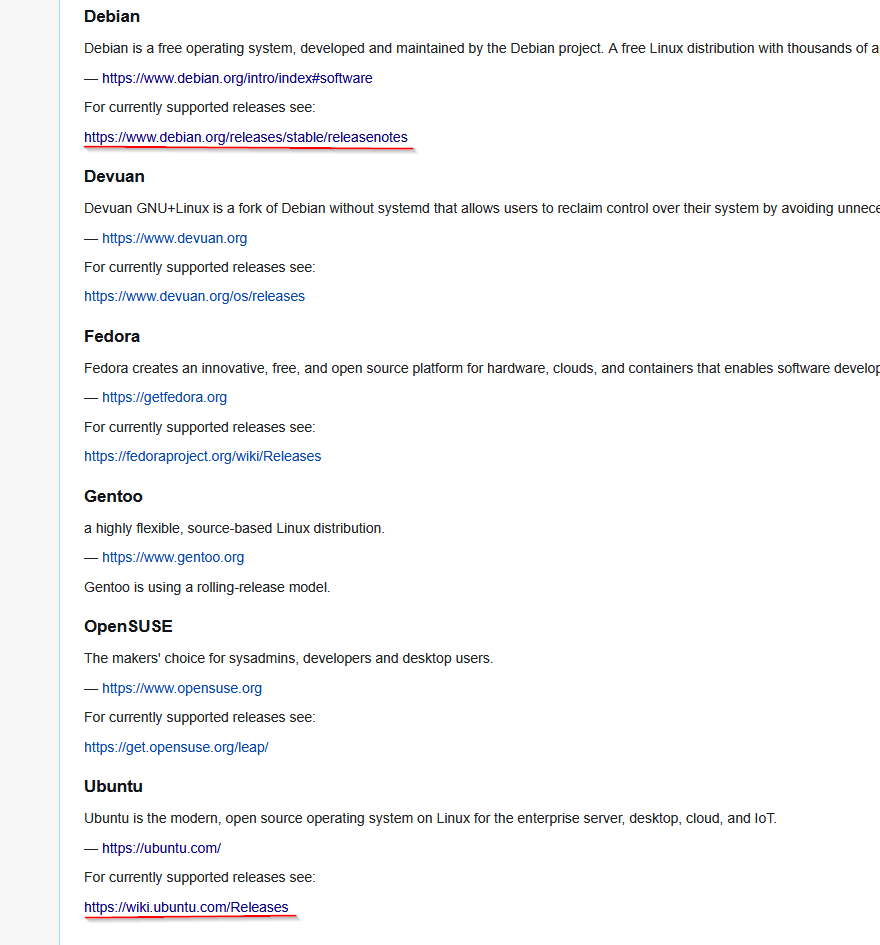
Hey! Du scheinst an dieser Unterhaltung interessiert zu sein, hast aber noch kein Konto.
Hast du es satt, bei jedem Besuch durch die gleichen Beiträge zu scrollen? Wenn du dich für ein Konto anmeldest, kommst du immer genau dorthin zurück, wo du zuvor warst, und kannst dich über neue Antworten benachrichtigen lassen (entweder per E-Mail oder Push-Benachrichtigung). Du kannst auch Lesezeichen speichern und Beiträge positiv bewerten, um anderen Community-Mitgliedern deine Wertschätzung zu zeigen.
Mit deinem Input könnte dieser Beitrag noch besser werden 💗
Registrieren Anmelden302
Online33.0k
Benutzer83.6k
Themen1.3m
Beiträge