
NEWS




HowTo: Zusatz-Programme fuer jarvis v3
-
@mcu
ich danke dir erstmal
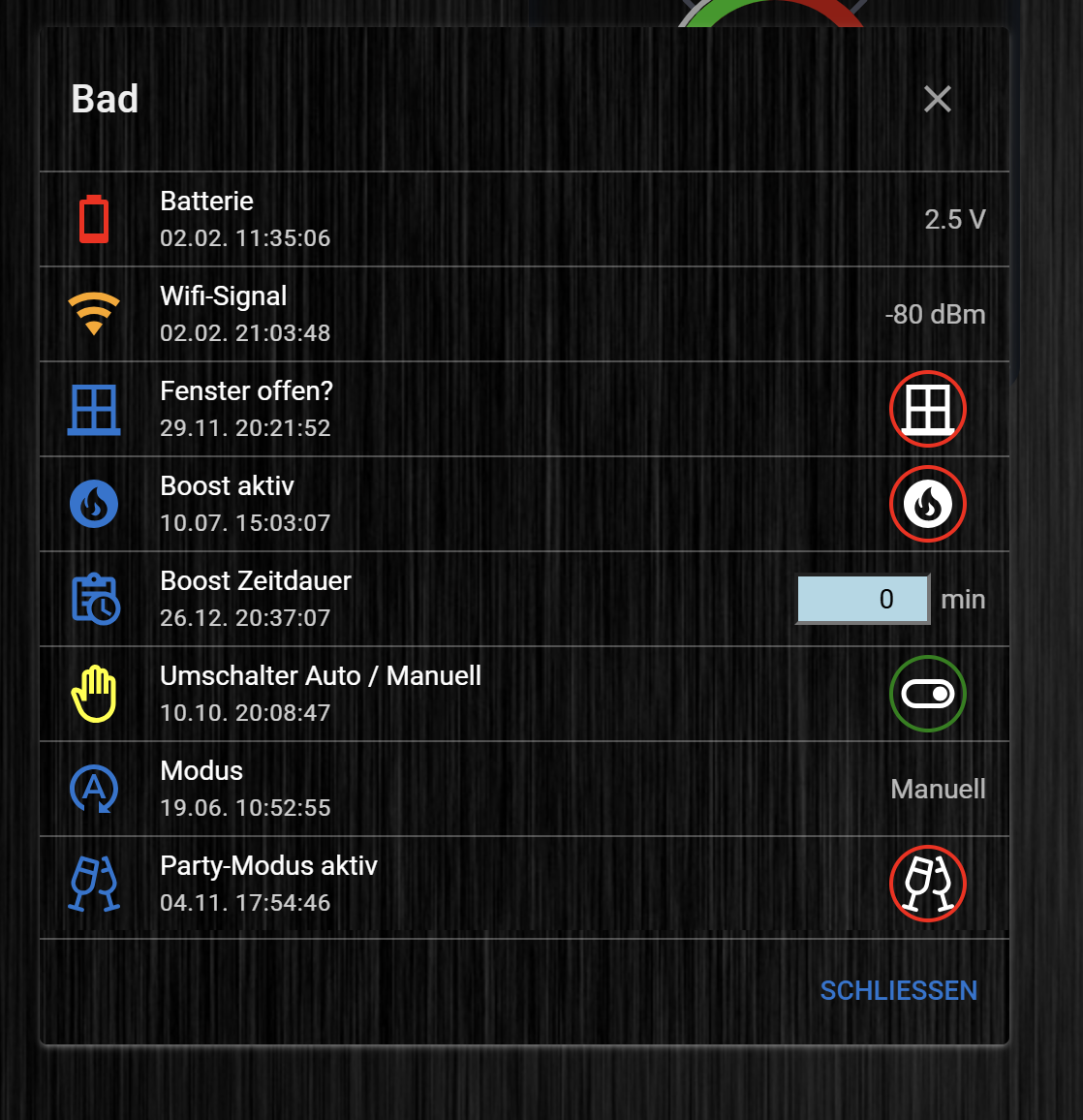
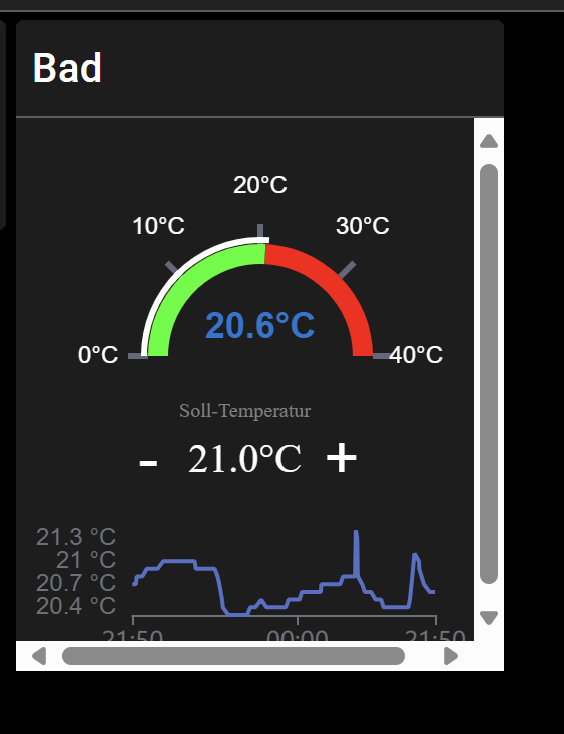
muss jetzt nur noch schauen warum er hier die Scrollbars anzeigt

und warum er das so breit zieht
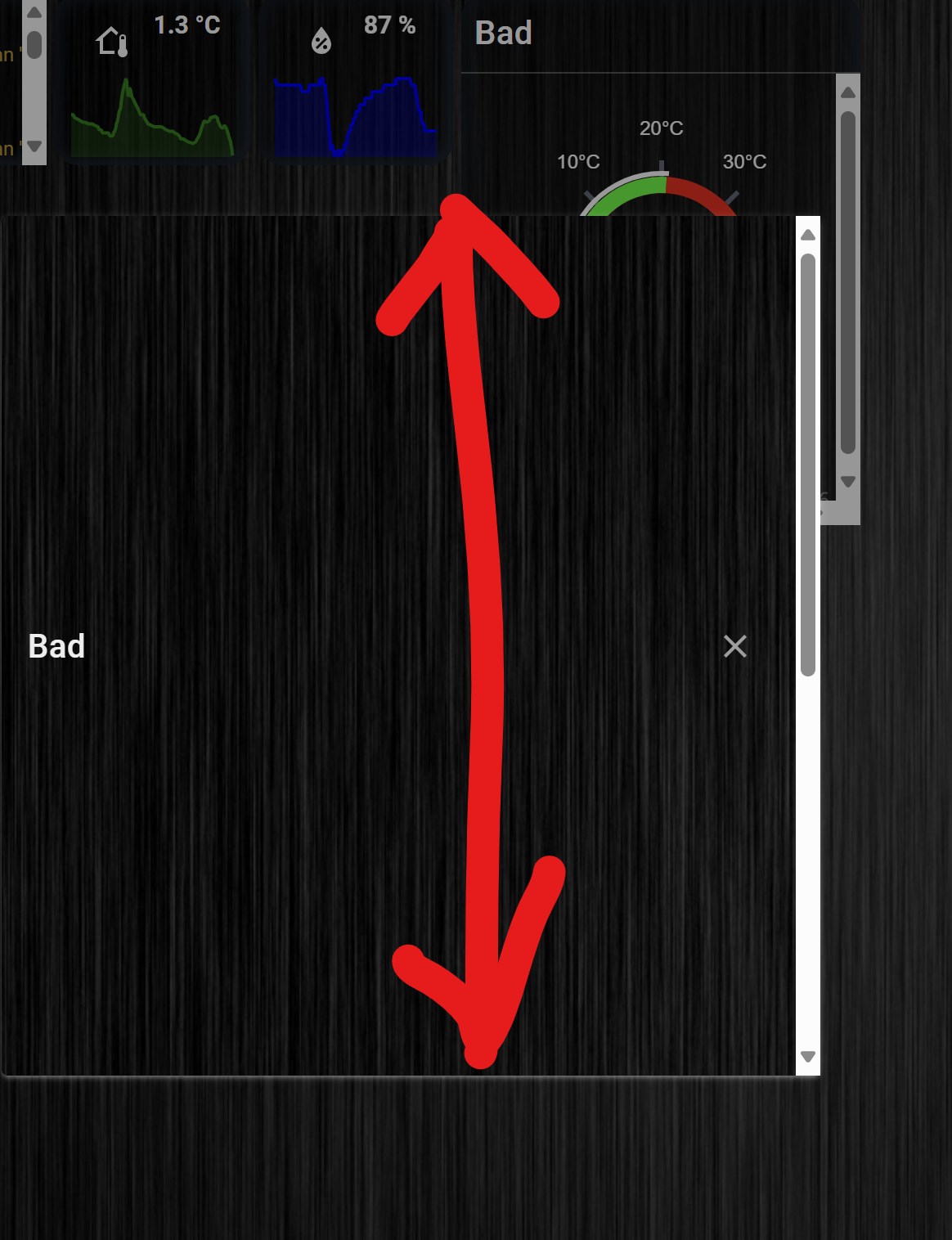
@intruder7 Dieses Format einhalten

-
@intruder7 Dieses Format einhalten
-
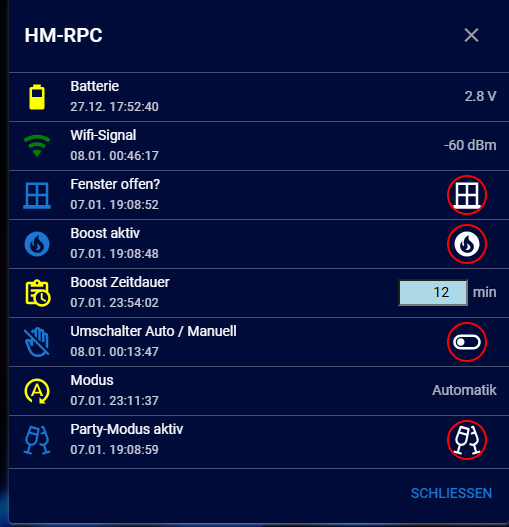
@intruder7 Dies scheint ja größer zu sein als das andere "Bad"
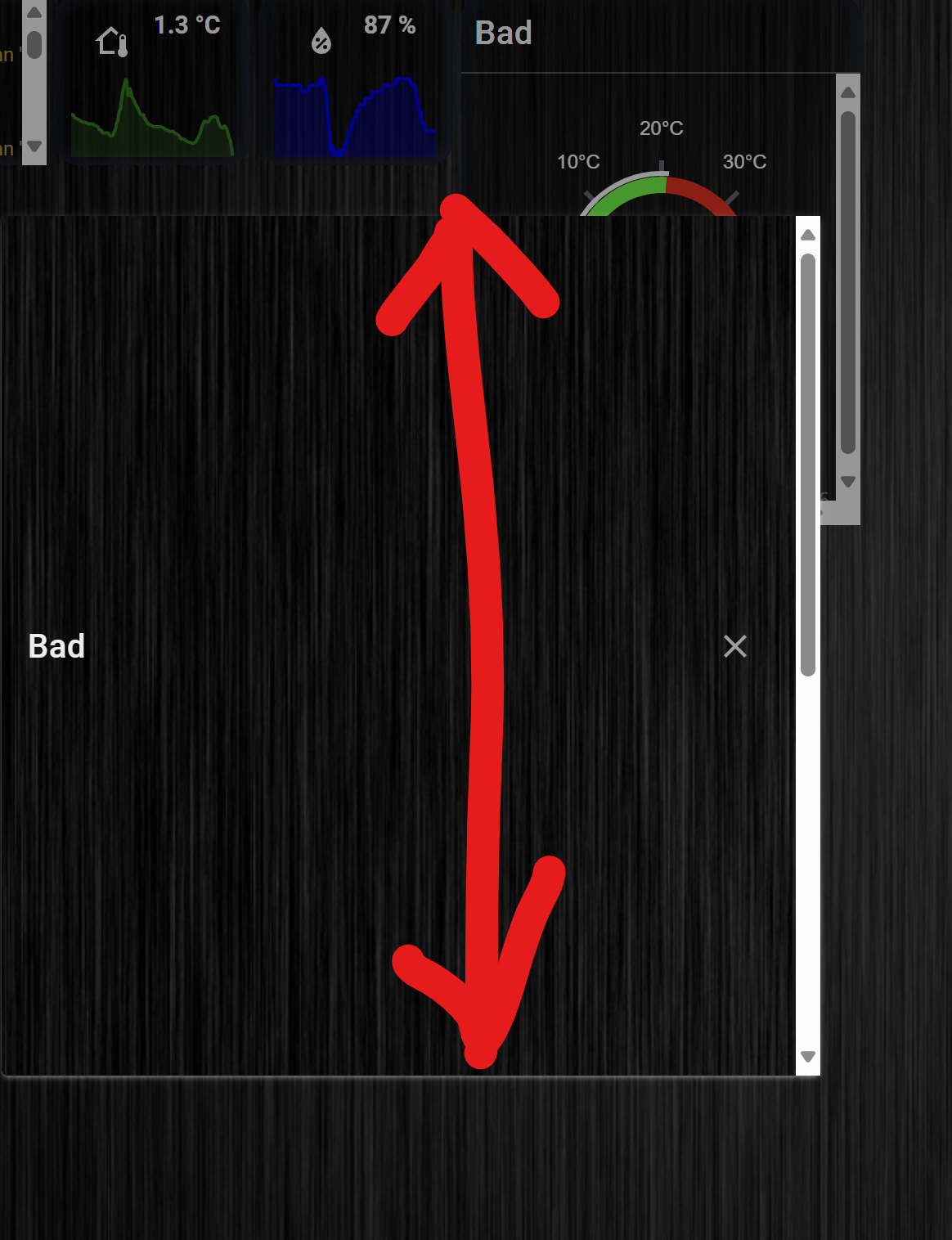
-
@intruder7 Dies scheint ja größer zu sein als das andere "Bad"
-
@intruder7 ok
-
@intruder7 ok
-
@intruder7 ok
-
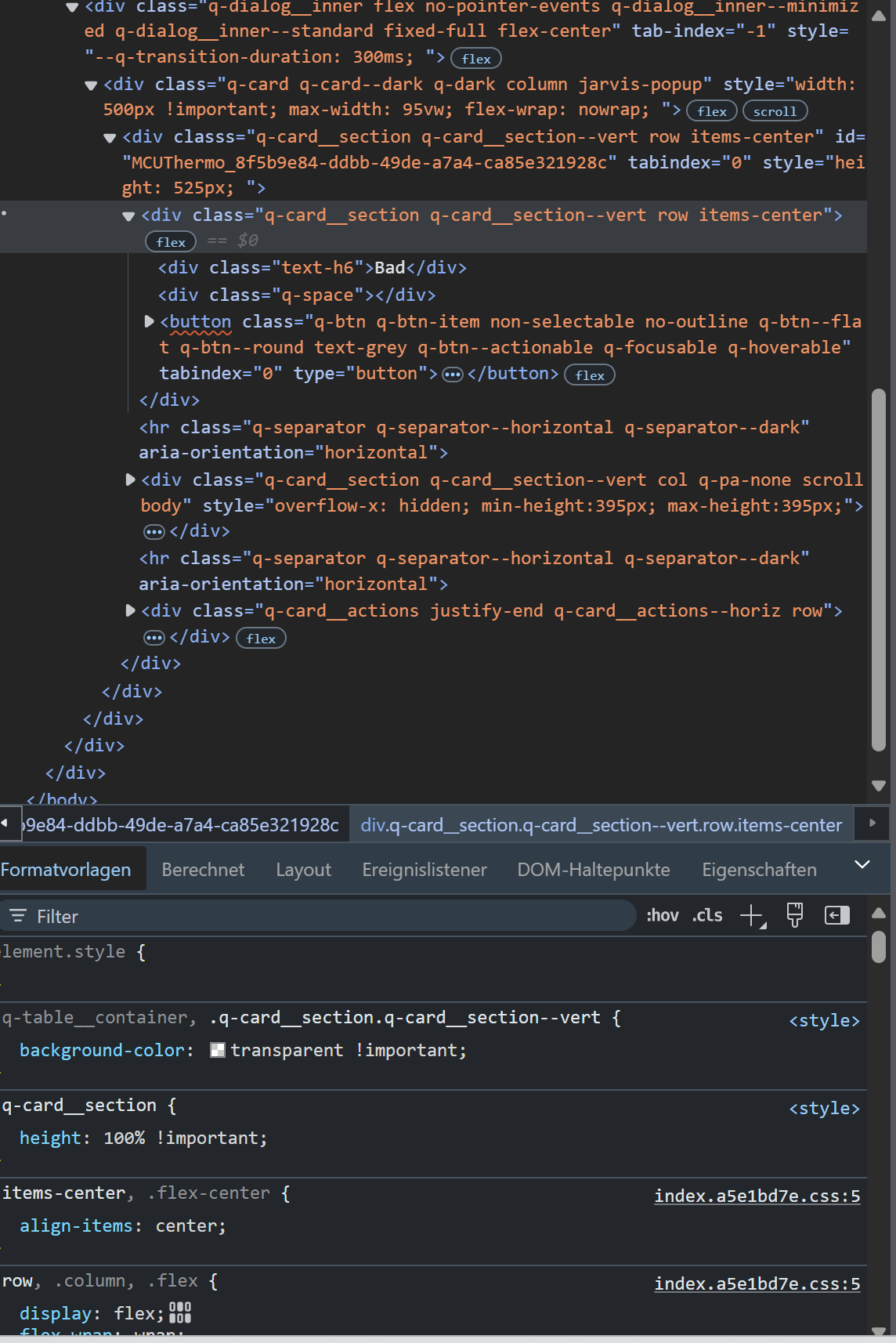
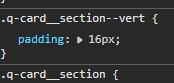
@intruder7 Klick mal zwischen Bad und x -> rechte Maustaste Untersuchen und das Bild was man sieht, möglichst viel davon.
-
@intruder7 Klick mal zwischen Bad und x -> rechte Maustaste Untersuchen und das Bild was man sieht, möglichst viel davon.
-
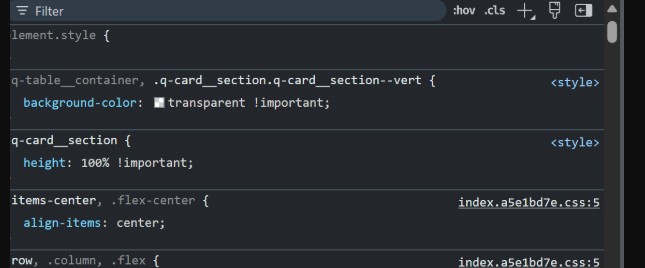
Hier nach unten scrollen bis man ein height oder sowas sieht
-
Hier nach unten scrollen bis man ein height oder sowas sieht
-
-
.q-card__section {
	height: 100% !important;
}
war die Ursache. Hatte ich aus irgendeinem Grund in den Styles
@intruder7 Dann bleibt nur noch setValue?
-
@intruder7 Dann bleibt nur noch setValue?
-
@intruder7 Bezgl der scrollbars, hast du eine Einstellung im CSS?
-
@intruder7 Dann bleibt nur noch setValue?
-
@intruder7 Bezgl der scrollbars, hast du eine Einstellung im CSS?
@mcu
dies ist alles was ich unter styles habe.MCU_HKT_History_Icon { height: 20px!important; width: 20px!important; } .blink { animation: blinker 2s linear infinite; } @keyframes blinker { 50% { opacity: 0; } } .jarvis-StateList.horizontal { display: flex; min-width: fit-content; justify-content: center; padding: 10px; } .stacked .jarvis-StateListItem { width: auto !important; } .jarvis-Calendar-CalendarName { font-size: 15px; margin-top: -6px; } .q-dialog .q-card { max-width: 700px !important; width: 700px !important; color: #EEEEEE; background-color: #000000c9 !important; } .jarvis-widget { font-size: 15px; /* large als alternative zu 15px */ } .paper { border-radius: 15px; } .jarvis-widget { border-radius: 15px; } .jarvis-widget-container { border-radius: 15px; box-shadow: inset 4px 4px 9px #19212d, inset -4px -4px 9px #253141; color: rgba(255,255,255,.8); } .jarvis-DateTime-Clock-Date { font-size: 30px; /* entsprechende Größe eintragen */ color: red; /* falls man die Farbe ändern möchte */ } .jarvis-DateTime-Clock-Time { font-size: 20px; /* entsprechende Größe eintragen */ color: white; /* falls man die Farbe ändern möchte */ } .jarvis-page-container, .jarvis-sidebar-container, .jarvis-sidebar-container .q-toolbar, .jarvis-popup, .jarvis-popup .jarvis-StateList { background-image: url("https://images.hdqwalls.com/download/black-gradient-b9-1920x1080.jpg"); } .body--dark .jarvis-header { background-color: rgba(0,0,0,0.25) !important; } .body--light .jarvis-header { background-color: rgba(0,0,0,0.25) !important; } .jarvis-tabs-container { background-color: rgba(0,0,0,0.25) !important; } .jarvis-widget-container { background-color: rgba(0,0,0,0.25) !important; } .body--dark .jarvis-widget { background: rgba(0,0,0,0.25); } .body--light .jarvis-widget { background: rgba(0,0,0,0.25); } .body--dark .jarvis-tabs-container { background-color: rgba(0,0,0,0.45) !important; } .body--light .jarvis-tabs-container { background-color: rgba(0,0,0,0.45) !important; } /* für JsonTable ergänzt @mcu */ .q-table__container, .q-card__section.q-card__section--vert { background-color: transparent !important; } /* .q-card__section { height: 100% !important; } */ /* für Trennstrich für TABs ergänzt @mcu */ .q-header--bordered { border: 1px solid transparent !important; } /* transparents Icon im Widget-Header @mcu */ .jarvis-widget-icon { background: rgba(0,0,0,0.45); } /* MediaControl in transparentem Design @mcu */ .cover { background-color: transparent !important; } .controls { background-color: transparent !important; } .track-information { background: rgba(25, 118, 210, 0) !important; } .track-duration { background-color: white; } .track-progress { background-color: blue; } .controls .jarvis-icon svg { color: white; } .controls .controlsLeft .q-btn__wrapper { background-color: transparent !important; } .controls .q-btn-group >.q-btn-item { background-color: transparent !important; } -
@mcu
dies ist alles was ich unter styles habe.MCU_HKT_History_Icon { height: 20px!important; width: 20px!important; } .blink { animation: blinker 2s linear infinite; } @keyframes blinker { 50% { opacity: 0; } } .jarvis-StateList.horizontal { display: flex; min-width: fit-content; justify-content: center; padding: 10px; } .stacked .jarvis-StateListItem { width: auto !important; } .jarvis-Calendar-CalendarName { font-size: 15px; margin-top: -6px; } .q-dialog .q-card { max-width: 700px !important; width: 700px !important; color: #EEEEEE; background-color: #000000c9 !important; } .jarvis-widget { font-size: 15px; /* large als alternative zu 15px */ } .paper { border-radius: 15px; } .jarvis-widget { border-radius: 15px; } .jarvis-widget-container { border-radius: 15px; box-shadow: inset 4px 4px 9px #19212d, inset -4px -4px 9px #253141; color: rgba(255,255,255,.8); } .jarvis-DateTime-Clock-Date { font-size: 30px; /* entsprechende Größe eintragen */ color: red; /* falls man die Farbe ändern möchte */ } .jarvis-DateTime-Clock-Time { font-size: 20px; /* entsprechende Größe eintragen */ color: white; /* falls man die Farbe ändern möchte */ } .jarvis-page-container, .jarvis-sidebar-container, .jarvis-sidebar-container .q-toolbar, .jarvis-popup, .jarvis-popup .jarvis-StateList { background-image: url("https://images.hdqwalls.com/download/black-gradient-b9-1920x1080.jpg"); } .body--dark .jarvis-header { background-color: rgba(0,0,0,0.25) !important; } .body--light .jarvis-header { background-color: rgba(0,0,0,0.25) !important; } .jarvis-tabs-container { background-color: rgba(0,0,0,0.25) !important; } .jarvis-widget-container { background-color: rgba(0,0,0,0.25) !important; } .body--dark .jarvis-widget { background: rgba(0,0,0,0.25); } .body--light .jarvis-widget { background: rgba(0,0,0,0.25); } .body--dark .jarvis-tabs-container { background-color: rgba(0,0,0,0.45) !important; } .body--light .jarvis-tabs-container { background-color: rgba(0,0,0,0.45) !important; } /* für JsonTable ergänzt @mcu */ .q-table__container, .q-card__section.q-card__section--vert { background-color: transparent !important; } /* .q-card__section { height: 100% !important; } */ /* für Trennstrich für TABs ergänzt @mcu */ .q-header--bordered { border: 1px solid transparent !important; } /* transparents Icon im Widget-Header @mcu */ .jarvis-widget-icon { background: rgba(0,0,0,0.45); } /* MediaControl in transparentem Design @mcu */ .cover { background-color: transparent !important; } .controls { background-color: transparent !important; } .track-information { background: rgba(25, 118, 210, 0) !important; } .track-duration { background-color: white; } .track-progress { background-color: blue; } .controls .jarvis-icon svg { color: white; } .controls .controlsLeft .q-btn__wrapper { background-color: transparent !important; } .controls .q-btn-group >.q-btn-item { background-color: transparent !important; }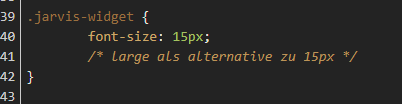
Das kann schon Einfluss haben, geht ja auch auf alle Widgets.
Schalte einmal die Styles ab und schau ob es anders wird.
Welcher Wert soll gesetzt werden bei setValue?
Für hm-rpc sind die DPs gesetzt
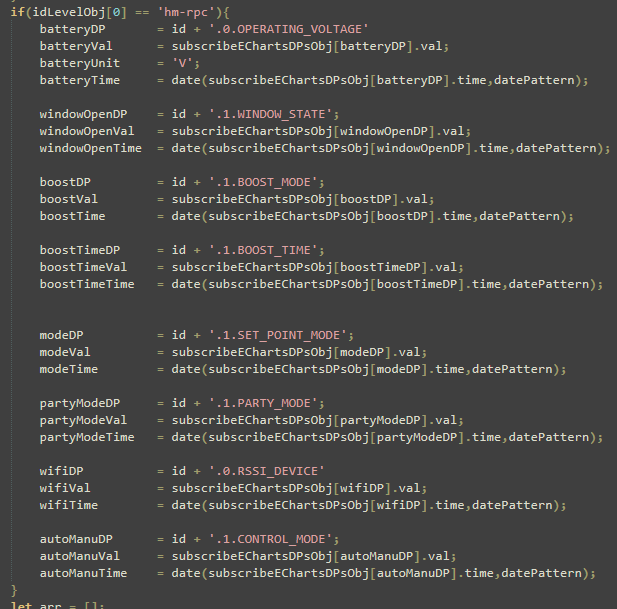
So wurde es damals von einem User erklärt.
-
Das kann schon Einfluss haben, geht ja auch auf alle Widgets.
Schalte einmal die Styles ab und schau ob es anders wird.
Welcher Wert soll gesetzt werden bei setValue?
Für hm-rpc sind die DPs gesetzt
So wurde es damals von einem User erklärt.


Hey! Du scheinst an dieser Unterhaltung interessiert zu sein, hast aber noch kein Konto.
Hast du es satt, bei jedem Besuch durch die gleichen Beiträge zu scrollen? Wenn du dich für ein Konto anmeldest, kommst du immer genau dorthin zurück, wo du zuvor warst, und kannst dich über neue Antworten benachrichtigen lassen (entweder per E-Mail oder Push-Benachrichtigung). Du kannst auch Lesezeichen speichern und Beiträge positiv bewerten, um anderen Community-Mitgliedern deine Wertschätzung zu zeigen.
Mit deinem Input könnte dieser Beitrag noch besser werden 💗
Registrieren AnmeldenSupport us
451
Online33.1k
Benutzende83.7k
Themen1.3m
Beiträge