




[gelöst] ioBroker Web nach Backitup nicht erreichbar
-
@bene241 sagte in ioBroker Web nach Backitup nicht erreichbar:
Können irgendwelche Versionunterschiede ein Problem verursachen?
Ich habe es nun mit zwei Backups probiert, eines aus 09/2023möglicherweise, eins aus 10/2024 sollte funktionieren, sofern du auch "relativ" aktuell mit deinem iobroker gefahren bist
@bene241 sagte in ioBroker Web nach Backitup nicht erreichbar:
Seit dem kann ich per Browser nicht mehr zugreifen.
Per ssh ist der Pi erreichbar.
Bei den laufenden Instanzen "iobroker list instances" wird nur der backitup adapter als aktiv angezeigt.er muss ja jetzt erstmal die eigentliche Installation bewerkstelligen und dies dauert eine Weile, du kannst in log sehen, was er gerade macht
iob logs --watch@crunchip said in ioBroker Web nach Backitup nicht erreichbar:
@bene241 sagte in ioBroker Web nach Backitup nicht erreichbar:
Können irgendwelche Versionunterschiede ein Problem verursachen?
Ich habe es nun mit zwei Backups probiert, eines aus 09/2023möglicherweise, eins aus 10/2024 sollte funktionieren, sofern du auch "relativ" aktuell mit deinem iobroker gefahren bist
Da könnte das Problem liegen, da alles erst einmal funktionierte, war ich "inaktiv" beim ioBroker.
Ich wollte alles auf den neusten Stand bringen und habe dort wahrscheinlich beim Updaten einen fehler gemacht.
Daher ist das Backup aus 10/2024 auch mit relativen alten Versionen. -
@bene241
Starte mal den Adminiob start admin.0@codierknecht said in ioBroker Web nach Backitup nicht erreichbar:
@bene241
Starte mal den Adminiob start admin.0Leider passiert dann garnichts, da müsste doch eigentlich die Rückmeldung kommen, dass der Adapter gestartet wurde...

-
@codierknecht said in ioBroker Web nach Backitup nicht erreichbar:
@bene241
Starte mal den Adminiob start admin.0Leider passiert dann garnichts, da müsste doch eigentlich die Rückmeldung kommen, dass der Adapter gestartet wurde...
@bene241 sagte in ioBroker Web nach Backitup nicht erreichbar:
da müsste doch eigentlich die Rückmeldung kommen
Eigentlich schon
codierknecht@nuc:~$ iob start admin.0 The adapter "admin.0" was started. -
@bene241
Starte mal den Adminiob start admin.0@codierknecht laut log ist er noch am arbeiten mit einigen error Meldungen
umgestiegen von Proxmox auf Unraid
-
@bene241 sagte in ioBroker Web nach Backitup nicht erreichbar:
Können irgendwelche Versionunterschiede ein Problem verursachen?
Ich habe es nun mit zwei Backups probiert, eines aus 09/2023möglicherweise, eins aus 10/2024 sollte funktionieren, sofern du auch "relativ" aktuell mit deinem iobroker gefahren bist
@bene241 sagte in ioBroker Web nach Backitup nicht erreichbar:
Seit dem kann ich per Browser nicht mehr zugreifen.
Per ssh ist der Pi erreichbar.
Bei den laufenden Instanzen "iobroker list instances" wird nur der backitup adapter als aktiv angezeigt.er muss ja jetzt erstmal die eigentliche Installation bewerkstelligen und dies dauert eine Weile, du kannst in log sehen, was er gerade macht
iob logs --watcher muss ja jetzt erstmal die eigentliche Installation bewerkstelligen und dies dauert eine Weile, du kannst in log sehen, was er gerade macht
iob logs --watchDas schemißt er raus:
pi@raspberrypi:~ $ iob logs --watch 2024-10-06 14:33:19.831 - info: host.raspberrypi iobroker npm-install: upload [2] web /opt/iobroker/node_modules/iobroker.web/www/lib/js/translate.js lib/js/translate.js application/javascript 2024-10-06 14:33:19.842 - info: host.raspberrypi iobroker npm-install: upload [1] web /opt/iobroker/node_modules/iobroker.web/www/login/favicon.ico login/favicon.ico image/vnd.microsoft.icon 2024-10-06 14:33:19.850 - info: host.raspberrypi iobroker npm-install: upload [0] web /opt/iobroker/node_modules/iobroker.web/www/login/index.html login/index.html text/html 2024-10-06 14:33:20.046 - info: host.raspberrypi iobroker npm-install: host.raspberrypi object system.adapter.web created/updated 2024-10-06 14:33:21.137 - info: host.raspberrypi iobroker npm-install: exit 0 2024-10-06 14:33:22.137 - warn: host.raspberrypi startInstance cannot find adapter "ws@1.3.0". Try to install it... 1 attempt 2024-10-06 14:33:22.138 - info: host.raspberrypi iobroker install ws@1.3.0 using installedVersion 2024-10-06 14:33:24.455 - info: host.raspberrypi iobroker npm-install: adapter "ws" already installed. Use "upgrade" to upgrade to a newer version. 2024-10-06 14:33:25.498 - info: host.raspberrypi iobroker npm-install: exit 51 2024-10-06 14:33:26.499 - warn: host.raspberrypi startInstance cannot find adapter "yahka@0.13.1". Try to install it... 1 attempt 2024-10-06 14:33:26.501 - info: host.raspberrypi iobroker install yahka@0.13.1 using installedFrom 2024-10-06 14:33:29.596 - info: host.raspberrypi iobroker npm-install: NPM version: 10.8.2 2024-10-06 14:33:29.598 - info: host.raspberrypi iobroker npm-install: Installing iobroker.yahka@0.13.1... (System call) 2024-10-06 14:33:41.908 - info: host.raspberrypi iobroker npm-install: 2024-10-06 14:33:41.909 - info: host.raspberrypi iobroker npm-install: added 38 packages in 12s 2024-10-06 14:33:41.910 - info: host.raspberrypi iobroker npm-install: 2024-10-06 14:33:41.911 - info: host.raspberrypi iobroker npm-install: 193 packages are looking for funding 2024-10-06 14:33:41.913 - info: host.raspberrypi iobroker npm-install: run `npm fund` for details 2024-10-06 14:33:41.950 - info: host.raspberrypi iobroker npm-install: host.raspberrypi install adapter yahka@0.13.1 2024-10-06 14:33:48.322 - error: host.raspberrypi iobroker npm-install: Cannot install "pam-devel": WARNING: apt does not have a stable CLI interface. Use with caution in scripts.E: Unable to locate package pam-develThe following apt packages could not be installed: pam-devel. Please install them manually. 2024-10-06 14:33:48.323 - info: host.raspberrypi iobroker npm-install: Installed the following apt packages: pam-develThese apt packages were already installed: libavahi-compat-libdnssd-dev 2024-10-06 14:33:48.398 - info: host.raspberrypi iobroker npm-install: upload [19] yahka.admin /opt/iobroker/node_modules/iobroker.yahka/admin/css/yahka.admin.css css/yahka.admin.css text/css 2024-10-06 14:33:48.409 - info: host.raspberrypi iobroker npm-install: upload [18] yahka.admin /opt/iobroker/node_modules/iobroker.yahka/admin/ext/metroui/css/metro-colors.min.css ext/metroui/css/metro-colors.min.css text/css 2024-10-06 14:33:48.417 - info: host.raspberrypi iobroker npm-install: upload [17] yahka.admin /opt/iobroker/node_modules/iobroker.yahka/admin/ext/metroui/css/metro-icons.min.css ext/metroui/css/metro-icons.min.css text/css 2024-10-06 14:33:48.424 - info: host.raspberrypi iobroker npm-install: upload [16] yahka.admin /opt/iobroker/node_modules/iobroker.yahka/admin/ext/metroui/css/metro-responsive.min.css ext/metroui/css/metro-responsive.min.css text/css 2024-10-06 14:33:48.431 - info: host.raspberrypi iobroker npm-install: upload [15] yahka.admin /opt/iobroker/node_modules/iobroker.yahka/admin/ext/metroui/css/metro-rtl.min.css ext/metroui/css/metro-rtl.min.css text/css 2024-10-06 14:33:48.437 - info: host.raspberrypi iobroker npm-install: upload [14] yahka.admin /opt/iobroker/node_modules/iobroker.yahka/admin/ext/metroui/css/metro-schemes.min.css ext/metroui/css/metro-schemes.min.css text/css 2024-10-06 14:33:48.444 - info: host.raspberrypi iobroker npm-install: upload [13] yahka.admin /opt/iobroker/node_modules/iobroker.yahka/admin/ext/metroui/css/metro.min.css ext/metroui/css/metro.min.css text/css 2024-10-06 14:33:48.453 - info: host.raspberrypi iobroker npm-install: upload [12] yahka.admin /opt/iobroker/node_modules/iobroker.yahka/admin/ext/metroui/fonts/metro.eot ext/metroui/fonts/metro.eot application/vnd.ms-fontobject 2024-10-06 14:33:48.460 - info: host.raspberrypi iobroker npm-install: upload [11] yahka.admin /opt/iobroker/node_modules/iobroker.yahka/admin/ext/metroui/fonts/metro.svg ext/metroui/fonts/metro.svg image/svg+xml 2024-10-06 14:33:48.472 - info: host.raspberrypi iobroker npm-install: upload [10] yahka.admin /opt/iobroker/node_modules/iobroker.yahka/admin/ext/metroui/fonts/metro.ttf ext/metroui/fonts/metro.ttf font/ttf 2024-10-06 14:33:48.479 - info: host.raspberrypi iobroker npm-install: upload [9] yahka.admin /opt/iobroker/node_modules/iobroker.yahka/admin/ext/metroui/fonts/metro.woff ext/metroui/fonts/metro.woff font/woff 2024-10-06 14:33:48.487 - info: host.raspberrypi iobroker npm-install: upload [8] yahka.admin /opt/iobroker/node_modules/iobroker.yahka/admin/ext/metroui/fonts/selection.json ext/metroui/fonts/selection.json application/json 2024-10-06 14:33:48.501 - info: host.raspberrypi iobroker npm-install: upload [7] yahka.admin /opt/iobroker/node_modules/iobroker.yahka/admin/ext/metroui/js/metro.min.js ext/metroui/js/metro.min.js application/javascript 2024-10-06 14:33:48.509 - info: host.raspberrypi iobroker npm-install: upload [6] yahka.admin /opt/iobroker/node_modules/iobroker.yahka/admin/home_icon_large.png home_icon_large.png image/png 2024-10-06 14:33:48.515 - info: host.raspberrypi iobroker npm-install: upload [5] yahka.admin /opt/iobroker/node_modules/iobroker.yahka/admin/index.html index.html text/html 2024-10-06 14:33:48.522 - info: host.raspberrypi iobroker npm-install: upload [4] yahka.admin /opt/iobroker/node_modules/iobroker.yahka/admin/index_m.html index_m.html text/html 2024-10-06 14:33:48.528 - info: host.raspberrypi iobroker npm-install: upload [3] yahka.admin /opt/iobroker/node_modules/iobroker.yahka/admin/words.js words.js application/javascript 2024-10-06 14:33:48.534 - info: host.raspberrypi iobroker npm-install: upload [2] yahka.admin /opt/iobroker/node_modules/iobroker.yahka/admin/yahka.admin.js yahka.admin.js application/javascript 2024-10-06 14:33:48.695 - info: host.raspberrypi iobroker npm-install: upload [1] yahka.admin /opt/iobroker/node_modules/iobroker.yahka/admin/yahka.admin.js.map yahka.admin.js.map application/json 2024-10-06 14:33:48.862 - info: host.raspberrypi iobroker npm-install: upload [0] yahka.admin /opt/iobroker/node_modules/iobroker.yahka/admin/yahka.png yahka.png image/png 2024-10-06 14:33:48.882 - info: host.raspberrypi iobroker npm-install: host.raspberrypi object yahka.meta._accessoryCategories created/updated 2024-10-06 14:33:48.891 - info: host.raspberrypi iobroker npm-install: host.raspberrypi object system.adapter.yahka created/updated 2024-10-06 14:33:48.974 - info: host.raspberrypi iobroker npm-install: Update "system.adapter.yahka.0" 2024-10-06 14:33:50.014 - info: host.raspberrypi iobroker npm-install: exit 0 2024-10-06 14:33:51.015 - warn: host.raspberrypi startInstance cannot find adapter "mihome-vacuum@3.8.8". Try to install it... 2 attempt 2024-10-06 14:33:51.016 - info: host.raspberrypi iobroker install mihome-vacuum@3.8.8 using installedFrom 2024-10-06 14:33:54.092 - info: host.raspberrypi iobroker npm-install: NPM version: 10.8.2 2024-10-06 14:33:54.094 - info: host.raspberrypi iobroker npm-install: Installing iobroker.mihome-vacuum@3.8.8... (System call) 2024-10-06 14:34:03.558 - error: host.raspberrypi iobroker npm-install: npm error code 127npm error path /opt/iobroker/node_modules/zlibnpm error command failednpm error command sh -c node-waf clean || true; node-waf configure buildnpm error sh: 1: node-waf: not foundnpm error sh: 1: node-waf: not foundnpm error A complete log of this run can be found in: /home/iobroker/.npm/_logs/2024-10-06T12_33_54_373Z-debug-0.log 2024-10-06 14:34:03.560 - error: host.raspberrypi iobroker npm-install: host.raspberrypi Cannot install iobroker.mihome-vacuum@3.8.8: 127 2024-10-06 14:34:04.589 - info: host.raspberrypi iobroker npm-install: exit 25 2024-10-06 14:34:05.590 - warn: host.raspberrypi startInstance cannot find adapter "vis@1.4.15". Try to install it... 2 attempt 2024-10-06 14:34:05.591 - info: host.raspberrypi iobroker install vis@1.4.15 using installedFrom 2024-10-06 14:34:08.677 - info: host.raspberrypi iobroker npm-install: NPM version: 10.8.2 2024-10-06 14:34:08.679 - info: host.raspberrypi iobroker npm-install: Installing iobroker.vis@1.4.15... (System call) 2024-10-06 14:34:17.590 - info: vis.0 (11909) starting. Version 1.4.15 in /opt/iobroker/node_modules/iobroker.vis, node: v20.18.0, js-controller: 6.0.11 2024-10-06 14:34:17.887 - info: vis.0 (11909) vis license is OK. 2024-10-06 14:34:18.097 - error: vis.0 (11909) Unhandled promise rejection. This error originated either by throwing inside of an async function without a catch block, or by rejecting a promise which was not handled with .catch(). 2024-10-06 14:34:18.098 - error: vis.0 (11909) unhandled promise rejection: Not exists 2024-10-06 14:34:18.100 - error: vis.0 (11909) Error: Not exists at ObjectsInRedisClient._readFile (file:///opt/iobroker/node_modules/@iobroker/db-objects-redis/build/esm/lib/objects/objectsInRedisClient.js:850:19) at Immediate.<anonymous> (file:///opt/iobroker/node_modules/@iobroker/db-objects-redis/build/esm/lib/objects/objectsInRedisClient.js:887:59) at process.processImmediate (node:internal/timers:485:21) 2024-10-06 14:34:18.101 - error: vis.0 (11909) Not exists 2024-10-06 14:34:18.607 - info: vis.0 (11909) terminating 2024-10-06 14:34:18.609 - warn: vis.0 (11909) Terminated (UNCAUGHT_EXCEPTION): Without reason 2024-10-06 14:34:19.275 - error: host.raspberrypi iobroker npm-install: npm error code 6npm error path /opt/iobroker/node_modules/iobroker.visnpm error command failednpm error command sh -c node main.js --installnpm error A complete log of this run can be found in: /home/iobroker/.npm/_logs/2024-10-06T12_34_08_958Z-debug-0.log 2024-10-06 14:34:19.276 - error: host.raspberrypi iobroker npm-install: host.raspberrypi Cannot install iobroker.vis@1.4.15: 6 2024-10-06 14:34:20.305 - info: host.raspberrypi iobroker npm-install: exit 25 2024-10-06 14:34:21.305 - warn: host.raspberrypi startInstance cannot find adapter "mihome-vacuum@3.8.8". Try to install it... 3 attempt 2024-10-06 14:34:21.308 - info: host.raspberrypi iobroker install mihome-vacuum@3.8.8 using installedVersion 2024-10-06 14:34:24.355 - info: host.raspberrypi iobroker npm-install: NPM version: 10.8.2 2024-10-06 14:34:24.357 - info: host.raspberrypi iobroker npm-install: Installing iobroker.mihome-vacuum@3.8.8... (System call) 2024-10-06 14:34:31.625 - error: host.raspberrypi iobroker npm-install: npm error code 127npm error path /opt/iobroker/node_modules/zlibnpm error command failednpm error command sh -c node-waf clean || true; node-waf configure buildnpm error sh: 1: node-waf: not foundnpm error sh: 1: node-waf: not foundnpm error A complete log of this run can be found in: /home/iobroker/.npm/_logs/2024-10-06T12_34_24_639Z-debug-0.log 2024-10-06 14:34:31.626 - error: host.raspberrypi iobroker npm-install: host.raspberrypi Cannot install iobroker.mihome-vacuum@3.8.8: 127 2024-10-06 14:34:32.653 - info: host.raspberrypi iobroker npm-install: exit 25 2024-10-06 14:34:33.655 - warn: host.raspberrypi startInstance cannot find adapter "vis@1.4.15". Try to install it... 3 attempt 2024-10-06 14:34:33.655 - info: host.raspberrypi iobroker install vis@1.4.15 using installedVersion 2024-10-06 14:34:36.662 - info: host.raspberrypi iobroker npm-install: NPM version: 10.8.2 2024-10-06 14:34:36.663 - info: host.raspberrypi iobroker npm-install: Installing iobroker.vis@1.4.15... (System call) 2024-10-06 14:34:45.598 - info: vis.0 (11991) starting. Version 1.4.15 in /opt/iobroker/node_modules/iobroker.vis, node: v20.18.0, js-controller: 6.0.11 2024-10-06 14:34:45.893 - info: vis.0 (11991) vis license is OK. 2024-10-06 14:34:46.101 - error: vis.0 (11991) Unhandled promise rejection. This error originated either by throwing inside of an async function without a catch block, or by rejecting a promise which was not handled with .catch(). 2024-10-06 14:34:46.103 - error: vis.0 (11991) unhandled promise rejection: Not exists 2024-10-06 14:34:46.105 - error: vis.0 (11991) Error: Not exists at ObjectsInRedisClient._readFile (file:///opt/iobroker/node_modules/@iobroker/db-objects-redis/build/esm/lib/objects/objectsInRedisClient.js:850:19) at Immediate.<anonymous> (file:///opt/iobroker/node_modules/@iobroker/db-objects-redis/build/esm/lib/objects/objectsInRedisClient.js:887:59) at process.processImmediate (node:internal/timers:485:21) 2024-10-06 14:34:46.106 - error: vis.0 (11991) Not exists 2024-10-06 14:34:46.612 - info: vis.0 (11991) terminating 2024-10-06 14:34:46.613 - warn: vis.0 (11991) Terminated (UNCAUGHT_EXCEPTION): Without reason 2024-10-06 14:34:47.281 - error: host.raspberrypi iobroker npm-install: npm error code 6npm error path /opt/iobroker/node_modules/iobroker.visnpm error command failednpm error command sh -c node main.js --installnpm error A complete log of this run can be found in: /home/iobroker/.npm/_logs/2024-10-06T12_34_36_958Z-debug-0.log 2024-10-06 14:34:47.282 - error: host.raspberrypi iobroker npm-install: host.raspberrypi Cannot install iobroker.vis@1.4.15: 6 2024-10-06 14:34:48.311 - info: host.raspberrypi iobroker npm-install: exit 25 2024-10-06 14:34:49.312 - warn: host.raspberrypi startInstance cannot find adapter "mihome-vacuum@3.8.8". Try to install it... 4 attempt 2024-10-06 14:34:49.313 - info: host.raspberrypi iobroker install mihome-vacuum@3.8.8 using installedVersion 2024-10-06 14:34:52.305 - info: host.raspberrypi iobroker npm-install: NPM version: 10.8.2 2024-10-06 14:34:52.307 - info: host.raspberrypi iobroker npm-install: Installing iobroker.mihome-vacuum@3.8.8... (System call) 2024-10-06 14:34:59.572 - error: host.raspberrypi iobroker npm-install: npm error code 127npm error path /opt/iobroker/node_modules/zlibnpm error command failednpm error command sh -c node-waf clean || true; node-waf configure buildnpm error sh: 1: node-waf: not foundnpm error sh: 1: node-waf: not foundnpm error A complete log of this run can be found in: /home/iobroker/.npm/_logs/2024-10-06T12_34_52_586Z-debug-0.loghost.raspberrypi Cannot install iobroker.mihome-vacuum@3.8.8: 127 2024-10-06 14:35:00.601 - info: host.raspberrypi iobroker npm-install: exit 25 2024-10-06 14:35:01.602 - warn: host.raspberrypi startInstance cannot find adapter "vis@1.4.15". Try to install it... 4 attempt 2024-10-06 14:35:01.603 - info: host.raspberrypi iobroker install vis@1.4.15 using installedVersion 2024-10-06 14:35:04.576 - info: host.raspberrypi iobroker npm-install: NPM version: 10.8.2 2024-10-06 14:35:04.579 - info: host.raspberrypi iobroker npm-install: Installing iobroker.vis@1.4.15... (System call) 2024-10-06 14:35:13.586 - info: vis.0 (12072) starting. Version 1.4.15 in /opt/iobroker/node_modules/iobroker.vis, node: v20.18.0, js-controller: 6.0.11 2024-10-06 14:35:13.888 - info: vis.0 (12072) vis license is OK. 2024-10-06 14:35:14.074 - error: vis.0 (12072) Unhandled promise rejection. This error originated either by throwing inside of an async function without a catch block, or by rejecting a promise which was not handled with .catch(). 2024-10-06 14:35:14.076 - error: vis.0 (12072) unhandled promise rejection: Not exists 2024-10-06 14:35:14.077 - error: vis.0 (12072) Error: Not exists at ObjectsInRedisClient._readFile (file:///opt/iobroker/node_modules/@iobroker/db-objects-redis/build/esm/lib/objects/objectsInRedisClient.js:850:19) at Immediate.<anonymous> (file:///opt/iobroker/node_modules/@iobroker/db-objects-redis/build/esm/lib/objects/objectsInRedisClient.js:887:59) at process.processImmediate (node:internal/timers:485:21) 2024-10-06 14:35:14.079 - error: vis.0 (12072) Not exists 2024-10-06 14:35:14.584 - info: vis.0 (12072) terminating 2024-10-06 14:35:14.586 - warn: vis.0 (12072) Terminated (UNCAUGHT_EXCEPTION): Without reason 2024-10-06 14:35:15.260 - error: host.raspberrypi iobroker npm-install: npm error code 6npm error path /opt/iobroker/node_modules/iobroker.visnpm error command failednpm error command sh -c node main.js --installnpm error A complete log of this run can be found in: /home/iobroker/.npm/_logs/2024-10-06T12_35_04_857Z-debug-0.log 2024-10-06 14:35:15.261 - error: host.raspberrypi iobroker npm-install: host.raspberrypi Cannot install iobroker.vis@1.4.15: 6 2024-10-06 14:35:16.289 - info: host.raspberrypi iobroker npm-install: exit 25 2024-10-06 14:35:17.290 - error: host.raspberrypi Cannot download and install adapter "mihome-vacuum@3.8.8". To retry it disable/enable the adapter or restart host. Also check the error messages in the log! 2024-10-06 14:35:17.791 - error: host.raspberrypi Cannot download and install adapter "vis@1.4.15". To retry it disable/enable the adapter or restart host. Also check the error messages in the log! 2024-10-06 15:19:34.015 - info: host.raspberrypi received SIGTERM 2024-10-06 15:19:34.018 - info: backitup.0 (9416) cleaned everything up... 2024-10-06 15:19:34.021 - info: host.raspberrypi stopInstance system.adapter.admin.0 (force=false, process=false) 2024-10-06 15:19:34.021 - info: host.raspberrypi stopInstance system.adapter.javascript.0 (force=false, process=false) 2024-10-06 15:19:34.022 - info: host.raspberrypi stopInstance system.adapter.telegram.0 (force=false, process=false) 2024-10-06 15:19:34.022 - info: host.raspberrypi stopInstance system.adapter.alexa2.0 (force=false, process=false) 2024-10-06 15:19:34.023 - info: host.raspberrypi stopInstance system.adapter.hm-rega.0 (force=false, process=false) 2024-10-06 15:19:34.023 - info: host.raspberrypi stopInstance system.adapter.hm-rpc.0 (force=false, process=false) 2024-10-06 15:19:34.023 - info: host.raspberrypi stopInstance system.adapter.hm-rpc.1 (force=false, process=false) 2024-10-06 15:19:34.023 - info: host.raspberrypi stopInstance system.adapter.hm-rpc.2 (force=false, process=false) 2024-10-06 15:19:34.024 - info: host.raspberrypi stopInstance system.adapter.hue.0 (force=false, process=false) 2024-10-06 15:19:34.024 - info: host.raspberrypi stopInstance system.adapter.ical.0 (force=false, process=false) 2024-10-06 15:19:34.024 - info: host.raspberrypi stopInstance system.adapter.mihome-vacuum.0 (force=false, process=false) 2024-10-06 15:19:34.025 - info: host.raspberrypi stopInstance system.adapter.mihome.0 (force=false, process=false) 2024-10-06 15:19:34.025 - info: host.raspberrypi stopInstance system.adapter.ping.0 (force=false, process=false) 2024-10-06 15:19:34.025 - info: host.raspberrypi stopInstance system.adapter.rpi2.0 (force=false, process=false) 2024-10-06 15:19:34.025 - info: host.raspberrypi stopInstance system.adapter.sonos.0 (force=false, process=false) 2024-10-06 15:19:34.026 - info: host.raspberrypi stopInstance system.adapter.tr-064.0 (force=false, process=false) 2024-10-06 15:19:34.030 - info: host.raspberrypi stopInstance system.adapter.discovery.0 (force=false, process=false) 2024-10-06 15:19:34.030 - info: host.raspberrypi stopInstance system.adapter.backitup.0 (force=false, process=true) 2024-10-06 15:19:34.031 - info: host.raspberrypi stopInstance system.adapter.bring.0 (force=false, process=false) 2024-10-06 15:19:34.031 - info: host.raspberrypi stopInstance system.adapter.denon.0 (force=false, process=false) 2024-10-06 15:19:34.031 - info: host.raspberrypi stopInstance system.adapter.fritzdect.0 (force=false, process=false) 2024-10-06 15:19:34.032 - info: host.raspberrypi stopInstance system.adapter.fullybrowser.0 (force=false, process=false) 2024-10-06 15:19:34.032 - info: host.raspberrypi stopInstance system.adapter.hue-extended.0 (force=false, process=false) 2024-10-06 15:19:34.032 - info: host.raspberrypi stopInstance system.adapter.icons-mfd-png.0 (force=false, process=false) 2024-10-06 15:19:34.032 - info: host.raspberrypi stopInstance system.adapter.icons-ultimate-png.0 (force=false, process=false) 2024-10-06 15:19:34.032 - info: host.raspberrypi stopInstance system.adapter.info.0 (force=false, process=false) 2024-10-06 15:19:34.033 - info: host.raspberrypi stopInstance system.adapter.lgtv.0 (force=false, process=false) 2024-10-06 15:19:34.033 - info: host.raspberrypi stopInstance system.adapter.trashschedule.0 (force=false, process=false) 2024-10-06 15:19:34.033 - info: host.raspberrypi stopInstance system.adapter.vis-bars.0 (force=false, process=false) 2024-10-06 15:19:34.033 - info: host.raspberrypi stopInstance system.adapter.vis-fancyswitch.0 (force=false, process=false) 2024-10-06 15:19:34.033 - info: host.raspberrypi stopInstance system.adapter.vis-hqwidgets.0 (force=false, process=false) 2024-10-06 15:19:34.034 - info: host.raspberrypi stopInstance system.adapter.vis-inventwo.0 (force=false, process=false) 2024-10-06 15:19:34.034 - info: host.raspberrypi stopInstance system.adapter.vis-players.0 (force=false, process=false) 2024-10-06 15:19:34.034 - info: host.raspberrypi stopInstance system.adapter.vis-timeandweather.0 (force=false, process=false) 2024-10-06 15:19:34.034 - info: host.raspberrypi stopInstance system.adapter.vis.0 (force=false, process=false) 2024-10-06 15:19:34.034 - info: host.raspberrypi stopInstance system.adapter.web.0 (force=false, process=false) 2024-10-06 15:19:34.035 - info: host.raspberrypi stopInstance system.adapter.ws.0 (force=false, process=false) 2024-10-06 15:19:34.035 - info: host.raspberrypi stopInstance system.adapter.yahka.0 (force=false, process=false) 2024-10-06 15:19:34.043 - info: host.raspberrypi stopInstance system.adapter.backitup.0 send kill signal 2024-10-06 15:19:34.042 - info: backitup.0 (9416) Got terminate signal TERMINATE_YOURSELF 2024-10-06 15:19:34.047 - info: backitup.0 (9416) terminating 2024-10-06 15:19:34.049 - info: backitup.0 (9416) Terminated (NO_ERROR): Without reason 2024-10-06 15:19:34.526 - info: backitup.0 (9416) terminating 2024-10-06 15:19:34.763 - info: host.raspberrypi instance system.adapter.backitup.0 terminated with code 0 (NO_ERROR) 2024-10-06 15:19:34.763 - info: host.raspberrypi All instances are stopped. 2024-10-06 15:19:34.946 - info: host.raspberrypi terminated 2024-10-06 15:20:28.227 - info: host.raspberrypi iobroker.js-controller version 6.0.11 js-controller starting 2024-10-06 15:20:28.233 - info: host.raspberrypi Copyright (c) 2014-2024 bluefox, 2014 hobbyquaker 2024-10-06 15:20:28.234 - info: host.raspberrypi hostname: raspberrypi, node: v20.18.0 2024-10-06 15:20:28.235 - info: host.raspberrypi ip addresses: 192.168.178.65 2a02:908:1c40:1f80:892:a253:c9a7:6444 fe80::dad5:b9d2:3d51:2e39 2024-10-06 15:20:29.891 - info: host.raspberrypi connected to Objects and States 2024-10-06 15:20:29.931 - info: host.raspberrypi added notifications configuration of host 2024-10-06 15:20:30.589 - info: host.raspberrypi 38 instances found 2024-10-06 15:20:30.646 - info: host.raspberrypi starting 2 instances 2024-10-06 15:20:30.656 - warn: host.raspberrypi startInstance cannot find adapter "mihome-vacuum@3.8.8". Try to install it... 1 attempt 2024-10-06 15:20:30.658 - info: host.raspberrypi iobroker install mihome-vacuum@3.8.8 using installedFrom 2024-10-06 15:20:31.125 - info: host.raspberrypi Delete state "system.host.raspberrypi.versions.nodeCurrent" 2024-10-06 15:20:31.153 - info: host.raspberrypi Some obsolete host states deleted. 2024-10-06 15:20:31.174 - info: host.raspberrypi instance system.adapter.admin.0 in version "6.3.5" started with pid 12369 2024-10-06 15:20:34.162 - info: admin.0 (12369) starting. Version 6.3.5 in /opt/iobroker/node_modules/iobroker.admin, node: v20.18.0, js-controller: 6.0.11 2024-10-06 15:20:34.182 - info: host.raspberrypi iobroker npm-install: NPM version: 10.8.2 2024-10-06 15:20:34.184 - info: host.raspberrypi iobroker npm-install: Installing iobroker.mihome-vacuum@3.8.8... (System call) 2024-10-06 15:20:34.239 - info: admin.0 (12369) requesting all states 2024-10-06 15:20:34.241 - info: admin.0 (12369) requesting all objects 2024-10-06 15:20:36.023 - info: host.raspberrypi instance system.adapter.backitup.0 in version "2.6.23" started with pid 12419 2024-10-06 15:20:36.266 - info: admin.0 (12369) received all objects 2024-10-06 15:20:36.349 - error: admin.0 (12369) Cannot create web-server: TypeError: Cannot read properties of undefined (reading 'createServerAsync') 2024-10-06 15:20:36.351 - info: admin.0 (12369) Terminated (ADAPTER_REQUESTED_TERMINATION): Without reason 2024-10-06 15:20:36.965 - warn: admin.0 (12369) redis get admin.0.info.newsLastId, error - Connection is closed. 2024-10-06 15:20:36.985 - error: admin.0 (12369) Cannot update news: Error: DB closed 2024-10-06 15:20:36.987 - warn: admin.0 (12369) Cannot check node.js/npm version 2024-10-06 15:20:37.001 - info: admin.0 (12369) terminating http server on port 8081 2024-10-06 15:20:37.165 - info: host.raspberrypi instance system.adapter.admin.0 terminated by request of the instance itself and will not be restarted, before user restarts it. 2024-10-06 15:20:37.167 - info: host.raspberrypi Do not restart adapter system.adapter.admin.0 because desired by instance 2024-10-06 15:20:39.761 - info: backitup.0 (12419) starting. Version 2.6.23 in /opt/iobroker/node_modules/iobroker.backitup, node: v20.18.0, js-controller: 6.0.11 2024-10-06 15:20:40.009 - info: backitup.0 (12419) [iobroker] backup will be activated at 02:40 every 1 day(s) 2024-10-06 15:20:40.125 - info: backitup.0 (12419) [ccu] backup will be activated at 01:30 every 3 day(s) 2024-10-06 15:20:44.994 - error: host.raspberrypi iobroker npm-install: npm error code 127npm error path /opt/iobroker/node_modules/zlibnpm error command failednpm error command sh -c node-waf clean || true; node-waf configure buildnpm error sh: 1: node-waf: not foundnpm error sh: 1: node-waf: not foundnpm error A complete log of this run can be found in: /home/iobroker/.npm/_logs/2024-10-06T13_20_34_497Z-debug-0.log 2024-10-06 15:20:44.995 - error: host.raspberrypi iobroker npm-install: host.raspberrypi Cannot install iobroker.mihome-vacuum@3.8.8: 127 2024-10-06 15:20:46.031 - info: host.raspberrypi iobroker npm-install: exit 25 2024-10-06 15:20:47.032 - warn: host.raspberrypi startInstance cannot find adapter "hue-extended@2.0.0". Try to install it... 1 attempt 2024-10-06 15:20:47.034 - info: host.raspberrypi iobroker install hue-extended@2.0.0 using installedFrom 2024-10-06 15:20:49.848 - error: host.raspberrypi iobroker npm-install: host.raspberrypi Unknown packet name hue-extended. Please install packages from outside the repository using "iobroker url <url-or-package>"! 2024-10-06 15:20:49.849 - error: host.raspberrypi iobroker npm-install: adapter "hue-extended" cannot be installed: Unknown packetName hue-extended. Please install packages from outside the repository using npm! 2024-10-06 15:20:50.904 - info: host.raspberrypi iobroker npm-install: exit 12 2024-10-06 15:20:51.904 - warn: host.raspberrypi startInstance cannot find adapter "info@1.9.19". Try to install it... 1 attempt 2024-10-06 15:20:51.906 - info: host.raspberrypi iobroker install info@1.9.19 using installedFrom 2024-10-06 15:20:54.570 - error: host.raspberrypi iobroker npm-install: host.raspberrypi Unknown packet name info. Please install packages from outside the repository using "iobroker url <url-or-package>"! 2024-10-06 15:20:54.571 - error: host.raspberrypi iobroker npm-install: adapter "info" cannot be installed: Unknown packetName info. Please install packages from outside the repository using npm! 2024-10-06 15:20:55.631 - info: host.raspberrypi iobroker npm-install: exit 12 2024-10-06 15:20:56.632 - warn: host.raspberrypi startInstance cannot find adapter "vis@1.4.15". Try to install it... 1 attempt 2024-10-06 15:20:56.633 - info: host.raspberrypi iobroker install vis@1.4.15 using installedFrom 2024-10-06 15:20:59.610 - info: host.raspberrypi iobroker npm-install: NPM version: 10.8.2 2024-10-06 15:20:59.612 - info: host.raspberrypi iobroker npm-install: Installing iobroker.vis@1.4.15... (System call) 2024-10-06 15:21:08.952 - info: vis.0 (12506) starting. Version 1.4.15 in /opt/iobroker/node_modules/iobroker.vis, node: v20.18.0, js-controller: 6.0.11 2024-10-06 15:21:09.253 - info: vis.0 (12506) vis license is OK. 2024-10-06 15:21:09.477 - error: vis.0 (12506) Unhandled promise rejection. This error originated either by throwing inside of an async function without a catch block, or by rejecting a promise which was not handled with .catch(). 2024-10-06 15:21:09.479 - error: vis.0 (12506) unhandled promise rejection: Not exists 2024-10-06 15:21:09.481 - error: vis.0 (12506) Error: Not exists at ObjectsInRedisClient._readFile (file:///opt/iobroker/node_modules/@iobroker/db-objects-redis/build/esm/lib/objects/objectsInRedisClient.js:850:19) at Immediate.<anonymous> (file:///opt/iobroker/node_modules/@iobroker/db-objects-redis/build/esm/lib/objects/objectsInRedisClient.js:887:59) at process.processImmediate (node:internal/timers:485:21) 2024-10-06 15:21:09.482 - error: vis.0 (12506) Not exists 2024-10-06 15:21:09.988 - info: vis.0 (12506) terminating 2024-10-06 15:21:09.989 - warn: vis.0 (12506) Terminated (UNCAUGHT_EXCEPTION): Without reason 2024-10-06 15:21:10.660 - error: host.raspberrypi iobroker npm-install: npm error code 6npm error path /opt/iobroker/node_modules/iobroker.visnpm error command failednpm error command sh -c node main.js --installnpm error A complete log of this run can be found in: /home/iobroker/.npm/_logs/2024-10-06T13_20_59_899Z-debug-0.log 2024-10-06 15:21:10.662 - error: host.raspberrypi iobroker npm-install: host.raspberrypi Cannot install iobroker.vis@1.4.15: 6 2024-10-06 15:21:11.690 - info: host.raspberrypi iobroker npm-install: exit 25 2024-10-06 15:21:12.690 - warn: host.raspberrypi startInstance cannot find adapter "mihome-vacuum@3.8.8". Try to install it... 2 attempt 2024-10-06 15:21:12.693 - info: host.raspberrypi iobroker install mihome-vacuum@3.8.8 using installedFrom 2024-10-06 15:21:15.763 - info: host.raspberrypi iobroker npm-install: NPM version: 10.8.2 2024-10-06 15:21:15.765 - info: host.raspberrypi iobroker npm-install: Installing iobroker.mihome-vacuum@3.8.8... (System call) 2024-10-06 15:21:23.145 - error: host.raspberrypi iobroker npm-install: npm error code 127npm error path /opt/iobroker/node_modules/zlibnpm error command failednpm error command sh -c node-waf clean || true; node-waf configure buildnpm error sh: 1: node-waf: not foundnpm error sh: 1: node-waf: not foundnpm error A complete log of this run can be found in: /home/iobroker/.npm/_logs/2024-10-06T13_21_16_046Z-debug-0.log 2024-10-06 15:21:23.147 - error: host.raspberrypi iobroker npm-install: host.raspberrypi Cannot install iobroker.mihome-vacuum@3.8.8: 127 2024-10-06 15:21:24.177 - info: host.raspberrypi iobroker npm-install: exit 25 2024-10-06 15:21:25.178 - warn: host.raspberrypi startInstance cannot find adapter "vis@1.4.15". Try to install it... 2 attempt 2024-10-06 15:21:25.179 - info: host.raspberrypi iobroker install vis@1.4.15 using installedFrom 2024-10-06 15:21:28.146 - info: host.raspberrypi iobroker npm-install: NPM version: 10.8.2 2024-10-06 15:21:28.148 - info: host.raspberrypi iobroker npm-install: Installing iobroker.vis@1.4.15... (System call) 2024-10-06 15:21:37.017 - info: vis.0 (12587) starting. Version 1.4.15 in /opt/iobroker/node_modules/iobroker.vis, node: v20.18.0, js-controller: 6.0.11 2024-10-06 15:21:37.305 - info: vis.0 (12587) vis license is OK. 2024-10-06 15:21:37.516 - error: vis.0 (12587) Unhandled promise rejection. This error originated either by throwing inside of an async function without a catch block, or by rejecting a promise which was not handled with .catch(). 2024-10-06 15:21:37.518 - error: vis.0 (12587) unhandled promise rejection: Not exists 2024-10-06 15:21:37.520 - error: vis.0 (12587) Error: Not exists at ObjectsInRedisClient._readFile (file:///opt/iobroker/node_modules/@iobroker/db-objects-redis/build/esm/lib/objects/objectsInRedisClient.js:850:19) at Immediate.<anonymous> (file:///opt/iobroker/node_modules/@iobroker/db-objects-redis/build/esm/lib/objects/objectsInRedisClient.js:887:59) at process.processImmediate (node:internal/timers:485:21) 2024-10-06 15:21:37.521 - error: vis.0 (12587) Not exists 2024-10-06 15:21:38.027 - info: vis.0 (12587) terminating 2024-10-06 15:21:38.028 - warn: vis.0 (12587) Terminated (UNCAUGHT_EXCEPTION): Without reason 2024-10-06 15:21:38.699 - error: host.raspberrypi iobroker npm-install: npm error code 6npm error path /opt/iobroker/node_modules/iobroker.visnpm error command failednpm error command sh -c node main.js --installnpm error A complete log of this run can be found in: /home/iobroker/.npm/_logs/2024-10-06T13_21_28_427Z-debug-0.log 2024-10-06 15:21:38.700 - error: host.raspberrypi iobroker npm-install: host.raspberrypi Cannot install iobroker.vis@1.4.15: 6 2024-10-06 15:21:39.728 - info: host.raspberrypi iobroker npm-install: exit 25 2024-10-06 15:21:40.729 - warn: host.raspberrypi startInstance cannot find adapter "mihome-vacuum@3.8.8". Try to install it... 3 attempt 2024-10-06 15:21:40.730 - info: host.raspberrypi iobroker install mihome-vacuum@3.8.8 using installedVersion 2024-10-06 15:21:43.701 - info: host.raspberrypi iobroker npm-install: NPM version: 10.8.2 2024-10-06 15:21:43.703 - info: host.raspberrypi iobroker npm-install: Installing iobroker.mihome-vacuum@3.8.8... (System call) 2024-10-06 15:21:51.009 - error: host.raspberrypi iobroker npm-install: npm error code 127npm error path /opt/iobroker/node_modules/zlibnpm error command failednpm error command sh -c node-waf clean || true; node-waf configure buildnpm error sh: 1: node-waf: not foundnpm error sh: 1: node-waf: not foundnpm error A complete log of this run can be found in: /home/iobroker/.npm/_logs/2024-10-06T13_21_43_982Z-debug-0.loghost.raspberrypi Cannot install iobroker.mihome-vacuum@3.8.8: 127 2024-10-06 15:21:52.040 - info: host.raspberrypi iobroker npm-install: exit 25 2024-10-06 15:21:53.040 - warn: host.raspberrypi startInstance cannot find adapter "vis@1.4.15". Try to install it... 3 attempt 2024-10-06 15:21:53.042 - info: host.raspberrypi iobroker install vis@1.4.15 using installedVersion 2024-10-06 15:21:56.057 - info: host.raspberrypi iobroker npm-install: NPM version: 10.8.2 2024-10-06 15:21:56.059 - info: host.raspberrypi iobroker npm-install: Installing iobroker.vis@1.4.15... (System call) 2024-10-06 15:22:04.895 - info: vis.0 (12669) starting. Version 1.4.15 in /opt/iobroker/node_modules/iobroker.vis, node: v20.18.0, js-controller: 6.0.11 2024-10-06 15:22:05.271 - info: vis.0 (12669) vis license is OK. 2024-10-06 15:22:05.479 - error: vis.0 (12669) Unhandled promise rejection. This error originated either by throwing inside of an async function without a catch block, or by rejecting a promise which was not handled with .catch(). 2024-10-06 15:22:05.481 - error: vis.0 (12669) unhandled promise rejection: Not exists 2024-10-06 15:22:05.483 - error: vis.0 (12669) Error: Not exists at ObjectsInRedisClient._readFile (file:///opt/iobroker/node_modules/@iobroker/db-objects-redis/build/esm/lib/objects/objectsInRedisClient.js:850:19) at Immediate.<anonymous> (file:///opt/iobroker/node_modules/@iobroker/db-objects-redis/build/esm/lib/objects/objectsInRedisClient.js:887:59) at process.processImmediate (node:internal/timers:485:21) 2024-10-06 15:22:05.484 - error: vis.0 (12669) Not exists 2024-10-06 15:22:05.990 - info: vis.0 (12669) terminating 2024-10-06 15:22:05.992 - warn: vis.0 (12669) Terminated (UNCAUGHT_EXCEPTION): Without reason 2024-10-06 15:22:06.662 - error: host.raspberrypi iobroker npm-install: npm error code 6npm error path /opt/iobroker/node_modules/iobroker.visnpm error command failednpm error command sh -c node main.js --installnpm error A complete log of this run can be found in: /home/iobroker/.npm/_logs/2024-10-06T13_21_56_340Z-debug-0.loghost.raspberrypi Cannot install iobroker.vis@1.4.15: 6 2024-10-06 15:22:07.691 - info: host.raspberrypi iobroker npm-install: exit 25 2024-10-06 15:22:08.692 - warn: host.raspberrypi startInstance cannot find adapter "mihome-vacuum@3.8.8". Try to install it... 4 attempt 2024-10-06 15:22:08.694 - info: host.raspberrypi iobroker install mihome-vacuum@3.8.8 using installedVersion 2024-10-06 15:22:11.709 - info: host.raspberrypi iobroker npm-install: NPM version: 10.8.2 2024-10-06 15:22:11.711 - info: host.raspberrypi iobroker npm-install: Installing iobroker.mihome-vacuum@3.8.8... (System call) 2024-10-06 15:22:19.063 - error: host.raspberrypi iobroker npm-install: npm error code 127npm error path /opt/iobroker/node_modules/zlibnpm error command failednpm error command sh -c node-waf clean || true; node-waf configure buildnpm error sh: 1: node-waf: not foundnpm error sh: 1: node-waf: not foundnpm error A complete log of this run can be found in: /home/iobroker/.npm/_logs/2024-10-06T13_22_11_989Z-debug-0.log 2024-10-06 15:22:19.064 - error: host.raspberrypi iobroker npm-install: host.raspberrypi Cannot install iobroker.mihome-vacuum@3.8.8: 127 2024-10-06 15:22:20.093 - info: host.raspberrypi iobroker npm-install: exit 25 2024-10-06 15:22:21.093 - warn: host.raspberrypi startInstance cannot find adapter "vis@1.4.15". Try to install it... 4 attempt 2024-10-06 15:22:21.095 - info: host.raspberrypi iobroker install vis@1.4.15 using installedVersion 2024-10-06 15:22:24.068 - info: host.raspberrypi iobroker npm-install: NPM version: 10.8.2 2024-10-06 15:22:24.070 - info: host.raspberrypi iobroker npm-install: Installing iobroker.vis@1.4.15... (System call) 2024-10-06 15:22:33.026 - info: vis.0 (12750) starting. Version 1.4.15 in /opt/iobroker/node_modules/iobroker.vis, node: v20.18.0, js-controller: 6.0.11 2024-10-06 15:22:33.307 - info: vis.0 (12750) vis license is OK. 2024-10-06 15:22:33.512 - error: vis.0 (12750) Unhandled promise rejection. This error originated either by throwing inside of an async function without a catch block, or by rejecting a promise which was not handled with .catch(). 2024-10-06 15:22:33.514 - error: vis.0 (12750) unhandled promise rejection: Not exists 2024-10-06 15:22:33.516 - error: vis.0 (12750) Error: Not exists at ObjectsInRedisClient._readFile (file:///opt/iobroker/node_modules/@iobroker/db-objects-redis/build/esm/lib/objects/objectsInRedisClient.js:850:19) at Immediate.<anonymous> (file:///opt/iobroker/node_modules/@iobroker/db-objects-redis/build/esm/lib/objects/objectsInRedisClient.js:887:59) at process.processImmediate (node:internal/timers:485:21) 2024-10-06 15:22:33.517 - error: vis.0 (12750) Not exists 2024-10-06 15:22:34.023 - info: vis.0 (12750) terminating 2024-10-06 15:22:34.024 - warn: vis.0 (12750) Terminated (UNCAUGHT_EXCEPTION): Without reason 2024-10-06 15:22:34.694 - error: host.raspberrypi iobroker npm-install: npm error code 6npm error path /opt/iobroker/node_modules/iobroker.visnpm error command failednpm error command sh -c node main.js --installnpm error A complete log of this run can be found in: /home/iobroker/.npm/_logs/2024-10-06T13_22_24_350Z-debug-0.log 2024-10-06 15:22:34.695 - error: host.raspberrypi iobroker npm-install: host.raspberrypi Cannot install iobroker.vis@1.4.15: 6 2024-10-06 15:22:35.722 - info: host.raspberrypi iobroker npm-install: exit 25 2024-10-06 15:22:36.724 - error: host.raspberrypi Cannot download and install adapter "mihome-vacuum@3.8.8". To retry it disable/enable the adapter or restart host. Also check the error messages in the log! 2024-10-06 15:22:37.225 - error: host.raspberrypi Cannot download and install adapter "vis@1.4.15". To retry it disable/enable the adapter or restart host. Also check the error messages in the log! 2024-10-06 15:44:22.936 - info: host.raspberrypi "system.adapter.vis.0" enabled 2024-10-06 15:44:23.415 - warn: host.raspberrypi startInstance cannot find adapter "vis@1.4.15". Try to install it... 1 attempt 2024-10-06 15:44:23.416 - info: host.raspberrypi iobroker install vis@1.4.15 using installedFrom 2024-10-06 15:44:26.380 - info: host.raspberrypi iobroker npm-install: NPM version: 10.8.2 2024-10-06 15:44:26.382 - info: host.raspberrypi iobroker npm-install: Installing iobroker.vis@1.4.15... (System call) 2024-10-06 15:44:35.746 - info: vis.0 (15614) starting. Version 1.4.15 in /opt/iobroker/node_modules/iobroker.vis, node: v20.18.0, js-controller: 6.0.11 2024-10-06 15:44:36.028 - info: vis.0 (15614) vis license is OK. 2024-10-06 15:44:36.232 - error: vis.0 (15614) Unhandled promise rejection. This error originated either by throwing inside of an async function without a catch block, or by rejecting a promise which was not handled with .catch(). 2024-10-06 15:44:36.234 - error: vis.0 (15614) unhandled promise rejection: Not exists 2024-10-06 15:44:36.236 - error: vis.0 (15614) Error: Not exists at ObjectsInRedisClient._readFile (file:///opt/iobroker/node_modules/@iobroker/db-objects-redis/build/esm/lib/objects/objectsInRedisClient.js:850:19) at Immediate.<anonymous> (file:///opt/iobroker/node_modules/@iobroker/db-objects-redis/build/esm/lib/objects/objectsInRedisClient.js:887:59) at process.processImmediate (node:internal/timers:485:21) 2024-10-06 15:44:36.237 - error: vis.0 (15614) Not exists 2024-10-06 15:44:36.741 - info: vis.0 (15614) terminating 2024-10-06 15:44:36.743 - warn: vis.0 (15614) Terminated (UNCAUGHT_EXCEPTION): Without reason 2024-10-06 15:44:37.418 - error: host.raspberrypi iobroker npm-install: npm error code 6npm error path /opt/iobroker/node_modules/iobroker.visnpm error command failednpm error command sh -c node main.js --installnpm error A complete log of this run can be found in: /home/iobroker/.npm/_logs/2024-10-06T13_44_26_661Z-debug-0.log 2024-10-06 15:44:37.420 - error: host.raspberrypi iobroker npm-install: host.raspberrypi Cannot install iobroker.vis@1.4.15: 6 2024-10-06 15:44:38.448 - info: host.raspberrypi iobroker npm-install: exit 25 2024-10-06 15:44:39.449 - warn: host.raspberrypi startInstance cannot find adapter "vis@1.4.15". Try to install it... 2 attempt 2024-10-06 15:44:39.450 - info: host.raspberrypi iobroker install vis@1.4.15 using installedFrom 2024-10-06 15:44:41.571 - info: host.raspberrypi "system.adapter.web.0" enabled 2024-10-06 15:44:42.202 - info: host.raspberrypi instance system.adapter.web.0 in version "4.3.0" started with pid 15650 2024-10-06 15:44:43.430 - info: host.raspberrypi iobroker npm-install: NPM version: 10.8.2Installing iobroker.vis@1.4.15... (System call) 2024-10-06 15:44:43.814 - error: host.raspberrypi Caught by controller[0]: node:internal/modules/cjs/loader:1228 2024-10-06 15:44:43.814 - error: host.raspberrypi Caught by controller[0]: throw err; 2024-10-06 15:44:43.814 - error: host.raspberrypi Caught by controller[0]: ^ 2024-10-06 15:44:43.815 - error: host.raspberrypi Caught by controller[0]: Error: Cannot find module '/opt/iobroker/node_modules/iobroker.js-controller/lib/letsencrypt.js' 2024-10-06 15:44:43.815 - error: host.raspberrypi Caught by controller[0]: Require stack: 2024-10-06 15:44:43.815 - error: host.raspberrypi Caught by controller[0]: - /opt/iobroker/node_modules/iobroker.web/main.js 2024-10-06 15:44:43.815 - error: host.raspberrypi Caught by controller[0]: at Module._resolveFilename (node:internal/modules/cjs/loader:1225:15) 2024-10-06 15:44:43.815 - error: host.raspberrypi Caught by controller[0]: at Module._load (node:internal/modules/cjs/loader:1051:27) 2024-10-06 15:44:43.816 - error: host.raspberrypi Caught by controller[0]: at Module.require (node:internal/modules/cjs/loader:1311:19) 2024-10-06 15:44:43.816 - error: host.raspberrypi Caught by controller[0]: at require (node:internal/modules/helpers:179:18) 2024-10-06 15:44:43.816 - error: host.raspberrypi Caught by controller[0]: at Object.<anonymous> (/opt/iobroker/node_modules/iobroker.web/main.js:10:21) 2024-10-06 15:44:43.816 - error: host.raspberrypi Caught by controller[0]: at Module._compile (node:internal/modules/cjs/loader:1469:14) 2024-10-06 15:44:43.816 - error: host.raspberrypi Caught by controller[0]: at Module._extensions..js (node:internal/modules/cjs/loader:1548:10) 2024-10-06 15:44:43.817 - error: host.raspberrypi Caught by controller[0]: at Module.load (node:internal/modules/cjs/loader:1288:32) 2024-10-06 15:44:43.817 - error: host.raspberrypi Caught by controller[0]: at Module._load (node:internal/modules/cjs/loader:1104:12) 2024-10-06 15:44:43.817 - error: host.raspberrypi Caught by controller[0]: at Function.executeUserEntryPoint [as runMain] (node:internal/modules/run_main:174:12) { 2024-10-06 15:44:43.817 - error: host.raspberrypi Caught by controller[0]: code: 'MODULE_NOT_FOUND', 2024-10-06 15:44:43.817 - error: host.raspberrypi Caught by controller[0]: requireStack: [ '/opt/iobroker/node_modules/iobroker.web/main.js' ] 2024-10-06 15:44:43.817 - error: host.raspberrypi Caught by controller[0]: } 2024-10-06 15:44:43.818 - error: host.raspberrypi Caught by controller[0]: Node.js v20.18.0 2024-10-06 15:44:43.818 - error: host.raspberrypi instance system.adapter.web.0 terminated with code 1 (JS_CONTROLLER_STOPPED) 2024-10-06 15:44:43.818 - info: host.raspberrypi Adapter system.adapter.web.0 needs rebuild and will be restarted afterwards. 2024-10-06 15:44:43.819 - info: host.raspberrypi system.adapter.web.0 will be rebuilt 2024-10-06 15:44:52.410 - info: vis.0 (15681) starting. Version 1.4.15 in /opt/iobroker/node_modules/iobroker.vis, node: v20.18.0, js-controller: 6.0.11 2024-10-06 15:44:52.701 - info: vis.0 (15681) vis license is OK. 2024-10-06 15:44:52.909 - error: vis.0 (15681) Unhandled promise rejection. This error originated either by throwing inside of an async function without a catch block, or by rejecting a promise which was not handled with .catch(). 2024-10-06 15:44:52.911 - error: vis.0 (15681) unhandled promise rejection: Not exists 2024-10-06 15:44:52.913 - error: vis.0 (15681) Error: Not exists at ObjectsInRedisClient._readFile (file:///opt/iobroker/node_modules/@iobroker/db-objects-redis/build/esm/lib/objects/objectsInRedisClient.js:850:19) at Immediate.<anonymous> (file:///opt/iobroker/node_modules/@iobroker/db-objects-redis/build/esm/lib/objects/objectsInRedisClient.js:887:59) at process.processImmediate (node:internal/timers:485:21) 2024-10-06 15:44:52.914 - error: vis.0 (15681) Not exists 2024-10-06 15:44:53.420 - info: vis.0 (15681) terminating 2024-10-06 15:44:53.421 - warn: vis.0 (15681) Terminated (UNCAUGHT_EXCEPTION): Without reason 2024-10-06 15:44:54.099 - error: host.raspberrypi iobroker npm-install: npm error code 6npm error path /opt/iobroker/node_modules/iobroker.visnpm error command failednpm error command sh -c node main.js --installnpm error A complete log of this run can be found in: /home/iobroker/.npm/_logs/2024-10-06T13_44_43_778Z-debug-0.log 2024-10-06 15:44:54.100 - error: host.raspberrypi iobroker npm-install: host.raspberrypi Cannot install iobroker.vis@1.4.15: 6 2024-10-06 15:44:55.127 - info: host.raspberrypi iobroker npm-install: exit 25 2024-10-06 15:44:56.128 - warn: host.raspberrypi adapter "web" seems to be installed for a different version of Node.js. Trying to rebuild it... 1 attempt 2024-10-06 15:44:56.129 - info: host.raspberrypi iobroker rebuild 2024-10-06 15:44:57.896 - info: host.raspberrypi iobroker npm-rebuild: Rebuilding native modules ... 2024-10-06 15:45:42.200 - info: host.raspberrypi iobroker npm-rebuild: rebuilt dependencies successfully 2024-10-06 15:45:42.233 - info: host.raspberrypi iobroker npm-rebuild: 2024-10-06 15:45:42.234 - info: host.raspberrypi iobroker npm-rebuild: Rebuilding native modules done 2024-10-06 15:45:43.246 - info: host.raspberrypi iobroker npm-rebuild: exit 0 2024-10-06 15:45:43.792 - info: host.raspberrypi instance system.adapter.web.0 in version "4.3.0" started with pid 16132 2024-10-06 15:45:44.248 - warn: host.raspberrypi startInstance cannot find adapter "vis@1.4.15". Try to install it... 3 attempt 2024-10-06 15:45:44.250 - info: host.raspberrypi iobroker install vis@1.4.15 using installedVersion 2024-10-06 15:45:45.313 - error: host.raspberrypi Caught by controller[0]: node:internal/modules/cjs/loader:1228 2024-10-06 15:45:45.313 - error: host.raspberrypi Caught by controller[0]: throw err; 2024-10-06 15:45:45.314 - error: host.raspberrypi Caught by controller[0]: ^ 2024-10-06 15:45:45.314 - error: host.raspberrypi Caught by controller[0]: Error: Cannot find module '/opt/iobroker/node_modules/iobroker.js-controller/lib/letsencrypt.js' 2024-10-06 15:45:45.314 - error: host.raspberrypi Caught by controller[0]: Require stack: 2024-10-06 15:45:45.314 - error: host.raspberrypi Caught by controller[0]: - /opt/iobroker/node_modules/iobroker.web/main.js 2024-10-06 15:45:45.315 - error: host.raspberrypi Caught by controller[0]: at Module._resolveFilename (node:internal/modules/cjs/loader:1225:15) 2024-10-06 15:45:45.315 - error: host.raspberrypi Caught by controller[0]: at Module._load (node:internal/modules/cjs/loader:1051:27) 2024-10-06 15:45:45.315 - error: host.raspberrypi Caught by controller[0]: at Module.require (node:internal/modules/cjs/loader:1311:19) 2024-10-06 15:45:45.315 - error: host.raspberrypi Caught by controller[0]: at require (node:internal/modules/helpers:179:18) 2024-10-06 15:45:45.315 - error: host.raspberrypi Caught by controller[0]: at Object.<anonymous> (/opt/iobroker/node_modules/iobroker.web/main.js:10:21) 2024-10-06 15:45:45.316 - error: host.raspberrypi Caught by controller[0]: at Module._compile (node:internal/modules/cjs/loader:1469:14) 2024-10-06 15:45:45.316 - error: host.raspberrypi Caught by controller[0]: at Module._extensions..js (node:internal/modules/cjs/loader:1548:10) 2024-10-06 15:45:45.316 - error: host.raspberrypi Caught by controller[0]: at Module.load (node:internal/modules/cjs/loader:1288:32) 2024-10-06 15:45:45.316 - error: host.raspberrypi Caught by controller[0]: at Module._load (node:internal/modules/cjs/loader:1104:12) 2024-10-06 15:45:45.316 - error: host.raspberrypi Caught by controller[0]: at Function.executeUserEntryPoint [as runMain] (node:internal/modules/run_main:174:12) { 2024-10-06 15:45:45.317 - error: host.raspberrypi Caught by controller[0]: code: 'MODULE_NOT_FOUND', 2024-10-06 15:45:45.317 - error: host.raspberrypi Caught by controller[0]: requireStack: [ '/opt/iobroker/node_modules/iobroker.web/main.js' ] 2024-10-06 15:45:45.317 - error: host.raspberrypi Caught by controller[0]: } 2024-10-06 15:45:45.317 - error: host.raspberrypi Caught by controller[0]: Node.js v20.18.0 2024-10-06 15:45:45.317 - error: host.raspberrypi instance system.adapter.web.0 terminated with code 1 (JS_CONTROLLER_STOPPED) 2024-10-06 15:45:45.318 - info: host.raspberrypi Adapter system.adapter.web.0 needs rebuild of iobroker.js-controller and will be restarted afterwards. 2024-10-06 15:45:45.318 - info: host.raspberrypi system.adapter.web.0 will be rebuilt (Args: {"path":"/opt/iobroker/node_modules","module":"iobroker.js-controller","version":"6.0.11"}) 2024-10-06 15:45:47.453 - info: host.raspberrypi iobroker npm-install: NPM version: 10.8.2 2024-10-06 15:45:47.456 - info: host.raspberrypi iobroker npm-install: Installing iobroker.vis@1.4.15... (System call) 2024-10-06 15:45:57.836 - info: vis.0 (16176) starting. Version 1.4.15 in /opt/iobroker/node_modules/iobroker.vis, node: v20.18.0, js-controller: 6.0.11 2024-10-06 15:45:58.174 - info: vis.0 (16176) vis license is OK. 2024-10-06 15:45:58.373 - error: vis.0 (16176) Unhandled promise rejection. This error originated either by throwing inside of an async function without a catch block, or by rejecting a promise which was not handled with .catch(). 2024-10-06 15:45:58.375 - error: vis.0 (16176) unhandled promise rejection: Not exists 2024-10-06 15:45:58.377 - error: vis.0 (16176) Error: Not exists at ObjectsInRedisClient._readFile (file:///opt/iobroker/node_modules/@iobroker/db-objects-redis/build/esm/lib/objects/objectsInRedisClient.js:850:19) at Immediate.<anonymous> (file:///opt/iobroker/node_modules/@iobroker/db-objects-redis/build/esm/lib/objects/objectsInRedisClient.js:887:59) at process.processImmediate (node:internal/timers:485:21) 2024-10-06 15:45:58.378 - error: vis.0 (16176) Not exists 2024-10-06 15:45:58.884 - info: vis.0 (16176) terminating 2024-10-06 15:45:58.885 - warn: vis.0 (16176) Terminated (UNCAUGHT_EXCEPTION): Without reason 2024-10-06 15:45:59.767 - error: host.raspberrypi iobroker npm-install: npm error code 6npm error path /opt/iobroker/node_modules/iobroker.visnpm error command failednpm error command sh -c node main.js --installnpm error A complete log of this run can be found in: /home/iobroker/.npm/_logs/2024-10-06T13_45_47_734Z-debug-0.log 2024-10-06 15:45:59.768 - error: host.raspberrypi iobroker npm-install: host.raspberrypi Cannot install iobroker.vis@1.4.15: 6 2024-10-06 15:46:00.797 - info: host.raspberrypi iobroker npm-install: exit 25 2024-10-06 15:46:01.797 - warn: host.raspberrypi adapter "web" seems to be installed for a different version of Node.js. Trying to rebuild it... 2 attempt 2024-10-06 15:46:01.799 - info: host.raspberrypi iobroker rebuild iobroker.js-controller@6.0.11 --path /opt/iobroker/node_modules 2024-10-06 15:46:03.292 - info: host.raspberrypi iobroker npm-rebuild: Rebuilding native module "iobroker.js-controller@6.0.11" in /opt/iobroker/node_modules ... 2024-10-06 15:46:20.538 - info: host.raspberrypi iobroker npm-rebuild: rebuilt dependencies successfully 2024-10-06 15:46:20.571 - info: host.raspberrypi iobroker npm-rebuild: 2024-10-06 15:46:20.571 - info: host.raspberrypi iobroker npm-rebuild: Rebuilding native modules done 2024-10-06 15:46:21.584 - info: host.raspberrypi iobroker npm-rebuild: exit 0 2024-10-06 15:46:21.994 - info: host.raspberrypi instance system.adapter.web.0 in version "4.3.0" started with pid 16246 2024-10-06 15:46:22.584 - warn: host.raspberrypi startInstance cannot find adapter "vis@1.4.15". Try to install it... 4 attempt 2024-10-06 15:46:22.585 - info: host.raspberrypi iobroker install vis@1.4.15 using installedVersion 2024-10-06 15:46:23.506 - error: host.raspberrypi Caught by controller[0]: node:internal/modules/cjs/loader:1228 2024-10-06 15:46:23.506 - error: host.raspberrypi Caught by controller[0]: throw err; 2024-10-06 15:46:23.507 - error: host.raspberrypi Caught by controller[0]: ^ 2024-10-06 15:46:23.507 - error: host.raspberrypi Caught by controller[0]: Error: Cannot find module '/opt/iobroker/node_modules/iobroker.js-controller/lib/letsencrypt.js' 2024-10-06 15:46:23.507 - error: host.raspberrypi Caught by controller[0]: Require stack: 2024-10-06 15:46:23.507 - error: host.raspberrypi Caught by controller[0]: - /opt/iobroker/node_modules/iobroker.web/main.js 2024-10-06 15:46:23.507 - error: host.raspberrypi Caught by controller[0]: at Module._resolveFilename (node:internal/modules/cjs/loader:1225:15) 2024-10-06 15:46:23.507 - error: host.raspberrypi Caught by controller[0]: at Module._load (node:internal/modules/cjs/loader:1051:27) 2024-10-06 15:46:23.507 - error: host.raspberrypi Caught by controller[0]: at Module.require (node:internal/modules/cjs/loader:1311:19) 2024-10-06 15:46:23.508 - error: host.raspberrypi Caught by controller[0]: at require (node:internal/modules/helpers:179:18) 2024-10-06 15:46:23.508 - error: host.raspberrypi Caught by controller[0]: at Object.<anonymous> (/opt/iobroker/node_modules/iobroker.web/main.js:10:21) 2024-10-06 15:46:23.508 - error: host.raspberrypi Caught by controller[0]: at Module._compile (node:internal/modules/cjs/loader:1469:14) 2024-10-06 15:46:23.508 - error: host.raspberrypi Caught by controller[0]: at Module._extensions..js (node:internal/modules/cjs/loader:1548:10) 2024-10-06 15:46:23.508 - error: host.raspberrypi Caught by controller[0]: at Module.load (node:internal/modules/cjs/loader:1288:32) 2024-10-06 15:46:23.509 - error: host.raspberrypi Caught by controller[0]: at Module._load (node:internal/modules/cjs/loader:1104:12) 2024-10-06 15:46:23.509 - error: host.raspberrypi Caught by controller[0]: at Function.executeUserEntryPoint [as runMain] (node:internal/modules/run_main:174:12) { 2024-10-06 15:46:23.510 - error: host.raspberrypi Caught by controller[0]: code: 'MODULE_NOT_FOUND', 2024-10-06 15:46:23.510 - error: host.raspberrypi Caught by controller[0]: requireStack: [ '/opt/iobroker/node_modules/iobroker.web/main.js' ] 2024-10-06 15:46:23.510 - error: host.raspberrypi Caught by controller[0]: } 2024-10-06 15:46:23.510 - error: host.raspberrypi Caught by controller[0]: Node.js v20.18.0 2024-10-06 15:46:23.510 - error: host.raspberrypi instance system.adapter.web.0 terminated with code 1 (JS_CONTROLLER_STOPPED) 2024-10-06 15:46:23.511 - info: host.raspberrypi Adapter system.adapter.web.0 needs rebuild and will be restarted afterwards. 2024-10-06 15:46:23.511 - info: host.raspberrypi system.adapter.web.0 will be rebuilt 2024-10-06 15:46:25.762 - info: host.raspberrypi iobroker npm-install: NPM version: 10.8.2 2024-10-06 15:46:25.764 - info: host.raspberrypi iobroker npm-install: Installing iobroker.vis@1.4.15... (System call) 2024-10-06 15:46:36.200 - info: vis.0 (16288) starting. Version 1.4.15 in /opt/iobroker/node_modules/iobroker.vis, node: v20.18.0, js-controller: 6.0.11 2024-10-06 15:46:36.531 - info: vis.0 (16288) vis license is OK. 2024-10-06 15:46:36.727 - error: vis.0 (16288) Unhandled promise rejection. This error originated either by throwing inside of an async function without a catch block, or by rejecting a promise which was not handled with .catch(). 2024-10-06 15:46:36.729 - error: vis.0 (16288) unhandled promise rejection: Not exists 2024-10-06 15:46:36.731 - error: vis.0 (16288) Error: Not exists at ObjectsInRedisClient._readFile (file:///opt/iobroker/node_modules/@iobroker/db-objects-redis/build/esm/lib/objects/objectsInRedisClient.js:850:19) at Immediate.<anonymous> (file:///opt/iobroker/node_modules/@iobroker/db-objects-redis/build/esm/lib/objects/objectsInRedisClient.js:887:59) at process.processImmediate (node:internal/timers:485:21) 2024-10-06 15:46:36.732 - error: vis.0 (16288) Not exists 2024-10-06 15:46:37.238 - info: vis.0 (16288) terminating 2024-10-06 15:46:37.240 - warn: vis.0 (16288) Terminated (UNCAUGHT_EXCEPTION): Without reason 2024-10-06 15:46:38.120 - error: host.raspberrypi iobroker npm-install: npm error code 6npm error path /opt/iobroker/node_modules/iobroker.visnpm error command failednpm error command sh -c node main.js --installnpm error A complete log of this run can be found in: /home/iobroker/.npm/_logs/2024-10-06T13_46_26_043Z-debug-0.log 2024-10-06 15:46:38.121 - error: host.raspberrypi iobroker npm-install: host.raspberrypi Cannot install iobroker.vis@1.4.15: 6 2024-10-06 15:46:39.149 - info: host.raspberrypi iobroker npm-install: exit 25 2024-10-06 15:46:40.150 - warn: host.raspberrypi adapter "web" seems to be installed for a different version of Node.js. Trying to rebuild it... 3 attempt 2024-10-06 15:46:40.151 - info: host.raspberrypi iobroker rebuild 2024-10-06 15:46:41.843 - info: host.raspberrypi iobroker npm-rebuild: Rebuilding native modules ... 2024-10-06 15:47:25.422 - info: host.raspberrypi iobroker npm-rebuild: rebuilt dependencies successfully 2024-10-06 15:47:25.464 - info: host.raspberrypi iobroker npm-rebuild: 2024-10-06 15:47:25.465 - info: host.raspberrypi iobroker npm-rebuild: Rebuilding native modules done 2024-10-06 15:47:26.479 - info: host.raspberrypi iobroker npm-rebuild: exit 0 2024-10-06 15:47:26.985 - info: host.raspberrypi instance system.adapter.web.0 in version "4.3.0" started with pid 16999 2024-10-06 15:47:27.481 - error: host.raspberrypi Cannot download and install adapter "vis@1.4.15". To retry it disable/enable the adapter or restart host. Also check the error messages in the log! 2024-10-06 15:47:28.552 - error: host.raspberrypi Caught by controller[0]: node:internal/modules/cjs/loader:1228 2024-10-06 15:47:28.553 - error: host.raspberrypi Caught by controller[0]: throw err; 2024-10-06 15:47:28.553 - error: host.raspberrypi Caught by controller[0]: ^ 2024-10-06 15:47:28.553 - error: host.raspberrypi Caught by controller[0]: Error: Cannot find module '/opt/iobroker/node_modules/iobroker.js-controller/lib/letsencrypt.js' 2024-10-06 15:47:28.554 - error: host.raspberrypi Caught by controller[0]: Require stack: 2024-10-06 15:47:28.554 - error: host.raspberrypi Caught by controller[0]: - /opt/iobroker/node_modules/iobroker.web/main.js 2024-10-06 15:47:28.554 - error: host.raspberrypi Caught by controller[0]: at Module._resolveFilename (node:internal/modules/cjs/loader:1225:15) 2024-10-06 15:47:28.554 - error: host.raspberrypi Caught by controller[0]: at Module._load (node:internal/modules/cjs/loader:1051:27) 2024-10-06 15:47:28.555 - error: host.raspberrypi Caught by controller[0]: at Module.require (node:internal/modules/cjs/loader:1311:19) 2024-10-06 15:47:28.555 - error: host.raspberrypi Caught by controller[0]: at require (node:internal/modules/helpers:179:18) 2024-10-06 15:47:28.555 - error: host.raspberrypi Caught by controller[0]: at Object.<anonymous> (/opt/iobroker/node_modules/iobroker.web/main.js:10:21) 2024-10-06 15:47:28.555 - error: host.raspberrypi Caught by controller[0]: at Module._compile (node:internal/modules/cjs/loader:1469:14) 2024-10-06 15:47:28.556 - error: host.raspberrypi Caught by controller[0]: at Module._extensions..js (node:internal/modules/cjs/loader:1548:10) 2024-10-06 15:47:28.556 - error: host.raspberrypi Caught by controller[0]: at Module.load (node:internal/modules/cjs/loader:1288:32) 2024-10-06 15:47:28.556 - error: host.raspberrypi Caught by controller[0]: at Module._load (node:internal/modules/cjs/loader:1104:12) 2024-10-06 15:47:28.557 - error: host.raspberrypi Caught by controller[0]: at Function.executeUserEntryPoint [as runMain] (node:internal/modules/run_main:174:12) { 2024-10-06 15:47:28.557 - error: host.raspberrypi Caught by controller[0]: code: 'MODULE_NOT_FOUND', 2024-10-06 15:47:28.557 - error: host.raspberrypi Caught by controller[0]: requireStack: [ '/opt/iobroker/node_modules/iobroker.web/main.js' ] 2024-10-06 15:47:28.558 - error: host.raspberrypi Caught by controller[0]: } 2024-10-06 15:47:28.558 - error: host.raspberrypi Caught by controller[0]: Node.js v20.18.0 2024-10-06 15:47:28.559 - error: host.raspberrypi instance system.adapter.web.0 terminated with code 1 (JS_CONTROLLER_STOPPED) 2024-10-06 15:47:28.559 - info: host.raspberrypi Rebuild for adapter system.adapter.web.0 not successful in 3 tries. Adapter will not be restarted again. Please execute "npm install --production" in adapter directory manually. -
@codierknecht laut log ist er noch am arbeiten mit einigen error Meldungen
@crunchip sagte in ioBroker Web nach Backitup nicht erreichbar:
laut log ist er noch am arbeiten mit einigen error Meldungen
Jo - nicht drauf geachtet :-(
-
@crunchip sagte in ioBroker Web nach Backitup nicht erreichbar:
laut log ist er noch am arbeiten mit einigen error Meldungen
Jo - nicht drauf geachtet :-(
-
werdet ihr denn aus den Fehlermeldungen schlau?
DankeBackup sollte ja jetzt durch sein bzw. in timeout gelaufen sein.
Sauberen reboot und dann eine frische Ausgabe voniob diag -
Backup sollte ja jetzt durch sein bzw. in timeout gelaufen sein.
Sauberen reboot und dann eine frische Ausgabe voniob diag@thomas-braun said in ioBroker Web nach Backitup nicht erreichbar:
Backup sollte ja jetzt durch sein bzw. in timeout gelaufen sein.
Sauberen reboot und dann eine frische Ausgabe voniob diagVielen Dank nochmals :)
```bash Skript v.2024-08-12 *** BASE SYSTEM *** Static hostname: raspberrypi Icon name: computer Operating System: Debian GNU/Linux 12 (bookworm) Kernel: Linux 6.6.51+rpt-rpi-v8 Architecture: arm64 OS is similar to: Model : Raspberry Pi 4 Model B Rev 1.2 Docker : false Virtualization : none Kernel : aarch64 Userland : 64 bit Systemuptime and Load: 16:58:10 up 1 min, 2 users, load average: 1.41, 0.42, 0.15 CPU threads: 4 *** RASPBERRY THROTTLING *** Current issues: No throttling issues detected. Previously detected issues: No throttling issues detected. *** Time and Time Zones *** Local time: Sun 2024-10-06 16:58:10 CEST Universal time: Sun 2024-10-06 14:58:10 UTC RTC time: n/a Time zone: Europe/Berlin (CEST, +0200) System clock synchronized: yes NTP service: active RTC in local TZ: no *** Users and Groups *** User that called 'iob diag': pi HOME=/home/pi GROUPS=pi adm dialout cdrom sudo audio video plugdev games users input render netdev gpio i2c spi iobroker User that is running 'js-controller': iobroker HOME=/home/iobroker GROUPS=iobroker tty dialout audio video plugdev bluetooth gpio i2c *** Display-Server-Setup *** Display-Server: false Desktop: Terminal: tty Boot Target: multi-user.target *** MEMORY *** total used free shared buff/cache available Mem: 4.0G 370M 3.4G 1.2M 304M 3.6G Swap: 209M 0B 209M Total: 4.2G 370M 3.6G Active iob-Instances: 2 3791 M total memory 353 M used memory 360 M active memory 123 M inactive memory 3217 M free memory 44 M buffer memory 246 M swap cache 199 M total swap 0 M used swap 199 M free swap *** top - Table Of Processes *** top - 16:58:10 up 1 min, 2 users, load average: 1.41, 0.42, 0.15 Tasks: 182 total, 2 running, 180 sleeping, 0 stopped, 0 zombie %Cpu(s): 33.3 us, 16.7 sy, 0.0 ni, 50.0 id, 0.0 wa, 0.0 hi, 0.0 si, 0.0 st MiB Mem : 3792.0 total, 3216.7 free, 354.9 used, 291.1 buff/cache MiB Swap: 200.0 total, 200.0 free, 0.0 used. 3437.1 avail Mem *** FAILED SERVICES *** UNIT LOAD ACTIVE SUB DESCRIPTION 0 loaded units listed. *** FILESYSTEM *** Filesystem Type Size Used Avail Use% Mounted on udev devtmpfs 1.6G 0 1.6G 0% /dev tmpfs tmpfs 380M 1.2M 379M 1% /run /dev/mmcblk0p2 ext4 29G 4.3G 24G 16% / tmpfs tmpfs 1.9G 0 1.9G 0% /dev/shm tmpfs tmpfs 5.0M 16K 5.0M 1% /run/lock /dev/mmcblk0p1 vfat 510M 64M 447M 13% /boot/firmware tmpfs tmpfs 380M 0 380M 0% /run/user/1000 Messages concerning ext4 filesystem in dmesg: [Sun Oct 6 16:57:02 2024] Kernel command line: coherent_pool=1M 8250.nr_uarts=0 snd_bcm2835.enable_headphones=0 snd_bcm2835.enable_headphones=1 snd_bcm2835.enable_hdmi=1 snd_bcm2835.enable_hdmi=0 smsc95xx.macaddr=DC:A6:32:F4:D7:06 vc_mem.mem_base=0x3ec00000 vc_mem.mem_size=0x40000000 console=ttyS0,115200 console=tty1 root=PARTUUID=d3f39d23-02 rootfstype=ext4 fsck.repair=yes rootwait cfg80211.ieee80211_regdom=DE [Sun Oct 6 16:57:04 2024] EXT4-fs (mmcblk0p2): mounted filesystem 56f80fa2-e005-4cca-86e6-19da1069914d ro with ordered data mode. Quota mode: none. [Sun Oct 6 16:57:06 2024] EXT4-fs (mmcblk0p2): re-mounted 56f80fa2-e005-4cca-86e6-19da1069914d r/w. Quota mode: none. Show mounted filesystems: TARGET SOURCE FSTYPE OPTIONS / /dev/mmcblk0p2 ext4 rw,noatime,commit=600 `-/boot/firmware /dev/mmcblk0p1 vfat rw,relatime,fmask=0022,dmask=0022,codepage=437,iocharset=ascii,shortname=mixed,errors=remount-ro Files in neuralgic directories: /var: 628M /var/ 206M /var/cache 200M /var/cache/apt 166M /var/lib 134M /var/lib/apt/lists Archived and active journals take up 55.6M in the file system. /opt/iobroker/backups: 6.6M /opt/iobroker/backups/ /opt/iobroker/iobroker-data: 235M /opt/iobroker/iobroker-data/ 210M /opt/iobroker/iobroker-data/files 51M /opt/iobroker/iobroker-data/files/javascript.admin 48M /opt/iobroker/iobroker-data/files/telegram.admin 32M /opt/iobroker/iobroker-data/files/javascript.admin/static/js The five largest files in iobroker-data are: 21M /opt/iobroker/iobroker-data/objects.jsonl 15M /opt/iobroker/iobroker-data/files/telegram.admin/rules/static/js/vendors-node_modules_iobroker_adapter-react-v5_assets_devices_parseNames_d_ts-node_modules_io-1d9f06.44fe4a3f.chunk.js.map 14M /opt/iobroker/iobroker-data/files/backitup.admin/static/js/main.2cca4954.js 7.2M /opt/iobroker/iobroker-data/files/telegram.admin/rules/static/js/vendors-node_modules_iobroker_adapter-react-v5_assets_devices_parseNames_d_ts-node_modules_io-1d9f06.44fe4a3f.chunk.js 7.0M /opt/iobroker/iobroker-data/files/admin.admin/custom/static/js/vendors-node_modules_mui_icons-material_esm_index_js.0c96b194.chunk.js.map USB-Devices by-id: USB-Sticks - Avoid direct links to /dev/tty* in your adapter setups, please always prefer the links 'by-id': No Devices found 'by-id' *** NodeJS-Installation *** /usr/bin/nodejs v20.18.0 /usr/bin/node v20.18.0 /usr/bin/npm 10.8.2 /usr/bin/npx 10.8.2 /usr/bin/corepack 0.29.3 nodejs: Installed: 20.18.0-1nodesource1 Candidate: 20.18.0-1nodesource1 Version table: *** 20.18.0-1nodesource1 1001 500 https://deb.nodesource.com/node_20.x nodistro/main arm64 Packages 100 /var/lib/dpkg/status 20.17.0-1nodesource1 1001 500 https://deb.nodesource.com/node_20.x nodistro/main arm64 Packages 20.16.0-1nodesource1 1001 500 https://deb.nodesource.com/node_20.x nodistro/main arm64 Packages 20.15.1-1nodesource1 1001 500 https://deb.nodesource.com/node_20.x nodistro/main arm64 Packages 20.15.0-1nodesource1 1001 500 https://deb.nodesource.com/node_20.x nodistro/main arm64 Packages 20.14.0-1nodesource1 1001 500 https://deb.nodesource.com/node_20.x nodistro/main arm64 Packages 20.13.1-1nodesource1 1001 500 https://deb.nodesource.com/node_20.x nodistro/main arm64 Packages 20.13.0-1nodesource1 1001 500 https://deb.nodesource.com/node_20.x nodistro/main arm64 Packages 20.12.2-1nodesource1 1001 500 https://deb.nodesource.com/node_20.x nodistro/main arm64 Packages 20.12.1-1nodesource1 1001 500 https://deb.nodesource.com/node_20.x nodistro/main arm64 Packages 20.12.0-1nodesource1 1001 500 https://deb.nodesource.com/node_20.x nodistro/main arm64 Packages 20.11.1-1nodesource1 1001 500 https://deb.nodesource.com/node_20.x nodistro/main arm64 Packages 20.11.0-1nodesource1 1001 500 https://deb.nodesource.com/node_20.x nodistro/main arm64 Packages 20.10.0-1nodesource1 1001 500 https://deb.nodesource.com/node_20.x nodistro/main arm64 Packages 20.9.0-1nodesource1 1001 500 https://deb.nodesource.com/node_20.x nodistro/main arm64 Packages 20.8.1-1nodesource1 1001 500 https://deb.nodesource.com/node_20.x nodistro/main arm64 Packages 20.8.0-1nodesource1 1001 500 https://deb.nodesource.com/node_20.x nodistro/main arm64 Packages 20.7.0-1nodesource1 1001 500 https://deb.nodesource.com/node_20.x nodistro/main arm64 Packages 20.6.1-1nodesource1 1001 500 https://deb.nodesource.com/node_20.x nodistro/main arm64 Packages 20.6.0-1nodesource1 1001 500 https://deb.nodesource.com/node_20.x nodistro/main arm64 Packages 20.5.1-1nodesource1 1001 500 https://deb.nodesource.com/node_20.x nodistro/main arm64 Packages 20.5.0-1nodesource1 1001 500 https://deb.nodesource.com/node_20.x nodistro/main arm64 Packages 20.4.0-1nodesource1 1001 500 https://deb.nodesource.com/node_20.x nodistro/main arm64 Packages 20.3.1-1nodesource1 1001 500 https://deb.nodesource.com/node_20.x nodistro/main arm64 Packages 20.3.0-1nodesource1 1001 500 https://deb.nodesource.com/node_20.x nodistro/main arm64 Packages 20.2.0-1nodesource1 1001 500 https://deb.nodesource.com/node_20.x nodistro/main arm64 Packages 20.1.0-1nodesource1 1001 500 https://deb.nodesource.com/node_20.x nodistro/main arm64 Packages 20.0.0-1nodesource1 1001 500 https://deb.nodesource.com/node_20.x nodistro/main arm64 Packages 18.19.0+dfsg-6~deb12u2 500 500 http://deb.debian.org/debian bookworm/main arm64 Packages 18.19.0+dfsg-6~deb12u1 500 500 http://deb.debian.org/debian-security bookworm-security/main arm64 Packages Temp directories causing npm8 problem: 0 No problems detected Errors in npm tree: *** ioBroker-Installation *** ioBroker Status iobroker is running on this host. Objects type: jsonl States type: jsonl Core adapters versions js-controller: 6.0.11 admin: 6.3.5 javascript: 6.1.4 nodejs modules from github: 0 Adapter State system.adapter.admin.0 : admin : raspberrypi - enabled, port: 8081, bind: 0.0.0.0, run as: admin system.adapter.alexa2.0 : alexa2 : raspberrypi - disabled + system.adapter.backitup.0 : backitup : raspberrypi - enabled system.adapter.bring.0 : bring : raspberrypi - disabled system.adapter.denon.0 : denon : raspberrypi - disabled system.adapter.discovery.0 : discovery : raspberrypi - disabled system.adapter.fritzdect.0 : fritzdect : raspberrypi - disabled system.adapter.fullybrowser.0 : fullybrowser : raspberrypi - disabled system.adapter.hm-rega.0 : hm-rega : raspberrypi - disabled system.adapter.hm-rpc.0 : hm-rpc : raspberrypi - disabled, port: 18701 system.adapter.hm-rpc.1 : hm-rpc : raspberrypi - disabled, port: 12001 system.adapter.hm-rpc.2 : hm-rpc : raspberrypi - disabled, port: 12010 system.adapter.hue-extended.0 : hue-extended : raspberrypi - disabled system.adapter.hue.0 : hue : raspberrypi - disabled, port: 443 system.adapter.ical.0 : ical : raspberrypi - disabled system.adapter.icons-mfd-png.0 : icons-mfd-png : raspberrypi - disabled system.adapter.icons-ultimate-png.0 : icons-ultimate-png : raspberrypi - disabled system.adapter.info.0 : info : raspberrypi - disabled system.adapter.javascript.0 : javascript : raspberrypi - disabled system.adapter.lgtv.0 : lgtv : raspberrypi - disabled system.adapter.mihome-vacuum.0 : mihome-vacuum : raspberrypi - disabled, port: 54321 system.adapter.mihome.0 : mihome : raspberrypi - disabled, port: 9898, bind: 0.0.0.0 system.adapter.ping.0 : ping : raspberrypi - disabled system.adapter.rpi2.0 : rpi2 : raspberrypi - disabled system.adapter.sonos.0 : sonos : raspberrypi - disabled system.adapter.telegram.0 : telegram : raspberrypi - disabled, port: 8443, bind: 0.0.0.0 system.adapter.tr-064.0 : tr-064 : raspberrypi - disabled system.adapter.trashschedule.0 : trashschedule : raspberrypi - disabled system.adapter.vis-bars.0 : vis-bars : raspberrypi - disabled system.adapter.vis-fancyswitch.0 : vis-fancyswitch : raspberrypi - disabled system.adapter.vis-hqwidgets.0 : vis-hqwidgets : raspberrypi - disabled system.adapter.vis-inventwo.0 : vis-inventwo : raspberrypi - disabled system.adapter.vis-players.0 : vis-players : raspberrypi - disabled system.adapter.vis-timeandweather.0 : vis-timeandweather : raspberrypi - disabled system.adapter.vis.0 : vis : raspberrypi - enabled system.adapter.web.0 : web : raspberrypi - enabled, port: 8082, bind: 0.0.0.0, run as: admin system.adapter.ws.0 : ws : raspberrypi - disabled, port: 8084, bind: 0.0.0.0, run as: admin system.adapter.yahka.0 : yahka : raspberrypi - disabled + instance is alive Enabled adapters with bindings system.adapter.admin.0 : admin : raspberrypi - enabled, port: 8081, bind: 0.0.0.0, run as: admin system.adapter.web.0 : web : raspberrypi - enabled, port: 8082, bind: 0.0.0.0, run as: admin ioBroker-Repositories ┌─────────┬───────────┬─────────────────────────────────────────────────────────┬──────────────┐ │ (index) │ name │ url │ auto upgrade │ ├─────────┼───────────┼─────────────────────────────────────────────────────────┼──────────────┤ │ 0 │ 'stable' │ 'http://download.iobroker.net/sources-dist.json' │ false │ │ 1 │ 'beta' │ 'http://download.iobroker.net/sources-dist-latest.json' │ false │ │ 2 │ 'default' │ 'http://download.iobroker.net/sources-dist-latest.json' │ false │ └─────────┴───────────┴─────────────────────────────────────────────────────────┴──────────────┘ Active repo(s): stable Upgrade policy: none Installed ioBroker-Instances Used repository: stable Adapter "admin" : 7.1.5 , installed 6.3.5 [Updatable] Adapter "alexa2" : 3.26.5 , installed 3.23.2 [Updatable] Adapter "backitup" : 3.0.22 , installed 2.6.23 [Updatable] Adapter "bring" : 1.8.4 , installed 1.8.1 [Updatable] Adapter "denon" : 1.15.12 , installed 1.13.4 [Updatable] Adapter "discovery" : 5.0.0 , installed 3.1.0 [Updatable] Adapter "fritzdect" : 2.5.11 , installed 2.2.6 [Updatable] Adapter "fullybrowser" : 3.0.12 , installed 2.1.2 [Updatable] Adapter "hm-rega" : 5.0.0 , installed 3.0.40 [Updatable] Adapter "hm-rpc" : 2.0.2 , installed 1.15.16 [Updatable] Adapter "hue" : 3.12.0 , installed 3.7.1 [Updatable] Adapter "ical" : 1.15.0 , installed 1.13.2 [Updatable] Adapter "icons-mfd-png": 1.2.1 , installed 1.1.0 [Updatable] Adapter "icons-ultimate-png": 1.0.1, installed 1.0.1 Adapter "javascript" : 8.8.3 , installed 6.1.4 [Updatable] Controller "js-controller": 6.0.11 , installed 6.0.11 Adapter "lgtv" : 2.2.0 , installed 1.1.10 [Updatable] Adapter "mihome" : 1.4.0 , installed 1.4.0 Adapter "ping" : 1.6.2 , installed 1.5.3 [Updatable] Adapter "rpi2" : 1.3.2 , installed 1.3.2 Adapter "simple-api" : 2.8.0 , installed 2.8.0 Adapter "socketio" : 6.7.1 , installed 4.2.0 [Updatable] Adapter "sonos" : 3.0.0 , installed 2.3.1 [Updatable] Adapter "telegram" : 3.9.0 , installed 1.15.2 [Updatable] Adapter "tr-064" : 4.3.0 , installed 4.2.17 [Updatable] Adapter "trashschedule": 3.3.0 , installed 2.2.0 [Updatable] Adapter "vis-bars" : 0.1.4 , installed 0.1.4 Adapter "vis-fancyswitch": 1.1.0 , installed 1.1.0 Adapter "vis-hqwidgets": 1.5.1 , installed 1.3.0 [Updatable] Adapter "vis-inventwo" : 3.3.4 , installed 3.3.1 [Updatable] Adapter "vis-players" : 0.1.6 , installed 0.1.6 Adapter "vis-timeandweather": 1.2.2, installed 1.2.2 Adapter "web" : 6.2.5 , installed 4.3.0 [Updatable] Adapter "ws" : 2.6.2 , installed 1.3.0 [Updatable] Adapter "yahka" : 1.0.3 , installed 0.13.1 [Updatable] Objects and States Please stand by - This may take a while Objects: 9203 States: 7435 *** OS-Repositories and Updates *** Hit:1 http://deb.debian.org/debian bookworm InRelease Hit:2 http://deb.debian.org/debian-security bookworm-security InRelease Hit:3 http://archive.raspberrypi.com/debian bookworm InRelease Hit:4 http://deb.debian.org/debian bookworm-updates InRelease Hit:5 https://deb.nodesource.com/node_20.x nodistro InRelease Reading package lists... Pending Updates: 0 *** Listening Ports *** Active Internet connections (only servers) Proto Recv-Q Send-Q Local Address Foreign Address State User Inode PID/Program name tcp 0 0 127.0.0.1:9000 0.0.0.0:* LISTEN 1001 6493 673/iobroker.js-con tcp 0 0 127.0.0.1:9001 0.0.0.0:* LISTEN 1001 6488 673/iobroker.js-con tcp 0 0 0.0.0.0:22 0.0.0.0:* LISTEN 0 1777 681/sshd: /usr/sbin tcp6 0 0 :::22 :::* LISTEN 0 1779 681/sshd: /usr/sbin udp 0 0 0.0.0.0:5353 0.0.0.0:* 104 5546 535/avahi-daemon: r udp 0 0 0.0.0.0:56761 0.0.0.0:* 104 5548 535/avahi-daemon: r udp6 0 0 :::42211 :::* 104 5549 535/avahi-daemon: r udp6 0 0 :::5353 :::* 104 5547 535/avahi-daemon: r udp6 0 0 fe80::dad5:b9d2:3d5:546 :::* 0 1822 603/NetworkManager *** Log File - Last 25 Lines *** 2024-10-06 16:59:03.703 - error: host.raspberrypi Caught by controller[0]: node:internal/modules/cjs/loader:1228 2024-10-06 16:59:03.703 - error: host.raspberrypi Caught by controller[0]: throw err; 2024-10-06 16:59:03.704 - error: host.raspberrypi Caught by controller[0]: ^ 2024-10-06 16:59:03.704 - error: host.raspberrypi Caught by controller[0]: Error: Cannot find module '/opt/iobroker/node_modules/iobroker.js-controller/lib/letsencrypt.js' 2024-10-06 16:59:03.704 - error: host.raspberrypi Caught by controller[0]: Require stack: 2024-10-06 16:59:03.705 - error: host.raspberrypi Caught by controller[0]: - /opt/iobroker/node_modules/iobroker.web/main.js 2024-10-06 16:59:03.705 - error: host.raspberrypi Caught by controller[0]: at Module._resolveFilename (node:internal/modules/cjs/loader:1225:15) 2024-10-06 16:59:03.705 - error: host.raspberrypi Caught by controller[0]: at Module._load (node:internal/modules/cjs/loader:1051:27) 2024-10-06 16:59:03.706 - error: host.raspberrypi Caught by controller[0]: at Module.require (node:internal/modules/cjs/loader:1311:19) 2024-10-06 16:59:03.706 - error: host.raspberrypi Caught by controller[0]: at require (node:internal/modules/helpers:179:18) 2024-10-06 16:59:03.706 - error: host.raspberrypi Caught by controller[0]: at Object.<anonymous> (/opt/iobroker/node_modules/iobroker.web/main.js:10:21) 2024-10-06 16:59:03.706 - error: host.raspberrypi Caught by controller[0]: at Module._compile (node:internal/modules/cjs/loader:1469:14) 2024-10-06 16:59:03.707 - error: host.raspberrypi Caught by controller[0]: at Module._extensions..js (node:internal/modules/cjs/loader:1548:10) 2024-10-06 16:59:03.707 - error: host.raspberrypi Caught by controller[0]: at Module.load (node:internal/modules/cjs/loader:1288:32) 2024-10-06 16:59:03.707 - error: host.raspberrypi Caught by controller[0]: at Module._load (node:internal/modules/cjs/loader:1104:12) 2024-10-06 16:59:03.707 - error: host.raspberrypi Caught by controller[0]: at Function.executeUserEntryPoint [as runMain] (node:internal/modules/run_main:174:12) { 2024-10-06 16:59:03.707 - error: host.raspberrypi Caught by controller[0]: code: 'MODULE_NOT_FOUND', 2024-10-06 16:59:03.708 - error: host.raspberrypi Caught by controller[0]: requireStack: [ '/opt/iobroker/node_modules/iobroker.web/main.js' ] 2024-10-06 16:59:03.708 - error: host.raspberrypi Caught by controller[0]: } 2024-10-06 16:59:03.708 - error: host.raspberrypi Caught by controller[0]: Node.js v20.18.0 2024-10-06 16:59:03.708 - error: host.raspberrypi instance system.adapter.web.0 terminated with code 1 (JS_CONTROLLER_STOPPED) 2024-10-06 16:59:03.709 - info: host.raspberrypi Adapter system.adapter.web.0 needs rebuild of iobroker.js-controller and will be restarted afterwards. 2024-10-06 16:59:03.710 - info: host.raspberrypi system.adapter.web.0 will be rebuilt (Args: {"path":"/opt/iobroker/node_modules","module":"iobroker.js-controller","version":"6.0.11"}) 2024-10-06 16:59:06.094 - info: host.raspberrypi iobroker npm-install: NPM version: 10.8.2 2024-10-06 16:59:06.096 - info: host.raspberrypi iobroker npm-install: Installing iobroker.mihome-vacuum@3.8.8... (System call) -
@thomas-braun said in ioBroker Web nach Backitup nicht erreichbar:
Backup sollte ja jetzt durch sein bzw. in timeout gelaufen sein.
Sauberen reboot und dann eine frische Ausgabe voniob diagVielen Dank nochmals :)
```bash Skript v.2024-08-12 *** BASE SYSTEM *** Static hostname: raspberrypi Icon name: computer Operating System: Debian GNU/Linux 12 (bookworm) Kernel: Linux 6.6.51+rpt-rpi-v8 Architecture: arm64 OS is similar to: Model : Raspberry Pi 4 Model B Rev 1.2 Docker : false Virtualization : none Kernel : aarch64 Userland : 64 bit Systemuptime and Load: 16:58:10 up 1 min, 2 users, load average: 1.41, 0.42, 0.15 CPU threads: 4 *** RASPBERRY THROTTLING *** Current issues: No throttling issues detected. Previously detected issues: No throttling issues detected. *** Time and Time Zones *** Local time: Sun 2024-10-06 16:58:10 CEST Universal time: Sun 2024-10-06 14:58:10 UTC RTC time: n/a Time zone: Europe/Berlin (CEST, +0200) System clock synchronized: yes NTP service: active RTC in local TZ: no *** Users and Groups *** User that called 'iob diag': pi HOME=/home/pi GROUPS=pi adm dialout cdrom sudo audio video plugdev games users input render netdev gpio i2c spi iobroker User that is running 'js-controller': iobroker HOME=/home/iobroker GROUPS=iobroker tty dialout audio video plugdev bluetooth gpio i2c *** Display-Server-Setup *** Display-Server: false Desktop: Terminal: tty Boot Target: multi-user.target *** MEMORY *** total used free shared buff/cache available Mem: 4.0G 370M 3.4G 1.2M 304M 3.6G Swap: 209M 0B 209M Total: 4.2G 370M 3.6G Active iob-Instances: 2 3791 M total memory 353 M used memory 360 M active memory 123 M inactive memory 3217 M free memory 44 M buffer memory 246 M swap cache 199 M total swap 0 M used swap 199 M free swap *** top - Table Of Processes *** top - 16:58:10 up 1 min, 2 users, load average: 1.41, 0.42, 0.15 Tasks: 182 total, 2 running, 180 sleeping, 0 stopped, 0 zombie %Cpu(s): 33.3 us, 16.7 sy, 0.0 ni, 50.0 id, 0.0 wa, 0.0 hi, 0.0 si, 0.0 st MiB Mem : 3792.0 total, 3216.7 free, 354.9 used, 291.1 buff/cache MiB Swap: 200.0 total, 200.0 free, 0.0 used. 3437.1 avail Mem *** FAILED SERVICES *** UNIT LOAD ACTIVE SUB DESCRIPTION 0 loaded units listed. *** FILESYSTEM *** Filesystem Type Size Used Avail Use% Mounted on udev devtmpfs 1.6G 0 1.6G 0% /dev tmpfs tmpfs 380M 1.2M 379M 1% /run /dev/mmcblk0p2 ext4 29G 4.3G 24G 16% / tmpfs tmpfs 1.9G 0 1.9G 0% /dev/shm tmpfs tmpfs 5.0M 16K 5.0M 1% /run/lock /dev/mmcblk0p1 vfat 510M 64M 447M 13% /boot/firmware tmpfs tmpfs 380M 0 380M 0% /run/user/1000 Messages concerning ext4 filesystem in dmesg: [Sun Oct 6 16:57:02 2024] Kernel command line: coherent_pool=1M 8250.nr_uarts=0 snd_bcm2835.enable_headphones=0 snd_bcm2835.enable_headphones=1 snd_bcm2835.enable_hdmi=1 snd_bcm2835.enable_hdmi=0 smsc95xx.macaddr=DC:A6:32:F4:D7:06 vc_mem.mem_base=0x3ec00000 vc_mem.mem_size=0x40000000 console=ttyS0,115200 console=tty1 root=PARTUUID=d3f39d23-02 rootfstype=ext4 fsck.repair=yes rootwait cfg80211.ieee80211_regdom=DE [Sun Oct 6 16:57:04 2024] EXT4-fs (mmcblk0p2): mounted filesystem 56f80fa2-e005-4cca-86e6-19da1069914d ro with ordered data mode. Quota mode: none. [Sun Oct 6 16:57:06 2024] EXT4-fs (mmcblk0p2): re-mounted 56f80fa2-e005-4cca-86e6-19da1069914d r/w. Quota mode: none. Show mounted filesystems: TARGET SOURCE FSTYPE OPTIONS / /dev/mmcblk0p2 ext4 rw,noatime,commit=600 `-/boot/firmware /dev/mmcblk0p1 vfat rw,relatime,fmask=0022,dmask=0022,codepage=437,iocharset=ascii,shortname=mixed,errors=remount-ro Files in neuralgic directories: /var: 628M /var/ 206M /var/cache 200M /var/cache/apt 166M /var/lib 134M /var/lib/apt/lists Archived and active journals take up 55.6M in the file system. /opt/iobroker/backups: 6.6M /opt/iobroker/backups/ /opt/iobroker/iobroker-data: 235M /opt/iobroker/iobroker-data/ 210M /opt/iobroker/iobroker-data/files 51M /opt/iobroker/iobroker-data/files/javascript.admin 48M /opt/iobroker/iobroker-data/files/telegram.admin 32M /opt/iobroker/iobroker-data/files/javascript.admin/static/js The five largest files in iobroker-data are: 21M /opt/iobroker/iobroker-data/objects.jsonl 15M /opt/iobroker/iobroker-data/files/telegram.admin/rules/static/js/vendors-node_modules_iobroker_adapter-react-v5_assets_devices_parseNames_d_ts-node_modules_io-1d9f06.44fe4a3f.chunk.js.map 14M /opt/iobroker/iobroker-data/files/backitup.admin/static/js/main.2cca4954.js 7.2M /opt/iobroker/iobroker-data/files/telegram.admin/rules/static/js/vendors-node_modules_iobroker_adapter-react-v5_assets_devices_parseNames_d_ts-node_modules_io-1d9f06.44fe4a3f.chunk.js 7.0M /opt/iobroker/iobroker-data/files/admin.admin/custom/static/js/vendors-node_modules_mui_icons-material_esm_index_js.0c96b194.chunk.js.map USB-Devices by-id: USB-Sticks - Avoid direct links to /dev/tty* in your adapter setups, please always prefer the links 'by-id': No Devices found 'by-id' *** NodeJS-Installation *** /usr/bin/nodejs v20.18.0 /usr/bin/node v20.18.0 /usr/bin/npm 10.8.2 /usr/bin/npx 10.8.2 /usr/bin/corepack 0.29.3 nodejs: Installed: 20.18.0-1nodesource1 Candidate: 20.18.0-1nodesource1 Version table: *** 20.18.0-1nodesource1 1001 500 https://deb.nodesource.com/node_20.x nodistro/main arm64 Packages 100 /var/lib/dpkg/status 20.17.0-1nodesource1 1001 500 https://deb.nodesource.com/node_20.x nodistro/main arm64 Packages 20.16.0-1nodesource1 1001 500 https://deb.nodesource.com/node_20.x nodistro/main arm64 Packages 20.15.1-1nodesource1 1001 500 https://deb.nodesource.com/node_20.x nodistro/main arm64 Packages 20.15.0-1nodesource1 1001 500 https://deb.nodesource.com/node_20.x nodistro/main arm64 Packages 20.14.0-1nodesource1 1001 500 https://deb.nodesource.com/node_20.x nodistro/main arm64 Packages 20.13.1-1nodesource1 1001 500 https://deb.nodesource.com/node_20.x nodistro/main arm64 Packages 20.13.0-1nodesource1 1001 500 https://deb.nodesource.com/node_20.x nodistro/main arm64 Packages 20.12.2-1nodesource1 1001 500 https://deb.nodesource.com/node_20.x nodistro/main arm64 Packages 20.12.1-1nodesource1 1001 500 https://deb.nodesource.com/node_20.x nodistro/main arm64 Packages 20.12.0-1nodesource1 1001 500 https://deb.nodesource.com/node_20.x nodistro/main arm64 Packages 20.11.1-1nodesource1 1001 500 https://deb.nodesource.com/node_20.x nodistro/main arm64 Packages 20.11.0-1nodesource1 1001 500 https://deb.nodesource.com/node_20.x nodistro/main arm64 Packages 20.10.0-1nodesource1 1001 500 https://deb.nodesource.com/node_20.x nodistro/main arm64 Packages 20.9.0-1nodesource1 1001 500 https://deb.nodesource.com/node_20.x nodistro/main arm64 Packages 20.8.1-1nodesource1 1001 500 https://deb.nodesource.com/node_20.x nodistro/main arm64 Packages 20.8.0-1nodesource1 1001 500 https://deb.nodesource.com/node_20.x nodistro/main arm64 Packages 20.7.0-1nodesource1 1001 500 https://deb.nodesource.com/node_20.x nodistro/main arm64 Packages 20.6.1-1nodesource1 1001 500 https://deb.nodesource.com/node_20.x nodistro/main arm64 Packages 20.6.0-1nodesource1 1001 500 https://deb.nodesource.com/node_20.x nodistro/main arm64 Packages 20.5.1-1nodesource1 1001 500 https://deb.nodesource.com/node_20.x nodistro/main arm64 Packages 20.5.0-1nodesource1 1001 500 https://deb.nodesource.com/node_20.x nodistro/main arm64 Packages 20.4.0-1nodesource1 1001 500 https://deb.nodesource.com/node_20.x nodistro/main arm64 Packages 20.3.1-1nodesource1 1001 500 https://deb.nodesource.com/node_20.x nodistro/main arm64 Packages 20.3.0-1nodesource1 1001 500 https://deb.nodesource.com/node_20.x nodistro/main arm64 Packages 20.2.0-1nodesource1 1001 500 https://deb.nodesource.com/node_20.x nodistro/main arm64 Packages 20.1.0-1nodesource1 1001 500 https://deb.nodesource.com/node_20.x nodistro/main arm64 Packages 20.0.0-1nodesource1 1001 500 https://deb.nodesource.com/node_20.x nodistro/main arm64 Packages 18.19.0+dfsg-6~deb12u2 500 500 http://deb.debian.org/debian bookworm/main arm64 Packages 18.19.0+dfsg-6~deb12u1 500 500 http://deb.debian.org/debian-security bookworm-security/main arm64 Packages Temp directories causing npm8 problem: 0 No problems detected Errors in npm tree: *** ioBroker-Installation *** ioBroker Status iobroker is running on this host. Objects type: jsonl States type: jsonl Core adapters versions js-controller: 6.0.11 admin: 6.3.5 javascript: 6.1.4 nodejs modules from github: 0 Adapter State system.adapter.admin.0 : admin : raspberrypi - enabled, port: 8081, bind: 0.0.0.0, run as: admin system.adapter.alexa2.0 : alexa2 : raspberrypi - disabled + system.adapter.backitup.0 : backitup : raspberrypi - enabled system.adapter.bring.0 : bring : raspberrypi - disabled system.adapter.denon.0 : denon : raspberrypi - disabled system.adapter.discovery.0 : discovery : raspberrypi - disabled system.adapter.fritzdect.0 : fritzdect : raspberrypi - disabled system.adapter.fullybrowser.0 : fullybrowser : raspberrypi - disabled system.adapter.hm-rega.0 : hm-rega : raspberrypi - disabled system.adapter.hm-rpc.0 : hm-rpc : raspberrypi - disabled, port: 18701 system.adapter.hm-rpc.1 : hm-rpc : raspberrypi - disabled, port: 12001 system.adapter.hm-rpc.2 : hm-rpc : raspberrypi - disabled, port: 12010 system.adapter.hue-extended.0 : hue-extended : raspberrypi - disabled system.adapter.hue.0 : hue : raspberrypi - disabled, port: 443 system.adapter.ical.0 : ical : raspberrypi - disabled system.adapter.icons-mfd-png.0 : icons-mfd-png : raspberrypi - disabled system.adapter.icons-ultimate-png.0 : icons-ultimate-png : raspberrypi - disabled system.adapter.info.0 : info : raspberrypi - disabled system.adapter.javascript.0 : javascript : raspberrypi - disabled system.adapter.lgtv.0 : lgtv : raspberrypi - disabled system.adapter.mihome-vacuum.0 : mihome-vacuum : raspberrypi - disabled, port: 54321 system.adapter.mihome.0 : mihome : raspberrypi - disabled, port: 9898, bind: 0.0.0.0 system.adapter.ping.0 : ping : raspberrypi - disabled system.adapter.rpi2.0 : rpi2 : raspberrypi - disabled system.adapter.sonos.0 : sonos : raspberrypi - disabled system.adapter.telegram.0 : telegram : raspberrypi - disabled, port: 8443, bind: 0.0.0.0 system.adapter.tr-064.0 : tr-064 : raspberrypi - disabled system.adapter.trashschedule.0 : trashschedule : raspberrypi - disabled system.adapter.vis-bars.0 : vis-bars : raspberrypi - disabled system.adapter.vis-fancyswitch.0 : vis-fancyswitch : raspberrypi - disabled system.adapter.vis-hqwidgets.0 : vis-hqwidgets : raspberrypi - disabled system.adapter.vis-inventwo.0 : vis-inventwo : raspberrypi - disabled system.adapter.vis-players.0 : vis-players : raspberrypi - disabled system.adapter.vis-timeandweather.0 : vis-timeandweather : raspberrypi - disabled system.adapter.vis.0 : vis : raspberrypi - enabled system.adapter.web.0 : web : raspberrypi - enabled, port: 8082, bind: 0.0.0.0, run as: admin system.adapter.ws.0 : ws : raspberrypi - disabled, port: 8084, bind: 0.0.0.0, run as: admin system.adapter.yahka.0 : yahka : raspberrypi - disabled + instance is alive Enabled adapters with bindings system.adapter.admin.0 : admin : raspberrypi - enabled, port: 8081, bind: 0.0.0.0, run as: admin system.adapter.web.0 : web : raspberrypi - enabled, port: 8082, bind: 0.0.0.0, run as: admin ioBroker-Repositories ┌─────────┬───────────┬─────────────────────────────────────────────────────────┬──────────────┐ │ (index) │ name │ url │ auto upgrade │ ├─────────┼───────────┼─────────────────────────────────────────────────────────┼──────────────┤ │ 0 │ 'stable' │ 'http://download.iobroker.net/sources-dist.json' │ false │ │ 1 │ 'beta' │ 'http://download.iobroker.net/sources-dist-latest.json' │ false │ │ 2 │ 'default' │ 'http://download.iobroker.net/sources-dist-latest.json' │ false │ └─────────┴───────────┴─────────────────────────────────────────────────────────┴──────────────┘ Active repo(s): stable Upgrade policy: none Installed ioBroker-Instances Used repository: stable Adapter "admin" : 7.1.5 , installed 6.3.5 [Updatable] Adapter "alexa2" : 3.26.5 , installed 3.23.2 [Updatable] Adapter "backitup" : 3.0.22 , installed 2.6.23 [Updatable] Adapter "bring" : 1.8.4 , installed 1.8.1 [Updatable] Adapter "denon" : 1.15.12 , installed 1.13.4 [Updatable] Adapter "discovery" : 5.0.0 , installed 3.1.0 [Updatable] Adapter "fritzdect" : 2.5.11 , installed 2.2.6 [Updatable] Adapter "fullybrowser" : 3.0.12 , installed 2.1.2 [Updatable] Adapter "hm-rega" : 5.0.0 , installed 3.0.40 [Updatable] Adapter "hm-rpc" : 2.0.2 , installed 1.15.16 [Updatable] Adapter "hue" : 3.12.0 , installed 3.7.1 [Updatable] Adapter "ical" : 1.15.0 , installed 1.13.2 [Updatable] Adapter "icons-mfd-png": 1.2.1 , installed 1.1.0 [Updatable] Adapter "icons-ultimate-png": 1.0.1, installed 1.0.1 Adapter "javascript" : 8.8.3 , installed 6.1.4 [Updatable] Controller "js-controller": 6.0.11 , installed 6.0.11 Adapter "lgtv" : 2.2.0 , installed 1.1.10 [Updatable] Adapter "mihome" : 1.4.0 , installed 1.4.0 Adapter "ping" : 1.6.2 , installed 1.5.3 [Updatable] Adapter "rpi2" : 1.3.2 , installed 1.3.2 Adapter "simple-api" : 2.8.0 , installed 2.8.0 Adapter "socketio" : 6.7.1 , installed 4.2.0 [Updatable] Adapter "sonos" : 3.0.0 , installed 2.3.1 [Updatable] Adapter "telegram" : 3.9.0 , installed 1.15.2 [Updatable] Adapter "tr-064" : 4.3.0 , installed 4.2.17 [Updatable] Adapter "trashschedule": 3.3.0 , installed 2.2.0 [Updatable] Adapter "vis-bars" : 0.1.4 , installed 0.1.4 Adapter "vis-fancyswitch": 1.1.0 , installed 1.1.0 Adapter "vis-hqwidgets": 1.5.1 , installed 1.3.0 [Updatable] Adapter "vis-inventwo" : 3.3.4 , installed 3.3.1 [Updatable] Adapter "vis-players" : 0.1.6 , installed 0.1.6 Adapter "vis-timeandweather": 1.2.2, installed 1.2.2 Adapter "web" : 6.2.5 , installed 4.3.0 [Updatable] Adapter "ws" : 2.6.2 , installed 1.3.0 [Updatable] Adapter "yahka" : 1.0.3 , installed 0.13.1 [Updatable] Objects and States Please stand by - This may take a while Objects: 9203 States: 7435 *** OS-Repositories and Updates *** Hit:1 http://deb.debian.org/debian bookworm InRelease Hit:2 http://deb.debian.org/debian-security bookworm-security InRelease Hit:3 http://archive.raspberrypi.com/debian bookworm InRelease Hit:4 http://deb.debian.org/debian bookworm-updates InRelease Hit:5 https://deb.nodesource.com/node_20.x nodistro InRelease Reading package lists... Pending Updates: 0 *** Listening Ports *** Active Internet connections (only servers) Proto Recv-Q Send-Q Local Address Foreign Address State User Inode PID/Program name tcp 0 0 127.0.0.1:9000 0.0.0.0:* LISTEN 1001 6493 673/iobroker.js-con tcp 0 0 127.0.0.1:9001 0.0.0.0:* LISTEN 1001 6488 673/iobroker.js-con tcp 0 0 0.0.0.0:22 0.0.0.0:* LISTEN 0 1777 681/sshd: /usr/sbin tcp6 0 0 :::22 :::* LISTEN 0 1779 681/sshd: /usr/sbin udp 0 0 0.0.0.0:5353 0.0.0.0:* 104 5546 535/avahi-daemon: r udp 0 0 0.0.0.0:56761 0.0.0.0:* 104 5548 535/avahi-daemon: r udp6 0 0 :::42211 :::* 104 5549 535/avahi-daemon: r udp6 0 0 :::5353 :::* 104 5547 535/avahi-daemon: r udp6 0 0 fe80::dad5:b9d2:3d5:546 :::* 0 1822 603/NetworkManager *** Log File - Last 25 Lines *** 2024-10-06 16:59:03.703 - error: host.raspberrypi Caught by controller[0]: node:internal/modules/cjs/loader:1228 2024-10-06 16:59:03.703 - error: host.raspberrypi Caught by controller[0]: throw err; 2024-10-06 16:59:03.704 - error: host.raspberrypi Caught by controller[0]: ^ 2024-10-06 16:59:03.704 - error: host.raspberrypi Caught by controller[0]: Error: Cannot find module '/opt/iobroker/node_modules/iobroker.js-controller/lib/letsencrypt.js' 2024-10-06 16:59:03.704 - error: host.raspberrypi Caught by controller[0]: Require stack: 2024-10-06 16:59:03.705 - error: host.raspberrypi Caught by controller[0]: - /opt/iobroker/node_modules/iobroker.web/main.js 2024-10-06 16:59:03.705 - error: host.raspberrypi Caught by controller[0]: at Module._resolveFilename (node:internal/modules/cjs/loader:1225:15) 2024-10-06 16:59:03.705 - error: host.raspberrypi Caught by controller[0]: at Module._load (node:internal/modules/cjs/loader:1051:27) 2024-10-06 16:59:03.706 - error: host.raspberrypi Caught by controller[0]: at Module.require (node:internal/modules/cjs/loader:1311:19) 2024-10-06 16:59:03.706 - error: host.raspberrypi Caught by controller[0]: at require (node:internal/modules/helpers:179:18) 2024-10-06 16:59:03.706 - error: host.raspberrypi Caught by controller[0]: at Object.<anonymous> (/opt/iobroker/node_modules/iobroker.web/main.js:10:21) 2024-10-06 16:59:03.706 - error: host.raspberrypi Caught by controller[0]: at Module._compile (node:internal/modules/cjs/loader:1469:14) 2024-10-06 16:59:03.707 - error: host.raspberrypi Caught by controller[0]: at Module._extensions..js (node:internal/modules/cjs/loader:1548:10) 2024-10-06 16:59:03.707 - error: host.raspberrypi Caught by controller[0]: at Module.load (node:internal/modules/cjs/loader:1288:32) 2024-10-06 16:59:03.707 - error: host.raspberrypi Caught by controller[0]: at Module._load (node:internal/modules/cjs/loader:1104:12) 2024-10-06 16:59:03.707 - error: host.raspberrypi Caught by controller[0]: at Function.executeUserEntryPoint [as runMain] (node:internal/modules/run_main:174:12) { 2024-10-06 16:59:03.707 - error: host.raspberrypi Caught by controller[0]: code: 'MODULE_NOT_FOUND', 2024-10-06 16:59:03.708 - error: host.raspberrypi Caught by controller[0]: requireStack: [ '/opt/iobroker/node_modules/iobroker.web/main.js' ] 2024-10-06 16:59:03.708 - error: host.raspberrypi Caught by controller[0]: } 2024-10-06 16:59:03.708 - error: host.raspberrypi Caught by controller[0]: Node.js v20.18.0 2024-10-06 16:59:03.708 - error: host.raspberrypi instance system.adapter.web.0 terminated with code 1 (JS_CONTROLLER_STOPPED) 2024-10-06 16:59:03.709 - info: host.raspberrypi Adapter system.adapter.web.0 needs rebuild of iobroker.js-controller and will be restarted afterwards. 2024-10-06 16:59:03.710 - info: host.raspberrypi system.adapter.web.0 will be rebuilt (Args: {"path":"/opt/iobroker/node_modules","module":"iobroker.js-controller","version":"6.0.11"}) 2024-10-06 16:59:06.094 - info: host.raspberrypi iobroker npm-install: NPM version: 10.8.2 2024-10-06 16:59:06.096 - info: host.raspberrypi iobroker npm-install: Installing iobroker.mihome-vacuum@3.8.8... (System call)iob update iob upgrade all -y -
iob update iob upgrade all -y@thomas-braun said in ioBroker Web nach Backitup nicht erreichbar:
iob update iob upgrade all -ySuper, ich komme wieder auf die Web-Oberfläche.
Vielen vielen Dank.
Woran hat das denn jetzt gelegen?Zwei Fragen bleiben bei mir nun noch offen:
-
Das aktuell aufgespielte war nun "leider" das ältere Backup, kann ich das gleiche Prozedere nun mit dem 10/2024 Backup durchspielen?
-
Aktuell komme ich nicht auf die Vis-Oberfläche.
Bei "http://192.168.178.65:8082/vis/edit.html" sagt der "File edit.html not found: {}"Instanz vis.0 zeigt wenn man auf Einstellungen klickt:
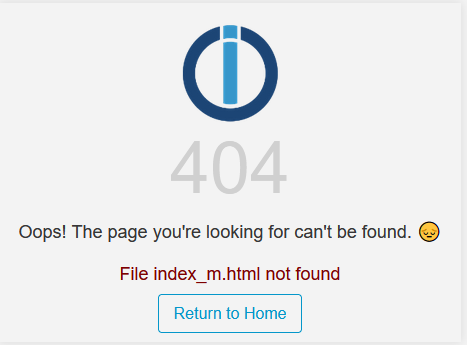
Nochmal Danke!
-
-
@thomas-braun said in ioBroker Web nach Backitup nicht erreichbar:
iob update
iob upgrade all -y
Super, ich komme wieder auf die Web-Oberfläche.
Vielen vielen Dank.
Woran hat das denn jetzt gelegen?Zwei Fragen bleiben bei mir nun noch offen:
-
Das aktuell aufgespielte war nun "leider" das ältere Backup, kann ich das gleiche Prozedere nun mit dem 10/2024 Backup durchspielen?
-
Aktuell komme ich nicht auf die Vis-Oberfläche.
Bei "http://192.168.178.65:8082/vis/edit.html" sagt der "File edit.html not found: {}"Instanz vis.0 zeigt wenn man auf Einstellungen klickt:
Nochmal Danke!
@bene241 sagte in ioBroker Web nach Backitup nicht erreichbar:
Woran hat das denn jetzt gelegen?
An deinem steinalten System. Halt die Kiste R E G E L M Ä S S I G auf Stand.
-
-
@thomas-braun said in ioBroker Web nach Backitup nicht erreichbar:
iob update
iob upgrade all -y
Super, ich komme wieder auf die Web-Oberfläche.
Vielen vielen Dank.
Woran hat das denn jetzt gelegen?Zwei Fragen bleiben bei mir nun noch offen:
-
Das aktuell aufgespielte war nun "leider" das ältere Backup, kann ich das gleiche Prozedere nun mit dem 10/2024 Backup durchspielen?
-
Aktuell komme ich nicht auf die Vis-Oberfläche.
Bei "http://192.168.178.65:8082/vis/edit.html" sagt der "File edit.html not found: {}"Instanz vis.0 zeigt wenn man auf Einstellungen klickt:
Nochmal Danke!
Zwei Fragen bleiben bei mir nun noch offen:
-
Das aktuell aufgespielte war nun "leider" das ältere Backup, kann ich das gleiche Prozedere nun mit dem 10/2024 Backup durchspielen?
-
Aktuell komme ich nicht auf die Vis-Oberfläche.
Bei "http://192.168.178.65:8082/vis/edit.html" sagt der "File edit.html not found: {}"Instanz vis.0 zeigt wenn man auf Einstellungen klickt:
Nochmal Danke!
Zu 1:
Hat funktioniert, mit dem gleichen Weg wie oben mit dem älteren Update.Zu 2:
Funktioniert nun auch wieder nach dem aufspielen des neueren Backups.Danke an Alle!
-
-
Zwei Fragen bleiben bei mir nun noch offen:
-
Das aktuell aufgespielte war nun "leider" das ältere Backup, kann ich das gleiche Prozedere nun mit dem 10/2024 Backup durchspielen?
-
Aktuell komme ich nicht auf die Vis-Oberfläche.
Bei "http://192.168.178.65:8082/vis/edit.html" sagt der "File edit.html not found: {}"Instanz vis.0 zeigt wenn man auf Einstellungen klickt:
Nochmal Danke!
Zu 1:
Hat funktioniert, mit dem gleichen Weg wie oben mit dem älteren Update.Zu 2:
Funktioniert nun auch wieder nach dem aufspielen des neueren Backups.Danke an Alle!
@bene241 sagte in ioBroker Web nach Backitup nicht erreichbar:
Danke an Alle!
Na dann setze bitte den thread im Titel auf [gelöst], dann können andere ebenfalls profitieren.
-
-
Zwei Fragen bleiben bei mir nun noch offen:
-
Das aktuell aufgespielte war nun "leider" das ältere Backup, kann ich das gleiche Prozedere nun mit dem 10/2024 Backup durchspielen?
-
Aktuell komme ich nicht auf die Vis-Oberfläche.
Bei "http://192.168.178.65:8082/vis/edit.html" sagt der "File edit.html not found: {}"Instanz vis.0 zeigt wenn man auf Einstellungen klickt:
Nochmal Danke!
Zu 1:
Hat funktioniert, mit dem gleichen Weg wie oben mit dem älteren Update.Zu 2:
Funktioniert nun auch wieder nach dem aufspielen des neueren Backups.Danke an Alle!
-
-
@thomas-braun said in ioBroker Web nach Backitup nicht erreichbar:
Dann zeig jetzt nochmal abschließend
iob diagDie Zusammenfassung reicht.
Copy text starting here: ```bash ======================= SUMMARY ======================= v.2024-08-12 Static hostname: raspberrypi Icon name: computer Operating System: Debian GNU/Linux 12 (bookworm) Kernel: Linux 6.6.51+rpt-rpi-v8 Architecture: arm64 Installation: native Kernel: aarch64 Userland: 64 bit Timezone: Europe/Berlin (CEST, +0200) User-ID: 1000 Display-Server: false Boot Target: multi-user.target Pending OS-Updates: 0 Pending iob updates: 0 Nodejs-Installation: /usr/bin/nodejs v20.18.0 /usr/bin/node v20.18.0 /usr/bin/npm 10.8.2 /usr/bin/npx 10.8.2 /usr/bin/corepack 0.29.3 Recommended versions are nodejs 20.18.0 and npm 10.8.2 Your nodejs installation is correct MEMORY: total used free shared buff/cache available Mem: 4.0G 2.0G 484M 282K 1.5G 2.0G Swap: 209M 1.0M 208M Total: 4.2G 2.0G 692M Active iob-Instances: 28 Upgrade policy: none ioBroker Core: js-controller 6.0.11 admin 7.1.5 ioBroker Status: iobroker is running on this host. Objects type: jsonl States type: jsonl Status admin and web instance: + system.adapter.admin.0 : admin : raspberrypi - enabled, port: 8081, bind: 0.0.0.0, run as: admin + system.adapter.web.0 : web : raspberrypi - enabled, port: 8082, bind: 0.0.0.0, run as: admin Objects: 9307 States: 7580 Size of iob-Database: 25M /opt/iobroker/iobroker-data/objects.jsonl 13M /opt/iobroker/iobroker-data/states.jsonl =================== END OF SUMMARY ==================== -
@thomas-braun said in ioBroker Web nach Backitup nicht erreichbar:
Dann zeig jetzt nochmal abschließend
iob diagDie Zusammenfassung reicht.
Copy text starting here: ```bash ======================= SUMMARY ======================= v.2024-08-12 Static hostname: raspberrypi Icon name: computer Operating System: Debian GNU/Linux 12 (bookworm) Kernel: Linux 6.6.51+rpt-rpi-v8 Architecture: arm64 Installation: native Kernel: aarch64 Userland: 64 bit Timezone: Europe/Berlin (CEST, +0200) User-ID: 1000 Display-Server: false Boot Target: multi-user.target Pending OS-Updates: 0 Pending iob updates: 0 Nodejs-Installation: /usr/bin/nodejs v20.18.0 /usr/bin/node v20.18.0 /usr/bin/npm 10.8.2 /usr/bin/npx 10.8.2 /usr/bin/corepack 0.29.3 Recommended versions are nodejs 20.18.0 and npm 10.8.2 Your nodejs installation is correct MEMORY: total used free shared buff/cache available Mem: 4.0G 2.0G 484M 282K 1.5G 2.0G Swap: 209M 1.0M 208M Total: 4.2G 2.0G 692M Active iob-Instances: 28 Upgrade policy: none ioBroker Core: js-controller 6.0.11 admin 7.1.5 ioBroker Status: iobroker is running on this host. Objects type: jsonl States type: jsonl Status admin and web instance: + system.adapter.admin.0 : admin : raspberrypi - enabled, port: 8081, bind: 0.0.0.0, run as: admin + system.adapter.web.0 : web : raspberrypi - enabled, port: 8082, bind: 0.0.0.0, run as: admin Objects: 9307 States: 7580 Size of iob-Database: 25M /opt/iobroker/iobroker-data/objects.jsonl 13M /opt/iobroker/iobroker-data/states.jsonl =================== END OF SUMMARY ====================Passt. Ab jetzt regelmäßig aktuell halten und auch regelmäßig Backups machen.
Mit dem Backitup-Adapter kann man das automatisch vornehmen lassen.




Hey! Du scheinst an dieser Unterhaltung interessiert zu sein, hast aber noch kein Konto.
Hast du es satt, bei jedem Besuch durch die gleichen Beiträge zu scrollen? Wenn du dich für ein Konto anmeldest, kommst du immer genau dorthin zurück, wo du zuvor warst, und kannst dich über neue Antworten benachrichtigen lassen (entweder per E-Mail oder Push-Benachrichtigung). Du kannst auch Lesezeichen speichern und Beiträge positiv bewerten, um anderen Community-Mitgliedern deine Wertschätzung zu zeigen.
Mit deinem Input könnte dieser Beitrag noch besser werden 💗
Registrieren AnmeldenSupport us
431
Online33.0k
Benutzer83.6k
Themen1.3m
Beiträge