Skip to content
  • Home
  • Aktuell
  • Tags
  • 0 Ungelesen 0
  • Kategorien
  • Unreplied
  • Beliebt
  • GitHub
  • Docu
  • Hilfe
Skins
  • Light
  • Brite
  • Cerulean
  • Cosmo
  • Flatly
  • Journal
  • Litera
  • Lumen
  • Lux
  • Materia
  • Minty
  • Morph
  • Pulse
  • Sandstone
  • Simplex
  • Sketchy
  • Spacelab
  • United
  • Yeti
  • Zephyr
  • Dark
  • Cyborg
  • Darkly
  • Quartz
  • Slate
  • Solar
  • Superhero
  • Vapor

  • Standard: (Kein Skin)
  • Kein Skin
Einklappen
ioBroker Logo

Community Forum

donate donate
  1. ioBroker Community Home
  2. Deutsch
  3. Tester
  4. Adapter Paketverfolgung DHL, Briefe, Amazon, DPD,GLS,UPS,17T

NEWS

  • Jahresrückblick 2025 – unser neuer Blogbeitrag ist online! ✨
    BluefoxB
    Bluefox
    10
    1
    65

  • Neuer Blogbeitrag: Monatsrückblick - Dezember 2025 🎄
    BluefoxB
    Bluefox
    11
    1
    554

  • Weihnachtsangebot 2025! 🎄
    BluefoxB
    Bluefox
    24
    1
    1.7k

Adapter Paketverfolgung DHL, Briefe, Amazon, DPD,GLS,UPS,17T

Geplant Angeheftet Gesperrt Verschoben Tester
17trackamazonbriefedhldpdglsups
1.5k Beiträge 126 Kommentatoren 562.0k Aufrufe 119 Watching
  • Älteste zuerst
  • Neuste zuerst
  • Meiste Stimmen
Antworten
  • In einem neuen Thema antworten
Anmelden zum Antworten
Dieses Thema wurde gelöscht. Nur Nutzer mit entsprechenden Rechten können es sehen.
  • T tombox

    @flexer sind noch andere Fehler? ups mychoice ist aktiv?

    FlexerF Offline
    FlexerF Offline
    Flexer
    schrieb am zuletzt editiert von
    #1306

    @tombox Ja das ist aktiv ich kann dir mal das log hier reinposten moment

    Unterm Strich ist alles besser.


    Ja, voll geil hier!

    1 Antwort Letzte Antwort
    0
    • T tombox

      @flexer sind noch andere Fehler? ups mychoice ist aktiv?

      FlexerF Offline
      FlexerF Offline
      Flexer
      schrieb am zuletzt editiert von
      #1307

      @tombox Habe dir mal eine Direktnachricht mit dem Log geschickt

      Unterm Strich ist alles besser.


      Ja, voll geil hier!

      1 Antwort Letzte Antwort
      0
      • JoJo58J Offline
        JoJo58J Offline
        JoJo58
        schrieb am zuletzt editiert von
        #1308

        @tombox

        Guten Morgen,
        ich habe den Adapter installiert und Amazon sowie DHL angemeldet. Das funktioniert auch soweit. Leider bekomme ich alle 10 Minuten folgende Fehlermeldung:

        parcel.0	2024-01-29 10:47:57.640	error	Error: read ETIMEDOUT
        parcel.0	2024-01-29 10:37:57.576	error	Error: read ETIMEDOUT
        parcel.0	2024-01-29 10:26:31.496	error	Error: read ETIMEDOUT
        parcel.0	2024-01-29 10:25:20.434	info	Login to Amazon successful
        parcel.0	2024-01-29 10:25:18.150	info	Login to Amazon
        parcel.0	2024-01-29 10:25:18.100	info	Login to DHL successful
        parcel.0	2024-01-29 10:25:15.208	info	Login to DHL
        parcel.0	2024-01-29 10:25:15.187	info	starting. Version 0.0.27 in /opt/iobroker/node_modules/iobroker.parcel, node: v18.19.0, js-controller: 5.0.17
        

        Weiter oben im Post 661 wurde ähnliches berichtet und das sollte daran liegen das Amazon nicht zu erreichen war. Das ist bei mir ja nicht der Fall, meldet sich ja erfolgreich bei Amazon an.
        Was auch noch auffällt, der Datenpunkt "parcel.0.amazon.json" hat als Wert nur "{"sendungen":[]}". Die vorherigen DP Ordner wie "parcel.0.amazon.sendungen01" sind alle gefüllt. Im "sendungen01" steht auch die aktuelle Sendung, die morgen kommen soll.
        Mit UPS habe ich auch das Problem, dass ich mich nicht anmelden kann. Da warte ich noch ab, denn das wurde ja schon gemeldet.

        Gruß Johannes

        Intel NUC i7 64GB 1TB SSD - Proxmox - Raspi 4 8GB 500 GB SSD - Raspi 4 4GB 500GB SSD - Qnap 16TB - CCU3 - Fritz 6591 Cable - Green Cell USV 1500VA
        Sonoff CC2652P - HUE Bridge - Broadlink RM4 pro u. RM3 mini - 5 x Echo - 1 x Samsung STab 8 - 54 x HM und HMIP - 32 x Zigbee - 2 x Shelly 3EM.
        Einfach ein tolles Hobby :-)

        T 1 Antwort Letzte Antwort
        0
        • JoJo58J JoJo58

          @tombox

          Guten Morgen,
          ich habe den Adapter installiert und Amazon sowie DHL angemeldet. Das funktioniert auch soweit. Leider bekomme ich alle 10 Minuten folgende Fehlermeldung:

          parcel.0	2024-01-29 10:47:57.640	error	Error: read ETIMEDOUT
          parcel.0	2024-01-29 10:37:57.576	error	Error: read ETIMEDOUT
          parcel.0	2024-01-29 10:26:31.496	error	Error: read ETIMEDOUT
          parcel.0	2024-01-29 10:25:20.434	info	Login to Amazon successful
          parcel.0	2024-01-29 10:25:18.150	info	Login to Amazon
          parcel.0	2024-01-29 10:25:18.100	info	Login to DHL successful
          parcel.0	2024-01-29 10:25:15.208	info	Login to DHL
          parcel.0	2024-01-29 10:25:15.187	info	starting. Version 0.0.27 in /opt/iobroker/node_modules/iobroker.parcel, node: v18.19.0, js-controller: 5.0.17
          

          Weiter oben im Post 661 wurde ähnliches berichtet und das sollte daran liegen das Amazon nicht zu erreichen war. Das ist bei mir ja nicht der Fall, meldet sich ja erfolgreich bei Amazon an.
          Was auch noch auffällt, der Datenpunkt "parcel.0.amazon.json" hat als Wert nur "{"sendungen":[]}". Die vorherigen DP Ordner wie "parcel.0.amazon.sendungen01" sind alle gefüllt. Im "sendungen01" steht auch die aktuelle Sendung, die morgen kommen soll.
          Mit UPS habe ich auch das Problem, dass ich mich nicht anmelden kann. Da warte ich noch ab, denn das wurde ja schon gemeldet.

          Gruß Johannes

          T Offline
          T Offline
          tombox
          schrieb am zuletzt editiert von
          #1309

          @jojo58 Bitte wie in Beitrag #1 die aktuelle Version nutzen

          JoJo58J 1 Antwort Letzte Antwort
          1
          • DiginixD Offline
            DiginixD Offline
            Diginix
            schrieb am zuletzt editiert von
            #1310

            Seit ich letzte Woche von Kupfer DSL auf Glasfaser Anschluss umgestellt wurde, will Amazon zT täglich den 2FA PIN neu im Adapter. Da Amazon meine Handynr kennt parallel zur Authenticator App, bekam ich mehrere SMS mit neuem PIN von Amazon wenn der Adapter wieder versucht hat mit nicht verifizierten Credentials bei Amazon Daten abzurufen. Wie das mit der Glasfaser Umstellung zusammen hängen kann, ist mir nicht klar. Aber was anderes hat sich nicht geändert. Vorerst verzichte ich auf Amazon im Adapter.

            ..:: So long! Tom ::..

            NUC7i3 (Ubuntu Proxmox VM) | Echo Dots 2+3. Gen | Xiaomi Sensoren | Mi Robot 1S | Yeelight | Sonoff | Shelly | H801 RGB | Gosund SP1 | NodeMCU+ESP32 | Kostal Plenticore PV+BYD | openWB

            1 Antwort Letzte Antwort
            0
            • T tombox

              @jojo58 Bitte wie in Beitrag #1 die aktuelle Version nutzen

              JoJo58J Offline
              JoJo58J Offline
              JoJo58
              schrieb am zuletzt editiert von
              #1311

              @tombox

              Oh man, zu meiner Entschuldigung kann ich nur sagen, das sich 0.0.27 und 0.2.7 sehr ähnlich sehen. :face_with_rolling_eyes:
              Mit UPS hat es jetzt auch geklappt und auch der json DP unter Amazon hat jetzt die Daten.

              Vielen Dank

              Intel NUC i7 64GB 1TB SSD - Proxmox - Raspi 4 8GB 500 GB SSD - Raspi 4 4GB 500GB SSD - Qnap 16TB - CCU3 - Fritz 6591 Cable - Green Cell USV 1500VA
              Sonoff CC2652P - HUE Bridge - Broadlink RM4 pro u. RM3 mini - 5 x Echo - 1 x Samsung STab 8 - 54 x HM und HMIP - 32 x Zigbee - 2 x Shelly 3EM.
              Einfach ein tolles Hobby :-)

              1 Antwort Letzte Antwort
              0
              • DiginixD Diginix

                @thomas-braun Ich mache wöchentlich ein:

                sudo apt update
                sudo apt -y dist-upgrade
                

                Dann musst du mal bei Ubuntu anrufen und denen sagen, dass sie mir nicht das richtige liefern. :-D
                /etc/apt/sources.list.d/nodesource.list

                deb [signed-by=/usr/share/keyrings/nodesource.gpg] https://deb.nodesource.com/node_18.x jammy main
                deb-src [signed-by=/usr/share/keyrings/nodesource.gpg] https://deb.nodesource.com/node_18.x jammy main
                

                Edit:
                Hab nun in /etc/apt/sources.list.d/nodesource.list:

                deb [arch=amd64 signed-by=/usr/share/keyrings/nodesource.gpg] https://deb.nodesource.com/node_18.x nodistro main
                

                Und damit die 18.19.0 bekommen.

                Und noch viel erstaunlicher ist, dass damit tatsächlich DHL wieder funktioniert!
                Bist mein Held! Vielen Dank!

                PS: Du wirst mir nicht sagen können wieso in der nodesource.list erst "jammy" und nun "nodistro" steht und dadurch das Update klappte?
                Hatte nur noch mal gemacht und das hat die Quelle geändert

                curl -sL https://deb.nodesource.com/setup_18.x | sudo -E bash -
                sudo apt install -y nodejs
                
                ThisoftT Offline
                ThisoftT Offline
                Thisoft
                schrieb am zuletzt editiert von
                #1312

                @diginix sagte in Adapter Paketverfolgung DHL, Briefe, Amazon, DPD,GLS,UPS,17T:

                Edit:
                Hab nun in /etc/apt/sources.list.d/nodesource.list:

                deb [arch=amd64 signed-by=/usr/share/keyrings/nodesource.gpg] https://deb.nodesource.com/node_18.x nodistro main
                

                Und damit die 18.19.0 bekommen.

                Und noch viel erstaunlicher ist, dass damit tatsächlich DHL wieder funktioniert!
                Bist mein Held! Vielen Dank!

                PS: Du wirst mir nicht sagen können wieso in der nodesource.list erst "jammy" und nun "nodistro" steht und dadurch das Update klappte?
                Hatte nur noch mal gemacht und das hat die Quelle geändert

                curl -sL https://deb.nodesource.com/setup_18.x | sudo -E bash -
                sudo apt install -y nodejs
                

                Ich habe das gleiche Problem dass meine Installation meint dass nodejs 18.17.1 die aktuelle Version sei. Habe dann die hier zitierten Schritte ausgeführt und erhalte jetzt folgenden Fehler:

                iobroker@iob-ubuntu:~$ curl -sL https://deb.nodesource.com/setup_18.x | sudo -E bash -
                2024-02-24 00:17:25 - Installing pre-requisites
                OK:1 http://de.archive.ubuntu.com/ubuntu jammy InRelease
                OK:2 http://de.archive.ubuntu.com/ubuntu jammy-updates InRelease
                Holen:3 https://deb.nodesource.com/node_18.x nodistro InRelease [12,1 kB]
                OK:4 http://de.archive.ubuntu.com/ubuntu jammy-backports InRelease
                Holen:5 https://deb.nodesource.com/node_18.x jammy InRelease [4.563 B]
                OK:6 http://de.archive.ubuntu.com/ubuntu jammy-security InRelease
                Fehl:3 https://deb.nodesource.com/node_18.x nodistro InRelease
                  Die folgenden Signaturen konnten nicht überprüft werden, weil ihr öffentlicher Schlüssel nicht verfügbar ist: NO_PUBKEY 2F59B5F99B1BE0B4
                Paketlisten werden gelesen… Fertig
                W: GPG-Fehler: https://deb.nodesource.com/node_18.x nodistro InRelease: Die folgenden Signaturen konnten nicht überprüft werden, weil ihr öffentlicher Schlüssel nicht verfügbar ist: NO_PUBKEY 2F59B5F99B1BE0B4
                E: Das Depot »https://deb.nodesource.com/node_18.x nodistro InRelease« ist nicht signiert.
                N: Eine Aktualisierung von solch einem Depot kann nicht auf eine sichere Art durchgeführt werden, daher ist es standardmäßig deaktiviert.
                N: Weitere Details zur Erzeugung von Paketdepots sowie zu deren Benutzerkonfiguration finden Sie in der Handbuchseite apt-secure(8).
                2024-02-24 00:17:30 - Error: Failed to run 'apt-get update' (Exit Code: 0)
                

                Was will er denn da nun schon wieder von mir?

                22 HM-Geräte; PivCCU2 auf RasPi

                ioBroker-Multihost; Ubuntu-Master auf Intel-Atom und 3 RasPi-Clients

                Thomas BraunT 1 Antwort Letzte Antwort
                0
                • ThisoftT Thisoft

                  @diginix sagte in Adapter Paketverfolgung DHL, Briefe, Amazon, DPD,GLS,UPS,17T:

                  Edit:
                  Hab nun in /etc/apt/sources.list.d/nodesource.list:

                  deb [arch=amd64 signed-by=/usr/share/keyrings/nodesource.gpg] https://deb.nodesource.com/node_18.x nodistro main
                  

                  Und damit die 18.19.0 bekommen.

                  Und noch viel erstaunlicher ist, dass damit tatsächlich DHL wieder funktioniert!
                  Bist mein Held! Vielen Dank!

                  PS: Du wirst mir nicht sagen können wieso in der nodesource.list erst "jammy" und nun "nodistro" steht und dadurch das Update klappte?
                  Hatte nur noch mal gemacht und das hat die Quelle geändert

                  curl -sL https://deb.nodesource.com/setup_18.x | sudo -E bash -
                  sudo apt install -y nodejs
                  

                  Ich habe das gleiche Problem dass meine Installation meint dass nodejs 18.17.1 die aktuelle Version sei. Habe dann die hier zitierten Schritte ausgeführt und erhalte jetzt folgenden Fehler:

                  iobroker@iob-ubuntu:~$ curl -sL https://deb.nodesource.com/setup_18.x | sudo -E bash -
                  2024-02-24 00:17:25 - Installing pre-requisites
                  OK:1 http://de.archive.ubuntu.com/ubuntu jammy InRelease
                  OK:2 http://de.archive.ubuntu.com/ubuntu jammy-updates InRelease
                  Holen:3 https://deb.nodesource.com/node_18.x nodistro InRelease [12,1 kB]
                  OK:4 http://de.archive.ubuntu.com/ubuntu jammy-backports InRelease
                  Holen:5 https://deb.nodesource.com/node_18.x jammy InRelease [4.563 B]
                  OK:6 http://de.archive.ubuntu.com/ubuntu jammy-security InRelease
                  Fehl:3 https://deb.nodesource.com/node_18.x nodistro InRelease
                    Die folgenden Signaturen konnten nicht überprüft werden, weil ihr öffentlicher Schlüssel nicht verfügbar ist: NO_PUBKEY 2F59B5F99B1BE0B4
                  Paketlisten werden gelesen… Fertig
                  W: GPG-Fehler: https://deb.nodesource.com/node_18.x nodistro InRelease: Die folgenden Signaturen konnten nicht überprüft werden, weil ihr öffentlicher Schlüssel nicht verfügbar ist: NO_PUBKEY 2F59B5F99B1BE0B4
                  E: Das Depot »https://deb.nodesource.com/node_18.x nodistro InRelease« ist nicht signiert.
                  N: Eine Aktualisierung von solch einem Depot kann nicht auf eine sichere Art durchgeführt werden, daher ist es standardmäßig deaktiviert.
                  N: Weitere Details zur Erzeugung von Paketdepots sowie zu deren Benutzerkonfiguration finden Sie in der Handbuchseite apt-secure(8).
                  2024-02-24 00:17:30 - Error: Failed to run 'apt-get update' (Exit Code: 0)
                  

                  Was will er denn da nun schon wieder von mir?

                  Thomas BraunT Online
                  Thomas BraunT Online
                  Thomas Braun
                  Most Active
                  schrieb am zuletzt editiert von
                  #1313

                  @thisoft

                  Mach es per

                  iob nodejs-update
                  

                  Linux-Werkzeugkasten:
                  https://forum.iobroker.net/topic/42952/der-kleine-iobroker-linux-werkzeugkasten
                  NodeJS Fixer Skript:
                  https://forum.iobroker.net/topic/68035/iob-node-fix-skript
                  iob_diag: curl -sLf -o diag.sh https://iobroker.net/diag.sh && bash diag.sh

                  ThisoftT 1 Antwort Letzte Antwort
                  0
                  • Thomas BraunT Thomas Braun

                    @thisoft

                    Mach es per

                    iob nodejs-update
                    
                    ThisoftT Offline
                    ThisoftT Offline
                    Thisoft
                    schrieb am zuletzt editiert von
                    #1314

                    @thomas-braun

                    da tut er irgendwie gar nix...

                    iobroker@iob-ubuntu:~$ iob nodejs-update
                    iobroker nodejs-update [<major-version>]
                    
                    Upgrade the Node.JS installation to the current LTS
                    
                    Options:
                      --help  Show help  [boolean]
                    iobroker@iob-ubuntu:~$
                    

                    22 HM-Geräte; PivCCU2 auf RasPi

                    ioBroker-Multihost; Ubuntu-Master auf Intel-Atom und 3 RasPi-Clients

                    Thomas BraunT 1 Antwort Letzte Antwort
                    0
                    • ThisoftT Thisoft

                      @thomas-braun

                      da tut er irgendwie gar nix...

                      iobroker@iob-ubuntu:~$ iob nodejs-update
                      iobroker nodejs-update [<major-version>]
                      
                      Upgrade the Node.JS installation to the current LTS
                      
                      Options:
                        --help  Show help  [boolean]
                      iobroker@iob-ubuntu:~$
                      
                      Thomas BraunT Online
                      Thomas BraunT Online
                      Thomas Braun
                      Most Active
                      schrieb am zuletzt editiert von
                      #1315

                      @thisoft sagte in Adapter Paketverfolgung DHL, Briefe, Amazon, DPD,GLS,UPS,17T:

                      da tut er irgendwie gar nix...

                      Eher tust du da gar nichts...

                      iob stop
                      iob fix
                      iob nodejs-update
                      

                      Linux-Werkzeugkasten:
                      https://forum.iobroker.net/topic/42952/der-kleine-iobroker-linux-werkzeugkasten
                      NodeJS Fixer Skript:
                      https://forum.iobroker.net/topic/68035/iob-node-fix-skript
                      iob_diag: curl -sLf -o diag.sh https://iobroker.net/diag.sh && bash diag.sh

                      ThisoftT 1 Antwort Letzte Antwort
                      0
                      • Thomas BraunT Thomas Braun

                        @thisoft sagte in Adapter Paketverfolgung DHL, Briefe, Amazon, DPD,GLS,UPS,17T:

                        da tut er irgendwie gar nix...

                        Eher tust du da gar nichts...

                        iob stop
                        iob fix
                        iob nodejs-update
                        
                        ThisoftT Offline
                        ThisoftT Offline
                        Thisoft
                        schrieb am zuletzt editiert von
                        #1316

                        @thomas-braun

                        so, hat jetzt die 18.19.0 und der Adapter läuft wieder.

                        iob stop - klar, das hatte ich vorhin vergessen. Hatte ich aber vorher schon mal und da hatte iob nodejs-update mir eben erzählt dass alles aktuell wäre.

                        iob fix hat's dann wohl irgendwie gerichtet obwohl da zwischendurch auch paar zweifelhafte Meldungen zur nodejs-Version kamen. Sollte man wohl den fixer auf Verdacht immer mal mit durchlaufen lassen - auch wenn man das vor einigen Wochen schon gemacht und seitdem nichts an der Installation geändert hat...

                        Danke.

                        22 HM-Geräte; PivCCU2 auf RasPi

                        ioBroker-Multihost; Ubuntu-Master auf Intel-Atom und 3 RasPi-Clients

                        Thomas BraunT 1 Antwort Letzte Antwort
                        0
                        • ThisoftT Thisoft

                          @thomas-braun

                          so, hat jetzt die 18.19.0 und der Adapter läuft wieder.

                          iob stop - klar, das hatte ich vorhin vergessen. Hatte ich aber vorher schon mal und da hatte iob nodejs-update mir eben erzählt dass alles aktuell wäre.

                          iob fix hat's dann wohl irgendwie gerichtet obwohl da zwischendurch auch paar zweifelhafte Meldungen zur nodejs-Version kamen. Sollte man wohl den fixer auf Verdacht immer mal mit durchlaufen lassen - auch wenn man das vor einigen Wochen schon gemacht und seitdem nichts an der Installation geändert hat...

                          Danke.

                          Thomas BraunT Online
                          Thomas BraunT Online
                          Thomas Braun
                          Most Active
                          schrieb am zuletzt editiert von
                          #1317

                          @thisoft sagte in Adapter Paketverfolgung DHL, Briefe, Amazon, DPD,GLS,UPS,17T:

                          zwischendurch auch paar zweifelhafte Meldungen zur nodejs-Version kamen.

                          Welche genau?
                          Ich vermute eher, das dein Setup da 'zweifelhaft' ist...

                          iob diag
                          

                          sagt?

                          Linux-Werkzeugkasten:
                          https://forum.iobroker.net/topic/42952/der-kleine-iobroker-linux-werkzeugkasten
                          NodeJS Fixer Skript:
                          https://forum.iobroker.net/topic/68035/iob-node-fix-skript
                          iob_diag: curl -sLf -o diag.sh https://iobroker.net/diag.sh && bash diag.sh

                          ThisoftT 1 Antwort Letzte Antwort
                          0
                          • Thomas BraunT Thomas Braun

                            @thisoft sagte in Adapter Paketverfolgung DHL, Briefe, Amazon, DPD,GLS,UPS,17T:

                            zwischendurch auch paar zweifelhafte Meldungen zur nodejs-Version kamen.

                            Welche genau?
                            Ich vermute eher, das dein Setup da 'zweifelhaft' ist...

                            iob diag
                            

                            sagt?

                            ThisoftT Offline
                            ThisoftT Offline
                            Thisoft
                            schrieb am zuletzt editiert von
                            #1318

                            @thomas-braun

                            ======================= SUMMARY =======================
                                                    v.2023-10-10
                            
                            
                             Static hostname: iob-ubuntu
                                   Icon name: computer-vm
                                     Chassis: vm
                              Virtualization: kvm
                            Operating System: Ubuntu 22.04.4 LTS
                                      Kernel: Linux 5.15.0-97-generic
                                Architecture: x86-64
                             Hardware Vendor: QEMU
                              Hardware Model: Standard PC _i440FX + PIIX, 1996_
                            
                            Installation:           kvm
                            Kernel:                 x86_64
                            Userland:               amd64
                            Timezone:               Europe/Berlin (CET, +0100)
                            User-ID:                1000
                            X-Server:               false
                            Boot Target:            graphical.target
                            
                            Pending OS-Updates:     0
                            Pending iob updates:    6
                            
                            Nodejs-Installation:    /usr/bin/nodejs         v18.19.1
                                                    /usr/bin/node           v18.19.1
                                                    /usr/bin/npm            10.2.4
                                                    /usr/bin/npx            10.2.4
                                                    /usr/bin/corepack       0.22.0
                            
                            Recommended versions are nodejs Server Configured backup period 7200000 is larger than the supported maximum of 35791 minutes. Defaulting to 120 minutes.
                            Server Configured backup period 7200000 is larger than the supported maximum of 35791 minutes. Defaulting to 120 minutes.
                            18.19.1 and npm Server Configured backup period 7200000 is larger than the supported maximum of 35791 minutes. Defaulting to 120 minutes.
                            Server Configured backup period 7200000 is larger than the supported maximum of 35791 minutes. Defaulting to 120 minutes.
                            10.2.4
                            Your nodejs installation is correct
                            
                            MEMORY:
                                           total        used        free      shared  buff/cache   available
                            Mem:            7.9G        206M        6.3G        1.0M        1.5G        7.4G
                            Swap:           3.1G          0B        3.1G
                            Total:           11G        206M        9.4G
                            
                            Active iob-Instances:   1
                            Active repo(s): beta
                            
                            ioBroker Core:          js-controller           5.0.19
                                                    admin                   6.13.21
                            
                            ioBroker Status:        Server Configured backup period 7200000 is larger than the supported maximum of 35791 minutes. Defaulting to 120 minutes.
                            Server Configured backup period 7200000 is larger than the supported maximum of 35791 minutes. Defaulting to 120 minutes.
                            iobroker is not running on this host.
                            
                            
                            Objects type: jsonl
                            States  type: jsonl
                            
                            Status admin and web instance:
                              system.adapter.admin.0                  : admin                 : iob-ubuntu                               -  enabled, port: 8081, bind: 0.0.0.0, run as: admin
                              system.adapter.web.0                    : web                   : iob-ubuntu                               -  enabled, port: 8082, bind: 0.0.0.0, run as: admin
                            
                            Objects:                16769
                            States:                 12169
                            
                            Size of iob-Database:
                            
                            19M     /opt/iobroker/iobroker-data/objects.jsonl
                            4.6M    /opt/iobroker/iobroker-data/states.jsonl


                            =================== END OF SUMMARY ====================
                            

                            22 HM-Geräte; PivCCU2 auf RasPi

                            ioBroker-Multihost; Ubuntu-Master auf Intel-Atom und 3 RasPi-Clients

                            1 Antwort Letzte Antwort
                            0
                            • Thomas BraunT Online
                              Thomas BraunT Online
                              Thomas Braun
                              Most Active
                              schrieb am zuletzt editiert von Thomas Braun
                              #1319

                              @thisoft sagte in Adapter Paketverfolgung DHL, Briefe, Amazon, DPD,GLS,UPS,17T:

                              Pending iob updates: 6

                              Hau die Updates druff.
                              Und dann die Langfassung bitte.

                              Und schau mal danach:

                              du -h /opt/iobroker/iobroker-data/backup-objects/ 
                              

                              https://forum.iobroker.net/topic/54655/probleme-von-4-0-21-auf-4-0-23/16

                              Linux-Werkzeugkasten:
                              https://forum.iobroker.net/topic/42952/der-kleine-iobroker-linux-werkzeugkasten
                              NodeJS Fixer Skript:
                              https://forum.iobroker.net/topic/68035/iob-node-fix-skript
                              iob_diag: curl -sLf -o diag.sh https://iobroker.net/diag.sh && bash diag.sh

                              ThisoftT 1 Antwort Letzte Antwort
                              0
                              • Thomas BraunT Thomas Braun

                                @thisoft sagte in Adapter Paketverfolgung DHL, Briefe, Amazon, DPD,GLS,UPS,17T:

                                Pending iob updates: 6

                                Hau die Updates druff.
                                Und dann die Langfassung bitte.

                                Und schau mal danach:

                                du -h /opt/iobroker/iobroker-data/backup-objects/ 
                                

                                https://forum.iobroker.net/topic/54655/probleme-von-4-0-21-auf-4-0-23/16

                                ThisoftT Offline
                                ThisoftT Offline
                                Thisoft
                                schrieb am zuletzt editiert von
                                #1320

                                @thomas-braun sagte in Adapter Paketverfolgung DHL, Briefe, Amazon, DPD,GLS,UPS,17T:

                                Und schau mal danach:
                                du -h /opt/iobroker/iobroker-data/backup-objects/

                                109M    /opt/iobroker/iobroker-data/backup-objects/
                                

                                Und hier die Langfassung von iob diag:

                                Skript v.2023-10-10
                                
                                *** BASE SYSTEM ***
                                 Static hostname: iob-ubuntu
                                       Icon name: computer-vm
                                         Chassis: vm
                                  Virtualization: kvm
                                Operating System: Ubuntu 22.04.4 LTS
                                          Kernel: Linux 5.15.0-97-generic
                                    Architecture: x86-64
                                 Hardware Vendor: QEMU
                                  Hardware Model: Standard PC _i440FX + PIIX, 1996_
                                
                                model name      : Common KVM processor
                                Docker          : false
                                Virtualization  : kvm
                                Kernel          : x86_64
                                Userland        : amd64
                                
                                Systemuptime and Load:
                                 10:28:27 up 10:25,  2 users,  load average: 0.19, 0.29, 0.21
                                CPU threads: 8
                                
                                
                                *** Time and Time Zones ***
                                               Local time: Sat 2024-02-24 10:28:27 CET
                                           Universal time: Sat 2024-02-24 09:28:27 UTC
                                                 RTC time: Sat 2024-02-24 09:28:27
                                                Time zone: Europe/Berlin (CET, +0100)
                                System clock synchronized: yes
                                              NTP service: active
                                          RTC in local TZ: no
                                
                                *** User and Groups ***
                                iobroker
                                /home/iobroker
                                iobroker adm tty dialout cdrom sudo audio dip video plugdev lxd
                                
                                *** X-Server-Setup ***
                                X-Server:       false
                                Desktop:
                                Terminal:       tty
                                Boot Target:    graphical.target
                                
                                *** MEMORY ***
                                               total        used        free      shared  buff/cache   available
                                Mem:            7.9G        2.9G        3.3G        1.0M        1.8G        4.8G
                                Swap:           3.1G          0B        3.1G
                                Total:           11G        2.9G        6.4G
                                
                                         7937 M total memory
                                         2872 M used memory
                                          748 M active memory
                                         3401 M inactive memory
                                         3262 M free memory
                                          269 M buffer memory
                                         1532 M swap cache
                                         3114 M total swap
                                            0 M used swap
                                         3114 M free swap
                                
                                *** FAILED SERVICES ***
                                
                                  UNIT LOAD ACTIVE SUB DESCRIPTION
                                0 loaded units listed.
                                
                                *** FILESYSTEM ***
                                Filesystem                        Type   Size  Used Avail Use% Mounted on
                                tmpfs                             tmpfs  794M  1.1M  793M   1% /run
                                /dev/mapper/ubuntu--vg-ubuntu--lv ext4    15G   12G  2.3G  84% /
                                tmpfs                             tmpfs  3.9G     0  3.9G   0% /dev/shm
                                tmpfs                             tmpfs  5.0M     0  5.0M   0% /run/lock
                                /dev/sda2                         ext4   2.0G  251M  1.6G  14% /boot
                                //192.168.137.42/motion           cifs   869G  840G   30G  97% /var/lib/motion/NAS
                                tmpfs                             tmpfs  794M  4.0K  794M   1% /run/user/1000
                                
                                Messages concerning ext4 filesystem in dmesg:
                                [Sat Feb 24 00:03:06 2024] EXT4-fs (dm-0): mounted filesystem with ordered data mode. Opts: (null). Quota mode: none.
                                [Sat Feb 24 00:03:07 2024] EXT4-fs (dm-0): re-mounted. Opts: (null). Quota mode: none.
                                [Sat Feb 24 00:03:08 2024] EXT4-fs (sda2): mounted filesystem with ordered data mode. Opts: (null). Quota mode: none.
                                
                                Show mounted filesystems \(real ones only\):
                                TARGET                SOURCE                            FSTYPE   OPTIONS
                                /                     /dev/mapper/ubuntu--vg-ubuntu--lv ext4     rw,relatime
                                |-/snap/core20/2105   /dev/loop0                        squashfs ro,nodev,relatime,errors=continue
                                |-/snap/core20/2182   /dev/loop1                        squashfs ro,nodev,relatime,errors=continue
                                |-/snap/lxd/27037     /dev/loop2                        squashfs ro,nodev,relatime,errors=continue
                                |-/snap/lxd/26975     /dev/loop3                        squashfs ro,nodev,relatime,errors=continue
                                |-/snap/snapd/20671   /dev/loop5                        squashfs ro,nodev,relatime,errors=continue
                                |-/snap/snapd/20290   /dev/loop4                        squashfs ro,nodev,relatime,errors=continue
                                |-/boot               /dev/sda2                         ext4     rw,relatime
                                `-/var/lib/motion/NAS //192.168.137.42/motion           cifs     rw,relatime,vers=default,cache=strict,username=motion,uid=1001,forceuid,gid=0,noforcegid,addr=192.168.137.42,file_mode=0755,dir_mode=0755,soft,nounix,serverino,mapposix,rsize=1048576,wsize=1048576,bsize=1048576,echo_interval=60,actimeo=1,closetimeo=1
                                
                                Files in neuralgic directories:
                                
                                /var:
                                3.9G    /var/
                                3.0G    /var/lib
                                2.2G    /var/lib/motion/NAS
                                2.2G    /var/lib/motion
                                1.9G    /var/lib/motion/NAS/Cam4
                                
                                Archived and active journals take up 384.1M in the file system.
                                
                                /opt/iobroker/backups:
                                4.0K    /opt/iobroker/backups/
                                
                                /opt/iobroker/iobroker-data:
                                346M    /opt/iobroker/iobroker-data/
                                199M    /opt/iobroker/iobroker-data/files
                                109M    /opt/iobroker/iobroker-data/backup-objects
                                57M     /opt/iobroker/iobroker-data/files/javascript.admin
                                38M     /opt/iobroker/iobroker-data/files/javascript.admin/static
                                
                                The five largest files in iobroker-data are:
                                31M     /opt/iobroker/iobroker-data/objects.jsonl
                                24M     /opt/iobroker/iobroker-data/files/web.admin/static/js/main.135279a0.js.map
                                8.5M    /opt/iobroker/iobroker-data/files/web.admin/static/js/main.135279a0.js
                                8.2M    /opt/iobroker/iobroker-data/states.jsonl
                                7.0M    /opt/iobroker/iobroker-data/files/javascript.admin/static/js/675.d0c8b930.chunk.js.map
                                
                                USB-Devices by-id:
                                USB-Sticks -  Avoid direct links to /dev/* in your adapter setups, please always prefer the links 'by-id':
                                
                                find: '/dev/serial/by-id/': No such file or directory
                                
                                *** NodeJS-Installation ***
                                
                                /usr/bin/nodejs         v18.19.1
                                /usr/bin/node           v18.19.1
                                /usr/bin/npm            10.2.4
                                /usr/bin/npx            10.2.4
                                /usr/bin/corepack       0.22.0
                                
                                
                                nodejs:
                                  Installed: 18.19.1-1nodesource1
                                  Candidate: 18.19.1-1nodesource1
                                  Version table:
                                 *** 18.19.1-1nodesource1 100
                                        100 /var/lib/dpkg/status
                                     12.22.9~dfsg-1ubuntu3.3 500
                                        500 http://de.archive.ubuntu.com/ubuntu jammy-updates/universe amd64 Packages
                                        500 http://de.archive.ubuntu.com/ubuntu jammy-security/universe amd64 Packages
                                     12.22.9~dfsg-1ubuntu3 500
                                        500 http://de.archive.ubuntu.com/ubuntu jammy/universe amd64 Packages
                                
                                Temp directories causing npm8 problem: 0
                                No problems detected
                                
                                Errors in npm tree:
                                
                                *** ioBroker-Installation ***
                                
                                ioBroker Status
                                iobroker is running on this host.
                                
                                
                                Objects type: jsonl
                                States  type: jsonl
                                
                                Core adapters versions
                                js-controller:  5.0.19
                                admin:          6.14.1
                                javascript:     7.8.0
                                
                                Adapters from github:   1
                                
                                Adapter State
                                + system.adapter.admin.0                  : admin                 : iob-ubuntu                               -  enabled, port: 8081, bind: 0.0.0.0, run as: admin
                                  system.adapter.alias-manager.0          : alias-manager         : iob-ubuntu                               - disabled
                                + system.adapter.backitup.0               : backitup              : iob-ubuntu                               -  enabled
                                  system.adapter.daswetter.0              : daswetter             : iob-ubuntu                               -  enabled
                                  system.adapter.daswetter.1              : daswetter             : iob-ubuntu                               - disabled
                                  system.adapter.ecovacs-deebot.0         : ecovacs-deebot        : iob-ubuntu                               - disabled
                                  system.adapter.feiertage.0              : feiertage             : iob-ubuntu                               -  enabled
                                  system.adapter.flot.0                   : flot                  : iob-ubuntu                               - disabled
                                  system.adapter.gruenbeck.0              : gruenbeck             : iob-ubuntu                               - disabled
                                + system.adapter.hm-rega.0                : hm-rega               : iob-ubuntu                               -  enabled
                                + system.adapter.hm-rpc.0                 : hm-rpc                : iob-ubuntu                               -  enabled, port: 0
                                + system.adapter.hm-rpc.1                 : hm-rpc                : iob-ubuntu                               -  enabled, port: 0
                                  system.adapter.homeconnect.0            : homeconnect           : iob-ubuntu                               - disabled
                                  system.adapter.ical.0                   : ical                  : iob-ubuntu                               -  enabled
                                  system.adapter.icons-material-svg.0     : icons-material-svg    : iob-ubuntu                               - disabled
                                  system.adapter.icons-mfd-svg.0          : icons-mfd-svg         : iob-ubuntu                               - disabled
                                + system.adapter.info.0                   : info                  : iob-ubuntu                               -  enabled
                                + system.adapter.javascript.0             : javascript            : iob-ubuntu                               -  enabled
                                + system.adapter.javascript.1             : javascript            : iob-ubuntu                               -  enabled
                                + system.adapter.javascript.2             : javascript            : iob-ubuntu                               -  enabled
                                + system.adapter.javascript.3             : javascript            : piPivCCU                                 -  enabled
                                + system.adapter.javascript.4             : javascript            : doorpi                                   -  enabled
                                + system.adapter.link.0                   : link                  : iob-ubuntu                               -  enabled
                                  system.adapter.mielecloudservice.0      : mielecloudservice     : iob-ubuntu                               - disabled
                                + system.adapter.mqtt.0                   : mqtt                  : iob-ubuntu                               -  enabled, port: 1883, bind: 0.0.0.0
                                  system.adapter.onvif.0                  : onvif                 : iob-ubuntu                               - disabled
                                + system.adapter.parcel.0                 : parcel                : iob-ubuntu                               -  enabled
                                + system.adapter.ping.0                   : ping                  : iob-ubuntu                               -  enabled
                                  system.adapter.pollenflug.0             : pollenflug            : iob-ubuntu                               - disabled
                                  system.adapter.pvforecast.0             : pvforecast            : iob-ubuntu                               - disabled
                                  system.adapter.repetierserver.0         : repetierserver        : iob-ubuntu                               - disabled
                                + system.adapter.rpi2.0                   : rpi2                  : piPivCCU                                 -  enabled
                                  system.adapter.sayit.0                  : sayit                 : VISFlur                                  - disabled
                                + system.adapter.shelly.0                 : shelly                : iob-ubuntu                               -  enabled, port: 1882, bind: 0.0.0.0
                                + system.adapter.simple-api.0             : simple-api            : iob-ubuntu                               -  enabled, port: 8087, bind: 0.0.0.0, run as: admin
                                + system.adapter.smartmeter.0             : smartmeter            : piPivCCU                                 -  enabled
                                + system.adapter.smartmeter.1             : smartmeter            : piPivCCU                                 -  enabled
                                + system.adapter.sourceanalytix.0         : sourceanalytix        : iob-ubuntu                               -  enabled
                                + system.adapter.sql.0                    : sql                   : iob-ubuntu                               -  enabled, port: 3306
                                  system.adapter.sql.1                    : sql                   : iob-ubuntu                               - disabled, port: 3306
                                + system.adapter.statistics.0             : statistics            : iob-ubuntu                               -  enabled
                                + system.adapter.tankerkoenig.0           : tankerkoenig          : iob-ubuntu                               -  enabled
                                + system.adapter.telegram.0               : telegram              : iob-ubuntu                               -  enabled, port: 8443, bind: 0.0.0.0
                                + system.adapter.terminal.0               : terminal              : doorpi                                   -  enabled, port: 8088, bind: 0.0.0.0, run as: admin
                                  system.adapter.terminal.1               : terminal              : iob-ubuntu                               - disabled, port: 8088, bind: 0.0.0.0, run as: admin
                                + system.adapter.tr-064.0                 : tr-064                : iob-ubuntu                               -  enabled
                                + system.adapter.tuya.0                   : tuya                  : iob-ubuntu                               -  enabled
                                + system.adapter.upnp.0                   : upnp                  : iob-ubuntu                               -  enabled
                                  system.adapter.vis-bars.0               : vis-bars              : iob-ubuntu                               - disabled
                                  system.adapter.vis-canvas-gauges.0      : vis-canvas-gauges     : iob-ubuntu                               - disabled
                                  system.adapter.vis-history.0            : vis-history           : iob-ubuntu                               - disabled
                                  system.adapter.vis-hqwidgets.0          : vis-hqwidgets         : iob-ubuntu                               - disabled
                                  system.adapter.vis-inventwo.0           : vis-inventwo          : iob-ubuntu                               - disabled
                                  system.adapter.vis-jqui-mfd.0           : vis-jqui-mfd          : iob-ubuntu                               - disabled
                                  system.adapter.vis-keyboard.0           : vis-keyboard          : iob-ubuntu                               - disabled
                                  system.adapter.vis-material-advanced.0  : vis-material-advanced : iob-ubuntu                               - disabled
                                  system.adapter.vis-material.0           : vis-material          : iob-ubuntu                               - disabled
                                  system.adapter.vis-materialdesign.0     : vis-materialdesign    : iob-ubuntu                               - disabled
                                  system.adapter.vis-metro.0              : vis-metro             : iob-ubuntu                               - disabled
                                  system.adapter.vis-plumb.0              : vis-plumb             : iob-ubuntu                               - disabled
                                  system.adapter.vis-rgraph.0             : vis-rgraph            : iob-ubuntu                               - disabled
                                  system.adapter.vis-timeandweather.0     : vis-timeandweather    : iob-ubuntu                               - disabled
                                  system.adapter.vis-weather.0            : vis-weather           : iob-ubuntu                               - disabled
                                  system.adapter.vis.0                    : vis                   : iob-ubuntu                               -  enabled
                                  system.adapter.weatherunderground.0     : weatherunderground    : iob-ubuntu                               -  enabled
                                  system.adapter.weatherunderground.1     : weatherunderground    : doorpi                                   - disabled
                                + system.adapter.web.0                    : web                   : iob-ubuntu                               -  enabled, port: 8082, bind: 0.0.0.0, run as: admin
                                + system.adapter.whatsapp-cmb.0           : whatsapp-cmb          : iob-ubuntu                               -  enabled
                                  system.adapter.windows-control.0        : windows-control       : iob-ubuntu                               - disabled
                                
                                + instance is alive
                                
                                Enabled adapters with bindings
                                + system.adapter.admin.0                  : admin                 : iob-ubuntu                               -  enabled, port: 8081, bind: 0.0.0.0, run as: admin
                                + system.adapter.hm-rpc.0                 : hm-rpc                : iob-ubuntu                               -  enabled, port: 0
                                + system.adapter.hm-rpc.1                 : hm-rpc                : iob-ubuntu                               -  enabled, port: 0
                                + system.adapter.mqtt.0                   : mqtt                  : iob-ubuntu                               -  enabled, port: 1883, bind: 0.0.0.0
                                + system.adapter.shelly.0                 : shelly                : iob-ubuntu                               -  enabled, port: 1882, bind: 0.0.0.0
                                + system.adapter.simple-api.0             : simple-api            : iob-ubuntu                               -  enabled, port: 8087, bind: 0.0.0.0, run as: admin
                                + system.adapter.sql.0                    : sql                   : iob-ubuntu                               -  enabled, port: 3306
                                + system.adapter.telegram.0               : telegram              : iob-ubuntu                               -  enabled, port: 8443, bind: 0.0.0.0
                                + system.adapter.terminal.0               : terminal              : doorpi                                   -  enabled, port: 8088, bind: 0.0.0.0, run as: admin
                                + system.adapter.web.0                    : web                   : iob-ubuntu                               -  enabled, port: 8082, bind: 0.0.0.0, run as: admin
                                
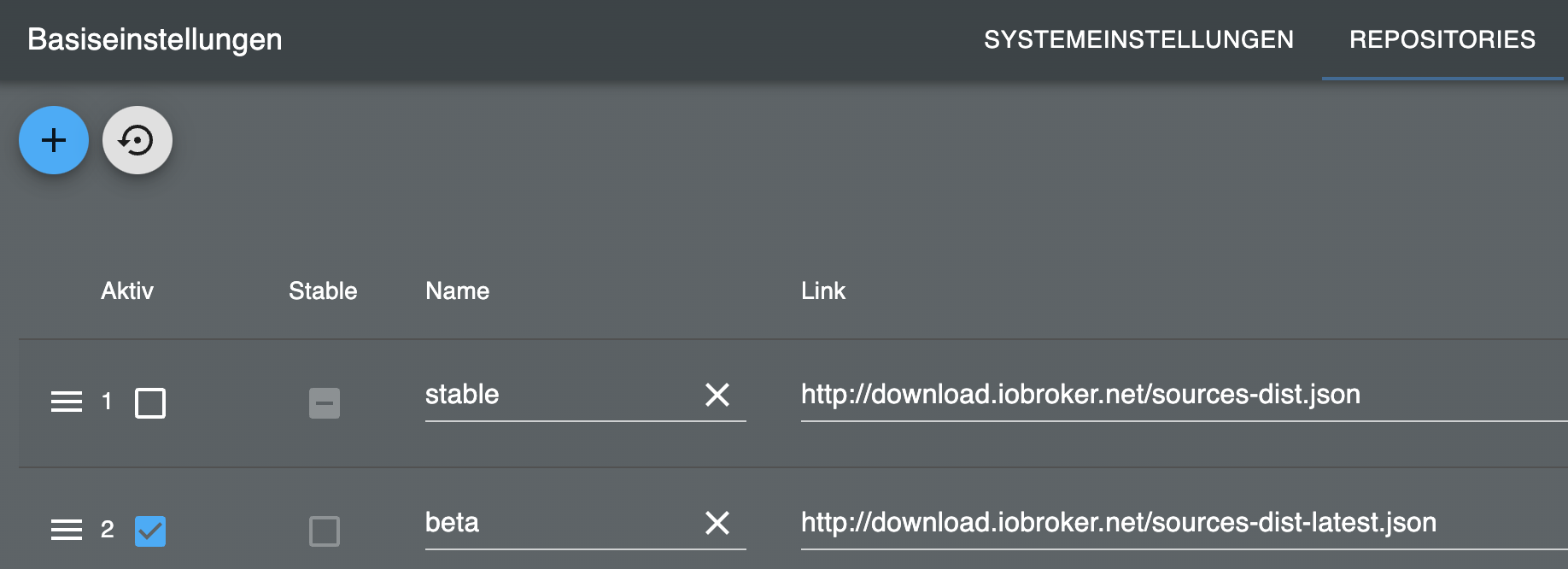
                                ioBroker-Repositories
                                stable        : http://download.iobroker.net/sources-dist.json
                                beta          : http://download.iobroker.net/sources-dist-latest.json
                                
                                Active repo(s): beta
                                
                                Installed ioBroker-Instances
                                Used repository: beta
                                Adapter    "admin"        : 6.14.1   , installed 6.14.1
                                Adapter    "alias-manager": 1.2.6    , installed 1.2.6
                                Adapter    "backitup"     : 2.10.11  , installed 2.10.11
                                Adapter    "daswetter"    : 3.1.13   , installed 3.1.13
                                Adapter    "ecovacs-deebot": 1.4.14  , installed 1.4.14
                                Adapter    "feiertage"    : 1.1.4    , installed 1.1.4
                                Adapter    "flot"         : 1.12.0   , installed 1.12.0
                                Adapter    "gruenbeck"    : 0.0.42   , installed 0.0.42
                                Adapter    "hm-rega"      : 4.0.0    , installed 4.0.0
                                Adapter    "hm-rpc"       : 1.16.0   , installed 1.16.0
                                Adapter    "homeconnect"  : 1.3.0    , installed 1.3.0
                                Adapter    "ical"         : 1.14.2   , installed 1.14.2
                                Adapter    "icons-material-svg": 0.1.0, installed 0.1.0
                                Adapter    "icons-mfd-svg": 1.2.0    , installed 1.2.0
                                Adapter    "info"         : 2.0.0    , installed 2.0.0
                                Adapter    "javascript"   : 7.8.0    , installed 7.8.0
                                Controller "js-controller": 5.0.19   , installed 5.0.19
                                Adapter    "link"         : 0.5.12   , installed 0.5.12
                                Adapter    "mielecloudservice": 6.5.4, installed 6.5.4
                                Adapter    "mqtt"         : 5.2.0    , installed 5.2.0
                                Adapter    "onvif"        : 1.1.2    , installed 1.1.2
                                Adapter    "parcel"       : 0.2.7    , installed 0.2.7
                                Adapter    "ping"         : 1.6.2    , installed 1.6.2
                                Adapter    "pollenflug"   : 1.0.6    , installed 1.0.6
                                Adapter    "pvforecast"   : 2.9.1    , installed 2.9.1
                                Adapter    "shelly"       : 6.8.0    , installed 6.8.0
                                Adapter    "simple-api"   : 2.7.2    , installed 2.7.2
                                Adapter    "socketio"     : 6.6.1    , installed 6.6.1
                                Adapter    "sourceanalytix": 0.4.14  , installed 0.4.14
                                Adapter    "sql"          : 2.2.0    , installed 2.2.0
                                Adapter    "statistics"   : 2.4.0    , installed 2.4.0
                                Adapter    "tankerkoenig" : 3.3.7    , installed 3.3.7
                                Adapter    "telegram"     : 3.1.0    , installed 3.1.0
                                Adapter    "terminal"     : 1.0.0    , installed 1.0.0
                                Adapter    "tr-064"       : 4.2.18   , installed 4.2.18
                                Adapter    "tuya"         : 3.15.0   , installed 3.15.0
                                Adapter    "upnp"         : 1.0.21   , installed 1.0.21
                                Adapter    "vis"          : 1.5.4    , installed 1.5.4
                                Adapter    "vis-bars"     : 0.1.4    , installed 0.1.4
                                Adapter    "vis-canvas-gauges": 1.0.1, installed 1.0.1
                                Adapter    "vis-history"  : 1.0.0    , installed 1.0.0
                                Adapter    "vis-hqwidgets": 1.4.0    , installed 1.4.0
                                Adapter    "vis-inventwo" : 3.3.4    , installed 3.3.4
                                Adapter    "vis-jqui-mfd" : 1.1.1    , installed 1.1.1
                                Adapter    "vis-keyboard" : 0.0.2    , installed 0.0.2
                                Adapter    "vis-material" : 0.1.3    , installed 0.1.3
                                Adapter    "vis-material-advanced": 1.7.4, installed 1.7.4
                                Adapter    "vis-materialdesign": 0.5.9, installed 0.5.9
                                Adapter    "vis-metro"    : 1.2.0    , installed 1.2.0
                                Adapter    "vis-plumb"    : 1.0.2    , installed 1.0.2
                                Adapter    "vis-rgraph"   : 0.0.2    , installed 0.0.2
                                Adapter    "vis-timeandweather": 1.2.2, installed 1.2.2
                                Adapter    "vis-weather"  : 2.5.9    , installed 2.5.9
                                Adapter    "weatherunderground": 3.6.0, installed 3.6.0
                                Adapter    "web"          : 6.2.5    , installed 6.2.5
                                Adapter    "whatsapp-cmb" : 0.2.3    , installed 0.2.3
                                Adapter    "windows-control": 0.1.5  , installed 0.1.5
                                Adapter    "ws"           : 2.5.11   , installed 2.5.11
                                
                                Objects and States
                                Please stand by - This may take a while
                                Objects:        16680
                                States:         12396
                                
                                *** OS-Repositories and Updates ***
                                W: GPG error: https://deb.nodesource.com/node_18.x jammy InRelease: The following signatures couldn't be verified because the public key is not available: NO_PUBKEY 1655A0AB68576280
                                E: The repository 'https://deb.nodesource.com/node_18.x jammy InRelease' is not signed.
                                Pending Updates: 1
                                
                                *** Listening Ports ***
                                Active Internet connections (only servers)
                                Proto Recv-Q Send-Q Local Address           Foreign Address         State       User       Inode      PID/Program name  
                                tcp        0      0 127.0.0.53:53           0.0.0.0:*               LISTEN      102        22581      634/systemd-resolve
                                tcp        0      0 192.168.137.9:2001      0.0.0.0:*               LISTEN      1000       74428      9493/io.hm-rpc.0  
                                tcp        0      0 192.168.137.9:2010      0.0.0.0:*               LISTEN      1000       76092      9512/io.hm-rpc.1  
                                tcp        0      0 0.0.0.0:111             0.0.0.0:*               LISTEN      0          19150      1/init            
                                tcp        0      0 0.0.0.0:22              0.0.0.0:*               LISTEN      0          2924       696/sshd: /usr/sbin
                                tcp        0      0 0.0.0.0:9001            0.0.0.0:*               LISTEN      1000       74988      9317/iobroker.js-co
                                tcp        0      0 0.0.0.0:9000            0.0.0.0:*               LISTEN      1000       74995      9317/iobroker.js-co
                                tcp        0      0 0.0.0.0:1884            0.0.0.0:*               LISTEN      1000       76117      9545/io.mqtt.0    
                                tcp        0      0 0.0.0.0:1883            0.0.0.0:*               LISTEN      1000       76116      9545/io.mqtt.0    
                                tcp        0      0 0.0.0.0:1882            0.0.0.0:*               LISTEN      1000       181646     13688/io.shelly.0 
                                tcp6       0      0 :::8087                 :::*                    LISTEN      1000       77176      10186/io.simple-api
                                tcp6       0      0 :::8082                 :::*                    LISTEN      1000       73464      9637/io.web.0     
                                tcp6       0      0 :::8081                 :::*                    LISTEN      1000       75045      9335/io.admin.0   
                                tcp6       0      0 :::111                  :::*                    LISTEN      0          2295       1/init            
                                tcp6       0      0 :::22                   :::*                    LISTEN      0          2926       696/sshd: /usr/sbin
                                udp        0      0 127.0.0.53:53           0.0.0.0:*                           102        22580      634/systemd-resolve
                                udp        0      0 0.0.0.0:111             0.0.0.0:*                           0          19663      1/init            
                                udp        0      0 192.168.137.9:5353      0.0.0.0:*                           1000       167139     13352/io.tr-064.0 
                                udp        0      0 0.0.0.0:1900            0.0.0.0:*                           1000       78958      10248/io.upnp.0   
                                udp        0      0 0.0.0.0:6666            0.0.0.0:*                           1000       75347      9622/io.tuya.0    
                                udp        0      0 0.0.0.0:6667            0.0.0.0:*                           1000       75348      9622/io.tuya.0    
                                udp6       0      0 :::111                  :::*                                0          19151      1/init            
                                
                                *** Log File - Last 25 Lines ***
                                
                                2024-02-24 10:08:08.699  - info: javascript.1 (9377) script.js.InArbeit.FuBoHeizung: Temperatur HzEG: FuBoPlatine_T3.VOLTAGEist 23.5°C // 2.55V
                                2024-02-24 10:08:08.699  - info: javascript.1 (9377) script.js.InArbeit.FuBoHeizung: Temperatur FussbodenWoZi: 22.25
                                2024-02-24 10:10:00.004  - info: javascript.1 (9377) script.js.Stable.Wassertank: Regenwasser: RawLevel=38 / Korr Proz:100% / Liter:5714
                                2024-02-24 10:15:00.004  - info: javascript.1 (9377) script.js.Stable.Wassertank: Regenwasser: RawLevel=38 / Korr Proz:100% / Liter:5714
                                2024-02-24 10:15:00.362  - info: statistics.0 (10216) State value to set for "statistics.0.save.avg.upnp.0.WANDevice_-_FRITZ!Box_6842_LTE.WANDevice.WANCommonInterfaceConfig.GetAddonInfos.NewTotalBytesReceived.15MinAvg" has to be type "number" but received type "string"
                                2024-02-24 10:15:00.409  - info: statistics.0 (10216) State value to set for "statistics.0.temp.avg.upnp.0.WANDevice_-_FRITZ!Box_6842_LTE.WANDevice.WANCommonInterfaceConfig.GetAddonInfos.NewTotalBytesReceived.15MinAvg" has to be type "number" but received type "string"
                                2024-02-24 10:15:00.457  - info: statistics.0 (10216) State value to set for "statistics.0.temp.avg.upnp.0.WANDevice_-_FRITZ!Box_6842_LTE.WANDevice.WANCommonInterfaceConfig.GetAddonInfos.NewTotalBytesReceived.15MinSum" has to be type "number" but received type "string"
                                2024-02-24 10:15:24.548  - info: javascript.1 (9377) script.js.InArbeit.FuBoHeizung: Temperatur HzEG: FuBoPlatine_T0.VOLTAGEist 35.5°C // 3.74V
                                2024-02-24 10:15:24.548  - info: javascript.1 (9377) script.js.InArbeit.FuBoHeizung: Temperatur FussbodenWoZi: 22.25
                                2024-02-24 10:15:25.339  - info: javascript.1 (9377) script.js.InArbeit.FuBoHeizung: Temperatur HzEG: FuBoPlatine_T1.VOLTAGEist 23.7°C // 2.57V
                                2024-02-24 10:15:25.339  - info: javascript.1 (9377) script.js.InArbeit.FuBoHeizung: Temperatur FussbodenWoZi: 22.25
                                2024-02-24 10:15:25.354  - info: javascript.1 (9377) script.js.InArbeit.FuBoHeizung: Temperatur HzEG: FuBoPlatine_T2.VOLTAGEist 24.1°C // 2.61V
                                2024-02-24 10:15:25.354  - info: javascript.1 (9377) script.js.InArbeit.FuBoHeizung: Temperatur FussbodenWoZi: 22.25
                                2024-02-24 10:15:25.443  - info: javascript.1 (9377) script.js.InArbeit.FuBoHeizung: Temperatur HzEG: FuBoPlatine_T3.VOLTAGEist 23.4°C // 2.54V
                                2024-02-24 10:15:25.443  - info: javascript.1 (9377) script.js.InArbeit.FuBoHeizung: Temperatur FussbodenWoZi: 22.25
                                2024-02-24 10:20:00.005  - info: javascript.1 (9377) script.js.Stable.Wassertank: Regenwasser: RawLevel=38 / Korr Proz:100% / Liter:5714
                                2024-02-24 10:22:42.339  - info: javascript.1 (9377) script.js.InArbeit.FuBoHeizung: Temperatur HzEG: FuBoPlatine_T0.VOLTAGEist 35.6°C // 3.75V
                                2024-02-24 10:22:42.340  - info: javascript.1 (9377) script.js.InArbeit.FuBoHeizung: Temperatur FussbodenWoZi: 22.25
                                2024-02-24 10:22:42.543  - info: javascript.1 (9377) script.js.InArbeit.FuBoHeizung: Temperatur HzEG: FuBoPlatine_T1.VOLTAGEist 23.8°C // 2.58V
                                2024-02-24 10:22:42.544  - info: javascript.1 (9377) script.js.InArbeit.FuBoHeizung: Temperatur FussbodenWoZi: 22.25
                                2024-02-24 10:22:42.545  - info: javascript.1 (9377) script.js.InArbeit.FuBoHeizung: Temperatur HzEG: FuBoPlatine_T2.VOLTAGEist 23.7°C // 2.57V
                                2024-02-24 10:22:42.546  - info: javascript.1 (9377) script.js.InArbeit.FuBoHeizung: Temperatur FussbodenWoZi: 22.25
                                2024-02-24 10:22:42.550  - info: javascript.1 (9377) script.js.InArbeit.FuBoHeizung: Temperatur HzEG: FuBoPlatine_T3.VOLTAGEist 23.4°C // 2.54V
                                2024-02-24 10:22:42.550  - info: javascript.1 (9377) script.js.InArbeit.FuBoHeizung: Temperatur FussbodenWoZi: 22.25
                                2024-02-24 10:25:00.006  - info: javascript.1 (9377) script.js.Stable.Wassertank: Regenwasser: RawLevel=38 / Korr Proz:100% / Liter:5714


                                Danke für's Checken.

                                22 HM-Geräte; PivCCU2 auf RasPi

                                ioBroker-Multihost; Ubuntu-Master auf Intel-Atom und 3 RasPi-Clients

                                Thomas BraunT 1 Antwort Letzte Antwort
                                0
                                • ThisoftT Thisoft

                                  @thomas-braun sagte in Adapter Paketverfolgung DHL, Briefe, Amazon, DPD,GLS,UPS,17T:

                                  Und schau mal danach:
                                  du -h /opt/iobroker/iobroker-data/backup-objects/

                                  109M    /opt/iobroker/iobroker-data/backup-objects/
                                  

                                  Und hier die Langfassung von iob diag:

                                  Skript v.2023-10-10
                                  
                                  *** BASE SYSTEM ***
                                   Static hostname: iob-ubuntu
                                         Icon name: computer-vm
                                           Chassis: vm
                                    Virtualization: kvm
                                  Operating System: Ubuntu 22.04.4 LTS
                                            Kernel: Linux 5.15.0-97-generic
                                      Architecture: x86-64
                                   Hardware Vendor: QEMU
                                    Hardware Model: Standard PC _i440FX + PIIX, 1996_
                                  
                                  model name      : Common KVM processor
                                  Docker          : false
                                  Virtualization  : kvm
                                  Kernel          : x86_64
                                  Userland        : amd64
                                  
                                  Systemuptime and Load:
                                   10:28:27 up 10:25,  2 users,  load average: 0.19, 0.29, 0.21
                                  CPU threads: 8
                                  
                                  
                                  *** Time and Time Zones ***
                                                 Local time: Sat 2024-02-24 10:28:27 CET
                                             Universal time: Sat 2024-02-24 09:28:27 UTC
                                                   RTC time: Sat 2024-02-24 09:28:27
                                                  Time zone: Europe/Berlin (CET, +0100)
                                  System clock synchronized: yes
                                                NTP service: active
                                            RTC in local TZ: no
                                  
                                  *** User and Groups ***
                                  iobroker
                                  /home/iobroker
                                  iobroker adm tty dialout cdrom sudo audio dip video plugdev lxd
                                  
                                  *** X-Server-Setup ***
                                  X-Server:       false
                                  Desktop:
                                  Terminal:       tty
                                  Boot Target:    graphical.target
                                  
                                  *** MEMORY ***
                                                 total        used        free      shared  buff/cache   available
                                  Mem:            7.9G        2.9G        3.3G        1.0M        1.8G        4.8G
                                  Swap:           3.1G          0B        3.1G
                                  Total:           11G        2.9G        6.4G
                                  
                                           7937 M total memory
                                           2872 M used memory
                                            748 M active memory
                                           3401 M inactive memory
                                           3262 M free memory
                                            269 M buffer memory
                                           1532 M swap cache
                                           3114 M total swap
                                              0 M used swap
                                           3114 M free swap
                                  
                                  *** FAILED SERVICES ***
                                  
                                    UNIT LOAD ACTIVE SUB DESCRIPTION
                                  0 loaded units listed.
                                  
                                  *** FILESYSTEM ***
                                  Filesystem                        Type   Size  Used Avail Use% Mounted on
                                  tmpfs                             tmpfs  794M  1.1M  793M   1% /run
                                  /dev/mapper/ubuntu--vg-ubuntu--lv ext4    15G   12G  2.3G  84% /
                                  tmpfs                             tmpfs  3.9G     0  3.9G   0% /dev/shm
                                  tmpfs                             tmpfs  5.0M     0  5.0M   0% /run/lock
                                  /dev/sda2                         ext4   2.0G  251M  1.6G  14% /boot
                                  //192.168.137.42/motion           cifs   869G  840G   30G  97% /var/lib/motion/NAS
                                  tmpfs                             tmpfs  794M  4.0K  794M   1% /run/user/1000
                                  
                                  Messages concerning ext4 filesystem in dmesg:
                                  [Sat Feb 24 00:03:06 2024] EXT4-fs (dm-0): mounted filesystem with ordered data mode. Opts: (null). Quota mode: none.
                                  [Sat Feb 24 00:03:07 2024] EXT4-fs (dm-0): re-mounted. Opts: (null). Quota mode: none.
                                  [Sat Feb 24 00:03:08 2024] EXT4-fs (sda2): mounted filesystem with ordered data mode. Opts: (null). Quota mode: none.
                                  
                                  Show mounted filesystems \(real ones only\):
                                  TARGET                SOURCE                            FSTYPE   OPTIONS
                                  /                     /dev/mapper/ubuntu--vg-ubuntu--lv ext4     rw,relatime
                                  |-/snap/core20/2105   /dev/loop0                        squashfs ro,nodev,relatime,errors=continue
                                  |-/snap/core20/2182   /dev/loop1                        squashfs ro,nodev,relatime,errors=continue
                                  |-/snap/lxd/27037     /dev/loop2                        squashfs ro,nodev,relatime,errors=continue
                                  |-/snap/lxd/26975     /dev/loop3                        squashfs ro,nodev,relatime,errors=continue
                                  |-/snap/snapd/20671   /dev/loop5                        squashfs ro,nodev,relatime,errors=continue
                                  |-/snap/snapd/20290   /dev/loop4                        squashfs ro,nodev,relatime,errors=continue
                                  |-/boot               /dev/sda2                         ext4     rw,relatime
                                  `-/var/lib/motion/NAS //192.168.137.42/motion           cifs     rw,relatime,vers=default,cache=strict,username=motion,uid=1001,forceuid,gid=0,noforcegid,addr=192.168.137.42,file_mode=0755,dir_mode=0755,soft,nounix,serverino,mapposix,rsize=1048576,wsize=1048576,bsize=1048576,echo_interval=60,actimeo=1,closetimeo=1
                                  
                                  Files in neuralgic directories:
                                  
                                  /var:
                                  3.9G    /var/
                                  3.0G    /var/lib
                                  2.2G    /var/lib/motion/NAS
                                  2.2G    /var/lib/motion
                                  1.9G    /var/lib/motion/NAS/Cam4
                                  
                                  Archived and active journals take up 384.1M in the file system.
                                  
                                  /opt/iobroker/backups:
                                  4.0K    /opt/iobroker/backups/
                                  
                                  /opt/iobroker/iobroker-data:
                                  346M    /opt/iobroker/iobroker-data/
                                  199M    /opt/iobroker/iobroker-data/files
                                  109M    /opt/iobroker/iobroker-data/backup-objects
                                  57M     /opt/iobroker/iobroker-data/files/javascript.admin
                                  38M     /opt/iobroker/iobroker-data/files/javascript.admin/static
                                  
                                  The five largest files in iobroker-data are:
                                  31M     /opt/iobroker/iobroker-data/objects.jsonl
                                  24M     /opt/iobroker/iobroker-data/files/web.admin/static/js/main.135279a0.js.map
                                  8.5M    /opt/iobroker/iobroker-data/files/web.admin/static/js/main.135279a0.js
                                  8.2M    /opt/iobroker/iobroker-data/states.jsonl
                                  7.0M    /opt/iobroker/iobroker-data/files/javascript.admin/static/js/675.d0c8b930.chunk.js.map
                                  
                                  USB-Devices by-id:
                                  USB-Sticks -  Avoid direct links to /dev/* in your adapter setups, please always prefer the links 'by-id':
                                  
                                  find: '/dev/serial/by-id/': No such file or directory
                                  
                                  *** NodeJS-Installation ***
                                  
                                  /usr/bin/nodejs         v18.19.1
                                  /usr/bin/node           v18.19.1
                                  /usr/bin/npm            10.2.4
                                  /usr/bin/npx            10.2.4
                                  /usr/bin/corepack       0.22.0
                                  
                                  
                                  nodejs:
                                    Installed: 18.19.1-1nodesource1
                                    Candidate: 18.19.1-1nodesource1
                                    Version table:
                                   *** 18.19.1-1nodesource1 100
                                          100 /var/lib/dpkg/status
                                       12.22.9~dfsg-1ubuntu3.3 500
                                          500 http://de.archive.ubuntu.com/ubuntu jammy-updates/universe amd64 Packages
                                          500 http://de.archive.ubuntu.com/ubuntu jammy-security/universe amd64 Packages
                                       12.22.9~dfsg-1ubuntu3 500
                                          500 http://de.archive.ubuntu.com/ubuntu jammy/universe amd64 Packages
                                  
                                  Temp directories causing npm8 problem: 0
                                  No problems detected
                                  
                                  Errors in npm tree:
                                  
                                  *** ioBroker-Installation ***
                                  
                                  ioBroker Status
                                  iobroker is running on this host.
                                  
                                  
                                  Objects type: jsonl
                                  States  type: jsonl
                                  
                                  Core adapters versions
                                  js-controller:  5.0.19
                                  admin:          6.14.1
                                  javascript:     7.8.0
                                  
                                  Adapters from github:   1
                                  
                                  Adapter State
                                  + system.adapter.admin.0                  : admin                 : iob-ubuntu                               -  enabled, port: 8081, bind: 0.0.0.0, run as: admin
                                    system.adapter.alias-manager.0          : alias-manager         : iob-ubuntu                               - disabled
                                  + system.adapter.backitup.0               : backitup              : iob-ubuntu                               -  enabled
                                    system.adapter.daswetter.0              : daswetter             : iob-ubuntu                               -  enabled
                                    system.adapter.daswetter.1              : daswetter             : iob-ubuntu                               - disabled
                                    system.adapter.ecovacs-deebot.0         : ecovacs-deebot        : iob-ubuntu                               - disabled
                                    system.adapter.feiertage.0              : feiertage             : iob-ubuntu                               -  enabled
                                    system.adapter.flot.0                   : flot                  : iob-ubuntu                               - disabled
                                    system.adapter.gruenbeck.0              : gruenbeck             : iob-ubuntu                               - disabled
                                  + system.adapter.hm-rega.0                : hm-rega               : iob-ubuntu                               -  enabled
                                  + system.adapter.hm-rpc.0                 : hm-rpc                : iob-ubuntu                               -  enabled, port: 0
                                  + system.adapter.hm-rpc.1                 : hm-rpc                : iob-ubuntu                               -  enabled, port: 0
                                    system.adapter.homeconnect.0            : homeconnect           : iob-ubuntu                               - disabled
                                    system.adapter.ical.0                   : ical                  : iob-ubuntu                               -  enabled
                                    system.adapter.icons-material-svg.0     : icons-material-svg    : iob-ubuntu                               - disabled
                                    system.adapter.icons-mfd-svg.0          : icons-mfd-svg         : iob-ubuntu                               - disabled
                                  + system.adapter.info.0                   : info                  : iob-ubuntu                               -  enabled
                                  + system.adapter.javascript.0             : javascript            : iob-ubuntu                               -  enabled
                                  + system.adapter.javascript.1             : javascript            : iob-ubuntu                               -  enabled
                                  + system.adapter.javascript.2             : javascript            : iob-ubuntu                               -  enabled
                                  + system.adapter.javascript.3             : javascript            : piPivCCU                                 -  enabled
                                  + system.adapter.javascript.4             : javascript            : doorpi                                   -  enabled
                                  + system.adapter.link.0                   : link                  : iob-ubuntu                               -  enabled
                                    system.adapter.mielecloudservice.0      : mielecloudservice     : iob-ubuntu                               - disabled
                                  + system.adapter.mqtt.0                   : mqtt                  : iob-ubuntu                               -  enabled, port: 1883, bind: 0.0.0.0
                                    system.adapter.onvif.0                  : onvif                 : iob-ubuntu                               - disabled
                                  + system.adapter.parcel.0                 : parcel                : iob-ubuntu                               -  enabled
                                  + system.adapter.ping.0                   : ping                  : iob-ubuntu                               -  enabled
                                    system.adapter.pollenflug.0             : pollenflug            : iob-ubuntu                               - disabled
                                    system.adapter.pvforecast.0             : pvforecast            : iob-ubuntu                               - disabled
                                    system.adapter.repetierserver.0         : repetierserver        : iob-ubuntu                               - disabled
                                  + system.adapter.rpi2.0                   : rpi2                  : piPivCCU                                 -  enabled
                                    system.adapter.sayit.0                  : sayit                 : VISFlur                                  - disabled
                                  + system.adapter.shelly.0                 : shelly                : iob-ubuntu                               -  enabled, port: 1882, bind: 0.0.0.0
                                  + system.adapter.simple-api.0             : simple-api            : iob-ubuntu                               -  enabled, port: 8087, bind: 0.0.0.0, run as: admin
                                  + system.adapter.smartmeter.0             : smartmeter            : piPivCCU                                 -  enabled
                                  + system.adapter.smartmeter.1             : smartmeter            : piPivCCU                                 -  enabled
                                  + system.adapter.sourceanalytix.0         : sourceanalytix        : iob-ubuntu                               -  enabled
                                  + system.adapter.sql.0                    : sql                   : iob-ubuntu                               -  enabled, port: 3306
                                    system.adapter.sql.1                    : sql                   : iob-ubuntu                               - disabled, port: 3306
                                  + system.adapter.statistics.0             : statistics            : iob-ubuntu                               -  enabled
                                  + system.adapter.tankerkoenig.0           : tankerkoenig          : iob-ubuntu                               -  enabled
                                  + system.adapter.telegram.0               : telegram              : iob-ubuntu                               -  enabled, port: 8443, bind: 0.0.0.0
                                  + system.adapter.terminal.0               : terminal              : doorpi                                   -  enabled, port: 8088, bind: 0.0.0.0, run as: admin
                                    system.adapter.terminal.1               : terminal              : iob-ubuntu                               - disabled, port: 8088, bind: 0.0.0.0, run as: admin
                                  + system.adapter.tr-064.0                 : tr-064                : iob-ubuntu                               -  enabled
                                  + system.adapter.tuya.0                   : tuya                  : iob-ubuntu                               -  enabled
                                  + system.adapter.upnp.0                   : upnp                  : iob-ubuntu                               -  enabled
                                    system.adapter.vis-bars.0               : vis-bars              : iob-ubuntu                               - disabled
                                    system.adapter.vis-canvas-gauges.0      : vis-canvas-gauges     : iob-ubuntu                               - disabled
                                    system.adapter.vis-history.0            : vis-history           : iob-ubuntu                               - disabled
                                    system.adapter.vis-hqwidgets.0          : vis-hqwidgets         : iob-ubuntu                               - disabled
                                    system.adapter.vis-inventwo.0           : vis-inventwo          : iob-ubuntu                               - disabled
                                    system.adapter.vis-jqui-mfd.0           : vis-jqui-mfd          : iob-ubuntu                               - disabled
                                    system.adapter.vis-keyboard.0           : vis-keyboard          : iob-ubuntu                               - disabled
                                    system.adapter.vis-material-advanced.0  : vis-material-advanced : iob-ubuntu                               - disabled
                                    system.adapter.vis-material.0           : vis-material          : iob-ubuntu                               - disabled
                                    system.adapter.vis-materialdesign.0     : vis-materialdesign    : iob-ubuntu                               - disabled
                                    system.adapter.vis-metro.0              : vis-metro             : iob-ubuntu                               - disabled
                                    system.adapter.vis-plumb.0              : vis-plumb             : iob-ubuntu                               - disabled
                                    system.adapter.vis-rgraph.0             : vis-rgraph            : iob-ubuntu                               - disabled
                                    system.adapter.vis-timeandweather.0     : vis-timeandweather    : iob-ubuntu                               - disabled
                                    system.adapter.vis-weather.0            : vis-weather           : iob-ubuntu                               - disabled
                                    system.adapter.vis.0                    : vis                   : iob-ubuntu                               -  enabled
                                    system.adapter.weatherunderground.0     : weatherunderground    : iob-ubuntu                               -  enabled
                                    system.adapter.weatherunderground.1     : weatherunderground    : doorpi                                   - disabled
                                  + system.adapter.web.0                    : web                   : iob-ubuntu                               -  enabled, port: 8082, bind: 0.0.0.0, run as: admin
                                  + system.adapter.whatsapp-cmb.0           : whatsapp-cmb          : iob-ubuntu                               -  enabled
                                    system.adapter.windows-control.0        : windows-control       : iob-ubuntu                               - disabled
                                  
                                  + instance is alive
                                  
                                  Enabled adapters with bindings
                                  + system.adapter.admin.0                  : admin                 : iob-ubuntu                               -  enabled, port: 8081, bind: 0.0.0.0, run as: admin
                                  + system.adapter.hm-rpc.0                 : hm-rpc                : iob-ubuntu                               -  enabled, port: 0
                                  + system.adapter.hm-rpc.1                 : hm-rpc                : iob-ubuntu                               -  enabled, port: 0
                                  + system.adapter.mqtt.0                   : mqtt                  : iob-ubuntu                               -  enabled, port: 1883, bind: 0.0.0.0
                                  + system.adapter.shelly.0                 : shelly                : iob-ubuntu                               -  enabled, port: 1882, bind: 0.0.0.0
                                  + system.adapter.simple-api.0             : simple-api            : iob-ubuntu                               -  enabled, port: 8087, bind: 0.0.0.0, run as: admin
                                  + system.adapter.sql.0                    : sql                   : iob-ubuntu                               -  enabled, port: 3306
                                  + system.adapter.telegram.0               : telegram              : iob-ubuntu                               -  enabled, port: 8443, bind: 0.0.0.0
                                  + system.adapter.terminal.0               : terminal              : doorpi                                   -  enabled, port: 8088, bind: 0.0.0.0, run as: admin
                                  + system.adapter.web.0                    : web                   : iob-ubuntu                               -  enabled, port: 8082, bind: 0.0.0.0, run as: admin
                                  
                                  ioBroker-Repositories
                                  stable        : http://download.iobroker.net/sources-dist.json
                                  beta          : http://download.iobroker.net/sources-dist-latest.json
                                  
                                  Active repo(s): beta
                                  
                                  Installed ioBroker-Instances
                                  Used repository: beta
                                  Adapter    "admin"        : 6.14.1   , installed 6.14.1
                                  Adapter    "alias-manager": 1.2.6    , installed 1.2.6
                                  Adapter    "backitup"     : 2.10.11  , installed 2.10.11
                                  Adapter    "daswetter"    : 3.1.13   , installed 3.1.13
                                  Adapter    "ecovacs-deebot": 1.4.14  , installed 1.4.14
                                  Adapter    "feiertage"    : 1.1.4    , installed 1.1.4
                                  Adapter    "flot"         : 1.12.0   , installed 1.12.0
                                  Adapter    "gruenbeck"    : 0.0.42   , installed 0.0.42
                                  Adapter    "hm-rega"      : 4.0.0    , installed 4.0.0
                                  Adapter    "hm-rpc"       : 1.16.0   , installed 1.16.0
                                  Adapter    "homeconnect"  : 1.3.0    , installed 1.3.0
                                  Adapter    "ical"         : 1.14.2   , installed 1.14.2
                                  Adapter    "icons-material-svg": 0.1.0, installed 0.1.0
                                  Adapter    "icons-mfd-svg": 1.2.0    , installed 1.2.0
                                  Adapter    "info"         : 2.0.0    , installed 2.0.0
                                  Adapter    "javascript"   : 7.8.0    , installed 7.8.0
                                  Controller "js-controller": 5.0.19   , installed 5.0.19
                                  Adapter    "link"         : 0.5.12   , installed 0.5.12
                                  Adapter    "mielecloudservice": 6.5.4, installed 6.5.4
                                  Adapter    "mqtt"         : 5.2.0    , installed 5.2.0
                                  Adapter    "onvif"        : 1.1.2    , installed 1.1.2
                                  Adapter    "parcel"       : 0.2.7    , installed 0.2.7
                                  Adapter    "ping"         : 1.6.2    , installed 1.6.2
                                  Adapter    "pollenflug"   : 1.0.6    , installed 1.0.6
                                  Adapter    "pvforecast"   : 2.9.1    , installed 2.9.1
                                  Adapter    "shelly"       : 6.8.0    , installed 6.8.0
                                  Adapter    "simple-api"   : 2.7.2    , installed 2.7.2
                                  Adapter    "socketio"     : 6.6.1    , installed 6.6.1
                                  Adapter    "sourceanalytix": 0.4.14  , installed 0.4.14
                                  Adapter    "sql"          : 2.2.0    , installed 2.2.0
                                  Adapter    "statistics"   : 2.4.0    , installed 2.4.0
                                  Adapter    "tankerkoenig" : 3.3.7    , installed 3.3.7
                                  Adapter    "telegram"     : 3.1.0    , installed 3.1.0
                                  Adapter    "terminal"     : 1.0.0    , installed 1.0.0
                                  Adapter    "tr-064"       : 4.2.18   , installed 4.2.18
                                  Adapter    "tuya"         : 3.15.0   , installed 3.15.0
                                  Adapter    "upnp"         : 1.0.21   , installed 1.0.21
                                  Adapter    "vis"          : 1.5.4    , installed 1.5.4
                                  Adapter    "vis-bars"     : 0.1.4    , installed 0.1.4
                                  Adapter    "vis-canvas-gauges": 1.0.1, installed 1.0.1
                                  Adapter    "vis-history"  : 1.0.0    , installed 1.0.0
                                  Adapter    "vis-hqwidgets": 1.4.0    , installed 1.4.0
                                  Adapter    "vis-inventwo" : 3.3.4    , installed 3.3.4
                                  Adapter    "vis-jqui-mfd" : 1.1.1    , installed 1.1.1
                                  Adapter    "vis-keyboard" : 0.0.2    , installed 0.0.2
                                  Adapter    "vis-material" : 0.1.3    , installed 0.1.3
                                  Adapter    "vis-material-advanced": 1.7.4, installed 1.7.4
                                  Adapter    "vis-materialdesign": 0.5.9, installed 0.5.9
                                  Adapter    "vis-metro"    : 1.2.0    , installed 1.2.0
                                  Adapter    "vis-plumb"    : 1.0.2    , installed 1.0.2
                                  Adapter    "vis-rgraph"   : 0.0.2    , installed 0.0.2
                                  Adapter    "vis-timeandweather": 1.2.2, installed 1.2.2
                                  Adapter    "vis-weather"  : 2.5.9    , installed 2.5.9
                                  Adapter    "weatherunderground": 3.6.0, installed 3.6.0
                                  Adapter    "web"          : 6.2.5    , installed 6.2.5
                                  Adapter    "whatsapp-cmb" : 0.2.3    , installed 0.2.3
                                  Adapter    "windows-control": 0.1.5  , installed 0.1.5
                                  Adapter    "ws"           : 2.5.11   , installed 2.5.11
                                  
                                  Objects and States
                                  Please stand by - This may take a while
                                  Objects:        16680
                                  States:         12396
                                  
                                  *** OS-Repositories and Updates ***
                                  W: GPG error: https://deb.nodesource.com/node_18.x jammy InRelease: The following signatures couldn't be verified because the public key is not available: NO_PUBKEY 1655A0AB68576280
                                  E: The repository 'https://deb.nodesource.com/node_18.x jammy InRelease' is not signed.
                                  Pending Updates: 1
                                  
                                  *** Listening Ports ***
                                  Active Internet connections (only servers)
                                  Proto Recv-Q Send-Q Local Address           Foreign Address         State       User       Inode      PID/Program name  
                                  tcp        0      0 127.0.0.53:53           0.0.0.0:*               LISTEN      102        22581      634/systemd-resolve
                                  tcp        0      0 192.168.137.9:2001      0.0.0.0:*               LISTEN      1000       74428      9493/io.hm-rpc.0  
                                  tcp        0      0 192.168.137.9:2010      0.0.0.0:*               LISTEN      1000       76092      9512/io.hm-rpc.1  
                                  tcp        0      0 0.0.0.0:111             0.0.0.0:*               LISTEN      0          19150      1/init            
                                  tcp        0      0 0.0.0.0:22              0.0.0.0:*               LISTEN      0          2924       696/sshd: /usr/sbin
                                  tcp        0      0 0.0.0.0:9001            0.0.0.0:*               LISTEN      1000       74988      9317/iobroker.js-co
                                  tcp        0      0 0.0.0.0:9000            0.0.0.0:*               LISTEN      1000       74995      9317/iobroker.js-co
                                  tcp        0      0 0.0.0.0:1884            0.0.0.0:*               LISTEN      1000       76117      9545/io.mqtt.0    
                                  tcp        0      0 0.0.0.0:1883            0.0.0.0:*               LISTEN      1000       76116      9545/io.mqtt.0    
                                  tcp        0      0 0.0.0.0:1882            0.0.0.0:*               LISTEN      1000       181646     13688/io.shelly.0 
                                  tcp6       0      0 :::8087                 :::*                    LISTEN      1000       77176      10186/io.simple-api
                                  tcp6       0      0 :::8082                 :::*                    LISTEN      1000       73464      9637/io.web.0     
                                  tcp6       0      0 :::8081                 :::*                    LISTEN      1000       75045      9335/io.admin.0   
                                  tcp6       0      0 :::111                  :::*                    LISTEN      0          2295       1/init            
                                  tcp6       0      0 :::22                   :::*                    LISTEN      0          2926       696/sshd: /usr/sbin
                                  udp        0      0 127.0.0.53:53           0.0.0.0:*                           102        22580      634/systemd-resolve
                                  udp        0      0 0.0.0.0:111             0.0.0.0:*                           0          19663      1/init            
                                  udp        0      0 192.168.137.9:5353      0.0.0.0:*                           1000       167139     13352/io.tr-064.0 
                                  udp        0      0 0.0.0.0:1900            0.0.0.0:*                           1000       78958      10248/io.upnp.0   
                                  udp        0      0 0.0.0.0:6666            0.0.0.0:*                           1000       75347      9622/io.tuya.0    
                                  udp        0      0 0.0.0.0:6667            0.0.0.0:*                           1000       75348      9622/io.tuya.0    
                                  udp6       0      0 :::111                  :::*                                0          19151      1/init            
                                  
                                  *** Log File - Last 25 Lines ***
                                  
                                  2024-02-24 10:08:08.699  - info: javascript.1 (9377) script.js.InArbeit.FuBoHeizung: Temperatur HzEG: FuBoPlatine_T3.VOLTAGEist 23.5°C // 2.55V
                                  2024-02-24 10:08:08.699  - info: javascript.1 (9377) script.js.InArbeit.FuBoHeizung: Temperatur FussbodenWoZi: 22.25
                                  2024-02-24 10:10:00.004  - info: javascript.1 (9377) script.js.Stable.Wassertank: Regenwasser: RawLevel=38 / Korr Proz:100% / Liter:5714
                                  2024-02-24 10:15:00.004  - info: javascript.1 (9377) script.js.Stable.Wassertank: Regenwasser: RawLevel=38 / Korr Proz:100% / Liter:5714
                                  2024-02-24 10:15:00.362  - info: statistics.0 (10216) State value to set for "statistics.0.save.avg.upnp.0.WANDevice_-_FRITZ!Box_6842_LTE.WANDevice.WANCommonInterfaceConfig.GetAddonInfos.NewTotalBytesReceived.15MinAvg" has to be type "number" but received type "string"
                                  2024-02-24 10:15:00.409  - info: statistics.0 (10216) State value to set for "statistics.0.temp.avg.upnp.0.WANDevice_-_FRITZ!Box_6842_LTE.WANDevice.WANCommonInterfaceConfig.GetAddonInfos.NewTotalBytesReceived.15MinAvg" has to be type "number" but received type "string"
                                  2024-02-24 10:15:00.457  - info: statistics.0 (10216) State value to set for "statistics.0.temp.avg.upnp.0.WANDevice_-_FRITZ!Box_6842_LTE.WANDevice.WANCommonInterfaceConfig.GetAddonInfos.NewTotalBytesReceived.15MinSum" has to be type "number" but received type "string"
                                  2024-02-24 10:15:24.548  - info: javascript.1 (9377) script.js.InArbeit.FuBoHeizung: Temperatur HzEG: FuBoPlatine_T0.VOLTAGEist 35.5°C // 3.74V
                                  2024-02-24 10:15:24.548  - info: javascript.1 (9377) script.js.InArbeit.FuBoHeizung: Temperatur FussbodenWoZi: 22.25
                                  2024-02-24 10:15:25.339  - info: javascript.1 (9377) script.js.InArbeit.FuBoHeizung: Temperatur HzEG: FuBoPlatine_T1.VOLTAGEist 23.7°C // 2.57V
                                  2024-02-24 10:15:25.339  - info: javascript.1 (9377) script.js.InArbeit.FuBoHeizung: Temperatur FussbodenWoZi: 22.25
                                  2024-02-24 10:15:25.354  - info: javascript.1 (9377) script.js.InArbeit.FuBoHeizung: Temperatur HzEG: FuBoPlatine_T2.VOLTAGEist 24.1°C // 2.61V
                                  2024-02-24 10:15:25.354  - info: javascript.1 (9377) script.js.InArbeit.FuBoHeizung: Temperatur FussbodenWoZi: 22.25
                                  2024-02-24 10:15:25.443  - info: javascript.1 (9377) script.js.InArbeit.FuBoHeizung: Temperatur HzEG: FuBoPlatine_T3.VOLTAGEist 23.4°C // 2.54V
                                  2024-02-24 10:15:25.443  - info: javascript.1 (9377) script.js.InArbeit.FuBoHeizung: Temperatur FussbodenWoZi: 22.25
                                  2024-02-24 10:20:00.005  - info: javascript.1 (9377) script.js.Stable.Wassertank: Regenwasser: RawLevel=38 / Korr Proz:100% / Liter:5714
                                  2024-02-24 10:22:42.339  - info: javascript.1 (9377) script.js.InArbeit.FuBoHeizung: Temperatur HzEG: FuBoPlatine_T0.VOLTAGEist 35.6°C // 3.75V
                                  2024-02-24 10:22:42.340  - info: javascript.1 (9377) script.js.InArbeit.FuBoHeizung: Temperatur FussbodenWoZi: 22.25
                                  2024-02-24 10:22:42.543  - info: javascript.1 (9377) script.js.InArbeit.FuBoHeizung: Temperatur HzEG: FuBoPlatine_T1.VOLTAGEist 23.8°C // 2.58V
                                  2024-02-24 10:22:42.544  - info: javascript.1 (9377) script.js.InArbeit.FuBoHeizung: Temperatur FussbodenWoZi: 22.25
                                  2024-02-24 10:22:42.545  - info: javascript.1 (9377) script.js.InArbeit.FuBoHeizung: Temperatur HzEG: FuBoPlatine_T2.VOLTAGEist 23.7°C // 2.57V
                                  2024-02-24 10:22:42.546  - info: javascript.1 (9377) script.js.InArbeit.FuBoHeizung: Temperatur FussbodenWoZi: 22.25
                                  2024-02-24 10:22:42.550  - info: javascript.1 (9377) script.js.InArbeit.FuBoHeizung: Temperatur HzEG: FuBoPlatine_T3.VOLTAGEist 23.4°C // 2.54V
                                  2024-02-24 10:22:42.550  - info: javascript.1 (9377) script.js.InArbeit.FuBoHeizung: Temperatur FussbodenWoZi: 22.25
                                  2024-02-24 10:25:00.006  - info: javascript.1 (9377) script.js.Stable.Wassertank: Regenwasser: RawLevel=38 / Korr Proz:100% / Liter:5714


                                  Danke für's Checken.

                                  Thomas BraunT Online
                                  Thomas BraunT Online
                                  Thomas Braun
                                  Most Active
                                  schrieb am zuletzt editiert von
                                  #1321

                                  @thisoft

                                  sudo systemctl set-default multi-user.target
                                  iob nodejs-update 18
                                  

                                  Und meld dich nicht als user iobroker an sondern als der user mit der UserID 1000. Wie auch immer der heißt.

                                  grep 1000 /etc/passwd
                                  

                                  sagt dir das.

                                  Linux-Werkzeugkasten:
                                  https://forum.iobroker.net/topic/42952/der-kleine-iobroker-linux-werkzeugkasten
                                  NodeJS Fixer Skript:
                                  https://forum.iobroker.net/topic/68035/iob-node-fix-skript
                                  iob_diag: curl -sLf -o diag.sh https://iobroker.net/diag.sh && bash diag.sh

                                  ThisoftT 2 Antworten Letzte Antwort
                                  0
                                  • Thomas BraunT Thomas Braun

                                    @thisoft

                                    sudo systemctl set-default multi-user.target
                                    iob nodejs-update 18
                                    

                                    Und meld dich nicht als user iobroker an sondern als der user mit der UserID 1000. Wie auch immer der heißt.

                                    grep 1000 /etc/passwd
                                    

                                    sagt dir das.

                                    ThisoftT Offline
                                    ThisoftT Offline
                                    Thisoft
                                    schrieb am zuletzt editiert von
                                    #1322

                                    @thomas-braun

                                    sagt mir:

                                    iobroker@iob-ubuntu:~$ grep 1000 /etc/passwd
                                    iobroker:x:1000:1000:iobroker:/home/iobroker:/bin/bash
                                    iobroker@iob-ubuntu:~$
                                    

                                    muss ich irgendwie nicht verstehen... wüsste auch nicht dass ich bewusst einen anderen User angelegt hätte...

                                    22 HM-Geräte; PivCCU2 auf RasPi

                                    ioBroker-Multihost; Ubuntu-Master auf Intel-Atom und 3 RasPi-Clients

                                    1 Antwort Letzte Antwort
                                    0
                                    • Thomas BraunT Thomas Braun

                                      @thisoft

                                      sudo systemctl set-default multi-user.target
                                      iob nodejs-update 18
                                      

                                      Und meld dich nicht als user iobroker an sondern als der user mit der UserID 1000. Wie auch immer der heißt.

                                      grep 1000 /etc/passwd
                                      

                                      sagt dir das.

                                      ThisoftT Offline
                                      ThisoftT Offline
                                      Thisoft
                                      schrieb am zuletzt editiert von Thisoft
                                      #1323

                                      @thomas-braun sagte in Adapter Paketverfolgung DHL, Briefe, Amazon, DPD,GLS,UPS,17T:

                                      sudo systemctl set-default multi-user.target
                                      iob nodejs-update 18
                                      

                                      sorry, aber was soll mir das sagen?

                                      22 HM-Geräte; PivCCU2 auf RasPi

                                      ioBroker-Multihost; Ubuntu-Master auf Intel-Atom und 3 RasPi-Clients

                                      Thomas BraunT 1 Antwort Letzte Antwort
                                      0
                                      • ThisoftT Thisoft

                                        @thomas-braun sagte in Adapter Paketverfolgung DHL, Briefe, Amazon, DPD,GLS,UPS,17T:

                                        sudo systemctl set-default multi-user.target
                                        iob nodejs-update 18
                                        

                                        sorry, aber was soll mir das sagen?

                                        Thomas BraunT Online
                                        Thomas BraunT Online
                                        Thomas Braun
                                        Most Active
                                        schrieb am zuletzt editiert von
                                        #1324

                                        @thisoft sagte in Adapter Paketverfolgung DHL, Briefe, Amazon, DPD,GLS,UPS,17T:

                                        sorry, aber was soll mir das sagen?

                                        Das sollst du in deinem Terminal ausführen.

                                        Linux-Werkzeugkasten:
                                        https://forum.iobroker.net/topic/42952/der-kleine-iobroker-linux-werkzeugkasten
                                        NodeJS Fixer Skript:
                                        https://forum.iobroker.net/topic/68035/iob-node-fix-skript
                                        iob_diag: curl -sLf -o diag.sh https://iobroker.net/diag.sh && bash diag.sh

                                        ThisoftT 1 Antwort Letzte Antwort
                                        0
                                        • Thomas BraunT Thomas Braun

                                          @thisoft sagte in Adapter Paketverfolgung DHL, Briefe, Amazon, DPD,GLS,UPS,17T:

                                          sorry, aber was soll mir das sagen?

                                          Das sollst du in deinem Terminal ausführen.

                                          ThisoftT Offline
                                          ThisoftT Offline
                                          Thisoft
                                          schrieb am zuletzt editiert von
                                          #1325

                                          @thomas-braun

                                          OK. Hab ich. Und jetzt nochmal iob diag

                                          Skript v.2023-10-10
                                          
                                          *** BASE SYSTEM ***
                                           Static hostname: iob-ubuntu
                                                 Icon name: computer-vm
                                                   Chassis: vm
                                            Virtualization: kvm
                                          Operating System: Ubuntu 22.04.4 LTS
                                                    Kernel: Linux 5.15.0-97-generic
                                              Architecture: x86-64
                                           Hardware Vendor: QEMU
                                            Hardware Model: Standard PC _i440FX + PIIX, 1996_
                                          
                                          model name      : Common KVM processor
                                          Docker          : false
                                          Virtualization  : kvm
                                          Kernel          : x86_64
                                          Userland        : amd64
                                          
                                          Systemuptime and Load:
                                           16:00:27 up 6 min,  2 users,  load average: 0.29, 0.30, 0.15
                                          CPU threads: 8
                                          
                                          
                                          *** Time and Time Zones ***
                                                         Local time: Sat 2024-02-24 16:00:27 CET
                                                     Universal time: Sat 2024-02-24 15:00:27 UTC
                                                           RTC time: Sat 2024-02-24 15:00:27
                                                          Time zone: Europe/Berlin (CET, +0100)
                                          System clock synchronized: yes
                                                        NTP service: active
                                                    RTC in local TZ: no
                                          
                                          *** User and Groups ***
                                          iobroker
                                          /home/iobroker
                                          iobroker adm tty dialout cdrom sudo audio dip video plugdev lxd
                                          
                                          *** X-Server-Setup ***
                                          X-Server:       false
                                          Desktop:
                                          Terminal:       tty
                                          Boot Target:    multi-user.target
                                          
                                          *** MEMORY ***
                                                         total        used        free      shared  buff/cache   available
                                          Mem:            7.9G        189M        7.2G        1.0M        580M        7.5G
                                          Swap:           3.1G          0B        3.1G
                                          Total:           11G        189M         10G
                                          
                                                   7937 M total memory
                                                    190 M used memory
                                                    240 M active memory
                                                    345 M inactive memory
                                                   7166 M free memory
                                                     53 M buffer memory
                                                    527 M swap cache
                                                   3114 M total swap
                                                      0 M used swap
                                                   3114 M free swap
                                          
                                          *** FAILED SERVICES ***
                                          
                                            UNIT             LOAD   ACTIVE SUB    DESCRIPTION
                                          * iobroker.service loaded failed failed ioBroker Server
                                          
                                          LOAD   = Reflects whether the unit definition was properly loaded.
                                          ACTIVE = The high-level unit activation state, i.e. generalization of SUB.
                                          SUB    = The low-level unit activation state, values depend on unit type.
                                          1 loaded units listed.
                                          
                                          *** FILESYSTEM ***
                                          Filesystem                        Type   Size  Used Avail Use% Mounted on
                                          tmpfs                             tmpfs  794M  1.1M  793M   1% /run
                                          /dev/mapper/ubuntu--vg-ubuntu--lv ext4    15G   12G  2.3G  84% /
                                          tmpfs                             tmpfs  3.9G     0  3.9G   0% /dev/shm
                                          tmpfs                             tmpfs  5.0M     0  5.0M   0% /run/lock
                                          /dev/sda2                         ext4   2.0G  251M  1.6G  14% /boot
                                          //192.168.137.42/motion           cifs   869G  840G   30G  97% /var/lib/motion/NAS
                                          tmpfs                             tmpfs  794M  4.0K  794M   1% /run/user/1000
                                          
                                          Messages concerning ext4 filesystem in dmesg:
                                          [sudo] password for iobroker:
                                          [Sat Feb 24 15:54:27 2024] EXT4-fs (dm-0): mounted filesystem with ordered data mode. Opts: (null). Quota mode: none.
                                          [Sat Feb 24 15:54:28 2024] EXT4-fs (dm-0): re-mounted. Opts: (null). Quota mode: none.
                                          [Sat Feb 24 15:54:28 2024] EXT4-fs (sda2): mounted filesystem with ordered data mode. Opts: (null). Quota mode: none.
                                          
                                          Show mounted filesystems \(real ones only\):
                                          TARGET                SOURCE                            FSTYPE   OPTIONS
                                          /                     /dev/mapper/ubuntu--vg-ubuntu--lv ext4     rw,relatime
                                          |-/snap/core20/2182   /dev/loop1                        squashfs ro,nodev,relatime,errors=continue
                                          |-/snap/core20/2105   /dev/loop0                        squashfs ro,nodev,relatime,errors=continue
                                          |-/snap/lxd/26975     /dev/loop2                        squashfs ro,nodev,relatime,errors=continue
                                          |-/snap/snapd/20290   /dev/loop3                        squashfs ro,nodev,relatime,errors=continue
                                          |-/snap/snapd/20671   /dev/loop5                        squashfs ro,nodev,relatime,errors=continue
                                          |-/snap/lxd/27037     /dev/loop4                        squashfs ro,nodev,relatime,errors=continue
                                          |-/boot               /dev/sda2                         ext4     rw,relatime
                                          `-/var/lib/motion/NAS //192.168.137.42/motion           cifs     rw,relatime,vers=default,cache=strict,username=motion,uid=1001,forceuid,gid=0,noforcegid,addr=192.168.137.42,file_mode=0755,dir_mode=0755,soft,nounix,serverino,mapposix,rsize=1048576,wsize=1048576,bsize=1048576,echo_interval=60,actimeo=1,closetimeo=1
                                          
                                          Files in neuralgic directories:
                                          
                                          /var:
                                          3.9G    /var/
                                          3.0G    /var/lib
                                          2.2G    /var/lib/motion/NAS
                                          2.2G    /var/lib/motion
                                          1.9G    /var/lib/motion/NAS/Cam4
                                          
                                          Archived and active journals take up 392.1M in the file system.
                                          
                                          /opt/iobroker/backups:
                                          4.0K    /opt/iobroker/backups/
                                          
                                          /opt/iobroker/iobroker-data:
                                          352M    /opt/iobroker/iobroker-data/
                                          199M    /opt/iobroker/iobroker-data/files
                                          109M    /opt/iobroker/iobroker-data/backup-objects
                                          57M     /opt/iobroker/iobroker-data/files/javascript.admin
                                          38M     /opt/iobroker/iobroker-data/files/javascript.admin/static
                                          
                                          The five largest files in iobroker-data are:
                                          33M     /opt/iobroker/iobroker-data/objects.jsonl
                                          24M     /opt/iobroker/iobroker-data/files/web.admin/static/js/main.135279a0.js.map
                                          11M     /opt/iobroker/iobroker-data/states.jsonl
                                          8.5M    /opt/iobroker/iobroker-data/files/web.admin/static/js/main.135279a0.js
                                          7.0M    /opt/iobroker/iobroker-data/files/javascript.admin/static/js/675.d0c8b930.chunk.js.map
                                          
                                          USB-Devices by-id:
                                          USB-Sticks -  Avoid direct links to /dev/* in your adapter setups, please always prefer the links 'by-id':
                                          
                                          find: '/dev/serial/by-id/': No such file or directory
                                          
                                          *** NodeJS-Installation ***
                                          
                                          /usr/bin/nodejs         v18.19.1
                                          /usr/bin/node           v18.19.1
                                          /usr/bin/npm            10.2.4
                                          /usr/bin/npx            10.2.4
                                          /usr/bin/corepack       0.22.0
                                          
                                          
                                          nodejs:
                                            Installed: 18.19.1-1nodesource1
                                            Candidate: 18.19.1-1nodesource1
                                            Version table:
                                           *** 18.19.1-1nodesource1 1001
                                                  500 https://deb.nodesource.com/node_18.x nodistro/main amd64 Packages
                                                  100 /var/lib/dpkg/status
                                               18.19.0-1nodesource1 1001
                                                  500 https://deb.nodesource.com/node_18.x nodistro/main amd64 Packages
                                               18.18.2-1nodesource1 1001
                                                  500 https://deb.nodesource.com/node_18.x nodistro/main amd64 Packages
                                               18.18.1-1nodesource1 1001
                                                  500 https://deb.nodesource.com/node_18.x nodistro/main amd64 Packages
                                               18.18.0-1nodesource1 1001
                                                  500 https://deb.nodesource.com/node_18.x nodistro/main amd64 Packages
                                               18.17.1-1nodesource1 1001
                                                  500 https://deb.nodesource.com/node_18.x nodistro/main amd64 Packages
                                               18.17.0-1nodesource1 1001
                                                  500 https://deb.nodesource.com/node_18.x nodistro/main amd64 Packages
                                               18.16.1-1nodesource1 1001
                                                  500 https://deb.nodesource.com/node_18.x nodistro/main amd64 Packages
                                               18.16.0-1nodesource1 1001
                                                  500 https://deb.nodesource.com/node_18.x nodistro/main amd64 Packages
                                               18.15.0-1nodesource1 1001
                                                  500 https://deb.nodesource.com/node_18.x nodistro/main amd64 Packages
                                               18.14.2-1nodesource1 1001
                                                  500 https://deb.nodesource.com/node_18.x nodistro/main amd64 Packages
                                               18.14.1-1nodesource1 1001
                                                  500 https://deb.nodesource.com/node_18.x nodistro/main amd64 Packages
                                               18.14.0-1nodesource1 1001
                                                  500 https://deb.nodesource.com/node_18.x nodistro/main amd64 Packages
                                               18.13.0-1nodesource1 1001
                                                  500 https://deb.nodesource.com/node_18.x nodistro/main amd64 Packages
                                               18.12.0-1nodesource1 1001
                                                  500 https://deb.nodesource.com/node_18.x nodistro/main amd64 Packages
                                               18.11.0-1nodesource1 1001
                                                  500 https://deb.nodesource.com/node_18.x nodistro/main amd64 Packages
                                               18.10.0-1nodesource1 1001
                                                  500 https://deb.nodesource.com/node_18.x nodistro/main amd64 Packages
                                               18.9.1-1nodesource1 1001
                                                  500 https://deb.nodesource.com/node_18.x nodistro/main amd64 Packages
                                               18.9.0-1nodesource1 1001
                                                  500 https://deb.nodesource.com/node_18.x nodistro/main amd64 Packages
                                               18.8.0-1nodesource1 1001
                                                  500 https://deb.nodesource.com/node_18.x nodistro/main amd64 Packages
                                               18.7.0-1nodesource1 1001
                                                  500 https://deb.nodesource.com/node_18.x nodistro/main amd64 Packages
                                               18.6.0-1nodesource1 1001
                                                  500 https://deb.nodesource.com/node_18.x nodistro/main amd64 Packages
                                               18.5.0-1nodesource1 1001
                                                  500 https://deb.nodesource.com/node_18.x nodistro/main amd64 Packages
                                               18.4.0-1nodesource1 1001
                                                  500 https://deb.nodesource.com/node_18.x nodistro/main amd64 Packages
                                               18.3.0-1nodesource1 1001
                                                  500 https://deb.nodesource.com/node_18.x nodistro/main amd64 Packages
                                               18.2.0-1nodesource1 1001
                                                  500 https://deb.nodesource.com/node_18.x nodistro/main amd64 Packages
                                               18.1.0-1nodesource1 1001
                                                  500 https://deb.nodesource.com/node_18.x nodistro/main amd64 Packages
                                               18.0.0-1nodesource1 1001
                                                  500 https://deb.nodesource.com/node_18.x nodistro/main amd64 Packages
                                               12.22.9~dfsg-1ubuntu3.3 500
                                                  500 http://de.archive.ubuntu.com/ubuntu jammy-updates/universe amd64 Packages
                                                  500 http://de.archive.ubuntu.com/ubuntu jammy-security/universe amd64 Packages
                                               12.22.9~dfsg-1ubuntu3 500
                                                  500 http://de.archive.ubuntu.com/ubuntu jammy/universe amd64 Packages
                                          
                                          Temp directories causing npm8 problem: 0
                                          No problems detected
                                          
                                          Errors in npm tree:
                                          
                                          *** ioBroker-Installation ***
                                          
                                          ioBroker Status
                                          Server Configured backup period 7200000 is larger than the supported maximum of 35791 minutes. Defaulting to 120 minutes.
                                          Server Configured backup period 7200000 is larger than the supported maximum of 35791 minutes. Defaulting to 120 minutes.
                                          iobroker is not running on this host.
                                          
                                          
                                          Objects type: jsonl
                                          States  type: jsonl
                                          
                                          Core adapters versions
                                          js-controller:  5.0.19
                                          admin:          6.14.1
                                          javascript:     7.8.0
                                          
                                          Adapters from github:   1
                                          
                                          Adapter State
                                          Server Configured backup period 7200000 is larger than the supported maximum of 35791 minutes. Defaulting to 120 minutes.
                                          Server Configured backup period 7200000 is larger than the supported maximum of 35791 minutes. Defaulting to 120 minutes.
                                            system.adapter.admin.0                  : admin                 : iob-ubuntu                               -  enabled, port: 8081, bind: 0.0.0.0, run as: admin
                                            system.adapter.alias-manager.0          : alias-manager         : iob-ubuntu                               - disabled
                                            system.adapter.backitup.0               : backitup              : iob-ubuntu                               -  enabled
                                            system.adapter.daswetter.0              : daswetter             : iob-ubuntu                               -  enabled
                                            system.adapter.daswetter.1              : daswetter             : iob-ubuntu                               - disabled
                                            system.adapter.ecovacs-deebot.0         : ecovacs-deebot        : iob-ubuntu                               - disabled
                                            system.adapter.feiertage.0              : feiertage             : iob-ubuntu                               -  enabled
                                            system.adapter.flot.0                   : flot                  : iob-ubuntu                               - disabled
                                            system.adapter.gruenbeck.0              : gruenbeck             : iob-ubuntu                               - disabled
                                            system.adapter.hm-rega.0                : hm-rega               : iob-ubuntu                               -  enabled
                                            system.adapter.hm-rpc.0                 : hm-rpc                : iob-ubuntu                               -  enabled, port: 0
                                            system.adapter.hm-rpc.1                 : hm-rpc                : iob-ubuntu                               -  enabled, port: 0
                                            system.adapter.homeconnect.0            : homeconnect           : iob-ubuntu                               - disabled
                                            system.adapter.ical.0                   : ical                  : iob-ubuntu                               -  enabled
                                            system.adapter.icons-material-svg.0     : icons-material-svg    : iob-ubuntu                               - disabled
                                            system.adapter.icons-mfd-svg.0          : icons-mfd-svg         : iob-ubuntu                               - disabled
                                            system.adapter.info.0                   : info                  : iob-ubuntu                               -  enabled
                                            system.adapter.javascript.0             : javascript            : iob-ubuntu                               -  enabled
                                            system.adapter.javascript.1             : javascript            : iob-ubuntu                               -  enabled
                                            system.adapter.javascript.2             : javascript            : iob-ubuntu                               -  enabled
                                            system.adapter.javascript.3             : javascript            : piPivCCU                                 -  enabled
                                            system.adapter.javascript.4             : javascript            : doorpi                                   -  enabled
                                            system.adapter.link.0                   : link                  : iob-ubuntu                               -  enabled
                                            system.adapter.mielecloudservice.0      : mielecloudservice     : iob-ubuntu                               - disabled
                                            system.adapter.mqtt.0                   : mqtt                  : iob-ubuntu                               -  enabled, port: 1883, bind: 0.0.0.0
                                            system.adapter.onvif.0                  : onvif                 : iob-ubuntu                               - disabled
                                            system.adapter.parcel.0                 : parcel                : iob-ubuntu                               -  enabled
                                            system.adapter.ping.0                   : ping                  : iob-ubuntu                               -  enabled
                                            system.adapter.pollenflug.0             : pollenflug            : iob-ubuntu                               - disabled
                                            system.adapter.pvforecast.0             : pvforecast            : iob-ubuntu                               - disabled
                                            system.adapter.repetierserver.0         : repetierserver        : iob-ubuntu                               - disabled
                                            system.adapter.rpi2.0                   : rpi2                  : piPivCCU                                 -  enabled
                                            system.adapter.sayit.0                  : sayit                 : VISFlur                                  - disabled
                                            system.adapter.shelly.0                 : shelly                : iob-ubuntu                               -  enabled, port: 1882, bind: 0.0.0.0
                                            system.adapter.simple-api.0             : simple-api            : iob-ubuntu                               -  enabled, port: 8087, bind: 0.0.0.0, run as: admin
                                            system.adapter.smartmeter.0             : smartmeter            : piPivCCU                                 -  enabled
                                            system.adapter.smartmeter.1             : smartmeter            : piPivCCU                                 -  enabled
                                            system.adapter.sourceanalytix.0         : sourceanalytix        : iob-ubuntu                               -  enabled
                                            system.adapter.sql.0                    : sql                   : iob-ubuntu                               -  enabled, port: 3306
                                            system.adapter.sql.1                    : sql                   : iob-ubuntu                               - disabled, port: 3306
                                            system.adapter.statistics.0             : statistics            : iob-ubuntu                               -  enabled
                                            system.adapter.tankerkoenig.0           : tankerkoenig          : iob-ubuntu                               -  enabled
                                            system.adapter.telegram.0               : telegram              : iob-ubuntu                               -  enabled, port: 8443, bind: 0.0.0.0
                                            system.adapter.terminal.0               : terminal              : doorpi                                   -  enabled, port: 8088, bind: 0.0.0.0, run as: admin
                                            system.adapter.terminal.1               : terminal              : iob-ubuntu                               - disabled, port: 8088, bind: 0.0.0.0, run as: admin
                                            system.adapter.tr-064.0                 : tr-064                : iob-ubuntu                               -  enabled
                                            system.adapter.tuya.0                   : tuya                  : iob-ubuntu                               -  enabled
                                            system.adapter.upnp.0                   : upnp                  : iob-ubuntu                               -  enabled
                                            system.adapter.vis-bars.0               : vis-bars              : iob-ubuntu                               - disabled
                                            system.adapter.vis-canvas-gauges.0      : vis-canvas-gauges     : iob-ubuntu                               - disabled
                                            system.adapter.vis-history.0            : vis-history           : iob-ubuntu                               - disabled
                                            system.adapter.vis-hqwidgets.0          : vis-hqwidgets         : iob-ubuntu                               - disabled
                                            system.adapter.vis-inventwo.0           : vis-inventwo          : iob-ubuntu                               - disabled
                                            system.adapter.vis-jqui-mfd.0           : vis-jqui-mfd          : iob-ubuntu                               - disabled
                                            system.adapter.vis-keyboard.0           : vis-keyboard          : iob-ubuntu                               - disabled
                                            system.adapter.vis-material-advanced.0  : vis-material-advanced : iob-ubuntu                               - disabled
                                            system.adapter.vis-material.0           : vis-material          : iob-ubuntu                               - disabled
                                            system.adapter.vis-materialdesign.0     : vis-materialdesign    : iob-ubuntu                               - disabled
                                            system.adapter.vis-metro.0              : vis-metro             : iob-ubuntu                               - disabled
                                            system.adapter.vis-plumb.0              : vis-plumb             : iob-ubuntu                               - disabled
                                            system.adapter.vis-rgraph.0             : vis-rgraph            : iob-ubuntu                               - disabled
                                            system.adapter.vis-timeandweather.0     : vis-timeandweather    : iob-ubuntu                               - disabled
                                            system.adapter.vis-weather.0            : vis-weather           : iob-ubuntu                               - disabled
                                            system.adapter.vis.0                    : vis                   : iob-ubuntu                               -  enabled
                                            system.adapter.weatherunderground.0     : weatherunderground    : iob-ubuntu                               -  enabled
                                            system.adapter.weatherunderground.1     : weatherunderground    : doorpi                                   - disabled
                                            system.adapter.web.0                    : web                   : iob-ubuntu                               -  enabled, port: 8082, bind: 0.0.0.0, run as: admin
                                            system.adapter.whatsapp-cmb.0           : whatsapp-cmb          : iob-ubuntu                               -  enabled
                                            system.adapter.windows-control.0        : windows-control       : iob-ubuntu                               - disabled
                                          
                                          + instance is alive
                                          
                                          Enabled adapters with bindings
                                            system.adapter.admin.0                  : admin                 : iob-ubuntu                               -  enabled, port: 8081, bind: 0.0.0.0, run as: admin
                                            system.adapter.hm-rpc.0                 : hm-rpc                : iob-ubuntu                               -  enabled, port: 0
                                            system.adapter.hm-rpc.1                 : hm-rpc                : iob-ubuntu                               -  enabled, port: 0
                                            system.adapter.mqtt.0                   : mqtt                  : iob-ubuntu                               -  enabled, port: 1883, bind: 0.0.0.0
                                            system.adapter.shelly.0                 : shelly                : iob-ubuntu                               -  enabled, port: 1882, bind: 0.0.0.0
                                            system.adapter.simple-api.0             : simple-api            : iob-ubuntu                               -  enabled, port: 8087, bind: 0.0.0.0, run as: admin
                                            system.adapter.sql.0                    : sql                   : iob-ubuntu                               -  enabled, port: 3306
                                            system.adapter.telegram.0               : telegram              : iob-ubuntu                               -  enabled, port: 8443, bind: 0.0.0.0
                                            system.adapter.terminal.0               : terminal              : doorpi                                   -  enabled, port: 8088, bind: 0.0.0.0, run as: admin
                                            system.adapter.web.0                    : web                   : iob-ubuntu                               -  enabled, port: 8082, bind: 0.0.0.0, run as: admin
                                          
                                          ioBroker-Repositories
                                          Server Configured backup period 7200000 is larger than the supported maximum of 35791 minutes. Defaulting to 120 minutes.
                                          Server Configured backup period 7200000 is larger than the supported maximum of 35791 minutes. Defaulting to 120 minutes.
                                          stable        : http://download.iobroker.net/sources-dist.json
                                          beta          : http://download.iobroker.net/sources-dist-latest.json
                                          
                                          Active repo(s): beta
                                          
                                          Installed ioBroker-Instances
                                          Server Configured backup period 7200000 is larger than the supported maximum of 35791 minutes. Defaulting to 120 minutes.
                                          Server Configured backup period 7200000 is larger than the supported maximum of 35791 minutes. Defaulting to 120 minutes.
                                          Used repository: beta
                                          Adapter    "admin"        : 6.14.1   , installed 6.14.1
                                          Adapter    "alias-manager": 1.2.6    , installed 1.2.6
                                          Adapter    "backitup"     : 2.10.11  , installed 2.10.11
                                          Adapter    "daswetter"    : 3.1.13   , installed 3.1.13
                                          Adapter    "ecovacs-deebot": 1.4.14  , installed 1.4.14
                                          Adapter    "feiertage"    : 1.1.4    , installed 1.1.4
                                          Adapter    "flot"         : 1.12.0   , installed 1.12.0
                                          Adapter    "gruenbeck"    : 0.0.42   , installed 0.0.42
                                          Adapter    "hm-rega"      : 4.0.0    , installed 4.0.0
                                          Adapter    "hm-rpc"       : 1.16.0   , installed 1.16.0
                                          Adapter    "homeconnect"  : 1.3.0    , installed 1.3.0
                                          Adapter    "ical"         : 1.14.2   , installed 1.14.2
                                          Adapter    "icons-material-svg": 0.1.0, installed 0.1.0
                                          Adapter    "icons-mfd-svg": 1.2.0    , installed 1.2.0
                                          Adapter    "info"         : 2.0.0    , installed 2.0.0
                                          Adapter    "javascript"   : 7.8.0    , installed 7.8.0
                                          Controller "js-controller": 5.0.19   , installed 5.0.19
                                          Adapter    "link"         : 0.5.12   , installed 0.5.12
                                          Adapter    "mielecloudservice": 6.5.4, installed 6.5.4
                                          Adapter    "mqtt"         : 5.2.0    , installed 5.2.0
                                          Adapter    "onvif"        : 1.1.2    , installed 1.1.2
                                          Adapter    "parcel"       : 0.2.7    , installed 0.2.7
                                          Adapter    "ping"         : 1.6.2    , installed 1.6.2
                                          Adapter    "pollenflug"   : 1.0.6    , installed 1.0.6
                                          Adapter    "pvforecast"   : 2.9.1    , installed 2.9.1
                                          Adapter    "shelly"       : 6.8.0    , installed 6.8.0
                                          Adapter    "simple-api"   : 2.7.2    , installed 2.7.2
                                          Adapter    "socketio"     : 6.6.1    , installed 6.6.1
                                          Adapter    "sourceanalytix": 0.4.14  , installed 0.4.14
                                          Adapter    "sql"          : 2.2.0    , installed 2.2.0
                                          Adapter    "statistics"   : 2.4.0    , installed 2.4.0
                                          Adapter    "tankerkoenig" : 3.3.7    , installed 3.3.7
                                          Adapter    "telegram"     : 3.1.0    , installed 3.1.0
                                          Adapter    "terminal"     : 1.0.0    , installed 1.0.0
                                          Adapter    "tr-064"       : 4.2.18   , installed 4.2.18
                                          Adapter    "tuya"         : 3.15.0   , installed 3.15.0
                                          Adapter    "upnp"         : 1.0.21   , installed 1.0.21
                                          Adapter    "vis"          : 1.5.4    , installed 1.5.4
                                          Adapter    "vis-bars"     : 0.1.4    , installed 0.1.4
                                          Adapter    "vis-canvas-gauges": 1.0.1, installed 1.0.1
                                          Adapter    "vis-history"  : 1.0.0    , installed 1.0.0
                                          Adapter    "vis-hqwidgets": 1.4.0    , installed 1.4.0
                                          Adapter    "vis-inventwo" : 3.3.4    , installed 3.3.4
                                          Adapter    "vis-jqui-mfd" : 1.1.1    , installed 1.1.1
                                          Adapter    "vis-keyboard" : 0.0.2    , installed 0.0.2
                                          Adapter    "vis-material" : 0.1.3    , installed 0.1.3
                                          Adapter    "vis-material-advanced": 1.7.4, installed 1.7.4
                                          Adapter    "vis-materialdesign": 0.5.9, installed 0.5.9
                                          Adapter    "vis-metro"    : 1.2.0    , installed 1.2.0
                                          Adapter    "vis-plumb"    : 1.0.2    , installed 1.0.2
                                          Adapter    "vis-rgraph"   : 0.0.2    , installed 0.0.2
                                          Adapter    "vis-timeandweather": 1.2.2, installed 1.2.2
                                          Adapter    "vis-weather"  : 2.5.9    , installed 2.5.9
                                          Adapter    "weatherunderground": 3.6.0, installed 3.6.0
                                          Adapter    "web"          : 6.2.5    , installed 6.2.5
                                          Adapter    "whatsapp-cmb" : 0.2.3    , installed 0.2.3
                                          Adapter    "windows-control": 0.1.5  , installed 0.1.5
                                          Adapter    "ws"           : 2.5.11   , installed 2.5.11
                                          
                                          Objects and States
                                          Please stand by - This may take a while
                                          Objects:        16682
                                          States:         12104
                                          
                                          *** OS-Repositories and Updates ***
                                          Hit:1 http://de.archive.ubuntu.com/ubuntu jammy InRelease
                                          Hit:2 http://de.archive.ubuntu.com/ubuntu jammy-updates InRelease
                                          Hit:3 http://de.archive.ubuntu.com/ubuntu jammy-backports InRelease
                                          Hit:4 https://deb.nodesource.com/node_18.x nodistro InRelease
                                          Hit:5 http://de.archive.ubuntu.com/ubuntu jammy-security InRelease
                                          Reading package lists...
                                          Pending Updates: 0
                                          
                                          *** Listening Ports ***
                                          Active Internet connections (only servers)
                                          Proto Recv-Q Send-Q Local Address           Foreign Address         State       User       Inode      PID/Program name  
                                          tcp        0      0 127.0.0.53:53           0.0.0.0:*               LISTEN      102        2695       637/systemd-resolve
                                          tcp        0      0 0.0.0.0:111             0.0.0.0:*               LISTEN      0          16297      1/init            
                                          tcp        0      0 0.0.0.0:22              0.0.0.0:*               LISTEN      0          23780      699/sshd: /usr/sbin
                                          tcp6       0      0 :::111                  :::*                    LISTEN      0          19827      1/init            
                                          tcp6       0      0 :::22                   :::*                    LISTEN      0          23791      699/sshd: /usr/sbin
                                          udp        0      0 127.0.0.53:53           0.0.0.0:*                           102        2694       637/systemd-resolve
                                          udp        0      0 0.0.0.0:111             0.0.0.0:*                           0          2340       1/init            
                                          udp6       0      0 :::111                  :::*                                0          2343       1/init            
                                          
                                          *** Log File - Last 25 Lines ***
                                          
                                          2024-02-24 15:59:34.769  - info: host.iob-ubuntu instance system.adapter.javascript.1 terminated with code 0 (NO_ERROR)
                                          2024-02-24 15:59:34.811  - info: host.iob-ubuntu instance system.adapter.javascript.2 terminated with code 0 (NO_ERROR)
                                          2024-02-24 15:59:34.812  - info: host.iob-ubuntu instance system.adapter.backitup.0 terminated with code 0 (NO_ERROR)
                                          2024-02-24 15:59:34.848  - info: host.iob-ubuntu instance system.adapter.hm-rpc.0 terminated with code 0 (NO_ERROR)
                                          2024-02-24 15:59:34.848  - info: host.iob-ubuntu instance system.adapter.tr-064.0 terminated with code 0 (NO_ERROR)
                                          2024-02-24 15:59:34.861  - info: host.iob-ubuntu instance system.adapter.statistics.0 terminated with code 0 (NO_ERROR)
                                          2024-02-24 15:59:34.874  - info: host.iob-ubuntu instance system.adapter.tankerkoenig.0 terminated with code 0 (NO_ERROR)
                                          2024-02-24 15:59:35.068  - warn: host.iob-ubuntu instance system.adapter.telegram.0 terminated due to SIGTERM
                                          2024-02-24 15:59:35.068  - info: host.iob-ubuntu instance system.adapter.telegram.0 terminated with code null ()
                                          2024-02-24 15:59:35.092  - warn: host.iob-ubuntu instance system.adapter.whatsapp-cmb.0 terminated due to SIGTERM
                                          2024-02-24 15:59:35.092  - info: host.iob-ubuntu instance system.adapter.whatsapp-cmb.0 terminated with code null ()
                                          2024-02-24 15:59:35.092  - warn: host.iob-ubuntu instance system.adapter.hm-rega.0 terminated due to SIGTERM
                                          2024-02-24 15:59:35.092  - info: host.iob-ubuntu instance system.adapter.hm-rega.0 terminated with code null ()
                                          2024-02-24 15:59:35.122  - warn: host.iob-ubuntu instance system.adapter.hm-rpc.1 terminated due to SIGTERM
                                          2024-02-24 15:59:35.122  - info: host.iob-ubuntu instance system.adapter.hm-rpc.1 terminated with code null ()
                                          2024-02-24 15:59:35.122  - warn: host.iob-ubuntu instance system.adapter.ping.0 terminated due to SIGTERM
                                          2024-02-24 15:59:35.122  - info: host.iob-ubuntu instance system.adapter.ping.0 terminated with code null ()
                                          2024-02-24 15:59:35.143  - warn: host.iob-ubuntu instance system.adapter.web.0 terminated due to SIGTERM
                                          2024-02-24 15:59:35.143  - info: host.iob-ubuntu instance system.adapter.web.0 terminated with code null ()
                                          2024-02-24 15:59:35.188  - info: host.iob-ubuntu instance system.adapter.sql.0 terminated with code 0 (NO_ERROR)
                                          2024-02-24 15:59:36.360  - info: tuya.0 (1198) terminating
                                          2024-02-24 15:59:36.361  - info: tuya.0 (1198) Terminated (NO_ERROR): Without reason
                                          2024-02-24 15:59:36.913  - info: host.iob-ubuntu instance system.adapter.tuya.0 terminated with code 0 (NO_ERROR)
                                          2024-02-24 15:59:36.913  - info: host.iob-ubuntu All instances are stopped.
                                          2024-02-24 15:59:37.111  - info: host.iob-ubuntu terminated


                                          22 HM-Geräte; PivCCU2 auf RasPi

                                          ioBroker-Multihost; Ubuntu-Master auf Intel-Atom und 3 RasPi-Clients

                                          Thomas BraunT 1 Antwort Letzte Antwort
                                          0
                                          Antworten
                                          • In einem neuen Thema antworten
                                          Anmelden zum Antworten
                                          • Älteste zuerst
                                          • Neuste zuerst
                                          • Meiste Stimmen


                                          Support us

                                          ioBroker
                                          Community Adapters
                                          Donate

                                          644

                                          Online

                                          32.5k

                                          Benutzer

                                          81.8k

                                          Themen

                                          1.3m

                                          Beiträge
                                          Community
                                          Impressum | Datenschutz-Bestimmungen | Nutzungsbedingungen | Einwilligungseinstellungen
                                          ioBroker Community 2014-2025
                                          logo
                                          • Anmelden

                                          • Du hast noch kein Konto? Registrieren

                                          • Anmelden oder registrieren, um zu suchen
                                          • Erster Beitrag
                                            Letzter Beitrag
                                          0
                                          • Home
                                          • Aktuell
                                          • Tags
                                          • Ungelesen 0
                                          • Kategorien
                                          • Unreplied
                                          • Beliebt
                                          • GitHub
                                          • Docu
                                          • Hilfe