




MQTT Adapter + Shelly Adapter funktioniert nicht
-
Guten Morgen,
ich habe den Adapter schon einige Zeit in Gebrauch, da ich nun auch die neuen Mini Shellys habe, war es erst so, dass man diesen updaten müsste, spricht warten bis eine neue Version da ist.
Diese ist jetzt mit der 6.6.1 möglich. Nur legt der Adapter liegt mein iobroker larm das Protokoll wächst, wächst und iobroker wird langsam.
Die Daten werden auch nicht geschrieben als DP. Ich weiß nicht was ich jetzt, ohne ein Update falsch gemacht habe.
Hier mal ein Auszug von dem Log Protokoll, es sind folgende Shelly in Betrieb:
4x Smart Plug Plus s
2x Smart Plus PM mini
2x Smart Plus 1 PM miniIch bin über jeden Tip dankbar:
shelly.0 2023-11-29 08:33:23.864 info [MQTT] Client Close: (shellyplusplugs / shellyplusplugs-b0b21c131aa4 / shellyplusplugs#b0b21c131aa4#1) (false) shelly.0 2023-11-29 08:33:20.986 error [MQTT] Unable to get mqttprefix of client with id "shellyplusplugs-b0b21c12c150" shelly.0 2023-11-29 08:33:18.171 error [MQTT] Unable to get mqttprefix of client with id "shellyplusplugs-b0b21c130b30" shelly.0 2023-11-29 08:33:15.886 info [MQTT] Client Close: (shellyplusplugs / shellyplusplugs-b0b21c12b118 / shellyplusplugs#b0b21c12b118#1) (false) shelly.0 2023-11-29 08:33:15.859 error [MQTT] Wrong MQTT authentification of client "shellyplusplugs-b0b21c12b118" shelly.0 2023-11-29 08:33:15.361 info [MQTT] Client Close: (shellyplusplugs / shellyplusplugs-b0b21c12c150 / shellyplusplugs#b0b21c12c150#1) (false) shelly.0 2023-11-29 08:33:13.871 info [MQTT] Device with client id "shellyplusplugs-b0b21c131aa4" connected! shelly.0 2023-11-29 08:33:05.370 info [MQTT] Device with client id "shellyplusplugs-b0b21c12c150" connected! shelly.0 2023-11-29 08:32:59.031 info [MQTT] Client Close: (shellyplusplugs / shellyplusplugs-b0b21c130b30 / shellyplusplugs#b0b21c130b30#1) (false) shelly.0 2023-11-29 08:32:50.639 error [MQTT] Unable to get mqttprefix of client with id "shellypmmini-348518dd6e34" shelly.0 2023-11-29 08:32:49.039 info [MQTT] Device with client id "shellyplusplugs-b0b21c130b30" connected! shelly.0 2023-11-29 08:32:30.751 info [MQTT] Client Close: (shellypmmini / shellypmmini-348518dd6e34 / shellypmmini#348518dd6e34#1) (false) shelly.0 2023-11-29 08:32:20.756 info [MQTT] Device with client id "shellypmmini-348518dd6e34" connected! shelly.0 2023-11-29 08:32:19.660 error [MQTT] Unable to get mqttprefix of client with id "shellyplusplugs-b0b21c131aa4" shelly.0 2023-11-29 08:32:18.986 info [MQTT] Client Close: (shellyplusplugs / shellyplusplugs-b0b21c131aa4 / shellyplusplugs#b0b21c131aa4#1) (false) shelly.0 2023-11-29 08:32:16.596 error [MQTT] Unable to get mqttprefix of client with id "shellyplusplugs-b0b21c12c150" shelly.0 2023-11-29 08:32:16.180 info [MQTT] Client Close: (shellyplusplugs / shellyplusplugs-b0b21c12b118 / shellyplusplugs#b0b21c12b118#1) (false) shelly.0 2023-11-29 08:32:16.148 error [MQTT] Wrong MQTT authentification of client "shellyplusplugs-b0b21c12b118" shelly.0 2023-11-29 08:32:09.882 info [MQTT] Client Close: (shellyplusplugs / shellyplusplugs-b0b21c12c150 / shellyplusplugs#b0b21c12c150#1) (false) shelly.0 2023-11-29 08:32:08.990 info [MQTT] Device with client id "shellyplusplugs-b0b21c131aa4" connected! shelly.0 2023-11-29 08:31:59.895 info [MQTT] Device with client id "shellyplusplugs-b0b21c12c150" connected! shelly.0 2023-11-29 08:31:51.375 error [MQTT] Unable to get mqttprefix of client with id "shellyplusplugs-b0b21c130b30" shelly.0 2023-11-29 08:31:50.856 info [MQTT] Client Close: (shellyplusplugs / shellyplusplugs-b0b21c130b30 / shellyplusplugs#b0b21c130b30#1) (false) shelly.0 2023-11-29 08:31:41.783 error [MQTT] Unable to get mqttprefix of client with id "shellypmmini-348518dd6e34" -
Guten Morgen,
ich habe den Adapter schon einige Zeit in Gebrauch, da ich nun auch die neuen Mini Shellys habe, war es erst so, dass man diesen updaten müsste, spricht warten bis eine neue Version da ist.
Diese ist jetzt mit der 6.6.1 möglich. Nur legt der Adapter liegt mein iobroker larm das Protokoll wächst, wächst und iobroker wird langsam.
Die Daten werden auch nicht geschrieben als DP. Ich weiß nicht was ich jetzt, ohne ein Update falsch gemacht habe.
Hier mal ein Auszug von dem Log Protokoll, es sind folgende Shelly in Betrieb:
4x Smart Plug Plus s
2x Smart Plus PM mini
2x Smart Plus 1 PM miniIch bin über jeden Tip dankbar:
shelly.0 2023-11-29 08:33:23.864 info [MQTT] Client Close: (shellyplusplugs / shellyplusplugs-b0b21c131aa4 / shellyplusplugs#b0b21c131aa4#1) (false) shelly.0 2023-11-29 08:33:20.986 error [MQTT] Unable to get mqttprefix of client with id "shellyplusplugs-b0b21c12c150" shelly.0 2023-11-29 08:33:18.171 error [MQTT] Unable to get mqttprefix of client with id "shellyplusplugs-b0b21c130b30" shelly.0 2023-11-29 08:33:15.886 info [MQTT] Client Close: (shellyplusplugs / shellyplusplugs-b0b21c12b118 / shellyplusplugs#b0b21c12b118#1) (false) shelly.0 2023-11-29 08:33:15.859 error [MQTT] Wrong MQTT authentification of client "shellyplusplugs-b0b21c12b118" shelly.0 2023-11-29 08:33:15.361 info [MQTT] Client Close: (shellyplusplugs / shellyplusplugs-b0b21c12c150 / shellyplusplugs#b0b21c12c150#1) (false) shelly.0 2023-11-29 08:33:13.871 info [MQTT] Device with client id "shellyplusplugs-b0b21c131aa4" connected! shelly.0 2023-11-29 08:33:05.370 info [MQTT] Device with client id "shellyplusplugs-b0b21c12c150" connected! shelly.0 2023-11-29 08:32:59.031 info [MQTT] Client Close: (shellyplusplugs / shellyplusplugs-b0b21c130b30 / shellyplusplugs#b0b21c130b30#1) (false) shelly.0 2023-11-29 08:32:50.639 error [MQTT] Unable to get mqttprefix of client with id "shellypmmini-348518dd6e34" shelly.0 2023-11-29 08:32:49.039 info [MQTT] Device with client id "shellyplusplugs-b0b21c130b30" connected! shelly.0 2023-11-29 08:32:30.751 info [MQTT] Client Close: (shellypmmini / shellypmmini-348518dd6e34 / shellypmmini#348518dd6e34#1) (false) shelly.0 2023-11-29 08:32:20.756 info [MQTT] Device with client id "shellypmmini-348518dd6e34" connected! shelly.0 2023-11-29 08:32:19.660 error [MQTT] Unable to get mqttprefix of client with id "shellyplusplugs-b0b21c131aa4" shelly.0 2023-11-29 08:32:18.986 info [MQTT] Client Close: (shellyplusplugs / shellyplusplugs-b0b21c131aa4 / shellyplusplugs#b0b21c131aa4#1) (false) shelly.0 2023-11-29 08:32:16.596 error [MQTT] Unable to get mqttprefix of client with id "shellyplusplugs-b0b21c12c150" shelly.0 2023-11-29 08:32:16.180 info [MQTT] Client Close: (shellyplusplugs / shellyplusplugs-b0b21c12b118 / shellyplusplugs#b0b21c12b118#1) (false) shelly.0 2023-11-29 08:32:16.148 error [MQTT] Wrong MQTT authentification of client "shellyplusplugs-b0b21c12b118" shelly.0 2023-11-29 08:32:09.882 info [MQTT] Client Close: (shellyplusplugs / shellyplusplugs-b0b21c12c150 / shellyplusplugs#b0b21c12c150#1) (false) shelly.0 2023-11-29 08:32:08.990 info [MQTT] Device with client id "shellyplusplugs-b0b21c131aa4" connected! shelly.0 2023-11-29 08:31:59.895 info [MQTT] Device with client id "shellyplusplugs-b0b21c12c150" connected! shelly.0 2023-11-29 08:31:51.375 error [MQTT] Unable to get mqttprefix of client with id "shellyplusplugs-b0b21c130b30" shelly.0 2023-11-29 08:31:50.856 info [MQTT] Client Close: (shellyplusplugs / shellyplusplugs-b0b21c130b30 / shellyplusplugs#b0b21c130b30#1) (false) shelly.0 2023-11-29 08:31:41.783 error [MQTT] Unable to get mqttprefix of client with id "shellypmmini-348518dd6e34"@longbow
[MQTT] Wrong MQTT authentification of client "shellyplusplugs-b0b21c12b118"Sieht so aus, als wären die MQTT-Zugangsdaten auf den Shellies falsch.
Siehe https://github.com/iobroker-community-adapters/ioBroker.shelly/blob/v6.6.1/docs/de/protocol-mqtt.md
🧑🎓 Autor des beliebten ioBroker-Master-Kurses
🎥 Tutorials rund um das Thema DIY-Smart-Home: https://haus-automatisierung.com/
📚 Meine Dokumentation -
@longbow
[MQTT] Wrong MQTT authentification of client "shellyplusplugs-b0b21c12b118"Sieht so aus, als wären die MQTT-Zugangsdaten auf den Shellies falsch.
Siehe https://github.com/iobroker-community-adapters/ioBroker.shelly/blob/v6.6.1/docs/de/protocol-mqtt.md
@haus-automatisierung eventuell wieder mal wer mit copy/paste die daten eingetragen, leerstelle angehängt.
gruß vom Woody
HAPPINESS is not a DESTINATION, it's a WAY of LIFE! -
@haus-automatisierung eventuell wieder mal wer mit copy/paste die daten eingetragen, leerstelle angehängt.
Also ich habe alle rebootet und die Daten neun eingegeben...
Bist auf einem, kommt auch keine Fehlermeldung mehr. Komisch nur, das es ein Gerät betrifft. EIn Shelly1PM Mini, der nur im betrieb ist, alle anderen waren andere Shelly. Könnte es an dem Shelly liegen?
shelly.0 2023-12-03 10:39:05.916 error [MQTT] Unable to get mqttprefix of client with id "shelly1pmmini-348518df0c24" shelly.0 2023-12-03 10:39:02.021 info [MQTT] Client Close: (shelly1pmmini / shelly1pmmini-348518df0c24 / shelly1pmmini#348518df0c24#1) (false) shelly.0 2023-12-03 10:38:52.023 info [MQTT] Device with client id "shelly1pmmini-348518df0c24" connected! shelly.0 2023-12-03 10:38:17.233 error [MQTT] Unable to get mqttprefix of client with id "shelly1pmmini-348518df0c24" -
Hallo zusammen.
Ich habe da ein Problem, was ich nicht nachvollziehen kann.
Ich habe einen Shelly Plus 1PM (Ertragsmessung für mein Balkonkraftwerk) und einen Shelly PlugS (als Steckdosenschalter gedacht).
Über den MQTT Adapter habe ich die beiden Geräte auch schon eingebunden.
Außerdem läuft ein ESP32 (zur Distanzmessung) auf dem MQTT Adapter.So weit, so schön, allerdings kann ich in den Objekten nicht alle Werte ablesen, genauer gesagt steuern!
Für den Port habe ich 1887 angegeben, da der Port 1882 schon für VIS vergeben ist.Wenn ich nun den Shelly Adapter installiere und die IP-Adresse für MQTT Anbindung eingebe (inkl. Port 1887), kollidieren die beiden Adapter gewissermaßen.
Wenn beide Adapter laufen, sind zwar Shelly Objektdaten vorhanden, aber da scheint sich nichts zu tun; ich kann zum Beispiel den Shelly PlugS nicht ein und ausschalten.
Wenn ich jetzt den MQTT Adapter stoppe, kann ich den Shelly PlugS zwar ein und ausschalten, dafür gehen mir aber die Daten von meinem ESP32 flöten.Also irgendwie stehe ich da voll auf dem Schlauch.
Ich hoffe, dass mir jemand von Euch meinen Gordischen Knoten im Hirn lösen kann!Gruß
Jörg@der-nordmann da der shelly PM mini nicht im iobroker zu erkennen war,
habe ich jetzt auch einem Shelly Pro 1PM installiert und wie ich glaubte korrekt im iobroker eingebunden, ...
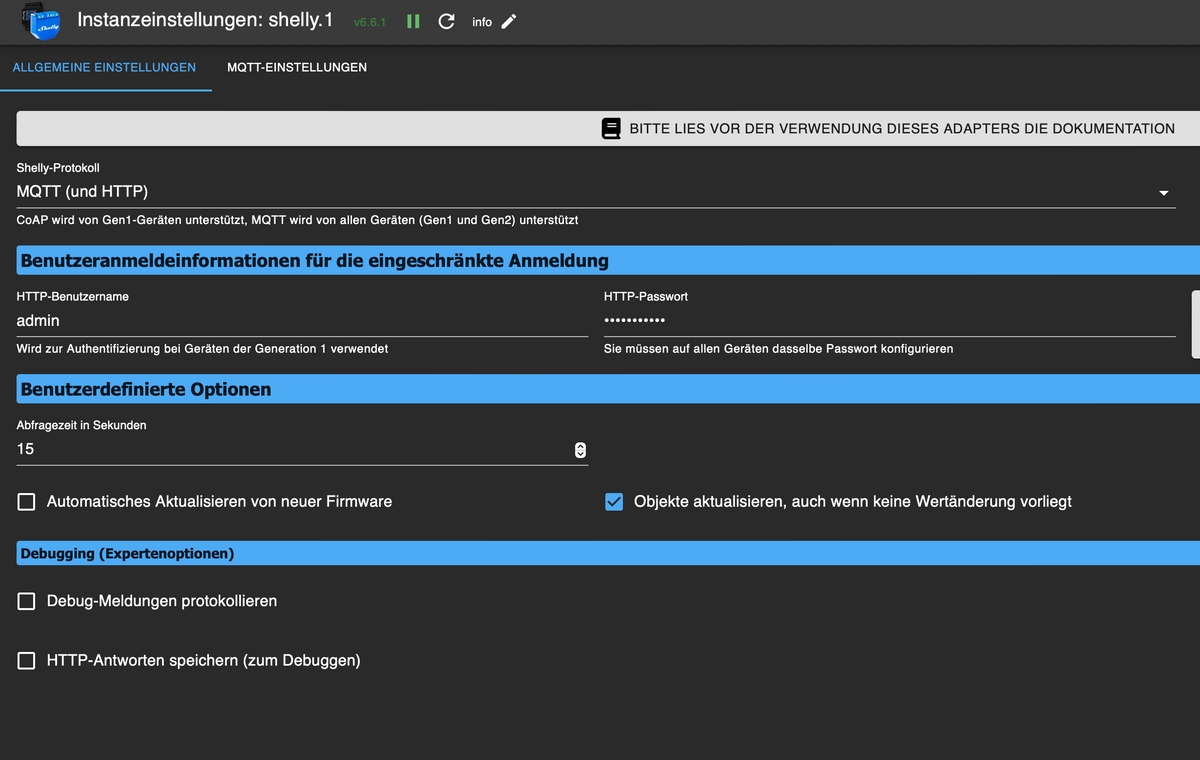
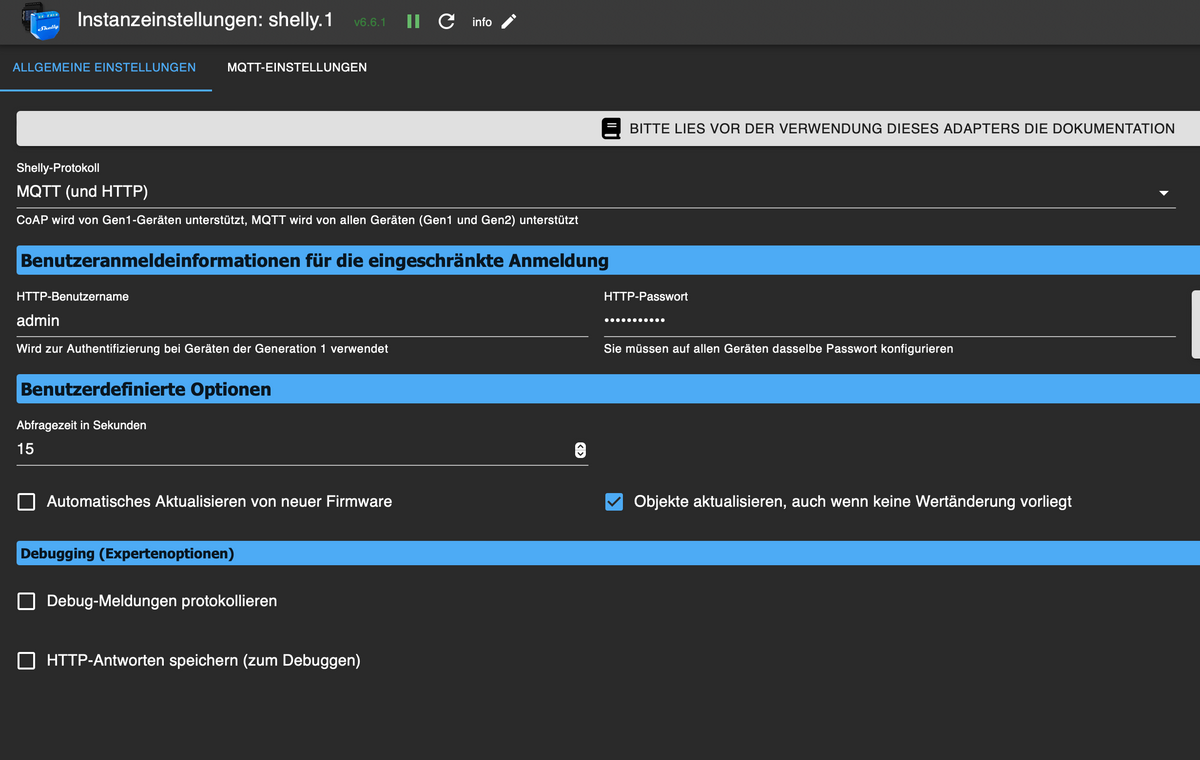
nur es kommen keine Werte an ...
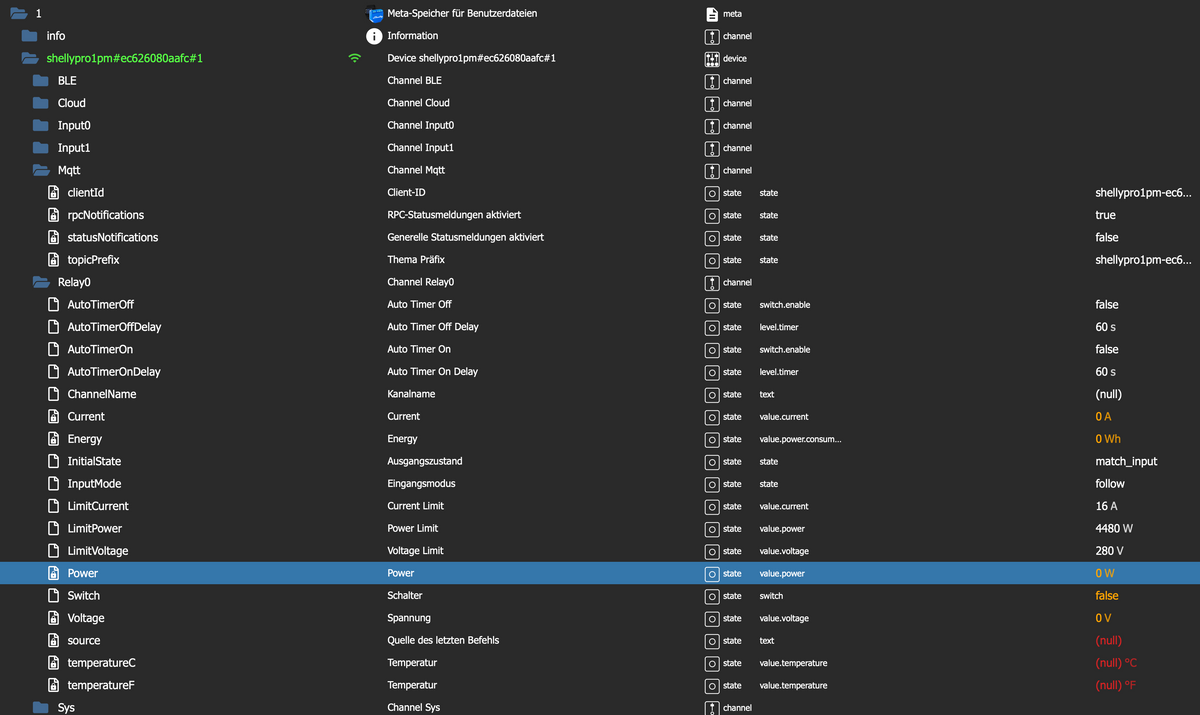
im Log heisst es:

? das bedeutet ?
-
@der-nordmann da der shelly PM mini nicht im iobroker zu erkennen war,
habe ich jetzt auch einem Shelly Pro 1PM installiert und wie ich glaubte korrekt im iobroker eingebunden, ...
nur es kommen keine Werte an ...
im Log heisst es:
? das bedeutet ?
@pille0557 sagte in MQTT Adapter + Shelly Adapter funktioniert nicht:
? das bedeutet ?
Zeig mal, welche Doku Du angeschaut hast.
🧑🎓 Autor des beliebten ioBroker-Master-Kurses
🎥 Tutorials rund um das Thema DIY-Smart-Home: https://haus-automatisierung.com/
📚 Meine Dokumentation -
@pille0557 sagte in MQTT Adapter + Shelly Adapter funktioniert nicht:
? das bedeutet ?
Zeig mal, welche Doku Du angeschaut hast.
-
@haus-automatisierung welche Doku? zu mqtt? wo?

@pille0557 sagte in MQTT Adapter + Shelly Adapter funktioniert nicht:
welche Doku?
Na die zum Shelly Adapter, auf welche in der Meldung verwiesen wird:
https://github.com/iobroker-community-adapters/ioBroker.shelly/blob/master/docs/de/protocol-mqtt.md
🧑🎓 Autor des beliebten ioBroker-Master-Kurses
🎥 Tutorials rund um das Thema DIY-Smart-Home: https://haus-automatisierung.com/
📚 Meine Dokumentation -
@pille0557 sagte in MQTT Adapter + Shelly Adapter funktioniert nicht:
welche Doku?
Na die zum Shelly Adapter, auf welche in der Meldung verwiesen wird:
https://github.com/iobroker-community-adapters/ioBroker.shelly/blob/master/docs/de/protocol-mqtt.md
-
@haus-automatisierung nun dann muss ich mal suchen ...
@pille0557 sagte in MQTT Adapter + Shelly Adapter funktioniert nicht:
@haus-automatisierung nun dann muss ich mal suchen ...
Naja, wäre im ioBroker nur 1 Klick entfernt :) Jetzt hier auch nur 1 Klick entfernt.
🧑🎓 Autor des beliebten ioBroker-Master-Kurses
🎥 Tutorials rund um das Thema DIY-Smart-Home: https://haus-automatisierung.com/
📚 Meine Dokumentation -
@pille0557 sagte in MQTT Adapter + Shelly Adapter funktioniert nicht:
@haus-automatisierung nun dann muss ich mal suchen ...
Naja, wäre im ioBroker nur 1 Klick entfernt :) Jetzt hier auch nur 1 Klick entfernt.
-
@haus-automatisierung ja tatsächlich:
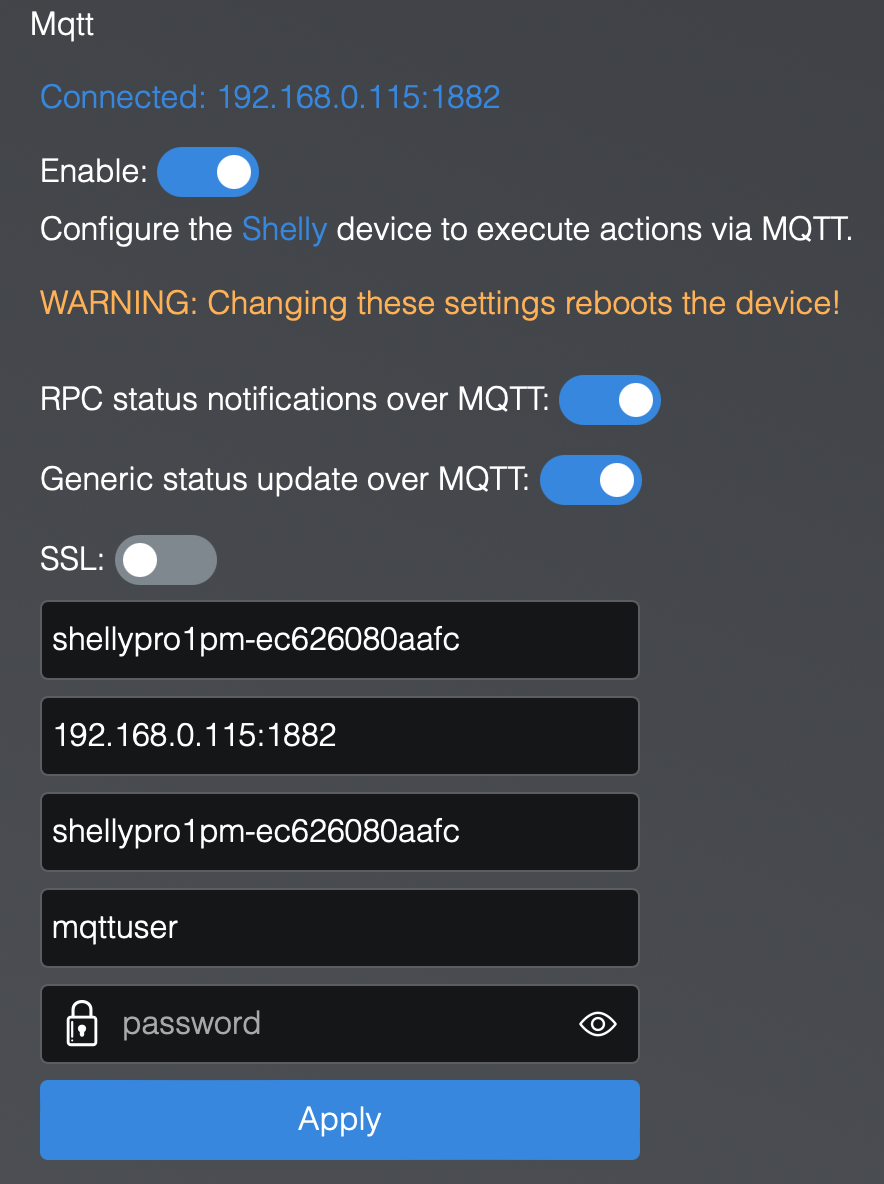
das Häkchen bei "Generic status update over MQTT" hat gefehlt
Danke!
(wer lesen kann ... und es auch tut ... ist im Vorteil)
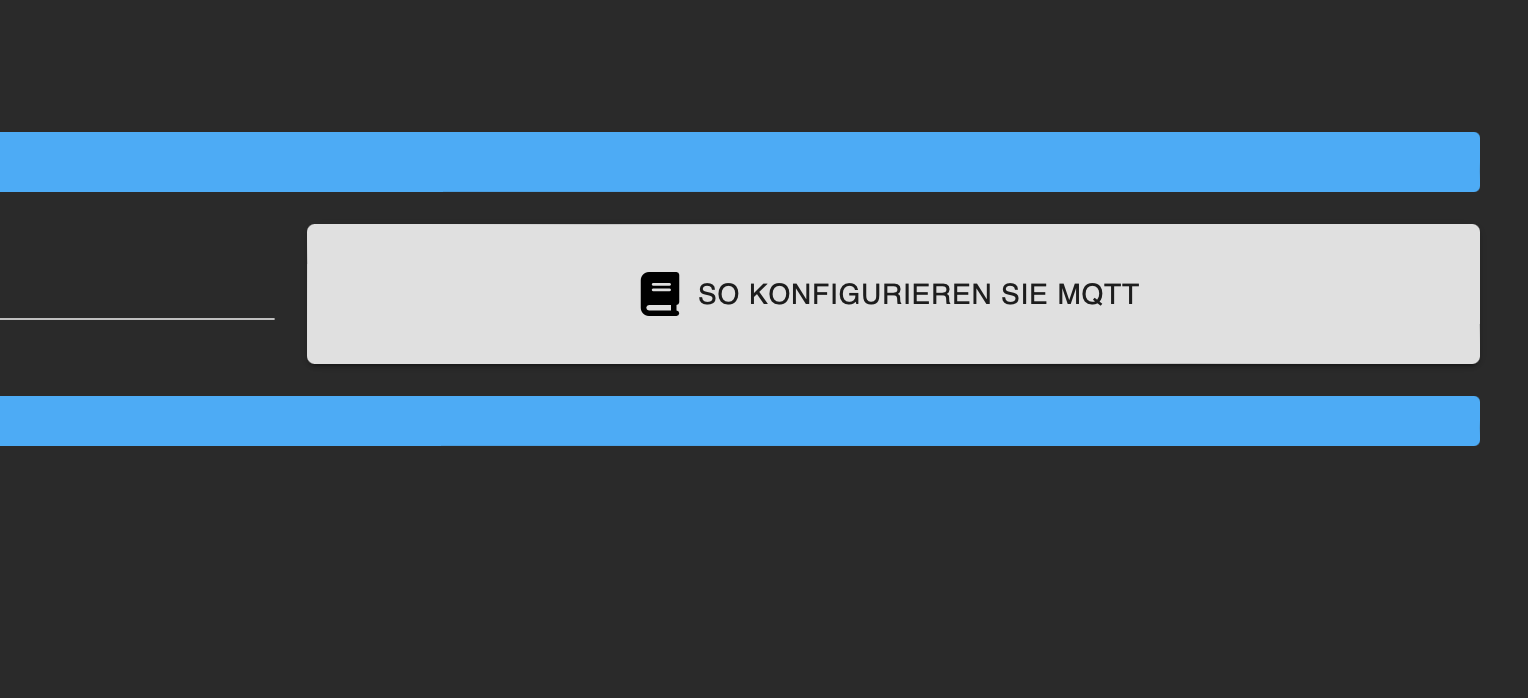
@pille0557 Was müsste ich denn noch in Log-Meldungen schreiben, damit man das liest? :) Der fette Button in der Instanz-Konfiguration war ja auch nicht ausreichend :(
🧑🎓 Autor des beliebten ioBroker-Master-Kurses
🎥 Tutorials rund um das Thema DIY-Smart-Home: https://haus-automatisierung.com/
📚 Meine Dokumentation -
@pille0557 Was müsste ich denn noch in Log-Meldungen schreiben, damit man das liest? :) Der fette Button in der Instanz-Konfiguration war ja auch nicht ausreichend :(
@haus-automatisierung
tja das grau der Schaltfläche animiert nicht so recht darauf zu klicken ...
um mich mal zu outen, habe ich auch jetzt nicht, habe ich nicht als Button erkannt, sondern so im Netz gesucht
vielleicht rot unterlegen ... ?
aber eventuell verhält sich ja auch nicht jeder so bekloppt ...
schöne Weihnachten und nochmal danke! -
@haus-automatisierung
tja das grau der Schaltfläche animiert nicht so recht darauf zu klicken ...
um mich mal zu outen, habe ich auch jetzt nicht, habe ich nicht als Button erkannt, sondern so im Netz gesucht
vielleicht rot unterlegen ... ?
aber eventuell verhält sich ja auch nicht jeder so bekloppt ...
schöne Weihnachten und nochmal danke!@pille0557 sagte in MQTT Adapter + Shelly Adapter funktioniert nicht:
tja das grau der Schaltfläche animiert nicht so recht darauf zu klicken ...
grau -> ausgeschalten, blau -> eingeschalten.
so schwer zu verstehn? noch dazu wo da der weiße punkt als switch zu erkennen ist und nicht als button!
dir auch schöne... :)gruß vom Woody
HAPPINESS is not a DESTINATION, it's a WAY of LIFE! -
@pille0557 sagte in MQTT Adapter + Shelly Adapter funktioniert nicht:
tja das grau der Schaltfläche animiert nicht so recht darauf zu klicken ...
grau -> ausgeschalten, blau -> eingeschalten.
so schwer zu verstehn? noch dazu wo da der weiße punkt als switch zu erkennen ist und nicht als button!
dir auch schöne... :) -
@pille0557 ok, aber rot ist halt immer warnung.
Ergo, auch mit gut.
Allerdings steht da auch Text drinnen.




Hey! Du scheinst an dieser Unterhaltung interessiert zu sein, hast aber noch kein Konto.
Hast du es satt, bei jedem Besuch durch die gleichen Beiträge zu scrollen? Wenn du dich für ein Konto anmeldest, kommst du immer genau dorthin zurück, wo du zuvor warst, und kannst dich über neue Antworten benachrichtigen lassen (entweder per E-Mail oder Push-Benachrichtigung). Du kannst auch Lesezeichen speichern und Beiträge positiv bewerten, um anderen Community-Mitgliedern deine Wertschätzung zu zeigen.
Mit deinem Input könnte dieser Beitrag noch besser werden 💗
Registrieren Anmelden373
Online33.0k
Benutzende83.7k
Themen1.3m
Beiträge