




(Gelöst) Javascript Adapter starten plötzlich nicht mehr
-
@glasfaser sagte in Javascript Adapter starten plötzlich nicht mehr:
setzte es bitte in Code-Tags ..
das war ja das Problem
 zusätzliche Code-tags
 -
======== Start marking the full check here =========
Skript v.2023-04-16 *** BASE SYSTEM *** Architecture : x86_64 Docker : false Virtualization : kvm Distributor ID: Debian Description: Debian GNU/Linux 11 (bullseye) Release: 11 Codename: bullseye PRETTY_NAME="Debian GNU/Linux 11 (bullseye)" NAME="Debian GNU/Linux" VERSION_ID="11" VERSION="11 (bullseye)" VERSION_CODENAME=bullseye ID=debian HOME_URL="https://www.debian.org/" SUPPORT_URL="https://www.debian.org/support" BUG_REPORT_URL="https://bugs.debian.org/" Systemuptime and Load: 12:13:57 up 25 min, 2 users, load average: 0.23, 0.29, 0.50 CPU threads: 8 *** Time and Time Zones *** Local time: Sat 2023-09-02 12:13:57 CEST Universal time: Sat 2023-09-02 10:13:57 UTC RTC time: Sat 2023-09-02 10:13:58 Time zone: Europe/Berlin (CEST, +0200) System clock synchronized: yes NTP service: active RTC in local TZ: no *** User and Groups *** pi /home/pi pi cdrom floppy audio dip video plugdev netdev bluetooth scanner iobroker *** X-Server-Setup *** X-Server: false Desktop: Terminal: tty Boot Target: graphical.target *** MEMORY *** total used free shared buff/cache available Mem: 11G 3.3G 7.1G 10M 1.3G 8.1G Swap: 974M 0B 974M Total: 12G 3.3G 8.0G 11679 M total memory 3298 M used memory 471 M active memory 3804 M inactive memory 7059 M free memory 115 M buffer memory 1207 M swap cache 974 M total swap 0 M used swap 974 M free swap *** FILESYSTEM *** Filesystem Type Size Used Avail Use% Mounted on udev devtmpfs 5.7G 0 5.7G 0% /dev tmpfs tmpfs 1.2G 1.2M 1.2G 1% /run /dev/sda1 ext4 31G 18G 9.9G 65% / tmpfs tmpfs 5.8G 0 5.8G 0% /dev/shm tmpfs tmpfs 5.0M 0 5.0M 0% /run/lock tmpfs tmpfs 1.2G 116K 1.2G 1% /run/user/1000 Messages concerning ext4 filesystem in dmesg: [Sat Sep 2 11:48:41 2023] EXT4-fs (sda1): mounted filesystem with ordered data mode. Opts: (null) [Sat Sep 2 11:48:42 2023] EXT4-fs (sda1): re-mounted. Opts: errors=remount-ro Show mounted filesystems (real ones only): TARGET SOURCE FSTYPE OPTIONS / /dev/sda1 ext4 rw,relatime,errors=remount-ro Files in neuralgic directories: /var: 3.2G /var/ 1.6G /var/log 1.4G /var/log/journal/33dc4f3a0bb843a19efcff7c642a250d 1.4G /var/log/journal 1.4G /var/cache Hint: You are currently not seeing messages from other users and the system. Users in groups 'adm', 'systemd-journal' can see all messages. Pass -q to turn off this notice. Archived and active journals take up 72.0M in the file system. /opt/iobroker/backups: 2.2G /opt/iobroker/backups/ 1.5M /opt/iobroker/backups/js 788K /opt/iobroker/backups/js/Produktiv 616K /opt/iobroker/backups/js/TEST 288K /opt/iobroker/backups/js/Produktiv/JS /opt/iobroker/iobroker-data: 980M /opt/iobroker/iobroker-data/ 505M /opt/iobroker/iobroker-data/files 246M /opt/iobroker/iobroker-data/backup-objects 78M /opt/iobroker/iobroker-data/files/icons-open-icon-library-png 72M /opt/iobroker/iobroker-data/files/telegram.admin The five largest files in iobroker-data are: 39M /opt/iobroker/iobroker-data/objects.jsonl 31M /opt/iobroker/iobroker-data/states.jsonl 21M /opt/iobroker/iobroker-data/files/web.admin/static/js/main.e564fb87.js.map 19M /opt/iobroker/iobroker-data/files/iot.admin/static/js/main.2975a411.js.map 18M /opt/iobroker/iobroker-data/objects.json.migrated *** NodeJS-Installation *** /usr/bin/nodejs v18.17.1 /usr/bin/node v18.17.1 /usr/bin/npm 9.6.7 /usr/bin/npx 9.6.7 nodejs: Installed: 18.17.1-deb-1nodesource1 Candidate: 18.17.1-deb-1nodesource1 Version table: *** 18.17.1-deb-1nodesource1 500 500 https://deb.nodesource.com/node_18.x bullseye/main amd64 Packages 100 /var/lib/dpkg/status 12.22.12~dfsg-1~deb11u4 500 500 http://security.debian.org/debian-security bullseye-security/main amd64 Packages 12.22.12~dfsg-1~deb11u3 500 500 http://deb.debian.org/debian bullseye/main amd64 Packages Temp directories causing npm8 problem: 0 No problems detected *** ioBroker-Installation *** ioBroker Status iobroker is running on this host. Objects type: jsonl States type: jsonl MULTIHOSTSERVICE/enabled: false Core adapters versions js-controller: 4.0.24 admin: 6.8.0 javascript: 7.0.3 Adapters from github: 4 Adapter State + system.adapter.admin.0 : admin : iob-test1-proxmox - enabled, port: 8081, bind: 0.0.0.0, run as: admin + system.adapter.alexa2.0 : alexa2 : iob-test1-proxmox - enabled + system.adapter.awtrix-light.0 : awtrix-light : iob-test1-proxmox - enabled + system.adapter.backitup.0 : backitup : iob-test1-proxmox - enabled + system.adapter.bring.0 : bring : iob-test1-proxmox - enabled system.adapter.broadlink2.0 : broadlink2 : iob-test1-proxmox - disabled system.adapter.daswetter.0 : daswetter : iob-test1-proxmox - enabled system.adapter.discovery.0 : discovery : iob-test1-proxmox - disabled system.adapter.ds18b20.0 : ds18b20 : iob-test1-proxmox - disabled system.adapter.dwd.0 : dwd : iob-test1-proxmox - enabled system.adapter.email.0 : email : iob-test1-proxmox - disabled system.adapter.feiertage.0 : feiertage : iob-test1-proxmox - disabled system.adapter.flot.0 : flot : iob-test1-proxmox - disabled + system.adapter.fritzbox.0 : fritzbox : iob-test1-proxmox - enabled system.adapter.fully-tablet-control.0 : fully-tablet-control : iob-test1-proxmox - disabled system.adapter.history.0 : history : iob-test1-proxmox - disabled + system.adapter.hm-rega.0 : hm-rega : iob-test1-proxmox - enabled + system.adapter.hm-rpc.0 : hm-rpc : iob-test1-proxmox - enabled, port: 0 + system.adapter.hm-rpc.1 : hm-rpc : iob-test1-proxmox - enabled, port: 0 + system.adapter.hue-extended.0 : hue-extended : iob-test1-proxmox - enabled + system.adapter.hue.0 : hue : iob-test1-proxmox - enabled, port: 80 system.adapter.ical.0 : ical : iob-test1-proxmox - enabled system.adapter.ical.1 : ical : iob-test1-proxmox - enabled system.adapter.ical.2 : ical : iob-test1-proxmox - enabled system.adapter.icons-addictive-flavour-png.0: icons-addictive-flavour-png: iob-test1-proxmox - disabled system.adapter.icons-fatcow-hosting.0 : icons-fatcow-hosting : iob-test1-proxmox - disabled system.adapter.icons-icons8.0 : icons-icons8 : iob-test1-proxmox - disabled system.adapter.icons-material-png.0 : icons-material-png : iob-test1-proxmox - disabled system.adapter.icons-material-svg.0 : icons-material-svg : iob-test1-proxmox - disabled system.adapter.icons-mfd-png.0 : icons-mfd-png : iob-test1-proxmox - disabled system.adapter.icons-open-icon-library-png.0: icons-open-icon-library-png: iob-test1-proxmox - disabled system.adapter.icons-ultimate-png.0 : icons-ultimate-png : iob-test1-proxmox - disabled + system.adapter.influxdb.0 : influxdb : iob-test1-proxmox - enabled, port: 8086 + system.adapter.info.0 : info : iob-test1-proxmox - enabled + system.adapter.iot.0 : iot : iob-test1-proxmox - enabled system.adapter.javascript.0 : javascript : iob-test1-proxmox - enabled system.adapter.javascript.1 : javascript : iob-test1-proxmox - enabled + system.adapter.kodi.0 : kodi : iob-test1-proxmox - enabled, port: 9090 + system.adapter.kodi.1 : kodi : iob-test1-proxmox - enabled, port: 9090 + system.adapter.lgtv.0 : lgtv : iob-test1-proxmox - enabled system.adapter.luftdaten.0 : luftdaten : iob-test1-proxmox - enabled system.adapter.mobile.0 : mobile : iob-test1-proxmox - disabled + system.adapter.moma.0 : moma : iob-test1-proxmox - enabled + system.adapter.mqtt.0 : mqtt : iob-test1-proxmox - enabled, port: 1886, bind: 192.168.1.203 system.adapter.mqtt.1 : mqtt : iob-test1-proxmox - disabled, port: 1884, bind: 192.168.1.203 + system.adapter.nina.0 : nina : iob-test1-proxmox - enabled system.adapter.node-red.0 : node-red : iob-test1-proxmox - disabled, port: 1880, bind: 192.168.1.203 system.adapter.openweathermap.0 : openweathermap : iob-test1-proxmox - enabled system.adapter.owfs.0 : owfs : iob-test1-proxmox - disabled, port: 4304 system.adapter.parser.0 : parser : iob-test1-proxmox - disabled + system.adapter.pi-hole.0 : pi-hole : iob-test1-proxmox - enabled + system.adapter.proxmox.0 : proxmox : iob-test1-proxmox - enabled, port: 8006 + system.adapter.pushover.0 : pushover : iob-test1-proxmox - enabled + system.adapter.radar2.0 : radar2 : iob-test1-proxmox - enabled system.adapter.rpi2.0 : rpi2 : iob-test1-proxmox - disabled + system.adapter.sayit.0 : sayit : iob-test1-proxmox - enabled system.adapter.scenes.0 : scenes : iob-test1-proxmox - disabled + system.adapter.senec.0 : senec : iob-test1-proxmox - enabled + system.adapter.shelly.0 : shelly : iob-test1-proxmox - enabled, port: 1883, bind: 0.0.0.0 + system.adapter.shelly.1 : shelly : iob-test1-proxmox - enabled, port: 1882, bind: 0.0.0.0 + system.adapter.socketio.0 : socketio : iob-test1-proxmox - enabled, port: 8084, bind: 192.168.1.203, run as: admin system.adapter.solarwetter.0 : solarwetter : iob-test1-proxmox - disabled + system.adapter.sonoff.0 : sonoff : iob-test1-proxmox - enabled, port: 1883, bind: 192.168.1.203 + system.adapter.spotify-premium.0 : spotify-premium : iob-test1-proxmox - enabled + system.adapter.squeezeboxrpc.0 : squeezeboxrpc : iob-test1-proxmox - enabled, port: 9000 + system.adapter.statistics.0 : statistics : iob-test1-proxmox - enabled system.adapter.telegram.0 : telegram : iob-test1-proxmox - disabled, port: 8443 + system.adapter.tr-064.0 : tr-064 : iob-test1-proxmox - enabled system.adapter.traccar.0 : traccar : iob-test1-proxmox - disabled + system.adapter.trashschedule.0 : trashschedule : iob-test1-proxmox - enabled system.adapter.vis-bars.0 : vis-bars : iob-test1-proxmox - disabled system.adapter.vis-canvas-gauges.0 : vis-canvas-gauges : iob-test1-proxmox - disabled system.adapter.vis-colorpicker.0 : vis-colorpicker : iob-test1-proxmox - disabled system.adapter.vis-fancyswitch.0 : vis-fancyswitch : iob-test1-proxmox - disabled system.adapter.vis-google-fonts.0 : vis-google-fonts : iob-test1-proxmox - enabled system.adapter.vis-history.0 : vis-history : iob-test1-proxmox - disabled system.adapter.vis-hqwidgets.0 : vis-hqwidgets : iob-test1-proxmox - disabled system.adapter.vis-icontwo.0 : vis-icontwo : iob-test1-proxmox - disabled + system.adapter.vis-inventwo.0 : vis-inventwo : iob-test1-proxmox - enabled system.adapter.vis-jqui-mfd.0 : vis-jqui-mfd : iob-test1-proxmox - disabled system.adapter.vis-justgage.0 : vis-justgage : iob-test1-proxmox - disabled system.adapter.vis-keyboard.0 : vis-keyboard : iob-test1-proxmox - disabled system.adapter.vis-map.0 : vis-map : iob-test1-proxmox - disabled system.adapter.vis-materialdesign.0 : vis-materialdesign : iob-test1-proxmox - disabled system.adapter.vis-metro.0 : vis-metro : iob-test1-proxmox - disabled system.adapter.vis-players.0 : vis-players : iob-test1-proxmox - disabled system.adapter.vis-rgraph.0 : vis-rgraph : iob-test1-proxmox - disabled system.adapter.vis-timeandweather.0 : vis-timeandweather : iob-test1-proxmox - disabled system.adapter.vis-weather.0 : vis-weather : iob-test1-proxmox - disabled system.adapter.vis.0 : vis : iob-test1-proxmox - enabled system.adapter.weatherunderground.0 : weatherunderground : iob-test1-proxmox - enabled + system.adapter.web.0 : web : iob-test1-proxmox - enabled, port: 8082, bind: 192.168.1.203, run as: admin system.adapter.windows-control.0 : windows-control : iob-test1-proxmox - disabled + system.adapter.wled.0 : wled : iob-test1-proxmox - enabled + system.adapter.worx.0 : worx : iob-test1-proxmox - enabled + system.adapter.zigbee.0 : zigbee : iob-test1-proxmox - enabled, port: /dev/ttyACM0 + instance is alive Enabled adapters with bindings + system.adapter.admin.0 : admin : iob-test1-proxmox - enabled, port: 8081, bind: 0.0.0.0, run as: admin + system.adapter.hm-rpc.0 : hm-rpc : iob-test1-proxmox - enabled, port: 0 + system.adapter.hm-rpc.1 : hm-rpc : iob-test1-proxmox - enabled, port: 0 + system.adapter.hue.0 : hue : iob-test1-proxmox - enabled, port: 80 + system.adapter.influxdb.0 : influxdb : iob-test1-proxmox - enabled, port: 8086 + system.adapter.kodi.0 : kodi : iob-test1-proxmox - enabled, port: 9090 + system.adapter.kodi.1 : kodi : iob-test1-proxmox - enabled, port: 9090 + system.adapter.mqtt.0 : mqtt : iob-test1-proxmox - enabled, port: 1886, bind: 192.168.1.203 + system.adapter.proxmox.0 : proxmox : iob-test1-proxmox - enabled, port: 8006 + system.adapter.shelly.0 : shelly : iob-test1-proxmox - enabled, port: 1883, bind: 0.0.0.0 + system.adapter.shelly.1 : shelly : iob-test1-proxmox - enabled, port: 1882, bind: 0.0.0.0 + system.adapter.socketio.0 : socketio : iob-test1-proxmox - enabled, port: 8084, bind: 192.168.1.203, run as: admin + system.adapter.sonoff.0 : sonoff : iob-test1-proxmox - enabled, port: 1883, bind: 192.168.1.203 + system.adapter.squeezeboxrpc.0 : squeezeboxrpc : iob-test1-proxmox - enabled, port: 9000 + system.adapter.web.0 : web : iob-test1-proxmox - enabled, port: 8082, bind: 192.168.1.203, run as: admin + system.adapter.zigbee.0 : zigbee : iob-test1-proxmox - enabled, port: /dev/ttyACM0 ioBroker-Repositories Stable (default): http://download.iobroker.net/sources-dist.json beta : http://download.iobroker.net/sources-dist-latest.json Active repo(s): Stable (default) Installed ioBroker-Instances Used repository: Stable (default) Adapter "admin" : 6.8.0 , installed 6.8.0 Adapter "alexa2" : 3.24.1 , installed 3.24.1 Adapter "backitup" : 2.6.23 , installed 2.6.23 Adapter "bring" : 1.8.1 , installed 1.8.1 Adapter "broadlink2" : 2.1.5 , installed 2.1.5 Adapter "daswetter" : 3.1.10 , installed 3.1.10 Adapter "discovery" : 3.1.0 , installed 3.1.0 Adapter "ds18b20" : 1.6.1 , installed 1.6.1 Adapter "dwd" : 2.8.5 , installed 2.8.5 Adapter "email" : 1.2.0 , installed 1.2.0 Adapter "feiertage" : 1.1.0 , installed 1.1.0 Adapter "flot" : 1.12.0 , installed 1.12.0 Adapter "fritzbox" : 0.2.1 , installed 0.2.1 Adapter "history" : 2.2.6 , installed 2.2.6 Adapter "hm-rega" : 3.0.47 , installed 3.0.47 Adapter "hm-rpc" : 1.15.19 , installed 1.15.19 Adapter "hue" : 3.9.5 , installed 3.9.5 Adapter "hue-extended" : 2.0.0 , installed 2.0.0 Adapter "ical" : 1.13.3 , installed 1.13.3 Adapter "icons-addictive-flavour-png": 0.1.0, installed 0.1.0 Adapter "icons-fatcow-hosting": 0.1.0, installed 0.1.0 Adapter "icons-icons8" : 0.0.1 , installed 0.0.1 Adapter "icons-material-png": 0.1.0, installed 0.1.0 Adapter "icons-material-svg": 0.1.0, installed 0.1.0 Adapter "icons-mfd-png": 1.1.0 , installed 1.1.0 Adapter "icons-open-icon-library-png": 0.1.2, installed 0.1.2 Adapter "icons-ultimate-png": 1.0.1, installed 1.0.1 Adapter "influxdb" : 3.2.0 , installed 3.2.0 Adapter "info" : 1.9.26 , installed 1.9.26 Adapter "iot" : 1.14.5 , installed 1.14.5 Adapter "jarvis" : 3.1.2 , installed 3.1.2 Adapter "javascript" : 7.0.3 , installed 7.0.3 Controller "js-controller": 4.0.24 , installed 4.0.24 Adapter "kodi" : 2.0.9 , installed 2.0.9 Adapter "lgtv" : 1.1.10 , installed 1.1.10 Adapter "luftdaten" : 3.0.0 , installed 3.0.0 Adapter "mobile" : 1.0.1 , installed 1.0.1 Adapter "moma" : 1.2.9 , installed 1.2.9 Adapter "mqtt" : 4.1.1 , installed 4.1.1 Adapter "nina" : 0.0.25 , installed 0.0.25 Adapter "node-red" : 4.0.3 , installed 4.0.3 Adapter "openweathermap": 0.3.9 , installed 0.3.9 Adapter "operating-hours": 1.0.4 , installed 1.0.4 Adapter "owfs" : 0.7.0 , installed 0.7.0 Adapter "parser" : 1.3.2 , installed 1.3.2 Adapter "pi-hole" : 1.3.6 , installed 1.3.6 Adapter "proxmox" : 1.3.5 , installed 1.3.5 Adapter "pushover" : 3.0.3 , installed 3.0.3 Adapter "radar2" : 2.0.7 , installed 2.0.7 Adapter "rest-api" : 1.1.0 , installed 1.1.0 Adapter "rpi2" : 1.3.2 , installed 1.3.2 Adapter "samsung" : 0.5.11 , installed 0.5.11 Adapter "sayit" : 3.0.5 , installed 3.0.5 Adapter "scenes" : 2.3.9 , installed 2.3.9 Adapter "shelly" : 6.4.1 , installed 6.4.1 Adapter "simple-api" : 2.7.2 , installed 2.7.2 Adapter "socketio" : 6.5.2 , installed 6.5.2 Adapter "solarwetter" : 1.0.0 , installed 1.0.0 Adapter "sonoff" : 2.5.3 , installed 2.5.3 Adapter "spotify-premium": 1.2.2 , installed 1.2.2 Adapter "squeezeboxrpc": 1.3.9 , installed 1.3.9 Adapter "statistics" : 2.3.0 , installed 2.3.0 Adapter "swiss-weather-api": 1.0.5, installed 1.0.5 Adapter "telegram" : 1.16.0 , installed 1.16.0 Adapter "tr-064" : 4.2.18 , installed 4.2.18 Adapter "traccar" : 0.0.12 , installed 0.0.12 Adapter "trashschedule": 2.2.0 , installed 2.2.0 Adapter "vis" : 1.4.16 , installed 1.4.16 Adapter "vis-bars" : 0.1.4 , installed 0.1.4 Adapter "vis-canvas-gauges": 1.0.1, installed 1.0.1 Adapter "vis-colorpicker": 2.0.3 , installed 2.0.3 Adapter "vis-fancyswitch": 1.1.0 , installed 1.1.0 Adapter "vis-google-fonts": 1.0.4 , installed 1.0.4 Adapter "vis-history" : 1.0.0 , installed 1.0.0 Adapter "vis-hqwidgets": 1.4.0 , installed 1.4.0 Adapter "vis-icontwo" : 0.96.0 , installed 0.96.0 Adapter "vis-inventwo" : 3.3.3 , installed 3.3.3 Adapter "vis-jqui-mfd" : 1.0.12 , installed 1.0.12 Adapter "vis-justgage" : 1.0.2 , installed 1.0.2 Adapter "vis-keyboard" : 0.0.2 , installed 0.0.2 Adapter "vis-map" : 1.0.4 , installed 1.0.4 Adapter "vis-metro" : 1.2.0 , installed 1.2.0 Adapter "vis-players" : 0.1.6 , installed 0.1.6 Adapter "vis-rgraph" : 0.0.2 , installed 0.0.2 Adapter "vis-timeandweather": 1.2.2, installed 1.2.2 Adapter "vis-weather" : 2.5.6 , installed 2.5.6 Adapter "weatherunderground": 3.4.2, installed 3.4.2 Adapter "web" : 6.1.0 , installed 6.1.0 Adapter "windows-control": 0.1.5 , installed 0.1.5 Adapter "wled" : 0.6.7 , installed 0.6.7 Adapter "worx" : 2.3.2 , installed 2.3.2 Adapter "ws" : 2.5.3 , installed 2.5.3 Adapter "zigbee" : 1.8.23 , installed 1.8.23 Objects and States Please stand by - This may take a while Objects: 27197 States: 25018 *** OS-Repositories and Updates *** Hit:1 http://security.debian.org/debian-security bullseye-security InRelease Hit:2 http://deb.debian.org/debian bullseye InRelease Hit:3 http://ftp.debian.org/debian bullseye-backports InRelease Hit:4 http://deb.debian.org/debian bullseye-updates InRelease Hit:5 https://repos.influxdata.com/debian stable InRelease Hit:6 https://repos.influxdata.com/debian bullseye InRelease Get:7 https://deb.nodesource.com/node_18.x bullseye InRelease [4586 B] Fetched 4586 B in 1s (4901 B/s) Reading package lists... Pending Updates: 0 *** Listening Ports *** Active Internet connections (only servers) Proto Recv-Q Send-Q Local Address Foreign Address State User Inode PID/Program name tcp 0 0 192.168.1.203:1883 0.0.0.0:* LISTEN 1001 30565 3592/io.sonoff.0 tcp 0 0 192.168.1.203:8701 0.0.0.0:* LISTEN 1001 19309 2672/io.hm-rpc.1 tcp 0 0 192.168.1.203:1886 0.0.0.0:* LISTEN 1001 25737 3366/io.mqtt.0 tcp 0 0 192.168.1.203:1887 0.0.0.0:* LISTEN 1001 25738 3366/io.mqtt.0 tcp 0 0 0.0.0.0:9000 0.0.0.0:* LISTEN 1001 3000 505/iobroker.js-con tcp 0 0 0.0.0.0:9001 0.0.0.0:* LISTEN 1001 525 505/iobroker.js-con tcp 0 0 0.0.0.0:111 0.0.0.0:* LISTEN 0 16551 1/init tcp 0 0 0.0.0.0:8080 0.0.0.0:* LISTEN 998 18195 1911/monitorix-http tcp 0 0 192.168.1.203:2001 0.0.0.0:* LISTEN 1001 24691 2506/io.hm-rpc.0 tcp 0 0 192.168.1.203:8082 0.0.0.0:* LISTEN 1001 33466 5230/io.web.0 tcp 0 0 192.168.1.203:8084 0.0.0.0:* LISTEN 1001 37427 6517/io.socketio.0 tcp 0 0 0.0.0.0:22 0.0.0.0:* LISTEN 0 14001 543/sshd: /usr/sbin tcp 0 0 127.0.0.1:631 0.0.0.0:* LISTEN 0 2477 504/cupsd tcp 0 0 0.0.0.0:1882 0.0.0.0:* LISTEN 1001 22188 3805/io.shelly.1 tcp6 0 0 :::111 :::* LISTEN 0 116 1/init tcp6 0 0 :::8081 :::* LISTEN 1001 20697 1123/io.admin.0 tcp6 0 0 :::22 :::* LISTEN 0 14003 543/sshd: /usr/sbin tcp6 0 0 ::1:631 :::* LISTEN 0 2476 504/cupsd udp 0 0 0.0.0.0:5683 0.0.0.0:* 1001 30488 3515/io.shelly.0 udp 0 0 0.0.0.0:67 0.0.0.0:* 1001 22446 4423/io.radar2.0 udp 0 0 0.0.0.0:111 0.0.0.0:* 0 12729 1/init udp 0 0 0.0.0.0:631 0.0.0.0:* 0 2836 524/cups-browsed udp 0 0 0.0.0.0:59462 0.0.0.0:* 112 13921 464/avahi-daemon: r udp 0 0 0.0.0.0:3483 0.0.0.0:* 1001 35642 6544/io.squeezeboxr udp 0 0 0.0.0.0:5353 0.0.0.0:* 1001 37622 6615/io.wled.0 udp 0 0 0.0.0.0:5353 0.0.0.0:* 112 13919 464/avahi-daemon: r udp6 0 0 :::111 :::* 0 2352 1/init udp6 0 0 fe80::1e95:cc09:f9a:546 :::* 0 13133 467/NetworkManager udp6 0 0 :::54050 :::* 112 13922 464/avahi-daemon: r udp6 0 0 :::5353 :::* 112 13920 464/avahi-daemon: r *** Log File - Last 25 Lines *** 2023-09-02 12:00:27.705 - info: host.iob-test1-proxmox instance system.adapter.daswetter.0 terminated with code 11 (ADAPTER_REQUESTED_TERMINATION) 2023-09-02 12:00:28.118 - info: host.iob-test1-proxmox instance system.adapter.ical.0 terminated with code 0 (NO_ERROR) 2023-09-02 12:00:31.870 - info: awtrix-light.0 (6905) error ECONNABORTED from /api/custom?name=pvakt: timeout of 3000ms exceeded 2023-09-02 12:00:31.871 - warn: awtrix-light.0 (6905) (custom?name=pvakt) Unable to update custom app "pvakt": AxiosError: timeout of 3000ms exceeded 2023-09-02 12:00:41.886 - warn: awtrix-light.0 (6905) (custom?name=pvakt) Unable to update custom app "pvakt": AxiosError: timeout of 3000ms exceeded 2023-09-02 12:03:34.236 - info: hm-rpc.1 (2672) xmlrpc -> listDevices 0 2023-09-02 12:03:34.278 - info: hm-rpc.1 (2672) new CUxD devices/channels after filter: 0 2023-09-02 12:05:00.086 - info: host.iob-test1-proxmox instance system.adapter.luftdaten.0 started with pid 14652 2023-09-02 12:05:04.112 - info: host.iob-test1-proxmox instance system.adapter.dwd.0 started with pid 14696 2023-09-02 12:05:06.024 - info: dwd.0 (14696) starting. Version 2.8.5 in /opt/iobroker/node_modules/iobroker.dwd, node: v18.17.1, js-controller: 4.0.24 2023-09-02 12:05:07.733 - info: dwd.0 (14696) Terminated (ADAPTER_REQUESTED_TERMINATION): Without reason 2023-09-02 12:05:08.251 - info: host.iob-test1-proxmox instance system.adapter.dwd.0 terminated with code 11 (ADAPTER_REQUESTED_TERMINATION) 2023-09-02 12:05:12.934 - info: host.iob-test1-proxmox instance system.adapter.luftdaten.0 terminated with code 0 (NO_ERROR) 2023-09-02 12:07:04.291 - info: hm-rpc.1 (2672) xmlrpc -> listDevices 0 2023-09-02 12:07:04.327 - info: hm-rpc.1 (2672) new CUxD devices/channels after filter: 0 2023-09-02 12:10:00.038 - info: host.iob-test1-proxmox instance system.adapter.dwd.0 started with pid 17562 2023-09-02 12:10:02.028 - info: dwd.0 (17562) starting. Version 2.8.5 in /opt/iobroker/node_modules/iobroker.dwd, node: v18.17.1, js-controller: 4.0.24 2023-09-02 12:10:02.981 - info: dwd.0 (17562) Terminated (ADAPTER_REQUESTED_TERMINATION): Without reason 2023-09-02 12:10:03.512 - info: host.iob-test1-proxmox instance system.adapter.dwd.0 terminated with code 11 (ADAPTER_REQUESTED_TERMINATION) 2023-09-02 12:10:04.062 - info: host.iob-test1-proxmox instance system.adapter.luftdaten.0 started with pid 17624 2023-09-02 12:10:11.494 - info: host.iob-test1-proxmox instance system.adapter.luftdaten.0 terminated with code 0 (NO_ERROR) 2023-09-02 12:10:34.342 - info: hm-rpc.1 (2672) xmlrpc -> listDevices 0 2023-09-02 12:10:34.377 - info: hm-rpc.1 (2672) new CUxD devices/channels after filter: 0 2023-09-02 12:14:04.395 - info: hm-rpc.1 (2672) xmlrpc -> listDevices 0 2023-09-02 12:14:04.453 - info: hm-rpc.1 (2672) new CUxD devices/channels after filter: 0============ Mark until here for C&P =============
@crepp1967 sagte in Javascript Adapter starten plötzlich nicht mehr:
'adm', 'systemd-journal'
dein user ist nicht in der Gruppe
gibt es einen Grund warum sämtliches vis "zubehör" deaktiviert ist?
@crepp1967 sagte in Javascript Adapter starten plötzlich nicht mehr:
cupsd
läuft da noch Desktop/Drucker zeugs?
umgestiegen von Proxmox auf Unraid
-
Schmeiß die bullseye-backports raus und stell das nodesoure-Repo auf die aktuelle Struktur um.
@thomas-braun
Wie mache ich das? -
@thomas-braun
Wie mache ich das?@crepp1967 sagte in Javascript Adapter starten plötzlich nicht mehr:
Wie mache ich das?
Backports musst du mal selber freigeschaltet haben. Einfach wieder rückgängig machen, was damals getan wurde. Hat vermutlich mit udev zu tun gehabt.
Zu nodesource:
Schau in meine Signatur. -
@thomas-braun
Wie mache ich das?@crepp1967 sagte in Javascript Adapter starten plötzlich nicht mehr:
@thomas-braun
Wie mache ich das?ist der Fehler bei dir mit
2023-09-02 11:46:36.090 error Caught by controller[0]: code: 'MODULE_NOT_FOUND',
schon behoben !?
Synology 918+ 16GB - ioBroker in Docker v9 , VISO auf Trekstor Primebook C13 13,3" , Hikvision Domkameras mit Surveillance Station .. CCU RaspberryMatic in Synology VM .. Zigbee CC2538+CC2592 .. Sonoff .. KNX .. Modbus ..
-
@crepp1967 sagte in Javascript Adapter starten plötzlich nicht mehr:
@thomas-braun
Wie mache ich das?ist der Fehler bei dir mit
2023-09-02 11:46:36.090 error Caught by controller[0]: code: 'MODULE_NOT_FOUND',
schon behoben !?
@glasfaser sagte in Javascript Adapter starten plötzlich nicht mehr:
schon behoben !?
Hatte ich nie.
Linux-Werkzeugkasten:
https://forum.iobroker.net/topic/42952/der-kleine-iobroker-linux-werkzeugkasten
NodeJS Fixer Skript:
https://forum.iobroker.net/topic/68035/iob-node-fix-skript
iob_diag: curl -sLf -o diag.sh https://iobroker.net/diag.sh && bash diag.sh -
@glasfaser sagte in Javascript Adapter starten plötzlich nicht mehr:
schon behoben !?
Hatte ich nie.
Synology 918+ 16GB - ioBroker in Docker v9 , VISO auf Trekstor Primebook C13 13,3" , Hikvision Domkameras mit Surveillance Station .. CCU RaspberryMatic in Synology VM .. Zigbee CC2538+CC2592 .. Sonoff .. KNX .. Modbus ..
-
-
@glasfaser sagte in Javascript Adapter starten plötzlich nicht mehr:
ich habe dich doch nicht angeschrieben !!!!?
aber markiert/benachrichtigt wurde er durch
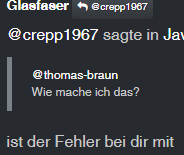
-
@crepp1967 sagte in Javascript Adapter starten plötzlich nicht mehr:
'adm', 'systemd-journal'
dein user ist nicht in der Gruppe
gibt es einen Grund warum sämtliches vis "zubehör" deaktiviert ist?
@crepp1967 sagte in Javascript Adapter starten plötzlich nicht mehr:
cupsd
läuft da noch Desktop/Drucker zeugs?
@crunchip
Hab das System unter Proxmox (Ubuntu) aufgesetzt (mit dem iobroker script)
Hab dann nichts mehr angepasst (betriebssystemseitig)
cupsd kann wohl deaktivieren, da hängt kein Drucker dran.
in der shell mit purge oder wie werde ich das los? -
@crepp1967 sagte in Javascript Adapter starten plötzlich nicht mehr:
@thomas-braun
Wie mache ich das?ist der Fehler bei dir mit
2023-09-02 11:46:36.090 error Caught by controller[0]: code: 'MODULE_NOT_FOUND',
schon behoben !?
@glasfaser
Also mein Grundproblem (nicht startende Javascript Adapter) ist nun zum Glück behoben, vielen Dank für die schnelle Hilfe und die Tips zum fixen.
Die hier im Thread noch so erwähnten Probleme werde ich im Anschluss beheben.
Damit kann ich den Thread auf "Gelöst" setzen.Gruß
Torsten -
@crepp1967 sagte in (Gelöst) Javascript Adapter starten plötzlich nicht mehr:
@homoran
ich war mir sicher CodeTags verwendet zu habenja, eben!
Code-tags sind in der Ausgabe bereits drin, an den richtigen Stellen.
Du hast zusätzliche verwendet -
Schmeiß die bullseye-backports raus und stell das nodesoure-Repo auf die aktuelle Struktur um.
-
@thomas-braun Wie kann ich das anstellen?
Was genau meinst du?




Hey! Du scheinst an dieser Unterhaltung interessiert zu sein, hast aber noch kein Konto.
Hast du es satt, bei jedem Besuch durch die gleichen Beiträge zu scrollen? Wenn du dich für ein Konto anmeldest, kommst du immer genau dorthin zurück, wo du zuvor warst, und kannst dich über neue Antworten benachrichtigen lassen (entweder per E-Mail oder Push-Benachrichtigung). Du kannst auch Lesezeichen speichern und Beiträge positiv bewerten, um anderen Community-Mitgliedern deine Wertschätzung zu zeigen.
Mit deinem Input könnte dieser Beitrag noch besser werden 💗
Registrieren Anmelden389
Online33.0k
Benutzende83.7k
Themen1.3m
Beiträge