Skip to content

Node-Red

Hilfe für Skripterstellung mit Node-RED

953 Topics 13.1k Posts

NEWS

  • Eine Lampe mit 4 Türkontakten visuell darstellen

    4
    0 Votes
    4 Posts
    512 Views
    H
    Ich habe es auch mit dem boolean-logic gelöst: [image: 1603190457083-15b54f32-bf73-4a5e-a58d-a85ca3bdfe01-grafik.png] Spoiler [ { "id": "46be0da5.a468e4", "type": "tab", "label": "Flow 1", "disabled": false, "info": "" }, { "id": "ac4475ec.52d5b8", "type": "ioBroker in", "z": "46be0da5.a468e4", "name": "Wohnzimmertür.opened", "topic": "zigbee.0.00158d0004a043ca.opened", "payloadType": "value", "onlyack": "", "func": "all", "gap": "", "x": 160, "y": 180, "wires": [ [ "3ca48315.b37b84" ] ] }, { "id": "2c3bb2a0.5bb72e", "type": "ioBroker get", "z": "46be0da5.a468e4", "name": "Handy-Rene.active", "topic": "tr-064.0.devices.Handy-Rene.active", "attrname": "payload", "payloadType": "value", "x": 590, "y": 140, "wires": [ [ "be8dc7a.5a85b38" ] ] }, { "id": "69504c53.9b6ccc", "type": "ioBroker get", "z": "46be0da5.a468e4", "name": "Handy-Sarah.active", "topic": "tr-064.0.devices.Handy-Sarah.active", "attrname": "payload", "payloadType": "value", "x": 600, "y": 220, "wires": [ [ "8b809486.69942" ] ] }, { "id": "be8dc7a.5a85b38", "type": "change", "z": "46be0da5.a468e4", "name": "msg.topic to name", "rules": [ { "t": "set", "p": "topic", "pt": "msg", "to": "Handy-Rene.active", "tot": "str" } ], "action": "", "property": "", "from": "", "to": "", "reg": false, "x": 830, "y": 140, "wires": [ [ "f52cb15f.91e898" ] ] }, { "id": "8b809486.69942", "type": "change", "z": "46be0da5.a468e4", "name": "msg.topic to name", "rules": [ { "t": "set", "p": "topic", "pt": "msg", "to": "Handy-Sarah.active", "tot": "str" } ], "action": "", "property": "", "from": "", "to": "", "reg": false, "x": 830, "y": 220, "wires": [ [ "f52cb15f.91e898" ] ] }, { "id": "3ca48315.b37b84", "type": "delay", "z": "46be0da5.a468e4", "name": "", "pauseType": "delay", "timeout": "15", "timeoutUnits": "minutes", "rate": "1", "nbRateUnits": "1", "rateUnits": "second", "randomFirst": "1", "randomLast": "5", "randomUnits": "seconds", "drop": false, "x": 370, "y": 180, "wires": [ [ "2c3bb2a0.5bb72e", "69504c53.9b6ccc" ] ] }, { "id": "f52cb15f.91e898", "type": "BooleanLogic", "z": "46be0da5.a468e4", "name": "", "operation": "OR", "inputCount": 2, "topic": "result", "x": 1030, "y": 180, "wires": [ [ "ed571c8f.9a158" ] ] }, { "id": "3260cc40.51b344", "type": "switch", "z": "46be0da5.a468e4", "name": "", "property": "payload", "propertyType": "msg", "rules": [ { "t": "true" }, { "t": "false" } ], "checkall": "true", "repair": false, "outputs": 2, "x": 1270, "y": 180, "wires": [ [], [] ] }, { "id": "ed571c8f.9a158", "type": "rbe", "z": "46be0da5.a468e4", "name": "", "func": "rbe", "gap": "", "start": "", "inout": "out", "property": "payload", "x": 1150, "y": 180, "wires": [ [ "3260cc40.51b344" ] ] }, { "id": "9c62aa96.b725f", "type": "change", "z": "46be0da5.a468e4", "name": "5", "rules": [ { "t": "set", "p": "payload", "pt": "msg", "to": "5", "tot": "num" } ], "action": "", "property": "", "from": "", "to": "", "reg": false, "x": 1430, "y": 220, "wires": [ [ "962c1490.94aab" ] ] }, { "id": "e6a2e0e1.3ab168", "type": "change", "z": "46be0da5.a468e4", "name": "19", "rules": [ { "t": "set", "p": "payload", "pt": "msg", "to": "19", "tot": "str" } ], "action": "", "property": "", "from": "", "to": "", "reg": false, "x": 1430, "y": 140, "wires": [ [ "962c1490.94aab" ] ] }, { "id": "962c1490.94aab", "type": "ioBroker out", "z": "46be0da5.a468e4", "name": "Arbeitszimmer_Heizung_manual", "topic": "hm-rpc.0.PEQ1316506.4.SET_TEMPERATURE", "ack": "false", "autoCreate": "false", "x": 1650, "y": 180, "wires": [] }, { "id": "7ca4ad58.b223ac", "type": "ioBroker in", "z": "46be0da5.a468e4", "name": "Esszimmer_Fensterkontakt_rechts", "topic": "zigbee.0.00158d0004a04457.opened", "payloadType": "value", "onlyack": "", "func": "all", "gap": "", "x": 340, "y": 600, "wires": [ [ "bff2ca9.3d12238", "9eb9a72.1c72058", "38f9f14d.89e7de", "5e68f2b.d53928c", "7713bf1e.07af18" ] ] }, { "id": "9da66146.aba9f", "type": "ioBroker out", "z": "46be0da5.a468e4", "name": "Wohnzimmer_Heizung_manual", "topic": "hm-rpc.1.INT0000002.1.SET_TEMPERATURE", "ack": "false", "autoCreate": "false", "x": 1850, "y": 720, "wires": [] }, { "id": "abf22127.54912", "type": "change", "z": "46be0da5.a468e4", "name": "5", "rules": [ { "t": "set", "p": "payload", "pt": "msg", "to": "5", "tot": "num" } ], "action": "", "property": "", "from": "", "to": "", "reg": false, "x": 1370, "y": 720, "wires": [ [ "9da66146.aba9f" ] ] }, { "id": "640bf8e7.d8397", "type": "ioBroker in", "z": "46be0da5.a468e4", "name": "Esszimmer_Fensterkontakt_links", "topic": "zigbee.0.00158d00042cbb68.opened", "payloadType": "value", "onlyack": "", "func": "all", "gap": "", "x": 330, "y": 660, "wires": [ [ "bff2ca9.3d12238", "9eb9a72.1c72058", "38f9f14d.89e7de", "5e68f2b.d53928c", "7713bf1e.07af18" ] ] }, { "id": "bff2ca9.3d12238", "type": "ioBroker get", "z": "46be0da5.a468e4", "name": "Esszimmer_Fensterkontakt_rechts_abfrage", "topic": "zigbee.0.00158d0004a04457.contact", "attrname": "payload", "payloadType": "value", "x": 710, "y": 600, "wires": [ [ "44a5fc51.cd2d44" ] ] }, { "id": "9eb9a72.1c72058", "type": "ioBroker get", "z": "46be0da5.a468e4", "name": "Esszimmer_Fensterkontakt_links_abfrage", "topic": "zigbee.0.00158d00042cbb68.contact", "attrname": "payload", "payloadType": "value", "x": 700, "y": 660, "wires": [ [ "eefc2ef4.616fa8" ] ] }, { "id": "44a5fc51.cd2d44", "type": "change", "z": "46be0da5.a468e4", "name": "msg.topic to name", "rules": [ { "t": "set", "p": "topic", "pt": "msg", "to": "Esszimmer_Fensterkontakt_rechts_abfrage", "tot": "str" } ], "action": "", "property": "", "from": "", "to": "", "reg": false, "x": 990, "y": 600, "wires": [ [ "877d9625.91655" ] ] }, { "id": "eefc2ef4.616fa8", "type": "change", "z": "46be0da5.a468e4", "name": "msg.topic to name", "rules": [ { "t": "set", "p": "topic", "pt": "msg", "to": "Esszimmer_Fensterkontakt_links_abfrage", "tot": "str" } ], "action": "", "property": "", "from": "", "to": "", "reg": false, "x": 990, "y": 660, "wires": [ [ "877d9625.91655" ] ] }, { "id": "80245c49.6e76b8", "type": "ioBroker in", "z": "46be0da5.a468e4", "name": "Küche_Fensterkontakt_groß", "topic": "zigbee.0.00158d0004a019d0.opened", "payloadType": "value", "onlyack": "", "func": "all", "gap": "", "x": 320, "y": 720, "wires": [ [ "bff2ca9.3d12238", "9eb9a72.1c72058", "38f9f14d.89e7de", "5e68f2b.d53928c", "7713bf1e.07af18" ] ] }, { "id": "1813a3b4.dd7f24", "type": "ioBroker in", "z": "46be0da5.a468e4", "name": "Wohnzimmer_Türkontakt", "topic": "zigbee.0.00158d0004a01a68.opened", "payloadType": "value", "onlyack": "", "func": "all", "gap": "", "x": 310, "y": 780, "wires": [ [ "bff2ca9.3d12238", "9eb9a72.1c72058", "38f9f14d.89e7de", "5e68f2b.d53928c", "7713bf1e.07af18" ] ] }, { "id": "bba041cb.16ae68", "type": "ioBroker in", "z": "46be0da5.a468e4", "name": "Küche_Fensterkontakt_klein", "topic": "zigbee.0.00158d0004a043f6.opened", "payloadType": "value", "onlyack": "", "func": "all", "gap": "", "x": 320, "y": 840, "wires": [ [ "7713bf1e.07af18", "5e68f2b.d53928c", "38f9f14d.89e7de", "9eb9a72.1c72058", "bff2ca9.3d12238" ] ] }, { "id": "38f9f14d.89e7de", "type": "ioBroker get", "z": "46be0da5.a468e4", "name": "Küche_Fensterkontakt_groß", "topic": "zigbee.0.00158d0004a019d0.contact", "attrname": "payload", "payloadType": "value", "x": 660, "y": 720, "wires": [ [ "c6e2d7ae.a72a5" ] ] }, { "id": "5e68f2b.d53928c", "type": "ioBroker get", "z": "46be0da5.a468e4", "name": "Wohnzimmer_Türkontakt_abfrage", "topic": "zigbee.0.00158d0004a01a68.contact", "attrname": "payload", "payloadType": "value", "x": 680, "y": 780, "wires": [ [ "9fbe0c00.f779b8" ] ] }, { "id": "7713bf1e.07af18", "type": "ioBroker get", "z": "46be0da5.a468e4", "name": "Küche_Fensterkontakt_klein_abfrage", "topic": "zigbee.0.00158d0004a043f6.contact", "attrname": "payload", "payloadType": "value", "x": 690, "y": 840, "wires": [ [ "c091f0f0.8940a8" ] ] }, { "id": "c6e2d7ae.a72a5", "type": "change", "z": "46be0da5.a468e4", "name": "msg.topic to name", "rules": [ { "t": "set", "p": "topic", "pt": "msg", "to": "Küche_Fensterkontakt_groß", "tot": "str" } ], "action": "", "property": "", "from": "", "to": "", "reg": false, "x": 990, "y": 720, "wires": [ [ "877d9625.91655" ] ] }, { "id": "9fbe0c00.f779b8", "type": "change", "z": "46be0da5.a468e4", "name": "msg.topic to name", "rules": [ { "t": "set", "p": "topic", "pt": "msg", "to": "Wohnzimmer_Türkontakt_abfrage", "tot": "str" } ], "action": "", "property": "", "from": "", "to": "", "reg": false, "x": 990, "y": 780, "wires": [ [ "877d9625.91655" ] ] }, { "id": "c091f0f0.8940a8", "type": "change", "z": "46be0da5.a468e4", "name": "msg.topic to name", "rules": [ { "t": "set", "p": "topic", "pt": "msg", "to": "Küche_Fensterkontakt_klein_abfrage", "tot": "str" } ], "action": "", "property": "", "from": "", "to": "", "reg": false, "x": 990, "y": 840, "wires": [ [] ] }, { "id": "1ed8257f.5b258b", "type": "comment", "z": "46be0da5.a468e4", "name": "Heizung", "info": "", "x": 250, "y": 540, "wires": [] }, { "id": "e68cd62f.9ac398", "type": "change", "z": "46be0da5.a468e4", "name": "21", "rules": [ { "t": "set", "p": "payload", "pt": "msg", "to": "21", "tot": "num" } ], "action": "", "property": "", "from": "", "to": "", "reg": false, "x": 1630, "y": 600, "wires": [ [ "9da66146.aba9f" ] ] }, { "id": "877d9625.91655", "type": "BooleanLogic", "z": "46be0da5.a468e4", "name": "", "operation": "AND", "inputCount": "4", "topic": "result", "x": 1180, "y": 720, "wires": [ [ "2c2704ee.a7c6fc" ] ] }, { "id": "99622141.ef89", "type": "switch", "z": "46be0da5.a468e4", "name": "", "property": "payload", "propertyType": "msg", "rules": [ { "t": "true" }, { "t": "false" } ], "checkall": "true", "repair": false, "outputs": 2, "x": 1190, "y": 600, "wires": [ [ "344081a4.4bdac6", "b8457c2.8d484" ], [ "abf22127.54912", "6f15a171.b6f9c8" ] ] }, { "id": "2c2704ee.a7c6fc", "type": "rbe", "z": "46be0da5.a468e4", "name": "", "func": "rbe", "gap": "", "start": "", "inout": "out", "property": "payload", "x": 1190, "y": 660, "wires": [ [ "99622141.ef89" ] ] }, { "id": "344081a4.4bdac6", "type": "ioBroker get", "z": "46be0da5.a468e4", "name": "Tageszeit", "topic": "javascript.0.Tageszeit", "attrname": "payload", "payloadType": "value", "x": 1380, "y": 640, "wires": [ [ "785921b4.432218" ] ] }, { "id": "7d496be2.bd96ac", "type": "change", "z": "46be0da5.a468e4", "name": "17", "rules": [ { "t": "set", "p": "payload", "pt": "msg", "to": "17", "tot": "num" } ], "action": "", "property": "", "from": "", "to": "", "reg": false, "x": 1630, "y": 680, "wires": [ [ "9da66146.aba9f" ] ] }, { "id": "785921b4.432218", "type": "switch", "z": "46be0da5.a468e4", "name": "", "property": "payload", "propertyType": "msg", "rules": [ { "t": "neq", "v": "Nacht", "vt": "str" }, { "t": "eq", "v": "Nacht", "vt": "str" } ], "checkall": "true", "repair": false, "outputs": 2, "x": 1510, "y": 640, "wires": [ [ "e68cd62f.9ac398" ], [ "7d496be2.bd96ac" ] ] }, { "id": "b8457c2.8d484", "type": "change", "z": "46be0da5.a468e4", "name": "0", "rules": [ { "t": "set", "p": "payload", "pt": "msg", "to": "0", "tot": "num" } ], "action": "", "property": "", "from": "", "to": "", "reg": false, "x": 1370, "y": 780, "wires": [ [ "9b7c7c48.4b461" ] ] }, { "id": "9b7c7c48.4b461", "type": "ioBroker out", "z": "46be0da5.a468e4", "name": "ownStates.wohnzimmer_fenster", "topic": "0_userdata.0.ownStates.wohnzimmer_fenster", "ack": "false", "autoCreate": "false", "stateName": "", "role": "", "stateUnit": "", "stateMin": "", "stateMax": "", "x": 1870, "y": 800, "wires": [] }, { "id": "6f15a171.b6f9c8", "type": "change", "z": "46be0da5.a468e4", "name": "35", "rules": [ { "t": "set", "p": "payload", "pt": "msg", "to": "35", "tot": "num" } ], "action": "", "property": "", "from": "", "to": "", "reg": false, "x": 1370, "y": 840, "wires": [ [ "9b7c7c48.4b461" ] ] } ] MOD-Edit: Code in code-tags und Spoiler gesetzt!
  • node-red > http-request > https|login|post

    5
    0 Votes
    5 Posts
    1k Views
    T
    @OliverIO ja, darauf bin ich auch gestoßen. Den Inspector vom Firefox kann man über SHIFT+F9 aufrufen. Sehr interessant was für Daten ausgetauscht werden. Die Herausforderung ist die Menge an Daten sinnvoll zu filtern und auszuwerten. Da kommt einiges auf mich zu. Vielen Dank für deine Hilfe und gute Nacht.
  • Geräte per Datenpunkt schalten

    95
    0 Votes
    95 Posts
    10k Views
    O
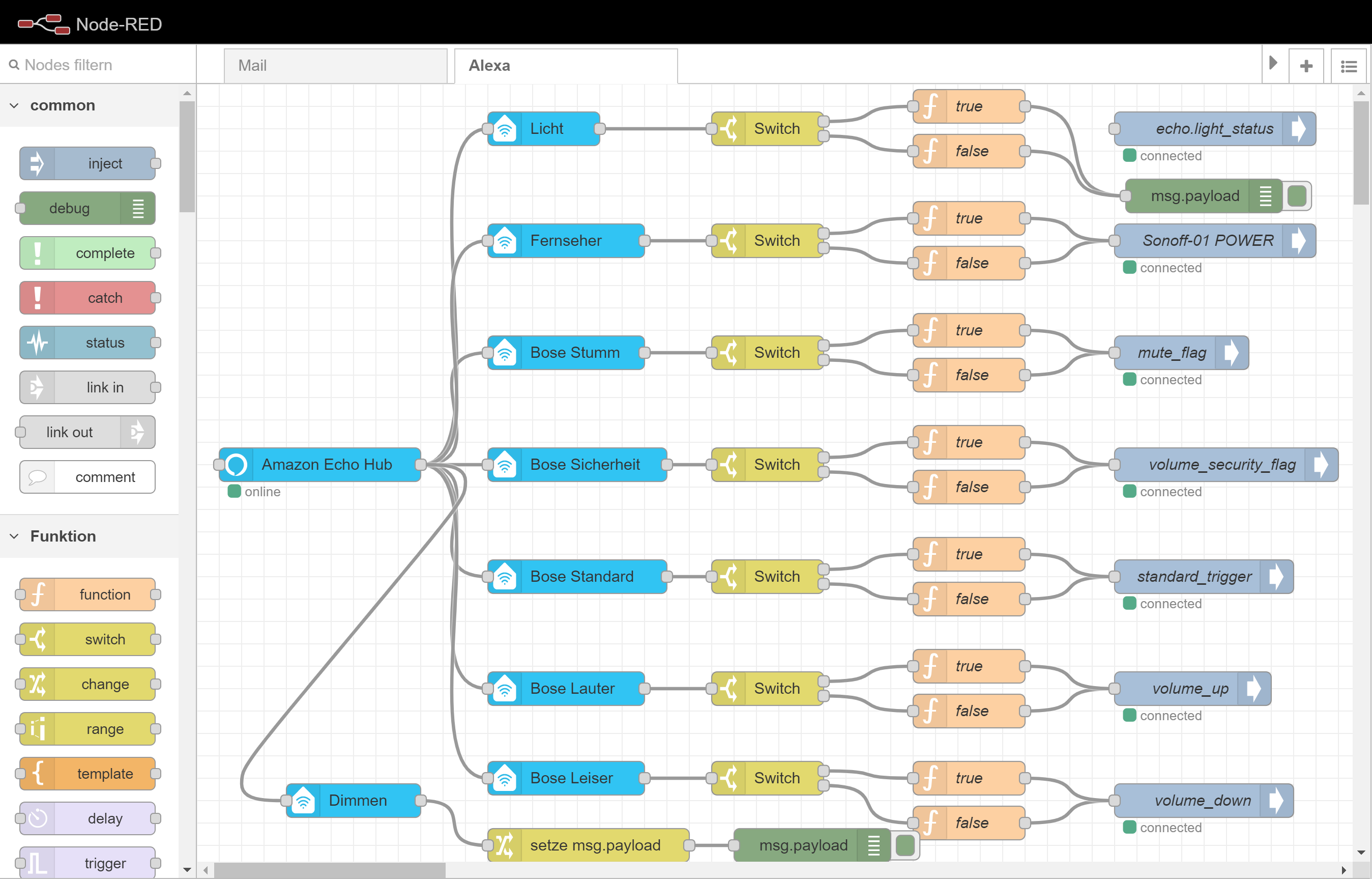
    @Chris_78 Hallo Chris, habe mal wieder eine Frage zum Eintrag in Node-Red. [image: 1603041564745-payload.gif] Bei diesem Eintrag kann ich Alexa Licht an oder aus sagen, wie ist der Eintrag wenn das Licht nur ausgeschaltet werden soll? lg Oskar
  • Garagentor offen Warnung

    3
    0 Votes
    3 Posts
    735 Views
    M
    @Stefan3107 Ah das hilft mir die Methodik besser zu verstehen. Vielen Dank.
  • 0 Votes
    5 Posts
    2k Views
    A
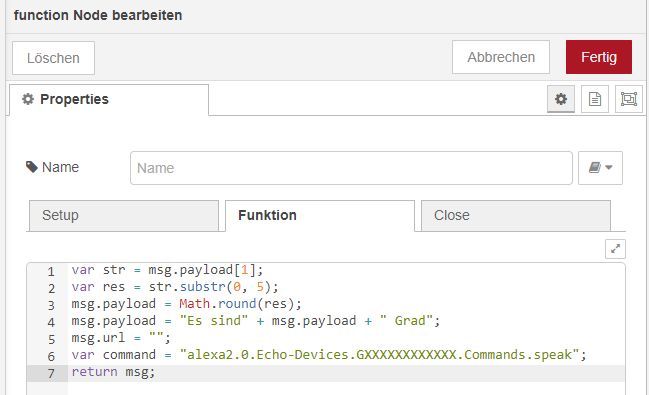
    @smarteule ich habe mal versucht deinen Flow nachzuvollziehen und für mich anzupassen. Bei mir erkennt der die Gegenstände alle als Lampen. Ich kann dann zwar sagen "Alexa, schalte Zimmername an" und sie antwortet dann mit im Zimmername sind es X Grad. Das ist aber ja nicht Sinn und Zweck. Wie bekommt man das besser hin?
  • Wie python3 funktion als Root ausführen?

    6
    0 Votes
    6 Posts
    500 Views
    T
    @Thomas-Braun Werde ich testen, danke!
  • Solar Differenz Regler 2 x DS18B2 und Relai

    2
    0 Votes
    2 Posts
    257 Views
    S
    Hallo, bist Du schon weiter gekommen, oder hast Du es schon gelöst. Könnte ja mal Deine Anforderungen auf meinen Raspi ausprobieren. LG Stefan
  • Generelle Frage zu steuern von IObroker objekte

    5
    1
    0 Votes
    5 Posts
    514 Views
    leika241265L
    @mickym OK, danke für die Info. Schreibe mein Flow mal um.
  • SimpleAPI mit Authentifizierung

    node-red communication
    4
    0 Votes
    4 Posts
    487 Views
    mickymM
    gelöscht
  • Selector bzgl. Aufzählungen möglich?

    13
    0 Votes
    13 Posts
    644 Views
    mickymM
    @Mitch Ich verstehe das glaube ich nur ansatzweise - aber vielleicht auch nicht wirklich. Ich habe allerdings mit etwas gar keine Erfahrung mit dem Thema Authentifizierung und iobroker - aber habe andere APIs mit Basisauthentifizierung ausgelesen - da im internen Netz bei mir alles offen ist. Über die simple API habe ich auch schon mal Werte ausgelesen, aber das ist mE mit den neuen iobroker Nodes zumindest nicht mehr in dem Maße notwendig. Auch für das Thema Aufzählungen - habe ich keine Lösung, da ich mir da ich aus den gleichen Gründen wie Du ein Riesen NodeRED Fan bin mir diese als eigene Datenstruktur unter userdata angelegt habe. Das Problem mit dem Massenauslesen ist seit der neuesten NodeRED version etwas besser geworden, da nun zumindest mit den iobroker-List Nodes nun Wildcards verwenden kannst. Allerdingsmuss man die immer manuell - also getriggert auslesen. Damit konnte ich nun aber zumindest sowas ähnliches bauen - um nämlich den Stromverbrauch meiner Shellies zu ermittlen und dafür will ich ja nicht für jeden Shelly einen einzelnen Flow - analog zu Deinen Lichtern bauen. Bei meinen Lichtern habe ich einzelne Flows - das liegt aber daran, dass ich da auch wirklich einzelne Logik dahinter haben. Da die iobroker List Nodes aber keine Überwachungsfunktion haben - werde ich wohl wenn sich das nicht ändert doch vermehrt meinen mqtt-Server bemühen und iobroker nach mosquitto auslagern. Ich habe zwar mal einen Thread eröffnet, um auf die fehlende Funktion der iobroker Nodes hinzuweisen, eine Antwort oder Response hier um Forum war 0. (seit 1. September). Siehe https://forum.iobroker.net/topic/36470/node-red-und-iobroker-mqtt-watch-dog-funktion Fazit im Moment ist evtl. einzelne Strukturen aus iobroker mit dem mqtt-Adapter nach mosquitto zu exportieren und mit nodeRed mqtt Nodes einlesen! Das ist zwar ein Umweg - aber mittels mqtt Adapter kannst Du ganze Bäume bzw. sogar den ganzen iobroker schnell nach mosquitto exportieren. Den mqtt-Adapter als Broker zu betreiben - kann ich allerdings nicht empfehlen. EDIT: in dem anderen Thread habe ich es bereits geschrieben - hast Du die Authentifizierung über den HTTP Request Node auch gemacht?
  • node-red-contrib-amazon-echo Geräte über Alexa n. gefunden

    node-red
    9
    1
    0 Votes
    9 Posts
    1k Views
    M
    @Jan1 Super Hinweis. Ja, das werde ich ändern. Ich muss mich mehr mit Node-Red befassen und mit Debug arbeiten. Nur dann kann ich es effektiv nutzen.
  • Node-Red Fehlermeldung nach Umstellung auf https

    3
    0 Votes
    3 Posts
    335 Views
    M
    @Hc-Yami Die Fehlermeldung lag übrigens nicht an der Umstellung auf https. Ich habe aber node-red wieder auf http umgestellt, weil node-red bei mir über https nicht funktionierte.
  • 0 Votes
    9 Posts
    1k Views
    C
    @Chiller Zwischenzeitlich habe ich im "switch"-Modul, den string auf "1" gedreht, mehr als "Ok" kommt aber nicht.
  • Datei downloaden, verändern und wieder zum Download stellen

    11
    0 Votes
    11 Posts
    388 Views
    mickymM
    @Mitch Ah OK - Vielen Dank für die Info. :)
  • Node-Red Hilfe

    103
    0 Votes
    103 Posts
    10k Views
    mickymM
    @stefan22 Wie gesagt hänge eine Switch Node dazwischen - da filterst Du gant easy aus. Den Switch Node - lässt Du nach msg.payload.key filtern. Hier den Node zum importieren: [ { "id": "f04957b3.470838", "type": "switch", "z": "6e170384.60c96c", "name": "", "property": "payload.key", "propertyType": "msg", "rules": [ { "t": "eq", "v": "BSH.Common.Status.RemoteControlStartAllowed", "vt": "str" }, { "t": "eq", "v": "BSH.Common.EnumType.PowerState", "vt": "str" } ], "checkall": "true", "repair": false, "outputs": 2, "x": 1040, "y": 2700, "wires": [ [ "8a3f9133.acf6f" ], [] ] }, { "id": "8a3f9133.acf6f", "type": "change", "z": "6e170384.60c96c", "name": "", "rules": [ { "t": "set", "p": "payload", "pt": "msg", "to": "payload.value", "tot": "msg" } ], "action": "", "property": "", "from": "", "to": "", "reg": false, "x": 1260, "y": 2680, "wires": [ [] ] } ] Wenn Du nur den 1. Ausgang brauchst - dann löschen den 2. Ausgang wieder. Ich habs Dir nun für den 1. Ausgang so gemacht, dass Du dort wie gewünscht nur noch true oder false für "BSH.Common.Status.RemoteControlStartAllowed" value: true (oder false) bekommst. wenn Du beide Nodes hinter Deine blaue Node-Red Node klemmst. [image: 1600035642033-screen.png] [image: 1600035740371-8862e23f-4ffa-4c8d-abf1-3bd2a4f2302a-image.png] Ich kenne jetzt zwar Deinen Change NOde nicht, aber wenn Du dort msg.topic auf msg.payload.key gesetzt hast und msg.payload schon auf msg.payload.value - dann brauchst ja nur noch den switch dahinter machen und auf msg.topic filtern. Diese Variante ist sogar noch geschickter. - Ich ändere mal den Flow. ;) [ { "id": "aa0c95d9.989e58", "type": "change", "z": "6e170384.60c96c", "name": "", "rules": [ { "t": "set", "p": "topic", "pt": "msg", "to": "payload.key", "tot": "msg" }, { "t": "set", "p": "payload", "pt": "msg", "to": "payload.value", "tot": "msg" } ], "action": "", "property": "", "from": "", "to": "", "reg": false, "x": 2140, "y": 2900, "wires": [ [ "15068b83.ecbbf4" ] ] }, { "id": "15068b83.ecbbf4", "type": "switch", "z": "6e170384.60c96c", "name": "", "property": "topic", "propertyType": "msg", "rules": [ { "t": "eq", "v": "BSH.Common.Status.RemoteControlStartAllowed", "vt": "str" }, { "t": "eq", "v": "BSH.Common.EnumType.PowerState", "vt": "str" } ], "checkall": "true", "repair": false, "outputs": 2, "x": 2340, "y": 2900, "wires": [ [], [] ] } ] [image: 1600040003122-screen.png] [image: 1600040094495-screen.png] Warum ist das geschickter? - Nun weil man dann die Festlegung msg.payload = msg.payload.value nur einmal festlegen muss und nicht in jedem Ast nach dem Switch.
  • Größe der Beschriftung anpassen

    node-red
    2
    1
    0 Votes
    2 Posts
    380 Views
    mickymM
    @friemelkarl Theoretisch kannst Du alle die Parameter aus dem folgenden Artikel anpassen. https://github.com/toorshia/justgage/blob/master/justgage.js#L42 Mit der folgenden Node - kannst Du einmalig das Gauge initialisieren: [ { "id": "282d1323.daa08c", "type": "change", "z": "6e170384.60c96c", "name": "Ändern Gauge Erscheinung", "rules": [ { "t": "set", "p": "ui_control.options.minLabelMinFontSize", "pt": "msg", "to": "20", "tot": "num" }, { "t": "set", "p": "ui_control.options.maxLabelMinFontSize", "pt": "msg", "to": "20", "tot": "num" }, { "t": "set", "p": "ui_control.options.labelMinFontSize", "pt": "msg", "to": "20", "tot": "num" }, { "t": "set", "p": "ui_control.options.valueMinFontSize", "pt": "msg", "to": "40", "tot": "num" }, { "t": "delete", "p": "payload", "pt": "msg" } ], "action": "", "property": "", "from": "", "to": "", "reg": false, "x": 1440, "y": 400, "wires": [ [ "cabed484.a2e458" ] ] } ]
  • Anwesenheitserkennung über Ping-Adapter

    4
    2
    0 Votes
    4 Posts
    596 Views
    mickymM
    @terraPole Im Prinzip würde ich dann trotzdem noch eine rbe node hinter den Trigger Node machen, damit in Anwesenheit nicht 2 mal "ich bin da" kommt.
  • Dimmen über Alex mit node-red-contrib-amazon-echo

    5
    0 Votes
    5 Posts
    626 Views
    B
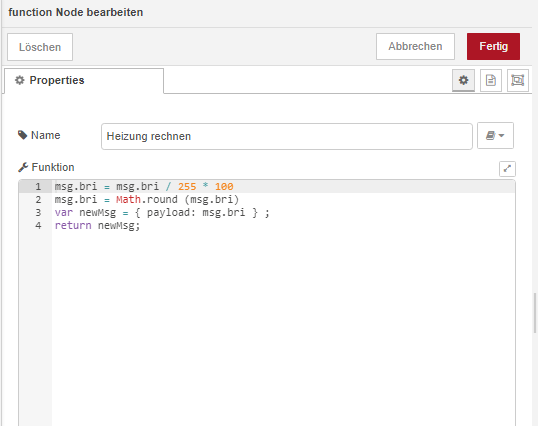
    Ich hatte das Problem auch. Ich habe die Fibaro Dimmer 2. Beim Fibaro Dimmer muss ich noch den Dimmer-Wert von 0 bis 254 auf 0 bis 100 umrechnen. Der Dimmerwert wird dann mit 10 ms Versatz nach dem Anschalten hinterher geschrieben. Nicht besonders schön, aber funktioniert. Hier der code: [ { "id": "e5e551d5.9d365", "type": "amazon-echo-device", "z": "55f55167.7114a", "name": "Gang oben", "topic": "", "x": 350, "y": 600, "wires": [ [ "8195d147.c62f1" ] ] }, { "id": "2b3c1ae2.80f3f6", "type": "function", "z": "55f55167.7114a", "name": "message-->bri", "func": "var newMsg = {payload: msg.bri} ;\nreturn newMsg;", "outputs": 1, "noerr": 0, "x": 380, "y": 660, "wires": [ [ "47afd88c.e08168" ] ] }, { "id": "47afd88c.e08168", "type": "calculator", "z": "55f55167.7114a", "name": "", "inputMsgField": "payload", "outputMsgField": "payload", "operation": "div", "constant": "254", "x": 510, "y": 660, "wires": [ [ "88b5e064.3f64e" ] ] }, { "id": "1af242ed.a87b6d", "type": "calculator", "z": "55f55167.7114a", "name": "", "inputMsgField": "payload", "outputMsgField": "payload", "operation": "trunc", "constant": "", "x": 750, "y": 660, "wires": [ [ "b8d47d55.305a4" ] ] }, { "id": "38c460cb.fae3a", "type": "change", "z": "55f55167.7114a", "name": "off", "rules": [ { "t": "change", "p": "payload", "pt": "msg", "from": "off", "fromt": "str", "to": "0", "tot": "num" } ], "action": "", "property": "", "from": "", "to": "", "reg": false, "x": 730, "y": 580, "wires": [ [ "b5247c55.4ba74" ] ] }, { "id": "8195d147.c62f1", "type": "switch", "z": "55f55167.7114a", "name": "off?", "property": "on", "propertyType": "msg", "rules": [ { "t": "false" }, { "t": "true" } ], "checkall": "true", "repair": false, "outputs": 2, "x": 490, "y": 600, "wires": [ [ "38c460cb.fae3a" ], [ "2b3c1ae2.80f3f6", "9a150326.d0586" ] ] }, { "id": "88b5e064.3f64e", "type": "calculator", "z": "55f55167.7114a", "name": "", "inputMsgField": "payload", "outputMsgField": "payload", "operation": "mult", "constant": "99", "x": 620, "y": 660, "wires": [ [ "1af242ed.a87b6d" ] ] }, { "id": "9a150326.d0586", "type": "change", "z": "55f55167.7114a", "name": "on --> 255", "rules": [ { "t": "change", "p": "payload", "pt": "msg", "from": "on", "fromt": "str", "to": "255", "tot": "num" } ], "action": "", "property": "", "from": "", "to": "", "reg": false, "x": 750, "y": 620, "wires": [ [ "b5247c55.4ba74" ] ] }, { "id": "b8d47d55.305a4", "type": "delay", "z": "55f55167.7114a", "name": "", "pauseType": "delay", "timeout": "10", "timeoutUnits": "milliseconds", "rate": "1", "nbRateUnits": "1", "rateUnits": "second", "randomFirst": "1", "randomLast": "5", "randomUnits": "seconds", "drop": false, "x": 950, "y": 660, "wires": [ [ "b5247c55.4ba74" ] ] }, { "id": "b5247c55.4ba74", "type": "ioBroker out", "z": "55f55167.7114a", "name": "Gang oben", "topic": "zwave2.0.Node_015.Multilevel_Switch.targetValue_001", "ack": "false", "autoCreate": "false", "x": 1130, "y": 620, "wires": [] } ]
  • NodeRED Probleme nach Upgrade auf V 1.1.x [gelöst]

    node-red
    5
    0 Votes
    5 Posts
    604 Views
    mickymM
    Gibt es Neuigkeiten? Auf gitHub auch keine Updates. Projektfunktion funktioniert in V 2.0 nicht mehr Zugriff auf iobroker System - Adapter geht seit V 1.17.2 nicht mehr Ich arbeite momentan nur mit 1.17.2 - allerdings die Systemzugriffe scheinen weiter offen zu bleiben - zumindest auf github und ich werde erst einen neue Version nutzen, wenn bestätigt ist, dass diese Funktionen wieder vorhanden sind und funktioinieren.
  • Blockly to Node-Red Converter

    5
    0 Votes
    5 Posts
    768 Views
    F
    schau mal nach node-red-contrib-blockly als Erweiterung Hilft dem einen oder anderen vielleicht als Erleichtung bei Funktionen

762

Online

32.6k

Users

82.1k

Topics

1.3m

Posts