




RPI 4 Update auf ?
-
Das wollte ich gerade auch schreiben...
Ich hab den Adapter zwar nicht im Einsatz und weiß nicht was der so frisst, aber der war mir auch gleich ins Auge gesprungen.Abfrage-Intervall zu schnell? Permanenter Ping haut ganz schön in's Kontor.
@thomas-braun sagte in RPI 4 Update auf ?:
Ich hab den Adapter zwar nicht im Einsatz und weiß nicht was der so frisst, aber der war mir auch gleich ins Auge gesprungen.
Moin,
jetzt wären ja auch noch andere Aspekte von Interesse, ist das System auf dem aktuellen Stand, oder ist etwas am System verbogen!
Dazu wäre dann auch noch schön zu sehen, was im langen Output vom
iob diagsteht.iob diagVG
Bernd -
@bob-der-1 was sollen mir diese schwarzen Mikrofilme sagen?
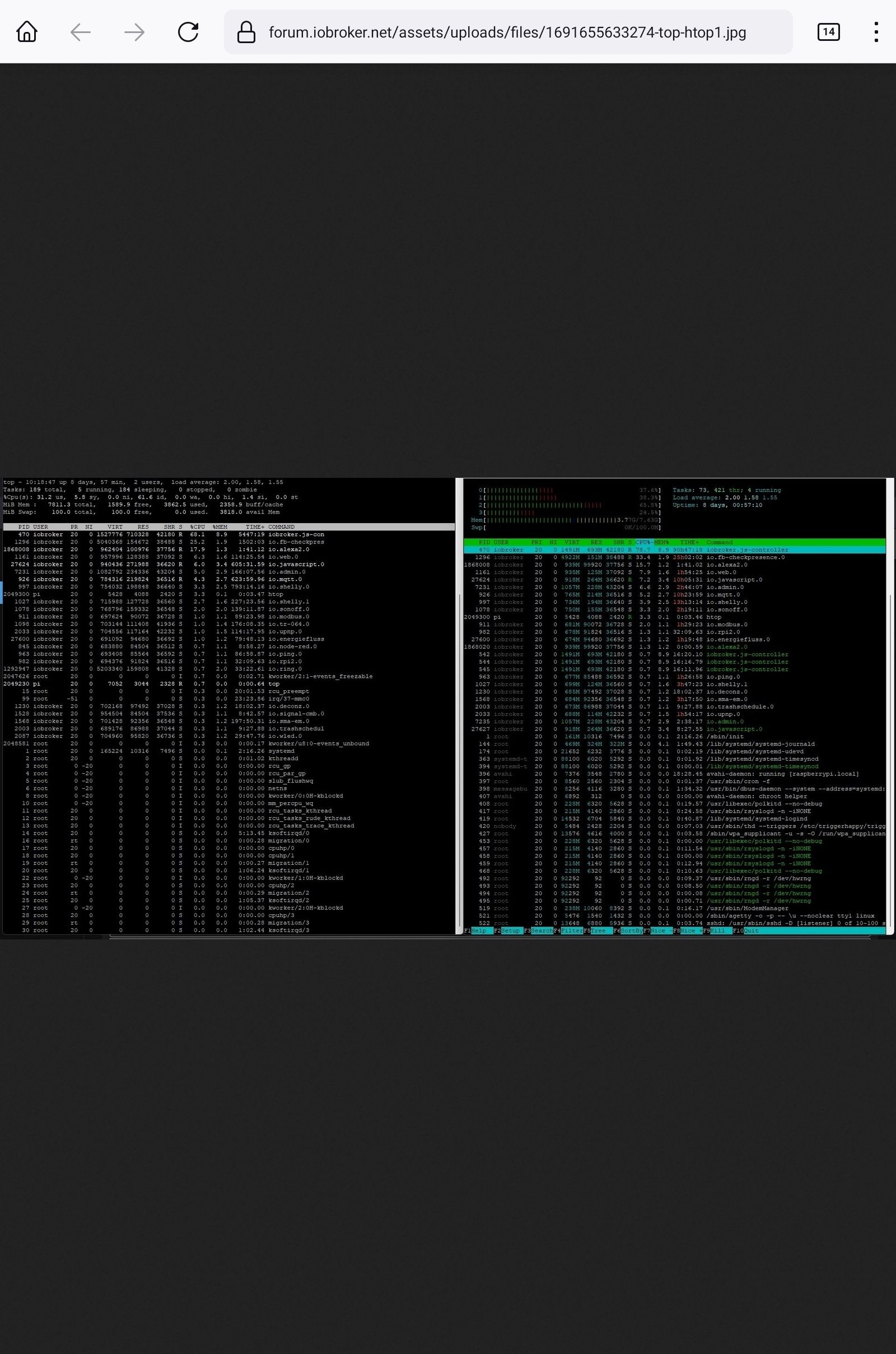
https://forum.iobroker.net/topic/51555/hinweise-für-gute-forenbeiträge/1
@homoran sagte in RPI 4 Update auf ?:
@bob-der-1 was sollen mir diese schwarzen Mikrofilme sagen?
https://forum.iobroker.net/topic/51555/hinweise-für-gute-forenbeiträge/1
Sorry aber ich dachte so sieht man das was dp20eic wissen wollte!
-
@homoran sagte in RPI 4 Update auf ?:
@bob-der-1 was sollen mir diese schwarzen Mikrofilme sagen?
https://forum.iobroker.net/topic/51555/hinweise-für-gute-forenbeiträge/1
Sorry aber ich dachte so sieht man das was dp20eic wissen wollte!
@bob-der-1 sagte in RPI 4 Update auf ?:
Sorry aber ich dachte so sieht man das was dp20eic wissen wollte!
Moin,
ja schon, nur nicht als Bild, denn die kann man nicht so gut auf einem Handy betrachten, da ist Text besser, einfacher, da man auch daraus Kopieren kann.
VG
Bernd -
@bob-der-1 sagte in RPI 4 Update auf ?:
Sorry aber ich dachte so sieht man das was dp20eic wissen wollte!
Moin,
ja schon, nur nicht als Bild, denn die kann man nicht so gut auf einem Handy betrachten, da ist Text besser, einfacher, da man auch daraus Kopieren kann.
VG
Bernd@dp20eic
ja sorry, ich weis das normal.
Manchmal liegt es am Alter das man das einfachste vergisst.iob diag :
Skript v.2023-04-16 *** BASE SYSTEM *** Model : Raspberry Pi 4 Model B Rev 1.4 Architecture : aarch64 Docker : false Virtualization : none Distributor ID: Debian Description: Debian GNU/Linux 11 (bullseye) Release: 11 Codename: bullseye PRETTY_NAME="Debian GNU/Linux 11 (bullseye)" NAME="Debian GNU/Linux" VERSION_ID="11" VERSION="11 (bullseye)" VERSION_CODENAME=bullseye ID=debian HOME_URL="https://www.debian.org/" SUPPORT_URL="https://www.debian.org/support" BUG_REPORT_URL="https://bugs.debian.org/" Systemuptime and Load: 11:12:35 up 8 days, 1:50, 1 user, load average: 1.24, 1.72, 1.64 CPU threads: 4 Raspberry only: throttled=0x80000 Other values than 0x0 hint to temperature/voltage problems temp=75.4'C volt=0.9460V *** Time and Time Zones *** Local time: Thu 2023-08-10 11:12:35 CEST Universal time: Thu 2023-08-10 09:12:35 UTC RTC time: n/a Time zone: Europe/Berlin (CEST, +0200) System clock synchronized: yes NTP service: active RTC in local TZ: no *** User and Groups *** pi /home/pi pi adm dialout cdrom sudo audio video plugdev games users input render netdev gpio i2c spi iobroker *** X-Server-Setup *** X-Server: false Desktop: Terminal: tty Boot Target: multi-user.target *** MEMORY *** total used free shared buff/cache available Mem: 7.8G 3.9G 1.6G 1.0M 2.4G 3.8G Swap: 99M 0B 99M Total: 7.9G 3.9G 1.7G 7811 M total memory 3882 M used memory 4139 M active memory 1830 M inactive memory 1577 M free memory 129 M buffer memory 2222 M swap cache 99 M total swap 0 M used swap 99 M free swap Raspberry only: oom events: 0 lifetime oom required: 0 Mbytes total time in oom handler: 0 ms max time spent in oom handler: 0 ms *** FILESYSTEM *** Filesystem Type Size Used Avail Use% Mounted on /dev/root ext4 110G 6.3G 100G 6% / devtmpfs devtmpfs 3.6G 0 3.6G 0% /dev tmpfs tmpfs 3.9G 0 3.9G 0% /dev/shm tmpfs tmpfs 1.6G 1.1M 1.6G 1% /run tmpfs tmpfs 5.0M 4.0K 5.0M 1% /run/lock /dev/sda1 vfat 255M 31M 225M 13% /boot tmpfs tmpfs 782M 0 782M 0% /run/user/1000 Messages concerning ext4 filesystem in dmesg: [Wed Aug 2 09:21:36 2023] Kernel command line: coherent_pool=1M 8250.nr_uarts=0 snd_bcm2835.enable_headphones=0 snd_bcm2835.enable_headphones=1 snd_bcm2835.enable_hdmi=1 snd_bcm2835.enable_hdmi=0 smsc95xx.macaddr=DC:A6:32:E2:27:44 vc_mem.mem_base=0x3eb00000 vc_mem.mem_size=0x3ff00000 console=ttyS0,115200 console=tty1 root=PARTUUID=80339489-02 rootfstype=ext4 fsck.repair=yes rootwait [Wed Aug 2 09:21:39 2023] EXT4-fs (sda2): mounted filesystem with ordered data mode. Quota mode: none. [Wed Aug 2 09:21:39 2023] VFS: Mounted root (ext4 filesystem) readonly on device 8:2. [Wed Aug 2 09:21:41 2023] EXT4-fs (sda2): re-mounted. Quota mode: none. Show mounted filesystems (real ones only): TARGET SOURCE FSTYPE OPTIONS / /dev/sda2 ext4 rw,noatime `-/boot /dev/sda1 vfat rw,relatime,fmask=0022,dmask=0022,codepage=437,iocharset=ascii,shortname=mixed,errors=remount-ro Files in neuralgic directories: /var: 1.1G /var/ 610M /var/log 569M /var/log/journal/f5220850684b470b91348abf7842fc45 569M /var/log/journal 198M /var/cache Archived and active journals take up 568.0M in the file system. /opt/iobroker/backups: 715M /opt/iobroker/backups/ /opt/iobroker/iobroker-data: 1.1G /opt/iobroker/iobroker-data/ 489M /opt/iobroker/iobroker-data/files 320M /opt/iobroker/iobroker-data/backup-objects 88M /opt/iobroker/iobroker-data/files/echarts.admin 57M /opt/iobroker/iobroker-data/files/echarts The five largest files in iobroker-data are: 225M /opt/iobroker/iobroker-data/states.jsonl 33M /opt/iobroker/iobroker-data/files/iot.admin/static/js/main.1797d034.js.map 32M /opt/iobroker/iobroker-data/objects.jsonl 23M /opt/iobroker/iobroker-data/files/echarts/static/js/main.eb0afecd.js.map 23M /opt/iobroker/iobroker-data/files/echarts.admin/static/js/main.7952f0f7.js.map *** NodeJS-Installation *** /usr/bin/nodejs v18.17.0 /usr/bin/node v18.17.0 /usr/bin/npm 9.6.7 /usr/bin/npx 9.6.7 nodejs: Installed: 18.17.0-deb-1nodesource1 Candidate: 18.17.1-deb-1nodesource1 Version table: 18.17.1-deb-1nodesource1 500 500 https://deb.nodesource.com/node_18.x bullseye/main arm64 Packages *** 18.17.0-deb-1nodesource1 100 100 /var/lib/dpkg/status 12.22.12~dfsg-1~deb11u4 500 500 http://security.debian.org/debian-security bullseye-security/main arm64 Packages 12.22.12~dfsg-1~deb11u3 500 500 http://deb.debian.org/debian bullseye/main arm64 Packages Temp directories causing npm8 problem: 0 No problems detected *** ioBroker-Installation *** ioBroker Status iobroker is running on this host. Objects type: jsonl States type: jsonl MULTIHOSTSERVICE/enabled: false Core adapters versions js-controller: 4.0.24 admin: 6.3.5 javascript: 7.1.1 Adapters from github: 5 Adapter State + system.adapter.admin.0 : admin : raspberrypi - enabled, port: , bind: , run as: admin + system.adapter.alexa2.0 : alexa2 : raspberrypi - enabled system.adapter.alias-manager.0 : alias-manager : raspberrypi - enabled + system.adapter.backitup.0 : backitup : raspberrypi - enabled system.adapter.broadlink2.0 : broadlink2 : raspberrypi - disabled system.adapter.bydbatt.0 : bydbatt : raspberrypi - disabled system.adapter.daswetter.0 : daswetter : raspberrypi - enabled + system.adapter.deconz.0 : deconz : raspberrypi - enabled, port: + system.adapter.device-reminder.0 : device-reminder : raspberrypi - enabled + system.adapter.discovery.0 : discovery : raspberrypi - enabled + system.adapter.echarts.0 : echarts : raspberrypi - enabled + system.adapter.email.0 : email : raspberrypi - enabled + system.adapter.energiefluss.0 : energiefluss : raspberrypi - enabled system.adapter.enigma2.0 : enigma2 : raspberrypi - disabled system.adapter.enigma2.1 : enigma2 : raspberrypi - disabled + system.adapter.fb-checkpresence.0 : fb-checkpresence : raspberrypi - enabled + system.adapter.fritzdect.0 : fritzdect : raspberrypi - enabled + system.adapter.fullybrowser.0 : fullybrowser : raspberrypi - enabled system.adapter.gartenbewaesserung.0 : gartenbewaesserung : raspberrypi - disabled + system.adapter.history.0 : history : raspberrypi - enabled system.adapter.homeconnect.0 : homeconnect : raspberrypi - disabled system.adapter.homekit-controller.0 : homekit-controller : raspberrypi - disabled system.adapter.ical.0 : ical : raspberrypi - enabled system.adapter.icons-mfd-png.0 : icons-mfd-png : raspberrypi - enabled system.adapter.icons-mfd-svg.0 : icons-mfd-svg : raspberrypi - enabled system.adapter.icons-ultimate-png.0 : icons-ultimate-png : raspberrypi - enabled + system.adapter.info.0 : info : raspberrypi - enabled + system.adapter.iot.0 : iot : raspberrypi - enabled + system.adapter.javascript.0 : javascript : raspberrypi - enabled + system.adapter.lg-thinq.0 : lg-thinq : raspberrypi - enabled + system.adapter.lgtv.0 : lgtv : raspberrypi - enabled + system.adapter.linux-control.0 : linux-control : raspberrypi - enabled system.adapter.mihome-cloud.0 : mihome-cloud : raspberrypi - disabled system.adapter.mihome-vacuum.0 : mihome-vacuum : raspberrypi - disabled, port: system.adapter.mihome.0 : mihome : raspberrypi - disabled, port:, bind: + system.adapter.modbus.0 : modbus : raspberrypi - enabled + system.adapter.mqtt.0 : mqtt : raspberrypi - enabled, port: , bind: 0.0.0.0 system.adapter.netatmo-crawler.0 : netatmo-crawler : raspberrypi - enabled + system.adapter.node-red.0 : node-red : raspberrypi - enabled, port: , bind: 0.0.0.0 system.adapter.openweathermap.0 : openweathermap : raspberrypi - enabled system.adapter.parcel.0 : parcel : raspberrypi - disabled + system.adapter.ping.0 : ping : raspberrypi - enabled + system.adapter.plex.0 : plex : raspberrypi - enabled + system.adapter.ring.0 : ring : raspberrypi - enabled + system.adapter.rpi2.0 : rpi2 : raspberrypi - enabled + system.adapter.shelly.0 : shelly : raspberrypi - enabled, port: , bind: 0.0.0.0 + system.adapter.shelly.1 : shelly : raspberrypi - enabled, port: , bind: + system.adapter.signal-cmb.0 : signal-cmb : raspberrypi - enabled + system.adapter.sma-em.0 : sma-em : raspberrypi - enabled + system.adapter.socketio.0 : socketio : raspberrypi - enabled, port: , bind: 0.0.0.0, run as: admin + system.adapter.sonoff.0 : sonoff : raspberrypi - enabled, port: , bind: 0.0.0.0 + system.adapter.tankerkoenig.0 : tankerkoenig : raspberrypi - enabled + system.adapter.tr-064.0 : tr-064 : raspberrypi - enabled + system.adapter.trashschedule.0 : trashschedule : raspberrypi - enabled + system.adapter.upnp.0 : upnp : raspberrypi - enabled system.adapter.vis-2-widgets-jaeger-design.0: vis-2-widgets-jaeger-design: raspberrypi - enabled system.adapter.vis-bars.0 : vis-bars : raspberrypi - enabled system.adapter.vis-canvas-gauges.0 : vis-canvas-gauges : raspberrypi - enabled system.adapter.vis-colorpicker.0 : vis-colorpicker : raspberrypi - enabled system.adapter.vis-fancyswitch.0 : vis-fancyswitch : raspberrypi - enabled system.adapter.vis-hqwidgets.0 : vis-hqwidgets : raspberrypi - enabled system.adapter.vis-icontwo.0 : vis-icontwo : raspberrypi - enabled + system.adapter.vis-inventwo.0 : vis-inventwo : raspberrypi - enabled system.adapter.vis-jqui-mfd.0 : vis-jqui-mfd : raspberrypi - enabled system.adapter.vis-justgage.0 : vis-justgage : raspberrypi - enabled system.adapter.vis-keyboard.0 : vis-keyboard : raspberrypi - enabled system.adapter.vis-lcars.0 : vis-lcars : raspberrypi - enabled system.adapter.vis-material-advanced.0 : vis-material-advanced : raspberrypi - enabled system.adapter.vis-material-webfont.0 : vis-material-webfont : raspberrypi - enabled system.adapter.vis-material.0 : vis-material : raspberrypi - enabled system.adapter.vis-materialdesign.0 : vis-materialdesign : raspberrypi - enabled system.adapter.vis-metro.0 : vis-metro : raspberrypi - enabled system.adapter.vis-players.0 : vis-players : raspberrypi - enabled system.adapter.vis-plumb.0 : vis-plumb : raspberrypi - enabled system.adapter.vis-timeandweather.0 : vis-timeandweather : raspberrypi - enabled system.adapter.vis-weather.0 : vis-weather : raspberrypi - enabled system.adapter.vis.0 : vis : raspberrypi - enabled system.adapter.weatherunderground.0 : weatherunderground : raspberrypi - enabled + system.adapter.web.0 : web : raspberrypi - enabled, port: , bind: 0.0.0.0, run as: admin + system.adapter.wled.0 : wled : raspberrypi - enabled + instance is alive Enabled adapters with bindings + system.adapter.admin.0 : admin : raspberrypi - enabled, port: , bind: run as: admin + system.adapter.deconz.0 : deconz : raspberrypi - enabled, port: + system.adapter.mqtt.0 : mqtt : raspberrypi - enabled, port: , bind: 0.0.0.0 + system.adapter.node-red.0 : node-red : raspberrypi - enabled, port:, bind: 0.0.0.0 + system.adapter.shelly.0 : shelly : raspberrypi - enabled, port:, bind: 0.0.0.0 + system.adapter.shelly.1 : shelly : raspberrypi - enabled, port: , bind: + system.adapter.socketio.0 : socketio : raspberrypi - enabled, port: , bind: 0.0.0.0, run as: admin + system.adapter.sonoff.0 : sonoff : raspberrypi - enabled, port: , bind: 0.0.0.0 + system.adapter.web.0 : web : raspberrypi - enabled, port: , bind: 0.0.0.0, run as: admin ioBroker-Repositories stable : http://download.iobroker.net/sources-dist.json beta : http://download.iobroker.net/sources-dist-latest.json live-stable : http://iobroker.live/repo/sources-dist.json live-beta : http://iobroker.live/repo/sources-dist-latest.json Active repo(s): stable Installed ioBroker-Instances Used repository: stable Adapter "admin" : 6.3.5 , installed 6.3.5 Adapter "alexa2" : 3.24.1 , installed 3.24.1 Adapter "alias-manager": 1.2.4 , installed 1.2.6 Adapter "backitup" : 2.6.23 , installed 2.6.23 Adapter "broadlink2" : 2.1.5 , installed 2.1.5 Adapter "bydbatt" : 1.0.8 , installed 1.0.8 Adapter "bydhvs" : 1.4.0 , installed 1.4.0 Adapter "daswetter" : 3.1.10 , installed 3.1.10 Adapter "deconz" : 1.3.21 , installed 1.3.21 Adapter "device-reminder": 1.2.9 , installed 1.2.9 Adapter "discovery" : 3.1.0 , installed 3.2.0 Adapter "echarts" : 1.5.1 , installed 1.5.1 Adapter "email" : 1.2.0 , installed 1.2.0 Adapter "fb-checkpresence": 1.2.2 , installed 1.2.2 Adapter "fritzdect" : 2.3.1 , installed 2.3.1 Adapter "fullybrowser" : 2.1.2 , installed 2.1.2 Adapter "history" : 2.2.4 , installed 2.2.4 Adapter "homeconnect" : 1.1.1 , installed 1.1.1 Adapter "homekit-controller": 0.5.8, installed 0.5.8 Adapter "ical" : 1.13.3 , installed 1.13.3 Adapter "icons-mfd-png": 1.1.0 , installed 1.1.0 Adapter "icons-mfd-svg": 1.1.0 , installed 1.1.0 Adapter "icons-ultimate-png": 1.0.1, installed 1.0.1 Adapter "info" : 1.9.26 , installed 1.9.26 Adapter "iot" : 1.14.5 , installed 2.0.11 Adapter "javascript" : 7.0.3 , installed 7.1.1 Controller "js-controller": 4.0.24 , installed 4.0.24 Adapter "lg-thinq" : 0.1.4 , installed 0.1.4 Adapter "lgtv" : 1.1.10 , installed 1.1.12 Adapter "linux-control": 1.1.3 , installed 1.1.5 Adapter "mihome" : 1.4.0 , installed 1.4.0 Adapter "mihome-cloud" : 0.1.0 , installed 0.1.0 Adapter "mihome-vacuum": 3.11.0 , installed 3.11.0 Adapter "modbus" : 5.0.11 , installed 5.0.11 Adapter "mqtt" : 4.1.1 , installed 4.1.1 Adapter "netatmo-crawler": 0.8.1 , installed 0.8.1 Adapter "node-red" : 4.0.3 , installed 4.0.3 Adapter "openweathermap": 0.3.9 , installed 0.3.11 Adapter "parcel" : 0.0.27 , installed 0.0.32 Adapter "ping" : 1.5.3 , installed 1.6.2 Adapter "plex" : 0.9.1 , installed 0.9.1 Adapter "ring" : 3.2.2 , installed 3.4.0 Adapter "rpi2" : 1.3.2 , installed 1.3.2 Adapter "shelly" : 6.4.1 , installed 6.4.1 Adapter "signal-cmb" : 0.3.0 , installed 0.3.0 Adapter "simple-api" : 2.7.2 , installed 2.7.2 Adapter "sma-em" : 0.7.0 , installed 0.7.0 Adapter "socketio" : 4.2.0 , installed 6.4.0 Adapter "sonoff" : 2.5.3 , installed 2.5.7 Adapter "tankerkoenig" : 3.3.7 , installed 3.3.7 Adapter "tr-064" : 4.2.18 , installed 4.2.18 Adapter "trashschedule": 2.2.0 , installed 2.2.0 Adapter "upnp" : 1.0.21 , installed 1.0.21 Adapter "vis" : 1.4.16 , installed 1.4.16 Adapter "vis-bars" : 0.1.4 , installed 0.1.4 Adapter "vis-canvas-gauges": 1.0.1, installed 1.0.1 Adapter "vis-colorpicker": 2.0.3 , installed 2.0.3 Adapter "vis-fancyswitch": 1.1.0 , installed 1.1.0 Adapter "vis-hqwidgets": 1.4.0 , installed 1.4.0 Adapter "vis-icontwo" : 0.96.0 , installed 0.96.0 Adapter "vis-inventwo" : 3.3.3 , installed 3.3.3 Adapter "vis-jqui-mfd" : 1.0.12 , installed 1.0.12 Adapter "vis-justgage" : 1.0.2 , installed 1.0.2 Adapter "vis-keyboard" : 0.0.2 , installed 0.0.2 Adapter "vis-lcars" : 1.1.1 , installed 1.1.1 Adapter "vis-material-advanced": 1.7.2, installed 1.7.2 Adapter "vis-metro" : 1.2.0 , installed 1.2.0 Adapter "vis-players" : 0.1.6 , installed 0.1.6 Adapter "vis-plumb" : 1.0.2 , installed 1.0.2 Adapter "vis-timeandweather": 1.2.2, installed 1.2.2 Adapter "vis-weather" : 2.5.6 , installed 2.5.6 Adapter "weatherunderground": 3.4.2, installed 3.4.2 Adapter "web" : 4.3.0 , installed 6.0.3 Adapter "wled" : 0.6.7 , installed 0.7.0 Adapter "ws" : 1.3.0 , installed 2.4.0 Objects and States Please stand by - This may take a while Objects: 23872 States: 21200 *** OS-Repositories and Updates *** Hit:1 http://deb.debian.org/debian bullseye InRelease Hit:2 http://deb.debian.org/debian bullseye-updates InRelease Hit:3 http://security.debian.org/debian-security bullseye-security InRelease Hit:4 http://archive.raspberrypi.org/debian bullseye InRelease Hit:5 https://deb.nodesource.com/node_18.x bullseye InRelease Reading package lists... Pending Updates: 7 *** Listening Ports *** Active Internet connections (only servers) Proto Recv-Q Send-Q Local Address Foreign Address State User Inode PID/Program name tcp 0 0 0.0.0.0:22 0.0.0.0:* LISTEN 0 14067 522/sshd: /usr/sbin tcp 0 0 127.0.0.1:9000 0.0.0.0:* LISTEN 1001 1681 470/iobroker.js-con tcp 0 0 127.0.0.1:9001 0.0.0.0:* LISTEN 1001 12044 470/iobroker.js-con tcp 0 0 192.168.178.70:7777 0.0.0.0:* LISTEN 1001 84548 7231/io.admin.0 tcp 0 0 0.0.0.0:1889 0.0.0.0:* LISTEN 1001 15498 926/io.mqtt.0 tcp 0 0 0.0.0.0:1883 0.0.0.0:* LISTEN 1001 15010 1078/io.sonoff.0 tcp 0 0 0.0.0.0:1880 0.0.0.0:* LISTEN 1001 14259 887/node-red tcp 0 0 192.168.178.70:1888 0.0.0.0:* LISTEN 1001 15581 1027/io.shelly.1 tcp6 0 0 :::22 :::* LISTEN 0 14069 522/sshd: /usr/sbin tcp6 0 0 :::41891 :::* LISTEN 1001 19628 1497/io.plex.0 tcp6 0 0 :::8082 :::* LISTEN 1001 16681 1161/io.web.0 tcp6 0 0 :::8084 :::* LISTEN 1001 19323 1597/io.socketio.0 udp 0 0 0.0.0.0:68 0.0.0.0:* 0 14537 719/dhcpcd udp 0 0 0.0.0.0:33905 0.0.0.0:* 108 14436 396/avahi-daemon: r udp 0 0 0.0.0.0:5353 0.0.0.0:* 1001 20974 2087/io.wled.0 udp 0 0 0.0.0.0:5353 0.0.0.0:* 108 14434 396/avahi-daemon: r udp 0 0 0.0.0.0:9522 0.0.0.0:* 1001 19898 1568/io.sma-em.0 udp 0 0 0.0.0.0:5683 0.0.0.0:* 1001 16570 997/io.shelly.0 udp 0 0 0.0.0.0:50916 0.0.0.0:* 1001 21163 2033/io.upnp.0 udp 0 0 0.0.0.0:1900 0.0.0.0:* 1001 22850 2033/io.upnp.0 udp 0 0 0.0.0.0:1900 0.0.0.0:* 1001 16744 1230/io.deconz.0 udp6 0 0 :::546 :::* 0 14548 719/dhcpcd udp6 0 0 :::5353 :::* 108 14435 396/avahi-daemon: r udp6 0 0 :::1900 :::* 1001 16746 1230/io.deconz.0 udp6 0 0 :::1900 :::* 1001 16745 1230/io.deconz.0 udp6 0 0 :::43546 :::* 108 14437 396/avahi-daemon: r *** Log File - Last 25 Lines ***======================= SUMMARY ======================= v.2023-04-16 Operatingsystem: Debian GNU/Linux 11 (bullseye) Kernel: 6.1.21-v8+ Installation: Native Timezone: Europe/Berlin (CEST, +0200) User-ID: 1000 X-Server: false Boot Target: multi-user.target Pending OS-Updates: 7 dPending iob updates: 0 Nodejs-Installation: /usr/bin/nodejs v18.17.0 /usr/bin/node v18.17.0 /usr/bin/npm 9.6.7 /usr/bin/npx 9.6.7 Recommended versions are nodejs 18.x.y and npm 9.x.y Your nodejs installation is correct MEMORY: total used free shared buff/cache available Mem: 7.8G 4.0G 1.5G 1.0M 2.3G 3.7G Swap: 99M 0B 99M Total: 7.9G 4.0G 1.6G Active iob-Instances: 40 Active repo(s): stable ioBroker Core: js-controller 4.0.24 admin 6.3.5 ioBroker Status: iobroker is running on this host. Objects type: jsonl States type: jsonl Status admin and web instance: + system.adapter.admin.0 : admin : raspberrypi - enabled, port: , bind: , run as: admin system.adapter.vis-material-webfont.0 : vis-material-webfont : raspberrypi - enabled + system.adapter.web.0 : web : raspberrypi - enabled, port: , bind: 0.0.0.0, run as: admin Objects: 23872 States: 21200 Size of iob-Database: 32M /opt/iobroker/iobroker-data/objects.jsonl 222M /opt/iobroker/iobroker-data/states.jsonl =================== END OF SUMMARY ==================== -
@dp20eic
ja sorry, ich weis das normal.
Manchmal liegt es am Alter das man das einfachste vergisst.iob diag :
Skript v.2023-04-16 *** BASE SYSTEM *** Model : Raspberry Pi 4 Model B Rev 1.4 Architecture : aarch64 Docker : false Virtualization : none Distributor ID: Debian Description: Debian GNU/Linux 11 (bullseye) Release: 11 Codename: bullseye PRETTY_NAME="Debian GNU/Linux 11 (bullseye)" NAME="Debian GNU/Linux" VERSION_ID="11" VERSION="11 (bullseye)" VERSION_CODENAME=bullseye ID=debian HOME_URL="https://www.debian.org/" SUPPORT_URL="https://www.debian.org/support" BUG_REPORT_URL="https://bugs.debian.org/" Systemuptime and Load: 11:12:35 up 8 days, 1:50, 1 user, load average: 1.24, 1.72, 1.64 CPU threads: 4 Raspberry only: throttled=0x80000 Other values than 0x0 hint to temperature/voltage problems temp=75.4'C volt=0.9460V *** Time and Time Zones *** Local time: Thu 2023-08-10 11:12:35 CEST Universal time: Thu 2023-08-10 09:12:35 UTC RTC time: n/a Time zone: Europe/Berlin (CEST, +0200) System clock synchronized: yes NTP service: active RTC in local TZ: no *** User and Groups *** pi /home/pi pi adm dialout cdrom sudo audio video plugdev games users input render netdev gpio i2c spi iobroker *** X-Server-Setup *** X-Server: false Desktop: Terminal: tty Boot Target: multi-user.target *** MEMORY *** total used free shared buff/cache available Mem: 7.8G 3.9G 1.6G 1.0M 2.4G 3.8G Swap: 99M 0B 99M Total: 7.9G 3.9G 1.7G 7811 M total memory 3882 M used memory 4139 M active memory 1830 M inactive memory 1577 M free memory 129 M buffer memory 2222 M swap cache 99 M total swap 0 M used swap 99 M free swap Raspberry only: oom events: 0 lifetime oom required: 0 Mbytes total time in oom handler: 0 ms max time spent in oom handler: 0 ms *** FILESYSTEM *** Filesystem Type Size Used Avail Use% Mounted on /dev/root ext4 110G 6.3G 100G 6% / devtmpfs devtmpfs 3.6G 0 3.6G 0% /dev tmpfs tmpfs 3.9G 0 3.9G 0% /dev/shm tmpfs tmpfs 1.6G 1.1M 1.6G 1% /run tmpfs tmpfs 5.0M 4.0K 5.0M 1% /run/lock /dev/sda1 vfat 255M 31M 225M 13% /boot tmpfs tmpfs 782M 0 782M 0% /run/user/1000 Messages concerning ext4 filesystem in dmesg: [Wed Aug 2 09:21:36 2023] Kernel command line: coherent_pool=1M 8250.nr_uarts=0 snd_bcm2835.enable_headphones=0 snd_bcm2835.enable_headphones=1 snd_bcm2835.enable_hdmi=1 snd_bcm2835.enable_hdmi=0 smsc95xx.macaddr=DC:A6:32:E2:27:44 vc_mem.mem_base=0x3eb00000 vc_mem.mem_size=0x3ff00000 console=ttyS0,115200 console=tty1 root=PARTUUID=80339489-02 rootfstype=ext4 fsck.repair=yes rootwait [Wed Aug 2 09:21:39 2023] EXT4-fs (sda2): mounted filesystem with ordered data mode. Quota mode: none. [Wed Aug 2 09:21:39 2023] VFS: Mounted root (ext4 filesystem) readonly on device 8:2. [Wed Aug 2 09:21:41 2023] EXT4-fs (sda2): re-mounted. Quota mode: none. Show mounted filesystems (real ones only): TARGET SOURCE FSTYPE OPTIONS / /dev/sda2 ext4 rw,noatime `-/boot /dev/sda1 vfat rw,relatime,fmask=0022,dmask=0022,codepage=437,iocharset=ascii,shortname=mixed,errors=remount-ro Files in neuralgic directories: /var: 1.1G /var/ 610M /var/log 569M /var/log/journal/f5220850684b470b91348abf7842fc45 569M /var/log/journal 198M /var/cache Archived and active journals take up 568.0M in the file system. /opt/iobroker/backups: 715M /opt/iobroker/backups/ /opt/iobroker/iobroker-data: 1.1G /opt/iobroker/iobroker-data/ 489M /opt/iobroker/iobroker-data/files 320M /opt/iobroker/iobroker-data/backup-objects 88M /opt/iobroker/iobroker-data/files/echarts.admin 57M /opt/iobroker/iobroker-data/files/echarts The five largest files in iobroker-data are: 225M /opt/iobroker/iobroker-data/states.jsonl 33M /opt/iobroker/iobroker-data/files/iot.admin/static/js/main.1797d034.js.map 32M /opt/iobroker/iobroker-data/objects.jsonl 23M /opt/iobroker/iobroker-data/files/echarts/static/js/main.eb0afecd.js.map 23M /opt/iobroker/iobroker-data/files/echarts.admin/static/js/main.7952f0f7.js.map *** NodeJS-Installation *** /usr/bin/nodejs v18.17.0 /usr/bin/node v18.17.0 /usr/bin/npm 9.6.7 /usr/bin/npx 9.6.7 nodejs: Installed: 18.17.0-deb-1nodesource1 Candidate: 18.17.1-deb-1nodesource1 Version table: 18.17.1-deb-1nodesource1 500 500 https://deb.nodesource.com/node_18.x bullseye/main arm64 Packages *** 18.17.0-deb-1nodesource1 100 100 /var/lib/dpkg/status 12.22.12~dfsg-1~deb11u4 500 500 http://security.debian.org/debian-security bullseye-security/main arm64 Packages 12.22.12~dfsg-1~deb11u3 500 500 http://deb.debian.org/debian bullseye/main arm64 Packages Temp directories causing npm8 problem: 0 No problems detected *** ioBroker-Installation *** ioBroker Status iobroker is running on this host. Objects type: jsonl States type: jsonl MULTIHOSTSERVICE/enabled: false Core adapters versions js-controller: 4.0.24 admin: 6.3.5 javascript: 7.1.1 Adapters from github: 5 Adapter State + system.adapter.admin.0 : admin : raspberrypi - enabled, port: , bind: , run as: admin + system.adapter.alexa2.0 : alexa2 : raspberrypi - enabled system.adapter.alias-manager.0 : alias-manager : raspberrypi - enabled + system.adapter.backitup.0 : backitup : raspberrypi - enabled system.adapter.broadlink2.0 : broadlink2 : raspberrypi - disabled system.adapter.bydbatt.0 : bydbatt : raspberrypi - disabled system.adapter.daswetter.0 : daswetter : raspberrypi - enabled + system.adapter.deconz.0 : deconz : raspberrypi - enabled, port: + system.adapter.device-reminder.0 : device-reminder : raspberrypi - enabled + system.adapter.discovery.0 : discovery : raspberrypi - enabled + system.adapter.echarts.0 : echarts : raspberrypi - enabled + system.adapter.email.0 : email : raspberrypi - enabled + system.adapter.energiefluss.0 : energiefluss : raspberrypi - enabled system.adapter.enigma2.0 : enigma2 : raspberrypi - disabled system.adapter.enigma2.1 : enigma2 : raspberrypi - disabled + system.adapter.fb-checkpresence.0 : fb-checkpresence : raspberrypi - enabled + system.adapter.fritzdect.0 : fritzdect : raspberrypi - enabled + system.adapter.fullybrowser.0 : fullybrowser : raspberrypi - enabled system.adapter.gartenbewaesserung.0 : gartenbewaesserung : raspberrypi - disabled + system.adapter.history.0 : history : raspberrypi - enabled system.adapter.homeconnect.0 : homeconnect : raspberrypi - disabled system.adapter.homekit-controller.0 : homekit-controller : raspberrypi - disabled system.adapter.ical.0 : ical : raspberrypi - enabled system.adapter.icons-mfd-png.0 : icons-mfd-png : raspberrypi - enabled system.adapter.icons-mfd-svg.0 : icons-mfd-svg : raspberrypi - enabled system.adapter.icons-ultimate-png.0 : icons-ultimate-png : raspberrypi - enabled + system.adapter.info.0 : info : raspberrypi - enabled + system.adapter.iot.0 : iot : raspberrypi - enabled + system.adapter.javascript.0 : javascript : raspberrypi - enabled + system.adapter.lg-thinq.0 : lg-thinq : raspberrypi - enabled + system.adapter.lgtv.0 : lgtv : raspberrypi - enabled + system.adapter.linux-control.0 : linux-control : raspberrypi - enabled system.adapter.mihome-cloud.0 : mihome-cloud : raspberrypi - disabled system.adapter.mihome-vacuum.0 : mihome-vacuum : raspberrypi - disabled, port: system.adapter.mihome.0 : mihome : raspberrypi - disabled, port:, bind: + system.adapter.modbus.0 : modbus : raspberrypi - enabled + system.adapter.mqtt.0 : mqtt : raspberrypi - enabled, port: , bind: 0.0.0.0 system.adapter.netatmo-crawler.0 : netatmo-crawler : raspberrypi - enabled + system.adapter.node-red.0 : node-red : raspberrypi - enabled, port: , bind: 0.0.0.0 system.adapter.openweathermap.0 : openweathermap : raspberrypi - enabled system.adapter.parcel.0 : parcel : raspberrypi - disabled + system.adapter.ping.0 : ping : raspberrypi - enabled + system.adapter.plex.0 : plex : raspberrypi - enabled + system.adapter.ring.0 : ring : raspberrypi - enabled + system.adapter.rpi2.0 : rpi2 : raspberrypi - enabled + system.adapter.shelly.0 : shelly : raspberrypi - enabled, port: , bind: 0.0.0.0 + system.adapter.shelly.1 : shelly : raspberrypi - enabled, port: , bind: + system.adapter.signal-cmb.0 : signal-cmb : raspberrypi - enabled + system.adapter.sma-em.0 : sma-em : raspberrypi - enabled + system.adapter.socketio.0 : socketio : raspberrypi - enabled, port: , bind: 0.0.0.0, run as: admin + system.adapter.sonoff.0 : sonoff : raspberrypi - enabled, port: , bind: 0.0.0.0 + system.adapter.tankerkoenig.0 : tankerkoenig : raspberrypi - enabled + system.adapter.tr-064.0 : tr-064 : raspberrypi - enabled + system.adapter.trashschedule.0 : trashschedule : raspberrypi - enabled + system.adapter.upnp.0 : upnp : raspberrypi - enabled system.adapter.vis-2-widgets-jaeger-design.0: vis-2-widgets-jaeger-design: raspberrypi - enabled system.adapter.vis-bars.0 : vis-bars : raspberrypi - enabled system.adapter.vis-canvas-gauges.0 : vis-canvas-gauges : raspberrypi - enabled system.adapter.vis-colorpicker.0 : vis-colorpicker : raspberrypi - enabled system.adapter.vis-fancyswitch.0 : vis-fancyswitch : raspberrypi - enabled system.adapter.vis-hqwidgets.0 : vis-hqwidgets : raspberrypi - enabled system.adapter.vis-icontwo.0 : vis-icontwo : raspberrypi - enabled + system.adapter.vis-inventwo.0 : vis-inventwo : raspberrypi - enabled system.adapter.vis-jqui-mfd.0 : vis-jqui-mfd : raspberrypi - enabled system.adapter.vis-justgage.0 : vis-justgage : raspberrypi - enabled system.adapter.vis-keyboard.0 : vis-keyboard : raspberrypi - enabled system.adapter.vis-lcars.0 : vis-lcars : raspberrypi - enabled system.adapter.vis-material-advanced.0 : vis-material-advanced : raspberrypi - enabled system.adapter.vis-material-webfont.0 : vis-material-webfont : raspberrypi - enabled system.adapter.vis-material.0 : vis-material : raspberrypi - enabled system.adapter.vis-materialdesign.0 : vis-materialdesign : raspberrypi - enabled system.adapter.vis-metro.0 : vis-metro : raspberrypi - enabled system.adapter.vis-players.0 : vis-players : raspberrypi - enabled system.adapter.vis-plumb.0 : vis-plumb : raspberrypi - enabled system.adapter.vis-timeandweather.0 : vis-timeandweather : raspberrypi - enabled system.adapter.vis-weather.0 : vis-weather : raspberrypi - enabled system.adapter.vis.0 : vis : raspberrypi - enabled system.adapter.weatherunderground.0 : weatherunderground : raspberrypi - enabled + system.adapter.web.0 : web : raspberrypi - enabled, port: , bind: 0.0.0.0, run as: admin + system.adapter.wled.0 : wled : raspberrypi - enabled + instance is alive Enabled adapters with bindings + system.adapter.admin.0 : admin : raspberrypi - enabled, port: , bind: run as: admin + system.adapter.deconz.0 : deconz : raspberrypi - enabled, port: + system.adapter.mqtt.0 : mqtt : raspberrypi - enabled, port: , bind: 0.0.0.0 + system.adapter.node-red.0 : node-red : raspberrypi - enabled, port:, bind: 0.0.0.0 + system.adapter.shelly.0 : shelly : raspberrypi - enabled, port:, bind: 0.0.0.0 + system.adapter.shelly.1 : shelly : raspberrypi - enabled, port: , bind: + system.adapter.socketio.0 : socketio : raspberrypi - enabled, port: , bind: 0.0.0.0, run as: admin + system.adapter.sonoff.0 : sonoff : raspberrypi - enabled, port: , bind: 0.0.0.0 + system.adapter.web.0 : web : raspberrypi - enabled, port: , bind: 0.0.0.0, run as: admin ioBroker-Repositories stable : http://download.iobroker.net/sources-dist.json beta : http://download.iobroker.net/sources-dist-latest.json live-stable : http://iobroker.live/repo/sources-dist.json live-beta : http://iobroker.live/repo/sources-dist-latest.json Active repo(s): stable Installed ioBroker-Instances Used repository: stable Adapter "admin" : 6.3.5 , installed 6.3.5 Adapter "alexa2" : 3.24.1 , installed 3.24.1 Adapter "alias-manager": 1.2.4 , installed 1.2.6 Adapter "backitup" : 2.6.23 , installed 2.6.23 Adapter "broadlink2" : 2.1.5 , installed 2.1.5 Adapter "bydbatt" : 1.0.8 , installed 1.0.8 Adapter "bydhvs" : 1.4.0 , installed 1.4.0 Adapter "daswetter" : 3.1.10 , installed 3.1.10 Adapter "deconz" : 1.3.21 , installed 1.3.21 Adapter "device-reminder": 1.2.9 , installed 1.2.9 Adapter "discovery" : 3.1.0 , installed 3.2.0 Adapter "echarts" : 1.5.1 , installed 1.5.1 Adapter "email" : 1.2.0 , installed 1.2.0 Adapter "fb-checkpresence": 1.2.2 , installed 1.2.2 Adapter "fritzdect" : 2.3.1 , installed 2.3.1 Adapter "fullybrowser" : 2.1.2 , installed 2.1.2 Adapter "history" : 2.2.4 , installed 2.2.4 Adapter "homeconnect" : 1.1.1 , installed 1.1.1 Adapter "homekit-controller": 0.5.8, installed 0.5.8 Adapter "ical" : 1.13.3 , installed 1.13.3 Adapter "icons-mfd-png": 1.1.0 , installed 1.1.0 Adapter "icons-mfd-svg": 1.1.0 , installed 1.1.0 Adapter "icons-ultimate-png": 1.0.1, installed 1.0.1 Adapter "info" : 1.9.26 , installed 1.9.26 Adapter "iot" : 1.14.5 , installed 2.0.11 Adapter "javascript" : 7.0.3 , installed 7.1.1 Controller "js-controller": 4.0.24 , installed 4.0.24 Adapter "lg-thinq" : 0.1.4 , installed 0.1.4 Adapter "lgtv" : 1.1.10 , installed 1.1.12 Adapter "linux-control": 1.1.3 , installed 1.1.5 Adapter "mihome" : 1.4.0 , installed 1.4.0 Adapter "mihome-cloud" : 0.1.0 , installed 0.1.0 Adapter "mihome-vacuum": 3.11.0 , installed 3.11.0 Adapter "modbus" : 5.0.11 , installed 5.0.11 Adapter "mqtt" : 4.1.1 , installed 4.1.1 Adapter "netatmo-crawler": 0.8.1 , installed 0.8.1 Adapter "node-red" : 4.0.3 , installed 4.0.3 Adapter "openweathermap": 0.3.9 , installed 0.3.11 Adapter "parcel" : 0.0.27 , installed 0.0.32 Adapter "ping" : 1.5.3 , installed 1.6.2 Adapter "plex" : 0.9.1 , installed 0.9.1 Adapter "ring" : 3.2.2 , installed 3.4.0 Adapter "rpi2" : 1.3.2 , installed 1.3.2 Adapter "shelly" : 6.4.1 , installed 6.4.1 Adapter "signal-cmb" : 0.3.0 , installed 0.3.0 Adapter "simple-api" : 2.7.2 , installed 2.7.2 Adapter "sma-em" : 0.7.0 , installed 0.7.0 Adapter "socketio" : 4.2.0 , installed 6.4.0 Adapter "sonoff" : 2.5.3 , installed 2.5.7 Adapter "tankerkoenig" : 3.3.7 , installed 3.3.7 Adapter "tr-064" : 4.2.18 , installed 4.2.18 Adapter "trashschedule": 2.2.0 , installed 2.2.0 Adapter "upnp" : 1.0.21 , installed 1.0.21 Adapter "vis" : 1.4.16 , installed 1.4.16 Adapter "vis-bars" : 0.1.4 , installed 0.1.4 Adapter "vis-canvas-gauges": 1.0.1, installed 1.0.1 Adapter "vis-colorpicker": 2.0.3 , installed 2.0.3 Adapter "vis-fancyswitch": 1.1.0 , installed 1.1.0 Adapter "vis-hqwidgets": 1.4.0 , installed 1.4.0 Adapter "vis-icontwo" : 0.96.0 , installed 0.96.0 Adapter "vis-inventwo" : 3.3.3 , installed 3.3.3 Adapter "vis-jqui-mfd" : 1.0.12 , installed 1.0.12 Adapter "vis-justgage" : 1.0.2 , installed 1.0.2 Adapter "vis-keyboard" : 0.0.2 , installed 0.0.2 Adapter "vis-lcars" : 1.1.1 , installed 1.1.1 Adapter "vis-material-advanced": 1.7.2, installed 1.7.2 Adapter "vis-metro" : 1.2.0 , installed 1.2.0 Adapter "vis-players" : 0.1.6 , installed 0.1.6 Adapter "vis-plumb" : 1.0.2 , installed 1.0.2 Adapter "vis-timeandweather": 1.2.2, installed 1.2.2 Adapter "vis-weather" : 2.5.6 , installed 2.5.6 Adapter "weatherunderground": 3.4.2, installed 3.4.2 Adapter "web" : 4.3.0 , installed 6.0.3 Adapter "wled" : 0.6.7 , installed 0.7.0 Adapter "ws" : 1.3.0 , installed 2.4.0 Objects and States Please stand by - This may take a while Objects: 23872 States: 21200 *** OS-Repositories and Updates *** Hit:1 http://deb.debian.org/debian bullseye InRelease Hit:2 http://deb.debian.org/debian bullseye-updates InRelease Hit:3 http://security.debian.org/debian-security bullseye-security InRelease Hit:4 http://archive.raspberrypi.org/debian bullseye InRelease Hit:5 https://deb.nodesource.com/node_18.x bullseye InRelease Reading package lists... Pending Updates: 7 *** Listening Ports *** Active Internet connections (only servers) Proto Recv-Q Send-Q Local Address Foreign Address State User Inode PID/Program name tcp 0 0 0.0.0.0:22 0.0.0.0:* LISTEN 0 14067 522/sshd: /usr/sbin tcp 0 0 127.0.0.1:9000 0.0.0.0:* LISTEN 1001 1681 470/iobroker.js-con tcp 0 0 127.0.0.1:9001 0.0.0.0:* LISTEN 1001 12044 470/iobroker.js-con tcp 0 0 192.168.178.70:7777 0.0.0.0:* LISTEN 1001 84548 7231/io.admin.0 tcp 0 0 0.0.0.0:1889 0.0.0.0:* LISTEN 1001 15498 926/io.mqtt.0 tcp 0 0 0.0.0.0:1883 0.0.0.0:* LISTEN 1001 15010 1078/io.sonoff.0 tcp 0 0 0.0.0.0:1880 0.0.0.0:* LISTEN 1001 14259 887/node-red tcp 0 0 192.168.178.70:1888 0.0.0.0:* LISTEN 1001 15581 1027/io.shelly.1 tcp6 0 0 :::22 :::* LISTEN 0 14069 522/sshd: /usr/sbin tcp6 0 0 :::41891 :::* LISTEN 1001 19628 1497/io.plex.0 tcp6 0 0 :::8082 :::* LISTEN 1001 16681 1161/io.web.0 tcp6 0 0 :::8084 :::* LISTEN 1001 19323 1597/io.socketio.0 udp 0 0 0.0.0.0:68 0.0.0.0:* 0 14537 719/dhcpcd udp 0 0 0.0.0.0:33905 0.0.0.0:* 108 14436 396/avahi-daemon: r udp 0 0 0.0.0.0:5353 0.0.0.0:* 1001 20974 2087/io.wled.0 udp 0 0 0.0.0.0:5353 0.0.0.0:* 108 14434 396/avahi-daemon: r udp 0 0 0.0.0.0:9522 0.0.0.0:* 1001 19898 1568/io.sma-em.0 udp 0 0 0.0.0.0:5683 0.0.0.0:* 1001 16570 997/io.shelly.0 udp 0 0 0.0.0.0:50916 0.0.0.0:* 1001 21163 2033/io.upnp.0 udp 0 0 0.0.0.0:1900 0.0.0.0:* 1001 22850 2033/io.upnp.0 udp 0 0 0.0.0.0:1900 0.0.0.0:* 1001 16744 1230/io.deconz.0 udp6 0 0 :::546 :::* 0 14548 719/dhcpcd udp6 0 0 :::5353 :::* 108 14435 396/avahi-daemon: r udp6 0 0 :::1900 :::* 1001 16746 1230/io.deconz.0 udp6 0 0 :::1900 :::* 1001 16745 1230/io.deconz.0 udp6 0 0 :::43546 :::* 108 14437 396/avahi-daemon: r *** Log File - Last 25 Lines ***======================= SUMMARY ======================= v.2023-04-16 Operatingsystem: Debian GNU/Linux 11 (bullseye) Kernel: 6.1.21-v8+ Installation: Native Timezone: Europe/Berlin (CEST, +0200) User-ID: 1000 X-Server: false Boot Target: multi-user.target Pending OS-Updates: 7 dPending iob updates: 0 Nodejs-Installation: /usr/bin/nodejs v18.17.0 /usr/bin/node v18.17.0 /usr/bin/npm 9.6.7 /usr/bin/npx 9.6.7 Recommended versions are nodejs 18.x.y and npm 9.x.y Your nodejs installation is correct MEMORY: total used free shared buff/cache available Mem: 7.8G 4.0G 1.5G 1.0M 2.3G 3.7G Swap: 99M 0B 99M Total: 7.9G 4.0G 1.6G Active iob-Instances: 40 Active repo(s): stable ioBroker Core: js-controller 4.0.24 admin 6.3.5 ioBroker Status: iobroker is running on this host. Objects type: jsonl States type: jsonl Status admin and web instance: + system.adapter.admin.0 : admin : raspberrypi - enabled, port: , bind: , run as: admin system.adapter.vis-material-webfont.0 : vis-material-webfont : raspberrypi - enabled + system.adapter.web.0 : web : raspberrypi - enabled, port: , bind: 0.0.0.0, run as: admin Objects: 23872 States: 21200 Size of iob-Database: 32M /opt/iobroker/iobroker-data/objects.jsonl 222M /opt/iobroker/iobroker-data/states.jsonl =================== END OF SUMMARY ====================@bob-der-1 sagte in RPI 4 Update auf ?:
throttled=0x80000
temp=75.4'Cder ist runtergetaktet, weil zu heiß
-
@bob-der-1 sagte in RPI 4 Update auf ?:
throttled=0x80000
temp=75.4'Cder ist runtergetaktet, weil zu heiß
vcgencmd measure_temp sagt mir 51,7°C!!!
hole mal fix mein Strahlungspyrometer.
MOMENT! -
@bob-der-1 sagte in RPI 4 Update auf ?:
throttled=0x80000
temp=75.4'Cder ist runtergetaktet, weil zu heiß
Oberfläche am CPU 73°C....und vcgencmd measure_temp zeigt nun das gleiche!
Soll es das sein....wäre ja ZU doof von mir.Auf dem CPU sitzt ein Alukühlkörper und davor ein Lüfter...hat 1,5 a funktioniert.
-
Oberfläche am CPU 73°C....und vcgencmd measure_temp zeigt nun das gleiche!
Soll es das sein....wäre ja ZU doof von mir.Auf dem CPU sitzt ein Alukühlkörper und davor ein Lüfter...hat 1,5 a funktioniert.
@bob-der-1 sagte in RPI 4 Update auf ?:
Auf dem CPU sitzt ein Alukühlkörper und davor ein Lüfter...hat 1,5 a funktioniert.
Moin,
ja, das kann auch weiterhin so sein. Es ist aktuell aber so, dass die CPU, einzelne Kerne, mehr schuften müssen, dadurch steigt der Strombedarf und die Temperatur.
Du solltest Dir den Tipp von @Thomas-Braun anschauen, vielleicht stimmt ja wirklich etwas an den Einstellungen der
fb-CheckpresensAdapter nicht.
Dann vielleicht mal sauber herunterfahren, warten bis die Kiste wieder abgekühlt ist und dann starten und beobachten, die Tools kennst Du ja jetzt.VG
Bernd -
@bob-der-1 sagte in RPI 4 Update auf ?:
Auf dem CPU sitzt ein Alukühlkörper und davor ein Lüfter...hat 1,5 a funktioniert.
Moin,
ja, das kann auch weiterhin so sein. Es ist aktuell aber so, dass die CPU, einzelne Kerne, mehr schuften müssen, dadurch steigt der Strombedarf und die Temperatur.
Du solltest Dir den Tipp von @Thomas-Braun anschauen, vielleicht stimmt ja wirklich etwas an den Einstellungen der
fb-CheckpresensAdapter nicht.
Dann vielleicht mal sauber herunterfahren, warten bis die Kiste wieder abgekühlt ist und dann starten und beobachten, die Tools kennst Du ja jetzt.VG
Bernd@dp20eic sagte in RPI 4 Update auf ?:
vielleicht stimmt ja wirklich etwas an den Einstellungen der fb-Checkpresens Adapter nicht
Ich nutze zwar diesen Adapter nicht, allerdings der Alexa2.0 Adapter hat für meine Begriffe auch zu hohe Werte.
Kann das mit javscript 7.1.1 zusammen hängen?
Ro75.
-
Dann sehe ich mir mal den FB Adapter an und bau mal den PI von der Hutschiene, kontrolliere mal den Kühlkörper ob da was ist.
Melde mich sobald ich Ergebnisse habe.
-
@bob-der-1 sagte in RPI 4 Update auf ?:
Auf dem CPU sitzt ein Alukühlkörper und davor ein Lüfter...hat 1,5 a funktioniert.
Moin,
ja, das kann auch weiterhin so sein. Es ist aktuell aber so, dass die CPU, einzelne Kerne, mehr schuften müssen, dadurch steigt der Strombedarf und die Temperatur.
Du solltest Dir den Tipp von @Thomas-Braun anschauen, vielleicht stimmt ja wirklich etwas an den Einstellungen der
fb-CheckpresensAdapter nicht.
Dann vielleicht mal sauber herunterfahren, warten bis die Kiste wieder abgekühlt ist und dann starten und beobachten, die Tools kennst Du ja jetzt.VG
Bernd@dp20eic sagte in RPI 4 Update auf ?:
@bob-der-1 sagte in RPI 4 Update auf ?:
Auf dem CPU sitzt ein Alukühlkörper und davor ein Lüfter...hat 1,5 a funktioniert.
Moin,
ja, das kann auch weiterhin so sein. Es ist aktuell aber so, dass die CPU, einzelne Kerne, mehr schuften müssen, dadurch steigt der Strombedarf und die Temperatur.
Du solltest Dir den Tipp von @Thomas-Braun anschauen, vielleicht stimmt ja wirklich etwas an den Einstellungen der
fb-CheckpresensAdapter nicht.
Dann vielleicht mal sauber herunterfahren, warten bis die Kiste wieder abgekühlt ist und dann starten und beobachten, die Tools kennst Du ja jetzt.VG
BerndFB Checkp. auf 360 s stellen und den Kühlkörper neu aufbringen ergeben 66,7°C idle.
Mal die ersten Ergebnisse wg. der Temp- aber gebracht hat es noch nichts mit dem WebIf ....melde mich wieder -
@dp20eic sagte in RPI 4 Update auf ?:
@bob-der-1 sagte in RPI 4 Update auf ?:
Auf dem CPU sitzt ein Alukühlkörper und davor ein Lüfter...hat 1,5 a funktioniert.
Moin,
ja, das kann auch weiterhin so sein. Es ist aktuell aber so, dass die CPU, einzelne Kerne, mehr schuften müssen, dadurch steigt der Strombedarf und die Temperatur.
Du solltest Dir den Tipp von @Thomas-Braun anschauen, vielleicht stimmt ja wirklich etwas an den Einstellungen der
fb-CheckpresensAdapter nicht.
Dann vielleicht mal sauber herunterfahren, warten bis die Kiste wieder abgekühlt ist und dann starten und beobachten, die Tools kennst Du ja jetzt.VG
BerndFB Checkp. auf 360 s stellen und den Kühlkörper neu aufbringen ergeben 66,7°C idle.
Mal die ersten Ergebnisse wg. der Temp- aber gebracht hat es noch nichts mit dem WebIf ....melde mich wieder@bob-der-1 sagte in RPI 4 Update auf ?:
ergeben 66,7°C idle.
ist zwar nicht mehr tödlich, aber immer noch sehr hoch
-
@bob-der-1 Bevor ich auf einen Beelink umgezogen bin, nutzte ich auch einen PI4. Hatte dann ähnliche Werte bzgl. WebIf.
Bin dann testweise mal auf Redis-DB umgestiegen (Objekte und Zustände). Danach war es deutlich schneller.
iobroker.js-con war dann von ca. 70% auf 0%, dafür Redis bei ca. 20%. Nur so eine Idee.
Ro75.
-
@dp20eic sagte in RPI 4 Update auf ?:
@bob-der-1 sagte in RPI 4 Update auf ?:
Auf dem CPU sitzt ein Alukühlkörper und davor ein Lüfter...hat 1,5 a funktioniert.
Moin,
ja, das kann auch weiterhin so sein. Es ist aktuell aber so, dass die CPU, einzelne Kerne, mehr schuften müssen, dadurch steigt der Strombedarf und die Temperatur.
Du solltest Dir den Tipp von @Thomas-Braun anschauen, vielleicht stimmt ja wirklich etwas an den Einstellungen der
fb-CheckpresensAdapter nicht.
Dann vielleicht mal sauber herunterfahren, warten bis die Kiste wieder abgekühlt ist und dann starten und beobachten, die Tools kennst Du ja jetzt.VG
BerndFB Checkp. auf 360 s stellen und den Kühlkörper neu aufbringen ergeben 66,7°C idle.
Mal die ersten Ergebnisse wg. der Temp- aber gebracht hat es noch nichts mit dem WebIf ....melde mich wieder@bob-der-1 sagte in RPI 4 Update auf ?:
Kühlkörper neu aufbringen ergeben 66,7°C idle.
Moin,
wie @Homoran schon geschrieben hat, besser aber noch nicht optimal, wichtiger ist auch, ob der Wert vom herunter takten weg ist!
throttled=0x80000
Denn was nützt Dir eine CPU, die mit max. 1,8 GHz takten kann, wenn sie es aber nur mit 800 MHz tut!
VG
Bernd -
@bob-der-1 sagte in RPI 4 Update auf ?:
Kühlkörper neu aufbringen ergeben 66,7°C idle.
Moin,
wie @Homoran schon geschrieben hat, besser aber noch nicht optimal, wichtiger ist auch, ob der Wert vom herunter takten weg ist!
throttled=0x80000
Denn was nützt Dir eine CPU, die mit max. 1,8 GHz takten kann, wenn sie es aber nur mit 800 MHz tut!
VG
Bernd@dp20eic sagte in RPI 4 Update auf ?:
besser aber noch nicht optimal, wichtiger ist auch
...was unter Last passiert. Die Temperatur ist ja schon bei
@bob-der-1 sagte in RPI 4 Update auf ?:
idle
-
@bob-der-1 sagte in RPI 4 Update auf ?:
ergeben 66,7°C idle.
ist zwar nicht mehr tödlich, aber immer noch sehr hoch
@homoran sagte in RPI 4 Update auf ?:
@bob-der-1 sagte in RPI 4 Update auf ?:
ergeben 66,7°C idle.
ist zwar nicht mehr tödlich, aber immer noch sehr hoch
Habe eben mal einen anderen Kühler bestellt, sicher ist sicher.
throttled=0x80000 ...müsste doch eigentlich auf ein Stromproblem deuten,schaue aber nochmal in der Doku des Pi.
Was wiederum kaum sein kann da ein 20 A Netzteil dran hängt und die SSD extern versorgt wirdtemp=75.4'C ...ab 80°C sollte der Pi runtertakten soweit ich das noch richtig im kopf habe...1800MHz hat er ja
@ro75 sagte in RPI 4 Update auf ?:
@bob-der-1 Bevor ich auf einen Beelink umgezogen bin, nutzte ich auch einen PI4. Hatte dann ähnliche Werte bzgl. WebIf.
Bin dann testweise mal auf Redis-DB umgestiegen (Objekte und Zustände). Danach war es deutlich schneller.
iobroker.js-con war dann von ca. 70% auf 0%, dafür Redis bei ca. 20%. Nur so eine Idee.
Ro75.
Behalte ich im Auge aber erstmal jeden Punkt abarbeiten.
@dp20eic sagte in RPI 4 Update auf ?:
@bob-der-1 sagte in RPI 4 Update auf ?:
Kühlkörper neu aufbringen ergeben 66,7°C idle.
Moin,
wie @Homoran schon geschrieben hat, besser aber noch nicht optimal, wichtiger ist auch, ob der Wert vom herunter takten weg ist!
throttled=0x80000
Denn was nützt Dir eine CPU, die mit max. 1,8 GHz takten kann, wenn sie es aber nur mit 800 MHz tut!
VG
BerndVerstehe ich.
Ich versuche mal alles in der To-Do Liste zu machen.Aktuell läuft er so...
cpufrequtils 008: cpufreq-info (C) Dominik Brodowski 2004-2009 Report errors and bugs to cpufreq@vger.kernel.org, please. analyzing CPU 0: driver: cpufreq-dt CPUs which run at the same hardware frequency: 0 1 2 3 CPUs which need to have their frequency coordinated by software: 0 1 2 3 maximum transition latency: 0.97 ms. hardware limits: 600 MHz - 1.80 GHz available frequency steps: 600 MHz, 700 MHz, 800 MHz, 900 MHz, 1000 MHz, 1.10 GHz, 1.20 GHz, 1.30 GHz, 1.40 GHz, 1.50 GHz, 1.60 GHz, 1.70 GHz, 1.80 GHz available cpufreq governors: conservative, ondemand, userspace, powersave, performance, schedutil current policy: frequency should be within 600 MHz and 1.80 GHz. The governor "ondemand" may decide which speed to use within this range. current CPU frequency is 1.80 GHz. cpufreq stats: 600 MHz:0.41%, 700 MHz:0.63%, 800 MHz:0.81%, 900 MHz:1.25%, 1000 MHz:0.91%, 1.10 GHz:0.57%, 1.20 GHz:0.27%, 1.30 GHz:0.00%, 1.40 GHz:0.00%, 1.50 GHz:0.00%, 1.60 GHz:0.00%, 1.70 GHz:0.00%, 1.80 GHz:95.14% (408330) analyzing CPU 1: driver: cpufreq-dt CPUs which run at the same hardware frequency: 0 1 2 3 CPUs which need to have their frequency coordinated by software: 0 1 2 3 maximum transition latency: 0.97 ms. hardware limits: 600 MHz - 1.80 GHz available frequency steps: 600 MHz, 700 MHz, 800 MHz, 900 MHz, 1000 MHz, 1.10 GHz, 1.20 GHz, 1.30 GHz, 1.40 GHz, 1.50 GHz, 1.60 GHz, 1.70 GHz, 1.80 GHz available cpufreq governors: conservative, ondemand, userspace, powersave, performance, schedutil current policy: frequency should be within 600 MHz and 1.80 GHz. The governor "ondemand" may decide which speed to use within this range. current CPU frequency is 1.80 GHz. cpufreq stats: 600 MHz:0.41%, 700 MHz:0.63%, 800 MHz:0.81%, 900 MHz:1.25%, 1000 MHz:0.91%, 1.10 GHz:0.57%, 1.20 GHz:0.27%, 1.30 GHz:0.00%, 1.40 GHz:0.00%, 1.50 GHz:0.00%, 1.60 GHz:0.00%, 1.70 GHz:0.00%, 1.80 GHz:95.14% (408330) analyzing CPU 2: driver: cpufreq-dt CPUs which run at the same hardware frequency: 0 1 2 3 CPUs which need to have their frequency coordinated by software: 0 1 2 3 maximum transition latency: 0.97 ms. hardware limits: 600 MHz - 1.80 GHz available frequency steps: 600 MHz, 700 MHz, 800 MHz, 900 MHz, 1000 MHz, 1.10 GHz, 1.20 GHz, 1.30 GHz, 1.40 GHz, 1.50 GHz, 1.60 GHz, 1.70 GHz, 1.80 GHz available cpufreq governors: conservative, ondemand, userspace, powersave, performance, schedutil current policy: frequency should be within 600 MHz and 1.80 GHz. The governor "ondemand" may decide which speed to use within this range. current CPU frequency is 1.80 GHz. cpufreq stats: 600 MHz:0.41%, 700 MHz:0.63%, 800 MHz:0.81%, 900 MHz:1.25%, 1000 MHz:0.91%, 1.10 GHz:0.57%, 1.20 GHz:0.27%, 1.30 GHz:0.00%, 1.40 GHz:0.00%, 1.50 GHz:0.00%, 1.60 GHz:0.00%, 1.70 GHz:0.00%, 1.80 GHz:95.14% (408330) analyzing CPU 3: driver: cpufreq-dt CPUs which run at the same hardware frequency: 0 1 2 3 CPUs which need to have their frequency coordinated by software: 0 1 2 3 maximum transition latency: 0.97 ms. hardware limits: 600 MHz - 1.80 GHz available frequency steps: 600 MHz, 700 MHz, 800 MHz, 900 MHz, 1000 MHz, 1.10 GHz, 1.20 GHz, 1.30 GHz, 1.40 GHz, 1.50 GHz, 1.60 GHz, 1.70 GHz, 1.80 GHz available cpufreq governors: conservative, ondemand, userspace, powersave, performance, schedutil current policy: frequency should be within 600 MHz and 1.80 GHz. The governor "ondemand" may decide which speed to use within this range. current CPU frequency is 1.80 GHz. cpufreq stats: 600 MHz:0.41%, 700 MHz:0.63%, 800 MHz:0.81%, 900 MHz:1.25%, 1000 MHz:0.91%, 1.10 GHz:0.57%, 1.20 GHz:0.27%, 1.30 GHz:0.00%, 1.40 GHz:0.00%, 1.50 GHz:0.00%, 1.60 GHz:0.00%, 1.70 GHz:0.00%, 1.80 GHz:95.14% (408330) -
@homoran sagte in RPI 4 Update auf ?:
@bob-der-1 sagte in RPI 4 Update auf ?:
ergeben 66,7°C idle.
ist zwar nicht mehr tödlich, aber immer noch sehr hoch
Habe eben mal einen anderen Kühler bestellt, sicher ist sicher.
throttled=0x80000 ...müsste doch eigentlich auf ein Stromproblem deuten,schaue aber nochmal in der Doku des Pi.
Was wiederum kaum sein kann da ein 20 A Netzteil dran hängt und die SSD extern versorgt wirdtemp=75.4'C ...ab 80°C sollte der Pi runtertakten soweit ich das noch richtig im kopf habe...1800MHz hat er ja
@ro75 sagte in RPI 4 Update auf ?:
@bob-der-1 Bevor ich auf einen Beelink umgezogen bin, nutzte ich auch einen PI4. Hatte dann ähnliche Werte bzgl. WebIf.
Bin dann testweise mal auf Redis-DB umgestiegen (Objekte und Zustände). Danach war es deutlich schneller.
iobroker.js-con war dann von ca. 70% auf 0%, dafür Redis bei ca. 20%. Nur so eine Idee.
Ro75.
Behalte ich im Auge aber erstmal jeden Punkt abarbeiten.
@dp20eic sagte in RPI 4 Update auf ?:
@bob-der-1 sagte in RPI 4 Update auf ?:
Kühlkörper neu aufbringen ergeben 66,7°C idle.
Moin,
wie @Homoran schon geschrieben hat, besser aber noch nicht optimal, wichtiger ist auch, ob der Wert vom herunter takten weg ist!
throttled=0x80000
Denn was nützt Dir eine CPU, die mit max. 1,8 GHz takten kann, wenn sie es aber nur mit 800 MHz tut!
VG
BerndVerstehe ich.
Ich versuche mal alles in der To-Do Liste zu machen.Aktuell läuft er so...
cpufrequtils 008: cpufreq-info (C) Dominik Brodowski 2004-2009 Report errors and bugs to cpufreq@vger.kernel.org, please. analyzing CPU 0: driver: cpufreq-dt CPUs which run at the same hardware frequency: 0 1 2 3 CPUs which need to have their frequency coordinated by software: 0 1 2 3 maximum transition latency: 0.97 ms. hardware limits: 600 MHz - 1.80 GHz available frequency steps: 600 MHz, 700 MHz, 800 MHz, 900 MHz, 1000 MHz, 1.10 GHz, 1.20 GHz, 1.30 GHz, 1.40 GHz, 1.50 GHz, 1.60 GHz, 1.70 GHz, 1.80 GHz available cpufreq governors: conservative, ondemand, userspace, powersave, performance, schedutil current policy: frequency should be within 600 MHz and 1.80 GHz. The governor "ondemand" may decide which speed to use within this range. current CPU frequency is 1.80 GHz. cpufreq stats: 600 MHz:0.41%, 700 MHz:0.63%, 800 MHz:0.81%, 900 MHz:1.25%, 1000 MHz:0.91%, 1.10 GHz:0.57%, 1.20 GHz:0.27%, 1.30 GHz:0.00%, 1.40 GHz:0.00%, 1.50 GHz:0.00%, 1.60 GHz:0.00%, 1.70 GHz:0.00%, 1.80 GHz:95.14% (408330) analyzing CPU 1: driver: cpufreq-dt CPUs which run at the same hardware frequency: 0 1 2 3 CPUs which need to have their frequency coordinated by software: 0 1 2 3 maximum transition latency: 0.97 ms. hardware limits: 600 MHz - 1.80 GHz available frequency steps: 600 MHz, 700 MHz, 800 MHz, 900 MHz, 1000 MHz, 1.10 GHz, 1.20 GHz, 1.30 GHz, 1.40 GHz, 1.50 GHz, 1.60 GHz, 1.70 GHz, 1.80 GHz available cpufreq governors: conservative, ondemand, userspace, powersave, performance, schedutil current policy: frequency should be within 600 MHz and 1.80 GHz. The governor "ondemand" may decide which speed to use within this range. current CPU frequency is 1.80 GHz. cpufreq stats: 600 MHz:0.41%, 700 MHz:0.63%, 800 MHz:0.81%, 900 MHz:1.25%, 1000 MHz:0.91%, 1.10 GHz:0.57%, 1.20 GHz:0.27%, 1.30 GHz:0.00%, 1.40 GHz:0.00%, 1.50 GHz:0.00%, 1.60 GHz:0.00%, 1.70 GHz:0.00%, 1.80 GHz:95.14% (408330) analyzing CPU 2: driver: cpufreq-dt CPUs which run at the same hardware frequency: 0 1 2 3 CPUs which need to have their frequency coordinated by software: 0 1 2 3 maximum transition latency: 0.97 ms. hardware limits: 600 MHz - 1.80 GHz available frequency steps: 600 MHz, 700 MHz, 800 MHz, 900 MHz, 1000 MHz, 1.10 GHz, 1.20 GHz, 1.30 GHz, 1.40 GHz, 1.50 GHz, 1.60 GHz, 1.70 GHz, 1.80 GHz available cpufreq governors: conservative, ondemand, userspace, powersave, performance, schedutil current policy: frequency should be within 600 MHz and 1.80 GHz. The governor "ondemand" may decide which speed to use within this range. current CPU frequency is 1.80 GHz. cpufreq stats: 600 MHz:0.41%, 700 MHz:0.63%, 800 MHz:0.81%, 900 MHz:1.25%, 1000 MHz:0.91%, 1.10 GHz:0.57%, 1.20 GHz:0.27%, 1.30 GHz:0.00%, 1.40 GHz:0.00%, 1.50 GHz:0.00%, 1.60 GHz:0.00%, 1.70 GHz:0.00%, 1.80 GHz:95.14% (408330) analyzing CPU 3: driver: cpufreq-dt CPUs which run at the same hardware frequency: 0 1 2 3 CPUs which need to have their frequency coordinated by software: 0 1 2 3 maximum transition latency: 0.97 ms. hardware limits: 600 MHz - 1.80 GHz available frequency steps: 600 MHz, 700 MHz, 800 MHz, 900 MHz, 1000 MHz, 1.10 GHz, 1.20 GHz, 1.30 GHz, 1.40 GHz, 1.50 GHz, 1.60 GHz, 1.70 GHz, 1.80 GHz available cpufreq governors: conservative, ondemand, userspace, powersave, performance, schedutil current policy: frequency should be within 600 MHz and 1.80 GHz. The governor "ondemand" may decide which speed to use within this range. current CPU frequency is 1.80 GHz. cpufreq stats: 600 MHz:0.41%, 700 MHz:0.63%, 800 MHz:0.81%, 900 MHz:1.25%, 1000 MHz:0.91%, 1.10 GHz:0.57%, 1.20 GHz:0.27%, 1.30 GHz:0.00%, 1.40 GHz:0.00%, 1.50 GHz:0.00%, 1.60 GHz:0.00%, 1.70 GHz:0.00%, 1.80 GHz:95.14% (408330)@bob-der-1 sagte in RPI 4 Update auf ?:
1.80 GHz:95.14%
Das ist ok! Die Temperatur, jedoch nicht.
@bob-der-1 sagte in RPI 4 Update auf ?:
Was wiederum kaum sein kann da ein 20 A Netzteil dran hängt
das wären 100W :joy: reicht zum CPU-kochen.
wieviel Volt?
die externe Stromversorgung für die SSD funktioniert auch?
hängt da sonst was am USB?oder irgendwas am USB3?
-
@dp20eic sagte in RPI 4 Update auf ?:
@bob-der-1 sagte in RPI 4 Update auf ?:
Auf dem CPU sitzt ein Alukühlkörper und davor ein Lüfter...hat 1,5 a funktioniert.
Moin,
ja, das kann auch weiterhin so sein. Es ist aktuell aber so, dass die CPU, einzelne Kerne, mehr schuften müssen, dadurch steigt der Strombedarf und die Temperatur.
Du solltest Dir den Tipp von @Thomas-Braun anschauen, vielleicht stimmt ja wirklich etwas an den Einstellungen der
fb-CheckpresensAdapter nicht.
Dann vielleicht mal sauber herunterfahren, warten bis die Kiste wieder abgekühlt ist und dann starten und beobachten, die Tools kennst Du ja jetzt.VG
BerndFB Checkp. auf 360 s stellen und den Kühlkörper neu aufbringen ergeben 66,7°C idle.
Mal die ersten Ergebnisse wg. der Temp- aber gebracht hat es noch nichts mit dem WebIf ....melde mich wieder -
Moin,
so, da ich vom RasPI keine Ahnung habe, bin ich hier erst einmal still und lese noch mit, aktuell sind die SBCs nicht interessant für mich, das wird sich erst ändern, wenn es interessante
RiscVBoards gibt.VG
Bernd -
@bob-der-1 sagte in RPI 4 Update auf ?:
1.80 GHz:95.14%
Das ist ok! Die Temperatur, jedoch nicht.
@bob-der-1 sagte in RPI 4 Update auf ?:
Was wiederum kaum sein kann da ein 20 A Netzteil dran hängt
das wären 100W :joy: reicht zum CPU-kochen.
wieviel Volt?
die externe Stromversorgung für die SSD funktioniert auch?
hängt da sonst was am USB?oder irgendwas am USB3?
@homoran sagte in RPI 4 Update auf ?:
@bob-der-1 sagte in RPI 4 Update auf ?:
1.80 GHz:95.14%
Das ist ok! Die Temperatur, jedoch nicht.
@bob-der-1 sagte in RPI 4 Update auf ?:
Was wiederum kaum sein kann da ein 20 A Netzteil dran hängt
das wären 100W :joy: reicht zum CPU-kochen.
wieviel Volt?
die externe Stromversorgung für die SSD funktioniert auch?
hängt da sonst was am USB?oder irgendwas am USB3?
Gemessen 5.05volt




Support us
308
Online32.7k
Users82.4k
Topics1.3m
Posts