Skip to content
  • Home
  • Recent
  • Tags
  • 0 Unread 0
  • Categories
  • Unreplied
  • Popular
  • GitHub
  • Docu
  • Hilfe
Skins
  • Light
  • Brite
  • Cerulean
  • Cosmo
  • Flatly
  • Journal
  • Litera
  • Lumen
  • Lux
  • Materia
  • Minty
  • Morph
  • Pulse
  • Sandstone
  • Simplex
  • Sketchy
  • Spacelab
  • United
  • Yeti
  • Zephyr
  • Dark
  • Cyborg
  • Darkly
  • Quartz
  • Slate
  • Solar
  • Superhero
  • Vapor

  • Default (No Skin)
  • No Skin
Collapse
ioBroker Logo

Community Forum

donate donate
  1. ioBroker Community Home
  2. Deutsch
  3. Error/Bug
  4. iobroker startet nicht mehr

NEWS

  • Jahresrückblick 2025 – unser neuer Blogbeitrag ist online! ✨
    BluefoxB
    Bluefox
    17
    1
    2.9k

  • Neuer Blogbeitrag: Monatsrückblick - Dezember 2025 🎄
    BluefoxB
    Bluefox
    13
    1
    1.1k

  • Weihnachtsangebot 2025! 🎄
    BluefoxB
    Bluefox
    25
    1
    2.4k

iobroker startet nicht mehr

Scheduled Pinned Locked Moved Error/Bug
54 Posts 5 Posters 4.2k Views 3 Watching
  • Oldest to Newest
  • Newest to Oldest
  • Most Votes
Reply
  • Reply as topic
Log in to reply
This topic has been deleted. Only users with topic management privileges can see it.
  • B Offline
    B Offline
    BFM
    wrote on last edited by
    #8
    technikkram@tinkerboard:/opt/iobroker$  rename '/opt/iobroker/node_modules/abort-                                                                                        controller' -> '/opt/iobroker/node_modules/.abort-controller-x3pdLVqa'
    -bash: /opt/iobroker/node_modules/.abort-controller-x3pdLVqa: Is a directory
    technikkram@tinkerboard:/opt/iobroker$ -bash: /opt/iobroker/node_modules/.abort-controller-x3pdLVqa: Is a directory
    Could not find the database of available applications, run update-command-not-found as root to fix this
    -bash:: command not found
    
    
    Thomas BraunT 1 Reply Last reply
    0
    • B BFM
      technikkram@tinkerboard:/opt/iobroker$  rename '/opt/iobroker/node_modules/abort-                                                                                        controller' -> '/opt/iobroker/node_modules/.abort-controller-x3pdLVqa'
      -bash: /opt/iobroker/node_modules/.abort-controller-x3pdLVqa: Is a directory
      technikkram@tinkerboard:/opt/iobroker$ -bash: /opt/iobroker/node_modules/.abort-controller-x3pdLVqa: Is a directory
      Could not find the database of available applications, run update-command-not-found as root to fix this
      -bash:: command not found
      
      
      Thomas BraunT Online
      Thomas BraunT Online
      Thomas Braun
      Most Active
      wrote on last edited by
      #9

      @bfm

      sudo -u iobroker mv /opt/iobroker/node_modules/abort-controller /opt/iobroker/node_modules/.abort-controller-x3pdLVqa
      

      Linux-Werkzeugkasten:
      https://forum.iobroker.net/topic/42952/der-kleine-iobroker-linux-werkzeugkasten
      NodeJS Fixer Skript:
      https://forum.iobroker.net/topic/68035/iob-node-fix-skript
      iob_diag: curl -sLf -o diag.sh https://iobroker.net/diag.sh && bash diag.sh

      1 Reply Last reply
      0
      • B Offline
        B Offline
        BFM
        wrote on last edited by
        #10

        @thomas-braun said in iobroker startet nicht mehr:

        sudo -u iobroker mv /opt/iobroker/node_modules/abort-controller /opt/iobroker/node_modules/.abort-controller-x3pdLVqa

        Ok, hab ich gemacht. Hat keine Meldung gegeben

        Thomas BraunT 1 Reply Last reply
        0
        • B BFM

          @thomas-braun said in iobroker startet nicht mehr:

          sudo -u iobroker mv /opt/iobroker/node_modules/abort-controller /opt/iobroker/node_modules/.abort-controller-x3pdLVqa

          Ok, hab ich gemacht. Hat keine Meldung gegeben

          Thomas BraunT Online
          Thomas BraunT Online
          Thomas Braun
          Most Active
          wrote on last edited by
          #11

          @bfm
          Keine Rückmeldung heißt das es funktioniert hat.

          Linux-Werkzeugkasten:
          https://forum.iobroker.net/topic/42952/der-kleine-iobroker-linux-werkzeugkasten
          NodeJS Fixer Skript:
          https://forum.iobroker.net/topic/68035/iob-node-fix-skript
          iob_diag: curl -sLf -o diag.sh https://iobroker.net/diag.sh && bash diag.sh

          B 1 Reply Last reply
          0
          • Thomas BraunT Thomas Braun

            @bfm
            Keine Rückmeldung heißt das es funktioniert hat.

            B Offline
            B Offline
            BFM
            wrote on last edited by
            #12

            @thomas-braun
            Das hört sich gut an. Und du denkst, ioBroker startet jetzt wieder? Trau mich fast nicht...

            Thomas BraunT 1 Reply Last reply
            0
            • B BFM

              @homoran
              ich hoffe, du bringst mich jetzt nicht um. Aber rauskopieren aus Putty geht leider nicht :cry: . Was nutzt ihr denn?

              LG

              BFM

              J Offline
              J Offline
              Jan1
              wrote on last edited by
              #13

              @bfm sagte in iobroker startet nicht mehr:

              rauskopieren aus Putty geht leider nicht

              Richtig, weil Putty nur ein Tool ist das ne Konsole öffnet und aus der Konsole kann man alles kopieren.
              Putty brauchst somit eigentlich überhaupt nicht, hat nur den Vorteil, dass wenn man viele verschiedene Geräte hat auf die man per Terminal zugreift, dort eben alle hinterlegen kann und somit nicht immer alles tippen muss ;)

              1 Reply Last reply
              0
              • B BFM

                @thomas-braun
                Das hört sich gut an. Und du denkst, ioBroker startet jetzt wieder? Trau mich fast nicht...

                Thomas BraunT Online
                Thomas BraunT Online
                Thomas Braun
                Most Active
                wrote on last edited by
                #14

                @bfm
                Der Befehl den js-controller sauber zu installieren ist:

                cd /opt/iobroker
                sudo -H -u iobroker npm install iobroker.js-controller
                

                Linux-Werkzeugkasten:
                https://forum.iobroker.net/topic/42952/der-kleine-iobroker-linux-werkzeugkasten
                NodeJS Fixer Skript:
                https://forum.iobroker.net/topic/68035/iob-node-fix-skript
                iob_diag: curl -sLf -o diag.sh https://iobroker.net/diag.sh && bash diag.sh

                B 1 Reply Last reply
                0
                • Thomas BraunT Thomas Braun

                  @bfm
                  Der Befehl den js-controller sauber zu installieren ist:

                  cd /opt/iobroker
                  sudo -H -u iobroker npm install iobroker.js-controller
                  
                  B Offline
                  B Offline
                  BFM
                  wrote on last edited by
                  #15

                  @thomas-braun

                  npm ERR! code ENOTEMPTY
                  npm ERR! syscall rename
                  npm ERR! path /opt/iobroker/node_modules/acme-http-01-standalone
                  npm ERR! dest /opt/iobroker/node_modules/.acme-http-01-standalone-sG2kCsLK
                  npm ERR! errno -39
                  npm ERR! ENOTEMPTY: directory not empty, rename '/opt/iobroker/node_modules/acme-http-01-standalone' -> '/opt/iobroker/node_modules/.acme-http-01-standalone-sG2kCsLK'
                  
                  npm ERR! A complete log of this run can be found in:
                  npm ERR!     /home/iobroker/.npm/_logs/2021-06-06T10_43_39_320Z-debug.log


                  Ich glaube, da ist ganz schön viel im argen...

                  Thomas BraunT 1 Reply Last reply
                  0
                  • B BFM

                    @thomas-braun

                    npm ERR! code ENOTEMPTY
                    npm ERR! syscall rename
                    npm ERR! path /opt/iobroker/node_modules/acme-http-01-standalone
                    npm ERR! dest /opt/iobroker/node_modules/.acme-http-01-standalone-sG2kCsLK
                    npm ERR! errno -39
                    npm ERR! ENOTEMPTY: directory not empty, rename '/opt/iobroker/node_modules/acme-http-01-standalone' -> '/opt/iobroker/node_modules/.acme-http-01-standalone-sG2kCsLK'
                    
                    npm ERR! A complete log of this run can be found in:
                    npm ERR!     /home/iobroker/.npm/_logs/2021-06-06T10_43_39_320Z-debug.log


                    Ich glaube, da ist ganz schön viel im argen...

                    Thomas BraunT Online
                    Thomas BraunT Online
                    Thomas Braun
                    Most Active
                    wrote on last edited by
                    #16

                    @bfm sagte in iobroker startet nicht mehr:

                    Ich glaube, da ist ganz schön viel im argen...

                    Glaube ich auch. Die ganzen versteckten Odner mit Punkt am Anfang habe ich bei mir in der Installation auch gar nicht.

                    Linux-Werkzeugkasten:
                    https://forum.iobroker.net/topic/42952/der-kleine-iobroker-linux-werkzeugkasten
                    NodeJS Fixer Skript:
                    https://forum.iobroker.net/topic/68035/iob-node-fix-skript
                    iob_diag: curl -sLf -o diag.sh https://iobroker.net/diag.sh && bash diag.sh

                    1 Reply Last reply
                    0
                    • B Offline
                      B Offline
                      BFM
                      wrote on last edited by
                      #17

                      Kann ich denn einfach drüberbügeln?

                      Thomas BraunT 1 Reply Last reply
                      0
                      • B BFM

                        Kann ich denn einfach drüberbügeln?

                        Thomas BraunT Online
                        Thomas BraunT Online
                        Thomas Braun
                        Most Active
                        wrote on last edited by
                        #18

                        @bfm
                        Versuch halt mal.
                        Backup hast du ja in der Hinterhand.

                        Linux-Werkzeugkasten:
                        https://forum.iobroker.net/topic/42952/der-kleine-iobroker-linux-werkzeugkasten
                        NodeJS Fixer Skript:
                        https://forum.iobroker.net/topic/68035/iob-node-fix-skript
                        iob_diag: curl -sLf -o diag.sh https://iobroker.net/diag.sh && bash diag.sh

                        1 Reply Last reply
                        0
                        • B Offline
                          B Offline
                          BFM
                          wrote on last edited by
                          #19

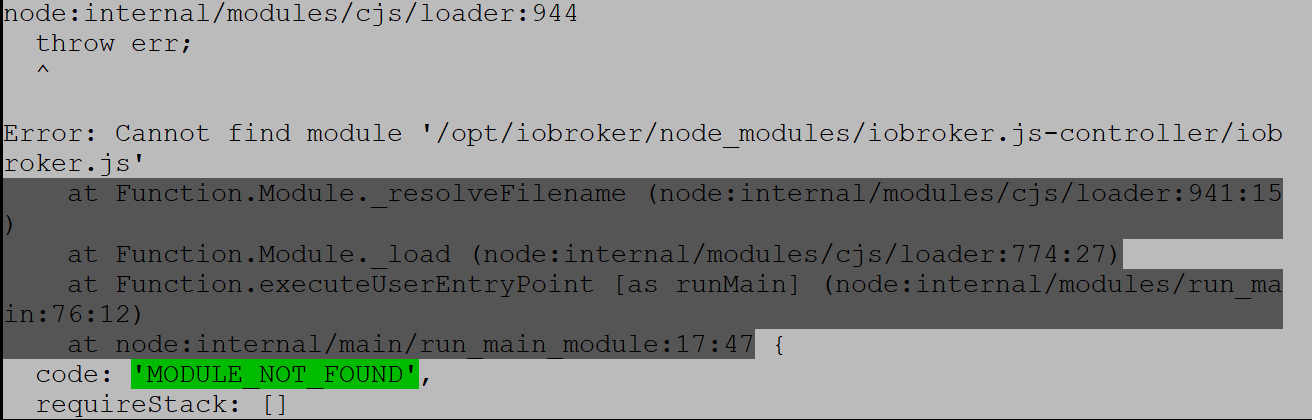
                          Habe das Backup gerade probiert. Leider ohne Erfolg

                          technikkram@tinkerboard:/opt/iobroker$ sudo iobroker restore 0
                          [sudo] password for technikkram:
                          node:internal/modules/cjs/loader:944
                            throw err;
                            ^
                          
                          Error: Cannot find module '/opt/iobroker/node_modules/iobroker.js-controller/iobroker.js'
                              at Function.Module._resolveFilename (node:internal/modules/cjs/loader:941:15)
                              at Function.Module._load (node:internal/modules/cjs/loader:774:27)
                              at Function.executeUserEntryPoint [as runMain] (node:internal/modules/run_main:76:12)
                              at node:internal/main/run_main_module:17:47 {
                            code: 'MODULE_NOT_FOUND',
                            requireStack: []
                          }


                          Das wird langsam echt komisch

                          J 1 Reply Last reply
                          0
                          • B BFM

                            Habe das Backup gerade probiert. Leider ohne Erfolg

                            technikkram@tinkerboard:/opt/iobroker$ sudo iobroker restore 0
                            [sudo] password for technikkram:
                            node:internal/modules/cjs/loader:944
                              throw err;
                              ^
                            
                            Error: Cannot find module '/opt/iobroker/node_modules/iobroker.js-controller/iobroker.js'
                                at Function.Module._resolveFilename (node:internal/modules/cjs/loader:941:15)
                                at Function.Module._load (node:internal/modules/cjs/loader:774:27)
                                at Function.executeUserEntryPoint [as runMain] (node:internal/modules/run_main:76:12)
                                at node:internal/main/run_main_module:17:47 {
                              code: 'MODULE_NOT_FOUND',
                              requireStack: []
                            }


                            Das wird langsam echt komisch

                            J Offline
                            J Offline
                            Jan1
                            wrote on last edited by Jan1
                            #20

                            @bfm
                            Das macht man auch mit dem Backup Adapter, weils einfach einfacher ist ;)
                            Und wenn der JS wie bei Dir nicht mehr will, dann löscht man den IOBroker Ordner, installiert IOBroker samt Backitup Adapter neu und restort dann, weil das auf alle Fälle wieder alles gerade zieht.

                            1 Reply Last reply
                            0
                            • B Offline
                              B Offline
                              BFM
                              wrote on last edited by
                              #21

                              Auch auf die Gefahr hin dass ich gelyncht werde... Gibts ne Erklärung für Dummies?:confounded:

                              J 1 Reply Last reply
                              0
                              • B BFM

                                Auch auf die Gefahr hin dass ich gelyncht werde... Gibts ne Erklärung für Dummies?:confounded:

                                J Offline
                                J Offline
                                Jan1
                                wrote on last edited by Jan1
                                #22

                                @bfm
                                Das war schon die Erklärung, weil mehr is das nicht ;)

                                Bevor Du natürlich den IOBroker Ordner löschst, sollten die Backups dort raus kopiert werden, wenn das nicht es schon auf ein NAS oder sonst wo automatisch hingelegt wird.

                                1 Reply Last reply
                                0
                                • B Offline
                                  B Offline
                                  BFM
                                  wrote on last edited by
                                  #23

                                  Das mit den Backups rauskopieren macht Sinn!
                                  Leider habe ich ioBroker noch nicht installiert. War bei mir fertig mit im Image drin. Aber ich denke, da wird mit Tante Google sicher helfen

                                  Thomas BraunT J 2 Replies Last reply
                                  0
                                  • B BFM

                                    Das mit den Backups rauskopieren macht Sinn!
                                    Leider habe ich ioBroker noch nicht installiert. War bei mir fertig mit im Image drin. Aber ich denke, da wird mit Tante Google sicher helfen

                                    Thomas BraunT Online
                                    Thomas BraunT Online
                                    Thomas Braun
                                    Most Active
                                    wrote on last edited by
                                    #24

                                    @bfm
                                    Und man packt iobroker nicht mit sudo an.

                                    Linux-Werkzeugkasten:
                                    https://forum.iobroker.net/topic/42952/der-kleine-iobroker-linux-werkzeugkasten
                                    NodeJS Fixer Skript:
                                    https://forum.iobroker.net/topic/68035/iob-node-fix-skript
                                    iob_diag: curl -sLf -o diag.sh https://iobroker.net/diag.sh && bash diag.sh

                                    1 Reply Last reply
                                    0
                                    • B BFM

                                      Das mit den Backups rauskopieren macht Sinn!
                                      Leider habe ich ioBroker noch nicht installiert. War bei mir fertig mit im Image drin. Aber ich denke, da wird mit Tante Google sicher helfen

                                      J Offline
                                      J Offline
                                      Jan1
                                      wrote on last edited by Jan1
                                      #25

                                      @bfm
                                      Ein Blick oben in die Doku und den einen Befehl, dazu brauchst nicht mal Tante Google ;)

                                      https://www.iobroker.net/#de/documentation/install/windows.md

                                      Das mit Node kannst auch vergessen, da IOBroker automatisch Node12 installiert. Es sei denn Du hast da vorher schon was zerfummelt.

                                      1 Reply Last reply
                                      0
                                      • B Offline
                                        B Offline
                                        BFM
                                        wrote on last edited by
                                        #26

                                        Das mit sudo werde ich beherzigen ;-). Und ich mach ersma ne Pause. Bei mir scheitert es ja schon am kopieren meiner backups. Vielleicht sollte ich ersma ein Bierchen trinken.

                                        J 1 Reply Last reply
                                        0
                                        • B BFM

                                          Das mit sudo werde ich beherzigen ;-). Und ich mach ersma ne Pause. Bei mir scheitert es ja schon am kopieren meiner backups. Vielleicht sollte ich ersma ein Bierchen trinken.

                                          J Offline
                                          J Offline
                                          Jan1
                                          wrote on last edited by
                                          #27

                                          @bfm
                                          Hast mit Filezilla noch FTP Zugriff auf die SD Karte? Wenn ja, das ist soooo einfach ;)

                                          B 1 Reply Last reply
                                          0
                                          Reply
                                          • Reply as topic
                                          Log in to reply
                                          • Oldest to Newest
                                          • Newest to Oldest
                                          • Most Votes


                                          Support us

                                          ioBroker
                                          Community Adapters
                                          Donate

                                          757

                                          Online

                                          32.6k

                                          Users

                                          82.3k

                                          Topics

                                          1.3m

                                          Posts
                                          Community
                                          Impressum | Datenschutz-Bestimmungen | Nutzungsbedingungen | Einwilligungseinstellungen
                                          ioBroker Community 2014-2025
                                          logo
                                          • Login

                                          • Don't have an account? Register

                                          • Login or register to search.
                                          • First post
                                            Last post
                                          0
                                          • Home
                                          • Recent
                                          • Tags
                                          • Unread 0
                                          • Categories
                                          • Unreplied
                                          • Popular
                                          • GitHub
                                          • Docu
                                          • Hilfe