
NEWS




[HowTo] ioBroker Restore unter Linux durchführen
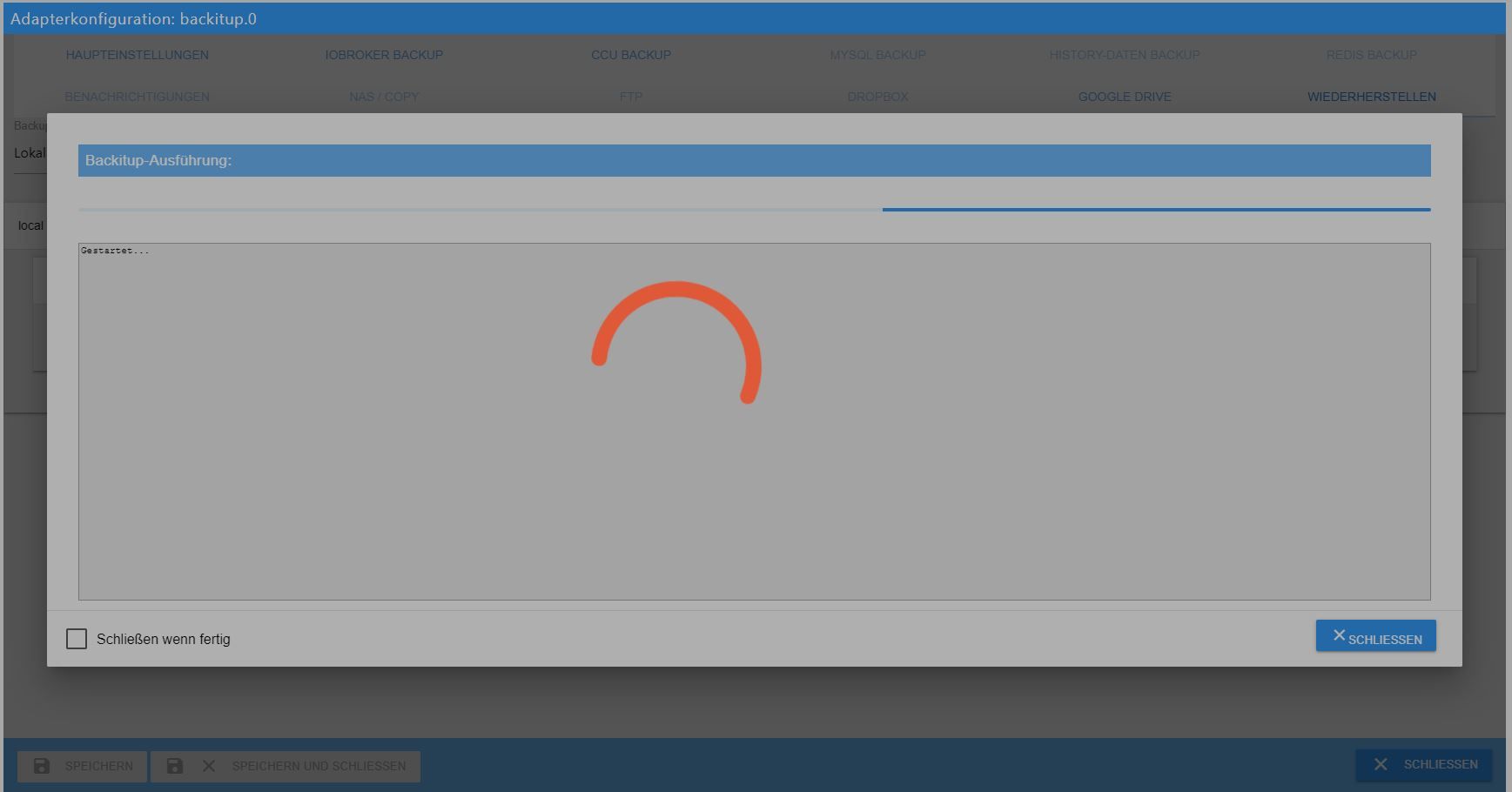
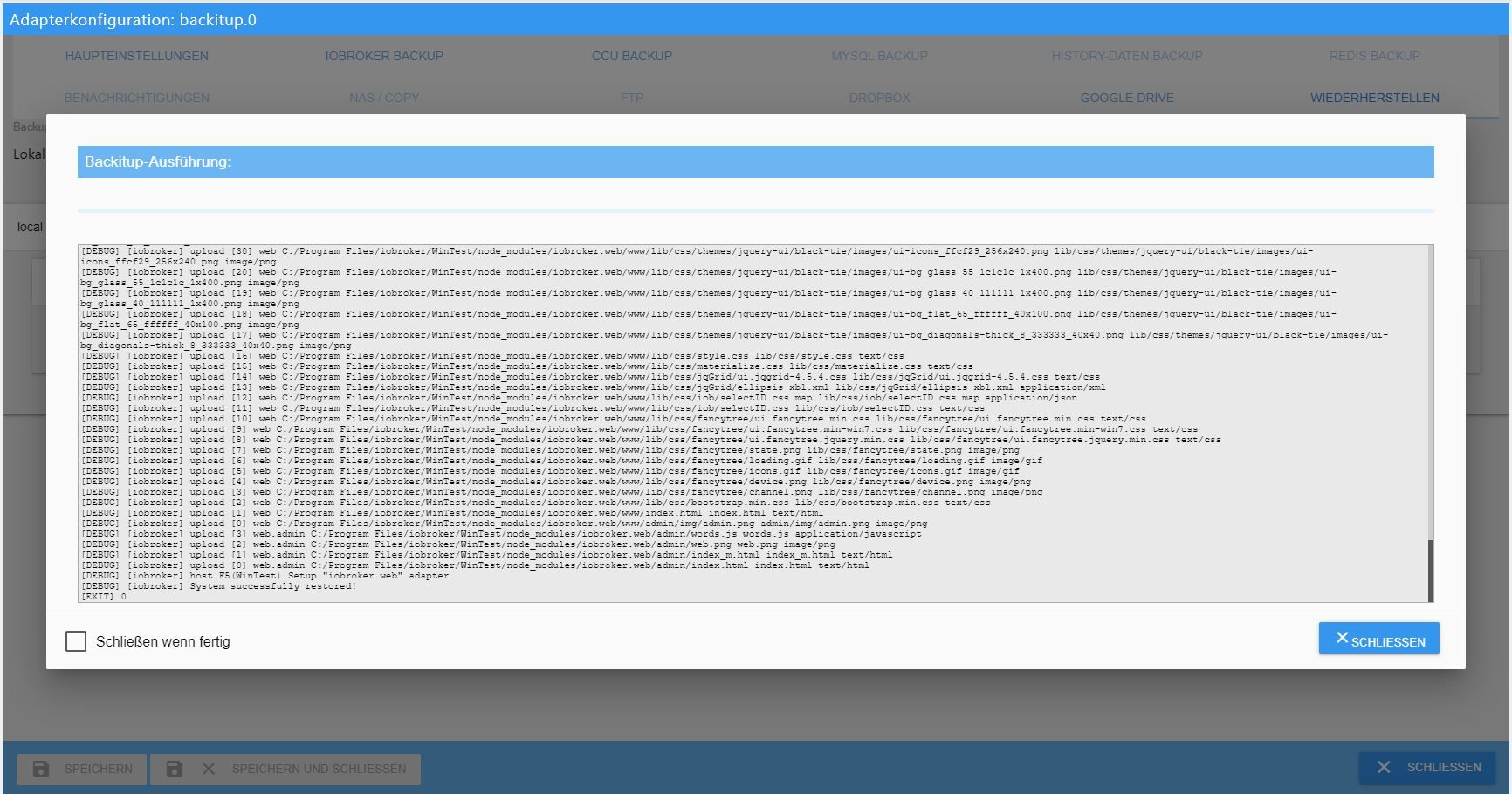
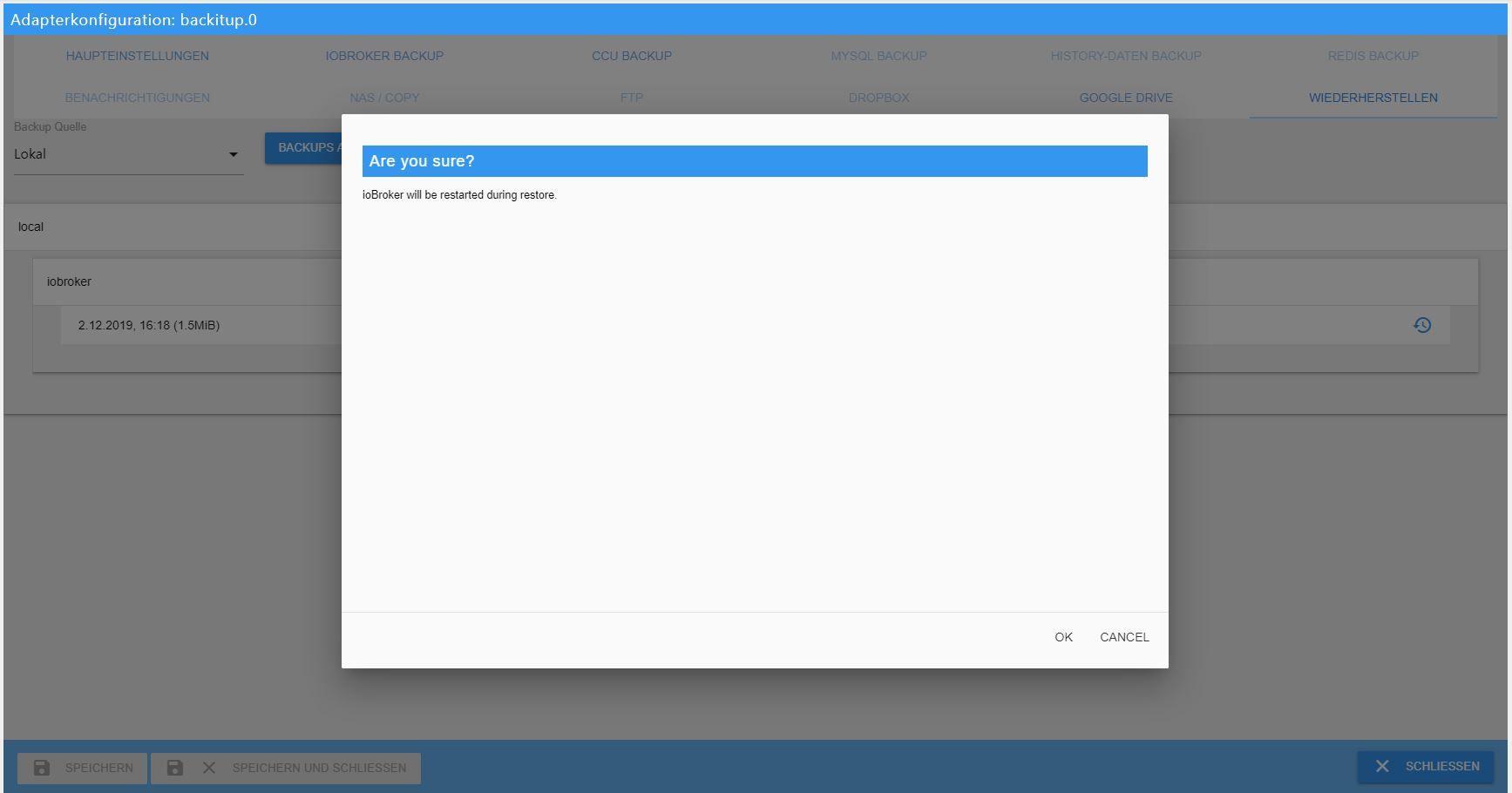
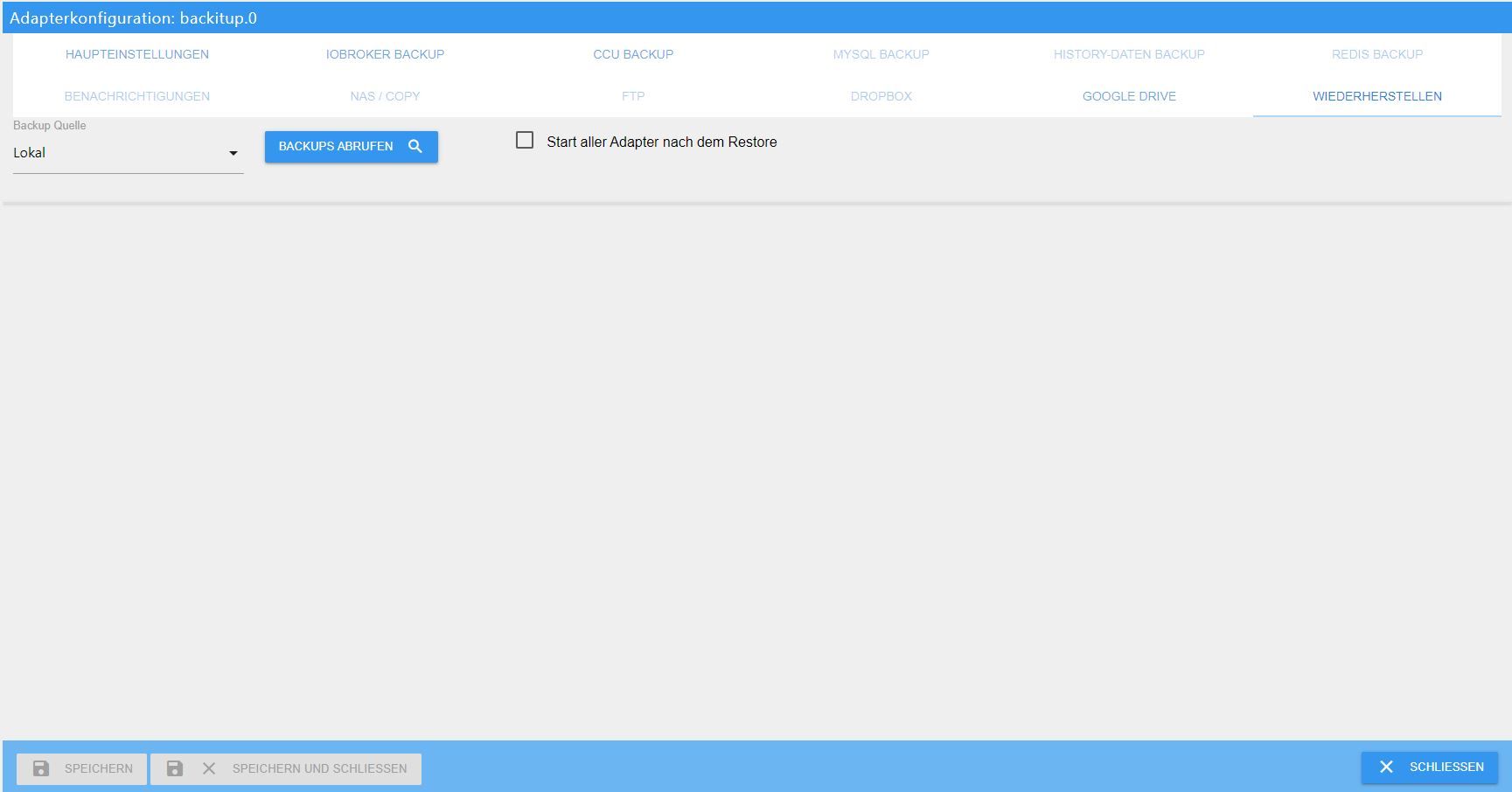
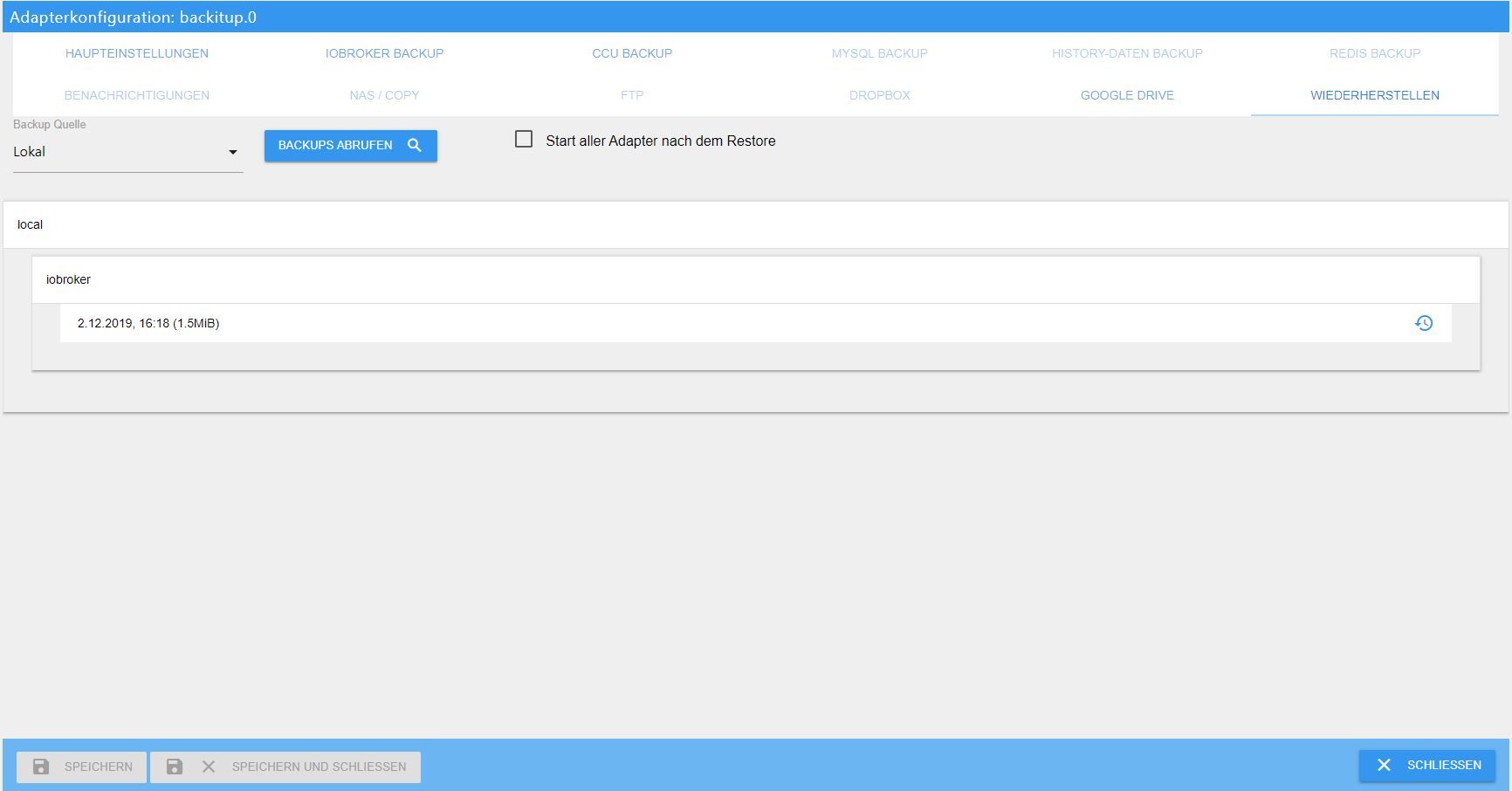
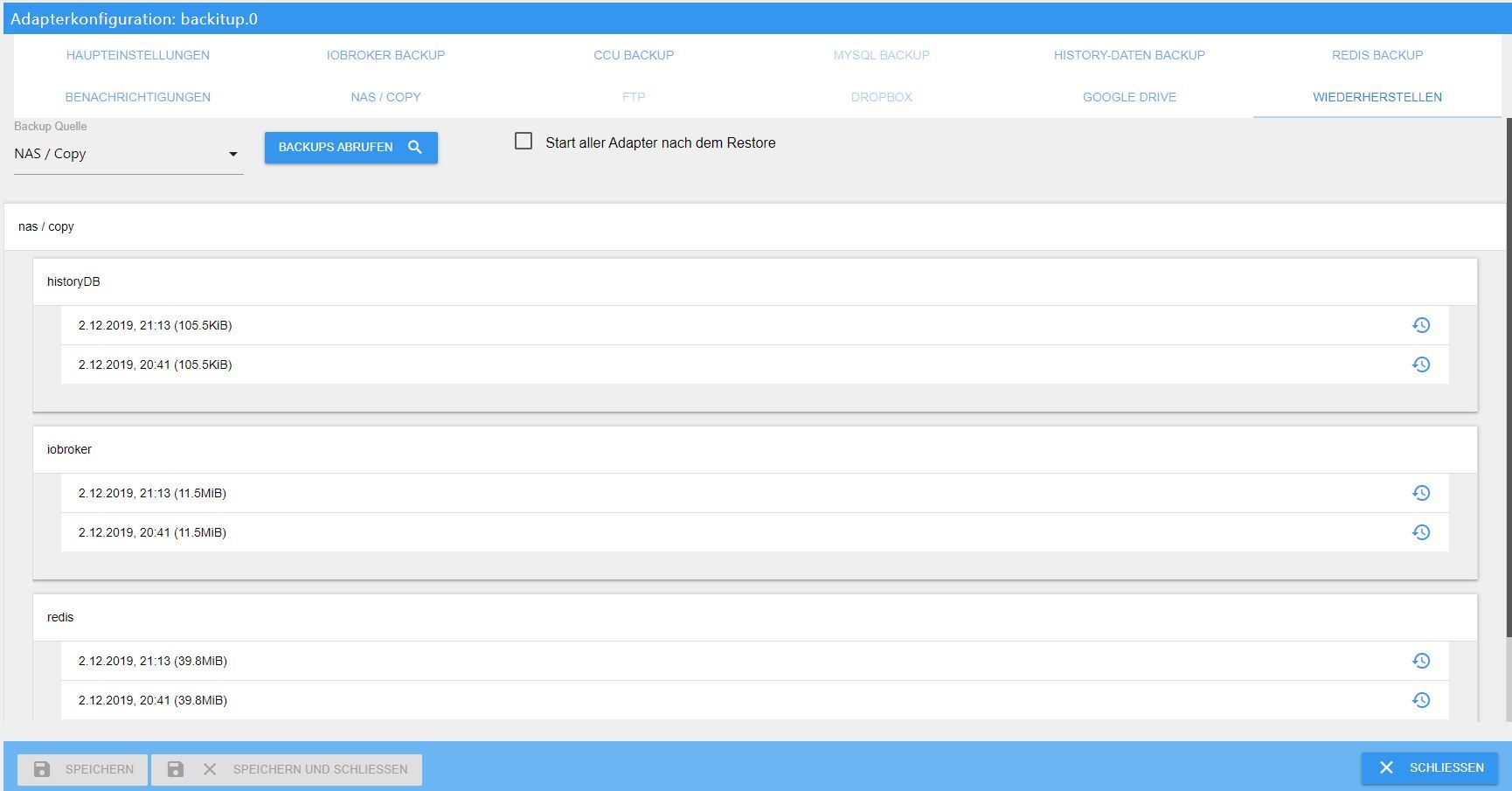
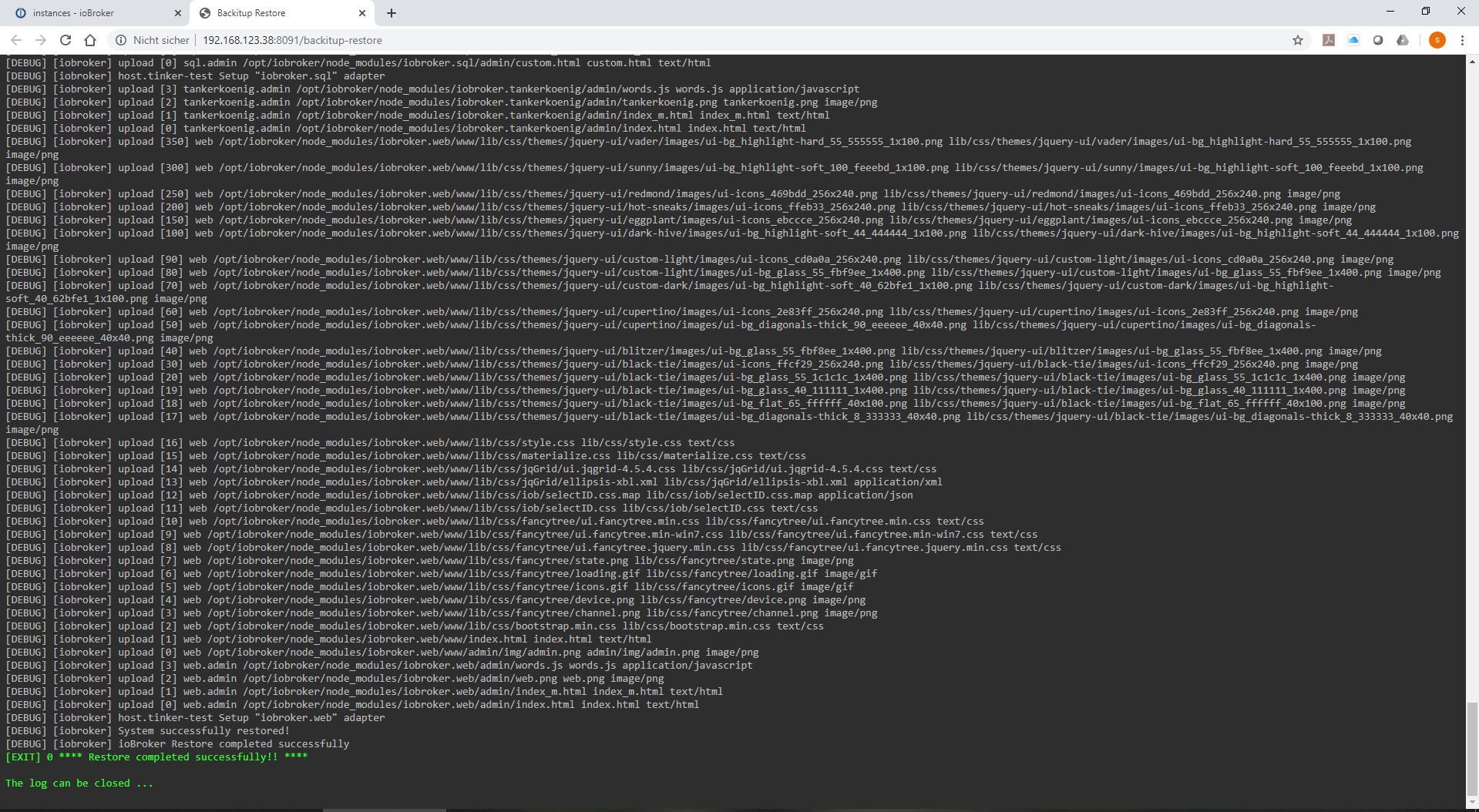
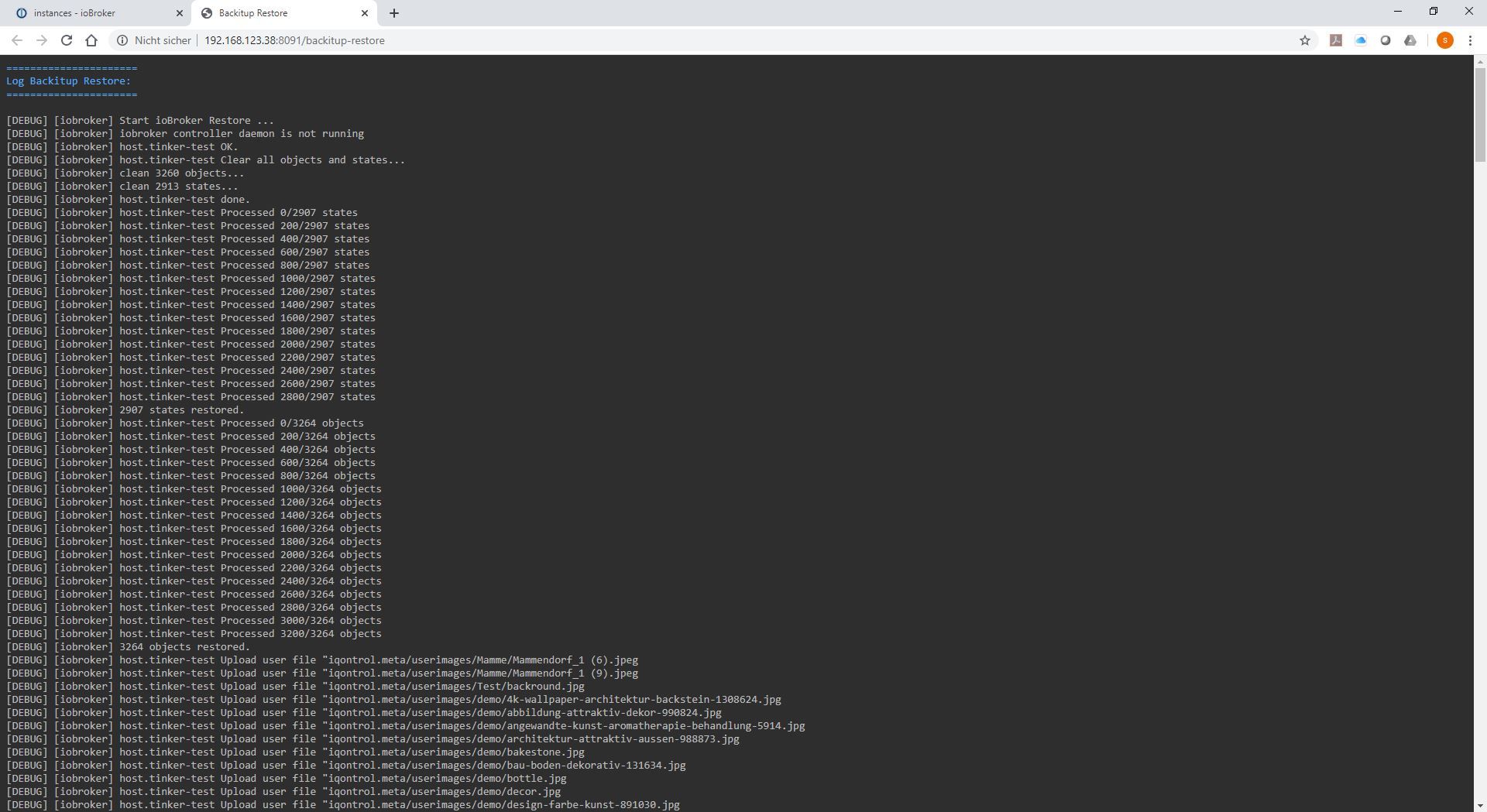
-
Hallo,
Ich möchte ein altes Backup (mit einer alten Version von iobroker) auf einer neuen Version von iobroker installieren?Ist das problematisch?
Ich habe die Methode mit "backitup" ausprobiert, nach einer Wiederherstellung hatte ich keinen Zugriff auf die Weboberfläche (http://192.168.178.10:8081/).danke
-
Hallo,
Ich möchte ein altes Backup (mit einer alten Version von iobroker) auf einer neuen Version von iobroker installieren?Ist das problematisch?
Ich habe die Methode mit "backitup" ausprobiert, nach einer Wiederherstellung hatte ich keinen Zugriff auf die Weboberfläche (http://192.168.178.10:8081/).danke
-
Hallo,
Ich möchte ein altes Backup (mit einer alten Version von iobroker) auf einer neuen Version von iobroker installieren?Ist das problematisch?
Ich habe die Methode mit "backitup" ausprobiert, nach einer Wiederherstellung hatte ich keinen Zugriff auf die Weboberfläche (http://192.168.178.10:8081/).danke
@Esmax666 und was steht im logfile?
Beitrag hat geholfen? Votet rechts unten im Beitrag :-) https://paypal.me/Apollon77 / https://github.com/sponsors/Apollon77
- Debug-Log für Instanz einschalten? Admin -> Instanzen -> Expertenmodus -> Instanz aufklappen - Loglevel ändern
- Logfiles auf Platte /opt/iobroker/log/… nutzen, Admin schneidet Zeilen ab
-
Hallo,
Ich möchte ein altes Backup (mit einer alten Version von iobroker) auf einer neuen Version von iobroker installieren?Ist das problematisch?
Ich habe die Methode mit "backitup" ausprobiert, nach einer Wiederherstellung hatte ich keinen Zugriff auf die Weboberfläche (http://192.168.178.10:8081/).danke
es geht jetzt danke :) jemand hat mich geholfen :)
Iobrocker setup war nichr richtig :sob:
iobroker setup custom
erste Frage dann ein f
dritte ...9001
vierte f
sechste...9000Und jetzt geht, er hat leider nichtdas adapter zwave nicht instaliert :S

aber unter instance ist er da :sa: soll per had versucher z wave zu installieren ?

und wenn ich auf play drücke gekomme ich das in mein log:
2019-12-15 12:42:44.180 - info: host.raspberrypi "system.adapter.zwave.0" enabled
2019-12-15 12:42:44.185 - warn: host.raspberrypi startInstance cannot find adapter "zwave@1.3.1". Try to install it... 1 attempt
2019-12-15 12:42:44.185 - info: host.raspberrypi iobroker install zwave@1.3.1 using installedVersion
2019-12-15 12:42:47.820 - info: host.raspberrypi iobroker npm-install: NPM version: 6.11.3
2019-12-15 12:42:47.822 - info: host.raspberrypi iobroker npm-install: npm install iobroker.zwave@1.3.1 --unsafe-perm --loglevel error --prefix "/opt/iobroker" (System call)
2019-12-15 12:43:05.880 - info: host.raspberrypi iobroker npm-install: find: ‘/tmp/ssh-ylIYRwZ3yhiD’: Keine Berechtigungfind: ‘/tmp/ssh-swkz9eaJm1hC’: Keine Berechtigungfind: ‘/tmp/dhcpcd-pi’: Keine Berechtigungfind: ‘/tmp/systemd-private-aec9f13ea5594bd6b2009eb166837044-systemd-timesyncd.service-ufjIhF’: Keine Berechtigung
2019-12-15 12:43:11.822 - info: host.raspberrypi iobroker npm-install: % Total % Received % Xferd Average Speed Time Time Time Current Dload Upload Total Spent Left Speed
0 0 0 0 0 0 0 0 --:--:-- --:--:-- --:--:-- 0
100 125 0 125 0 0 425 0 --:--:-- --:--:-- --:--:-- 425
100 2377 0 2377 0 0 3362 0 --:--:-- --:--:-- --:--:-- 3362
100 2451k 0 2451k 0 0 1387k 0 --:--:-- 0:00:01 --:--:-- 2314k
100 9130k 0 9130k 0 0 3392k 0 --:--:-- 0:00:02 --:--:-- 4600k
100 13.0M 0 13.0M 0 0 3971k 0 --:--:-- 0:00:03 --:--:-- 5026k
2019-12-15 12:43:13.782 - info: host.raspberrypi iobroker npm-install: % Total % Received % Xferd Average Speed Time Time Time Current Dload Upload Total Spent Left Speed
0 0 0 0 0 0 0 0 --:--:-- --:--:-- --:--:-- 0
100 147 0 147 0 0 490 0 --:--:-- --:--:-- --:--:-- 490
0 0 0 0 0 0 0 0 --:--:-- --:--:-- --:--:-- 0
100 16081 0 16081 0 0 15156 0 --:--:-- 0:00:01 --:--:-- 26405
2019-12-15 12:43:13.785 - info: host.raspberrypi iobroker npm-install: /opt/iobroker/node_modules/iobroker.zwave/lib/preinstall.js:16 if (!suppressException) throw e; ^Error: Command failed: cd open-zwave-master && curl -O -L https://github.com/OpenZWave/open-zwave/pull/1125.patch && patch -p1 < 1125.patch % Total % Received % Xferd Average Speed Time Time Time Current Dload Upload Total Spent Left Speed
0 0 0 0 0 0 0 0 --:--:-- --:--:-- --:--:-- 0
100 147 0 147 0 0 490 0 --:--:-- --:--:-- --:--:-- 490
0 0 0 0 0 0 0 0 --:--:-- --:--:-- --:--:-- 0
100 16081 0 16081 0 0 15156 0 --:--:-- 0:00:01 --:--:-- 26405 at checkExecSyncError (child_process.js:629:11) at Object.execSync (child_process.js:666:13) at doScript (/opt/iobroker/node_modules/iobroker.zwave/lib/preinstall.js:13:15) at installOpenZwaveFromSource (/opt/iobroker/node_modules/iobroker.zwave/lib/preinstall.js:147:3) at installOpenZwave (/opt/iobroker/node_modules/iobroker.zwave/lib/preinstall.js:139:3) at Object. (/opt/iobroker/node_modules/iobroker.zwave/lib/preinstall.js:27:7) at Module._compile (internal/modules/cjs/loader.js:778:30) at Object.Module._extensions..js (internal/modules/cjs/loader.js:789:10) at Module.load (internal/modules/cjs/loader.js:653:32) at tryModuleLoad (internal/modules/cjs/loader.js:593:12)
2019-12-15 12:43:16.112 - info: host.raspberrypi iobroker npm-install: npm ERR! code ELIFECYCLE
2019-12-15 12:43:16.116 - info: host.raspberrypi iobroker npm-install: npm ERR! errno 1npm ERR! iobroker.zwave@1.3.1 preinstall: `node lib/preinstall.js`npm ERR! Exit status 1npm ERR! npm ERR! Failed at the iobroker.zwave@1.3.1 preinstall script.npm ERR! This is probably not a problem with npm. There is likely additional logging output above.
2019-12-15 12:43:16.147 - info: host.raspberrypi iobroker npm-install: npm ERR! A complete log of this run can be found in:npm ERR! /home/iobroker/.npm/_logs/2019-12-15T11_43_16_131Z-debug.log
2019-12-15 12:43:16.173 - error: host.raspberrypi iobroker npm-install: host.raspberrypi Cannot install iobroker.zwave@1.3.1: 1
2019-12-15 12:43:17.197 - info: host.raspberrypi iobroker npm-install: exit 25
2019-12-15 12:43:18.198 - warn: host.raspberrypi startInstance cannot find adapter "zwave@1.3.1". Try to install it... 2 attempt
2019-12-15 12:43:18.199 - info: host.raspberrypi iobroker install zwave@1.3.1 using installedVersion
2019-12-15 12:43:21.806 - info: host.raspberrypi iobroker npm-install: NPM version: 6.11.3
2019-12-15 12:43:21.810 - info: host.raspberrypi iobroker npm-install: npm install iobroker.zwave@1.3.1 --unsafe-perm --loglevel error --prefix "/opt/iobroker" (System call)
2019-12-15 12:43:40.231 - info: host.raspberrypi iobroker npm-install: find: ‘/tmp/ssh-ylIYRwZ3yhiD’: Keine Berechtigungfind: ‘/tmp/ssh-swkz9eaJm1hC’: Keine Berechtigungfind: ‘/tmp/dhcpcd-pi’: Keine Berechtigungfind: ‘/tmp/systemd-private-aec9f13ea5594bd6b2009eb166837044-systemd-timesyncd.service-ufjIhF’: Keine Berechtigung
2019-12-15 12:43:46.191 - info: host.raspberrypi iobroker npm-install: % Total % Received % Xferd Average Speed Time Time Time Current Dload Upload Total Spent Left Speed
0 0 0 0 0 0 0 0 --:--:-- --:--:-- --:--:-- 0
100 125 0 125 0 0 506 0 --:--:-- --:--:-- --:--:-- 506
0 0 0 0 0 0 0 0 --:--:-- --:--:-- --:--:-- 0
100 867k 0 867k 0 0 664k 0 --:--:-- 0:00:01 --:--:-- 907k
100 6307k 0 6307k 0 0 2641k 0 --:--:-- 0:00:02 --:--:-- 3096k
100 12.7M 0 12.7M 0 0 3957k 0 --:--:-- 0:00:03 --:--:-- 4426k
100 13.0M 0 13.0M 0 0 3997k 0 --:--:-- 0:00:03 --:--:-- 4464k
2019-12-15 12:43:47.810 - info: host.raspberrypi iobroker npm-install: % Total % Received % Xferd Average Speed Time Time Time Current Dload Upload Total Spent Left Speed
0 0 0 0 0 0 0 0 --:--:-- --:--:-- --:--:-- 0
0 0 0 0 0 0 0 0 --:--:-- --:--:-- --:--:-- 0
100 147 0 147 0 0 501 0 --:--:-- --:--:-- --:--:-- 500
100 16081 0 16081 0 0 22028 0 --:--:-- --:--:-- --:--:-- 22028
2019-12-15 12:43:47.815 - info: host.raspberrypi iobroker npm-install: /opt/iobroker/node_modules/iobroker.zwave/lib/preinstall.js:16 if (!suppressException) throw e; ^Error: Command failed: cd open-zwave-master && curl -O -L https://github.com/OpenZWave/open-zwave/pull/1125.patch && patch -p1 < 1125.patch % Total % Received % Xferd Average Speed Time Time Time Current Dload Upload Total Spent Left Speed
0 0 0 0 0 0 0 0 --:--:-- --:--:-- --:--:-- 0
0 0 0 0 0 0 0 0 --:--:-- --:--:-- --:--:-- 0
100 147 0 147 0 0 501 0 --:--:-- --:--:-- --:--:-- 500
100 16081 0 16081 0 0 22028 0 --:--:-- --:--:-- --:--:-- 22028 at checkExecSyncError (child_process.js:629:11) at Object.execSync (child_process.js:666:13) at doScript (/opt/iobroker/node_modules/iobroker.zwave/lib/preinstall.js:13:15) at installOpenZwaveFromSource (/opt/iobroker/node_modules/iobroker.zwave/lib/preinstall.js:147:3) at installOpenZwave (/opt/iobroker/node_modules/iobroker.zwave/lib/preinstall.js:139:3) at Object. (/opt/iobroker/node_modules/iobroker.zwave/lib/preinstall.js:27:7) at Module._compile (internal/modules/cjs/loader.js:778:30) at Object.Module._extensions..js (internal/modules/cjs/loader.js:789:10) at Module.load (internal/modules/cjs/loader.js:653:32) at tryModuleLoad (internal/modules/cjs/loader.js:593:12)
2019-12-15 12:43:50.284 - info: host.raspberrypi iobroker npm-install: npm
2019-12-15 12:43:50.289 - info: host.raspberrypi iobroker npm-install: ERR! code ELIFECYCLEnpm ERR! errno 1npm ERR! iobroker.zwave@1.3.1 preinstall: `node lib/preinstall.js`npm ERR! Exit status 1
2019-12-15 12:43:50.292 - info: host.raspberrypi iobroker npm-install: npm ERR! npm ERR! Failed at the iobroker.zwave@1.3.1 preinstall script.npm ERR! This is probably not a problem with npm. There is likely additional logging output above.
2019-12-15 12:43:50.321 - info: host.raspberrypi iobroker npm-install: npm ERR! A complete log of this run can be found in:npm ERR! /home/iobroker/.npm/_logs/2019-12-15T11_43_50_306Z-debug.log
2019-12-15 12:43:50.348 - error: host.raspberrypi iobroker npm-install: host.raspberrypi Cannot install iobroker.zwave@1.3.1: 1
2019-12-15 12:43:51.368 - info: host.raspberrypi iobroker npm-install: exit 25
2019-12-15 12:43:52.371 - warn: host.raspberrypi startInstance cannot find adapter "zwave@1.3.1". Try to install it... 3 attempt
2019-12-15 12:43:52.372 - info: host.raspberrypi iobroker install zwave@1.3.1 using installedVersion
2019-12-15 12:43:55.911 - info: host.raspberrypi iobroker npm-install: NPM version: 6.11.3
2019-12-15 12:43:55.915 - info: host.raspberrypi iobroker npm-install: npm install iobroker.zwave@1.3.1 --unsafe-perm --loglevel error --prefix "/opt/iobroker" (System call)
2019-12-15 12:44:14.462 - info: host.raspberrypi iobroker npm-install: find: ‘/tmp/ssh-ylIYRwZ3yhiD’: Keine Berechtigungfind: ‘/tmp/ssh-swkz9eaJm1hC’: Keine Berechtigungfind: ‘/tmp/dhcpcd-pi’: Keine Berechtigungfind: ‘/tmp/systemd-private-aec9f13ea5594bd6b2009eb166837044-systemd-timesyncd.service-ufjIhF’: Keine Berechtigung
2019-12-15 12:44:20.281 - info: host.raspberrypi iobroker npm-install: % Total % Received % Xferd Average Speed Time Time Time Current Dload Upload Total Spent Left Speed
0 0 0 0 0 0 0 0 --:--:-- --:--:-- --:--:-- 0
0 0 0 0 0 0 0 0 --:--:-- --:--:-- --:--:-- 0
100 125 0 125 0 0 423 0 --:--:-- --:--:-- --:--:-- 422
100 235k 0 235k 0 0 221k 0 --:--:-- 0:00:01 --:--:-- 221k
100 6390k 0 6390k 0 0 2959k 0 --:--:-- 0:00:02 --:--:-- 5620k
100 12.2M 0 12.2M 0 0 4152k 0 --:--:-- 0:00:03 --:--:-- 6287k
100 13.0M 0 13.0M 0 0 4237k 0 --:--:-- 0:00:03 --:--:-- 6277k
2019-12-15 12:44:22.248 - info: host.raspberrypi iobroker npm-install: % Total % Received % Xferd Average Speed Time Time Time Current Dload Upload Total Spent Left Speed
0 0 0 0 0 0 0 0 --:--:-- --:--:-- --:--:-- 0
100 147 0 147 0 0 393 0 --:--:-- --:--:-- --:--:-- 394
0 0 0 0 0 0 0 0 --:--:-- --:--:-- --:--:-- 0
100 16081 0 16081 0 0 15014 0 --:--:-- 0:00:01 --:--:-- 163k
2019-12-15 12:44:22.252 - info: host.raspberrypi iobroker npm-install: /opt/iobroker/node_modules/iobroker.zwave/lib/preinstall.js:16 if (!suppressException) throw e; ^Error: Command failed: cd open-zwave-master && curl -O -L https://github.com/OpenZWave/open-zwave/pull/1125.patch && patch -p1 < 1125.patch % Total % Received % Xferd Average Speed Time Time Time Current Dload Upload Total Spent Left Speed
0 0 0 0 0 0 0 0 --:--:-- --:--:-- --:--:-- 0
100 147 0 147 0 0 393 0 --:--:-- --:--:-- --:--:-- 394
0 0 0 0 0 0 0 0 --:--:-- --:--:-- --:--:-- 0
100 16081 0 16081 0 0 15014 0 --:--:-- 0:00:01 --:--:-- 163k at checkExecSyncError (child_process.js:629:11) at Object.execSync (child_process.js:666:13) at doScript (/opt/iobroker/node_modules/iobroker.zwave/lib/preinstall.js:13:15) at installOpenZwaveFromSource (/opt/iobroker/node_modules/iobroker.zwave/lib/preinstall.js:147:3) at installOpenZwave (/opt/iobroker/node_modules/iobroker.zwave/lib/preinstall.js:139:3) at Object. (/opt/iobroker/node_modules/iobroker.zwave/lib/preinstall.js:27:7) at Module._compile (internal/modules/cjs/loader.js:778:30) at Object.Module._extensions..js (internal/modules/cjs/loader.js:789:10) at Module.load (internal/modules/cjs/loader.js:653:32) at tryModuleLoad (internal/modules/cjs/loader.js:593:12)
2019-12-15 12:44:24.469 - info: host.raspberrypi iobroker npm-install: npm ERR! code ELIFECYCLE
2019-12-15 12:44:24.473 - info: host.raspberrypi iobroker npm-install: npm ERR! errno 1npm ERR! iobroker.zwave@1.3.1 preinstall: `node lib/preinstall.js`npm ERR! Exit status 1npm ERR! npm ERR! Failed at the iobroker.zwave@1.3.1 preinstall script.npm ERR! This is probably not a problem with npm. There is likely additional logging output above.
2019-12-15 12:44:24.500 - info: host.raspberrypi iobroker npm-install: npm ERR! A complete log of this run can be found in:npm ERR! /home/iobroker/.npm/_logs/2019-12-15T11_44_24_483Z-debug.log
2019-12-15 12:44:24.526 - error: host.raspberrypi iobroker npm-install: host.raspberrypi Cannot install iobroker.zwave@1.3.1: 1
2019-12-15 12:44:25.545 - info: host.raspberrypi iobroker npm-install: exit 25
2019-12-15 12:44:26.546 - warn: host.raspberrypi startInstance cannot find adapter "zwave@1.3.1". Try to install it... 4 attempt
2019-12-15 12:44:26.547 - info: host.raspberrypi iobroker install zwave@1.3.1 using installedVersion
2019-12-15 12:44:30.124 - info: host.raspberrypi iobroker npm-install: NPM version: 6.11.3npm install iobroker.zwave@1.3.1 --unsafe-perm --loglevel error --prefix "/opt/iobroker" (System call)
2019-12-15 12:44:49.340 - info: host.raspberrypi iobroker npm-install: find: ‘/tmp/ssh-ylIYRwZ3yhiD’: Keine Berechtigungfind: ‘/tmp/ssh-swkz9eaJm1hC’: Keine Berechtigungfind: ‘/tmp/dhcpcd-pi’: Keine Berechtigungfind: ‘/tmp/systemd-private-aec9f13ea5594bd6b2009eb166837044-systemd-timesyncd.service-ufjIhF’: Keine Berechtigung
2019-12-15 12:44:55.394 - info: host.raspberrypi iobroker npm-install: % Total % Received % Xferd Average Speed Time Time Time Current Dload Upload Total Spent Left Speed
0 0 0 0 0 0 0 0 --:--:-- --:--:-- --:--:-- 0
0 0 0 0 0 0 0 0 --:--:-- --:--:-- --:--:-- 0
100 125 0 125 0 0 473 0 --:--:-- --:--:-- --:--:-- 471
100 221k 0 221k 0 0 192k 0 --:--:-- 0:00:01 --:--:-- 192k
100 5606k 0 5606k 0 0 2605k 0 --:--:-- 0:00:02 --:--:-- 5380k
100 11.4M 0 11.4M 0 0 3713k 0 --:--:-- 0:00:03 --:--:-- 5740k
100 13.0M 0 13.0M 0 0 3935k 0 --:--:-- 0:00:03 --:--:-- 5848k
2019-12-15 12:44:57.362 - info: host.raspberrypi iobroker npm-install: % Total % Received % Xferd Average Speed Time Time Time Current Dload Upload Total Spent Left Speed
0 0 0 0 0 0 0 0 --:--:-- --:--:-- --:--:-- 0
100 147 0 147 0 0 261 0 --:--:-- --:--:-- --:--:-- 261
0 0 0 0 0 0 0 0 --:--:-- --:--:-- --:--:-- 0
100 16081 0 16081 0 0 15658 0 --:--:-- 0:00:01 --:--:-- 155k
2019-12-15 12:44:57.365 - info: host.raspberrypi iobroker npm-install: /opt/iobroker/node_modules/iobroker.zwave/lib/preinstall.js:16 if (!suppressException) throw e; ^Error: Command failed: cd open-zwave-master && curl -O -L https://github.com/OpenZWave/open-zwave/pull/1125.patch && patch -p1 < 1125.patch % Total % Received % Xferd Average Speed Time Time Time Current Dload Upload Total Spent Left Speed
0 0 0 0 0 0 0 0 --:--:-- --:--:-- --:--:-- 0
100 147 0 147 0 0 261 0 --:--:-- --:--:-- --:--:-- 261
0 0 0 0 0 0 0 0 --:--:-- --:--:-- --:--:-- 0
100 16081 0 16081 0 0 15658 0 --:--:-- 0:00:01 --:--:-- 155k at checkExecSyncError (child_process.js:629:11) at Object.execSync (child_process.js:666:13) at doScript (/opt/iobroker/node_modules/iobroker.zwave/lib/preinstall.js:13:15) at installOpenZwaveFromSource (/opt/iobroker/node_modules/iobroker.zwave/lib/preinstall.js:147:3) at installOpenZwave (/opt/iobroker/node_modules/iobroker.zwave/lib/preinstall.js:139:3) at Object. (/opt/iobroker/node_modules/iobroker.zwave/lib/preinstall.js:27:7) at Module._compile (internal/modules/cjs/loader.js:778:30) at Object.Module._extensions..js (internal/modules/cjs/loader.js:789:10) at Module.load (internal/modules/cjs/loader.js:653:32) at tryModuleLoad (internal/modules/cjs/loader.js:593:12)
2019-12-15 12:44:59.669 - info: host.raspberrypi iobroker npm-install: npm
2019-12-15 12:44:59.671 - info: host.raspberrypi iobroker npm-install:
2019-12-15 12:44:59.674 - info: host.raspberrypi iobroker npm-install: ERR! code ELIFECYCLEnpm
2019-12-15 12:44:59.678 - info: host.raspberrypi iobroker npm-install: ERR! errno 1
2019-12-15 12:44:59.681 - info: host.raspberrypi iobroker npm-install: npm ERR! iobroker.zwave@1.3.1 preinstall: `node lib/preinstall.js`npm
2019-12-15 12:44:59.685 - info: host.raspberrypi iobroker npm-install: ERR! Exit status 1npm
2019-12-15 12:44:59.688 - info: host.raspberrypi iobroker npm-install: ERR! npm ERR! Failed at the iobroker.zwave@1.3.1 preinstall script.
2019-12-15 12:44:59.692 - info: host.raspberrypi iobroker npm-install: npm ERR! This is probably not a problem with npm. There is likely additional logging output above.
2019-12-15 12:44:59.718 - info: host.raspberrypi iobroker npm-install:
2019-12-15 12:44:59.719 - info: host.raspberrypi iobroker npm-install: npm
2019-12-15 12:44:59.722 - info: host.raspberrypi iobroker npm-install: ERR! A complete log of this run can be found in:npm ERR! /home/iobroker/.npm/_logs/2019-12-15T11_44_59_702Z-debug.log
2019-12-15 12:44:59.759 - error: host.raspberrypi iobroker npm-install: host.raspberrypi Cannot install iobroker.zwave@1.3.1: 1
2019-12-15 12:45:00.778 - info: host.raspberrypi iobroker npm-install: exit 25
2019-12-15 12:45:01.780 - error: host.raspberrypi Cannot download and install adapter "zwave@1.3.1". To retry it disable/enable the adapter or restart host. Also check the error messages in the log!
Edit: ich kann jetzt Zwave starten und es geht. Aber es ist sehr komisch, Die weboberfläche zeigt kein Iobroker adater als installiet :S

Instance läuft :s
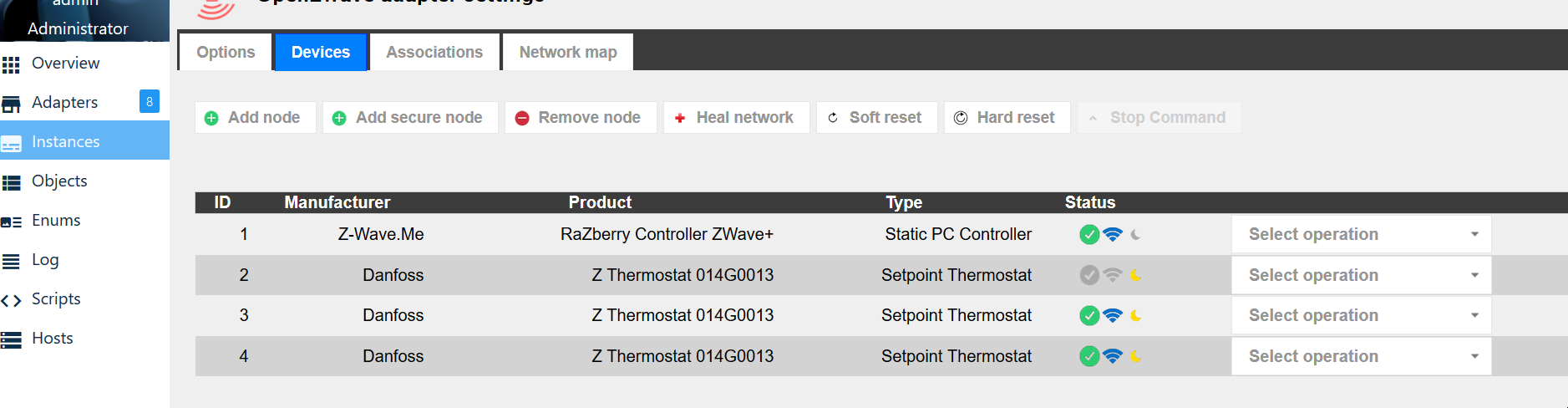
soll ich dann lieber Zwave adapter löchen und neu instalieren. Falls ja, wie ? und dann kann ich trozdem die instances und objet konfiguration behalten ?
Logfiles:logs - ioBroker.txt
und Instances:
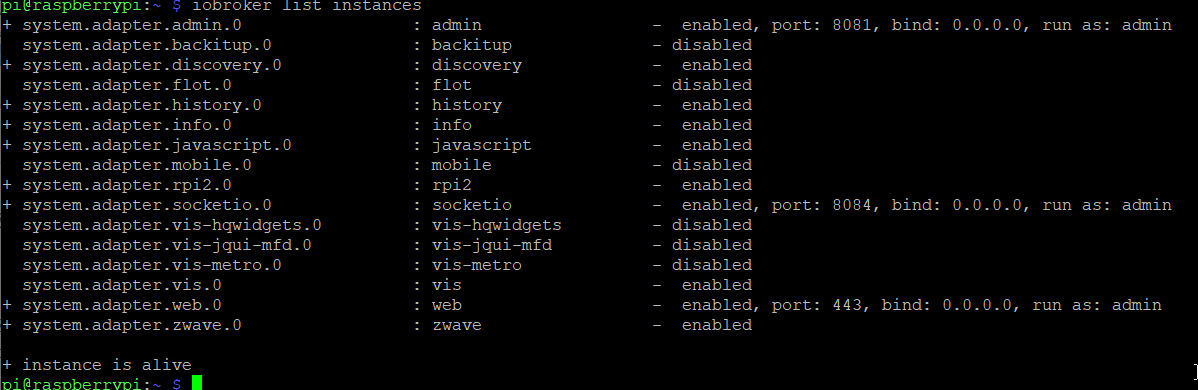
Danke :) -
@apollon77 @Esmax666 ich verweise mal auf https://forum.iobroker.net/post/339960
Zwave Instanz jedoch ohne Adapter -
Guten Morgen, ich wollte mit meinem ioBroker "umziehen", bekomme das mit dem Backup und Restore einfach nicht gebacken.
Aktuell läuft ioBroker auf einem Raspberry Pi 3B. Ich habe auf ein Notebook Debian Buster Desktop installiert, alles aktualisiert und node 10.15.2, nodejs 10.15.2, npm 6.13.4 drauf. Danach ioBroker installiert und auch noch gefixt (ob erforderlich oder nicht, keine Ahnung).
Auf beiden Systemen läuft Backitup. Habe beim Raspy ein Backup gemacht und dieses per FileZilla auf das Notebook kopiert. Im NB wird mir jedoch das Backup im Backitup-Adapter unter Wiederherstellen, lokal, iobroker nicht angezeigt.
Hat jemand ne Idee, was ich falsch mache bzw vergessen habe? -
Guten Morgen, ich wollte mit meinem ioBroker "umziehen", bekomme das mit dem Backup und Restore einfach nicht gebacken.
Aktuell läuft ioBroker auf einem Raspberry Pi 3B. Ich habe auf ein Notebook Debian Buster Desktop installiert, alles aktualisiert und node 10.15.2, nodejs 10.15.2, npm 6.13.4 drauf. Danach ioBroker installiert und auch noch gefixt (ob erforderlich oder nicht, keine Ahnung).
Auf beiden Systemen läuft Backitup. Habe beim Raspy ein Backup gemacht und dieses per FileZilla auf das Notebook kopiert. Im NB wird mir jedoch das Backup im Backitup-Adapter unter Wiederherstellen, lokal, iobroker nicht angezeigt.
Hat jemand ne Idee, was ich falsch mache bzw vergessen habe?@trottellumme sagte in [HowTo] ioBroker Restore unter Linux durchführen:
10.15.2
In welchen Ordner hast du das Backup lokal auf dem Notebook abgelegt?
-
Dort, wo es laut Anleitung hin soll, denke ich jedenfalls:
/opt/iobroker/backups
Darin liegt eine Datei namens 2019_12_17-18_36_37_backupiobroker.tar.gz (genau dort liegt sie auch auf dem Raspi).
Wenn ich im Altsystem über den backitup Adapter so tue, als würde ich wiederherstellen wollen, wird mir das backup auch angezeigt. Nur im neuen System halt leider nicht. -
Dort, wo es laut Anleitung hin soll, denke ich jedenfalls:
/opt/iobroker/backups
Darin liegt eine Datei namens 2019_12_17-18_36_37_backupiobroker.tar.gz (genau dort liegt sie auch auf dem Raspi).
Wenn ich im Altsystem über den backitup Adapter so tue, als würde ich wiederherstellen wollen, wird mir das backup auch angezeigt. Nur im neuen System halt leider nicht.@trottellumme sagte in [HowTo] ioBroker Restore unter Linux durchführen:
Darin liegt eine Datei namens 2019_12_17-18_36_37_backupiobroker.tar.gz (genau dort liegt sie auch auf dem Raspi).
Die Datei muss aber iobroker_2019_12_17-18_36_37_backupiobroker.tar.gz heißen
Wenn das mit backitup erstellt ist, dann wundert mich der Name.
Benenne die Datei um, damit backitup weiß, was es für ein Backup ist -
Die hatte ich dann sicher über die console erstellt. Hatte gestern mehrere Versuche gemacht und später auch auf dem alten System die Adapter aktualisiert. Irgendwas mit js-controller musste auch geupdated werden, ohne liessen sich die Homematic Adapter nicht aktualisieren.
Ich mach nochmal das Notebook neu, ein neues Backup auf dem Raspi und dann schau ich mal. Melde mich. Danke erstmal. -
So, da bin ich wieder. Notebook ist neu aufgesetzt, iobroker installiert und gefixt. Auf dem Raspi neues Backup erstellt, auf PC runtergeladen, auf Notebook hochgeladen. ioBroker gestartet, in Backitup hinein und siehe da, nix :disappointed:
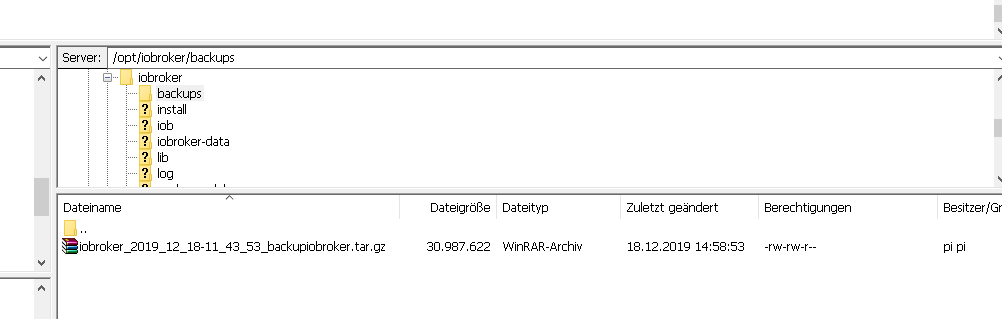
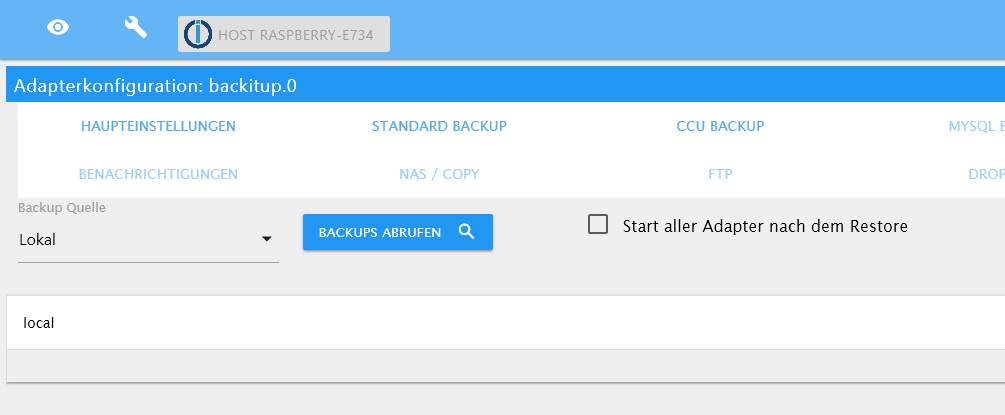
Ich weiß nicht mehr weiter... -
So, da bin ich wieder. Notebook ist neu aufgesetzt, iobroker installiert und gefixt. Auf dem Raspi neues Backup erstellt, auf PC runtergeladen, auf Notebook hochgeladen. ioBroker gestartet, in Backitup hinein und siehe da, nix :disappointed:
Ich weiß nicht mehr weiter...@trottellumme
OK da fallen mir spontan 3 Dinge ein.
Welche Backitup Version ist auf dem Notebook installiert?
Wurde nach der Auswahl der Backup-Quelle die Config von backitup gespeichert.Setze mal die rechte der Backupdatei so, dass auch der User iobroker Lesen und schreiben kann.
-
BackItUp Versionen sind identisch. Ja, nach der Backup-Quellen-Auswahl habe ich gesichert. Habe jetzt auch noch mal auf NAS gestellt, gespeichert und wieder zurück auf Lokal, dann wieder gespeichert. Rechte sind geändert (denke ich). Komisch ist, dass ich die Backupdateien auf dem alten System angeboten bekomme. :shrug: :shrug: :shrug:
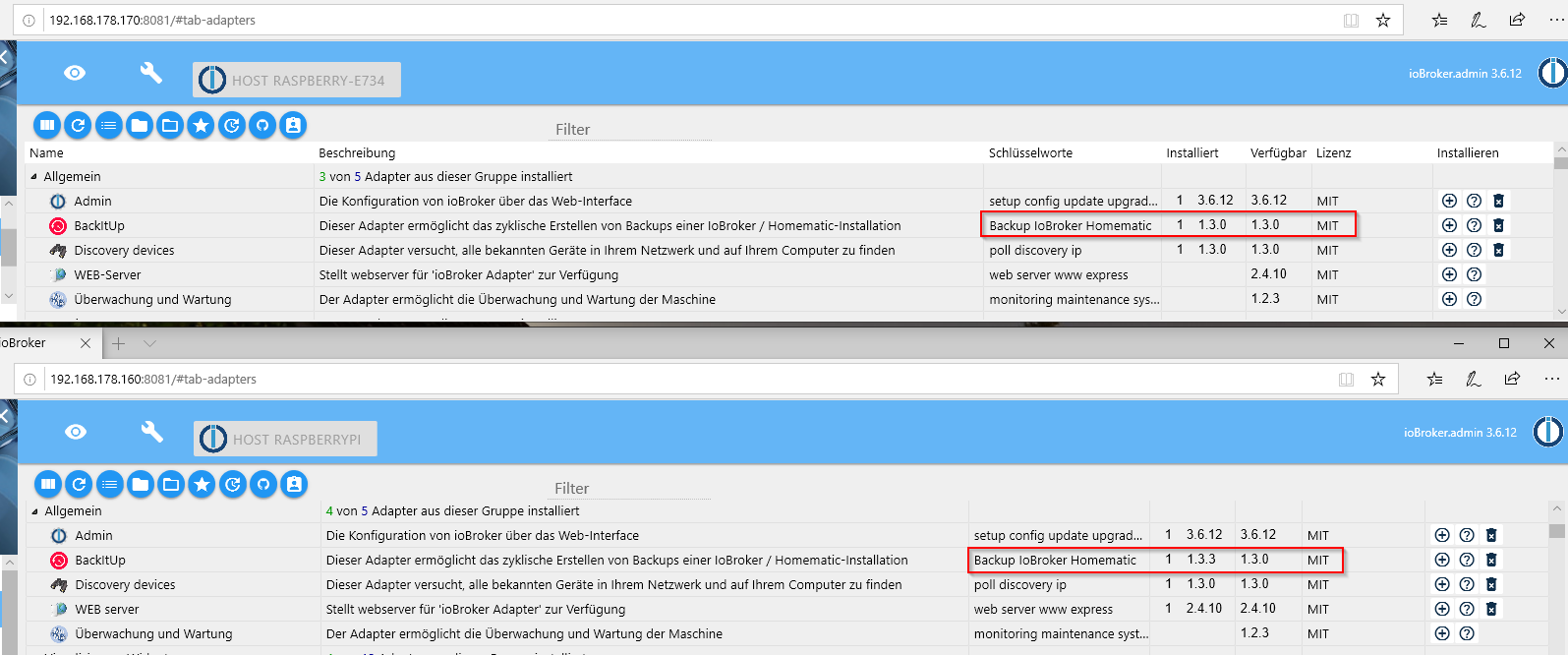
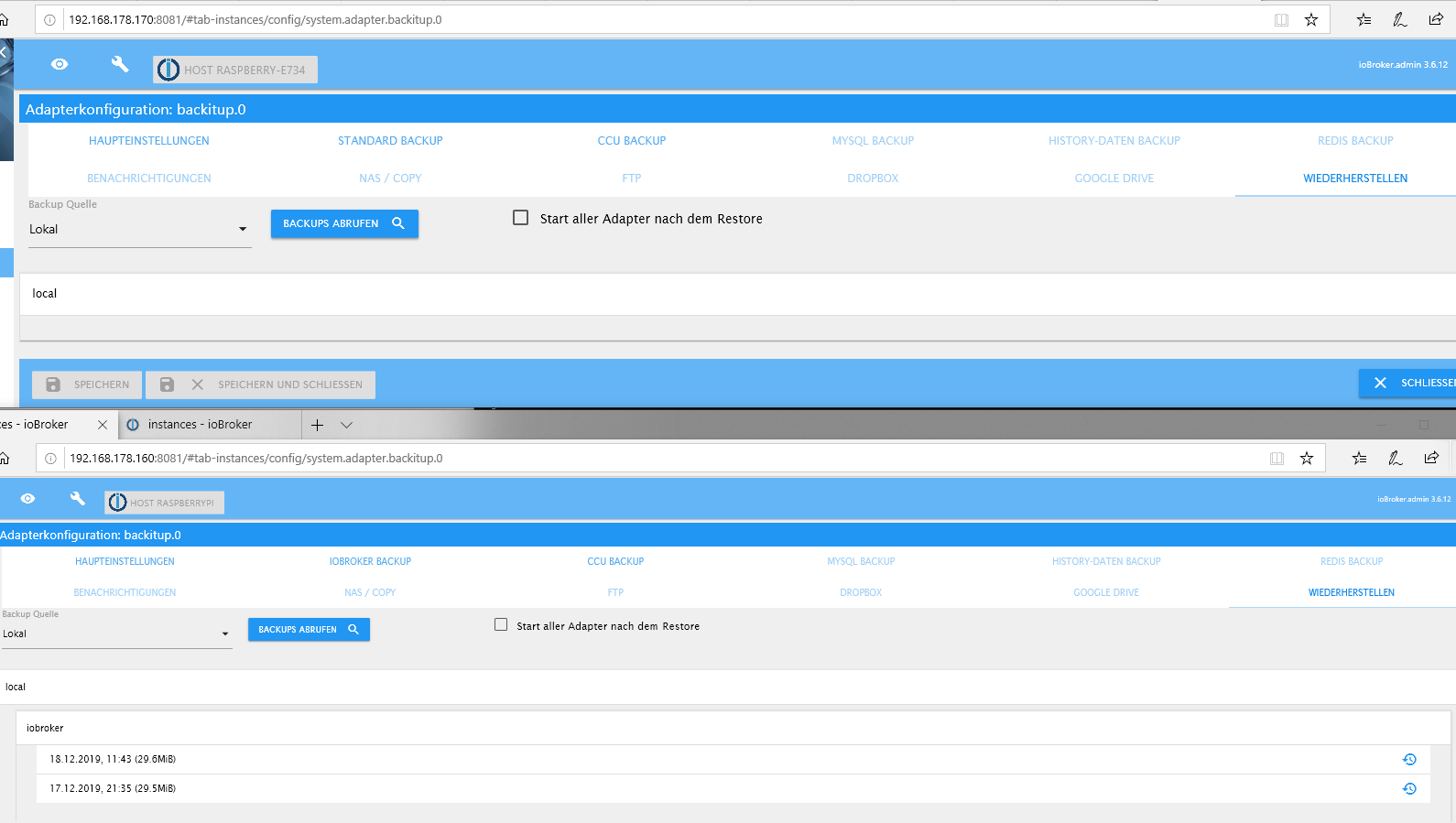
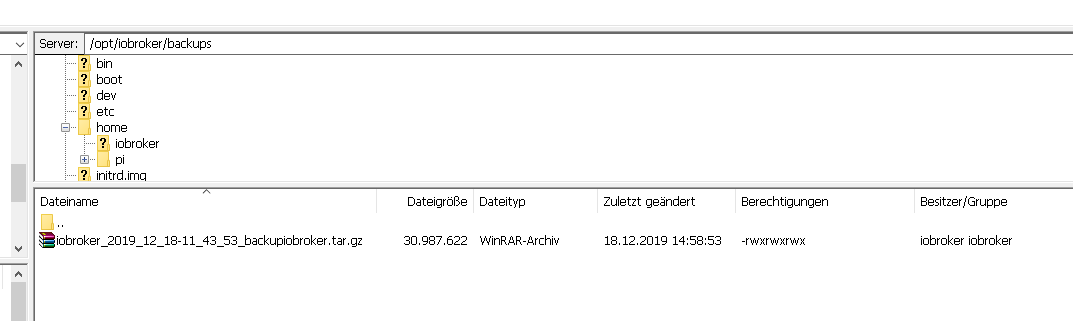
Ich habe keinen Plan... So ein Mist. -
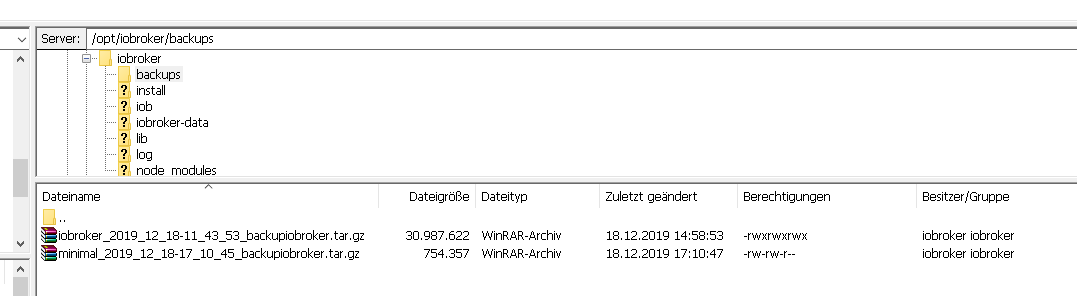
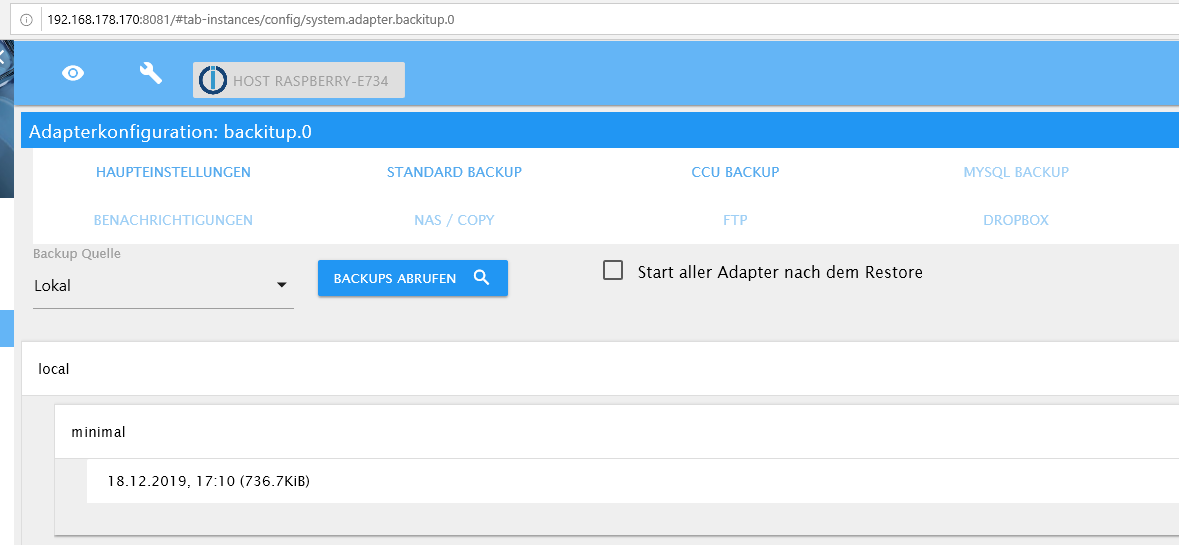
Habe gerade noch was entdeckt. Mache ich auf dem neuen System mit BackItUp ein Backup, heißt die Datei minimal..., auf dem alten begann der Name mit iobroker… . Die minimal... bietet er mir dann zum Restore an. Könnte es daran liegen?
-
BackItUp Versionen sind identisch. Ja, nach der Backup-Quellen-Auswahl habe ich gesichert. Habe jetzt auch noch mal auf NAS gestellt, gespeichert und wieder zurück auf Lokal, dann wieder gespeichert. Rechte sind geändert (denke ich). Komisch ist, dass ich die Backupdateien auf dem alten System angeboten bekomme. :shrug: :shrug: :shrug:
Ich habe keinen Plan... So ein Mist.@trottellumme
Jetzt ist dein Problem logisch
Stelle dein System auf latest Repo um und installiere dir die neuste Version von backitup.
Aktuell Version 1.3.5Oder installiere über den Button mit der Katze von Github
Es gab eine Namensänderung zwischen den Versionen von minimal auf iobroker Backup
-
Da bin ich nochmal. Nachdem ich bei beiden Systemen die V1.3.5 drauf habe (hatte nur die verfügbaren verglichen -> 1.3.0 und gar nicht drauf geachtet, dass im alten System 1.3.3 drauf war), erstellte ich noch ein neues Backup und es wurde auch im neuen System zum Restore angeboten. Schon mal gut, aber:
Wollte nach 2 Std. mal schauen, ob ich auf die Seite komme, Fehlanzeige. Nicht erreichbar. ioBroker lässt sich nicht starten:
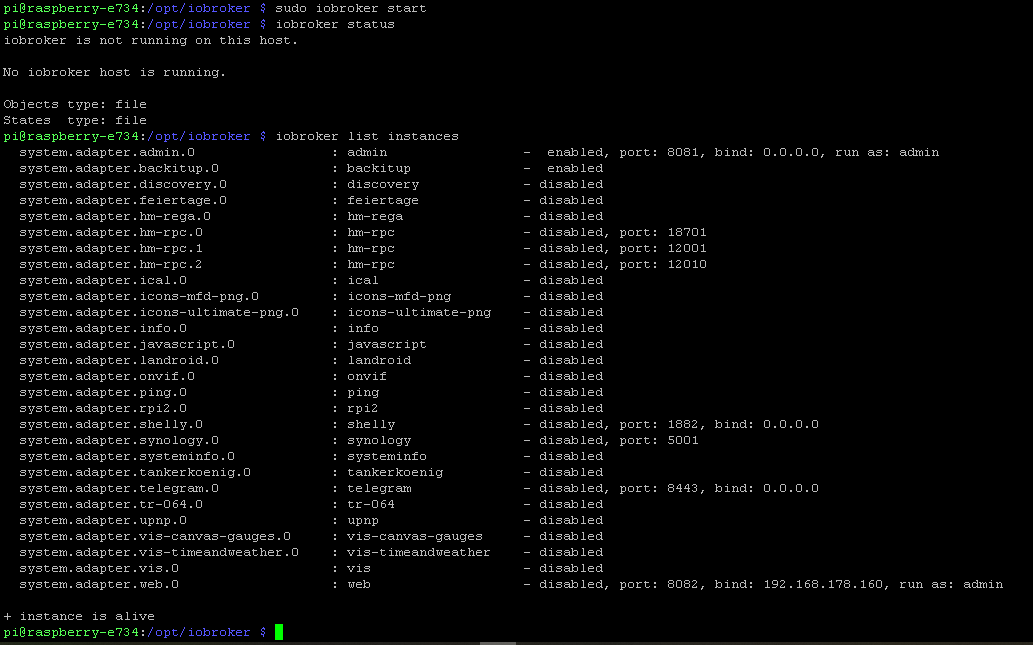
Da hatte ich mich wohl zu früh gefreut. Wie bekomme ich den ioBroker nun in Schwung? -
Da bin ich nochmal. Nachdem ich bei beiden Systemen die V1.3.5 drauf habe (hatte nur die verfügbaren verglichen -> 1.3.0 und gar nicht drauf geachtet, dass im alten System 1.3.3 drauf war), erstellte ich noch ein neues Backup und es wurde auch im neuen System zum Restore angeboten. Schon mal gut, aber:
Wollte nach 2 Std. mal schauen, ob ich auf die Seite komme, Fehlanzeige. Nicht erreichbar. ioBroker lässt sich nicht starten:
Da hatte ich mich wohl zu früh gefreut. Wie bekomme ich den ioBroker nun in Schwung?@trottellumme Was sagt denn das iobroker log?
-
Vielleicht ist was zu erkennen. Irgendwie drehte er immer ne Schleife. Da versteh ich leider nur Bahnhof...
iobroker.2019-12-18.log -
Da bin ich nochmal. Nachdem ich bei beiden Systemen die V1.3.5 drauf habe (hatte nur die verfügbaren verglichen -> 1.3.0 und gar nicht drauf geachtet, dass im alten System 1.3.3 drauf war), erstellte ich noch ein neues Backup und es wurde auch im neuen System zum Restore angeboten. Schon mal gut, aber:
Wollte nach 2 Std. mal schauen, ob ich auf die Seite komme, Fehlanzeige. Nicht erreichbar. ioBroker lässt sich nicht starten:
Da hatte ich mich wohl zu früh gefreut. Wie bekomme ich den ioBroker nun in Schwung?@trottellumme
Starte mal dein iobroker ohne sudoiobroker start



735
Online32.6k
Users82.2k
Topics1.3m
Posts