Skip to content
  • Home
  • Aktuell
  • Tags
  • 0 Ungelesen 0
  • Kategorien
  • Unreplied
  • Beliebt
  • GitHub
  • Docu
  • Hilfe
Skins
  • Light
  • Brite
  • Cerulean
  • Cosmo
  • Flatly
  • Journal
  • Litera
  • Lumen
  • Lux
  • Materia
  • Minty
  • Morph
  • Pulse
  • Sandstone
  • Simplex
  • Sketchy
  • Spacelab
  • United
  • Yeti
  • Zephyr
  • Dark
  • Cyborg
  • Darkly
  • Quartz
  • Slate
  • Solar
  • Superhero
  • Vapor

  • Standard: (Kein Skin)
  • Kein Skin
Einklappen
ioBroker Logo

Community Forum

donate donate
  1. ioBroker Community Home
  2. Deutsch
  3. Einsteigerfragen
  4. Installation
  5. Node npm - Infos zum (tats.) Versionsstand

NEWS

  • Jahresrückblick 2025 – unser neuer Blogbeitrag ist online! ✨
    BluefoxB
    Bluefox
    16
    1
    1.6k

  • Neuer Blogbeitrag: Monatsrückblick - Dezember 2025 🎄
    BluefoxB
    Bluefox
    13
    1
    864

  • Weihnachtsangebot 2025! 🎄
    BluefoxB
    Bluefox
    25
    1
    2.1k

Node npm - Infos zum (tats.) Versionsstand

Geplant Angeheftet Gesperrt Verschoben Installation
node npm versionsstand
32 Beiträge 3 Kommentatoren 2.0k Aufrufe 2 Watching
  • Älteste zuerst
  • Neuste zuerst
  • Meiste Stimmen
Antworten
  • In einem neuen Thema antworten
Anmelden zum Antworten
Dieses Thema wurde gelöscht. Nur Nutzer mit entsprechenden Rechten können es sehen.
  • Q Offline
    Q Offline
    qwerty1896
    schrieb am zuletzt editiert von qwerty1896
    #11

    @thomas-braun

    Sorry, würde es auch gern im schwarzen Kasten anzeigen lassen. Hier das Resultat:

    Used repository: default
    hash unchanged, use cached sources
    Cannot get any information of "_repoInfo". Ignored.
    update done
    Adapter "accuweather" : 1.2.1 , installed 1.2.1
    Adapter "admin" : 6.2.22 , installed 6.2.22
    Adapter "backitup" : 2.4.12 , installed 2.4.12
    Adapter "daswetter" : 3.1.3 , installed 3.1.3
    Adapter "discovery" : 3.0.5 , installed 3.0.5
    Adapter "dwd" : 2.8.3 , installed 2.8.3
    Adapter "echarts" : 1.0.12 , installed 1.0.12
    Adapter "fahrplan" : 1.2.2 , installed 1.2.2
    Adapter "flot" : 1.11.0 , installed 1.11.0
    Adapter "history" : 2.2.0 , installed 2.2.0
    Adapter "hue" : 3.7.1 , installed 3.7.1
    Adapter "ical" : 1.13.1 , installed 1.13.1
    Adapter "icons-mfd-svg" : 1.1.0 , installed 1.1.0
    Adapter "javascript" : 6.0.3 , installed 6.0.3
    Controller "js-controller" : 4.0.23 , installed 3.3.22 [Updateable]
    Adapter "pushover" : 3.0.3 , installed 3.0.3
    Adapter "pvforecast" : 2.3.0 , installed 2.3.0
    Adapter "simple-api" : 2.7.0 , installed 2.7.0
    Adapter "socketio" : 4.2.0 , installed 4.2.0
    Adapter "sonoff" : 2.5.1 , installed 2.5.1
    Adapter "tankerkoenig" : 2.1.1 , installed 2.1.1
    Adapter "telegram" : 1.14.1 , installed 1.14.1
    Adapter "vis" : 1.4.15 , installed 1.4.15
    Adapter "vis-hqwidgets" : 1.3.0 , installed 1.3.0
    Adapter "vis-inventwo" : 3.3.1 , installed 3.3.1
    Adapter "vis-material-advanced": 1.7.2 , installed 1.7.2
    Adapter "vis-timeandweather": 1.2.2 , installed 1.2.2
    Adapter "web" : 4.3.0 , installed 4.3.0
    Adapter "ws" : 1.3.0 , installed 1.3.0
    
    HomoranH Thomas BraunT 3 Antworten Letzte Antwort
    0
    • Q qwerty1896

      @thomas-braun

      Sorry, würde es auch gern im schwarzen Kasten anzeigen lassen. Hier das Resultat:

      Used repository: default
      hash unchanged, use cached sources
      Cannot get any information of "_repoInfo". Ignored.
      update done
      Adapter "accuweather" : 1.2.1 , installed 1.2.1
      Adapter "admin" : 6.2.22 , installed 6.2.22
      Adapter "backitup" : 2.4.12 , installed 2.4.12
      Adapter "daswetter" : 3.1.3 , installed 3.1.3
      Adapter "discovery" : 3.0.5 , installed 3.0.5
      Adapter "dwd" : 2.8.3 , installed 2.8.3
      Adapter "echarts" : 1.0.12 , installed 1.0.12
      Adapter "fahrplan" : 1.2.2 , installed 1.2.2
      Adapter "flot" : 1.11.0 , installed 1.11.0
      Adapter "history" : 2.2.0 , installed 2.2.0
      Adapter "hue" : 3.7.1 , installed 3.7.1
      Adapter "ical" : 1.13.1 , installed 1.13.1
      Adapter "icons-mfd-svg" : 1.1.0 , installed 1.1.0
      Adapter "javascript" : 6.0.3 , installed 6.0.3
      Controller "js-controller" : 4.0.23 , installed 3.3.22 [Updateable]
      Adapter "pushover" : 3.0.3 , installed 3.0.3
      Adapter "pvforecast" : 2.3.0 , installed 2.3.0
      Adapter "simple-api" : 2.7.0 , installed 2.7.0
      Adapter "socketio" : 4.2.0 , installed 4.2.0
      Adapter "sonoff" : 2.5.1 , installed 2.5.1
      Adapter "tankerkoenig" : 2.1.1 , installed 2.1.1
      Adapter "telegram" : 1.14.1 , installed 1.14.1
      Adapter "vis" : 1.4.15 , installed 1.4.15
      Adapter "vis-hqwidgets" : 1.3.0 , installed 1.3.0
      Adapter "vis-inventwo" : 3.3.1 , installed 3.3.1
      Adapter "vis-material-advanced": 1.7.2 , installed 1.7.2
      Adapter "vis-timeandweather": 1.2.2 , installed 1.2.2
      Adapter "web" : 4.3.0 , installed 4.3.0
      Adapter "ws" : 1.3.0 , installed 1.3.0
      
      HomoranH Nicht stören
      HomoranH Nicht stören
      Homoran
      Global Moderator Administrators
      schrieb am zuletzt editiert von
      #12

      @qwerty1896 sagte in Node npm - Infos zum (tats.) Versionsstand:

      würde es auch gern im schwarzen Kasten anzeigen lassen

      wäre nett!
      https://forum.iobroker.net/topic/51555/hinweise-für-gute-forenbeiträge/1

      kein Support per PN! - Fragen im Forum stellen - es gibt fast nichts, was nicht auch für andere interessant ist.

      Benutzt das Voting rechts unten im Beitrag wenn er euch geholfen hat.

      der Installationsfixer: curl -fsL https://iobroker.net/fix.sh | bash -

      1 Antwort Letzte Antwort
      0
      • Q qwerty1896

        @thomas-braun

        Sorry, würde es auch gern im schwarzen Kasten anzeigen lassen. Hier das Resultat:

        Used repository: default
        hash unchanged, use cached sources
        Cannot get any information of "_repoInfo". Ignored.
        update done
        Adapter "accuweather" : 1.2.1 , installed 1.2.1
        Adapter "admin" : 6.2.22 , installed 6.2.22
        Adapter "backitup" : 2.4.12 , installed 2.4.12
        Adapter "daswetter" : 3.1.3 , installed 3.1.3
        Adapter "discovery" : 3.0.5 , installed 3.0.5
        Adapter "dwd" : 2.8.3 , installed 2.8.3
        Adapter "echarts" : 1.0.12 , installed 1.0.12
        Adapter "fahrplan" : 1.2.2 , installed 1.2.2
        Adapter "flot" : 1.11.0 , installed 1.11.0
        Adapter "history" : 2.2.0 , installed 2.2.0
        Adapter "hue" : 3.7.1 , installed 3.7.1
        Adapter "ical" : 1.13.1 , installed 1.13.1
        Adapter "icons-mfd-svg" : 1.1.0 , installed 1.1.0
        Adapter "javascript" : 6.0.3 , installed 6.0.3
        Controller "js-controller" : 4.0.23 , installed 3.3.22 [Updateable]
        Adapter "pushover" : 3.0.3 , installed 3.0.3
        Adapter "pvforecast" : 2.3.0 , installed 2.3.0
        Adapter "simple-api" : 2.7.0 , installed 2.7.0
        Adapter "socketio" : 4.2.0 , installed 4.2.0
        Adapter "sonoff" : 2.5.1 , installed 2.5.1
        Adapter "tankerkoenig" : 2.1.1 , installed 2.1.1
        Adapter "telegram" : 1.14.1 , installed 1.14.1
        Adapter "vis" : 1.4.15 , installed 1.4.15
        Adapter "vis-hqwidgets" : 1.3.0 , installed 1.3.0
        Adapter "vis-inventwo" : 3.3.1 , installed 3.3.1
        Adapter "vis-material-advanced": 1.7.2 , installed 1.7.2
        Adapter "vis-timeandweather": 1.2.2 , installed 1.2.2
        Adapter "web" : 4.3.0 , installed 4.3.0
        Adapter "ws" : 1.3.0 , installed 1.3.0
        
        Thomas BraunT Online
        Thomas BraunT Online
        Thomas Braun
        Most Active
        schrieb am zuletzt editiert von
        #13

        @qwerty1896

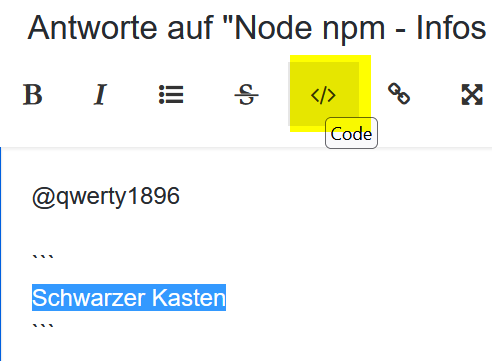
        Schwarzer Kasten
        

        8b6035cd-cbf2-419c-aca2-9542e4390032-grafik.png

        Bring den js-controller auf Stand. Der Rest ist es ja auch.

        Linux-Werkzeugkasten:
        https://forum.iobroker.net/topic/42952/der-kleine-iobroker-linux-werkzeugkasten
        NodeJS Fixer Skript:
        https://forum.iobroker.net/topic/68035/iob-node-fix-skript
        iob_diag: curl -sLf -o diag.sh https://iobroker.net/diag.sh && bash diag.sh

        1 Antwort Letzte Antwort
        0
        • Q qwerty1896

          @thomas-braun

          Sorry, würde es auch gern im schwarzen Kasten anzeigen lassen. Hier das Resultat:

          Used repository: default
          hash unchanged, use cached sources
          Cannot get any information of "_repoInfo". Ignored.
          update done
          Adapter "accuweather" : 1.2.1 , installed 1.2.1
          Adapter "admin" : 6.2.22 , installed 6.2.22
          Adapter "backitup" : 2.4.12 , installed 2.4.12
          Adapter "daswetter" : 3.1.3 , installed 3.1.3
          Adapter "discovery" : 3.0.5 , installed 3.0.5
          Adapter "dwd" : 2.8.3 , installed 2.8.3
          Adapter "echarts" : 1.0.12 , installed 1.0.12
          Adapter "fahrplan" : 1.2.2 , installed 1.2.2
          Adapter "flot" : 1.11.0 , installed 1.11.0
          Adapter "history" : 2.2.0 , installed 2.2.0
          Adapter "hue" : 3.7.1 , installed 3.7.1
          Adapter "ical" : 1.13.1 , installed 1.13.1
          Adapter "icons-mfd-svg" : 1.1.0 , installed 1.1.0
          Adapter "javascript" : 6.0.3 , installed 6.0.3
          Controller "js-controller" : 4.0.23 , installed 3.3.22 [Updateable]
          Adapter "pushover" : 3.0.3 , installed 3.0.3
          Adapter "pvforecast" : 2.3.0 , installed 2.3.0
          Adapter "simple-api" : 2.7.0 , installed 2.7.0
          Adapter "socketio" : 4.2.0 , installed 4.2.0
          Adapter "sonoff" : 2.5.1 , installed 2.5.1
          Adapter "tankerkoenig" : 2.1.1 , installed 2.1.1
          Adapter "telegram" : 1.14.1 , installed 1.14.1
          Adapter "vis" : 1.4.15 , installed 1.4.15
          Adapter "vis-hqwidgets" : 1.3.0 , installed 1.3.0
          Adapter "vis-inventwo" : 3.3.1 , installed 3.3.1
          Adapter "vis-material-advanced": 1.7.2 , installed 1.7.2
          Adapter "vis-timeandweather": 1.2.2 , installed 1.2.2
          Adapter "web" : 4.3.0 , installed 4.3.0
          Adapter "ws" : 1.3.0 , installed 1.3.0
          
          HomoranH Nicht stören
          HomoranH Nicht stören
          Homoran
          Global Moderator Administrators
          schrieb am zuletzt editiert von
          #14

          @qwerty1896 sagte in Node npm - Infos zum (tats.) Versionsstand:

          Sorry, würde es auch gern im schwarzen Kasten anzeigen lassen. Hier das Resultat:

          Änderungen und Erweiterungen in älteren Posts bitte mit EDIT: kennzeichnen!

          kein Support per PN! - Fragen im Forum stellen - es gibt fast nichts, was nicht auch für andere interessant ist.

          Benutzt das Voting rechts unten im Beitrag wenn er euch geholfen hat.

          der Installationsfixer: curl -fsL https://iobroker.net/fix.sh | bash -

          Q 1 Antwort Letzte Antwort
          0
          • HomoranH Homoran

            @qwerty1896 sagte in Node npm - Infos zum (tats.) Versionsstand:

            Sorry, würde es auch gern im schwarzen Kasten anzeigen lassen. Hier das Resultat:

            Änderungen und Erweiterungen in älteren Posts bitte mit EDIT: kennzeichnen!

            Q Offline
            Q Offline
            qwerty1896
            schrieb am zuletzt editiert von
            #15

            @homoran

            pi@raspberrypi:~ $ iob update
            Used repository: stable
            Adapter    "accuweather"  : 1.2.1    , installed 1.2.1
            Adapter    "admin"        : 6.2.22   , installed 6.2.22
            Adapter    "backitup"     : 2.4.12   , installed 2.4.12
            Adapter    "daswetter"    : 3.1.3    , installed 3.1.3
            Adapter    "discovery"    : 3.0.5    , installed 3.0.5
            Adapter    "dwd"          : 2.8.3    , installed 2.8.3
            Adapter    "echarts"      : 1.0.12   , installed 1.0.12
            Adapter    "fahrplan"     : 1.2.2    , installed 1.2.2
            Adapter    "flot"         : 1.11.0   , installed 1.11.0
            Adapter    "history"      : 2.2.0    , installed 2.2.0
            Adapter    "hue"          : 3.7.1    , installed 3.7.1
            Adapter    "ical"         : 1.13.1   , installed 1.13.1
            Adapter    "icons-mfd-svg": 1.1.0    , installed 1.1.0
            Adapter    "javascript"   : 6.0.3    , installed 6.0.3
            Controller "js-controller": 4.0.23   , installed 4.0.23
            Adapter    "pushover"     : 3.0.3    , installed 3.0.3
            Adapter    "pvforecast"   : 2.3.0    , installed 2.3.0
            Adapter    "simple-api"   : 2.7.0    , installed 2.7.0
            Adapter    "socketio"     : 4.2.0    , installed 4.2.0
            Adapter    "sonoff"       : 2.5.1    , installed 2.5.1
            Adapter    "tankerkoenig" : 2.1.1    , installed 2.1.1
            Adapter    "telegram"     : 1.14.1   , installed 1.14.1
            Adapter    "vis"          : 1.4.15   , installed 1.4.15
            Adapter    "vis-hqwidgets": 1.3.0    , installed 1.3.0
            Adapter    "vis-inventwo" : 3.3.1    , installed 3.3.1
            Adapter    "vis-material-advanced": 1.7.2, installed 1.7.2
            Adapter    "vis-timeandweather": 1.2.2, installed 1.2.2
            Adapter    "web"          : 4.3.0    , installed 4.3.0
            Adapter    "ws"           : 1.3.0    , installed 1.3.0
            
            
            pi@raspberrypi:~ $ iob repo list
            stable        : http://download.iobroker.net/sources-dist.json
            beta          : http://download.iobroker.net/sources-dist-latest.json
            
            Active repo(s): stable
            
            
            Thomas BraunT 1 Antwort Letzte Antwort
            0
            • Q qwerty1896

              @homoran

              pi@raspberrypi:~ $ iob update
              Used repository: stable
              Adapter    "accuweather"  : 1.2.1    , installed 1.2.1
              Adapter    "admin"        : 6.2.22   , installed 6.2.22
              Adapter    "backitup"     : 2.4.12   , installed 2.4.12
              Adapter    "daswetter"    : 3.1.3    , installed 3.1.3
              Adapter    "discovery"    : 3.0.5    , installed 3.0.5
              Adapter    "dwd"          : 2.8.3    , installed 2.8.3
              Adapter    "echarts"      : 1.0.12   , installed 1.0.12
              Adapter    "fahrplan"     : 1.2.2    , installed 1.2.2
              Adapter    "flot"         : 1.11.0   , installed 1.11.0
              Adapter    "history"      : 2.2.0    , installed 2.2.0
              Adapter    "hue"          : 3.7.1    , installed 3.7.1
              Adapter    "ical"         : 1.13.1   , installed 1.13.1
              Adapter    "icons-mfd-svg": 1.1.0    , installed 1.1.0
              Adapter    "javascript"   : 6.0.3    , installed 6.0.3
              Controller "js-controller": 4.0.23   , installed 4.0.23
              Adapter    "pushover"     : 3.0.3    , installed 3.0.3
              Adapter    "pvforecast"   : 2.3.0    , installed 2.3.0
              Adapter    "simple-api"   : 2.7.0    , installed 2.7.0
              Adapter    "socketio"     : 4.2.0    , installed 4.2.0
              Adapter    "sonoff"       : 2.5.1    , installed 2.5.1
              Adapter    "tankerkoenig" : 2.1.1    , installed 2.1.1
              Adapter    "telegram"     : 1.14.1   , installed 1.14.1
              Adapter    "vis"          : 1.4.15   , installed 1.4.15
              Adapter    "vis-hqwidgets": 1.3.0    , installed 1.3.0
              Adapter    "vis-inventwo" : 3.3.1    , installed 3.3.1
              Adapter    "vis-material-advanced": 1.7.2, installed 1.7.2
              Adapter    "vis-timeandweather": 1.2.2, installed 1.2.2
              Adapter    "web"          : 4.3.0    , installed 4.3.0
              Adapter    "ws"           : 1.3.0    , installed 1.3.0
              
              
              pi@raspberrypi:~ $ iob repo list
              stable        : http://download.iobroker.net/sources-dist.json
              beta          : http://download.iobroker.net/sources-dist-latest.json
              
              Active repo(s): stable
              
              
              Thomas BraunT Online
              Thomas BraunT Online
              Thomas Braun
              Most Active
              schrieb am zuletzt editiert von
              #16

              @qwerty1896

              Sollte passen.
              Nächstes Projekt: nodejs auf die empfohlene Version 16 bringen.

              Linux-Werkzeugkasten:
              https://forum.iobroker.net/topic/42952/der-kleine-iobroker-linux-werkzeugkasten
              NodeJS Fixer Skript:
              https://forum.iobroker.net/topic/68035/iob-node-fix-skript
              iob_diag: curl -sLf -o diag.sh https://iobroker.net/diag.sh && bash diag.sh

              Q 1 Antwort Letzte Antwort
              0
              • Thomas BraunT Thomas Braun

                @qwerty1896

                Sollte passen.
                Nächstes Projekt: nodejs auf die empfohlene Version 16 bringen.

                Q Offline
                Q Offline
                qwerty1896
                schrieb am zuletzt editiert von
                #17

                @thomas-braun

                Vielen Dank. Erst mal mache ich ein Backup.
                Erst dann traue ich mich an nodsjs 16.

                Thomas BraunT 1 Antwort Letzte Antwort
                0
                • Q qwerty1896

                  @thomas-braun

                  Vielen Dank. Erst mal mache ich ein Backup.
                  Erst dann traue ich mich an nodsjs 16.

                  Thomas BraunT Online
                  Thomas BraunT Online
                  Thomas Braun
                  Most Active
                  schrieb am zuletzt editiert von
                  #18

                  @qwerty1896

                  Backitup läuft ja hoffentlich ohnehin täglich?

                  Linux-Werkzeugkasten:
                  https://forum.iobroker.net/topic/42952/der-kleine-iobroker-linux-werkzeugkasten
                  NodeJS Fixer Skript:
                  https://forum.iobroker.net/topic/68035/iob-node-fix-skript
                  iob_diag: curl -sLf -o diag.sh https://iobroker.net/diag.sh && bash diag.sh

                  Q 1 Antwort Letzte Antwort
                  0
                  • Thomas BraunT Thomas Braun

                    @qwerty1896

                    Backitup läuft ja hoffentlich ohnehin täglich?

                    Q Offline
                    Q Offline
                    qwerty1896
                    schrieb am zuletzt editiert von
                    #19

                    @thomas-braun

                    Tja. Am sichersten ist mir eine 1:1-Kopie des SD-Karte.

                    Q 1 Antwort Letzte Antwort
                    0
                    • Q qwerty1896

                      @thomas-braun

                      Tja. Am sichersten ist mir eine 1:1-Kopie des SD-Karte.

                      Q Offline
                      Q Offline
                      qwerty1896
                      schrieb am zuletzt editiert von
                      #20

                      Hallol Thomas,

                      ich will die "Sache" jetzt mal angehen auf:

                      node.js 16.18.0 und npm 8.19.2

                      Ist das so richtig?

                      a)
                      curl -sL https://deb.nodesource.com/setup_16.18 | sudo -E bash
                      sudo apt install nodejs
                      sudo ln -s /usr/bin/node /usr/bin/nodejs

                      b)
                      sudo apt install nodejs=16.18-deb-1nodesource1
                      oder
                      sudo apt install nodejs=16.18.0-deb-1nodesource1

                      Thomas BraunT 2 Antworten Letzte Antwort
                      0
                      • Q qwerty1896

                        Hallol Thomas,

                        ich will die "Sache" jetzt mal angehen auf:

                        node.js 16.18.0 und npm 8.19.2

                        Ist das so richtig?

                        a)
                        curl -sL https://deb.nodesource.com/setup_16.18 | sudo -E bash
                        sudo apt install nodejs
                        sudo ln -s /usr/bin/node /usr/bin/nodejs

                        b)
                        sudo apt install nodejs=16.18-deb-1nodesource1
                        oder
                        sudo apt install nodejs=16.18.0-deb-1nodesource1

                        Thomas BraunT Online
                        Thomas BraunT Online
                        Thomas Braun
                        Most Active
                        schrieb am zuletzt editiert von Thomas Braun
                        #21

                        @qwerty1896 sagte in Node npm - Infos zum (tats.) Versionsstand:

                        Ist das so richtig?

                        Eher nicht. Hängt davon an welche Grundvoraussetzungen da bei dir gegeben sind.
                        Wie sieht das bei dir aus?

                        sudo ln -s /usr/bin/node /usr/bin/nodejs
                        uname -m && type -P nodejs node npm && nodejs -v && node -v && npm -v && iob -v && whoami && groups && pwd && sudo apt update &> /dev/null && sudo apt update && apt policy nodejs
                        

                        Linux-Werkzeugkasten:
                        https://forum.iobroker.net/topic/42952/der-kleine-iobroker-linux-werkzeugkasten
                        NodeJS Fixer Skript:
                        https://forum.iobroker.net/topic/68035/iob-node-fix-skript
                        iob_diag: curl -sLf -o diag.sh https://iobroker.net/diag.sh && bash diag.sh

                        1 Antwort Letzte Antwort
                        0
                        • Q qwerty1896

                          Hallol Thomas,

                          ich will die "Sache" jetzt mal angehen auf:

                          node.js 16.18.0 und npm 8.19.2

                          Ist das so richtig?

                          a)
                          curl -sL https://deb.nodesource.com/setup_16.18 | sudo -E bash
                          sudo apt install nodejs
                          sudo ln -s /usr/bin/node /usr/bin/nodejs

                          b)
                          sudo apt install nodejs=16.18-deb-1nodesource1
                          oder
                          sudo apt install nodejs=16.18.0-deb-1nodesource1

                          Thomas BraunT Online
                          Thomas BraunT Online
                          Thomas Braun
                          Most Active
                          schrieb am zuletzt editiert von Thomas Braun
                          #22

                          @qwerty1896

                          Wenn der Stand von oben noch aktuell ist:
                          Einfach per (Editor von Hand)

                          sudo nano /etc/apt/sources.list.d/nodesource.list
                          

                          aus node_14.x ein node_16.x machen,
                          Dann

                          iob stop
                          sudo apt update
                          sudo apt full-upgrade
                          iob start
                          

                          abwarten, bis alles wieder läuft. Kann etwas dauern.

                          Linux-Werkzeugkasten:
                          https://forum.iobroker.net/topic/42952/der-kleine-iobroker-linux-werkzeugkasten
                          NodeJS Fixer Skript:
                          https://forum.iobroker.net/topic/68035/iob-node-fix-skript
                          iob_diag: curl -sLf -o diag.sh https://iobroker.net/diag.sh && bash diag.sh

                          1 Antwort Letzte Antwort
                          0
                          • Q Offline
                            Q Offline
                            qwerty1896
                            schrieb am zuletzt editiert von
                            #23

                            @thomas-braun

                            Ich habe nicht verändert. Wie mehr nicht?

                            Thomas BraunT 1 Antwort Letzte Antwort
                            0
                            • Q qwerty1896

                              @thomas-braun

                              Ich habe nicht verändert. Wie mehr nicht?

                              Thomas BraunT Online
                              Thomas BraunT Online
                              Thomas Braun
                              Most Active
                              schrieb am zuletzt editiert von
                              #24

                              @qwerty1896

                              Nö, das ist so simpel.

                              Linux-Werkzeugkasten:
                              https://forum.iobroker.net/topic/42952/der-kleine-iobroker-linux-werkzeugkasten
                              NodeJS Fixer Skript:
                              https://forum.iobroker.net/topic/68035/iob-node-fix-skript
                              iob_diag: curl -sLf -o diag.sh https://iobroker.net/diag.sh && bash diag.sh

                              1 Antwort Letzte Antwort
                              0
                              • Q Offline
                                Q Offline
                                qwerty1896
                                schrieb am zuletzt editiert von qwerty1896
                                #25

                                @thomas-braun

                                Das schaffe auch ich. Erst noch das Backup. Ich gebe eine Rückmeldung.

                                Das hat aber nicht lange gedauert... (max. 3 Min)...

                                Thomas BraunT 1 Antwort Letzte Antwort
                                0
                                • Q qwerty1896

                                  @thomas-braun

                                  Das schaffe auch ich. Erst noch das Backup. Ich gebe eine Rückmeldung.

                                  Das hat aber nicht lange gedauert... (max. 3 Min)...

                                  Thomas BraunT Online
                                  Thomas BraunT Online
                                  Thomas Braun
                                  Most Active
                                  schrieb am zuletzt editiert von Thomas Braun
                                  #26

                                  @qwerty1896

                                  
                                  uname -m && type -P nodejs node npm && nodejs -v && node -v && npm -v && iob -v && whoami && groups && pwd && sudo apt update &> /dev/null && sudo apt update && apt policy nodejs
                                  

                                  Linux-Werkzeugkasten:
                                  https://forum.iobroker.net/topic/42952/der-kleine-iobroker-linux-werkzeugkasten
                                  NodeJS Fixer Skript:
                                  https://forum.iobroker.net/topic/68035/iob-node-fix-skript
                                  iob_diag: curl -sLf -o diag.sh https://iobroker.net/diag.sh && bash diag.sh

                                  Q 1 Antwort Letzte Antwort
                                  0
                                  • Thomas BraunT Thomas Braun

                                    @qwerty1896

                                    
                                    uname -m && type -P nodejs node npm && nodejs -v && node -v && npm -v && iob -v && whoami && groups && pwd && sudo apt update &> /dev/null && sudo apt update && apt policy nodejs
                                    
                                    Q Offline
                                    Q Offline
                                    qwerty1896
                                    schrieb am zuletzt editiert von
                                    #27

                                    @thomas-braun

                                    pi@raspberrypi:~ $ uname -m && type -P nodejs node npm && nodejs -v && node -v && npm -v && iob -v && whoami && groups && pwd && sudo apt update &> /dev/null && sudo apt update && apt policy nodejs
                                    armv7l
                                    /usr/bin/nodejs
                                    /usr/bin/node
                                    /usr/bin/npm
                                    v16.18.0
                                    v16.18.0
                                    8.19.2
                                    4.0.23
                                    pi
                                    pi adm dialout cdrom sudo audio video plugdev games users input netdev lpadmin gpio i2c spi iobroker
                                    /home/pi
                                    OK:1 http://archive.raspberrypi.org/debian bullseye InRelease
                                    OK:2 http://raspbian.raspberrypi.org/raspbian bullseye InRelease
                                    OK:3 https://deb.nodesource.com/node_16.x bullseye InRelease
                                    Paketlisten werden gelesen… Fertig
                                    Abhängigkeitsbaum wird aufgebaut… Fertig
                                    Statusinformationen werden eingelesen… Fertig
                                    Alle Pakete sind aktuell.
                                    nodejs:
                                      Installiert:           16.18.0-deb-1nodesource1
                                      Installationskandidat: 16.18.0-deb-1nodesource1
                                      Versionstabelle:
                                     *** 16.18.0-deb-1nodesource1 500
                                            500 https://deb.nodesource.com/node_16.x bullseye/main armhf Packages
                                            100 /var/lib/dpkg/status
                                         12.22.12~dfsg-1~deb11u1 500
                                            500 http://raspbian.raspberrypi.org/raspbian bullseye/main armhf Packages


                                    Sieht das gut aus? Ich denke ja... Der ioBroker startet schon mal...

                                    Thomas BraunT 1 Antwort Letzte Antwort
                                    0
                                    • Q qwerty1896

                                      @thomas-braun

                                      pi@raspberrypi:~ $ uname -m && type -P nodejs node npm && nodejs -v && node -v && npm -v && iob -v && whoami && groups && pwd && sudo apt update &> /dev/null && sudo apt update && apt policy nodejs
                                      armv7l
                                      /usr/bin/nodejs
                                      /usr/bin/node
                                      /usr/bin/npm
                                      v16.18.0
                                      v16.18.0
                                      8.19.2
                                      4.0.23
                                      pi
                                      pi adm dialout cdrom sudo audio video plugdev games users input netdev lpadmin gpio i2c spi iobroker
                                      /home/pi
                                      OK:1 http://archive.raspberrypi.org/debian bullseye InRelease
                                      OK:2 http://raspbian.raspberrypi.org/raspbian bullseye InRelease
                                      OK:3 https://deb.nodesource.com/node_16.x bullseye InRelease
                                      Paketlisten werden gelesen… Fertig
                                      Abhängigkeitsbaum wird aufgebaut… Fertig
                                      Statusinformationen werden eingelesen… Fertig
                                      Alle Pakete sind aktuell.
                                      nodejs:
                                        Installiert:           16.18.0-deb-1nodesource1
                                        Installationskandidat: 16.18.0-deb-1nodesource1
                                        Versionstabelle:
                                       *** 16.18.0-deb-1nodesource1 500
                                              500 https://deb.nodesource.com/node_16.x bullseye/main armhf Packages
                                              100 /var/lib/dpkg/status
                                           12.22.12~dfsg-1~deb11u1 500
                                              500 http://raspbian.raspberrypi.org/raspbian bullseye/main armhf Packages


                                      Sieht das gut aus? Ich denke ja... Der ioBroker startet schon mal...

                                      Thomas BraunT Online
                                      Thomas BraunT Online
                                      Thomas Braun
                                      Most Active
                                      schrieb am zuletzt editiert von
                                      #28

                                      @qwerty1896

                                      Ja, passt. Und so simpel ist ein Wechsel der nodeJS-Installation.

                                      Linux-Werkzeugkasten:
                                      https://forum.iobroker.net/topic/42952/der-kleine-iobroker-linux-werkzeugkasten
                                      NodeJS Fixer Skript:
                                      https://forum.iobroker.net/topic/68035/iob-node-fix-skript
                                      iob_diag: curl -sLf -o diag.sh https://iobroker.net/diag.sh && bash diag.sh

                                      Q 1 Antwort Letzte Antwort
                                      0
                                      • Thomas BraunT Thomas Braun

                                        @qwerty1896

                                        Ja, passt. Und so simpel ist ein Wechsel der nodeJS-Installation.

                                        Q Offline
                                        Q Offline
                                        qwerty1896
                                        schrieb am zuletzt editiert von
                                        #29

                                        @thomas-braun

                                        VIELEN DANK.

                                        Die Anleitung zur aktuellen Version hat mich schon ein wenig abgeschreckt!

                                        Es passt nicht ganz:
                                        Gibt es "irgendwo" eine gute Anleitung für die influxdb und Grafana-Installation?

                                        Thomas BraunT 1 Antwort Letzte Antwort
                                        0
                                        • Q qwerty1896

                                          @thomas-braun

                                          VIELEN DANK.

                                          Die Anleitung zur aktuellen Version hat mich schon ein wenig abgeschreckt!

                                          Es passt nicht ganz:
                                          Gibt es "irgendwo" eine gute Anleitung für die influxdb und Grafana-Installation?

                                          Thomas BraunT Online
                                          Thomas BraunT Online
                                          Thomas Braun
                                          Most Active
                                          schrieb am zuletzt editiert von
                                          #30

                                          @qwerty1896 sagte in Node npm - Infos zum (tats.) Versionsstand:

                                          Die Anleitung zur aktuellen Version hat mich schon ein wenig abgeschreckt!

                                          Wie meinst du das?

                                          Zu influx und Grafana findest du hier die Repos:

                                          https://forum.iobroker.net/topic/59231/phantastische-repositories-und-wo-sie-zu-finden-sind

                                          Linux-Werkzeugkasten:
                                          https://forum.iobroker.net/topic/42952/der-kleine-iobroker-linux-werkzeugkasten
                                          NodeJS Fixer Skript:
                                          https://forum.iobroker.net/topic/68035/iob-node-fix-skript
                                          iob_diag: curl -sLf -o diag.sh https://iobroker.net/diag.sh && bash diag.sh

                                          Q 1 Antwort Letzte Antwort
                                          1
                                          Antworten
                                          • In einem neuen Thema antworten
                                          Anmelden zum Antworten
                                          • Älteste zuerst
                                          • Neuste zuerst
                                          • Meiste Stimmen


                                          Support us

                                          ioBroker
                                          Community Adapters
                                          Donate

                                          757

                                          Online

                                          32.6k

                                          Benutzer

                                          82.1k

                                          Themen

                                          1.3m

                                          Beiträge
                                          Community
                                          Impressum | Datenschutz-Bestimmungen | Nutzungsbedingungen | Einwilligungseinstellungen
                                          ioBroker Community 2014-2025
                                          logo
                                          • Anmelden

                                          • Du hast noch kein Konto? Registrieren

                                          • Anmelden oder registrieren, um zu suchen
                                          • Erster Beitrag
                                            Letzter Beitrag
                                          0
                                          • Home
                                          • Aktuell
                                          • Tags
                                          • Ungelesen 0
                                          • Kategorien
                                          • Unreplied
                                          • Beliebt
                                          • GitHub
                                          • Docu
                                          • Hilfe